



Ask three people what a website costs and you can get three completely different answers. One quote may cover five pages and a contact form. Another may include custom design, copy, booking, payments, and months of support.
I wanted a number I could trace back to a real build. So I built a four-page small-business website, tested the form, checked the mobile version, refined the copy, added basic on-page SEO, and published it. The goal here is to help you work out the real cost to build a website you need, including the bill that comes after launch.
Cost To Build a Website in 2026: The Short Answer
Start with the job your website needs to do.
Emergent's September 2026 six-route pricing test used the same small-business brief across six build methods. A DIY build came to about $130 to $500 in Year 1. Freelancer quotes ran from $300 to $9,000 per project. Agency quotes ranged from $500 to $12,000 per project. Larger custom projects can go much higher.
Those figures line up with the wider 2026 market. Forbes Advisor puts a DIY small-business build at $0 to $450 and professional website design from about $1,500. Wix says a simple DIY website can start at $17 per month, while a site that uses professional help can cost more than $10,000.
The useful number is the price for your scope. A basic service website and a custom customer portal belong in different budgets.
Website Building Cost Calculator
The easiest way to calculate your website cost is to split the budget into launch costs and repeat costs.
Use this formula:
Year 1 cost = build + platform + domain + paid services + upkeep + payment fees + your time
Year 2+ cost = platform + domain renewal + paid services + upkeep + payment fees + new work
That second number deserves as much attention as the first.
Put these lines in your calculator:
Say you get a $2,500 freelancer quote. Your platform and hosting come to $240 for the year. Your domain costs $20, and you budget $300 for later edits.
Your Year 1 total is $3,060 before your own time or any paid add-ons.
Year 2 starts at $560 if the same platform, upkeep, and $20 domain renewal continue. Add any new work to get the full figure.
This is why one quoted price can't tell you the full cost.
Put A Dollar Value On Your Own Time
DIY doesn't mean your time is free.
If a site takes you 15 hours and you value your working time at $50 an hour, that's $750 of your time. You don't have to put that $750 on a credit card. It still helps you compare DIY with a paid build.
I use the same rule for AI builds. Count the subscription, credits, deployment, and the time you spend writing prompts, reviewing pages, fixing copy, and testing the finished site.
What I Built With 20 Emergent Credits
I wanted the AI example in this guide to come from a real website.
I used Emergent's website builder to build ClearLedger Bookkeeping, a fictional bookkeeping firm serving freelancers, consultants, and small businesses.
The site needed four pages: Home, Services, About, and Contact. I asked for a responsive layout, clear calls to action, realistic placeholder copy, testimonials, an FAQ, and a working contact form.
The core prompt started like this:
Build a clean, modern 4-page website for a small bookkeeping firm called ClearLedger Bookkeeping. The business helps freelancers, consultants, and small business owners with monthly bookkeeping, catch-up bookkeeping, and financial reporting.
I also asked for a professional navy design and a contact form that saved inquiries so I could check whether submissions worked.
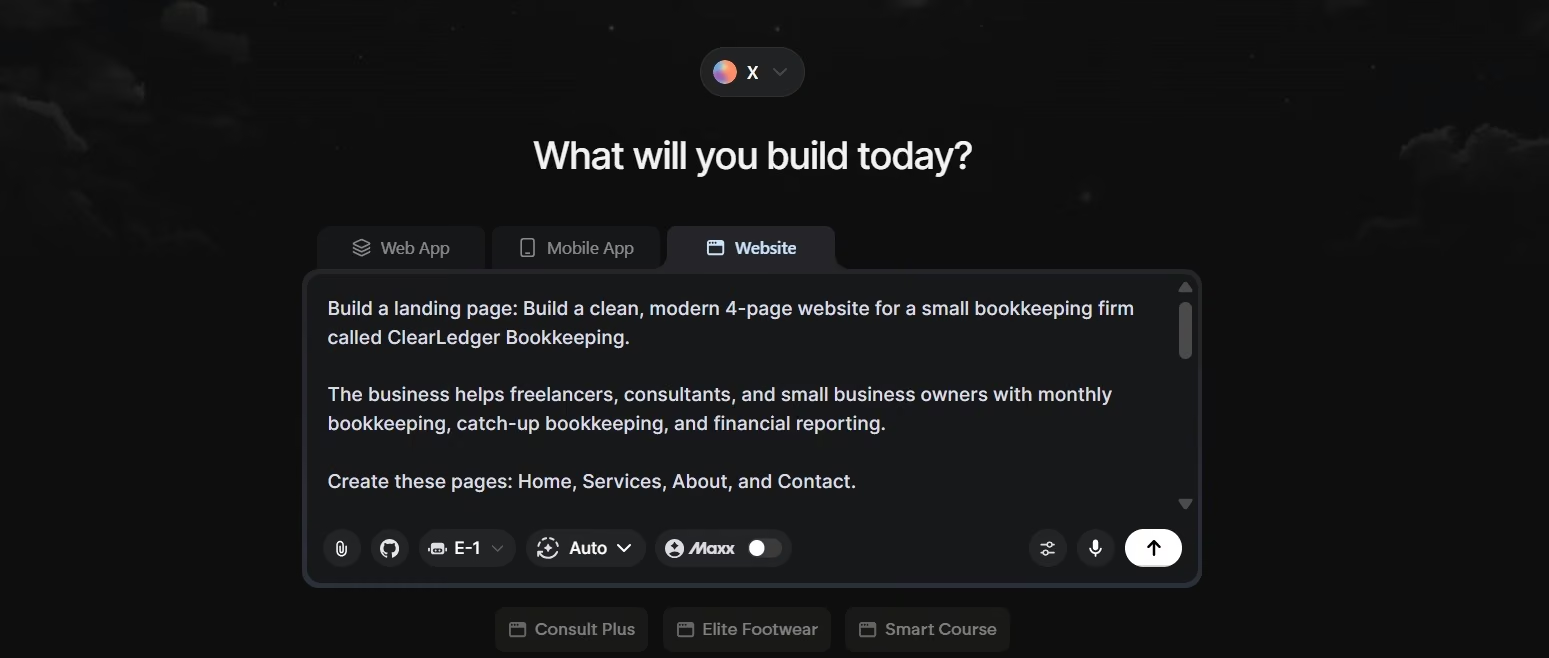
The first usable draft took about 10 minutes.
I then refined the copy and calls to action, improved the visual spacing, checked the mobile layout, and asked for basic on-page SEO. The work I tracked took about 25 minutes in total and used 20 credits.
The finished homepage had its own navigation, service copy, clear calls to action, and a consistent visual style.

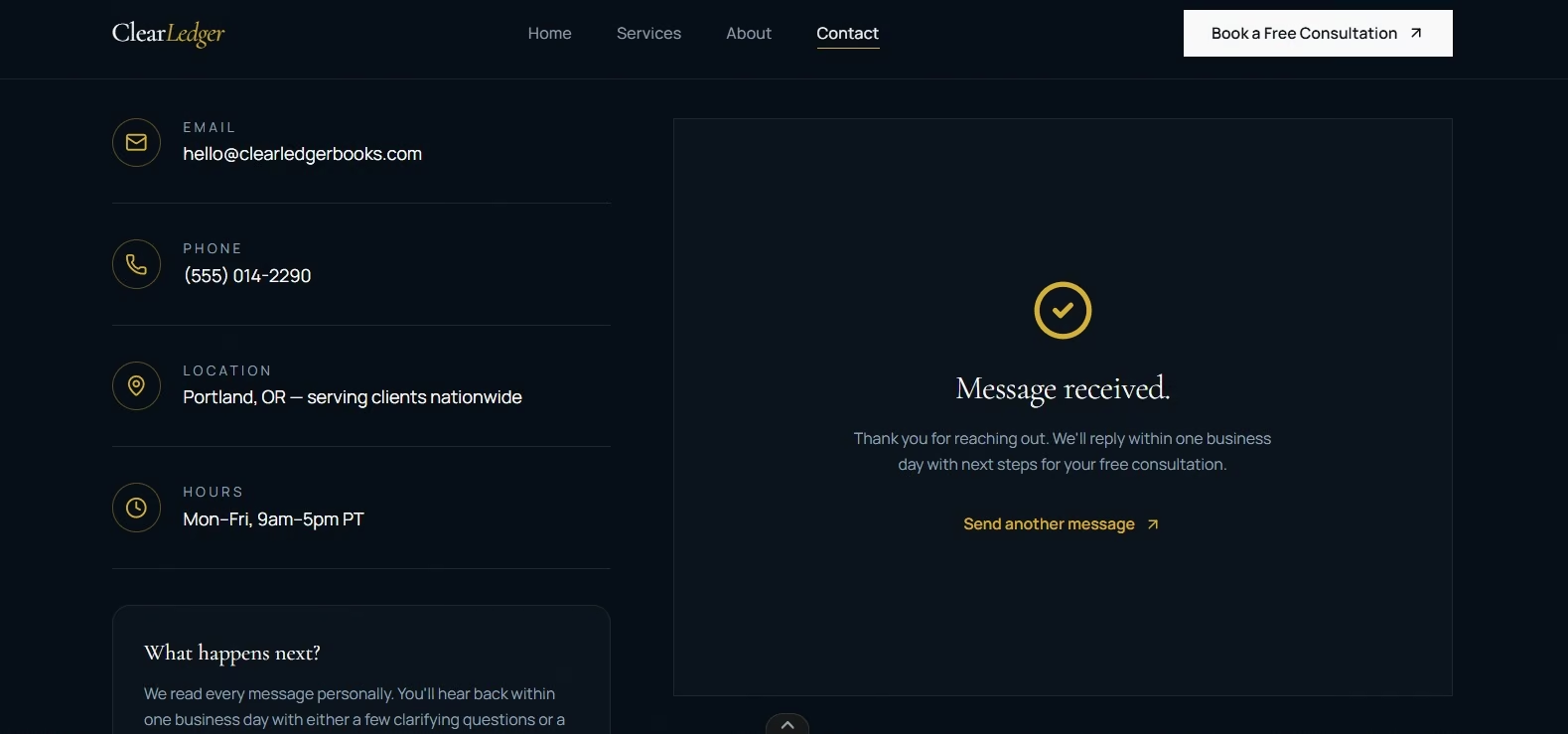
I also tested the contact form myself. An empty required field triggered a warning. A completed submission returned a “Message received” confirmation and saved the inquiry.
The mobile version kept the service content readable and changed the desktop navigation into a mobile menu.

I published the ClearLedger test site too, which gave me one more check outside the editor. The live deployment adds 50 credits per month, bringing this test to 70 credits for the first month: 20 credits for building and refinement, plus 50 credits for deployment.
I did run into a blank Preview screen during testing. That reinforced a simple rule I use with generated websites now. Open the real pages yourself. Submit the form. Check the mobile layout. Test the action you expect a customer to take.
The 20-credit figure covers the building and refinement work I tracked. The separate 50-credit monthly deployment cost is part of the site's ongoing budget.
That ongoing charge belongs in your calculator.
What Is the Average Website Cost in 2026?
An average website cost is useful only when the scope is close to yours.
For a small business, a DIY site can start from $0 to a few hundred dollars. Professional design commonly starts in the low thousands, and larger projects can reach five figures.
Use the site type to narrow the range:
A portfolio can work with a small page count and a simple form.
A service-business site usually adds stronger copy, lead forms, testimonials, booking, or local business information.
A store adds product pages, checkout, payment processing, inventory, shipping tools, and sales-related fees.
A client portal can add logins, stored information, permissions, and private pages.
The label “website” tells you almost nothing about the budget until you know what visitors need to do on it.
What Changes the Cost of a Website
Two sites with the same number of pages can still have very different bills.
- Page count: Every extra page needs copy, layout work, images, internal links, and testing.
- Design: A ready-made style costs less time than a custom visual system with original graphics and detailed brand work.
- Content: Copywriting, photography, video, case studies, and graphics can add a separate bill.
- Forms and workflows: A basic contact form is simple. Booking, stored inquiries, member accounts, or customer dashboards add more work.
- Selling online: Product catalogs, checkout, taxes, shipping, payment processing, and store apps raise both the build cost and the running cost.
- Outside services: Email tools, booking systems, analytics, customer management tools, and paid add-ons can renew every month or year.
- Changes after launch: New services, landing pages, promotions, integrations, and redesign work need their own budget.
This is where vague briefs get expensive. Write the pages and required actions down before you ask anyone for a quote.
Also read our idea to live website in a day guide if a working first version matters more than the right long-term choice.
DIY vs. Freelancer vs. Agency vs. AI
Who builds the site changes where your money goes.
DIY keeps the cash bill low. You take on the page setup, copy, design choices, testing, and updates.
A freelancer gives you one person to handle a defined project. Clear scope makes this route easier to price.
An agency gives you a team. The fee can cover design, copy, development, strategy, and project management depending on the quote.
An AI builder turns more of the work into prompting, reviewing, and testing. It can fit a founder who wants to get a working site online quickly and feels comfortable directing revisions.
Time should sit next to price when you compare those routes. In Emergent's build-method test, a simple AI website took from minutes to about two hours. A DIY drag-and-drop build took a weekend to one or two weeks, while WordPress took days to weeks.
Building it yourself saves money and spends time instead. Our how long it takes to build a website guide covers how much.
Your Launch Bill Is Only Your First Website Bill
Launch day doesn't end the budget.
Your site still needs a place to run. Your domain renews. Paid tools renew. Store transactions can carry processing fees. New content and changes take time.
Check these costs before you choose a platform:
- Platform renewal: Look at the normal renewal rate and billing term.
- Domain renewal: Record the second-year price, especially when Year 1 is discounted.
- Paid tools: List every booking, email, store, membership, or marketing service.
- Deployment or hosting: Add the recurring cost that keeps the site online.
- Upkeep: Budget for edits, checks, and fixes through the year.
- New work: Give future pages and new features their own line.
Emergent's IONOS domain flow currently offers domain registration free for the first year. Standard IONOS renewal pricing applies after that.
That is exactly why I prefer a Year 1 and Year 2+ calculator.
How To Cut Website Costs Before the Build Starts
The cheapest change happens before anyone starts building.
- Write a tight launch scope: Pick the pages, the main visitor action, and the functions you need on day one.
- Prepare your content: Have your service details, contact information, logo, images, and rough copy ready.
- Set priorities: Put revenue-related or lead-related functions first. Save lower-priority ideas for a later round.
- Test one customer path: For a service site, that might be Home page → Services → Contact → successful form submission.
- Review your second-year cost: A cheap opening price can become a poor deal after renewals and add-ons.
If you're still trying to turn a rough idea into a usable scope, Emmy can help before you start the main build. Emergent's built-in assistant asks who will use the product, what needs to exist on day one, and what can wait. She then turns the conversation into a build-ready prompt. Emmy is currently free to use and costs no credits.
That can help you catch scope creep before it starts spending your budget.
Once you've picked a route, our how to build a website guide covers the build itself.
When Does an AI Website Builder Make Financial Sense?
AI makes financial sense when you can describe the site clearly and review the result yourself.
Emergent lets you describe your pages and site behavior in plain language through its AI website builder. You can then refine pages through follow-up prompts and publish the site to a live URL on the Standard plan or above.
As of September 2026, the Standard plan is $20 per month or $17 per month billed annually, and includes 100 credits per month. The Free plan includes 10 free monthly credits.
My ClearLedger build used 20 credits.
A deployed app currently uses 50 credits each month. On the Standard plan, one live deployment would use half of the 100-credit monthly allowance before new build work that month.
That credit math is worth checking before you compare the $20 subscription with a static website builder.
For a small service website like ClearLedger, I liked how quickly I could get from a written brief to a working form and a published site. Projects with deep security needs, unusual integrations, or heavy custom work deserve a larger budget and experienced review.
Final Takeaway on the Cost to Build a Website
Price the website you plan to build, then price the website you plan to keep.
Start with your scope. Add the build route. Add the platform, domain, paid services, deployment or hosting, upkeep, and your own time. Then run the same numbers again for Year 2.
My ClearLedger test reached a usable first version in about 10 minutes and a refined version in about 25 minutes. The build used 20 credits. Publishing also creates an ongoing deployment cost, so I wouldn't use the 20-credit figure as the full cost of keeping the site online.
A useful website budget gives you two numbers: launch cost and ongoing cost.
If you're still weighing the AI route, our AI website builder FAQ answers the common questions.

Most AI app builders stop at prototypes. Emergent creates production-ready apps you can actually launch.
- Production-ready apps
- Web & mobile apps
- Deploy in minutes







