



Type "free ecommerce website builder" into Google and the promise sounds simple. Build a store, sell your stuff, pay nothing.
Then you add your tenth product and hit a cap, get a subdomain you can't change, or get told that real selling requires an upgrade.
I spent the past two weeks going through the current pricing and feature pages of 10 free and freemium ecommerce builders, one at a time. Then I checked what each platform documents against what actually happened when I tested it.
Here's what you get from each one: which platforms let you take a payment without spending a cent, and which only let you build for free. Some "free" software still comes with a hosting bill attached.
Why Free Ecommerce Website Builders Rarely Mean What They Say
Search for a free way to sell online and the catch lands in one of three places: a cut of every sale, a hosting bill standing in for the software cost, or a hard cap that stops you before you've sold much of anything. A fourth kind is sneakier: a free tier that builds you a good-looking page and blocks the checkout button.
Ecwid used to be the exception people pointed to. When I checked in September 2026, its pricing page carried no free plan at all, and the cheapest tier, Starter, ran $5/month for up to 10 products. Ecwid's builder page is still headlined "Free Online Store Builder," where the free part is a company.site domain and a Google Analytics connection.
The trade you're making decides whether "free" saves you money or delays the bill.
How I Researched These 10 Free Ecommerce Website Builders
I checked 26 free and freemium ecommerce builders before narrowing this list to the 10 here.
Here's what got cut, grouped by why:
- Squarespace and Wix both require a paid plan before you can sell anything at all; the exact wall Shopify's own trial already hits on this list. Hostinger is a host rather than a free store builder, and it appears further down as one of WooCommerce's hosting options.
- Adobe Commerce Open Source (Magento) is a self-hosted, developer-heavy platform built for enterprise catalogs. A small seller looking for a free storefront isn't who it's built for.
- PrestaShop, Selldone, and CoreCommerce cover the same free-software, real-hosting-cost ground WooCommerce and OpenCart already handle in more depth, so they didn't earn a section of their own here. SITE123, Strikingly, Sellfy, and Branchbob didn't offer enough beyond what's already covered here to justify sections of their own.
- Fourthwall, Gumroad, and Payhip all lean toward creators selling digital products, courses, and memberships. Fourthwall and Payhip do handle physical goods, but Fourthwall sells merch its partners manufacture rather than a catalog you stock yourself, and Payhip charges 5% per sale on its free plan. Big Cartel already anchors that maker slot here, with no such cut.
- Ecwid no longer runs a free tier, which is why it's out of a ranking built on $0.
- Weebly, now run under the same ownership as Square Online, didn't add enough beyond what Square Online already covers in this list to justify a section of its own.
Here's what I checked for each of the 10 that made the list, over the past two weeks:
- Can it sell: Whether the free tier lets a payment go through, or only lets you build a page and stops at checkout.
- What the free tier's cap allows: The product or listing limit itself, underneath the marketing headline.
- Is a custom domain included: Or does that require a paid step, leaving you on a subdomain.
- Does branding come off for free: Or does removing it require upgrading?
- What the free-tier transaction fee is: Several of these platforms charge a higher per-sale rate on their free tier than on their paid tiers.
The Standard Signup Test
To check those five things consistently, I ran the same test listing through eight of the 10 platforms myself, creating an account (free where one exists, the cheapest tier where it doesn't), adding the identical product, and pushing it to checkout.
I never completed a live transaction on any of them. None of the five questions above need one. I stopped at the payment screen or the place-order button and logged whether the platform let me reach it.
Here's the spec I used on every one of those eight, word for word:

Product: a hand-thrown ceramic mug sold under the name Sennoak Ceramics, in two sizes (10oz and 14oz) and two glazes (Slate and Sand), priced at $28, with one product photo, a 40-word description, and 12 units of starting inventory per variant.
Steps: create the account with an email address only, adding a card only where the signup flow makes it mandatory. Add the product with both variant options. Set a flat $6 domestic shipping rate. Open the storefront as a visiting shopper, add the mug to the cart, and walk the checkout screen forward until the platform either asks for payment details, blocks the step behind an upgrade wall, or lets it through to a place-order button, without placing that order.
Log whether a custom domain is offered at this stage or gated behind a paid plan, whether the platform's own branding is still visible on the storefront, and what the checkout or account page discloses about a per-sale transaction fee, if any.
Where the Test Method Changed
Emergent works differently from the eight platforms I ran through the standard signup test, since it's prompt-driven.
I gave it a single written brief and checked what it generated against the same five questions:
Build me an online store called Sennoak Ceramics that sells small-batch ceramics. I need a product catalog with fields for product name, price, description, one photo, and two variant options: size (10oz and 14oz) and glaze color (Slate and Sand), each with its own inventory count. Add one sample product using that structure: a $28 mug, both sizes, both glazes, 12 starting units per variant, and a short description.
Build a checkout flow that collects a shipping address, adds a flat $6 domestic shipping charge, and connects to Stripe for payment. Give me an admin view where I can see and edit orders and inventory after they come in, plus a simple way to apply a one-time percentage discount code at checkout.
Don't add a login or account system for shoppers; a guest checkout is enough. Keep the storefront to a product grid, a product detail view, and the cart and checkout flow, nothing more. I want to see the whole thing working end to end before I decide whether it's worth paying to keep it running.
Big Cartel's free Gold plan doesn't require a credit card or a live account to confirm its real limits, so I checked its current pricing and feature pages directly against the same five questions instead of running a live signup, confirming the five-product cap, the no-transaction-fee structure, and what's gated behind Platinum.
If you're still working out what the store needs, our ecommerce website FAQ covers the common questions.
The sharpest surprise of the whole pass came from Square Online. Its free tier charges a steeper processing fee than its first paid upgrade does for the identical online sale, a gap covered in that section below. Free isn't always the cheapest way to take a card.
10 Best Free Ecommerce Website Builders: Quick Comparison
How the 10 compare, side by side:
1. Freewebstore: Best for Selling for Real, Starting Today

What it does: Freewebstore gives you a complete online store, product listings, hosting, and checkout, without a subscription of any kind.
Best for: A seller who wants to accept a payment for $0, starting today, with no trial to wait out.
Of the eight signups in this test, Freewebstore's was the only one where nothing stood between me and a place-order button. The account needed only an email, no card.
I built the same test listing, a $28 ceramic mug in two sizes and two glazes, in about ten minutes, including connecting a Stripe test account. The account defaulted to GBP pricing during this test, though Freewebstore documents a setting for changing the default store currency.
'Free forever' is the line most platforms on this list want you to believe, and almost none of them fully deliver on it. Freewebstore comes closest, and it does it without asking you to wait. It was the cleanest $0 checkout path I found in this test.
What that includes goes further than most free claims:
- Unlimited product listings, unlimited hosting and bandwidth, and a free SSL certificate (Secure Sockets Layer, the encryption behind the padlock icon in a browser bar).
- Stripe, PayPal, and Apple Pay, all included on the free tier, so a customer can check out the same day you sign up.
- A 2.5% fee on every sale, dropping to 0.5% once you move to any of Freewebstore's three paid tiers.
The free tier replaces a subscription with a per-transaction fee that eats into revenue fast as volume grows.
The free-forever framing gets complicated at scale:
- Turnover under roughly $12,000 a year (about £9,000) is where the free tier stays genuinely cheaper than a subscription. Past that point, the transaction fees add up to more than a subscription would have cost.
- A custom domain is still a separate purchase, even on the free plan, something the marketing page doesn't lead with. Freewebstore covers the store software and hosting only.
Those two points, the volume threshold and the domain purchase, are what to know before signing up.
Key Features
- Unlimited products and hosting: No catalog cap and no separate hosting bill on the free tier.
- Built-in payment processing: Stripe, PayPal, and Apple Pay all work without a paid plan.
- AI product copy and SEO tools: Included free, useful for a seller who'd rather not write every description by hand.
- Free SSL: Every store gets HTTPS by default, no certificate to buy separately.
Pros and Cons
Pros:
- Processes a payment with no monthly fee at all.
- No product cap turned up anywhere in the account during setup.
- Stripe worked immediately in testing, with no upgrade screen blocking checkout.
- Free SSL and free hosting, both usually gated elsewhere.
Cons:
- The 2.5% free-tier transaction fee adds up fast once sales volume grows.
- A custom domain still costs extra, even on the free plan.
What Users Say
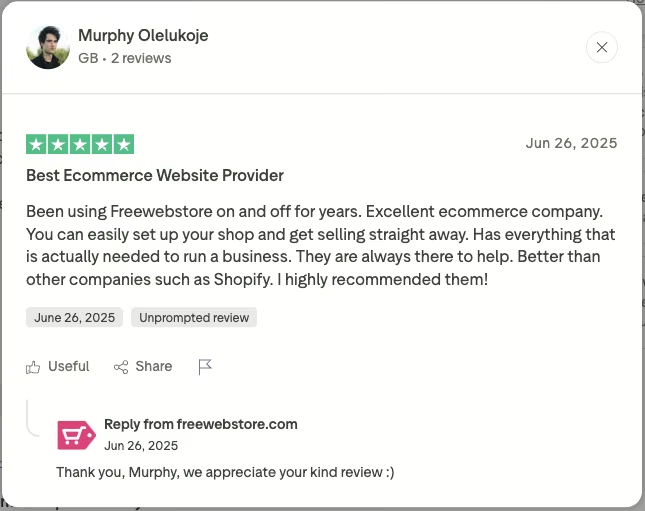
“Been using Freewebstore on and off for years. Excellent ecommerce company. You can easily set up your shop and get selling straight away.” - Murphy Olelukoje, Trustpilot
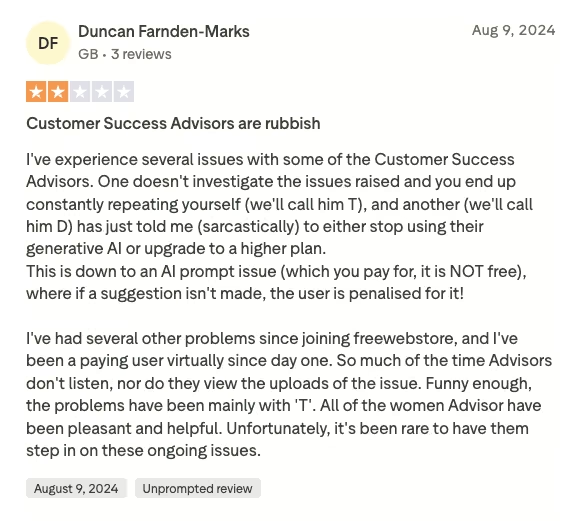
“I've experienced several issues with some of the Customer Success Advisors.” - Duncan Farnden-Marks, Trustpilot
Pricing
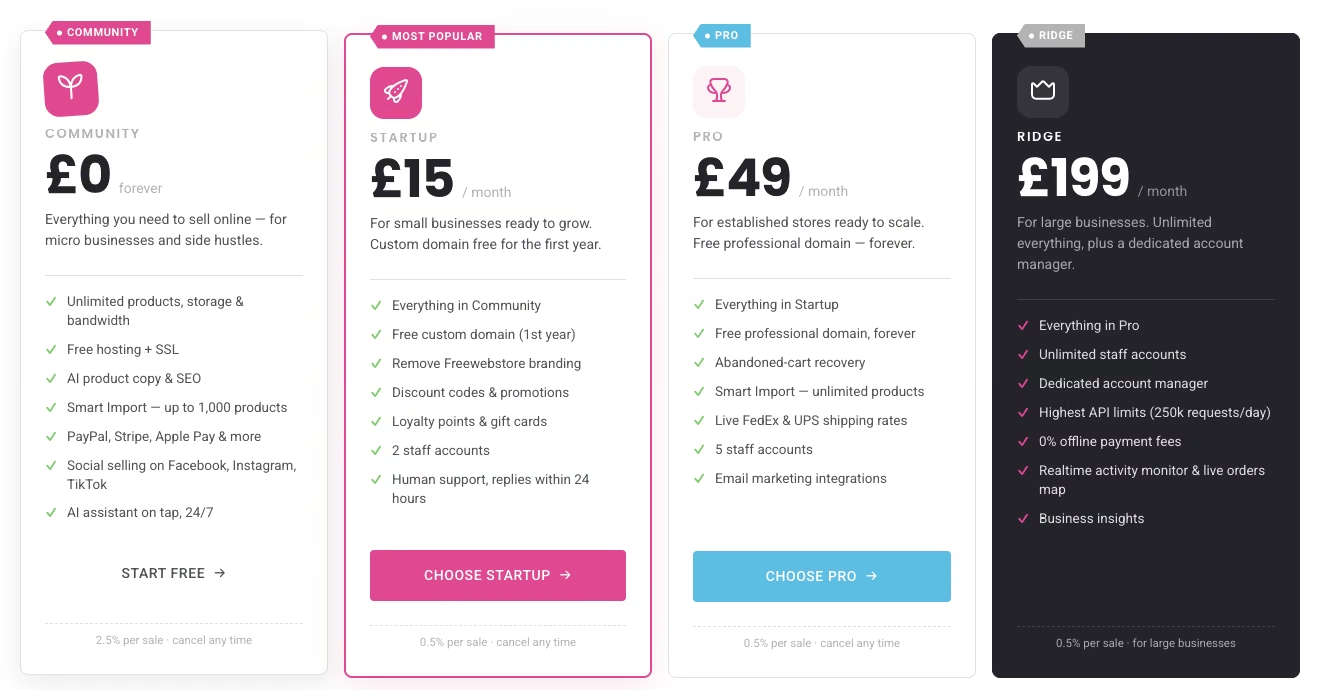
Community (Free): $0/month. Unlimited products, unlimited hosting and bandwidth, and free SSL. Native Stripe, PayPal, and Apple Pay checkout, with a 2.5% transaction fee on every sale.
Startup: $20/month (£15). Everything in Community, plus a free custom domain for the first year, Freewebstore branding removed, discount codes, loyalty points and gift cards, and two staff accounts. The transaction fee drops to 0.5% per sale.
Pro: $65/month (£49). Everything in Startup, plus a free professional domain forever, abandoned-cart recovery, unlimited Smart Import, live FedEx and UPS shipping rates, and five staff accounts. Transaction fee stays at 0.5%.
Ridge: $250/month (£199). Everything in Pro, plus unlimited staff accounts, a dedicated account manager, the highest limits for external integrations, and 0% offline payment fees.
Freewebstore's public plans page displays pricing in British pounds, though its help center also lists Community, Startup, Pro, and Ridge pricing in USD and EUR.
Bottom Line
Freewebstore earns the top spot here because it does what its marketing claims. You can sell for $0, starting immediately, with real payment processing built in. Sellers whose turnover stays modest get the best deal on this list. Once volume climbs past roughly $12,000 a year, the 2.5% fee starts eating into the "free" part of the pitch.
Also read our best AI ecommerce website builders guide for the AI-built route, which prices differently from a monthly plan.
2. Square Online: Best for Fast Setup with POS Sync

What it does: Square Online turns a Square account into a free online store that can sync inventory with an in-person point-of-sale (POS) setup.
Best for: A seller who wants a fast, simple setup and can live with a higher per-sale fee in exchange for skipping a monthly bill.
Square Online is a feature switched on inside an existing Square account, which I had to create first. I added the same test mug listing in about eight minutes, and the checkout flow let me reach a payment-entry screen as a guest shopper, with the fee listed right there before I'd have had to enter a card.
The subdomain Square assigns by default is based on your business information, though in this test it came out as a string of letters and numbers with the store name nowhere in sight, buried a few menus deep in the dashboard. Square says the subdomain can be changed at any time.
Only a handful of free tiers on this list let a payment go through with no monthly fee attached, and Square Online is one of them. It stays $0/month per location, with no trial and no forced upgrade to accept your first order.
Three things change once you leave the free tier, easy to miss reading the homepage:
- Processing fee: 3.3% plus 30 cents per online transaction on the free tier, dropping to 2.9% plus 30 cents on Square Plus.
- Custom domain: Not included free. Your store lives on a Square subdomain until you upgrade.
- Branding: Square's branding stays visible in the footer until you upgrade.
Square Plus runs $49/month per location and adds the custom domain plus branding removal. Square Premium goes up to $149/month for higher-volume sellers. Both currently come with a 30-day free trial.
The setup itself gets consistent praise for being fast. But every bit of traffic still has to come from you. Nothing about Square Online drives customers to your store on its own.
Square treats this as a feature bundled into the same "Square Online" account a seller already uses for in-person checkout. That framing decides who the tool fits. Someone already inside Square's ecosystem gets an easy add-on. A seller shopping for a dedicated ecommerce platform from scratch is looking at a narrower fit here.
Key Features
- POS sync: Inventory and orders stay in sync with an in-person Square setup if you already use one.
- Real payment processing on the free tier: A customer can check out without you upgrading first.
- Fast setup: Templates and product entry are built to get a store live quickly.
- Built-in item catalog tools: Useful for a seller who also books services through Square.
Pros and Cons
Pros:
- Processes a sale for $0/month, no trial required.
- POS sync is a genuine differentiator here: none of the other platforms tested for this list build that in-person tie-in into their free tier by default, though WooCommerce can add it through a free Square extension.
- At about eight minutes, this was the fastest full storefront build in this test.
Cons:
- The free tier's 3.3% plus 30 cents online processing fee drops to 2.9% plus 30 cents the moment you upgrade to Square Plus.
- No custom domain on the free tier, and Square's branding stays visible until you upgrade.
What Users Say
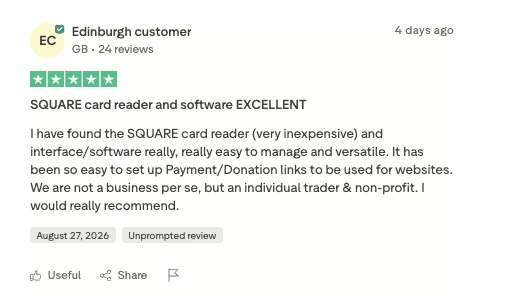
“I have found the SQUARE card reader (very inexpensive) and interface/software really, really easy to manage and versatile.” - Anonymous, Trustpilot
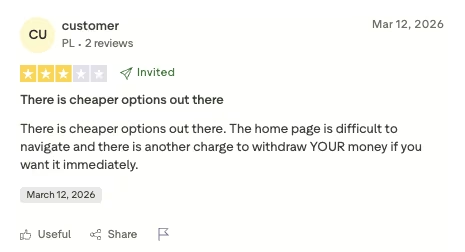
“There are cheaper options out there. The home page is difficult to navigate, and there is another charge to withdraw YOUR money if you want it immediately.” - Anonymous, Trustpilot
Pricing
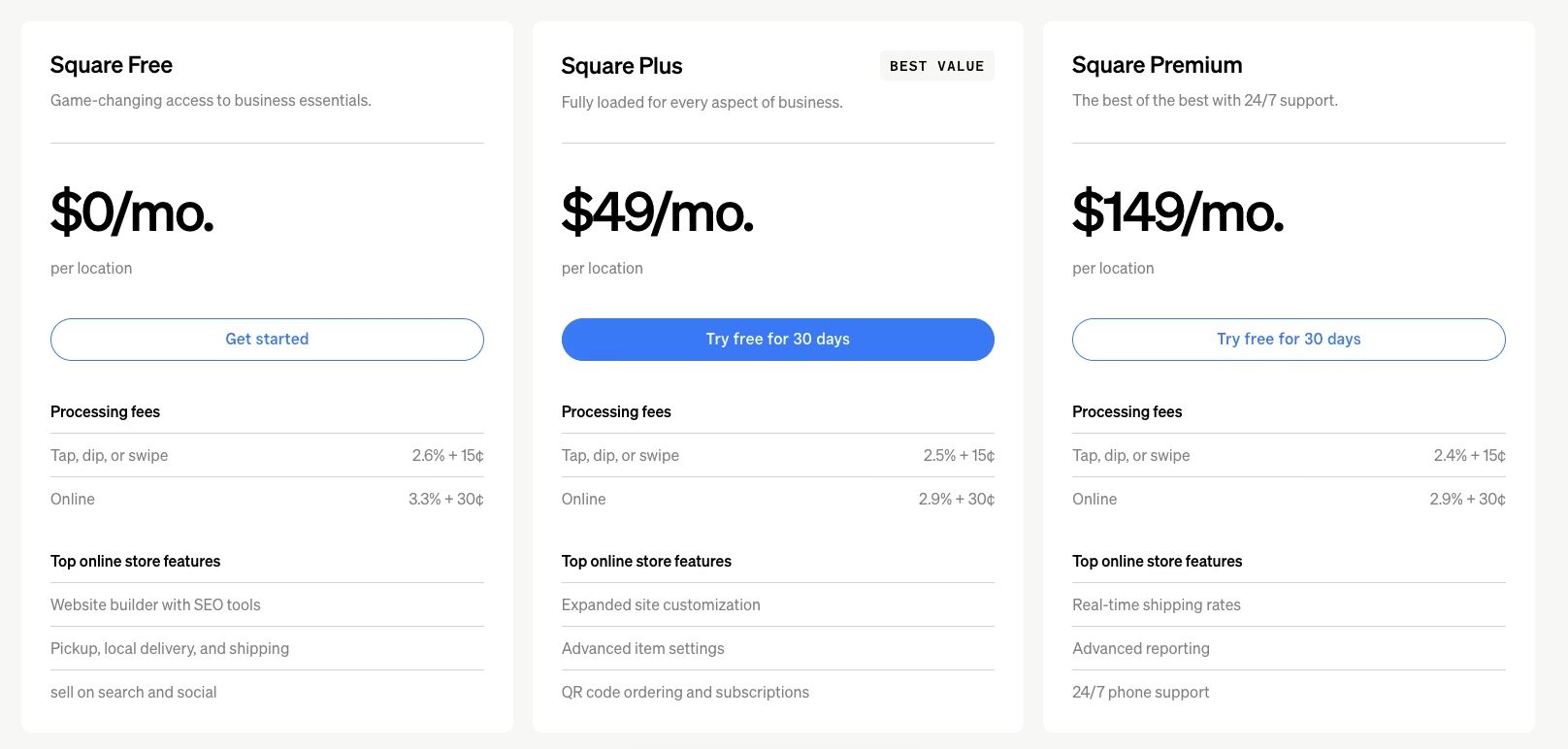
Free: $0/month per location. Real payment processing included: 3.3% plus 30 cents per online transaction; no custom domain; Square branding on the storefront.
Square Plus: $49/month per location (30-day free trial). Adds a custom domain, removes Square branding, and drops the online processing fee to 2.9% plus 30 cents.
Square Premium: $149/month per location (30-day free trial). Built for higher-volume sellers.
Square Pro: No public price, contact sales. Reserved for sellers processing more than $250,000 annually.
Bottom Line
A per-sale processing fee is what you pay for Square Online's free tier. There's no subscription attached. That trade works well for a seller who wants to start selling today and doesn't mind giving up a slice of each sale. Anyone syncing with an existing Square POS setup gets an easy yes here.
For inspiration, read our ecommerce website examples guide.
3. Big Cartel: Best for a Small-Batch Maker

What it does: Big Cartel is a storefront built specifically for independent makers and artists selling a small, curated catalog.
Best for: A small-batch maker who can keep their catalog to five products or fewer, without taking on a monthly bill.
Five products is the entire ceiling on Big Cartel's free Gold plan, and it's also the whole point. No credit card is required to start, sales tax runs on autopilot, real-time stats are included, and a customer can pay by card or PayPal from day one.
The trade that's easy to miss is that Big Cartel doesn't take a cut of what you sell at all, on the free plan or any paid one. Whatever you pay goes to your card processor alone. That's a different trade than most of this list, where the limit is a percentage of sales instead of a product count.
The limit is the product cap itself. Once a catalog needs to grow past five items, Big Cartel stops being a free option and starts requiring its Platinum plan.
Key Features
- Built for makers: The interface assumes a small, curated catalog instead of a big-box inventory.
- No transaction fees on any plan: Big Cartel doesn't take a cut of your sales, free or paid; only your payment processor's standard rate applies.
- Mobile apps on paid plans: Platinum and Diamond include iOS and Android apps for managing orders and listings.
Pros and Cons
Pros:
- Purpose-built for a small, curated catalog instead of a generic storefront.
- No monthly bill and no transaction fee at all under the free tier's five-product cap.
- Sells physical products on the free Gold plan, with sales tax handled automatically. Digital products require upgrading to Platinum or Diamond.
Cons:
- A five-product cap is small enough that most growing catalogs outgrow it quickly.
- Custom domains and branding removal both sit behind Platinum, so a free Gold storefront keeps Big Cartel's subdomain and badge.
What Users Say
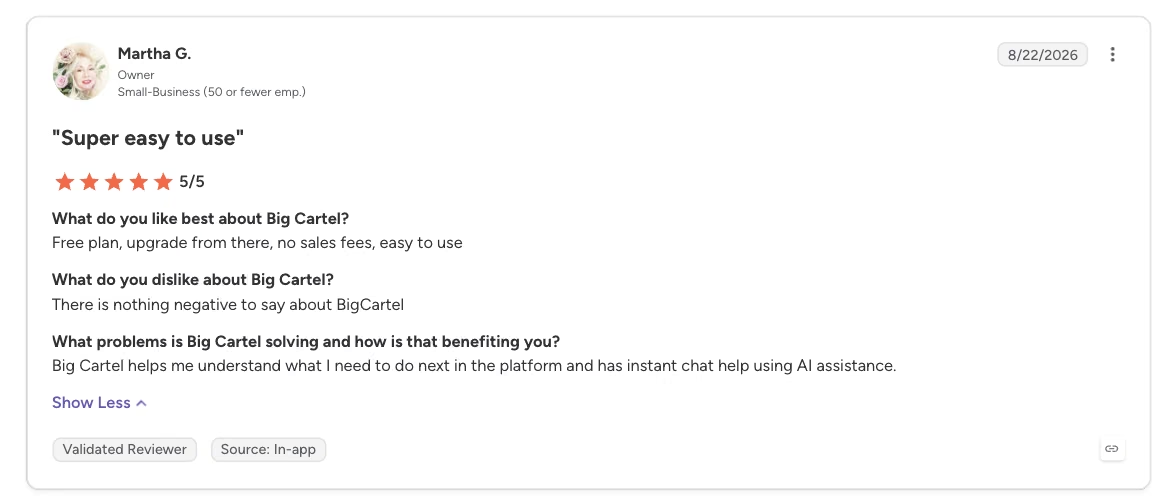
“Free plan, upgrade from there, no sales fees, easy to use.” - Martha G., G2
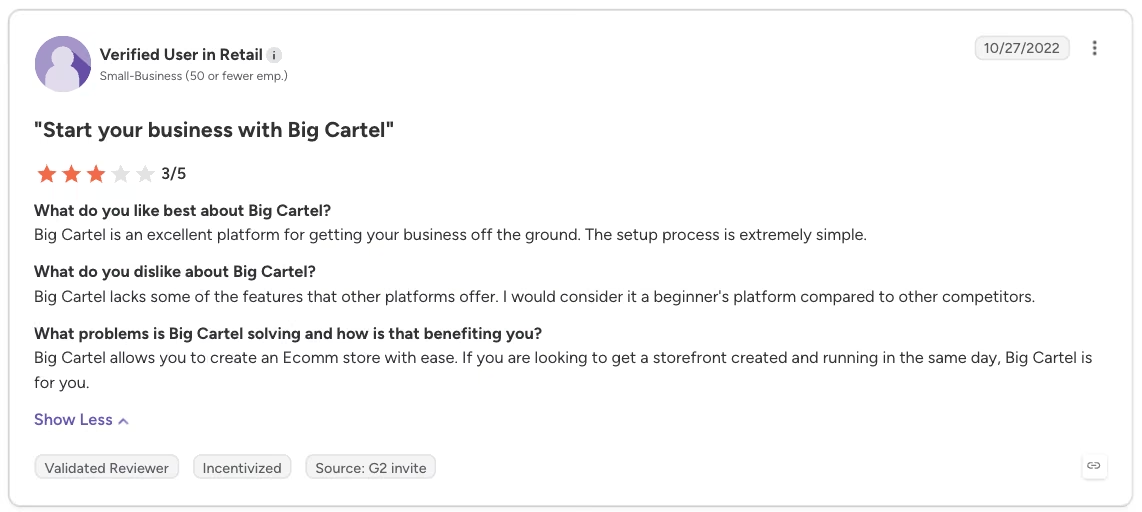
“Big Cartel lacks some of the features that other platforms offer. I would consider it a beginner's platform compared to other competitors.” - Verified User in Retail, G2
Pricing
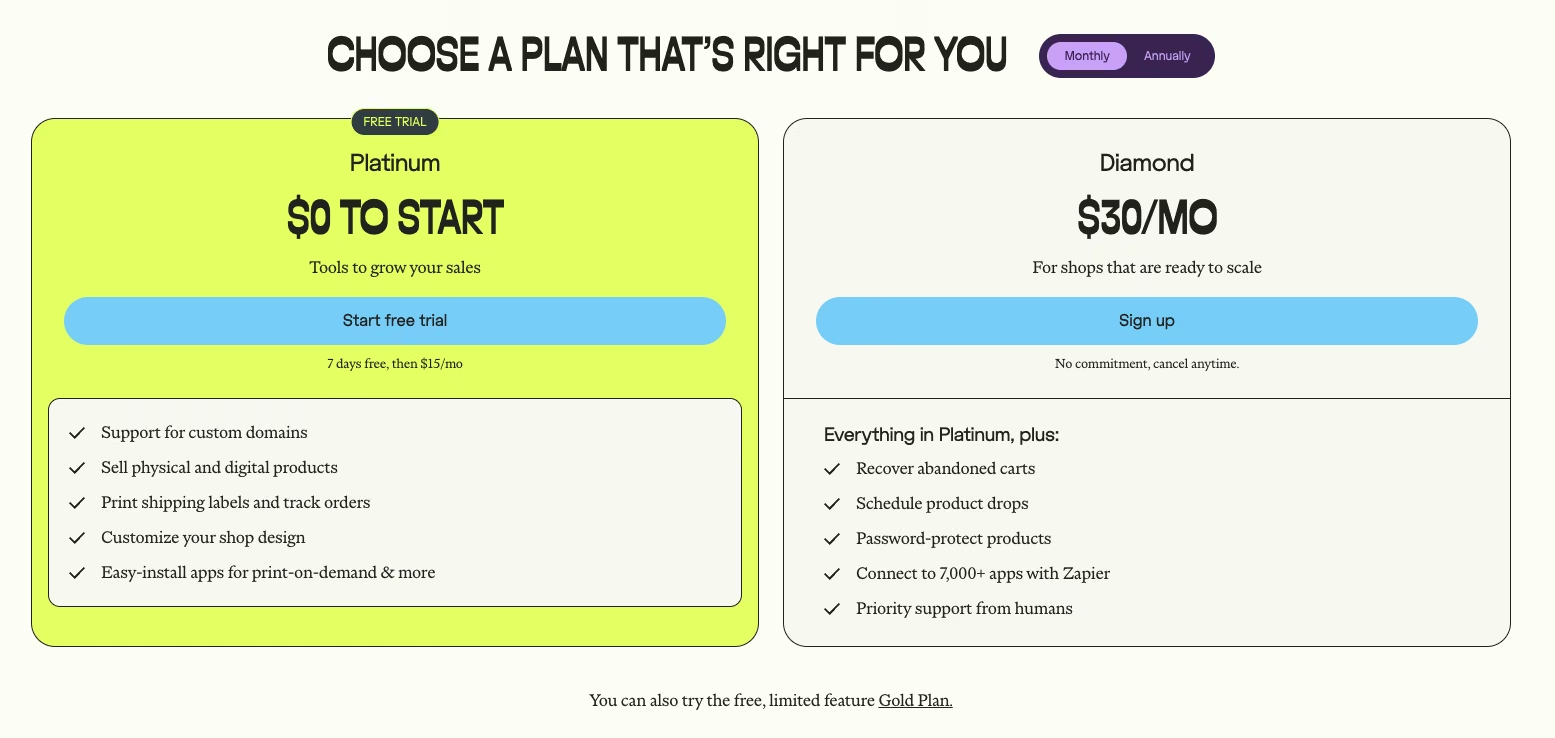
Gold (Free): $0/month, no credit card required. Five product listings, real-time stats, sales tax autopilot, one template, and card and PayPal acceptance.
Platinum: $15/month ($12/month, billed annually), with a seven-day free trial. Adds custom domain support, print-ready shipping labels, and more storefront customization.
Diamond: $30/month ($24/month, billed annually). Adds abandoned cart recovery, product drop scheduling, password-protected products, and connections to 7,000+ apps through Zapier.
No Big Cartel plan charges a transaction fee.
Bottom Line
Big Cartel keeps its ambitions narrow on purpose. For a small, handmade catalog that fits under the free cap, it's a clean, purpose-built option. Once your product count grows, budget for one of its paid tiers instead of expecting the free plan to stretch.
4. Emergent: Best for a Storefront with a Real Database and Checkout

What it does: Emergent builds a working ecommerce storefront, including a product catalog, checkout, and its own database, from an ordinary-language description. There's no template picker involved.
Best for: A seller who wants an AI-built storefront with a working database and checkout.
I gave Emergent the build brief for Sennoak Ceramics, covering the two-size, two-glaze mug structure, a flat $6 shipping rate, and a Stripe-connected checkout. The build finished in a single pass; no follow-up prompts were needed to land a catalog, checkout, and an admin order view together, and it used nine of the free plan's ten monthly credits.
I stopped there without paying to keep the build hosted, since putting it on a permanent, live URL is a separate step covered below. What stood out most was that the admin view for editing inventory and orders showed up without a separate prompt asking for one, bundled into the same build.
You describe the store you want, a catalog, a checkout flow, promotions, in ordinary language, and the system builds the working app around that description.
Emergent lists four areas of coverage for the ecommerce builder:
- Product catalog and store setup
- Payment and checkout
- Product management
- Promotions and sales
Those are the same categories a purpose-built storefront tool offers, built here from a single prompt.
The Free plan costs $0/month, requires no credit card, and comes with 10 credits/month. That's enough to describe and generate a working storefront.
Where the free tier hits a wall is staying live. Going live isn't part of the Free plan at all; Emergent's plan comparison lists it as a Standard-and-up feature. You can build and generate the store for free; putting it on a permanent, hosted URL requires the Standard plan.
Once you're there, keeping a store live costs 50 credits a month on top of whatever else that plan's credits cover that billing cycle.
A seller who wants to keep a store hosted past the initial free build has one path: move up to the Standard plan, which runs $20/month for 100 credits. Extra credits alone don't clear that wall, even while staying on the Free plan, since only the plan you're on gates whether a store can go live, regardless of credit balance.
Most other tools on this list charge per sale, require separate hosting, or cap the free tier some other way to stay free-adjacent. Emergent's version of that trade is a plan upgrade plus an ongoing credit cost, the number to budget for before treating this as free.
Key Features
- Prompt-built storefront: Describe the store you want, and the system builds the catalog, checkout, and database around it.
- A database included: The store gets its own database (the place your product details, variants, stock counts, and orders actually live), wired into the same payment flow from the first build.
- Promotions and sales tools: Built into the same free-tier feature set as the storefront itself.
Pros and Cons
Pros:
- The database and checkout came with the build, so nothing had to be bolted on as a separate app or plugin later, the way it did on WordPress in this test.
- No credit card required to start on the Free plan.
- The admin view for editing orders and inventory showed up in the first build, without my asking for it in the brief.
- The whole build fit inside a single Free-plan run, with one credit of the month's ten left unused.
Cons:
- Going live, including a custom domain, isn't included in the Free plan at all. Both require the Standard plan, and even there, keeping a store live costs 50 credits a month.
- Builds carry a “Made with Emergent” badge, and the plan pages don’t say which tier removes it, so check before you count on a clean storefront.
- The Free plan's ten credits are a tight budget: this build alone used nine of them in a single pass.
- Getting a specific look means describing it well, since Emergent skips the template and theme-selection step entirely.
What Users Say
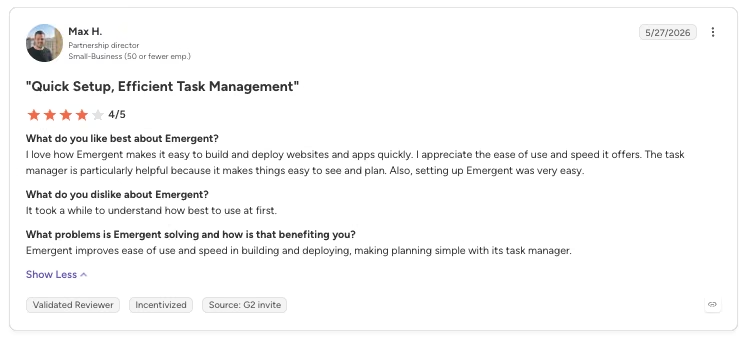
“I love how Emergent makes it easy to build and deploy websites and apps quickly. I appreciate the ease of use and speed it offers.” - Max H., G2
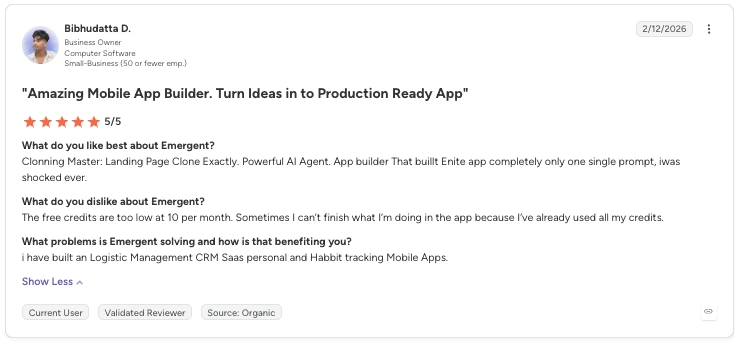
“The free credits are too low at 10 per month. Sometimes I can’t finish what I’m doing in the app because I’ve already used all my credits.” - Bibhudatta D., G2
Pricing
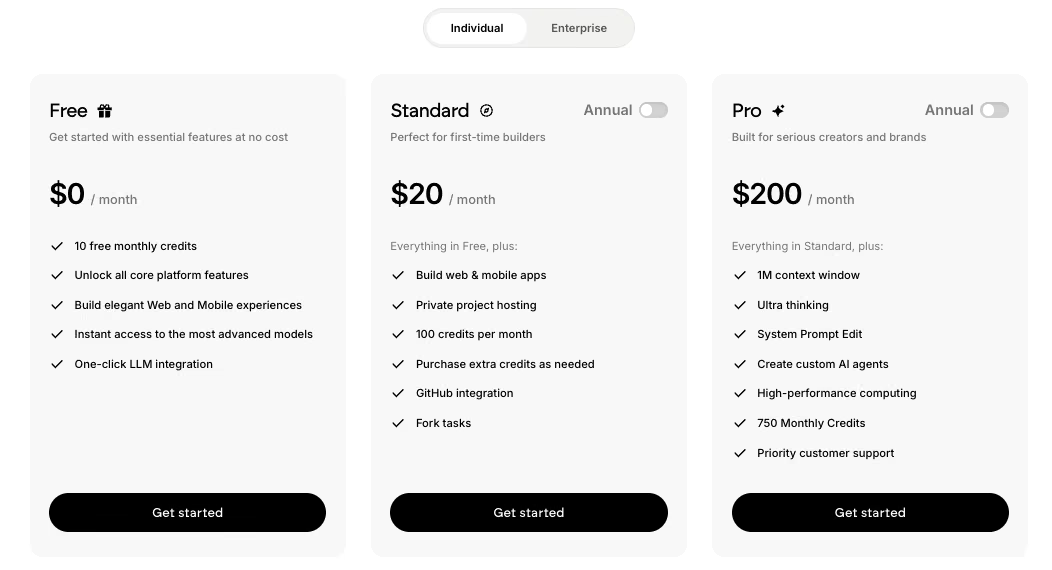
Free: $0/month, 10 credits/month, no credit card required. Enough to build a full storefront, though going live isn't included on this plan; hosting a store live requires Standard or above, at 50 credits/month.
Standard: $20/month ($17/month, billed annually), 100 credits/month.
Pro: $200/month ($167/month, billed annually), 750 credits/month.
Bottom Line
The plan structure is the thing to understand before you build here. The Free plan builds the store but doesn't put it on a live, permanent URL. Staying live requires the Standard plan at a minimum, plus the ongoing 50 credits per month it costs to keep the store live. What you get in exchange is a storefront where the product database, checkout, and order admin all worked on the first build.
5. Shift4Shop: Best for a Free Plan Tied to Its Own Processing
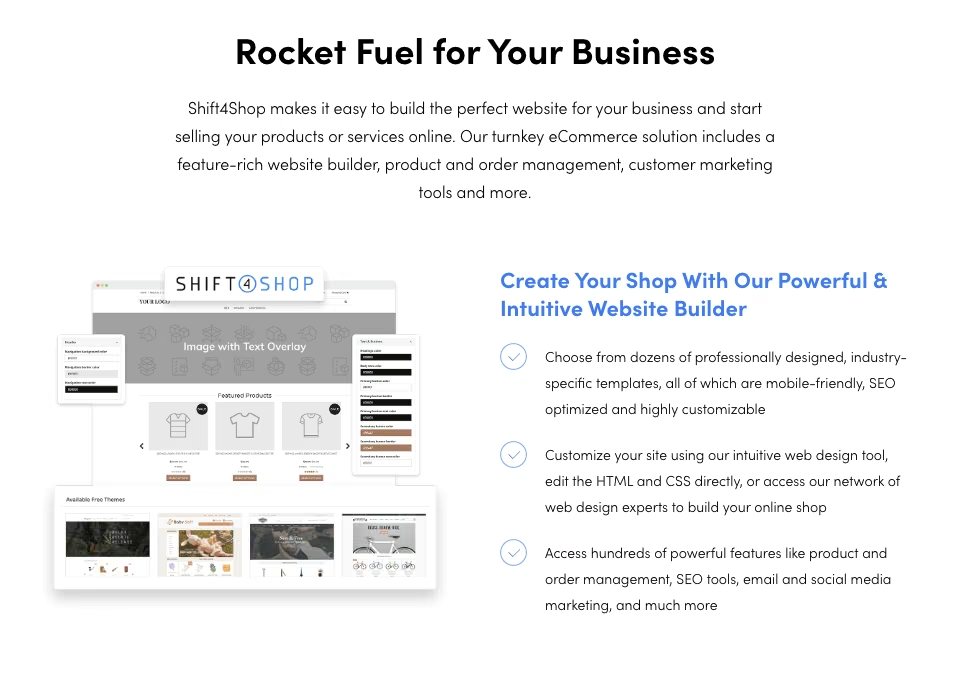
What it does: Shift4Shop is a full ecommerce platform that offers a free plan to US-based sellers who route payments through its integrated PayPal processing.
Best for: A seller comfortable tying their store to Shift4Shop's own payment processor in exchange for skipping a monthly software fee.
I signed up for the End-to-End plan, which meant agreeing to route payments through Shift4Shop's own processing before I'd even reached the storefront builder, a step none of the other platforms here require this early.
The same test mug listing took me about twelve minutes, longer than most of this list, mostly because the product editor has more fields than a simple storefront needs. Checkout worked through to the payment screen with no extra Shift4Shop fee on top of what the processor itself charges.
Shift4Shop's free plan, still called the End-to-End plan, has no product or feature cap of its own.
A few conditions most sellers miss, though:
- A monthly software fee may apply depending on your plan and your monthly processing amount.
- You only get it genuinely free as a US-based merchant, routing transactions through Shift4Shop's own payment processing and meeting its processing-volume terms.
- Sellers who use a different processor, or fall outside those terms, land on a paid tier instead.
That's the cost of "free" here: no dollar figure upfront, but a commitment to one specific payment processor.
That commitment is the real cost to weigh against the pricing page's pitch. The free option holds up if you're willing to tie your payments to Shift4Shop's processing and stay inside its volume terms.
Key Features
- Free plan tied to integrated PayPal processing and volume: No software fee if your processing runs through it and your monthly amount qualifies.
- Full ecommerce feature set: The same platform paid sellers use, with nothing stripped down for the free tier.
- Built-in SEO tools: SEO features built into the platform itself, with no separate plugin required.
- A domain included, not extra: Shift4Shop registers a domain name free and renews it free every year, on every plan, unlike Freewebstore, Square, and Big Cartel, which all gate this behind an upgrade.
Pros and Cons
Pros:
- The same feature set costs $41/month for sellers who skip Shift4Shop's own payment processor.
- Nothing in the checkout or product setup felt scaled down for being the free tier, and the payment screen in testing added no separate Shift4Shop fee beyond the processor's own rate.
- A custom domain comes with the free plan too, registered and renewed at no charge.
Cons:
- The free plan is conditional on committing to one specific payment processor and meeting its processing-volume terms.
- The product editor has more fields than a simple storefront needs, which stretched setup to about twelve minutes in testing, longer than most of this list.
What Users Say
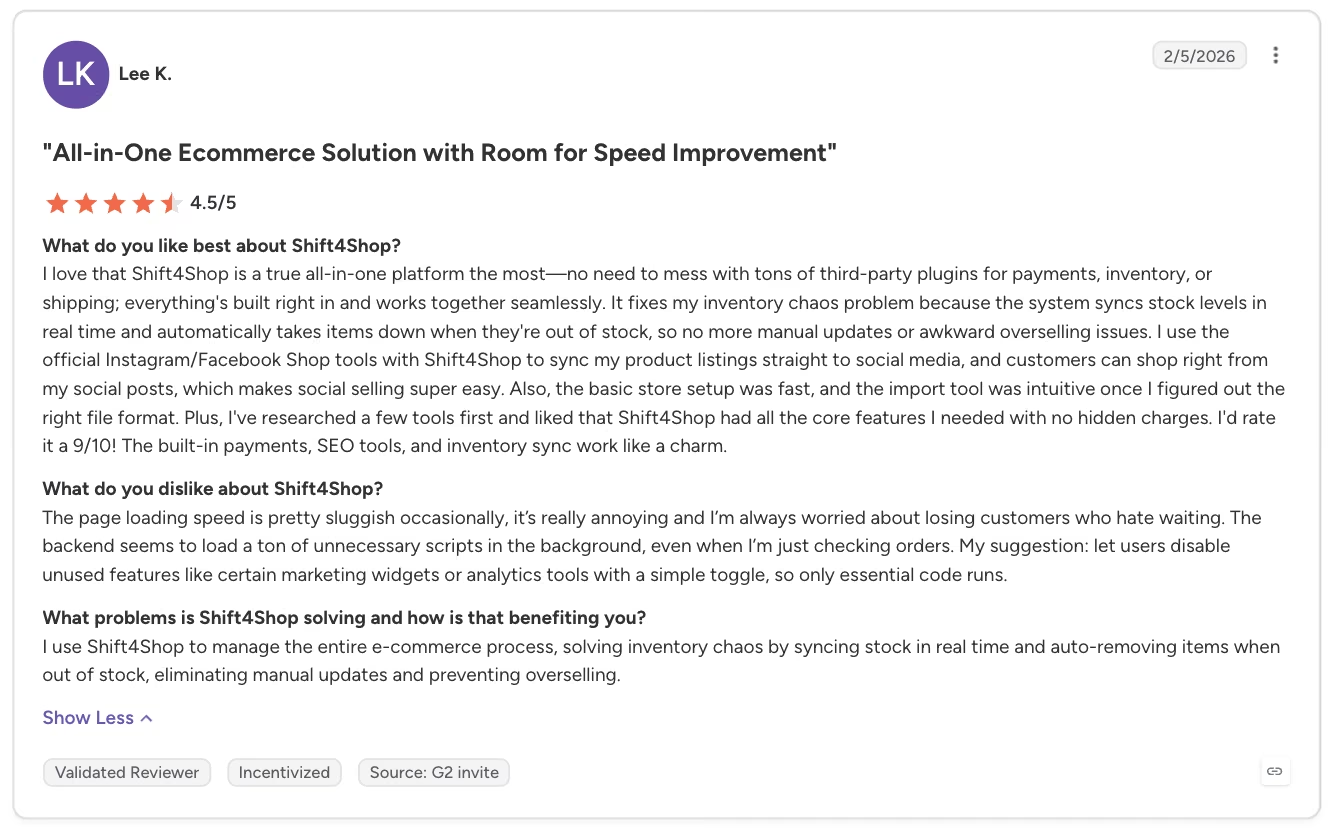
“I love that Shift4Shop is a true all-in-one platform the most—no need to mess with tons of third-party plugins for payments, inventory, or shipping; everything's built right in and works together seamlessly.” - Lee K., G2
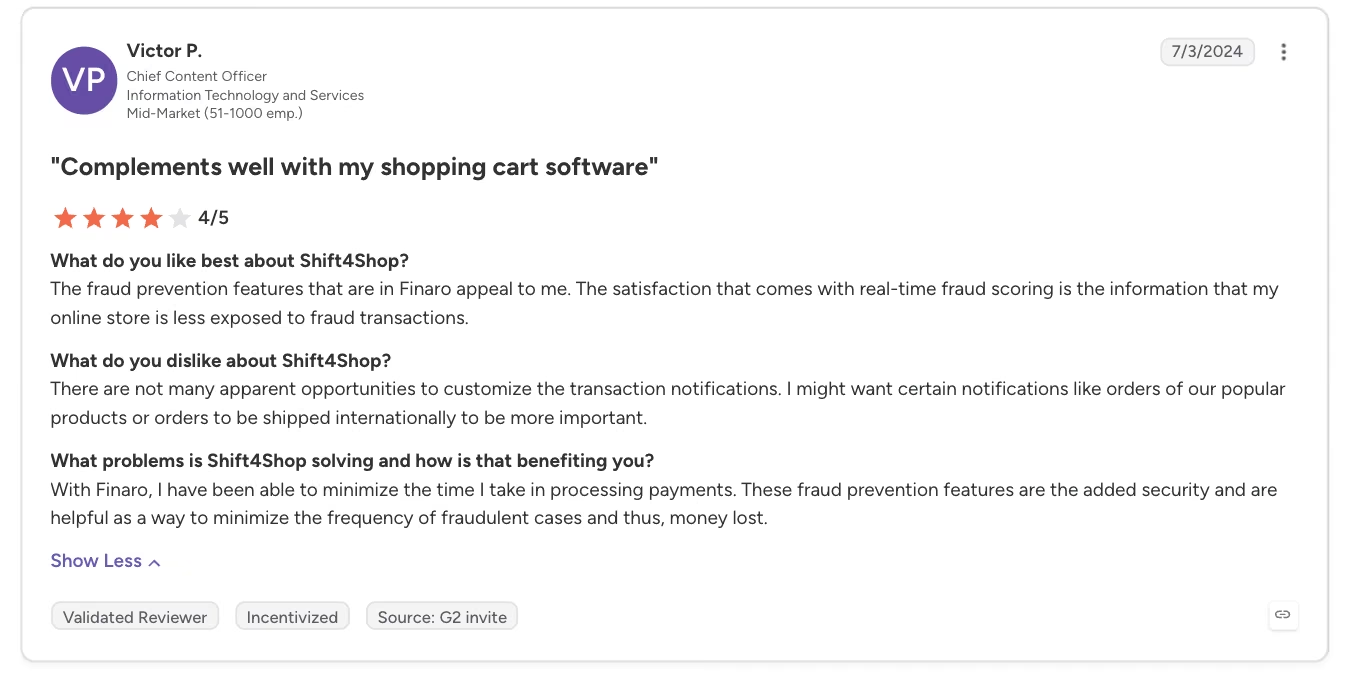
“There are not many apparent opportunities to customize the transaction notifications. I might want certain notifications like orders of our popular products or orders to be shipped internationally to be more important.“ - Victor P., G2
Pricing
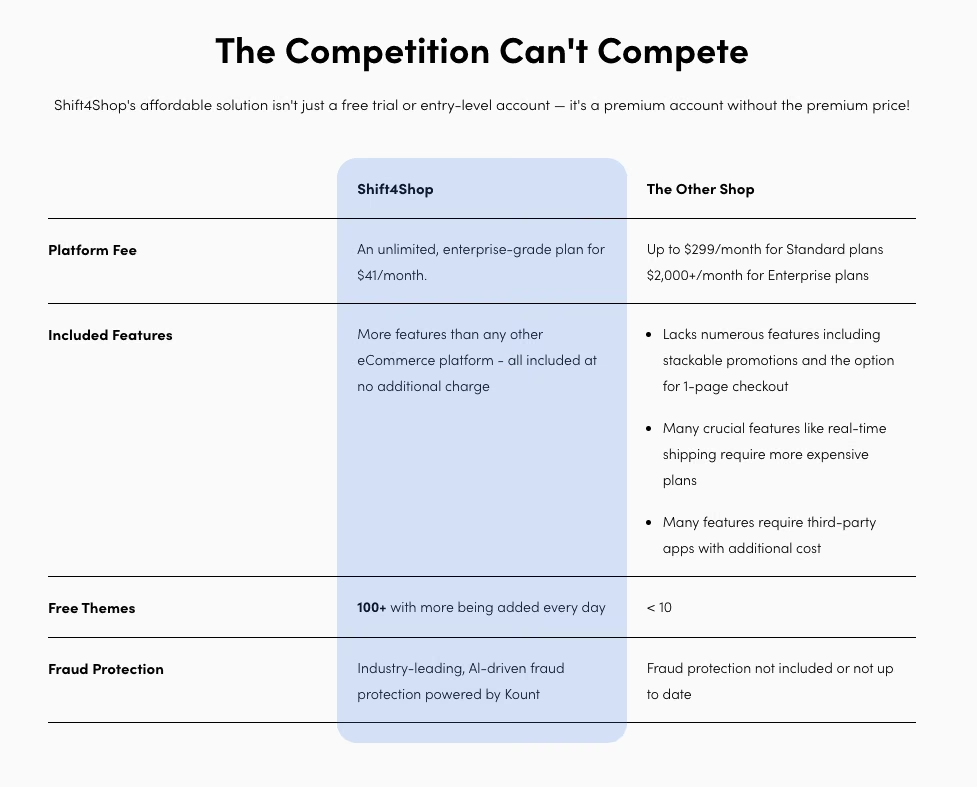
Free (End-to-End) plan: $0/month, available to US-based merchants, conditional on using Shift4Shop's own payment processing and meeting its monthly processing terms. No setup fees and no Shift4Shop transaction fees, only your payment processor's standard rate.
If you use your own payment gateway instead, or don't meet the free plan's processing terms: $41/month for the same unlimited, enterprise-grade feature set.
For the full cost picture, read our ecommerce website cost guide.
Bottom Line
Shift4Shop's free plan is real, but it comes with a string most of this list doesn't have. You're tying your payments to its own processor and staying inside its volume terms to get it.
Shift4Shop is worth considering if its processing rates fit your business, though this plan limits payment flexibility.
6. Jotform Store Builder: Best for a Small Catalog, Capped at 10 Payment Submissions
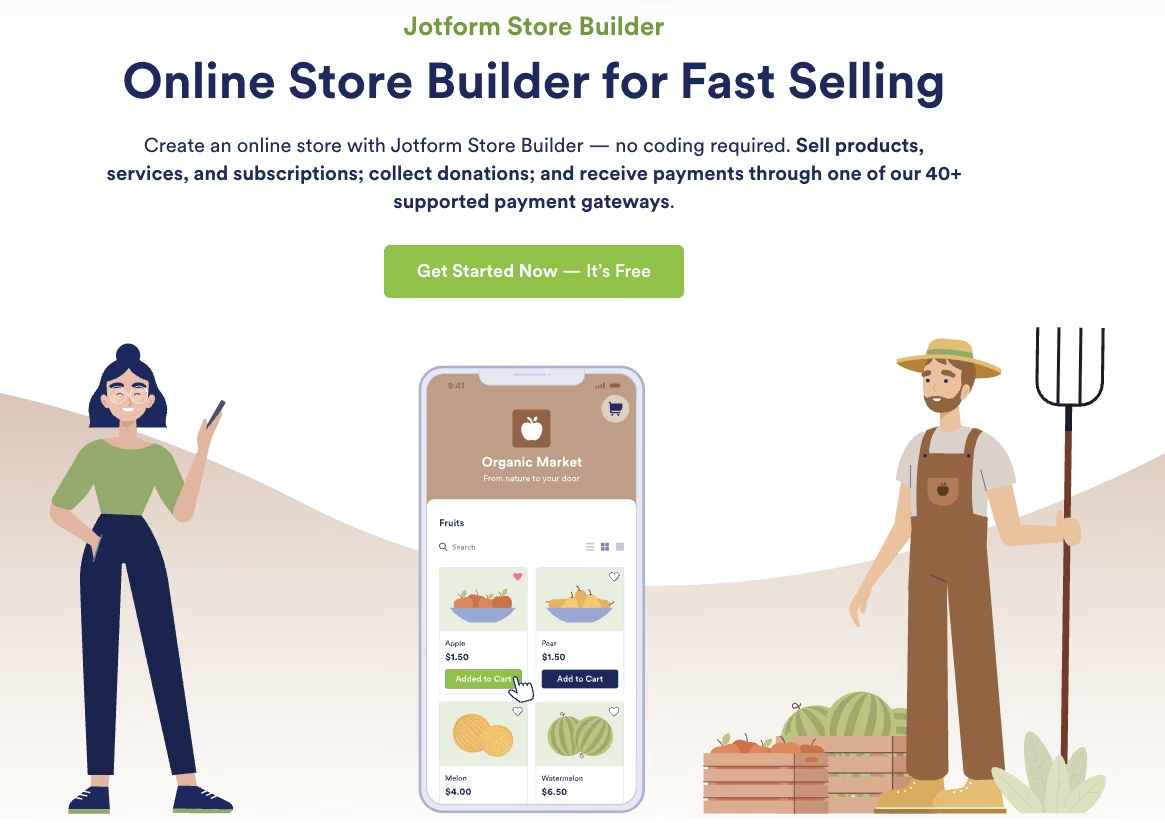
What it does: Jotform Store Builder is an app-building tool, built inside Jotform's broader, general-purpose form platform, that can add a browsable product catalog, search, and a shopping cart to a store.
Best for: A seller with a small catalog who wants a genuinely free tier, as long as monthly sales stay under the payment-submission cap.
17 minutes. That's how long it took to build the same test listing, two variants and all, using Store Builder's Product List widget for a real browsable catalog and cart. A single, simpler product form without the widget took about six minutes instead.
The free Starter plan allows five forms and 10 monthly payment submissions. The form worked through to a payment step with a connected payment gateway pre-selected, no separate Jotform fee added on top.
Jotform Store Builder shows up in nearly every "free ecommerce" search, for a narrow reason: no additional transaction fee, on the free tier or any paid one. It can build a real catalog with a shopping cart through its Product List widget. The free tier's real ceiling is elsewhere:
- Ten monthly payment submissions are the hard ceiling on the free tier, whatever the catalog looks like.
- Jotform branding stays on every form until you upgrade to a paid plan.
The Starter plan limits the account to five forms, while Store Builder can hold multiple products through its Product List.
Key Features
- Product List widget: Adds a browsable catalog, search, and a shopping cart to the store.
- No listed cut on sales: The free tier takes no percentage of what you sell, the same as every paid tier.
- 300+ store templates: Pre-built layouts to get a catalog-style store running quickly.
Pros and Cons
Pros:
- A simple single-item form goes from signup to a working payment step in six minutes, with no storefront theme to configure first.
- Checkout in testing had a connected payment gateway set by default, with no separate Jotform charge layered in.
- Works well as a lightweight add-on if you already use Jotform for other forms.
Cons:
- The free Starter plan caps out at 10 monthly payment submissions, a hard wall once sales pick up.
- Starter limits the account to five forms, while a Store Builder catalog can contain multiple products.
What Users Say
“It’s a very functional tool I’ve been using to support small farmers in Brazil; it's very easy to create an online store!” - Rodrigo Conde, Trustpilot
“The conditions most often didn't work correctly. The AI would set them up incorrectly, even given a very specific request, it would set it up wrong.” - Matt, Trustpilot
Pricing
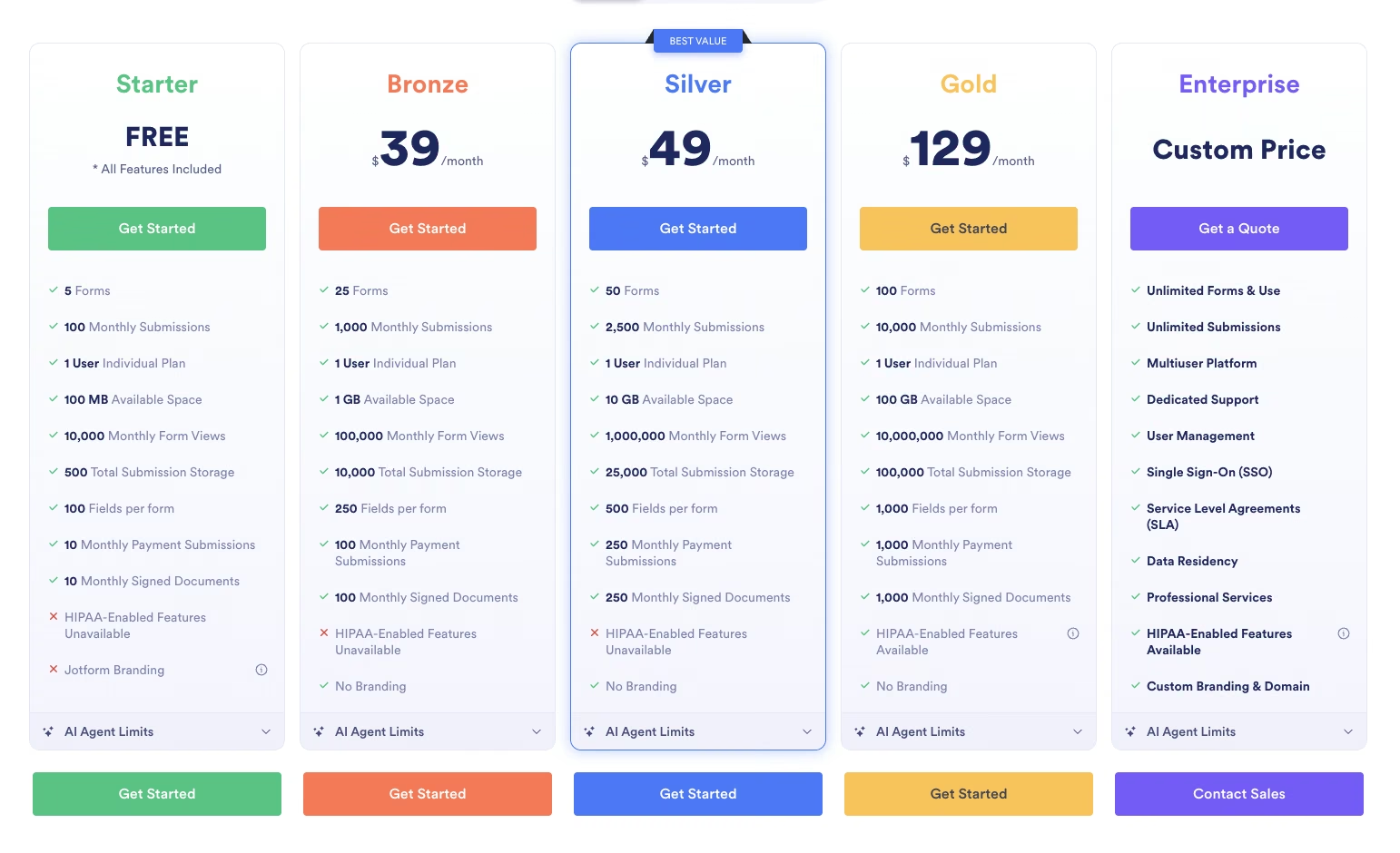
Starter (Free): $0/month. Five forms, 100 monthly submissions, 10 monthly payment submissions, 100 MB of storage, and Jotform branding on every form.
Bronze: $39/month ($34/month, billed annually). 25 forms, 1,000 monthly submissions, 100 monthly payment submissions, 1 GB of storage, and branding removed.
Silver: $49/month ($39/month, billed annually). 50 forms, 2,500 monthly submissions, 250 monthly payment submissions, 10 GB of storage.
Gold: $129/month ($99/month, billed annually). 100 forms, 10,000 monthly submissions, 1,000 monthly payment submissions, HIPAA-enabled features.
Enterprise: No public price; contact sales. Unlimited forms and submissions, dedicated support, and custom branding and domain.
Bottom Line
If you're selling a small catalog and want a genuinely free tier, Jotform Store Builder does the job, with a real catalog and cart included, as long as monthly sales stay under the payment-submission cap. Anyone expecting to outgrow 10 payment submissions a month fast should look further down this list instead.
7. WooCommerce: Best for Zero Software Cost
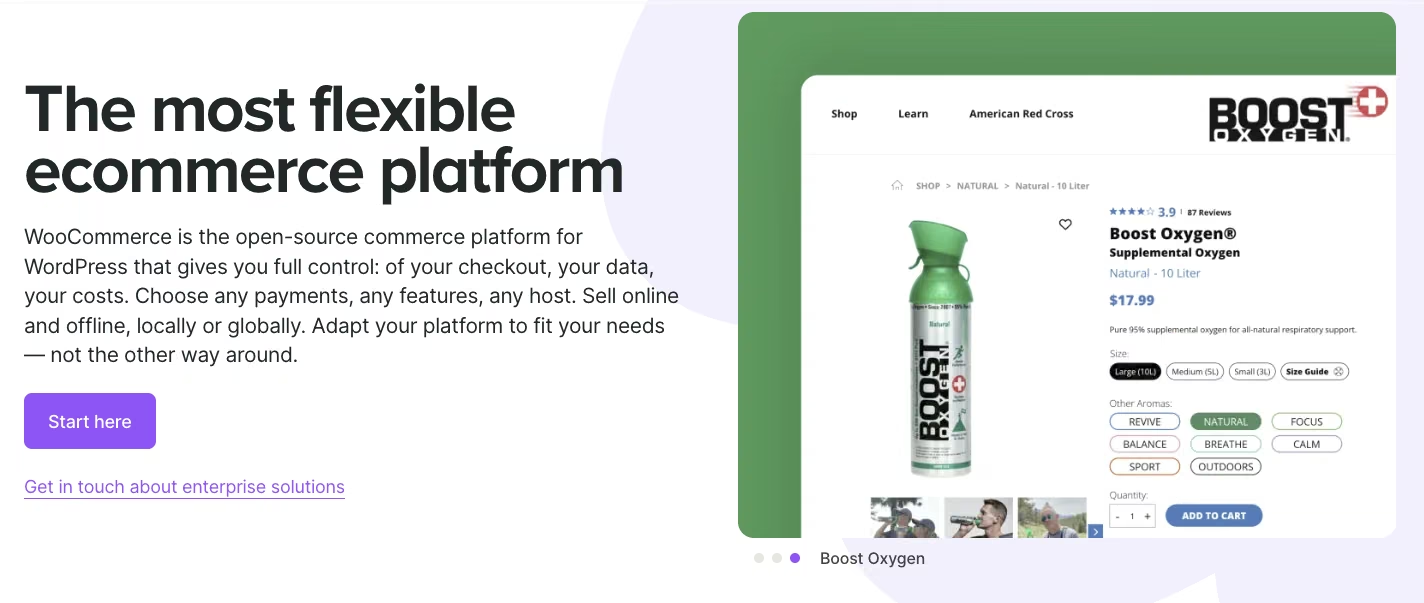
What it does: WooCommerce is a free, open-source ecommerce plugin that turns a self-hosted WordPress site into a full storefront.
Best for: A seller who already has, or is willing to buy, their own hosting and wants zero cost for the storefront software itself.
I installed the plugin on a staging WordPress site to run this test, since the software itself is free but the hosting behind it isn't optional, so a live domain wasn't necessary. The whole setup took close to forty minutes, installing WordPress, installing the plugin, and then adding the same test mug listing; more steps than any hosted platform here needs for the identical task.
Once installed, nothing in the product editor felt limited. Every field the listing needed (two variants, a flat shipping rate, a Stripe connection) was there without hunting for a paid extension.
WooCommerce is one of the most recognized names in free ecommerce software. The plugin itself costs nothing. It's free, open-source software you install on a WordPress site.
This "free" works differently from a hosted platform's free tier. WooCommerce runs on your own WordPress hosting, with uncapped product counts, no forced platform branding, and no company standing between you and your storefront.
The cost shows up somewhere else: hosting. WooCommerce isn't a standalone hosted service, and needs a WordPress install and paid hosting to run:
- Bluehost and Hostinger, two of WooCommerce's officially recommended hosts, start around $4/month to $15/month at introductory rates, climbing to roughly $17/month to $22/month once that introductory term ends. That's the entry price.
- A typical running store's hosting climbs well past that entry price once traffic and performance needs grow.
Sellers also incur a second cost unprompted, and it isn't measured in dollars: plugin updates are a recurring maintenance burden that eats into your time, especially once a store depends on several plugins working together.
The software itself isn't capped in any way. A store's ceiling comes from the hosting plan underneath it and the hours spent keeping plugins current.
None of that includes what a payment processor charges to move the money. WooCommerce itself doesn't take a cut of your sales. Stripe, PayPal, or whichever processor you connect still charges its own per-transaction rate, the same way it would on any platform.
Key Features
- Free, open-source plugin: No licensing fee, no forced upgrade to use core storefront features.
- Full design control: Runs on WordPress, so nearly any theme or layout is possible.
- No built-in transaction fee: The rate you pay comes entirely from whichever processor you connect.
- A massive plugin ecosystem: Extend the store with almost any feature a seller could want.
Pros and Cons
Pros:
- The plugin itself is completely free, and setting up the test listing's two variants needed no paid extension.
- WooCommerce lists no built-in percentage fee, and in this test, the Stripe connection reached checkout without a completed live transaction.
- Extensions cover nearly any feature you'd want to add, well past the shipping and payment fields this test needed, unlike the fixed layouts on hosted platforms tested elsewhere on this list.
Cons:
- A mandatory hosting cost that a hosted platform's free tier doesn't require.
- Plugins need constant updating, an ongoing time cost sellers mention without being asked.
- A store needs hands-on time to reach a professional standard.
What Users Say
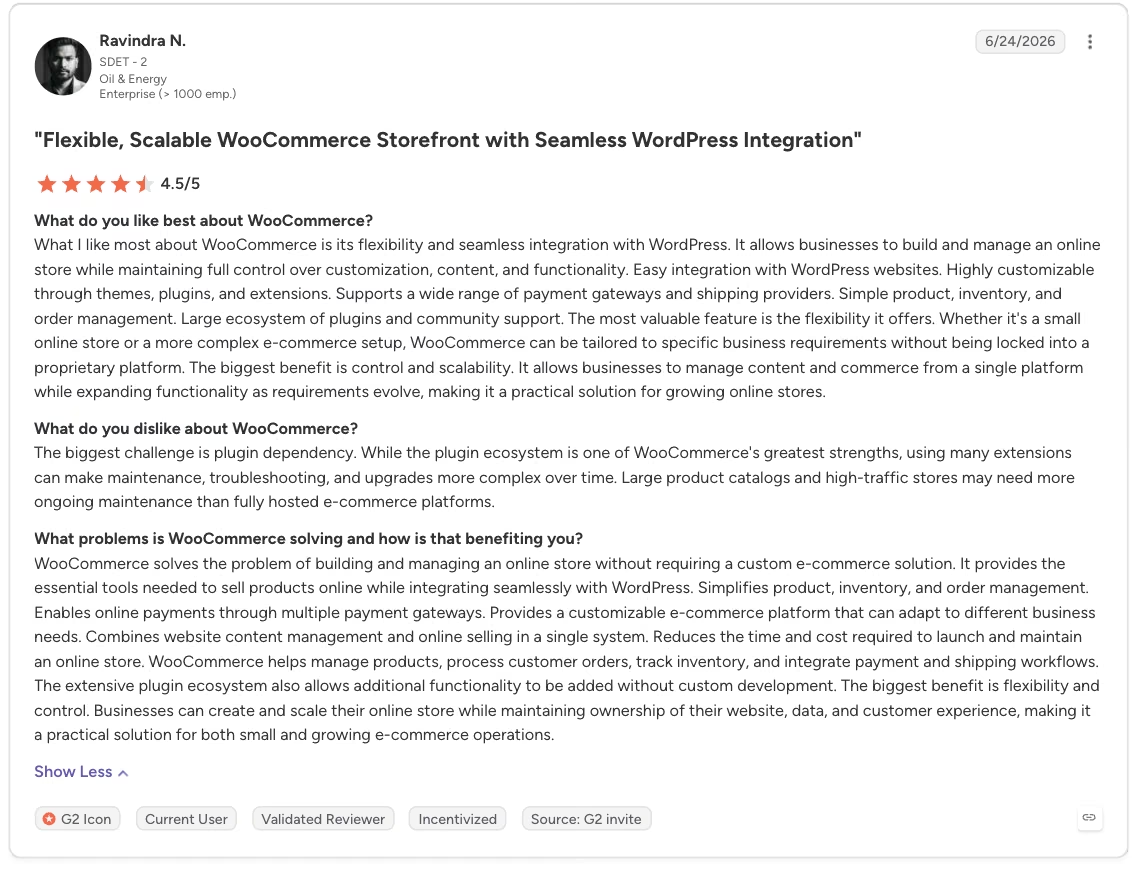
“What I like most about WooCommerce is its flexibility and seamless integration with WordPress. It allows businesses to build and manage an online store while maintaining full control over customization, content, and functionality.” - Ravindra N., G2
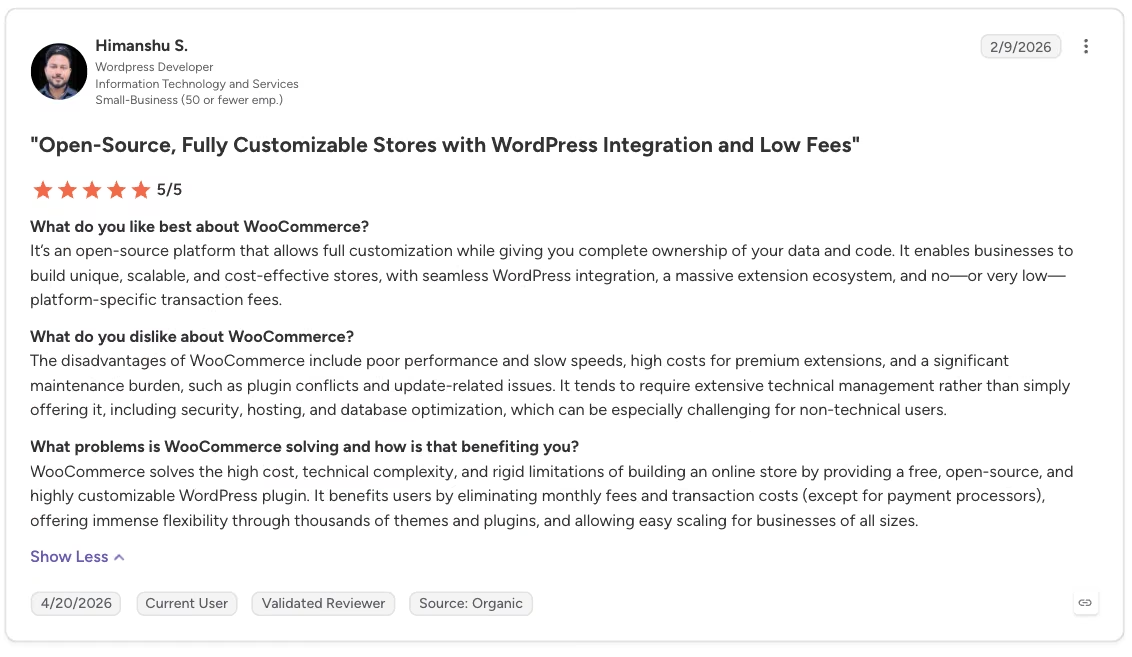
“The disadvantages of WooCommerce include poor performance and slow speeds, high costs for premium extensions, and a significant maintenance burden, such as plugin conflicts and update-related issues.” - Himanshu S., G2
Pricing
Plugin: $0/month, free and open-source.
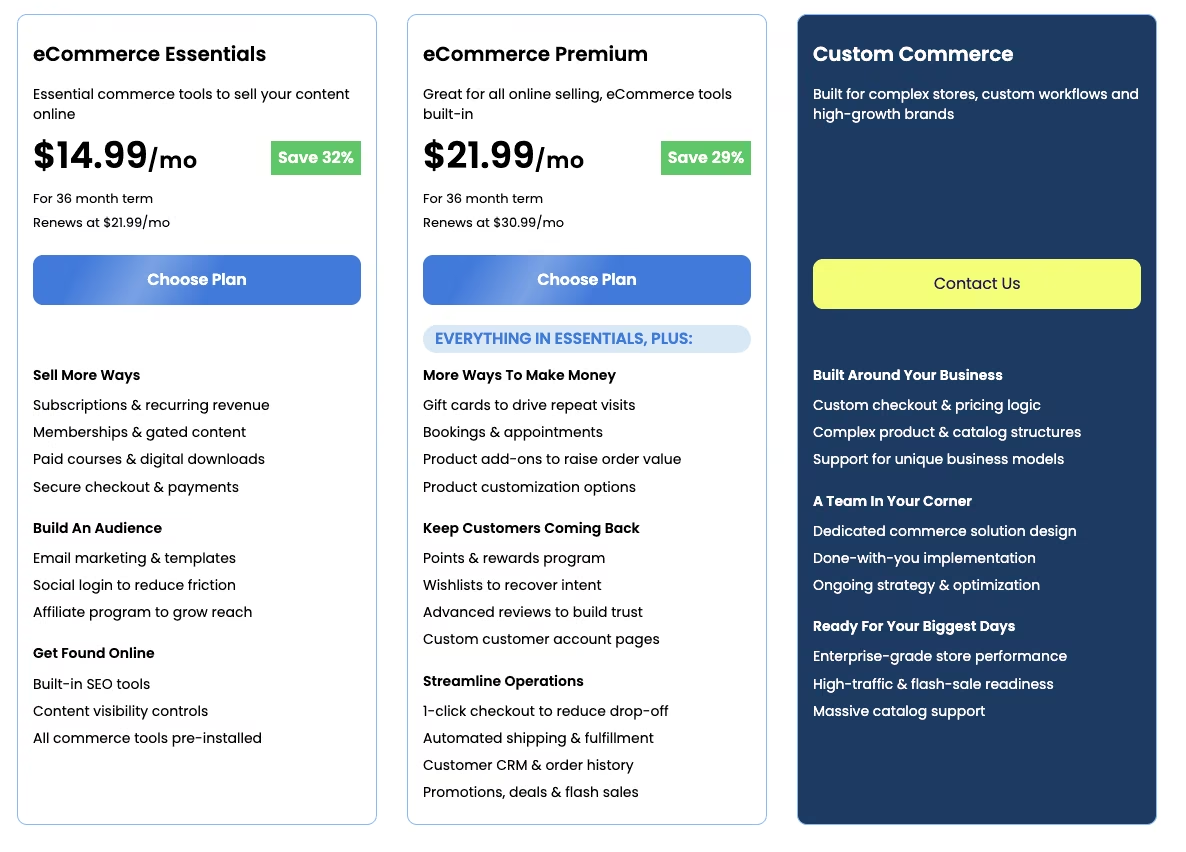
Hosting: $14.99/month to start on Bluehost, one of WooCommerce's own officially recommended hosts (paid upfront for a 36-month term), renewing at $21.99/month after that.
Hostinger, another officially recommended host, starts as low as $3.99/month on a 48-month prepaid term ($191.52 total), renewing at $16.99/month. Hosting is a separate, mandatory cost since WooCommerce isn't a standalone hosted service.
Bottom Line
WooCommerce is free the way open-source software is free. You pay in hosting and time, and for a seller who's fine with that trade, it's hard to beat on pure software cost.
8. OpenCart: Best for a Complex, Multi-Region Catalog
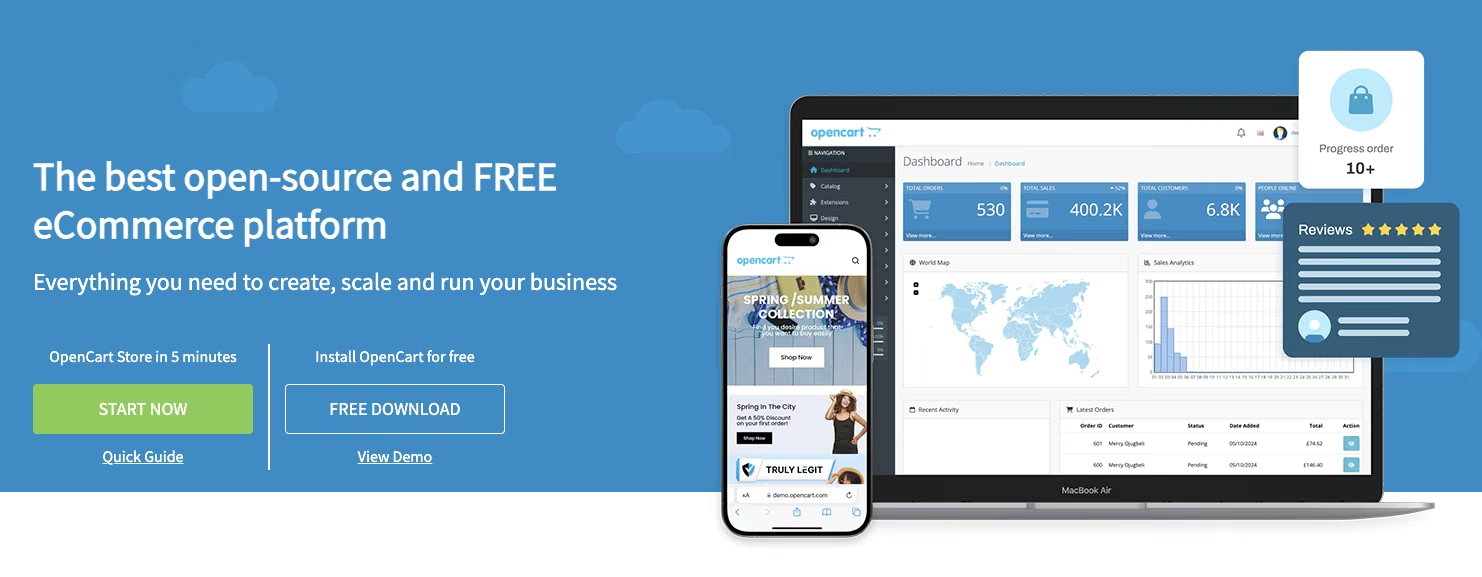
What it does: OpenCart is free, open-source ecommerce software you install on your own server, structured like WooCommerce but built as its own platform from the ground up.
Best for: A technically comfortable seller running a complex, multi-region catalog where the self-hosting effort pays off.
I got a working version of that same test mug listing running on OpenCart in close to fifty minutes, the longest setup time in this whole test, using the same staging-subdomain approach as WooCommerce.
Most of that time went into an admin interface built for a catalog far more complex than one product with two variants. For a single-listing test store, that complexity showed up as pure friction with nothing to show for it.
Like WooCommerce, OpenCart runs on the free-software-plus-hosting model, built as its own standalone platform, with no WordPress installation underneath it. OpenCart itself points sellers toward ScalaHosting, the host its founder officially endorses.
Cloud hosting starts around $15/month at introductory rates and renews near $40/month. Budget for that cost before treating the software itself as the whole price tag. For a simple, single-market storefront, that self-hosting effort usually isn't worth it. A hosted platform's monthly fee is the simpler call there.
OpenCart pulls its weight once a catalog gets complex. The math shift is straightforward:
- An easy, single-market case, selling handmade goods in one country, costs relatively little on a hosted platform's percentage-based pricing. At that scale, paying for a hosted platform is the obvious choice.
- A far more complex operation, with shipping contracts across multiple regions, several currencies, and listings in multiple languages, starts costing meaningfully more as a hosted platform's add-on fees stack up. At that point, self-hosted software like OpenCart becomes the economical choice.
That's the dividing line. OpenCart is free software with real setup and maintenance overhead, the same trade WooCommerce makes, and that overhead only buys you something once the catalog is complex enough that a hosted platform starts charging extra for currencies, regions, and languages.
OpenCart's extension marketplace is where a lot of that multi-region complexity gets solved. Shipping rules, tax rules, and currency handling for a specific region are often available as a ready-made extension you don't have to build from scratch. That's part of why the platform holds up at a scale the WooCommerce comparison above doesn't fully cover.
Key Features
- Free, open-source ecommerce software: No licensing cost, full access to the underlying code.
- Built for multi-currency, multi-region catalogs: Handles complexity that simpler hosted platforms charge extra for.
- An extensive extension marketplace: Add functionality without waiting on the core platform to build it.
Pros and Cons
Pros:
- Completely free software with no percentage taken from sales.
- Economical at scale, once a catalog is too complex for a hosted platform's pricing.
- Full control over hosting, code, and functionality.
Cons:
- Requires solid technical comfort to set up and keep running.
- A separate, mandatory hosting cost on top of the free software.
- Overkill and pure overhead for a simple, single-market storefront.
What Users Say
“What I like most about OpenCart is how easy it is to use while still staying flexible. It gives a lot of control over managing products, orders, and extensions, without feeling overly complicated.” - Verified User in Retail, G2
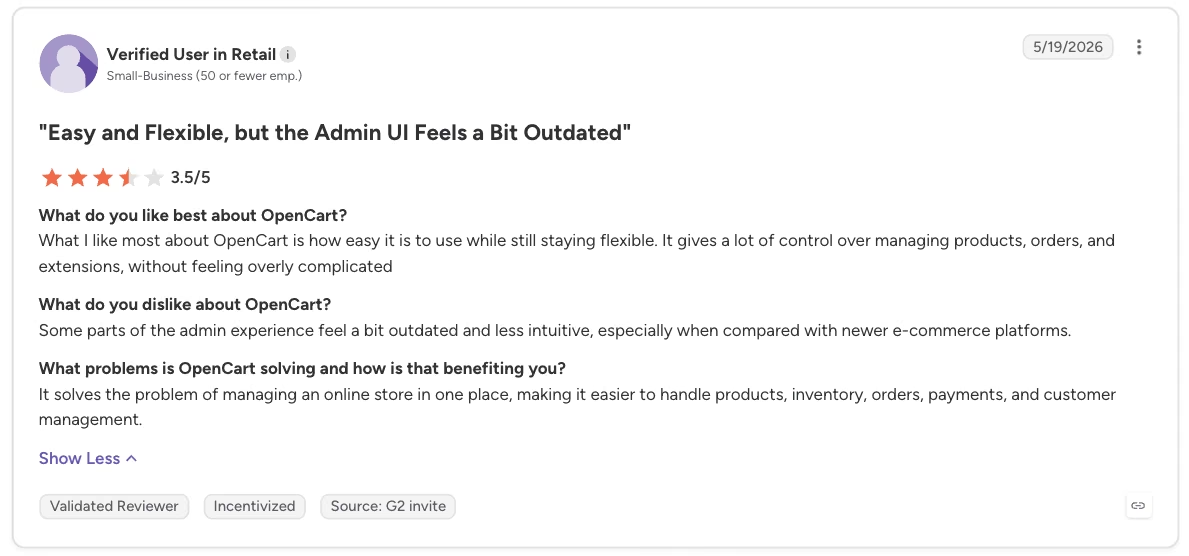
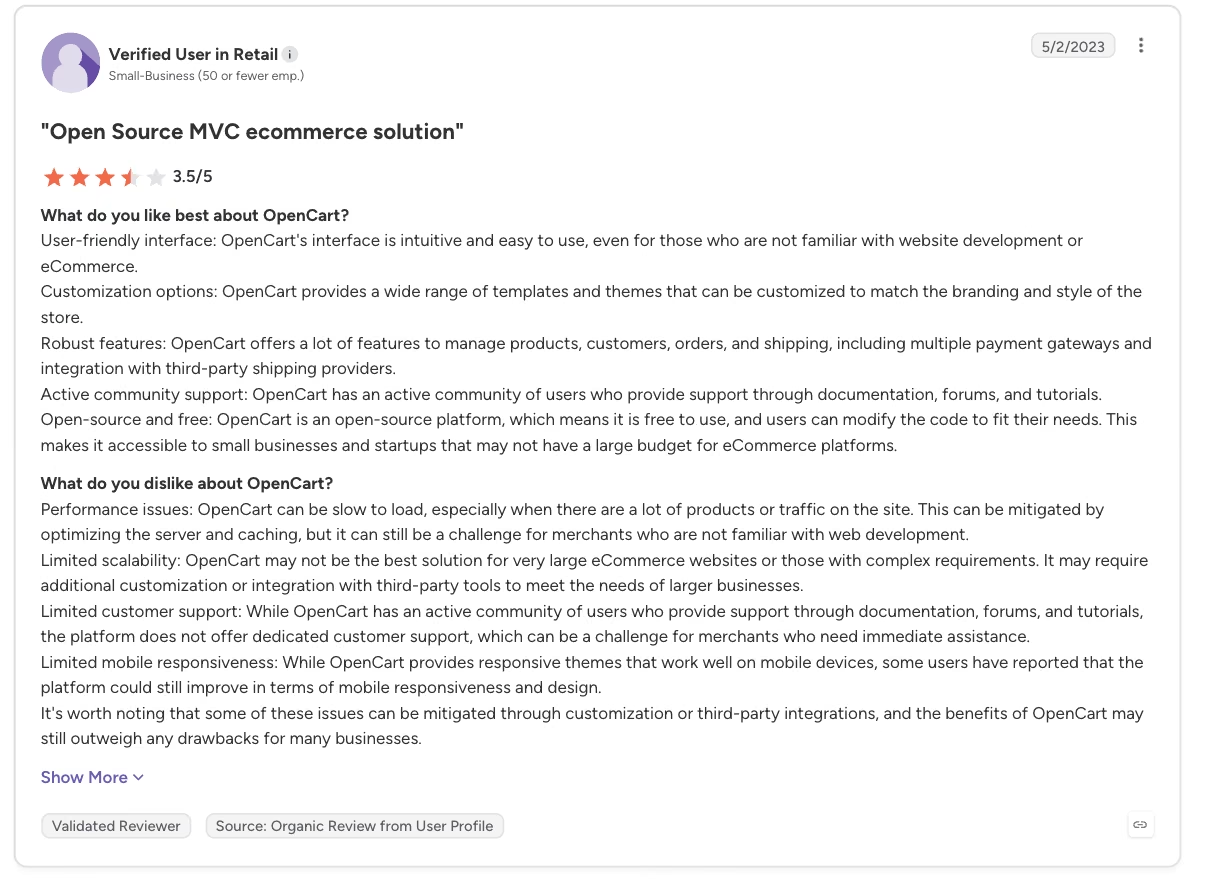
“Performance issues: OpenCart can be slow to load, especially when there are a lot of products or traffic on the site.” - Verified User in Retail, G2
Pricing
Software: $0/month, free and open-source.
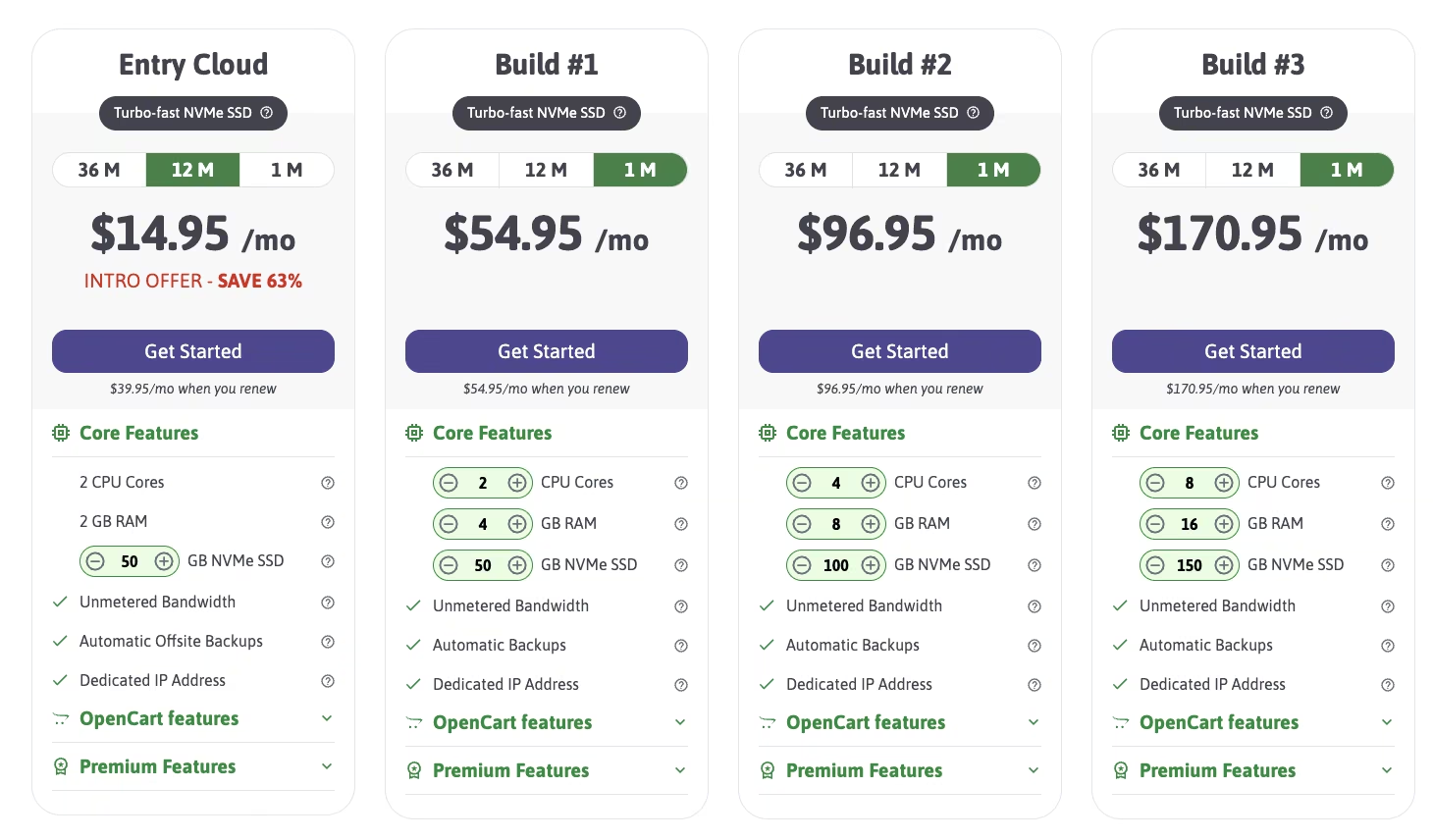
Hosting: $14.95/month (12-month plan) to start on ScalaHosting, the host officially endorsed by OpenCart's own team, renewing at $39.95/month after the introductory term. A separate, mandatory cost.
Bottom Line
OpenCart makes financial sense only once a catalog is complex enough: multiple currencies, multiple shipping contracts, several languages. That's the point where self-hosting starts costing less than a hosted platform's monthly bill. A modest one-market catalog never reaches that point, and the setup and maintenance work becomes pure overhead.
9. Odoo: Best for Ecommerce Bundled with Back-Office Tools
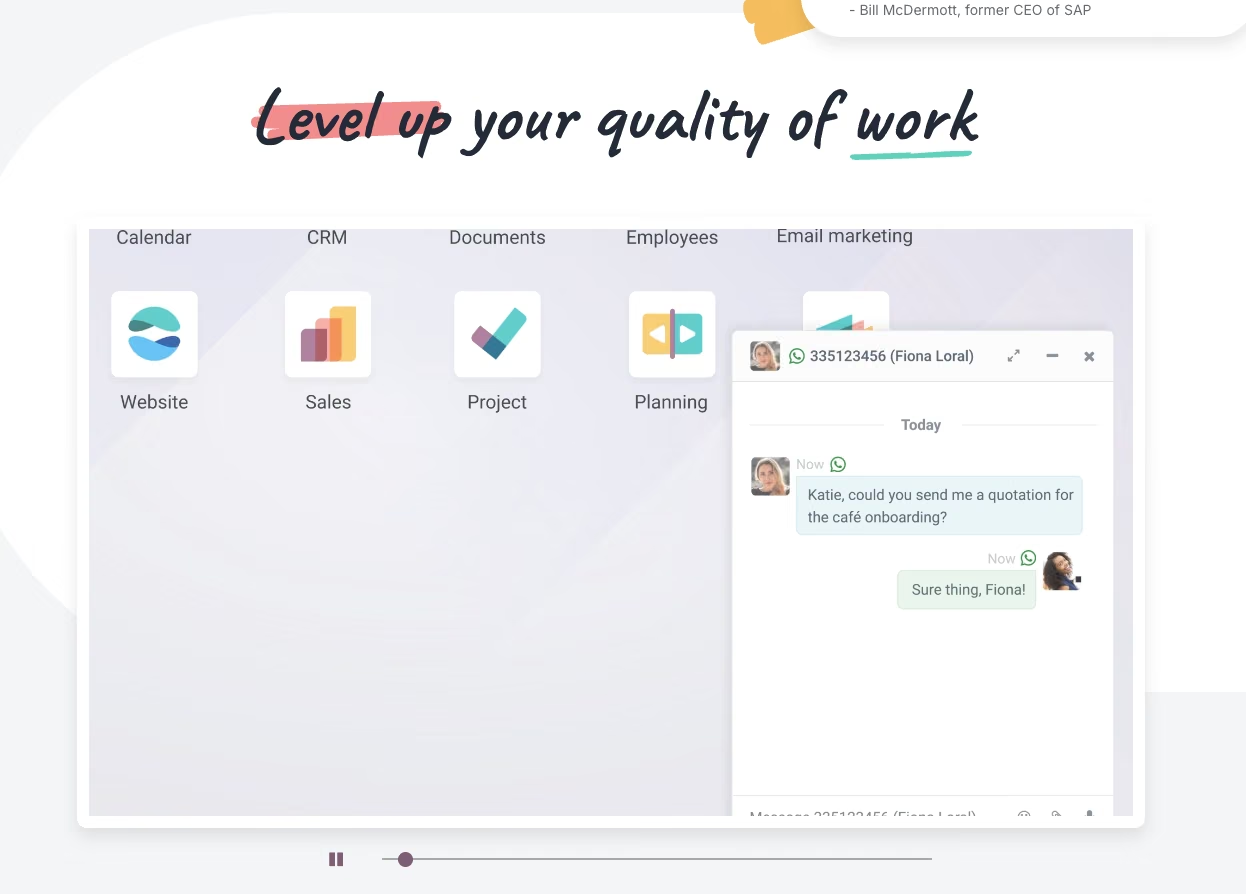
What it does: Odoo is a business software suite that includes an ecommerce app alongside inventory, accounting, and other back-office tools, all under one platform.
Best for: A seller who wants ecommerce bundled with back-office tools and is willing to tolerate a learning curve to get there.
Odoo's free one-app plan came with a genuine account from the start, no sandbox required. I signed up and picked Ecommerce as the one free app in about fifteen minutes, most of that spent finding the app inside a dashboard built to house a dozen other business apps at once.
The same test mug listing went in cleanly once I found the right menu, and the checkout flow itself matched what a paid Odoo store runs, nothing stripped-down about it.
Odoo takes a broader business-software approach than the dedicated storefront tools here. Ecommerce is one app among many, alongside inventory and accounting. The free one-app plan itself is generous:
- A single app, unlimited users, no catch.
- Usage stays free for unlimited users, forever, whatever dependencies the app you picked pulls in.
Reception to Odoo tends to land in two different places. Sellers who find the feature set impressive on paper sometimes struggle with usability day to day, since each process lives in its own separate app rather than a single unified workflow.
Sellers who push through the setup curve more often report that the long-run economics work in Odoo's favor once the back office is fully built out, especially for a catalog complex enough to need inventory and accounting tied to the storefront.
That divide comes down to what a seller needed the software to do: a storefront alone, or a full back office.
Once you outgrow the single free app, Odoo prices by the seat, with no flat monthly fee option. A three-person team pays for three separate logins, which changes the total cost shape compared to every other flat-fee tool on this list.
Key Features
- One platform for ecommerce and back office: Inventory, accounting, and storefront management all live in the same Odoo suite, added as separate apps.
- A modular app structure: Add only the business tools you need, at least in theory.
- A free-forever, one-app plan: Includes the ecommerce app and its required Website and Invoicing dependencies at no extra cost.
Pros and Cons
Pros:
- Only the apps a business picks get added: choosing Ecommerce in this test pulled in its two required dependencies, Website and Invoicing, and nothing else.
- The signup itself produced a working account immediately, with nothing to graduate from later.
- A custom domain is free for the first year on the One App Free plan, on top of the ecommerce app itself.
Cons:
- A steep learning curve, especially in the first couple of months of setup.
- The interface groups tools by app, with no unified workflow view, which some sellers find dated.
- Pricing scales per user, with no flat monthly fee option, so cost grows with how many people need access.
- Overkill if a storefront alone is all a seller needs.
What Users Say
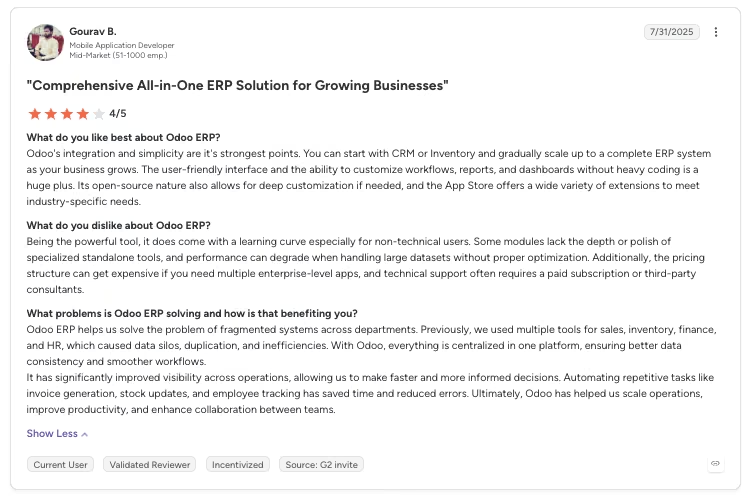
“Odoo's integration and simplicity are it's strongest points. You can start with CRM or Inventory and gradually scale up to a complete ERP system as your business grows.” - Gourav B., G2
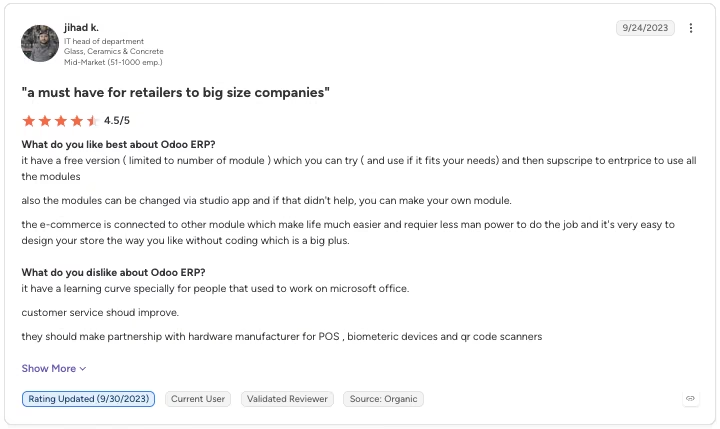
“It has a learning curve, especially for people who used to work on Microsoft Office.” - Jihad K., G2
Pricing
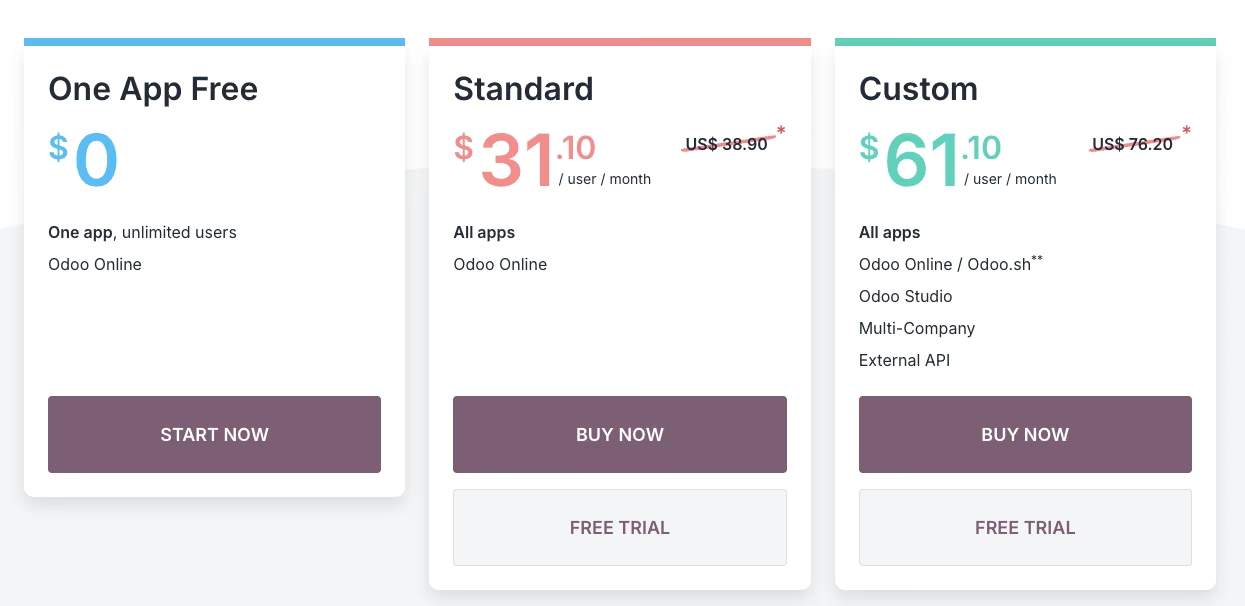
Free (one app): $0/month, unlimited users, forever. Pick ecommerce as your one app, and its Website and Invoicing dependencies come along at no cost.
Standard (all apps): $31.10/user/month ($24.90/user/month, billed annually). Pricing scales per user.
Custom (all apps, plus on-premise and multi-company): $61.00/user/month ($49.00/user/month, billed annually).
Bottom Line
Odoo asks for more patience upfront than any of the other nine. Whether that patience pays off depends on how much of the back office a seller actually plans to run through it.
If a storefront is all you need, this is more system than the job calls for. If you're building out real back-office operations over time, the setup investment tends to pay off.
10. Shopify: Best for the Category Leader, Paid Fast

What it does: Shopify is an ecommerce platform known for its app marketplace and integrations, though it no longer offers an ongoing free tier of any kind.
Best for: A seller who wants Shopify specifically and doesn't mind paying within days of signing up.
Shopify's sign-up flow pushed a payment method request before I'd added a single product, something no other platform here asks for this early, trial or not.
I built the same test mug listing in under ten minutes inside a clean, straightforward product editor. The trial clock started the moment I created the store, before I'd finished setting it up, leaving less testing time than the headline length suggests.
Shopify doesn't belong on a "free" list anymore. Here's the actual timeline sellers now face:
- Free trial: three days, a significant cut from the longer trial Shopify used to offer.
- Promotional period: $1/month for three months after that, before full billing kicks in.
- Full price: Basic settles at $39/month, or $29/month with annual billing, once the promotional window ends. That's the number to budget for, well past the dollar-a-month headline that gets most of the attention.
The trial itself hides an important catch. Historically, it didn't let a store process real sales. You could build, but selling required converting to a paid plan first. That single fact undercuts any reading of Shopify as a free way to test selling online, even briefly.
Sellers comparing Shopify with self-hosted alternatives like OpenCart still choose it for the support and ecosystem behind it. It isn't free, though, and it belongs at the bottom of a ranking built around what you get for $0.
The app ecosystem alone explains why so many sellers eventually land here regardless of price. Shipping calculators, accounting sync, marketing automation, and inventory tools all exist as ready-made add-ons. That same functionality takes serious setup effort on a self-hosted platform like WooCommerce or OpenCart.
Key Features
- A large app marketplace: Shopify has a deep set of extensions and integrations to add to the base store.
- A short trial, no ongoing free tier: three days to explore before a paid plan is required.
- A discounted trial period: Three months at $1/month before the regular rate applies.
Pros and Cons
Pros:
- Basic plan pricing drops to $29/month with annual billing once the trial and discount period end.
- The $1-per-month offer is a cheap way to keep a full-featured store running once the three-day trial ends. Nothing in the product editor was gated during the trial build, which took under ten minutes.
Cons:
- No ongoing free tier at all; the trial runs for three days.
- Historically, the trial covered building a store but blocked selling from it.
What Users Say
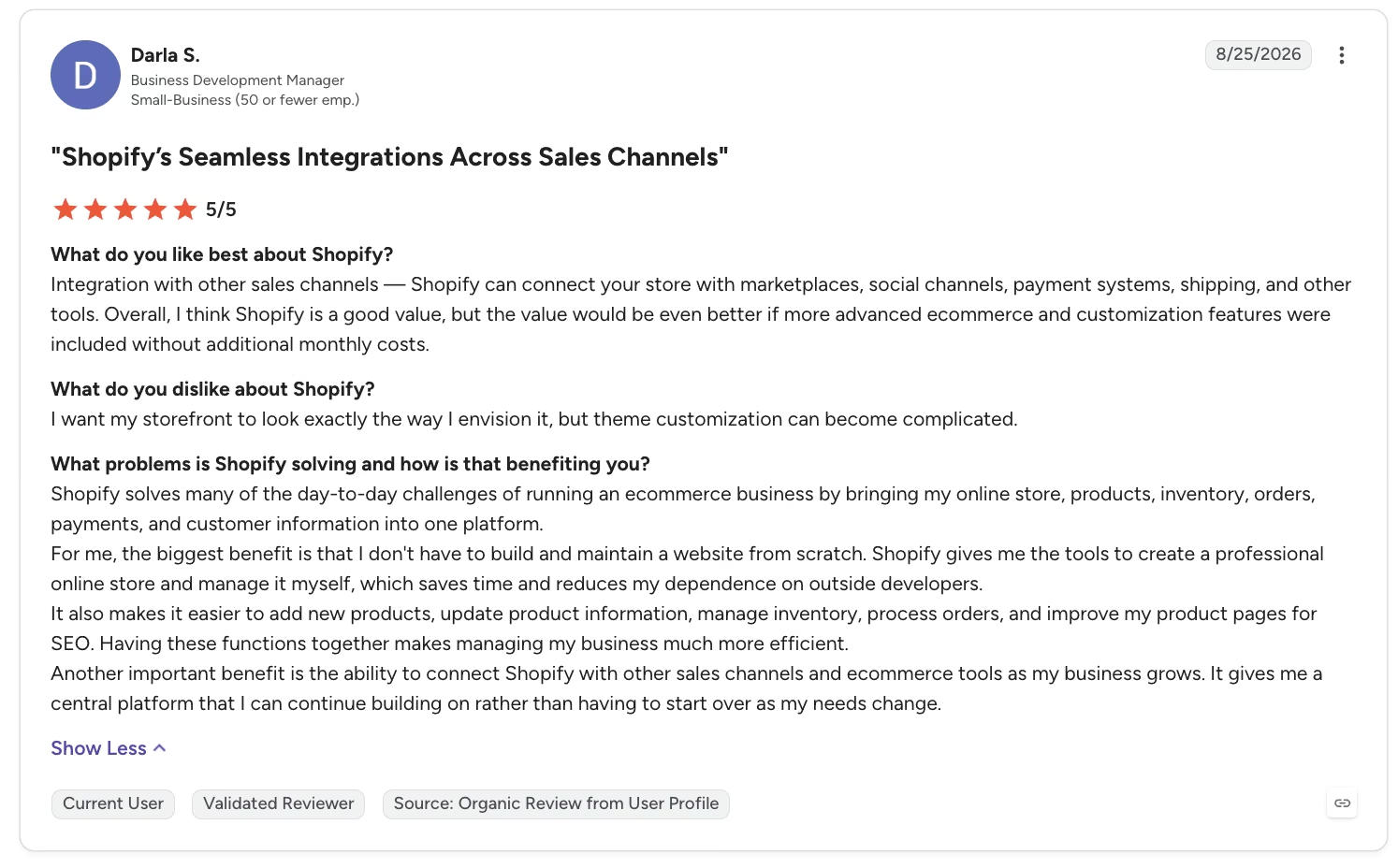
“For me, the biggest benefit is that I don't have to build and maintain a website from scratch. Shopify gives me the tools to create a professional online store and manage it myself, which saves time and reduces my dependence on outside developers.” - Darla S., G2
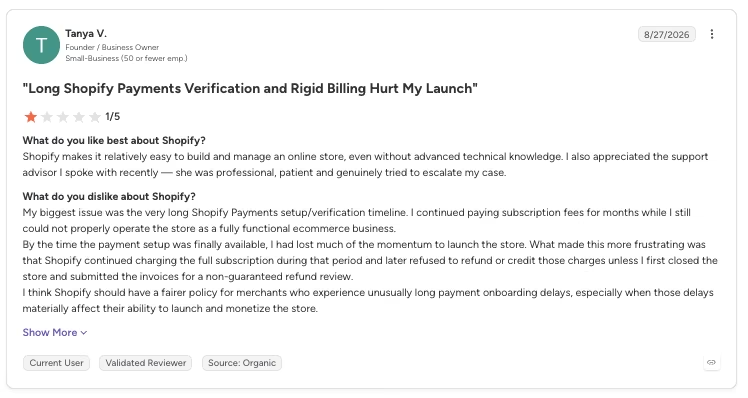
“My biggest issue was the very long Shopify Payments setup/verification timeline. I continued paying subscription fees for months while I still could not properly operate the store as a fully functional ecommerce business.” - Tanya V., G2
Pricing
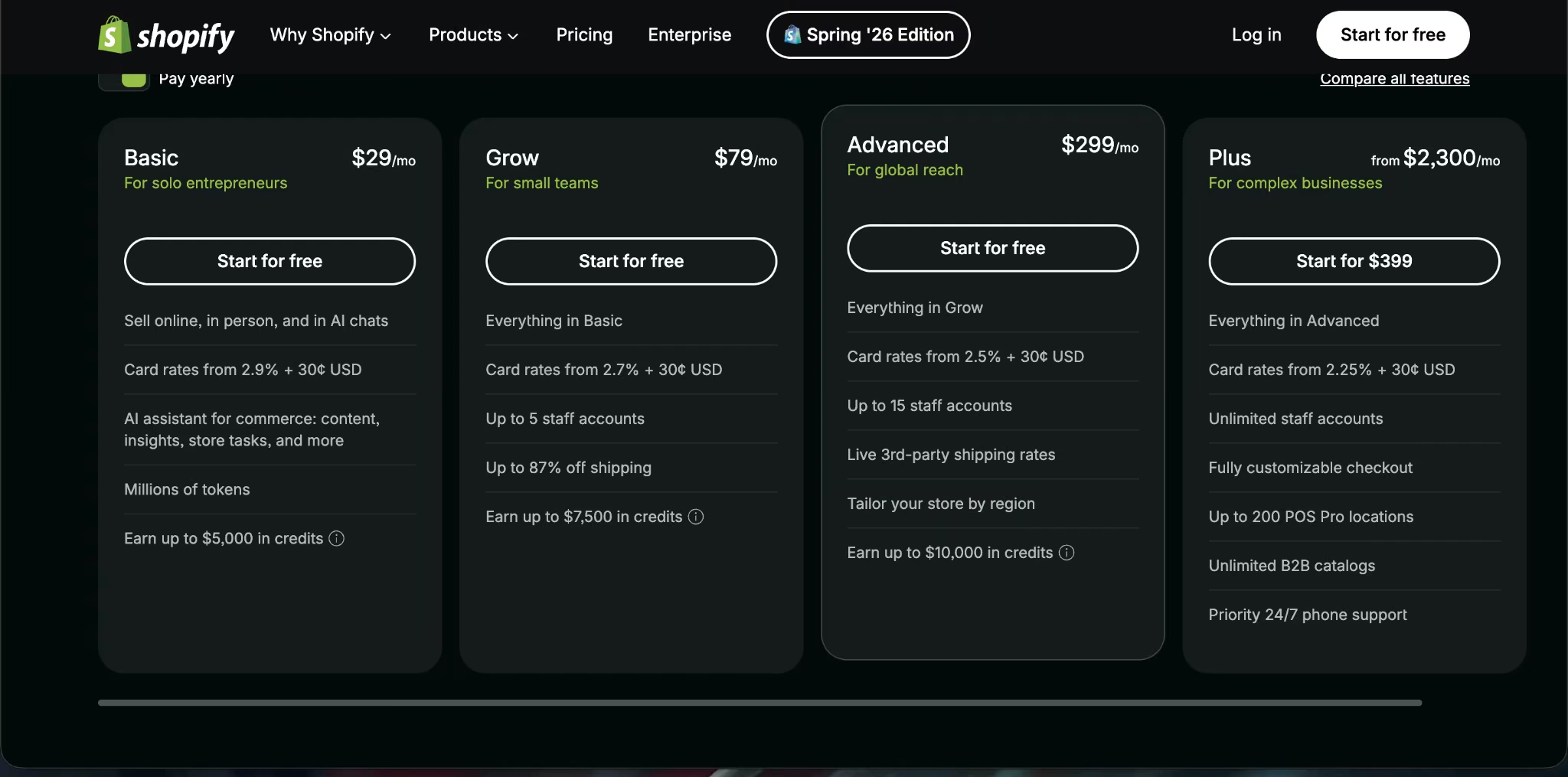
The free trial runs for three days. Discounted period: $1/month for three months.
Basic plan (after the discount period): $39/month ($29/month, billed annually).
Grow: $105/month ($79/month, billed annually).
Advanced: $399/month ($299/month, billed annually).
Plus: From $2,300/month, custom pricing for high-volume, complex businesses.
Bottom Line
Shopify's cheap trial period undersells the platform underneath it. A seller who pays within days gets a well-built, well-supported store in return. Free, in the literal sense the sign-up page implies, isn't on offer here.
If you're starting with a handful of products, our best Shopify alternatives guide covers simpler and cheaper options.
Which Free Ecommerce Website Builder Should You Choose?
The split on this list comes down to what type of "free" you're willing to accept. The choice depends on whether you can accept a per-sale fee, a hosting bill, a hard product cap, or a free tier that builds but doesn't sell.
Choose Freewebstore or Square Online if you:
- Want to accept a payment for $0 today, with no monthly bill standing between you and your first sale.
- Are fine paying a percentage of each sale, with no subscription required.
Choose Shift4Shop if you:
- Are comfortable routing payments through its own processor to get a genuinely uncapped free plan.
- Want a full, unstripped ecommerce feature set without paying for it, and can live with committing to one processor.
Choose Jotform Store Builder if you:
- Want a small catalog on a genuinely free tier with no transaction fee.
- Expect to stay under 10 payment submissions a month, since that cap is the real ceiling.
Choose Big Cartel if you:
- Have a small, curated catalog of five products or fewer and want zero monthly cost, with no transaction fee ever.
- Don't need a custom domain or heavy page customization, and can live with Big Cartel's own subdomain for now.
Choose WooCommerce or OpenCart if you:
- Already have, or are willing to buy, your own hosting.
- Want full control over design and functionality with zero software cost.
Choose Odoo if you:
- Want ecommerce, inventory, and accounting in one suite, well beyond a standalone storefront.
- Can push through a learning curve in exchange for long-run savings.
Choose Emergent if you:
- Want a storefront with a working product catalog, checkout, and order admin built from a single description.
- Are comfortable budgeting for the Standard plan and its ongoing 50-credit-a-month cost to keep it live.
Choose Shopify if you:
- Want Shopify's ecosystem and are fine paying within days of signing up.
- Need the broadest app marketplace for extending what your store can do.
Skip this category entirely, or budget for a paid plan from day one, if:
- Your catalog is likely to outgrow a handful of products fast. Several of these free tiers cap out well before growth happens.
- You need multi-currency checkout or advanced customization. Most free tiers on this list gate both behind an upgrade.
Final Verdict
For a seller who wants to accept a payment today, without a monthly bill, Freewebstore and Square Online are the two strongest answers here. Both scale to any catalog size, though the cut isn't identical: Freewebstore keeps 2.5% as its own transaction fee, while Square's 3.3% plus 30 cents is the processing rate itself.
WooCommerce and OpenCart sit lower in this ranking for a reason, but they're the right call for anyone willing to trade a subscription for a hosting bill and some setup effort. Emergent is the pick for a storefront built around a real product database, checkout, and order admin from a single description. Budget for the plan upgrade and the credits it takes to keep that store hosted.
Shopify has a large app ecosystem and established support, and it charges you within three days for the privilege. Big Cartel is proof that a real zero-cost tier still exists here, capped tighter than anything else on this list.
How Emergent Helps Sellers Get a Real Storefront Without Guessing at "Free"
Every tool on this list forces the same choice covered above. A fee, a hosting bill, or a hard cap shows up somewhere in the free plan. A working database, checkout, and product management usually still mean picking a storefront template and configuring it piece by piece, inside whichever limitation you've accepted.
That's the gap Emergent is built to close. You describe the store you want in ordinary language, including a catalog, a checkout flow, and a promotions system, in place of picking a template or configuring fields one at a time. Emergent's ecommerce builder page covers those catalog, checkout, and promotions features in more depth.
The system builds your online store around that description, with a working database and payment flow included from the first build.
It's a storefront with its own working systems, generated from a description, well past a checkout button stapled to a landing page.
This guide to building an ecommerce app in under an hour can help you see exactly what that looks like, and this one does the same for a general store website.
None of that erases the limitation covered earlier in this list. The Free plan doesn't include going live at all, and once you're on a plan that does, keeping a store live costs 50 credits a month on top of everything else that plan already covers.
A seller who wants to stay live past the initial build should plan for that cost the way they'd budget for hosting anywhere else. For a seller who's decided a working product database and checkout are worth the ongoing cost, that's a fair price for what you're getting.

Most AI app builders stop at prototypes. Emergent creates production-ready apps you can actually launch.
- Production-ready apps
- Web & mobile apps
- Deploy in minutes







