




TL;DR
- ToolJet: Best if you want a simple table setup and prompt-to-app generation, with limits around cloud workflows. It took me a single prompt to generate a working ticket dashboard, and Pro pricing starts at $99 per builder/month ($79 billed annually).
- Appsmith: Best if you want deeper control, a tested cloud workflow builder, and flat per-user pricing. I connected the same records with a short JavaScript binding, and the Business plan runs $15 per user/month.
ToolJet and Appsmith are two widely used open-source platforms for building internal tools. Both can be self-hosted for free, and both support admin panels, dashboards, and CRUD apps built on connected data.
I tested both with the same five support-ticket records. I built a table, filtered the records by priority, and reviewed the workflow options available in each platform.
I also compared their pricing and self-hosting documentation. Here’s where the platforms differed, what running the free editions still requires, and which one fits which team.
ToolJet vs Appsmith: What's the Difference?
ToolJet is an open-source low-code platform with a guided drag-and-drop builder, full prompt-to-app generation, and support for JavaScript and Python logic. Its current workflow documentation labels the Workflow editor as a self-hosted feature.
Appsmith is an open-source low-code platform with a visual builder that relies more heavily on JavaScript queries and bindings. Its Business plan also provides cloud workflows and uses straightforward per-user pricing.
Choose ToolJet if: You want a more guided building experience, native prompt-to-app generation, or documented Python support.
Choose Appsmith if: You’re comfortable working with JavaScript bindings, need workflows in a hosted workspace, or prefer flat per-user Business pricing.
How I Tested ToolJet and Appsmith
I used the same five support-ticket records and fields in both platforms to compare how they handle a common internal-tool project.
The goal was to see how much work each tool required to turn that data into a usable table, add a priority filter, and support a basic approval process. I also looked at how much the experience depended on code, visual settings, or AI assistance.
I didn’t connect a live PostgreSQL database, so the test doesn’t compare connector performance or reliability. I checked pricing, self-hosting, and untested features against each vendor’s documentation on September 12, 2026.
If you’re still deciding which type of builder fits your team, our comparison of app building software groups the main options by buyer type.
Meet the Contenders
ToolJet: The Gentler Learning Curve
ToolJet is an open-source, low-code platform for building internal apps and dashboards. It connects to databases and APIs, including PostgreSQL and REST endpoints.
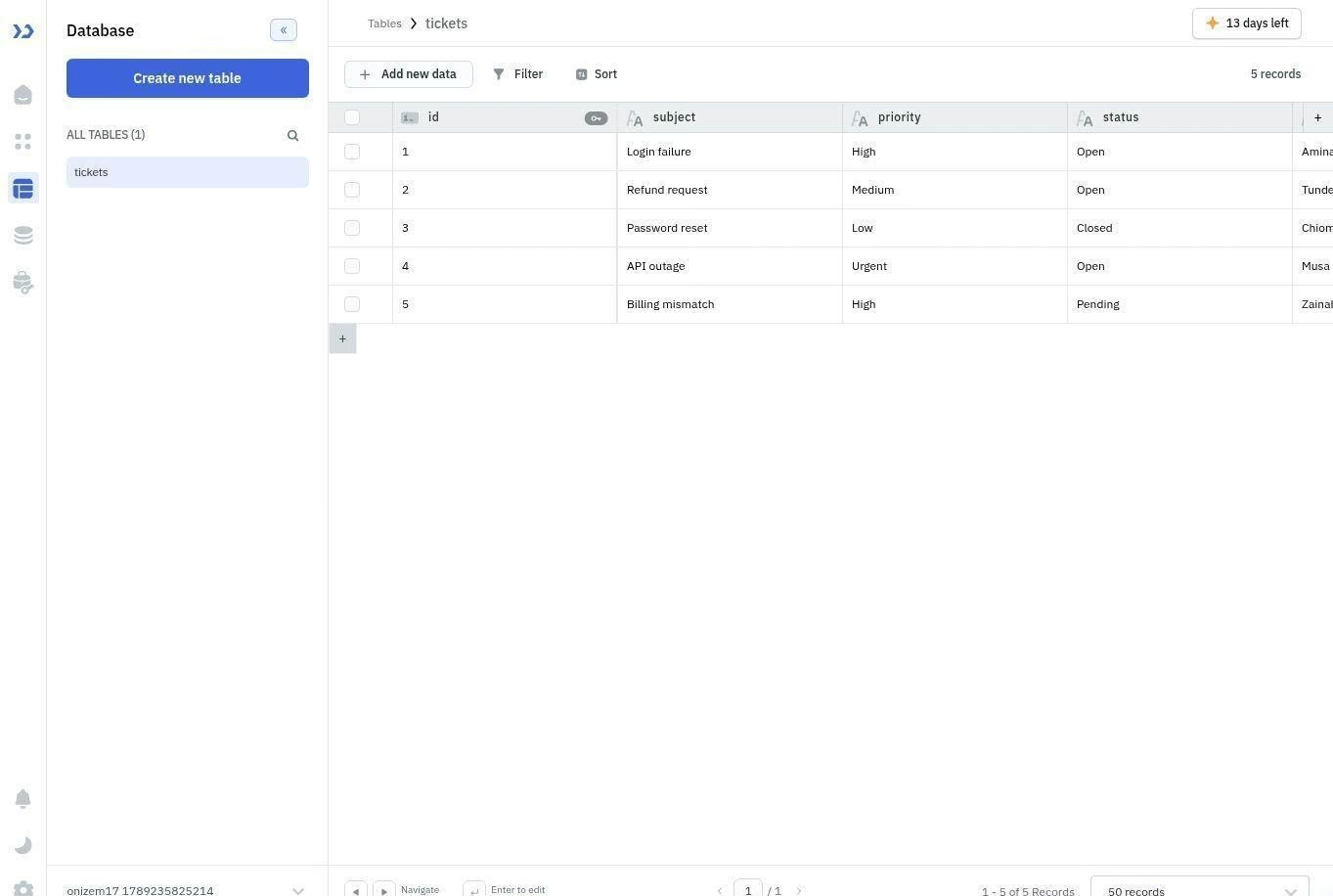
I tested it with ToolJet Database because I didn’t have a live PostgreSQL server. I created a tickets table with five records, then used the query panel to select the table and list its rows.
I also gave ToolJet’s AI generator the dashboard brief. My first prompt pointed it to PostgreSQL, so it couldn’t find the table. It returned an error naming ticket_id, priority, and status as columns it couldn’t locate in that data source. Once I specified the existing ToolJet Database table, it generated a ticket dashboard with all five records and a priority dropdown.
For the successful rerun, I used this prompt:
Build an internal dashboard using the existing tickets table in ToolJet Database. Show all tickets in a searchable table, add summary cards, and add a dropdown to filter by priority. When a ticket’s priority is Urgent, trigger a notification workflow.
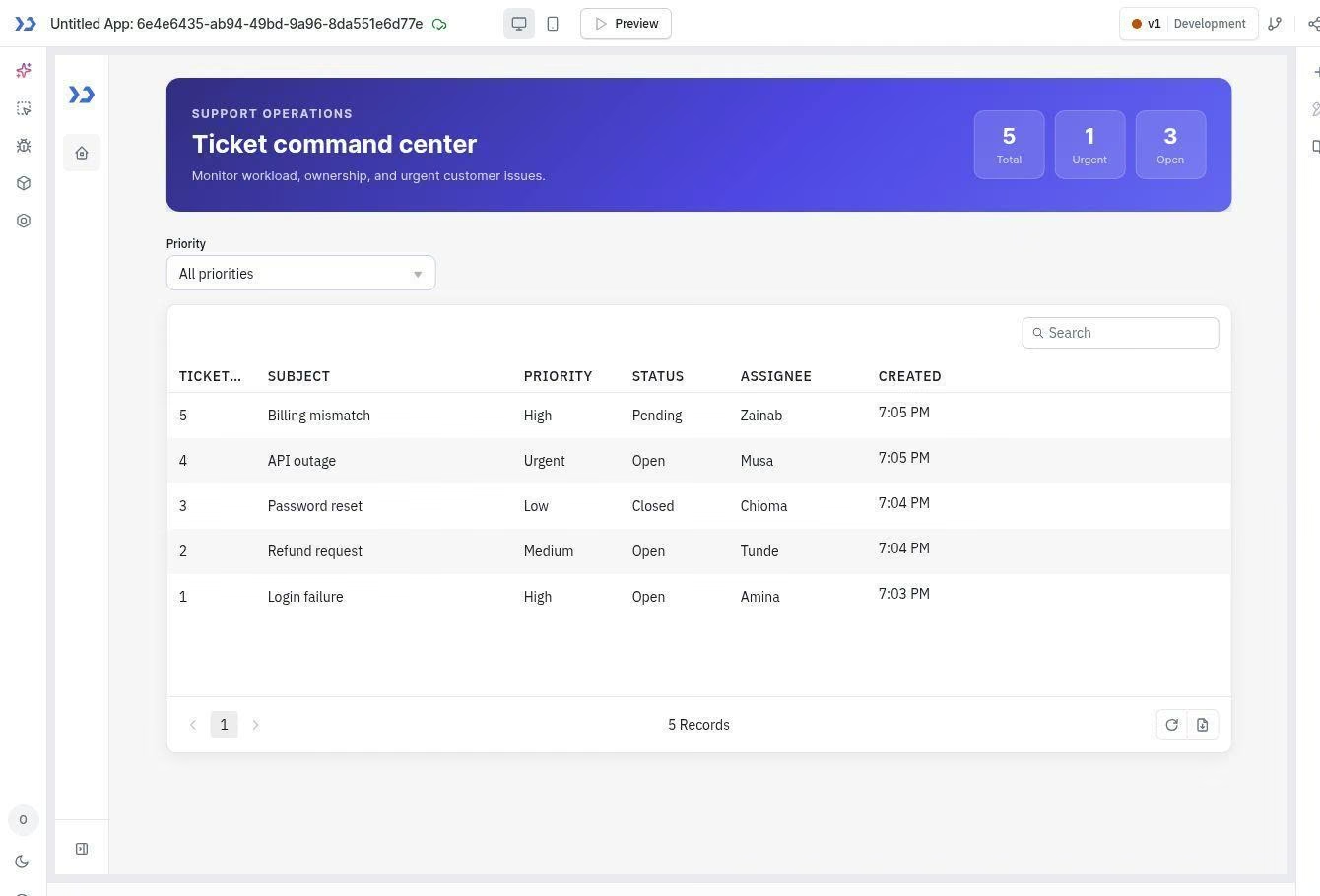
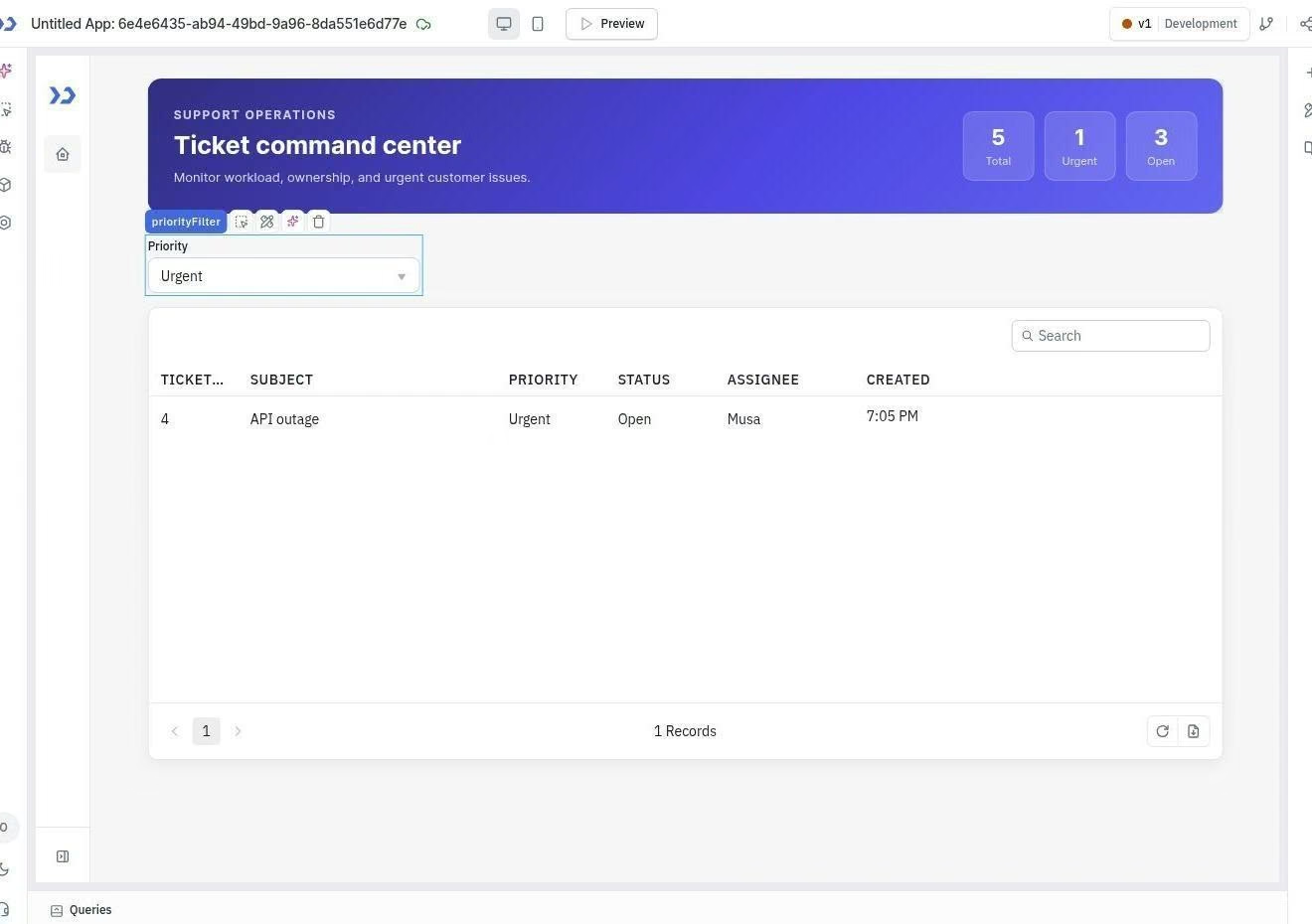
The filter worked when I selected “Urgent.” The table dropped from five records to the single API outage ticket. ToolJet used a filtering expression behind the table, so I wouldn’t describe this part as completely code-free.
I couldn’t test the urgent-ticket workflow. The cloud workspace didn’t provide a Workflows section, and the AI generator also reported that workflow notifications weren’t available there. So I can’t confirm from hands-on use that the urgent-ticket workflow can be built in a visual editor. ToolJet documents that editor for self-hosted instances only.
Appsmith: The More Code-Led Builder
Appsmith is also open-source and self-hostable. Its building experience leans more on writing queries and JavaScript bindings directly than ToolJet’s guided approach.
Appsmith’s Postgres connector asks for the host, port, database, username, password, SSL settings, and connection mode. I reviewed those settings, then used the same sample records for the table test. Adding the table widget itself asked me to set the data source, pick which columns to display and in what order, and choose a row-select behavior before it would render.
Appsmith’s binding system gave me direct control over how the records reached the table and how the component used them. Setting up the binding meant writing a short JavaScript expression to map the query output to the table’s data property, then a second expression to filter it by priority.
That flexibility also required more setup than ToolJet’s built-in data and filter options.
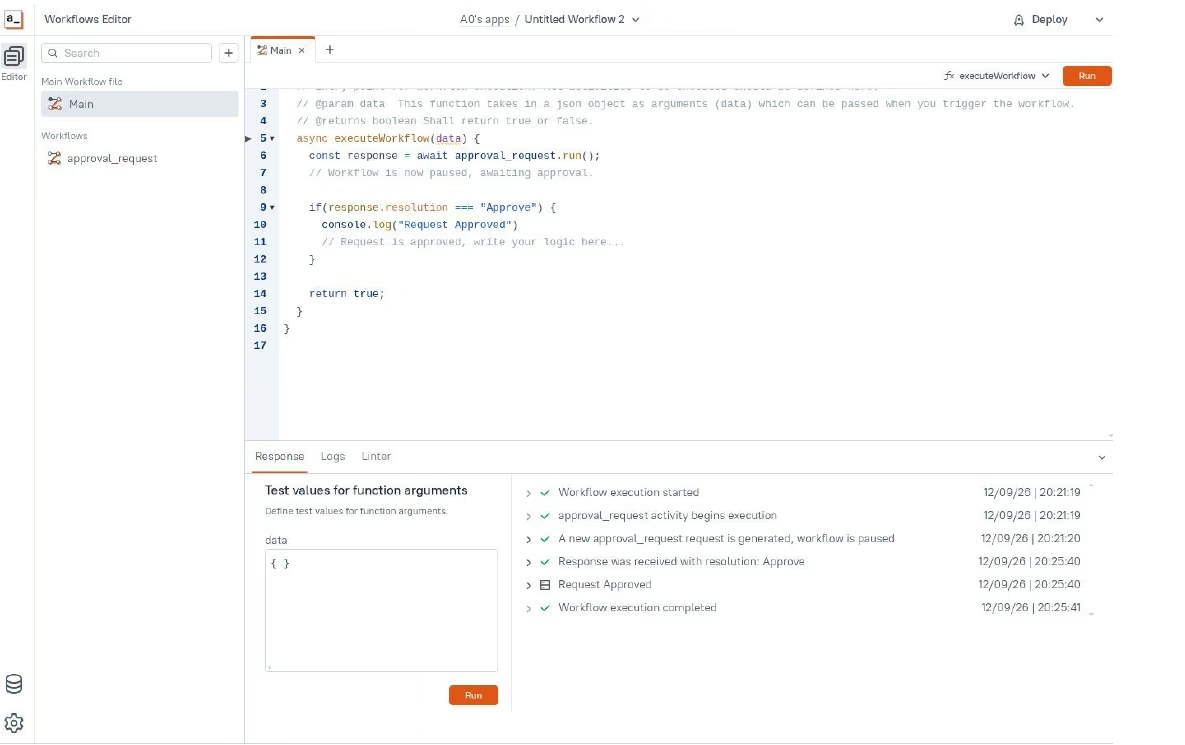
I tested Appsmith’s workflow builder during the 15-day Business trial. Its starter workflow paused for approval, resumed after I approved it, and completed successfully.
The approval screen showed the pending request with an Approve and Reject button and a text field for a comment. Appsmith’s docs still list approvals as coming soon, so the starter template is ahead of the documentation.
Appsmith doesn’t advertise the same full prompt-to-app generation path as ToolJet. Its current product page describes natural-language generation for custom widgets and workflow logic, along with integrations for adding AI to apps.
ToolJet vs Appsmith: At a Glance
Here's how the two platforms compare across the features that mattered most in testing:
| Feature | ToolJet | Appsmith |
|---|---|---|
| Best For | Teams that want guided table setup and prompt-to-app generation | Teams comfortable with queries and JavaScript bindings |
| Pricing | Free cloud and self-hosted options / Pro from $99 per builder/month ($79 billed annually) | Free for up to 5 cloud users / Business at $15 per user/month |
| Key Strength | Built-in database, guided component settings, and AI app generation | Flexible query and binding system, plus cloud workflows |
| Main Weakness | The tested cloud workspace didn’t provide access to Workflows | The table test required more manual data binding |
| Team Fit | Teams that want a more guided building experience | Technical teams or those needing cloud workflow automation |
ToolJet vs Appsmith: Feature Breakdown
Learning Curve and Building Experience
ToolJet's AI generator built most of the dashboard for me. In Appsmith, I wrote the binding and configured the table by hand.
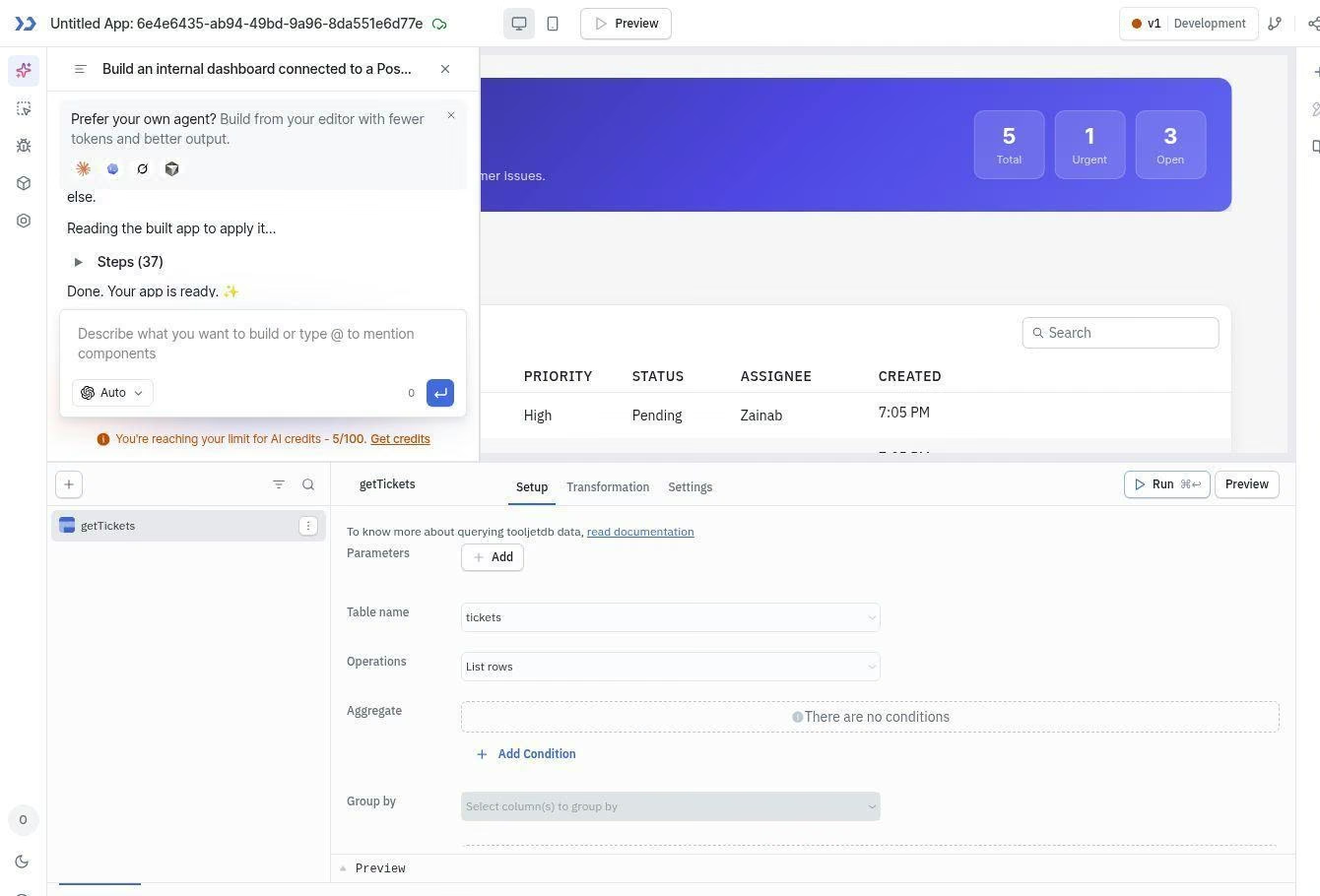
ToolJet: I created the tickets table and connected it through ToolJet’s query panel. Once I told the AI generator to use ToolJet Database, it built the dashboard and added a priority dropdown.
Selecting Urgent reduced the table from five records to the correct ticket. ToolJet used a filtering expression behind the table, although I didn’t have to write it myself.
Common controls for search, sorting, filtering, and pagination were also available in the table settings.
If the dashboard is the main thing you’re building, an AI dashboard builder can generate one from a description without a query panel or bindings.
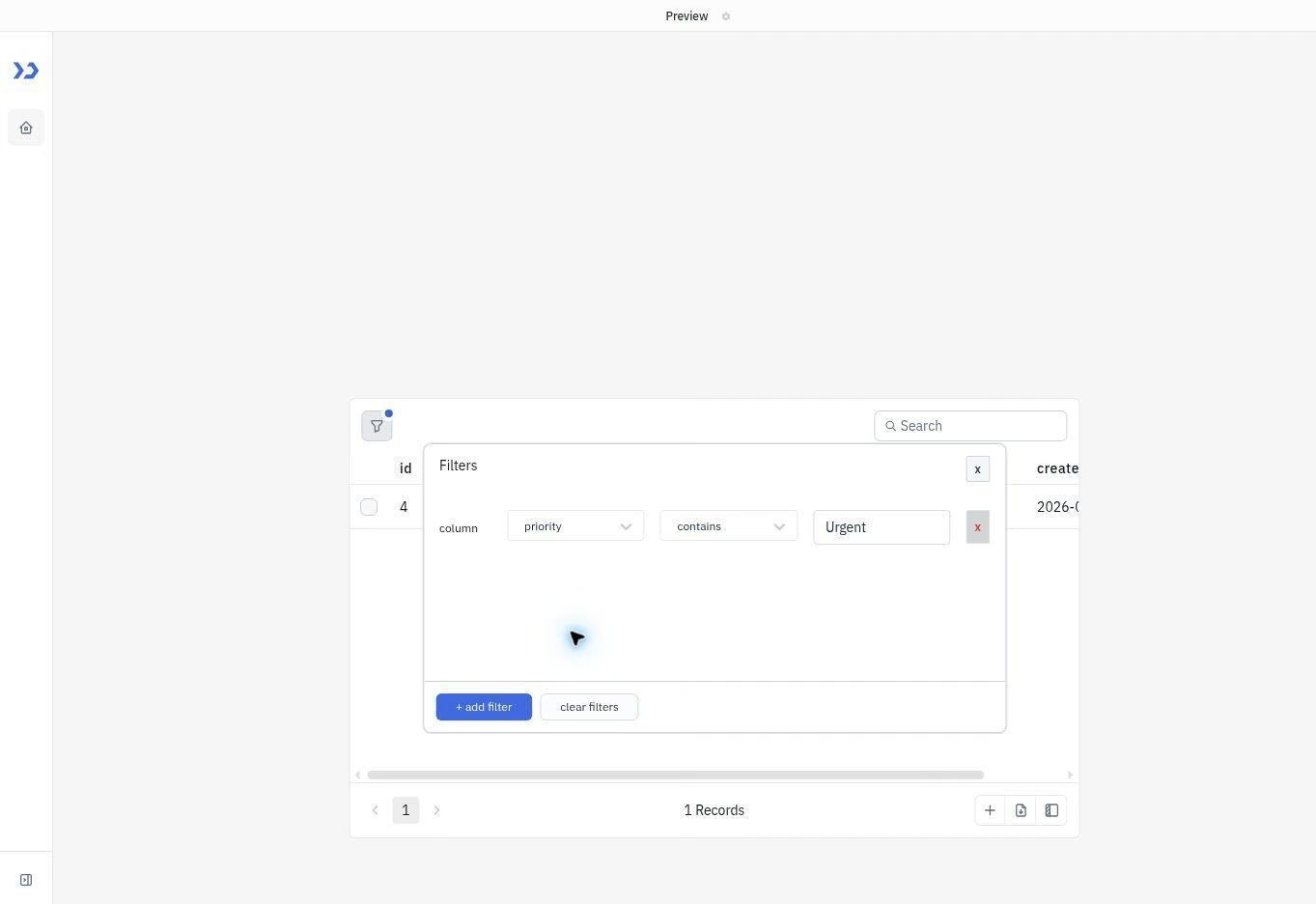
Appsmith: I added the same records through a JavaScript binding and enabled table filtering. Selecting Urgent also returned the correct ticket.
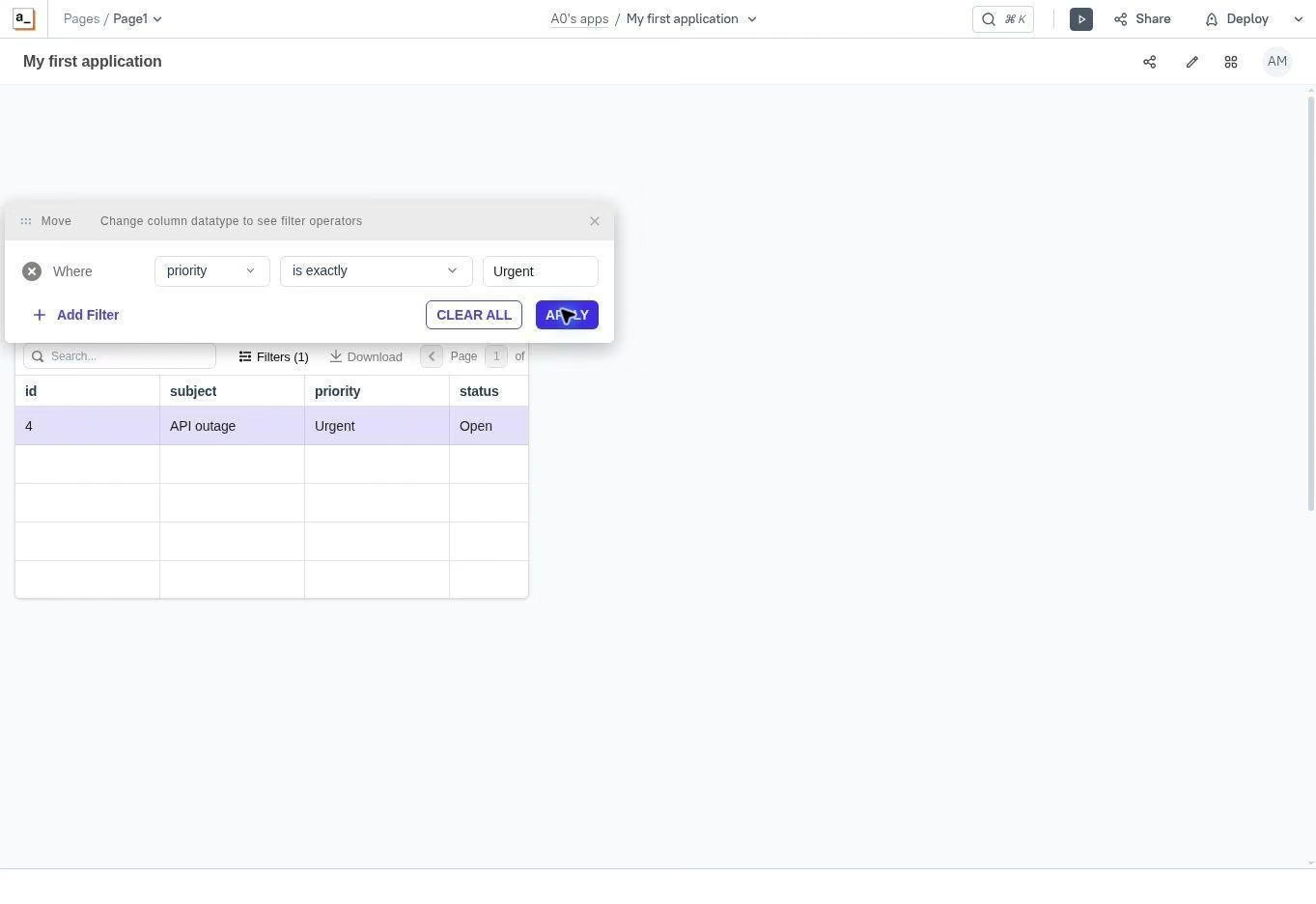
Appsmith required more manual setup because I had to prepare the data binding and configure the table myself. ToolJet’s AI generator handled more of that initial work after I pointed it to the correct data source.
Winner: ToolJet
AI App Generation
ToolJet offers prompt-to-app generation. Appsmith focuses its native AI help on individual parts of an app, such as custom widgets and application logic.
ToolJet: My first attempt failed because I told the generator to use PostgreSQL. It searched that source, couldn’t find the required table, and explained which columns were missing.
I reran the test and told it to use the existing tickets table in the ToolJet Database. This time, it generated a complete dashboard with five records, summary cards, a searchable table, and a priority dropdown.
The generated filter also worked. Selecting Urgent reduced the table to the single API outage ticket. However, the generator couldn’t add the notification workflow because Workflows weren’t available in my cloud workspace.
Appsmith: Appsmith’s AI features focus on helping users create specific components and application logic. I didn’t find an equivalent full prompt-to-app generator in the workspace I tested.
ToolJet provided the broader AI starting point and successfully turned my prompt into a working app. I still had to create the data table first and identify the correct source in my prompt.
Winner: ToolJet
To see how prompt-led development works from the first brief to deployment, follow our guide to create a business app.
Scripting Language Support
Both platforms let you add custom logic, although I could only test this directly in Appsmith.
ToolJet: ToolJet documents JavaScript and Python execution for custom logic. Its workflow documentation says Python nodes run server-side and can handle data transformations, calculations, and other business logic.
ToolJet also supports external Python packages from PyPI, including NumPy. However, its documentation places external workflow libraries on the Enterprise plan.
I couldn’t test these capabilities because Workflows wasn’t available in my ToolJet cloud workspace, so this comes from ToolJet’s documentation.
Appsmith: I used a JavaScript binding to connect the ticket records to the table. Appsmith’s documentation also uses JavaScript as the language for custom application logic, while database connectors can run SQL queries.
I didn’t find documented support for running Python directly inside Appsmith. A team that needs Python processing would have to connect the app to a separate service or API, although I didn’t test that setup.
Winner: ToolJet on documentation; neither platform's scripting was tested hands-on.
Data Source Connectors
ToolJet offers the larger published connector library, while Appsmith has more published user feedback about connecting databases and APIs in working projects.
ToolJet: Officially lists 100+ data sources, including PostgreSQL, MySQL, MongoDB, REST APIs, GraphQL, SaaS tools, and cloud storage.
I used ToolJet Database during my test, where it returned all five ticket records correctly. I didn’t test one of its external connectors, so I can’t judge how reliably they handle unusual schemas or authentication methods.
Appsmith: Supports major databases, SaaS tools, and REST and GraphQL APIs. Appsmith doesn’t publish a total, but I counted 62 connectors on its website when I checked.
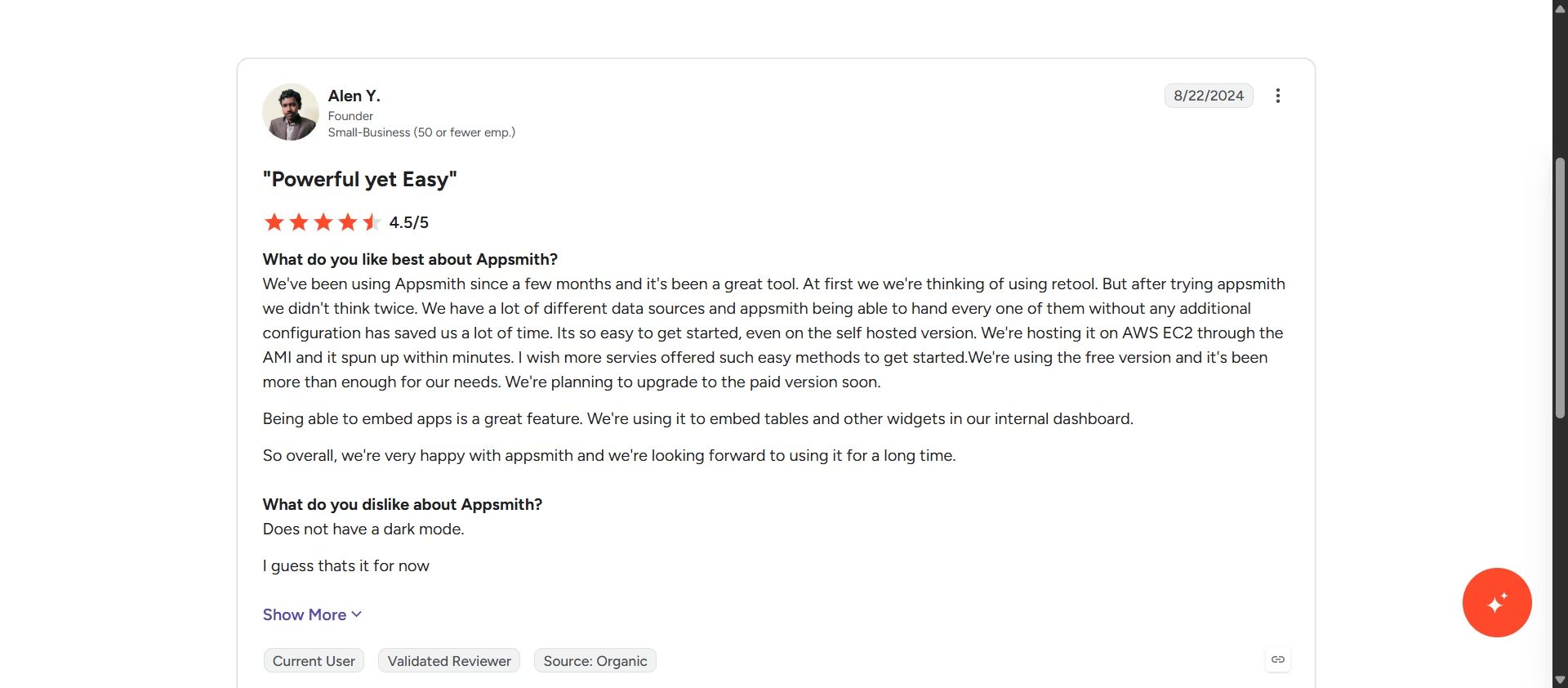
Appsmith also has detailed user feedback about its connectors. One G2 reviewer said connecting several data sources “without any additional configuration” saved their team time.
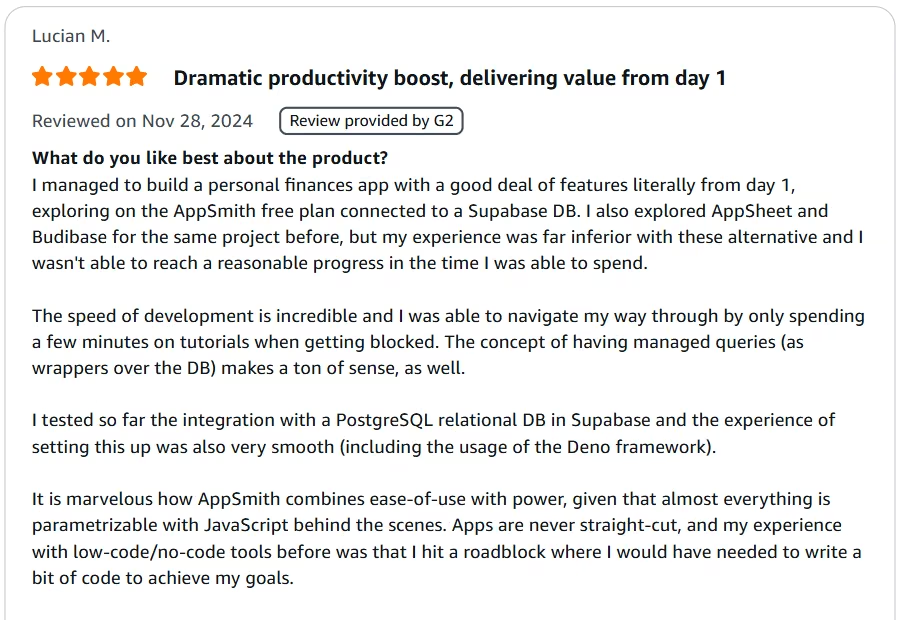
Another reviewer, Lucian M., connected Appsmith to a Supabase PostgreSQL database and said: “the experience of setting this up was also very smooth.”
ToolJet wins on published connector breadth, which is a count, not a reliability test.
Winner: ToolJet for connector breadth
Workflow and Automation Building
I could only complete the planned workflow test in Appsmith. ToolJet’s cloud workspace didn’t give me access to its Workflow editor.
ToolJet: Its workflow documentation labels the feature as self-hosted, so I couldn’t run the planned cloud workflow.
ToolJet documents a visual node editor for self-hosted workflows. I didn’t install a self-hosted instance, so I haven’t rated that editor from hands-on use.
Appsmith: The Business trial exposed a Workflows option in the Create new menu. The starter workflow used JavaScript and an approval request.
I ran it with test input. It paused for approval, accepted the response, recorded the approval, and completed successfully.
User feedback also supports Appsmith’s ability to automate work around connected data. One G2 reviewer, whose review appears on Appsmith's AWS Marketplace listing, described building interactive dashboards where user input “is then saved to SQL based on workflow requirements.” The same reviewer used Appsmith’s API access to control a CNC machine.
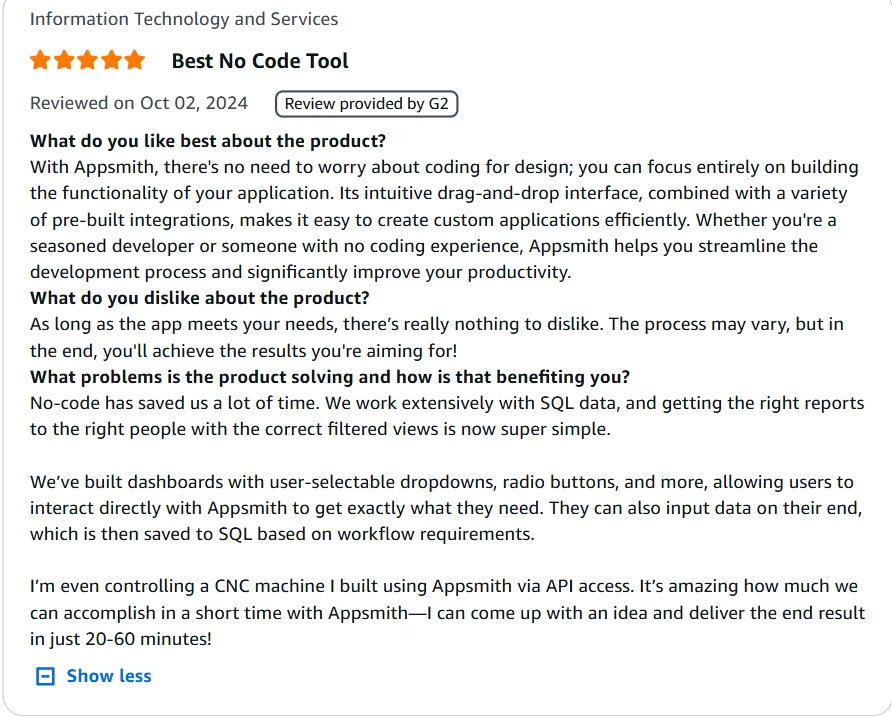
That review doesn’t test the same approval workflow, but it shows Appsmith handling automated actions beyond a basic dashboard.
Winner: Appsmith for the cloud workflow I could test
If workflows are the main reason you’re buying, read our comparison of AI workflow builders guide.
Self-Hosting and the Real Cost of “Free”
Both platforms offer free, open-source editions that you can host on your own infrastructure. You skip the subscription. Your team picks up the server, the updates, and the backups.
ToolJet: The Community edition is free and self-hostable. ToolJet provides documentation for Docker, Kubernetes, AWS, Azure, Google Cloud, DigitalOcean, and other deployment methods.
Its documentation also covers backups, version migrations, monitoring, and LTS upgrades. Your team still has to maintain the server, install security updates, monitor availability, create backups, and manage upgrades.
Appsmith: The Community edition is also free, open source, and available for self-hosting. Appsmith provides documentation for deployment, configuration, backups, upgrades, and common self-hosting problems.
The maintenance burden is similar. I didn’t run either platform long enough to compare uptime, upgrade difficulty, or the time each one requires to maintain.
Winner: Tie on self-hosted software cost and available operational documentation.
Pricing
ToolJet Pricing
ToolJet’s official pricing includes a free cloud plan with two builders, 50 end users, two apps, and 100 AI credits per month. AI generation is limited to two pages, and Free users can’t purchase extra credits.
Basic costs $29 per builder/month ($23 per builder/month billed annually), Pro costs $99 per builder/month ($79 per builder/month billed annually), and Team costs $249 per builder/month ($199 per builder/month billed annually).
Basic and Pro include 2,000 AI credits per builder each month, while Team includes 3,000, unlimited apps, SSO, audit logs, and Git sync.
Enterprise starts at $3,000/month and adds unlimited end users, custom AI credits, SCIM, multiple environments, and dedicated support. Monthly AI credits expire at the end of each billing cycle, while add-on credits cost $1 per 100 credits and remain valid for one year.
Appsmith Pricing
Appsmith’s official pricing includes a free plan with up to five cloud users, five workspaces, unlimited apps, and three Git repositories. The Free plan supports self-hosting, but it doesn’t include Workflows.
Business costs $15 per user/month and includes a 15-day free trial without a credit card. It supports up to 99 users and adds Workflows, reusable packages, unlimited workspaces, unlimited Git repositories, custom roles, audit logs, and email or chat support.
Enterprise starts at $2,500/month for 100 users and is typically billed annually. It adds SAML and OIDC SSO, SCIM provisioning, CI/CD, managed hosting as an add-on, and dedicated support. Appsmith doesn’t publish an annual equivalent for Business or an AI-credit allowance, so I haven’t calculated or added either one.
What Users Say
ToolJet
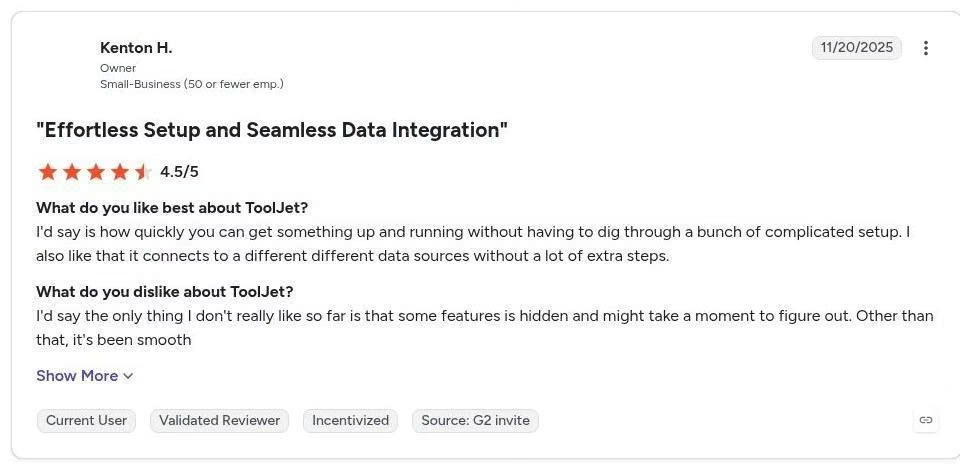
“How quickly you can get something up and running without having to dig through a bunch of complicated setup. I also like that it connects to different data sources without a lot of extra steps.” - Kenton H., G2
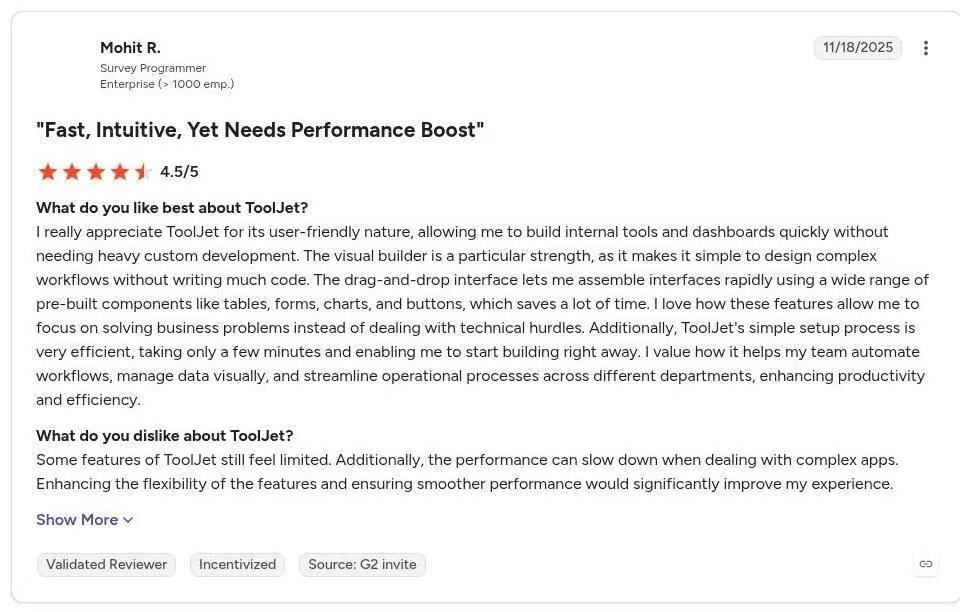
“Some features of ToolJet still feel limited. Additionally, the performance can slow down when dealing with complex apps. Enhancing the flexibility of the features and ensuring smoother performance would significantly improve my experience.” - Mohit R., G2
Appsmith
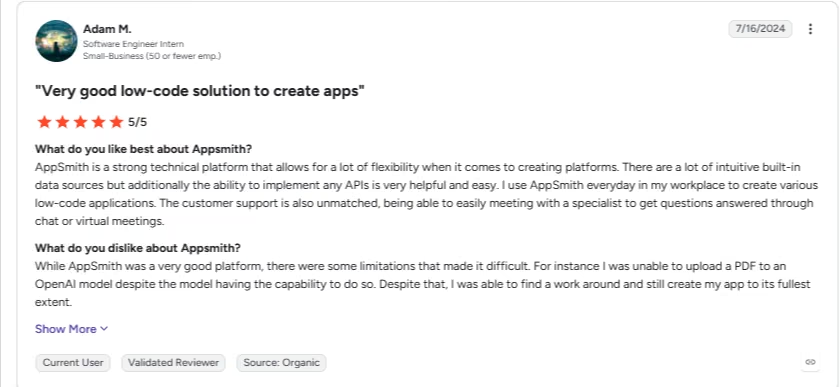
“AppSmith is a strong technical platform that allows for a lot of flexibility when it comes to creating platforms. There are a lot of intuitive built-in data sources but additionally the ability to implement any APIs is very helpful and easy. I use AppSmith everyday in my workplace to create various low-code applications. The customer support is also unmatched, being able to easily meeting with a specialist to get questions answered through chat or virtual meetings.” - Adam M., G2
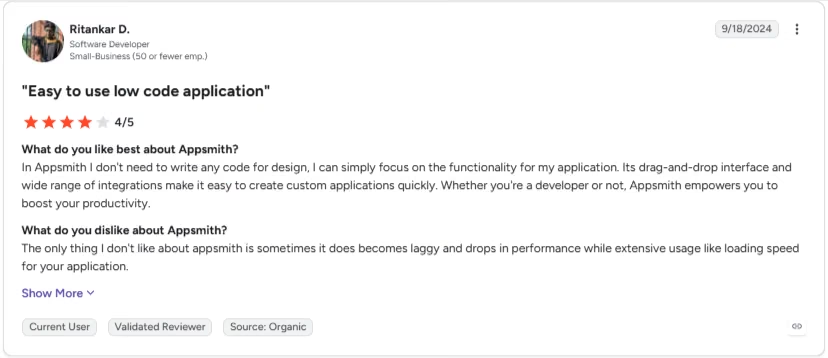
“The only thing I don't like about appsmith is sometimes it does becomes laggy and drops in performance while extensive usage like loading speed for your application.” - Ritankar D., G2
Which Tool Should You Choose?
ToolJet gave me the simpler table setup and offered the only full prompt-to-app generator. Appsmith required more manual binding, but it was the only platform where I completed a cloud approval workflow.
Choose ToolJet if you:
- Want full prompt-to-app generation as a starting point
- Prefer guided table settings and a built-in database
- Plan to self-host and need documented Python and JavaScript workflow nodes
- Have a few builders creating apps for many end users
Choose Appsmith if you:
- Need cloud workflow automation on the Business plan
- Have developers comfortable with JavaScript queries and bindings
- Want predictable pricing at $15 per user/month
- Prefer direct control over queries, data bindings, and component behavior
For more options organized by technical skill and use case, see this comparison of no-code app builders.
Choose Emergent for a Prompt-Built Internal Tool
ToolJet and Appsmith are judged here on the same job: connecting to your data and building an internal tool around it, either visually or with code. Emergent’s AI app builder takes a third approach: you describe the tool, and it builds the complete application for you.
I ran the same test as above: the same five support-ticket records, a table view, and a priority filter.
“Build a support ticket tracker with a table showing ticket ID, customer, issue, priority, and status. Add a filter so I can show only Urgent tickets, and add a button to mark a ticket as Resolved.”
Emergent returned a working app in one pass: the table, the priority filter, and a working Resolved button that updated the ticket's status in the underlying database, no query panel or JavaScript binding required. Selecting Urgent in the filter dropdown narrowed the five records to the one ticket flagged that way, matching what I'd built in ToolJet and Appsmith.
I sent one follow-up prompt to add an approval step before a ticket could close, since that's the piece ToolJet couldn't run and Appsmith needed a 15-day trial to test.
“Add an approval step: when someone clicks Resolved, the ticket should move to a Pending Approval status instead of closing immediately. Add a second button, visible only on Pending Approval tickets, that closes them.”
That worked on the first attempt too. Clicking Resolved moved the ticket to Pending Approval instead of closing it, and the new Approve button only appeared on tickets in that state.
Total cost: about 30 credits and 12 minutes across both prompts.
Emergent generates a full application from the first build, hosting, data storage, and user access included. You describe what you need and keep refining it through follow-up prompts, which is what makes it useful when your tool needs custom forms, approval logic, dashboards, or user roles.
If your team wants to describe and refine the internal tool it needs rather than assembling it visually, start building on Emergent for free.
For a broader comparison, see where Emergent fits among other internal tool builders.
My Final Verdict
Both platforms cover the same core need: building internal tools with connected data.
ToolJet took four of the six categories, though two of those wins rest on documentation rather than hands-on testing. It’s my default for a simple internal table or a more guided setup. Appsmith earns the choice when cloud workflows are the reason you’re buying, or when your team already lives in JavaScript.
Before relying on ToolJet’s AI generator, I’d test it against my own schema. My first prompt failed for exactly that reason.

Most AI app builders stop at prototypes. Emergent creates production-ready apps you can actually launch.
- Production-ready apps
- Web & mobile apps
- Deploy in minutes





