



There isn't one best AI image generator in 2026, and that's the part most comparisons skip. The leading models all produce publication-quality images now, so what determines whether a tool works for you is everything around the image. What a month of it costs. Whether you can sell what you make. Who else gets to see it.
We looked at 10 generators, kept six, and pulled every price here from the vendor's own live pricing page rather than a tracker, because plan structures in this category change monthly. We also read the one-star reviews for each one.
This is Emergent's blog, and you'll notice we're not on the list: we build software; we don't generate pictures, so putting ourselves in a roundup of image generators would waste your time. There's a section at the end for readers who need generation running inside an app they own.
By the end, you'll know which tool fits blog art, product photos, logos, or typography work, what each one costs on the plan you'd realistically buy, and where the licensing and privacy defaults catch people out.
What Actually Matters When You Compare AI Image Generators
Image quality stopped being the deciding factor sometime in 2025. Every tool below can produce something you'd put on a homepage, so the differences that change your day-to-day are the boring ones.
These are the five criteria we assessed each tool against, including the ones that didn't make the list.
- What one image actually costs: A $20 plan with 1,000 credits means nothing until you know what one image costs in credits. Credits stretch much further on a simple graphic than on a batch of high-resolution photo edits, so price the plan against your own volume.
- Commercial rights: Some tools grant full commercial use the moment you pay, some withhold it on the free tier, and a couple tie it to your company's revenue. Check this before an image goes on a paid ad.
- Privacy by default: Three of the tools below publish your generations to a public gallery unless you pay to turn that off. That's fine for personal work and a problem for an unreleased product.
- Where the output has to go: Feeding generated images into a product, a client portal, or a catalog is a very different job from downloading a PNG, and most generators have no answer for it.
- Editing controls: First drafts are easy. The tools that save you hours let you change one element without regenerating the whole picture.
If your shortlist is broader than images, our roundups of free AI tools and AI tools for UI design cover the adjacent categories.
How We Chose These AI Image Generators
We built this comparison from primary sources, and it's worth being clear about what that does and doesn't include. Every price in this article came from the vendor's own live pricing page, checked against the vendor site on the day of writing, because plan structures in this category change monthly.
Feature claims come from each vendor's product documentation and model announcements. User quotes come from named, verified Trustpilot reviews, linked individually so you can read the full thread yourself.
We didn't run all six through an identical prompt battery. Those results go stale within weeks here, and the models sit close enough that pricing and licensing tell you more. Where we call one tool stronger than another below, we say what the judgment rests on: a vendor claim, a published capability, or a named reviewer.
Four tools were considered and left off. FLUX and Stable Diffusion are model families, so a non-technical buyer has to pick a host before they can pick a plan. Leonardo overlaps heavily with Recraft without matching its brand-set controls. Canva generates images but sells itself as a design suite, so it loses to Recraft on style consistency.
Those five criteria are what we assessed each tool against. The order below is not a league table. The six are grouped by the job each one does best, so read the "Best for" line before the number.
The 6 Best AI Image Generators: Quick Comparison
Here's how the six compare on the numbers you'd check before signing up.
ChatGPT: Best for Everyday Images You Can Talk Your Way To

What it does: Generates and edits images inside the same chat window you already use for writing and research, using OpenAI's GPT Image model.
Best for: Anyone who wants one subscription covering text and images, and who'd sooner describe a fix in a sentence than learn a controls panel.
ChatGPT is the default answer for most people because the barrier is close to zero. You type what you want, and it appears; then you say what's wrong with it, and it changes. That conversational editing loop is the feature that matters, and it's why the tool keeps going viral for style transfers.
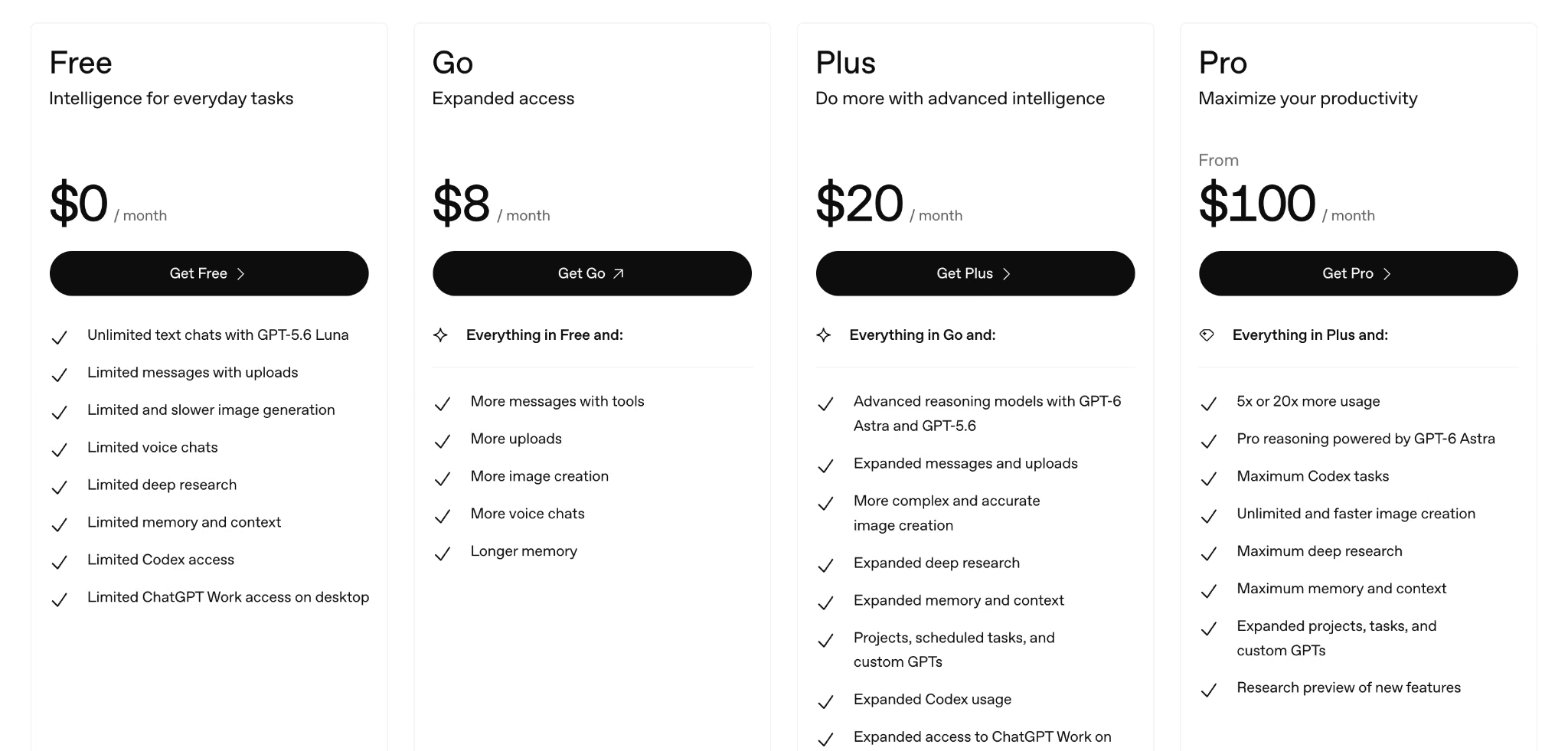
OpenAI's own plan comparison is candid about the tradeoff, listing image generation as limited and slower on the free tier and unlimited and faster only on Pro.
Key Features
Everything useful here comes back to one idea: you fix the picture by talking to it.
- Image-prompt adherence: Upload a photo and ask for it in a different style, and it holds the composition better than most.
- Conversational revision: Ask it to change one element and it usually changes that element, leaving the rest alone.
- Image generation with Thinking: Available from the Plus plan up, for prompts with more moving parts.
- Text rendering: Reliable for short headlines and labels, though Ideogram is stronger on dense typography.
Pros and Cons
Pros:
- No new tool to learn if you already use ChatGPT daily.
- One subscription covers writing, analysis, and images.
- Strong at following an uploaded reference image.
Cons:
- Image speed is tied to your plan, and OpenAI's own comparison calls free-tier generation slower.
- The free tier's image limits are tight enough that most regular users will pay.
- Fine-grained control over composition is weaker than in a purpose-built design tool.
What Users Say
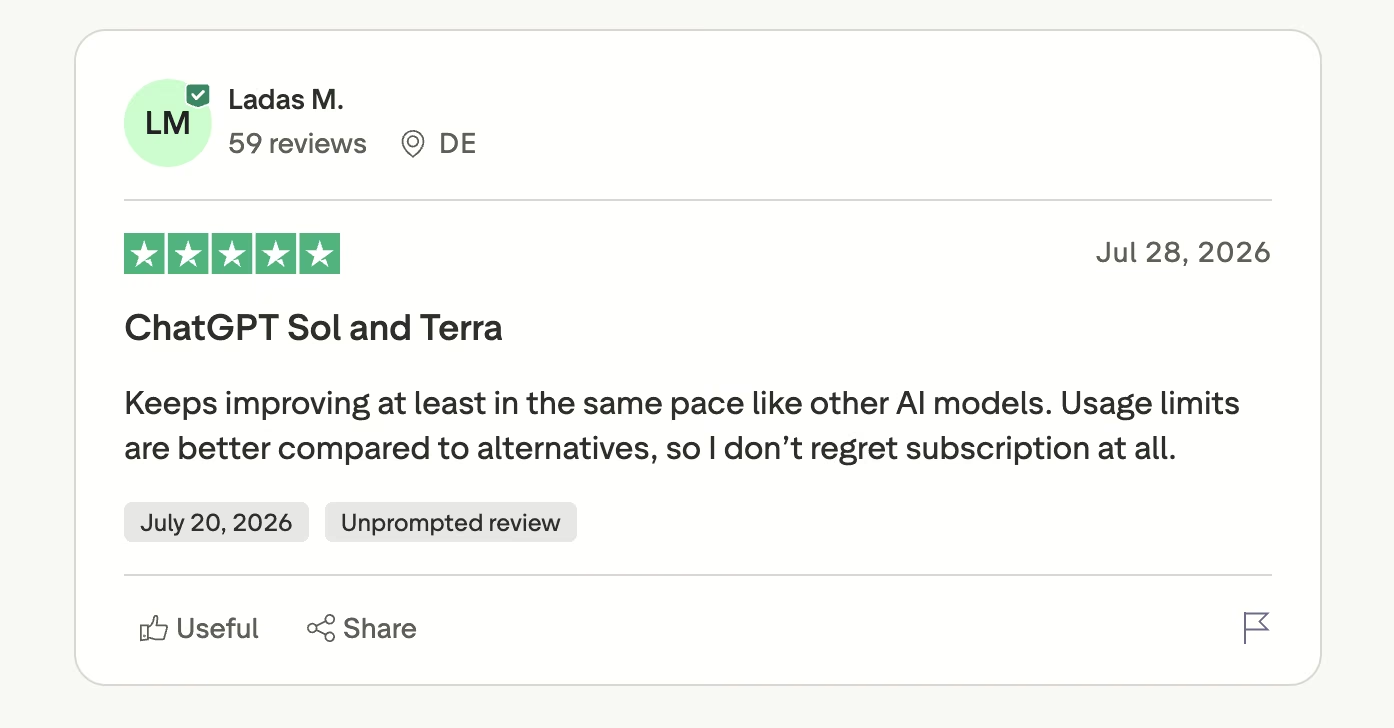
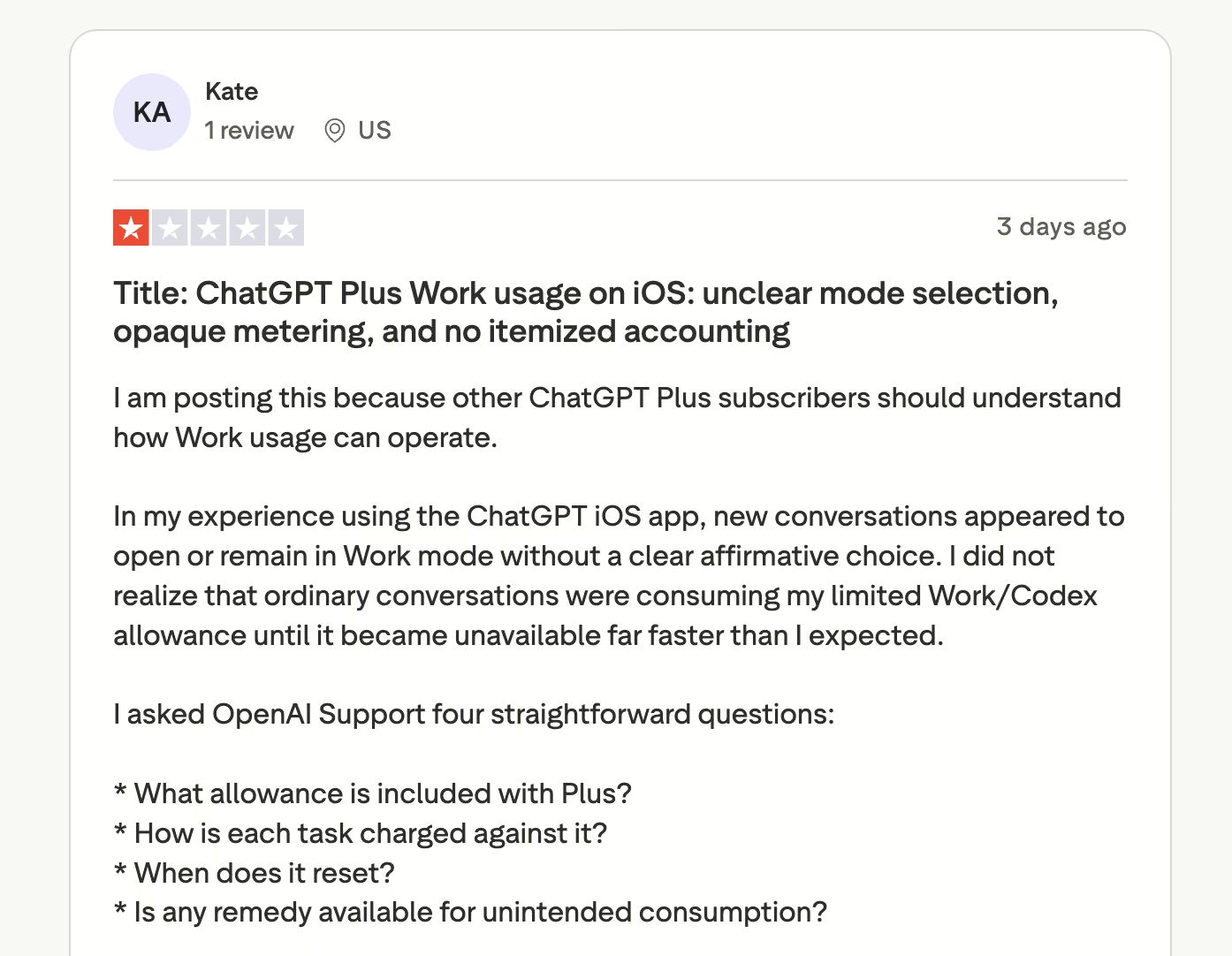
Reviewers who stay subscribed tend to cite the allowance. Reviewers who complain tend to cite the same thing from the other direction.
"Usage limits are better compared to alternatives, so I don't regret subscription at all." (Ladas M., Trustpilot)
One Plus subscriber reported that "ordinary conversations were consuming my limited Work/Codex allowance" without a clear warning (Kate, Trustpilot).
Pricing
There's a free tier with limited, slower image generation. Go starts at $8/month and adds more image creation. Plus is $20/month and adds more complex and accurate image creation, plus Image generation with Thinking.
Pro starts at $100/month for unlimited and faster image creation. All four tiers are billed monthly.
Bottom Line
If ChatGPT is already on your card, start here and add a second tool only when you hit a wall, like vector export or dense typography.
Nano Banana 2: Best for Editing Photos You Already Have

What it does: Google's current image model, Nano Banana 2, generates images and edits existing ones inside Gemini and Google Search.
Best for: People whose starting point is a photo they already took, and anyone whose company already pays for Google Workspace.
Where this model earns its place is transformation. Google's own product page leads on changing the mood of an existing image, changing camera angles, adjusting focus, and applying the texture or color of one reference photo to a different subject.
It also resizes a single visual into multiple formats without cropping out the detail you wanted, which is the exact chore that eats an afternoon when you're producing one asset for six placements.
Key Features
Four capabilities carry the model.
- Style transfer from a reference: Take the look of one image and apply it to another without rebuilding the prompt.
- Format resizing: One visual, reformatted for different placements, with the subject preserved.
- Text placement: Handles logos, invites, posters, and comics with legible words in multiple languages.
- Reach: Lives inside Gemini and Search, so it isn't a separate destination you have to remember to open.
Pros and Cons
Pros:
- Google's own launch notes put subject consistency and instruction following at the center of this release, which is what photo reworking depends on.
- Cheapest entry point in this comparison at $4.99/month.
- Already included if your organization pays for a Google AI plan.
Cons:
- Reviewers regularly report ignored instructions on long, detailed prompts.
- The public review record covers the whole Gemini assistant, so it's hard to isolate how the image tools perform on their own.
- The image tools live inside a general assistant, so there's no dedicated image workspace.
What Users Say
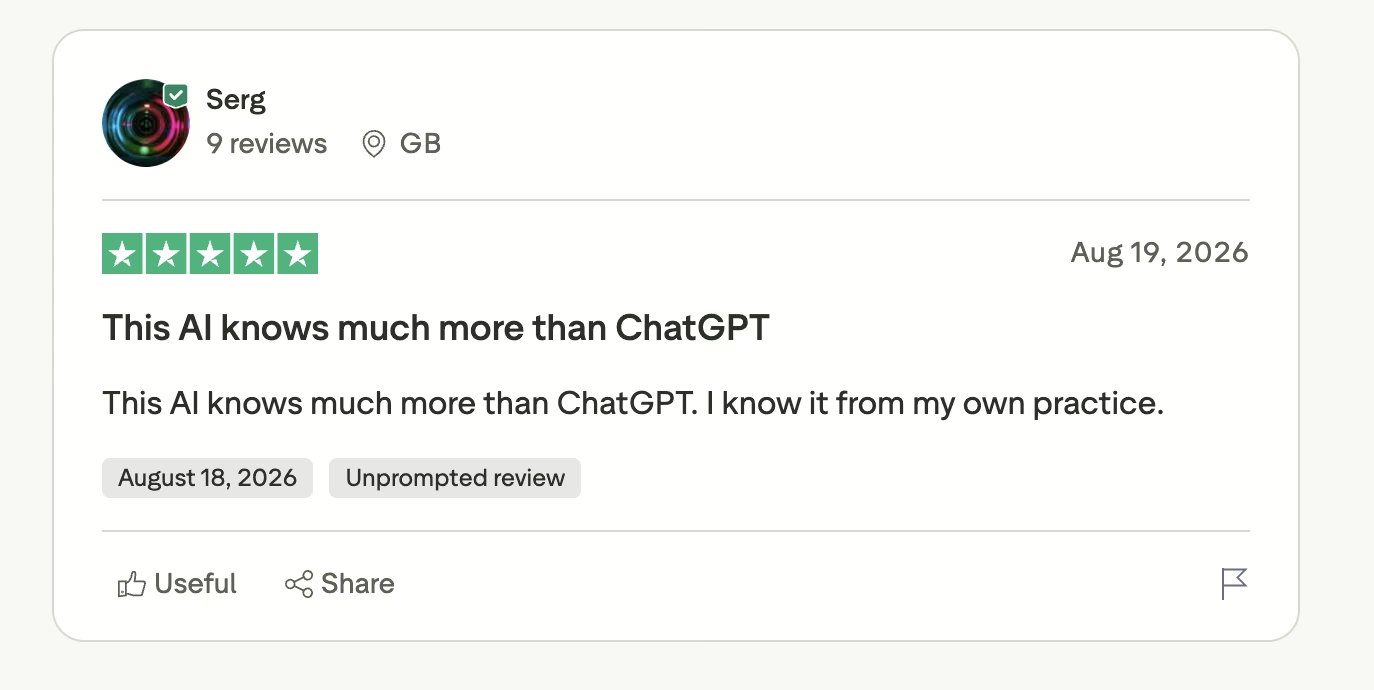
Gemini's public reviews cover the whole assistant, so read them with that in mind. The recurring criticism is instruction-following.
"This AI knows much more than ChatGPT." (Serg, Trustpilot)
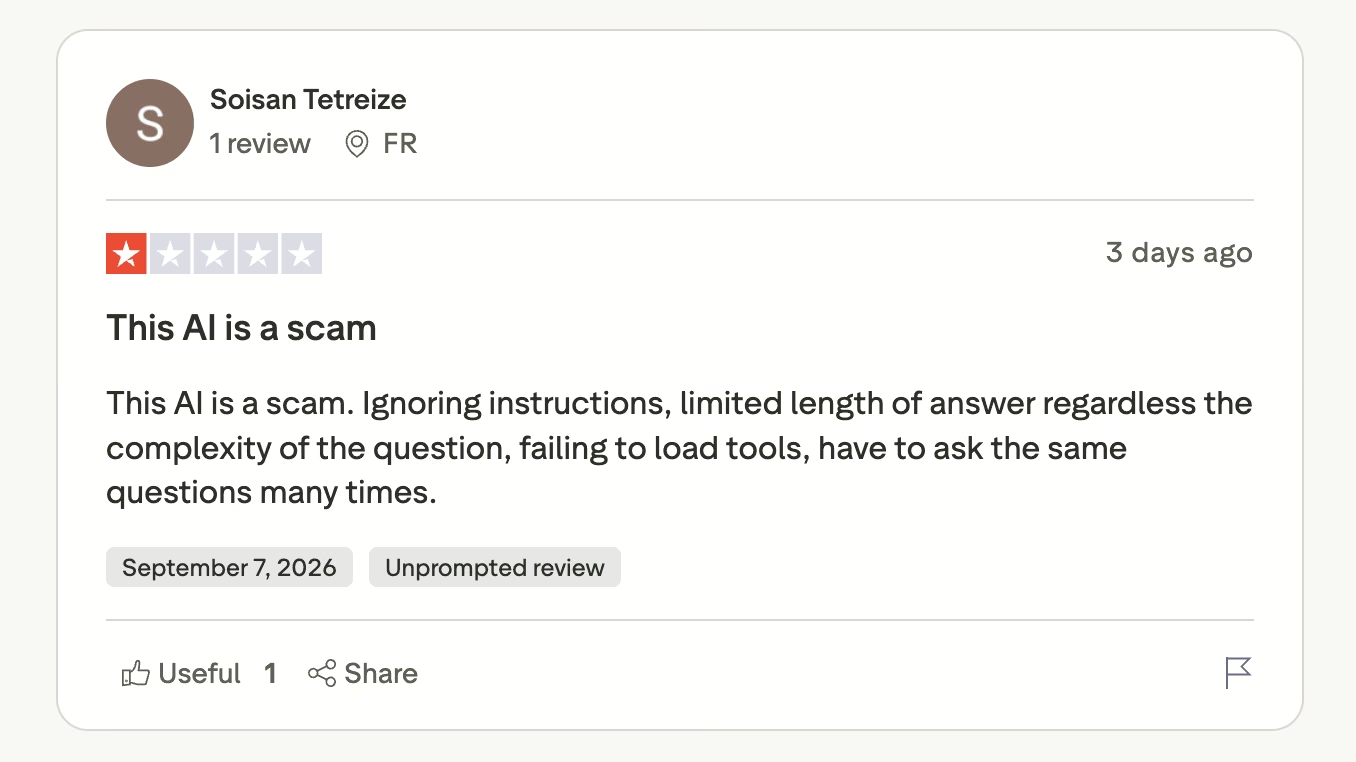
"Ignoring instructions, limited length of answer regardless the complexity of the question." (Soisan Tetreize, Trustpilot)
Pricing
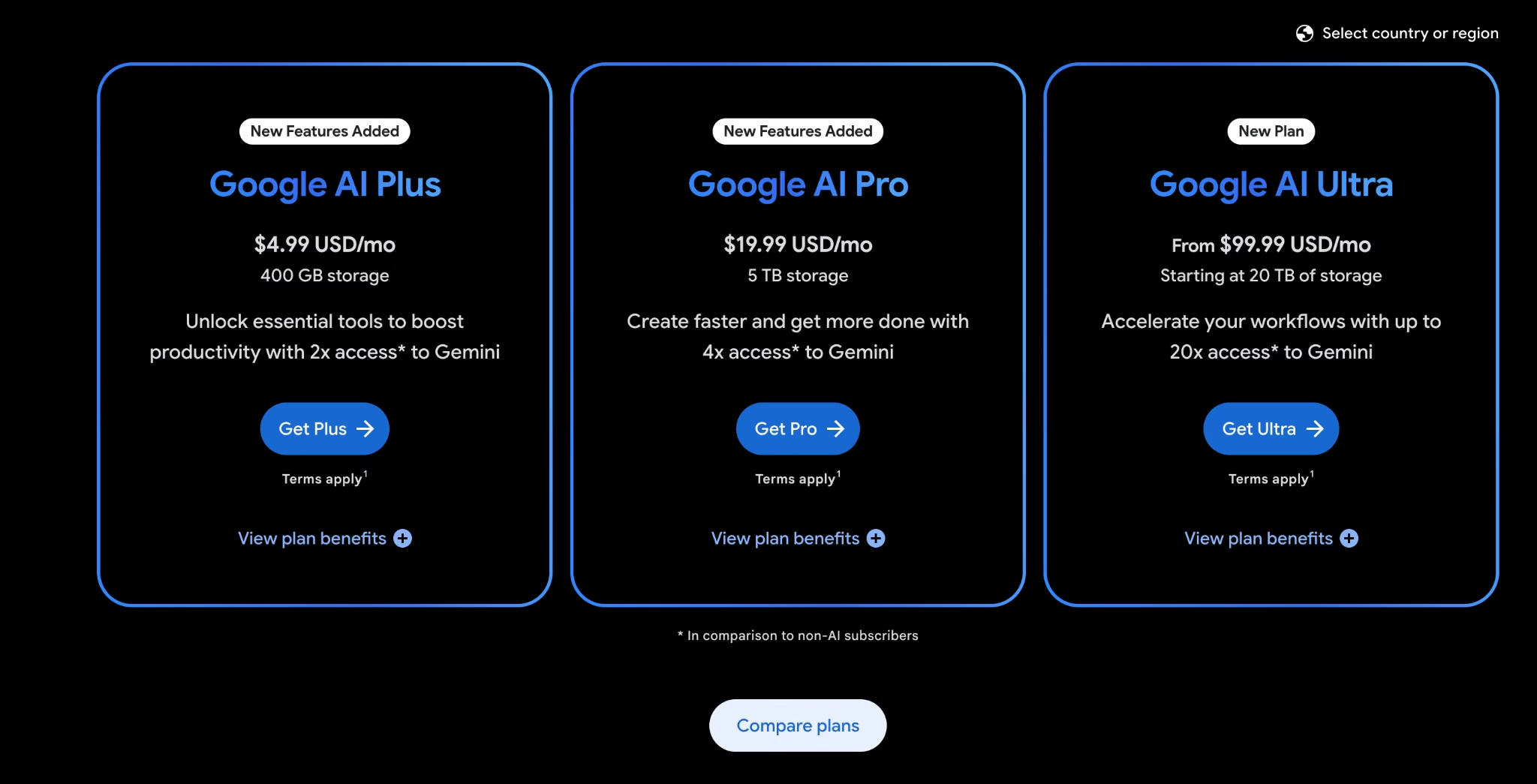
Gemini's free tier includes limited image generation. Google AI Plus is $4.99/month with 400 GB of storage and more access to image, music, and video models. Google AI Pro is $19.99/month with 5 TB and expanded access, and Google AI Ultra starts at $99.99/month.
Bottom Line
"Make this photo look different" is the brief Nano Banana 2 handles best. Hand it three paragraphs of specifics, and you'll be re-prompting.
Read More: ChatGPT vs Gemini
Midjourney: Best for a Distinctive Artistic Look
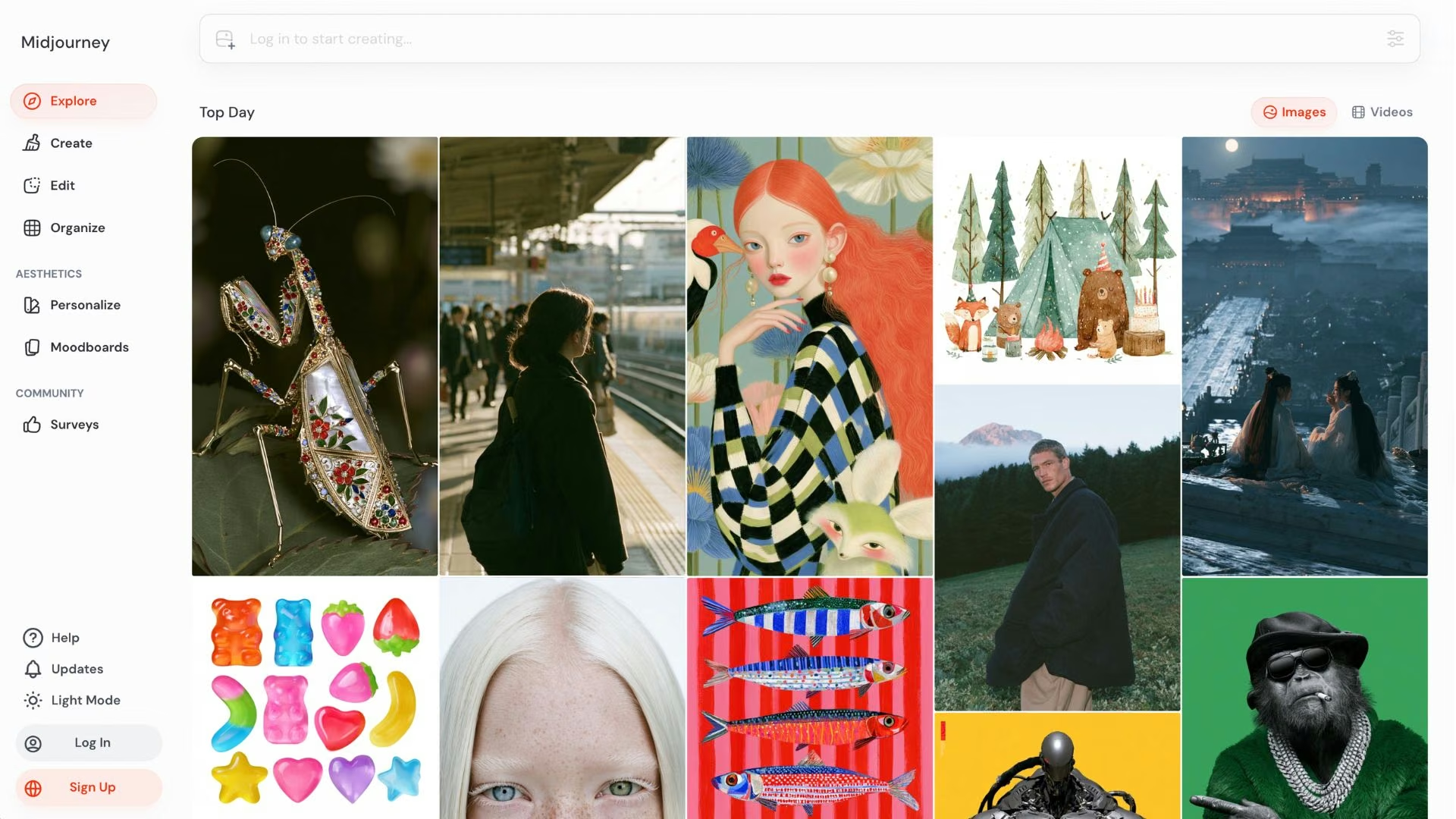
What it does: Generates images with a recognizable aesthetic, now through a web app as well as Discord.
Best for: Concept art, mood boards, and anything where the look matters more than literal prompt accuracy.
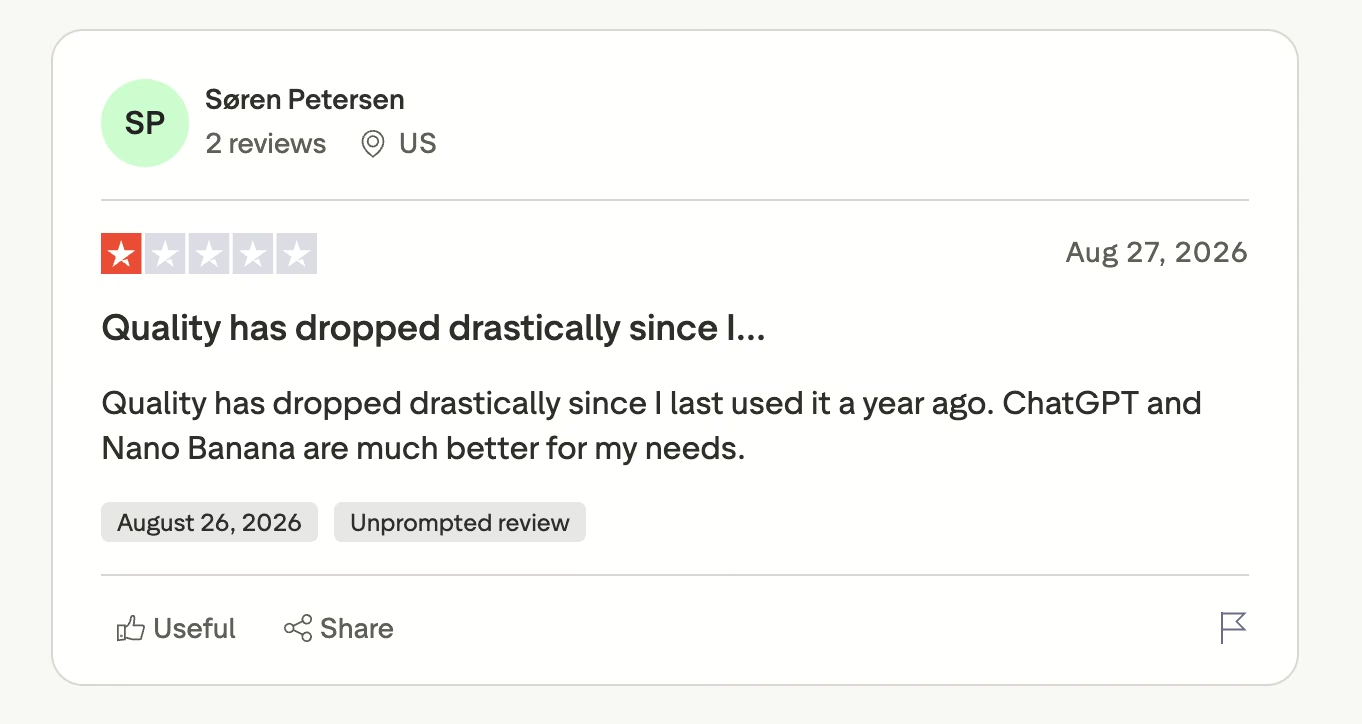
Some long-time subscribers say the gap has closed. One puts it bluntly: quality has dropped since a year ago, and ChatGPT and Nano Banana now serve them better. What Midjourney kept is a house style that still reads as more considered than the alternatives, with better texture and color handling.
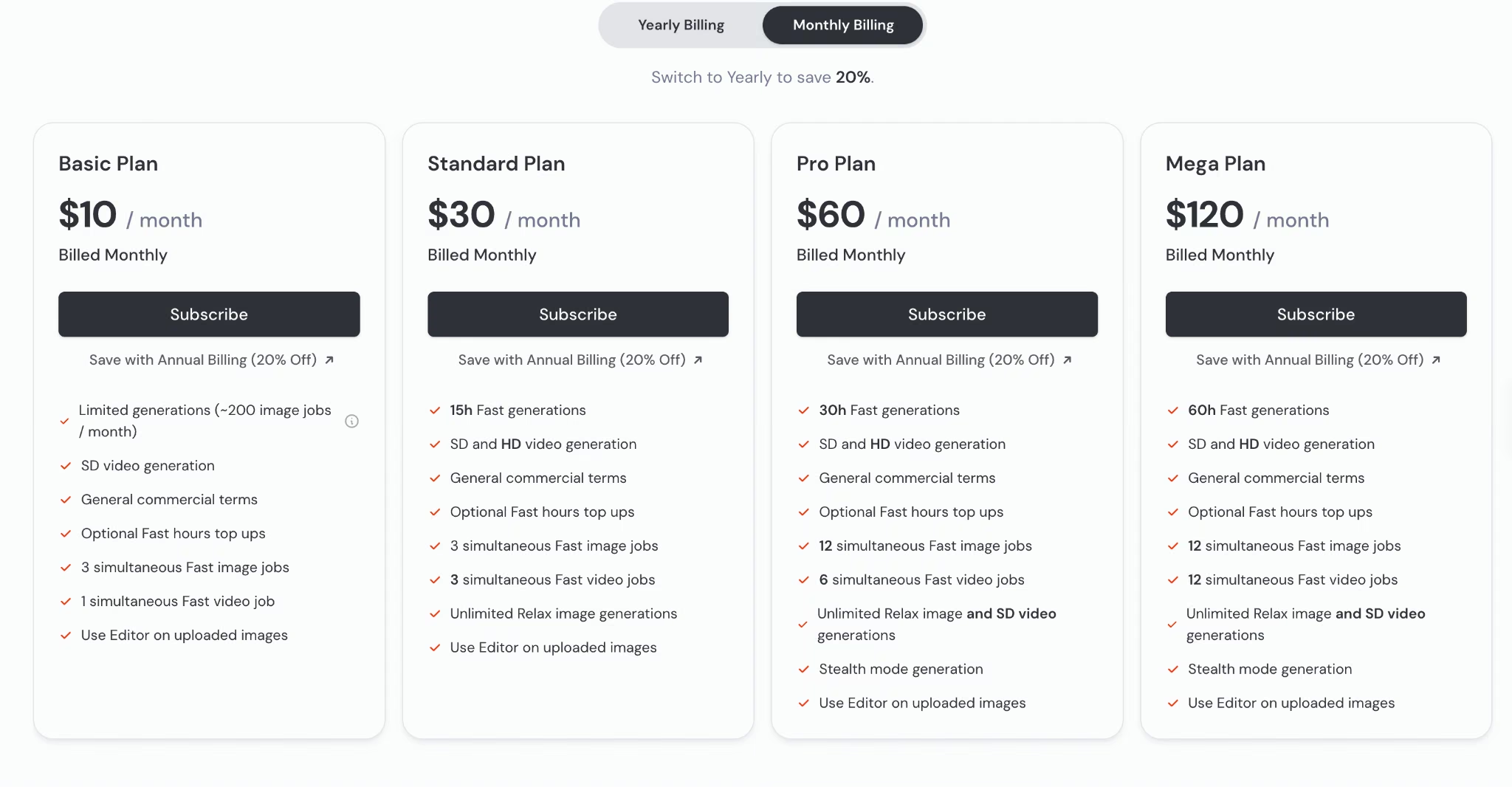
You buy fast GPU time by the hour, which is the detail that trips up nearly every new subscriber. Basic gives you 3.3 hours a month, and extra time costs $4 per hour on every plan.
Key Features
The plan you pick changes what you can do more than the model does.
- Personalization and moodboards: Tune the model toward your own visual preferences so results get more consistent over time.
- Relax mode: Unlimited image generations on Standard and above, though they sit in a queue.
- Stealth Mode: Keeps your generations private, available on Pro and Mega only.
- Concurrency: Up to 12 fast jobs at once on the higher plans, which matters for exploration.
Pros and Cons
Pros:
- Still the most distinctive output in this comparison, particularly for illustration and concept work.
- Unlimited Relax generations from $30/month change the cost equation.
- Commercial usage rights on every paid plan.
Cons:
- Your images are public by default, and privacy costs $60/month.
- The plan comparison lists no free tier.
- Companies above $1 million in gross annual revenue are required to be on Pro or Mega.
What Users Say
Long-time users defend the output, while recent reviews question whether quality has held up.
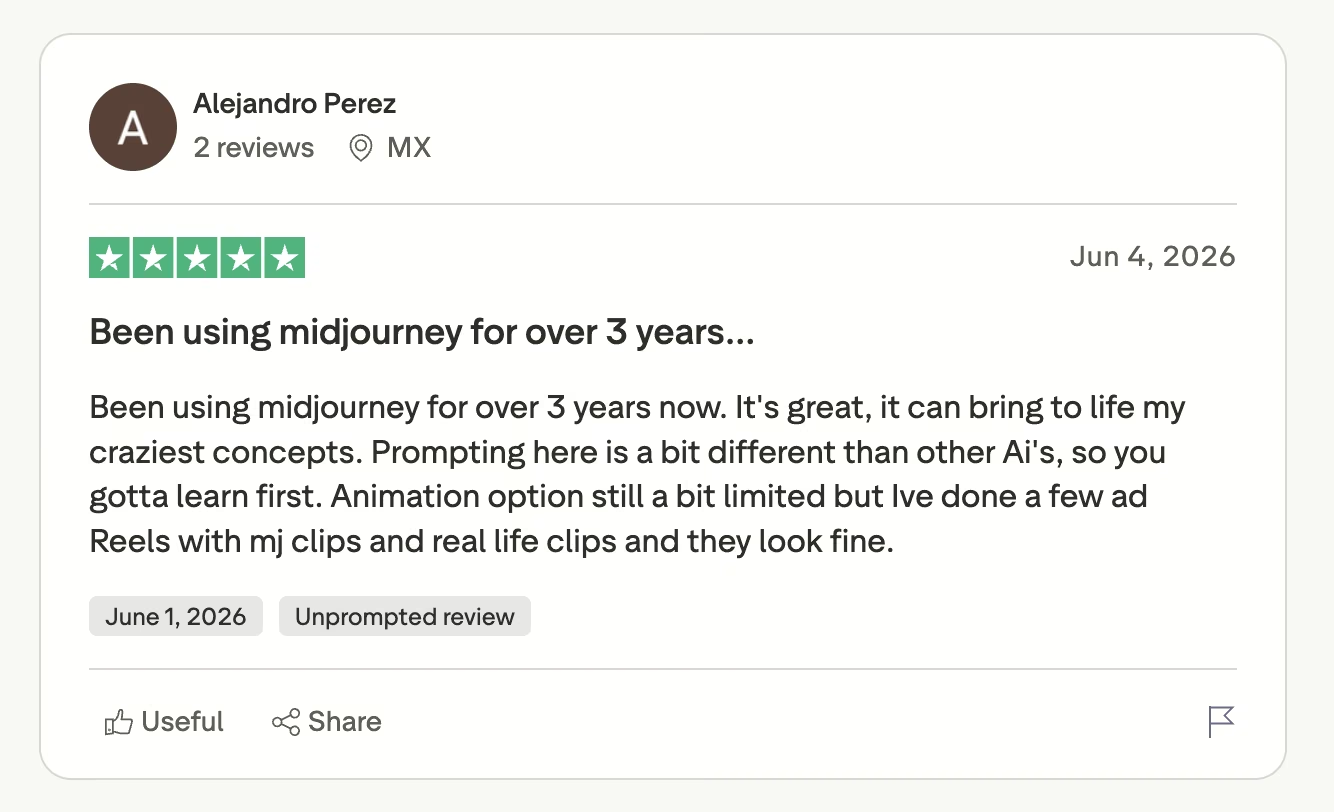
"Prompting here is a bit different than other Ai's, so you gotta learn first." (Alejandro Perez, Trustpilot)
"Quality has dropped drastically since I last used it a year ago." (Søren Petersen, Trustpilot)
Pricing
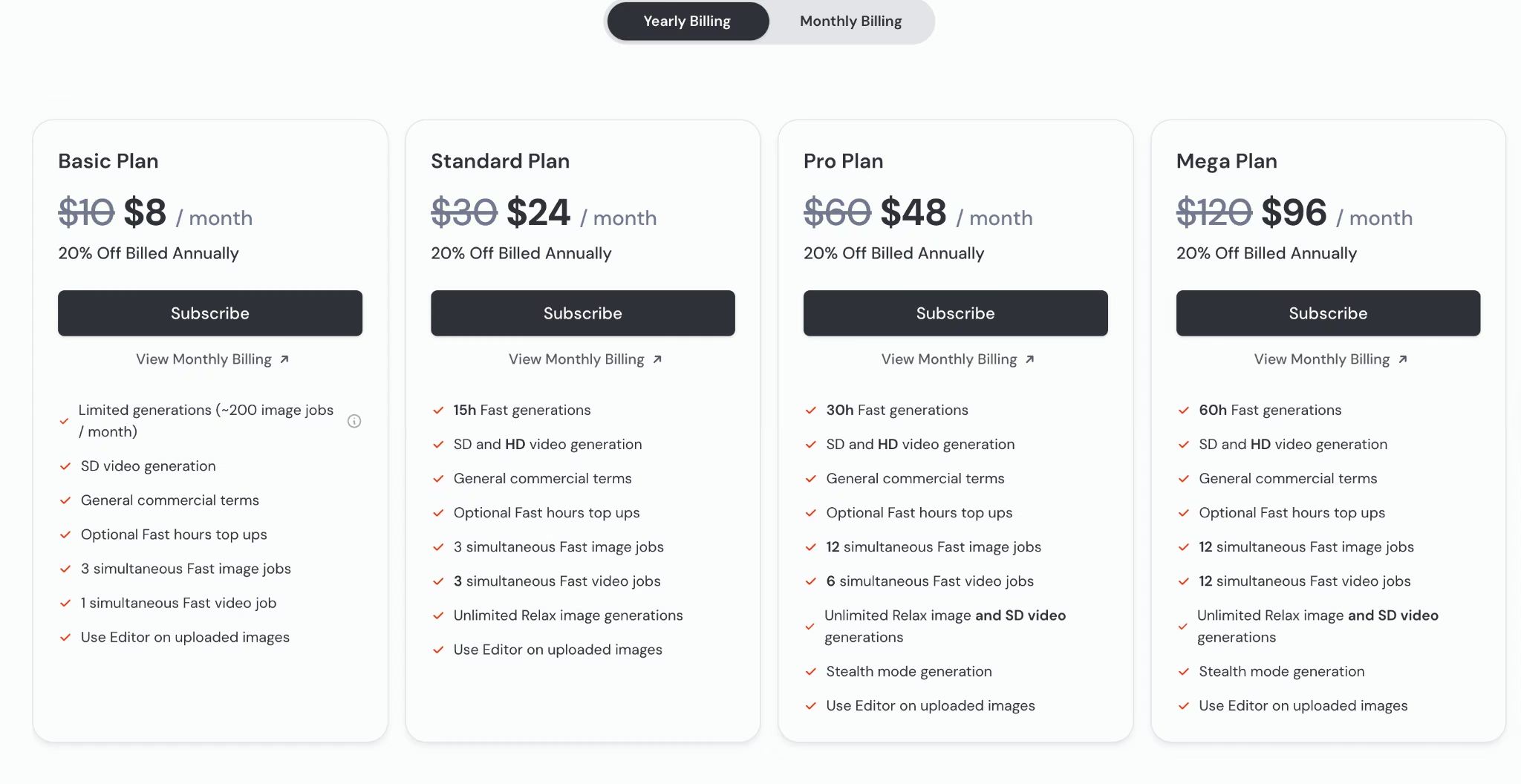
Basic runs $10/month ($8/month billed annually) for 3.3 hours of fast GPU time. Standard is $30/month ($24/month billed annually) with 15 hours plus unlimited Relax images.
Pro is $60/month ($48/month annually) with 30 hours and Stealth Mode. Mega is $120/month ($96/month annually) with 60 hours.
Bottom Line
The $30 Standard plan earns its keep when a recognizable visual identity is the point of the work. If your images have to stay confidential, budget $60 from day one, because the sticker price isn't the real entry price.
Ideogram: Best for Images With Readable Text
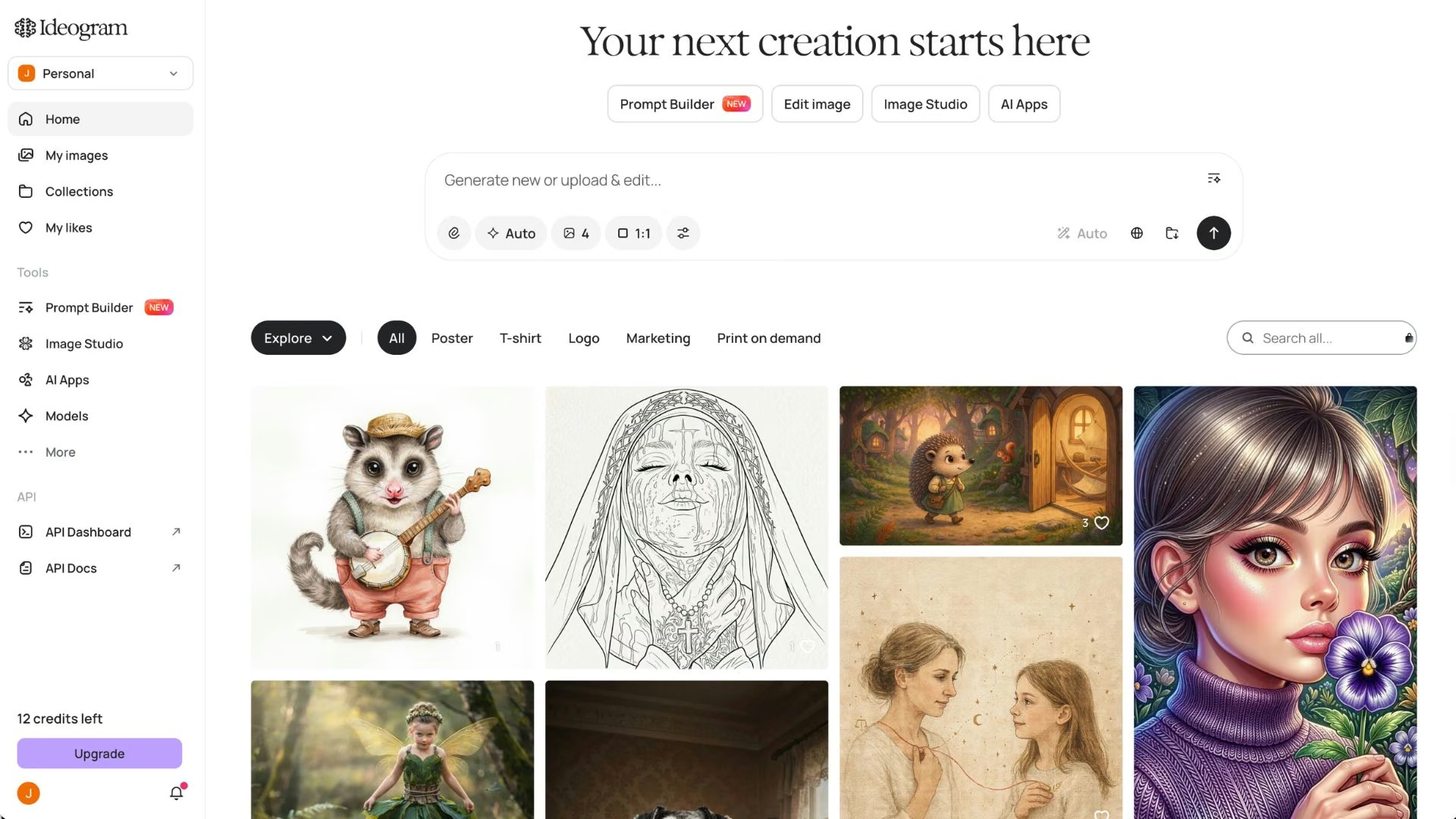
What it does: Generates images with accurate, legible text, plus a character creator and batch generation from a spreadsheet of prompts.
Best for: Poster, ad, packaging, and social work where the words have to be right the first time.
Many image models still garble letters because the way they build a picture doesn't lend itself to precise character shapes. Ideogram solved that earlier than the rest and has stayed ahead of it.
The surrounding workspace is what turns it from a party piece into a production tool, since Batch Generation lets you upload a list of prompts and get a set back, and character consistency keeps the same person across a whole campaign.
Key Features
Typography is the headline, but the workflow features are why people stay.
- Accurate typography: Headlines and short blocks of body text render legibly.
- Batch Generation: Upload a spreadsheet of prompts and produce a set in one pass, available on the Pro and Team plans.
- Character consistency: Unlimited on paid plans, so the same face carries across a campaign.
- Private generation: Included on every paid plan, including the cheapest one.
Pros and Cons
Pros:
- The most reliable text rendering of the seven.
- Privacy is standard on paid plans, unlike Midjourney.
- Unlimited slow credits mean you're not hard-stopped when priority credits run out.
Cons:
- The free tier is real but thin: slow weekly credits for eligible accounts, one generation at a time, and no private generation.
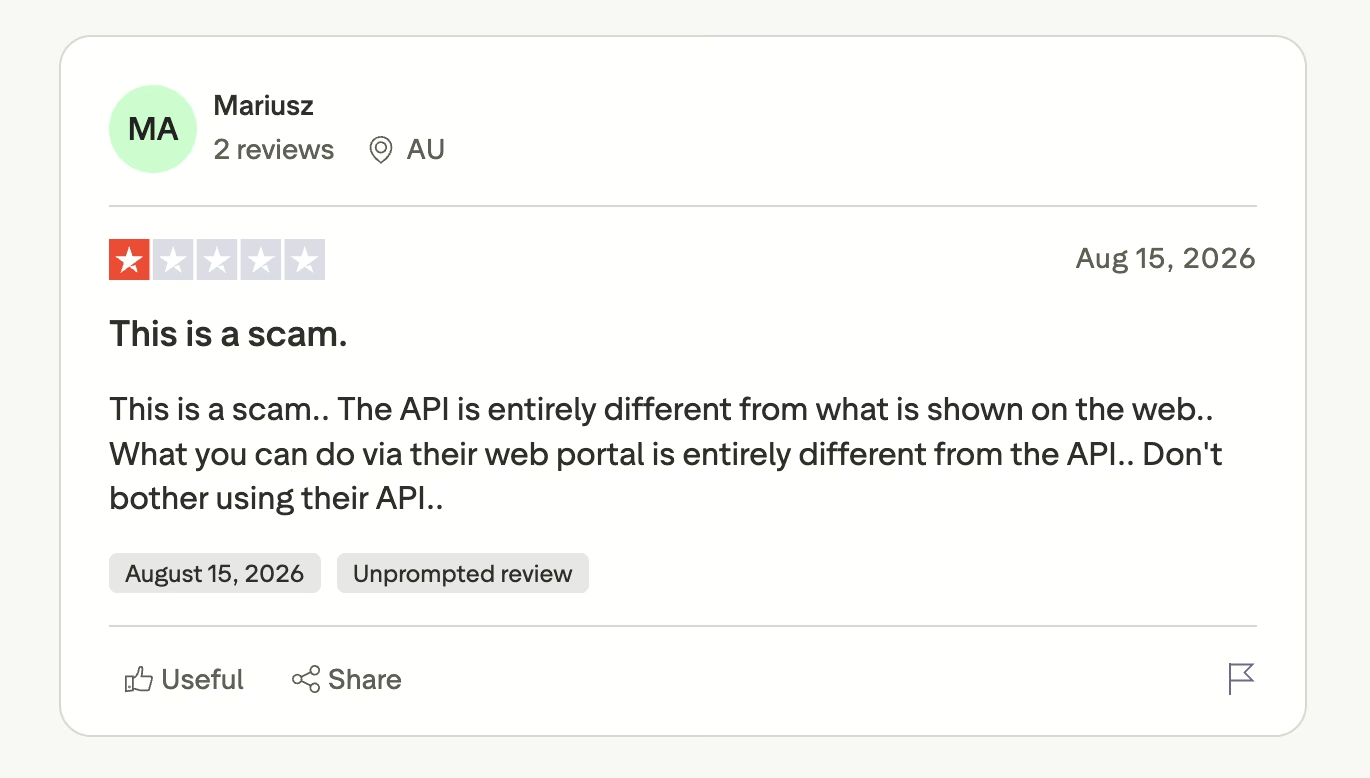
- API behavior and the web app differ enough that at least one paying customer felt misled.
- Entry price is $20/month, twice Midjourney's Basic plan and well above Recraft's.
What Users Say
Marketers rate the output highly. The sharpest criticism concerns the API.
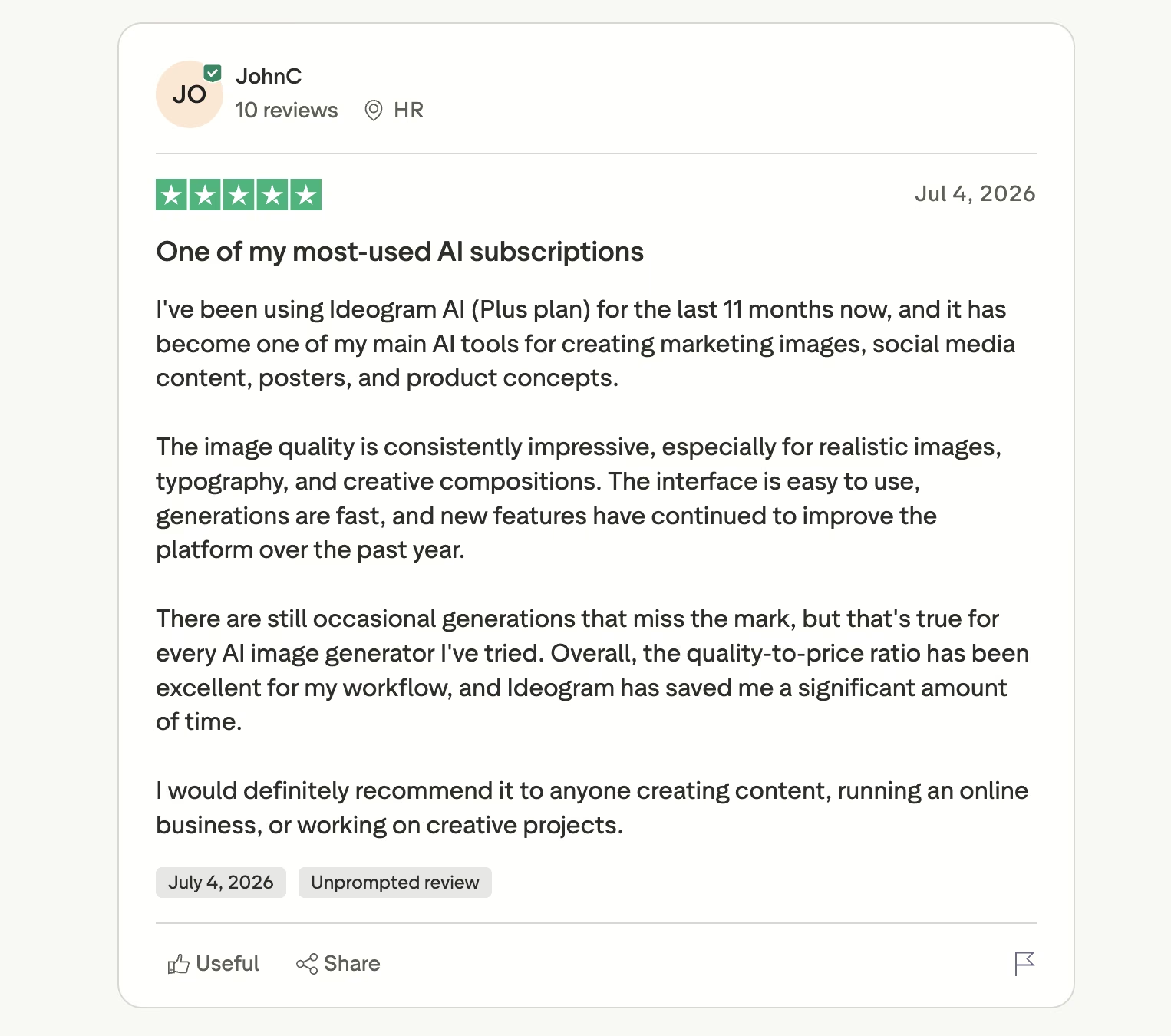
"The image quality is consistently impressive, especially for realistic images, typography, and creative compositions." (JohnC, Trustpilot)
"The API is entirely different from what is shown on the web." (Mariusz, Trustpilot)
Pricing
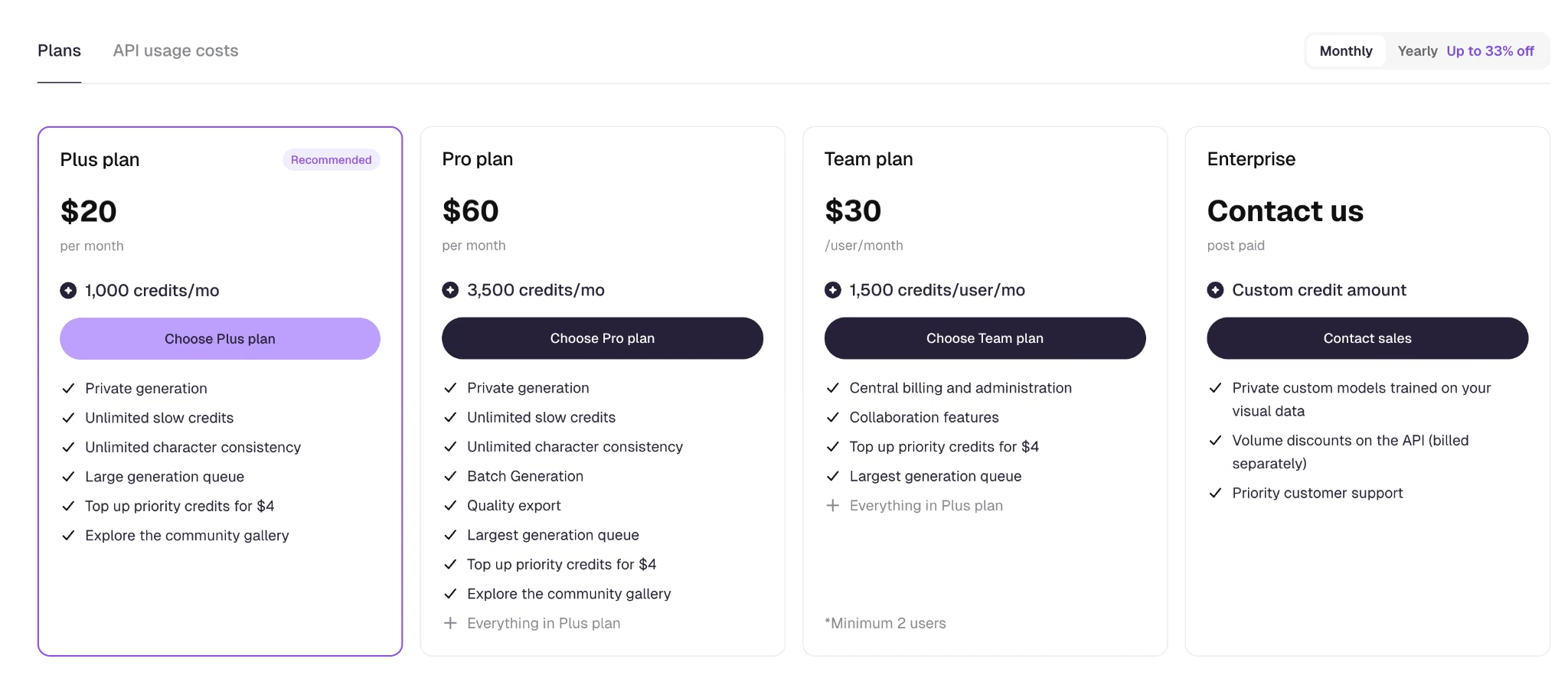
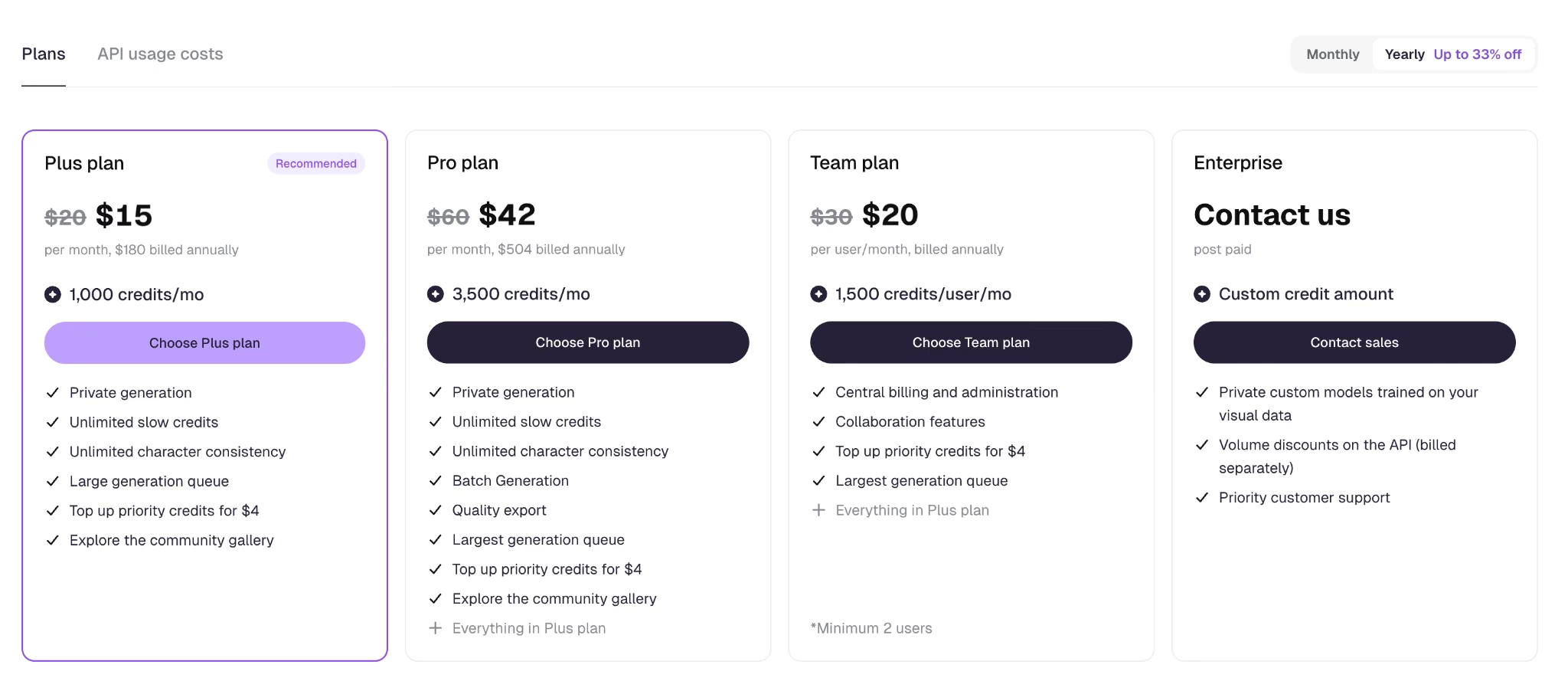
Plus runs $20/month ($180 billed annually, which works out to $15/month) for 1,000 credits, private generation, and unlimited slow credits. Pro is $60/month ($504 annually, or $42/month) for 3,500 credits and Batch Generation.
Team is $30 per user per month, billed annually with 1,500 credits per user, minimum two users. Priority credit top-ups cost $4.
Bottom Line
Buy Ideogram as a second subscription, not a first. If half your output has words on it, the $20 pays for itself in avoided Photoshop time.
Adobe Firefly: Best for Work That Has to Clear a Legal Review
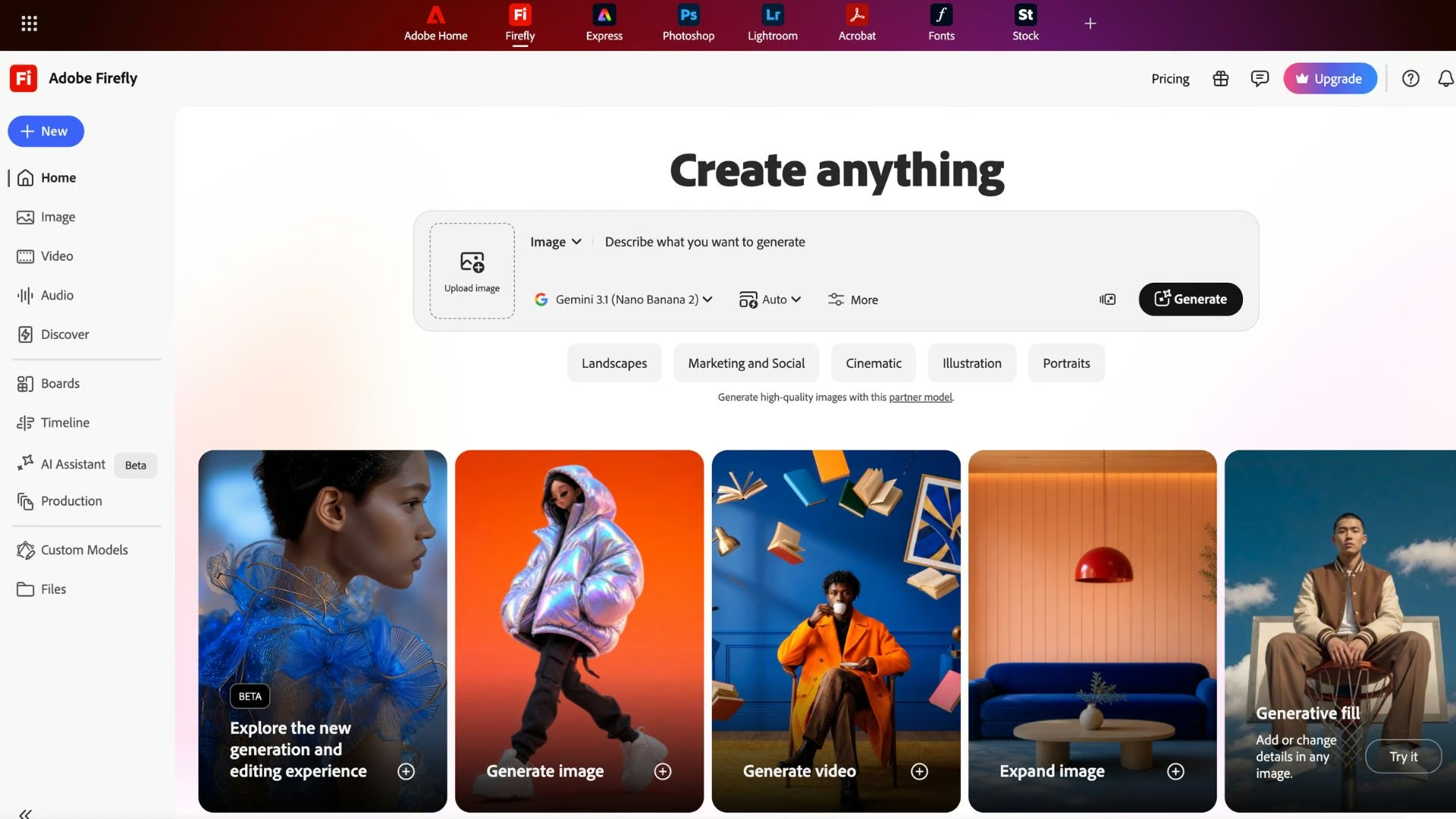
What it does: Generates and edits images on the web and inside Photoshop and Express, with Adobe's own model plus partner models from Google, OpenAI, and Black Forest Labs.
Best for: Teams in regulated industries, agencies with cautious clients, and anyone already living inside Photoshop.
Firefly sells on provenance. Adobe trains its own model for commercial safety, which is the answer a legal team wants to hear, and that matters more to Firefly's buyers than the last few percent of output quality.
The other reason to pick it is placement, because Generative Fill runs inside Photoshop and understands the context of the photo you're editing, matching depth of field and lighting so the addition doesn't read as a patch.
Key Features
Firefly's strengths cluster around where it runs and what it's allowed to do.
- Generative Fill: Replace part of a photo inside Photoshop with the surrounding image respected, and extend a shot beyond its original edges.
- Text to Vector: A separate module that generates editable vector art and downloads it as an .svg file. The regular image generator returns raster only, which catches people out.
- Partner models: Nano Banana, GPT Image, and FLUX are selectable from the same interface.
- Unlimited standard image generations: Included on every paid plan, with credits consumed only by premium outputs like video and audio.
- Firefly Boards: Unlimited access on every paid plan for collecting and comparing ideas.
Pros and Cons
Pros:
- Built for commercial safety, which shortens the conversation with legal.
- Runs inside the software professional designers already use.
- Free daily generations with no plan required, and the limits refresh every day.
Cons:
- As a pure text-to-image tool, results are less consistent than the leaders.
- The standalone Firefly listing on Trustpilot skews heavily negative, with credit consumption on failed generations a recurring theme.
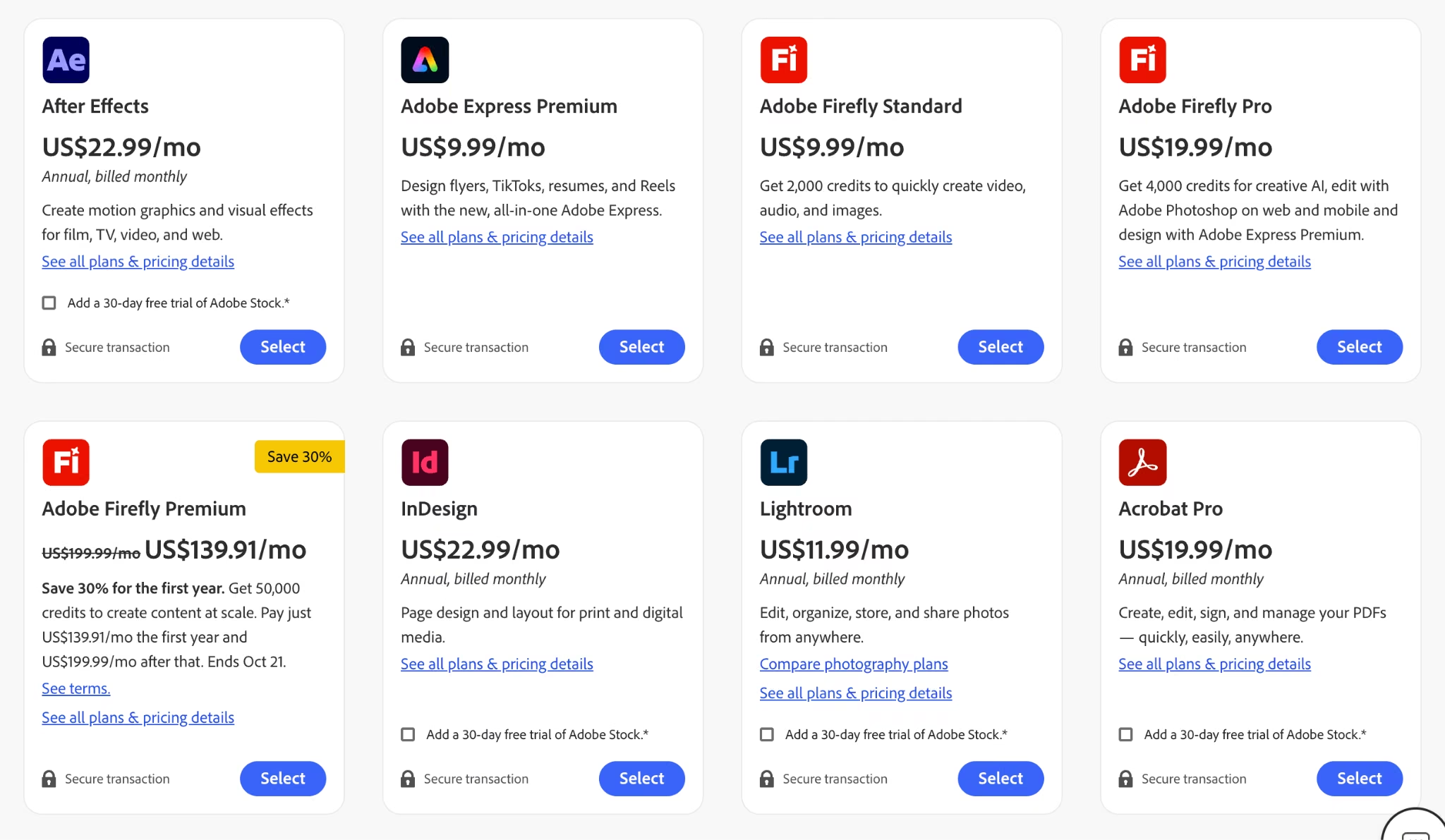
- The two largest plans carry a first-year discount that expires October 21, so the renewal price is higher than the one on screen.
What Users Say
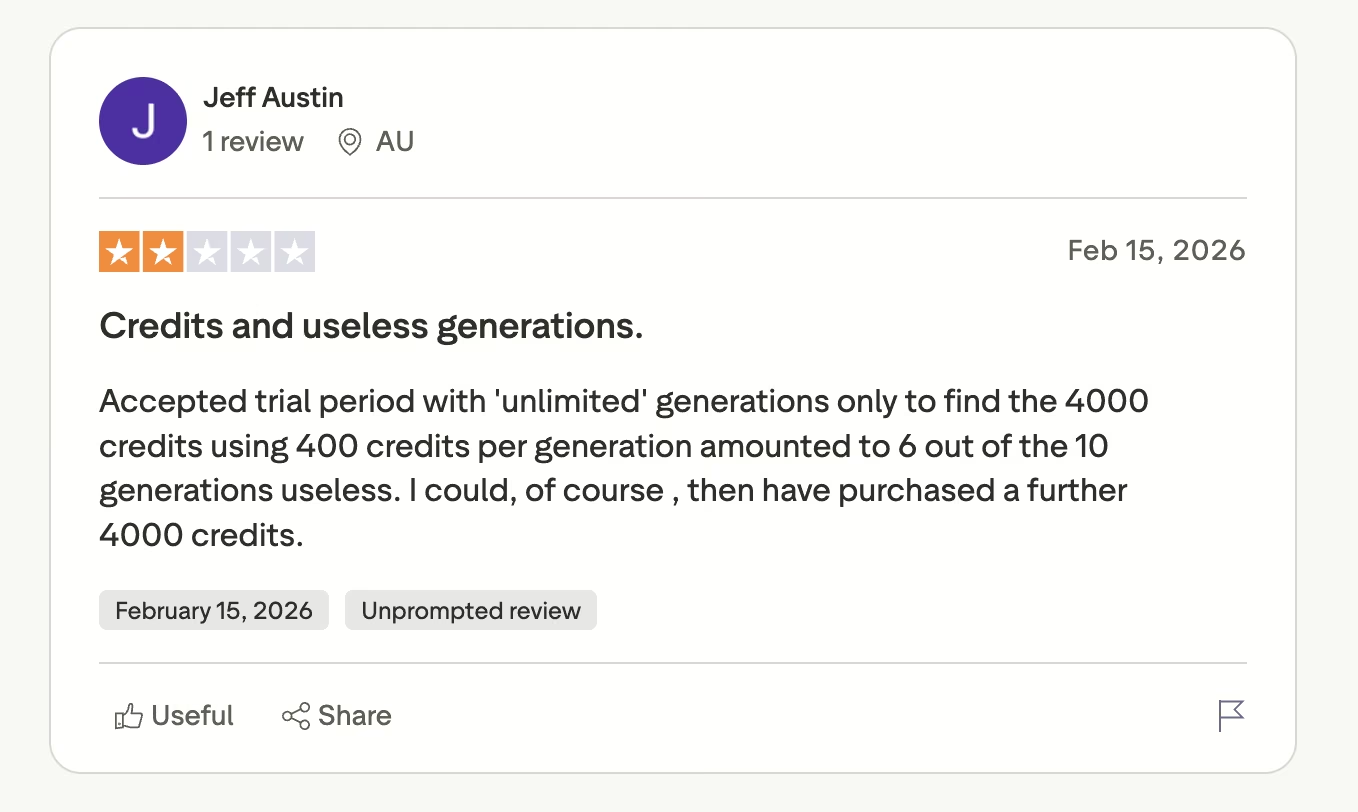
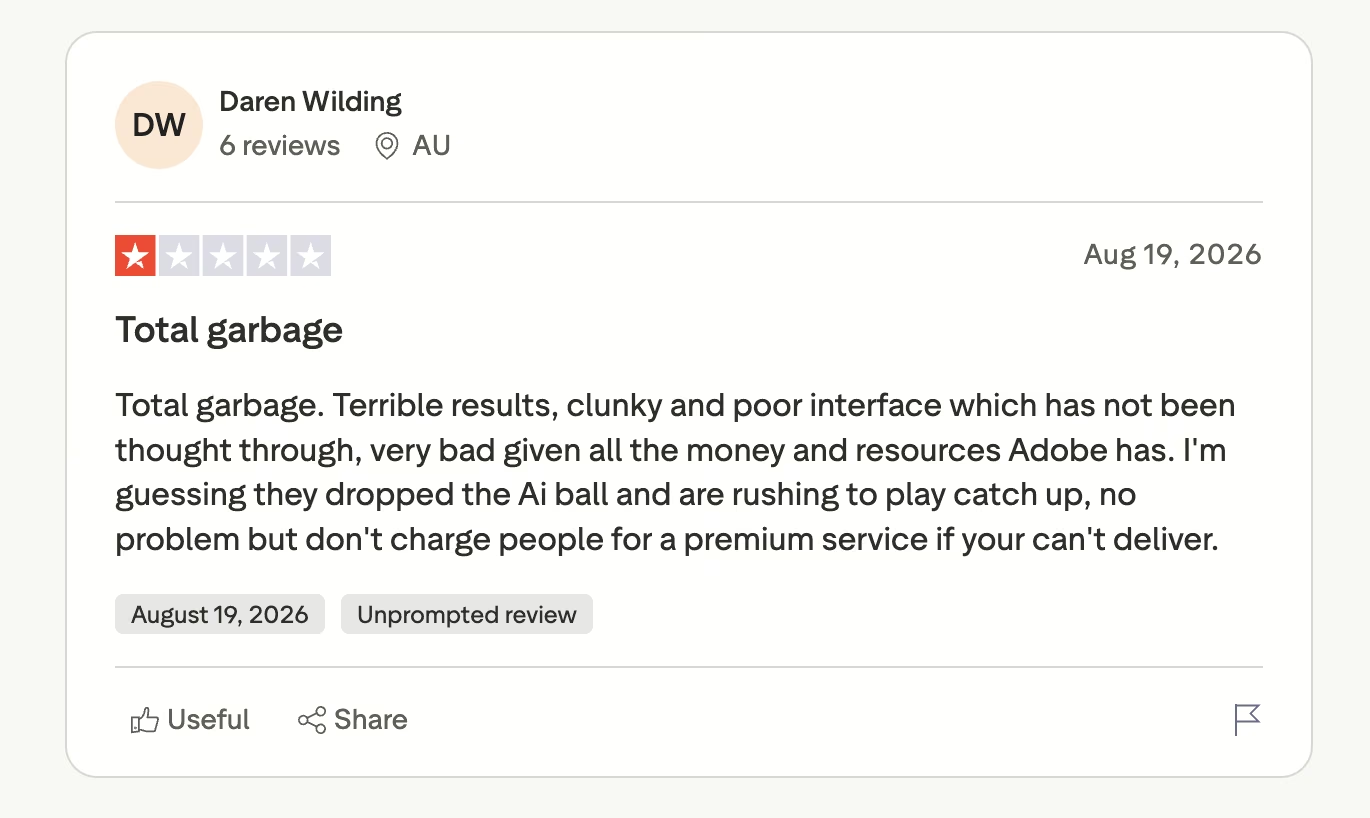
Firefly's own Trustpilot listing is small and almost entirely critical, and failed generations that still cost credits are a recurring theme.
"Accepted trial period with 'unlimited' generations only to find the 4000 credits using 400 credits per generation amounted to 6 out of the 10 generations useless." (Jeff Austin, Trustpilot)
"Terrible results, clunky and poor interface which has not been thought through." (Daren Wilding, Trustpilot)
Pricing
Adobe offers free daily generations with no plan required. Firefly Standard is $9.99/month for 2,000 generative credits. Firefly Pro is $19.99/month for 4,000 credits and adds Adobe Express Premium and Photoshop on web and mobile.
Firefly Pro Plus is $49.99/month for 10,000 credits, and Firefly Premium is $199.99/month for 50,000 credits. Credits are consumed by premium outputs like video and audio, and by the non-Adobe partner models. Pro Plus and Premium are discounted 30% for the first year until October 21.
Bottom Line
Firefly is the safe answer when provenance matters more than the last 10% of image quality. Take it off the shortlist if nobody is going to ask where the training data came from.
Recraft: Best for Brand-Consistent Sets and Vector Files
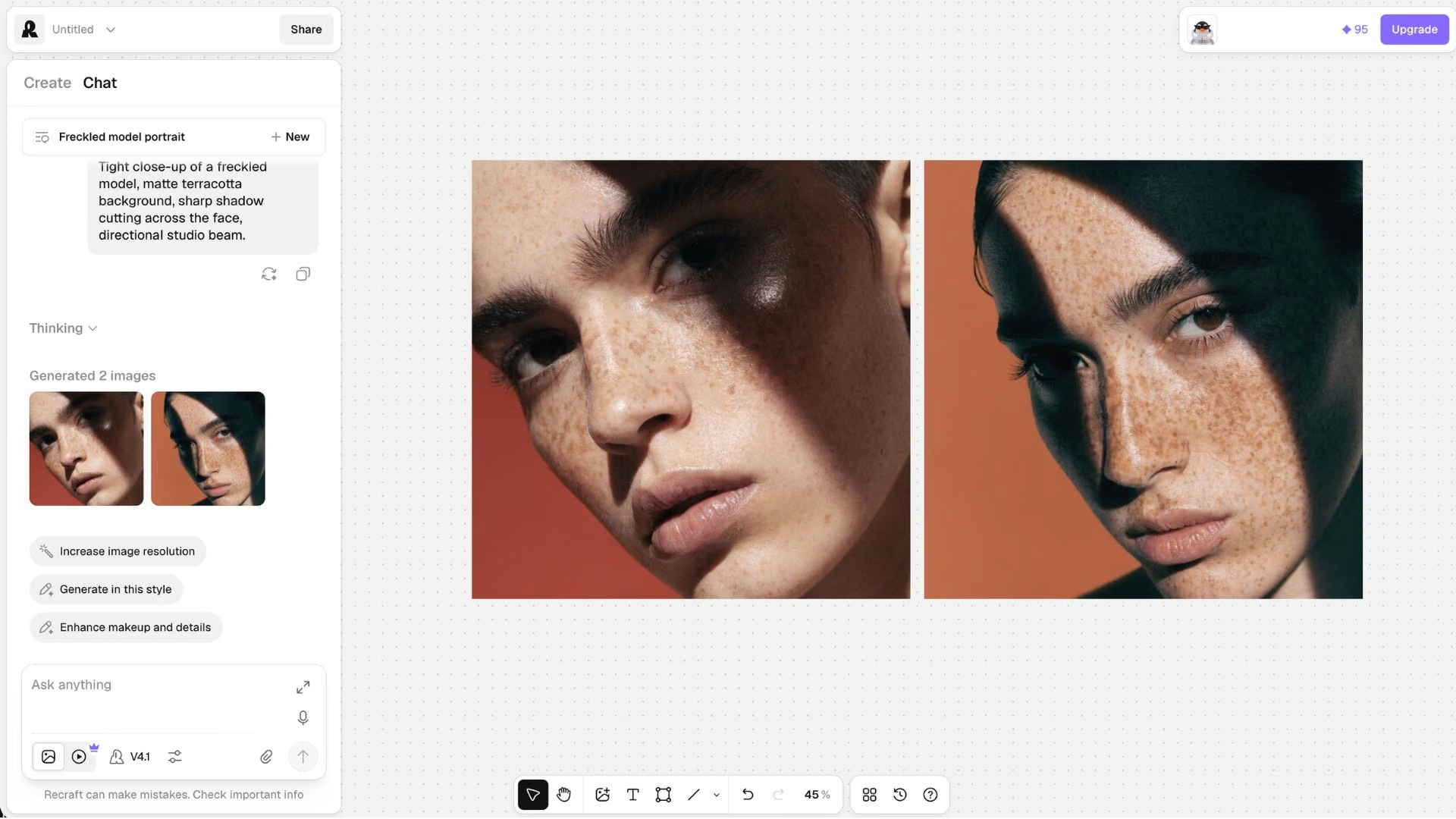
What it does: Generates image sets that share a style and color palette, and exports them as SVG vector files as well as flat images.
Best for: Solo founders and small teams producing a full set of on-brand assets, especially logos and icons.
Recraft is the closest thing in this roundup to a design tool that happens to have a model attached. You define a style once and generate a whole set against it, which solves the problem the other six leave you with, where each image looks like it came from a different brand.
SVG export is the other reason people pay, since a vector logo scales to a billboard without turning to mush.
Key Features
Style control and file formats are what separate it from the chat-box tools.
- Style sets: Generate multiple images that share one look and color palette from a single set of prompts.
- SVG export: Vector output alongside JPG and PNG. Adobe Firefly also exports SVG from its Text to Vector module, but Recraft is the only one here built around vector sets that stay consistent across a whole brand.
- Third-party models: Nano Banana, Seedream, GPT Image, and Flux are available from the Basic plan up.
- Mockups and editing: Product mockups, background removal, inpainting, and outpainting in the same workspace.
Pros and Cons
Pros:
- Vector export sits in the main workspace beside the style controls, so a whole icon set comes out consistent.
- Style control is the strongest in this comparison for producing a consistent set.
- Model choice starts on the entry paid plan.
Cons:
- Free-plan images are owned by Recraft, shown publicly, and not licensed for commercial use.
- More to learn than a chat box, and the iteration loop can consume credits quickly.
- Recent Trustpilot reviews cluster around billing and credit disputes.
What Users Say
Designers like the canvas. The complaints are about credit burn during iteration.
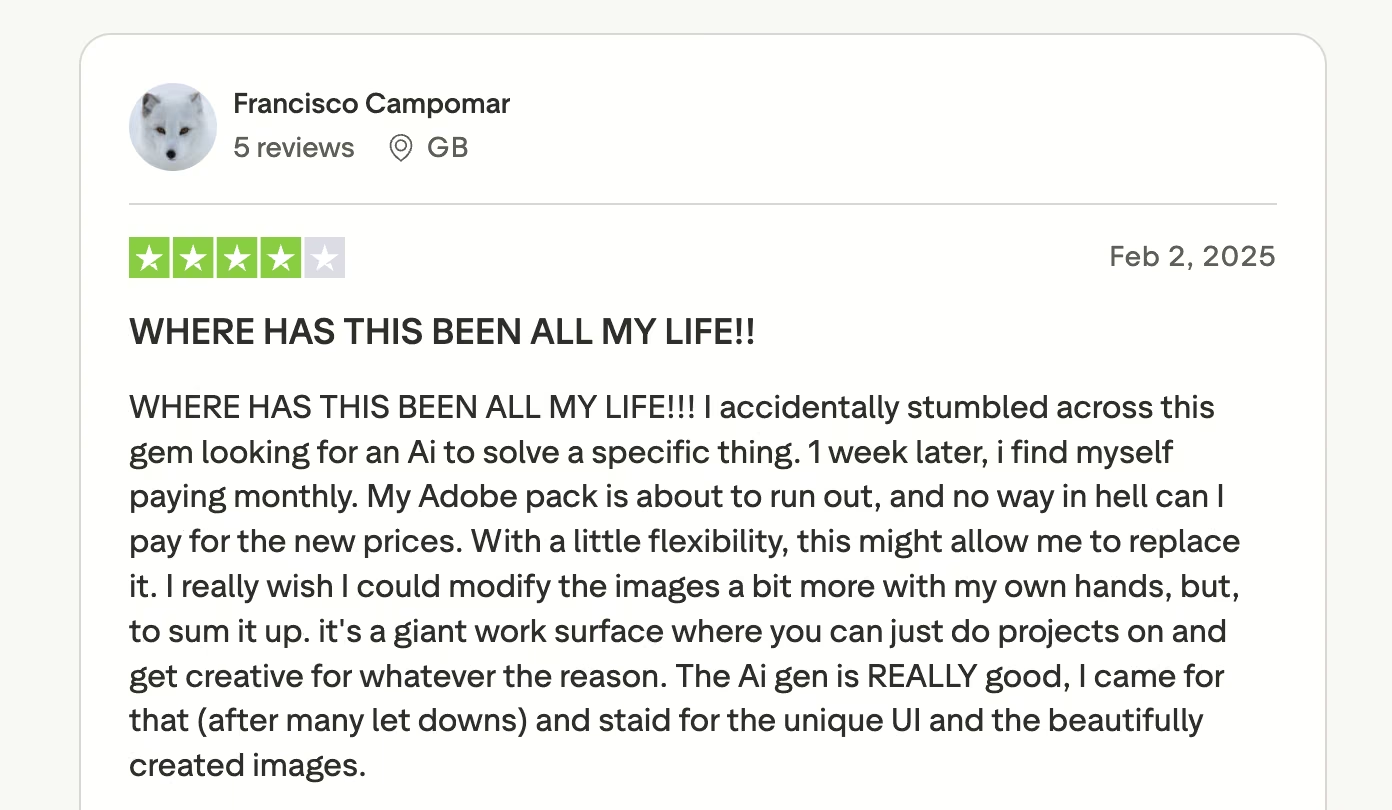
"The Ai gen is REALLY good, I came for that." (Francisco Campomar, Trustpilot)
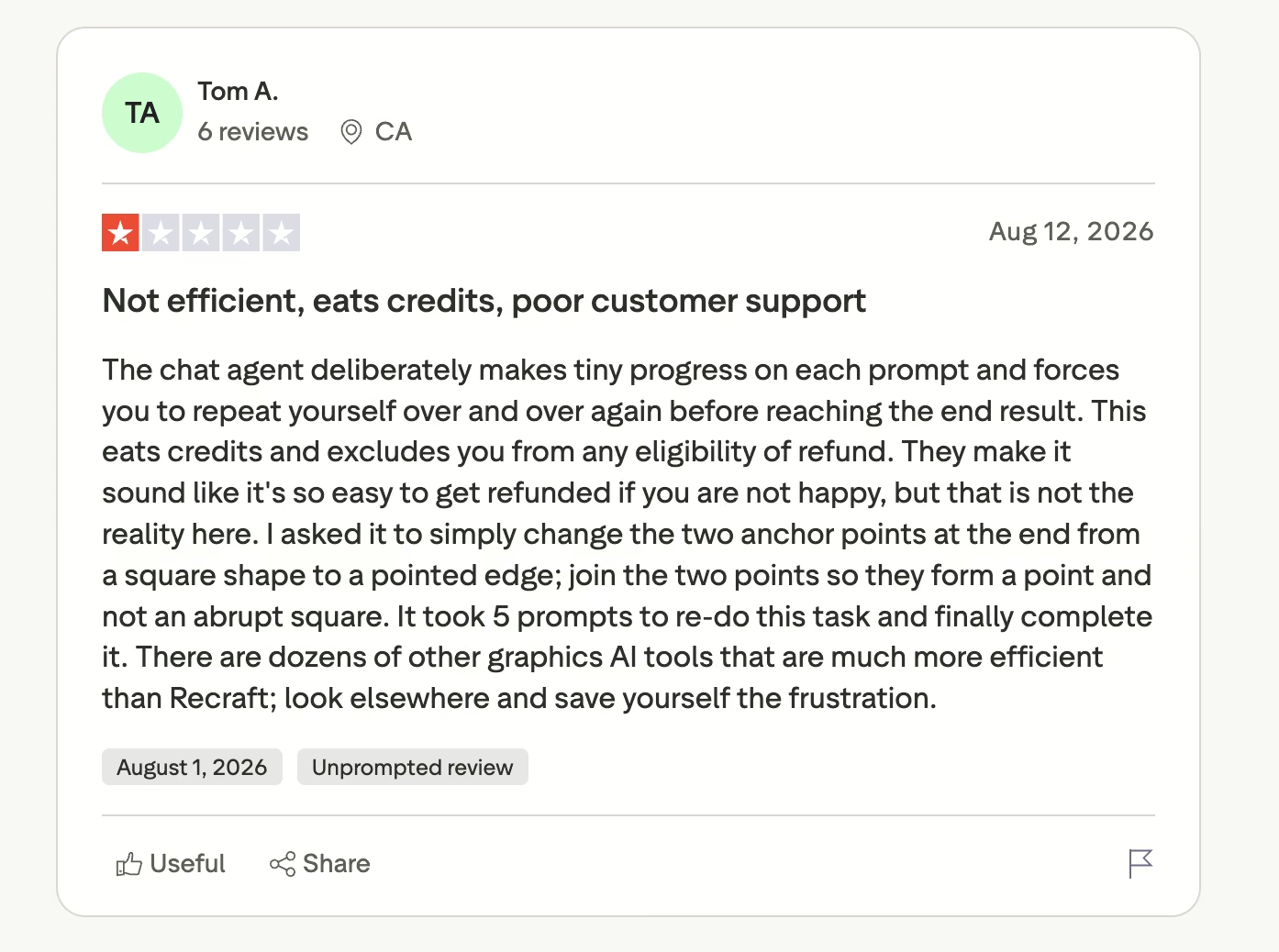
"The chat agent deliberately makes tiny progress on each prompt." (Tom A., Trustpilot)
Pricing
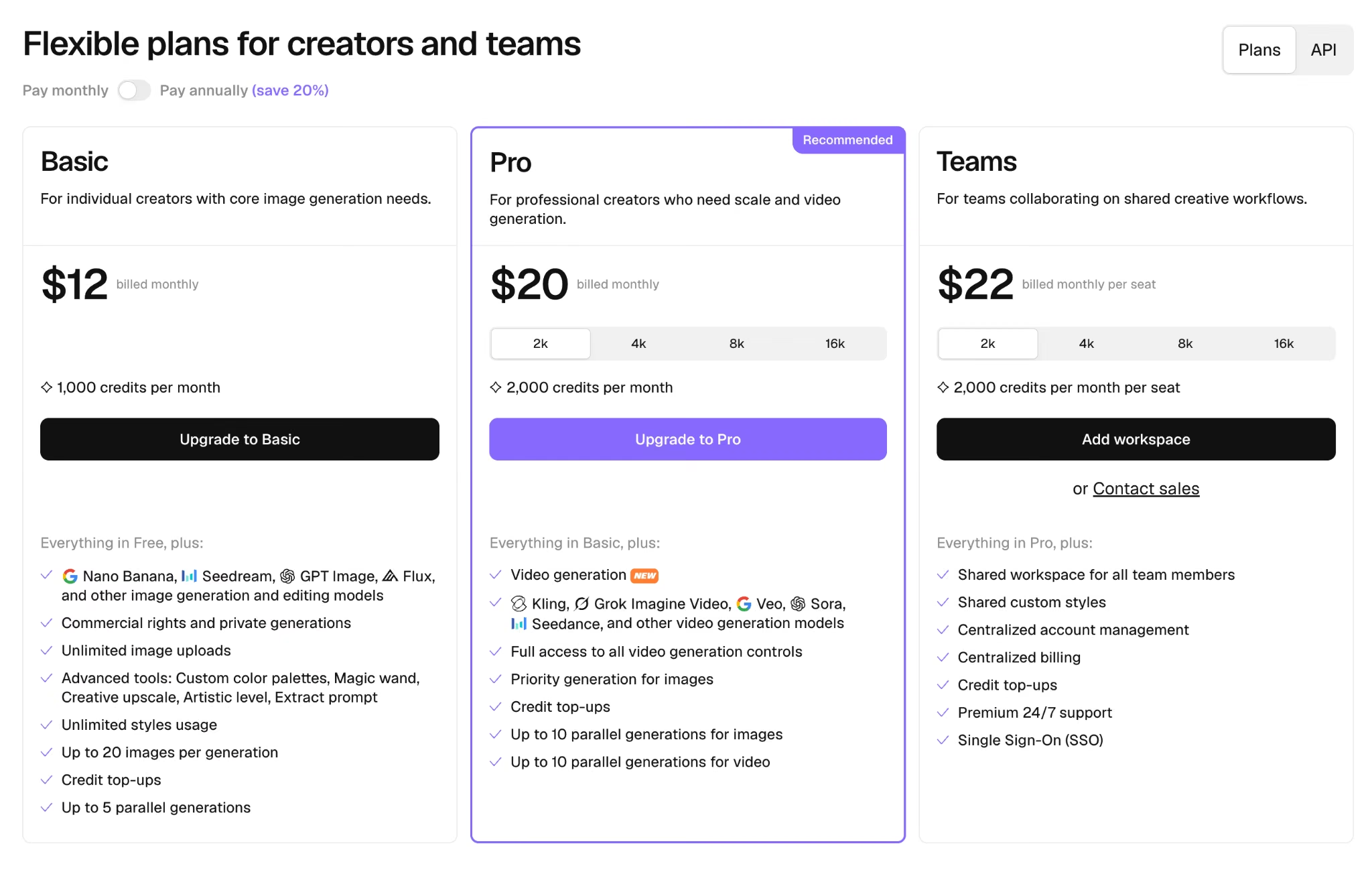
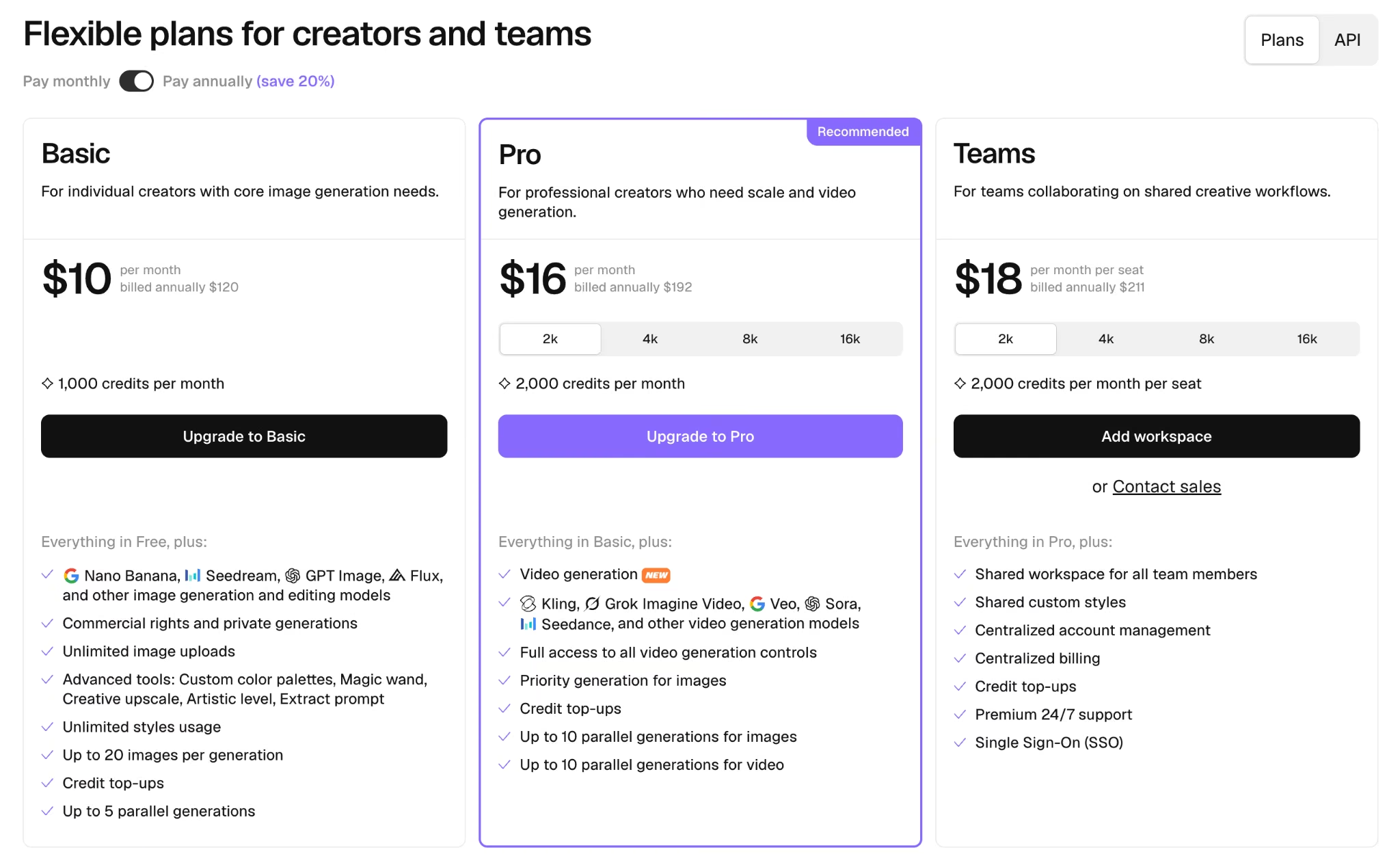
The free plan allows three generations per style per day, keeps all images public, and grants no commercial use. Basic runs $12/month ($10/month billed annually) for 1,000 credits, commercial rights, private generations, and access to third-party models.
Pro is $20/month ($16/month billed annually) for 2,000 credits and video generation. Teams and API pricing are separate.
Bottom Line
Need 20 assets that look related? This is the tool that gets you there. One warning before you start: read the free-plan terms if you intend to sell what you make.
What You Actually Own, and Who Can See It
Two things surprise people after they've already paid, and neither is about image quality.
The first is copyright. In the United States, the Copyright Office has been clear that an image produced purely from a text prompt isn't protectable, because copyright requires human authorship and prompting alone doesn't count as sufficient expressive contribution.
Protection can apply where your own original work is perceptible in the output, or where you make creative arrangements or modifications afterward. Practically, a generated hero image is fine to use and hard to defend as exclusively yours, which matters for a logo and matters much less for a blog header.
The second is visibility. Midjourney publishes your generations publicly unless you're on Pro or Mega, and Recraft's free plan makes your images public and reserves ownership. Ideogram includes private generation on every paid plan. If you're working on something unannounced, check this before the first prompt.
Which AI Image Generator Should You Choose?
The best AI image generator for you depends on whether your images need words, a house style, vector files, or legal cover. Most people end up with one generalist and, at most, one specialist.
Choose ChatGPT if you:
- Already pay for it and want images without adding a subscription.
- Prefer describing a fix in a sentence to learning a controls panel.
Choose Nano Banana 2 if you:
- Start from photos you already have.
- Are on a Google plan at work already.
Choose Midjourney if you:
- Need a look that doesn't read as generic AI output.
- Can either live with public generations or afford the $60 tier.
Choose Ideogram if you:
- Put words on most of your images.
- Produce campaigns in batches.
Choose Adobe Firefly if you:
- Answer to a legal or procurement team.
- Do most of your editing in Photoshop anyway.
Choose Recraft if you:
- Need a coherent set of assets, or vector files.
Skip this category entirely if:
- You need photographs of real, identifiable people or places, where a camera or a stock license is still the right answer.
- Your output has to be defensible as original creative work you own outright.
Agencies juggling several client brands usually land on two of these plus a delivery workflow, and our guide to AI tools for agencies covers how the rest of that stack fits together.
What If You Need Image Generation Inside Your Own App?
Every tool above hands you a file to download. A large share of people searching for an image generator are describing a product feature instead: customers uploading a photo and getting a styled version back, or a marketing team pulling brand-consistent visuals from an internal library.
That's an image generator app, and it's the gap Emergent fills.
Emergent is our own product, so treat this as the pitch it is. It's an app-building platform built for vibe coding: you describe the software you want in plain English and get back a working app with the screens, the data, the sign-in, and the payments handled.
It connects to OpenAI with your own access key, so the pictures still come from a model you pick, while the AI app builder handles everything around them.
- Start without spending anything: The free plan includes 10 monthly credits, enough to get a first version in front of someone and judge it yourself. Standard is $20/month ($17/month billed annually) for 100 credits and GitHub sync.
- Skip the blank-prompt problem: Emmy is a free chat assistant that costs no credits, already knows your project, and turns a rough description into a build-ready prompt.
- Keep what you build: GitHub sync from the Standard plan up, with the option to export the project and host it wherever you want.
Read More: How to Build an App on Emergent With Emmy
Final Verdict
The quality race is over, and pricing is now the only thing separating these tools in a way you'll feel. Every model in this roundup clears the bar for professional work, which means the money question has quietly become the whole question, and the answers vary by a factor of four at the entry tier, and far more once you need privacy or volume.
The two decisions that cost people the most are buying on the sticker price and ignoring the defaults. Midjourney's $10 Basic plan won't cover you if your work has to stay private. Recraft's free plan isn't free in the way that matters if you intend to sell what you make. Firefly's discounted tiers renew at a higher rate in month 13.
For most readers, ChatGPT is the one to start with, because it costs the least to try and covers the widest range of everyday jobs. Add Ideogram when your images carry text, and Recraft when you need a set rather than a single picture. If your image generation has to run inside software other people log into, that's a build, and the section above covers it.
Pick the cheapest plan that clears your volume, read the commercial-rights line before the feature list, and be clear with yourself about whether you're making one picture or building a pipeline. Those three habits will save you more than any model comparison, including this one.

Most AI app builders stop at prototypes. Emergent creates production-ready apps you can actually launch.
- Production-ready apps
- Web & mobile apps
- Deploy in minutes







