I ran the same paid consultation booking through all nine appointment scheduling software tools in one day. Each one had to take a deposit, collect intake answers, split calls between two consultants, and treat new and returning clients differently.
For each tool, you'll see what it does well, where it struggled, who it suits, and what it costs.
Why You Need Appointment Scheduling Software
You need appointment scheduling software once booking clients by hand starts costing you time and income, and for a small consultancy, that happens quickly. A single strategy call can take several emails to agree on a time, and even then, nothing stops the client from skipping it.
A booking page handles both problems. Clients pick an open slot themselves, a deposit gives them a reason to show up, and reminder emails go out without you. In a 2025 study of an eye-care practice, clients who booked appointments online had a 1.8% no-show rate, compared with 5.9% for those booked offline.
Once a second consultant joins, bookings have to rotate between the two of you, and both calendars need checking before a time goes live.
How well a tool copes with all of this depends on the kind of booking it was built for.
Three Kinds of Appointment Scheduling Software
Appointment scheduling software falls into three groups:
- Meeting schedulers: Clients pick a time on one person's calendar, which suits sales calls, consultations, and interviews. Calendly, Google Calendar Appointment Schedules, and YouCanBookMe fall into this group.
- Service-business booking tools: The client picks a service and a staff member before choosing a time and paying. Salons, clinics, studios, and repair shops use this kind, and Acuity Scheduling, Square Appointments, Setmore, SimplyBook.me, and Appointy belong to it.
- Custom-built booking: You create a booking app around rules no template covers, such as viewings tied to one property listing or sessions that change length based on intake answers. Emergent is the custom-built option.
To find your group, think about what your clients choose first when they book. Is it a person, a service, or something only your business offers?
How I Tested
Every tool got the same booking scenario, tested in a single day. For Emergent, I gave it this prompt and set up the same booking manually in the other eight tools. The prompt:
Build a booking app for a small consultancy with two consultants, Maya and Daniel. Clients book a paid strategy call from a public booking page. Take a $50 deposit through Stripe when the client books. Before confirming, ask three intake questions: company name, what they need help with, and their budget range. First-time clients get a 60-minute call, and returning clients get a 30-minute call, based on whether their email address has booked before. Assign each booking to whichever consultant is free, alternating between them when both are open. Leave a 15-minute buffer after every call. Send a confirmation email when the client books and a reminder email 24 hours before the call, with a link that lets the client reschedule on their own.
The call-length rule checks whether a tool can tell a new client from a returning one.
At five of the tools, the deposit required connecting a live Stripe, Square, or PayPal account, and each signup asked for identity details like a Social Security number before paying out. I stopped at that step each time, since opening real payment accounts for a test didn't make sense, so those deposits went untested.
Disclosure: Emergent is our product, which is why it appears first. The order of the list isn't a ranking.
I didn't test every scheduler on the market, and I left out four tools that show up on other lists:
- Cal.com: The free plan includes unlimited event types and Stripe payments.
- Zoho Bookings: A natural pick when your business already runs on Zoho apps.
- Microsoft Bookings: Teams already paying for Microsoft 365 can use it without adding another tool.
- Doodle: Group polls make it easy to agree on a meeting time.
Appointment Scheduling Software at a Glance
Compare the nine tools by fit and price:
Pricing correct as of September 2026.
Custom-Built Booking
Custom-built booking starts from a description of your rules, so the booking app is shaped around them.
Emergent
Emergent is a vibe coding platform with an AI app builder. You describe the booking app you want in a chat, and its AI schedule builder turns the appointment times, rules, and reminders you list into a working app, with AI agents designing, coding, testing, and deploying it.
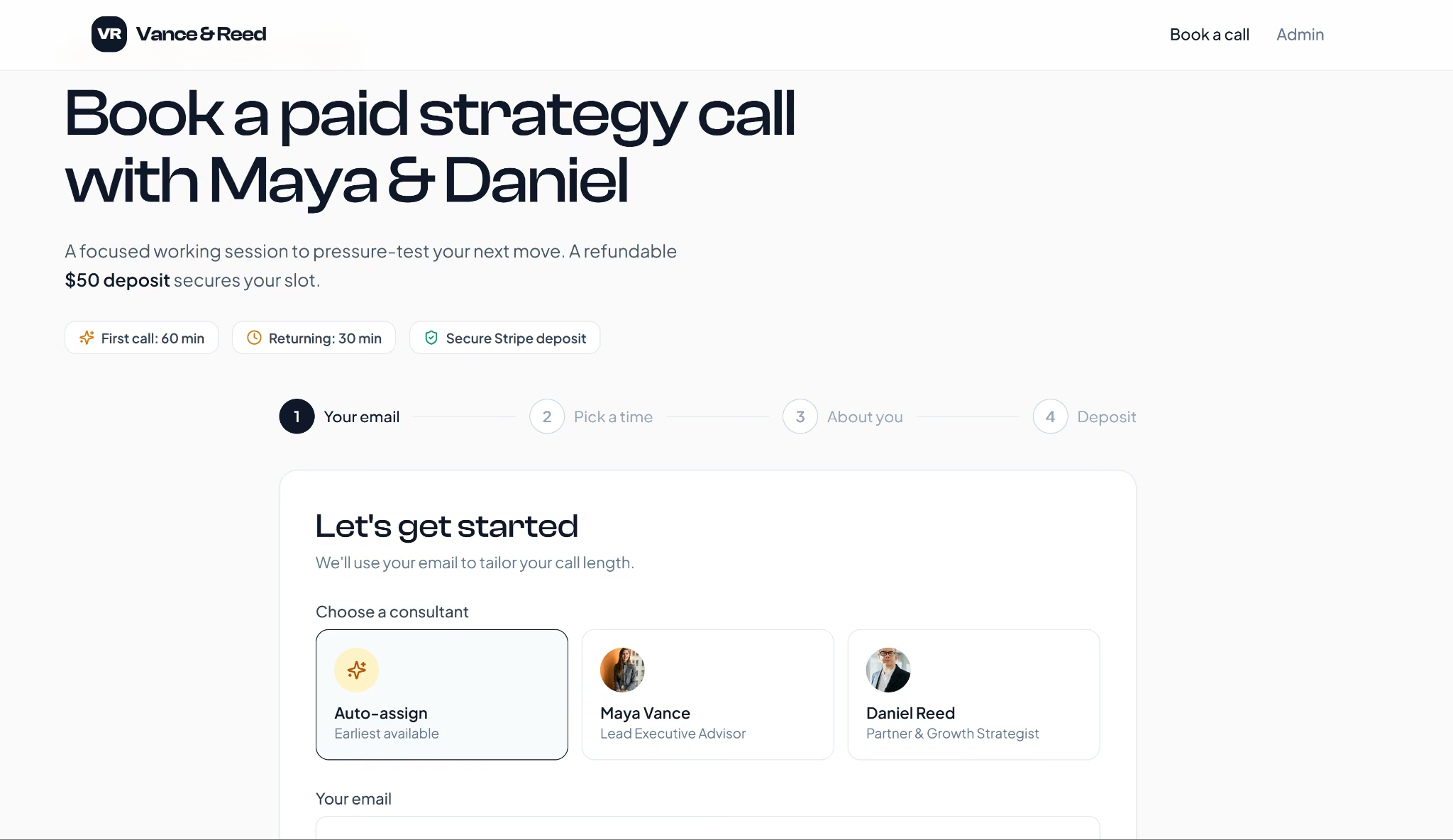
I pasted the booking prompt into Emergent as a web app, and it asked five setup questions first, covering email, Stripe, working hours, timezone, and an admin view. It came back with a four-step booking page for a firm it named Vance & Reed.
Everything in the prompt worked. The three intake questions appeared, the $50 deposit went through Stripe in test mode, and the reschedule link moved my call.
When I booked again with the same email, Emergent cut the call to 30 minutes for a returning client and showed a "Welcome back" note. Auto-assign sent my next booking to Daniel, and the 15-minute buffer held.
The dashboard tracked every booking and deposit, but the admin page opened without a login, so anyone with the link could see client details. One follow-up prompt asking for a password fixes that. Maya and Daniel also got no booking emails of their own, since my prompt only asked for client ones.
Emergent holds SOC 2 Type I and ISO 27001 certifications, uses industry-standard end-to-end encryption for data in transit, and applies database encryption with secure key management. Settings inside your app, like the admin login, depend on what you need.
Best for: Businesses whose booking rules don't fit a template, such as agencies routing clients by intake answers or real estate teams booking viewings per listing
Key Features
- Custom booking rules: You build your own scheduling app around rules no template covers, such as viewings tied to one property listing or sessions that change length based on intake answers.
- Payment integrations: Stripe, PayPal, and Square connect for deposits or full payment at booking
- Reminders and calendar sync: SMS reminders go out through Twilio and confirmations through SendGrid, while bookings sync to Google Calendar or Outlook.
Pros
- The Standard plan includes GitHub integration, so the booking app's code sits in your own repository.
- The returning-client rule worked on the first build, with no follow-up prompts.
Cons
- Paid plans run on monthly credits, so a heavy month of changes can mean buying extra credits.
- The first build left the admin dashboard open without a login, so you have to ask for one.
Pricing
Emergent's Free plan includes 10 credits a month. The Standard plan costs $20 per month ($17 per month billed annually) and includes 100 credits a month, private project hosting, and GitHub integration.
The Pro plan costs $200 per month ($167 per month billed annually) and raises the allowance to 750 credits a month, with priority support.
Deploying the booking app so clients can reach it needs Standard or Pro, and each live app uses 50 credits every month.
Read more: How to Create a Booking App With AI
Meeting Schedulers
Meeting schedulers begin with one person's calendar, the usual setup for a solo consultant.
Calendly
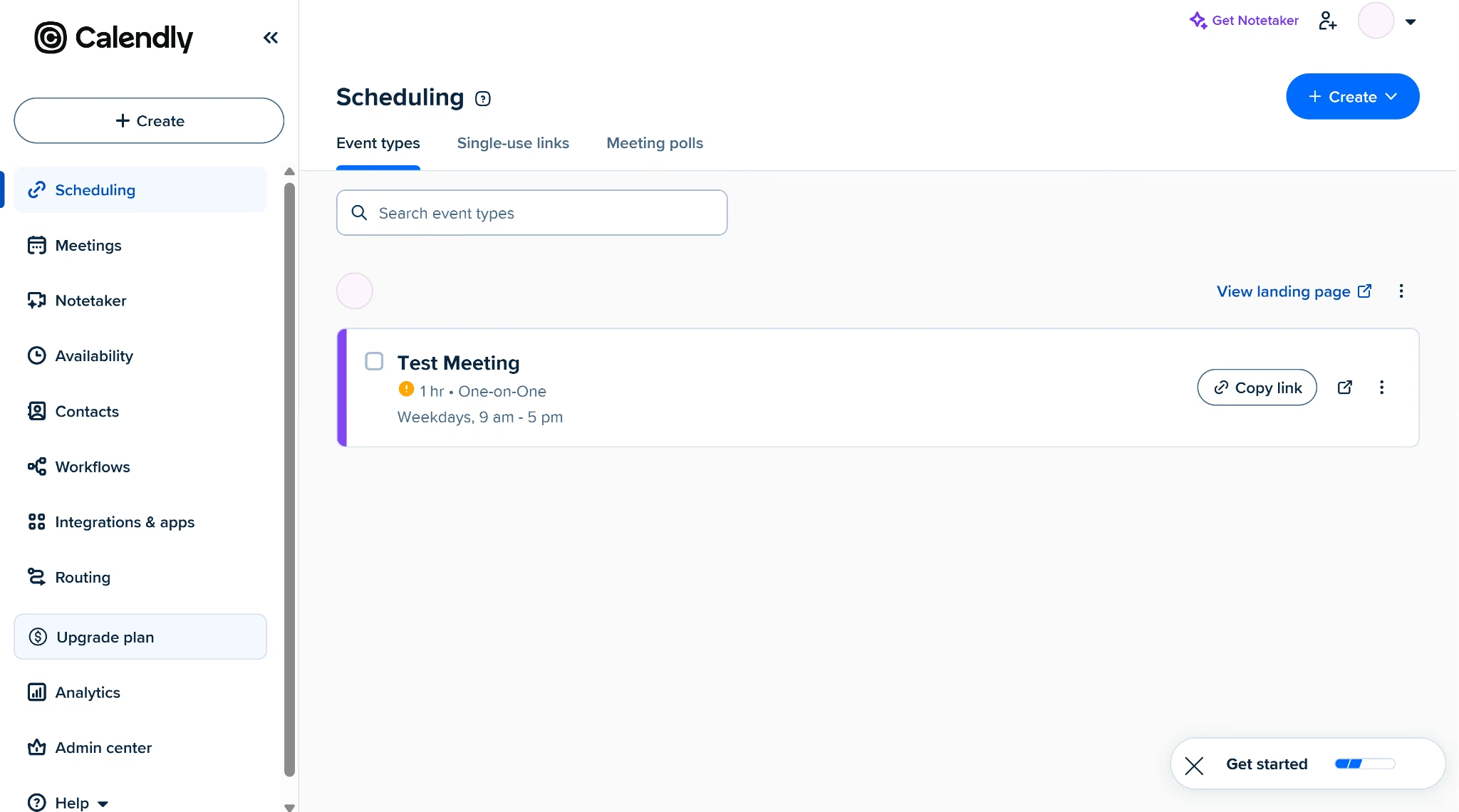
Calendly turns your calendar into booking links you can share for one-on-one meetings. Clients pick an open time, and the meeting goes straight onto your calendar. For the consultancy call, I tracked which plan each step needed.
I started with Calendly, and the Free plan handled booking, the buffer, and rescheduling without extra setup. As a client, I answered the three intake questions and used the confirmation email's reschedule link to move my call. The host got a notification too, and the 15-minute buffer blocked the slot right after my call.
On Free, deposits and round robin both need paid plans. Round robin between Maya and Daniel needs Teams, and the $50 Stripe deposit and the 24-hour reminder need Standard. A second booking with my email came through at 60 minutes again.
Calendly has SOC 2 (Type 2), SOC 3, CSA STAR, and ISO/IEC 27001, the kind of reports a client's IT team may ask to see.
Best for: Sales and consulting teams booking one-on-one calls
Key Features
- Routing forms: Leads answer qualifying questions before they book, and Calendly sends each one to the right person or event on the Teams plan.
- CRM connections: Standard connects to HubSpot and Mailchimp, and Teams adds Salesforce and Marketo.
- Meeting polls: Every plan, Free included, lets invitees vote on a time when a group needs to meet.
Pros
- Invitees book without creating a Calendly account.
- A solo consultant can run a working booking page on Free by setting hours and nothing else.
Cons
- Round robin and routing sit on Teams, so every consultant needs a paid seat.
- Calendly can't spot returning clients by itself. They either pick a shorter call on Standard, or a Teams routing form asks if they've booked before.
Pricing
Calendly's Free plan costs $0 and covers one event type, one calendar connection, and a customizable booking page.
The Standard plan costs $12 per seat per month ($10 per seat per month billed annually). It adds unlimited event types, up to six connected calendars, reminders, and Stripe and PayPal payments.
The Teams plan costs $20 per seat per month ($16 per seat per month billed annually). It adds round robin, routing, and Salesforce sync.
Google Calendar Appointment Schedules
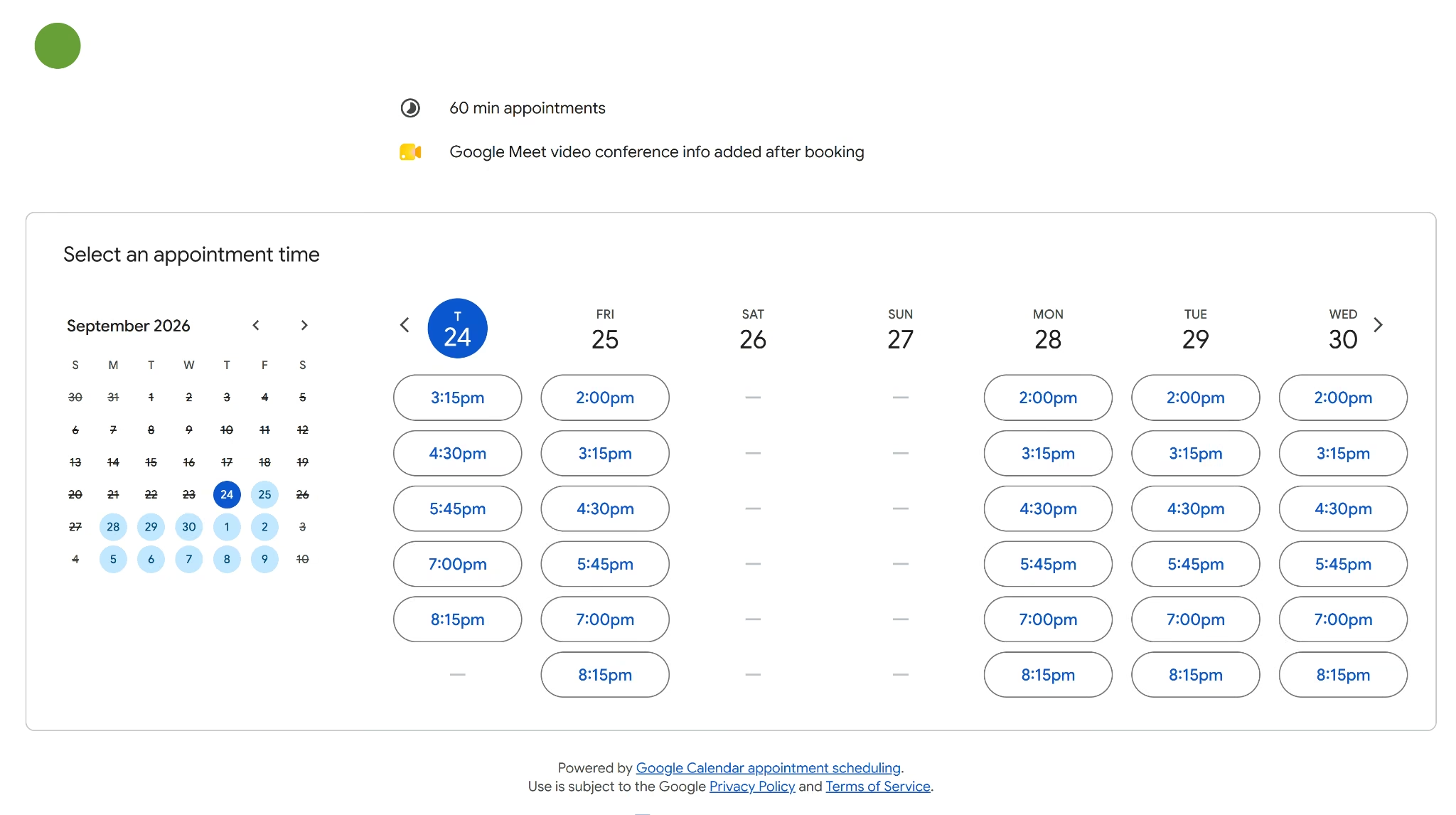
Google Calendar Appointment Schedules adds a booking page to Google Calendar, so clients only see the times you're free.
I tested Google on my personal account, and the free booking page handled bookings and the buffer well. I booked with the three intake questions, and the 15-minute buffer spaced my 60-minute slots an hour and 15 minutes apart. Both my client and host inboxes got a notification.
The confirmation email had no reschedule link, so moving a call means canceling and booking again.
Everything else needs a paid plan. To collect the $50 deposit, you'll need Workspace Individual or Business Standard with a Stripe account connected, and automatic reminders need a paid Google plan too. Booking again with the same email gave me another 60-minute slot.
I couldn't add Daniel as a second host on a personal account. Google has no round-robin setting, and even Business Standard only lets you add co-hosts from your own domain.
Google Workspace holds ISO/IEC 27001, ISO/IEC 27017, ISO/IEC 27018, and ISO/IEC 27701 certifications plus SOC 2 and SOC 3 reports, and Workspace customers can sign a HIPAA Business Associate Agreement. The certifications cover Workspace, the same paid plan you'd need for payments.
Best for: Solo professionals who already run their week in Google Calendar
Key Features
- Calendar-aware availability: Open times come straight from your Google Calendar, so existing events automatically block slots.
- Automatic Google Meet links: Every booking gets a Meet video link without any setup.
- Booker verification: On eligible paid plans, you can require guests to verify their email before a booking goes through.
Pros
- Teams already on Google Calendar get booking without learning a new tool.
- A free personal account covers one booking page.
Cons
- Co-hosts need Business Standard and must be in your own domain.
- Clients who want a different time have to cancel and start over.
Pricing
A personal Google account includes one booking page at no charge.
Business Standard costs $16.80 per user per month ($14 per user per month billed annually). It adds payments, multiple booking pages, email reminders, and booker verification.
You pay that price for every user on your Workspace account, so a three-person team on monthly billing pays $50.40 per month.
Google One Premium plans with 2 TB or more add premium appointment features such as email reminders and extra booking pages for personal use.
YouCanBookMe
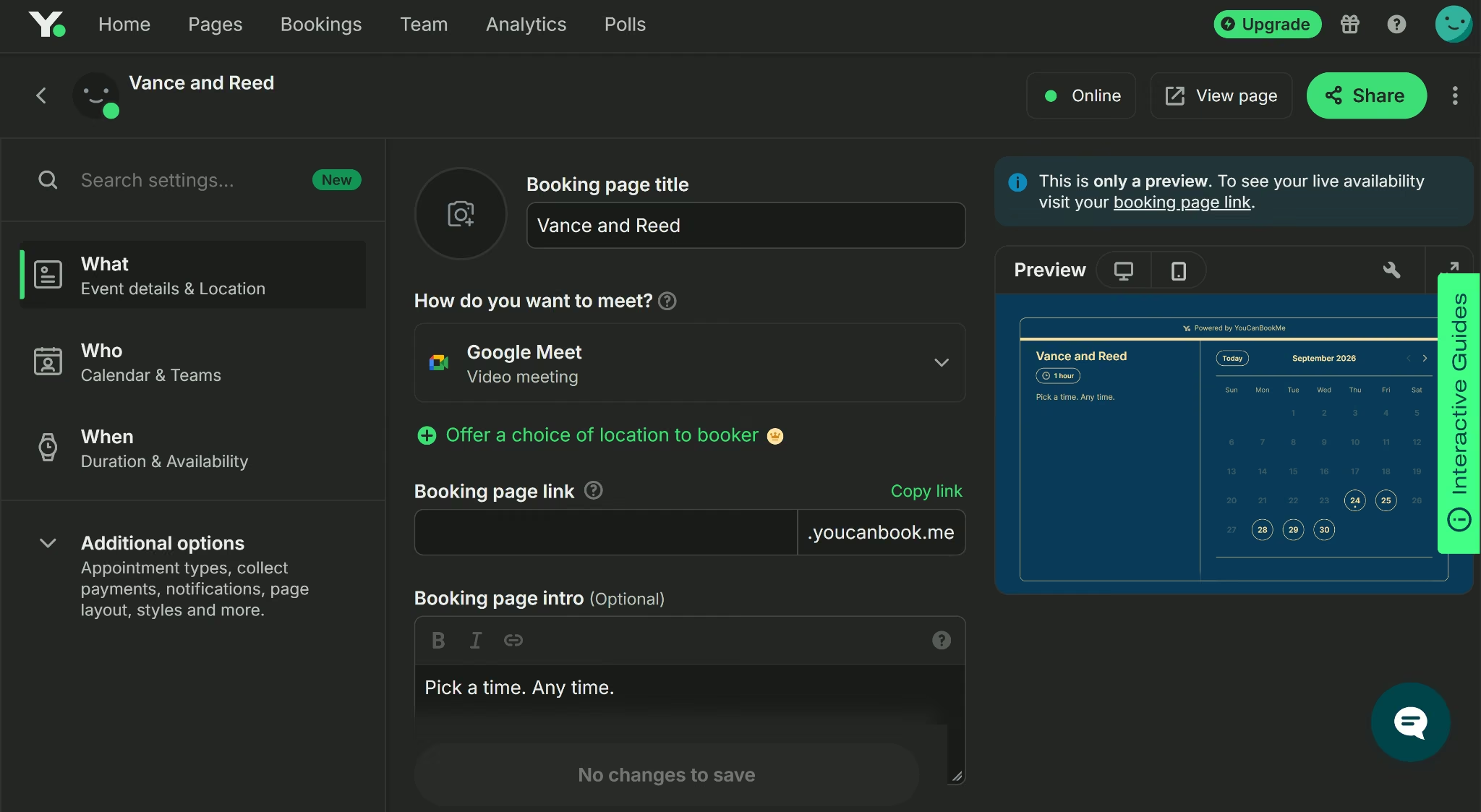
YouCanBookMe lets you customize your booking page in detail, even on the Free plan. You can add your logo and send confirmation emails without paying, and texts cost 7¢ each.
On YouCanBookMe's free trial, the client side of the booking worked well. Each booking asked all three intake questions, both the client and I got an email, and every booking came with a working reschedule link.
Even with my calendar linked and the 15-minute buffer saved in settings, the booking page let me double-book the same hour, and the buffer never showed up for bookers. My returning-client booking came through at the full hour too.
The deposit stopped at Stripe's identity check, and adding Daniel as a second host needs the Team plan, which the trial doesn't include.
YouCanBookMe is compliant with the SOC 2 Type II standard with no control exceptions and holds ISO/IEC 27001:2022.
Best for: Solo consultants who want a heavily customized booking page
Key Features
- Stripe payments on every plan: Card, Apple Pay, and Google Pay payments work at booking, even on Free.
- No-show workflows: Professional adds automated follow-ups and no-show management.
- Business SMS line: Professional sends text messages from a dedicated business number.
Pros
- The Free plan includes custom booking questions and your own logo on the page.
- Clients got a working reschedule link with every booking in my test.
Cons
- Round robin needs the Team plan at $18 per member per month.
- Two bookings landed in the same hour during my test, even with the buffer saved.
Pricing
You can start on the Free plan at $0 per month with one calendar connection and one booking page.
The Individual plan costs $9 per month ($8.10 per month billed annually) and adds two calendars, two booking pages, and reminder emails and texts.
The Professional plan costs $13 per month ($11.70 per month billed annually) and adds six calendars, 10 booking pages, and automated workflows.
The Team plan costs $18 per member per month ($16.20 per member per month billed annually) and adds round robin, role-based access, and 10 calendar connections per user.
Every paid plan comes with a two-week free trial, and billing for two years upfront cuts the price by 20%.
Service-Business Booking Tools
Service-business booking tools are organized around a service menu and a staff list, so teams are part of the setup from the start.
Acuity Scheduling
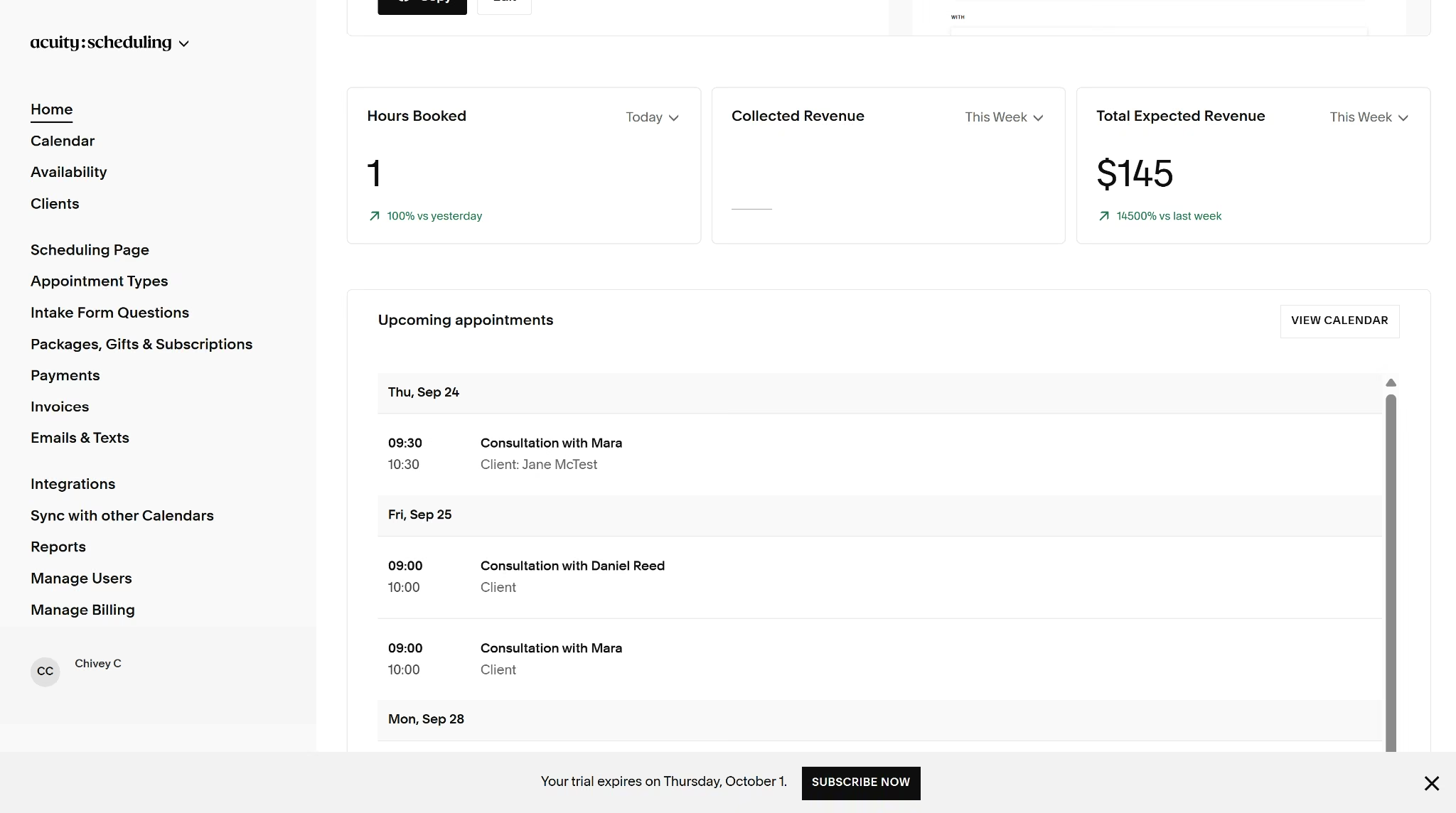
Acuity Scheduling suits service businesses that sell sessions, packages, and memberships. It's part of Squarespace, but it works on any website.
Acuity's trial starts on Starter with one calendar, but it let me try a bigger plan free to add Daniel. Once both calendars were in, "Any available" booking rotated calls between Daniel and me. Clients saw all three intake questions, the 15-minute buffer held, and a taken slot couldn't be booked again.
The deposit connects through Stripe, PayPal, or Square, and it stopped at Stripe's identity check. Repeat bookings from the same email still came through at an hour.
Notifications worked differently on the trial. Only my admin inbox got an email, marked as a preview, since clients only get booking emails on a paid plan. The email included a button to change or cancel the appointment.
Acuity is HIPAA-compliant on the Premium plan, where you can sign a Business Associate Agreement with Squarespace.
Best for: Service businesses that sell packages and take deposits
Key Features
- Packages, memberships, and gift certificates: Standard lets clients prepay for a bundle of sessions or buy them as gifts.
- Classes and group events: Every plan supports workshops and group sessions alongside one-on-one appointments.
- Appointment waitlist: Standard fills canceled slots from a waitlist.
Pros
- Every plan takes payments through Stripe, Square, PayPal, or Venmo.
- Pooled availability shared calls between both consultants without extra rules.
Cons
- Acuity has no free plan, only a 7-day trial.
- During the trial, confirmation emails reach only the account owner.
Pricing
Acuity has no free plan. The Starter plan costs $20 per month ($16 per month billed annually) and includes one calendar, payments, email reminders, and intake forms.
The Standard plan costs $34 per month ($27 per month billed annually) and adds up to six calendars, text reminders, waitlists, and packages.
The Premium plan costs $61 per month ($49 per month billed annually) and adds up to 36 calendars, an AI booking assistant, a signed BAA for HIPAA compliance, and the option to hide the Acuity logo.
Every plan includes a 7-day free trial, and you don't need a credit card to start.
Square Appointments
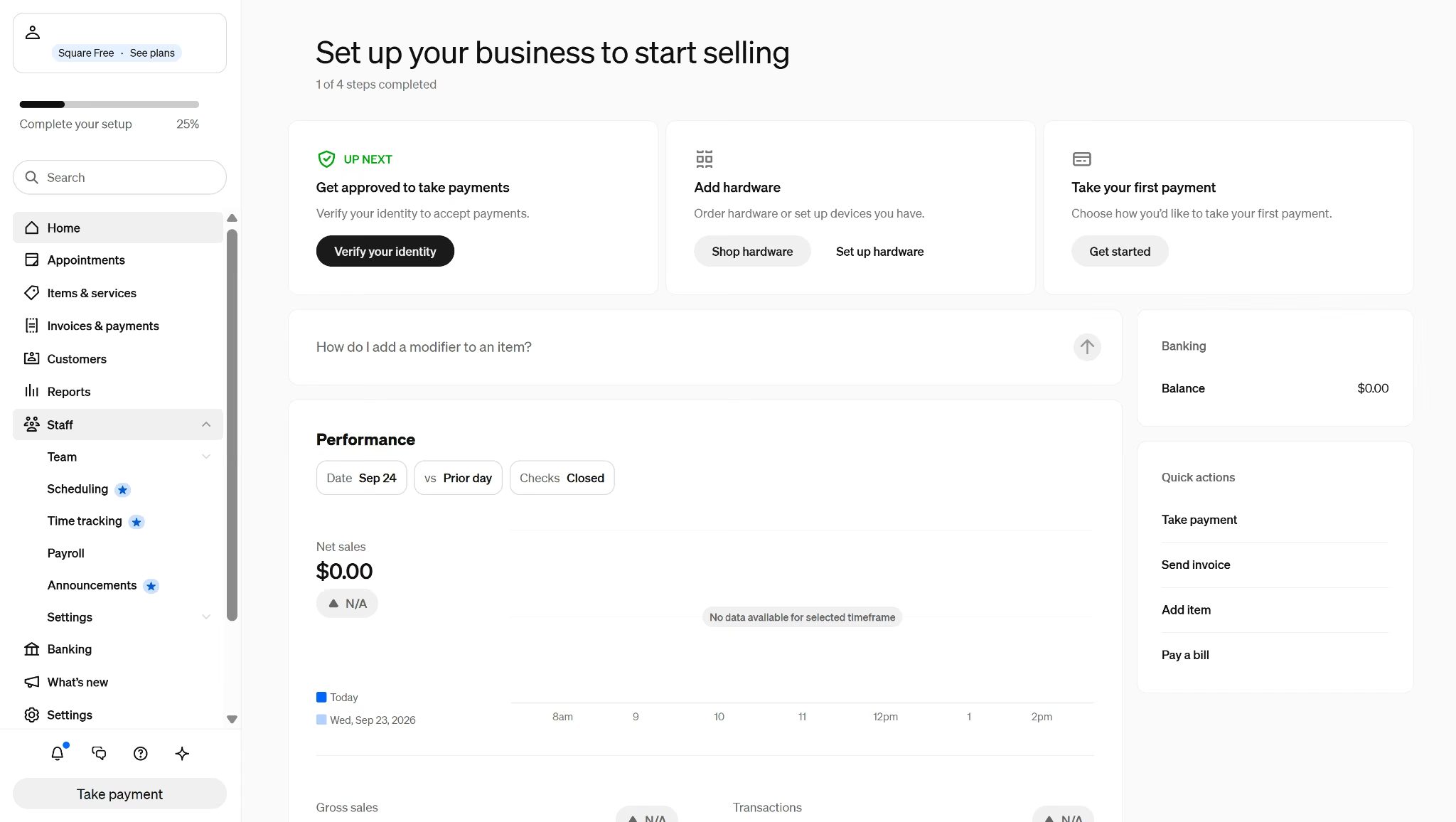
Square Appointments makes the most sense for in-person businesses that already take payments with Square. Your bookings, staff calendars, and card payments all sit in one account.
Square Appointments sits inside Square's full point-of-sale dashboard, so finding the booking settings took some digging. Once the strategy call was a bookable service, the booking page kept a 15-minute gap between calls, blocked taken slots, and split my bookings between Daniel and me. Confirmations reached both inboxes with a working reschedule link.
Returning clients still got 60 minutes. The closest workaround is splitting the service into 60-minute and 30-minute versions that clients pick themselves.
Two parts of the setup stopped at upgrades and signups. The three intake questions need Square Plus, since custom booking questions aren't on the Free plan. The $50 deposit stopped at the identity check in Square's payments sign-up.
Square's card processing systems meet Level 1 PCI Data Security Standards, and Square is SOC 1, SOC 2, and ISO 27001 compliant.
Best for: In-person service businesses that also take card payments at the counter
Key Features
- No-show fees: Plus keeps a card on file and charges clients who cancel late.
- Resource management: Premium ties rooms, chairs, and stations to services so they can't be double-booked.
- Waitlist and packages: Plus adds a waitlist and lets clients buy service packages.
Pros
- Text reminders are included on the Free plan, while Calendly, Acuity, and Setmore charge for them.
- The booking page blocks taken slots and keeps the buffer without any tweaking.
Cons
- Online card payments cost 3.3% + 30¢ on Free, higher than the 2.9% + 30¢ on paid plans.
- Custom booking questions aren't available until you upgrade to Plus.
Pricing
Square charges $0 per month per location on the Free plan, and you pay processing fees on each payment.
The Plus plan costs $49 per month per location and adds cancellation and no-show fees, multi-staff bookings, a waitlist, and service packages.
Square's Premium plan, at $149 per month per location, adds resource management for rooms, chairs, and stations.
You can cancel or switch plans anytime. Plus and Premium can each be tried free for 30 days.
Read more: Stripe vs Square, a side-by-side look at how each handles card payments.
Setmore
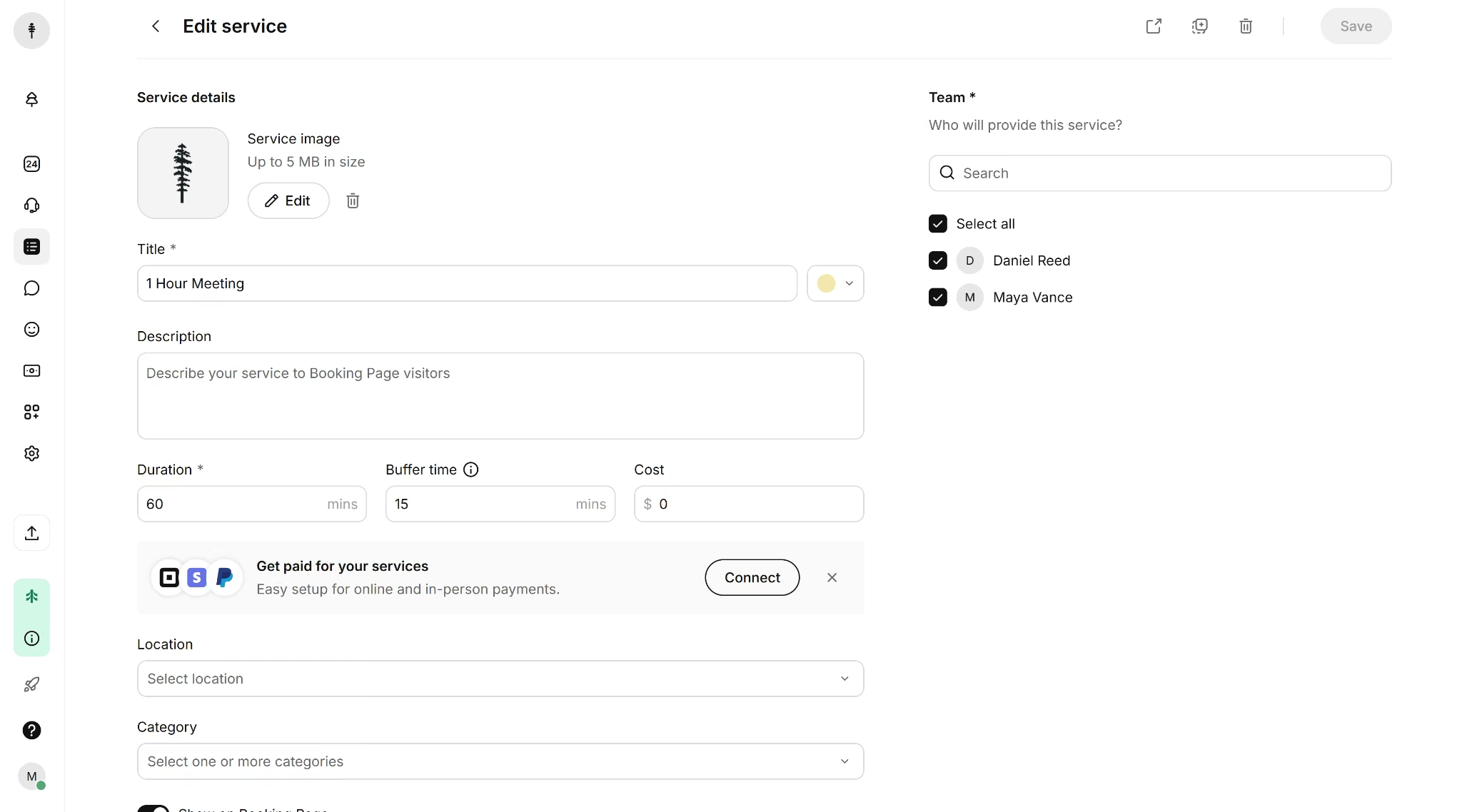
Setmore is made for small service teams. Clients can book through your booking page, Google, Facebook, or Instagram.
Setmore puts some of its setup in places you wouldn't expect. Custom questions are filed as contact fields, and auto-assign stays off until you enable it in the booking policies. With both on, the booking page showed every question and held the 15-minute gap, taken slots stayed blocked, and auto-assigned bookings alternated between Daniel and me.
I couldn't find a returning-client setting, so a repeat booking stays at 60 minutes unless you offer separate 60-minute and 30-minute services for clients to choose from.
Notifications arrived in the booker and admin inboxes, and rescheduling from the confirmation worked. The deposit, a Pro feature that connects through Stripe, Square, PayPal, or LawPay, stopped at Stripe's identity check.
Standard Setmore accounts aren't HIPAA compliant. Healthcare businesses need Setmore Health, which comes with a Business Associate Agreement on the Pro or Team plan and can only be switched on when you create the account.
Best for: Small teams of up to four people who want a free booking page
Key Features
- Social booking: Reserve with Google plus Book Now buttons on Facebook and Instagram bring in bookings on every plan.
- Tap to Pay: In-person payments work from your phone, even on Free.
- Group classes: The Free plan handles group sessions as well as one-on-one services.
Pros
- Four users share one free booking page with no appointment limit.
- Once auto-assign was on, bookings split evenly between both consultants in my test.
Cons
- Text reminders and two-way calendar sync need Pro.
- Healthcare businesses must choose Setmore Health when they sign up, since they can't add it later.
Pricing
Setmore's Free plan charges $0 per user per month for up to four users.
The Pro plan costs $12 per user per month ($5 per user per month billed annually). It adds unlimited users, SMS reminders, two-way calendar sync, recurring appointments, and branding removal.
SimplyBook.me
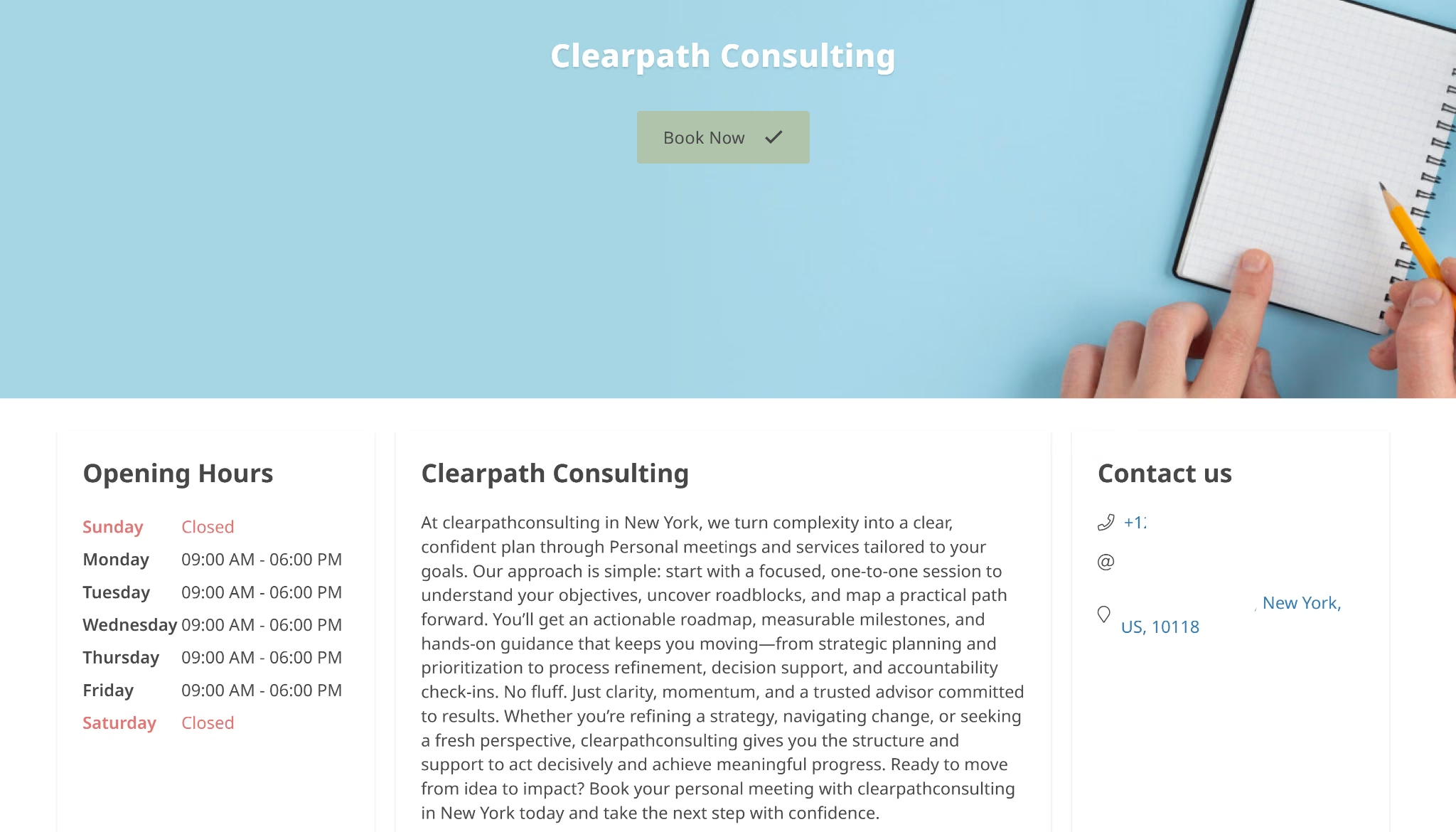
SimplyBook.me is a booking system built around services and providers, and you switch on only the custom features you need, like intake forms or deposits.
I published the strategy call on SimplyBook.me's booking website, a templated page with opening hours and a Book Now button. Intake questions come from the Intake Forms feature, and the 15-minute buffer is set per service and added after each booking.
For two consultants, the Any Employee Selector books the client with the next available provider. Its help center describes no strict rotation, so it isn't round robin in the sense the other tools use.
Rescheduling needs its own Client Rescheduling feature, and the deposit needs the Basic plan plus a connected payment processor, which I didn't set up. I found no setting that shortens calls for returning clients.
SimplyBook.me is GDPR compliant and follows ISO/IEC 27001 security standards. HIPAA features need the Standard plan or higher and disconnect Zapier.
Best for: Multi-provider service businesses that want to switch on only the booking features they use
Key Features
- Pay-per-feature plans: Each plan caps the premium custom features you can add, from one on Free to unlimited on the Premium plan, so you only pay for the tools you switch on.
- More than 30 payment processors: Stripe, PayPal, Square, Adyen, Braintree, and dozens of regional gateways connect for payments, depending on your country.
- AI booking assistant: Clients can book by chatting or speaking with an AI assistant on your booking page, your website, WhatsApp, or Facebook Messenger.
Pros
- Pricing is based on bookings and providers, so Basic covers up to five providers for one flat monthly fee.
- The booking website comes ready to share, with hours and contact details, so you don't need a separate site.
Cons
- Free allows one premium feature and 50 bookings a month, so intake forms and auto-assign can't run together without upgrading.
- Free can't take payments, since deposits start on Basic.
Pricing
SimplyBook.me's Free plan offers one provider and 50 bookings a month.
The Basic plan costs $13.90 per month ($11.90 per month billed annually) for up to five providers and 100 bookings a month, and it's the first plan that takes deposits.
The Standard plan costs $29.90 per month (billed annually at $24.90 per month) for 15 providers and 500 bookings a month, with HIPAA support.
The Premium plan costs $59.90 per month ($49.90 per month billed annually) for 30 providers and 2,000 bookings a month.
Every plan comes with a 14-day free trial, and you don't need a credit card.
Appointy
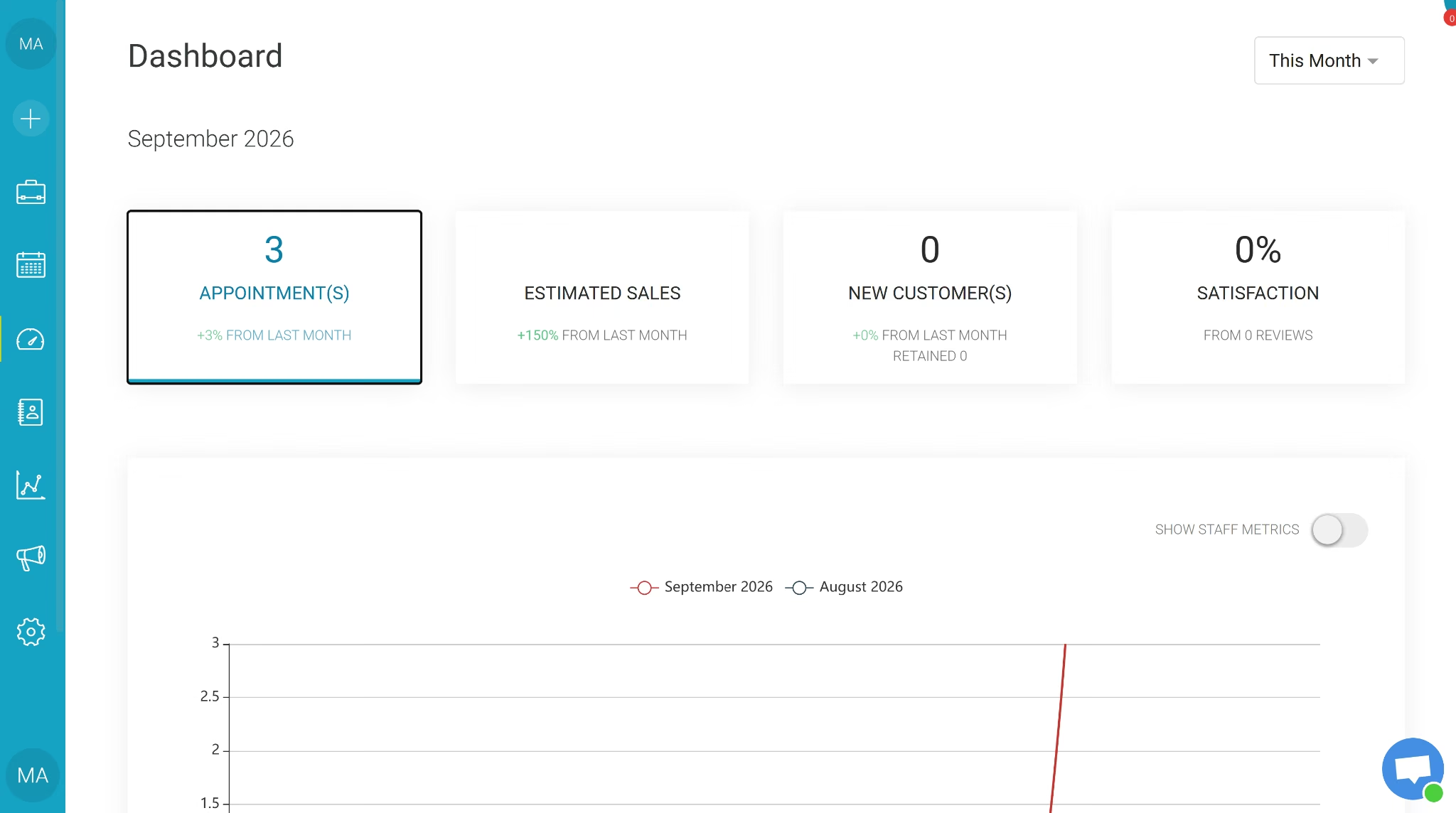
Appointy takes bookings from Google as well as your own website, which suits local service businesses. Paid plans add staff logins, resource scheduling, and more locations.
I tested Appointy on its 14-day free trial, which runs on the Enterprise plan, so every feature was unlocked. Unless you change a setting, clients must create a password-protected account to book, and guest booking only worked after I turned it on. Every other tool on this list let clients book without an account.
After that, the buffer and all three intake questions appeared, double booking was blocked, and bookings rotated between Daniel and me. Emails reached both of us, and rescheduling worked. Returning clients still got the full hour, since Appointy's booking restrictions only cover booking limits, prepayment, and approvals.
After the trial, the Free plan allows just one staff member, so splitting calls between Maya and Daniel means paying for extra staff from the Growth plan. The deposit stopped at the payment gateway's identity check.
Appointy has ISO 27001:2022 certification, and it follows the GDPR.
Best for: Local businesses that want bookings from Google Search and Maps
Key Features
- Reserve with Google: On Growth and above, clients can book straight from Google Search and Maps.
- Booking restrictions: You can cap how often a client books, require prepayment, or hold bookings for your approval.
- Resource scheduling: The Professional plan lets you tie rooms and equipment to specific services.
Pros
- The 14-day trial needs no credit card and drops to the Free plan when it ends.
- Round robin, buffers, and slot blocking all worked in my test.
Cons
- Free covers one staff member, five services, and 100 appointments a month.
- Guest booking is off by default and needs Growth or higher, so Free-plan clients always hit a sign-up screen.
Pricing
Appointy's Free plan costs $0 per month for one staff member, five services, and 100 appointments a month.
The Growth plan costs $29.99 per month ($19.99 per month billed annually). It adds unlimited services, unlimited appointments, Google Calendar sync, and online payments. It includes one staff member, and each extra staff member costs $5 per month.
The Professional plan costs $59.99 per month ($49.99 per month billed annually). It adds staff logins, gift certificates, and resource scheduling. Five staff are included, with extras at $7.50 per month each.
Appointy has no contracts or cancellation fees, so you can cancel anytime.
How to Evaluate Appointment Scheduling Software
The things that separated these tools in my test weren't on their pricing pages, so it's worth making a test booking yourself before you commit.
Check these five things before you pay:
- Double booking and buffers: Book the same slot twice and try the one right after it, since one tool on this list let me double-book and ignored the buffer I'd set.
- Payment setup: Find out whether taking a deposit means opening a live payments account, because most tools here sent me to a Stripe or Square signup that asked for identity details before I could test it.
- Plan gates: Check which plan unlocks round robin, deposits, and custom questions, since several tools put at least one of them behind an upgrade.
- The client's side: Look at what your client goes through, including whether they need an account to book, get a confirmation email, and can reschedule without contacting you.
- Price at your team size: Multiply the per-seat price by your headcount before you compare.
Also Read: How to build a direct booking website for how deposits and payments work when you own the booking page.
Which Appointment Scheduling Software Should You Choose?
Here's who each tool suits, based on how it handled the consultancy booking in my test:
- Choose Emergent when no ready-made template fits your booking rules. Ask for an admin login when you build.
- Choose Calendly for one-on-one calls. Deposits and round robin need paid plans.
- Choose Google Calendar Appointment Schedules for a free page inside Google Calendar. Clients can't reschedule themselves.
- Choose YouCanBookMe for a customizable solo booking page. Test it first, since it double-booked for me.
- Choose Acuity Scheduling for teams with several providers. There's no free plan.
- Choose Square Appointments if you already take payments with Square. Intake questions need Square Plus.
- Choose Setmore for a free team page of up to four people. Some key settings are hard to find.
- Choose SimplyBook.me for a multi-provider business that wants to pay only for the features it uses. Auto-assign isn't a strict rotation.
- Choose Appointy for bookings from Google, on the Growth plan or higher. Turn on guest login first.
Stick with email and a shared calendar when you take a handful of unpaid bookings a week and don't need reminders.
If your booking rules still don’t fit any of these, an appointment schedule builder lets you set up the schedule around them.
What My Test Booking Showed About Appointment Scheduling Software
Every tool I tested put up a booking page that worked, and most held a buffer between calls and sent a confirmation. The differences showed up in the booking rules.
Taking the deposit sent me to a live payments sign-up page for five of the nine tools; round-robin often required a paid plan, and none of the ready-made tools could shorten a call for a returning client on their own.
For simple bookings, pick the ready-made tool whose free plan covers what you need. When your rules are too specific for any of them, Emergent lets you describe those rules and get a booking app that follows them.
Build a booking system that follows your rules with Emergent.
Describe it. Build it. Launch it.
- End-to-End Creation
- No Code Needed
- Live in Minutes
Most AI app builders stop at prototypes. Emergent creates production-ready apps you can actually launch.
- Production-ready apps
- Web & mobile apps
- Deploy in minutes