TL;DR
- Emergent: Best for teams that need a custom routing rule or scoring model a template CRM's rule builder can't express.
- HubSpot: Best for small teams that want a capable free contact database with useful AI filtering.
- Salesforce Sales Cloud: Best for teams that need deeper CRM configuration and have the support to maintain it.
- Pipedrive: Best for sales teams that want a visual pipeline with configurable lead routing.
- Zoho CRM: Best for budget-conscious teams that want broad CRM controls.
- monday CRM: Best for teams that want to manage leads through flexible visual boards.
- Close CRM: Best for outbound teams that want calling, communication, and workflows together.
A growing lead list quickly becomes difficult to manage. You need to know which prospects are worth pursuing, who owns each conversation, and what follow-up should happen next.
A CRM can bring order to that process. The challenge is finding one that does this without demanding hours of setup or pushing essential features into an expensive plan.
I tested six CRMs over three days on the same 10-lead CSV, and separately built the same routing rule in Emergent. I compared their imports, duplicate handling, custom fields, routing options, and AI-assisted follow-up. This guide covers what worked, where each tool created friction, and which CRM fits different sales workflows.
How I Tested Each CRM for Lead Management
Over three days, I tested HubSpot, Salesforce, Pipedrive, Zoho CRM, monday CRM, and Close CRM with the same 10-row CSV.
All six imported the CSV, four supported a duplicate-handling check, and each tool's AI assistant answered a different version of the same lead-prioritization question, since not every assistant could be asked it the same way. I separately built the same routing rule in Emergent, without executing it live.
I imported the leads, mapped the fields, checked how each CRM handled a duplicate email, and tried to assign larger-company leads or web-form leads to a sales representative. I also asked the available AI assistants to find leads from companies with more than 50 employees and suggest a follow-up action.
I also considered Freshsales (Freshworks CRM), Insightly, and Keap during scoping and left them out of the final seven: Freshsales's free-tier feature set tracks too closely with HubSpot's to add a distinct option.
Insightly gates the same assignment-rule functionality behind a higher plan than HubSpot or Pipedrive charge for it, and Keap is built around solopreneur email marketing paired with a CRM, not team-based lead routing, which put it outside this roundup's brief.
Here's what I checked across all seven tools:
- Features: How well each CRM handled lead imports, custom fields, duplicate records, assignment rules, follow-up, and pipeline visibility.
- Usability: How quickly I could reach a working lead list, find the right controls, correct mapping problems, and understand the final result.
- Automation: Whether I could route leads by company size or source and create a useful follow-up without rebuilding the workflow by hand.
- Pricing: What the free or entry plan included and which paid tier a small sales team would need for routing, workflows, calling, or higher usage limits.
- Use Cases: How each CRM performed for free contact management, visual pipeline work, complex configuration, board-based selling, and outbound sales.
This hands-on approach helped me see which CRMs hold up in daily lead management and which ones need more setup, a higher plan, or dedicated admin support before they become useful.
Where CRM Lead Management Pricing Gets Complicated
The entry price rarely tells you what lead routing will cost. Workflow automation, automatic assignment, calling, and higher usage limits often sit above the cheapest plan.
HubSpot’s Starter plan only supports limited deal-stage automation. Fully customizable workflows start with Professional. Its free plan still handled contacts, custom properties, duplicate detection, and AI filtering during my test.
Pipedrive adds email sync and automations with Growth. Premium includes LeadBooster and automatic lead routing, although teams on lower plans can purchase LeadBooster separately.
Close follows a similar pattern. Solo costs less but excludes workflows. Growth is the practical tier for teams that need automated workflows and the power dialer.
monday CRM includes 250 automation actions per month on Standard and raises that allowance to 25,000 on Pro. Zoho CRM provides workflows and assignment rules at a lower paid entry point, while Salesforce may require more setup before nonstandard fields become useful.
Compare the plan containing the workflow you need. Check its minimum purchase, onboarding charges, usage fees, add-ons, and AI credits before comparing the advertised monthly prices.
For another view of cost, workflow limits, and team fit, our guide to CRM examples compares ten common systems.
7 Best CRMs for Lead Management: Quick Comparison
Here's how all seven options compare on best fit, core strength, and starting price:
| Tool | Best for | Core strength | Starting price |
|---|---|---|---|
| Emergent | Custom routing or scoring logic | Prompt-built conditional logic beyond fixed CRM rules | Free; Standard $20/month, credit-based |
| HubSpot | Free contact management and AI filtering | Free contact database with duplicate handling and AI filtering | Free; Starter $20/month |
| Salesforce | Admin-supported sales operations | Deep control over fields, permissions, routing, and reporting | Free Suite; Starter $25/user/month |
| Pipedrive | Visual pipeline and lead routing | Visual pipeline with conditional lead assignment | Lite $24/user/month |
| Zoho CRM | Capability per dollar | Broad automation and AI at a lower paid entry point | Free; Standard $20/user/month |
| monday CRM | Board-based sales workflows | Flexible linked boards for lead and deal workflows | Basic $18/seat/month, three-seat minimum |
| Close CRM | Phone-first outbound sales | Built-in calling, email, SMS, and sales workflows | Solo $19/user/month |
We'll Start With Emergent, Since It's Ours
Emergent is our product, and we're leading with it honestly rather than pretending to be a neutral outside reviewer. Emergent makes the most sense when a team needs routing or scoring logic that standard CRM rules cannot express.
Dedicated CRMs remain better suited to established sales pipelines, built-in calling, and ready-made reporting. The comparisons below show where each approach worked and what trade-offs appeared during testing.
Emergent: Best for Custom Routing and Scoring Logic

What it does: Emergent turns a plain-language prompt into a working web or mobile application, including a CRM built around your own workflow.
Best for: Teams that need custom lead-routing, scoring, or approval logic that standard CRM rule builders cannot handle.
I spent 10 minutes and 7.5 credits building a small lead tracker in Emergent. The app needed to label companies with more than 50 employees as High priority, label the rest as Standard, and suggest a follow-up action for each lead.
“Build a simple lead tracker with a table for name, company, email, company size, and lead source. Add a rule that labels leads with more than 50 employees as ‘High priority’ and all others as ‘Standard.’ Show a suggested follow-up action for each lead.”
Before building, Emergent asked four questions about editing controls, follow-up logic, authentication, and visual style. I chose basic add, edit, and delete controls, rule-based suggestions, no authentication, and a minimal design.
Answering those four questions took under a minute, and Emergent started generating the app immediately after, well before I'd have finished writing a ticket for a developer to build the same thing. These choices helped keep the app focused on the routing test.

The finished app opened with summary cards for total, High priority, and Standard leads. It also included a table with the five requested fields, priority, suggested follow-up, and edit and delete controls.

I added one lead with exactly 50 employees. Emergent correctly kept it in the Standard group and suggested sending an automated welcome email with resources. This confirmed that the rule followed the wording “more than 50” instead of treating 50 as High priority.
I then added a lead with 129 employees. The app labeled it High priority, suggested scheduling a discovery call within 24 hours, and updated the summary cards to show one lead in each group.

Emergent handled the custom rule correctly without forcing it into a fixed CRM field or automation template. The build stayed a focused lead tracker, with no sales pipeline, activity history, bulk import, or reporting.
If scoring and routing is the main job, you can build a lead qualification agent that applies the same rule to every new lead.
Key Features
- Custom workflow logic: Build routing, scoring, approval, and follow-up rules around conditions specific to your sales process.
- Code ownership and GitHub integration: Own the generated code and connect paid projects to GitHub for version control.
- Private project hosting: Keep applications private on the Standard plan while developing or using them internally.
- Built-in hosting and database: Publishes with the database already wired up, no separate host or database setup.
- Emmy and MCP access: Emmy, Emergent's free built-in assistant, turns a plain-language description into a build-ready prompt at no cost in credits, and Emergent connects to Claude or ChatGPT over MCP for analysis and drafting against your account.
Pros and Cons
Pros
- Handles multi-factor routing or scoring logic that template CRM rule builders can't express.
- Followed the exact rule wording, keeping a 50-employee lead in Standard instead of rounding it up to High priority.
- Faster to correct custom logic than briefing a developer for the same rule.
Cons
- The small build didn't include pipeline visualization or reporting, though those can be prompted separately.
- Credit-based billing draws recurring criticism, and costs can run above the sticker price on heavy iteration.
- Not a general CRM replacement; best paired with or used to extend an existing pipeline tool.
What Users Say
“I’ve been blowen away by the quality and speed that I was able to build this out.” - Kory Howard, Trustpilot

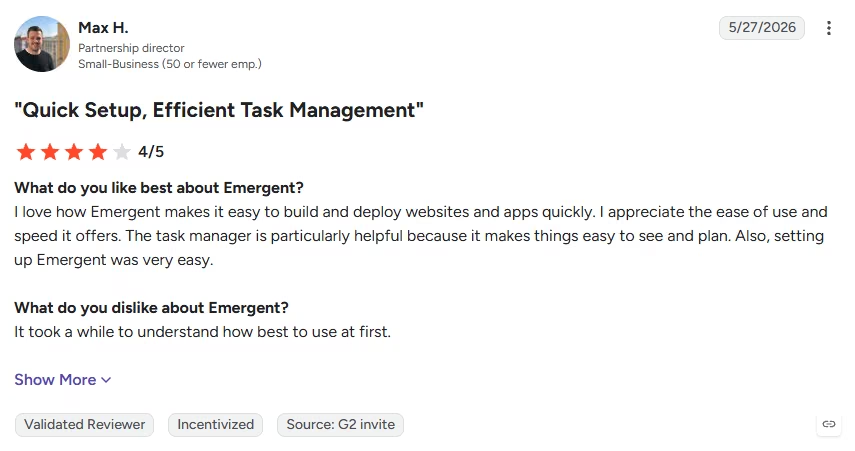
“It took a while to understand how best to use at first.” - Max H., G2
Pricing
Emergent’s official pricing includes a Free plan with 10 monthly credits. Standard costs $20/month ($17/month billed annually) and includes 100 credits per month. Pro costs $200/month ($167/month billed annually) and includes 750 credits per month. Business and Enterprise plans use custom pricing for higher usage.
Bottom Line
Choose Emergent when your team needs lead-routing or scoring logic that a standard CRM cannot express. Choose a dedicated CRM if you need a ready-made pipeline, built-in calling, activity tracking, and sales reports from the start.
If you only need the lead side, a lead management CRM builder can cover capture, scoring, and follow-up without the full pipeline
To see how the process works beyond this short test, follow our guide to build a CRM from the first prompt to publishing.
Also read: How a local service contractor built a lead pipeline CRM for a real example of a lead tracker built from a prompt.
HubSpot: Best for a Capable Free Contact Database With Useful AI Filtering

What it does: HubSpot is a full marketing and sales ecosystem with one of the most generous free CRM tiers on the market.
Best for: Small teams that want to import and organize leads for free, then add paid automation as their process grows.
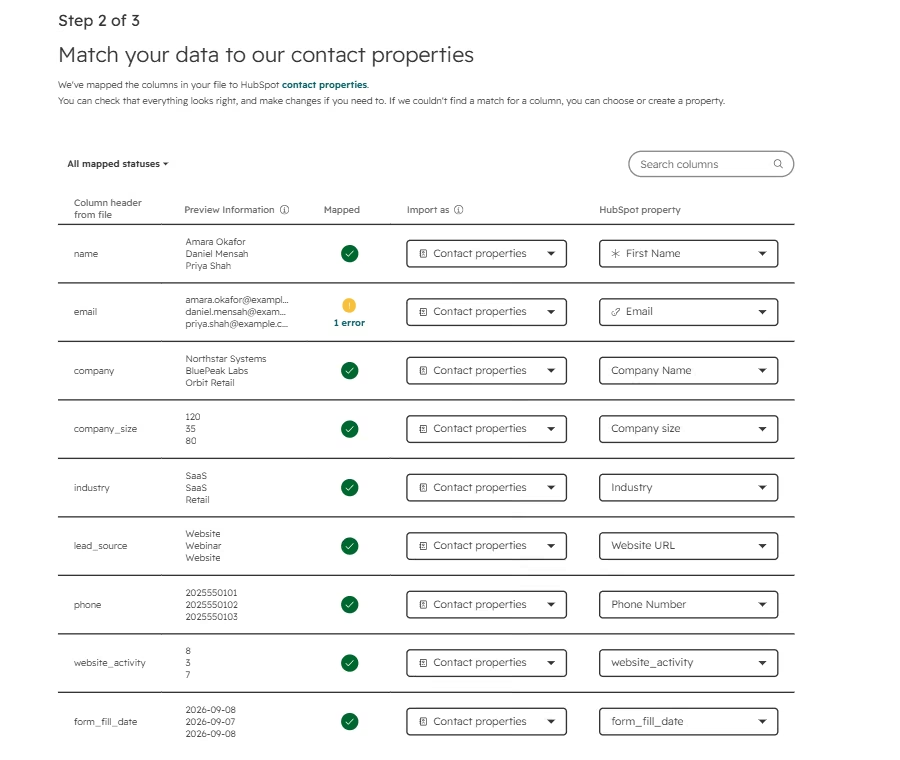
HubSpot gave me the cleanest duplicate result in this test. I imported the same CSV with 10 rows, and it created nine contacts. It rejected the second record that shared an email address with another lead and labeled the issue as a duplicate alternate ID. That made the result easy to understand without opening an error file.
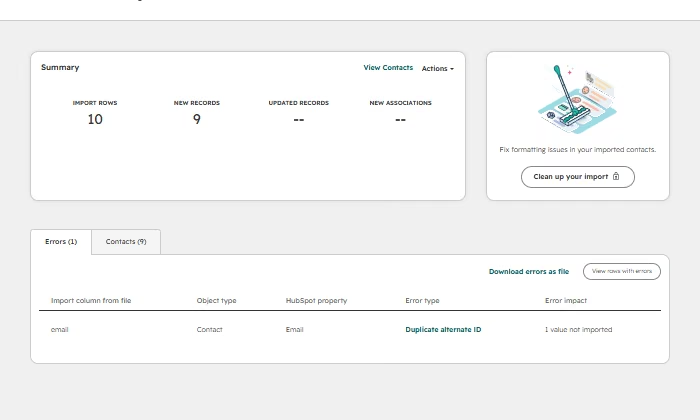
The importer recognized company, company size, industry, email, and phone fields. I mapped the full-name column to First Name because the sheet didn’t split names. HubSpot also let me create contact properties for website activity and form-fill date during the import.
The process required more manual decisions than the first screen suggested, but it kept each field attached to the contact record. Creating the two new contact properties took an extra step each time: HubSpot asked me to pick a field type and label before it would accept the column, which added a couple of minutes to what otherwise felt like a fast import.
Breeze Assistant, HubSpot’s AI assistant, made the imported data useful straight away. I asked it to show contacts from companies with more than 50 employees and suggest a follow-up.
It found five of the nine imported contacts, listed the company and employee count for each one, and suggested starting with the two companies above 100 employees. That response matched the imported values.

The main trade-off appeared when I opened Workflows. HubSpot directed me to contact sales, so I could not build the assignment workflow on the available plan. The free tools handled storage, filtering, and AI analysis well, but a team that wants routing automation will need a paid tier.
Key Features
- Deal pipelines: Add and score deals, assign tasks, and track prospects through configurable sales stages.
- Meeting scheduler: Let prospects book available times and keep meeting preparation, notes, and follow-up tied to the CRM.
- Sales automation: Build multichannel outreach that adapts follow-up steps according to prospect engagement.
- Sales analytics and forecasting: Track team performance with dashboards, reports, and AI-assisted revenue projections.
Pros and Cons
Pros
- Created nine clean contact records and clearly explained the duplicate it rejected
- Breeze returned the correct five contacts for the company-size query
- The free contact database includes filtering, saved views, and custom properties
Cons
- The importer needed manual property decisions for several columns
- A combined name column had to be placed in First Name
- Workflow creation was locked behind a sales conversation on the free plan
What Users Say
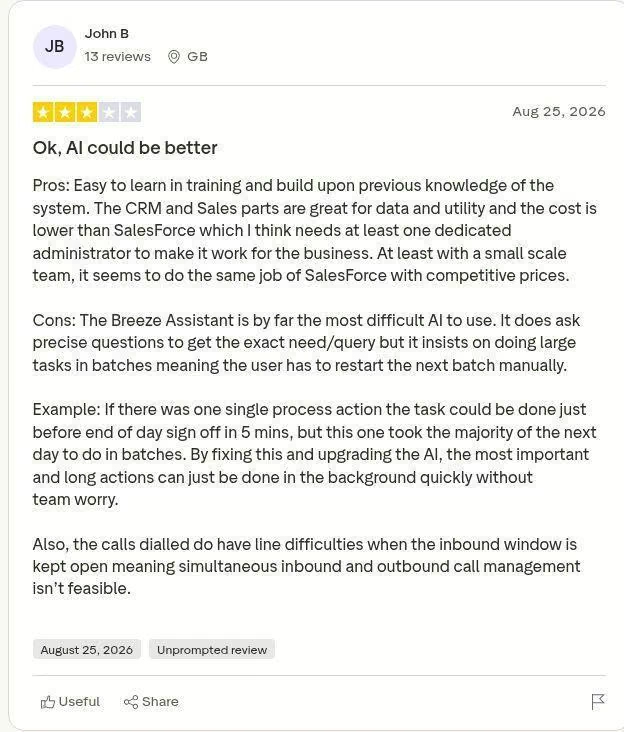
“Pros: Easy to learn in training and build upon previous knowledge of the system. The CRM and Sales parts are great for data and utility and the cost is lower than SalesForce which I think needs at least one dedicated administrator to make it work for the business. At least with a small scale team, it seems to do the same job of SalesForce with competitive prices. The Breeze Assistant is by far the most difficult AI to use.” - John B, Trustpilot
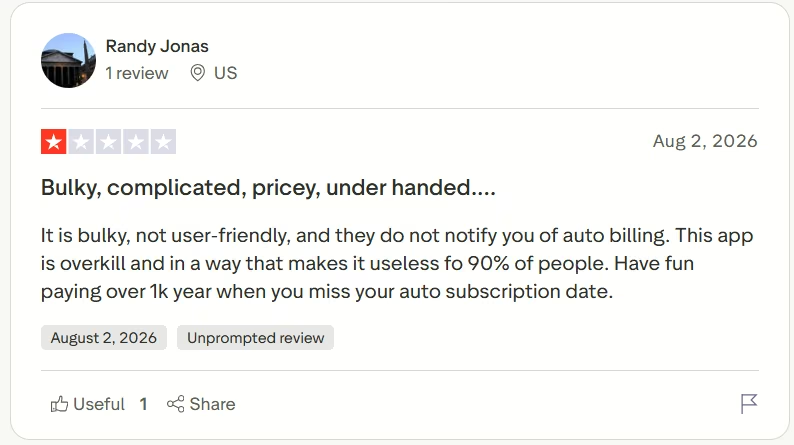
“It is bulky, not user-friendly, and they do not notify you of auto billing. This app is overkill and in a way that makes it useless fo 90% of people. Have fun paying over 1k year when you miss your auto subscription date.” - Randy Jonas, Trustpilot
Pricing
HubSpot CRM is a separate product with its own pricing: Professional runs $50/month/seat ($45/month/seat billed annually), and Enterprise starts at $75/month/seat. HubSpot's Sales Hub starts free, with Starter at $20/month per seat, Professional at $100/month per seat, and Enterprise from $150/month per seat.
Bottom Line
I would choose HubSpot for a small team that wants a useful free contact database and AI-assisted filtering. Choose another option or budget for a paid HubSpot tier if automatic routing is essential from day one.
Salesforce Sales Cloud: Best for Teams That Can Support Deeper Configuration
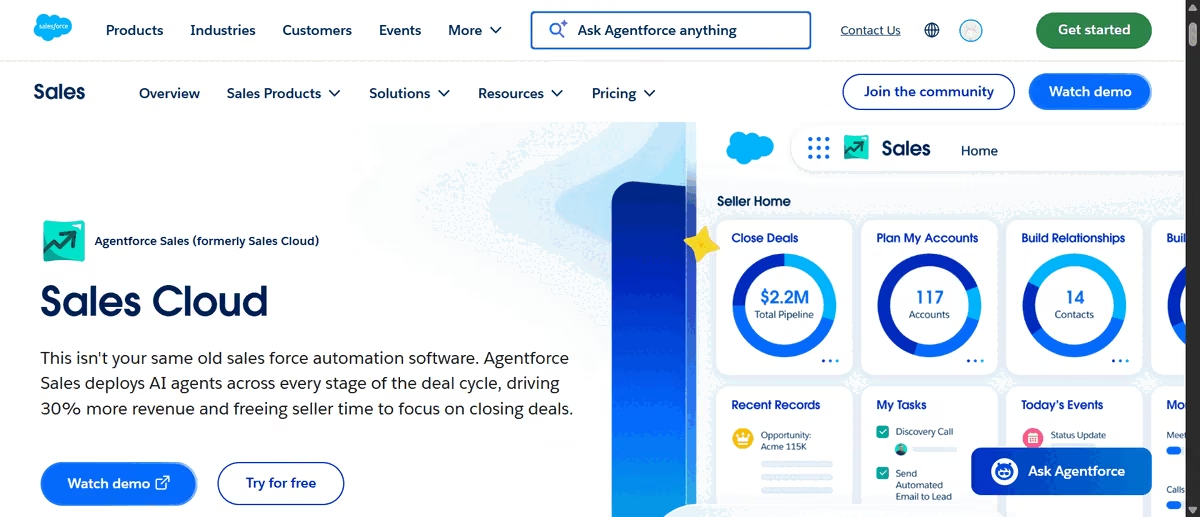
What it does: Salesforce Sales Cloud manages leads, accounts, opportunities, sales activity, and automation in a highly configurable CRM.
Best for: Organizations that need detailed control and have the time or administrative support to configure it properly.
Salesforce imported all 10 test leads, including the two records that shared the same email address. That result contrasted with HubSpot, which rejected one duplicate. Salesforce preserved both records and placed every imported lead at the New stage in the All Open Leads view.

The importer found nine CSV fields but matched only four automatically. Email, company, industry, and phone matched existing lead fields. I mapped the name column to Last Name and lead source to Lead Source.
Company size, website activity, and form-fill date could not be created from the import screen, so those values did not enter Salesforce.
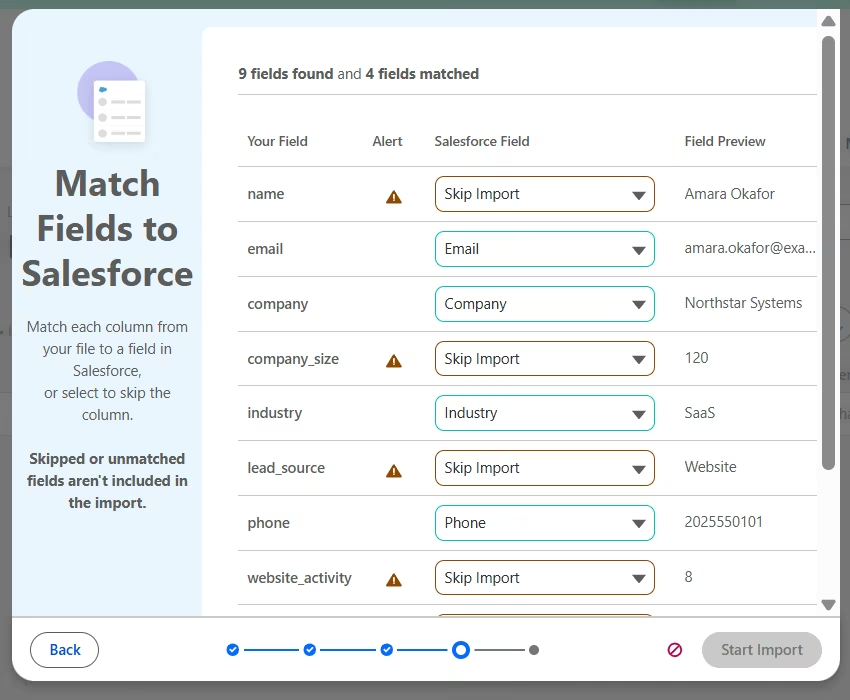
That missing company-size field affected the AI test. Agentforce, Salesforce's AI assistant, initially said it could not find any leads above 50 employees, even though the original CSV contained them. When I changed the request to all open leads, it worked.
It named imported leads, noted that they were still at the New stage, found no logged activities or tasks, and suggested personalized email or phone outreach.

Salesforce’s import guide explains why those three columns were skipped. Salesforce only imports fields it can match. I needed to create custom fields for company size, website activity, and form-fill date before uploading the CSV.
Most of the CRMs on this list required custom fields for some of this data. Salesforce added more friction because I couldn’t create those fields from the import screen. I had to leave the importer, configure the CRM, and restart the process. That creates extra work for beginners.
Key Features
- Pipeline management: Track opportunities in a consolidated view with historical charts, deal insights, and priority signals.
- Forecast management: Build real-time forecasts with metrics tailored to the team’s goals and sales process.
- Workflow automation: Create sales processes, lead-routing flows, approvals, and territory assignments with visual tools.
- Reports and dashboards: Monitor lead volume, conversion rates, pipeline health, and team performance through configurable reports.
Pros and Cons
Pros
- Imported all 10 leads and presented them in a clear open-leads view
- Agentforce used the standard lead data to identify inactivity and suggest outreach
- The import guide explained exactly why each unmatched column was skipped, instead of failing silently
Cons
- Only four of nine CSV fields matched automatically
- The importer didn’t offer inline custom-field creation
- Salesforce didn’t flag the duplicate record during my import
What Users Say
“Reports, automations, all in one place, it’s not cheap but it’s solid” - HipnF, Trustpilot

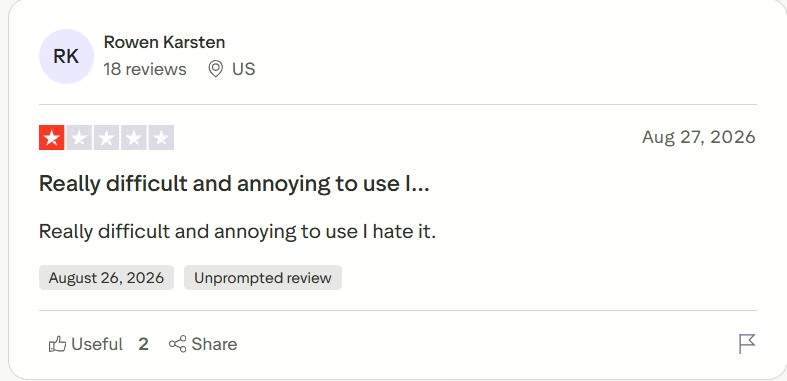
“Really difficult and annoying to use I hate it.” - Rowen Karsten, Trustpilot
Pricing
Salesforce’s Sales pricing includes a Free Suite and a 30-day trial with no credit card required. Starter Suite costs $25/user/month whether billed monthly or annually. Pro Suite costs $100/user/month billed annually, Core costs $195/user/month billed annually, Advanced costs $395/user/month billed annually, and Max costs $550/user/month billed annually.
Starter covers standard lead, account, contact, and opportunity management, while Core adds deeper pipeline tools, Slack Business+, and Tableau Next. Max includes 2.75 million Flex Credits per organization each year. Agentforce for Sales is an add-on from $125/user/month on eligible plans.
Bottom Line
Choose Salesforce if your team has an administrator who can configure custom fields, duplicate rules, routing, and permissions around an established sales process. A small team importing leads from a spreadsheet will get started faster with HubSpot or Close.
If Salesforce and HubSpot are your final options, our CRM comparison explains the setup, customization, and cost differences between them.
Pipedrive: Best for Visual Selling With Configurable Lead Routing
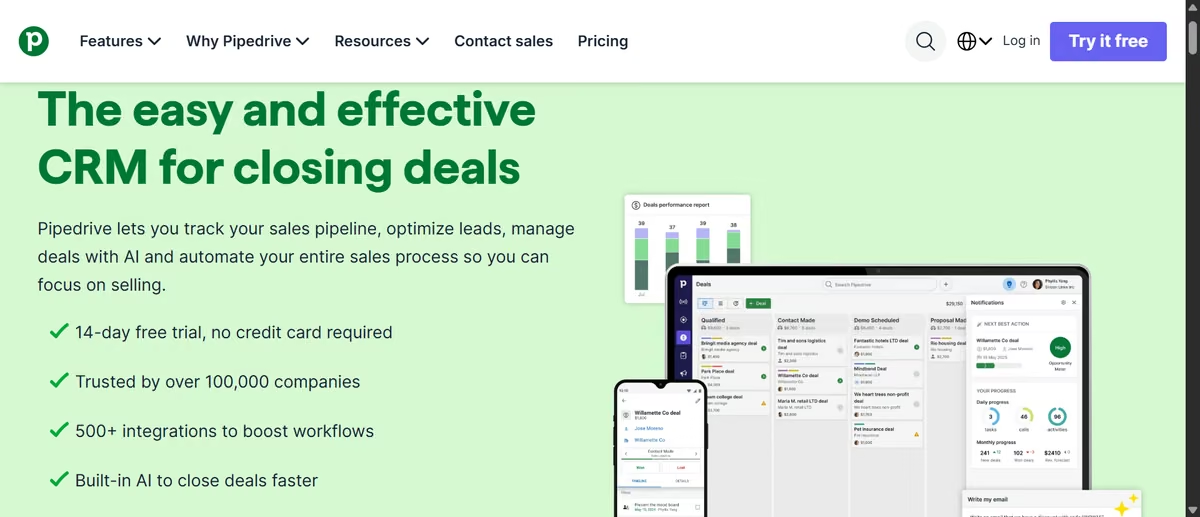
What it does: Pipedrive organizes sales work around leads, deals, activities, and a visual pipeline.
Best for: Small sales teams that want a focused pipeline and are prepared to map imported data carefully.
Pipedrive exposed more of its data structure during import than the other CRMs. It separated fields into Person, Organization, Lead, Deal, Project, Activity, and other item types. Six of the nine CSV columns matched automatically, and I could create a numerical Person field for company size directly from the mapping screen.
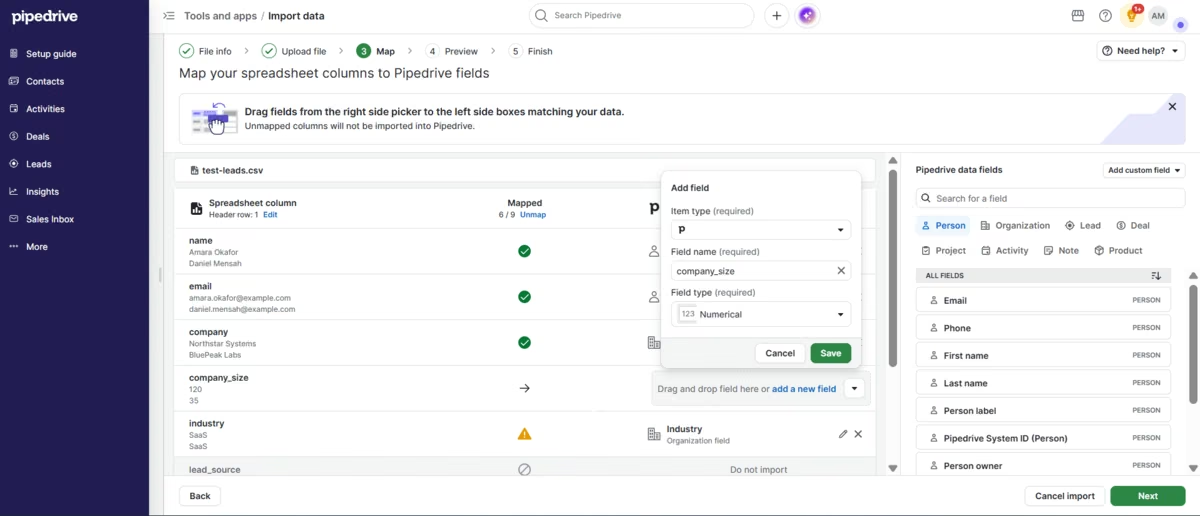
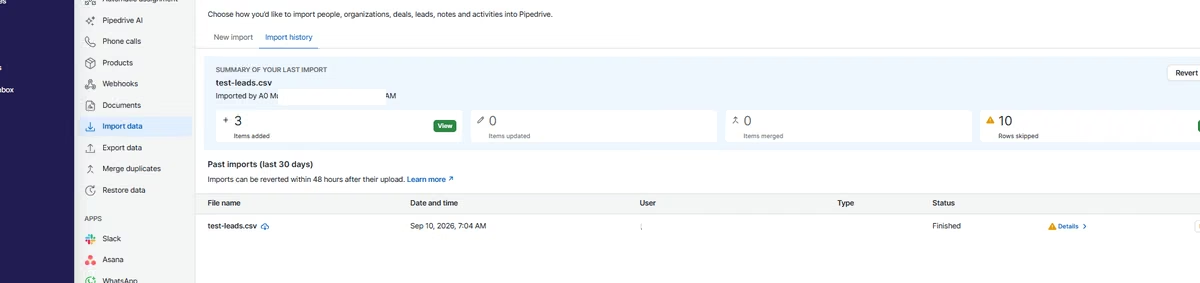
That flexibility also created the main friction. A field could appear mapped while pointing to the wrong item type. In my first pass, lead source went to a Deal field, form-fill date went to a Project field, and website activity went to the Organization website field.
The preview split the spreadsheet across Organizations, People, Deals, and Projects. The final result created three objects from partial rows and imported none of the 10 leads correctly, so I reverted the import.
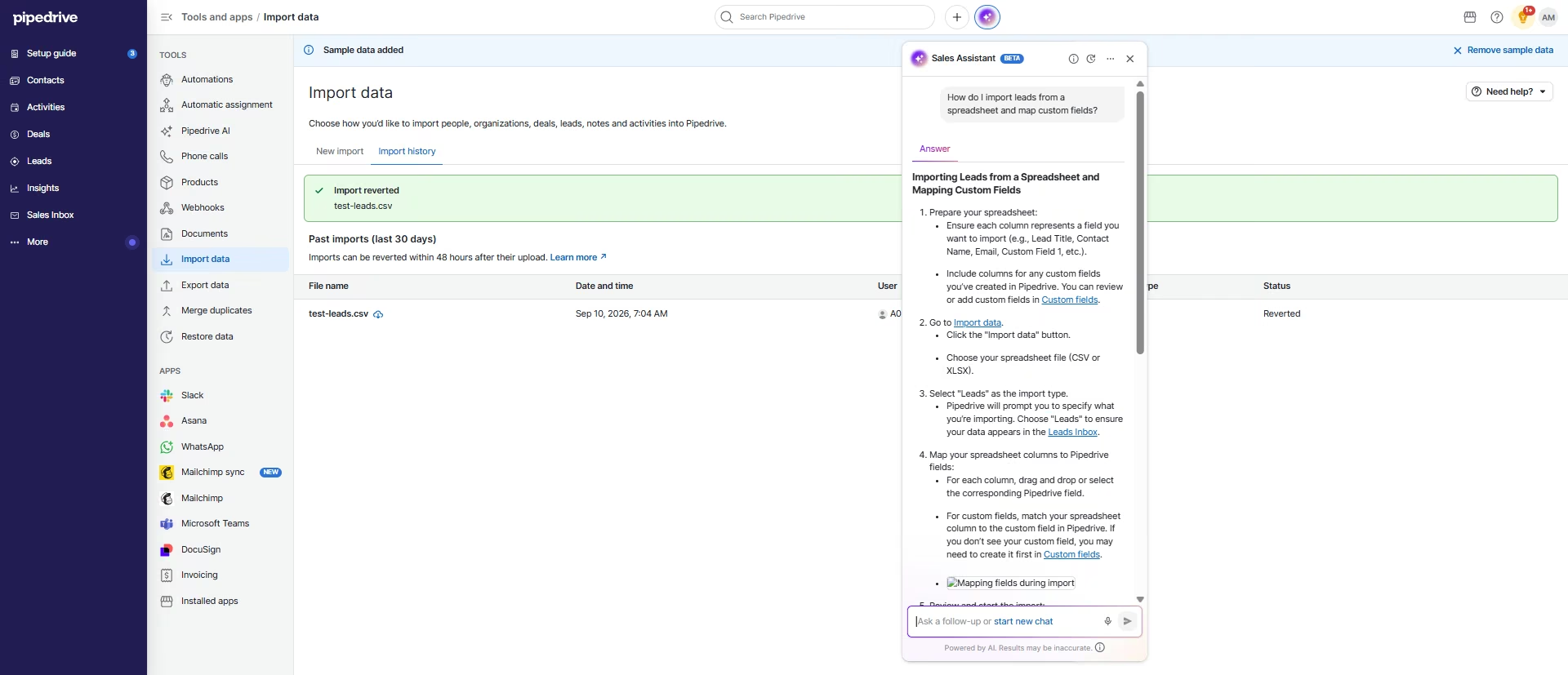
The AI Sales Assistant explained the correct setup with step-by-step import guidance, linked to the relevant areas, and explained that custom fields should exist before mapping. It also directed me to Automatic Assignment when I asked how to route leads by source.
Finding that setting on my own took a few minutes, since it sits under Settings > Automations rather than anywhere in the Leads or Deals views I'd already been working in.
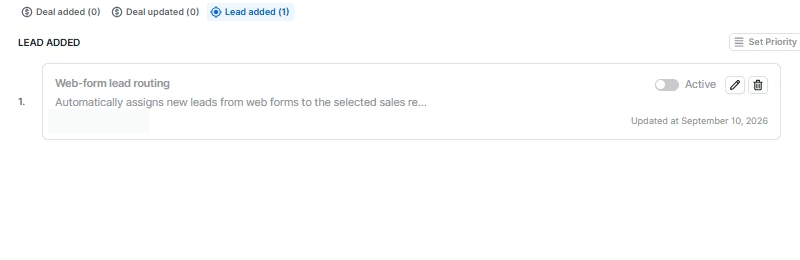
I created a Lead added rule for Web Forms and assigned matching leads to a user. Pipedrive didn’t offer Website as a source value, so I used Web Forms as the closest option. I saved the rule inactive so it wouldn't change future records, which means I verified the setup rather than a live routing result.
Key Features
- Visual sales pipelines: Move deals through customizable stages and connect each opportunity to activities, goals, and owners.
- Email sync and tracking: Centralize sales email, reuse templates, and track opens, clicks, and conversation history.
- Sales automation: Trigger tasks, contact updates, webhooks, and follow-up steps when records meet chosen conditions.
- AI sales tools: Use an AI assistant, email writer, thread summaries, and prompt-based reporting to support daily sales work.
Pros and Cons
Pros
- Shows where each imported field will live before the import starts
- Lets users create custom fields from the mapping screen
- Automatic assignment supports conditional lead routing
Cons
- Incorrect record types can still count as mapped
- The first import split data across unrelated objects and skipped all 10 rows
- Predefined lead-source values may not match a team’s terminology
What Users Say
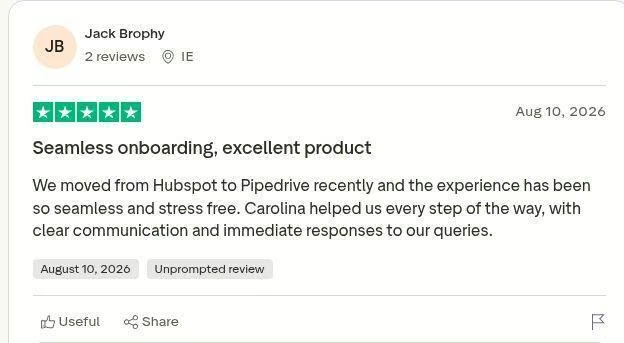
“We moved from Hubspot to Pipedrive recently and the experience has been so seamless and stress free. Carolina helped us every step of the way, with clear communication and immediate responses to our queries.” - Jack Brophy, Trustpilot
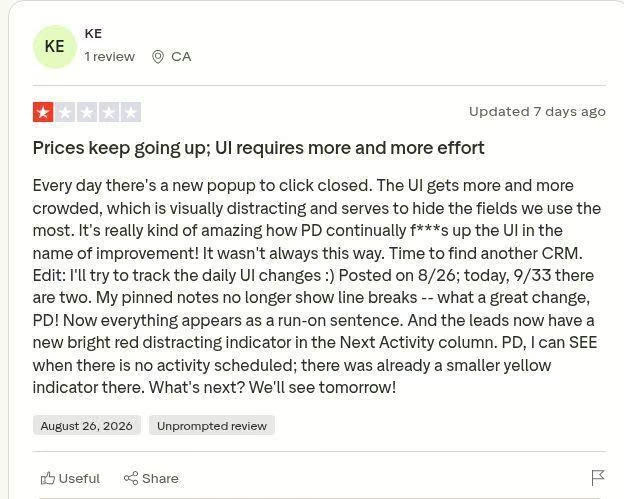
“Every day there's a new popup to click closed. The UI gets more and more crowded, which is visually distracting and serves to hide the fields we use the most. It's really kind of amazing how PD continually f***s up the UI in the name of improvement! It wasn't always this way. Time to find another CRM.” - KE, Trustpilot
Pricing
Pipedrive’s official pricing includes a 14-day free trial with no credit card, but no permanent free plan. Lite costs $24/user/month ($14/user/month billed annually), Growth costs $49/user/month ($39/user/month billed annually), Premium costs $79/user/month ($59/user/month billed annually), and Ultimate costs $99/user/month ($79/user/month billed annually).
Growth is the practical starting point for email sync and automations. Premium adds LeadBooster, automatic routing, custom scoring, enrichment, and AI email tools, while optional add-ons can raise the final cost.
Bottom Line
Choose Pipedrive if your team wants a visual sales pipeline and conditional lead assignment. Expect a more involved import process because spreadsheet fields may need to be mapped across People, Organizations, Leads, and Deals. Review each item type before completing the import.
If a visual pipeline is the goal but the import friction isn’t worth it, you can build a sales CRM around your own stages and fields.
Zoho CRM: Best for Broad CRM Controls at a Lower Entry Point

What it does: Zoho CRM is an affordable, feature-rich platform covering sales, marketing, and support within the broader Zoho app ecosystem.
Best for: Budget-conscious teams that want plenty of CRM controls and don’t mind a denser interface.
Zoho’s importer recognized six of the nine fields in the test sheet. It mapped name, email, company, industry, phone, and website-related data, while company size, lead source, and form-fill date needed attention. The importer also let me choose whether to add new leads, update existing ones, or do both.
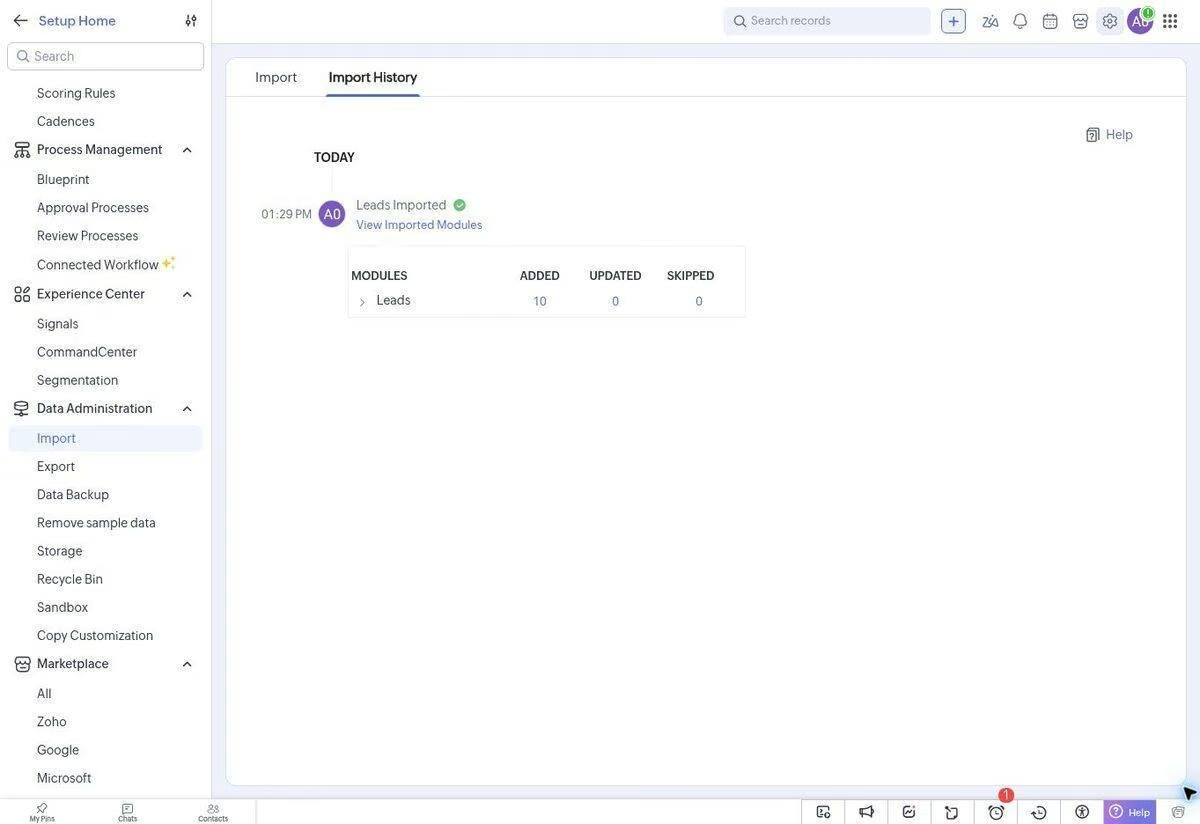
For the three unmatched columns, Zoho opened a Create New Fields dialog. It selected text for lead source and date for form-fill date, but asked me to choose the field type for company size. HubSpot’s mapping process moved faster. Zoho required another decision, though it made every unfinished field easy to identify.

Zoho’s import documentation confirms the options I saw. It says the mapping step can create new fields, separate mapped and unmapped columns, apply automatic mapping, assign owners through rules, and trigger configured automations. That breadth explains why the importer felt more configurable, although it also presented more decisions before the final step.
I tested Zoho’s CRM AI assistant, Ask Zia, against Zoho’s sample leads. I asked it to find leads from the Web Download source and suggest a follow-up action. Zia returned one matching lead, showed the contact details and Lost Lead status, then suggested a value-based re-engagement offer, a review of recent activity, and future campaign segmentation.
The lead list also offered filters, sorting, several views, and a Manage Columns panel. I could choose fields such as company, email, phone, lead source, owner, status, industry, and employee count.
Zoho puts a lot on the screen, so finding the right control took longer than it did in Close or HubSpot. Once found, the available controls were detailed.

Key Features
- Zia sales assistant: Surface recommendations, automate follow-ups, flag anomalies, predict outcomes, and interpret email activity.
- Cadences and Blueprint: Build branching follow-up sequences and guide representatives through defined sales processes.
- Omnichannel lead management: Capture, enrich, nurture, and engage leads across the channels connected to the CRM.
- Canvas and page layouts: Rearrange modules, fields, and conditional layouts to match different sales processes without rebuilding the CRM.
Pros and Cons
Pros
- Mapped six of nine fields automatically
- Finds the correct sample lead and uses its status in the recommendation
- The lead workspace offers extensive filtering and display controls
Cons
- The interface places many controls and modules on screen at once
- The Create New Fields dialog guessed types for two columns but made me choose one by hand
- Unmatched fields each needed a decision before the import could run
What Users Say
“Zoho has been a great experience so far. The platform is easy to use, reliable, and offers a wide range of useful tools for managing business activities. The user experience is smooth, and the customer support and communication are helpful. Overall, Zoho makes it easier to manage work efficiently from one place.” - Deshna, Trustpilot

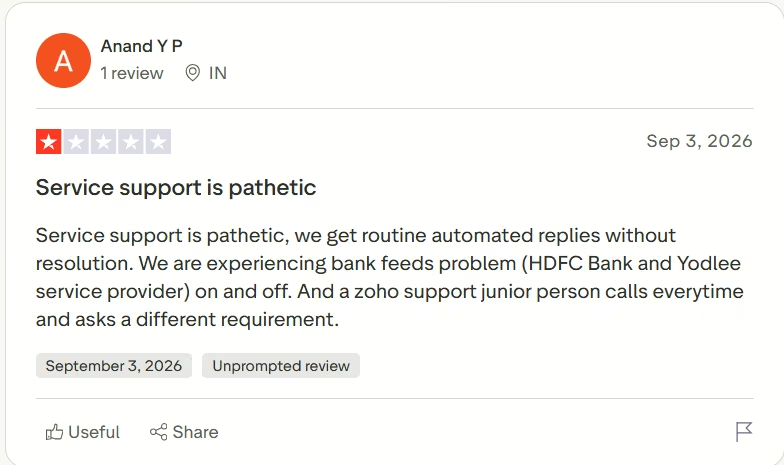
“Service support is pathetic, we get routine automated replies without resolution. We are experiencing bank feeds problem (HDFC Bank and Yodlee service provider) on and off. And a zoho support junior person calls everytime and asks a different requirement.” - Anand Y P, Trustpilot
Pricing
Zoho CRM’s official US pricing includes a free plan for up to three users and free trials of the paid editions. Standard costs $20/user/month ($14/user/month billed annually), Professional costs $35/user/month ($23/user/month billed annually), and Enterprise costs $50/user/month ($40/user/month billed annually).
Ultimate isn't shown on the main pricing page. Zoho calls it an edition for “large-scale, bespoke deployments” and lists it only on the edition-comparison page, at $65/user/month ($52/user/month billed annually).
Professional is the practical starting point for AI agents, process management, predictive intelligence, and unlimited reports. Enterprise adds wider Zia capabilities, multi-team controls, approvals, and a developer sandbox. Zoho uses pay-as-you-go monthly or yearly billing with no fixed contract commitment.
Bottom Line
Zoho offers strong value if you’re willing to spend more time learning the interface. I would choose it over a simpler CRM when customization and breadth matter more than a minimal setup flow.
monday CRM: Best for Teams That Want Leads on a Flexible Visual Board

What it does: monday CRM turns lead, contact, account, deal, and activity tracking into connected visual boards.
Best for: Teams already comfortable with monday that want to shape a CRM around their own board-based process.
monday created the broadest ready-made workspace during onboarding. The Lead Management route produced boards for Leads, Contacts, Accounts, Deals, Client Projects, and Activities, plus a sales dashboard and lead-submission form. That gave me a working structure before I imported anything.

Uploading the CSV created a separate test-leads.csv group with all 10 records. monday imported all 10, and only name and company matched automatically before I stopped the mapping pass.
Existing board automations already connected qualified leads to Contacts and Deals and moved them into the qualified group.

The AI tests were less reliable. I asked Sidekick, monday's AI assistant, to add six columns and create a company-size assignment rule. It stayed in processing and didn’t finish during the session; I waited about eight minutes before moving on, well past how long any other tool's AI query took to respond.
The AI automation builder responded faster, but the automation rule left the threshold as ‘some amount,’ didn’t assign the named representatives, and added generic create-item and replace-owner actions. I didn’t publish it.

The form builder was more complete. It exposed name, status, company, title, email, and phone fields, with controls for design, settings, sharing, preview, success messages, redirects, anonymous submissions, and branding. monday gives teams many ways to shape the intake process, though its AI-generated automation still needs manual correction.
Key Features
- Connected revenue boards: Manage leads, contacts, accounts, deals, tasks, and post-sale work across linked visual boards.
- Automatic activity capture: Attach calls, emails, and meetings to CRM records so representatives can see the relationship history.
- AI sales agents: Source and enrich leads, prepare meetings, monitor pipeline health, and suggest follow-up actions.
- Forecasting and pipeline signals: Review pipeline coverage, stage performance, deal velocity, and revenue projections in dashboards.
Pros and Cons
Pros
- Onboarding produced a complete visual sales workspace
- The CSV created a separate group with all 10 leads
- Forms and existing automation recipes offered useful starting points
Cons
- Only name and company matched automatically in the import pass
- Sidekick remained in processing during the test
- The AI automation rule needed a lot of manual correction
What Users Say
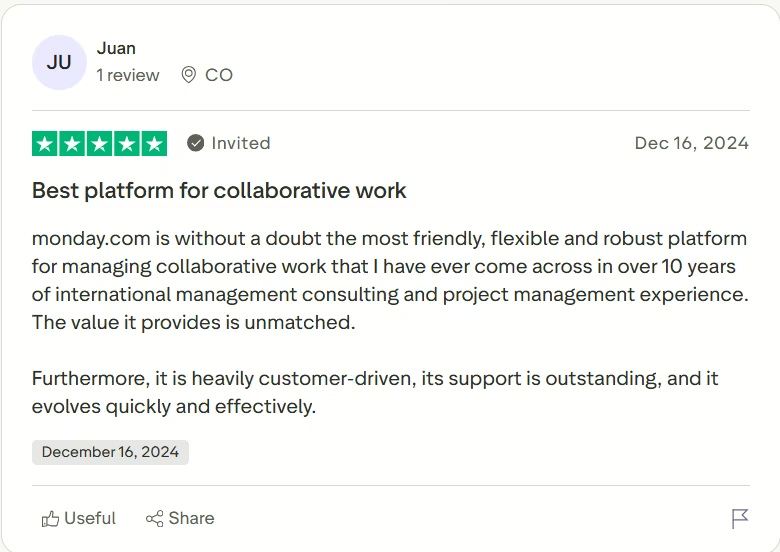
“monday.com is without a doubt the most friendly, flexible and robust platform for managing collaborative work that I have ever come across in over 10 years of international management consulting and project management experience. The value it provides is unmatched. Furthermore, it is heavily customer-driven, its support is outstanding, and it evolves quickly and effectively.” - Juan (invited review), Trustpilot
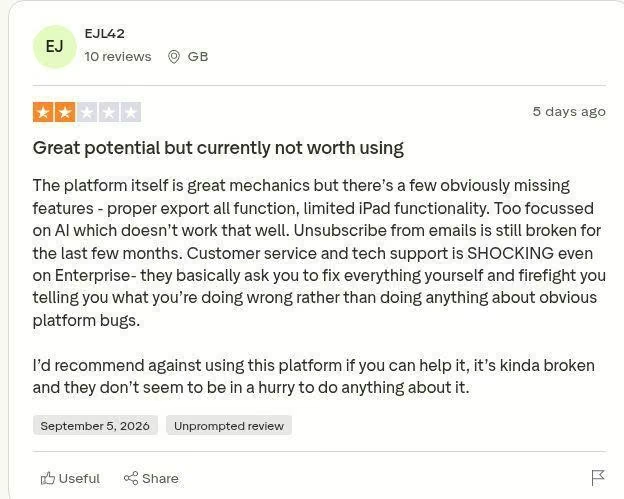
“The platform itself is great mechanics but there’s a few obviously missing features - proper export all function, limited iPad functionality. Too focussed on AI which doesn’t work that well. Unsubscribe from emails is still broken for the last few months. Customer service and tech support is SHOCKING even on Enterprise- they basically ask you to fix everything yourself and firefight you telling you what you’re doing wrong rather than doing anything about obvious platform bugs. I’d recommend against using this platform if you can help it, it’s kinda broken and they don’t seem to be in a hurry to do anything about it.” - EJL42, Trustpilot
Pricing
monday CRM’s official pricing includes a 14-day trial with no credit card and starts at three users. Basic costs $18/seat/month ($12/seat/month billed annually), and because plans start at three seats, the real entry price is $54/month. Standard costs $25/seat/month ($17/seat/month billed annually), and Pro costs $41/seat/month ($28/seat/month billed annually).
Ultimate uses custom pricing. Standard is the practical starting point for a sales team because it adds a centralized communication hub and 250 monthly automation actions. Pro adds mass email, email sequences, 25,000 monthly automation actions, and a larger contact allowance.
AI credits are included from Standard upward, although the public page does not publish a fixed credit count.
Bottom Line
monday CRM suits teams that think in boards and want to adapt the workspace themselves. I would not rely on its AI builder to publish a routing rule without checking every condition and action first.
Close CRM: Best for Outbound Teams That Want Communication and Workflows Together

What it does: Close CRM is a CRM with calling, SMS, and email built directly into the platform for teams that sell primarily over the phone.
Best for: Outbound teams that want prospecting communication and follow-up workflows inside the CRM.
Close kept its onboarding focused on sales work. The workspace included Leads, Contacts, Opportunities, Activities, Conversations, Workflows, Reports, Inbox, and calling tools. I skipped the Google and Microsoft connection and moved straight to the CSV import.
The importer matched four of nine fields automatically. It mapped name, email, company, and phone, then let me add Company Size from a custom-field template without leaving the import. That raised the count to five mapped fields. I skipped the remaining four columns and imported all 10 rows successfully.

Close also exposed its duplicate logic before import. I could check whether a lead already existed, choose the match field, add missing information to a match, and create a new lead when no match existed.
I kept Lead Name as the match field, though I noticed afterward that a second option, matching on company domain, would have caught the two test leads that shared an employer. That distinction wasn't obvious until I reviewed the imported records.
The strongest part of the test was the workflow generator. I asked Close to send a personalized email when a lead was created, add a follow-up task two days later, and stop when the lead replied. It reported that it had generated the workflow, though I didn't open or run it.

Close’s Chloe Voice Agents are shown handling outbound qualification and booking, with calling limited to the United States and Canada.
If you want a voice agent without those regional limits, you can build one with a voice agent builder around your own call script.

Key Features
- Multichannel inbox: Keep email, SMS, calls, and lead conversations inside the same sales workspace.
- Built-in calling: Place and receive calls, use power-dialing tools, and log call activity against each lead.
- Sales workflows: Create outreach sequences that combine emails, calls, SMS messages, tasks, and exit conditions.
- Pipeline reporting: Track opportunities, sales activity, rep performance, and movement through the pipeline.
Pros and Cons
Pros
- Imported all 10 leads after a short mapping flow
- Created Company Size from a template inside the importer
- Generated the requested email and follow-up workflow from a plain-language prompt
Cons
- Four test fields remained unmapped unless I created more custom fields
- Matching by lead name didn’t consolidate records from the same company
- Chloe’s voice calling covered only the United States and Canada
What Users Say
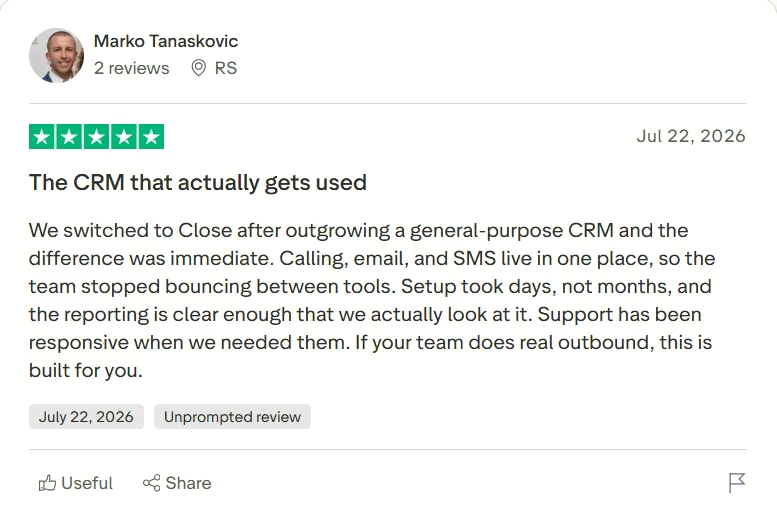
“We switched to Close after outgrowing a general-purpose CRM and the difference was immediate. Calling, email, and SMS live in one place, so the team stopped bouncing between tools. Setup took days, not months, and the reporting is clear enough that we actually look at it. Support has been responsive when we needed them. If your team does real outbound, this is built for you.” - Marko Tanaskovic, Trustpilot
“My experience with Close has been fantastic, especially since the Claude connector was introduced. My company is a small business, so we’re on the most basic plan, but even so, it’s extremely powerful and helps us enormously to keep track not only of leads but also of our interactions with existing customers. This tool saves us hours of work. I would give it 5 stars if the prices were a little more affordable.” - Raul, Trustpilot

Pricing
Close’s official pricing includes a 14-day free trial with no credit card, plus a 30-day money-back guarantee. Solo costs $19/user/month ($9/user/month billed annually), Essentials costs $49/user/month ($35/user/month billed annually), Growth costs $109/user/month ($99/user/month billed annually), and Scale costs $149/user/month ($139/user/month billed annually).
Solo is limited to one user, 10,000 leads, and no workflows. Growth is the practical tier for the automation tested here because it adds workflows, Chloe in workflows, bulk email, and the power dialer. The plans include 500, 1,000, 1,500, and 2,000 AI credits per user each month, respectively, while calling and SMS remain usage-based.
Bottom Line
Close is the strongest fit here for an outbound team that wants communication and follow-up automation in the same workspace. Teams selling broadly outside supported calling regions should confirm the voice coverage before choosing it for that feature.
Which CRM Should You Choose?
Start with the bottleneck in your current sales process. A free contact database, visual pipeline, phone-first workflow, and complex routing setup each point to a different CRM.
Choose Emergent if you:
- Need routing, scoring, or approval logic that a standard CRM rule builder cannot express.
- Can connect a custom lead workflow to a separate CRM or pipeline tool.
Choose HubSpot if you:
- Need a capable free contact database with clear duplicate handling and AI-assisted filtering.
- Can postpone routing automation or pay for Professional when you need customizable workflows.
Choose Salesforce if you:
- Need detailed fields, permissions, approvals, territories, or reporting.
- Have an administrator or implementation partner who can prepare the data model before import.
Choose Pipedrive if you:
- Want a focused visual pipeline with conditional lead assignment.
- Can review every imported field and object type before completing the import.
Choose Zoho CRM if you:
- Want broad CRM controls and AI features at a lower paid entry point.
- Can spend more time learning the interface and configuring field types.
Choose monday CRM if you:
- Already use monday.com or prefer managing sales through boards.
- Can review and correct AI-generated automations before publishing them.
Choose Close CRM if you:
- Want outbound calling, email, SMS, and follow-up workflows in one workspace.
- Can afford the Growth plan and operate within its supported calling regions.
Skip a full CRM for now if:
- You have only a few active leads, no repeatable sales process, and no one responsible for follow-up. A shared spreadsheet can work until ownership, history, or missed tasks become a recurring problem.
For leaner teams, see our comparison of small-business CRMs for how they stack up on setup and fit.
Final Verdict
There's no single best CRM for lead management, but for most small teams I'd start with HubSpot when free contact management and filtering matter most. I would choose Pipedrive when the visual pipeline and routing controls matter more, or Close when outbound communication drives the sales process.
Zoho offers the strongest value for teams willing to learn its interface. monday CRM fits board-first teams, while Salesforce earns its place when the process is complex enough to justify an administrator.
Emergent is the better fit when the logic itself is the problem and the fixed builders cannot express it. It can sit beside a CRM and handle a custom routing or scoring layer without forcing the sales team into a rigid template.
If that is the gap in your current setup, use Emergent’s AI CRM builder to build around the rules your team already uses.

Most AI app builders stop at prototypes. Emergent creates production-ready apps you can actually launch.
- Production-ready apps
- Web & mobile apps
- Deploy in minutes

Most AI app builders stop at prototypes. Emergent creates production-ready apps you can actually launch.
- Production-ready apps
- Web & mobile apps
- Deploy in minutes