




TL;DR
Cline lists two official tiers, while your variable model charges sit outside both.
| Plan | Price | Best For |
|---|---|---|
| Open Source | Free | Individual developers who pay only for model inference |
| Enterprise | Custom | Teams needing SSO, an SLA, and centralized billing |
The Open Source extension is free forever, and Enterprise requires a sales quote. The table excludes separate model-access costs, including pay-per-token inference and ClinePass.
Two minutes after I installed Cline, it was already writing code for me. Twenty minutes after that, I was staring at a live per-request counter ticking upward with every prompt, watching real cents turn into real dollars in front of me.
That live counter is how Cline pricing actually works. There's no subscription tier standing between you and the model, no seat price to budget around. I fed it a small throwaway script, a Python tool built to check a sitemap for broken links, and let it write, test, and fix its own work while the number in the corner kept moving.
So I spent a week running up that tab on purpose, using my own API key so I could see the real per-token rate behind every request. I ran the same kind of task on a premium model and a cheaper one, back to back, to see how much that one choice alone could move the bill.
By the end, you'll know what that test actually cost and how Cline's other payment paths, including its flat-rate ClinePass option, stack up against it. You'll also see what a light month of real use adds up to, and how to set your own limits before the meter gets away from you.
How Cline's Model-Inference Billing Works
Cline separates the free extension from the variable model bill. Each request sends tokens to and from the selected model, and those tokens determine your monthly cost.
You have four ways to access models through Cline.
Use the Cline Provider (Model Inference at Cost)
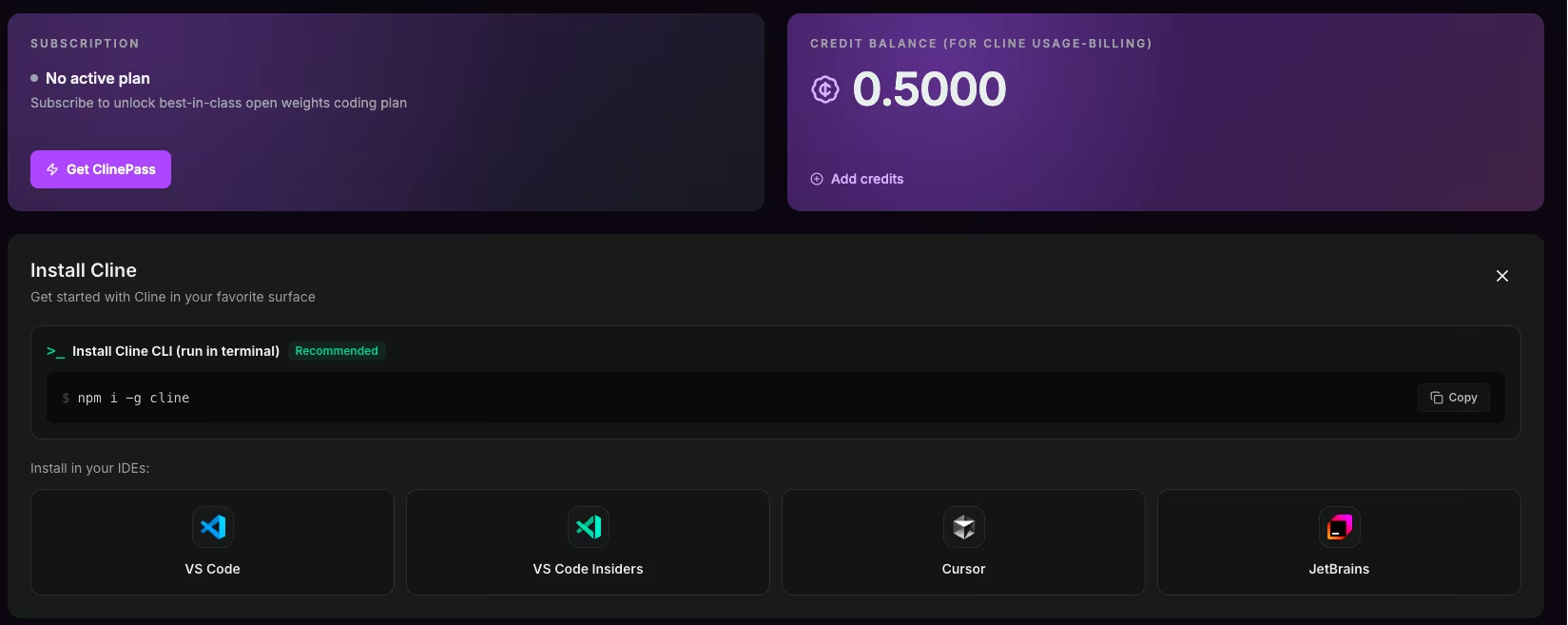
The simplest path is to sign in and let Cline handle billing. You buy pay-as-you-go credits, and they're charged at model inference cost with no markup. There's no separate provider account to set up, and sign-in is built in.
If you want to start prompting without wiring up API keys, this is the path.
Bring Your Own API Key (BYOK)
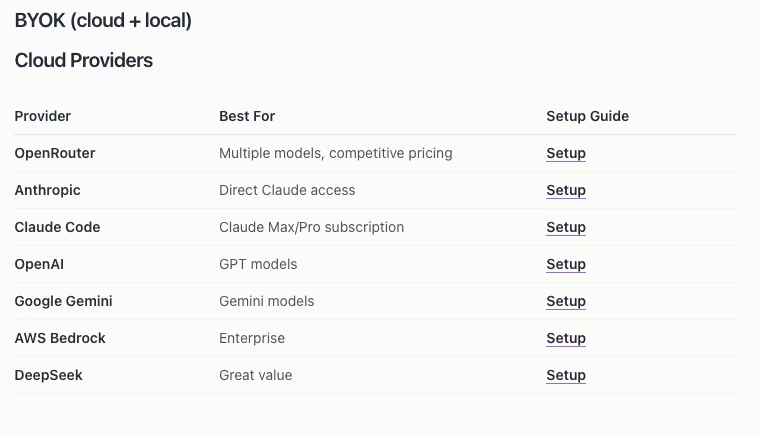
BYOK is the path I used for my test build. You connect your own account from a provider like Anthropic, OpenAI, or Google, and you pay that provider directly at their token rates. Cline takes zero cut.
Setup ran me about 10 minutes to create the provider account, generate a key, and paste it in. The tradeoff is two billing relationships to watch instead of one: your Cline setup and your provider invoice. For anyone who wants direct provider rates and full model choice, that's a fair trade.
ClinePass: A Flat $9.99/Month Subscription for Open Models
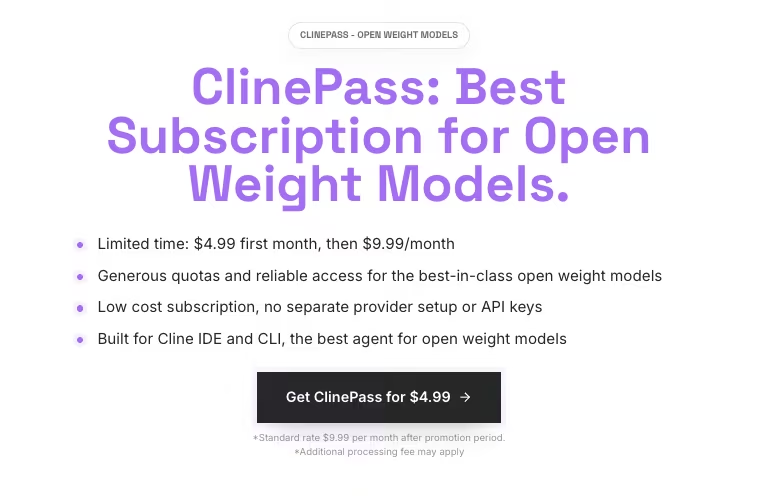
If you'd rather pay a flat fee than watch a per-token meter, ClinePass is Cline's third path.
It's a $9.99/month subscription you select as a provider inside Cline, covering a curated set of open-weight coding models, including DeepSeek, Qwen, and Kimi variants, at two to five times the rate limits of standard access. All of that comes for one flat price, with no per-token bill to track.
The tradeoff is scope. ClinePass only covers those specific open-weight coding models, so reaching for a frontier model like Claude Sonnet still means falling back to the Cline provider or BYOK. If your daily driver is already one of ClinePass's supported models, a flat $9.99/month can beat metering every token once your usage volume is high enough.
Run Local Models for $0 Inference
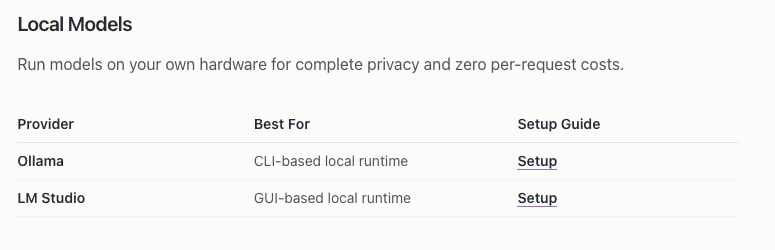
A fourth route is to run models locally at no per-token cost. Tools like Ollama and LM Studio run open models on your own machine, so inference is $0, and your code never leaves your laptop.
You replace paid model inference with your own hardware and setup time. A local model may fall behind a frontier model on hard tasks, but free local inference can handle private or repetitive work.
Cline Pricing Plans Breakdown
The Open Source tier covers the individual features listed below, while Enterprise adds team controls and support.
Open Source: Free
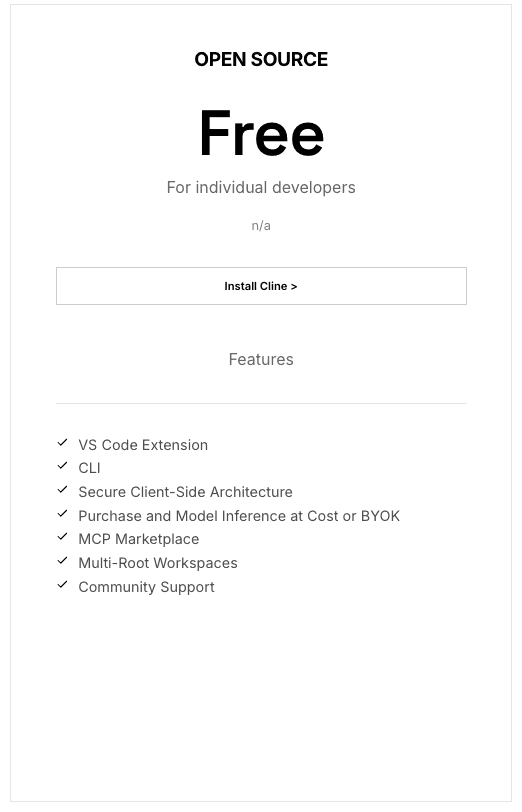
What's included: The VS Code extension, a command-line interface (CLI), a secure client-side setup, the Model Context Protocol (MCP) Marketplace, multi-root workspaces, and community support. You can buy inference at cost through Cline or connect your own API key.
Best for: Solo developers and light users who want to pay only for the models they run.
Pros: No seat fee, no inference markup, and a live per-request cost counter that shows what each action costs. You can switch providers or run models locally.
Cons: There's no native hard spend cap to stop a runaway session, and BYOK means tracking your provider invoice alongside your Cline account.
Enterprise: Custom
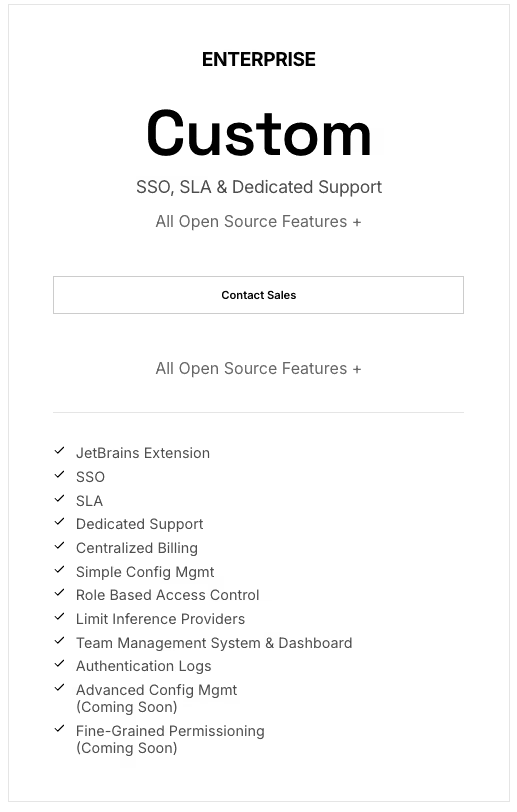
What's included: Everything in Open Source, plus the JetBrains extension, single sign-on (SSO), and a service-level agreement (SLA). You also get dedicated support, centralized billing, role-based access control (RBAC), a team management dashboard, and authentication logs.
Best for: Teams that need security, compliance, and one central bill instead of scattered personal API keys.
Pros: You get governance and single-invoice billing across the team, and you still pay zero markup on inference.
Cons: There's no public price, so you have to contact sales to get a number.
What Cline Really Costs Per Month: Light, Moderate, and Heavy Use
This is the number you came for, and it's the one no pricing page will give you. So I ran a task and watched the meter.
I gave Cline one small, self-contained job. Here's the exact prompt I used:
"Build a Python script that reads a sitemap.xml, follows each URL, and flags any that return a redirect chain longer than two hops or end in a 404. Write the results to a CSV with the URL, the final status code, and the number of hops."
I described the task, and Cline wrote the script. The build-and-debug session ran about 35 minutes on a Claude Sonnet-class model. I prompted it, tested the output, and asked for fixes.
When it finished, the per-request counter showed roughly $1.80 in provider spend.
Then I changed one variable. I re-ran the same finished task on a cheaper, faster open model. Same script, same result, about $0.06. The model I picked swung the cost of an identical job by roughly 30x.
So Cline's cost comes down to two things: the model you point it at and how hard you push it. Extrapolate my light poking to a full month, and you land around $12 to $15/month in model spend.
And the meter never paused on its own. If I'd left an expensive model running on a big task, the bill would have kept going.
Light-to-moderate use usually lands below the fixed-price AI coding assistants, though the cheapest flat-rate option can still undercut it. Heavy use flips that math, since an all-day session on a premium model can climb past several of them.
That's the pay-per-token math; ClinePass stays flat at $9.99/month for its supported models regardless of how hard you push them. Here's how it breaks down by use level:
- Light use: My test extrapolates to about $12 to $15/month. Small scripts, debugging, and short prompting sessions on a mix of cheap and mid-tier models.
- Moderate use: Daily premium-model work can push the bill into the tens of dollars per month.
- Heavy use: All-day premium-model sessions can exceed the listed price of a fixed-price rival.
How to Keep Your Cline Bill Down
You can control much of Cline's variable bill through model choice and spending limits.
Model choice is the biggest lever. Use a lower-cost model for routine edits and boilerplate, and reserve premium models for tasks that need deeper reasoning.
Prompt caching can reduce repeated context costs when the selected model and provider support it. On Anthropic models, a cached read costs about 90% less than sending that same context fresh, which is where a long debugging session like mine saves the most.
Local models zero out inference. For anything private or repetitive, Ollama or LM Studio on your own machine drops inference cost to $0. You give up frontier-model quality, so I'd keep this for grunt work.
Set your own hard cap for pay-per-token use. Cline credits and BYOK have no native spending limit that halts a session, so a third-party gateway can enforce a predictable ceiling.
Watching the meter may be enough for a small task. For longer sessions, use an external spending limit because the cost can keep rising.
Which Cline Plan Should You Choose?
Your first decision is whether Open Source covers your needs or your team requires Enterprise controls.
Choose Open Source if you:
- Are a solo developer or a light user
- Want to pick your own models and tier them by task
- Want to watch per-request cost as you go
If you choose Open Source, use Cline credits for the simplest billing, BYOK for direct provider rates and full model choice, ClinePass for a flat fee on curated open models, or a local model for $0 per-token inference.
Choose Enterprise if you:
- Are on a team that needs SSO, centralized billing, or an SLA
- Need role-based access control or authentication logs
- Want the JetBrains extension
Is Cline Worth the Cost?
For the testing I did, the model spend was close to a rounding error against the time it saved. Cline wrote a working script from a paragraph of plain English while I watched.
For pay-per-token use, Cline's value depends on whether you keep the variable bill in check. ClinePass gives supported models a fixed monthly price, while Cline credits and BYOK depend on your usage.
Cline is worth it if you:
- Want transparent pay-per-use with no seat fee
- Tier your models to match the task
- Want the freedom to switch providers
Skip Cline if you:
- Use frontier models heavily and want one predictable monthly bill
- Don't want to manage or monitor pay-per-token spending
Cline Alternatives & Pricing Comparison
The table compares Cline's usage-based billing with the listed starting prices of fixed-price alternatives. It also includes Emergent as a broader app-building option.
| Tool | Starting Price | Best For |
|---|---|---|
| Cline | Usage-based (pay per token), or flat via ClinePass | Transparent, zero-markup AI coding in your editor |
| Emergent | $20/month ($17/month, billed annually) | Building a whole working app from a prompt |
| Cursor | $20/month ($16/month, billed annually) | Fixed-price AI coding with predictable billing |
| GitHub Copilot | $10/user/month | Low flat-rate code completion |
| Tabnine | $39/user/month, billed annually | Privacy-focused teams |
| Amazon Q Developer | $19/month per user | AWS-native teams wanting built-in AWS coding assistance |
The fixed-price tools charge one number no matter how you use them, while Cline's pay-per-token bill moves with your model choice and session length.
Against Cursor, Tabnine, Amazon Q Developer, and Emergent, Cline's light-use estimate comes in lower; GitHub Copilot pricing starts at $10/month, so it can still beat Cline's light-use estimate.
Push into heavy, all-day sessions on premium models, and Cline can end up pricier than several options in the table, though ClinePass offers its own flat $9.99/month rate for supported models.
Emergent is the odd one out in this table because it is an AI app builder that creates a working app from a prompt rather than assisting inside an editor.
My Cline Pricing Verdict
After a week with it, my read on Cline pricing is straightforward. The free extension plus disciplined model choice is one of the cheaper ways to code with AI. That holds as long as your use stays light to moderate.
My whole test cost less than a cup of coffee, and most of that was one premium-model session I could have run cheaper.
The trade-off is discipline. Cline hands you full control over the bill. Treat that flexibility as a lever to pull rather than a subscription to set and forget, and the pricing stays firmly in your favor.
How Emergent Helps You Ship a Whole App
Cline helps you write, edit, and debug code inside your editor. Shipping the result still requires logins and payments, a database, and a way to get it live.
Emergent starts from the finished outcome instead. You describe the app, Emergent builds and tests it end-to-end, and you get back a working app.
Cline fits developers who want to stay in the editor and control each line; Emergent fits people who want the tool to handle more of the build from a prompt.
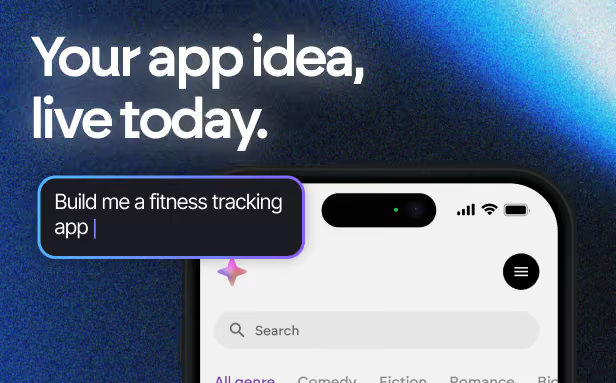
Most builders stop at a prototype. Emergent ships real web and mobile apps, with accounts, databases, and payments included.
- Production-ready apps
- Web & mobile apps
- Deploy in minutes







