



I reviewed 12 of the best AI coding assistants across code editing, multi-file workflows, pull requests, terminal agents, cloud context, pricing, and real user feedback. Cursor is my pick for an AI-first editor, GitHub Copilot for GitHub-based teams, and Claude Code for terminal agent work.
12 Best AI Coding Assistants: Quick Comparison
| Tool | Strengths | Best For | Paid Starting Price | Main Limitation |
|---|---|---|---|---|
| Cursor | Agentic editing, model choice | Daily AI-first coding | $20/month | Usage limits can feel unclear |
| GitHub Copilot | GitHub fit, IDE support | GitHub-based teams | $10/month | Credit model needs tracking |
| Claude Code | Terminal agent work | Senior developers | $20/month | Technical workflow |
| OpenAI Codex | ChatGPT, CLI, IDE | ChatGPT users | $8/month | Cloud features vary by plan |
| Devin Desktop (formerly Windsurf) | Fast coding workspace | Solo builders | $20/month | Quota model takes learning |
| Augment Code | Large codebases | Enterprise engineering | $100/month | Less beginner-focused |
| Replit | Browser coding, deploys | Beginners and prototypes | $20/month | Credit costs can rise |
| Gemini Code Assist | Google Cloud fit | Cloud teams | $22.80/user/month | Individual IDE tier sunset |
| Amazon Q Developer | AWS context | AWS teams | $19/user/month | Best inside AWS |
| Tabnine | Privacy controls | Security-focused teams | $39/user/month annually | Higher paid entry point |
| Qodo | Code review and tests | Pull request quality | $30/month | No permanent free tier |
| Sourcegraph | Code search context | Large engineering orgs | Enterprise from $16K | Not a classic assistant |
Pricing correct as of July 2026. Verify pricing with each vendor before buying because several tools now use credits, quotas, usage charges, or annual billing.
Also try our small business app builder if you need a full working product, not just a coding assistant.
How I Reviewed These AI Coding Assistants
I shortlisted 12 tools from search results, Reddit discussions, developer recommendations, official documentation, public demos, and verified user reviews. I compared each product against the same coding workflows and buying criteria.
What I checked:
- Features: I checked whether each assistant stopped at autocomplete or could handle broader work such as multi-file edits, repository questions, pull request reviews, terminal commands, and deployment. Cursor, Claude Code, GitHub Copilot, Augment Code, and Replit covered the widest set of workflows.
- Usability: I compared how much setup each product required and where it expected the user to work. Cursor centered the experience inside an AI-first editor, Claude Code assumed terminal confidence, and Replit removed local setup by keeping the build inside a browser.
- Integrations: I checked which editors, repositories, cloud platforms, and command-line tools each assistant supported. GitHub Copilot had the broadest editor and GitHub fit, Amazon Q Developer made the most sense for AWS, and Gemini Code Assist fit Google Cloud workflows.
- Pricing: I compared the lowest-paid plan, annual commitments, per-user charges, included credits, usage quotas, and overage rules. The listed subscription price often understated the real cost for teams using agent workflows heavily.
- Use cases: I matched each product to the workflow where its product design was clearest. Cursor fits AI-first editing, GitHub Copilot fits GitHub teams, Claude Code fits terminal agents, Replit fits browser prototypes, Qodo fits pull request review, and Sourcegraph fits enterprise code search.
This approach helped me separate tools that only look strong on a feature page from tools that fit real coding workflows, team setups, and budget constraints.
1. Cursor: Best for AI-First Daily Coding
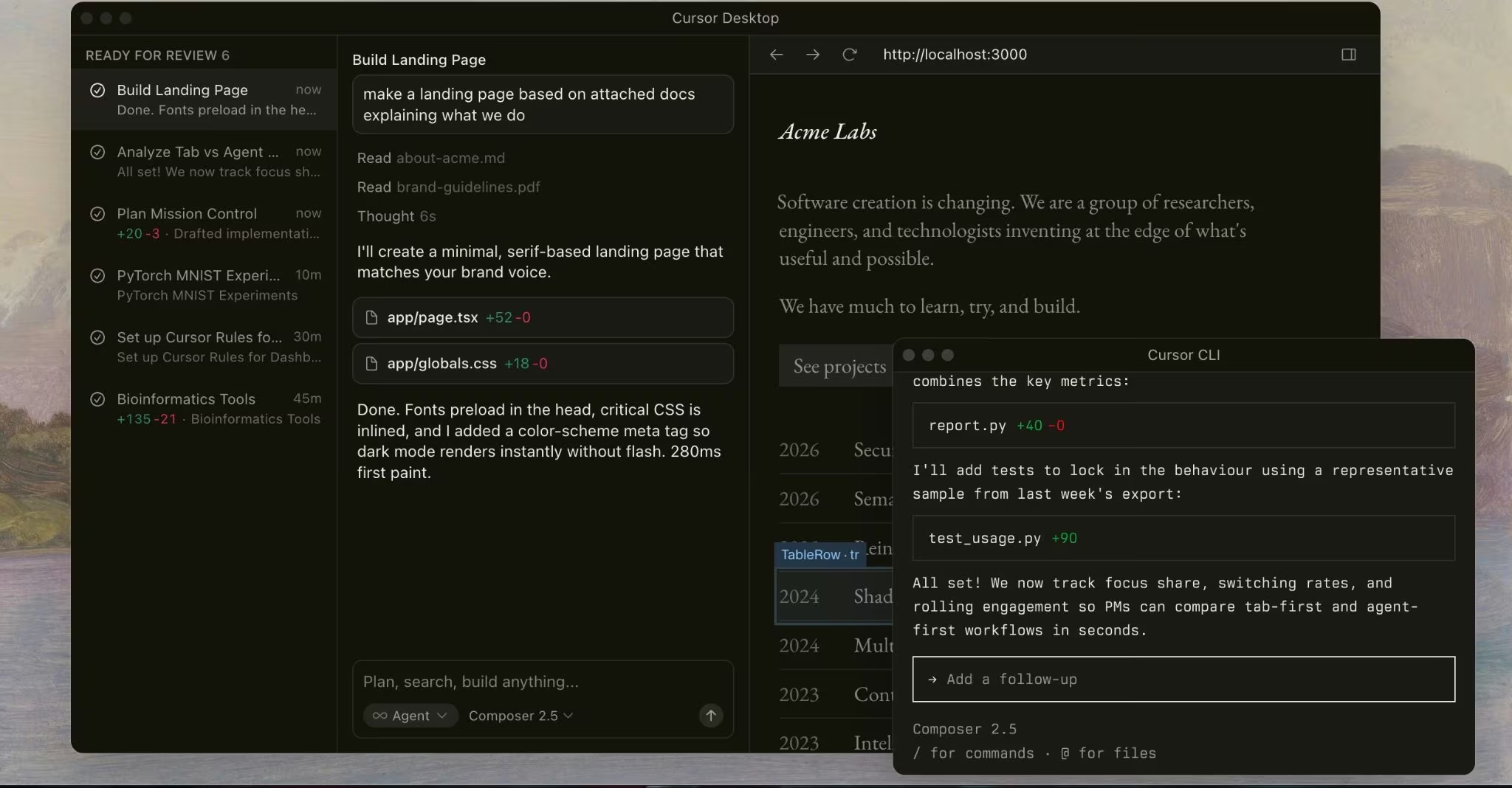
What it does: Cursor is an AI-native code editor with chat, agent workflows, model choice, and team features.
Best for: Developers who want their coding workspace built around AI instead of added as a plugin.
Cursor is the strongest fit for developers who want one place for code, chat, edits, model choice, and agent work. Its paid Individual plan starts at $20/month, while the Teams plan starts at $40/user/month and adds team controls, privacy options, analytics, and administration features.
Key Features
- Agent workflows: Cursor can apply code changes across files, which works well for refactors and feature edits.
- Model choice: Developers can switch between supported frontier models instead of staying locked into one provider.
- Team controls: Teams get centralized billing, analytics, marketplace controls, and privacy settings.
Pros and Cons
Pros:
- Strong fit for developers who want AI inside the editor all day.
- Supports agent-style edits, not only autocomplete.
- Team plan adds admin controls for shared engineering use.
Cons:
- Usage limits can be hard to predict for heavy agent users.
- Best value comes when you commit to Cursor as your main editor.
What Users Say
Pro: “Different AI models I can switch between.” - Harsh D., G2
Con: “Not always clear how quickly API limits are being consumed.” - Harsh D., G2
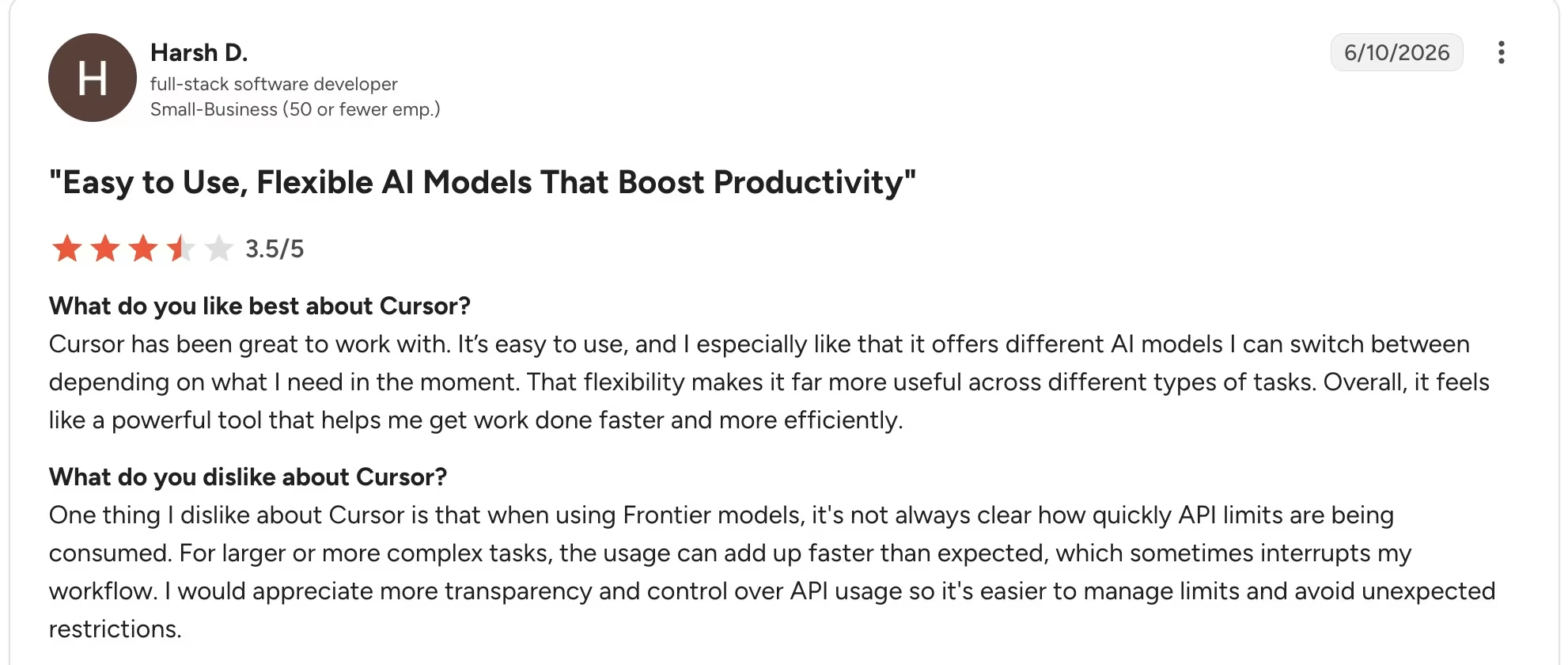
Want the full picture of what developers are saying? Read our Cursor Reviews for a closer look at what real developers actually ran into.
Pricing
Cursor pricing: Cursor has a free Hobby plan, an Individual plan from $20/month, a Teams plan from $40/user/month, and custom Enterprise pricing.
Bottom Line
Choose Cursor if you want the editor itself to act like your AI coding assistant. Skip it if your team already standardized on another editor and only needs simple autocomplete.
Also read our best Cursor alternatives guide for what else is worth trying if Cursor isn't the right fit for your workflow.
2. GitHub Copilot: Best for GitHub-Based Teams
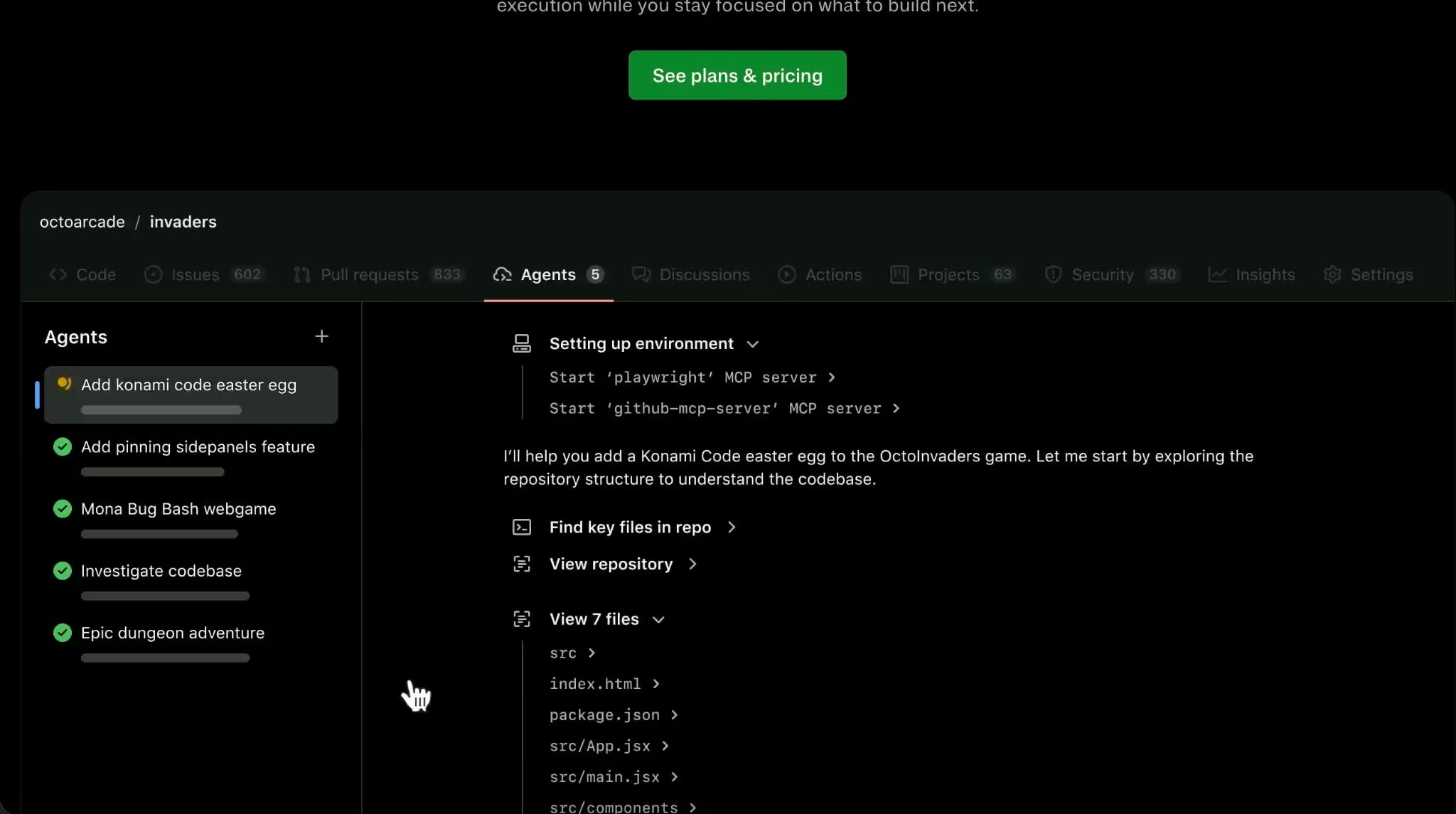
What it does: GitHub Copilot provides AI code completion, chat, code review, agent workflows, and model selection across common coding environments.
Best for: Teams that already work in GitHub and want a familiar AI assistant across editors.
Copilot remains one of the safest default picks because it supports Visual Studio Code, Visual Studio, Vim, Neovim, Azure Data Studio, and command-line workflows through GitHub CLI. GitHub’s current plans include Free, Pro, Pro+, and Max, with Pro starting at $10/month and paid plans using GitHub AI Credits for premium AI features.
Key Features
- Wide editor support: Copilot works across major coding environments, which helps mixed-editor teams.
- GitHub-native workflows: It fits code review, repositories, pull requests, and GitHub-based team processes.
- Premium model access: Paid plans include monthly AI Credits for chat, agent mode, code review, and related AI work.
Pros and Cons
Pros:
- Strong choice for teams already using GitHub.
- Broad editor support reduces rollout friction.
- Free plan gives beginners a low-risk entry point.
Cons:
- GitHub AI Credits add a usage-tracking step.
- Teams that do not use GitHub may get less value.
What Users Say
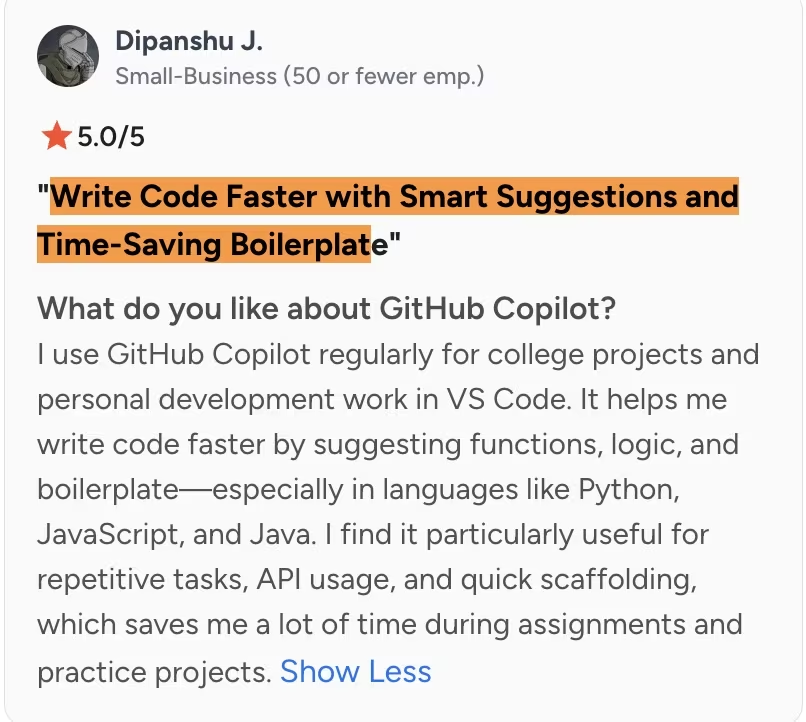
Pro: “Write Code Faster with Smart Suggestions and Time-Saving Boilerplate.” - Dipanshu J., G2
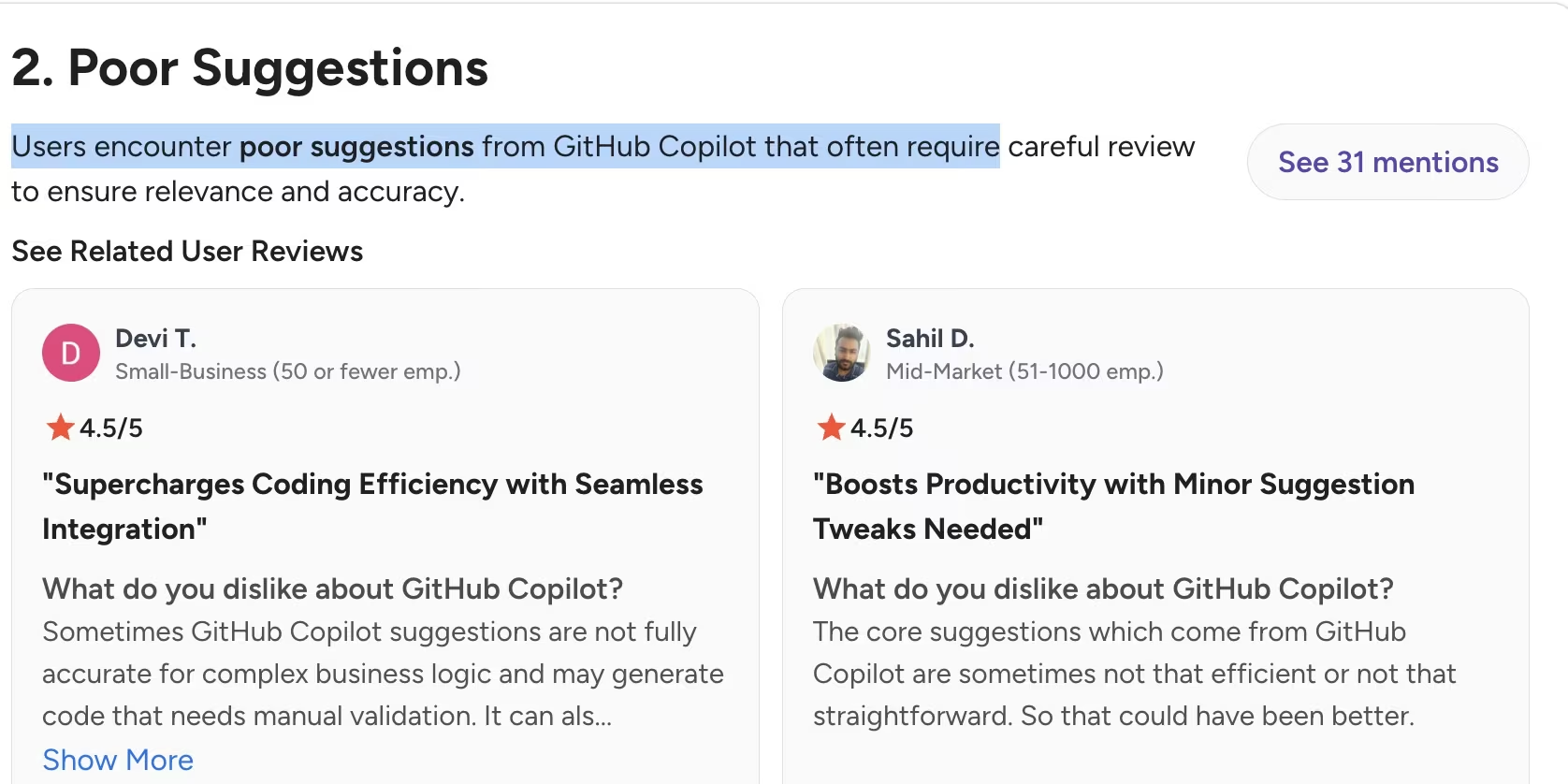
Con: “Sometimes GitHub Copilot suggestions are not fully accurate for complex business logic.” - Devi T., G2
Pricing
GitHub Copilot pricing: Copilot has a Free plan. Pro costs $10/user/month, Pro+ costs $39/user/month, and Max costs $100/user/month. Business costs $19/user/month, while Enterprise costs $39/user/month.
Paid plans include GitHub AI Credits, so agent, chat, command-line, and code-review usage can affect the real cost.
Bottom Line
Choose GitHub Copilot if your team already builds, reviews, and ships through GitHub. Skip it if you want a dedicated AI-first editor rather than an assistant layered onto your current tools.
Also read our best GitHub Copilot alternatives guide for what else is worth trying in 2026.
3. Claude Code: Best for Terminal-Based Agent Work
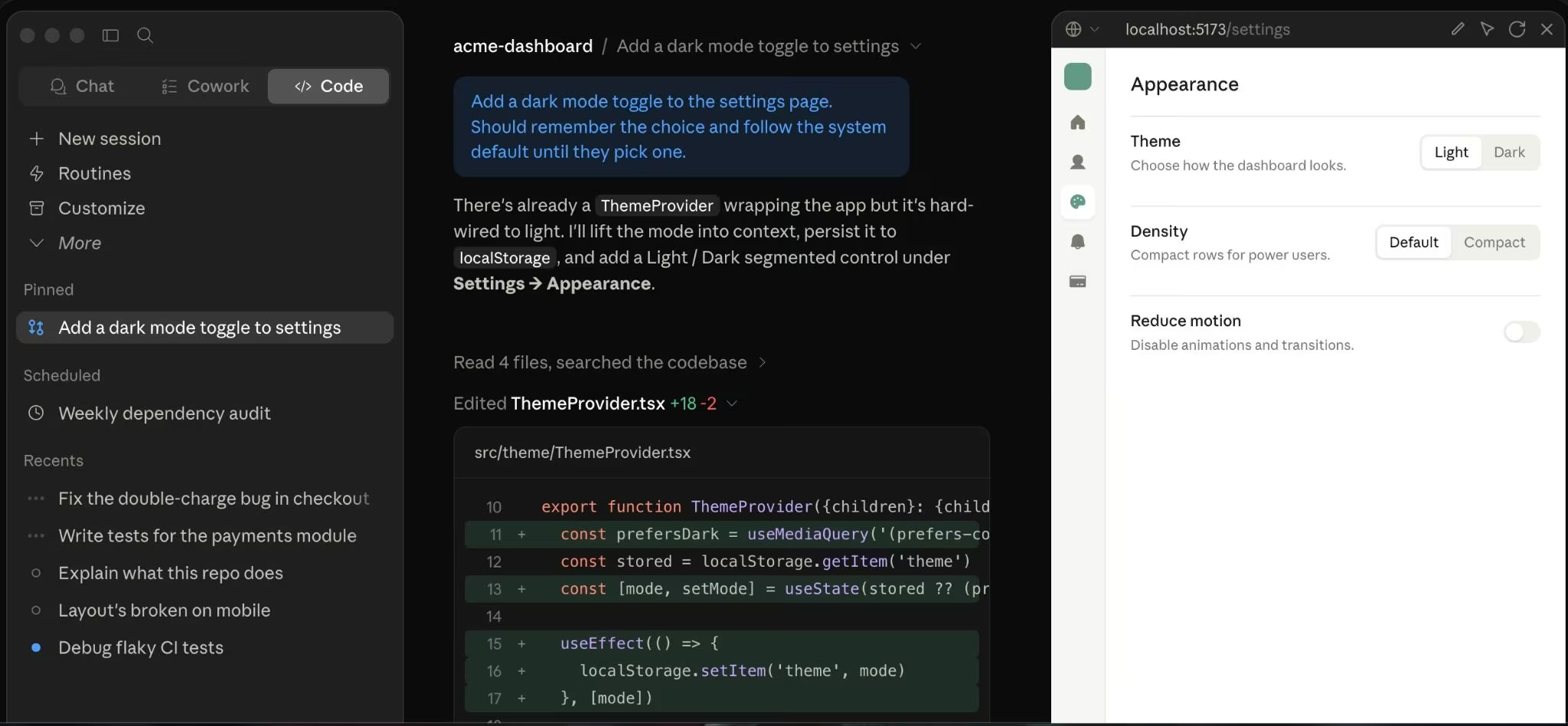
What it does: Claude Code reads a codebase, makes changes across files, runs tests, and returns committed code.
Best for: Technical users who want an agentic assistant inside the terminal.
Claude Code is a strong fit for experienced developers because it works close to the codebase and can handle multi-file changes. Anthropic says Claude Code can read code, make edits, run tests, and deliver committed code, which makes it more like a development agent than a simple autocomplete tool.
Key Features
- Codebase-aware work: Claude Code can inspect project context before changing files.
- Terminal workflow: Developers can stay in their command-line process instead of switching to a new editor.
- Plan flexibility: Claude Code is included with Claude Pro, Max, Team, and Enterprise plans.
Pros and Cons
Pros:
- Strong for developers who already work from the terminal.
- Useful for multi-file edits and test-driven cleanup.
- Claude Max gives heavier usage than Pro for frequent coding sessions.
Cons:
- Not the best first coding tool for beginners.
- Requires careful review before production changes.
What Users Say
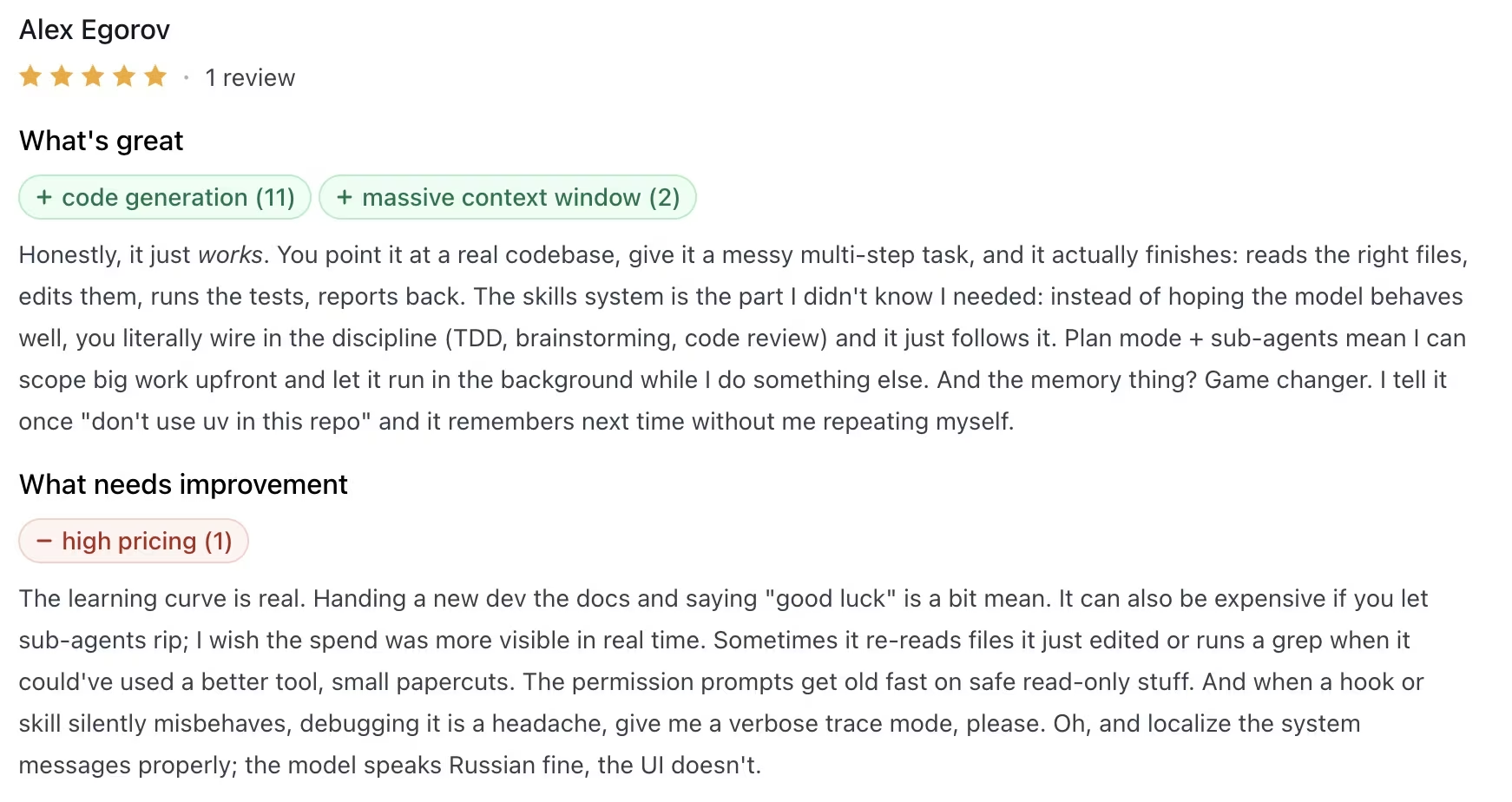
Pro: “And the memory thing? Game changer.” - Alex Egorov, Product Hunt
Con: “The learning curve is real… I wish the spend was more visible in real time.” - Alex Egorov, Product Hunt
Also read our Claude Code Review for a closer look at how it holds up in real workflows in 2026.
Pricing
Claude pricing for Claude Code access: Claude Code is included in Claude Pro, Max, Team, and Enterprise. Claude Pro costs $20/month, or $17/month with annual billing at $200 upfront. Claude Max starts at $100/month.
Claude Team costs $25/seat/month for Standard seats, or $20/seat/month billed annually, and $125/seat/month for Premium seats, or $100/seat/month billed annually. Enterprise uses seat pricing plus API-rate usage, with sales-led pricing.
Bottom Line
Choose Claude Code if you want an agentic assistant that works through your terminal and understands larger code changes. Skip it if you need a beginner-friendly browser workspace or drag-and-drop project setup.
Also read our best Claude Code alternatives guide for what else is worth trying if the terminal workflow isn't the right fit.
4. OpenAI Codex: Best for ChatGPT Users Who Also Code

What it does: OpenAI Codex supports coding tasks through ChatGPT, command-line tools, editor integrations, and cloud-connected workflows on eligible plans.
Best for: Developers and teams already paying for ChatGPT.
Codex is attractive because it sits inside the ChatGPT ecosystem rather than a separate coding-only product. OpenAI lists Codex access across ChatGPT Free, Go, Plus, Pro, Business, Edu, and Enterprise plans, with Plus adding Codex web, command-line, editor, and mobile access.
Key Features
- ChatGPT-native coding: Developers can move between general AI work and coding tasks in one account.
- Cloud features on paid plans: Plus includes cloud integrations such as automatic code review and Slack-connected coding workflows.
- API-key option: Developers can use Codex through a command-line, software development kit, or editor flow with an API key, but cloud features are not included in that API-key route.
Pros and Cons
Pros:
- Strong fit for developers already using ChatGPT.
- Multiple access points across web, command line, editor, and mobile.
- Business plans add a dedicated workspace and admin controls.
Cons:
- Cloud-based features depend on plan and setup.
- API-based use can create token costs that are harder to forecast.
What Users Say
Pro: “Codex remains one of the most reliable AI coding assistants: fast, structured, and still very useful.” - JJ, Product Hunt
Con: “Codex no longer completes tasks reliably.” - Max_Zhadobin, OpenAI Developer Community


Pricing
OpenAI Codex pricing access: included in ChatGPT Free, Go, Plus, Pro, Business, Edu, and Enterprise plans. Codex access starts with Free at $0/month, Go at $8/month, Plus at $20/month, and Pro from $100/month.
Business costs $25/user/month when billed monthly, or $20/user/month billed annually, with a two-user minimum. Enterprise and Edu are sales-led. API-key use is pay-as-you-go based on token usage.
Bottom Line
Choose OpenAI Codex if you already use ChatGPT and want coding support inside that same account. Skip it if you want a coding workspace built fully around repository editing.
5. Devin Desktop (formerly Windsurf): Best for Fast Solo Coding Workflows

What it does: Windsurf, now part of Devin Desktop branding, is an AI coding workspace with completions, chat, and quota-based AI usage.
Best for: Solo developers and small teams that want a coding-focused AI editor.
Windsurf moved away from a credit-based system in 2026 and now uses daily and weekly quota limits by plan. The current plans include Free, Pro at $20/month, Teams at $80/month plus $40/month per developer seat, and Max at $200/month.
Key Features
- Quota-based plans: Daily and weekly caps replace the older credit model.
- Frontier model access: Paid plans include access to OpenAI, Claude, and Gemini models.
- Team administration: Teams adds centralized billing, user management, and shared controls.
Pros and Cons
Pros:
- Free plan works for light exploration.
- Pro plan gives higher coding quotas for frequent use.
- Team plan adds billing and admin controls.
Cons:
- Quotas require monitoring during heavy agent work.
- Product naming changed after Cognition’s Devin integration, which may confuse older Windsurf users.
What Users Say
Pro: “Loved the agentic workflow via Cascade.” - Sonny, ProductHunt.
Con: “There are some rough edges like cascade taking time to connect or connection timeouts, auto-complete not as good as Cursor, sometimes cascade tries to overengineer things or some approach produces an error but this is just the start.” - Sonny, Product Hunt.

Want the full picture of what developers are saying? Read our Windsurf Review for a closer look at what real developers actually ran into.
Pricing
Windsurf pricing: Devin has a Free plan at $0, Pro at $20/month, Max at $200/month, and a Teams plan priced at $80/month for the team plan plus $40/month per full developer seat. Enterprise is sales-led.
Bottom Line
Choose Windsurf if you want a fast AI coding editor with a free entry point and clear paid tiers. Skip it if you need enterprise codebase intelligence or do not want to manage usage quotas.
6. Augment Code: Best for Large Enterprise Codebases
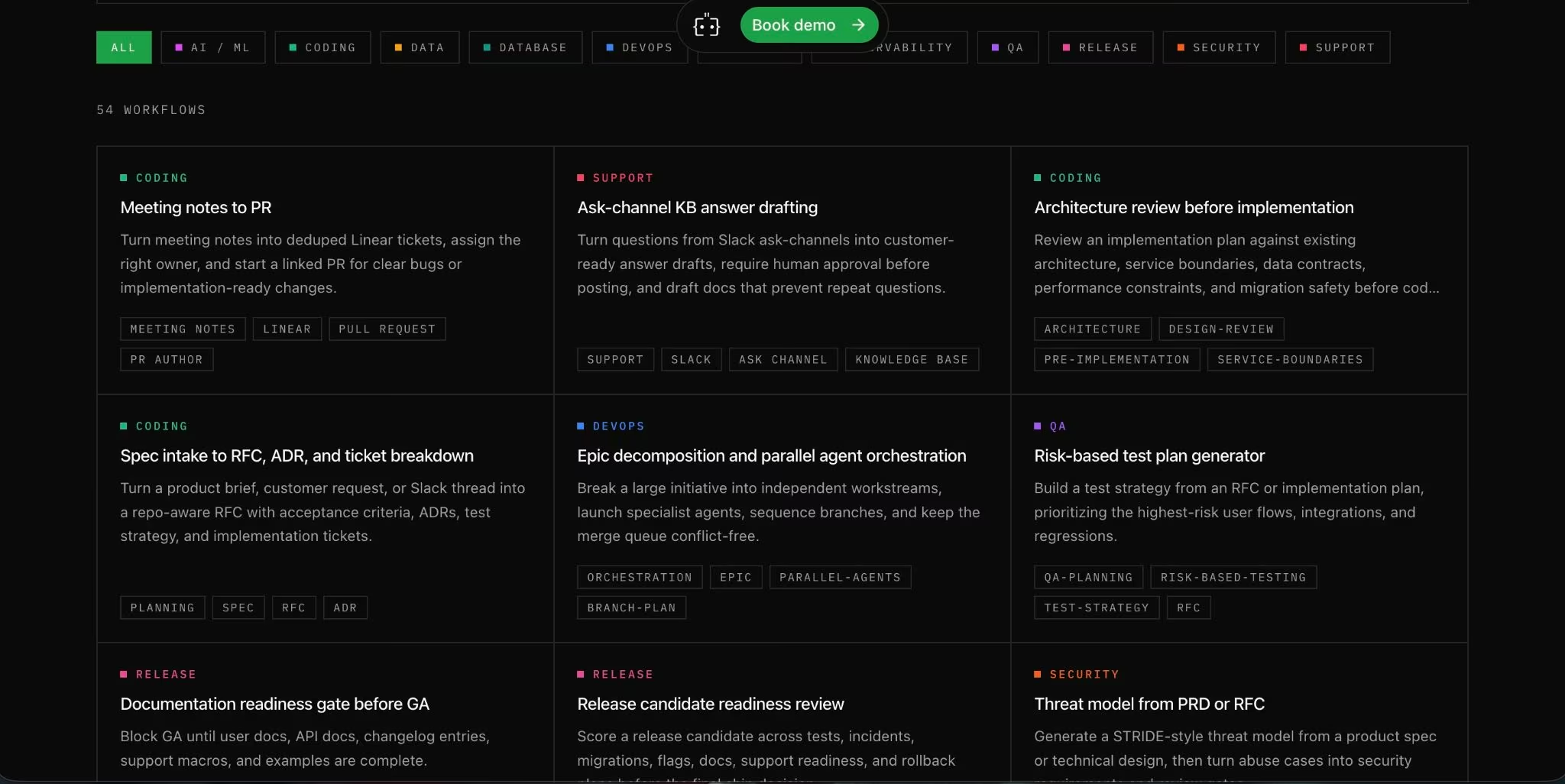
What it does: Augment Code is an AI-native coding platform for enterprise software engineering with coding agents, codebase intelligence, command-line tools, editor integrations, and code review.
Best for: Engineering organizations with large repositories and complex codebases.
Augment Code fits teams that care more about a large-codebase context than beginner onboarding. Its Business plan is $100/month flat with up to 50 seats, pooled usage, and a $100 monthly usage allowance, while Enterprise pricing is custom.
Key Features
- Deep codebase context: Augment focuses on understanding large repositories before suggesting changes.
- Multiple developer surfaces: It supports Visual Studio Code, JetBrains, Vim, Neovim, command-line workflows, and code review.
- Enterprise controls: Paid plans include security and privacy controls, including no AI training on paid-plan customer code.
Pros and Cons
Pros:
- Strong fit for enterprise repositories.
- Flat Business pricing can work well for teams under 50 seats.
- Supports editors, command-line work, and code review.
Cons:
- Overkill for beginners and small personal projects.
- Usage is pooled and metered, so teams still need cost controls.
What Users Say
Pro: One G2 reviewer called it a “smart, proactive partner.”
Con: The same G2 reviewer also said agentic workflows “feel a bit slower than expected” on larger tasks.

Pricing
Augment Code pricing: Business plan at $100/month flat with no per-seat charge for up to 50 seats, plus $100/month of included usage. Enterprise pricing is custom. Business usage is pooled across the team, and usage beyond the included amount can be topped up as needed.
Usage is measured across model usage and compute, with a service fee on large language model usage.
Bottom Line
Choose Augment Code if your team needs a coding assistant for a large production codebase. Skip it if you are a beginner looking for the simplest way to write and run your first app.
7. Replit: Best for Beginners Who Want to Build and Deploy

What it does: Replit is a browser-based development platform with AI agent credits, collaboration, databases, and deployment.
Best for: Beginners, students, and prototype builders who want to code without local setup.
Replit is the most approachable tool in this list for someone who does not want to install a full coding environment. The free Starter plan includes daily Agent credits, a built-in database, and the ability to publish one project, while Core starts at $25/month or $20/month billed annually.
Key Features
- Browser coding: Users can build from a web browser without local installation.
- AI Agent credits: Paid plans include monthly credits for Replit’s AI workflow.
- Deployments: Replit can publish projects, which makes it useful for demos and early products.
Pros and Cons
Pros:
- Strong for beginners who want setup, coding, and hosting in one place.
- Free plan supports light learning and one published project.
- Paid plans add credits, collaborators, and more parallel agents.
Cons:
- Credit-based usage can become expensive for heavy AI work.
- Browser-based development is not ideal for every professional workflow.
What Users Say
Pro: “Opened up a world of exciting possibilities.” - Carl B., Capterra.
Con: “The monthly token model can be confusing.” - Carl B., Capterra.

Want the full picture of what users are saying? Read our Replit Review for a closer look at what builders actually ran into.
Pricing
Replit pricing: Replit has a free Starter plan. Replit Core costs $25/month, or $20/month billed annually, and includes $25 of monthly credits. Replit Pro costs $100/month, or $95/month billed annually, and includes $100 of monthly credits. Enterprise pricing is custom.
Bottom Line
Choose Replit if you want the fastest path from browser coding to a live prototype. Skip it if you need a deep local development setup or strict control over AI usage costs.
Also read our best Replit alternatives guide for what else is worth trying if the credit costs or browser workflow don't fit.
8. Gemini Code Assist: Best for Google Cloud Teams
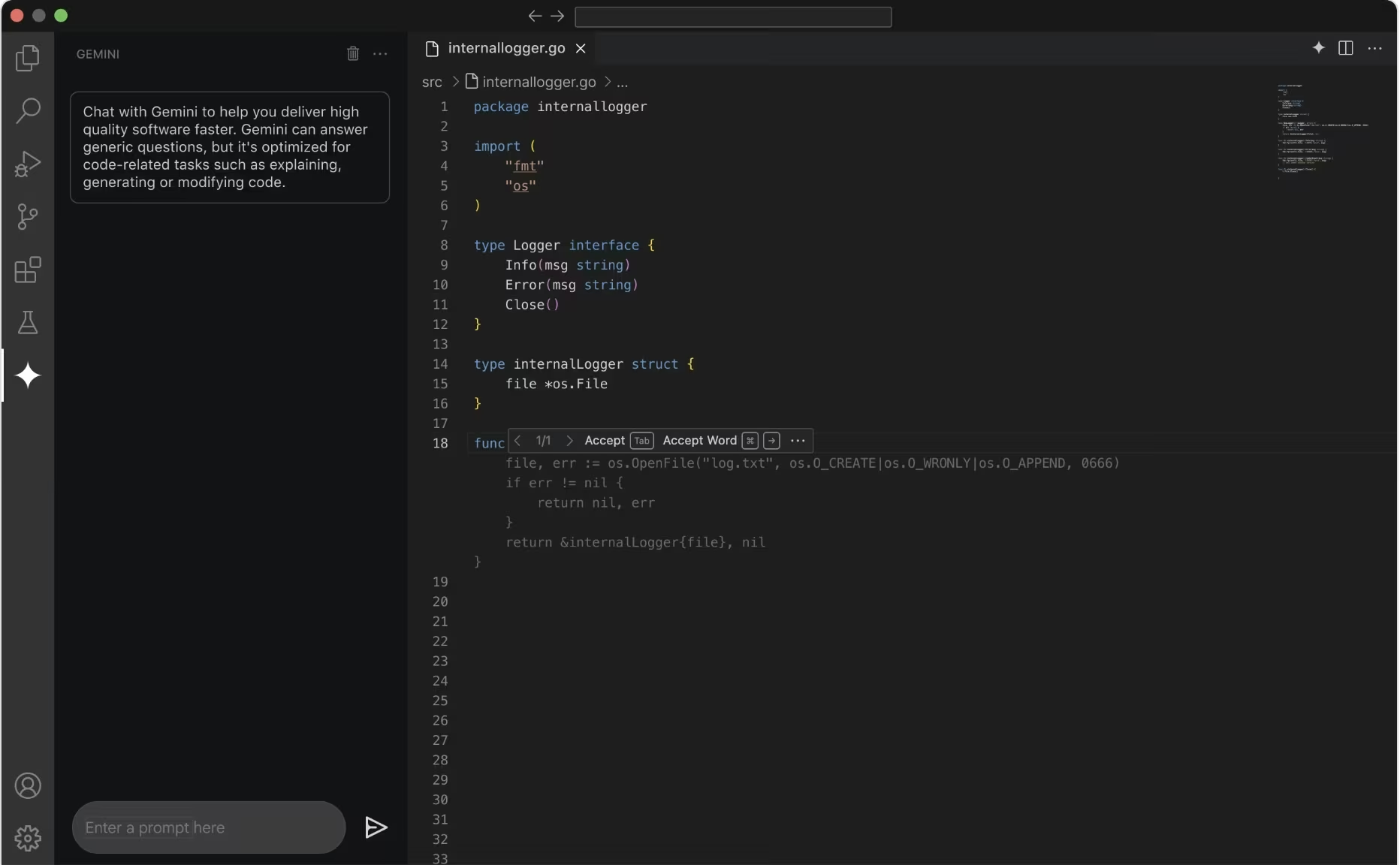
What it does: Gemini Code Assist provides AI coding support across supported editors, terminals, and Google Cloud workflows.
Best for: Development teams already using Google Cloud.
Gemini Code Assist Standard and Enterprise support development with the latest Gemini models and a 1 million-token context window. Google offers support for Visual Studio Code, Android Studio, Cloud Workstations, Cloud Shell, and terminal assistance.
Key Features
- Google Cloud context: Best fit for developers who already work inside Google Cloud.
- Large context window: The 1 million-token context supports longer project and cloud-aware prompts.
- Security and governance: Enterprise-oriented controls include security features, certifications, and IP indemnification.
Pros and Cons
Pros:
- Strong fit for Google Cloud teams.
- Supports common editors and cloud development environments.
- Enterprise plan adds governance and security controls.
Cons:
- Google ended individual IDE extension and Gemini CLI request support for some individual tiers on June 18, 2026.
- Less compelling if your team does not use Google Cloud.
What Users Say
Pro: Noura said Gemini is “genuinely good” for brainstorming and cloud concepts.
Con: She also warned that it “can definitely hallucinate code.”

Pricing
Gemini Code Assist pricing: Gemini Code Assist offers Standard and Enterprise plans. Standard costs $22.80/user/month on monthly billing, or $19/user/month when billed annually. Enterprise costs $54/user/month on monthly billing, or $45/user/month when billed annually. Google also lists a 30-day free trial for up to 50 users.
Bottom Line
Choose Gemini Code Assist if your team builds in Google Cloud and wants coding help tied to that environment. Skip it if you want the best standalone coding editor for personal use.
9. Amazon Q Developer: Best for AWS Teams
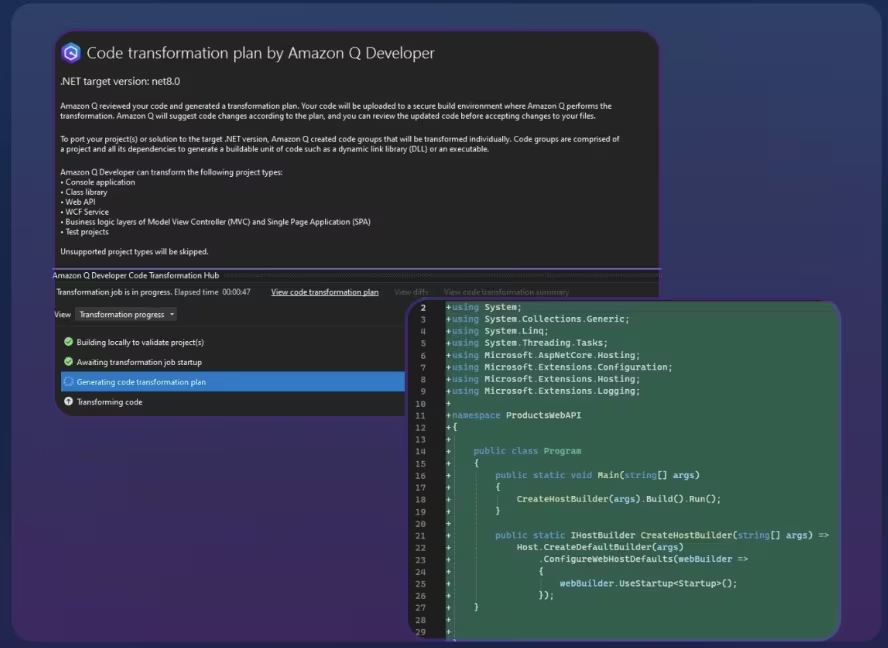
What it does: Amazon Q Developer provides AI coding help, agentic development requests, and AWS-aware assistance.
Best for: Developers and teams building on Amazon Web Services.
Amazon Q Developer makes the most sense for AWS-heavy teams because its value comes from AWS context. AWS lists a Free Tier and a Pro Tier at $19/month per user, with Pro including higher agentic request limits and access to current Claude models in supported coding flows.
Key Features
- AWS-aware help: The assistant can support coding and cloud questions inside AWS workflows.
- Free entry point: The Free Tier supports limited use.
- Pro plan: Pro increases request limits and supports stronger model access for regular use.
Pros and Cons
Pros:
- Strong fit for AWS developers.
- Clear Pro price at $19/user/month.
- Useful for teams that want coding and cloud help in one assistant.
Cons:
- Less useful if your stack is not AWS-centered.
- General coding workflows may feel less focused than Cursor or Copilot.
What Users Say
Pro: “Inline code suggestions are genuinely useful.” - Md R, G2.
Con: He also said Amazon Q is “less polished for general-purpose coding” and noted response latency.

Pricing
Amazon Q Developer pricing: Amazon Q Developer has two tiers: a Free Tier at $0 and a Pro Tier at $19/user/month. The Free Tier supports limited agentic requests, while Pro expands limits for regular development use.
Bottom Line
Choose Amazon Q Developer if your daily development work depends on AWS. Skip it if you want a coding assistant that is equally strong across non-AWS stacks.
10. Tabnine: Best for Privacy-Focused Engineering Teams

What it does: Tabnine provides AI code completion, AI chat, codebase-grounded assistance, and agentic workflows with privacy-focused deployment options.
Best for: Engineering teams with security, privacy, or compliance requirements.
Tabnine is more team-focused than beginner-focused. Its Code Assistant Platform starts at $39/user/month billed annually, while the Agentic Platform starts at $59/user/month billed annually. Tabnine also supports cloud, on-premises, and air-gapped deployment options for teams that need stricter control.
Key Features
- Privacy controls: Teams can choose deployment models that match security requirements.
- Codebase-grounded chat: Paid plans include chat grounded in the team’s codebase.
- Agentic workflows: Higher tiers add agent workflows, tool integrations, command-line support, testing tools, and Git operations.
Pros and Cons
Pros:
- Strong fit for teams with code privacy concerns.
- Supports major integrated development environments.
- Higher tiers add agent workflows and tool integrations.
Cons:
- Paid entry point is higher than Copilot and Cursor.
- Not the simplest tool for beginners.
What Users Say
Pro: “Quick and relevant code suggestions.” - Vivek S., G2
Con:
“Pricing options and everyday developer workflows could be better.” - Vivek S., G2

Pricing
Tabnine pricing: The Code Assistant Platform costs $39/user/month annually. The Agentic Platform costs $59/user/month annually.
Using Tabnine-provided models may add token charges and a 5% handling fee. Teams can also connect their own model endpoint.
Bottom Line
Choose Tabnine if privacy controls and deployment choice matter more than the lowest entry price. Skip it if you are a solo developer looking for a cheap personal assistant.
11. Qodo: Best for Code Review and Test Quality

What it does: Qodo provides AI code review, testing assistance, and repository-aware quality checks across development workflows.
Best for: Teams that want stronger pull request review and test coverage.
Qodo is built for code review and test quality, so it fits engineering teams better than a beginner choosing a first coding assistant. Its focus on pull requests, test generation, and repository checks gives it a narrower but clearer role than a general AI editor.
Key Features
- AI code review: Qodo reviews pull requests and helps teams catch issues before merge.
- Shared usage pool: Workspaces use shared credits rather than per-seat provisioning.
- Trial access: New workspaces get a 14-day trial with full product access.
Pros and Cons
Pros:
- Strong fit for pull request review and code quality.
- Shared credits work better for teams with uneven reviewer usage.
- Supports unlimited users per Pro Teams workspace.
Cons:
- No permanent free tier for regular commercial use.
- Less useful if you need an AI-first editor or beginner workspace.
What Users Say
G2 lists Qodo at 4.7 stars across 63 reviews, with users praising ease of use, error detection, auditing, and IDE integration. They also criticize testing issues, poor UI design, and bug issues as its disadvantages.
Pro: “Being a virtual teammate whom I can bug.” - Yuval Z., G2. Con: “Chat history is not saved.” - Yuval Z., G2.

Pricing
Qodo pricing: Pro Team starts at $30/month for up to 30 users, with no annual commitment. Usage is pooled at $0.012/credit, and the plan includes a free 14-day trial. Enterprise pricing is custom for teams with more than 30 users.
Qodo states that self-serve plans use shared credits, overage billing, and usage-based pricing rather than per-seat pricing.
Bottom Line
Choose Qodo if your main pain is pull request quality, tests, and code review. Skip it if you want a general-purpose AI editor for writing code from scratch.
12. Sourcegraph: Best for Enterprise Code Search and Context

What it does: Sourcegraph provides code search, code intelligence, batch changes, insights, and AI-powered codebase context for enterprise teams.
Best for: Large organizations that need code discovery and repository context across many teams.
Sourcegraph is a code-search and context layer for large engineering organizations. It earns its place because enterprise teams often need to find, understand, and govern code across repositories before AI-generated edits become useful.
Key Features
- Enterprise code search: Teams can search and navigate large codebases across repositories.
- AI context: Sourcegraph includes AI credits and connects with tools such as Claude Code, Cursor, Codex, and Amp.
- Deployment choices: Enterprise customers can use single-tenant cloud or self-hosted setups.
Pros and Cons
Pros:
- Strong fit for large, multi-repository organizations.
- Works as a context layer around other AI coding tools.
- Enterprise deployment options support stricter governance.
Cons:
- Not a beginner coding assistant.
- Starting price puts it outside solo-developer budgets.
What Users Say
Pro: “We prefer the UI to github.com” - Savannah A., ProductHunt.
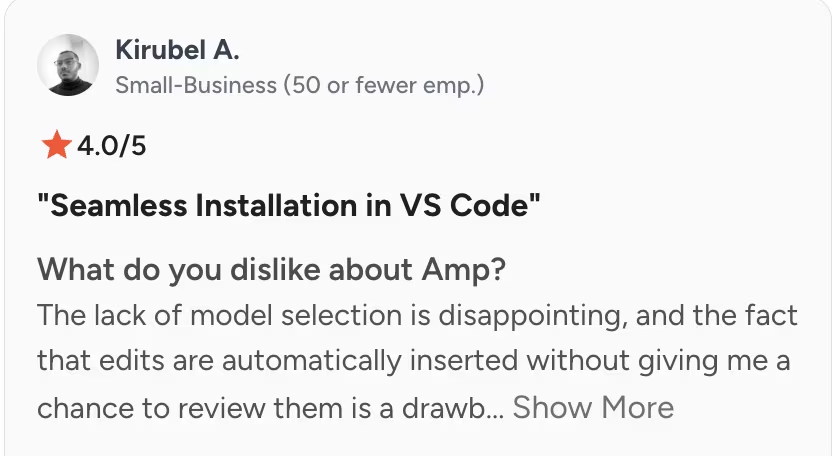
Con: “The lack of model selection is disappointing.” - Kirubel A., G2.

Pricing
Sourcegraph pricing: Enterprise starts at $16K and includes AI-feature credits. Pricing increases with team size, and volume pricing is available through sales.
Bottom Line
Choose Sourcegraph if your team’s main problem is finding, understanding, and changing code across large repositories. Skip it if you want a personal AI coding assistant for writing code in one editor.
What to Check Before You Rely on an AI Coding Assistant
AI coding assistants can speed up routine work, but they still produce draft code. Before you use one for production work, check how it handles these five areas:
- Code review: Make sure a human reviews generated code before it reaches production.
- Security: Be extra careful with apps that handle payments, private data, user permissions, admin panels, or production databases.
- Context: Check whether the assistant understands your full project or only the open file.
- Cost: Watch credits, quotas, usage caps, and overage settings before assigning the tool to a full team.
- Launch path: Confirm whether the tool only writes code or also supports testing, hosting, deployment, and maintenance.
Which AI Coding Assistant Should You Choose?
The right assistant depends on where you work, how much code context you need, and whether you want to edit an existing codebase or build an app without a developer-focused setup.
Choose Cursor if you:
- Need an AI-first editor for daily coding.
- Want agent workflows, model switching, and code changes in one workspace.
- Can manage usage limits as part of your workflow.
Choose GitHub Copilot if you:
- Already use GitHub for repositories, pull requests, and code reviews.
- Need support across several editors in the same engineering team.
- Want a free entry point with paid plans for heavier agent use.
Choose Claude Code if you:
- Prefer terminal-based development.
- Want an assistant that can inspect files, make changes, and run tests.
- Have enough technical skill to review AI-generated changes carefully.
Choose Replit if you:
- Are a beginner or prototype builder.
- Want coding, hosting, collaboration, and deployment in one browser-based workspace.
- Need to publish simple projects without setting up a local environment.
Choose Augment Code if you:
- Work on large enterprise codebases.
- Need repository context, command-line support, editor support, and code review.
- Want pooled usage and flat Business pricing for a team under 50 seats.
Choose Emergent if you:
- Want to build an app through conversation instead of working inside a code editor.
- Need help moving from idea to first working version without setting up a terminal or repository.
- Are a founder, consultant, agency, or operator building a practical business tool rather than editing an existing codebase.
Choose Qodo if you:
- Care more about pull request review than autocomplete,
- Need AI help with tests, review comments, and code quality, or
- Want shared usage across a team.
Skip AI coding assistants entirely if:
- Your app handles payments, health data, legal data, child-related data, financial data, or sensitive user permissions, and you do not have human code review.
- You need guaranteed production reliability without testing.
- Your team will accept AI-generated code without review, security checks, or performance testing.
Final Verdict
After comparing the best AI coding assistant tools by workflow fit, pricing, context, integrations, and real-world limits, Cursor is the strongest pick for developers who want AI built directly into their daily coding environment.
GitHub Copilot wins for GitHub-based teams, Claude Code is better for terminal-heavy developers, and Replit is the better starting point for beginners who want to build and deploy from the browser.
My bottom-line recommendation: choose the tool that matches where you already work.
If you’re a non-technical founder who wants to describe an app idea and get help turning it into working software, try building the first version in Emergent before committing to a developer-heavy coding assistant.

Most AI app builders stop at prototypes. Emergent creates production-ready apps you can actually launch.
- Production-ready apps
- Web & mobile apps
- Deploy in minutes







