




TL;DR
- What it is: A generative AI app builder writes an app for you from a plain-language description, including the code, the screens, the data, sign-in, and payments.
- How you use it: You describe the app, answer a few setup questions, then refine it by asking for changes in conversation.
- The name is used two ways: Consumer builders make the whole app for a non-technical person. Enterprise tools from Google and AWS use the same name for adding AI features to apps, and they need a development team.
- Who it suits: Founders, operators, and service businesses that need a real app. Less useful for hand-writing code, a simple marketing site, or a throwaway demo.
- What it costs: Free plans are common, and paid tiers usually start around $20/month.
A generative AI app builder turns a plain-language description into an app, so you type "build a booking tool that takes deposits and emails me each new request" and get software you can actually use.
If you have a clear idea for an app but no way to build it, this is the tool that closes the gap. Older app builders still make you do the work: you drag boxes around a canvas, wire up each button, and connect every screen by hand. A generative AI app builder skips all of that. You describe what you want in plain English, and the AI writes the app.
You'll know by the end whether a generative AI app builder fits your idea, and how to ship your first one for free.
What Is a Generative AI App Builder? The 30-Second Answer
A generative AI app builder is software that reads a plain-English prompt and generates an application from it, writing the code, the screens people see, and the part that stores your data on your behalf.
You describe the outcome you want, answer a few setup questions, and refine the result with follow-up prompts.
The bottom line: if you can clearly describe what an app should do, a generative AI app builder can produce a first version without you writing a line of code.
Key Characteristics
A few traits separate a generative AI app builder from older tools:
- Plain-language input: You build by describing the app in normal words, not by dragging boxes onto a canvas or memorizing syntax.
- Generated code: The tool produces the underlying software, which is why the output behaves like a usable app you can click through.
- Conversational editing: You change the app by asking for changes ("add a search bar," "let admins export the list"), and the tool rebuilds that part.
- Built-in extras: Sign-in, payments, and data storage are usually handled for you, so an app can take payments and sign-ins from day one.
How Does a Generative AI App Builder Work?
A generative AI app builder works by using a large language model, the same kind of AI behind chat assistants, to translate your request into software. You give it intent, and it produces a running app you can open and click through.
Most tools follow the same loop:
- You describe the app: State who uses it, what data it holds, and what people should be able to do.
- The tool asks clarifying questions: Good builders confirm details they would otherwise have to guess, such as whether the app needs a login or should store sample data.
- It builds a first draft: The tool generates the app and shows you a live preview you can try.
- You refine it: You ask for changes in plain language and watch the app update, repeating until it fits.
- You publish it: When the app is ready, you make it live so other people can use it.
A quick example makes the loop concrete.
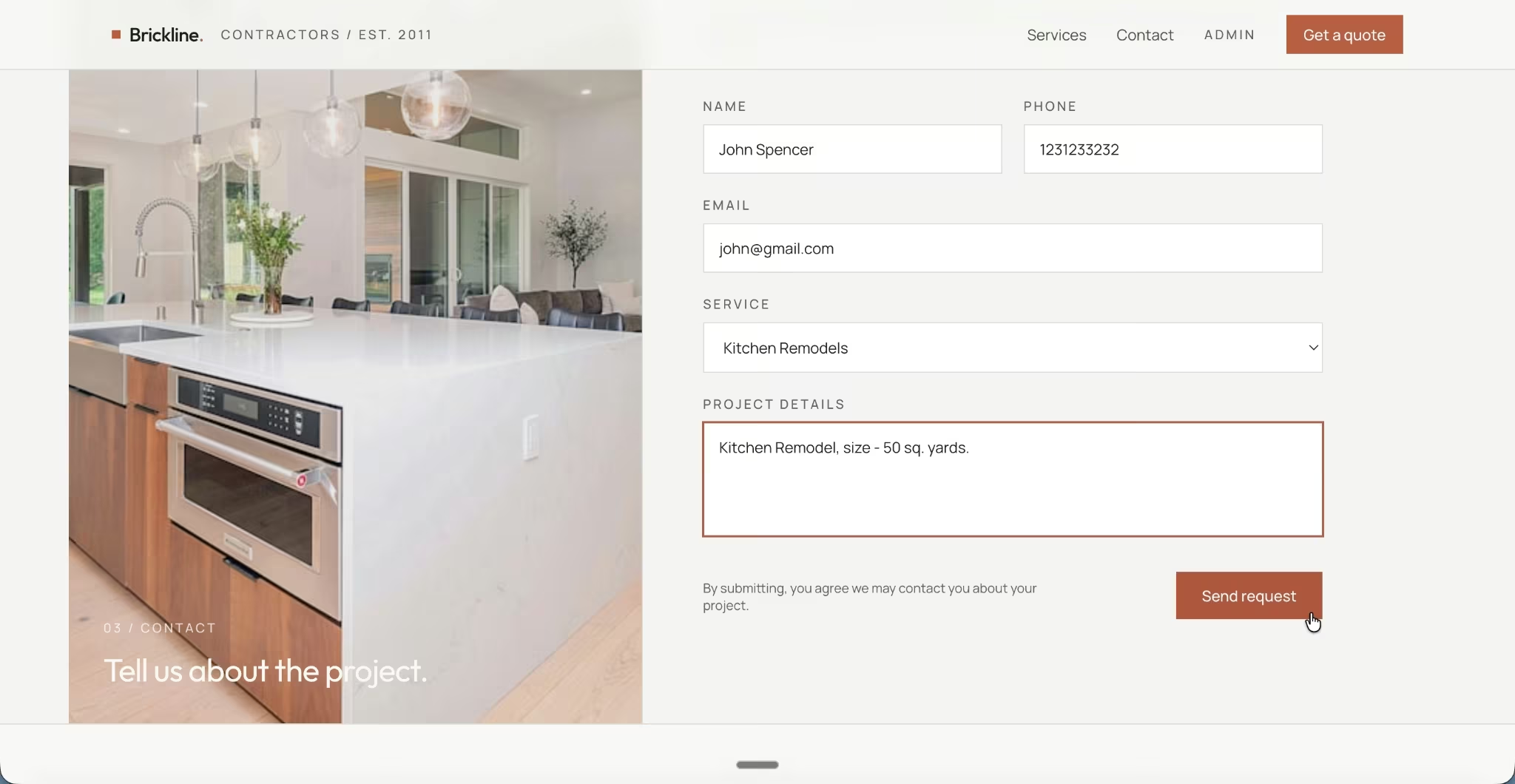
A Bay Area general contracting business with no in-house developers described the tool it needed: a public form to capture quote requests from homeowners, and a private tracker where each lead moves through clear stages from new to won or lost.
The result, Brickline, was built on Emergent in a single session. According to the case study, first responses now go out in hours instead of days, missed follow-ups dropped by about 90%, and the team got four to five hours a week back.
This describe-then-refine pattern is what people mean by vibe coding, a term the researcher Andrej Karpathy coined in February 2025 and that Collins Dictionary named its 2025 Word of the Year.
Generative AI App Builder vs. Traditional No-Code Builder
The clearest way to understand a generative AI app builder is to compare it with the tool most people confuse it with, the traditional no-code builder. A no-code builder gives you a visual canvas where you assemble an app by hand. A generative AI app builder writes the app for you from a prompt.
| Traditional No-Code Builder | Generative AI App Builder | |
|---|---|---|
| How you build | Drag-and-drop, manual setup | Describe it in plain language |
| Who does the logic | You wire it up yourself | The AI generates it |
| Learning curve | Learn the tool's editor | Learn to write clear prompts |
| Custom behavior | Limited to available blocks | Broader, since code is generated |
| Speed to first version | Hours of assembly | Minutes from a prompt |
There is a second meaning worth clearing up. Some products, like Google Cloud's Gen App Builder and AWS's Generative AI Application Builder, use the same name for different jobs. Those are enterprise tools for building apps that include AI features, such as a chatbot or an AI-powered search box, and they require a technical team.
The consumer-facing meaning in this guide is the opposite: a tool that uses AI to build the whole app for a non-technical person. If you land on a page that assumes cloud accounts and developers, you’re looking at the enterprise kind.
Strengths and Limitations
These tools are genuinely useful, and they also have clear limits.
What Works Well
- Speed and cost: A custom app that a development agency would quote at a 2026 average of about $132,000 can start as a working version in an afternoon for the price of a monthly subscription.
- Low barrier to entry: Subject-matter experts, like a clinic manager or a real estate agent, can build the tool they understand better than any outside developer would.
- Fast iteration: Because you change the app by asking, testing five versions of an idea costs little more than the time to describe them.
Where They Fall Short
- Prompt quality decides the result: A vague request produces a vague app. Clear, specific descriptions are the difference between a usable first try and a frustrating one.
- Security still needs a human check: A 2025 Veracode study found AI introduced a security flaw in nearly half of its coding tests, so anything handling sensitive data deserves a review before launch.
- Very complex or niche builds hit a wall: Even high-performance systems and highly specialized software can still require a developer.
Match the tool to the job: these builders are fast for standard apps, but sensitive data or heavy complexity still needs a human in the loop.
Who Should Use a Generative AI App Builder?
A generative AI app builder fits people who know the problem they want to solve and want software without a development team. It’s less useful when your needs point clearly to a different tool category.
Great Fit For
- Founders and operators validating an idea or replacing a spreadsheet with a proper tool that people can sign into.
- Service business owners, like a booking-heavy clinic or a contractor, who need an app that takes appointments, payments, or client data.
- Agencies and freelancers who want to deliver more client projects faster.
Look Elsewhere If
- A faster way to write code by hand: An AI code editor built for developers fits that job better.
- Only a marketing site: A website builder is lighter for a few pages of copy and images.
- A throwaway demo for a pitch meeting: Most quick-prototype tools will get you there without the extra depth.
How to Try One
You can go from curious to the first app in a single sitting. The path is short and doesn’t require any setup:
- Pick one small idea: A book tracker, an invoice tool, or a simple booking page is a better first build than a full business app.
- Write a clear prompt: Name who uses the app, the data it holds, and three or four features. Say what to leave out for now.
- Answer the setup questions: The tool asks these before it builds, so it doesn't guess wrong.
- Test and refine: Click through the preview, then ask for one change at a time until it fits.
- Publish when it's ready: Make the app live and share the link.
Ask the tool for a plan before it builds anything with more than one screen. Catching a wrong assumption in the plan is far cheaper than fixing it after the app is built. For a fuller walkthrough, see this guide on how to start vibe coding, or browse real vibe coding examples for prompt ideas.
The Bottom Line
A generative AI app builder is the fastest way for a non-technical person to turn a described idea into software, and in 2026, it has moved well past novelty into a tool people run businesses on.
Business Fortune Insights projects the broader low-code development market, which generative AI app builders are part of, to reach about USD 376.92 billion by 2034. It’s not a replacement for skilled engineering on complex systems, and it rewards clear thinking about what you actually want.
The tool you choose matters less than the clarity of your prompt. Describe the outcome well, review anything that touches money or private data, and the rest is refinement.
Getting Started With Your First App
If your goal is an app that takes real users and payments, a platform built for non-technical builders is the place to run the loop. Emergent runs this whole loop end to end: you describe the app, it builds the screens, data, sign-in, and payments, and you publish when it's ready.
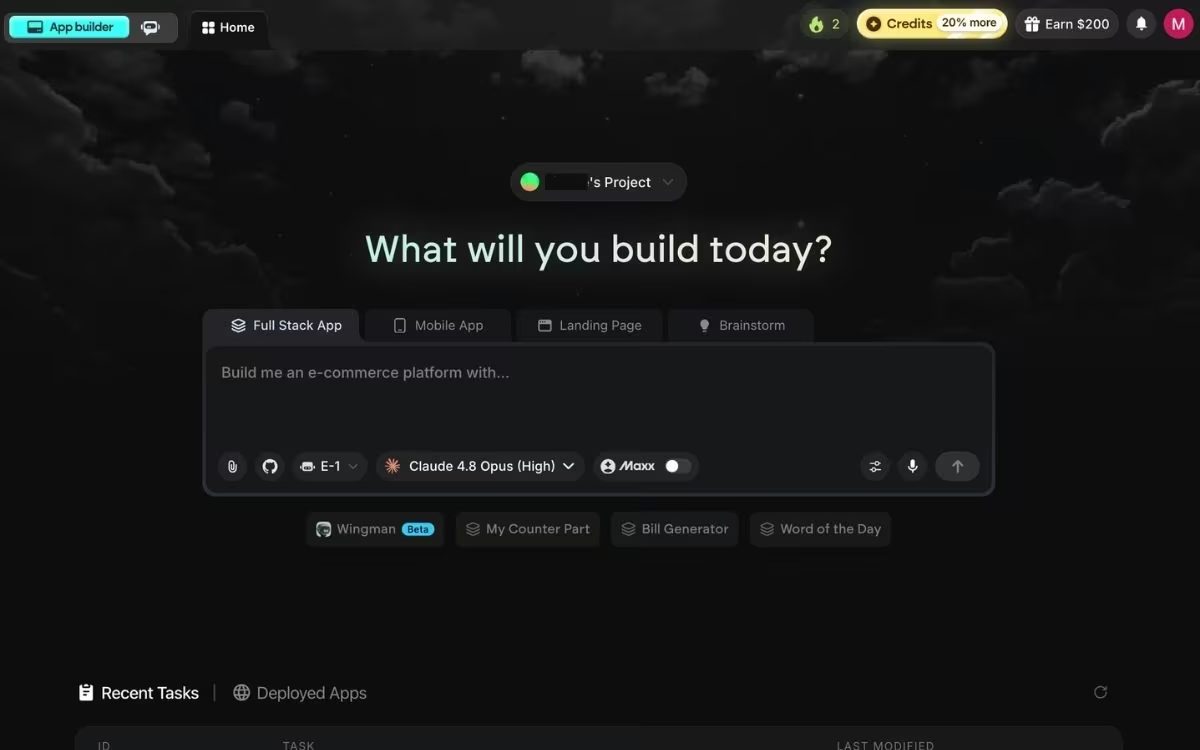
Its free plan includes 10 credits a month, enough to build a first app and judge it for yourself. If you want to compare options first, this roundup of the best AI app builders is a good starting point. Try building your first app on Emergent.

Most AI app builders stop at prototypes. Emergent creates production-ready apps you can actually launch.
- Production-ready apps
- Web & mobile apps
- Deploy in minutes







