



Writing up notes, chasing intake forms, rebuilding the same worksheet for a fifth client: that's what eats a coaching week.
The best AI tools for coaches attack that layer, and they've gotten good at it. Some transcribe a call and hand you a summary before the client has closed their laptop. Others draft the follow-up email, cut a clip for LinkedIn, or give clients somewhere to log progress between calls. A few now let you build the client-facing app you've been renting from a platform.
Most of the tools worth paying for cost under $25 a month, and five of the nine have a free tier that does real work. The nine below aren't ranked best to worst. Each one covers a different job, with the price you'll pay on the vendor's own page and the reason it might not suit you.
One thing to say upfront: Emergent is our product, and it goes first. Read that section as the people who built it explaining what it's for and who shouldn't buy it. The eight after it are the tools we'd pair with it, chosen because coaches keep recommending them, and we've tried to be as plain about their limits as about ours.
What to Look for in AI Tools for Coaches
The jobs coaches hand off first are capturing the session, turning expertise into content, and running the business between calls. Five questions decide whether a tool earns a place in that stack, and they're the parameters behind the comparison table further down.
- The job it does: Whether the tool covers a specific coaching job at the depth a practice requires, or a generic version of it
- Who touches it: Whether it only helps you behind the scenes, or your clients log into it too
- The free tier: Whether the free plan does real work or exists to get your card number
- The first paid price: What it costs the month you outgrow free, from the vendor's own pricing page
- Fit by practice size: Whether it makes sense for a solo coach, a small team, or an enterprise program
One split is worth naming before you shop. Search this category, and you'll get two different kinds of products wearing the same label. There are tools that help a human coach run a business, which is what eight of the nine below are.
Then there are platforms where the AI does the coaching, delivered to employees at scale: CoachHub's AIMY, Rocky.ai, Cloverleaf, Boon. Those are sold to corporate learning and development teams, usually without a published price.
Rocky.ai is the one on this list because it has a self-serve tier a solo coach can actually try. If your problem is your own admin load, the first category is the one you want.
One of the nine is ours, so treat this as an informed take rather than a neutral evaluation, and we haven't tested every tool in the category.
Here's what we did do: every price came from the vendor's official pricing page in September 2026, in US list rates shown monthly unless the vendor only publishes an annual figure. Review quotes come from Capterra, Trustpilot, and the App Store, with ratings also drawn from Product Hunt, and every tool, ours included, gets a critical voice alongside the praise.
A few tools you'll see elsewhere aren't covered here. Jasper and InVideo are solid, but they're aimed at marketing teams. Happy Scribe does transcription well and little else, so Fathom and Otter cover the job better.
Gemini, NotebookLM, and Perplexity all show up on competing lists and all earn their place in a general stack, but for coaching work specifically, they overlap almost entirely with ChatGPT and Claude, so we picked the two rather than list five.
CoachHub's AIMY is a serious product, but it's sold to corporate learning and development teams with no published price, which puts it out of reach for the solo coach this list is written for.
Quick Comparison: All 9 Picks Against the Same Criteria
Five of the nine have a free tier worth using on its own, and no monthly plan here starts above $24.
Emergent: Best for Building a Client Portal or Intake App
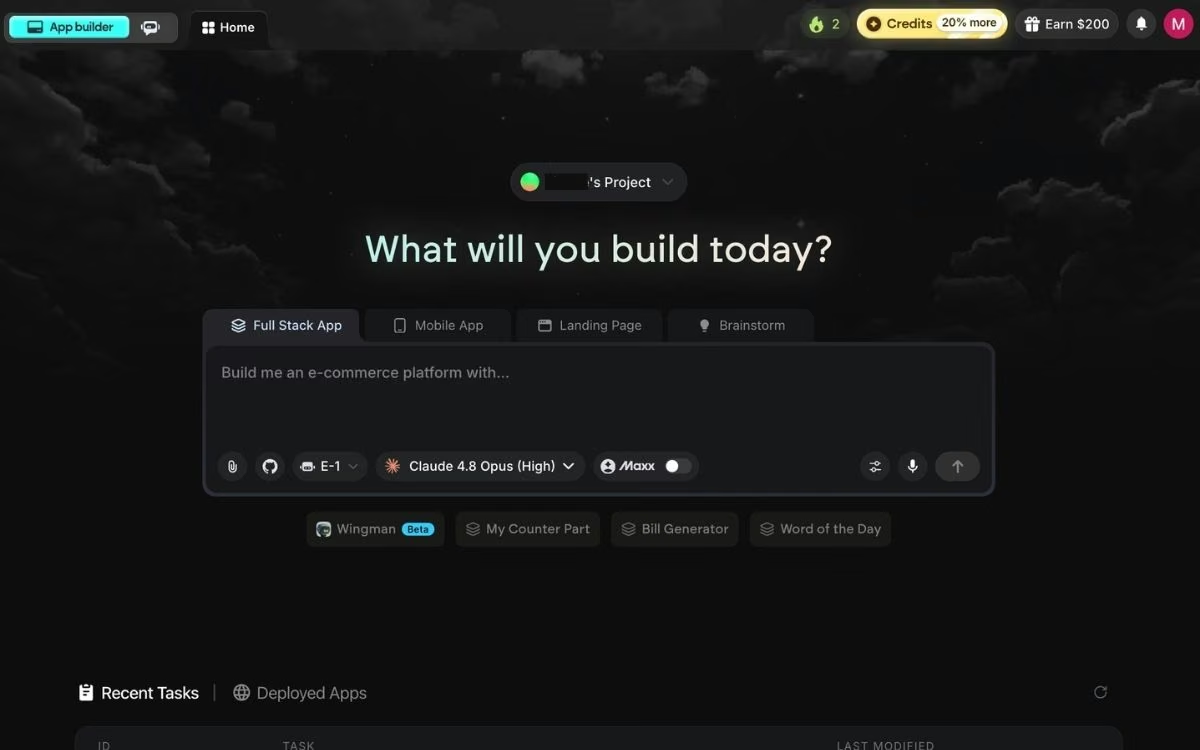
What it does: Emergent is an AI app builder that works through vibe coding, which means describing software in plain English instead of writing it. You say what you want and it builds all of it: the screens people see, the part that stores your data, sign-in, and payments.
Best for: Coaches who've outgrown off-the-shelf software and want a portal, intake flow, or progress tracker shaped around their own method.
Emergent is a building tool, and we made it for the problem the other eight can't touch. Every coaching platform is shaped around somebody else's model, and yours probably doesn't fit.
You describe what you want ("a client portal where each person sees their goals, uploads a weekly reflection, and books the next session"), and Emergent builds and hosts it.
Coaches use it for intake forms that feed a dashboard, habit trackers tied to a program, and paid member areas. Those are the same jobs the website builders for subscription services handle, except here you shape the product instead of the platform shaping you.
Behind the prompt box, specialized agents split the work: some plan the build and shape the interface, others wire up the logic and your integrations, and testing agents click through the finished app looking for what broke.
You pick the agent that fits your project from a dropdown before the first prompt, and on the Free and Standard plans that's E-1, which walks you through the build one step at a time.
A built-in assistant called Emmy turns your rough idea into a build-ready prompt and points you at the right agent. Emmy is free and spends no credits, which matters on a first build.
Key Features
Three capabilities matter most for a coaching build:
- Prompt-to-app builds: Describe the tool in a sentence and get a working version to click through, instead of a spec you have to hand to a developer.
- Integrations with the tools you already run: Connect Stripe for payments, Google Calendar for booking, and Zoom for sessions.
- Deploy when you're ready: Click Deploy, and Emergent builds and hosts the live app for you, in minutes rather than days.
Pros and Cons
Pros:
- Builds the client-facing app you'd otherwise pay a developer for.
- Free plan is enough to build something you'd ship to a client.
- Emmy removes most of the guesswork on a first build.
Cons:
- Credits go quickly on ambitious builds, and heavy users say so loudly.
- Nobody maintains the app for you, so every fix and update after launch lands on your desk.
What Users Say
Emergent's ratings split hard by platform: a 2.9 TrustScore across 600 reviews on Trustpilot against 4.6 out of 5 from 14 reviews on Product Hunt.
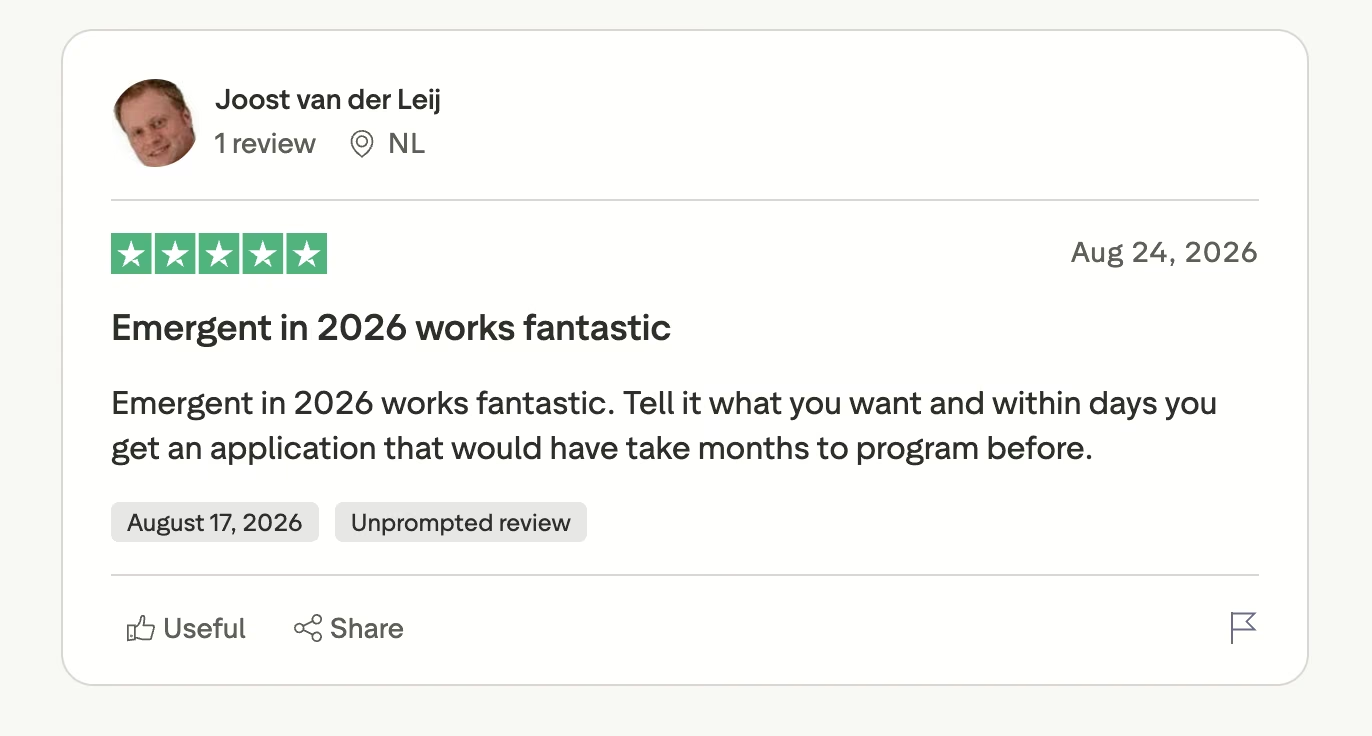
The five-star reviews are about scope. Joost van der Leij wrote that you "tell it what you want and within days you get an application that would have take months to program before."
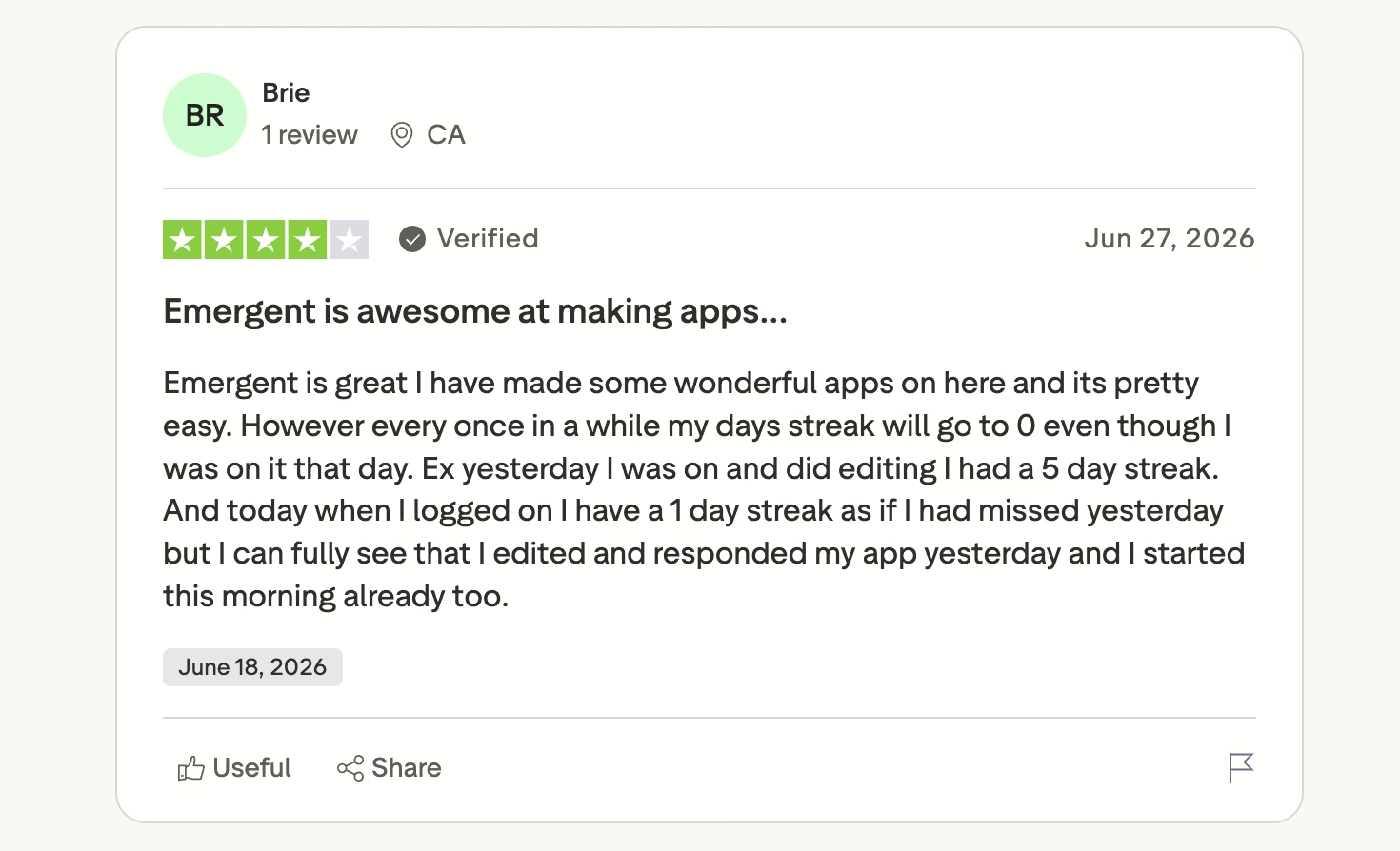
Even the four-star reviews are mostly warm. Brie calls Emergent "great" and flags one recurring bug: "However every once in a while my days streak will go to 0 even though I was on it that day."
Emergent Pricing
Emergent's Free plan is $0 with 10 monthly credits. Standard is $20/month ($17/month billed annually) with 100 credits, and Pro is $200/month ($167/month billed annually) with 750 credits. Business and Enterprise are custom.
Bottom Line
Reach for Emergent when the tool you need doesn't exist as a product. A coaching platform that already fits your method is the cheaper answer, and you should take it.
Weighing the rent-versus-build call for a paid community? Our guide on how to build a membership website walks through both paths.
ChatGPT: Best for Session Prep and Everyday Drafting

What it does: ChatGPT is a general-purpose AI assistant that answers questions, drafts text, analyzes files, and generates images from plain-language prompts.
Best for: Coaches who want one tool for prep questions, follow-up emails, worksheet drafts, and social posts.
ChatGPT is the default first hire for most solo practices, and it earns that spot by being fast at small jobs. Paste your notes and ask for three reframes a client hasn't heard. Ask for 10 discovery-call questions for a first-time founder. It's rarely the best tool for any single task, but it's the one you'll open most days.
Key Features
Three features do the most work for a coaching practice:
- Custom GPTs: Save your intake framework or coaching model once and reuse it across every client instead of re-explaining it each session.
- File and image analysis: Upload an assessment PDF or a client's goal sheet and get a summary you can scan in a minute.
- Voice mode: Talk through a session plan on a walk and get a written outline at the end.
Pros and Cons
Pros:
- The cheapest paid entry point on this list, at $8/month for the Go plan.
- Handles text, files, images, and voice in one subscription.
- Almost every coach you talk to already knows how to use it.
Cons:
- It'll produce confident, wrong specifics if you don't check them.
- Nothing about it is built for coaching, so the structure is on you.
What Users Say
Across nearly 400 Capterra reviews, ChatGPT averages 4.4 out of 5, and the praise is almost always about time.
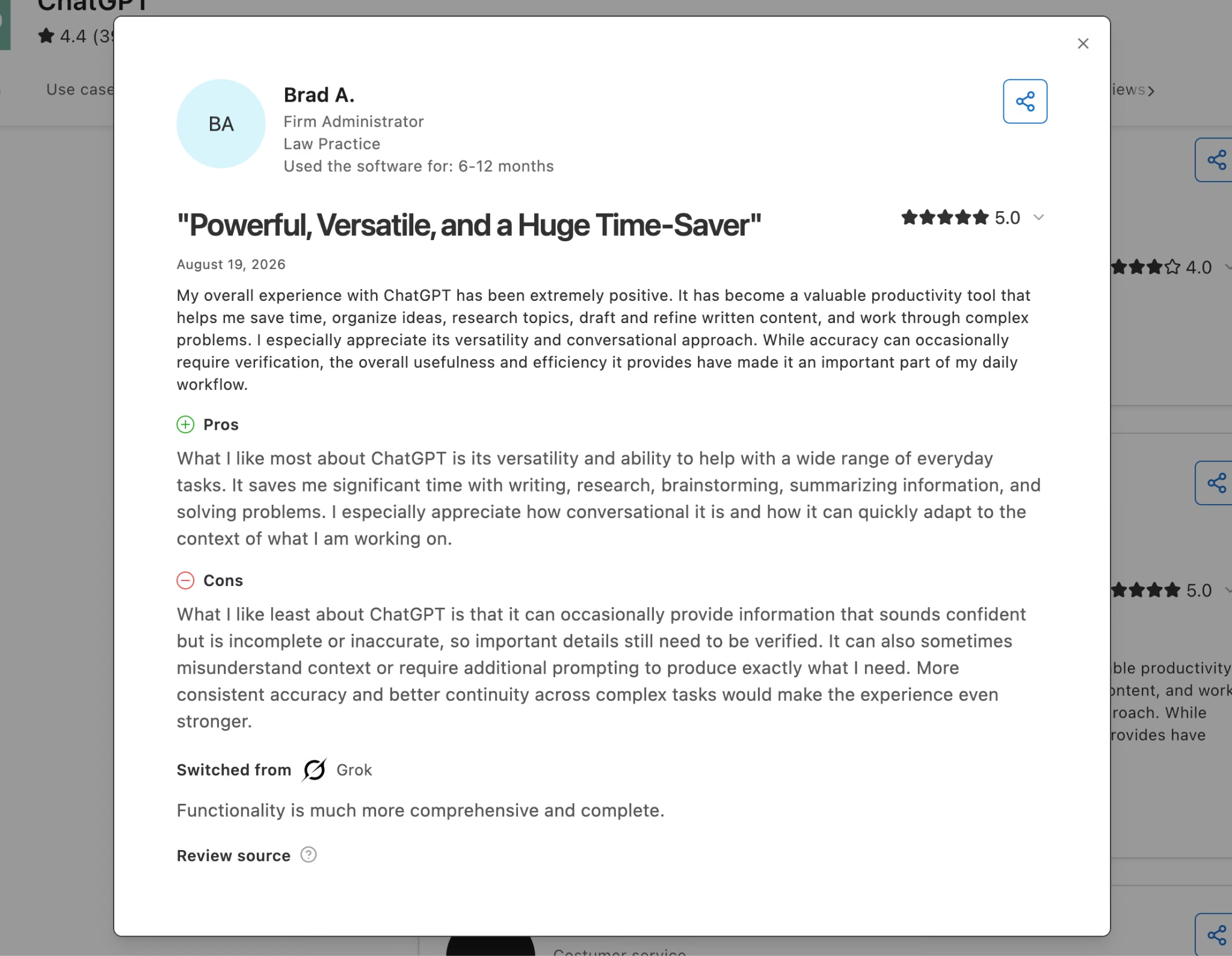
Brad A., a firm administrator, says it "saves me significant time with writing, research, brainstorming, summarizing information, and solving problems."
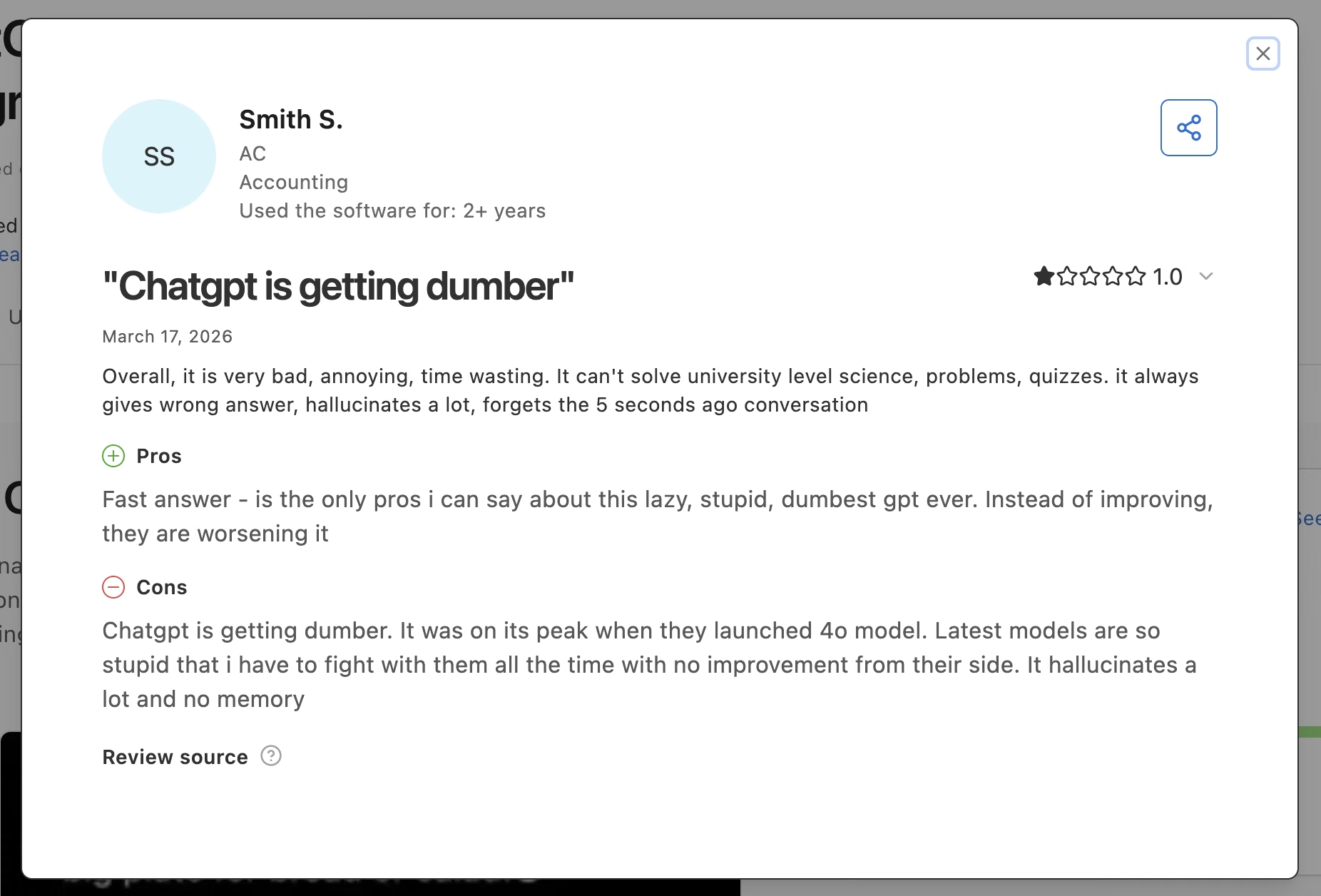
The complaints run the other way. Smith S. filed a one-star review titled "Chatgpt is getting dumber," citing a model that "hallucinates a lot, forgets conversation."
ChatGPT Pricing
ChatGPT's Free plan costs $0, Go is $8/month, and Plus is $20/month. Pro starts at $100/month, and Business runs $25 per user monthly or $20 per user billed annually. Most solo coaches will be fine on Go or Plus, and our full ChatGPT pricing breakdown covers where the Pro tier stops being worth it.
Bottom Line
Start here if you're only paying for one AI subscription. The $20 Plus plan covers a full coaching practice comfortably, and you can add a specialist tool later without switching.
Claude: Best for Long-Form Writing and Client Documents
What it does: Claude is an AI assistant from Anthropic built for long conversations, large documents, and writing that has to sound like a person wrote it.
Best for: Coaches producing newsletters, workbooks, program curricula, or anything where the tone matters more than the speed.
Claude's strength is stamina. It holds a long thread without losing the plot, which matters when you're drafting a six-module program or reading a 40-page organizational assessment before a leadership engagement. Its drafts need less cleanup before they sound like you, which usually saves a full editing pass.
Key Features
Claude's advantage shows up in the features built for long, document-heavy work:
- Projects: Keep a client's history, your coaching model, and past session notes in one workspace so every reply is grounded in their context.
- Large document handling: Drop in a full assessment or transcript and ask questions against it instead of copy-pasting sections.
- Artifacts: Get a formatted worksheet or email in a side panel you can edit and copy without breaking your chat.
Pros and Cons
Pros:
- Drafts read closer to finished than most AI writing.
- Handles long documents without dropping earlier details.
- Free plan is usable for occasional work.
Cons:
- Usage limits arrive faster than most people expect on the free and Pro tiers.
- No image generation, so you'll still need a design tool.
What Users Say
Claude's 50 Capterra reviews average 4.4out of 5 and skew toward writers.
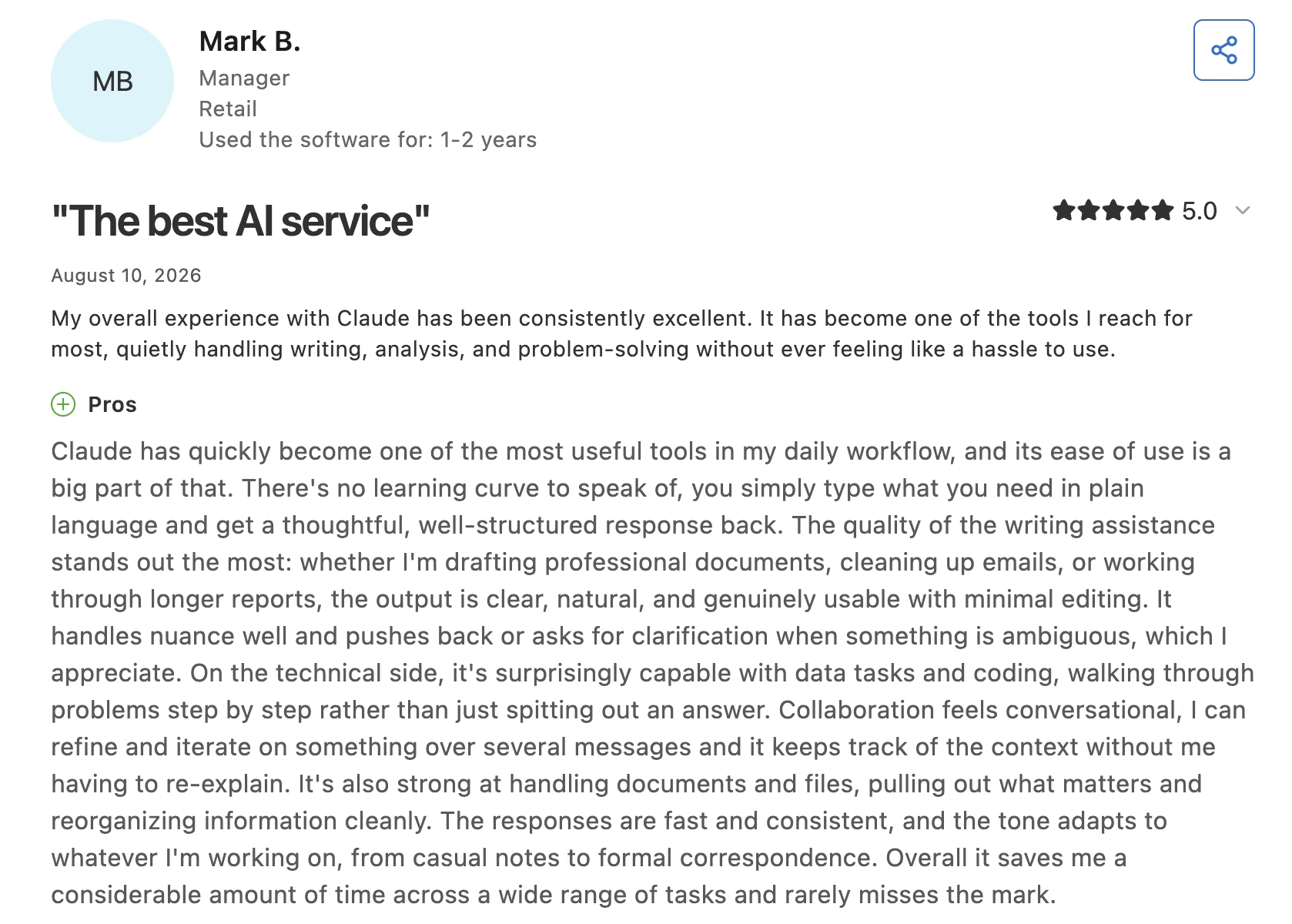
Mark B. describes "no learning curve to speak of, you simply type what you need in plain language and get a thoughtful, well-structured response back."
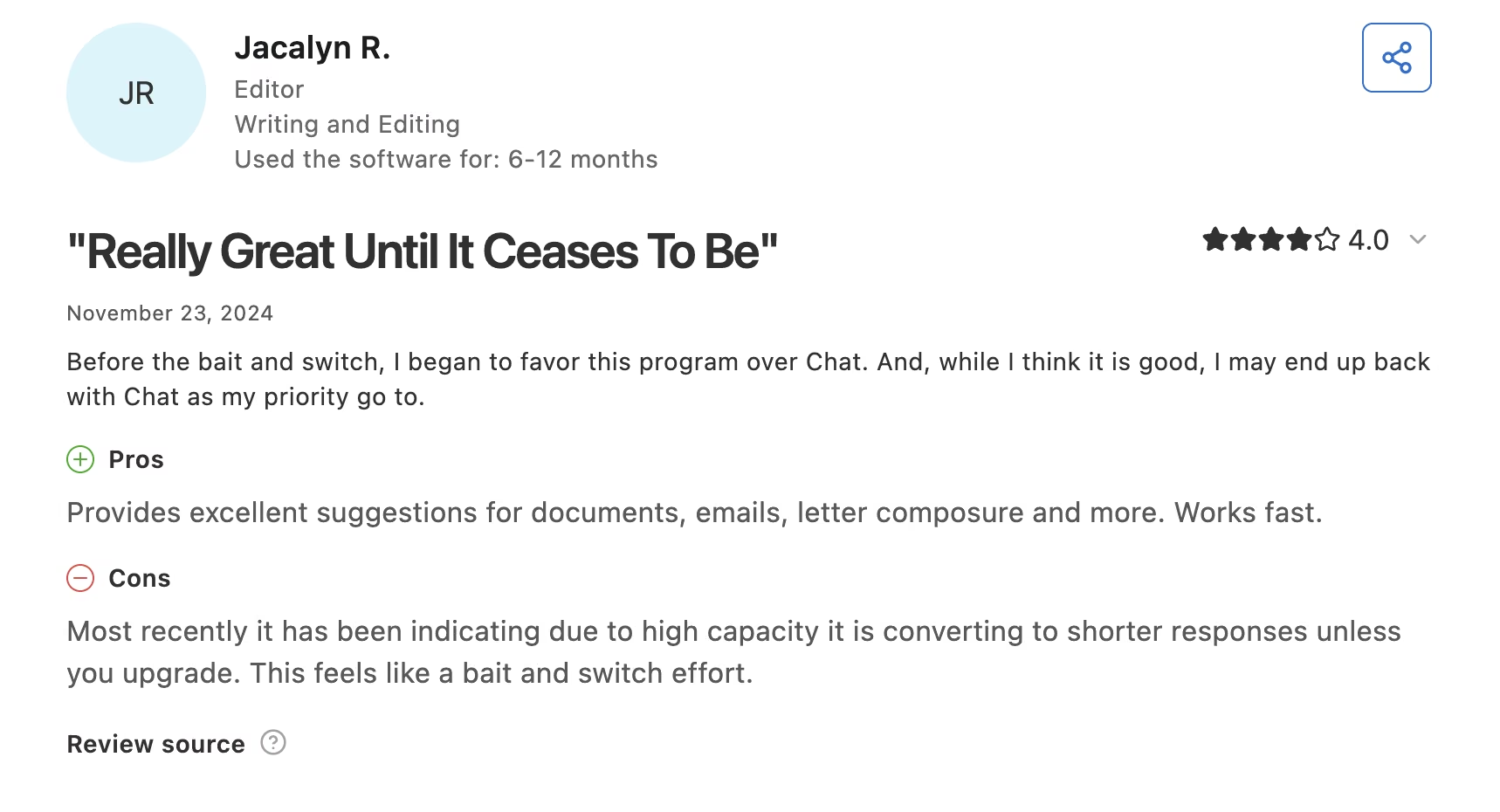
The recurring gripe is capacity.
, an editor, wrote that Claude "has been indicating due to high capacity it is converting to shorter responses unless you upgrade. This feels like a bait and switch effort."
Claude Pricing
The official Claude pricing page lists a Free plan at $0, Pro at $20/month ($17/month billed annually), and Max starting at $100/month. Team seats run $25 per seat monthly or $20 per seat billed annually. If you're deciding between the two big assistants, our Claude and ChatGPT comparison runs them side by side.
Bottom Line
Worth the second subscription once writing becomes a channel rather than a chore. Coaches who publish a newsletter or run a written program get their money back in edit time alone.
Fathom: Best for Free Session Recording and Notes
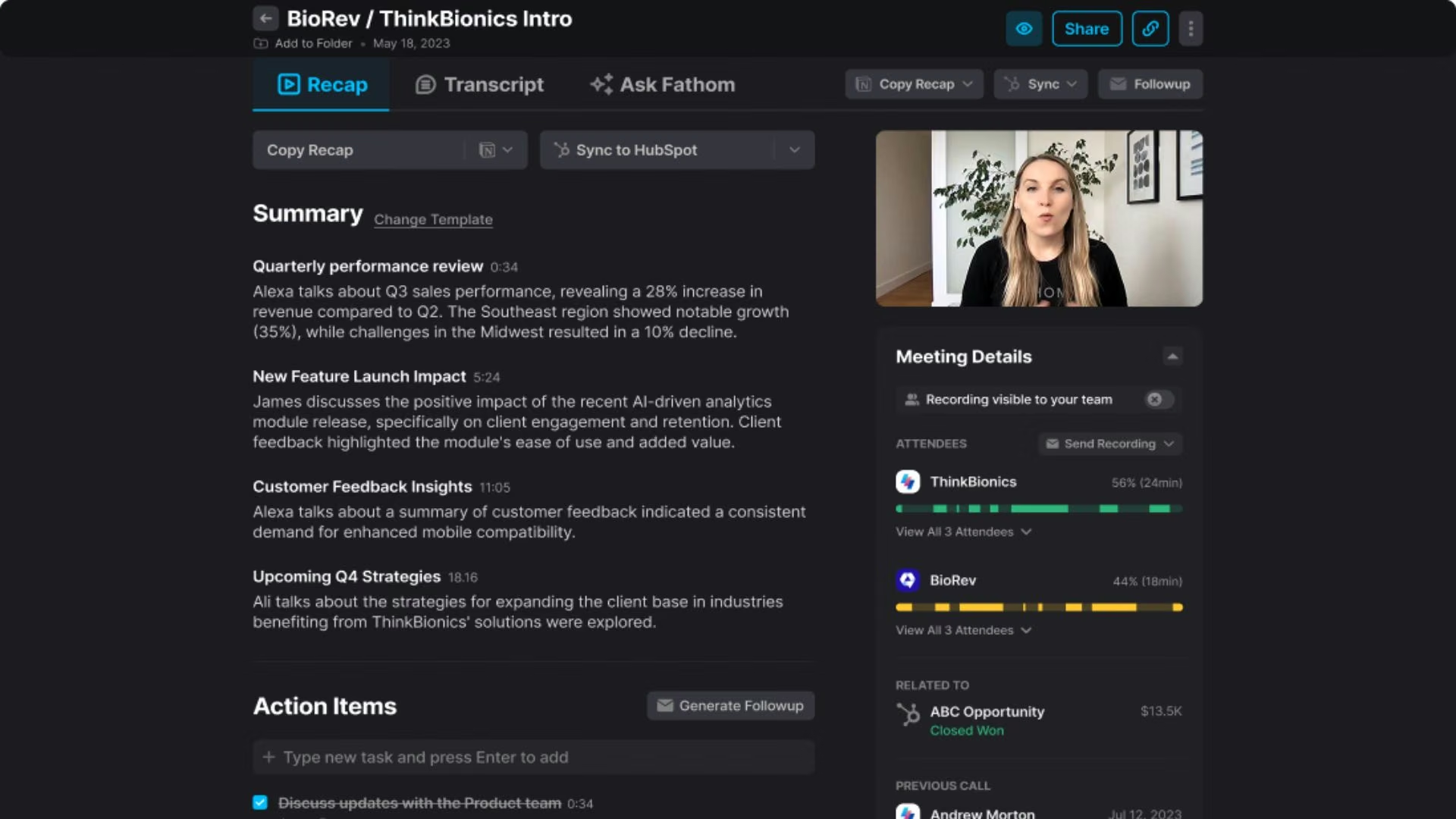
What it does: Fathom joins your video calls, records and transcribes them, and produces a structured summary with action items within a few minutes of hanging up.
Best for: Coaches who want session notes handled without paying anything until they need advanced features.
Fathom's free plan gives you unlimited recordings and transcriptions, which is more than most notetakers hand over on a paid tier. For a coach running eight sessions a week, that alone removes the worst admin job on the calendar.
Key Features
The features that matter to a coach are the ones that run without you touching them:
- AI call summaries: Get a recap and action list right after the call, while the session is still fresh enough to correct.
- Clips and playlists: Pull a 90-second moment out of a session as a testimonial or teaching example, with the client's permission. Clips, playlists, and search across calls are all on the free plan; paid tiers add team-wide playlists.
- Custom meeting bot: Rename the bot on paid tiers so it doesn't show up in a client's room as a generic recorder.
Pros and Cons
Pros:
- Unlimited recording and transcription on the free plan.
- Summaries land fast enough to use before your next call.
- Setup takes about five minutes.
Cons:
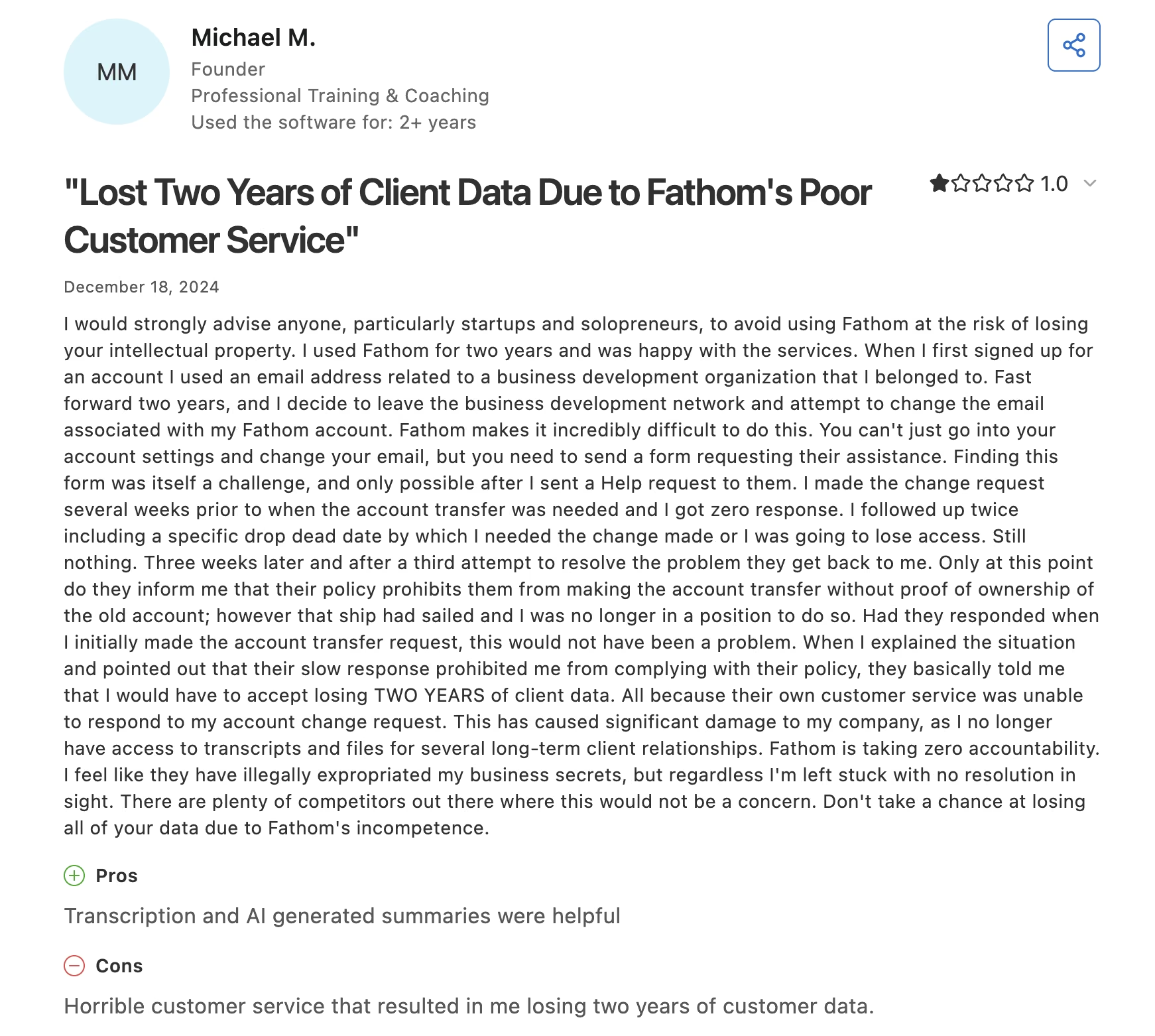
- Account changes can stall for weeks, and one reviewer lost two years of call history waiting.
- A bot visibly joining the call changes the room for some clients.
What Users Say
Fathom's 5.0 out of 5 across 809 Capterra reviews is unusually high for that volume, so read it with that in mind.
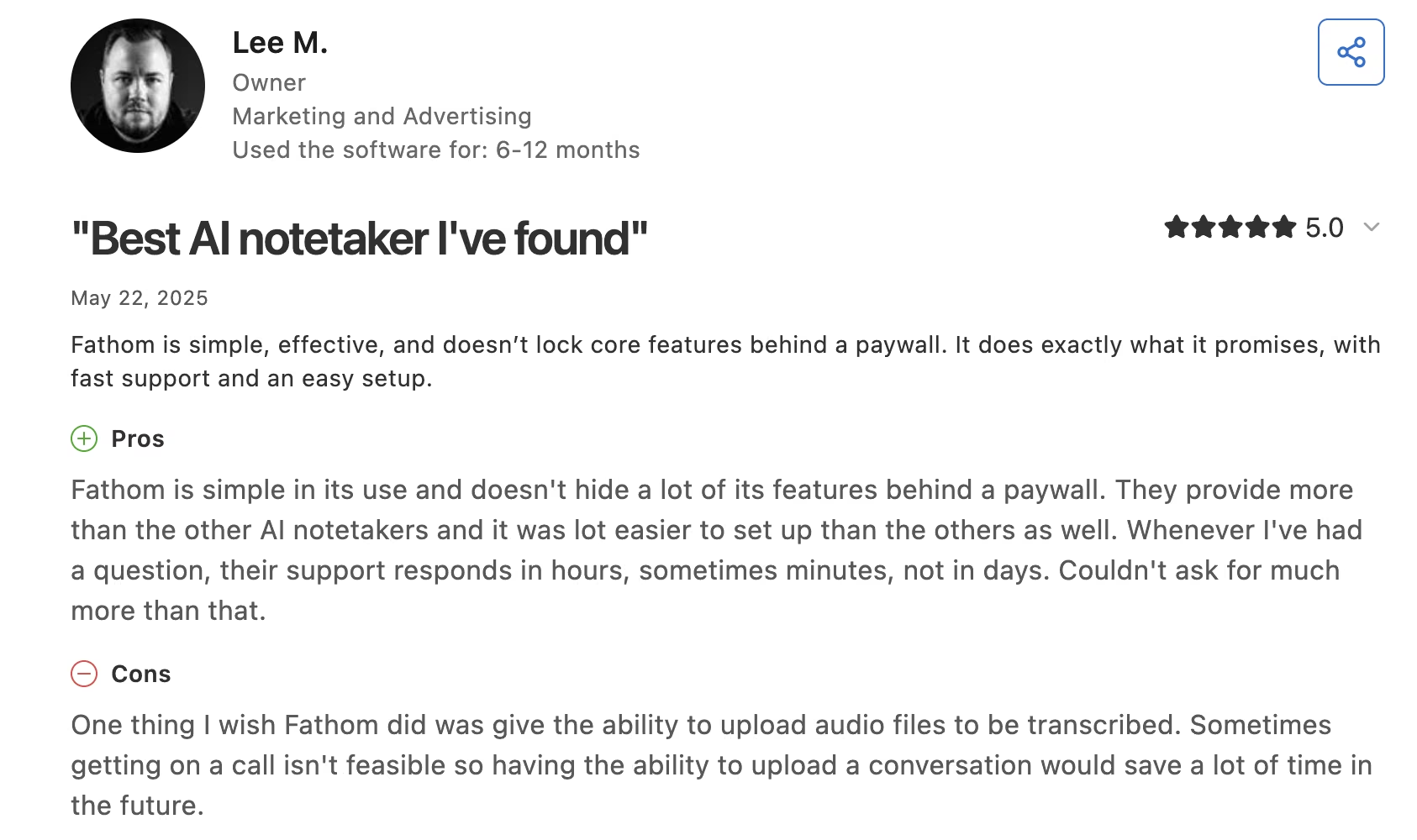
Lee M. praises how much sits outside the paywall: "They provide more than the other AI notetakers and it was lot easier to set up than the others as well."
The worst review on the page comes from a coach. Michael M., who runs a training practice, reported "horrible customer service that resulted in me losing two years of customer data."
Fathom Pricing
Per the official Fathom pricing page, the Free plan is $0 with unlimited recordings and transcriptions. Premium is $20/month ($16/month billed annually). Team is $19 per user monthly ($15 annually) with a two-user minimum, so the real floor there is $38. Business is $34 per user monthly ($25 annually).
Bottom Line
The free tier is the single highest-value pick on this list for a solo coach. Export your transcripts monthly anyway; the one-star reviews keep coming back to data that went missing.
Otter.ai: Best for a Searchable Archive Across Clients
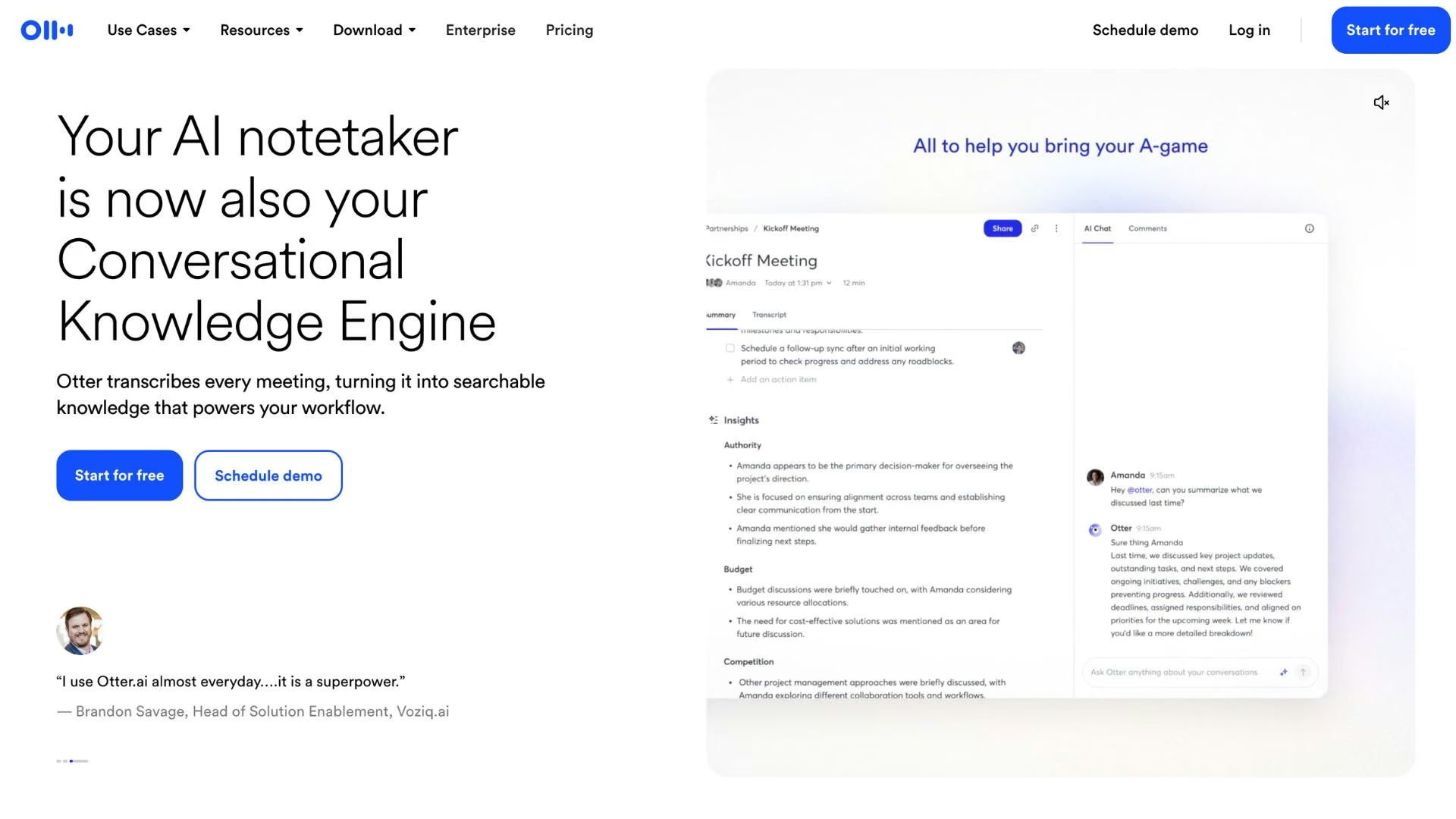
What it does: Otter.ai records and transcribes meetings, labels speakers, and builds a searchable library of every conversation you've had.
Best for: Coaches with a large roster who need to find what a client said three months ago in under a minute.
Otter earns its place on search. With 20-plus active clients, "what was her original goal in March" becomes a five-second lookup across your whole transcript library instead of a scroll through notes.
Key Features
Otter's value sits in what you can find later:
- Cross-meeting search: Find a phrase across every session you've recorded, including ones you'd forgotten about.
- Speaker identification: Separate your voice from the client's so quotes are attributable without guesswork.
- Automatic calendar joining: Otter shows up to scheduled calls without you starting anything.
Pros and Cons
Pros:
- Search across a long transcript history that no notetaker here matches.
- Annual billing cuts the Pro plan to less than half the monthly rate.
- Works across Zoom, Google Meet, and Teams.
Cons:
- Accuracy slips on accents, crosstalk, and emotional sessions.
- The free plan's 300 monthly minutes stop at 30 minutes per conversation, so a one-hour session gets cut in half and the real ceiling is 10 short calls, not five long ones.
What Users Say
Across 103 Capterra reviews, Otter's 4.4 out of 5 splits along audio quality.
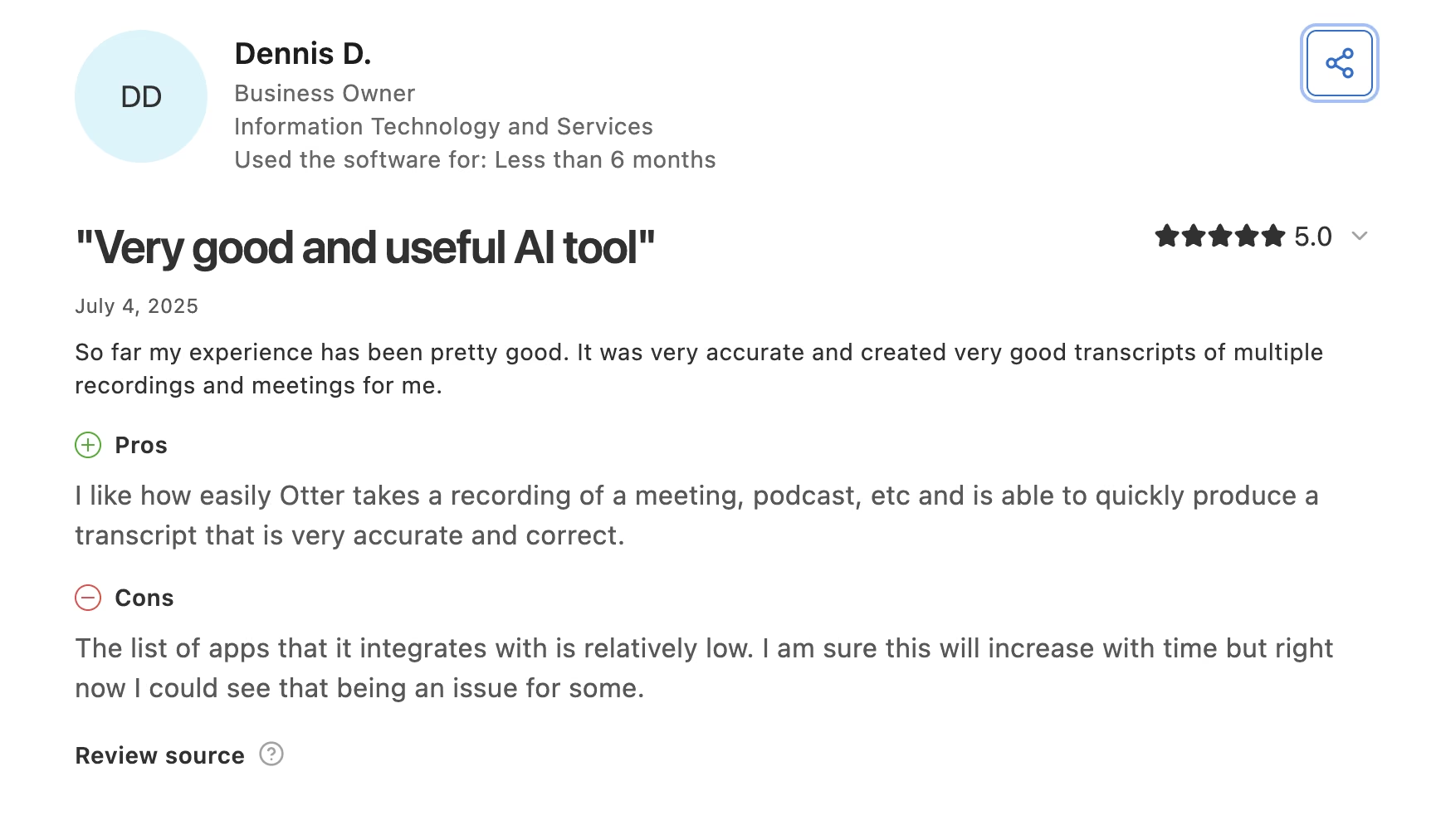
Dennis D. gets transcripts that are "very accurate and correct" from meetings and podcasts.
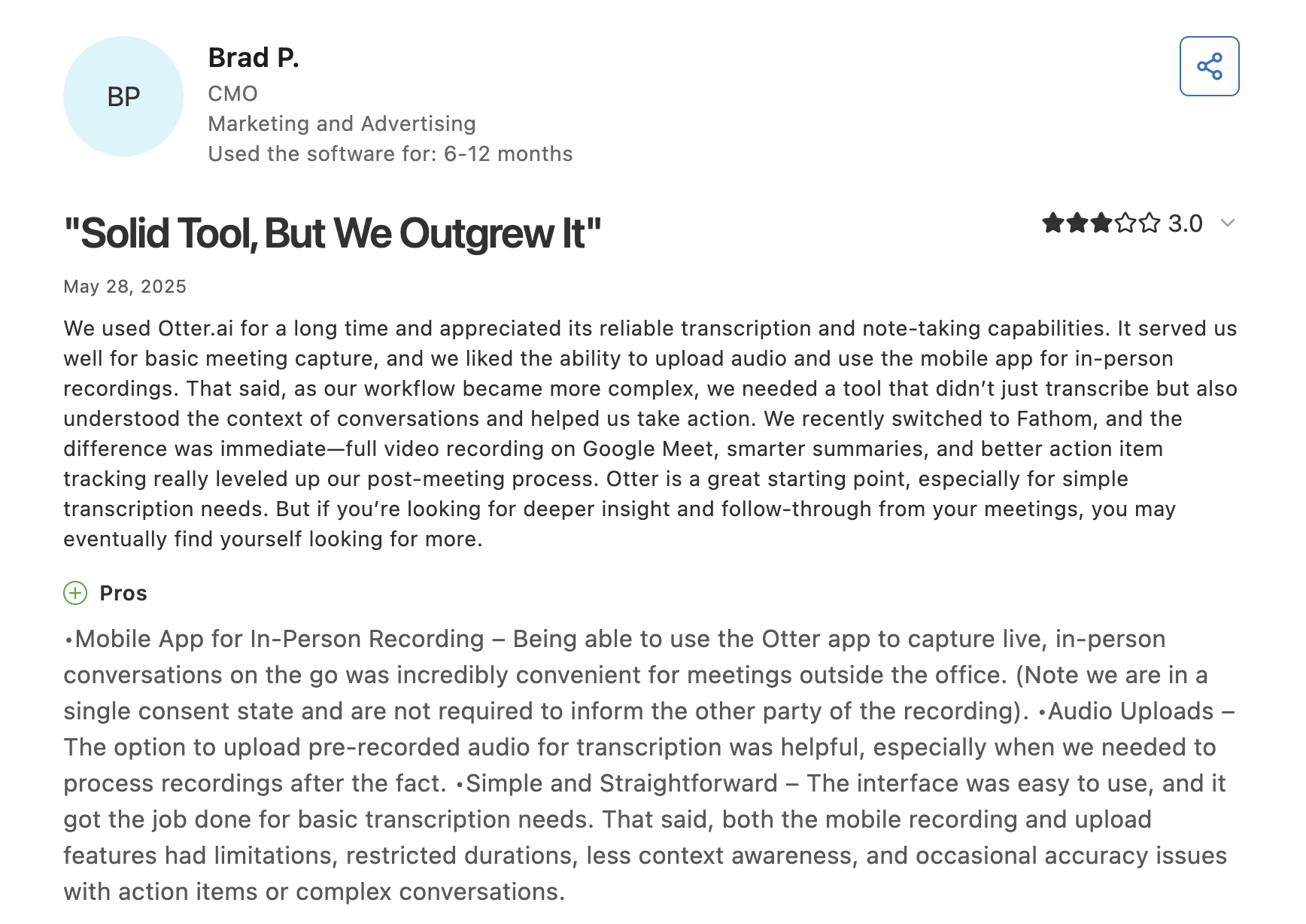
Brad P., a CMO who eventually moved off it, saw something different: "Even in clean audio environments, transcripts often topped out around 85% accuracy, requiring frequent edits."
Otter.ai Pricing
There’s a Free plan with 300 monthly transcription minutes and a 30-minute cap per conversation. Pro is $16.99 per user monthly or $8.33 per user billed annually, with 1,200 minutes. Business is $30 per user monthly or $19.99 billed annually with unlimited meetings.
Bottom Line
Pick Otter over Fathom when your problem is finding what a client said. Under ten active clients, Fathom's free plan already covers you, and Otter's search has nothing to search.
CoachAccountable: Best for Structure Between Sessions
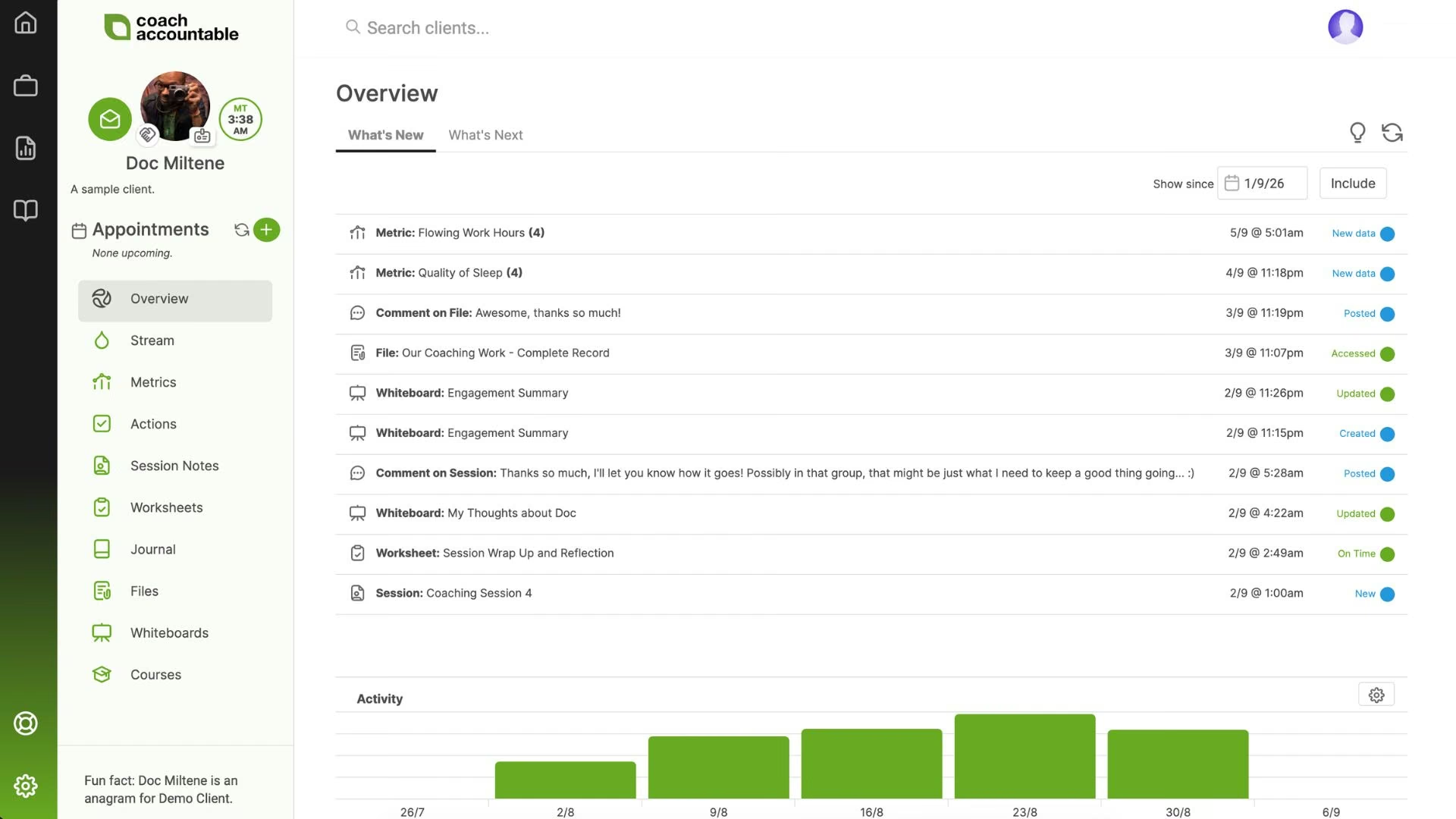
What it does: CoachAccountable is a coaching practice platform that handles client actions, worksheets, metrics, scheduling, and billing in one place.
Best for: Coaches whose results depend on what clients do between calls.
CoachAccountable is the one purpose-built coaching platform on this list, and your clients log into it. Assign an action, and they get reminders; set a metric, and they log it. You see who's slipping before the next session instead of finding out during it.
Key Features
Every feature here is something your client sees and uses:
- Assigned actions with automatic follow-up: Clients get nudged without you writing the reminder email.
- Metrics tracking: Watch a client's sleep, revenue, or practice hours trend across the engagement instead of relying on their recall.
- Client-facing worksheets: Send a structured exercise clients fill in inside the platform, so every response is stored where you can find it.
Pros and Cons
Pros:
- Every plan includes every feature, so you're paying only for roster size.
- Only active clients count toward your tier.
- Built specifically for coaching from the ground up.
Cons:
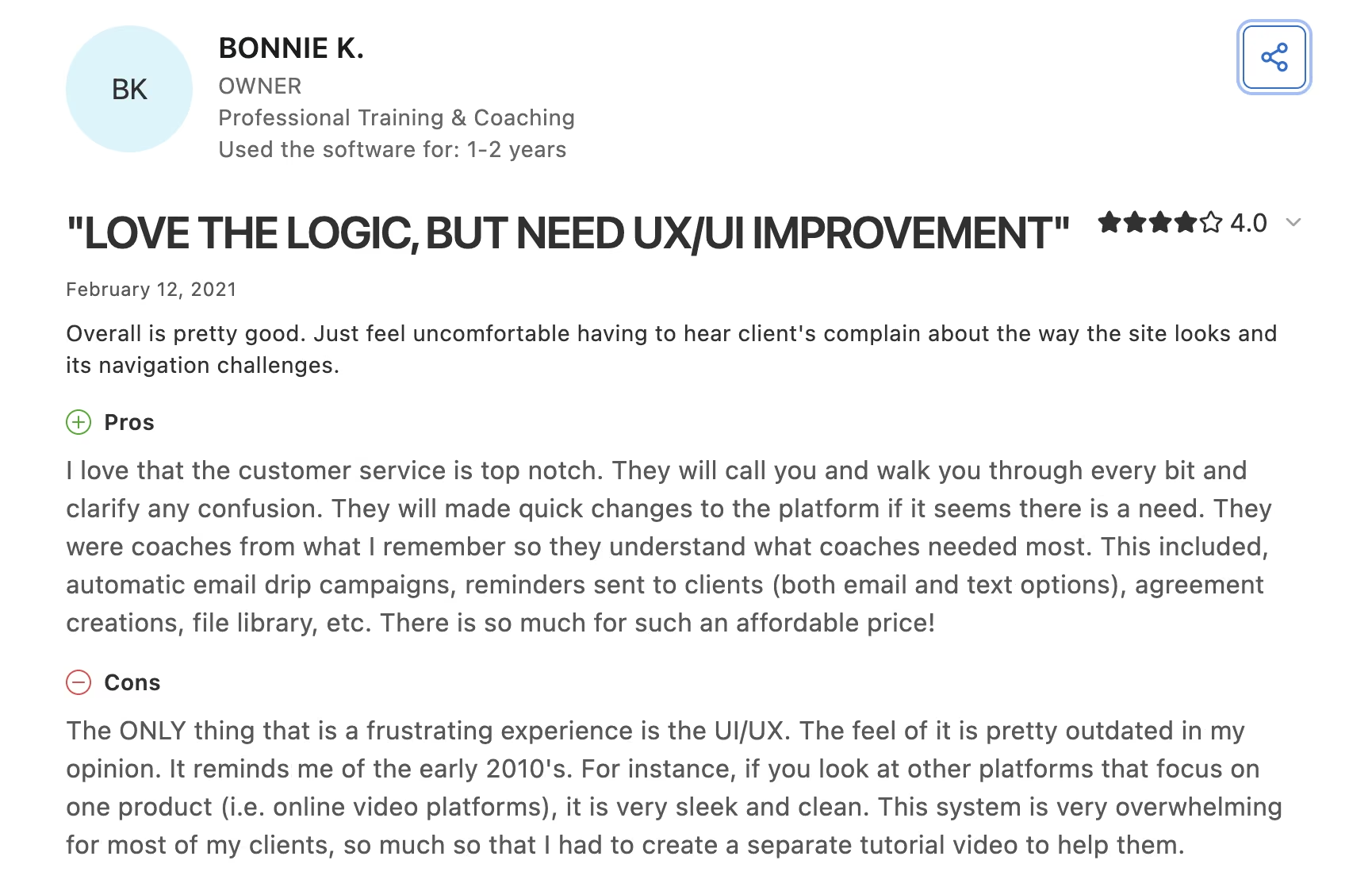
- The interface looks and feels a decade old.
- No free plan, and the $20 Starter tier only covers two clients, though the 30-day trial is fully featured.
What Users Say
CoachAccountable's 67 Capterra reviewers are near-unanimous on capability, at 5.0 out of 5, and near-unanimous on the interface.
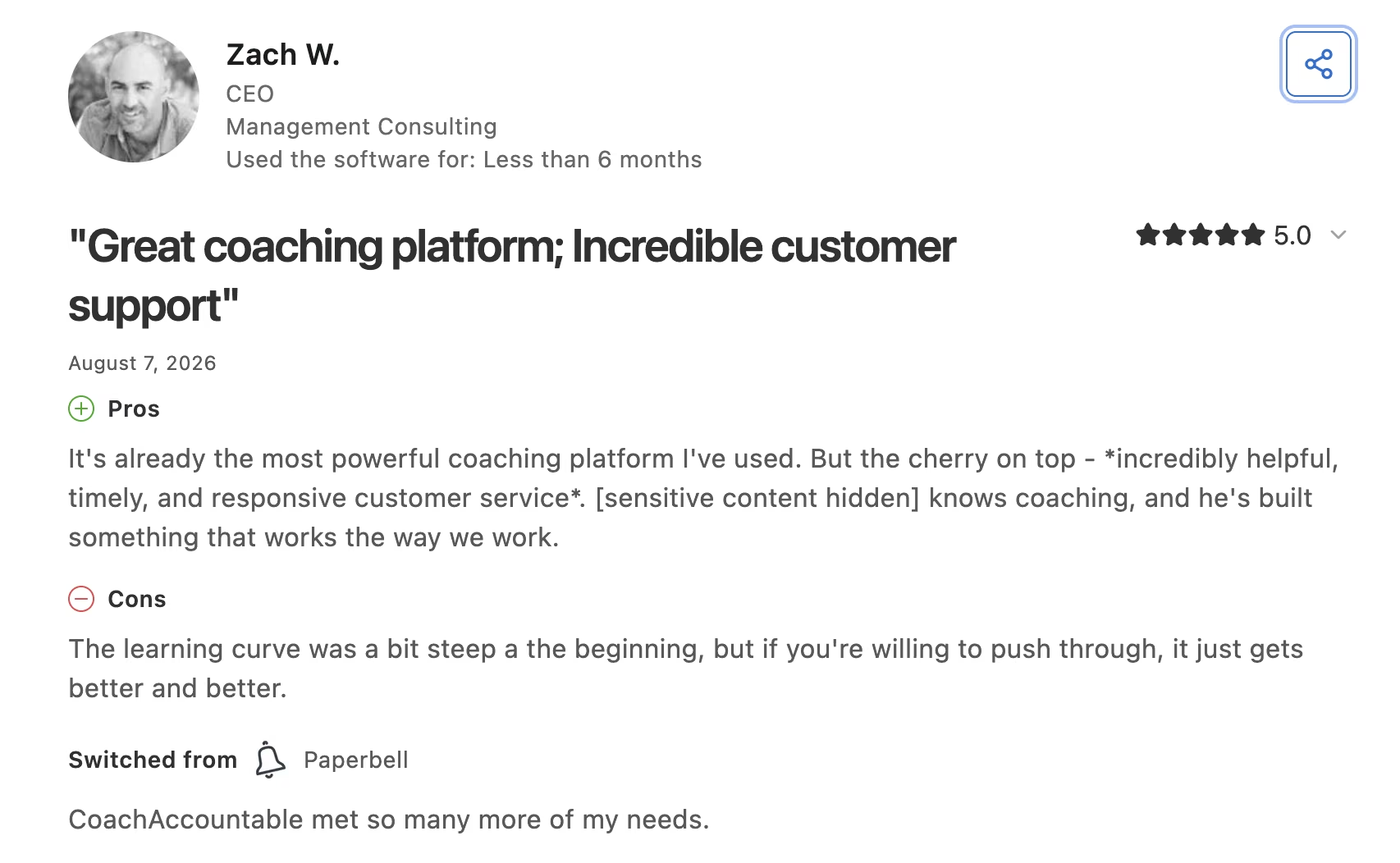
Zach W., a consulting CEO, calls it "already the most powerful coaching platform I've used."
Bonnie K., who runs a training practice, gave it four stars with one reservation: "The ONLY thing that is a frustrating experience is the UI/UX. It reminds me of the early 2010's."
CoachAccountable Pricing
The official CoachAccountable pricing page prices by active clients. Starter is $20/month for two clients, Level 1 is $40 for five, Level 2 is $70 for 10, and Level 3 is $120 for 20. It keeps scaling to $4,000/month for 1,000 clients, and every tier is fully featured.
Bottom Line
At $40/month for five clients, you're paying platform money on a small roster. Buy it only if between-session accountability is what you sell, because that's the one job nothing else here does as well.
Descript: Best for Turning Calls Into Content
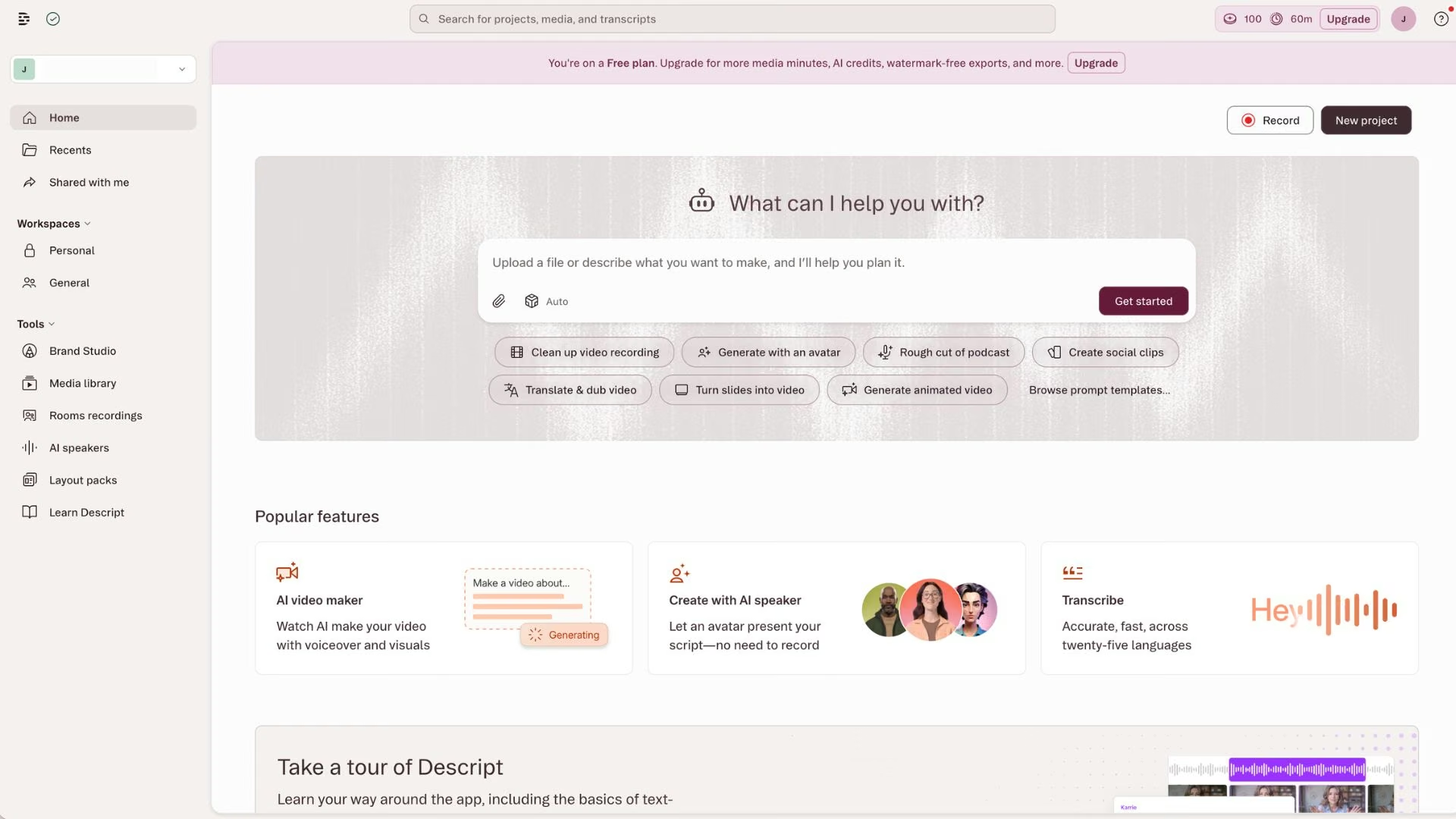
What it does: Descript edits video and audio by editing the transcript, so deleting a sentence of text deletes it from the recording.
Best for: Coaches who want to publish clips, podcasts, or course videos without learning an editing timeline.
The pitch is simple: if you can edit a Google Doc, you can edit a video. Delete the filler words with one click, cut a two-minute answer out of a recorded workshop, and export. For a coach sitting on hours of recorded content and no editor, that's the difference between publishing and not.
Key Features
Descript's features exist to remove the editing skill barrier:
- Text-based editing: Cut a recording by deleting words, which removes the biggest skill barrier to publishing video.
- Filler word removal: Strip every "um" from an hour of footage in one pass.
- Studio Sound: Make a laptop mic recording sound closer to a treated room.
Pros and Cons
Pros:
- The fastest path from a recorded session to a publishable clip.
- Free tier is enough to test the workflow on one video.
- Handles audio and video in the same project.
Cons:
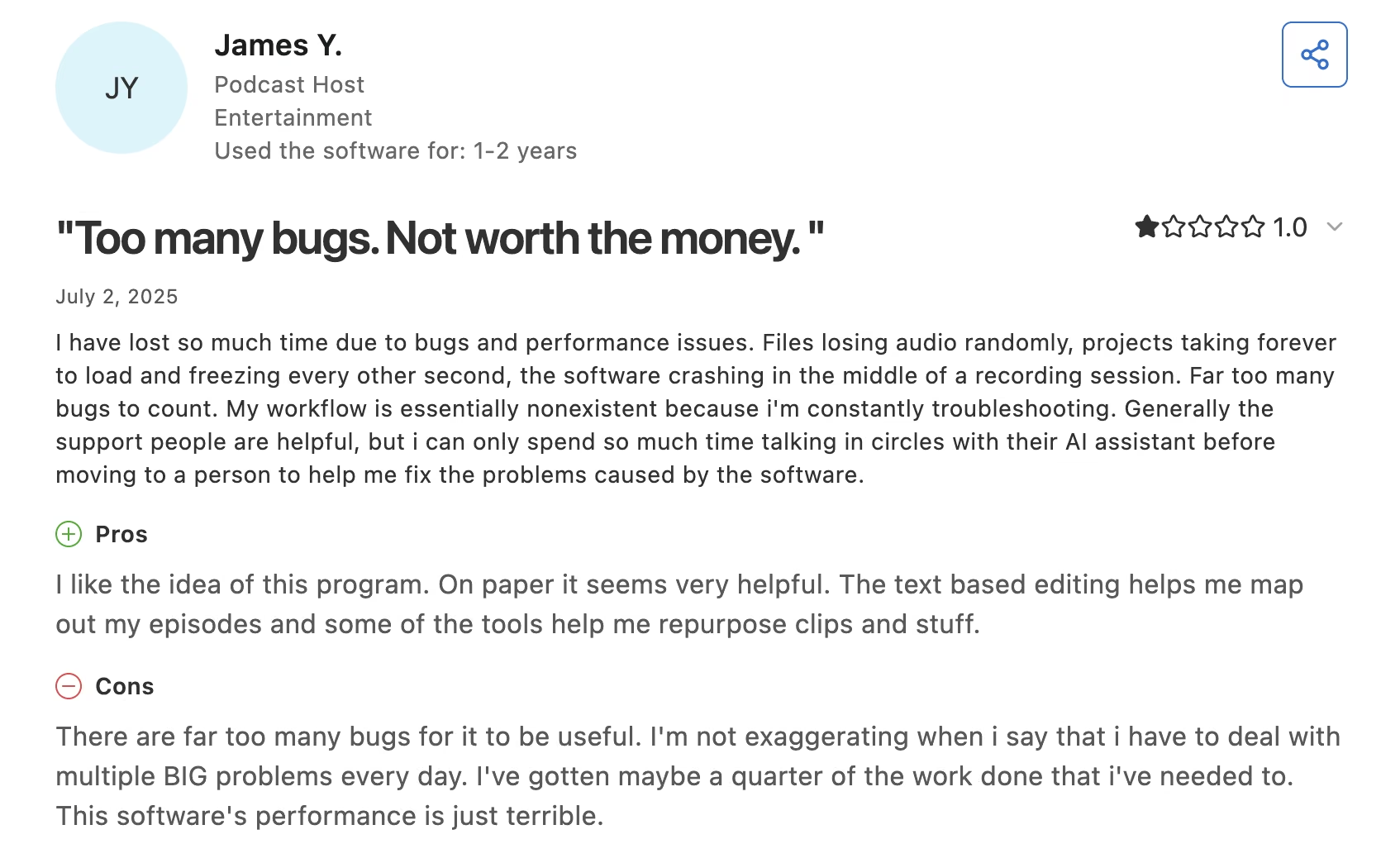
- Projects freeze and audio drops mid-session, and long recordings are slow to load.
- Free exports carry a watermark and cap at 720p.
What Users Say
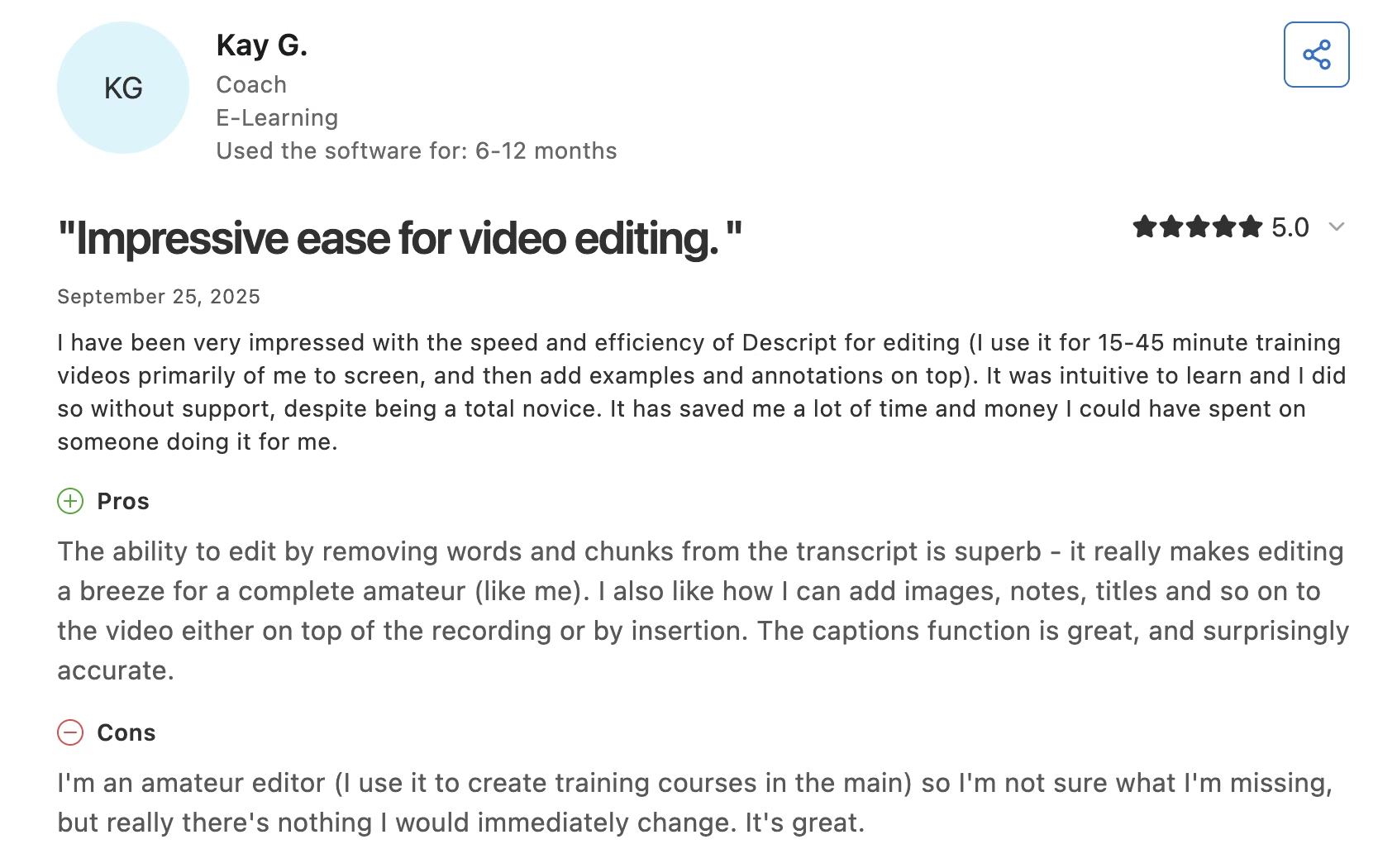
Descript averages 4.6 out of 5 across 183 Capterra reviews, and one of them is from a coach.
Kay G. found that editing by "removing words and chunks from the transcript is superb - it really makes editing a breeze for a complete amateur (like me)."
Stability is the sore point. James Y., a podcast host, wrote that "there are far too many bugs for it to be useful," citing "multiple BIG problems every day."
Descript Pricing
Per the official Descript pricing page, the Free plan covers 60 minutes of transcription per month with 720p watermarked exports. Hobbyist is $24/month ($16/month billed annually), Creator is $35/month ($24 annually), and Business is $65/month ($50 annually).
Bottom Line
Descript is the right tool the week you decide to publish weekly, and dead money before that. Twice-a-year posters should stay on the free tier and their phone.
Canva: Best for Worksheets, Slides, and Lead Magnets
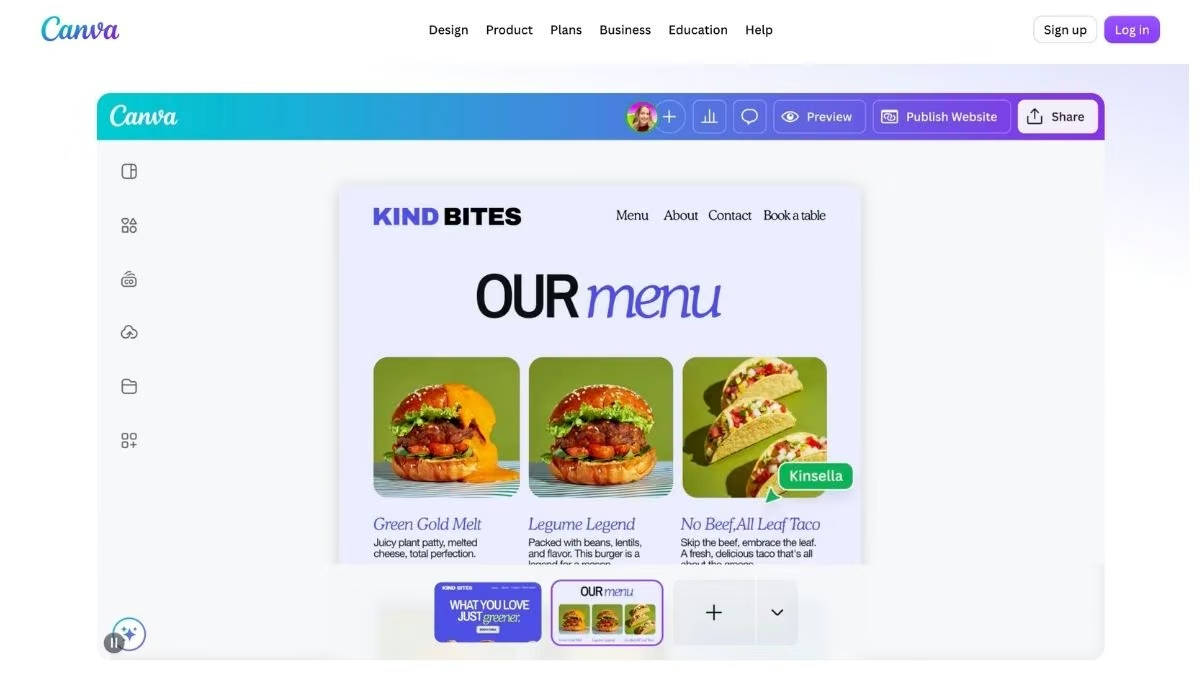
What it does: Canva is a design tool with templates, brand kits, and AI features that generate and edit images, copy, and layouts.
Best for: Coaches producing client-facing documents that need to look professional without a designer.
Coaches make more documents than they expect: intake packets, session worksheets, program outlines, workshop slides, and the free download that gets people onto a list. Canva turns each of those into a template you fill in once and reuse. Brand Kits keep the fonts and colors consistent so a client's fifth worksheet matches their first.
Key Features
The features worth the upgrade are the ones that keep everything consistent:
- Brand Kit: Lock your fonts, colors, and logo so every asset matches without checking a style guide.
- Magic Studio AI tools: Generate images, remove backgrounds, and resize a worksheet into an Instagram post in one step.
- Template library: Start from a coaching worksheet or workshop deck instead of a blank page.
Pros and Cons
Pros:
- The free plan covers most of what a small practice needs.
- Templates cover almost every document a coach needs.
- Print ordering built in for physical workbooks.
Cons:
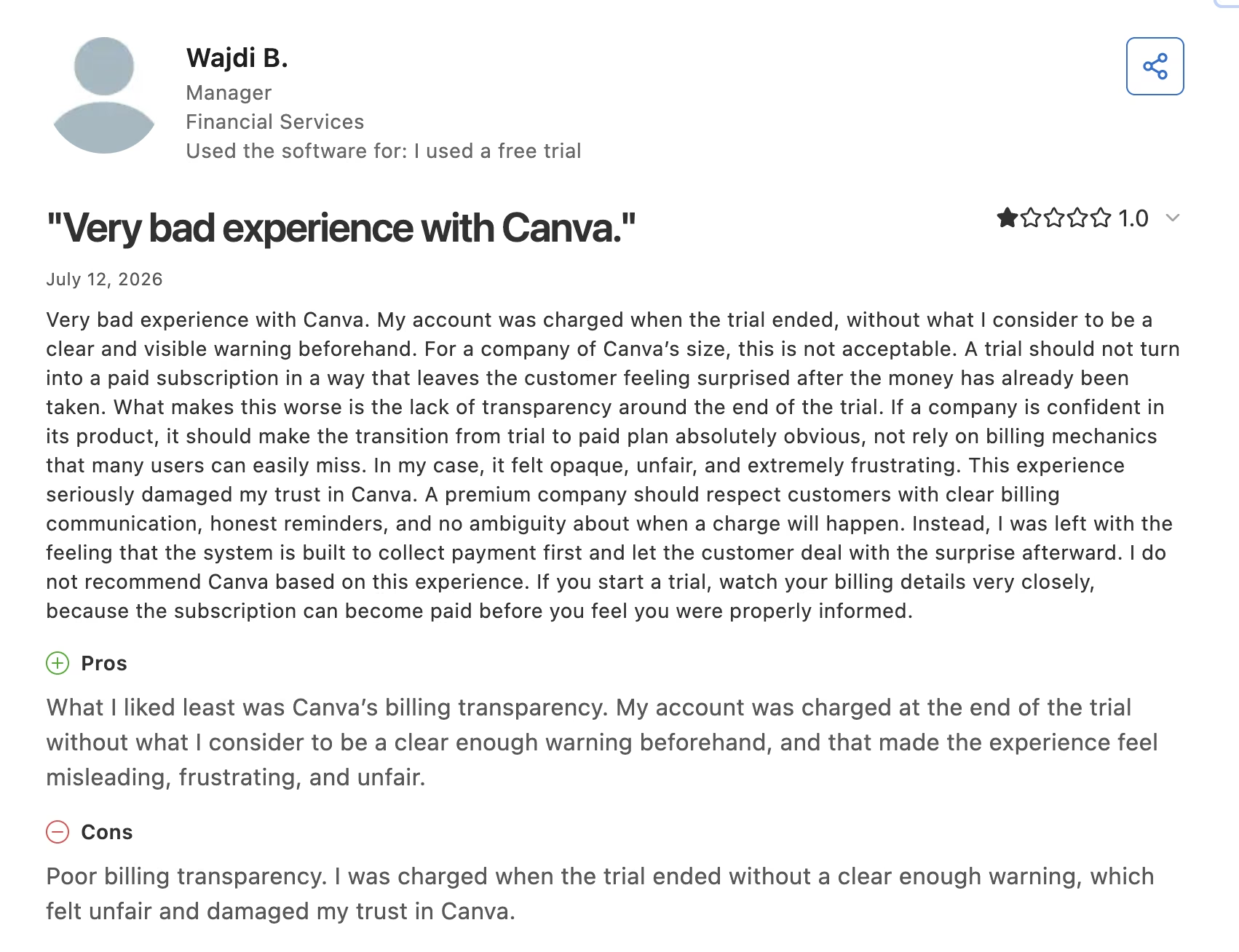
- The free trial rolls into a paid plan with little warning, and refunds are slow.
- Heavy template use makes your materials look like everyone else's.
What Users Say
With more than 13,000 Capterra reviews behind a 4.7 out of 5, Canva has the deepest review history on this list.
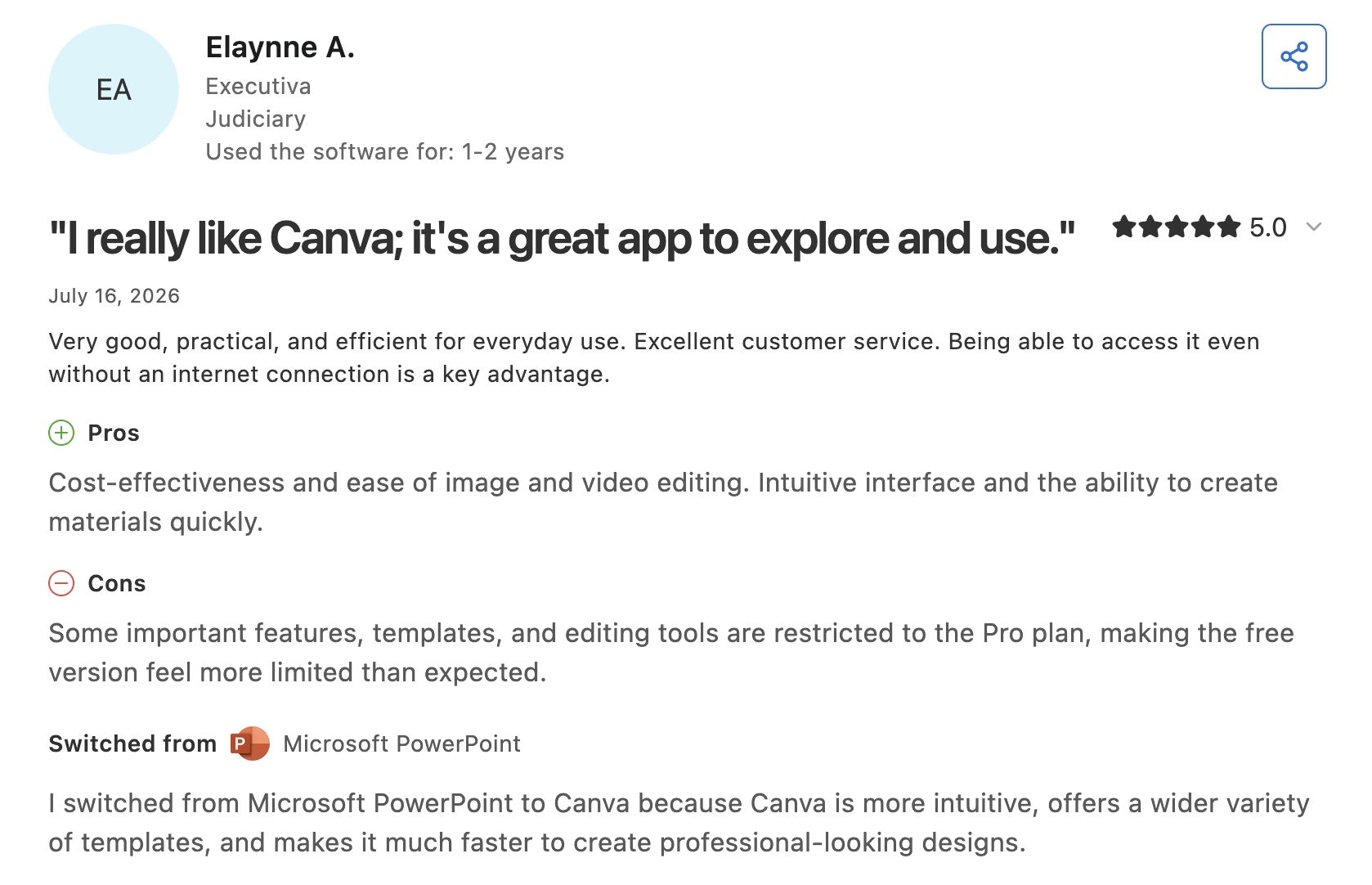
Elaynne A. keeps it short: "Very good, practical, and efficient for everyday use. Excellent customer service."
Billing is where the one-star reviews cluster. Wajdi B. reported "poor billing transparency. I was charged when the trial ended without a clear enough warning."
Canva Pricing
Canva offers a Free plan at $0. For creators wanting premium features, the Pro plan costs $18/month ($15/month billed annually) for one person. Teams can upgrade to the Business plan at $25/month ($20.83/month billed annually) per person, and Enterprise requires custom pricing.
Bottom Line
The free plan is all most solo coaches will ever need from Canva. It gives you one Brand Kit limited to three colors, so upgrade once that limit and the background remover start costing you an hour a week.
Rocky.ai: Best for Rolling Out AI Coaching at Scale
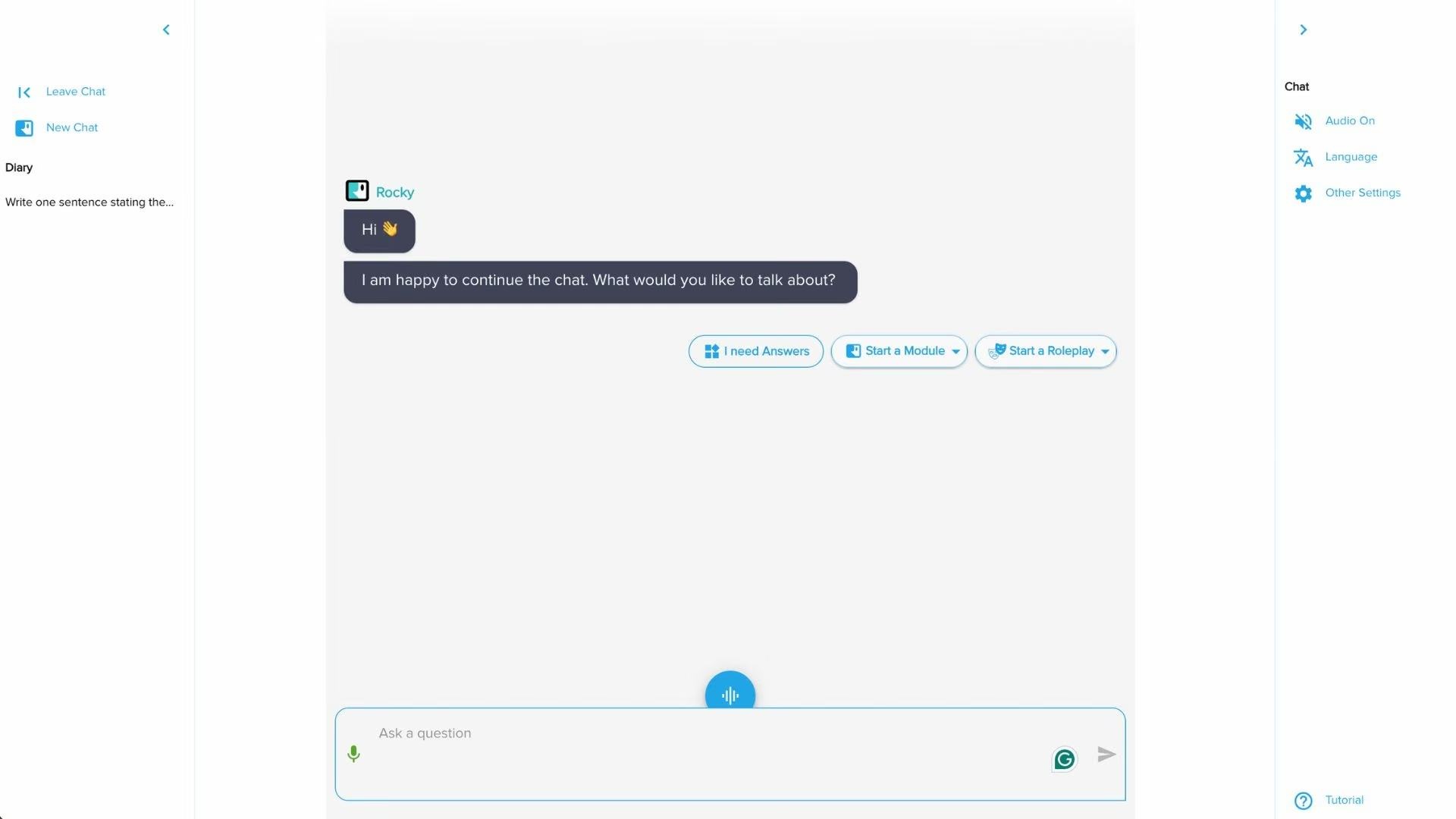
What it does: Rocky.ai is an AI coaching platform that runs short, structured development conversations with users and reports progress back to a coach or program manager.
Best for: Coaching businesses and corporate learning teams who need to serve more people than a human roster allows.
This is the only tool here that talks to your clients directly, which is why it belongs on the list and why it needs a warning label. It works for daily reflection, habit-building, and soft-skill practice at volume, as long as nobody mistakes it for the relationship you're actually selling.
Key Features
Rocky.ai's features are built for running a program at volume:
- White-label branding: Ship the AI coach under your own name and domain.
- Coach panel: See engagement and progress across a cohort so you know where to spend your human hours.
- Daily prompt sessions: Give clients a short structured check-in on the days you're not in the room.
Pros and Cons
Pros:
- Free tier and a $9.99 individual plan make it cheap to evaluate.
- White-label option lets a coaching business productize a lower-priced offer.
- Cohort analytics show who's disengaging before renewal.
Cons:
- The AI misreads plain statements and answers off-topic, which breaks the coaching illusion fast.
- Support requests can go unanswered for weeks, including refund and access issues.
What Users Say
Rocky.ai has no G2 or Capterra listing, so the only real review pool is the Apple App Store, where it sits at 4.2 out of 5 from 18 ratings.
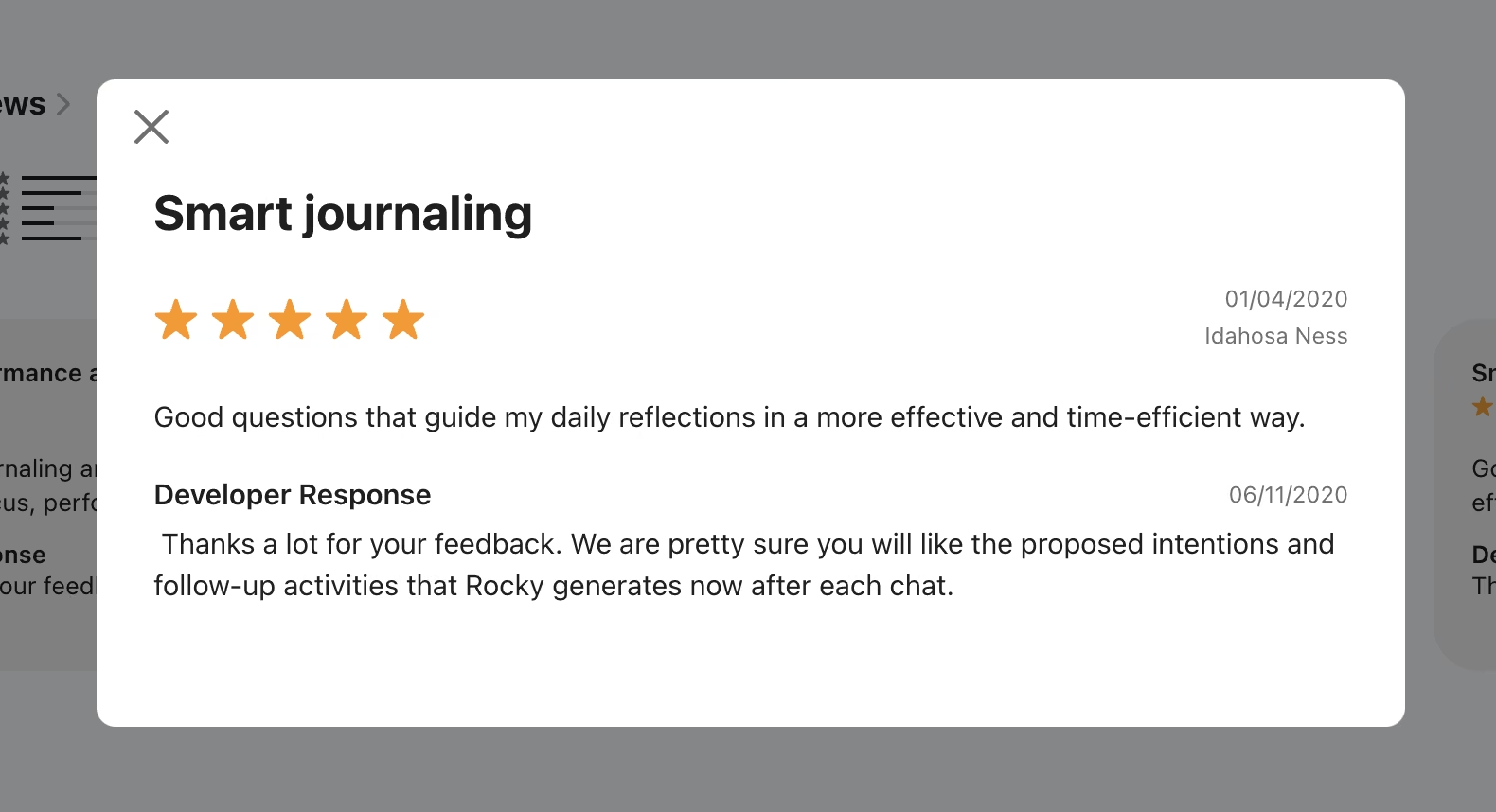
Idahosa Ness uses it as structured journaling: "good questions that guide my daily reflections in a more effective and time-efficient way."
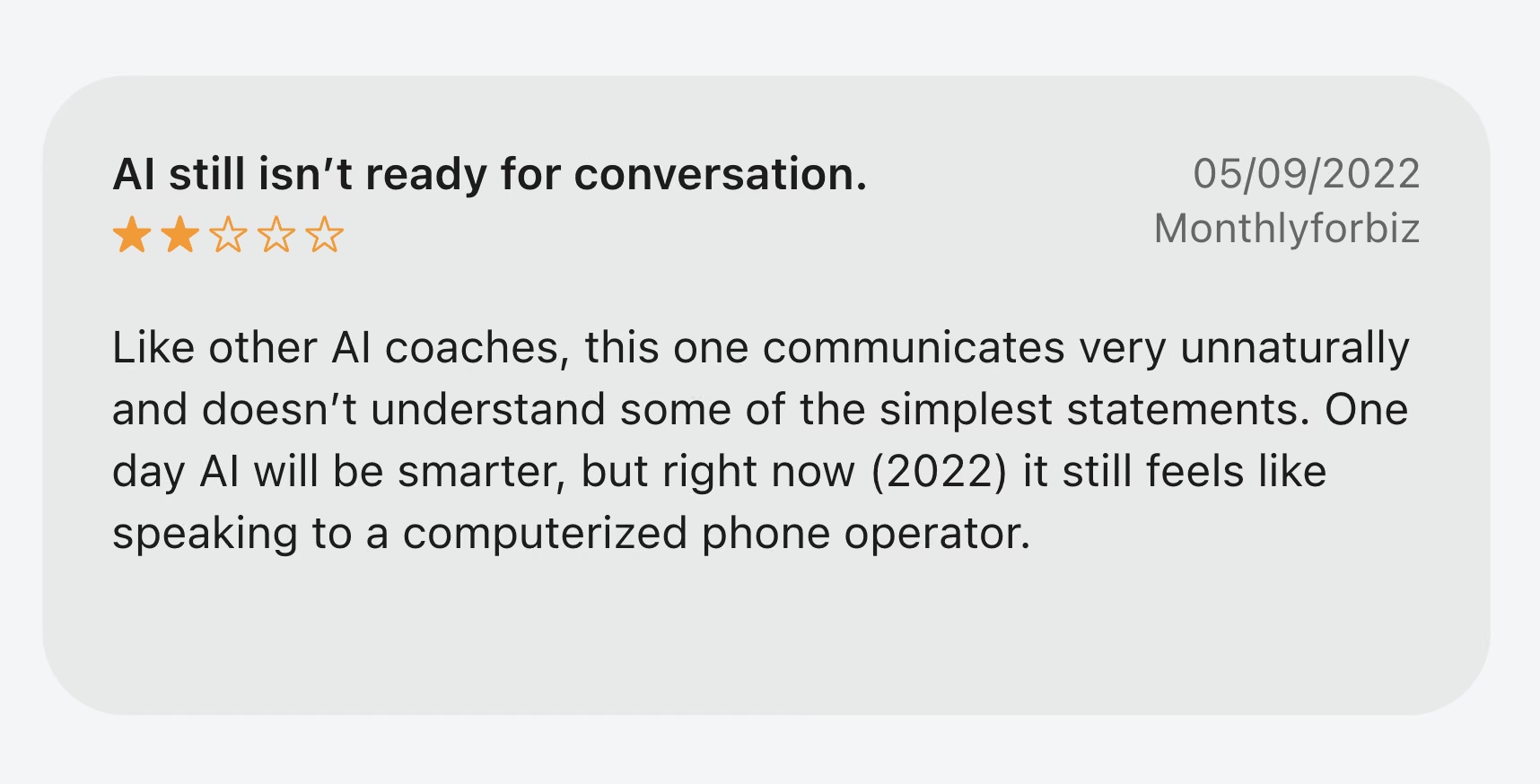
The critical reviews go straight at the conversation quality. One reviewer, Monthlyforbiz, wrote that "like other AI coaches, this one communicates very unnaturally and doesn't understand some of the simplest statements."
Rocky.ai Pricing
The official Rocky.ai pricing page lists a Free plan at $0 covering one coaching topic, the Individuals plan starting at $9.99/month, and the Professional / Business plan at $19.90 per seat monthly for teams. White-label plans start at $99/month for five users and $199/month for 20 users, with volume pricing above that.

Bottom Line
Run it as a low-cost tier beneath your main offer, and it earns its keep. Sell it as coaching in its own right, and you'll spend the savings on refunds.
Where AI for Coaches Helps, and Where It Shouldn't Go
AI for coaches works best on the parts of the job that repeat: transcribing a session, drafting the follow-up, chasing an intake form, building the worksheet you've built nine times. Every tool above earns its money on that layer.
The line is the conversation itself. Three rules keep most practices out of trouble:
- Get consent in writing before you record. Put the tool's name in your coaching agreement, say where recordings live, and say how long you keep them.
- Never paste a client's words into a tool you haven't read the terms on. Session notes are among the most sensitive documents a coach handles, and free tiers are the likeliest to train on what you upload.
- Don't let an AI deliver the judgment call. Use it to prepare, summarize, and follow up. The reframe, the challenge, and the moment you decide to say nothing at all are the work.
The ICF's AI Coaching Framework and Standards covers six domains, including foundational ethics, assurance and testing, and technical factors such as privacy and accessibility. Read it before you put an AI coach in front of your clients under your own brand.
Which AI Tool Should You Choose?
Nobody needs all nine. Most working coaches run three: one assistant, one notetaker, and one tool the client logs into. Here's how the nine sort by situation, ours first.
Choose Emergent if you:
- Have a client workflow that off-the-shelf software can't handle
- Are paying for three tools to fake one of them
- Want to own the portal instead of renting it
Choose ChatGPT or Claude if you:
- Want a single subscription that covers prep, writing, and analysis
- Publish regularly and need drafts that don't read like drafts
Choose Fathom or Otter.ai if you:
- Lose an hour a week writing up session notes
- Need to search what a client said months ago
Choose CoachAccountable if you:
- Sell outcomes that depend on between-session behavior
- Manage more than 10 active clients
Choose Descript or Canva if you:
- Publish clips, a podcast, or course video and have no editor
- Send clients worksheets, packets, or slides that need to look finished
Choose Rocky.ai if you:
- Run a cohort or corporate program larger than your human roster
- Want a lower-priced tier sitting underneath your main offer
Skip this category entirely if:
- You coach fewer than five clients and a notebook is working
- Your clients are in regulated settings where recording is restricted
Also read our best AI productivity tools guide for the general toolkit alongside these.
Start With the Tool Your Practice Is Missing
If the missing piece is something your clients log into, Emergent is where we'd start, because it's the only tool here that builds that piece around your method instead of someone else's. That's our product and our bias, and we've tried to show enough of the credit math and the one-star reviews for you to check it.
If the missing piece is your evenings, start with a notetaker, and make it Fathom. Session admin is the largest recoverable block of time in a coaching week, and Fathom's free plan takes it off your desk without a card on file.
Either way, the second purchase is more interesting than the first. Once your notes are handled and your drafts are fast, the bottleneck moves to whatever your clients log into: the portal, the intake, the tracker. That's where most coaches settle for a platform that almost fits.
Worth remembering as you shop: all nine of these buy back time around the session. What happens in the room is still entirely on you, and no subscription changes that.
If your work shades into consulting, our AI tools for consultants guide covers that side.
Build the Client Portal No Platform Sells
Emergent is what you reach for when the thing your practice needs isn't on anybody's pricing page. You've already seen what it does. Here's what it costs to find out whether it fits your practice.
- Start for free: 10 monthly credits are enough to build the first screens and see whether the idea holds up before you spend anything.
- Cheap at one build a quarter: A coach shipping a single portal every few months stays comfortably inside the $20 Standard plan
- No platform tax: From the Standard plan up you own the code and can push it to GitHub, so the portal never becomes another renewal you can't leave.
- Emmy writes the prompt for you: The built-in assistant shapes a rough idea into a build-ready prompt and spends no credits doing it.
Try building your first app on Emergent.

Most AI app builders stop at prototypes. Emergent creates production-ready apps you can actually launch.
- Production-ready apps
- Web & mobile apps
- Deploy in minutes







