
TL;DR
- Toggl Track: Best for understanding where hours go, with no monitoring attached.
- Clockify: Best for putting a large team on a shared tracker at the lowest cost.
- Harvest: Best for turning tracked hours straight into client invoices.
- Hubstaff: Best for field crews who clock in and out by location.
- Time Doctor: Best for managed teams where activity reporting is a requirement.
- RescueTime: Best for people who want their hours recorded without touching a timer.
If none of the six fit the way your business measures work, the next-to-last section covers building your own tracker instead.
Most teams pick a time tracking tool the same way. Someone searches for a list, picks whichever name looks familiar, and rolls it out on Monday. Six months later, half the team is backfilling Friday afternoon from memory, and those reconstructed numbers end up on client invoices.
We compared six tools on how each captures hours, what it charges past the sticker price, and how much monitoring it brings. One disclosure before you start: this is Emergent's blog, and Emergent isn't a time tracker, so it isn't on the list. It comes up at the end, for the case where none of the six fit.
By the end, you'll know which one suits the way your team already works, and when the better move is building the tracker around your process instead of bending your process around a tracker.
What Actually Matters When Choosing a Time Tracking Tool
Five things decide whether a tracker survives its first quarter. The first four sort the six tools below. The fifth decides whether any of them fits at all, and it comes back in the last section.
How it captures time: Timers, weekly timesheets, automatic background capture, and kiosk clock-ins are four different products wearing one label. A designer who context-switches 30 times a day won't run a timer reliably, and a field crew won't fill in a timesheet. Match capture to how people work, and adoption stops being a management problem.
Whether it bills or only measures: Some stop at the hour count. Others carry rates, budgets, and invoicing, so tracked time becomes money without a spreadsheet in between.
How much surveillance comes attached: Screenshots and activity scores are standard in one half of this category and deliberately absent in the other. Rolling them out to a salaried team that didn't expect them is the fastest way to lose trust in the numbers themselves.
Where the pricing risk sits: Per-seat pricing is predictable. Per-seat plus usage fees is not, and seat minimums quietly raise the floor for small teams.
Whether it fits your process or you fit its process: Every tracker encodes assumptions about approvals, rounding, and what a project is. If your business measures something the tool has no field for, you end up with a shadow spreadsheet.
How We Put This List Together
This isn't a hands-on test of all six, and we won't dress it up as one. We worked from each vendor's documentation, their live pricing pages, and public Trustpilot reviews, both positive and critical.
Every price came off the official pricing page in the same session, with the billing toggle flipped both ways. Most pricing pages open on the annual view, so the number on screen is the discounted monthly-equivalent. We list the monthly price first and the annual rate in parentheses.
Three didn't make the cut. Jibble is a strong free option for shift work, but its pricing page redirects, and we won't quote numbers we can't verify live. Everhour carries a five-seat minimum, which prices out the solo users and small teams this list is partly for.
Suite products like monday and ClickUp track time competently, but in those the tracking is a feature inside a project platform rather than the product.
Time Tracking Tools Compared at a Glance
The capture method is the column to read first, since it decides whether people keep using the tool at all.
| Tool | How It Captures Time | Best For | Starting Price |
|---|---|---|---|
| Toggl Track | Timer, manual entry | Reporting without monitoring | Free /$12/seat/month |
| Clockify | Timer, timesheet, kiosk | Large teams on a budget | Free up to 5 users /$4.99/seat/month |
| Harvest | Timer, manual entry | Time-to-invoice workflows | Free /from $11/seat/month |
| Hubstaff | GPS, geofence, timer | Field and mobile crews | $7/seat/month, 2-seat min ($14) |
| Time Doctor | Automatic, screenshots | Managed and outsourced teams | $8/user/month |
| RescueTime | Automatic background | Solo focus tracking | $9/month |
Toggl Track: Best for Billable Work Without Monitoring

What it does: Runs a one-click timer across web, desktop, and mobile, then reports hours by project, client, and billable status.
Best for: Teams who need to know where the hours went, rather than what to invoice for them.
Toggl Track bets that tracking has to be nearly frictionless or people stop doing it, so the timer starts in one click, and the browser extension sits inside the tools you already work in.
It also takes an unusual position for this category, publishing an anti-surveillance stance and selling no screenshots or activity scoring at all. The tier boundaries are what to watch: billable rates arrive on Starter, while labor costs, profitability, and approvals sit on Premium at double the price.
Key Features
- One-click timer everywhere: A browser extension puts the timer where the work happens.
- Calendar integration: Google and Outlook events convert into entries, recovering meeting hours people forget to log.
- Profitability reporting: Premium sets labor costs against billings, showing which clients are worth keeping.
Pros and Cons
Pros:
- Fast enough that people keep using it.
- Free plan covers up to three users indefinitely.
- No monitoring features to explain or defend.
Cons:
- Profitability and approvals are locked to the higher tier.
- Premium at $24/user/month is expensive for a pure tracker.
- No GPS or clock-in options for field teams.
What Users Say
Toggl Track holds 66 Trustpilot reviews at a 1.9 average, a low score on a thin sample that sits oddly against the product's reputation.
The praise is about simplicity. Dane Rossenrode says "It's simple and effective, and their reports are super helpful for my business."

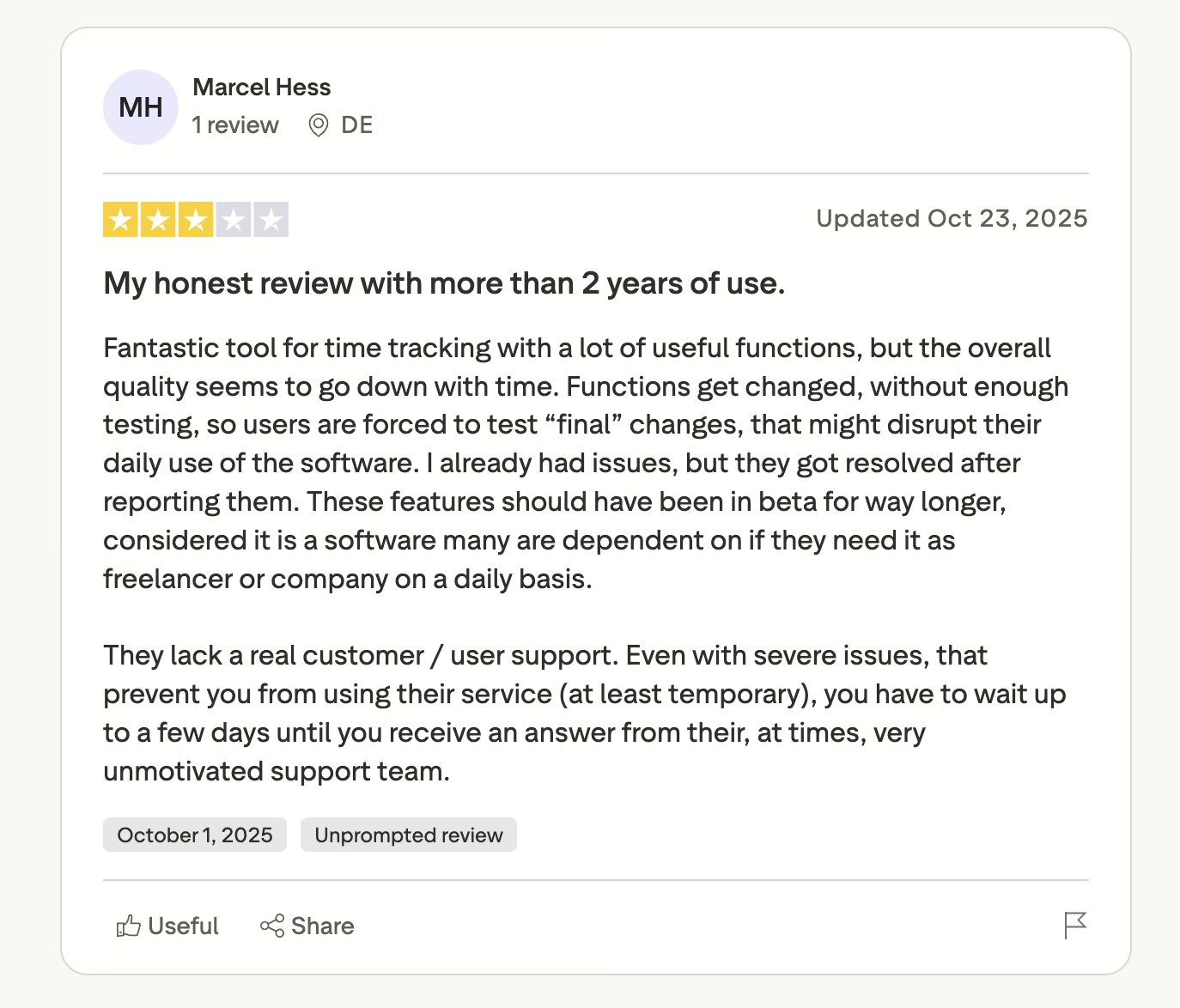
The complaints are about release quality, not missing features. Marcel Hess, a user of more than two years, writes that "the overall quality seems to go down with time."
Pricing
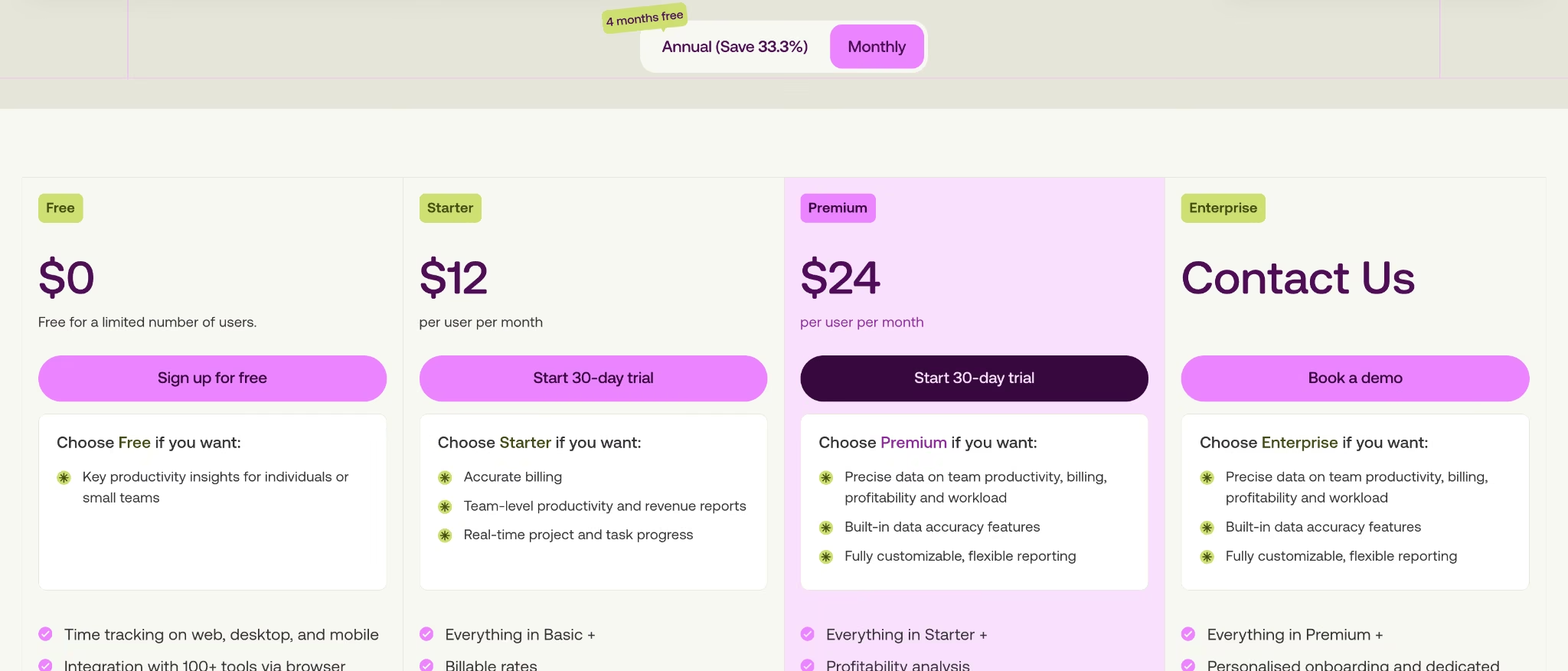
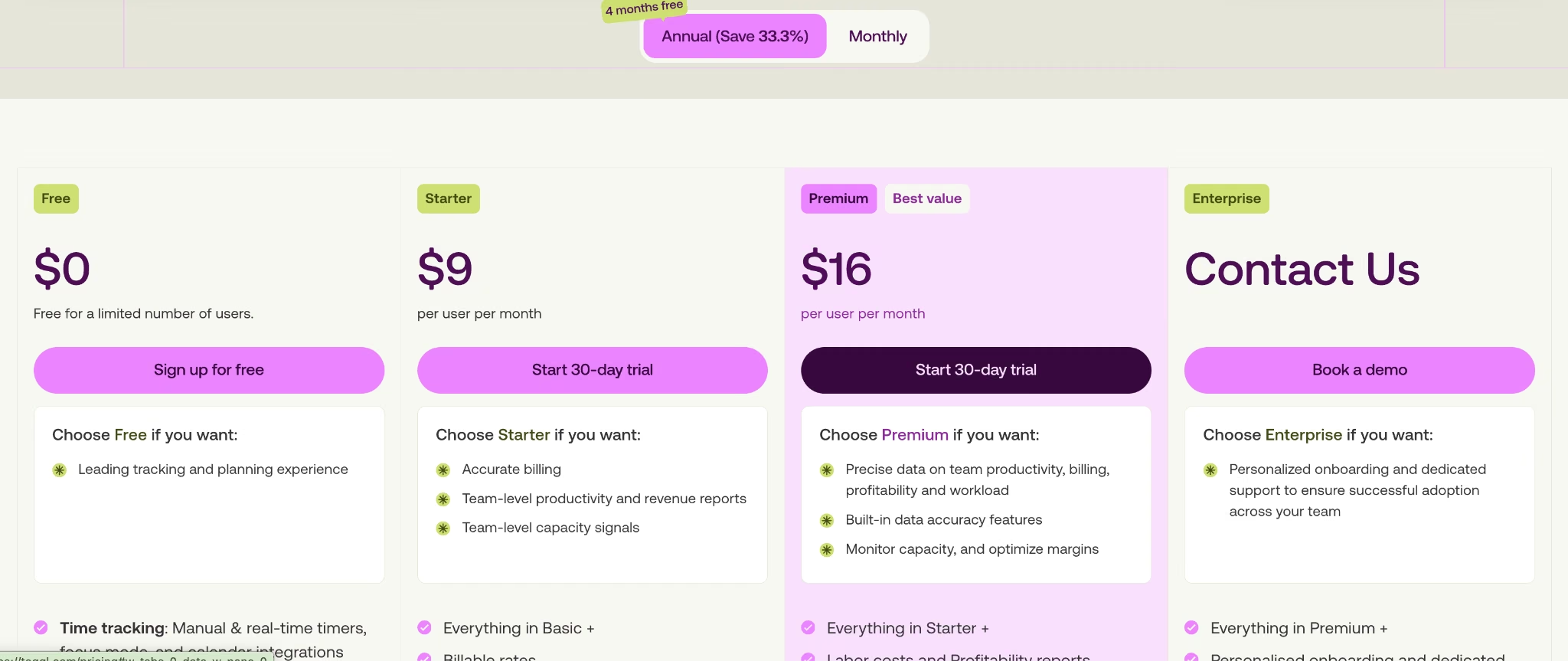
Toggl Track's free plan covers up to three users, and there's a 30-day trial on the paid tiers. Starter is $12/seat/month ($9/seat/month billed annually) for billable rates, estimates, and team reports. Premium is $24/seat/month ($16/seat/month billed annually) for profitability, approvals, and single sign-on. Enterprise is priced case by case.
Bottom Line
Toggl Track and Harvest overlap, so use this to split them. Toggl Track is the better measuring instrument, with richer reporting and no monitoring; Harvest is the better billing instrument. Pick Toggl Track when you need to understand the hours and trust the people logging them. Budget for Premium if profitability is the real question, because Starter won't answer it.
Clockify: Best for Tracking a Large Team Cheaply
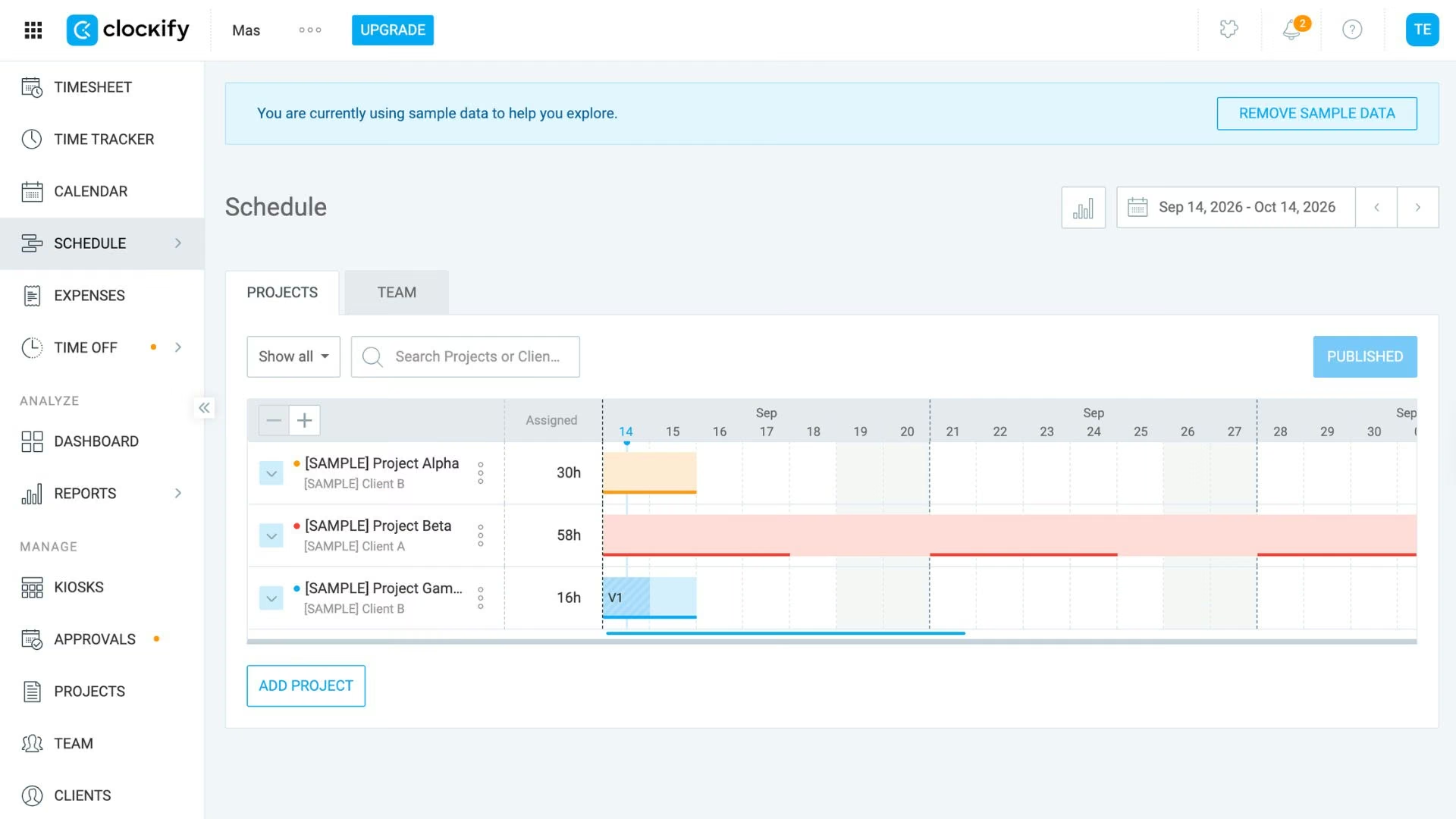
What it does: Offers timer, timesheet, and kiosk tracking on a free tier covering up to five users, then layers paid features per seat.
Best for: Teams big enough that per-seat pricing hurts, or that need everyone on one tracker.
Clockify's position comes down to price per seat, not a free-for-all. The free plan covers up to five users, and paid seats start at $4.99, the cheapest here. It also offers more capture methods than any other tool compared, covering desk staff and shift workers in one product.
The trade-off is features spread thin across four paid tiers, with invoicing and approvals on Standard and scheduling and screenshots on Pro. Clockify also moved several features out of its free plan recently, so check that what you depend on is still in it.
Key Features
- Free for up to five users: Core tracking costs nothing for a team of five or fewer.
- Four capture methods: Timer, timesheet, kiosk, and auto tracker, so mixed teams don't need two systems.
- Approvals and lock: Standard adds submission, approval, and locking past periods before payroll runs.
Pros and Cons
Pros:
- Cheapest paid seats of the six tools compared.
- More ways to clock in than any other tool compared.
- Kiosk mode works for on-site teams without smartphones, from the $4.99 Basic plan up.
Cons:
- Core features are split across four paid tiers, with screenshots on Pro.
- The free plan has been narrowed, and users noticed.
- The interface is denser than Toggl Track's.
What Users Say
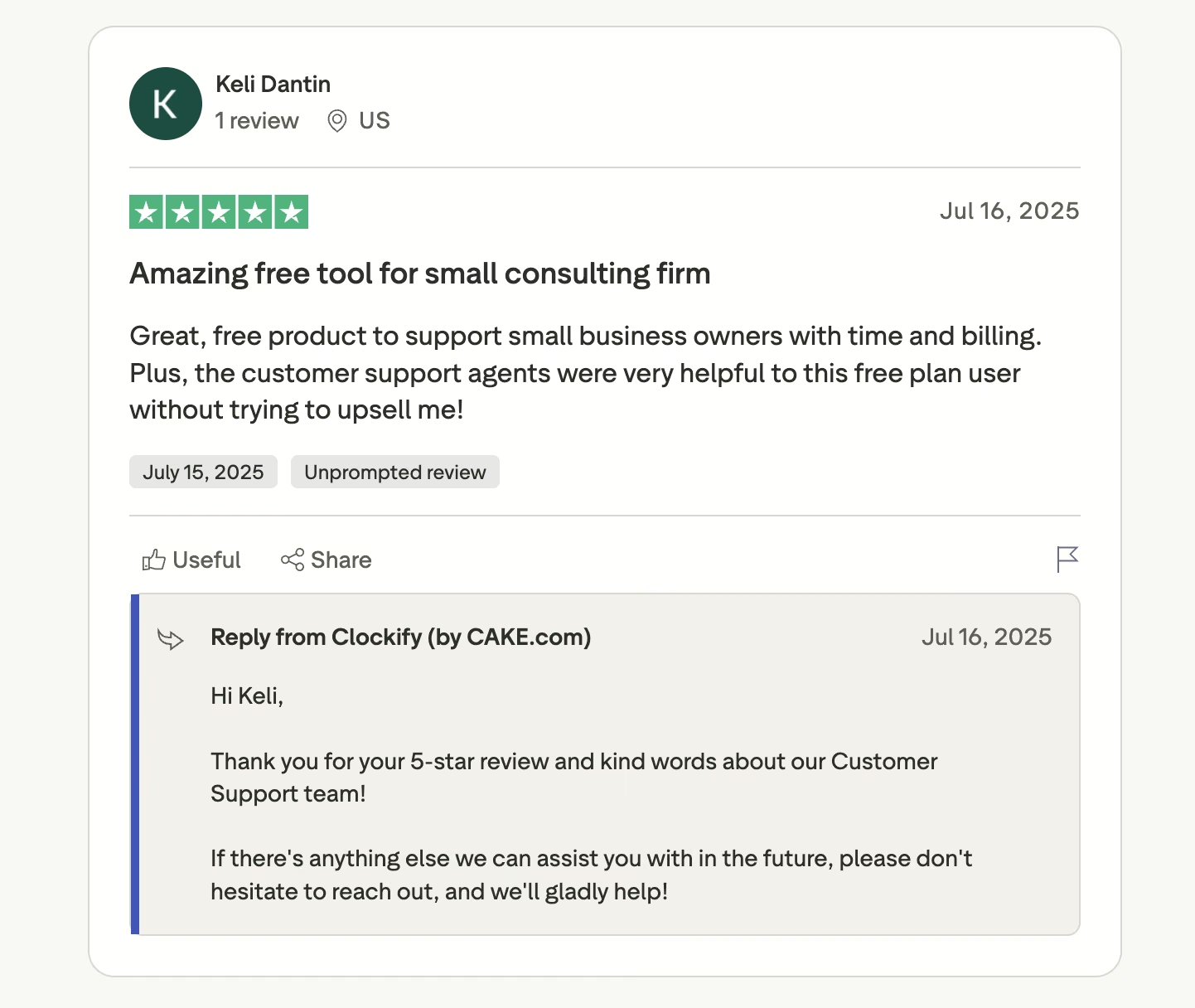
Across 82 Trustpilot reviews, Clockify's praise nearly always names the price. Keli Dantin calls it a "Great, free product to support small business owners with time and billing."
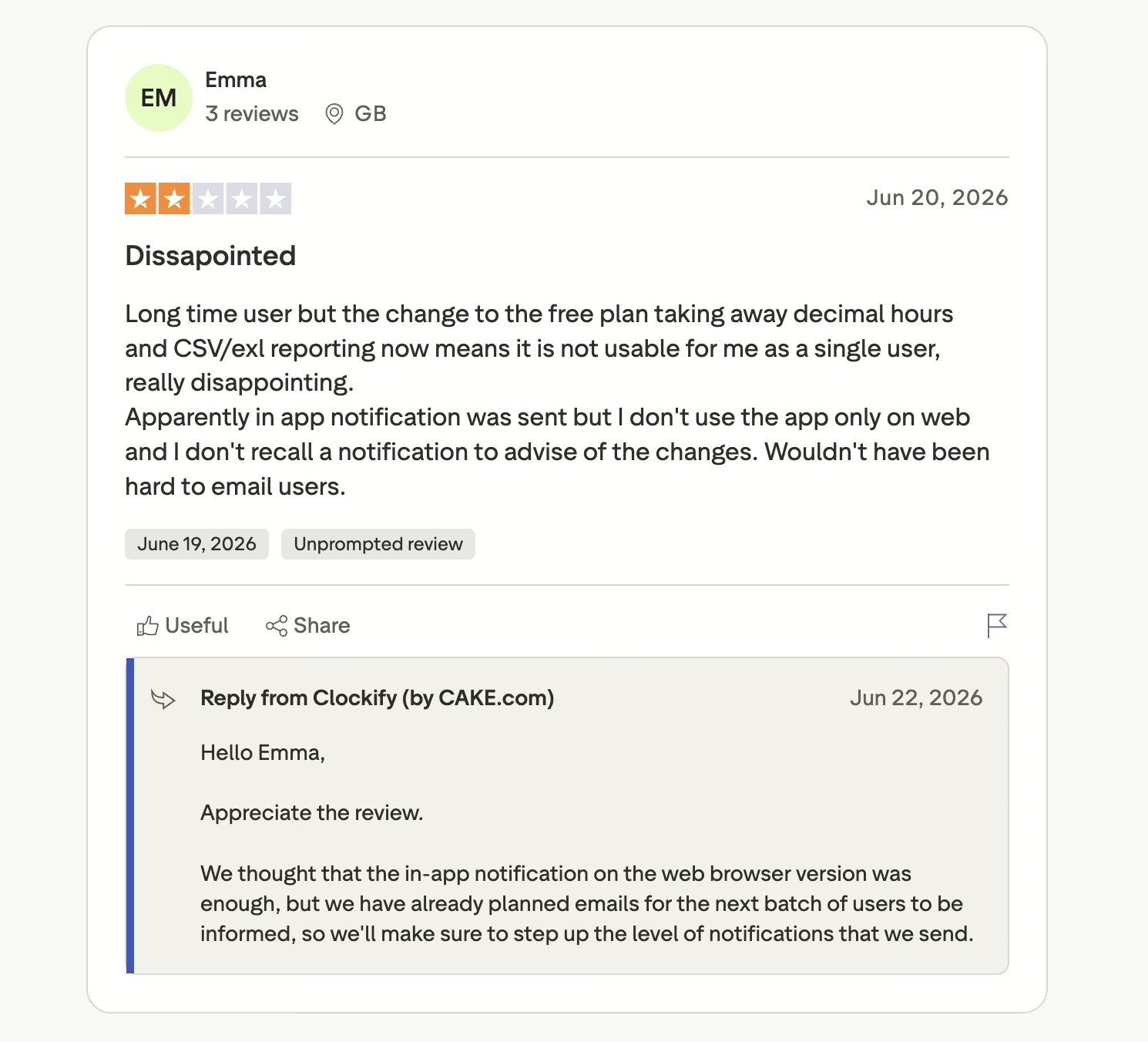
The criticism lands almost entirely on the free plan changes. Emma objects to "the change to the free plan taking away decimal hours and CSV/exl reporting."
Pricing
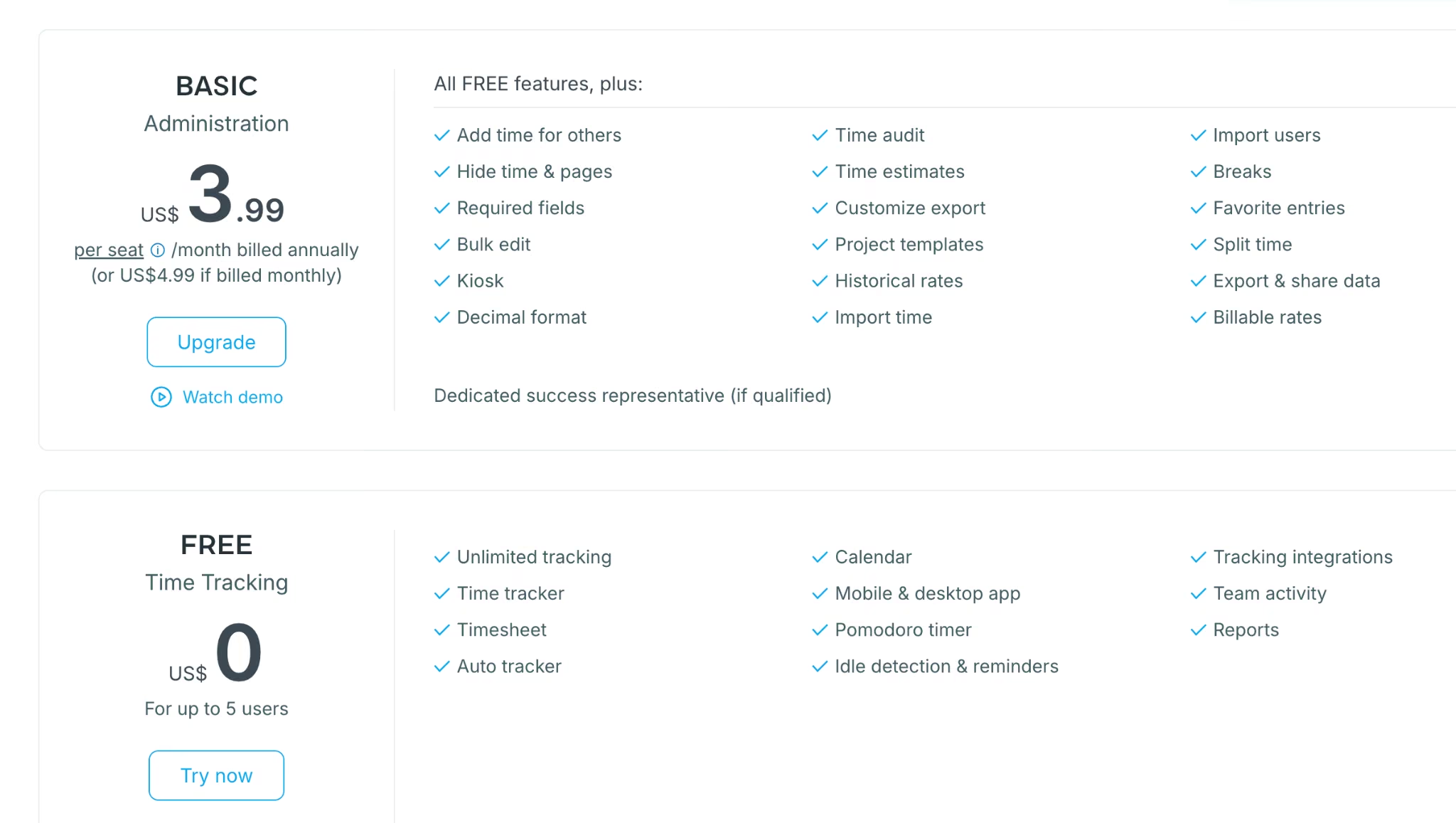
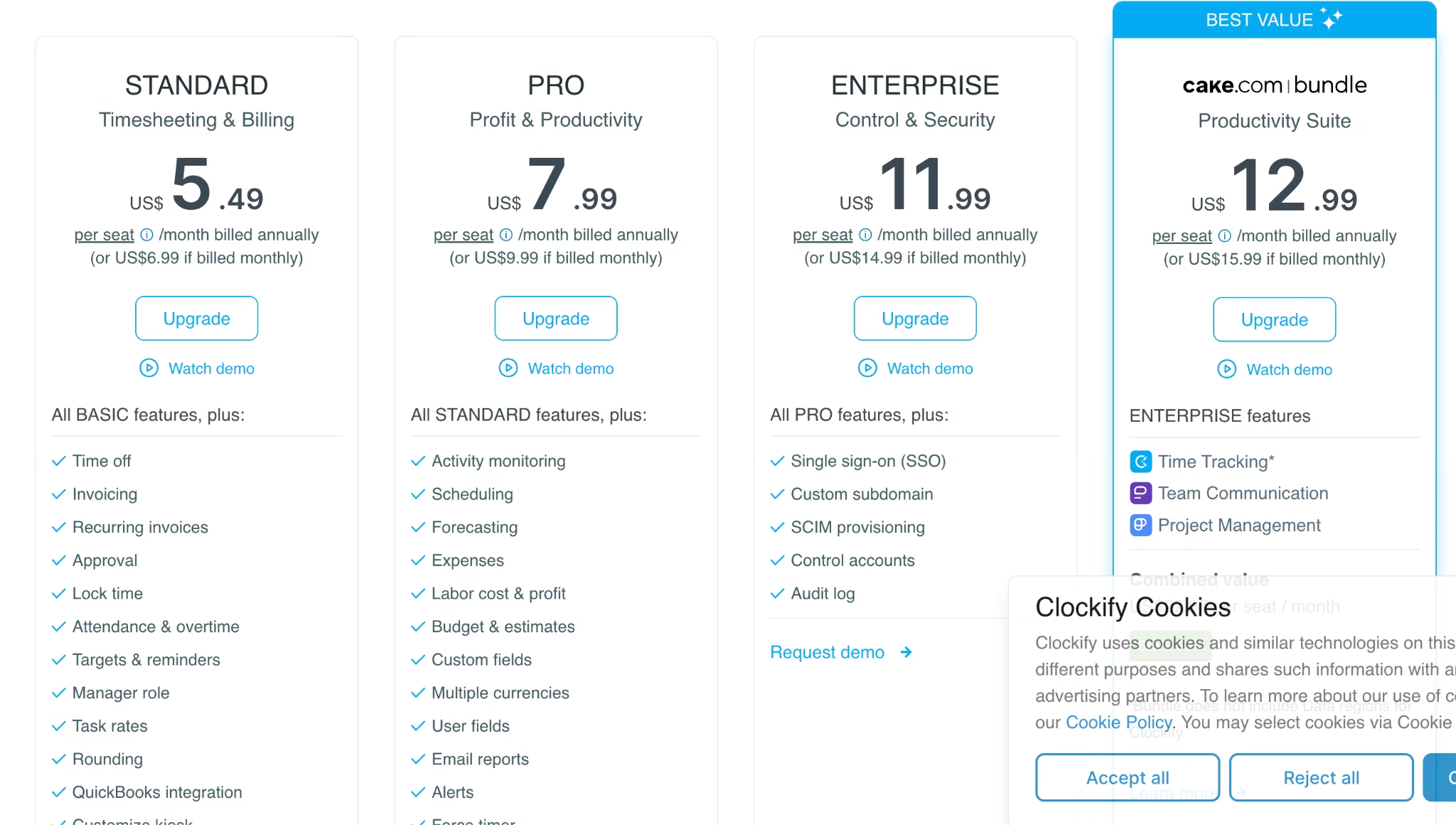
The free plan covers up to five users. Basic is $4.99/seat/month ($3.99 billed annually) for billable rates, Standard is $6.99/seat/month ($5.49/seat/month billed annually) for invoicing and approvals, Pro is $9.99/seat/month ($7.99/seat/month billed annually) for scheduling and monitoring, and Enterprise is $14.99/seat/month ($11.99/seat/month billed annually).
Bottom Line
Headcount decides this one. At 30 people, Clockify Basic runs $149.70 a month against $360 on Toggl Track Starter, a saving of about $2,500 a year. That is worth a denser interface.
Harvest: Best for Turning Hours Into Invoices

What it does: Tracks time and expenses against projects, then generates client invoices from those entries.
Best for: Consultancies and studios tracking time in order to get paid for it.
Since 2006, Harvest has done one job: the loop from tracked hour to paid invoice. Entries carry rates, expenses attach to projects, and an invoice generates without re-keying a number, with QuickBooks, Xero, and Stripe keeping the accounting handoff short.
Read this before signing. After Bending Spoons acquired Harvest in 2025, pricing moved to a per-seat base plus usage-based fees tied to invoices, projects, clients, and tasks.
One UK consultancy saw its monthly cost go from about $130 to $2,110, a rise of roughly 1,500%. Bloomberg reported similar increases across other products the same owner acquired, and Silicon UK has a freely readable summary.
Surveillance is not the issue here, since Harvest sells none. The per-unit rates are, because they aren't published, so you can read the pricing page carefully and still not forecast your bill.
Key Features
- Invoices from time entries: Billable hours and expenses become an invoice without re-keying anything.
- Budget tracking: Watch spend against project budgets as hours land, with alerts before you cross the line.
- Profitability reporting: Enterprise adds margin views by client, project, and team, plus approvals.
Pros and Cons
Pros:
- The time-to-invoice workflow is the most polished here.
- Mature product with 20 years of integrations behind it.
- Accounting connections keep bookkeeping short.
Cons:
- Usage-based fees make the final bill hard to forecast.
- Per-unit usage rates aren't published on the pricing page.
- Free plan caps you at one seat and two projects.
What Users Say
Harvest's Trustpilot page is a small sample of 21 reviews, and the split is stark.
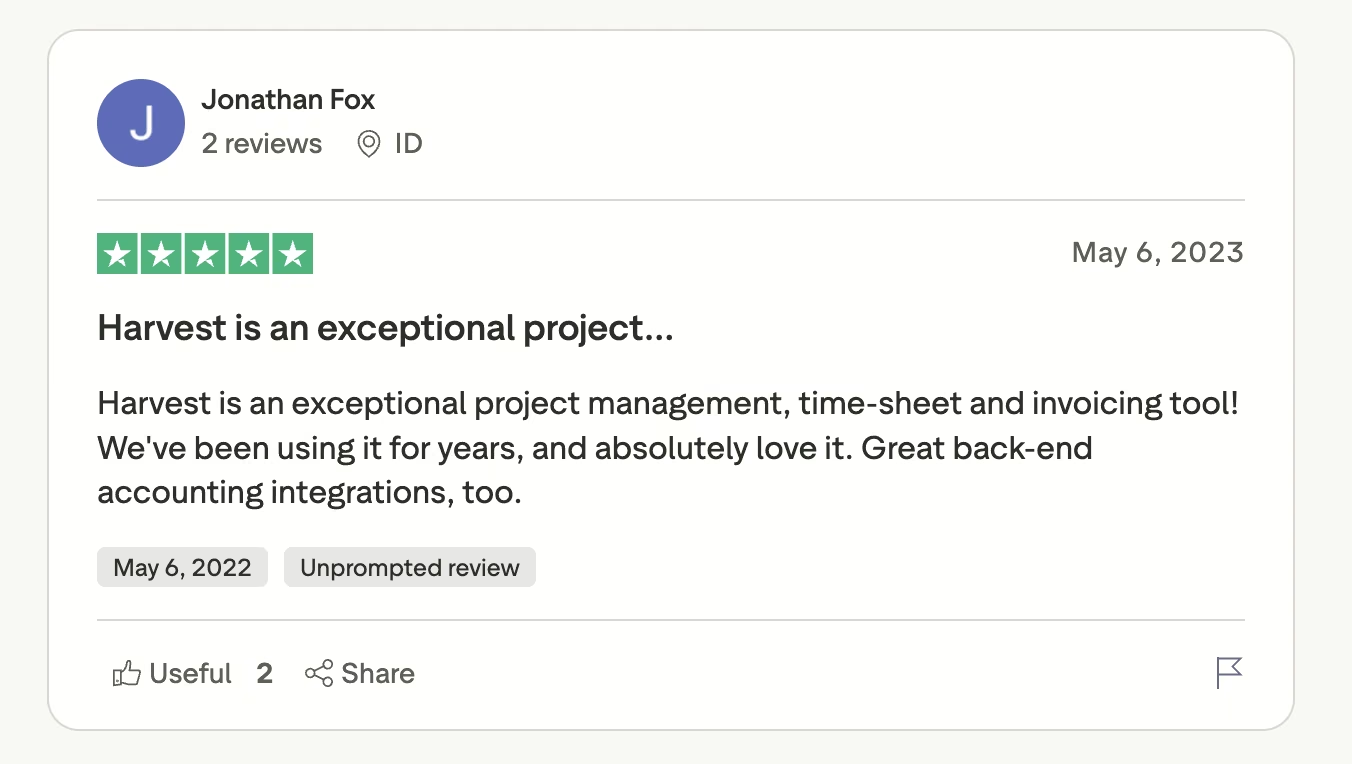
Older reviews praise the product itself, with Jonathan Fox calling it an "exceptional project management, time-sheet and invoicing tool."
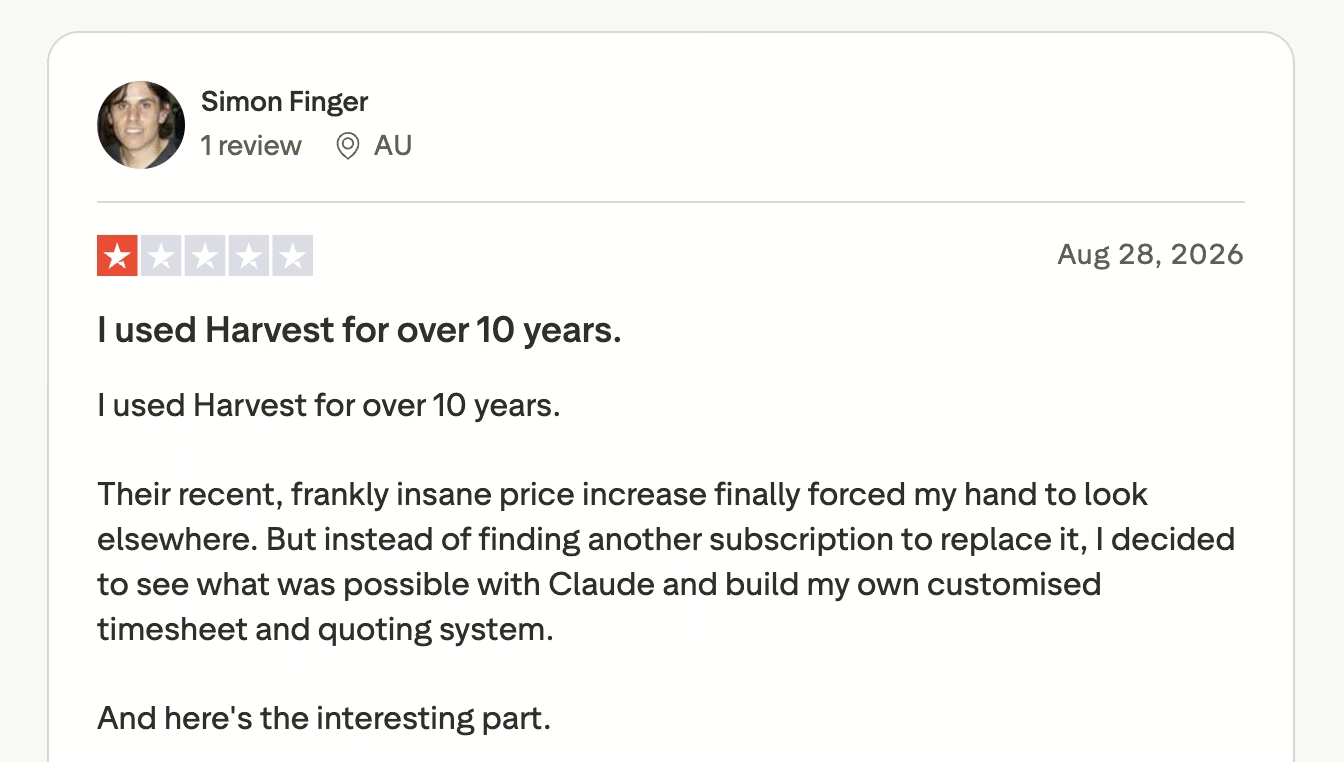
Almost every recent review is about the repricing. Simon Finger writes that "Their recent, frankly insane price increase finally forced my hand to look elsewhere."
Pricing
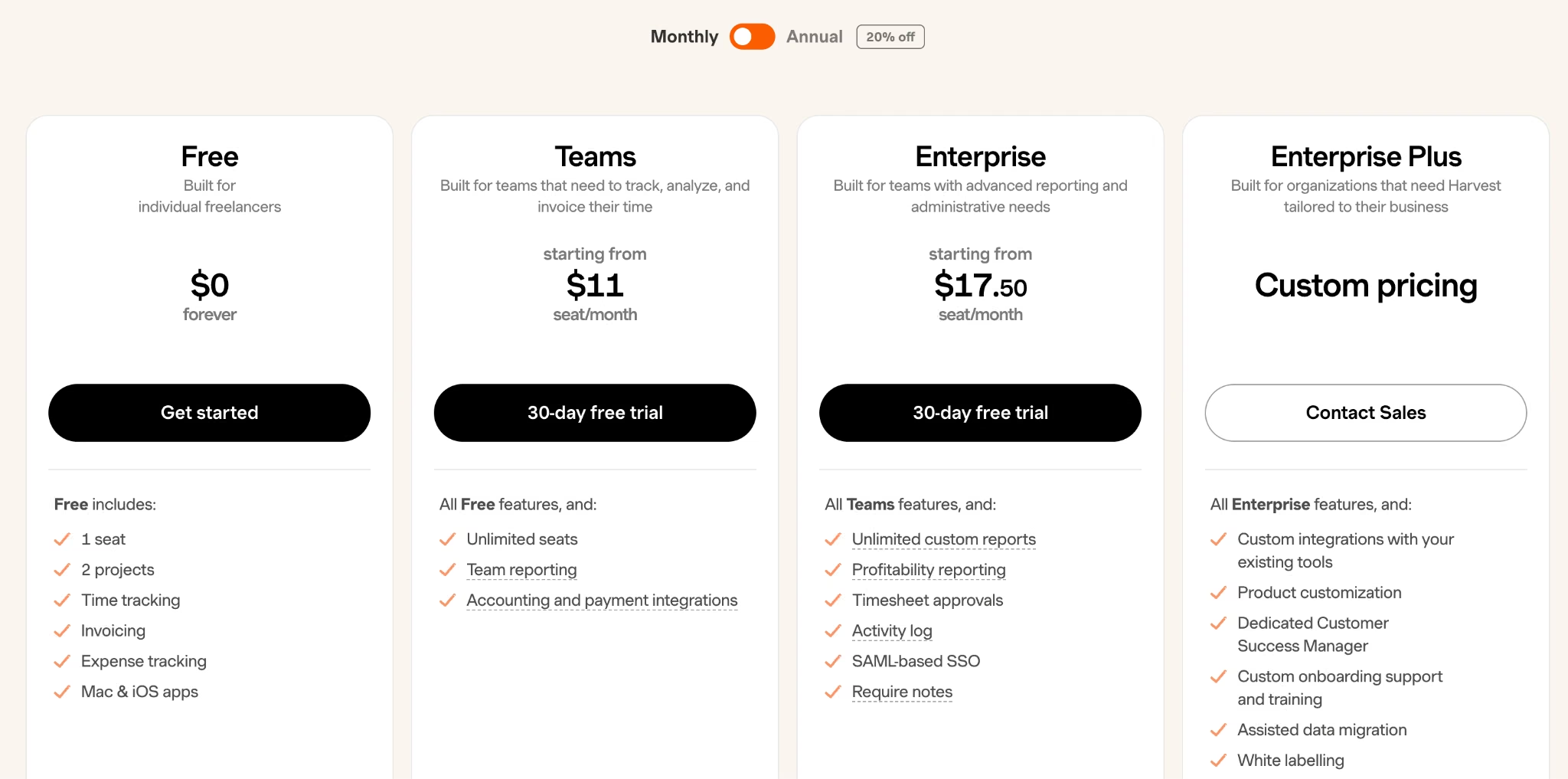
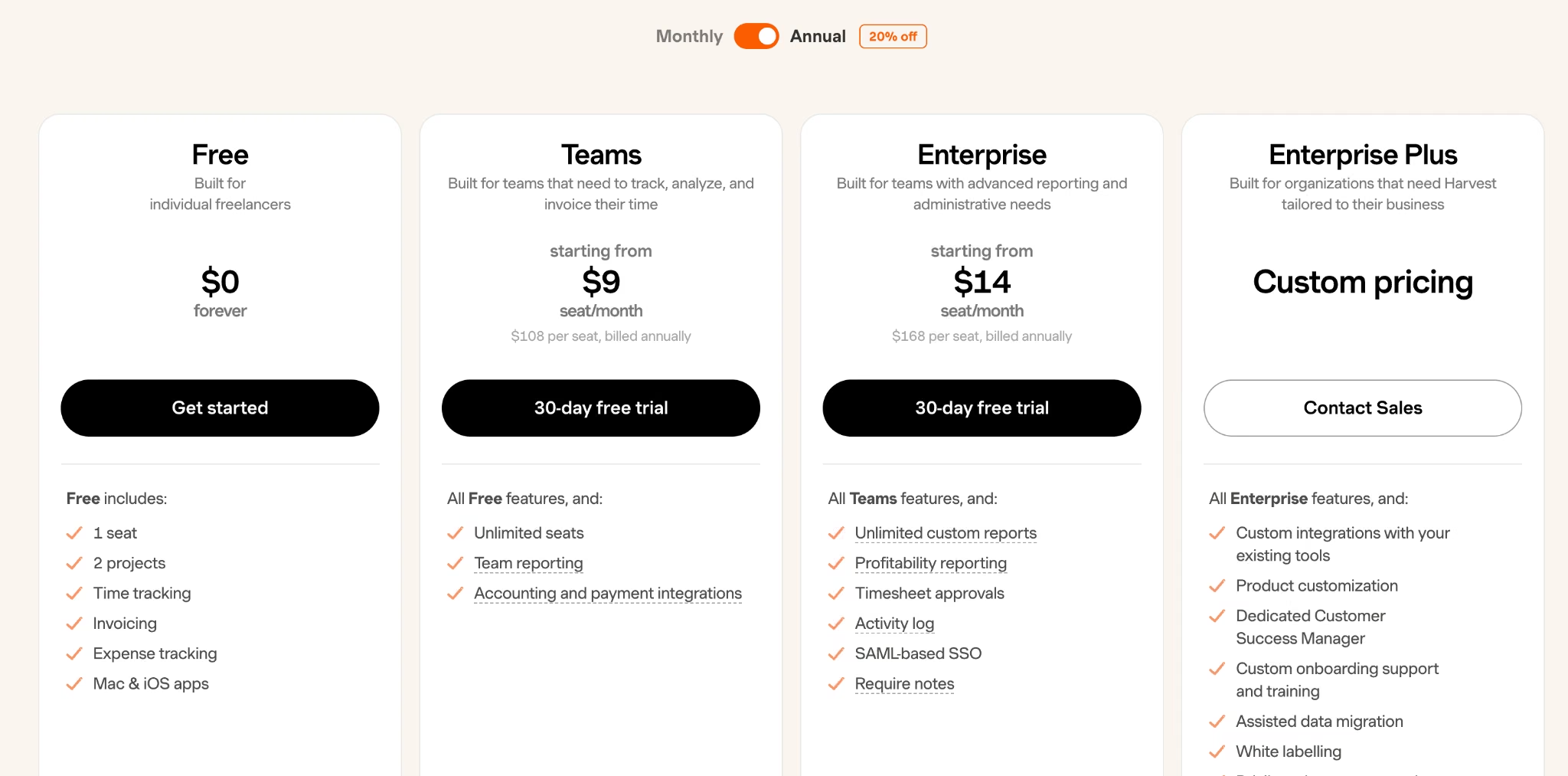
The free plan covers one seat and two projects, invoicing included. Teams starts from $11/seat/month ($9/seat/month billed annually) and lifts the seat and project caps. Enterprise starts from $17.50/seat/month ($14/seat/month billed annually) for custom reports, profitability, and approvals, and Enterprise Plus is custom. Usage fees apply on top of all of them.
Bottom Line
The product still does its one job better than anyone. Before migrating, get a salesperson to confirm your all-in cost in writing at your own invoice volume.
Read More: 9 Best AI Tools for Project Management (2026 Test)
Hubstaff: Best for Crews That Clock In by Location

What it does: Tracks time with GPS and geofencing so crews clock in and out automatically at a job site.
Best for: Construction, field service, and delivery teams answering who was on site and for how long.
When your team is spread across four job sites, self-reported hours are guesswork. Hubstaff is the only tool here that removes the self-reporting: define a job site, and arriving or leaving triggers the clock, feeding timesheets, attendance, overtime rules, and on the Team plan, payments that turn approved hours into contractor payouts.
The monitoring is heavy, with screenshots and app tracking core to the product, which suits contractor work and is a hard sell to a salaried team.
Price it carefully, because the feature this section is about isn't in the headline number. Every self-serve plan carries a two-seat minimum. Location tracking and geofences come through the Locations add-on, which isn't available on Starter or Grow at all, costs $4/seat/month ($3.33/seat/month billed annually) on Team, and is included only on Enterprise.
A two-person crew with geofencing therefore starts at $32 a month, not $14. Insights starts at $3/seat/month ($2.50 billed annually).
Key Features
- Geofenced job sites (Team add-on): Crews clock in and out automatically on arrival and departure, through the Locations add-on.
- Payments from approved hours: The Team plan pays contractors through PayPal, Wise, and Deel.
- Scheduling and overtime rules: Set shifts, daily limits, and thresholds that flag overtime before payroll.
Pros and Cons
Pros:
- Location tracking is the strongest here for field work.
- Timesheet through to contractor payment in one system.
- Handles attendance, shifts, and time off alongside hours.
Cons:
- No free plan, only a 14-day trial.
- Two-seat minimum on every plan.
- Geofencing is an add-on, and not sold at all on the two cheapest tiers.
What Users Say
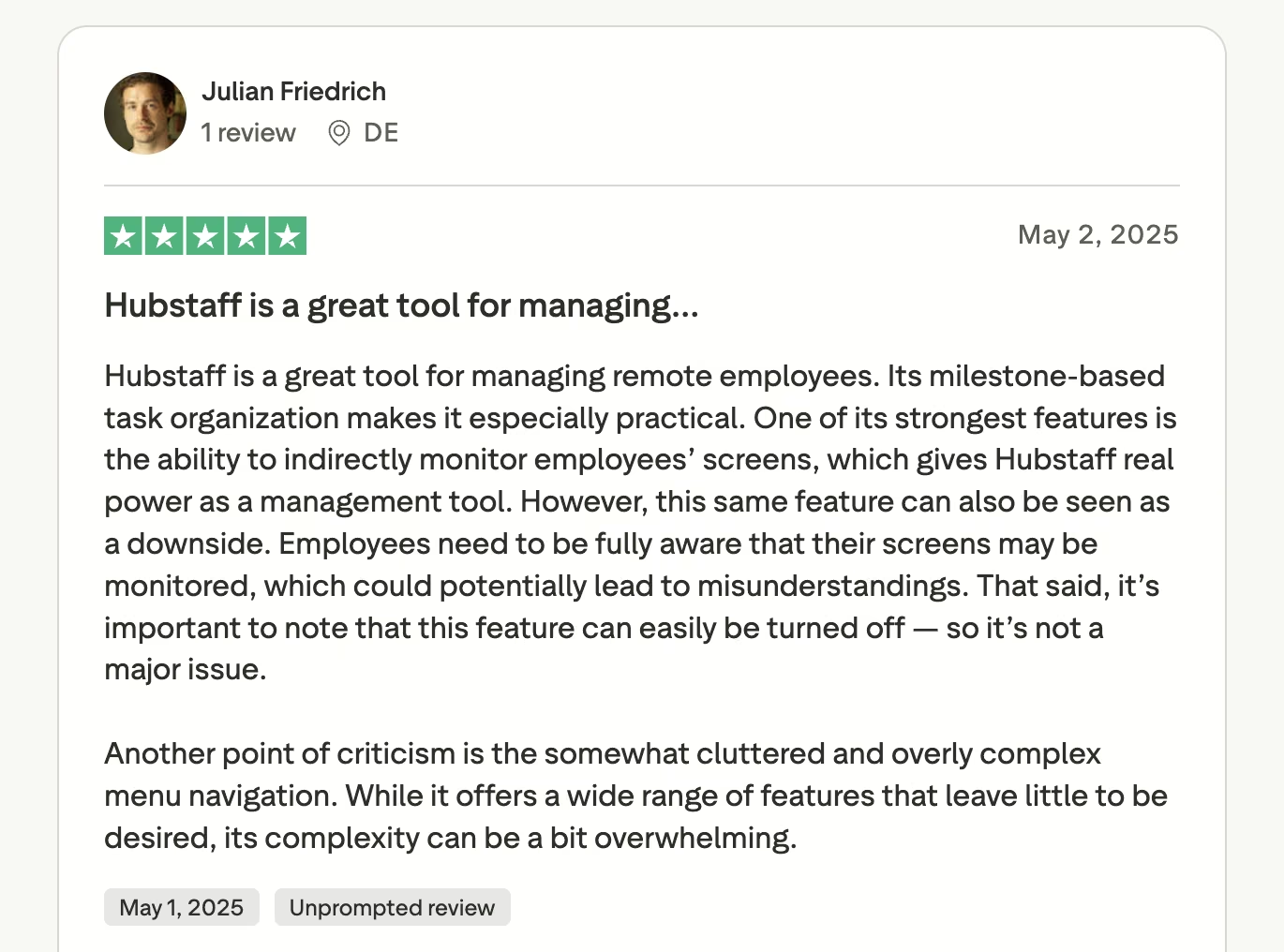
Across more than 490 Trustpilot reviews, the positive side of Hubstaff is about distributed teams. Julian Friedrich describes it as "a great tool for managing remote employees."
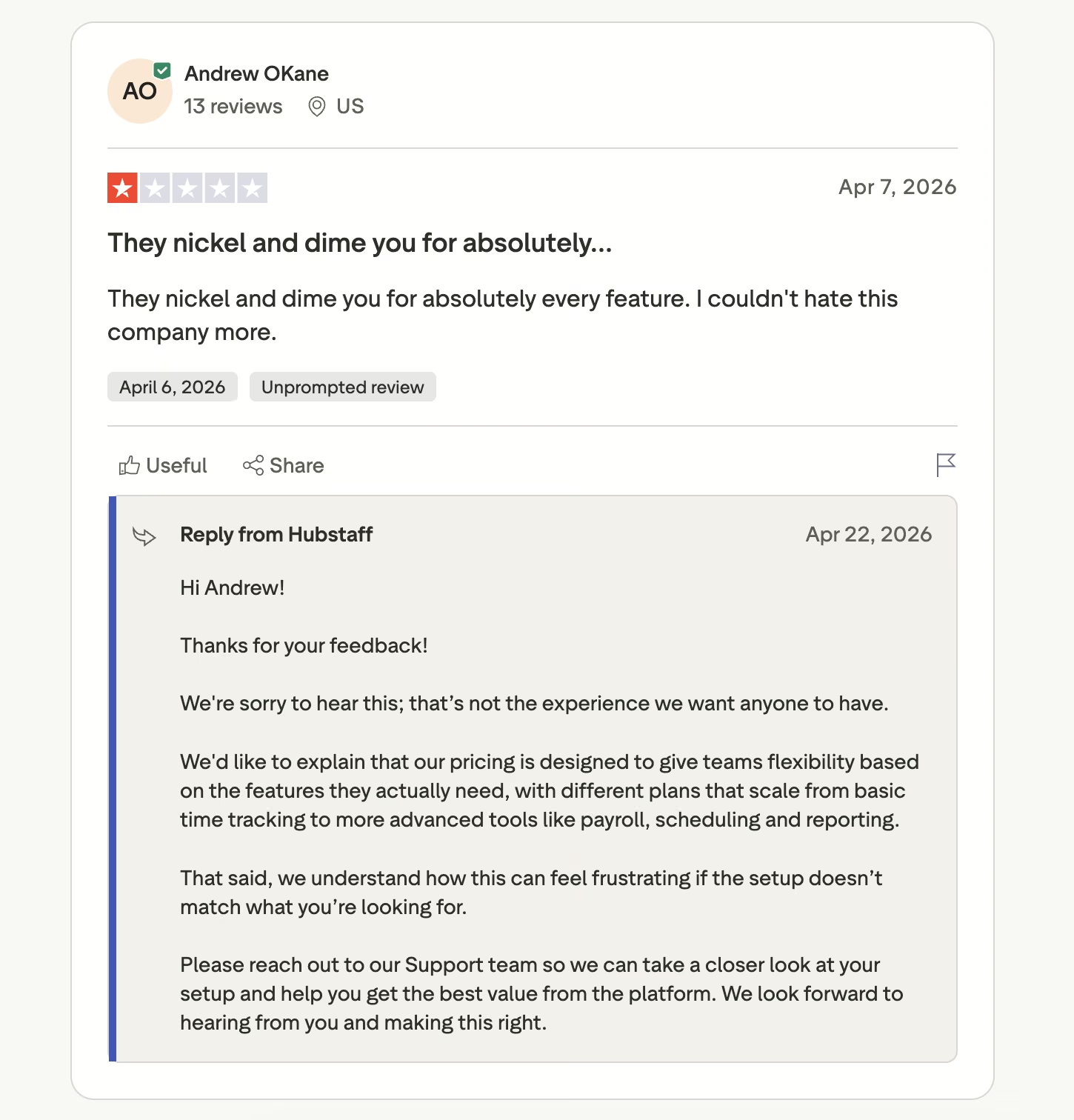
The recurring complaint is the bill. Andrew OKane writes that "They nickel and dime you for absolutely every feature," so read the add-on checkboxes at checkout.
Pricing
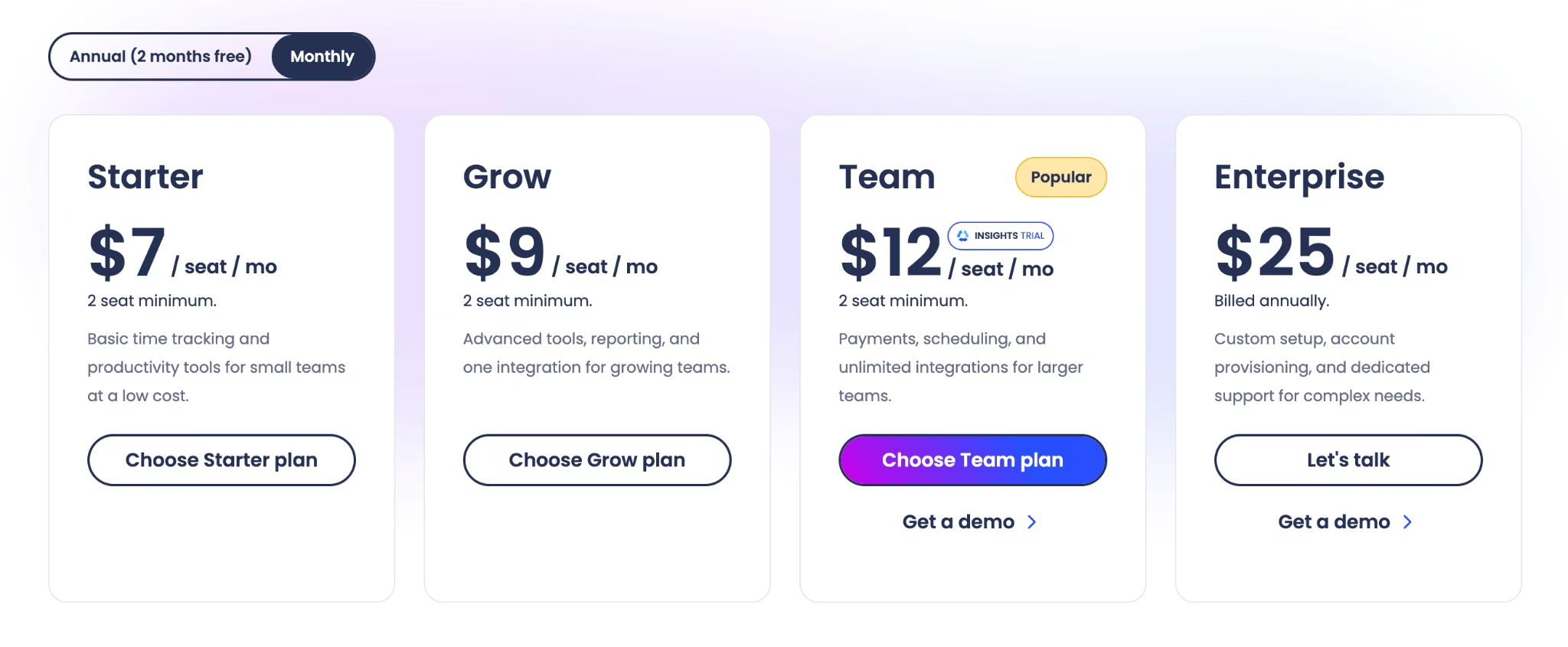
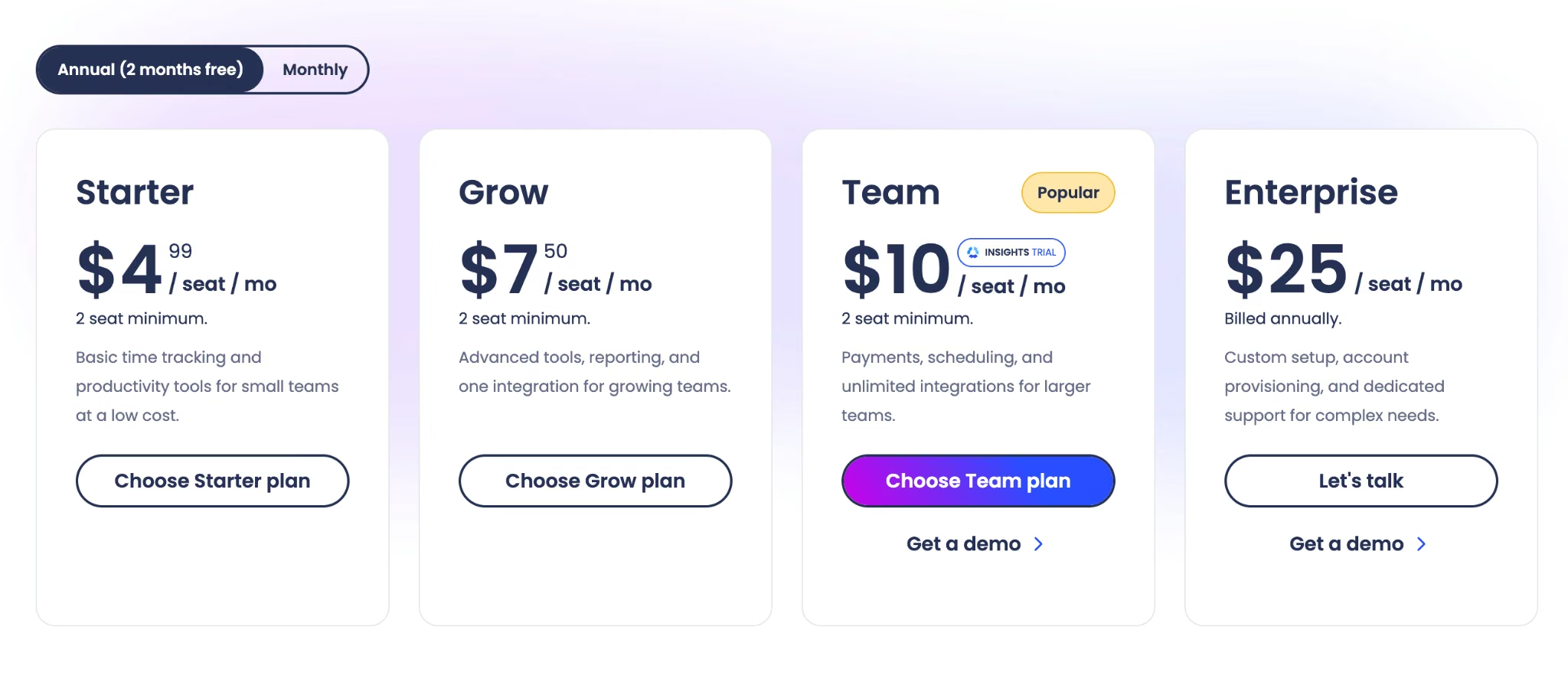
There's no free plan, just a 14-day trial, and every self-serve tier has a two-seat minimum. Starter is $7/seat/month ($4.99/seat/month billed annually), Grow is $9/seat/month ($7.50/seat/month billed annually), and Team is $12/seat/month ($10/seat/month billed annually) with scheduling and payments. Enterprise is $25/seat/month, annual billing only.
Bottom Line
If your people don't work at desks, geofencing is the feature you're buying and nobody else here has it properly. Budget the Locations add-on and the Team plan from day one, not the $7 headline.
Time Doctor: Best for Managed and Outsourced Teams
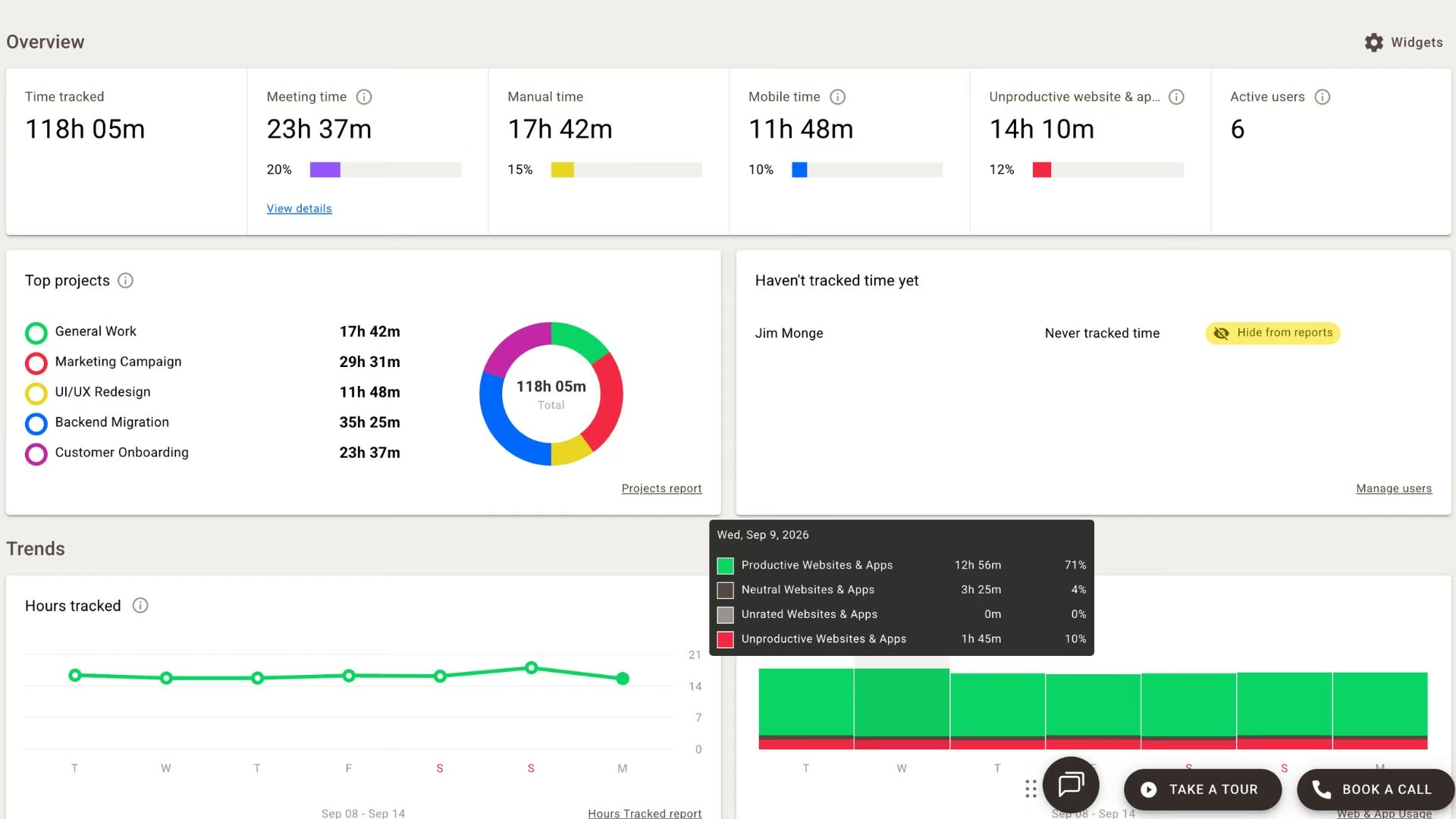
What it does: Tracks work automatically and reports on app and website usage, productivity ratings, and screenshots.
Best for: BPOs and managed teams where activity reporting is contractually expected.
Screenshots come standard on the cheapest tier, which tells you most of what you need to know about who this is for. Time Doctor sits at the monitoring end of this category and doesn't pretend otherwise. For call centers and virtual assistant agencies under contracts requiring verified activity data, that's the right product.
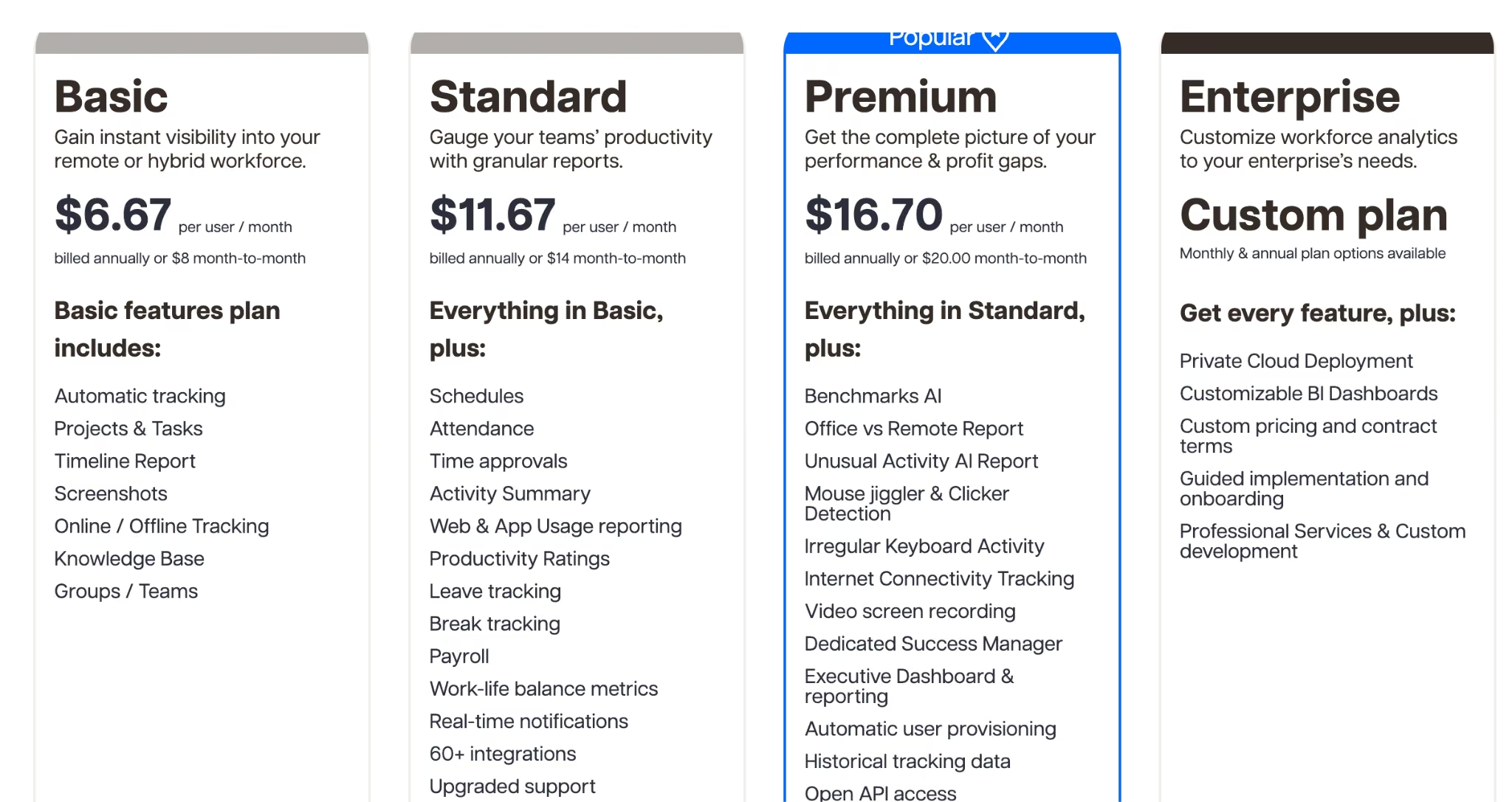
Check which tier carries what, though. Tracking and screenshots are on Basic, but the reporting that answers what an hour went on, meaning activity summaries, web and app usage, and productivity ratings, starts on Standard at $14/user/month ($11.67/user/month billed annually). Schedules, approvals, payroll, and the 60-plus integrations start there too.
Key Features
- Automatic tracking with screenshots: Recording starts without anyone pressing a button, from the entry tier up.
- Web and app usage reporting (Standard and up): See which tools and sites consumed the hours, per person and per project.
- Payroll from tracked hours: Standard and up calculate pay from approved time.
Pros and Cons
Pros:
- Deepest activity reporting of the tools compared.
- Screenshots available on the entry-level plan.
- Payroll built on the tracked hours themselves.
Cons:
- No free plan, only a 14-day trial.
- Standard is 75% more for schedules, approvals, and activity reporting.
- Monitoring cannot be dialed back below screenshots on any tier.
What Users Say
Across 235 Trustpilot reviews, the managers who rate Time Doctor well tend to weigh the cost against the output. In a 2021 review that still sums up the trade, Evelynn says it "improved productivity on a level well beyond the cost of the service."

Criticism clusters on billing and cancellation, though some hits the product directly. Carey Baird writes that "The product itself is buggy and confusing."

Pricing
There's a 14-day trial and no free plan. Basic is $8/user/month ($6.67/user/month billed annually) for tracking, projects, and screenshots. Standard is $14/user/month ($11.67/user/month billed annually) for schedules, attendance, approvals, and payroll.
Premium is $20/user/month ($16.70/user/month billed annually) with AI benchmarking. Add-ons such as Benchmarks AI and Meeting Insights run $2 to $3 per user per month on top.
Bottom Line
Right tool, narrow market. If a contract requires activity evidence you can hand over, budget for Standard rather than the $8 headline. Where no contract requires it, the cultural cost of that much monitoring isn't worth paying.
RescueTime: Best for Hours Recorded Without a Timer
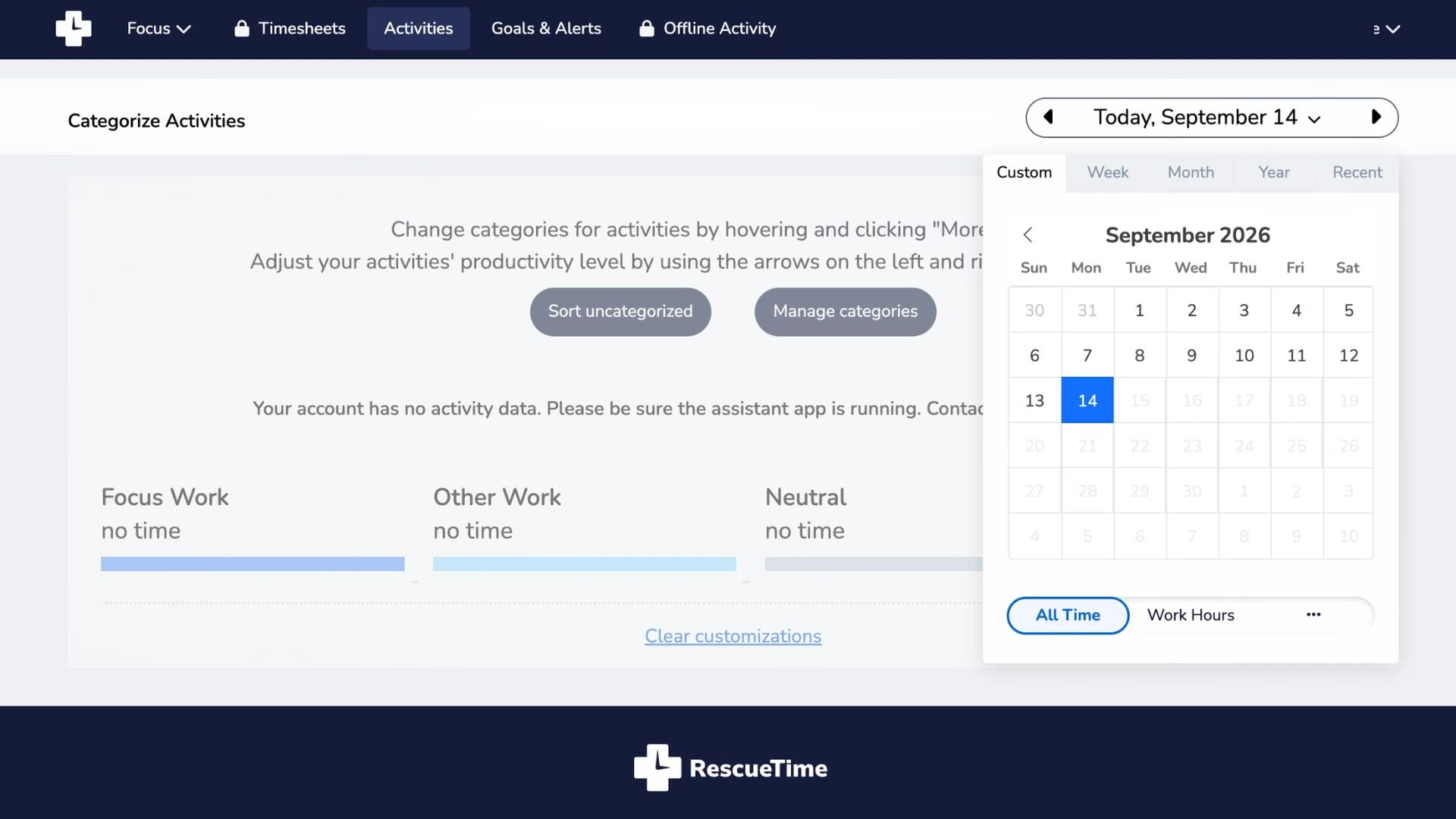
What it does: Records what you work on in the background, categorizes it automatically, and reports where the day went.
Best for: Individuals and small teams who won't reliably start a timer but want the data.
People forget to start the timer, then reconstruct Thursday from memory on Friday. That's the failure mode behind most abandoned trackers, and RescueTime answers it by removing the step. Nothing has to be started or stopped here, so the week's picture holds up because nobody had to remember.
It measures attention rather than billable output, and the Focus features add distraction blocking and logging schedules that keep tracking inside work hours. Team billing needs the Timesheets bundle, and expect to correct the automatic categories in your first couple of weeks.
Key Features
- Automatic activity tracking: No timers to start or stop, which removes the biggest reason tracking data goes wrong.
- Focus sessions and blocking: Block distracting sites during a session, then see whether the focused time held.
- Timesheets bundle: Solo+ and Team+ add timesheets for teams that need billable output.
Pros and Cons
Pros:
- Captures hours people would otherwise never log.
- Categorization is automatic, so there's no project to pick before you start.
- Focus tools help act on what the data shows.
Cons:
- No free plan sold on the pricing page, only a 14-day trial.
- Automatic categories need correcting early on.
- Always-on recording won't suit every privacy preference.
What Users Say
RescueTime's Trustpilot page holds only 14 reviews, but the split tracks with expectations.
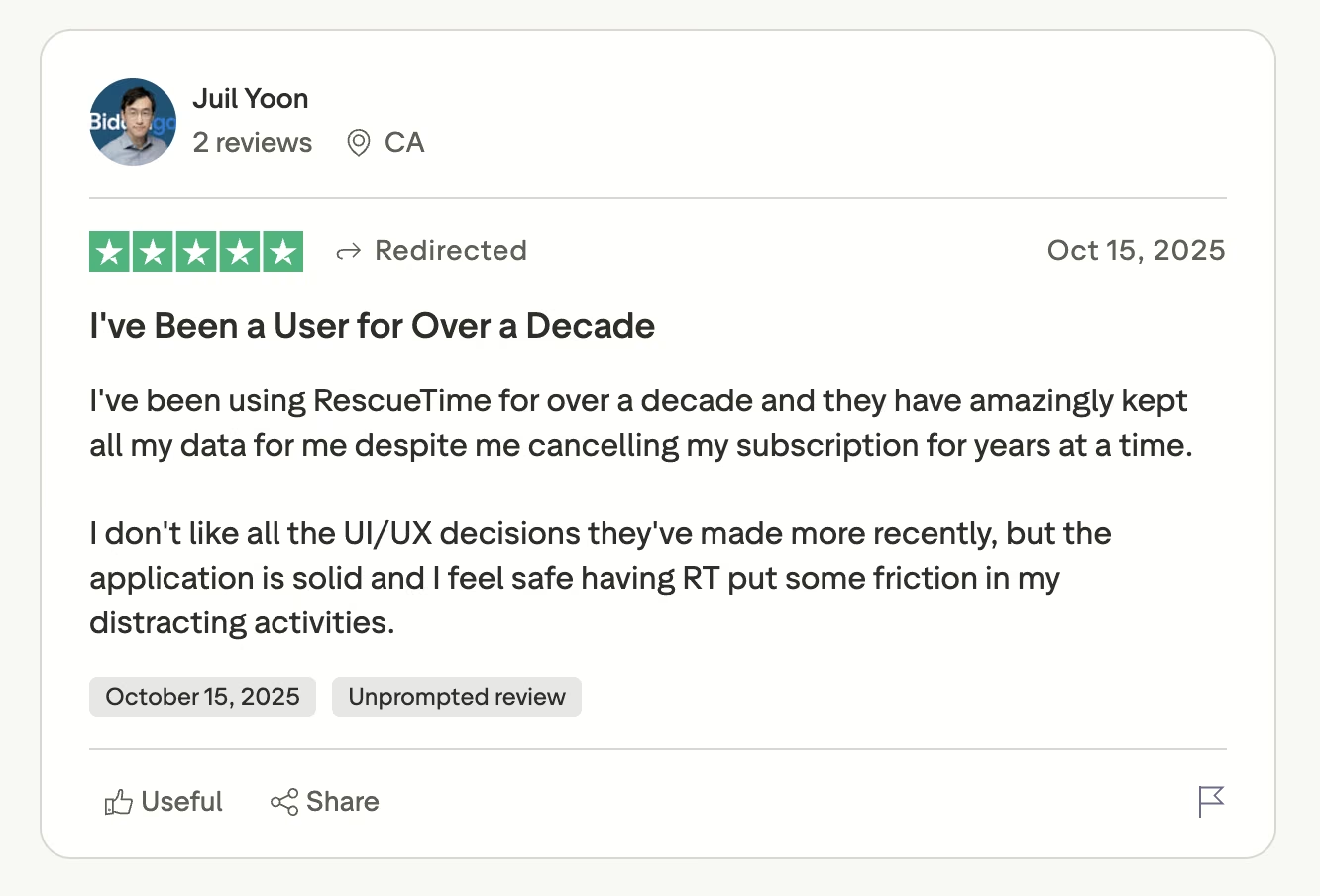
People who wanted automatic measurement stay for years, and Juil Yoon reports "using RescueTime for over a decade."
People expecting a website blocker leave disappointed. David Treece writes that "This program is ultra complicated and difficult."

Pricing
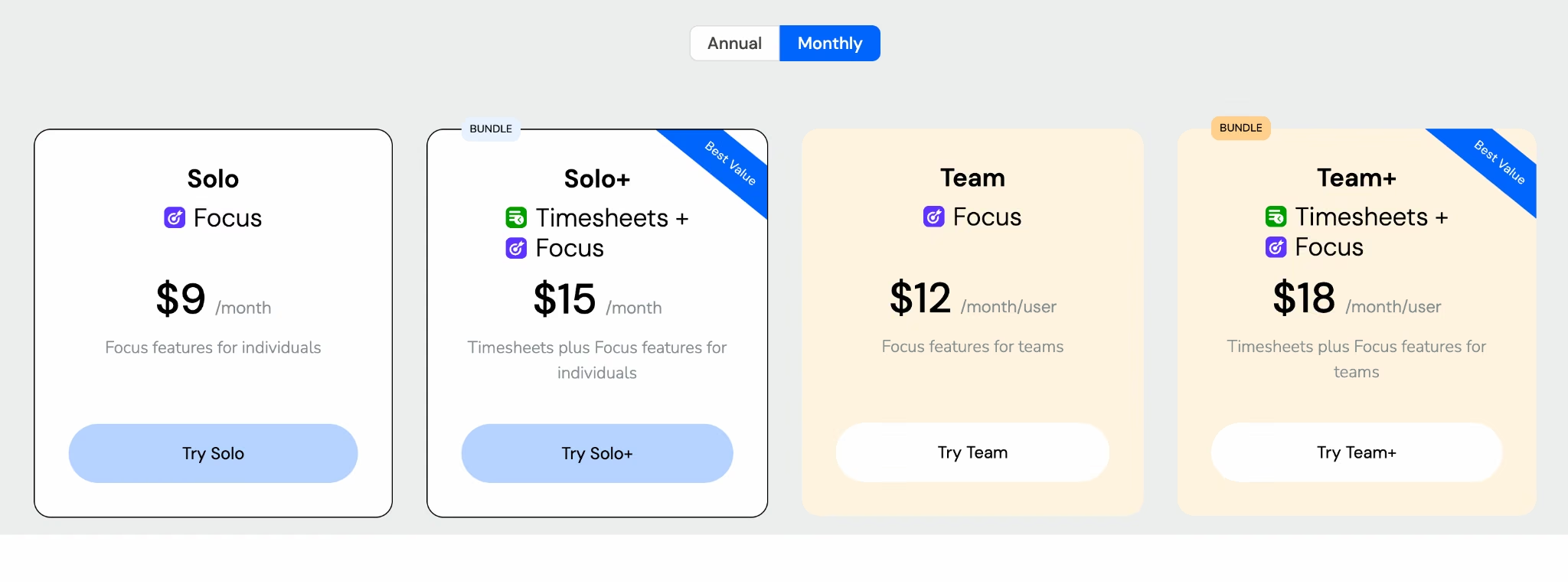
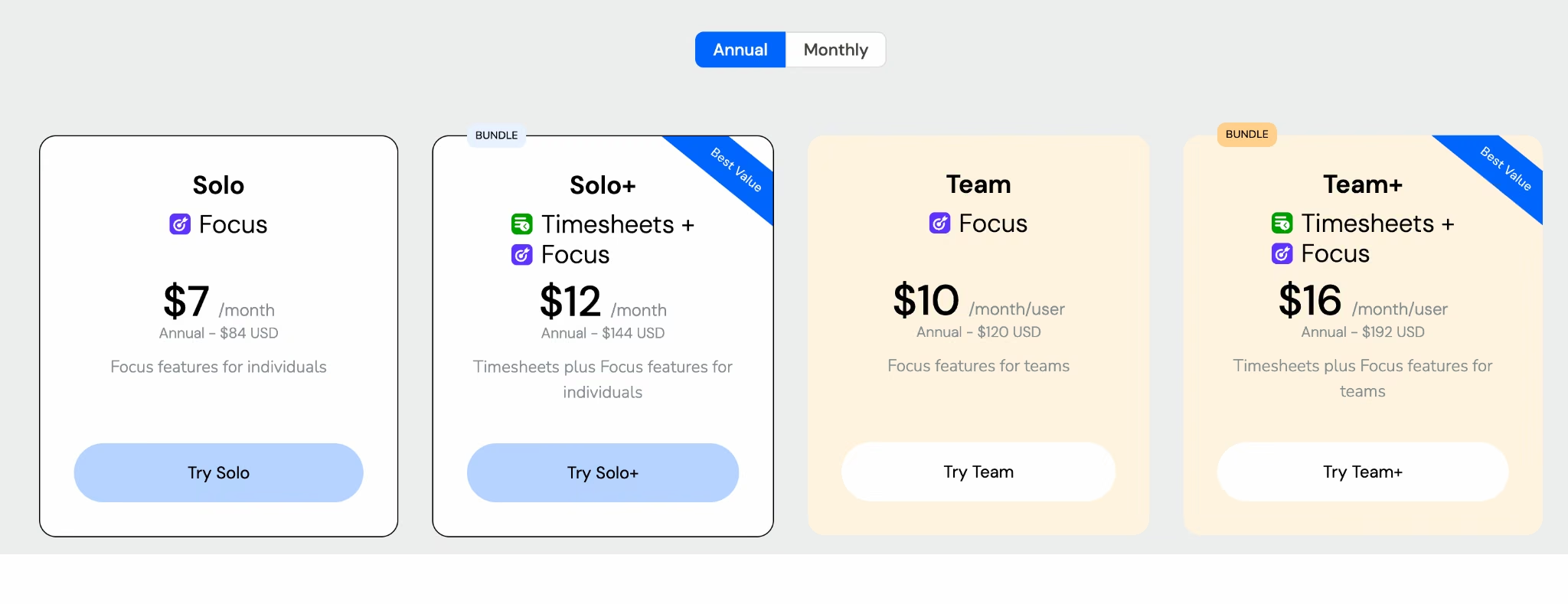
There's no free plan sold on the pricing page, only a 14-day trial and a limited Lite tier you fall back to. Solo is $9/month ($7/month billed annually) for Focus, and Solo+ is $15/month ($12/month billed annually) with Timesheets. Team is $12/seat/month ($10/seat/month billed annually), and Team+ is $18/seat/month ($16/seat/month billed annually).
Bottom Line
Buy this to find out where your week goes. A month of accurate attention data teaches you more than another timer you'll forget to press, and client invoicing needs the Timesheets bundle on top.
Which Time Tracker Fits Your Situation?
The right pick follows from how your team works. The longest feature list is the wrong tiebreaker. Match your situation to one of these.
- Toggl Track: You want to understand where the hours went, and you manage professionals whose trust matters more than activity data.
- Clockify: Your headcount makes per-seat pricing a visible budget line, or office staff and shift workers need one system.
- Harvest: You live in the loop from tracked hours to client invoices, and you can get your all-in cost in writing first.
- Hubstaff: You run crews across job sites and pay contractors from approved hours.
- Time Doctor: A client contract requires verified activity data, or you pay a distributed hourly workforce.
- RescueTime: You want the hours without anyone remembering to press start.
If your answer is none of the above, because you track something no product here has a field for, the next-to-last section covers the build-your-own route.
Final Thoughts
There is no best time tracking tool, and any article that names one is selling something. Three different products hide under one label, and picking the wrong category costs you more than picking the wrong brand inside it.
Buyers underweight two things: pricing risk and process fit. Harvest's 2026 repricing shows how fast a mature product can change terms. For the second, watch for the shadow spreadsheet. The day someone keeps hours in a sheet next to the tracker you pay for, that tool has stopped being your source of truth.
What If You Need to Build Your Own Time Tracker?
Some businesses measure work in a shape no vendor sells: a clinic billing in 15-minute increments against insurance codes, a contractor tracking hours per job phase per crew, an agency routing approvals by client.
Those teams end up running a subscription and a spreadsheet side by side, and the spreadsheet wins. Building your own tracker is the other way out, and it's worth costing out before you settle.
This is where our own product comes in, so treat the rest of this section accordingly. Emergent is an AI app-building platform built for vibe coding.
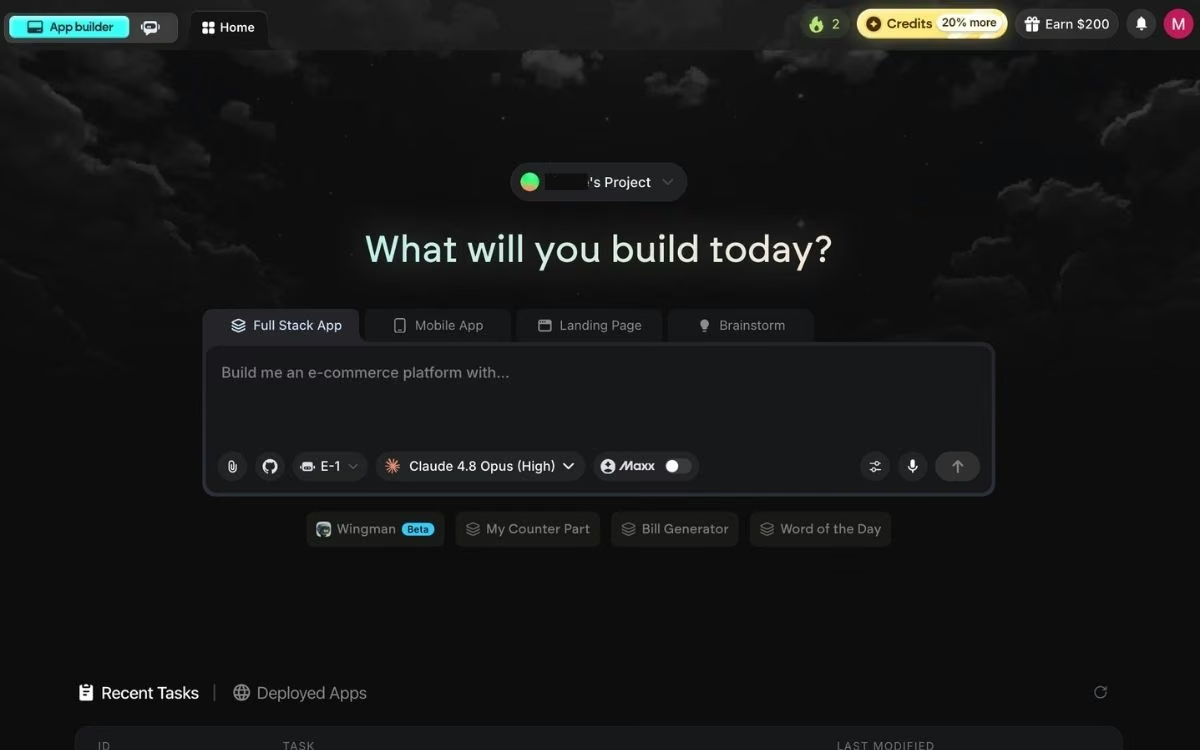
You describe the software you need in plain English, and a coordinated system of specialized agents builds it: some plan the build and shape the screens, others wire up the logic and the parts that store your data, and testing agents check the work before anything ships.
A time tracking app you build this way can carry per-client rates and hand off to Stripe, and monitoring exists only if you ask for it.
The build starts with clarifying questions, and you pick which agent runs it from a dropdown. Emmy can help with that. She's a chat assistant built into every page of Emergent, free and costing no credits, and she'll turn a sentence like "I want something to track hours across client projects" into a build-ready prompt.
You put it live by clicking the Deploy button, and Emergent's documentation puts deployment at around 15 minutes, after which the app runs on an emergent.host address. You can buy a domain through the built-in IONOS integration or point one you already own at it, both covered in the custom domain guide.
What You Get
- Your own fields and rules: Rounding, approval routing, and job-phase or matter-level tracking exist because you specified them.
- Payments and sign-in included: Google sign-in and Stripe are wired in, so a tracker can invoice and collect.
- Reporting you specify: Ask for a dashboard showing utilization by crew and week instead of building that view in a spreadsheet.
- No per-seat bill: Adding the tenth person to a tool you built doesn't change what you pay.
- Code you keep: Everything the AI web app builder generates syncs to a repository under your own account, then exports and hosts anywhere.
The Trade-Offs
Building isn't free of cost, it just moves the cost. What you give up is a vendor's roadmap, because nobody else is adding features to your tracker. You're maintaining software a subscription would have maintained for you.
Credit consumption varies by build, so the first month is hard to forecast, and anything touching regulated data deserves a review before it goes live. It's also slower to a first tracked hour than signing up for Clockify, which matters if you need numbers this week.
Three other cases point elsewhere. Developers wanting a faster way to write code by hand should use Cursor or Claude Code, a marketing site is faster in Webflow, and a five-person team tracking three projects with no unusual rules is better off in Toggl Track or Clockify.
Emergent has a free plan with 10 monthly credits, enough to build a first version and judge it on your own process.
Standard runs $20/month ($17/month billed annually) for 100 credits, private hosting, GitHub integration, and mobile builds. Pro is $200/month ($167/month billed annually) for 750 credits, a 1M context window, custom agents, and Maxx mode for reasoning through more complex logic. Business and Enterprise are both custom.
Start building on Emergent and see what a tracker shaped around your work looks like.

Most AI app builders stop at prototypes. Emergent creates production-ready apps you can actually launch.
- Production-ready apps
- Web & mobile apps
- Deploy in minutes

Most AI app builders stop at prototypes. Emergent creates production-ready apps you can actually launch.
- Production-ready apps
- Web & mobile apps
- Deploy in minutes