




TL;DR
- Emergent: Non-technical founders and teams who want the site, the logic, and the data behind it built together from one prompt.
- B12: Service professionals who want the fastest, calmest path to a working site and blog.
- Wix Studio: Agencies managing multiple client sites from one dashboard.
- Squarespace: Small businesses, coaches, and service providers who want a fast, low-maintenance site.
- Softr: Businesses that need a website with built-in user accounts and a structured backend for a membership site and any data-driven website.
- Tilda: Small businesses that need polished landing pages, portfolios, and content-focused websites without building everything from scratch.
- Webflow: Teams that need deep CMS control and don't mind a steeper learning curve.
A friend running a skincare studio asked me to help her move off a $40/month template site. She’d heard Framer was “the design tool,” so we opened it together.
Ten minutes in, she was stuck on breakpoints and a layers panel that looked more like Figma than a website builder. She’d never touched design software before, and what was supposed to be a weekend project turned into me building the site myself.
Designers often describe Framer as one of the easiest tools to build a website with, and for good reason. Its AI tools speed up the process, and its interface feels familiar if you already use visual design tools like Figma. But for someone without that background, the learning curve looks very different.
So, I tested seven Framer alternatives like Wix and Emergent, and dug through review sites to find the best fit. This roundup is for someone without a design background like me, and for designers who want a canvas-first workflow with CMS depth.
Why Look for Framer Alternatives?
Framer earns its reputation. The Figma import is genuinely fast, the CMS updates the live site instantly without a rebuild step, and hosting, SSL, and basic SEO tools come bundled in.
For portfolios, landing pages, and marketing websites, it is one of the easiest ways to create a polished site.
But as your needs grow, you start running into a few limitations.
- Pricing gets expensive as teams grow: Framer's base plans look reasonable until you add more collaborators or languages. A second editor seat costs $20/month, and additional locales also cost $20/month. For small teams managing client sites or multilingual websites, the real cost can climb much faster than the advertised plan price suggests.
- E-commerce is not its strength: Framer can support simple storefronts, but it is not built around online selling. Businesses that need features like abandoned cart recovery, subscription billing, advanced shipping rules, or deeper product management will find dedicated ecommerce platforms better suited to the job.
- You cannot easily take your website elsewhere: Framer does not offer full code export. If you eventually move away from the platform, you cannot simply export your site and migrate it. You will need to rebuild it somewhere else.
- Content-heavy sites can expose performance limits: Framer handles lightweight marketing sites well, but larger CMS-driven websites can become harder to manage. In my testing, a page with a dozen CMS posts and images felt noticeably slower than a simple landing page.
How I Tested These Framer Alternatives
I ran the identical prompt through all seven tools: “A business website for a consulting firm, including a homepage with a hero section and about section, a blog page with a listing of articles, a contact page, and an email signup form.”
I judged each one on how complete the result actually was once I clicked past the homepage, not just how good the first screen looked.
I also tried two additional builders that didn’t make this list: one because the CMS never generated a usable content structure from the same prompt, and the other because half the test build sat behind a paid plan before I could even preview it.
The 7 Best Framer Alternatives
Emergent
Emergent takes a different approach from most tools in this roundup. While Framer, Wix Studio, and Webflow are primarily visual website builders, Emergent builds the visible site plus the logic and data that run it, all from one prompt, closer to an AI website builder.
I ran it twice through the same prompt as the other tools:
"A business website for a consulting firm, including a homepage with a hero section and about section, a blog page with a listing of articles, a contact page, and an email signup form."
For my first run, I used the standard reasoning mode. Instead of immediately generating the site, Emergent asked a few questions about things like the blog's purpose, email signup functionality, and CMS backend preferences. I let it make those decisions automatically.
The result looked good. The design looked polished and the navigation worked. However, there was one major issue: every blog article link redirected to the Contact page instead of opening the actual article.
For the second run, I used the same brief but selected my preferred style, backend options, and enabled Maxx reasoning, Emergent's deeper reasoning mode.
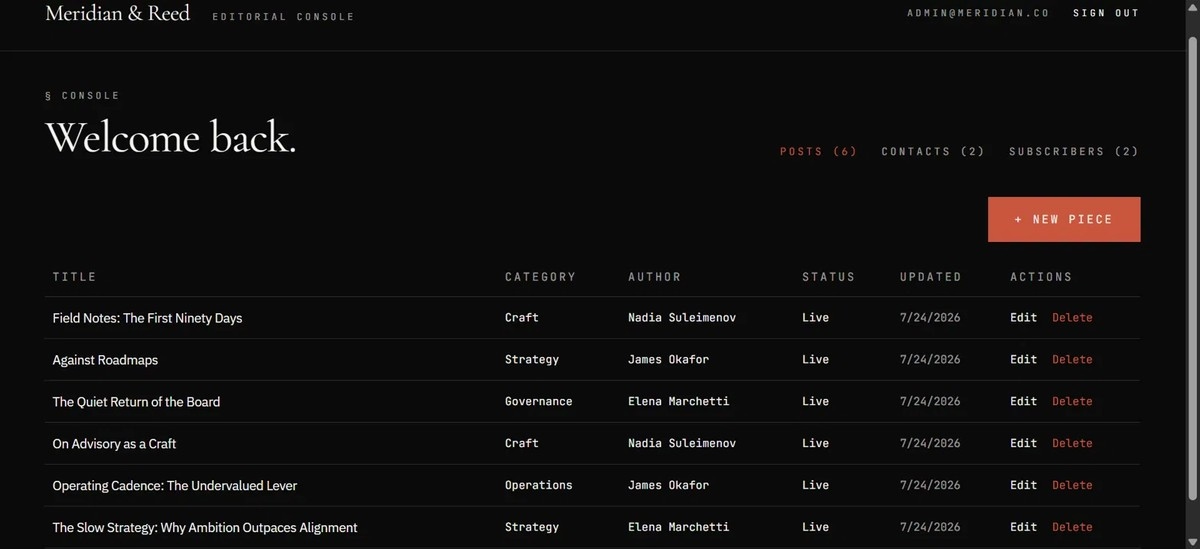
The difference was noticeable. It produced the most beautiful design of all the tools I tested, with a polished dark theme, animations, highly specific placeholder content, working navigation, and properly structured blog content.
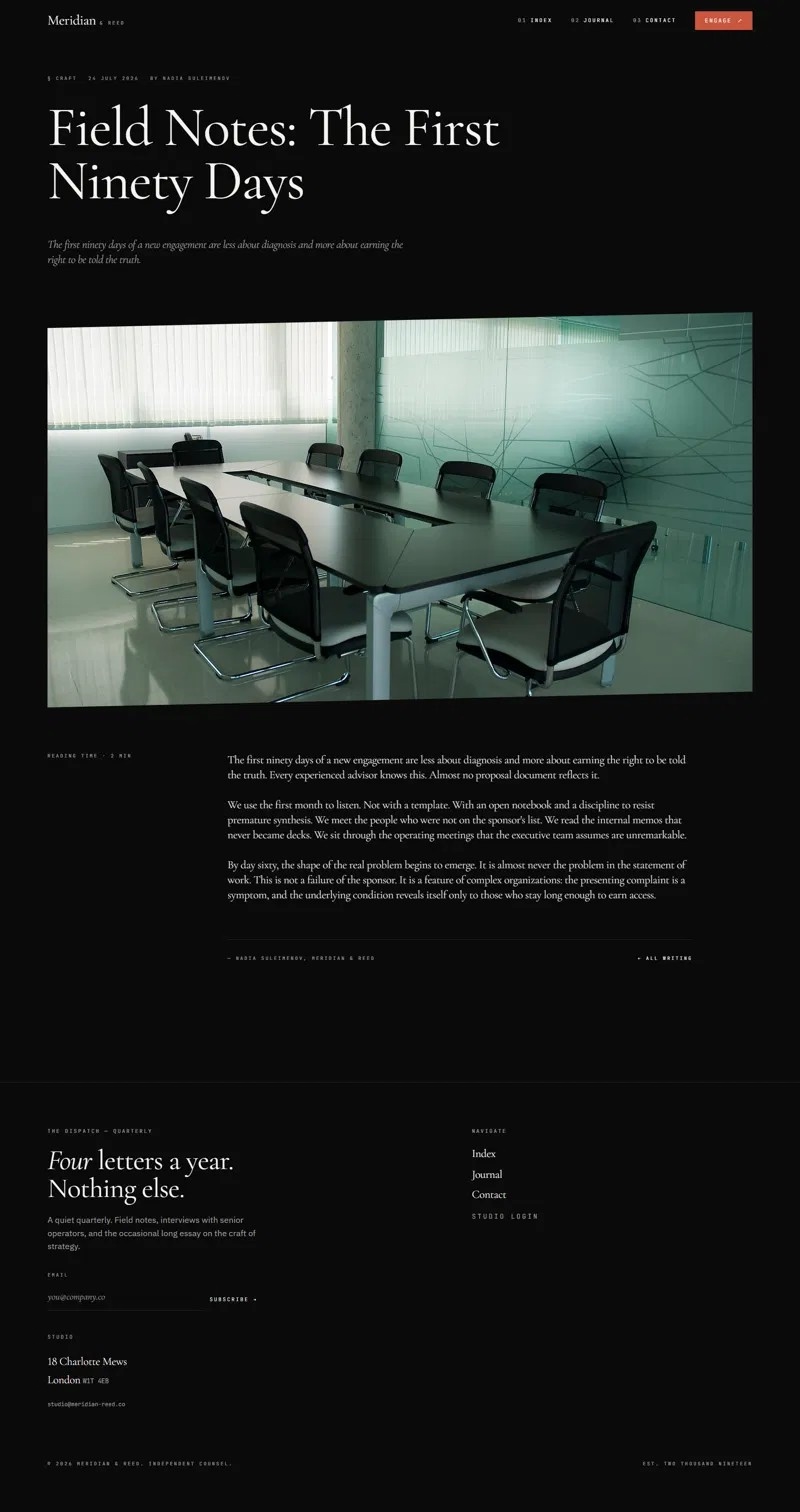
The CMS was also where Emergent stood out. Instead of just creating a blog page, it generated an admin console I could access directly. The spreadsheet-style interface was clean, easy to understand, and ready for adding content.
The tradeoff is speed. Emergent took around 10 minutes to generate compared with some tools that produced a first draft in under a minute. But the quality difference between the first outputs was significant. In my testing, using Maxx reasoning produced a much stronger first result, even if it used more credits.
Features
- The site, the logic, and the data from one prompt: Emergent builds the visible pages, the logic behind them, and the database together from a natural-language request. This means features that usually require connecting multiple tools, like a CMS, user authentication, or gated content, can be generated as part of the same application instead of being added later through plugins.
- Integrations through prompts: Instead of manually setting up APIs and workflows, you can describe what you want connected in plain language. Emergent can help integrate services like Stripe for payments, scheduling tools, and email platforms as part of the app-building process.
- Flexible domain options: You can launch an app using an Emergent subdomain, connect an existing custom domain, or manage domain purchasing directly through the platform.
- Maxx reasoning mode (Pro plan): Maxx is Emergent's deeper reasoning mode designed for more complex builds. It spends more time planning, reasoning through requirements, and refining the output before generating the app.
- MCP support: Emergent supports Model Context Protocol (MCP), which allows you to interact with Emergent through other AI interfaces for building or managing apps.
Pros
- Handles real functionality, logins, bookings, a database-backed blog, that a template-based builder can't without added tools or plugins.
- Integrations are conversational instead of manual, which removes a genuine setup step other builders leave to you.
- Production-grade code output rather than a locked, proprietary format.
Cons
- Smaller template and theme ecosystem than Webflow, Wix Studio, or Squarespace, all of which have years of community-built resources.
Pricing
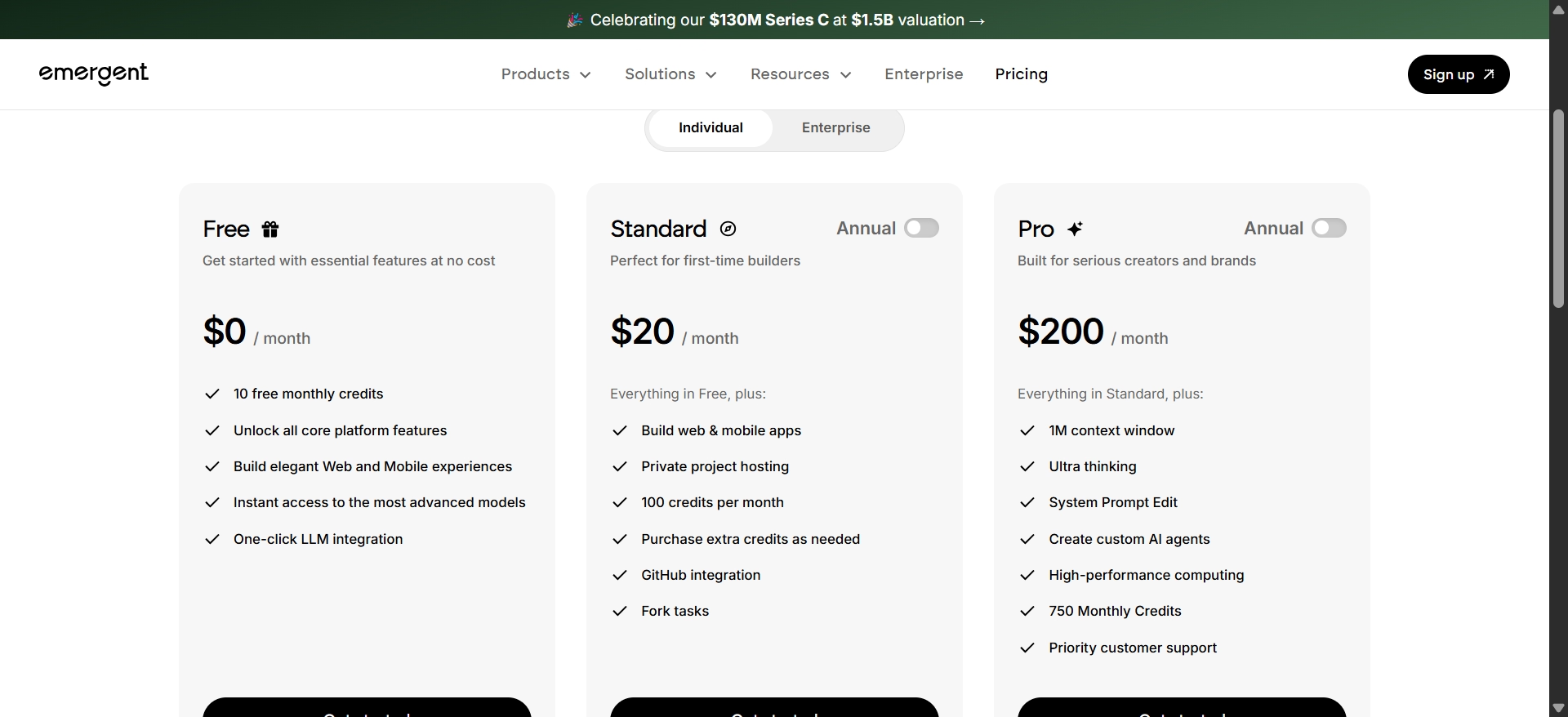
According to Emergent’s official pricing page, Free plan costs $0 and includes 10 credits. The Standard plan is $20/month and comes with 100 credits plus mobile support, while the Pro plan costs $200/month and includes 750 credits.
If you’re ready to start building, read our guide on building a full-stack site from a single prompt for the step-by-step process.
B12
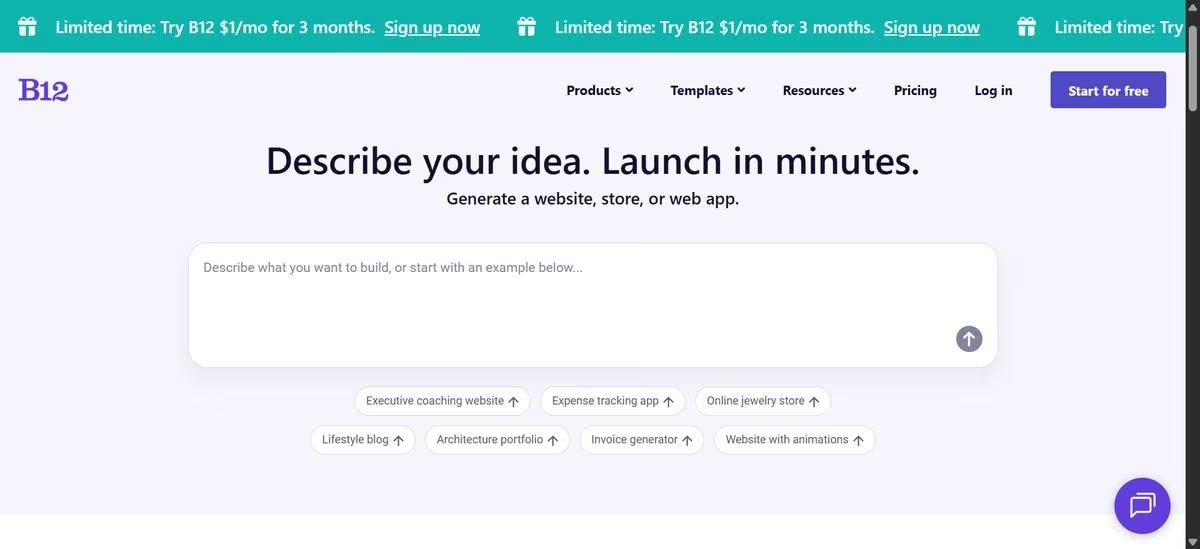
The tool that comes right after Emergent in terms of ease is B12. It's another AI website builder that turns your words into a complete website in under a minute.
I gave it the same consulting firm brief as every other builder. The homepage came back clean and organized, with four named service areas, a working newsletter signup, and a proper closing CTA.
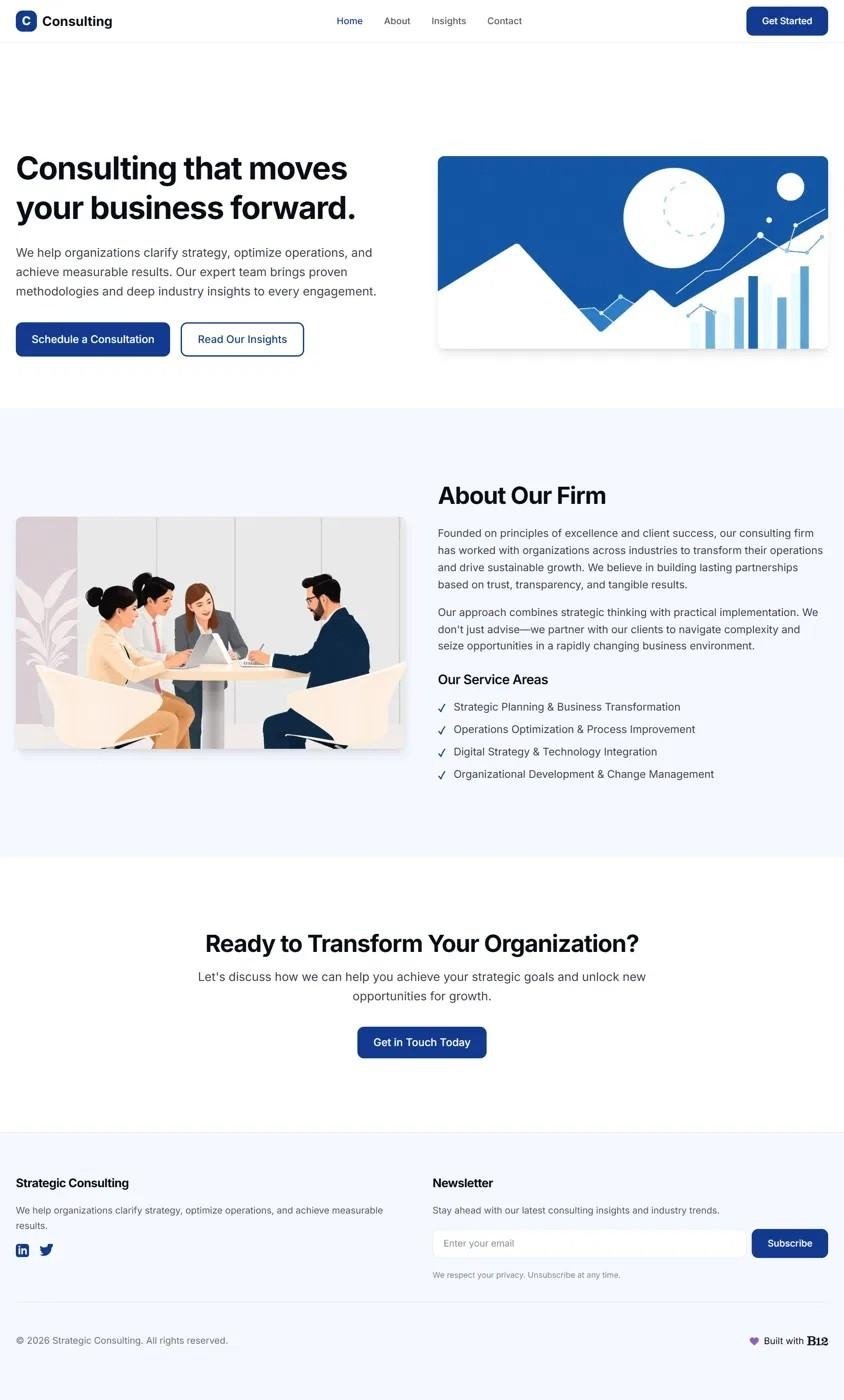
The only thing that didn't quite land was the copy. Headlines like "Consulting that moves your business forward" felt generic rather than tailored to the business. That matched what I found in G2 reviews, where one user wrote:
"While the AI structure is great, the initial AI-generated copy can be a bit generic and repetitive (often using common robotic phrasing). To achieve a truly high-end... brand voice, I had to spend significant time rewriting the text..."
Where B12 genuinely impressed me was the blog. Most builders on this list generated a blog page. B12 generated actual blog posts. Clicking into an article opened a complete post with a proper byline, author role, structured content, and a related articles section linking to other posts. Only Emergent's second run produced a blog experience that felt as complete.
It wasn't perfect, though. Every featured image across the three generated posts contained the same typo, "Business Straltesy" instead of "Business Strategy," suggesting the same AI-generated graphic had been reused throughout the site.
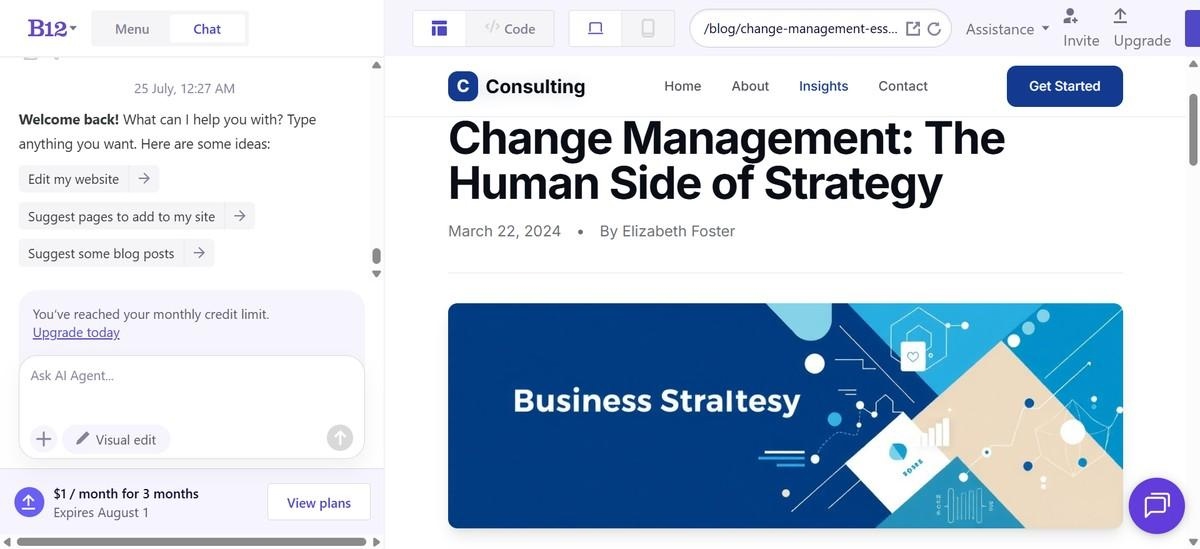
I also asked B12's AI to create a CMS dashboard and migrate the existing blog posts into it. The AI confirmed the migration had completed successfully, and the dashboard itself looked well designed, but when I opened it, none of the posts were there. The interface existed. The content never made it across.
Key features
- Website builder: Generates a complete website from a description of your business, including pages, layouts, and AI-generated content.
- Built-in blog and content management: Lets businesses publish and manage blog posts directly inside the platform. That matched my testing, where B12 generated complete articles with bylines and related posts.
- Lead capture tools: Includes contact forms and tools designed to help service businesses collect inquiries from website visitors.
Pros
- Blog articles render fully, with working related-post linking
- Built specifically for service businesses like consultants, agencies, and coaches
- Includes built-in business tools for leads, scheduling, and client interactions
Cons
- Generic AI copy
- B12 offers no code export or self-hosting option
- Once you cancel your plan, your site disappears entirely.
Pricing
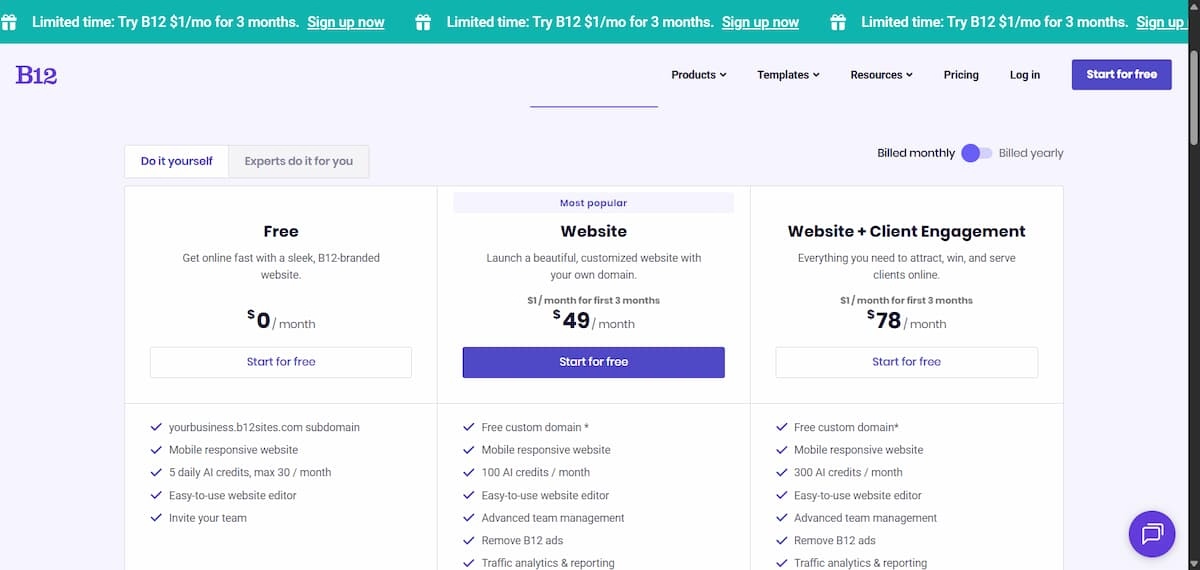
Per B12's pricing page, a free plan is available. Paid plans include Website at $49/month ($42/month billed annually) and Website + Client Engagement at $78/month ($67/month billed annually), adding a custom domain, commerce, more AI credits, and client engagement tools.
Softr
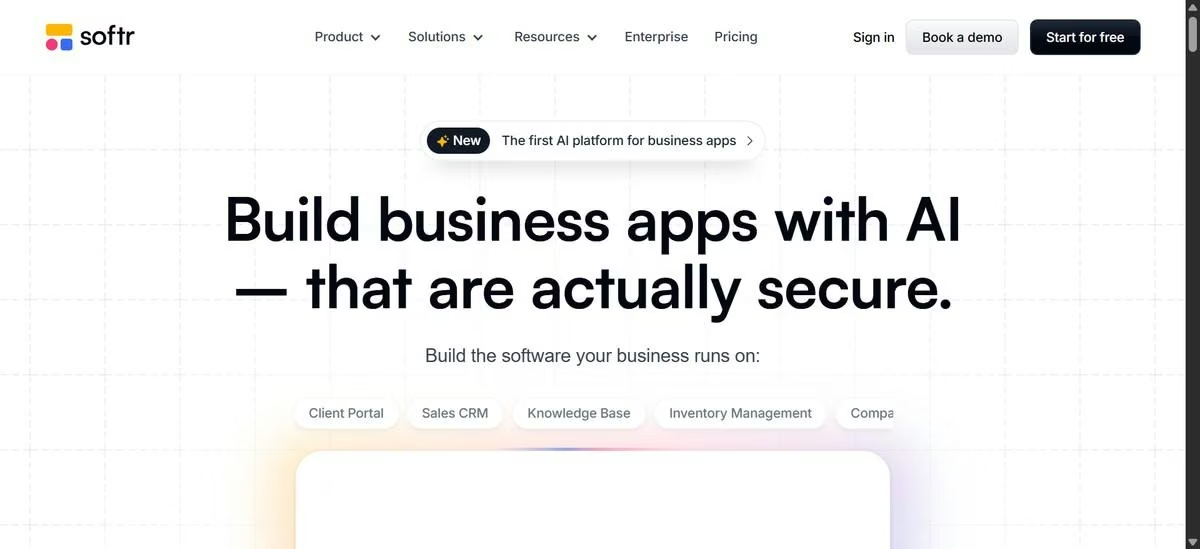
Softr isn't trying to be another Framer. It's built for creating client portals, internal tools, and database-driven apps, so I honestly expected it to struggle with a simple marketing website.
Instead, it surprised me.
In under two minutes, Softr generated a functional consulting website from my prompt. But what impressed me wasn't the homepage. It was everything behind it.
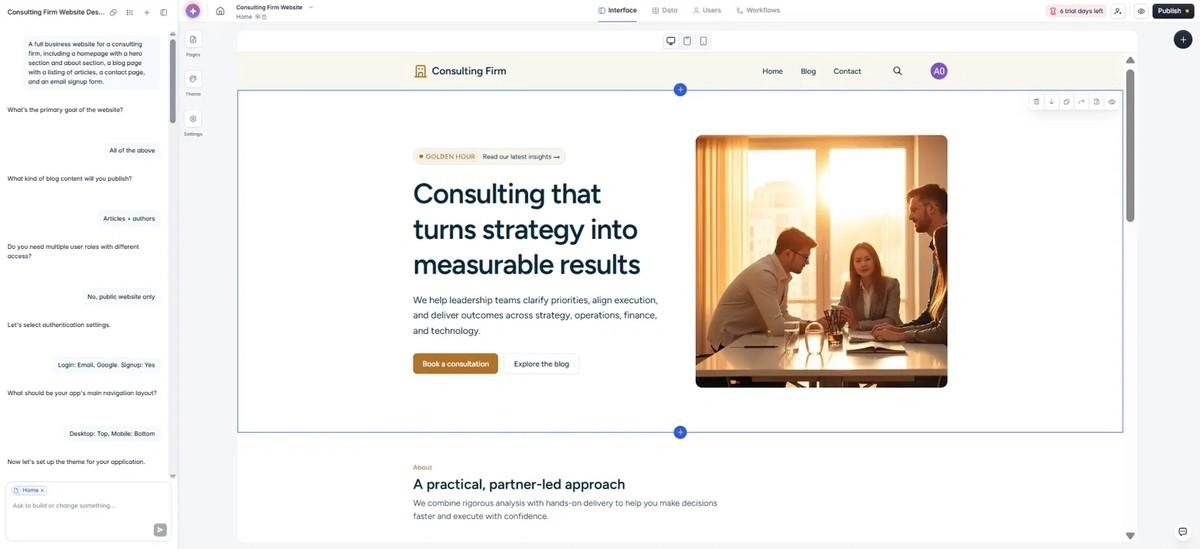
Alongside the website, Softr created four connected data collections, Users, Authors, Articles, and Leads, complete with sample records and structured fields. That was the most sophisticated CMS any tool generated from the same prompt.
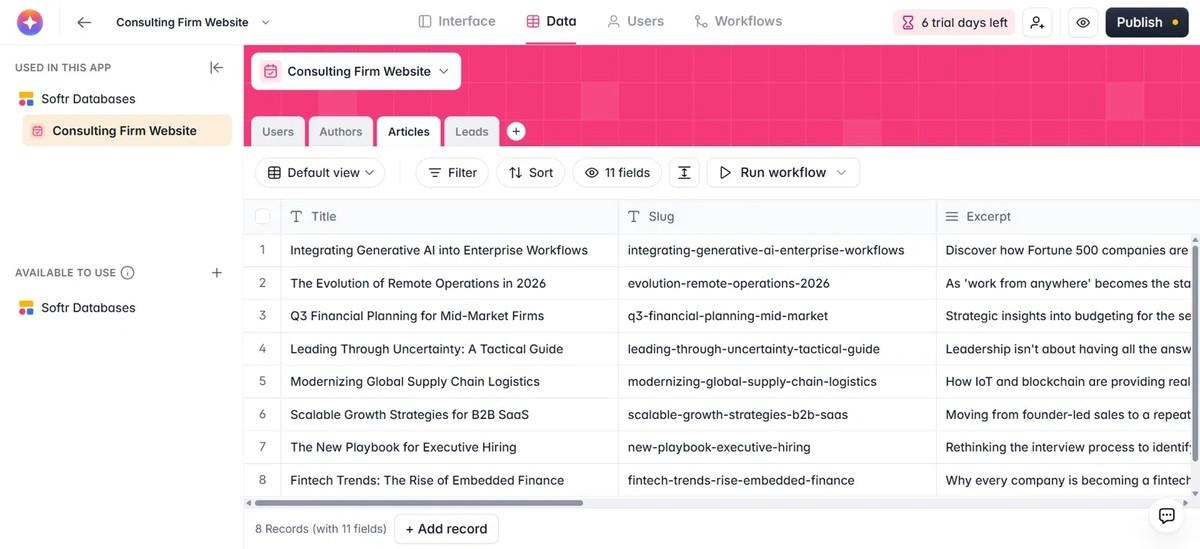
It also passed one of the tests that tripped up several other builders: every navigation link pointed to a real page. Even better, Softr generated a working login flow, account settings page, and editable user profile instead of simply mocking them up.
My favorite part was that the website and the database each had their own AI assistant. It made editing content feel separate from editing the design, which is exactly how I'd expect a database-driven platform to work.
The only issue I ran into was with article pages. The database contained the full article content, but the published page only displayed the card and excerpt. The content existed; it just wasn't rendering correctly in the template.
Features
- Native database: Store and manage data directly in Softr or connect external sources like Airtable, Google Sheets, SQL databases, HubSpot, and Notion.
- AI co-builder: Generates pages, data structures, and app layouts from a natural-language prompt.
- Visual block editor: Build pages using drag-and-drop blocks connected to live data.
- Built-in authentication: Create member-only areas, client portals, and internal tools without configuring a separate auth provider.
- Permissions and user roles: Control which users can view or edit different parts of the app.
Pros
- Strongest structured backend of any tool I tested
- Real, working user accounts and authentication out of the box
- Free tier is generous enough to properly evaluate the platform
Cons
- Less design flexibility than Framer
- AI-generated templates may occasionally need manual fixes
- No code export or self-hosting
Pricing
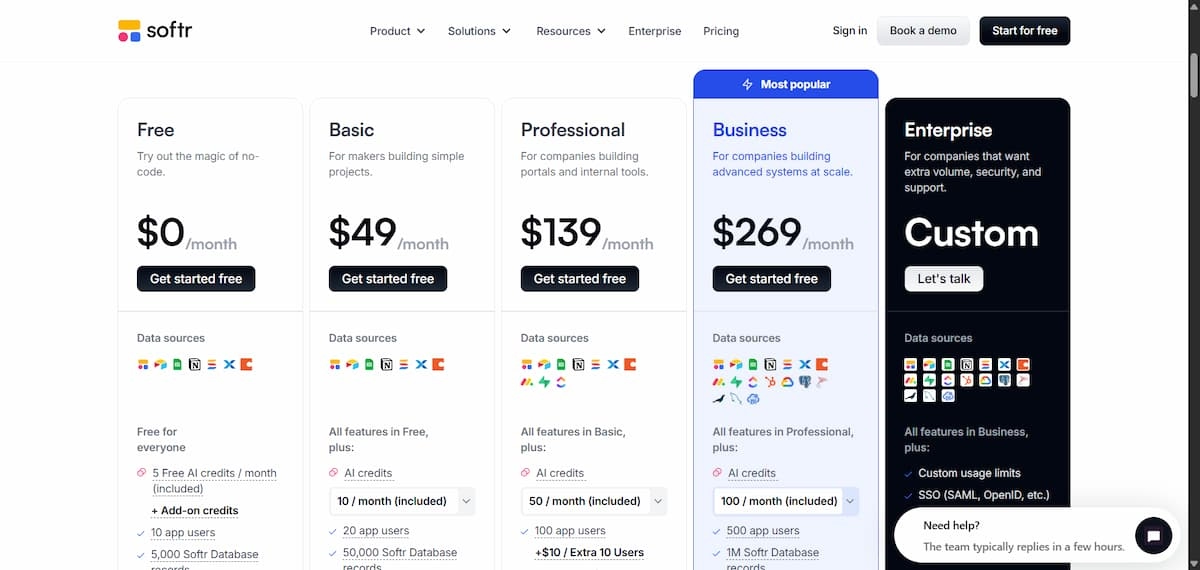
According to Softr’s pricing page, a free plan is available for testing. Paid plans start at $59/month, or $49/month when billed annually.
If Softr doesn’t give you the flexibility you need, Softr Alternatives: 8 Best App Builders Compared in 2026 looks at other platforms that may be a better fit.
Squarespace
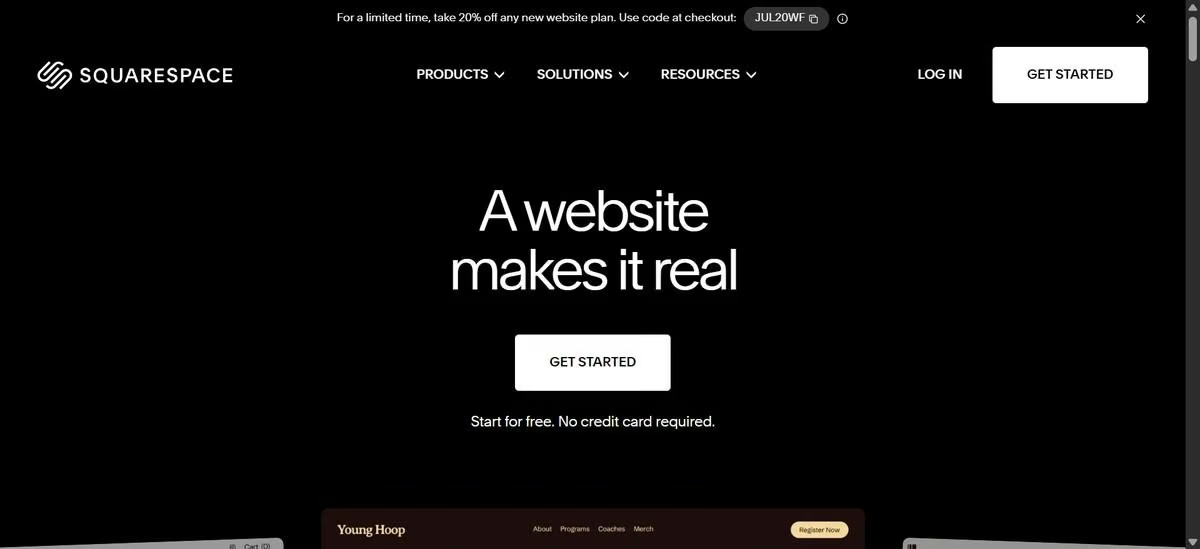
Squarespace was one of the easier tools to find my way around. Unlike Framer, which is AI-focused, Squarespace leans heavily on templates.
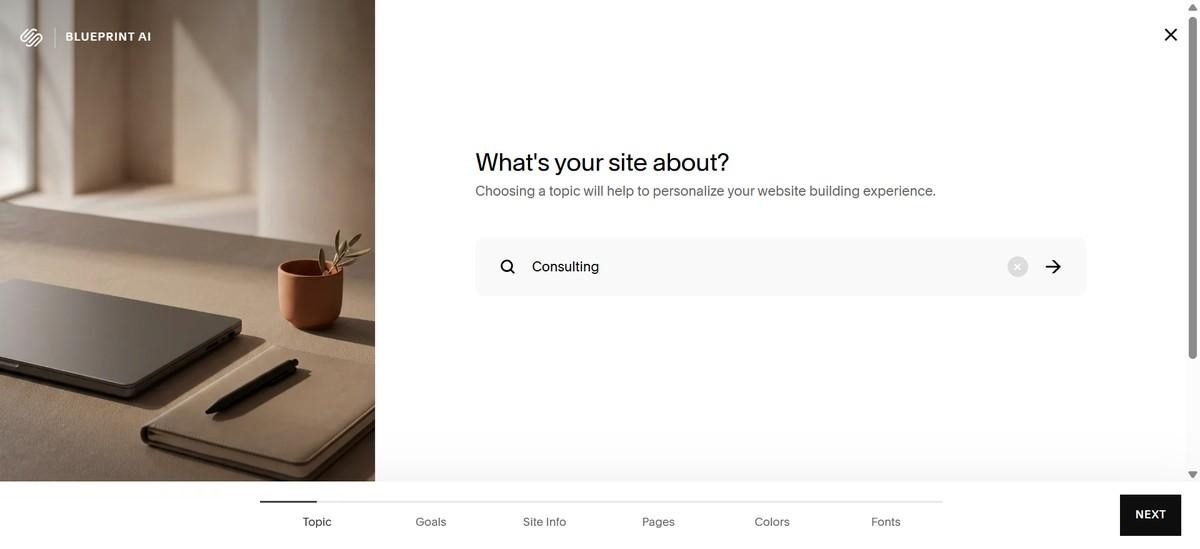
It does have an AI builder, Blueprint AI, but it works more like filling out a questionnaire than having a conversation with an AI designer. You choose from a series of options, and the result feels like those choices have simply been applied to a prebuilt template rather than creating something genuinely unique.
That said, templates are probably the better way to use Squarespace. Since you'll likely customize your site either way, starting with a polished template gets you further faster.
The editing experience is smooth as long as you stay within Squarespace's design system. But when I tried pushing beyond the standard layouts, the limitations became obvious.
Unlike Framer, which gives you more freedom to place and animate elements across the canvas, Squarespace's grid-based sections keep you within predefined structures. Some design ideas, like custom hover animations for blog cards, required workarounds or custom code rather than being available directly in the editor.
Features
- Blueprint AI: A guided, multiple-choice generator, not a freeform prompt, producing tailored but fairly generic copy and imagery.
- Template-first workflow: Sections and blocks are pre-structured, speeding up setup at the cost of layout freedom.
- Built-in commerce: Selling physical products, digital downloads, or memberships is a core feature, not an add-on.
Pros
- Commerce and marketing tools that go deeper than Framer's out of the box.
- Fast and easy to navigate
- Strong, varied template library worth starting from regardless of the AI output
- Unlimited bandwidth and storage on any paid tier, no traffic-overage surprises
Cons
- Layout freedom is noticeably more limited than Framer's canvas-style editor.
- Custom interactions and animations often require paid-tier code injection.
- Less appealing if you already think and design in Figma.
Pricing
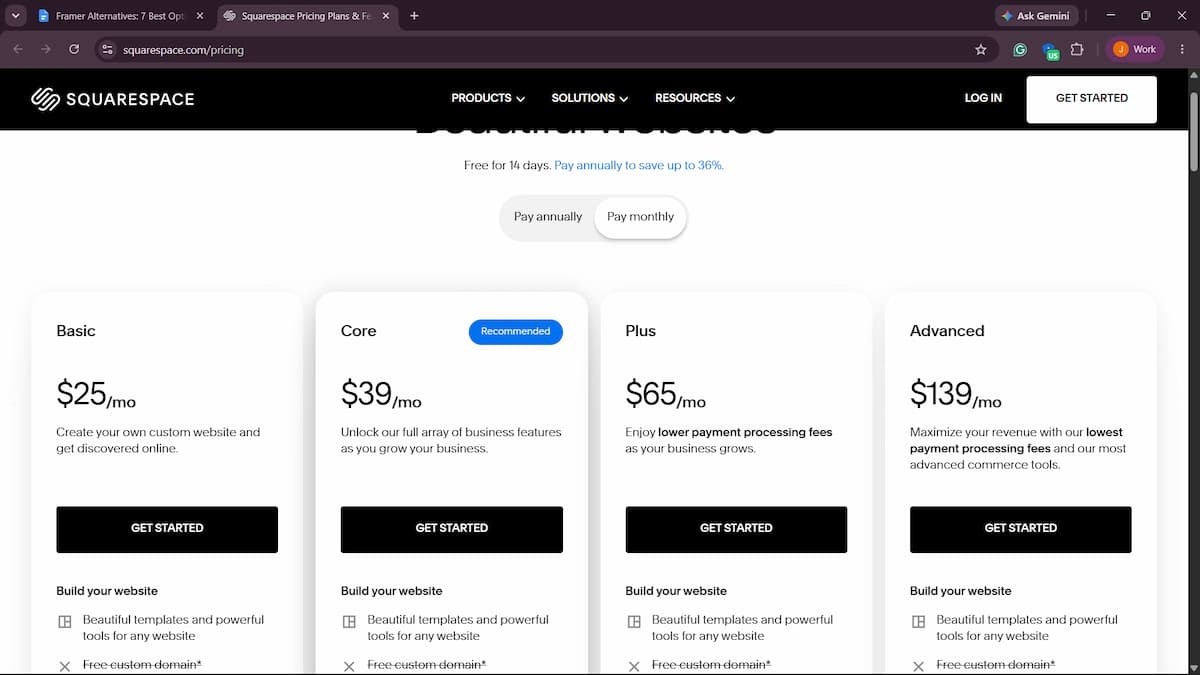
Squarespace’s pricing starts at Basic at $25/month ($19/month annual), Core at $39/month ($29/month annual), Plus at $65/month ($49/month annual), and Advanced at $139/month ($99/month annual), with lower transaction fees at higher tiers.
Wix Studio
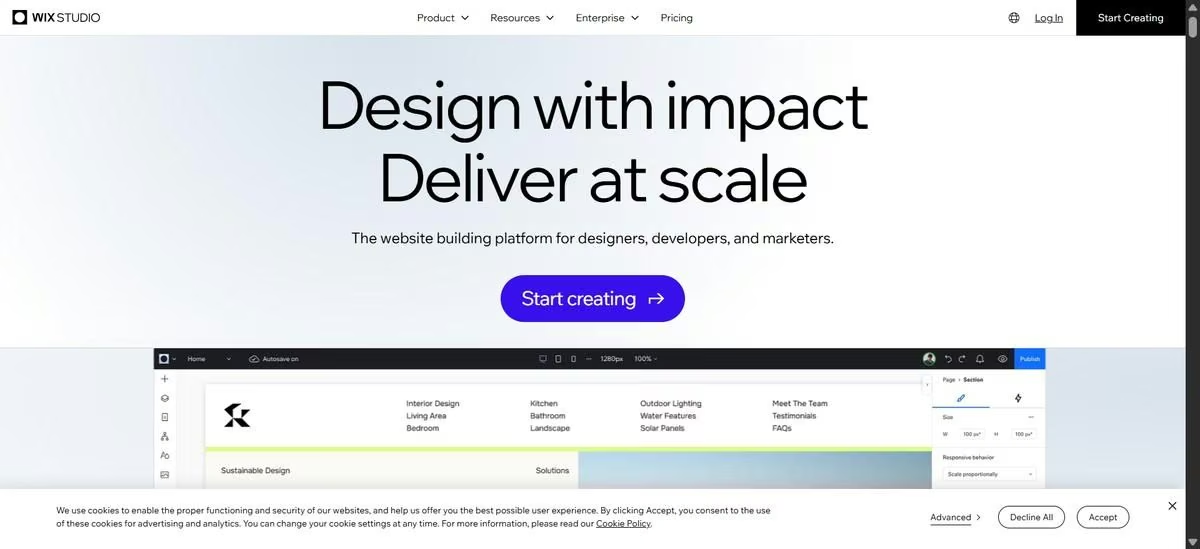
Wix Studio is Wix's designer-focused platform, built for agencies and freelancers managing multiple client sites. It has a separate editor from the classic Wix experience, with more advanced controls for people who want more design flexibility.
Wix Studio now offers an AI site builder as one of its main starting paths alongside templates and blank projects.
I used the AI builder, but instead of starting with one open-ended prompt, it guided me through a structured questionnaire. You can use AI to help fill in the details, but I still would have preferred a chat-style experience where I could explain what I wanted and refine the output as I went.
The result was decent. It created all the main sections I expected and the navigation pages were functional, but the design itself felt unfinished.
There were no real images, just placeholder shapes, and the content felt disconnected from the consulting firm brief. Instead of relevant blog content, it generated examples like an Amazon rainforest article, a yoga guide, and a pasta recipe.
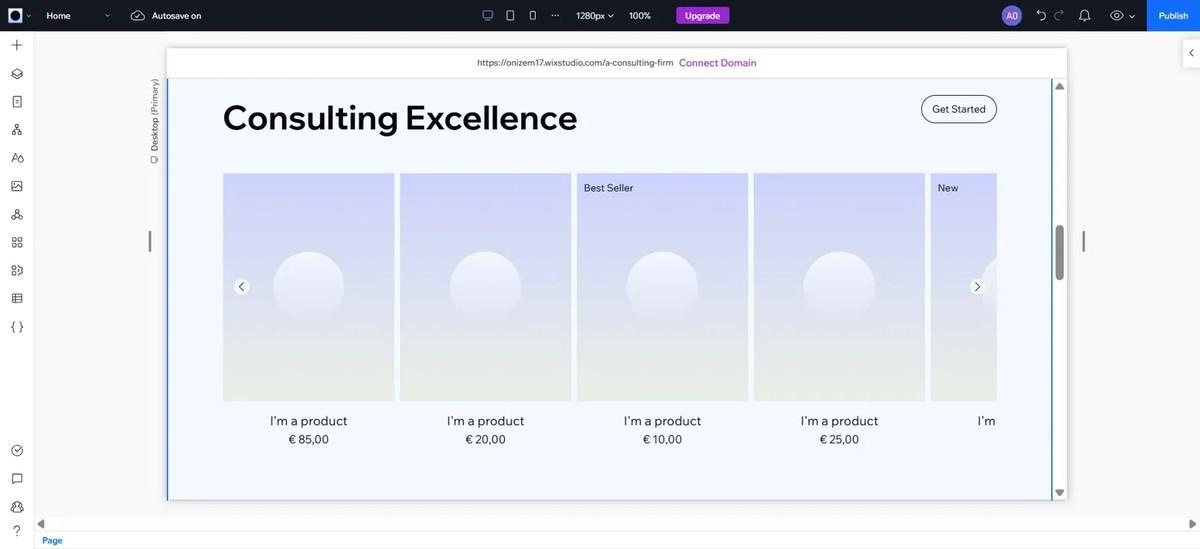
Where Wix Studio impressed me was the visual sitemap. It made it much easier to understand the site's structure and jump between pages while editing. Plus, there are plenty of built-in design tools to take a basic starting point and turn it into something much more polished.
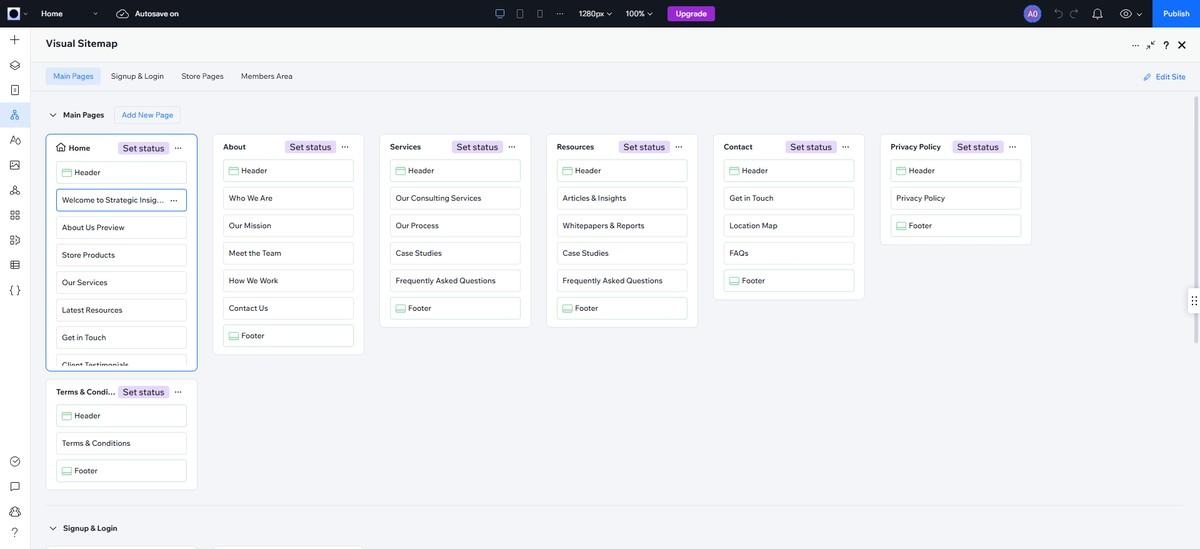
The CMS was also straightforward. Wix uses a database-style CMS that is easy to understand and navigate, although I would hesitate to use it for a more content-heavy website.
Features
- Multi-site agency dashboard: Manage every client project from one workspace instead of separate logins.
- AI site generator: Drafts a working structure, nav, and CMS collection from a written description in under two minutes.
- Large app marketplace: Bookings, memberships, and marketing tools available as add-ons instead of custom-built.
Pros
- Built specifically for agencies managing multiple client sites, not retrofitted for it.
- AI site generators produce a genuinely usable starting structure, not just a layout.
- Deep app marketplace covers most common feature requests without custom code.
Cons
- Reviewers frequently mention frustration with how often Wix restructures its plans and pricing.
- Higher tiers needed for real agency use cost noticeably more than Framer's equivalent.
- Can feel heavier and more feature-crowded than Framer's more focused editor.
Pricing
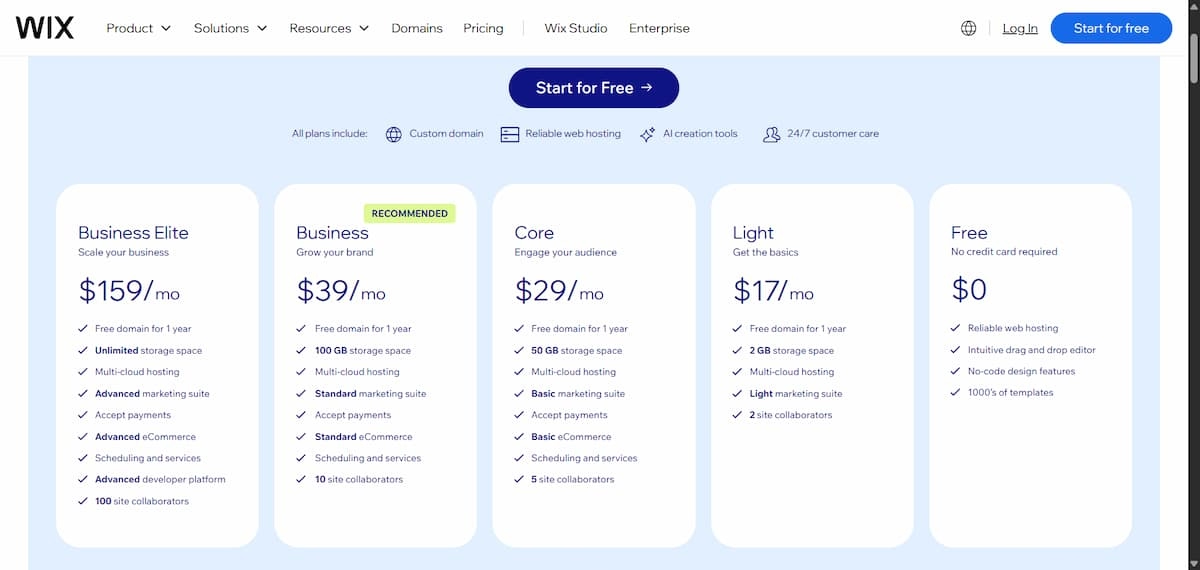
Wix Studio plans run from $16/month ($15/month annual) to $35/month ($29/month annual) depending on tier, with a custom Enterprise plan.
Also read our roundup of no-code website builders to see how Wix Studio compares to other platforms.
Tilda
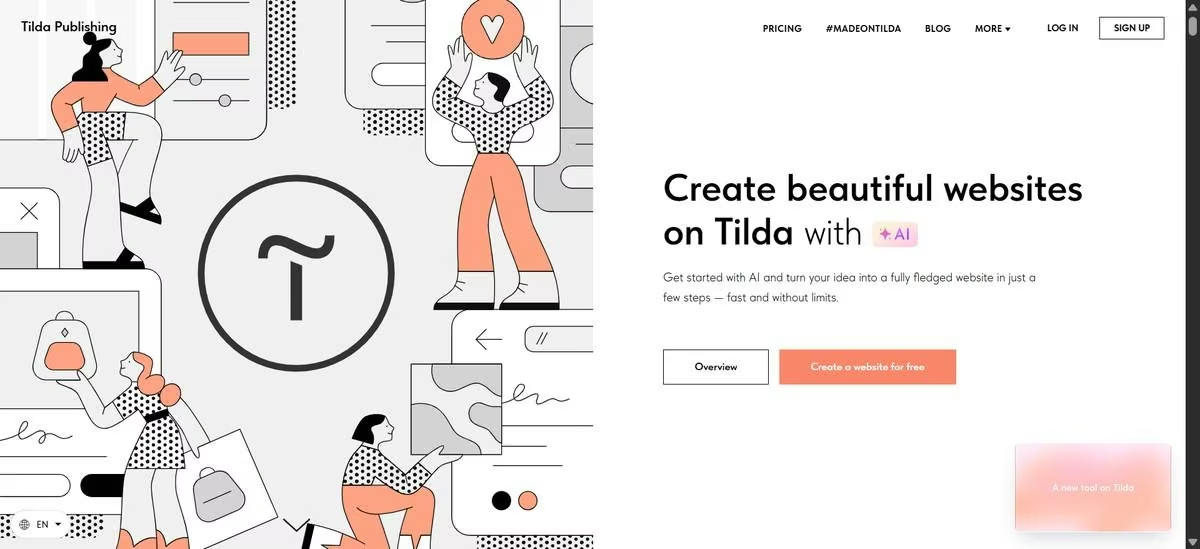
Tilda's AI onboarding starts with two simple steps: first, you describe your business, then you describe the website you want to build. I told it I was creating a consulting firm that publishes practical strategy articles through a blog, then gave it the test prompt.
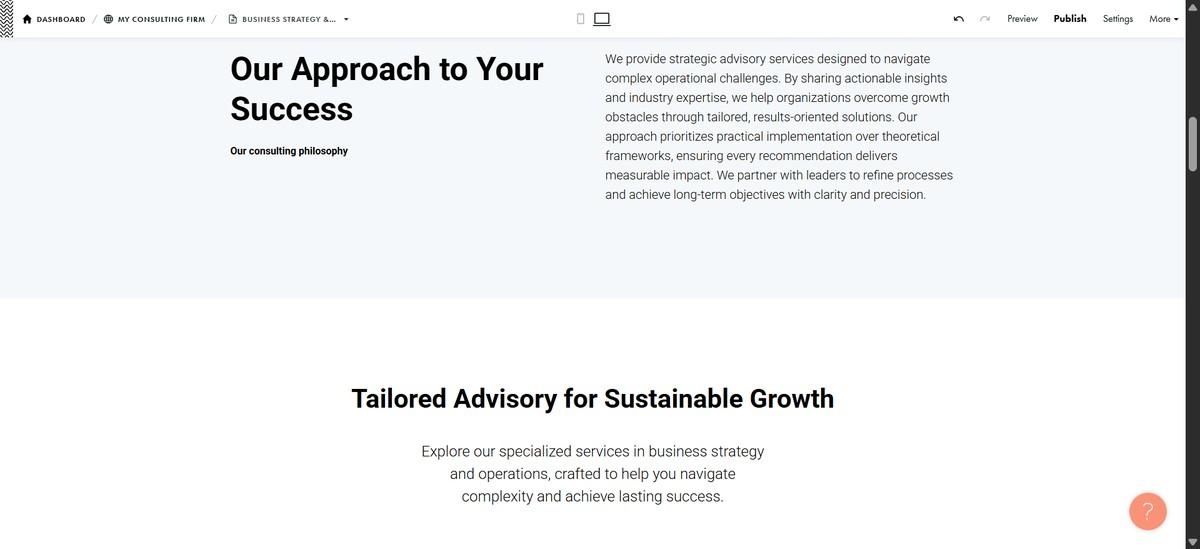
The first thing that impressed me about the output was the writing. Tilda generated the best AI copy of any tool I tested. Section titles like Business Strategy Development and blog headlines like Scaling Through Uncertainty sounded like they were written for a real consulting firm instead of being generic placeholder text.
Then I started clicking around.
The navigation looked complete with Home, Blog, and Contact links, but every menu item took me to the same page. At first, I assumed something had broken. I checked the site settings, looked for a CMS panel, and even started wondering whether Tilda had actually generated the multi-page website I asked for. It hadn't.
The AI had generated a polished one-page website, and the navigation simply scrolled between sections instead of opening separate pages. After some digging, I found that Tilda's blogging system lives in its Feeds feature.
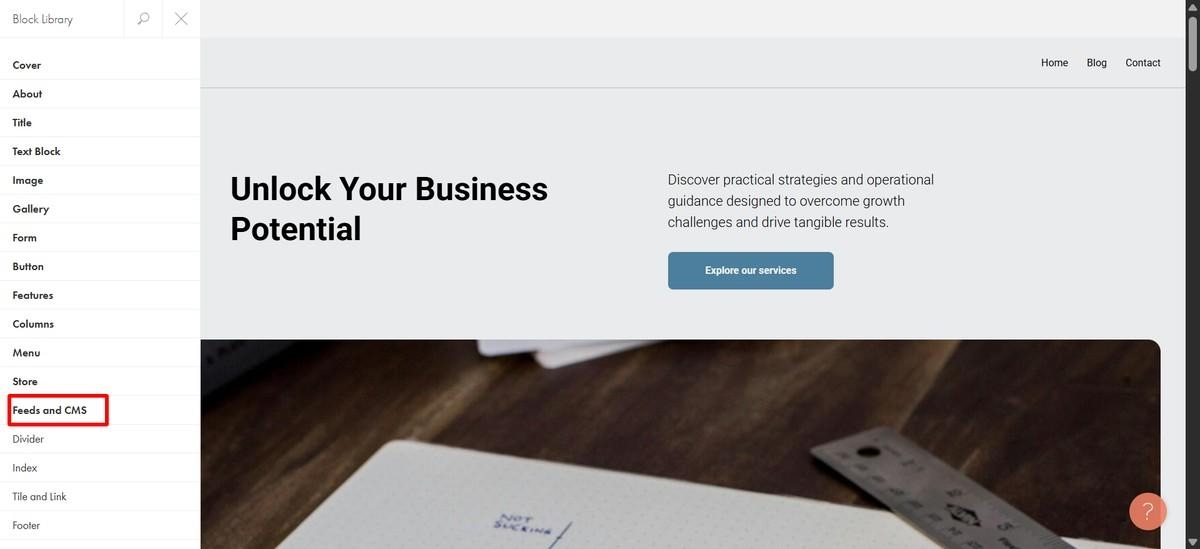
To build a real CMS-backed blog, you need to manually create a Feed or start from one of Tilda's dedicated blog templates, then connect it to your pages. That's how Tilda is designed to work, but it wasn't something the AI set up automatically.
My takeaway? Tilda's AI is a much better copywriter than a website builder. It produced great content, but I still had to manually build the blog structure myself.
Features
- 550+ pre-designed blocks and 210+ templates: Build websites using professionally designed content blocks or start from one of 210+ templates for landing pages, blogs, portfolios, online stores, and more.
- AI website and copy generation: Describe your business and website, and Tilda generates page layouts and AI-written copy.
- Built-in CRM and form integrations: Collect leads with customizable forms and manage them in Tilda CRM, or connect email marketing services such as Mailchimp.
Pros
- Strongest, most on-topic AI-generated copy of any tool tested
- Managed hosting and SSL handled automatically
Cons
- Creating a multi-page website has a learning curve
- Less intuitive for complex websites
- Pre-built blocks make it less flexible
Pricing
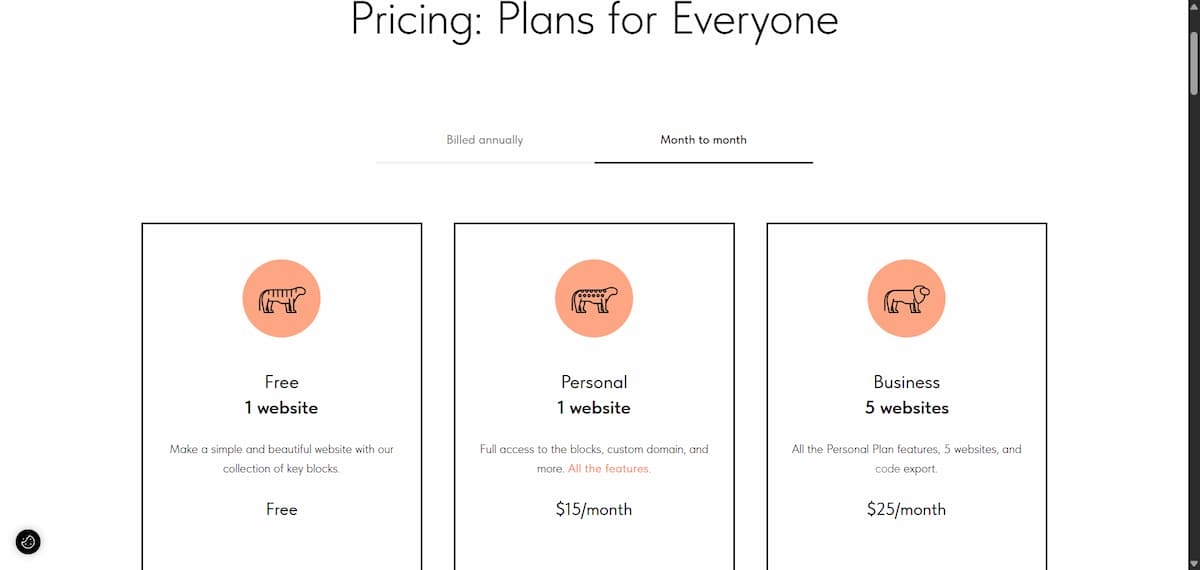
According to Tilda’s pricing page, plans include a Free tier, plus Personal at $15/month ($10/month billed annually) and Business at $25/month ($20/month billed annually).
Also read our tested comparison of AI website builders to see more options and how they compare.
Webflow
Webflow is the closest thing to hand-coded development in this roundup. It gives designers a visual editor built around HTML, CSS, and JavaScript concepts, with a CMS powerful enough to model complex, relational content.
Webflow also has an AI site builder option. Since Webflow is known for having a steeper learning curve, I was hopeful that the AI option would make the experience easier.
It helped me get started, but it did not remove the complexity. After I pasted my test prompt, Webflow summarized the brief, suggested an editable section structure, and generated a decent-looking site with testimonial cards, a team section, and an FAQ layout.
However, some details still needed manual cleanup. The navigation included Services, About, Blog, and Support links that looked complete but did not actually lead anywhere.
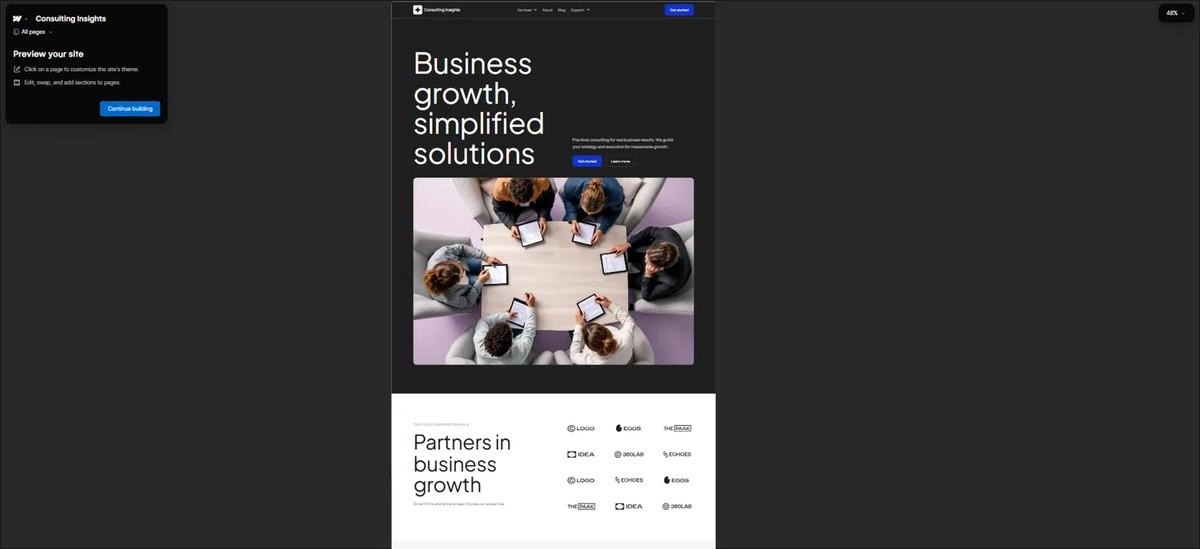
Where Webflow really pulled ahead was the CMS. Unlike Framer, which is better suited for smaller content structures, Webflow is built for more complex content operations, with higher CMS limits, more flexible collections, and deeper content modeling options. The tradeoff is that there's a steeper learning curve.
I tested this by asking Webflow's AI Assistant to create a blog collection with an author reference field. It appeared to complete the task and generate sample data, but the CMS collection never appeared. I then tried creating the collection manually using Webflow's blog template, but that failed too.
After spending about an hour troubleshooting, I assumed I had done something wrong and moved on. When I came back roughly 12 hours later, the CMS collection had appeared on its own.
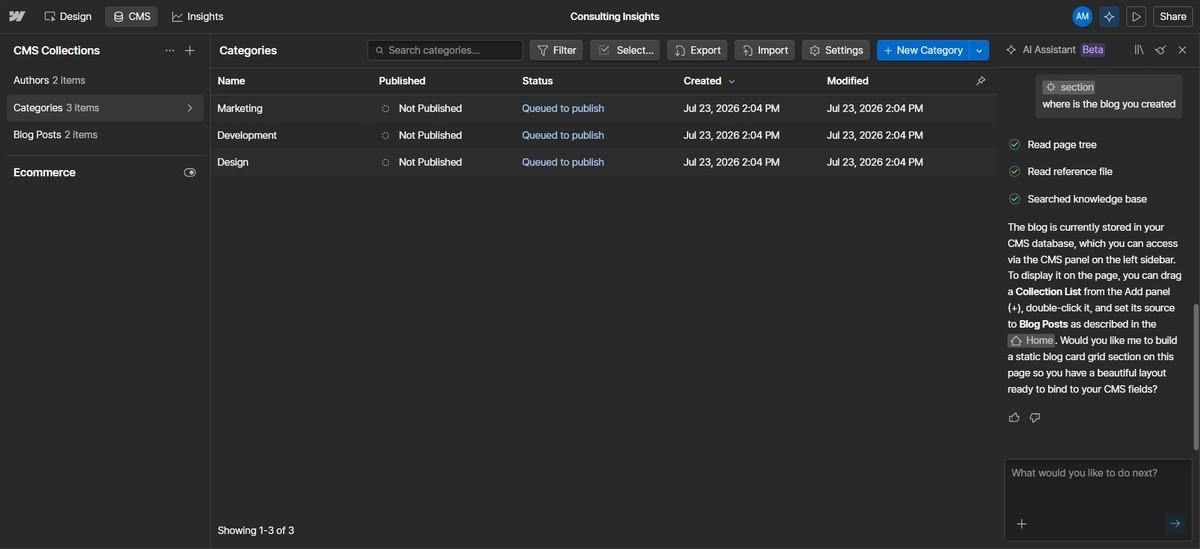
I can't say for certain what caused the delay, but it wasn't just my experience that made me question it. While researching user reviews, I found several people mentioning occasional UI quirks and unexpected behavior. As this G2 reviewer put it:
“Occasionally, there are quirks, interactions or layout behavior that don’t respond as expected, especially in cross-browser testing. Whether it's due to how Webflow handles style overrides or just small UI bugs, these hiccups can interrupt flow.”
Features
- Visual CMS with real depth: Collections, references, and multi-reference fields let you model genuinely complex content relationships, not just a flat list of blog posts.
- Code ownership: Custom code lives directly in the Designer, and what you build is closer to exportable, standards-based markup than a proprietary format.
- E-commerce built in: Native store functionality with its own plan tier, well beyond what Framer offers.
Pros
- CMS depth that can support a real content operation, not just a blog.
- Code-level control for anyone who wants to go past the visual editor.
- Native e-commerce with dedicated plans, not a bolted-on afterthought.
Cons
- The Site plan and Workspace plan split confuses first-time users.
- Steeper learning curve than Framer for anyone without a web design background.
Pricing
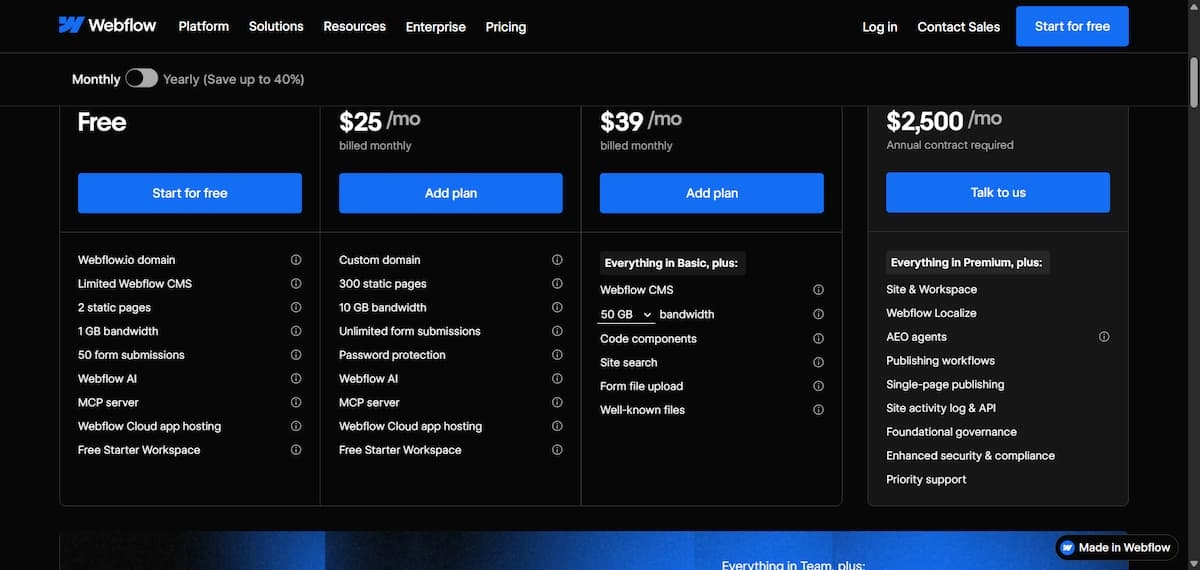
Per Webflow’s pricing page, a free Starter plan is available. Paid plans start with Basic at $15/month and Premium at $25/month, both billed annually (monthly billing costs more). Enterprise pricing is custom. Workspace seats and add-ons like Optimize and Localize are billed separately from Site plans.
How to Evaluate Framer Alternatives
Every tool on this list is a legitimate option for someone. The right one depends less on which is “best” and more on matching the tool to what you're actually building.
- How much content will you actually publish? A blog posting weekly needs a real CMS. A single landing page doesn't. Don't pay for CMS depth you won't use.
- Do you need to sell anything? If commerce is core to the site, weigh tools with built-in store features (Squarespace, Webflow) over ones where it's an afterthought.
- Are you working solo or coordinating a team? Multi-seat, multi-client tools like Wix Studio justify their price for agencies and feel like overkill for a solo project.
- Will the site need to do more than sit there? Logins, bookings backed by a database, gated content, most of the tools on this list handle that with an added plugin or a separate tool bolted on.
There's No Single Right Answer, Only the Right Fit
Every tool tested produced something that looked complete at first glance. What separated them was what happened once I clicked into the nav, the blog, and the database, and that's exactly where this article spent its time.
If you're not technical, Emergent and B12 held up best once the surface-level polish wore off. If you're building something closer to an app than a marketing site, Softr's the one built for that job. If you already think in Figma and want real code ownership, Webflow is the closest match to what Framer itself offers.
Whatever you're building, the recommendations above are based on what each tool actually did, not just what it promised.
Want to see the site, the logic, and the data built together from one prompt? Start with Emergent.

Most AI app builders stop at prototypes. Emergent creates production-ready apps you can actually launch.
- Production-ready apps
- Web & mobile apps
- Deploy in minutes







