



TL;DR
- Shopify wins for serious e-commerce: Choose Shopify if you sell physical products, manage inventory, use point of sale, need shipping tools, or plan to grow the store.
- Squarespace wins for design-led websites: Choose Squarespace if you need a polished portfolio, service site, content hub, or small store that looks good fast.
Shopify vs Squarespace gets framed as a website-builder choice, but that’s too shallow. The real question is what you’re trying to protect six months from now: your checkout, customer list, inventory, design, content, or custom workflows.
Shopify is the better choice if selling products is the business. Squarespace is the better choice if your website is the business and e-commerce supports it. I compared current official pricing and feature pages from Shopify and Squarespace, and reviewed user discussions from Reddit and the Shopify Community.
By the end, you’ll know which platform to choose, where the costs show up, and when neither one is the right long-term answer.
Shopify Vs Squarespace: What’s The Difference?
Shopify is a commerce platform with a website builder attached. Squarespace is a website builder with e-commerce attached.
It changes what each platform makes easy, and what each one fights you on.
Choose Shopify if you want the store to be the center of the business. It’s stronger for product catalogs, checkout, inventory, shipping, payments, apps, retail selling, and multi-market growth.
Shopify covers the commerce basics out of the box: hosting, SSL, custom domains, abandoned checkout recovery, gift cards, marketing automation, and access to its app marketplace.
Choose Squarespace if you want the website experience to be the center of the business. It’s stronger for clean templates, visual editing, content-heavy pages, service businesses, portfolios, and small stores that don’t need deep operations yet.
Squarespace includes customizable templates, Blueprint AI, Fluid Engine drag-and-drop editing, mobile-optimized sites, search engine optimization (SEO) tools, 24/7 support, hosting, SSL security, and commerce features across paid plans.
How I Compared Shopify And Squarespace
I compared Shopify and Squarespace using official pricing pages, official feature pages, and documented user feedback. I focused on the questions buyers actually ask “which one to pick”, “what it really costs”, and “which one holds up as you grow”.
The user feedback layer helped identify practical pain points: people praise Squarespace for being easier to start with, but several e-commerce users say they outgrew it or wanted stronger product control. Shopify gets more praise for commerce depth, but users also call out higher costs once apps enter the picture.
Shopify Vs Squarespace: At a Glance
| Feature | Shopify | Squarespace |
|---|---|---|
| Best For | Growing stores | Design-led sites |
| Free Plan | No free plan | No free plan |
| Starter Paid Plan | $39/month ($29/month billed annually) | $25/month ($19/month billed annually) |
| Trial | 3 days free, then $1/month for 3 months | 14 days free |
| Key Strength | E-commerce depth | Visual design |
| Main Weakness | Cost creep | E-commerce ceiling |
| Better For Large Catalogs | Yes | No |
| Better For Portfolios | No | Yes |
Shopify’s official pricing starts with Basic at $39/month ($29/month billed annually), and Squarespace’s current public pricing starts with Basic at $25/month ($19/month billed annually). Shopify offers a 3-day free trial and then $1/month for 3 months, while Squarespace starts every site with a 14-day free trial.
Meet Shopify: Features and Highlights
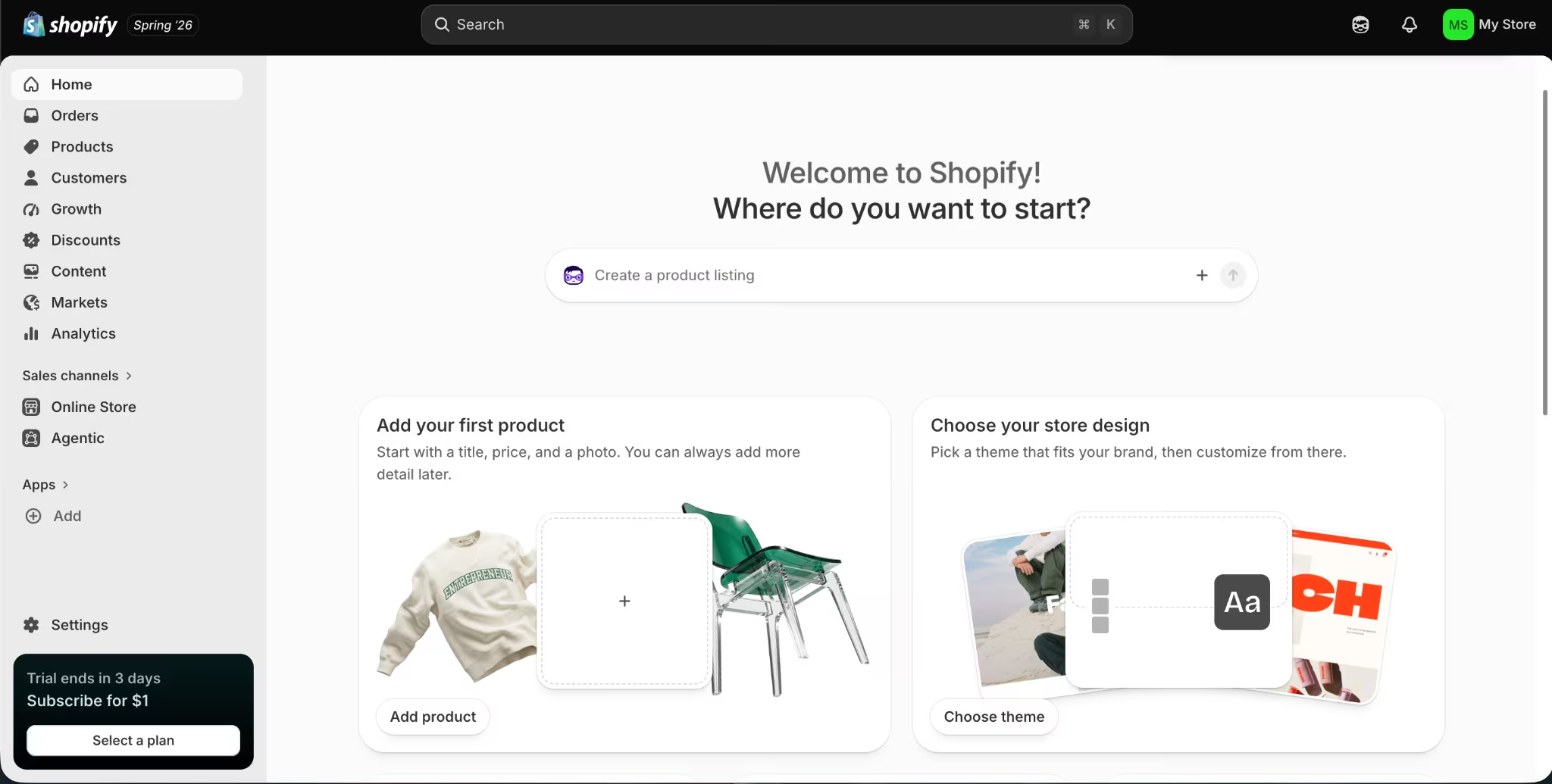
Shopify is built for selling first. You can still build a polished website on it, but the strongest parts are checkout, inventory, payments, shipping, staff access, point of sale, app integrations, and international commerce.
The platform supports online selling, in-person selling, and AI-assisted storefront creation. Shopify also includes unlimited web hosting, custom domains, SSL certificates, marketing automation, abandoned checkout recovery, and access to the Shopify App Store and its thousands of apps.
Shopify becomes more valuable when your store gets operationally messy. That means multiple products, staff members, fulfillment rules, in-person sales, business-to-business (B2B) catalogs, multiple inventory locations, international markets, or custom checkout needs.
Also read our best Shopify alternatives guide for what else is worth trying when the operational depth or pricing doesn't fit your store.
Shopify Pricing
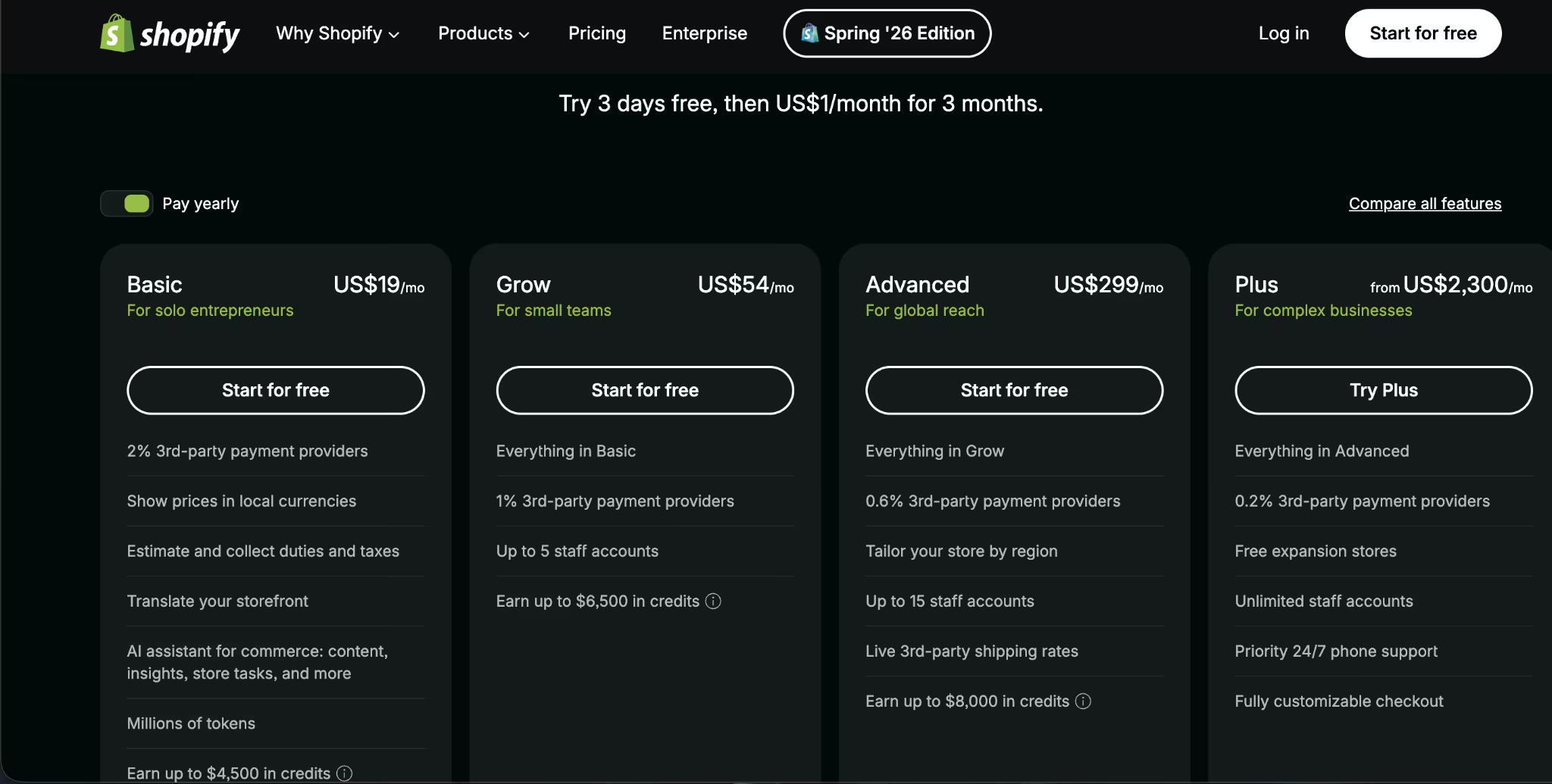
Shopify has four main e-commerce plans: Basic: $39/month ($29/month billed annually), Grow: $105/month ($79/month billed annually), Advanced: $399/month ($299/month billed annually), and Plus: from $2,300/month (custom contract; annual public price not listed).
POS Pro is an add-on at $89/month per location, and Agentic is free, with payment due only when you make a sale. Shopify has no free plan, but it offers a 3-day free trial and then $1/month for 3 months.
Meet Squarespace: Features and Highlights
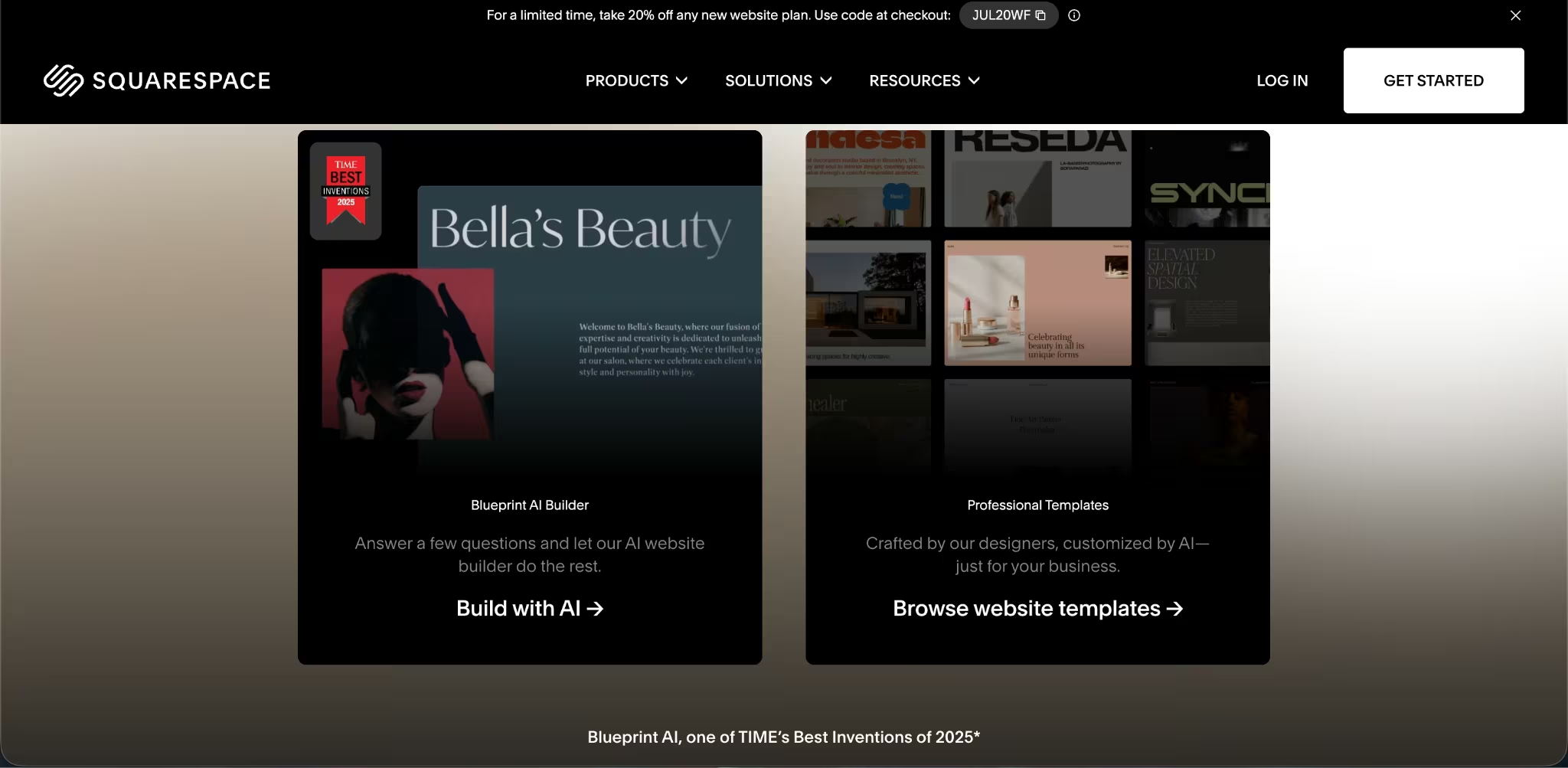
Squarespace is built for polished websites first. Its strongest use cases are portfolios, personal brands, service businesses, content sites, restaurants, appointment-driven businesses, and small shops that need an attractive storefront without a heavy operations layer.
Squarespace centers the site-building experience around templates, Fluid Engine editing, mobile-ready pages, SEO tools, hosting, SSL, and built-in commerce features. Higher plans add code injection, premium integrations, and stronger selling tools.
Squarespace also supports e-commerce. You can sell products and services on all paid plans, and higher plans add stronger commerce tools such as subscriptions, abandoned cart recovery, advanced merchandising, carrier-calculated shipping, and commerce application programming interfaces (APIs).
Also read our best Squarespace alternatives guide for what else is worth trying when the template ceiling or commerce limits become a constraint.
Squarespace Pricing
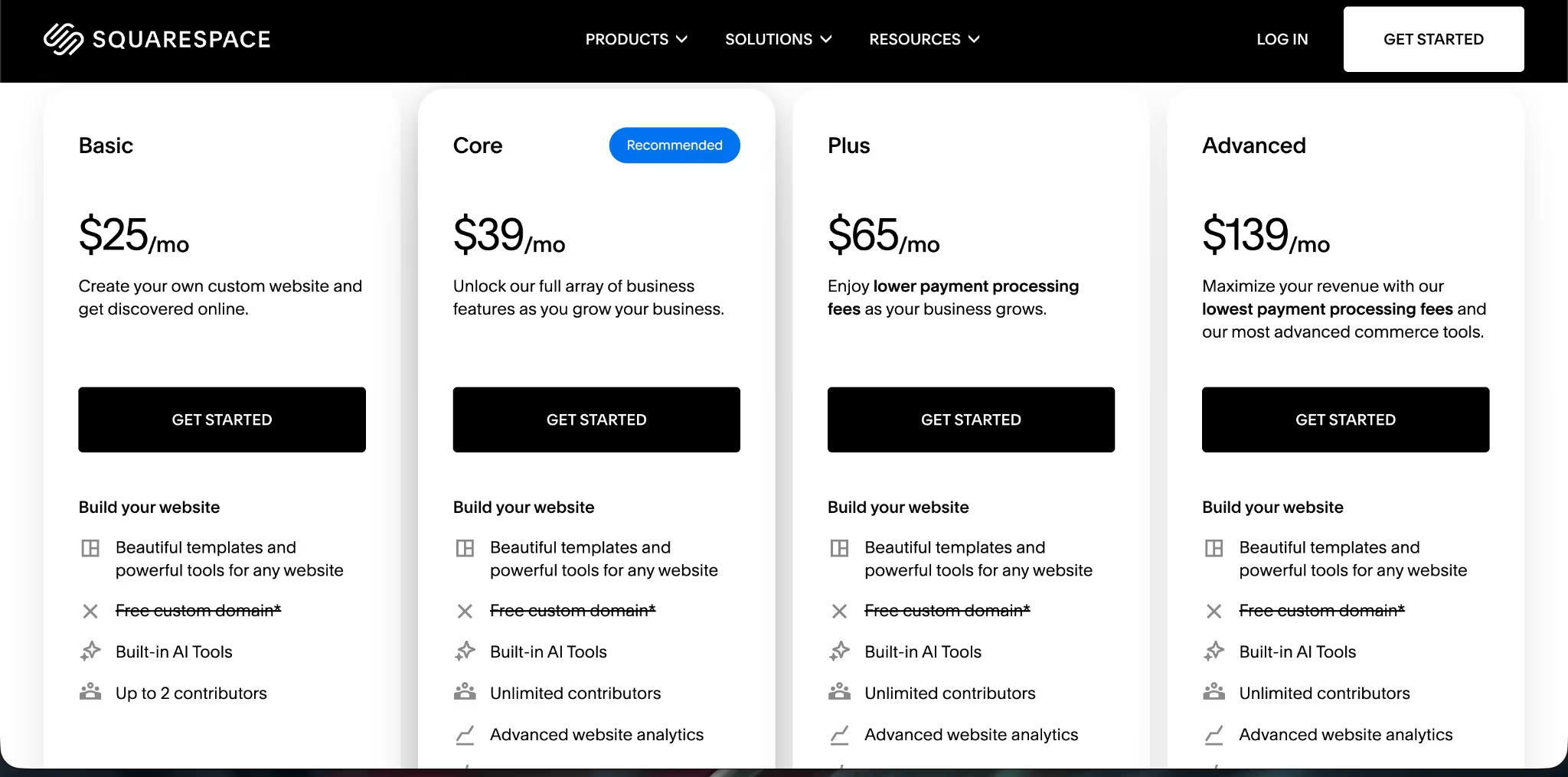
Squarespace has four main website plans: Basic: $25/month ($19/month billed annually), Core: $39/month ($29/month billed annually), Plus: $65/month ($49/month billed annually), and Advanced: $139/month ($99/month billed annually).
Squarespace Premium is custom for scaling businesses. Squarespace has no free plan, but every website starts with a 14-day free trial.
Want the full breakdown of what each plan actually covers? Read our Squarespace pricing guide before you commit.
Shopify Vs Squarespace: Feature-By-Feature Comparison
E-commerce and Product Management
Shopify wins for e-commerce and product management. If your store has more than a small catalog, Shopify gives you more room to grow without rebuilding the whole business later.
Shopify’s plans include features that matter once sales volume grows: staff accounts, inventory locations, B2B catalogs, shipping discounts, abandoned checkout recovery, gift cards, marketing automation, and stronger payment options.
Inventory locations scale from 10 on Basic, Grow, and Advanced to 200 on Plus, while staff access scales from owner-only on Basic to 5 staff accounts on Grow, 15 on Advanced, and unlimited on Plus.
Squarespace can handle a simple store. It supports products, services, gift cards, invoices, courses, memberships, subscriptions, checkout on your domain, Facebook and Instagram selling, abandoned cart recovery, and advanced merchandising on higher plans.
The difference is the ceiling. Squarespace works when e-commerce is one part of the site. Shopify works when e-commerce is the business.
Winner: Shopify
Also read our Shopify vs Etsy breakdown to see how both platforms compare when selling is the main job.
Website Design and Editing
Squarespace has the design advantage here. If your first priority is a clean site that feels polished without much setup, Squarespace is the stronger pick.
Squarespace gives you customizable templates, Blueprint AI, Fluid Engine drag-and-drop editing, site-wide style controls, and visual layout tools. That makes it easier to build a design-led site without touching code.
Shopify has a real website builder, and it’s better than many people give it credit for. You can build with templates, customize your storefront, use Shopify’s AI tools, manage SEO, publish blog content, connect a custom domain, and access a large app store.
But Shopify’s design system still serves the store. Squarespace serves the page. For portfolios, brochure sites, photography sites, personal brands, and service websites, that difference is obvious.
Winner: Squarespace
Also read our best online website builders guide for what else is worth trying when design or e-commerce is the priority.
Ease Of Use and Learning Curve
Squarespace is easier if you want to publish a polished site quickly. Its Fluid Engine editor lets you drag content around a visual grid, adjust layouts, and preview changes without thinking much about store operations.
Shopify has a cleaner path when your first job is selling. The setup flow pushes you toward products, checkout, payments, shipping, and sales channels, so it feels more practical for ecommerce but less free-form for general site design.
The short version: Squarespace feels easier for building pages. Shopify feels easier once the business turns into products, orders, inventory, and fulfillment.
Winner: Squarespace for website setup, Shopify for store setup
Payments, Fees, and Checkout
Checkout is where Shopify pulls ahead. Squarespace wins only if your payment needs stay simple and your store volume is low.
Shopify Payments card rates start at 2.9% + 30¢ on Basic, 2.7% + 30¢ on Grow, and 2.5% + 30¢ on Advanced. Shopify also charges third-party transaction fees if you use an outside payment provider: 2% on Basic, 1% on Grow, 0.6% on Advanced, and 0.2% on Plus.
Squarespace has a 2% online store transaction fee on Basic and 0% on Core, Plus, and Advanced. For digital content and memberships, the transaction fee is 7% on Basic, 5% on Core, 1% on Plus, and 0% on Advanced.
Here’s the practical read: Squarespace looks cheaper at the start, and it is. Shopify asks you to pay more, but the checkout is built for higher sales complexity.
Winner: Shopify
Point Of Sale and In-Person Selling
Shopify wins for point of sale (POS), which means selling through an in-person checkout system while keeping inventory and orders connected to your online store.
Shopify’s POS system is built for selling in stores, at pop-ups, at markets, and across multiple locations. Shopify connects online and offline orders, which is relevant if you sell through your website and in person.
Squarespace supports POS on commerce plans, but the platform’s center of gravity is still the website. If in-person selling is a core part of the business, Shopify is the safer choice.
Winner: Shopify
Apps, Integrations, and Customization
For apps and customization, Shopify gives you more room to build around the store. The Shopify App Store offers thousands of apps, which gives you more options for subscriptions, reviews, shipping, upsells, analytics, loyalty programs, accounting, fulfillment, and niche store functions.
Squarespace supports extensions, premium integrations, code blocks, CSS editing, and code injection on higher plans. That’s enough for many service sites and small stores. It’s not the same as Shopify’s app marketplace.
This is also where Shopify can get expensive. A store that starts simple can become a stack of monthly app fees. That doesn’t make Shopify the wrong choice. It means you should budget for the store you’ll actually run, not the starter plan you sign up for.
Winner: Shopify
International Selling
Shopify is stronger if you plan to sell across multiple countries. Shopify Markets lets you manage multiple markets from one store, localize language and currency, set market-specific domains, and tailor fulfillment and customer experiences by region. Advanced and Plus also add more product and pricing controls by market.
Squarespace has commerce tools that support online selling, global tax calculations, and other store functions, but Shopify has the clearer official market-management layer for international e-commerce.
If you sell in one country, Squarespace can work. If you plan to sell across regions, Shopify is the better foundation.
Winner: Shopify
Content, Portfolios, and Services
Squarespace is the better fit when your site needs to sell your work before it sells a product.
A photographer, consultant, interior designer, coach, local restaurant, real estate professional, or creative studio usually needs pages that look great and explain the offer fast. Squarespace’s design tools make that easier.
Shopify can publish pages and blog content, but it’s still optimized around product sales. If the store is a supporting feature, Shopify can feel heavier than you need.
Winner: Squarespace
AI and Custom Builds
Shopify and Squarespace both include AI-assisted features, but neither is the right tool for custom software. Use them for websites and stores. Use Emergent when the workflow itself needs to be custom.
Shopify includes AI tools for store building and selling, while Squarespace includes AI-assisted design and content tools such as Blueprint AI and Squarespace AI.
Emergent fits a different job. It lets you describe what you want in natural language, then AI agents design, code, and deploy web apps, mobile apps, dashboards, e-commerce sites, SaaS tools, internal business apps, and customer-facing tools.
That shows if your real need is bigger than a storefront. A Shopify store can sell the products. A Squarespace site can present the brand. Emergent can build the custom vendor portal, service booking flow, customer dashboard, lead qualification tool, internal CRM, or mobile app around the business.
Winner: Shopify for e-commerce AI, Squarespace for site AI
Also read our best AI eCommerce website builders guide for what else is worth trying when the storefront needs to do more than sell.
What Real Users Are Saying
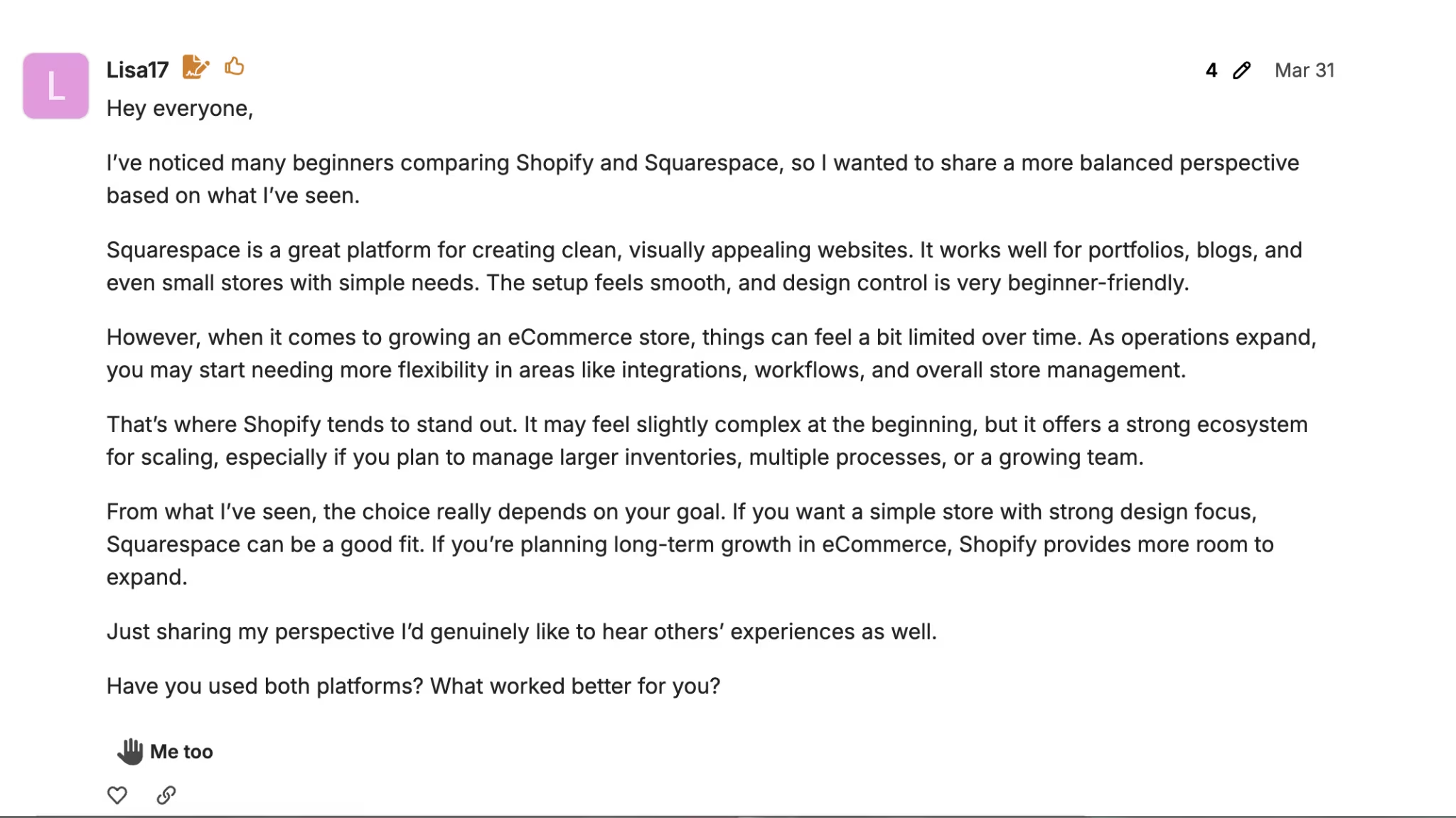
User discussions line up with the official feature split: Shopify gets stronger praise for e-commerce depth, while Squarespace gets more praise for ease and visual polish.
Shopify
Pros: Shopify users like the stronger e-commerce controls, product management, bulk editing, import and export options, inventory tools, and room to scale. It’s the platform people tend to recommend when the store is the main business, especially for larger catalogs or long-term growth.
Cons: Shopify can get expensive once you add paid apps, premium themes, point-of-sale tools, and extra store functions. It can also feel heavier than necessary if you only need a simple website with a small shop attached.
Squarespace
Pros: Squarespace users like the cleaner templates, easier setup, visual editor, and smoother path to launching a good-looking site. It works well for portfolios, service businesses, content-heavy websites, and small shops that don’t need deep e-commerce operations.
Cons: Squarespace starts to feel limiting when the store grows. Users often point to weaker e-commerce control, fewer advanced selling tools, and less flexibility for larger catalogs, complex product workflows, or scaling inventory.
How To Make Your Choice
Choose Shopify if the store is supposed to make serious revenue. Choose Squarespace if the website needs to build trust, show work, and sell a smaller number of products or services.
Shopify Is Better For:
- Product-first e-commerce brands
- Stores with growing catalogs
- Retailers that sell online and in person
- Businesses that need inventory control
- Stores that need apps, subscriptions, reviews, loyalty, shipping, or fulfillment tools
- Brands that plan to sell internationally
- Teams that need staff roles and operational depth
Squarespace Is Better For:
- Service businesses
- Portfolios and personal brands
- Design-led websites
- Content-heavy sites
- Small product catalogs
- Creators selling digital products, memberships, or courses
- Businesses that want a polished site before deep e-commerce operations
Emergent Is Better For:
- Custom customer portals
- Internal dashboards
- Booking or quote tools
- Vendor or partner portals
- Mobile apps
- Business workflows that don’t fit a template
- E-commerce-adjacent software around the store
Also read our business app development guide for when the workflow around the store needs custom software that neither Shopify nor Squarespace can handle.
Build Beyond a Template With Emergent
Shopify and Squarespace help you build a store or website. Emergent helps you build the software around the business.
That’s the better path when your real workflow doesn’t fit a template: a real estate lead tracker, a contractor job board, a client reporting dashboard, a wholesale ordering portal, a custom booking system, or a mobile app for customers.
Emergent supports web apps, mobile apps, dashboards, e-commerce sites, SaaS tools, internal business apps, and customer-facing tools through natural-language app building.
Also read our guide on how to build your own CRM with AI to see what custom software built around your business actually looks like step by step.
Conclusion
Shopify is the better e-commerce platform. Squarespace is the better website builder.
For a revenue-first store, it’s Shopify. For a design-first site with lighter selling needs, it’s Squarespace. Shopify costs more, but the extra spend buys you stronger checkout, inventory, apps, in-person selling, staff controls, and international commerce.
If your workflow goes beyond a storefront, use Emergent to build the custom software around the business.

Most AI app builders stop at prototypes. Emergent creates production-ready apps you can actually launch.
- Production-ready apps
- Web & mobile apps
- Deploy in minutes







