



TL;DR
- Emergent: Our product, and the pick when the tool you need doesn't exist in any property management platform.
- AppFolio: Best for large residential portfolios that want AI inside their system of record.
- EliseAI: Best for multifamily leasing teams buried in inquiries.
- Buildium: Best for small and mid-sized managers who want AI without switching platforms.
- Property Meld: Best for maintenance triage and after-hours calls.
- DoorLoop: Best for managers who want AI as an add-on instead of a migration.
- Showdigs: Best for single-family and scattered-site showings.
- HappyCo: Best for inspections and unit turns.
- TenantCloud: Best for small landlords watching every dollar.
Ask ten property managers which software earns its keep, and you'll get ten answers, shaped by whichever vendor demoed last. One swears the leasing bot saved her weekends. Another turned his off after it promised a repair window nobody could honor.
Both reactions are fair, because AI tools for property managers are a messy category. Half the products marketed as AI property management software are full platforms with a chat box bolted on. The other half are single-job specialists that only pay off above a few hundred doors.
Pricing is worse. Most vendors hide it behind a demo request, so you can't tell what you're comparing until you're already on a sales call.
So I did the boring part. I went through every vendor's official pricing page, their own product documentation, and verified reviews on Capterra, G2, and Trustpilot. Emergent is our product. We start with a close look at how we built it for this job, then cover the eight tools property managers most often weigh it against.
Nothing here is force-ranked. Each tool is the pick for a different situation, and for every one of them you'll get what it does, what it costs where the vendor publishes a number, and the honest reason to skip it.
By the end, you should know which ones belong in your stack and which solve a problem you don't have yet.
How I Compared These AI Tools for Property Managers
I built this list from vendor documentation and verified user reviews, and I'll be plain about the limits of that. I haven't run all nine in a live portfolio, and this isn't a neutral lab test, since one of the nine is ours. What I can give you is a set of criteria you can hold every tool to, Emergent included.
Every price here comes from the vendor's own pricing page, checked in the same week this article was published, because third-party roundups get pricing wrong constantly. Where a vendor doesn't publish rates, I say so.
Five criteria decide whether a tool is worth your money:
- AI depth: Whether the AI does real work (triaging a maintenance call, drafting a lease notice, answering a lead at 11 p.m.) or just rewrites your listing copy.
- Pricing transparency: Whether you can find out what it costs without booking a demo, and what the true minimums are.
- Portfolio fit: The door count where the tool starts paying for itself, since a 100-unit minimum rules out most small operators.
- Independent reviews: Ratings and review volume on Capterra, G2, and Trustpilot, including the one-star reviews vendors don't quote.
- Integration reality: Whether it plugs into the platform you already run on, or asks you to move everything.
Held to those five, Emergent leads on two and trails on one. Every plan and credit count is public with a free tier, so it wins on pricing transparency, and there's no unit minimum, so it wins on portfolio fit.
It trails on AI depth inside property workflows, because it isn't a property management platform and won't run your rent roll. That's the honest shape of it, and the comparison table below scores everyone on the same terms.
A few tools didn't make the cut. SmartRent is strong at smart-building hardware, but it's an IoT platform with AI features bolted on, and it needs enterprise-scale deployment to make sense. LeaseHawk and RentEngine both narrow to multifamily lead handling that EliseAI covers more completely.
STAN AI and Latchel are worth a look, though neither publishes pricing or carries enough independent review volume to compare fairly. ChatGPT belongs on your desktop, since it's a general assistant with no idea what a rent roll is.
I also left out sales-side software, which I've covered separately in AI tools for real estate agents.
One number shaped how I read all of this. AI adoption among property management companies jumped from 20% to 58% in a single year, while only 8% have fully automated any process, according to Buildium's 2026 Property Management Industry Report.
9 Best AI Tools for Property Managers: Quick Comparison
| Tool | Best For | Starting Price | Free Plan? | Unit Minimum |
|---|---|---|---|---|
| Emergent | Custom internal tools | Free / $20/month | Yes | None |
| AppFolio | Large residential portfolios | Custom quote | No | 50 units |
| EliseAI | Multifamily leasing volume | Custom quote | No | Not published |
| Buildium | Small to mid-sized managers | $62/month | No | None |
| Property Meld | Maintenance triage | $1.60/unit/month | No | $200/month spend |
| DoorLoop | AI as an add-on | $99/month | No | None |
| Showdigs | Single-family showings | $1.20/unit/month | No | 100 units |
| HappyCo | Inspections and turns | Custom quote | No | 500 units |
| TenantCloud | Small landlords | $15/month | No | None |
Emergent: Our Own Pick for Custom Internal Tools
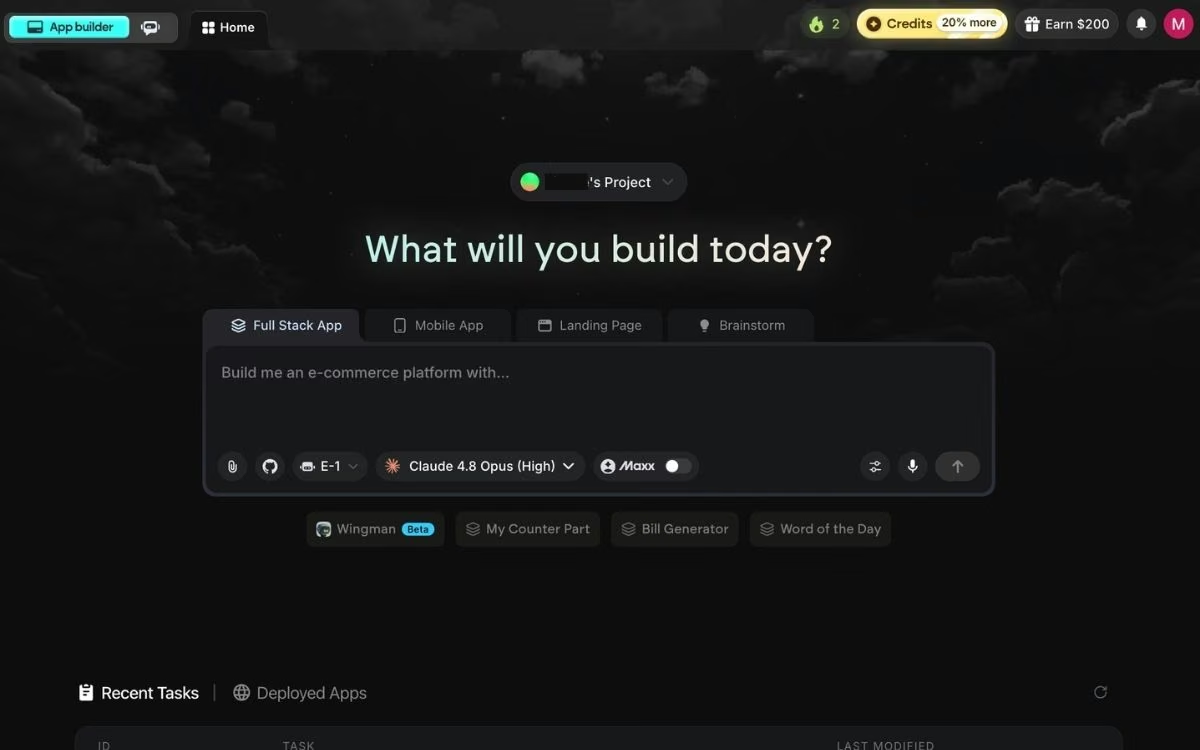
What it does: Emergent is an AI app builder, built for vibe coding, that turns a plain-English description into a working app with the screens, data, sign-in, and payments already handled.
Best for: Managers who've hit the wall where the workflow they need doesn't exist in any property management platform, and who don't want to hire a developer to fix it.
Emergent is our product, so this is the one section written from the inside. Here's what it's built to do, and where it isn't the right answer.
The same complaint shows up in review after review: the software does 90% of the job and then hard-stops. An owner-reporting dashboard showing the six numbers your owners actually ask about. A turn-tracker following a unit from notice to re-lease across your specific crews.
A vendor scorecard your platform doesn't have. Emergent is built for that missing tool. You describe what you need, and it writes the software. You describe what you need, and a property management SaaS builder like Emergent writes the software.
That makes it a different kind of entry here. It won't run your rent roll, and it isn't trying to. It's for the one process that lives in a spreadsheet because nobody sells software for it.
Emmy makes the start easier if you've never described software instead of building it. She's a chat assistant built into Emergent and available from every page, and she'll turn a vague idea into a usable prompt, explain which agent suits your project, and walk you through going live.
She's free and costs no credits, so there's no reason to ration questions.
Key Features
- Plain-English builds: Describe the tool you need and the building agents ask clarifying questions before they start, so you're not guessing at a spec.
- Software people can use: The app handles sign-in, stores your data, and takes payments through Stripe, so owners and vendors can log in and pay.
- You control the launch: When the build is ready, you click the Deploy button, and after roughly 15 minutes the app is live on an emergent.host address.
- Your own web address: Buy a new domain through the built-in IONOS integration (IONOS is a domain registrar) or point one you already own at the app. Emergent's custom domain guide covers both paths.
- Connects to what you run: Works with the tools already in your stack, including Stripe, SendGrid, Twilio, and Google Workspace.
How It Scores on the Five Criteria
- AI depth: Strong at building software from a description, and the agents ask clarifying questions before they start. It has no built-in knowledge of leases, rent rolls, or maintenance codes, so the property logic comes from what you tell it.
- Pricing transparency: Every plan and credit count is on the pricing page, with a free tier. No demo required.
- Portfolio fit: No unit minimum. A 12-door landlord and a 1,200-door operator pay the same for the same build.
- Independent reviews: A 2.9 TrustScore across more than 600 Trustpilot reviews, the weakest independent score of the nine.
- Integration reality: Sits beside your platform. It connects to Stripe, SendGrid, and Twilio, and it doesn't replace the system that holds your leases.
Who It Isn't For
Emergent is built for software that has to work, with real users logging in and real money moving through it.
Three kinds of readers should look elsewhere:
- Developers: Anyone who wants a faster way to write code is better off with Cursor or Claude Code.
- Marketing sites: If a public-facing brochure site is the whole job, Webflow does it better.
- Rent roll and trust accounting: That's AppFolio, Buildium, or DoorLoop, and Emergent belongs next to one of them.
Pros and Cons
Pros:
- Covers the workflow that's specific to your business, which no property platform sells.
- A free plan with 10 monthly credits lets you build something small and judge it yourself.
- Code export to GitHub starts on Standard ($20/month), so you can take the build with you.
Cons:
- Credit cost is the complaint that recurs on Trustpilot, and it shows in a 2.9 TrustScore across more than 600 reviews.
- Running the app in your own cloud is an Enterprise arrangement, so the free and Standard plans keep you on Emergent's hosting.
- It's a build tool, so it replaces nothing else in this roundup and adds a project to your plate.
What Users Say
Emergent holds a TrustScore of 2.9 from over 600 reviews on Trustpilot.
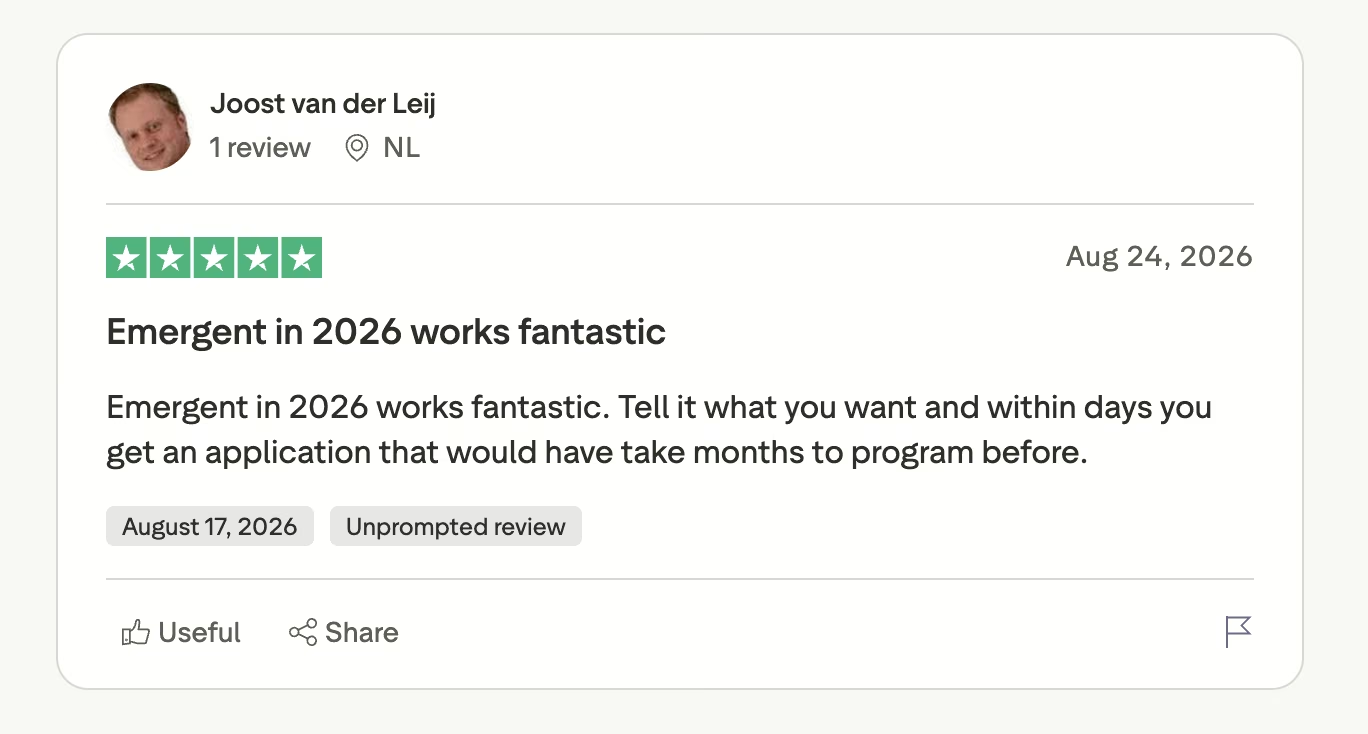
"Emergent in 2026 works fantastic. Tell it what you want and within days you get an application that would have take [sic] months to program before." (Joost v., on Trustpilot)
"However every once in a while my days streak will go to 0 even though I was on it that day." (Brie, on Trustpilot)
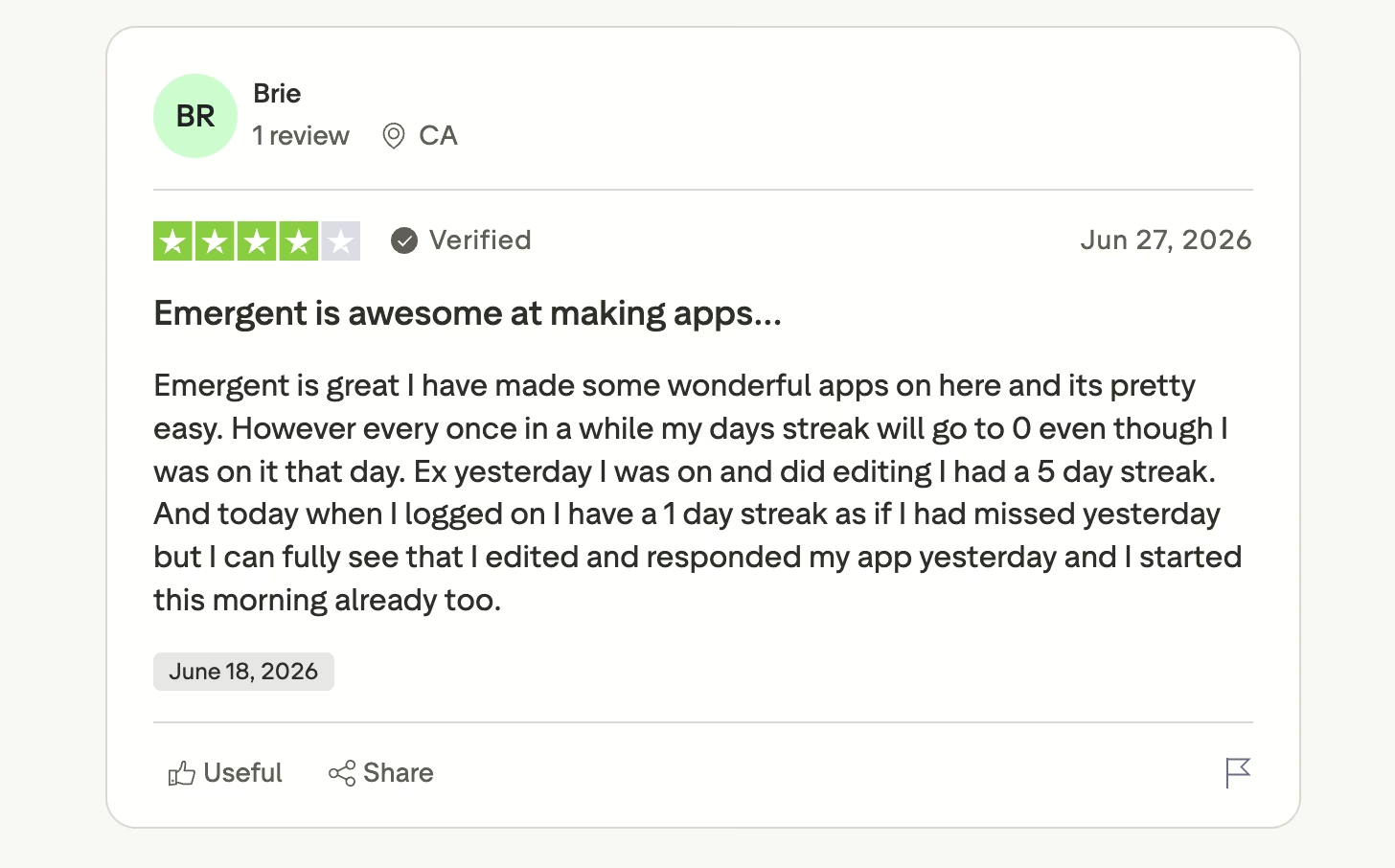
Credits are the other thing to watch. They stretch a long way on a single-purpose internal tool and go quickly on an ambitious multi-screen build, so start small.
Pricing
From the official pricing page: the free plan includes 10 monthly credits, Standard is $20/month ($17/month billed annually) with 100 credits, and Pro is $200/month ($167/month billed annually) with 750 credits. Business and Enterprise pricing is custom. It's credit-based rather than a flat subscription, so what you pay tracks how much you build.
Budget for the deployment separately. A live app costs 50 credits a month, per app, drawn from the same allowance as your builds.
Bottom Line
We put Emergent first because it covers one job none of the other eight do: the internal tool you've been faking in a spreadsheet for two years. It isn't a property management platform, so pair it with whichever one fits your door count. The same build flow also covers a resident-facing AI chatbot builder if intake is what you want automated first.
Start on the free plan with something small, like an owner-reporting page, and see how far 10 credits get you before committing.
Also read our best AI tools for small business guide for what else is worth pairing with your property management platform.
AppFolio: Best for Large Residential Portfolios

What it does: AppFolio is a property management platform with a layer of AI called Realm-X built into the daily workflow.
Best for: Residential operators running several hundred units or more who want AI sitting on top of their books, leases, and messages, in the same tab they already work in.
AppFolio has put more into AI than any other platform here, and it shows in how the pieces fit together. Because Realm-X reads your live portfolio data, you can ask a question in plain English and get an answer that names your properties and your numbers.
Key Features
- Realm-X Assistant: Pulls performance insights and reports and runs bulk actions from a plain-English request, so a portfolio question doesn't turn into a 20-minute report build.
- Realm-X Messages: A central inbox that routes resident, owner, and investor messages to whoever should answer them. Fewer requests die in one person's email.
- Realm-X Flows: Turns a process you already run into an automation that fires the same way every time, including overnight.
- Realm-X Performers: Uses agentic AI to watch your data and act on what it sees after hours, detailed on AppFolio's AI page.
Pros and Cons
Pros:
- The AI reads your live portfolio data, so answers name your properties and your numbers.
- Leasing, accounting, maintenance, and messaging all live in one place, which cuts down on double entry.
- Realm-X Assistant and Messages come with the entry-level Core plan, not the top tier.
Cons:
- AppFolio publishes no prices at all, so you can't size the cost without a sales conversation.
- A 50-unit minimum plus a minimum spend puts it out of reach for small portfolios.
- Support draws repeated criticism on Capterra, and some of it is AI-related.
What Users Say
AppFolio holds a 4.5 rating with almost 1,900 reviews on Capterra. Reviewers like the product and increasingly dislike the support experience, and the sharpest complaints are about being routed to a bot when a person was needed.
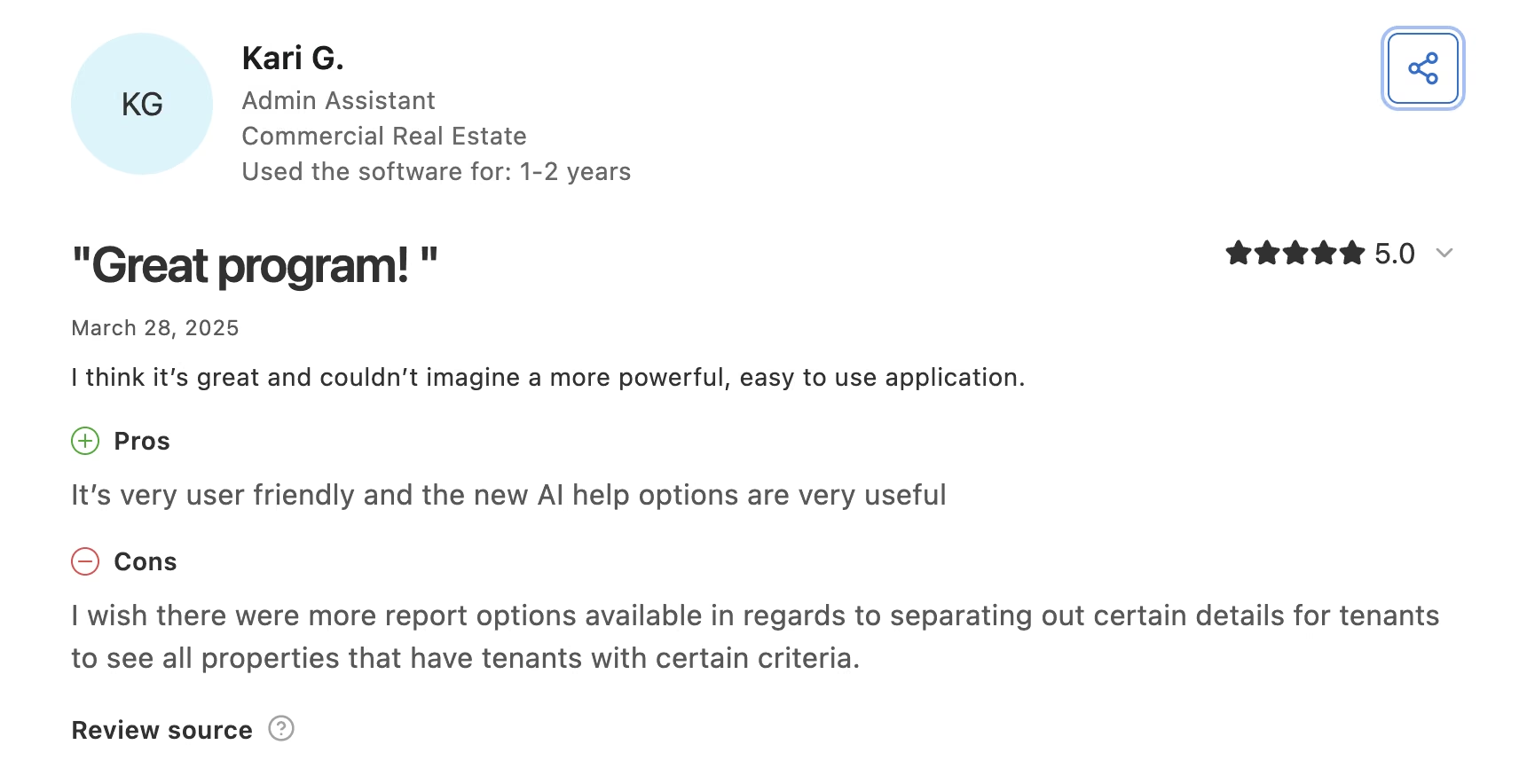
"It's very user friendly and the new AI help options are very useful." (Kari G., Admin Assistant, on Capterra)
"They do not answer your questions. They send you to AI for an answer." (Pamela K., Accountant, on Capterra)
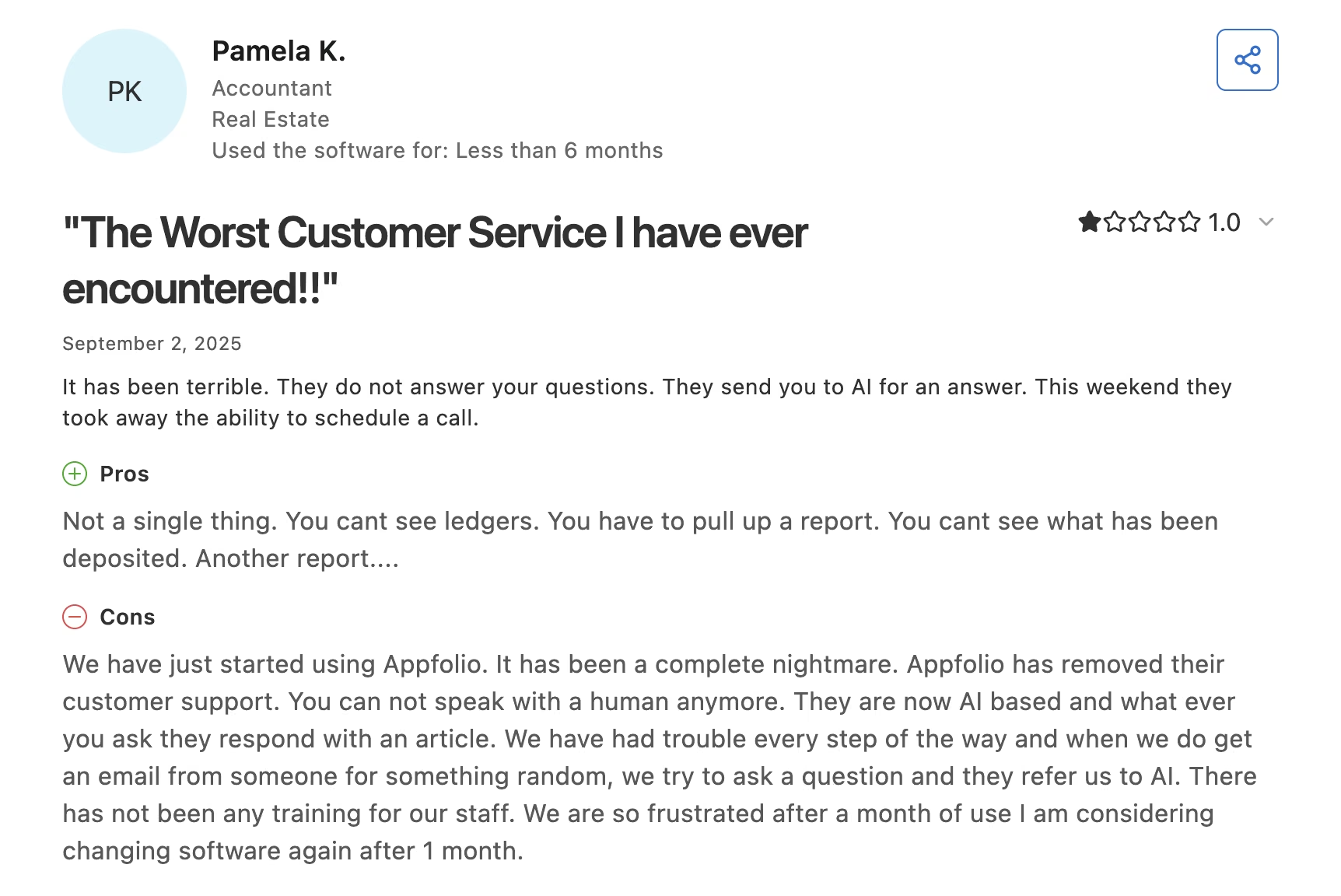
That second one is worth sitting with. Pushing support tickets into a bot is the fastest way to sour a team on AI, and it's a fair thing to raise on a demo call.
Pricing
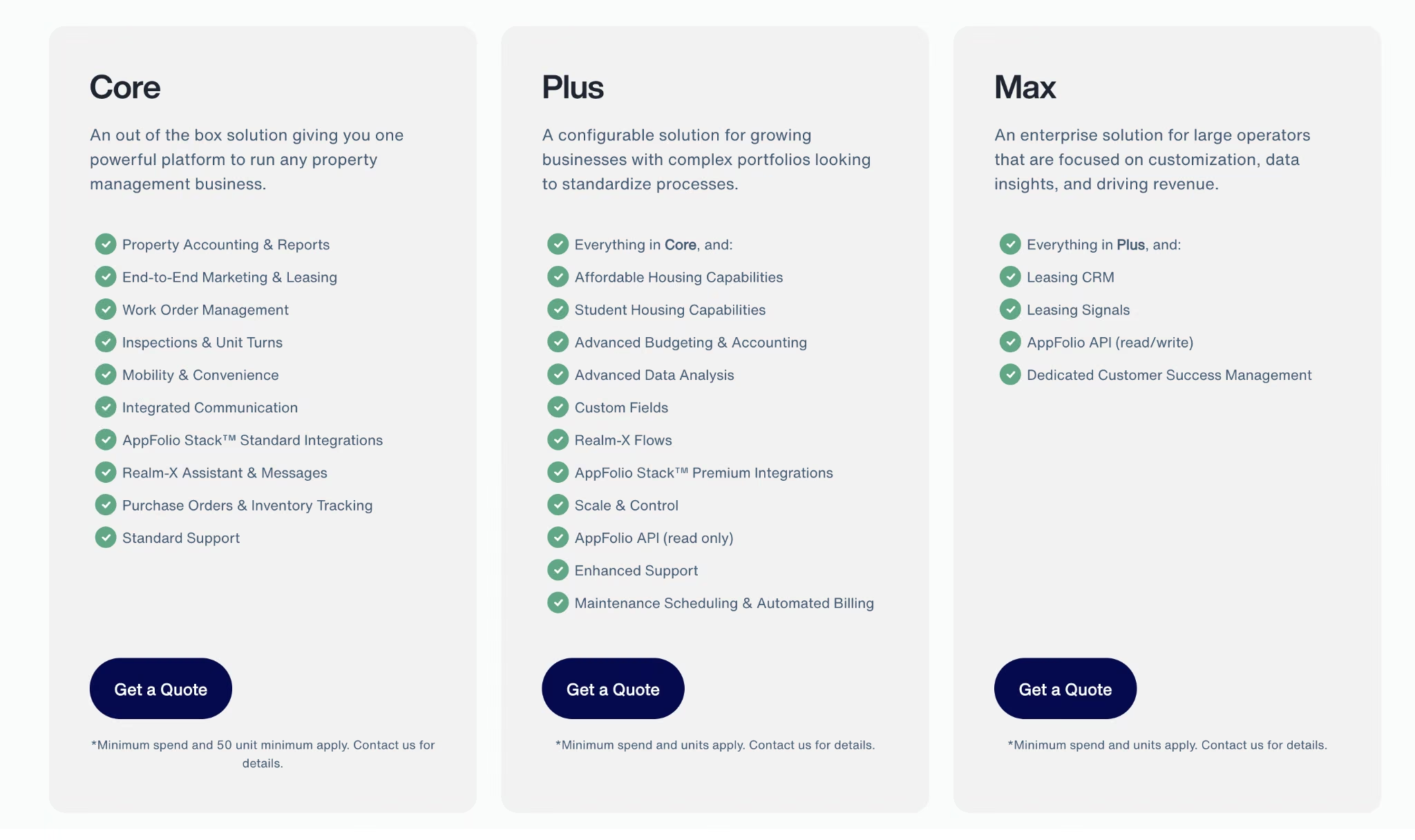
AppFolio publishes no rates at all. The pricing page lists three quote-based plans: Core, Plus, and Max. Core carries a 50-unit minimum plus a minimum spend, and Plus and Max both note that minimum spend and unit counts apply. Realm-X Assistant and Messages are included with Core, and Realm-X Flows starts at Plus.
Bottom Line
For a few hundred doors and AI that knows your data, AppFolio has the deepest platform AI of the nine. Between 50 and 200 doors you can technically buy it, but the minimum spend usually makes Buildium or DoorLoop the better value until you grow into it.
EliseAI: Best for Multifamily Leasing Volume

What it does: EliseAI answers prospect and resident messages across text, email, chat, and phone, then books tours and follows up without anyone on your team touching it.
Best for: Multifamily operators whose leasing teams can't keep up with inbound volume, especially on nights and weekends.
Leasing is the clearest win for AI in this whole category, because speed to response drives conversion and humans sleep.
EliseAI is the most established name doing it, and it goes deeper than a chat widget. It holds a full back-and-forth with a prospect, handles the scheduling, and keeps chasing the ones who go quiet.
Key Features
- Always-on lead response: Answers a 2 a.m. inquiry the same way it answers a 2 p.m. one. That overnight window is where most leads go cold.
- Tour scheduling and follow-up: Books, confirms, and reschedules showings with no leasing agent in the loop.
- Resident conversations: Handles renewals, maintenance intake, and routine questions after move-in.
- Multi-channel coverage: Works across SMS, email, chat, and voice, so residents can use whatever they already use.
Pros and Cons
Pros:
- Built specifically for multifamily, so the workflows match how leasing offices actually run.
- Covers the whole conversation through to a booked tour, past the first reply.
- Keeps working after the lease is signed, which is where a lot of leasing bots stop.
Cons:
- No published pricing at all, and no self-serve entry point.
- Independent review volume is thin, so you're leaning on vendor references.
- Setup takes real work before you see a return.
What Users Say
EliseAI is hard to check independently. It holds a 4.4 rating from just 18 reviews on G2 and a single review on Capterra.
"I love that EliseAI allows us to never miss a lead or resident issue/question!" (Sammantha B., Consultant in Real Estate, on Capterra)
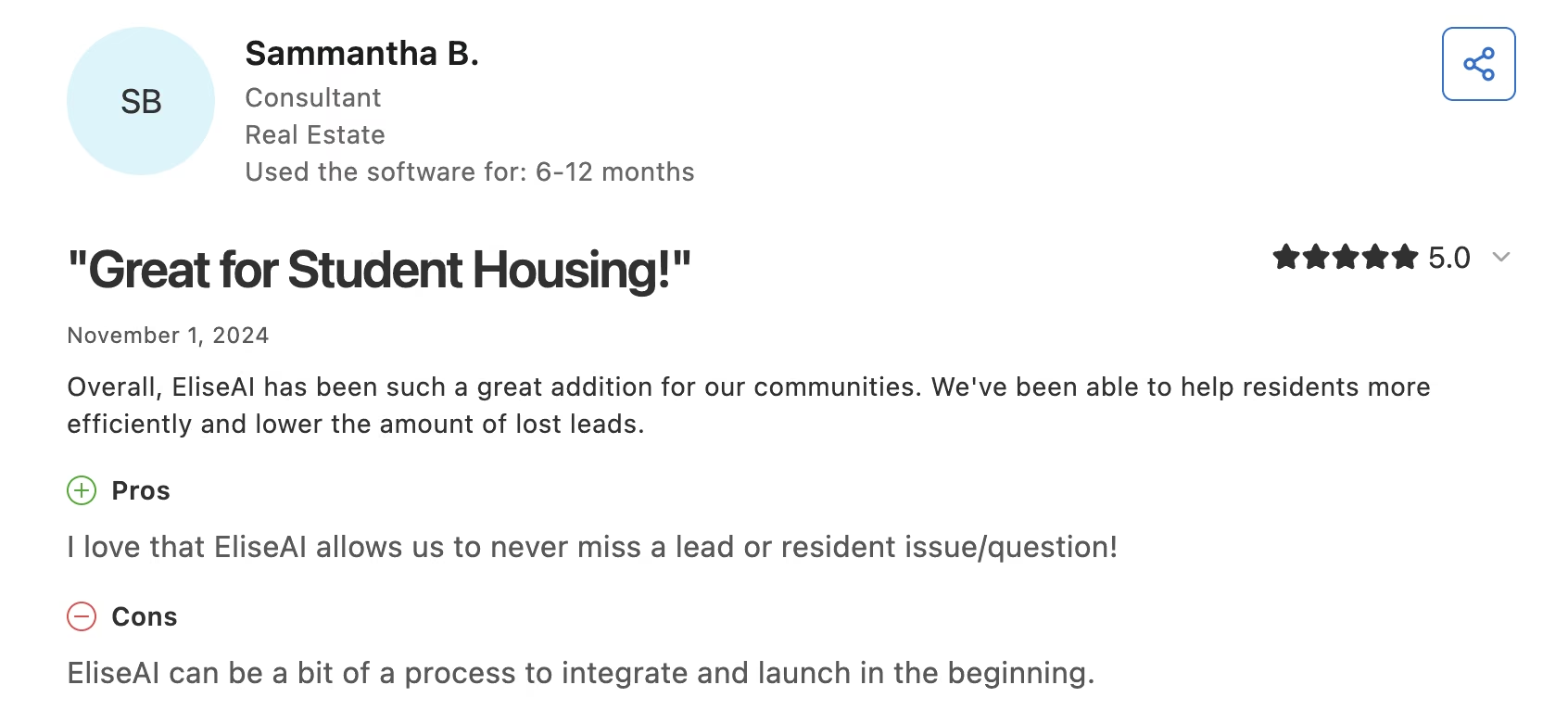
The same reviewer flagged the tradeoff: "EliseAI can be a bit of a process to integrate and launch in the beginning."
Pricing
EliseAI publishes no rates. Everything routes through a demo on the EliseAI site, and quotes scale with unit count. Ask for the total including implementation before you compare it to anything else here.
Bottom Line
Multifamily operators losing leads overnight will make the sales call worth it. Below a few hundred units the volume never justifies the implementation work, and Showdigs is built for scattered-site portfolios anyway.
Read More: 7 Best CRM for Real Estate Agents (Tested in 2026)
Buildium: Best for Small and Mid-Sized Managers
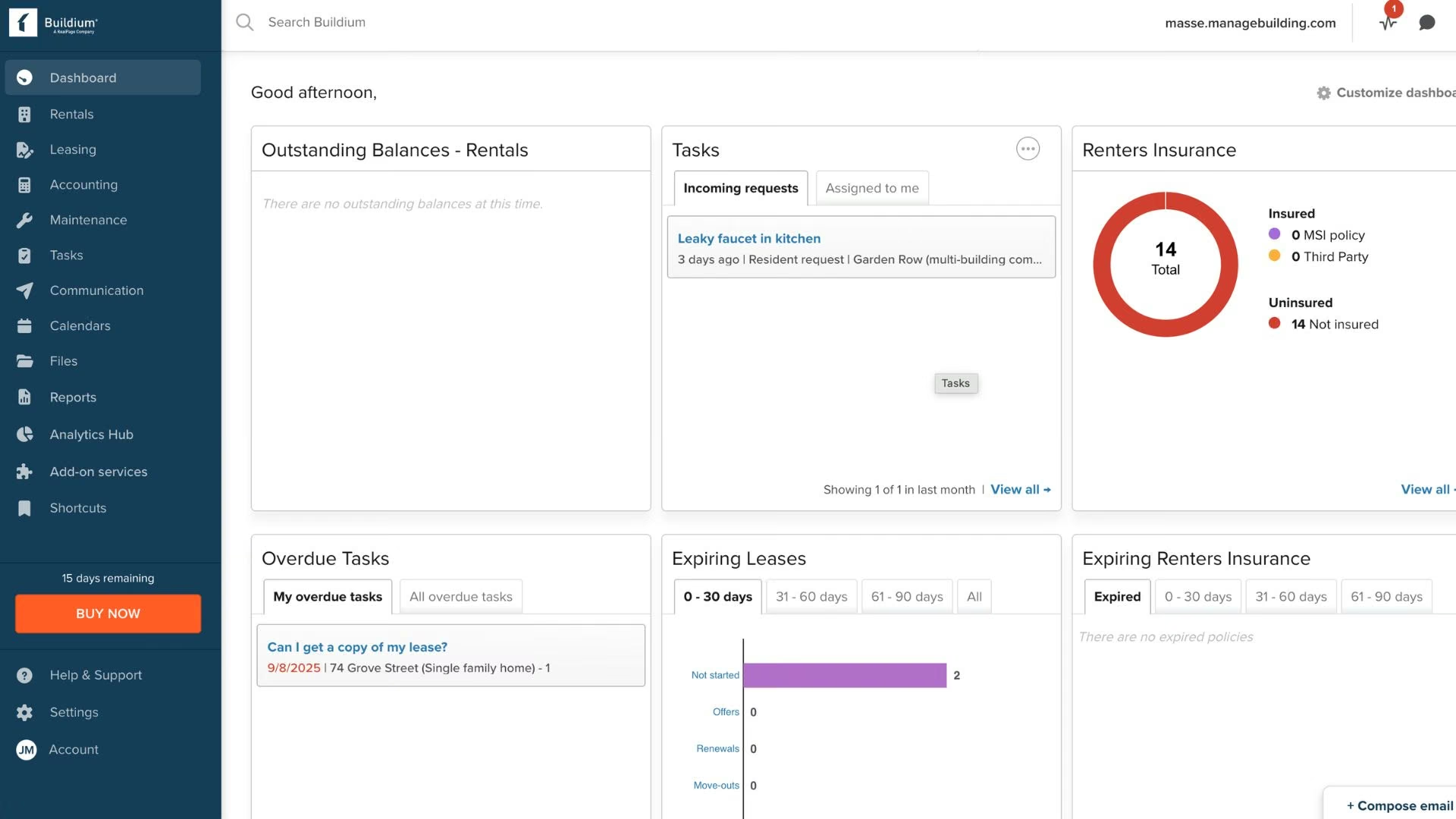
What it does: Buildium runs accounting, leasing, maintenance, and resident communication for residential portfolios, with AI features layered across the plan tiers.
Best for: Third-party managers in the 50 to 500 door range who want published pricing and don't want to change platforms to get AI.
Buildium's advantage here is boring in the best way: you can see what it costs before you talk to anyone. Better still, the two AI features most managers use day to day both sit on the entry plan, so the cheapest tier isn't a decoy.
Key Features
- Buildium AI Assistant: Answers product questions inside the platform on every plan, including the entry tier.
- Write with Lumina: Drafts resident and owner communications from a short instruction. It takes the sting out of notice writing, and it's included on all three plans.
- AI Bill Scan: Reads incoming bills and pulls the details into your payables, so nobody keys them in by hand.
- Lumina AI Workforce: The heavier automation layer, included on Premium.
Pros and Cons
Pros:
- Published pricing with a genuine entry point at $62/month.
- Write with Lumina is included on every tier, so the cheapest plan still gets useful AI.
- Strong review volume, which means you can research it properly before buying.
Cons:
- AI Bill Scan and the Lumina AI Workforce are paid add-ons until you reach Premium, and Premium is $400/month, more than six times the entry plan.
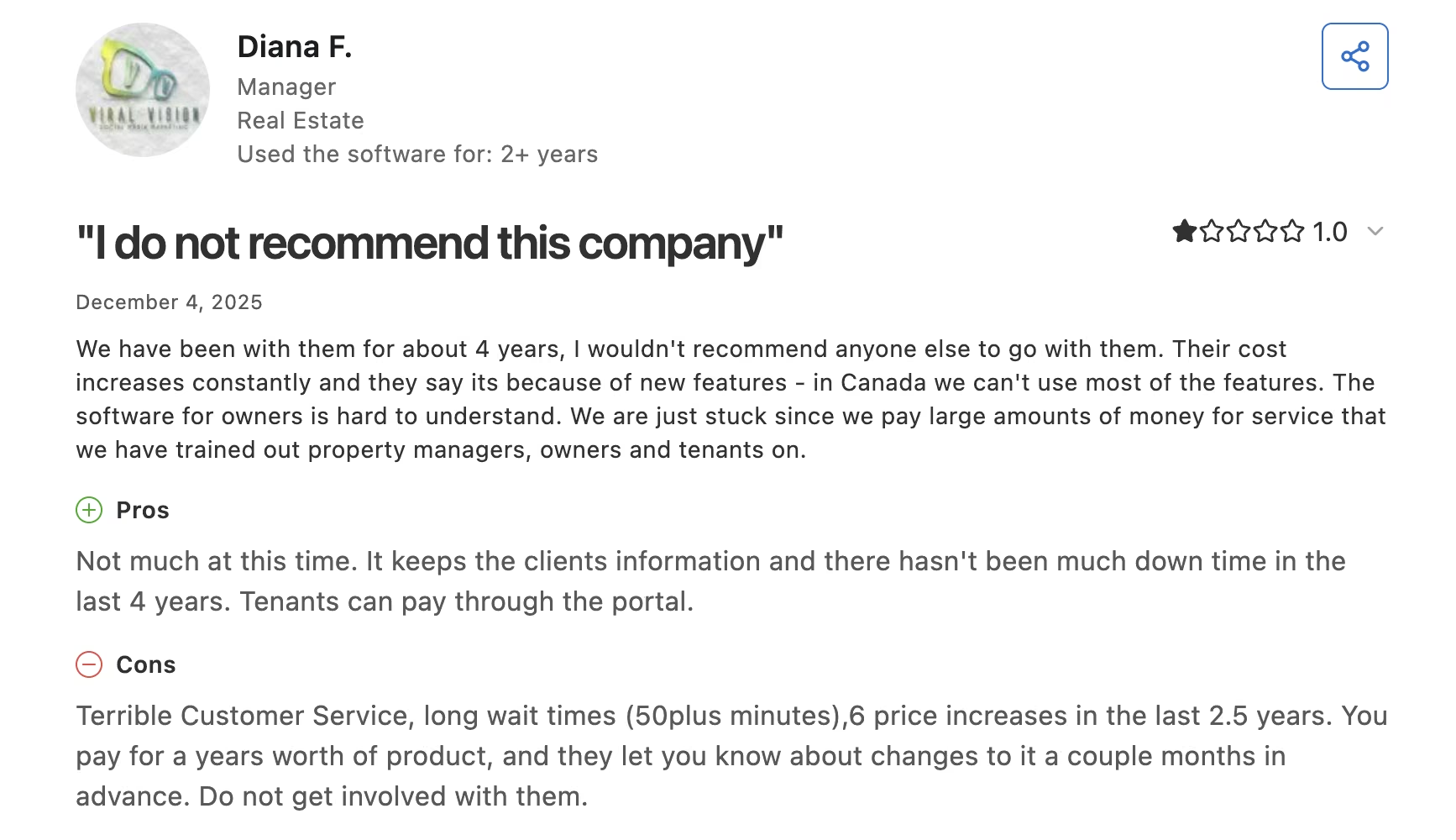
- One Capterra reviewer counts six price increases in two and a half years.
- Support wait times come up repeatedly in critical reviews.
What Users Say
Buildium holds a 4.5 rating from 2,234 reviews on Capterra. The pattern in the critical reviews is billing rather than the product, so lock your rate in writing before you sign.
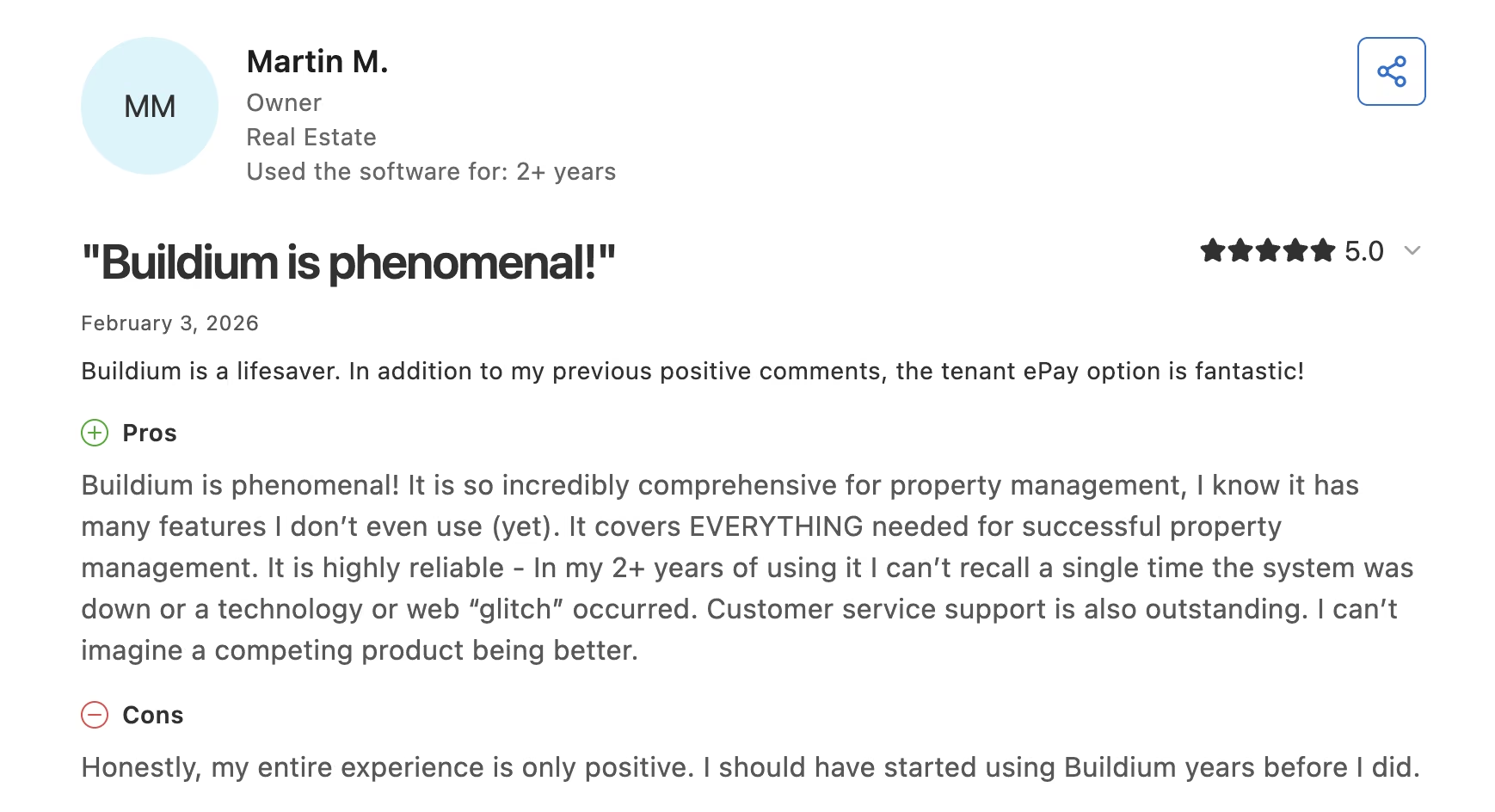
"It covers EVERYTHING needed for successful property management. It is highly reliable, and customer service support is also outstanding." (Martin M., Owner, on Capterra)
"Terrible Customer Service, long wait times (50plus minutes), 6 price increases in the last 2.5 years." (Diana F., Manager, on Capterra)
Pricing
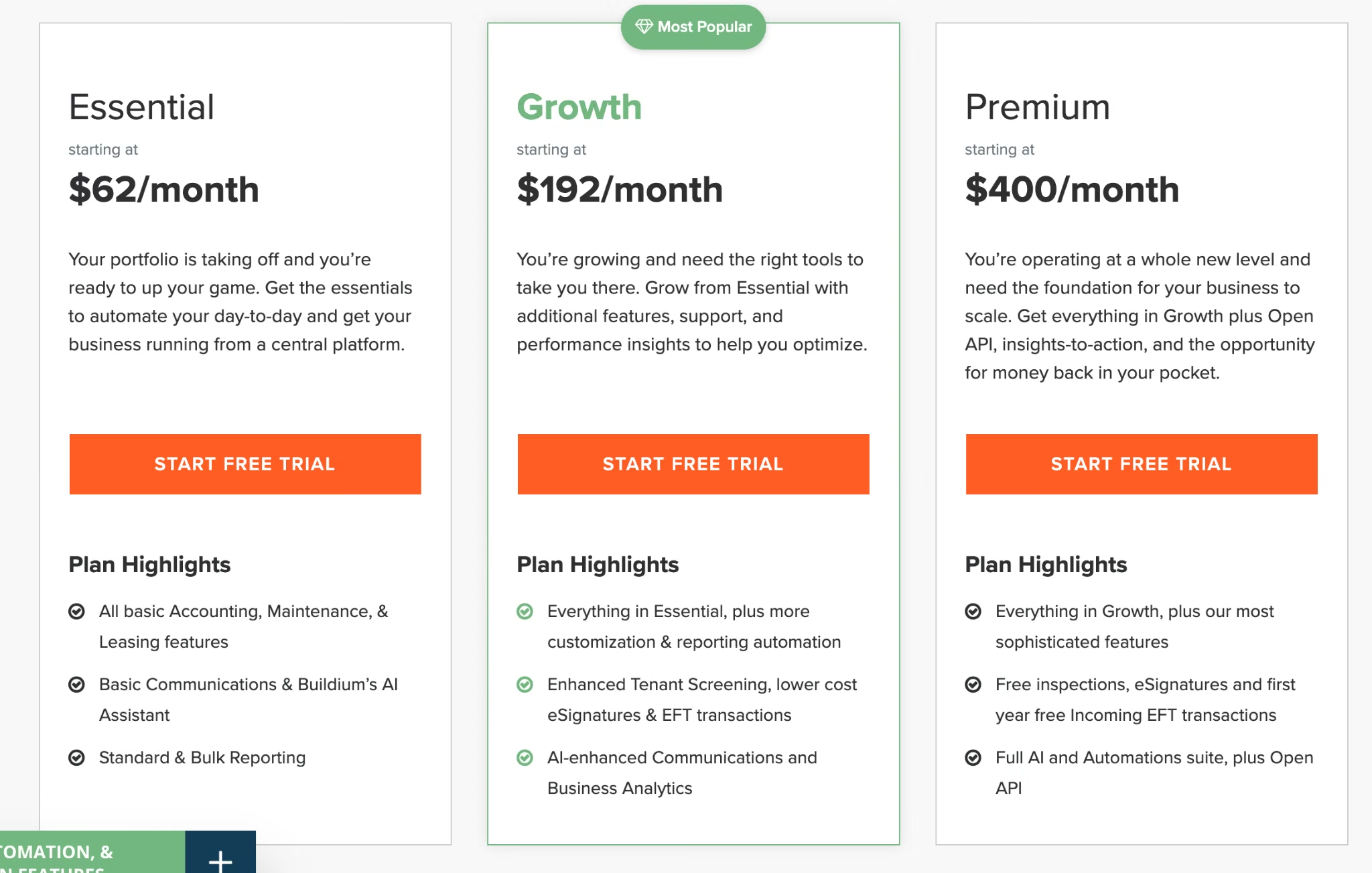
From the official pricing page: Essential starts at $62/month, Growth at $192/month, and Premium at $400/month. The AI Assistant and Write with Lumina are included on all three tiers.
AI Bill Scan and the Lumina AI Workforce are paid add-ons on Essential and Growth and are included on Premium. Portfolios above 5,000 units get a custom quote.
Bottom Line
Buildium is the safest all-in-one pick for a growing management company, and Essential already covers the AI most managers touch daily. Budget for Premium only if the automation layer is the reason you're buying.
Property Meld: Best for Maintenance Triage

What it does: Property Meld coordinates maintenance from the moment a resident reports a problem to the moment a vendor closes the ticket, with an AI intake layer called MAX handling the first conversation.
Best for: Managers above 100 doors whose maintenance coordinators are drowning, particularly on after-hours calls.
Maintenance is where most property management time disappears, and it's also where AI has the clearest job: figure out what's actually broken, decide whether it's an emergency, and route it. MAX handles that first conversation, so a coordinator isn't diagnosing a running toilet at midnight.
Key Features
- Conversational MAX intake: Talks a resident through the problem and captures the diagnosis before a human sees it.
- Emergency triage: Separates the genuine 2 a.m. emergencies from the ones that can wait until Tuesday.
- Vendor coordination: Handles scheduling and follow-up. Tickets stop stalling between parties.
- MAX On-Call: An add-on covering after-hours phone triage, which is the expensive part of maintenance coverage.
Pros and Cons
Pros:
- Per-unit pricing published openly, so you can model the cost in a spreadsheet.
- Focused on the single biggest time drain in the job.
- MAX intake is included on both plans, never an upsell.
Cons:
- Its 3.9 Capterra score is the weakest in this roundup, and support is the recurring theme.
- Below roughly 100 doors, the $200 monthly minimum makes the per-unit rate meaningless.
- It only does maintenance, so it's an addition to your stack.
What Users Say
Property Meld holds a 3.9 rating across more than 35 reviews on Capterra, the lowest Capterra score of the nine. Reviewers who like the workflow still complain about the people behind it, and support quality is the theme in nearly every low-star review.
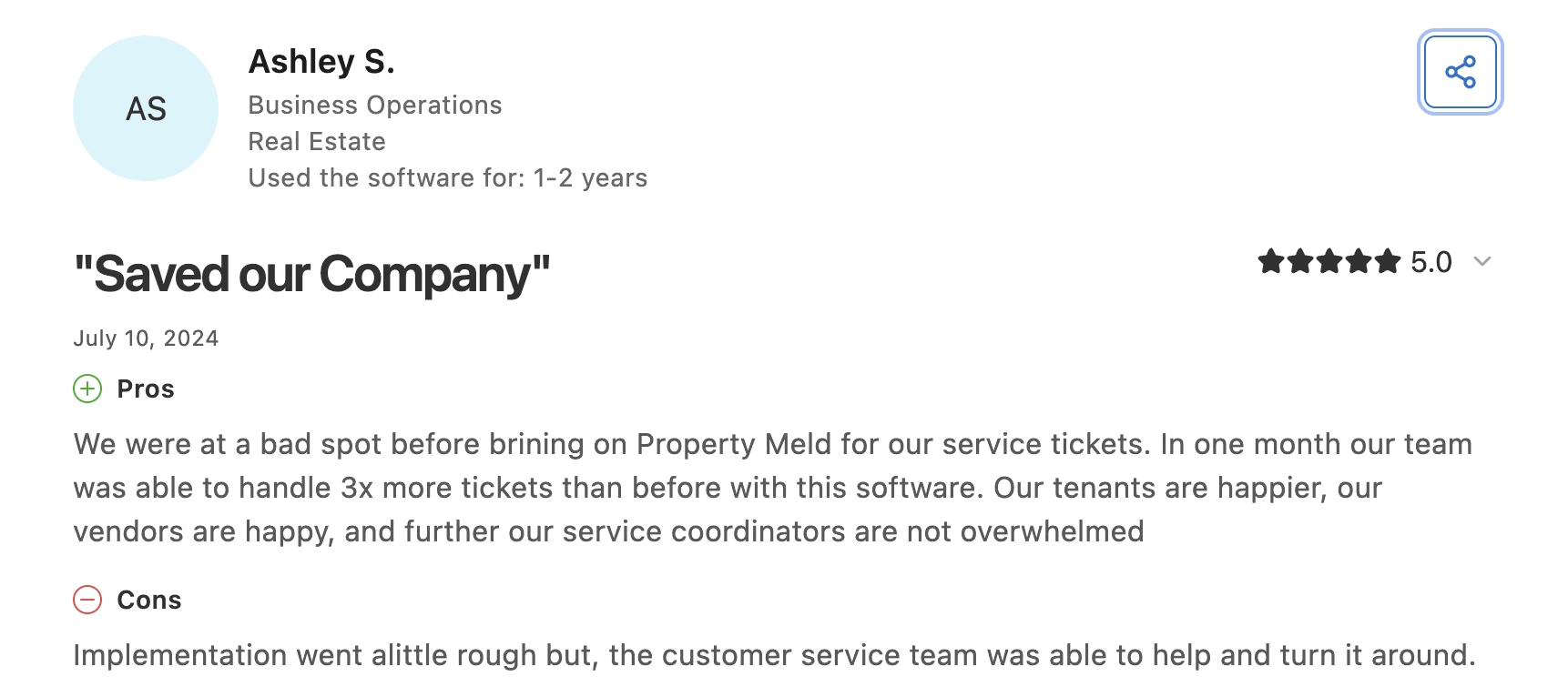
"We were at a bad spot before brining [sic] on Property Meld for our service tickets." (Ashley S., Business Operations, Real Estate, on Capterra)
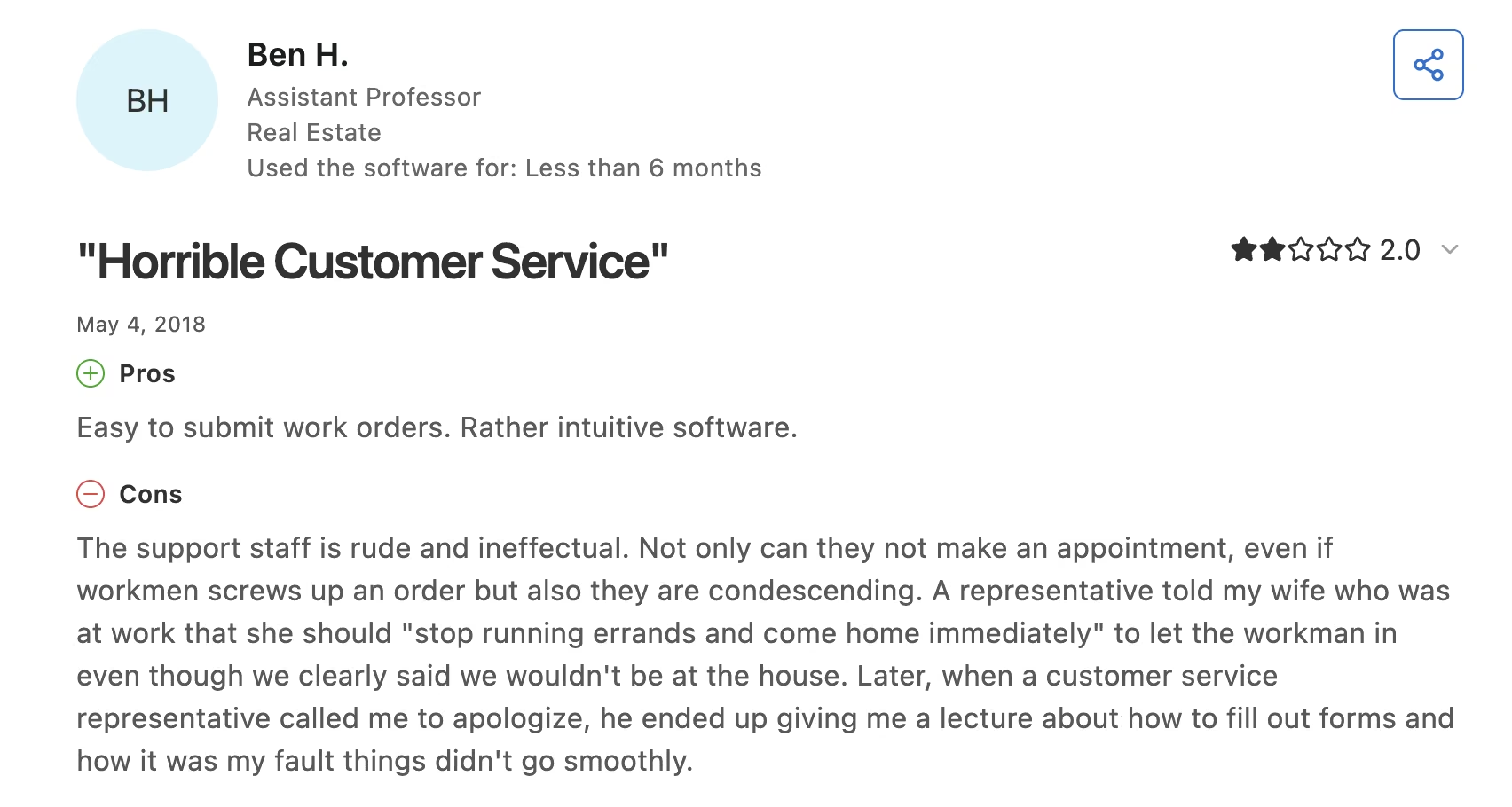
One 2018 two-star review, from an owner rather than a manager, is blunt: "The support staff is rude and ineffectual." (Ben H., Assistant Professor, Real Estate, on Software Advice)
Pricing
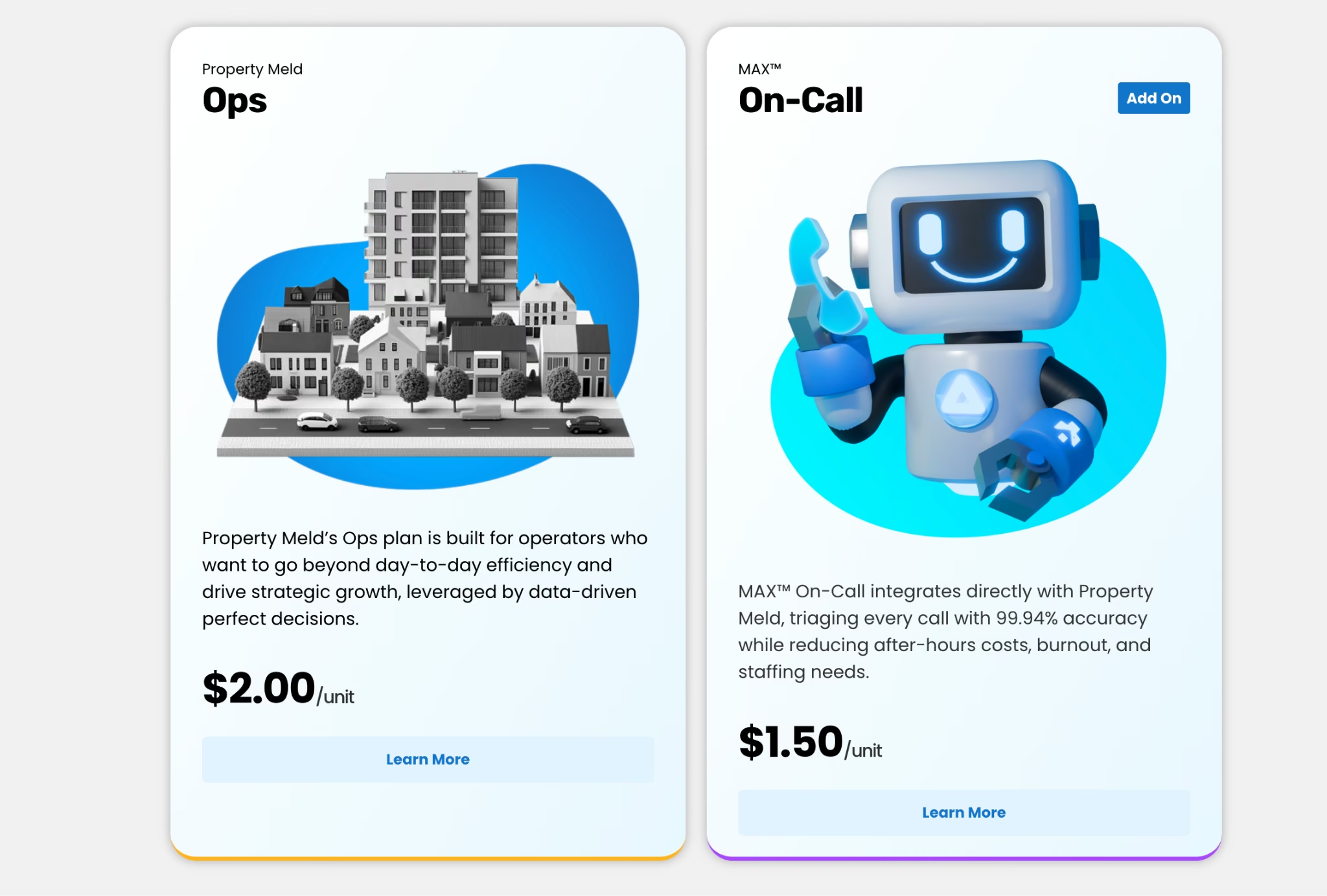
From the official pricing page: Core is $1.60/unit/month and Ops is $2.00/unit/month, both with a $200/month minimum. MAX On-Call is a $1.50/unit/month add-on. Property Meld notes the platform works best at 100 doors and up.
Bottom Line
At Ops pricing, the $200 floor bites at exactly 100 doors, which is why the vendor guides there. Add Property Meld to a platform you already run when maintenance is the thing breaking your week, and push hard on support expectations before signing.
DoorLoop: Best for AI as an Add-On
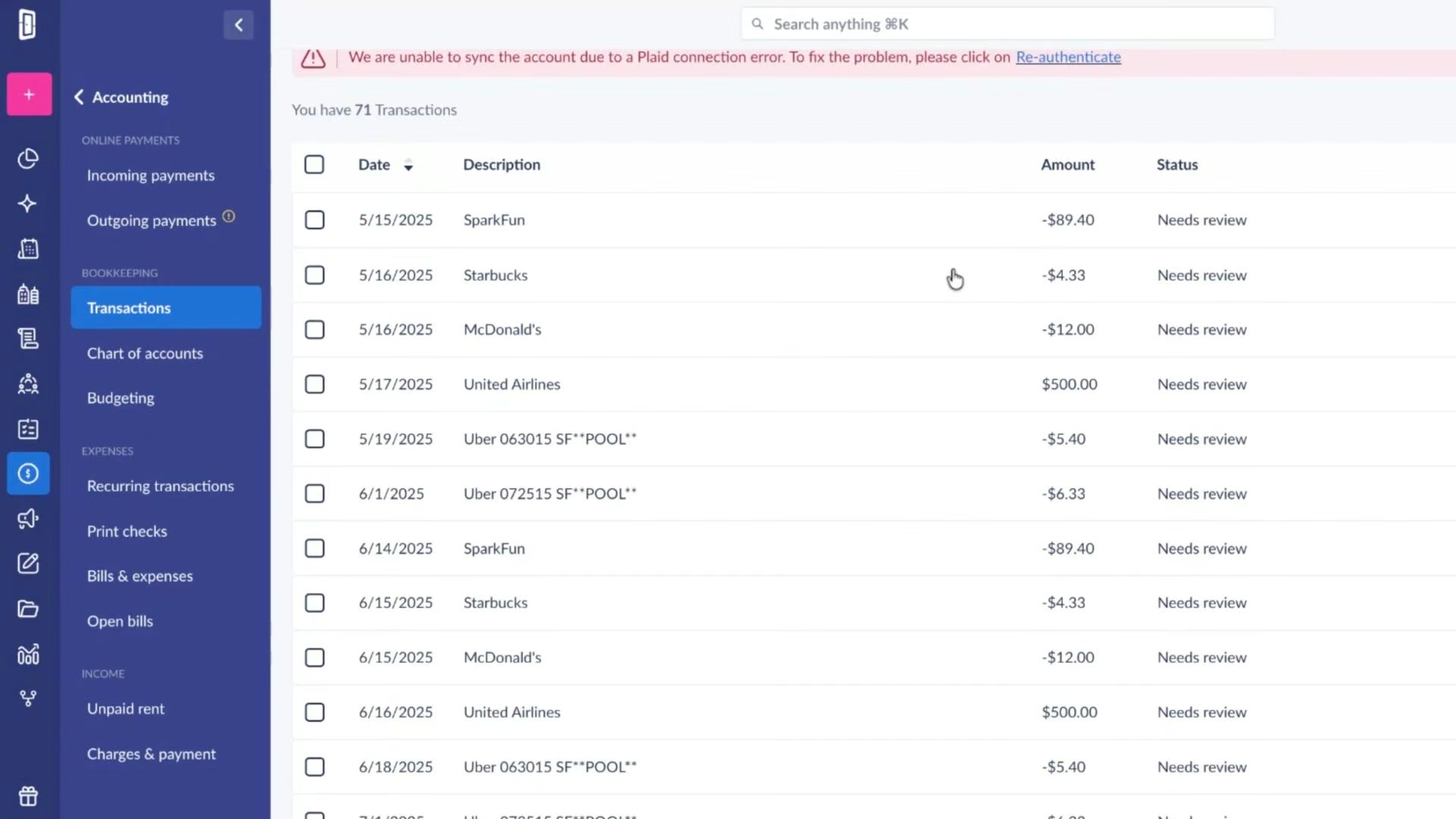
What it does: DoorLoop is an all-in-one property management platform with AI inspections and an AI assistant sold as optional add-ons rather than bundled features.
Best for: Managers who want a modern platform now and the option to switch AI on later without changing tiers.
DoorLoop's approach is unusual and, if you're skeptical about AI, kind of refreshing. The AI is a paid add-on, so you're not funding features you're unsure about. The catch sits at the bottom of the range: the Starter plan caps you at 10 units and gets no AI at all.
Key Features
- AI Assistant: Answers questions and handles routine tasks inside the platform, available as an add-on from the Pro plan up.
- AI Inspections: Speeds up inspection reporting on the same add-on basis.
- Full accounting and leasing: Rent collection, applications, e-signing, and owner reporting in one place.
- Per-unit pricing: Pro and Premium scale at $3 per unit, so your bill tracks portfolio growth predictably.
Pros and Cons
Pros:
- Published pricing with clear monthly and annual rates, which makes budgeting simple.
- AI is optional, so you're not paying for it until you want it.
- The highest Capterra rating among the full platforms here.
Cons:
- The Starter plan caps at 10 units and gets no AI whatsoever.
- Add-on pricing for the AI features isn't published, so the true total takes a conversation.
- Several Capterra reviewers call the cost high next to comparable platforms.
What Users Say
DoorLoop holds a 4.8 rating from over 700 reviews on Capterra, the strongest score of any full platform in this roundup. Price is the one thing reviewers push back on, and it comes up far more often than any feature complaint.
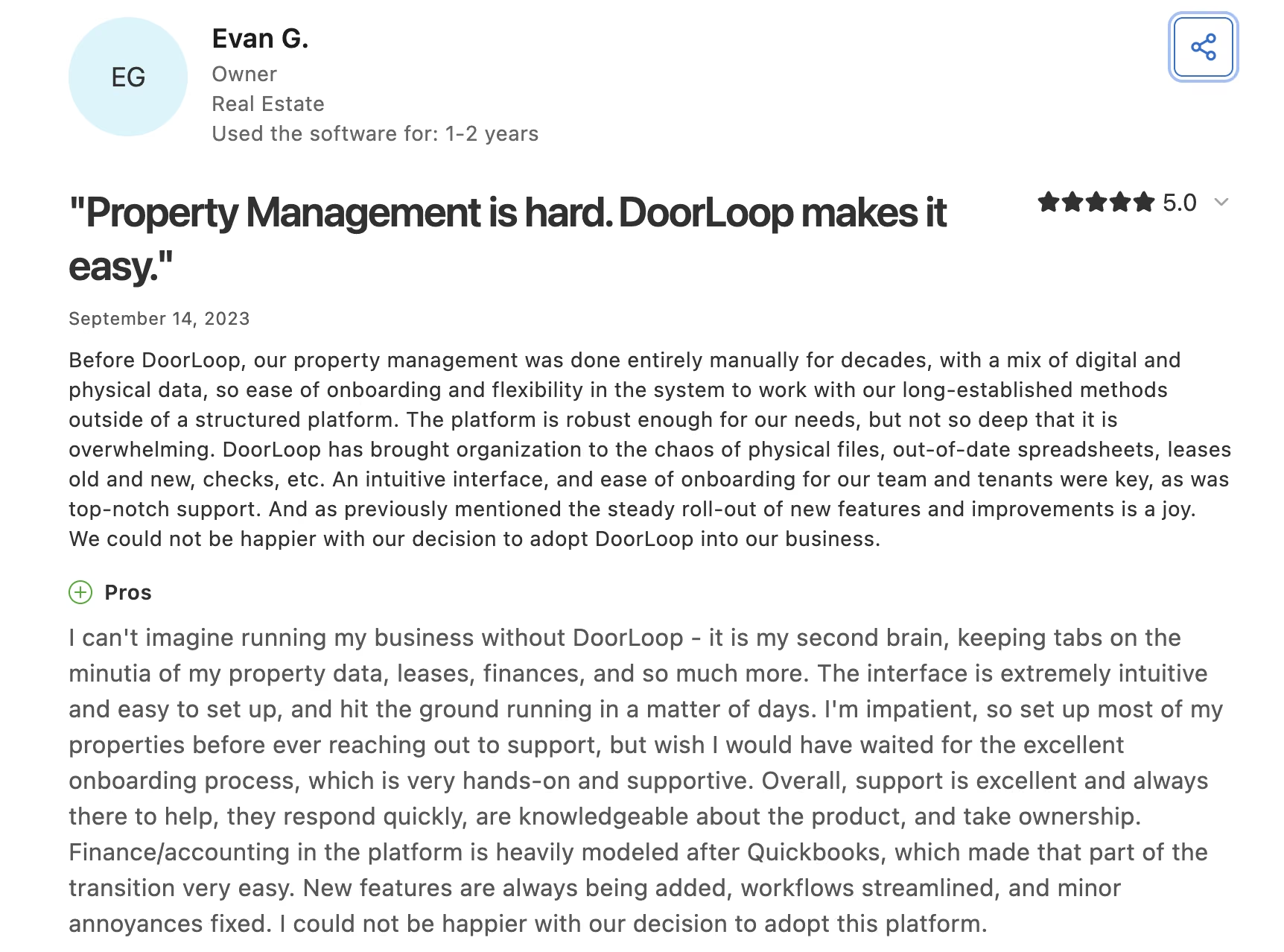
“I can't imagine running my business without DoorLoop - it is my second brain, keeping tabs on the minutia of my property data, leases, finances, and so much more." (Evan G., Owner, on Capterra)
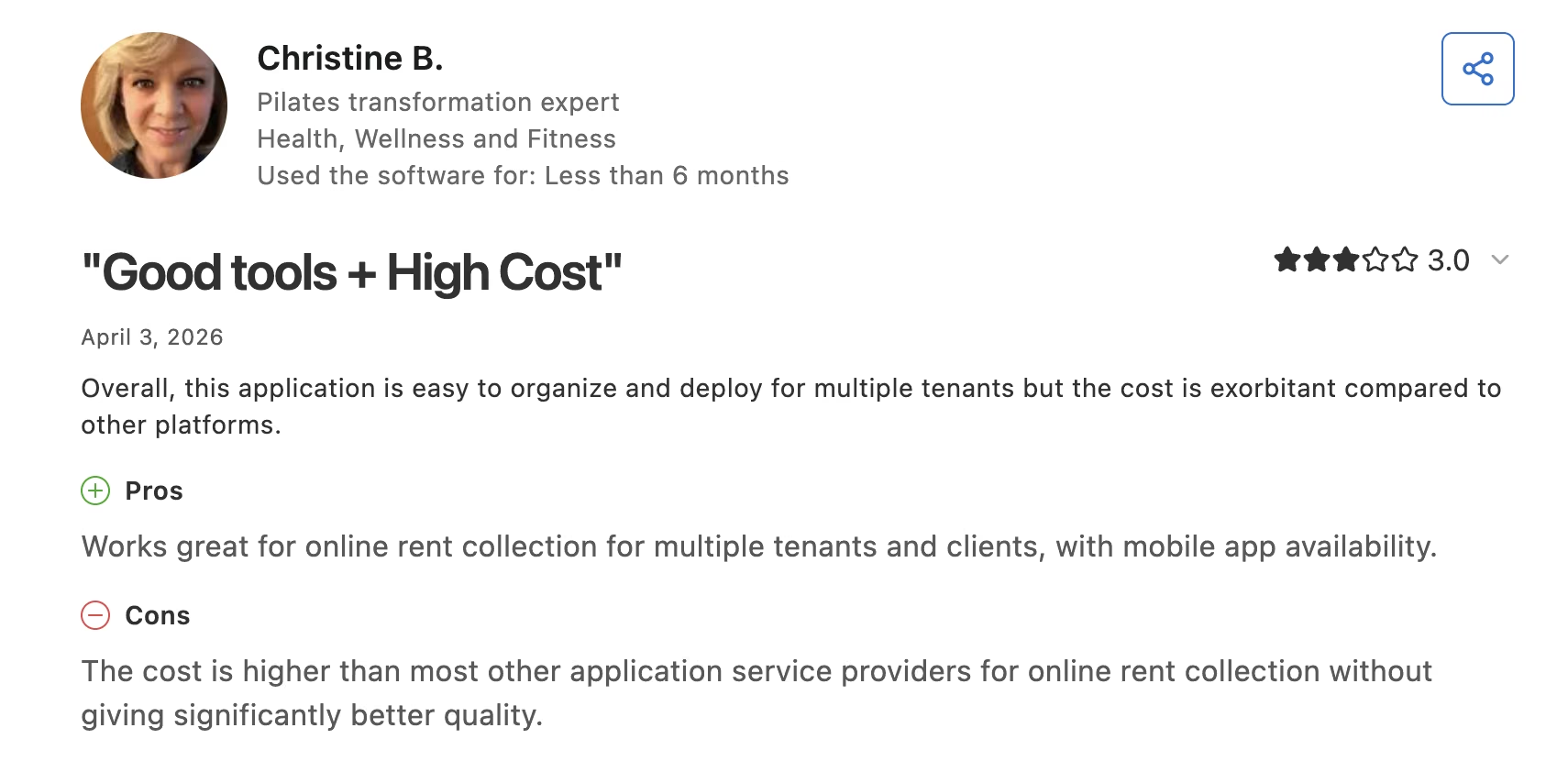
"This application is easy to organize and deploy for multiple tenants but the cost is exorbitant compared to other platforms." (Christine B., on Capterra)
Pricing
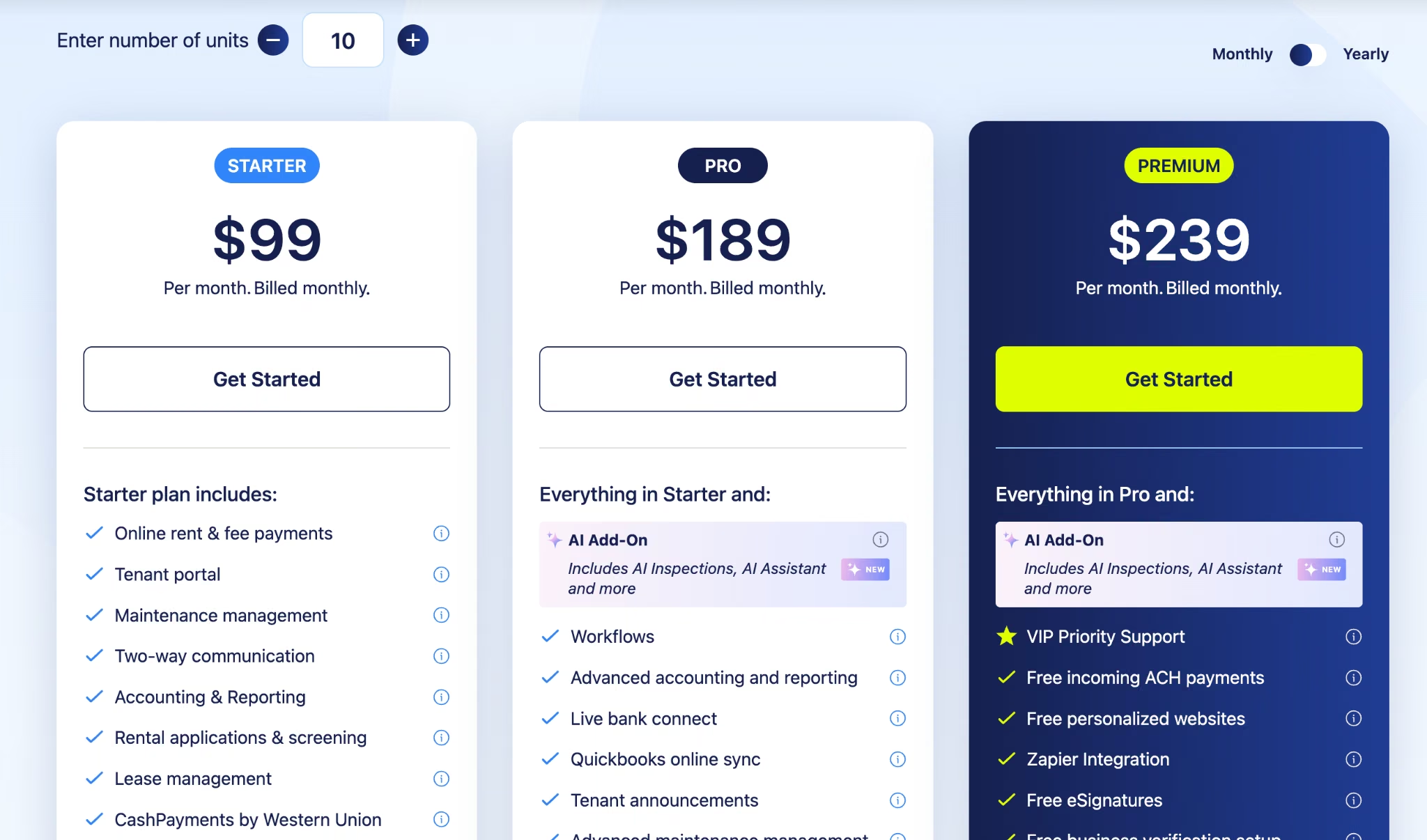
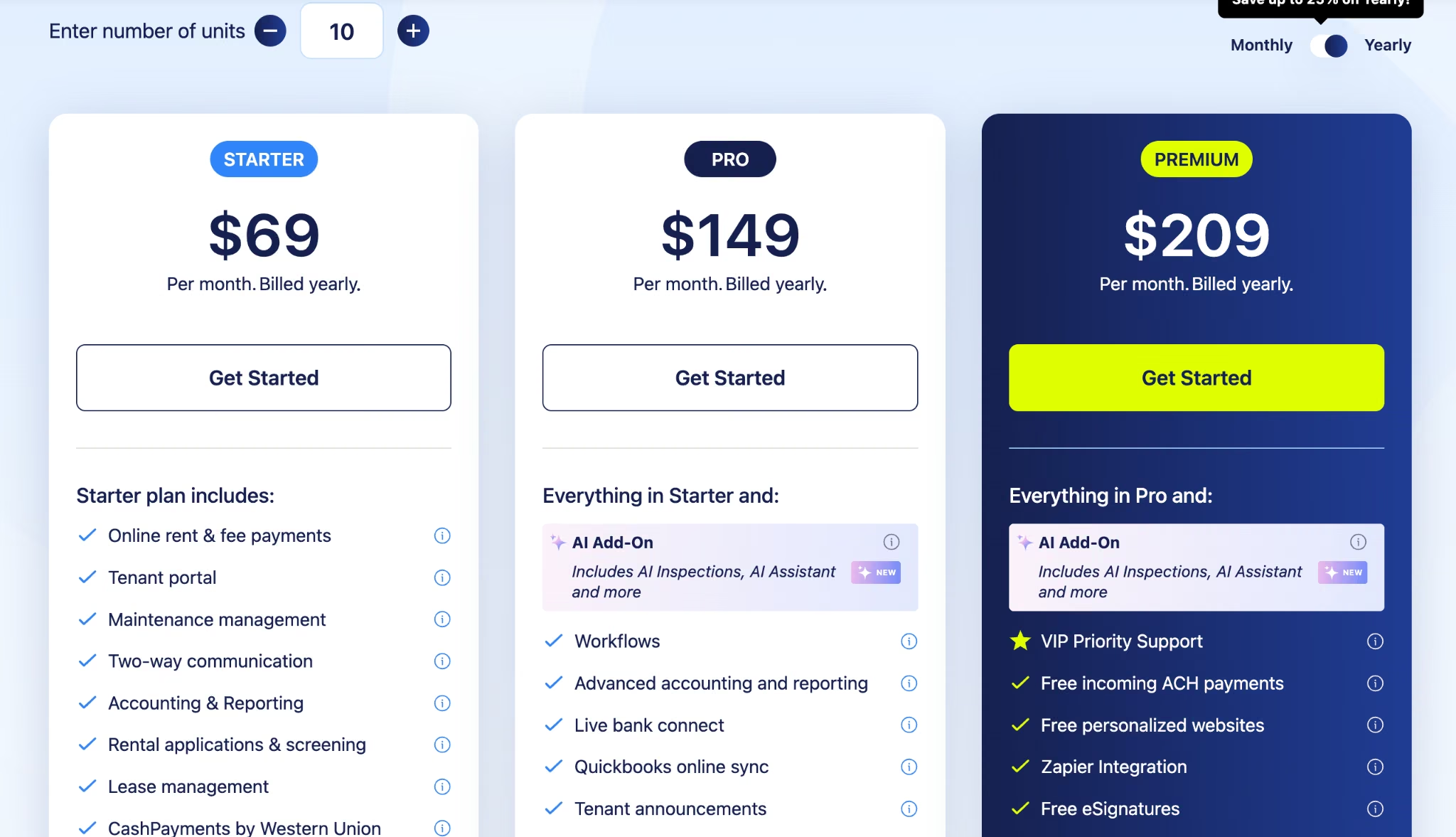
From the official pricing page: Starter is $99/month ($69/month billed yearly) and caps at 10 units with no AI. Pro is $189/month ($149/month billed yearly), and Premium is $239/month ($209/month billed yearly), both with AI Inspections and AI Assistant available as add-ons. Both scale at $3 per unit as your portfolio grows.
Bottom Line
Buy DoorLoop for the platform and treat the AI as an option you can switch on later. Skip Starter unless you own a handful of doors yourself, since the unit cap and the missing AI make it a different product.
Showdigs: Best for Single-Family Showings

What it does: Showdigs automates leasing for scattered-site rentals, covering prospect follow-up, self-guided tour verification, and on-demand agent-led showings.
Best for: Single-family and small multifamily managers whose units are spread across a metro and who can't staff a leasing office at each one.
Scattered-site leasing is a logistics job before it's a marketing one, and that's what Showdigs takes on. AI handles lead qualification and ID verification for self-guided tours, and when a prospect needs a person, you book a local agent for that one showing without keeping anyone on payroll.
Key Features
- Automated prospect follow-up: Chases leads through to a scheduled tour. Fewer inquiries go cold in an inbox.
- AI ID verification: Verifies identity for self-guided tours at no extra cost, which is the piece that makes unattended showings workable.
- On-demand agent showings: Books a local agent per tour when a prospect needs one.
- Flat per-unit pricing: No per-showing platform charge, so a busy leasing month doesn't spike your bill.
Pros and Cons
Pros:
- Published per-unit pricing, which is rare in leasing automation.
- Built for scattered-site portfolios from the start.
- Agent-led showings available without hiring anyone.
Cons:
- The 100-unit minimum rules out small operators.
- Add-on services (tours, inspections, condition reports) add up quickly.
- It handles leasing only, so you still need a platform underneath it.
What Users Say
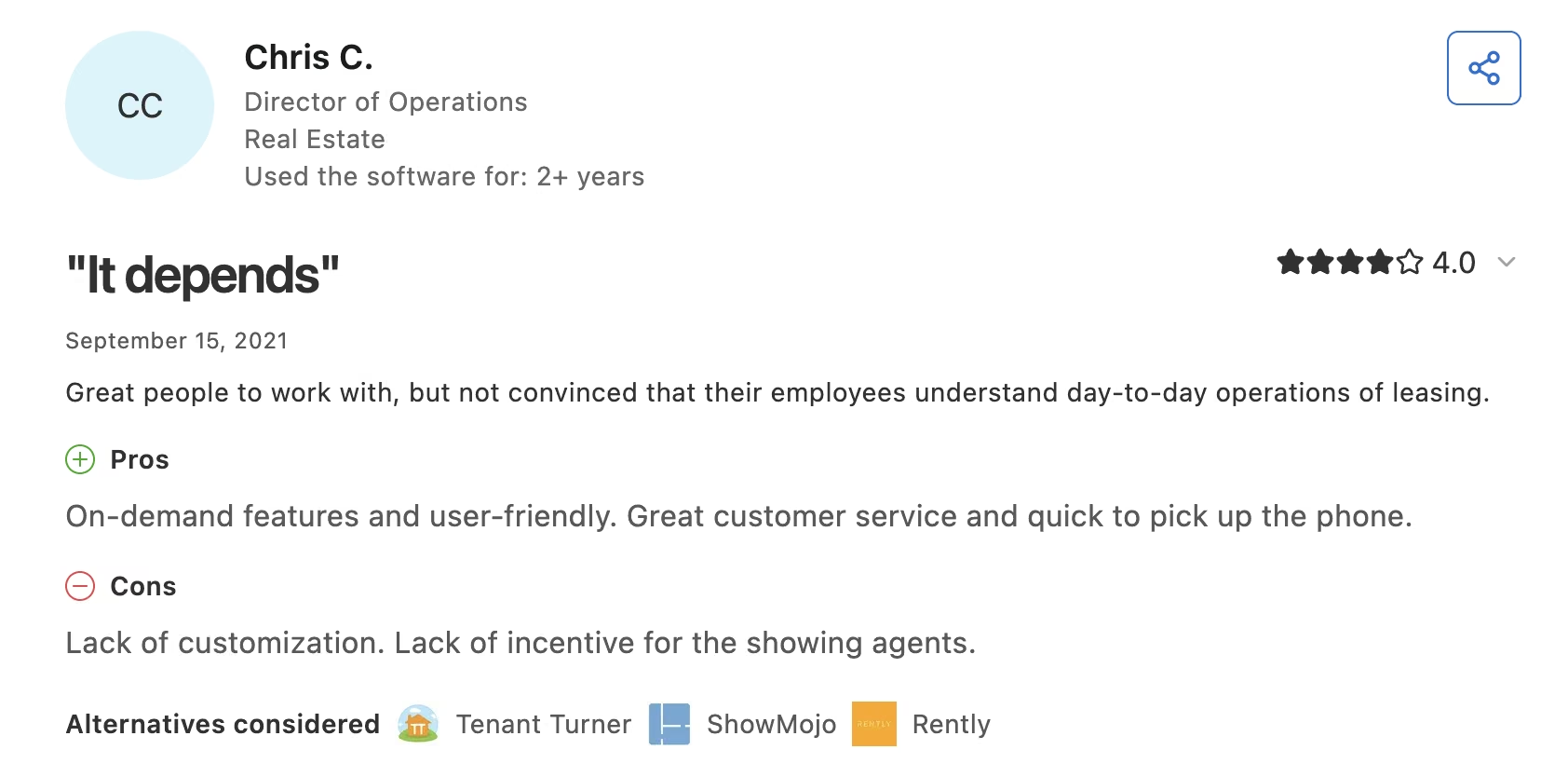
Showdigs holds a 4.8 rating from 47 reviews on Capterra. There's no one-star review on the page, and the strongest criticism is a reservation about how well the team understands day-to-day leasing.
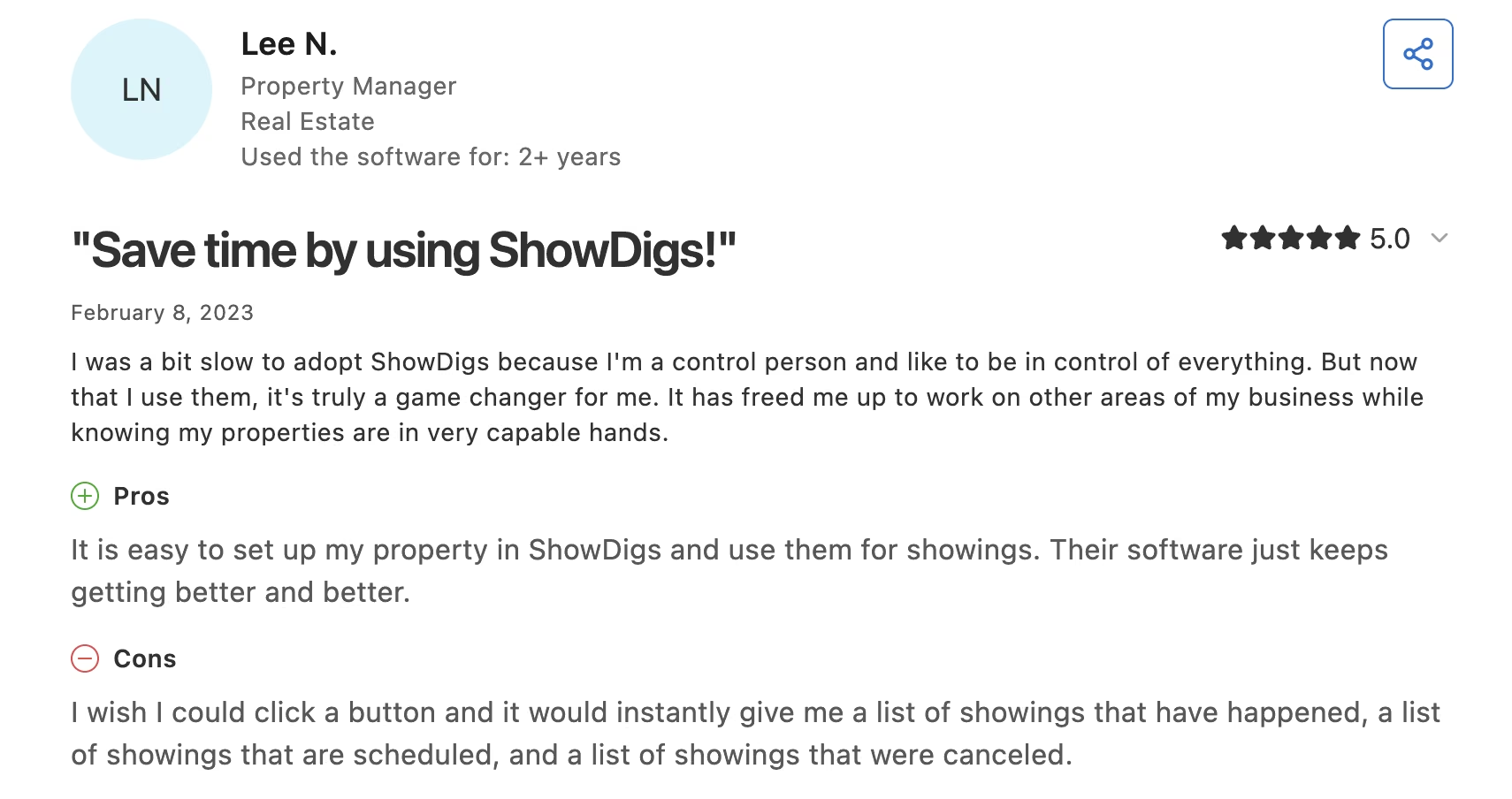
"I was a bit slow to adopt ShowDigs because I'm a control person and like to be in control of everything. But now that I use them, it's truly a game changer for me." (Lee N., Property Manager, on Capterra)
"Great people to work with, but not convinced that their employees understand day-to-day operations of leasing." (Chris C., Director of Operations, on Capterra)
Pricing
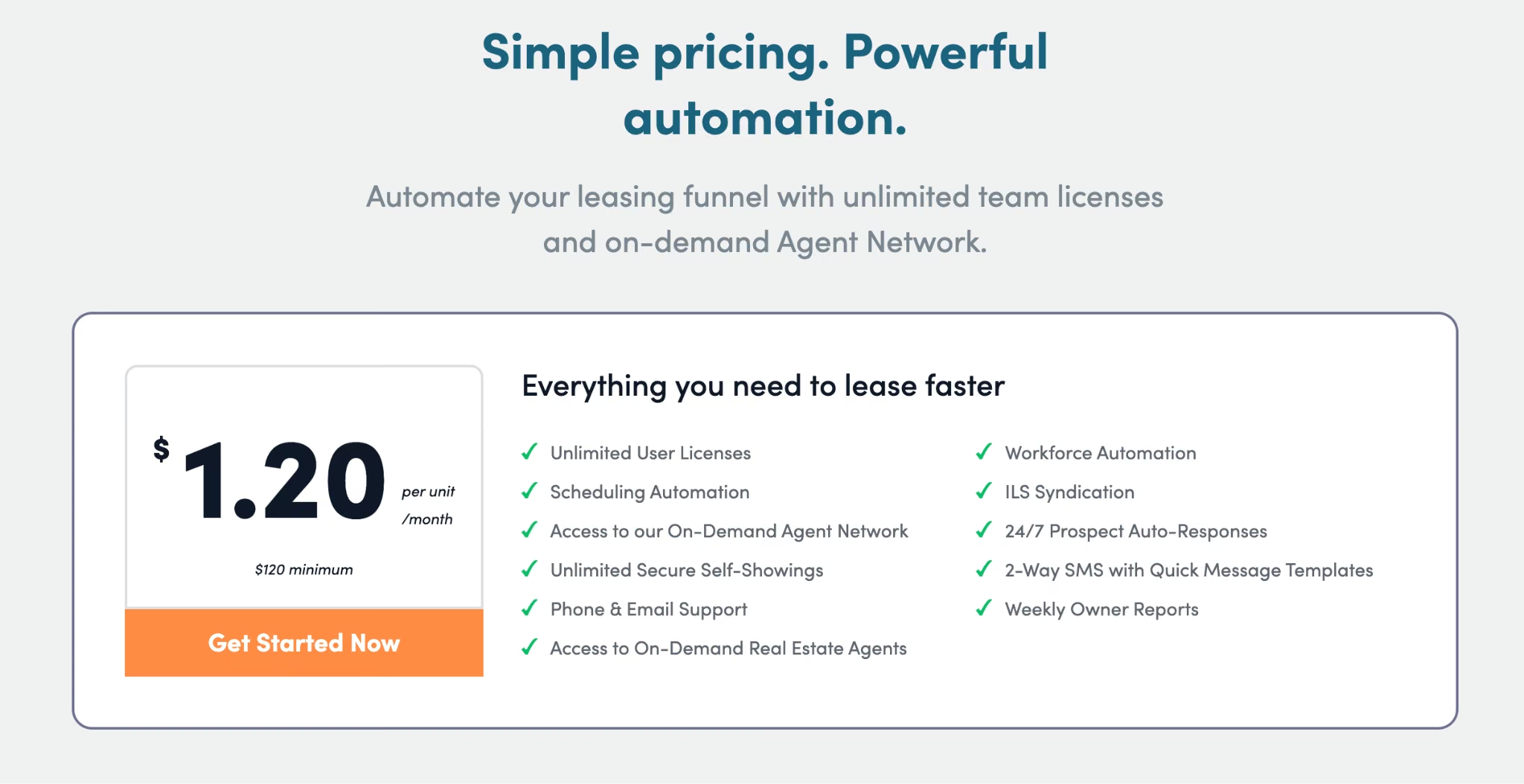
From the official pricing page: $1.20 per unit/month with a 100-unit minimum, which works out to $120/month at the floor.
Agent-led showings are $49 per tour, vacant property checks are $50, mid-tenancy condition reports are $75 in select markets, and move-in and move-out reports run $80 to $120 depending on property size. AI ID verification for self-guided tours is included at no cost.
Bottom Line
If leasing coordination is eating your week and your units are spread across a metro, Showdigs pays for itself at the 100-unit floor. Multifamily operators with an on-site office should look at EliseAI instead.
HappyCo: Best for Inspections and Turns

What it does: HappyCo runs mobile inspections, maintenance workflows, and unit turns, with AI speeding up the reporting and condition assessment.
Best for: Multifamily operators above 500 units where inspection quality and turn speed drive real money.
Inspections are the process most likely to be done badly, because they're tedious and a sloppy one only shows up months later in a security deposit dispute. HappyCo's mobile-first workflow with AI-assisted reporting makes a thorough inspection fast enough that people actually do it properly.
Key Features
- Mobile inspection capture: Photo-driven inspections done on a phone in the unit, written up on the spot.
- AI-assisted condition reporting: Speeds up the write-up so reports get finished the same day.
- Turn management: Tracks a unit through the turn. Vacancy days stop quietly stacking up.
- Maintenance workflows: Connects what the inspection found to the work that fixes it.
Pros and Cons
Pros:
- Ratings hold steady at 4.6 across every part of the product reviewers touch.
- Purpose-built for the field, so it works properly on a phone in an empty unit.
- Links inspection findings straight to maintenance work.
Cons:
- A 500-unit minimum, the highest of any tool here.
- No published rates, so cost takes a demo.
- Capterra reviewers flag missing features and an Android build that lags iOS.
What Users Say
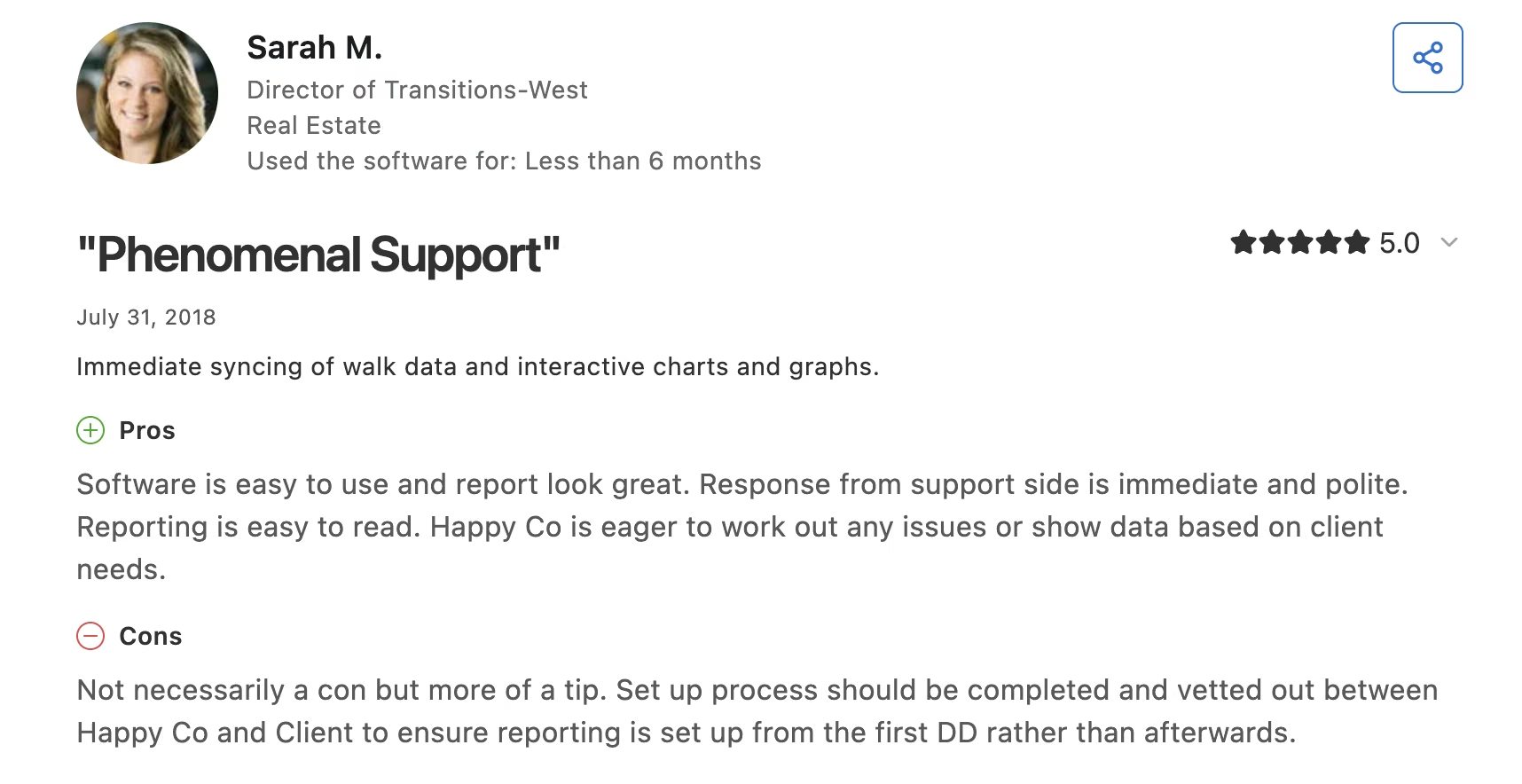
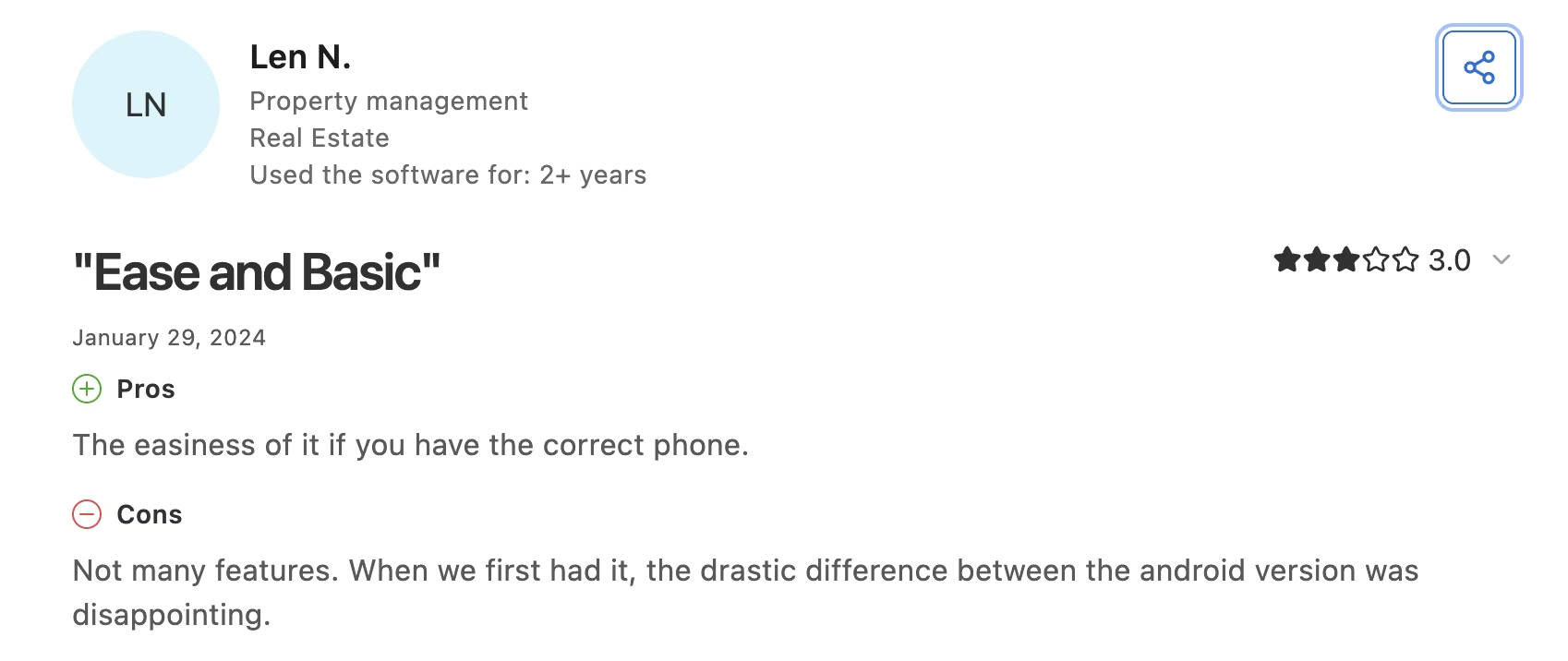
HappyCo holds a 4.6 rating from 68 reviews on Capterra. Reviewers consistently praise the reports and the support response, and the recurring gripe is platform parity between iOS and Android.
"Software is easy to use and report look great. Response from support side is immediate and polite." (Sarah M., Director of Transitions-West, on Capterra)
"Not many features. When we first had it, the drastic difference between the android version was disappointing." (Len N., Property management, on Capterra)
Pricing
HappyCo publishes no rates. The pricing page describes per-unit, per-month pricing with a 500-unit minimum and directs you to a demo for numbers.

Bottom Line
You can't buy HappyCo under 500 units, so treat it as the upgrade you grow into once inspection quality starts costing you deposit disputes. Below that threshold, the inspection tools already inside DoorLoop or Buildium will do the job.
TenantCloud: Best for Small Landlords
What it does: TenantCloud is a low-cost property management platform for landlords and small managers, with AI limited to writing listing descriptions.
Best for: Landlords and side-business managers with a handful of leases who need the basics at a low monthly cost.
TenantCloud's AI is the thinnest of the nine. If AI is the reason you're shopping, look elsewhere. What TenantCloud does well is the cheap, unglamorous stuff: rent collection, applications, and maintenance requests, with a bit of AI help on listings.
Key Features
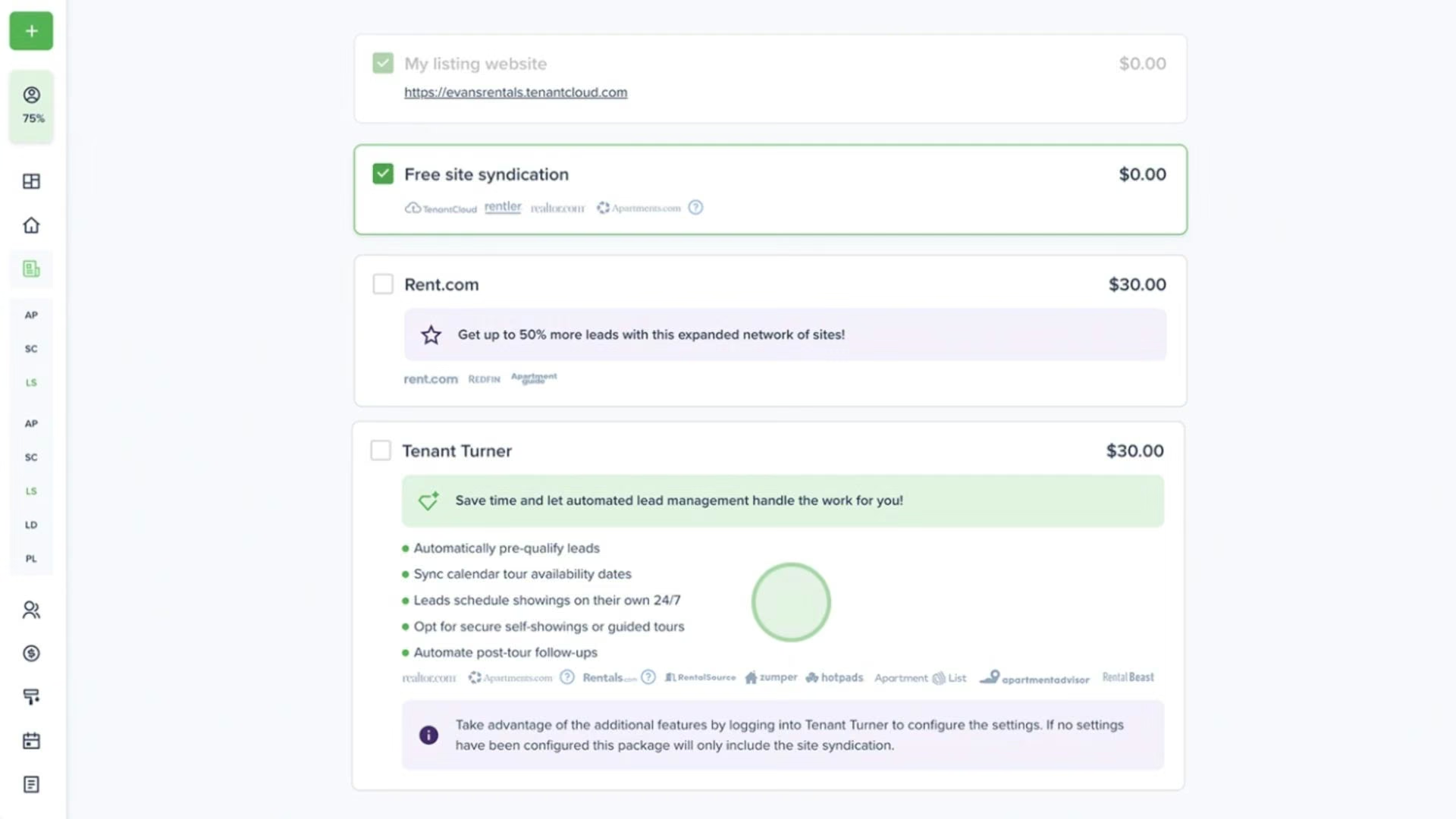
- AI listing descriptions: Cloudia, TenantCloud's AI assistant, writes and rewrites listing copy from your unit details. It's available from the Pro plan up.
- Rent collection and applications: Online payments, screening, and lease tracking on every tier.
- Lease-based pricing: You pay by active leases rather than by door, which suits landlords with a few larger properties.
- Unlimited properties and units: No door cap on any plan, so a 12-unit building doesn't push you upmarket.
Pros and Cons
Pros:
- The lowest entry price here at $18/month.
- Unlimited properties and units on every plan, with limits based on active leases.
- 451 reviews, so there's enough feedback to research before you buy.
Cons:
- The AI does one thing: listing copy.
- Neither Starter nor Growth gets the AI listing feature. It starts at Pro.
- Transaction history and reporting draw consistent criticism on Capterra.
What Users Say
TenantCloud holds a 4.3 rating from 451 reviews on Capterra. Affordability is what reviewers keep coming back for, and reporting depth is where they run out of road.
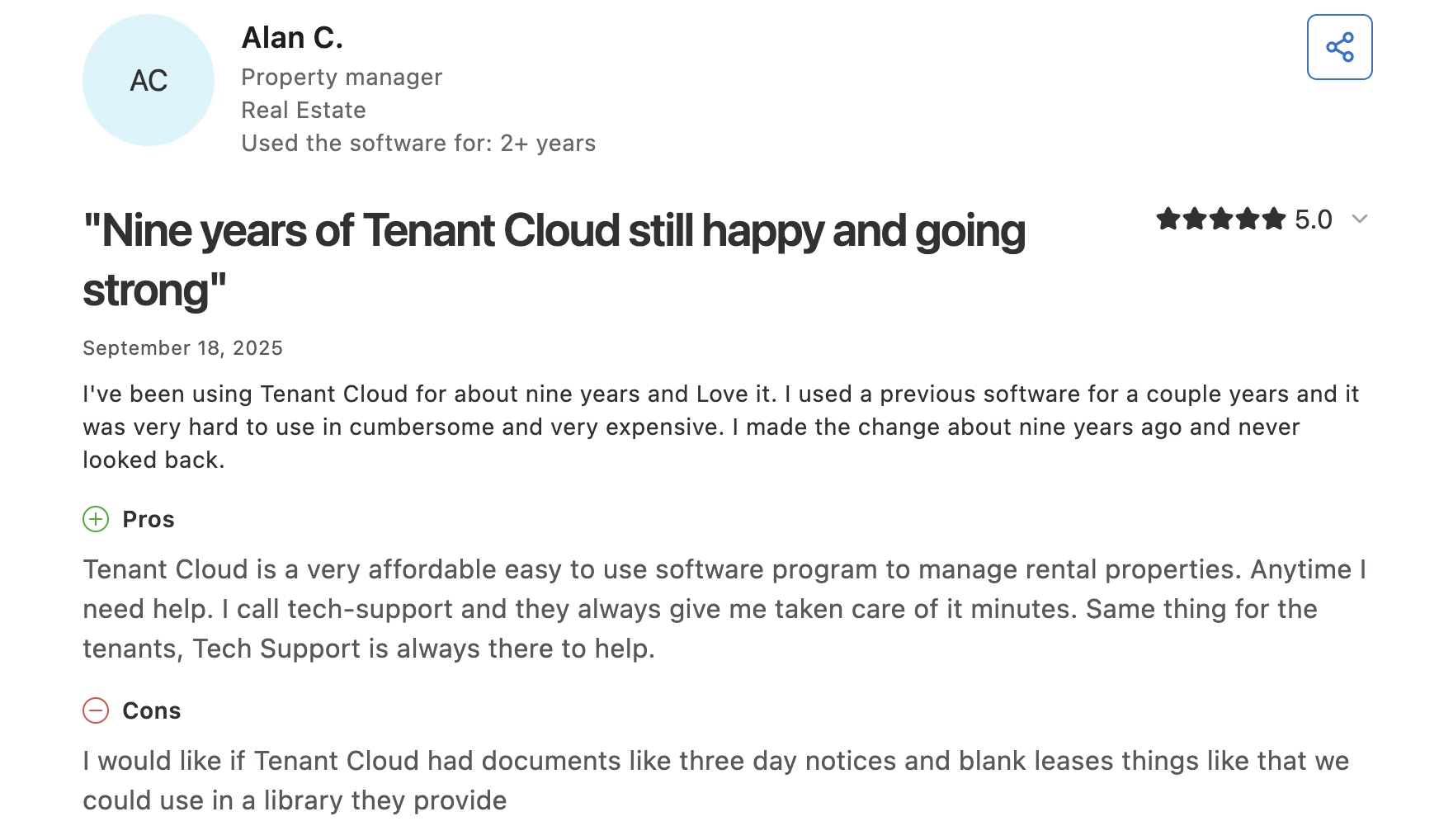
"Tenant Cloud is a very affordable, easy-to-use software program to manage rental properties." (Alan C., Property manager, on Capterra)
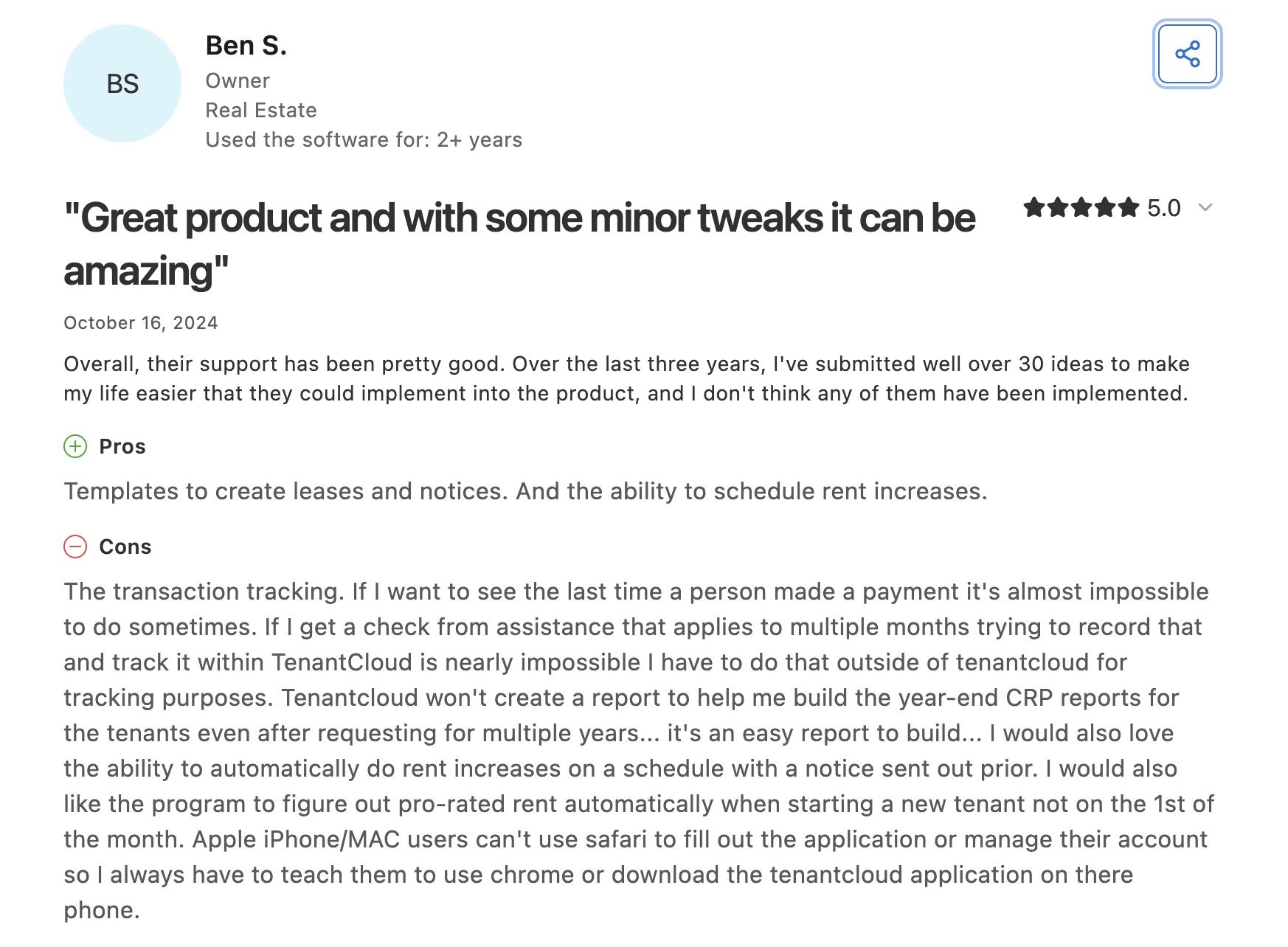
"The transaction tracking. If I want to see the last time a person made a payment it's almost impossible to do sometimes." (Ben S., Owner, on Capterra)
Pricing
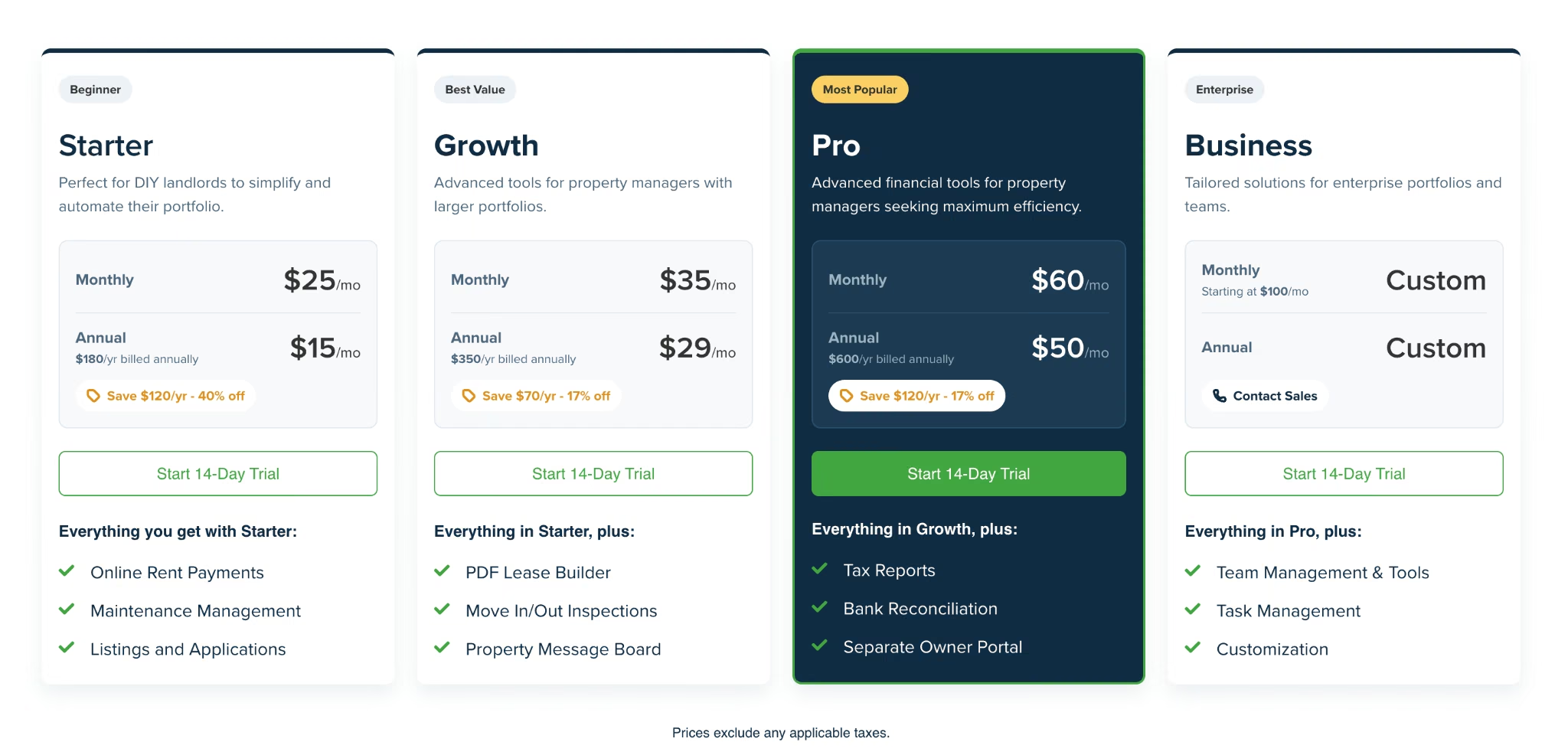
From the official pricing page: Starter is $25/month ($15/month billed annually) for 10 leases, Growth is $35/month ($29/month billed annually) for 30 leases, and Pro is $60/month ($50/month billed annually) for 60 leases. Business starts at $100/month with custom annual pricing. AI listing descriptions start on Pro.
Bottom Line
TenantCloud is the right pick if you're still collecting rent through Venmo. Buy it for the platform, and treat the listing AI as a small bonus that arrives two tiers up.
Read More: Top 5 Website Builders for Vacation Rental Owners in 2026
Which AI Tool Should You Choose?
Your door count and your worst bottleneck decide this. Emergent sits first because it's ours; the rest are grouped by situation.
Choose Emergent if you:
- Need an owner dashboard, turn tracker, or vendor scorecard no platform ships.
- Keep rebuilding the same spreadsheet every month because no vendor sells the thing you need.
Choose AppFolio or Buildium if you:
- Run a management company and want one platform doing accounting, leasing, and communication.
- Are past roughly 200 doors, in my judgment, where AppFolio's minimum spend starts to pay off, or want published pricing from day one with Buildium.
Choose Property Meld or HappyCo if you:
- Already have a platform you're happy with and one process is broken.
- Manage 100 or more doors (Property Meld) or 500 or more units (HappyCo).
Choose EliseAI or Showdigs if you:
- Are losing leads to slow response times.
- Run multifamily with an on-site office (EliseAI) or scattered single-family units (Showdigs).
Choose DoorLoop or TenantCloud if you:
- Are early and want a good platform without committing to AI pricing.
- Manage a small portfolio where the enterprise minimums don't apply.
Skip AI entirely for now if you:
- Manage under 10 units, where the admin load doesn't justify the subscription.
- Haven't documented your current process, since automating a broken workflow just breaks it faster.
Where AI Still Falls Short in Property Management
The reviews across these nine tools land in the same place the adoption numbers do. Almost nobody has taken the human out of the loop, and reading a few hundred one-star reviews makes the reason obvious.
Three limits show up over and over:
- Promises: A bot that tells a resident a tech is coming Thursday has committed your business to something. Every leasing and maintenance tool here needs a human owning the escalation path.
- Support: The sharpest complaint in AppFolio's reviews is about being routed to a bot when a person was needed. Ask any vendor what happens when their AI can't answer.
- Judgment calls: Whether to renew a marginal tenant, how hard to push an owner on a capital expense, when to write off a balance: all still you.
The pattern worth copying keeps showing up in practice. Give AI agents the repetitive intake work, and keep the decisions. If you want to build one against your own data rather than buy a generic one, that's what an AI agent builder is for.
Final Thoughts
We started with Emergent because it does the one thing no property platform on this page does: build the tool that's specific to your business. That's also its limit. It won't run your rent roll, so it belongs next to a platform, never in place of one.
For that platform, AppFolio has the deepest AI in this category if you're running 200 doors or more, with the caveat that you'll never see a price until you're on a call. For most small and mid-sized managers, Buildium is the more honest buy, because the pricing is public, the entry point is real, and the $62 tier already includes the AI writing you'll use every week.
The best AI tools for property managers handle the boring 80%. Buy the platform that does that, then build the last 20% yourself instead of waiting for a vendor roadmap that's never getting to you.
Build the Tool Your Property Management Software Doesn't Include
Emergent's free plan comes with 10 monthly credits, enough to build a small internal tool and judge the result yourself.
Start with the thing you've been faking in a spreadsheet:
- Owner reporting your owners will read: One page with the six numbers they ask about every month, updated from your own data.
- A turn tracker that matches your crews: Notice to re-lease, following the steps your team actually runs.
- A vendor scorecard: Response times, callbacks, and cost per job, so renewal conversations stop running on memory.
- A portal you can hand out: Sign-in included, so owners and vendors log in to the same place instead of emailing you for updates.
Try building your first tool on Emergent.

Most AI app builders stop at prototypes. Emergent creates production-ready apps you can actually launch.
- Production-ready apps
- Web & mobile apps
- Deploy in minutes





