



TL;DR
- Choose Glide if: you're building an internal tool from existing spreadsheet data and want it live the same day.
- Choose FlutterFlow if: you need a real native app on the App Store and Google Play, and you have the technical chops, or patience, to get through the learning curve and touch some code along the way.
- Choose Emergent if: you want a working app, backend, and database generated with zero manual effort.
Building a client booking app for my real estate business is something I've wanted to do for a while. Emergent was the first tool that came to mind, but I decided to cast a wider net first to see what else was out there.
FlutterFlow and Glide kept coming up among the best app builders, so I tested all three to see which one actually delivers.
How I Researched & Tested These App Builders
I built a version of the same appointment booking app in all three tools with a login, a list of services, and a confirmation screen. Then I weighed that hands-on experience against verified reviews on G2, Capterra, and Trustpilot, checking where my results matched the broader pattern and where they didn't. I looked at five things:
- Time to first working app: How long each tool took to go from a blank prompt to a usable first screen.
- Backend and data handling: Whether the database and logic behind the app felt real, or bolted on after the fact.
- Design and integration flexibility: How much control I had over the look and the third-party connections without fighting the tool.
- Pricing: What each free tier actually let me finish, versus what forced an upgrade partway through.
- Cost to outgrow: What happens to the project the day it needs to do more than the free tier allows.
Meet the Contenders
Glide: Spreadsheet-First, Fast to Launch
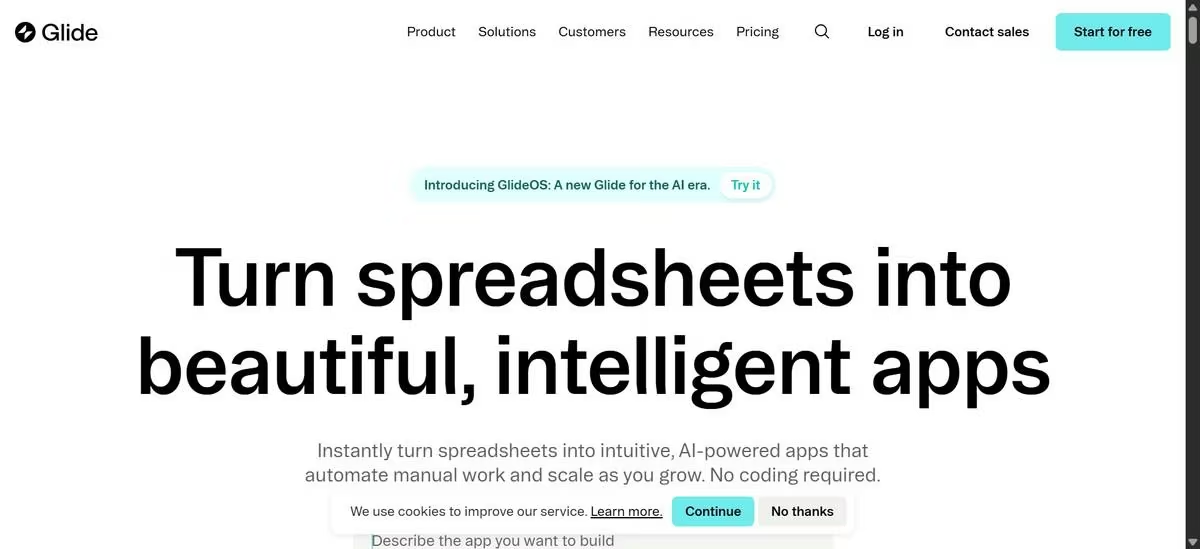
Glide now sells two different products: Glide Classic, the established builder covered here, and GlideOS, a newer AI-native product with its own separate pricing. Glide Classic still connects to Google Sheets, Airtable, Excel, or its own native tables, but the default onboarding path now leads with a conversational AI agent rather than a blank data tab.
I gave that agent a plain-language prompt (which I used for the other tools):
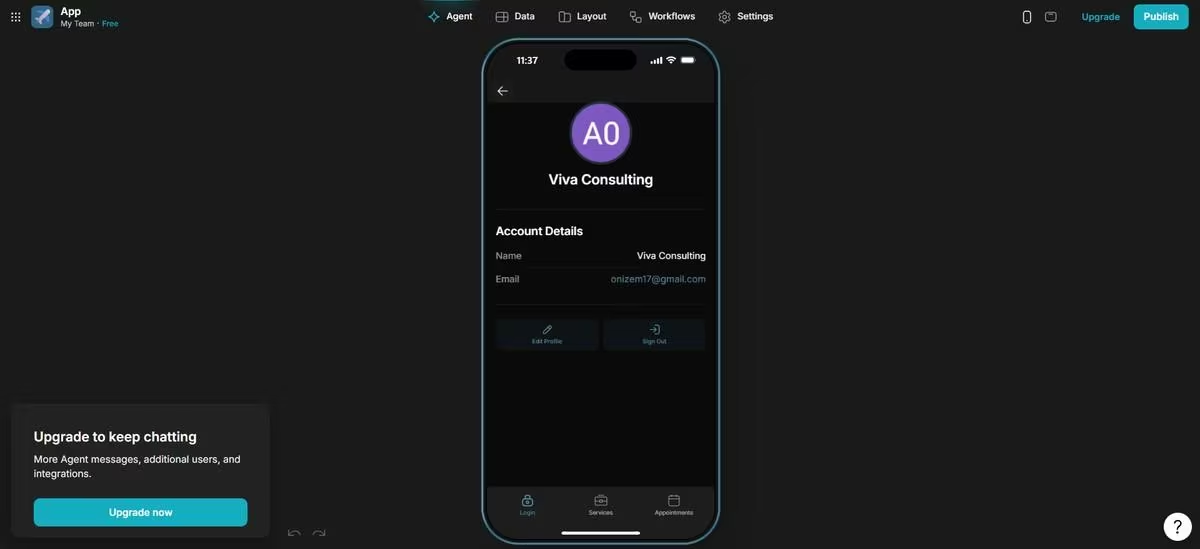
“A client-facing appointment booking app for a real estate consulting business. Users log in, see a list of services, pick one, and get a confirmation screen after booking.” Then pointed it at a sample Google Sheet, and it built three working, interlinked screens (login, a service list, and a bookings view that correctly resolved relationships across users, services, and appointments) in about three minutes.
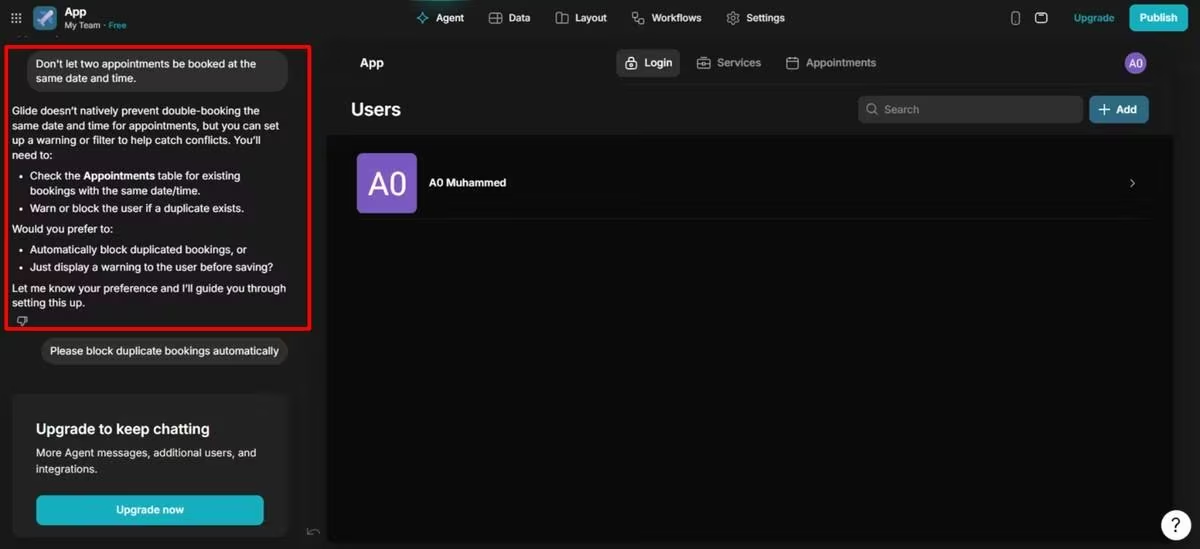
The output was functional but visually generic, and it needed a full day of manual work to make it look close to finished. I also hit a ceiling on custom logic: when I asked for a rule to flag double-bookings, the agent declined, and I had to build that logic manually.
Also read our best Glide alternatives guide for what else is worth trying when the custom logic ceiling or visual customization limits become a concern.
FlutterFlow: Visual Builder, Native Output
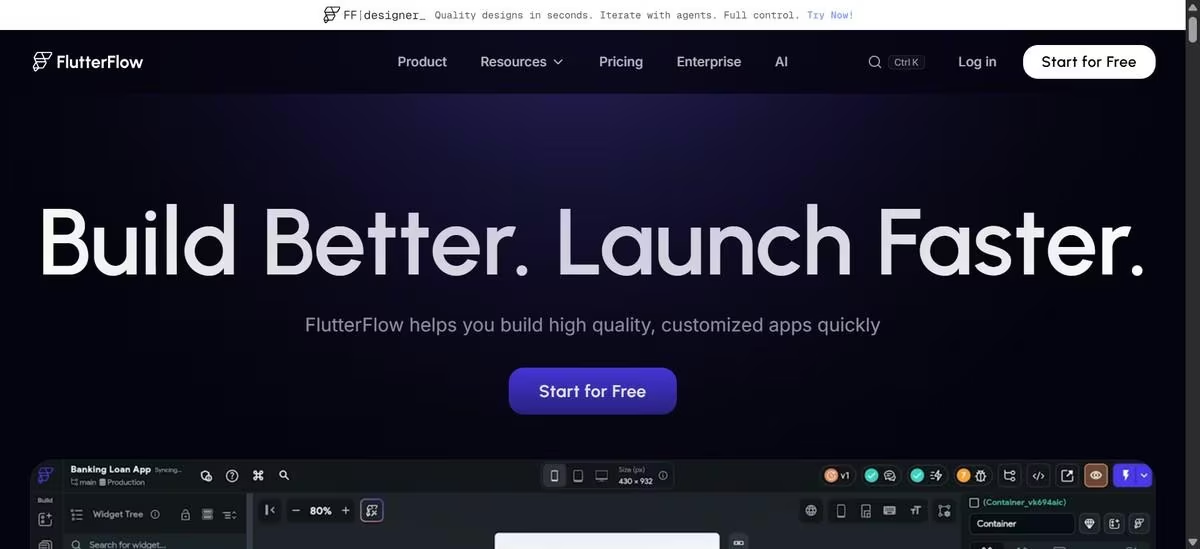
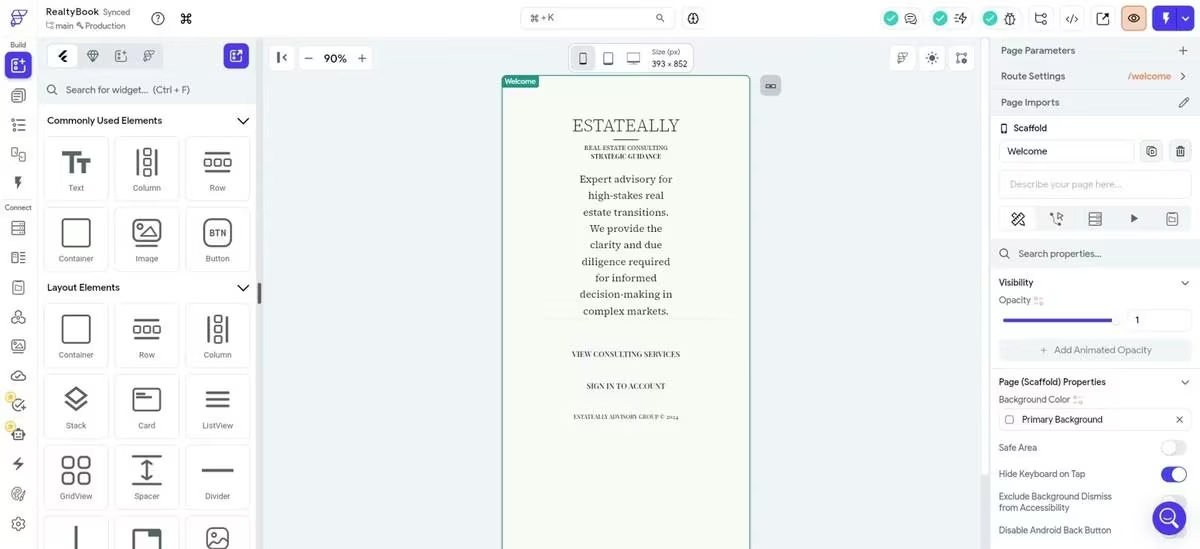
FlutterFlow compiles your app into real Flutter code, so it runs as a genuinely native iOS and Android app rather than a web wrapper. It also includes an AI feature called Instant Generation, but in my testing it generated only a single static screen from a prompt. It didn't create navigation between screens or any backend logic, so I had to build everything beyond that first screen myself.
That's where the friction started. When I used FlutterFlow's "Let Us Create A Project For You" Firebase setup, Google Cloud organization policy restrictions blocked the process. Similar restrictions affect Firebase and Google Cloud users in managed Google Workspace environments, even outside FlutterFlow, but tracking down the cause still took a significant amount of time.
I also found that FlutterFlow's visual builder wasn't always enough for more advanced functionality. Features such as custom Dart functions, custom widgets, complex business logic, and advanced interactions often required writing code. That aligns with feedback from multiple G2 reviewers, including one who wrote:
"Flutterflow promotes its platform as a no-code platform, but actually, it's a low-code platform where a user needs a little coding knowledge…"
If Firebase's setup friction is a dealbreaker for your project, see our breakdown of Firebase alternatives worth considering.
Emergent: Prompt-to-App With a Built-In Backend
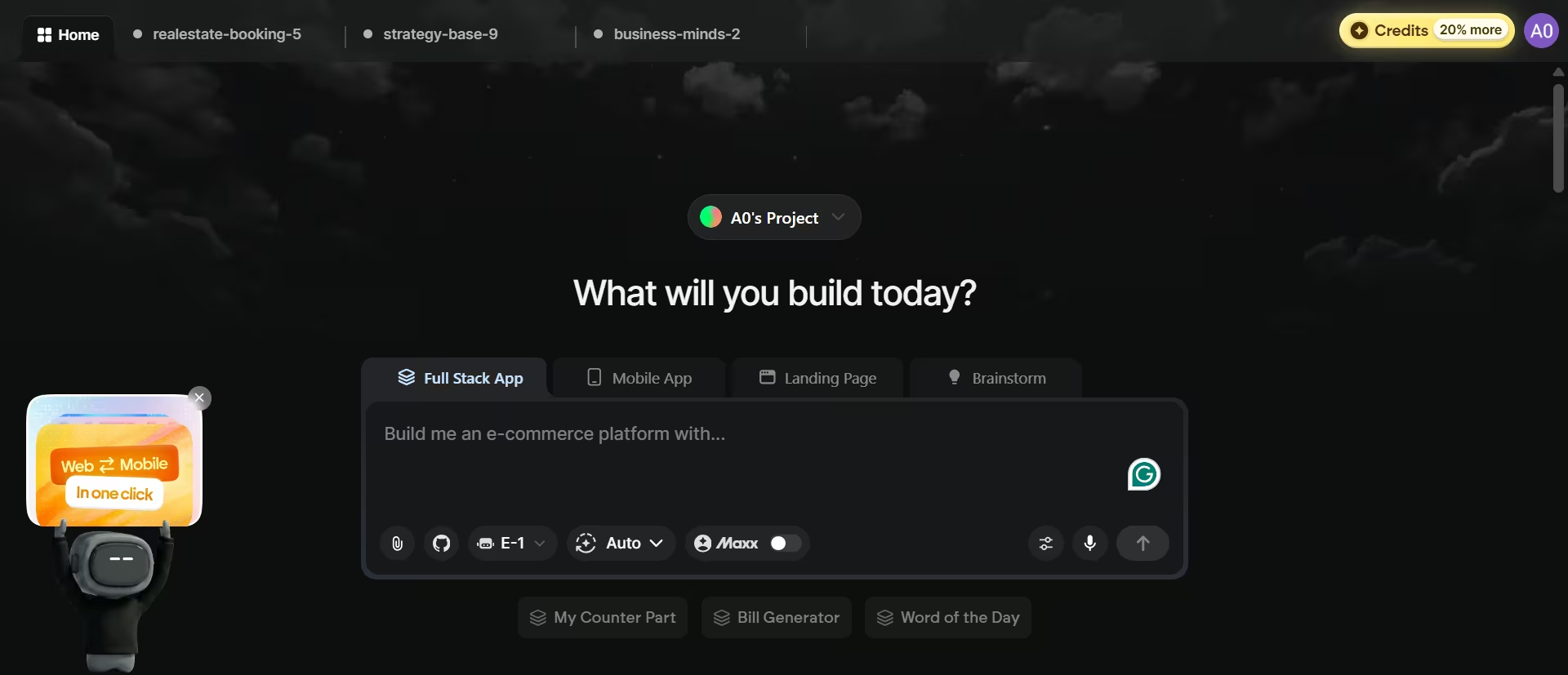
Emergent is a full AI-based web and app builder. Its multi-agent system builds the interface, the data behind it, and the logic connecting them together from a written prompt, and outputs both a web app and a React Native mobile app, deployable to the App Store and Google Play once a developer account is connected.
In my test, it asked five clarifying questions (things like authentication method and which services to list) before building anything, then delivered a fully working, branded app in eight minutes.
Reviewers on G2 describe the build process as genuinely surprising, with one saying “it built an entire app from one prompt, I was shocked”.
My build needed a short intake first, but the result matched that reaction: beautiful photography, coherent brand identity, and a booking flow that worked correctly the first time. The build used 10.5 credits, more than the entire free-tier monthly allowance in one shot.
New to this style of building? Our developer's honest take on vibe coding vs. traditional coding explains where it helps and where it doesn't.
Glide vs FlutterFlow vs Emergent: At a Glance
| Tool | Best For | Starting Price | Key Strength |
|---|---|---|---|
| Glide | Internal tools built from existing spreadsheet data | $25/mo | Fastest path from spreadsheet to working app |
| FlutterFlow | Native iOS and Android apps needing strong UI control | $39/mo | True Flutter compile with full code export |
| Emergent | Founders who want a working app, backend included, with zero manual setup | $20/mo | Backend and database generated alongside the UI |
Glide vs FlutterFlow vs Emergent: Feature Breakdown
Time to First Working App
Glide's agent got me a working, interlinked skeleton in three minutes, the fastest raw number of the three. But the output looked generic, and getting it to a real-product finish took nearly a full day of manual work afterward.
FlutterFlow's Instant Generation produced a single screen almost immediately, but a single screen isn't a working app. Everything else, including the entire backend, still had to be built manually.
Emergent took the longest to start, five clarifying questions before it began building, but came back eight minutes later with a complete, working, branded app: login, service list, and a booking flow that worked correctly on the first try.

Winner: Emergent, if "working app" means something you can use immediately. Glide wins on raw speed to a rough skeleton, but budget real time afterward to make it presentable. FlutterFlow's AI feature doesn't produce a working app at all yet, just a starting screen.
Want a closer look? See our best FlutterFlow alternatives for how Emergent and other options compare.
Backend and Data Handling
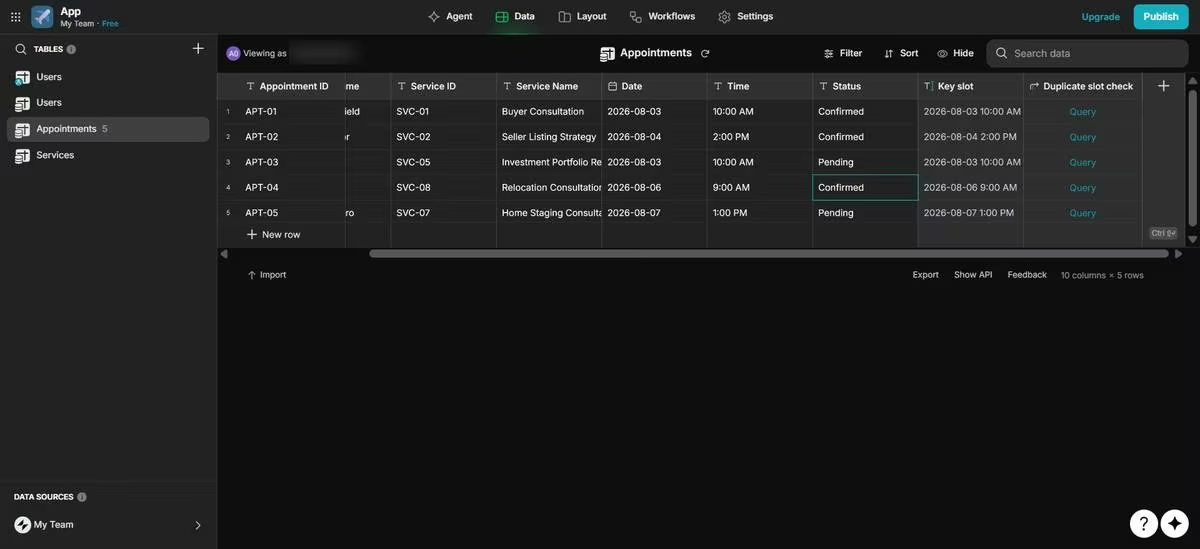
Glide's data model is built on spreadsheets or its own native tables, and it handles the basics well: updating my source spreadsheet updated the app automatically. But it hits a ceiling fast. When I asked for logic to flag double bookings, the agent simply declined, and I had to build that rule myself.
FlutterFlow connects to Firebase or Supabase, giving you a reliable database if you can get it to connect smoothly. Otherwise, you’ll spend a lot more time than needed, like me.
Emergent's agents build the data layer and its storage in the same pass, and in my test, sign-in, multiple bookings, and unique booking IDs all worked correctly the first time.

The product does have a known limitation: after repeated deploy cycles, the local preview database can drift from the live one, and merging isn't possible, only replace or retain. I didn't hit this in a single build, but it's worth testing before committing a real project to repeated deploys.
Winner: FlutterFlow for a backend that’s genuinely deeper once it's running, but the setup process itself is a documented failure point worth budgeting time for. Emergent, for a backend that works without configuration. Glide is fine for simple data display, not for real logic.
AI and Prompt-Based Building
Glide's AI agent is more capable here than it gets credit for. Given a plain-language prompt and a sample spreadsheet, it generated three working, interlinked screens in three minutes. The gap shows up after that first pass: it can't take on real custom logic, and the output needs significant manual design work to look finished.
FlutterFlow's Instant Generation can draft a single screen from a description, but that's where it stops. No linking between screens, no backend, and the platform is still fundamentally a drag-and-drop builder underneath once you're past that first screen.
Emergent is AI-native end-to-end: the whole app comes from the prompt (the screens, the data behind them, and the logic linking them), with specialized agents splitting the work rather than one model doing everything. It was the only one of the three that produced a complete, working app without manual follow-up.
Winner: Emergent, for building a genuinely complete app from a prompt. Glide's agent deserves more credit than "add-on" for its first pass, but it stalls on logic and design past that point. FlutterFlow's AI is the most limited here: you get one screen, and build the rest by hand.
Design and UI Customization
Glide constrains you to its own component library and layout templates. In my test, the AI-generated version looked functional but generic, and turning it into something presentable took longer than either of the other two.
FlutterFlow gives you granular, widget-level control since you're effectively arranging real Flutter components; the one screen it generated for me had reasonable typography, but that control only applies once you're building by hand, not from the AI feature.
Emergent's design came out of the box the most polished of the three, with little to no manual design work needed to make it presentable.
Winner: FlutterFlow still wins on precision if you're willing to build by hand, widget by widget. Emergent, for default output quality straight from a prompt. Glide's output needs the most manual design work to look finished.
Integrations and Third-Party Connections
Glide's integration depth is tied directly to your pricing tier: syncing Google Sheets requires at least the Maker plan, while Airtable, Excel, and SQL sources are gated behind Business or Enterprise. FlutterFlow connects to Firebase, Supabase, and any REST API, but each connection is configured manually inside the builder.
Emergent handles integrations conversationally; payment processors, scheduling tools, and email platforms get connected by describing what you want rather than configuring an API key by hand.
Winner: Emergent, for setup speed. FlutterFlow wins for anyone who wants precise control over exactly how an integration behaves, since manual configuration is also more predictable.
Team Collaboration and Multi-User Support
Glide separates "editors" (people building the app) from "users" (people using it), with generous user caps on paid tiers but a Free tier capped at just 10 users, enough to demo, not enough to validate with a real audience. FlutterFlow's Growth and Business tiers add real-time multi-editor collaboration and GitHub integration, priced per seat. Emergent supports GitHub sync for version control but is built around a single builder working with the AI agents rather than multiple people editing simultaneously.
Winner: FlutterFlow, for teams that need several people building at once. Glide is workable for small teams; Emergent is currently the weakest of the three here.
Native Publishing and App Store Distribution
FlutterFlow compiles your app into native code, so it installs from the App Store or Google Play like a hand-built iOS or Android app, not a browser-only web app.
Emergent generates React Native and Expo apps that can be published to both the App Store and Google Play once you've connected your developer accounts. While that gives you native mobile apps, the output isn't Flutter code like FlutterFlow's.
Winner: FlutterFlow, if your goal is a native mobile app with full control over the codebase. Emergent is a close second, and Glide is better suited to web apps than to traditional mobile apps.
What It Costs to Outgrow the Tool
Glide has no full source-code export. If you outgrow it, you rebuild elsewhere. Its usage-based update pricing, and the per-user costs on Team and Business can also climb fast for external-facing apps with real usage.
FlutterFlow's Basic tier and up include code export, so leaving the platform doesn't mean losing the work. Emergent offers GitHub integration and exportable code from its Standard tier up, similarly reducing lock-in, though the database-drift issue mentioned above is its own real switching cost if it happens mid-project.
Winner: a tie. FlutterFlow and Emergent both give you a real exit path; Glide doesn't, and that's the tradeoff for its speed.
Side Note: It's also worth naming what all three get right before getting into where they diverge. Every one of them has a free tier, a template or example library, active community and support channels, and connects to common third-party tools rather than operating in isolation.
Glide vs FlutterFlow vs Emergent: Full Pricing Breakdown
None of these three tools has straightforward pricing. Each one has a sticker price and a real price, and the gap between them is where most budgets get surprised.
Glide
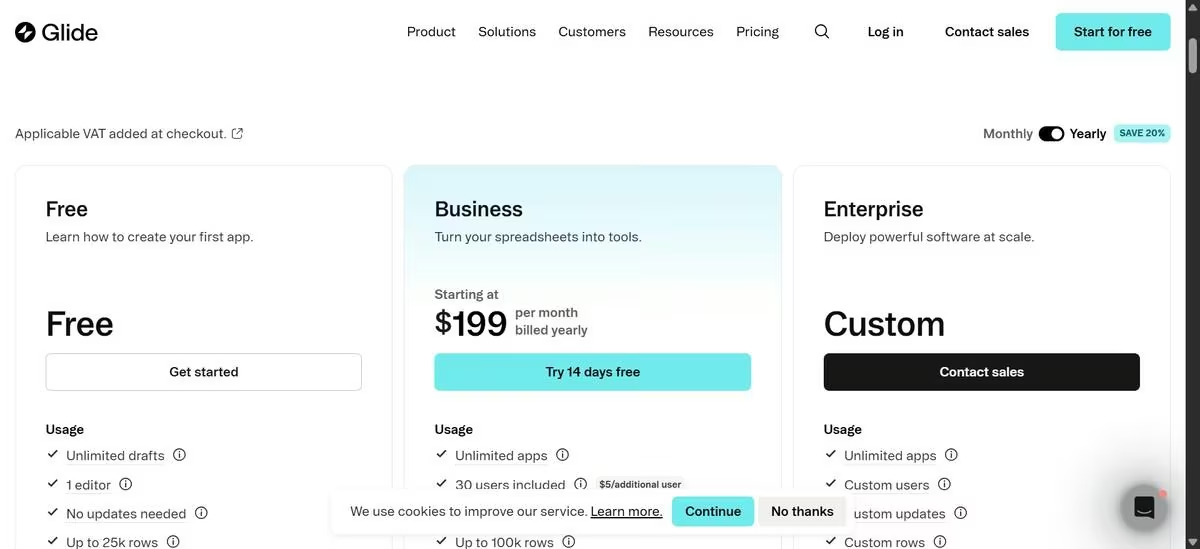
- Free ($0): Build and preview apps with one editor and up to 10 personal users. You can't publish an app or use monthly updates.
- Explorer ($25/month or $19/month annually): Publish one app, access Glide AI and workflows, and get 250 monthly updates. Best for lightweight personal projects.
- Maker ($60/month or $49/month annually): Publish up to three apps, use custom domains, sync with Google Sheets, support unlimited personal users, and get 500 monthly updates.
- Business ($249/month or $199/month annually): Publish unlimited apps, include up to 30 business users, unlock Airtable, Excel, PostgreSQL, and the Glide API, and receive 5,000 monthly updates. Additional business users cost $6 per user per month ($5 on annual billing), and extra updates cost $0.02 each.
- Enterprise (Custom pricing): Adds SQL Server, BigQuery, Salesforce, HubSpot, SSO, dedicated support, and custom limits.
- The real cost driver: Glide charges based on updates, not just subscriptions. Every workflow execution, data refresh, and automation counts toward your monthly allowance. Apps that frequently sync data or automate tasks can generate significant overage charges.
Want the full breakdown of what each plan actually covers? Read our Glide pricing guide before you commit.
FlutterFlow
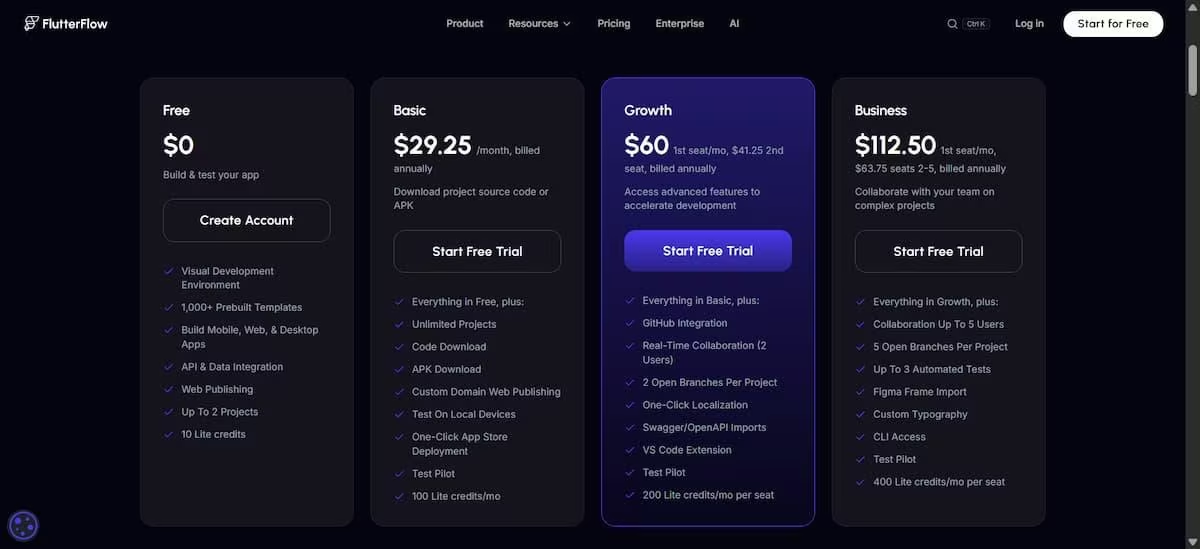
- Free ($0): Full visual builder, Firebase and Supabase connections, up to two projects. No code export, no app store publishing, 5 lifetime AI generation requests.
- Basic ($39/month, $29.25/month annual): Unlocks code export, APK download, custom domain support, and app store deployment.
- Growth ($80/month for the first seat plus $55/month for a second, billed monthly; $60/month first seat plus $41.25/month second seat, billed annually): Adds GitHub integration, real-time collaboration, project branching, and localization tools.
- Business ($150/month for the first seat plus $85/month per additional seat, seats 2 to 5, billed monthly; $112.50/month first seat plus $63.75/month per additional seat, billed annually): Adds automated testing and expanded collaboration for agencies and larger teams.
Enterprise: Custom pricing, unlimited AI requests, unlimited editors and branches, dedicated support.
The real cost driver: FlutterFlow doesn't charge based on app usage, so pricing is more predictable. Costs increase primarily as you add collaborators. You'll also pay separately for backend services like Firebase or Supabase, plus Apple's $99/year developer account and Google's one-time $25 Play Store registration fee if you publish mobile apps.
Want the full breakdown of what each plan actually covers? Read our FlutterFlow pricing guide before you commit.
Emergent
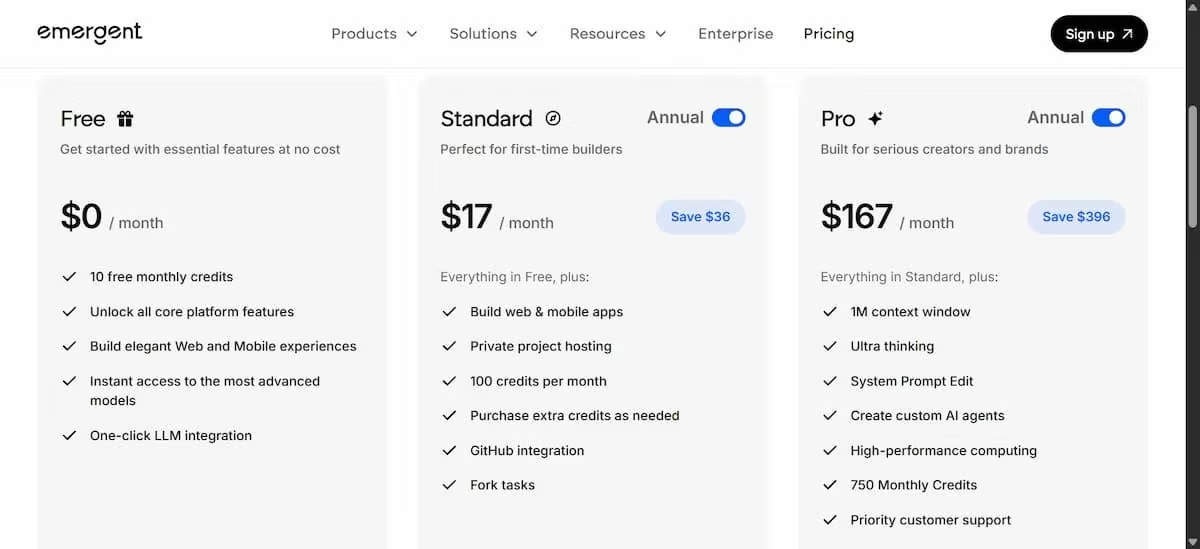
- Free ($0): 10 credits, enough for a small first build, not much beyond it.
- Standard ($20/month, 100 credits; $17/month billed annually, saving $36/year): Includes mobile support.
- Pro ($200/month, 750 credits; $167/month billed annually, saving $396/year): For heavier, ongoing build work.
- Business (Custom pricing): Adds role-based access control, single sign-on, and shared team workspaces with real-time co-editing.
- Enterprise (Custom pricing): Adds user-level credit limits, audit logs, self-hosted database support, and deployment inside your own cloud.
The real cost driver: Emergent charges based on AI credits rather than projects or seats. In my testing, generating a complete app consumed 10.5 credits, exceeding the entire monthly free allowance in a single build. That aligns with G2 and Trustpilot reviewers who frequently mention running through the free credits much faster than expected.
What Real Users Say
Beyond formal review platforms, r/nocode on Reddit is where a lot of this sentiment shows up first and least filtered. Discussions there consistently point beginners toward Glide for accessibility, while describing FlutterFlow as the tool people graduate to once a project outgrows a spreadsheet.
Glide
- Pros: Reviewers consistently praise its ease of use, with many saying they were able to build functional apps without any coding experience.
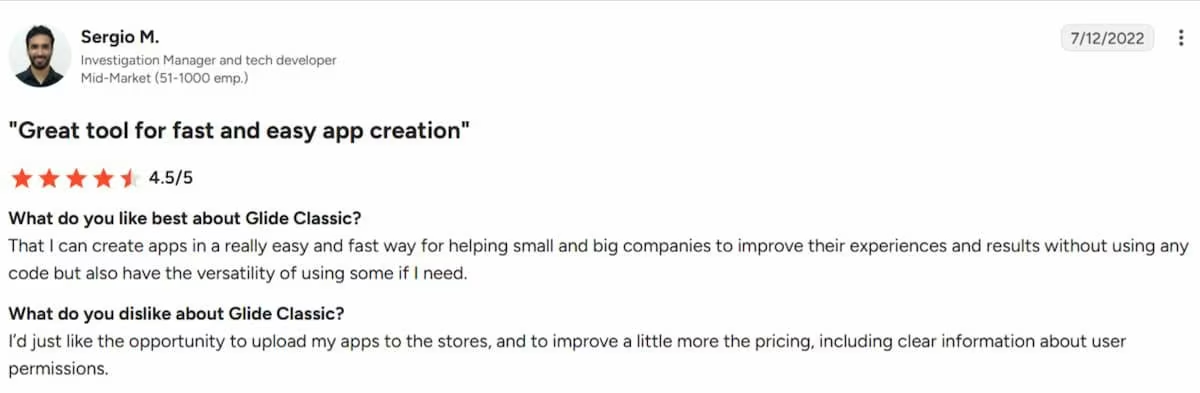
In the words of Sergio M., G2, “That I can create apps in a really easy and fast way for helping small and big companies to improve their experiences and results without using any code but also have the versatility of using some if I need.”
- Cons: The tradeoff is flexibility. Reviewers say Glide's predefined design system limits customization compared with more open builders, while others mention pricing surprises around publishing, user limits, and plan restrictions.
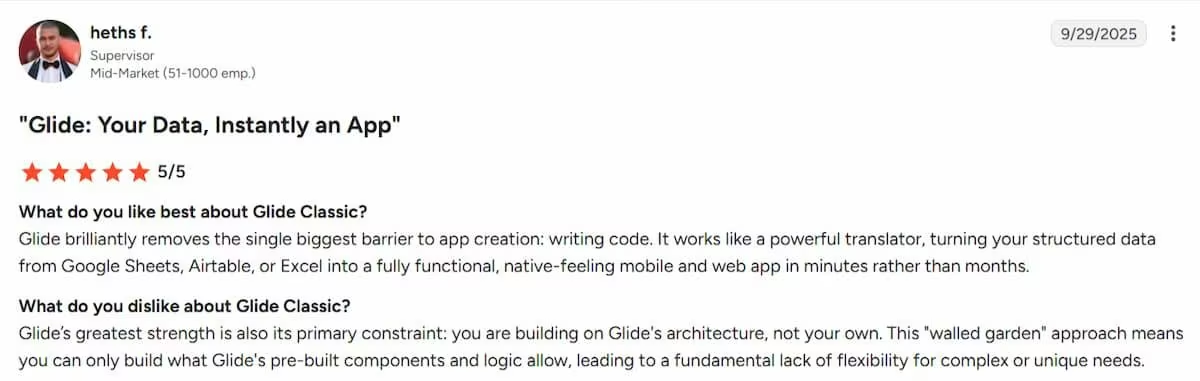
As described by Heths F. in this G2 review, “Glide’s greatest strength is also its primary constraint: you are building on Glide's architecture, not your own. This "walled garden" approach means you can only build what Glide's pre-built components and logic allow, leading to a fundamental lack of flexibility for complex or unique needs.”
Want the full picture of what users are saying? Read our Glide Review for a closer look at what builders actually ran into.
FlutterFlow
- Pros: Users praise FlutterFlow for combining visual development with clean Flutter code export, giving developers more control than traditional no-code builders.
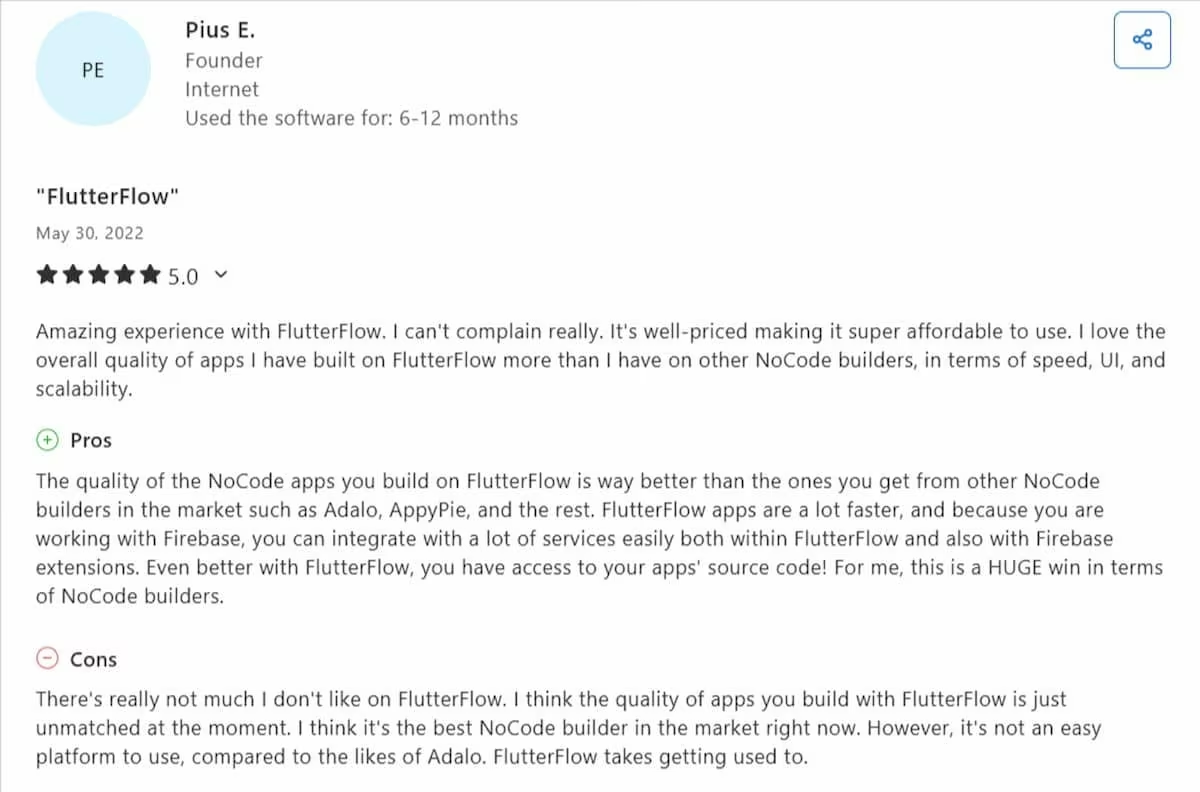
In the words of Pius E., in this Capterra review, “
The quality of the NoCode apps you build on FlutterFlow is way better than the ones you get from other NoCode builders in the market such as Adalo, AppyPie, and the rest.”
- Cons: Multiple G2 reviewers say FlutterFlow behaves more like a low-code platform than a true no-code builder, noting that advanced features often require writing custom Dart code, custom widgets, or custom functions.
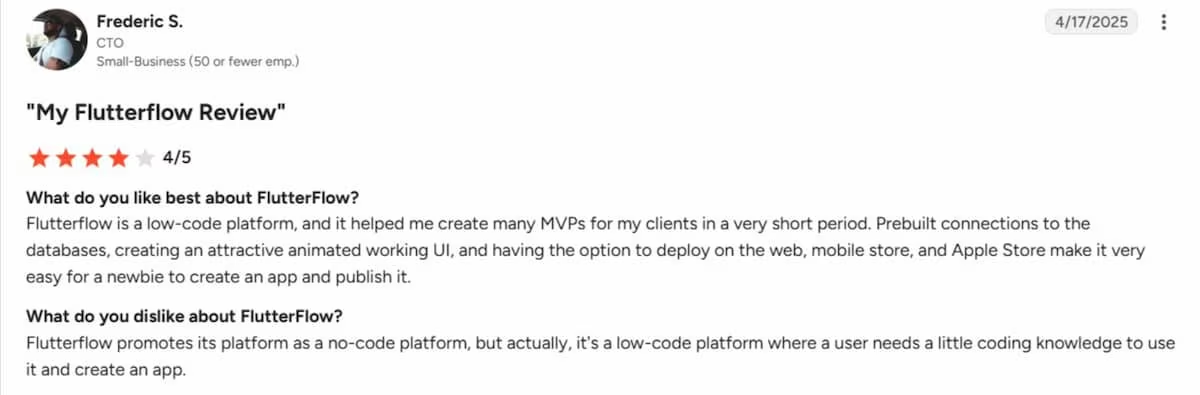
Frederic S., in this G2 review, stated that, “FlutterFlow promotes its platform as a no-code platform, but actually, it's a low-code platform where a user needs a little coding knowledge to use it and create an app.”
Want the full picture of what users are saying? Read our FlutterFlow Review for a closer look at what builders actually ran into.
Emergent
- Pros: Emergent makes app development accessible to non-developers. One Trustpilot reviewer said they had spent more than five years unable to build their idea because they lacked the coding skills and budget to hire developers. With Emergent, they finally turned that idea into a working product within weeks.
According to Declan C. on Trustpilot: “For over 5 years I have had an idea in mind without the coding ability to create it nor the cash to pay a team to do it for me. Then Emergent emerged and that all changed. Working with Emergent meant that I could just give it my creative inputs and it listened, understood and made it happen….I can't recommend Emergent enough.”
- Cons: The most common complaint is the credit system. Reviewers on both G2 and Trustpilot say credits are easy to exhaust and usage isn’t transparent.
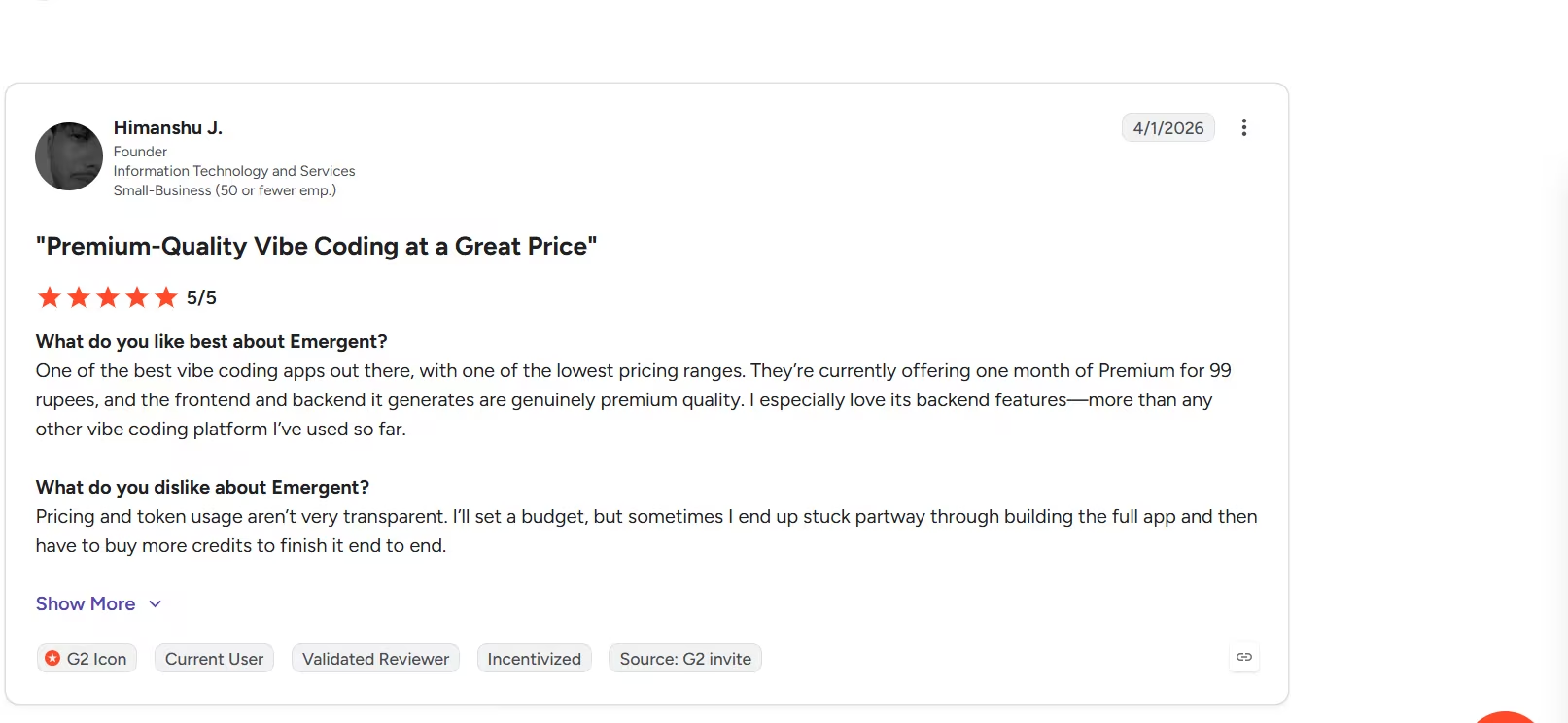
G2 reviewer Himanshu J. put it this way: “Pricing and token usage aren’t very transparent. I’ll set a budget, but sometimes I end up stuck partway through building the full app and then have to buy more credits to finish it end to end.”
Which Tool Should You Choose?
Choose Glide if you:
- Already manage the relevant data in Google Sheets, Airtable, or Excel.
- Need an internal tool live today, not in a few weeks.
- Don't need App Store or Google Play distribution.
Choose FlutterFlow if you:
- Need a genuinely native iOS and Android app.
- Have the patience for a real learning curve, or a technical teammate who does.
- Want to own exportable code from day one.
Choose Emergent if you:
- Want a backend and database built alongside your app, not configured separately.
- Don't want to choose between Glide's simplicity ceiling and FlutterFlow's setup complexity.
- Don't need a fully native Flutter-compiled app or Apple Watch and iPad support, which Emergent doesn't cover.
My Final Verdict
Of the three, Emergent was the easiest to use and produced the most complete, polished output in my testing: a working, branded app in eight minutes, using just over one month's worth of free-tier credits in a single build.
Glide gets you a working skeleton even faster, in three minutes, but budget close to a full day afterward to make it presentable, and don't expect its AI to handle custom logic.
FlutterFlow's AI is the weakest of the three right now: it drafts a single screen and leaves the design and code to you.
That doesn't make Emergent the automatic right choice for everyone.
If a real native app on the App Store is the actual requirement, FlutterFlow's compiled Flutter output still isn't something Glide or Emergent match. And Emergent's own database-drift limitation is worth testing carefully before committing a production project to it.
Ready to Try Emergent?
Emergent builds the part your customers see, the part that stores and manages their data, and everything connecting the two, all from a single prompt, instead of leaving you to stitch three separate tools into one working app.
In testing, that produced a fully branded, working booking app in eight minutes, without setting up a separate service to store your data or placing a single button or calendar by hand.
Emergent is built for founders and SMB owners who want to move fast without learning to code. Have less than 10 minutes to spare? Build your first app on Emergent right away.

Most AI app builders stop at prototypes. Emergent creates production-ready apps you can actually launch.
- Production-ready apps
- Web & mobile apps
- Deploy in minutes







