



Most teams shopping for Quickbase alternatives aren't unhappy with the software. Quickbase does what it was built for, giving an operations team somewhere to run the messy internal work spreadsheets stop handling around the fiftieth column. What they don't like is the invoice once headcount grows.
Emergent is our product, so I'll start there and be specific about where it fits and where it doesn't. The other six I compared on the same stated criteria, using each vendor's official pricing page, published limits, and verified reviews. They're grouped by situation, not force-ranked.
Why Teams Look for Quickbase Alternatives
First, price. Quickbase publishes Team at $35 per user, per month, priced annually, and Business at $55, both footnoted "Cost shown does not include platform minimum."
It doesn't publish what that minimum is. Its pricing FAQ puts it this way: "Instead of focusing our pricing on user seats, Quickbase comes with a platform minimum fee."
Worth knowing, because most articles on the topic state a hard 20-user minimum on Team and 40 on Business. Those numbers circulate on competitor comparison pages, not Quickbase's own. G2's pricing listing reports its users' caution that Quickbase suits neither small businesses nor teams under 20 people.
Second is the learning curve. Quickbase holds a 4.4 rating across over 1,600 G2 reviews, so this is a well-liked product with one consistent complaint. Brayden M., a director of preliminary design, titled his review "Easy to use, hard to master."
Third, the published ceilings. Quickbase documents 500 records in a printed report, a 20-second report timeout, and 500 fields per form, and caps a single table at 500 MB by default.
Fourth, tier gating. Single sign-on, sandbox environments, and HIPAA compliance all sit on Business or above.
How I Compared These Seven
Emergent is the one platform here I built on directly. For the other six, I scoped the same three-role job tracker against their documented permission models and official pricing, so read those sections as research rather than as a build I finished.
Another 10 tools show up on other Quickbase lists and didn't make this one, including general-purpose no-code app builders that couldn't hold the permission model.
Five things decide whether a Quickbase replacement works out, and none of them show up in a feature grid:
- Build model: Whether a three-role job tracker means configuring, scripting, or prompting.
- Permission depth: Whether three roles get different data slices without hand-assembling every view.
- Reporting and export: Whether a weekly report filters, schedules, and exports without hitting a cap.
- Pricing model: Whether the bill tracks seats, records, or platform capacity, taken from the vendor's own page.
- Migration friction: How much of your data structure, roles, and automations survives the move.
7 Best Quickbase Alternatives: Quick Comparison
Prices come from each vendor's official pricing page:
1. Emergent: Best for a Custom Internal App You Own

What it does: Emergent is an AI app builder built for vibe coding. You describe the app in plain English, and it returns a complete, running app with the screens, the data, sign-in, and payments handled, plus the code underneath.
Best for: Teams who'd rather own a custom app than license a platform per seat.
This is our platform, so it's where I go deepest and where you should read the cons most carefully. The other six answer the Quickbase question with a different platform to license. Emergent hands you the app itself, with specialized agents shaping the screens, wiring up the logic, and running end-to-end checks before you see it.
The prompt I used was: "Build an internal job tracker where field technicians log site visits with photos, managers approve or reject each visit, and admins can filter by date range and export a weekly CSV. Three roles with different permissions."
I picked E-1 from the agent dropdown, the step-by-step builder. The first pass returned the three roles, a visits table, and a live approval flow, and the export needed one follow-up prompt for the date filter.
Who should look elsewhere: developers wanting a faster way to write code by hand are better served by an AI code editor, and marketing sites belong in Webflow. Output quality tracks prompt quality, and vague prompts burn credits. Apple Watch and iPad apps can be coded but not yet published, and formatted PDF reporting has known page-break problems inside charts.
Output quality tracks prompt quality, and vague prompts burn credits. Emmy, the assistant behind the chat icon on every page, is the hedge against that: she turns a rough idea into a build-ready prompt and forecasts your credit spend without consuming any.
Key Features
- Plain-English builds: Specialized agents build it, testing agents check it.
- No per-seat pricing: Adding users to a finished app doesn't change the bill.
- GitHub sync on Standard and up: Push each build to a repository under your own account.
Pros and Cons
Pros:
- User count never enters the pricing, and the code leaves with you.
- Roles and sign-in come from the prompt, not a permission matrix you assemble.
- The cheapest way to test a custom app against a licensed platform.
Cons:
- Credits burn fast on vague prompts, and reviewers say so loudly.
- PDF report generation is weak enough that report-heavy teams should look elsewhere.
- Single sign-on, access control, and audit logs sit on Business and Enterprise.
What Users Say
Emergent holds a 2.9 TrustScore across more than 600 Trustpilot reviews, lower than any Capterra score quoted here and worth 10 minutes of your time.
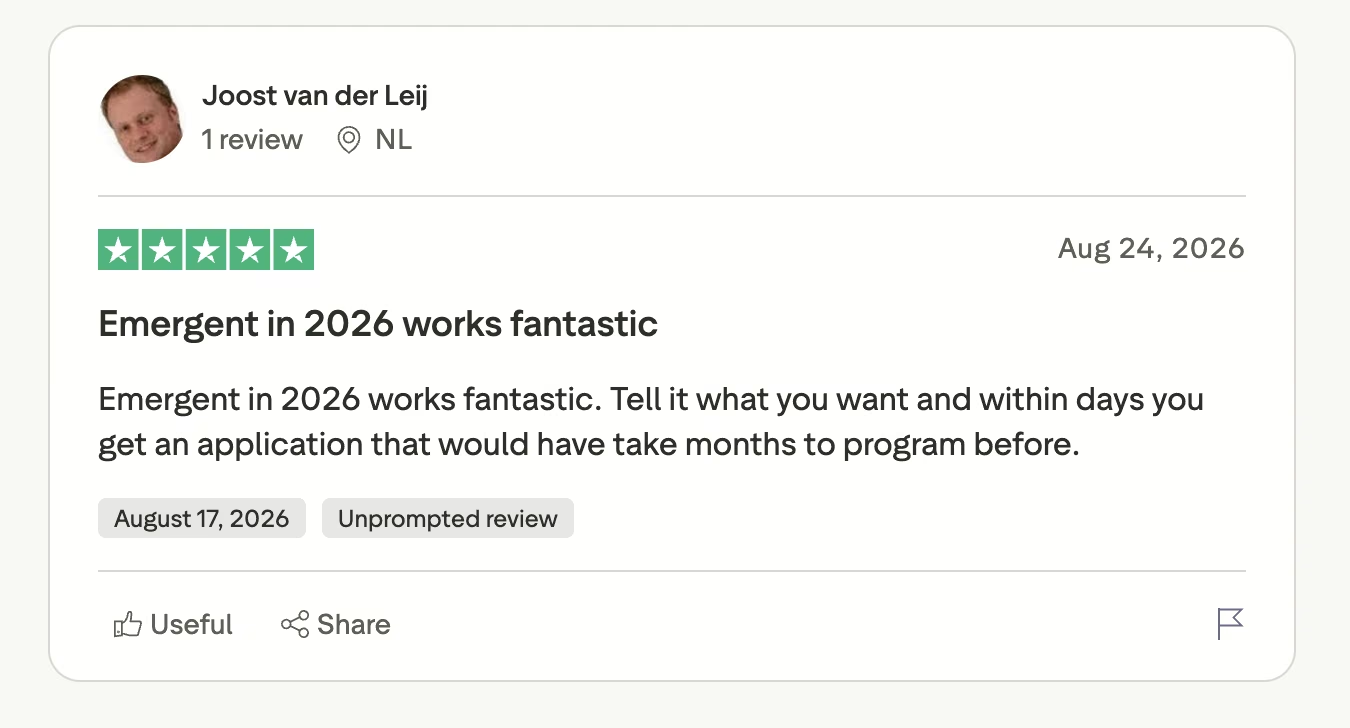
Joost v., five stars on Trustpilot: "Tell it what you want and within days you get an application that would have take months to program before."
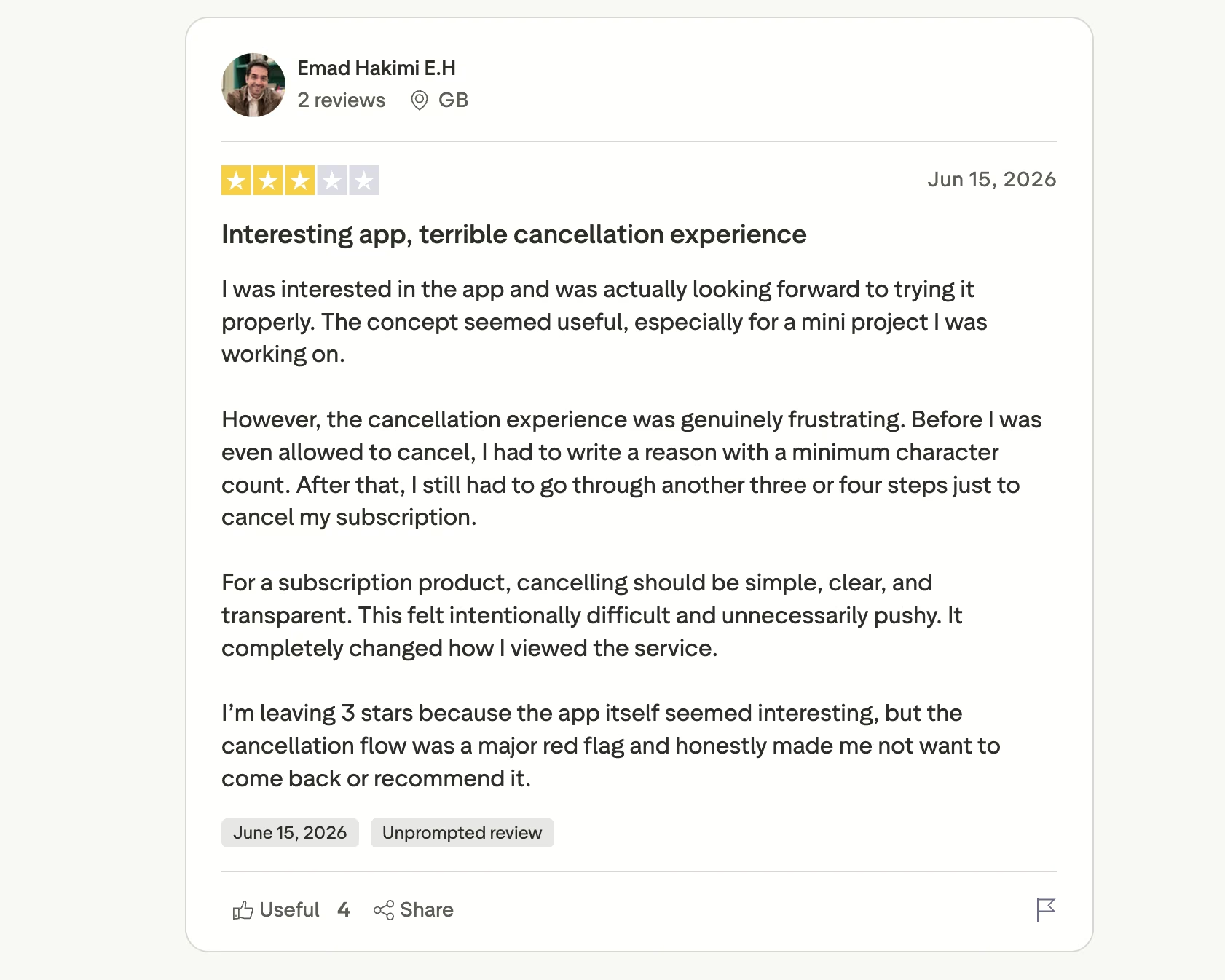
The measured criticism is about billing friction rather than the build. Emad H., in a three-star review on Trustpilot: "the cancellation experience was genuinely frustrating. Before I was even allowed to cancel, I had to write a reason with a minimum character count."
Pricing
Standard costs $20/month for 100 credits, or $17/month billed annually. Pro runs $200/month for 750 credits ($167 annually). A free plan includes 10 monthly credits, and Business and Enterprise are quoted by sales.Deployment costs 50 credits per month per deployed app, so a Standard plan running one live app has 50 credits left for building.
Bottom Line
Emergent is the right call when seat licensing is driving you off Quickbase, and you'd rather own the app than rent it. It's the wrong call if you need formatted PDF reports or enterprise governance on a $20 plan.
2. Zoho Creator: Best for the Closest Structural Match
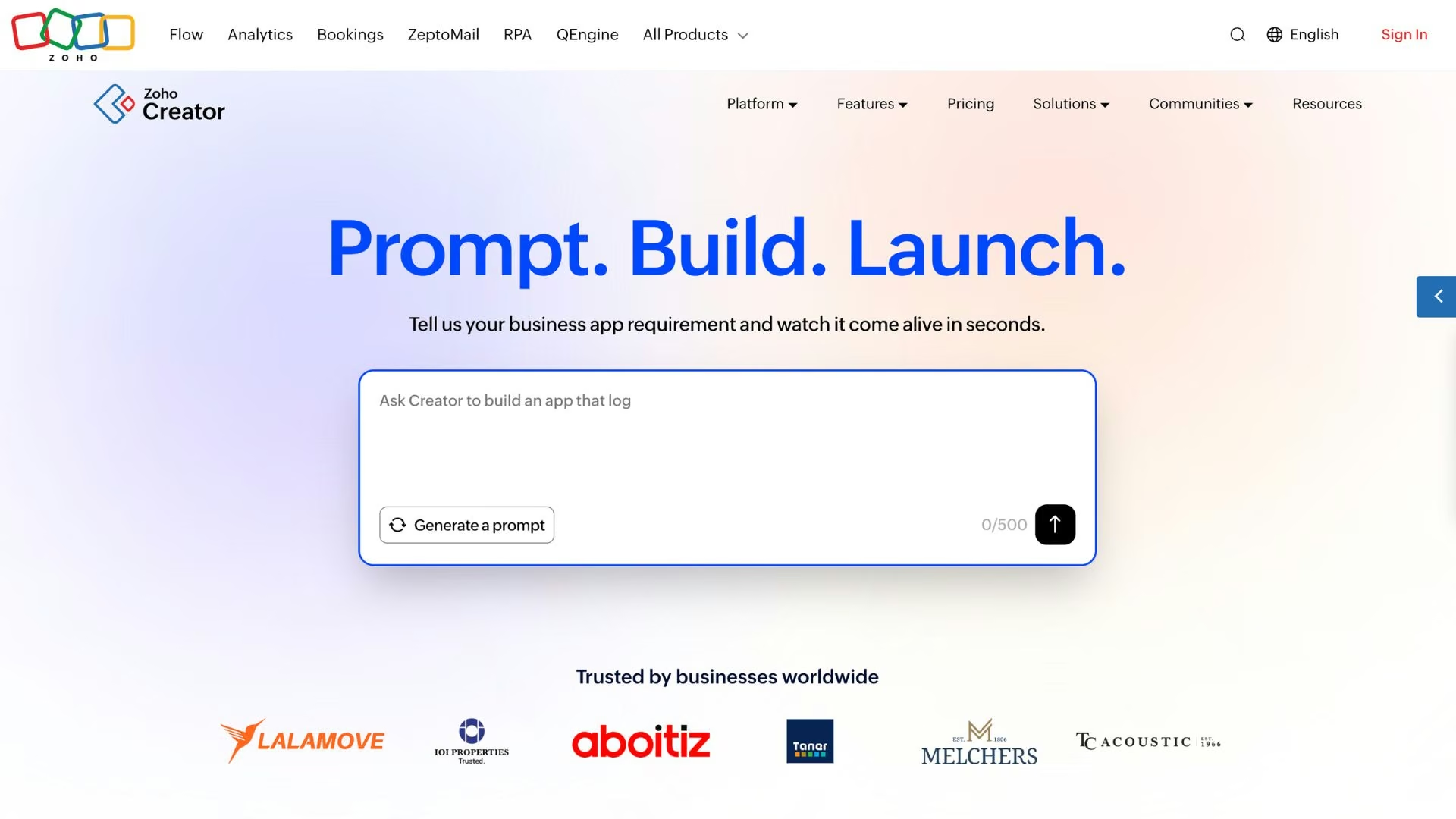
What it does: Zoho Creator is a low-code platform for building relational business apps with forms, reports, role-based access, and scripted workflow logic.
Best for: Operations teams that want Quickbase's shape at a fraction of the seat cost.
Forms feed reports, reports live on pages, and permissions hang off roles, which is the same skeleton a Quickbase app is built on. Deluge, its scripting layer, handles the conditional approval logic drag-and-drop builders can't express.
Deluge is also where the learning curve lives, and it's the most consistent theme in Creator's reviews.
Key Features
- Deluge scripting: Approval chains visual builders can't express.
- Native mobile apps: Offline data capture for field staff, no separate build.
- Role-based permissions: Close enough to Quickbase's to make migration a translation job.
Pros and Cons
Pros:
- The lowest per-user entry price of any true Quickbase replacement.
- Feature parity that lets you keep your existing app structure.
- Mobile apps and offline capture from the entry plan.
Cons:
- Deluge takes a week or two if you've never scripted.
- Heavily templated, so it expects your app to look like a Zoho app.
What Users Say
Zoho Creator holds a 4.3 rating across 170 Capterra reviews.
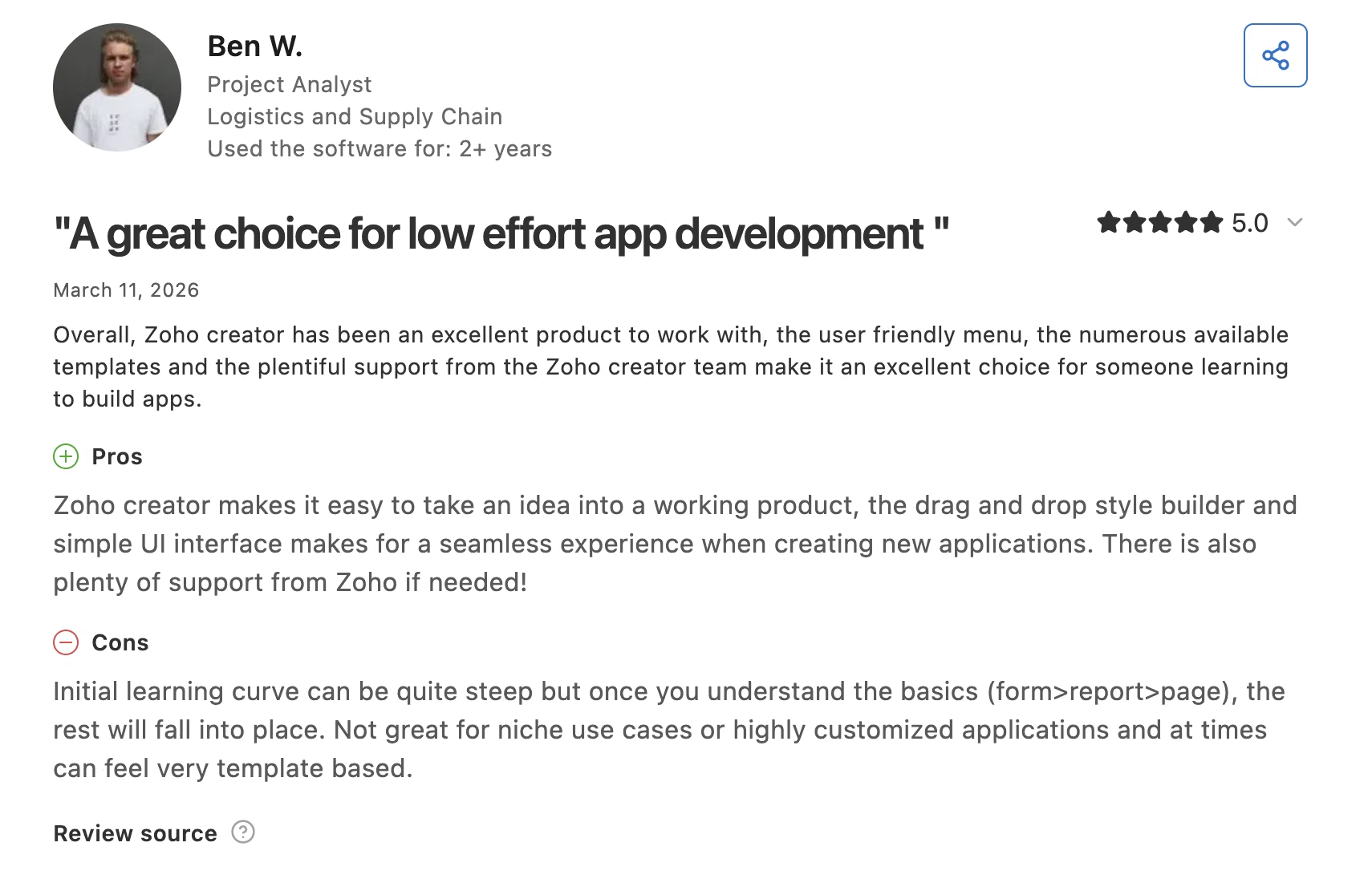
Ben W., a project analyst, on Capterra: "Zoho creator makes it easy to take an idea into a working product."
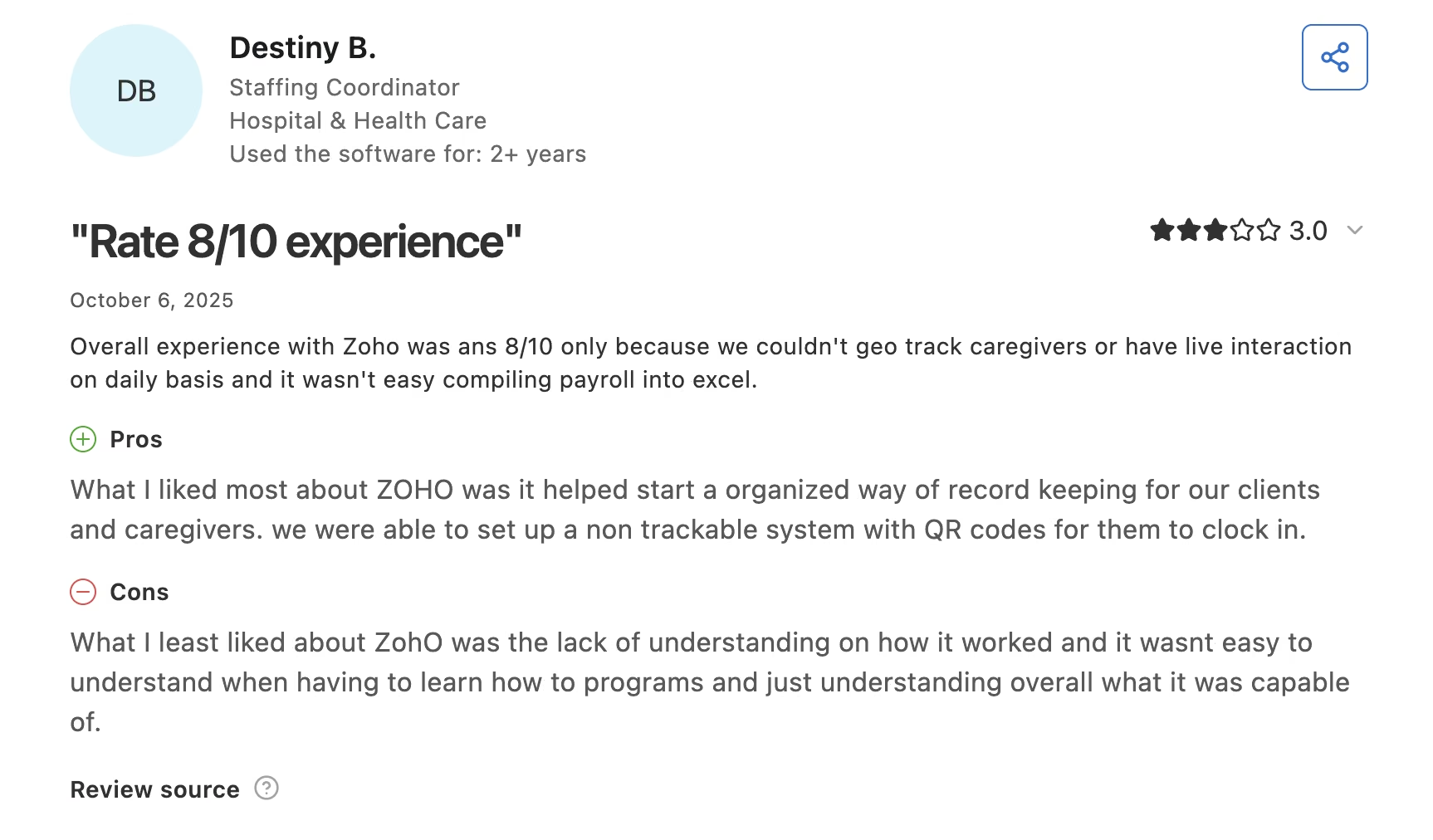
Destiny B. names the ramp-up cost in her cons on Capterra: "it wasnt easy to understand when having to learn how to programs."
Pricing
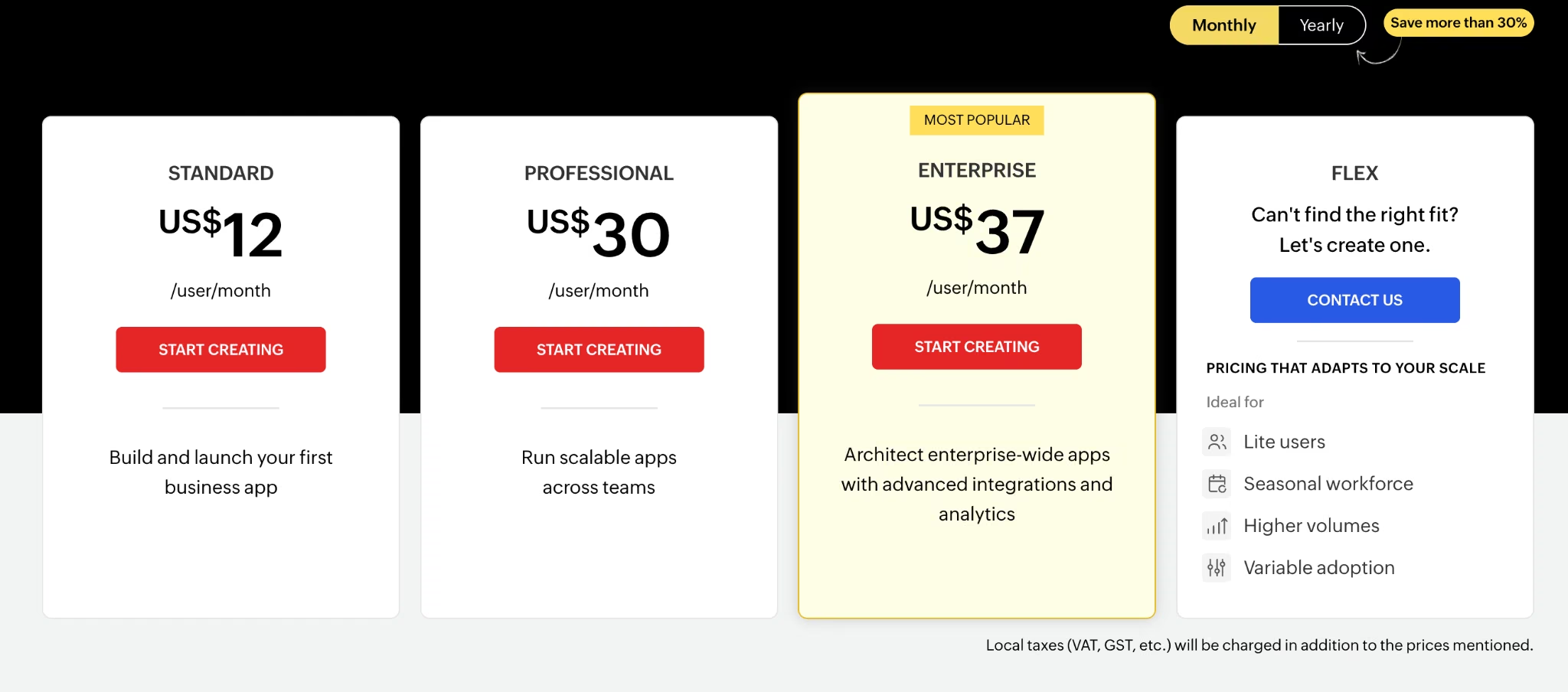
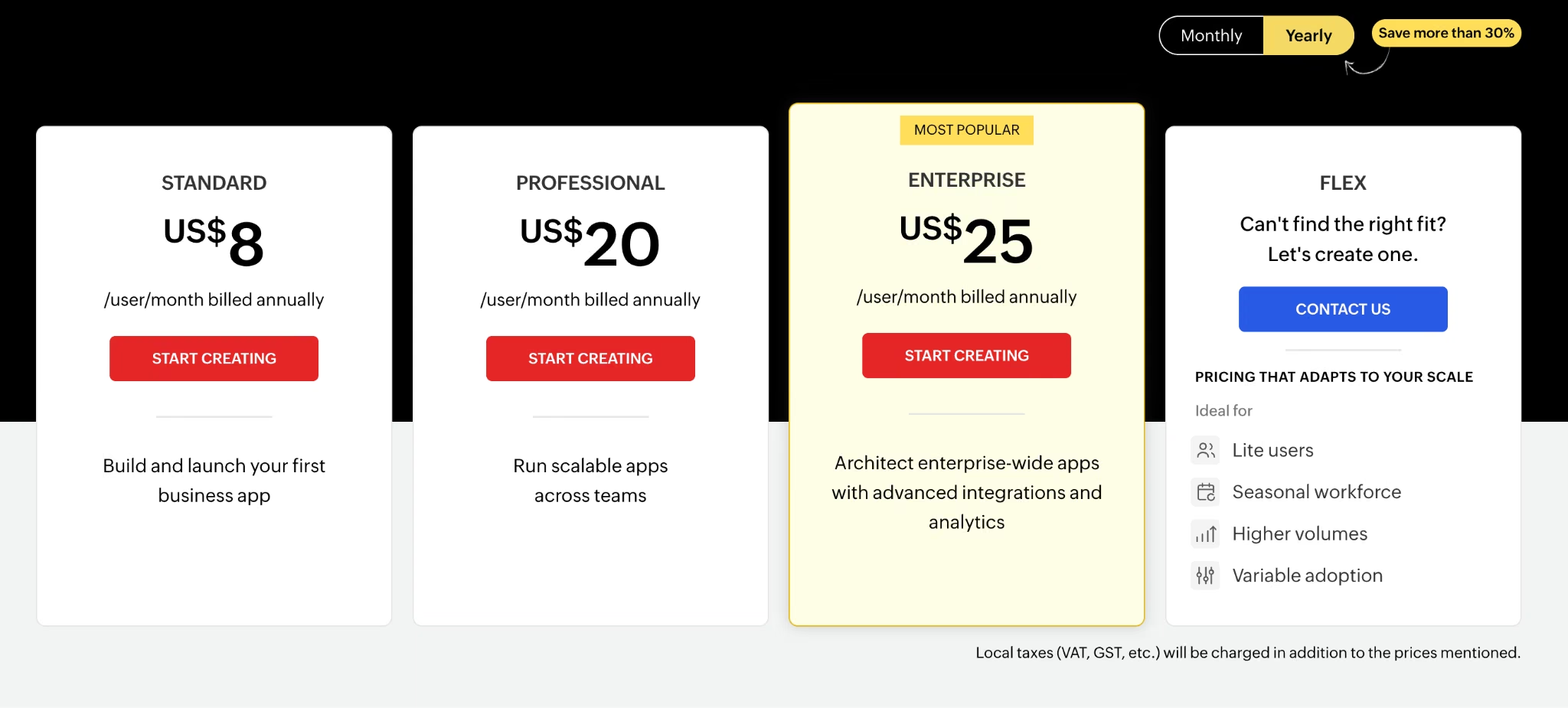
Standard runs $12/user/month ($8 per user/month billed annually), Professional $30/user/month ($20/user/month billed annually), Enterprise $37/user/month ($25/user/month billed annually) on the same terms. The free edition covers one app and 5,000 records.
Bottom Line
If your Quickbase app does ordinary operational work and the invoice is the problem, Creator is the shortest distance to where you want to be. Budget a week for someone to learn Deluge.
3. Kintone: Best for Mid-Size Operations Teams
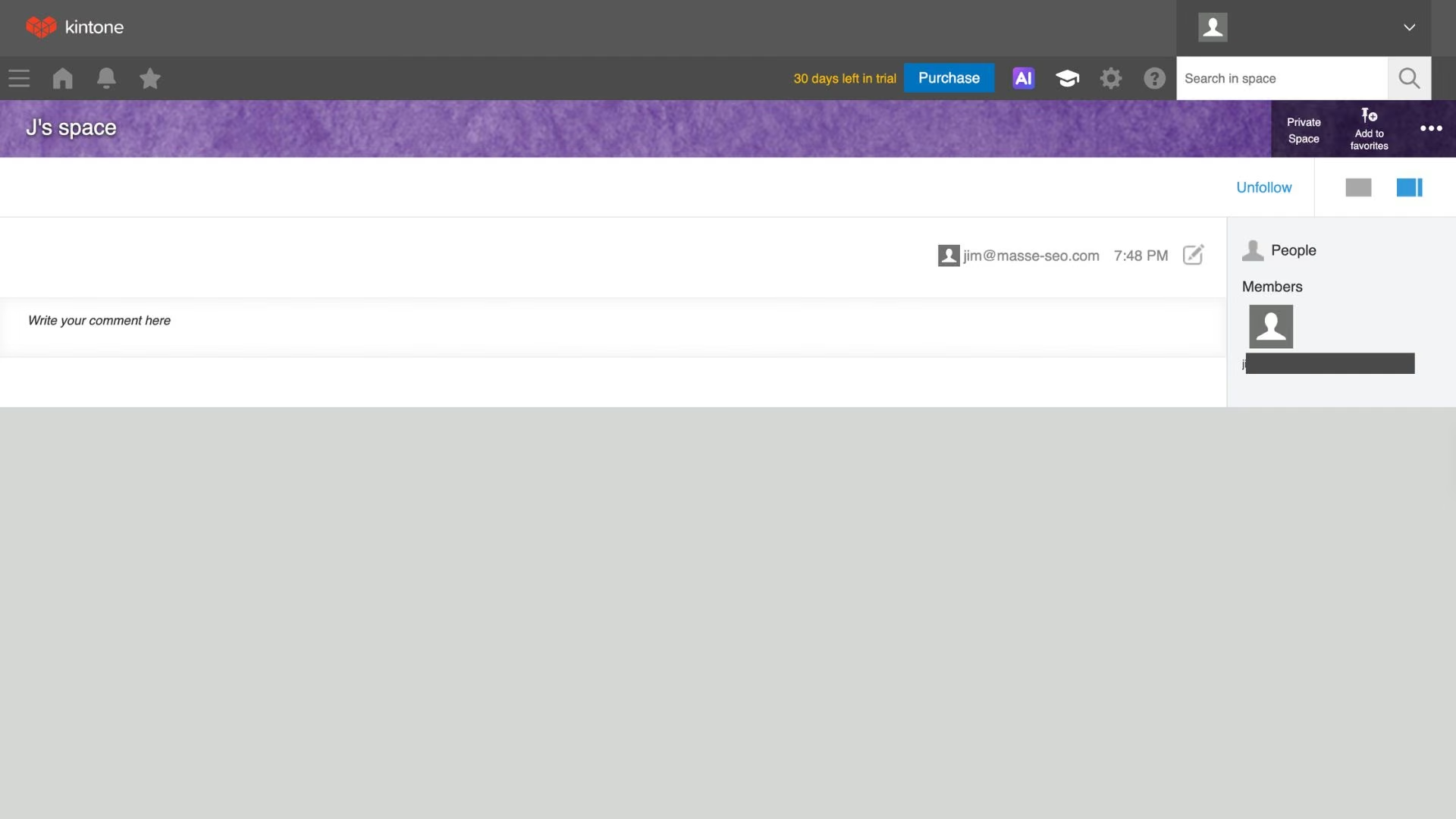
What it does: Kintone combines database apps, workflow approvals, and threaded team discussion in one product with a single pricing plan.
Best for: Operations teams of 20 to 200 people who want everything in one tier.
Every feature sits in one plan, so there's no upgrade conversation when you find the thing you need above your tier. Each app also carries a comment thread attached to records, so a rejected site visit becomes a conversation on the record itself.
Approval routing is simpler to set up than in Creator or Power Apps, and the trade-off is a plainer interface with reporting that handles standard charts and struggles past that.
Key Features
- One plan with every feature: No tier gating on single sign-on, workflow, or admin controls.
- Record-level comment threads: Approvals carry their discussion with them.
- Built-in process management: Multi-step routing configured through the interface.
Pros and Cons
Pros:
- Nothing important is locked behind a higher tier.
- Approval workflows are simpler than in Creator or Power Apps.
- A direct per-user comparison to Quickbase at a much lower rate.
Cons:
- The five-user minimum rules out one- and two-person teams.
- Reporting and charting are basic next to Airtable or Creator.
What Users Say
Kintone holds a 4.7 rating across 153 Capterra reviews, the highest Capterra score among these alternatives.
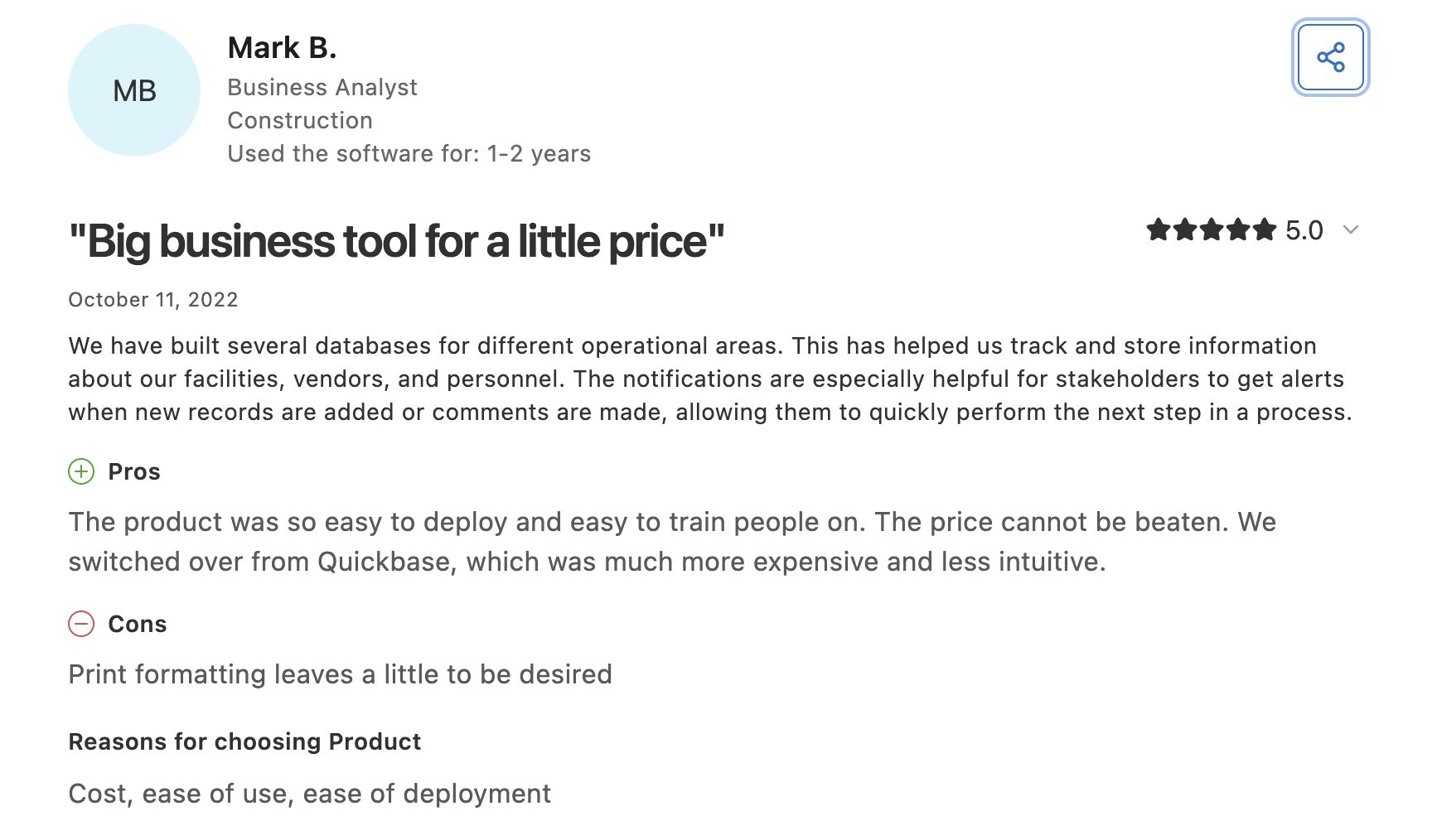
Mark B., a business analyst who made the switch, on Capterra: "We switched over from Quickbase, which was much more expensive and less intuitive."
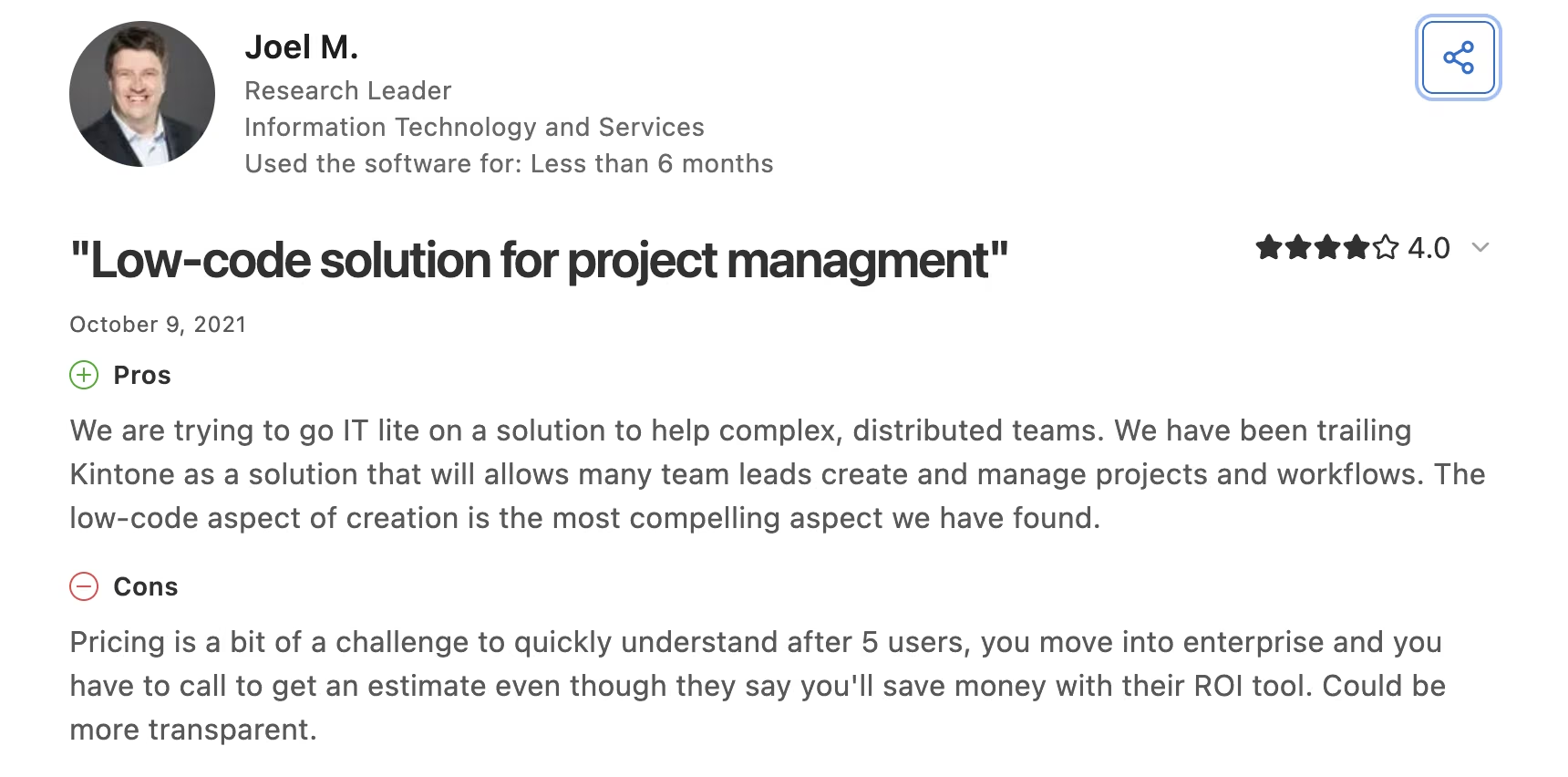
Joel M.'s four-star review flags pricing clarity under an older structure, before Kintone consolidated to the single plan it sells today: "after 5 users, you move into enterprise and you have to call to get an estimate."
Pricing
Kintone runs $24 per user/month on one plan with a five-user minimum, putting the floor at $120/month. A 30-day trial includes every feature.

Bottom Line
For a mid-size deployment, this is the closest thing to a straight swap anyone offers. Skip it if you're under five people or if your Quickbase app exists mainly to produce reports.
4. Caspio: Best for Unlimited Users on a Flat Fee
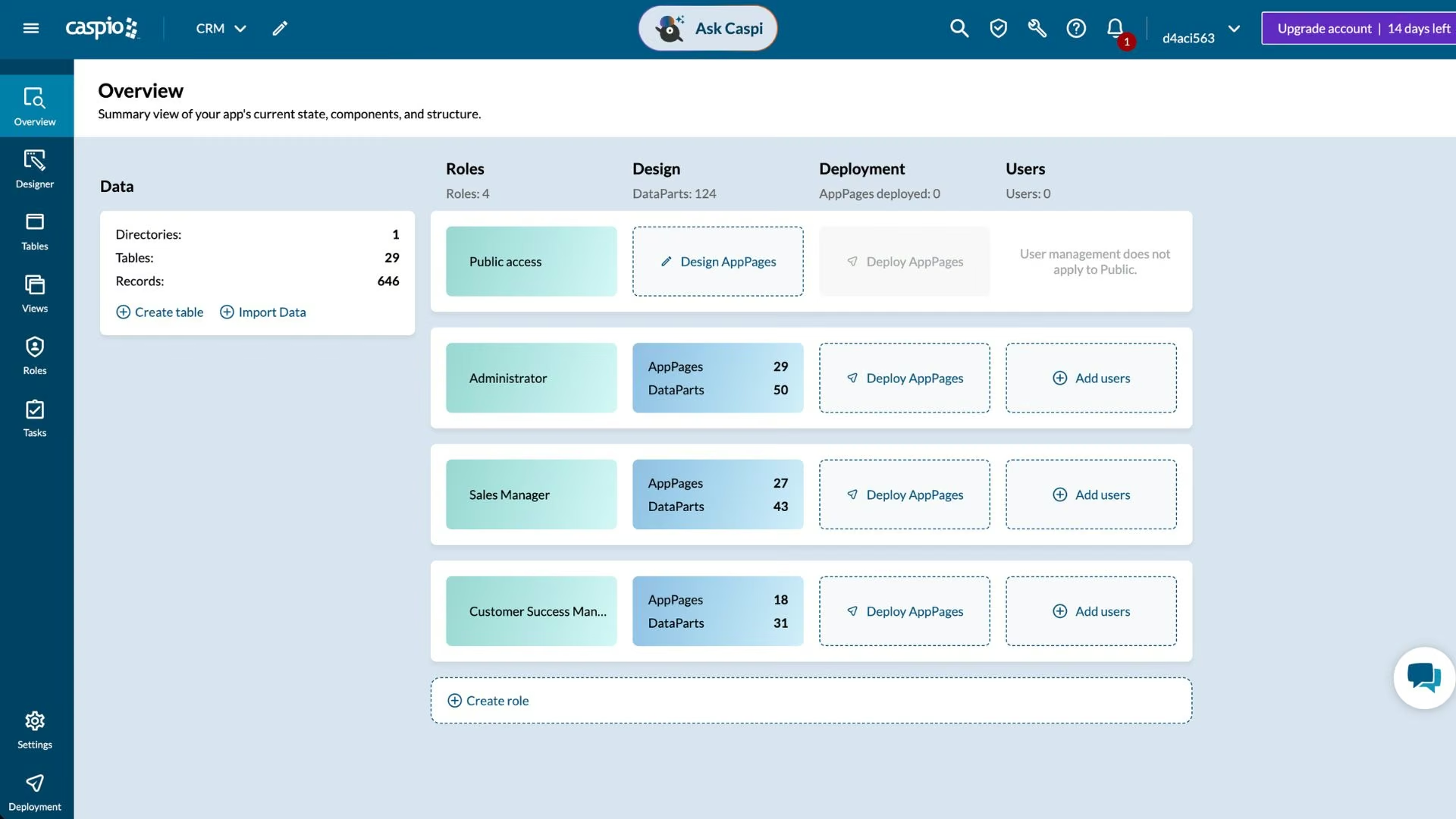
What it does: Caspio is a low-code platform for building database applications that embed into your own website, priced on platform capacity instead of seats.
Best for: Organizations where user count is the entire reason they're leaving Quickbase.
Every plan includes unlimited app users, so a 400-person field team costs the same as a 12-person one. Caspio works through DataPages, configured screens you generate from a wizard and embed wherever you want, which asks more of you than Knack's or Creator's builders and pays off in screens on your own domain.
The catch is the entry cost: against Quickbase's published $35 seat, the crossover lands around eight or nine seats.
Key Features
- Unlimited app users on every plan: Headcount stops being a pricing variable.
- Embeddable DataPages: Apps run on your own domain, no vendor subdomain.
- Compliance edition: HIPAA, SOC 2 Type II, and FERPA coverage at a published price.
Pros and Cons
Pros:
- Flat pricing that doesn't move when your team grows.
- White-labeled apps on your own web address.
- Compliance coverage without an enterprise negotiation.
Cons:
- The priciest way in, at five times what a five-person team pays for Creator ($300/month against $60).
- Reviewers dispute how no-code it stays at the complex end.
What Users Say
Caspio holds a 4.6 rating across 249 Capterra reviews.
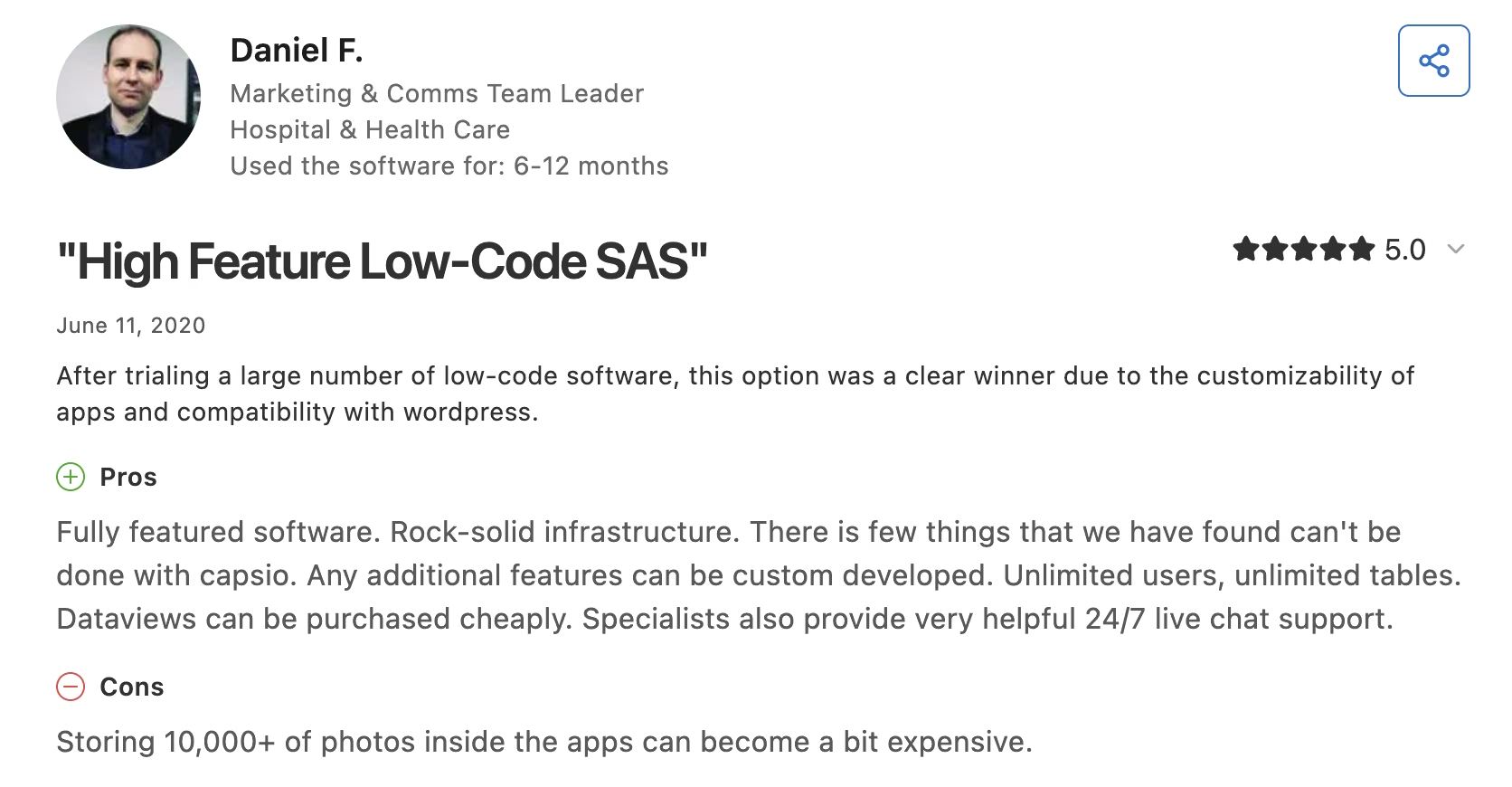
Daniel F., a marketing and communications team leader, on Capterra: "Fully featured software. Rock-solid infrastructure."
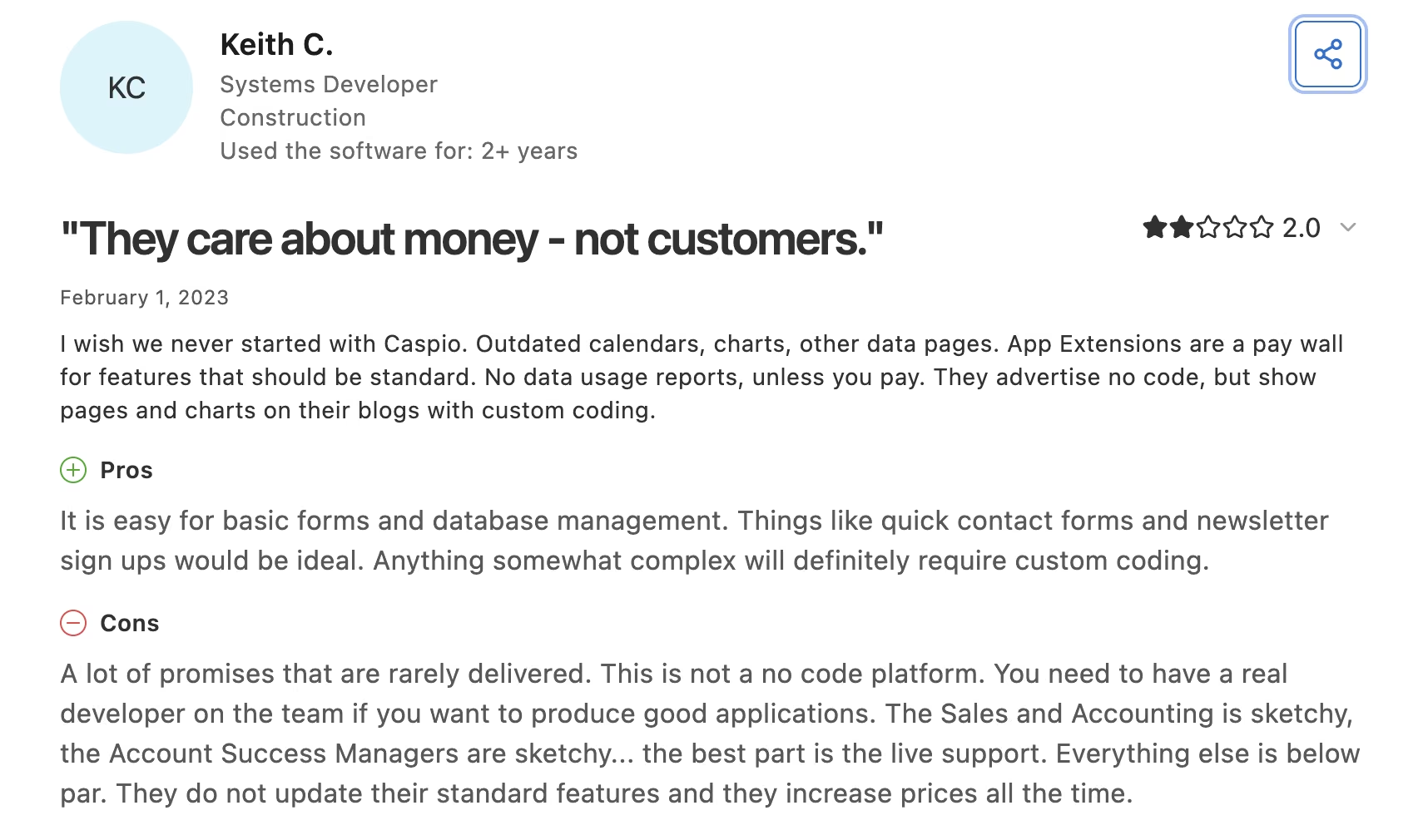
The dissent is sharper. Keith C., a systems developer, gave it two stars on Capterra: "A lot of promises that are rarely delivered. This is not a no code platform."
Pricing
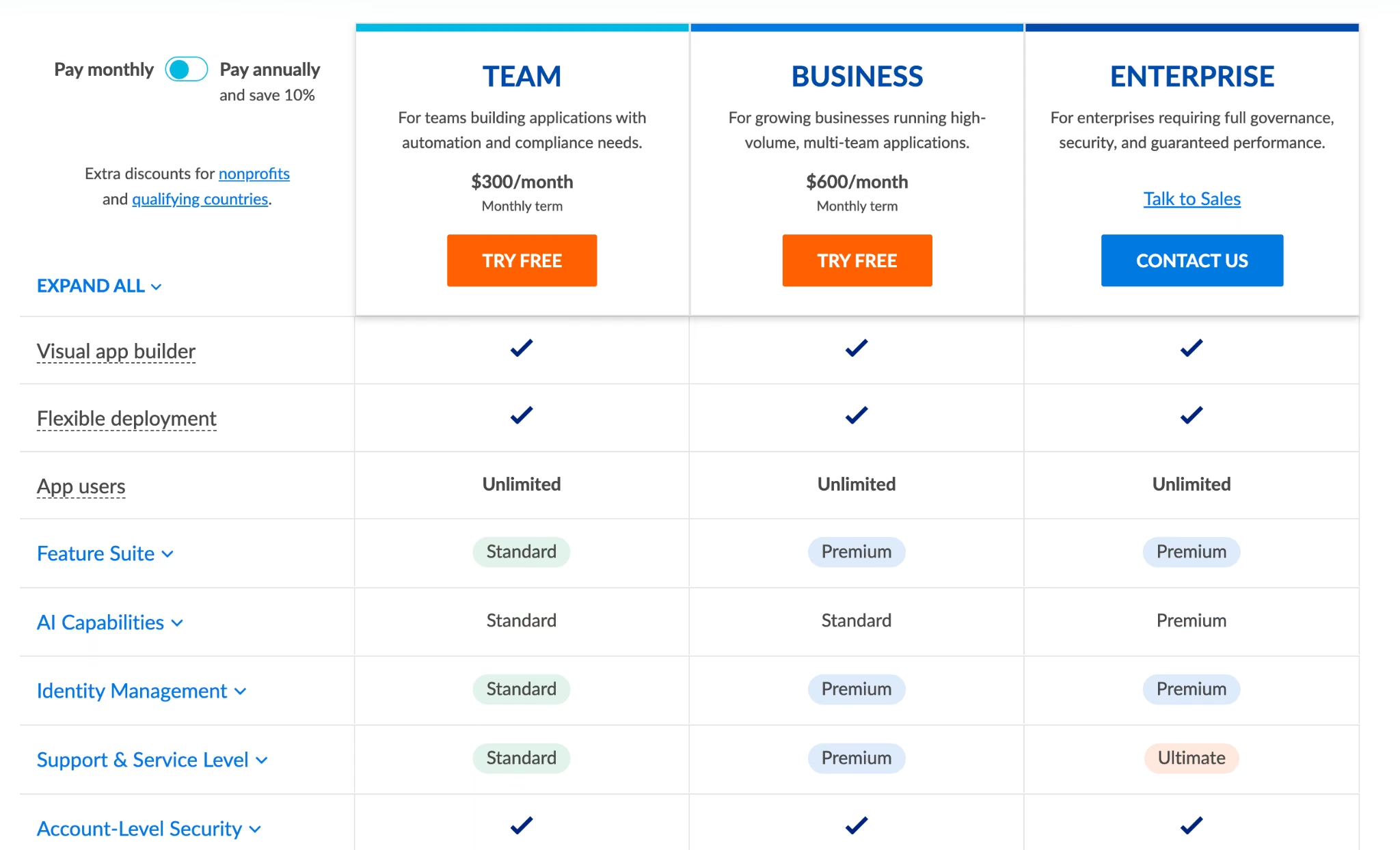
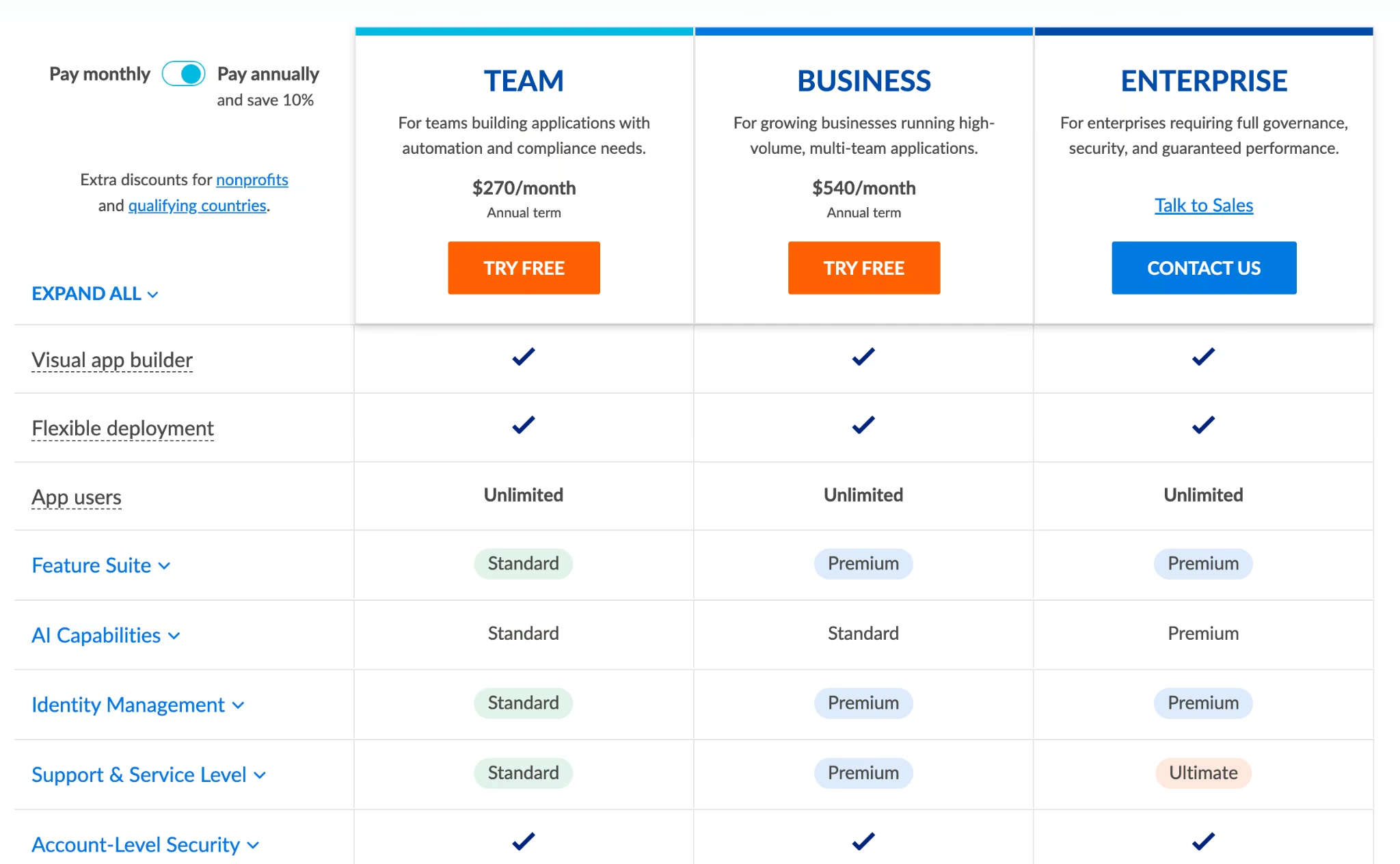
Team costs $300/month, or $270/month billed annually. Business runs $600/month ($540 annually), Enterprise is quoted by sales, and a HIPAA-compliant account is $500/month on a one-year term.
Bottom Line
Caspio removes headcount from the bill more completely than any other licensed platform here, which is worth $300 a month past eight or nine seats. Under that, you're paying enterprise money for a small app.
5. Knack: Best for a Fast First Build
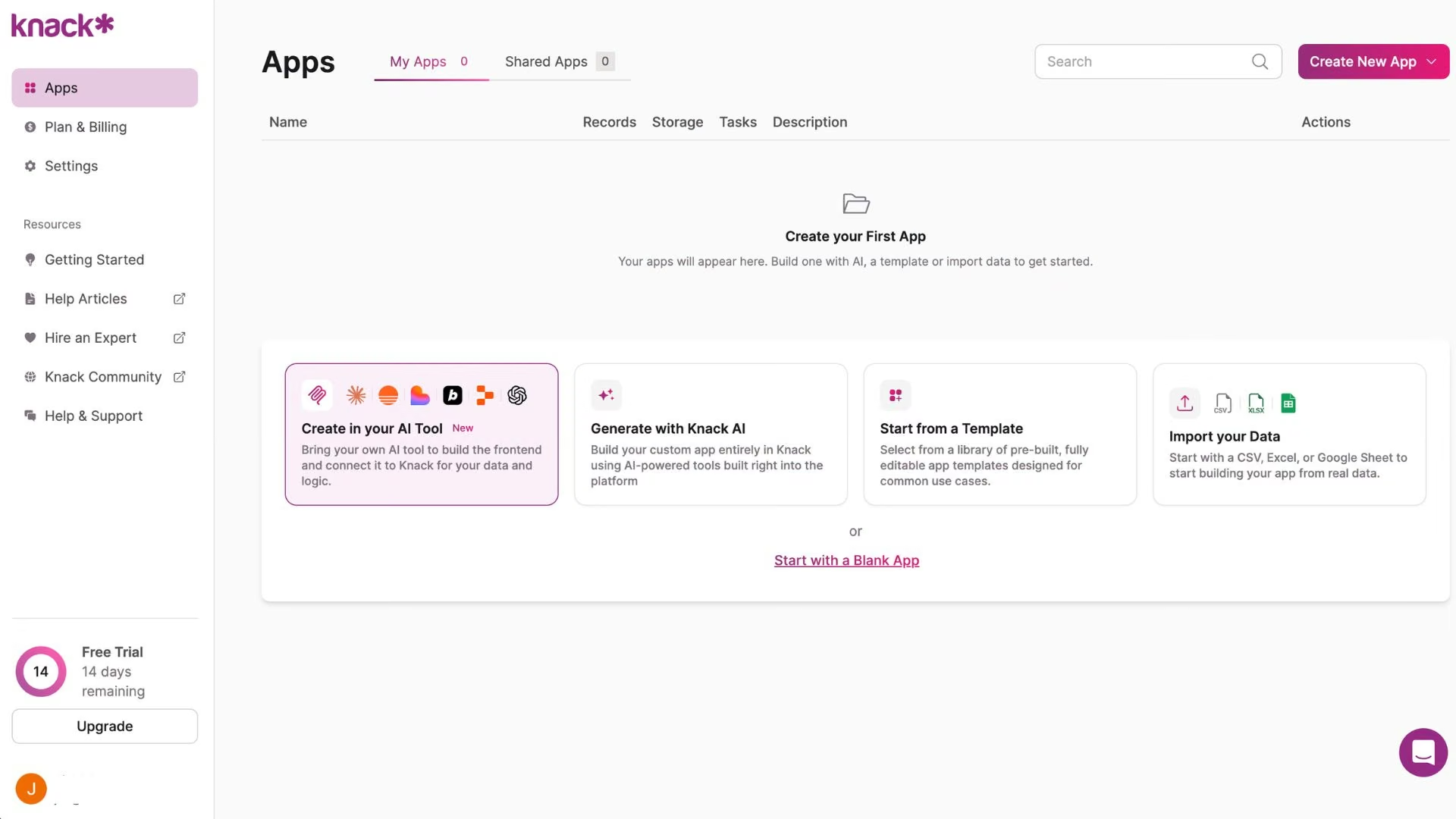
What it does: Knack is an online database builder that turns structured data into forms, searchable views, and role-gated portals without scripting.
Best for: Small teams that want something live within the week.
You define objects, connect them, and attach views, and that's the whole model, which is why Knack has the shortest path to a first version of any licensed platform here. It's also why distinct role experiences take work, since you build each role's view set one at a time.
Like Caspio, it doesn't charge per user. Pricing is based on record volume instead, so map your Quickbase tables against those numbers early.
Key Features
- Unlimited users on every plan: Headcount never enters the bill.
- No-code role gating: Staff, customer, and partner portals without scripting.
- Record-based tiers: Capacity scales from 20,000 to 2.5 million records.
Pros and Cons
Pros:
- Quick to a first app, with only three concepts to learn.
- No per-user charges at any tier.
- Clear compliance posture for regulated small businesses.
Cons:
- Building views per role gets repetitive past a few roles.
- Support responsiveness is the most consistent complaint in reviews.
What Users Say
Knack holds a 4.5 rating across 99 Capterra reviews.
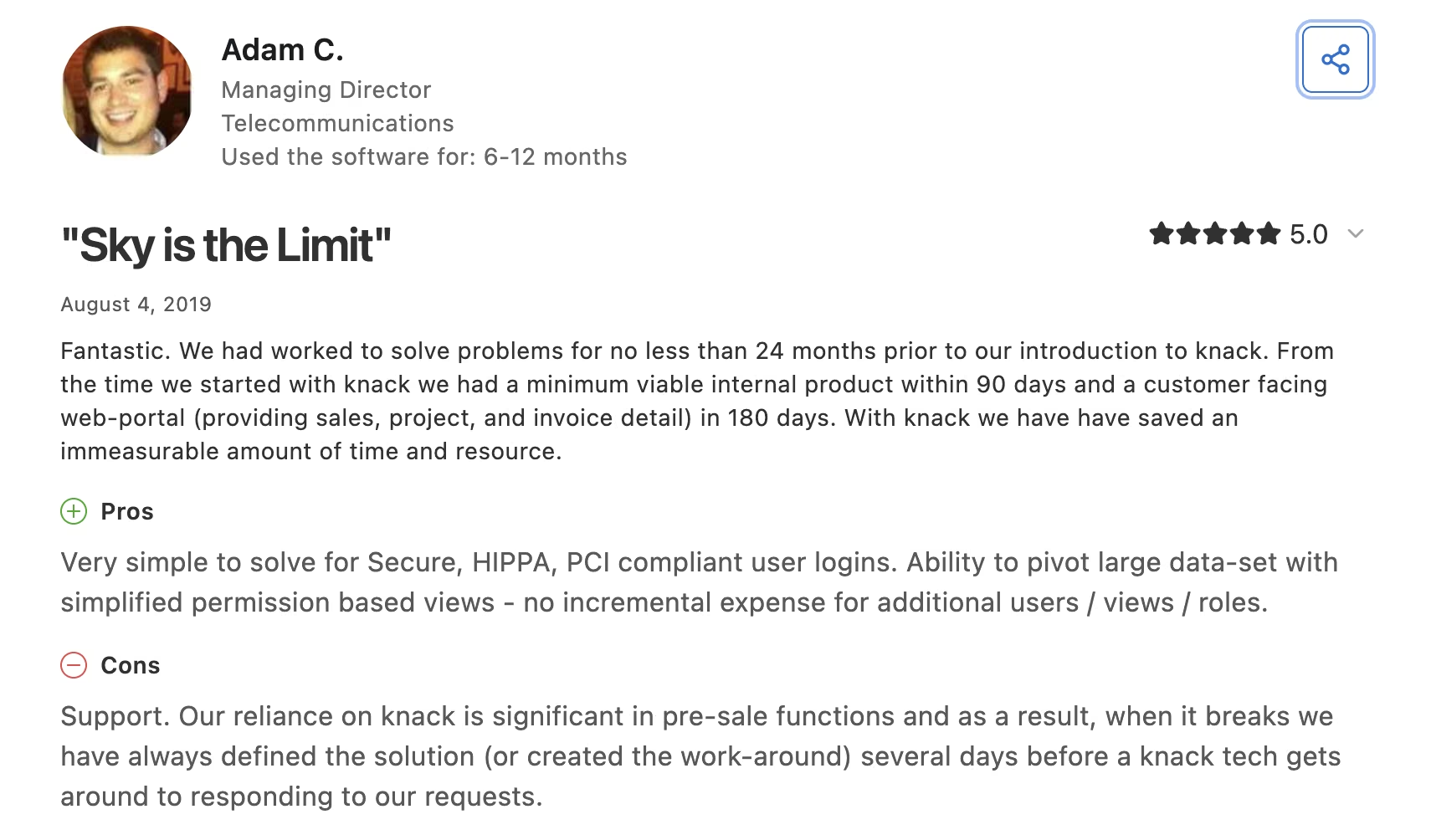
Adam C., a managing director, on Capterra: "no incremental expense for additional users / views / roles."
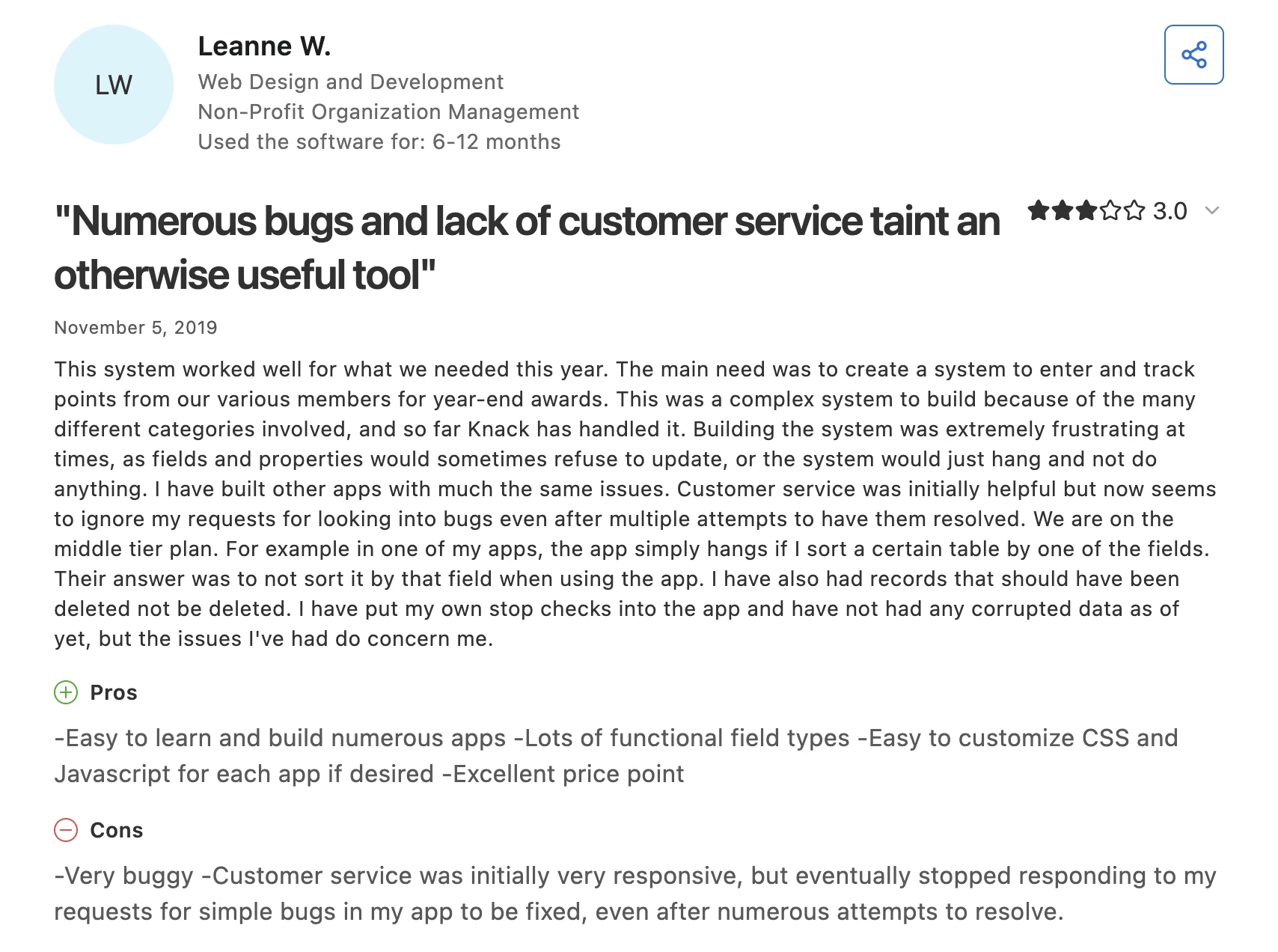
Leanne W.'s three-star review on
is about support:
"Customer service was initially very responsive, but eventually stopped responding to my requests for simple bugs in my app to be fixed."
Pricing
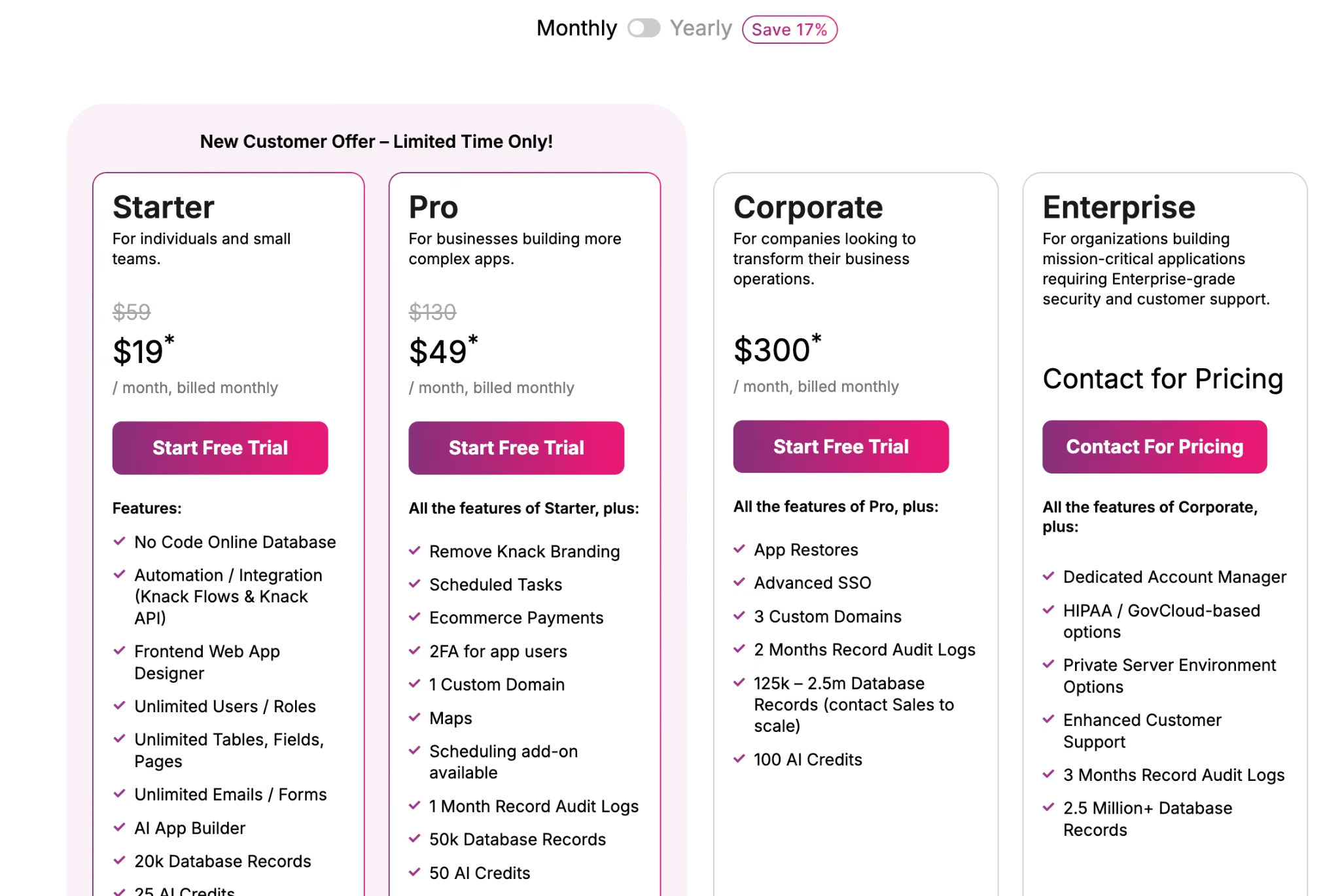
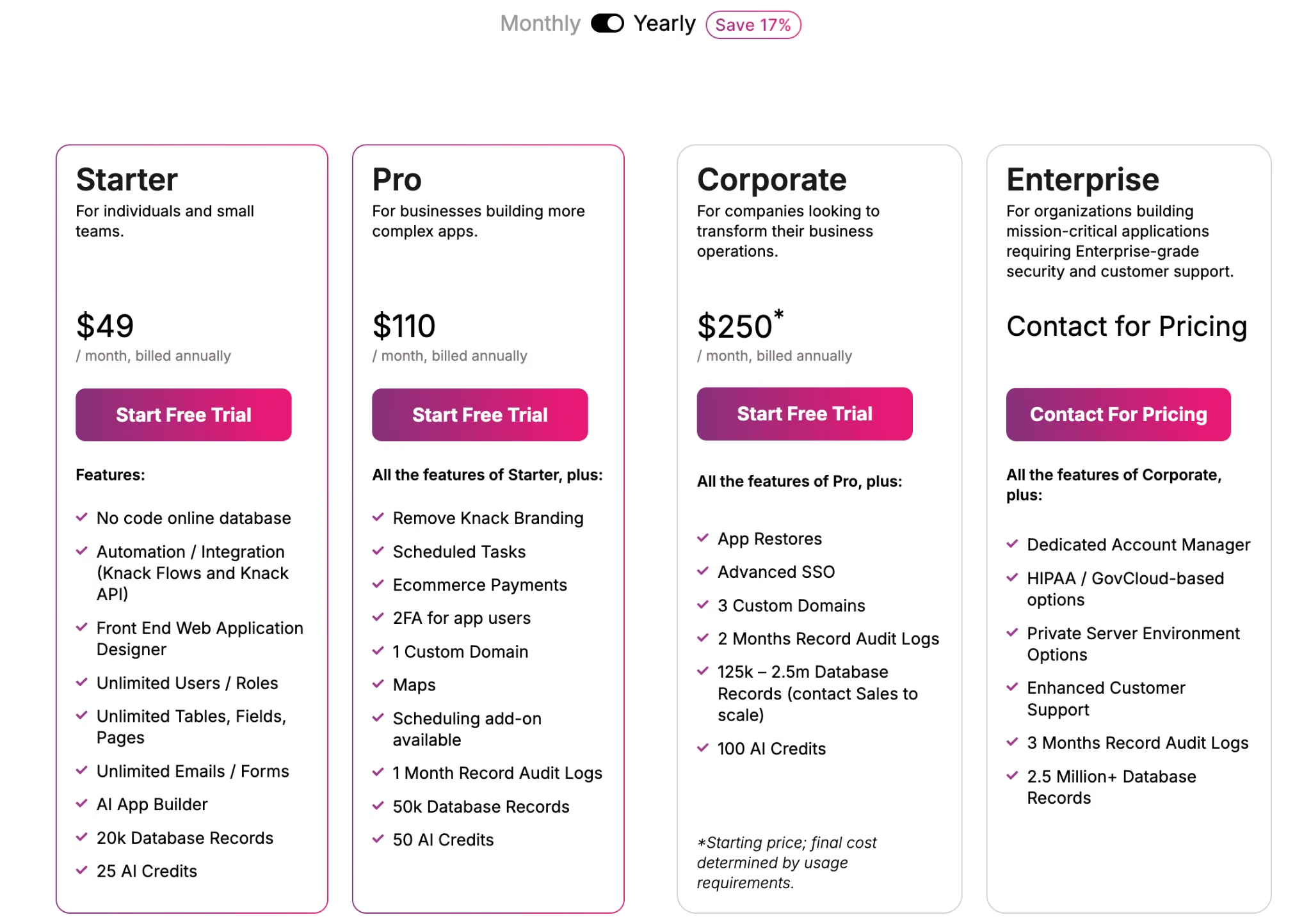
Starter costs $59/month for 20,000 records, or $49/month billed annually. Pro runs $130/month ($110 annually) for 50,000 records, and Corporate starts at $300/month. As of September 2026, a promotional discount runs on the first three months, so check which rate you're quoted.
Bottom Line
Two or three Quickbase apps, rebuilt in a weekend. That's Knack's sweet spot. A full operations stack is where it stops, and support response times are the thing to price in before you commit.
6. Microsoft Power Apps: Best for Microsoft 365 Companies
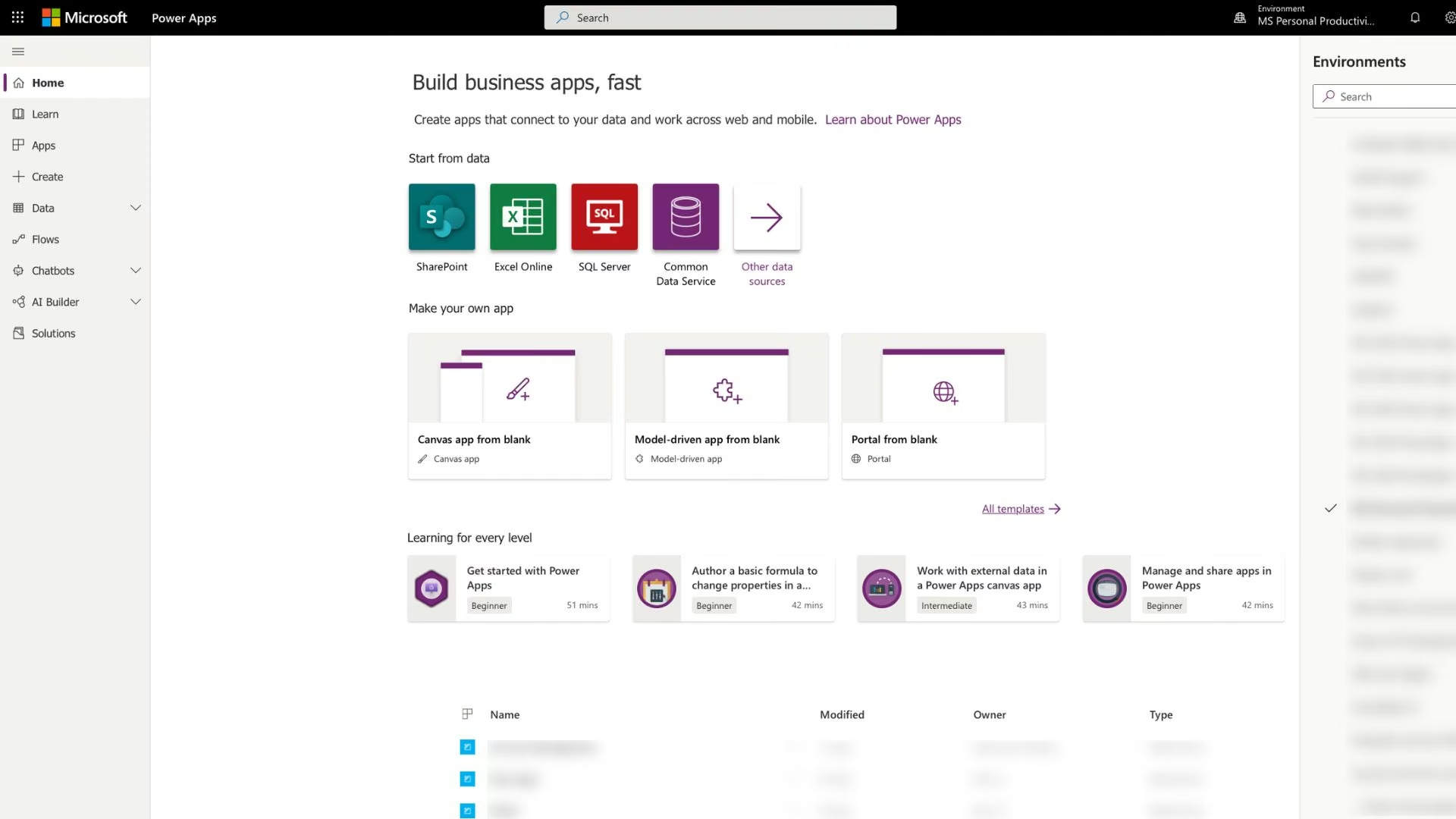
What it does: Power Apps is Microsoft's low-code platform for building business apps on top of Dataverse and the rest of the Microsoft 365 estate.
Best for: Companies where IT already runs Microsoft and governance is a requirement.
If your data already lives in SharePoint, Dynamics, or Dataverse, the integration story is unmatched, and the governance layer answers the security questions that stop other tools from being approved. The cost is the ramp, which is the least pleasant to learn of anything here.
Pricing is the watch item: Premium is per user and paid yearly, the same structure that pushed you off Quickbase, and Dataverse capacity is billed separately.
Key Features
- Deep Microsoft 365 integration: SharePoint, Teams, Dynamics, and Entra identity. connect natively
- Dataverse storage: Enterprise-grade storage that hides rows from people who shouldn't see them.
- Inherited governance: Existing compliance and identity policies apply with no extra setup.
Pros and Cons
Pros:
- The strongest governance and compliance story of the seven.
- Native connections to data your company already keeps in Microsoft.
- A free developer plan for building and testing before you buy seats.
Cons:
- The steepest learning curve, and it needs a technical owner.
- Per-user yearly licensing repeats the model you're leaving.
What Users Say
Power Apps holds a 4.3 rating across 571 G2 reviews and 4.5 across 47 on Capterra.
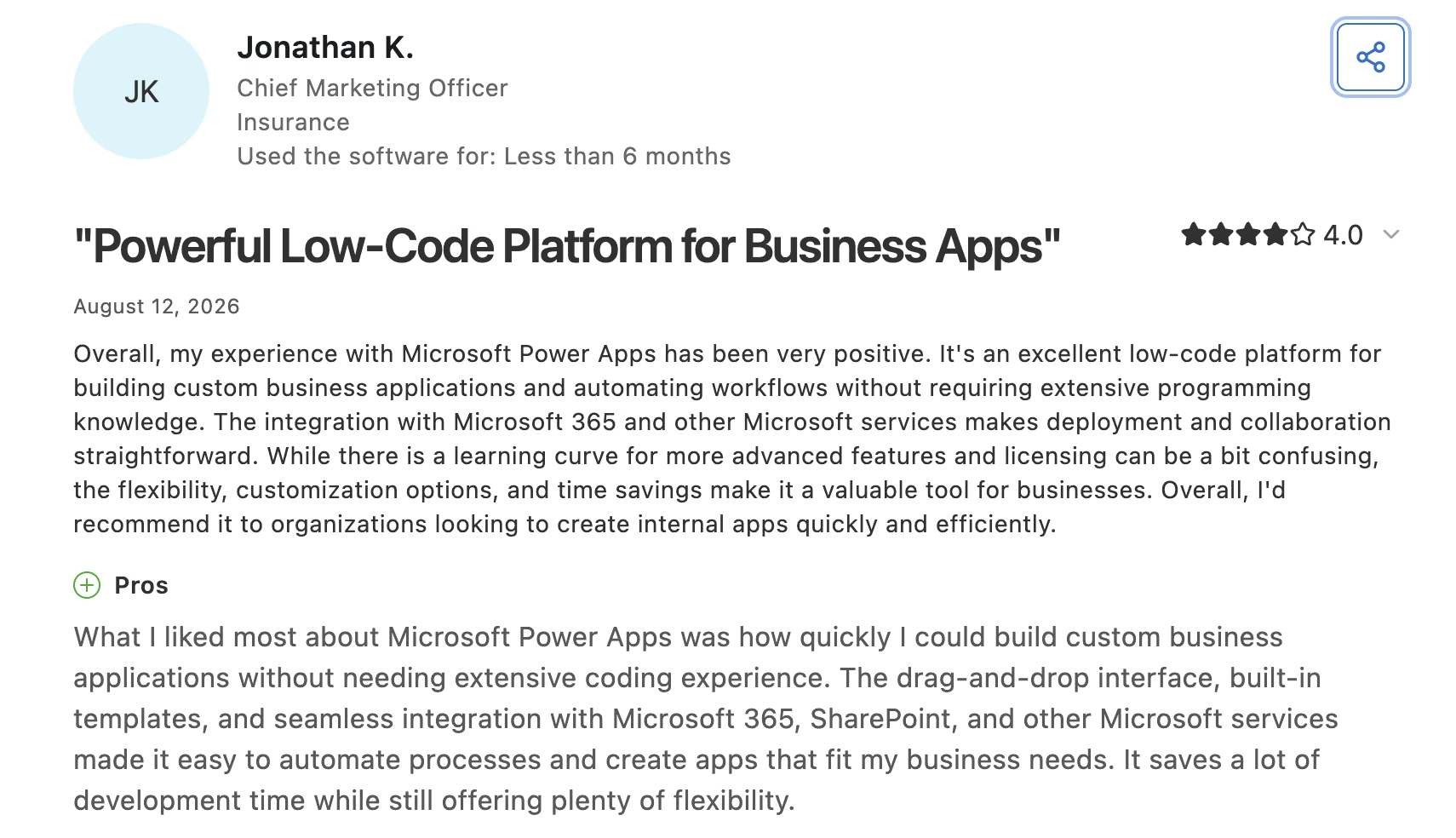
Jonathan K., a chief marketing officer, on Capterra: "how quickly I could build custom business applications without needing extensive coding experience."
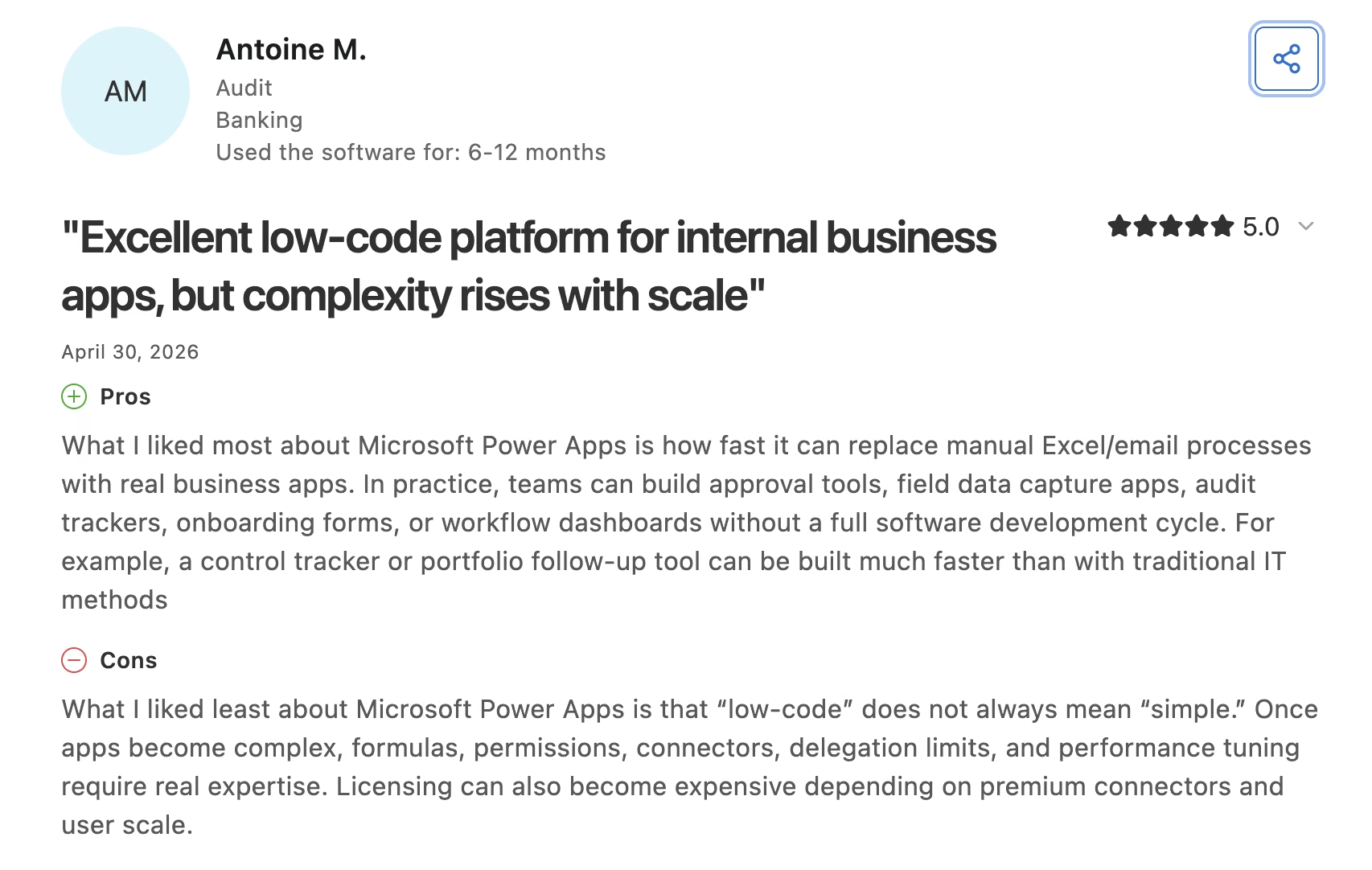
Antoine M., an auditor, put the limit precisely on Capterra: "Once apps become complex, formulas, permissions, connectors, delegation limits, and performance tuning require real expertise."
Pricing
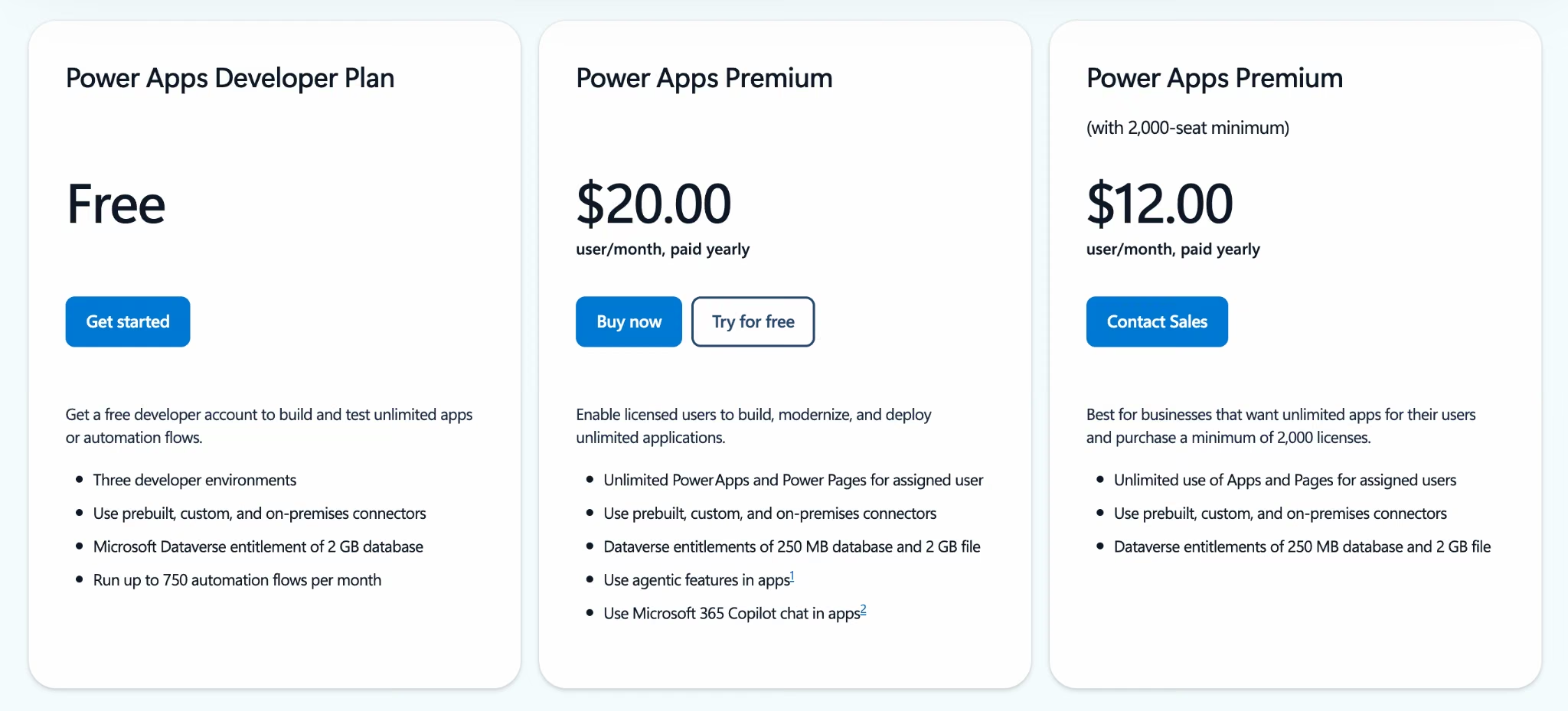
Premium costs $20 per user/month, paid yearly, falling to $12 on a 2,000-seat minimum. A Dataverse Database Capacity add-on runs $40 per GB/month, and the Developer Plan is free.
Bottom Line
This makes sense when the governance requirement is non-negotiable, and somebody technical owns it. A 15-person team without a Microsoft admin will find the per-user bill and the learning curve add up to a worse deal than the one they're leaving.
7. Airtable: Best for Data-First Teams With Light Workflow
What it does: Airtable is a relational database with a spreadsheet-style interface, plus an interface builder and automations layer on top.
Best for: Teams whose Quickbase app was mostly structured data with light workflow.
Airtable looks like a spreadsheet until you need it not to be, which is why nobody needs a training session to start using it. Where it stops short is workflow depth, since the permission model doesn't gate data the way Quickbase's roles do, and you end up assembling one yourself.
The other constraint is record limits per base, with free at 1,000 records, Team at 50,000, and Business at 125,000.
Key Features
- Spreadsheet-style interface: Staff start entering data without a training session.
- Interface Designer: Purpose-built screens on top of the underlying tables.
- Automations: Trigger-based notifications, record updates, and integrations.
Pros and Cons
Pros:
- Fastest adoption curve for teams new to database tools.
- Strong integration coverage and a mature template library.
- Excellent for structured data with light automation.
Cons:
- Per-seat pricing repeats the cost problem that drove you off Quickbase.
- Permission depth falls short of what a multi-role app needs.
What Users Say
Airtable holds a 4.6 rating across 2,244 Capterra reviews, more than the other six combined.
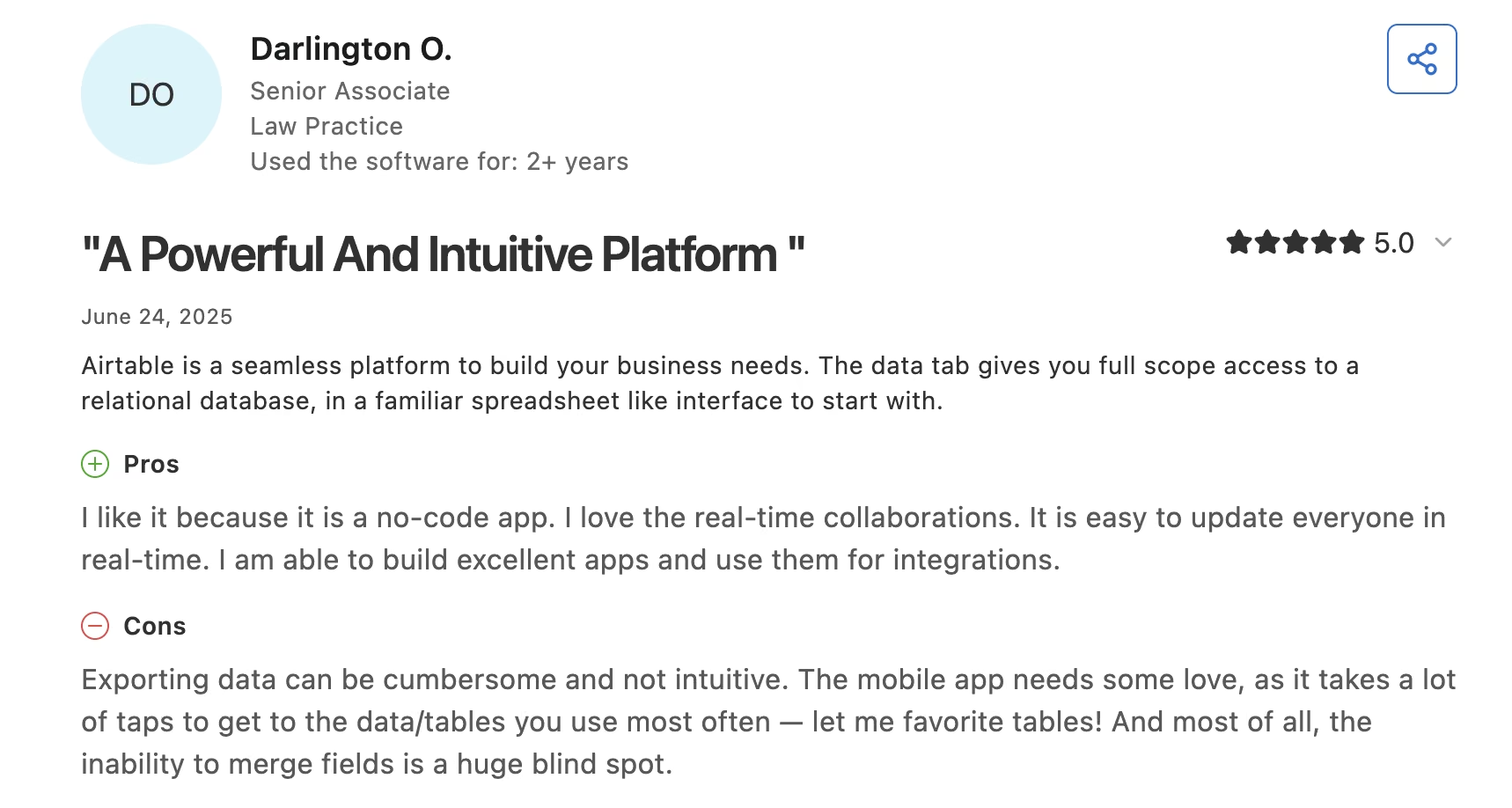
Darlington O., a senior associate, on Capterra: "I love the real-time collaborations."
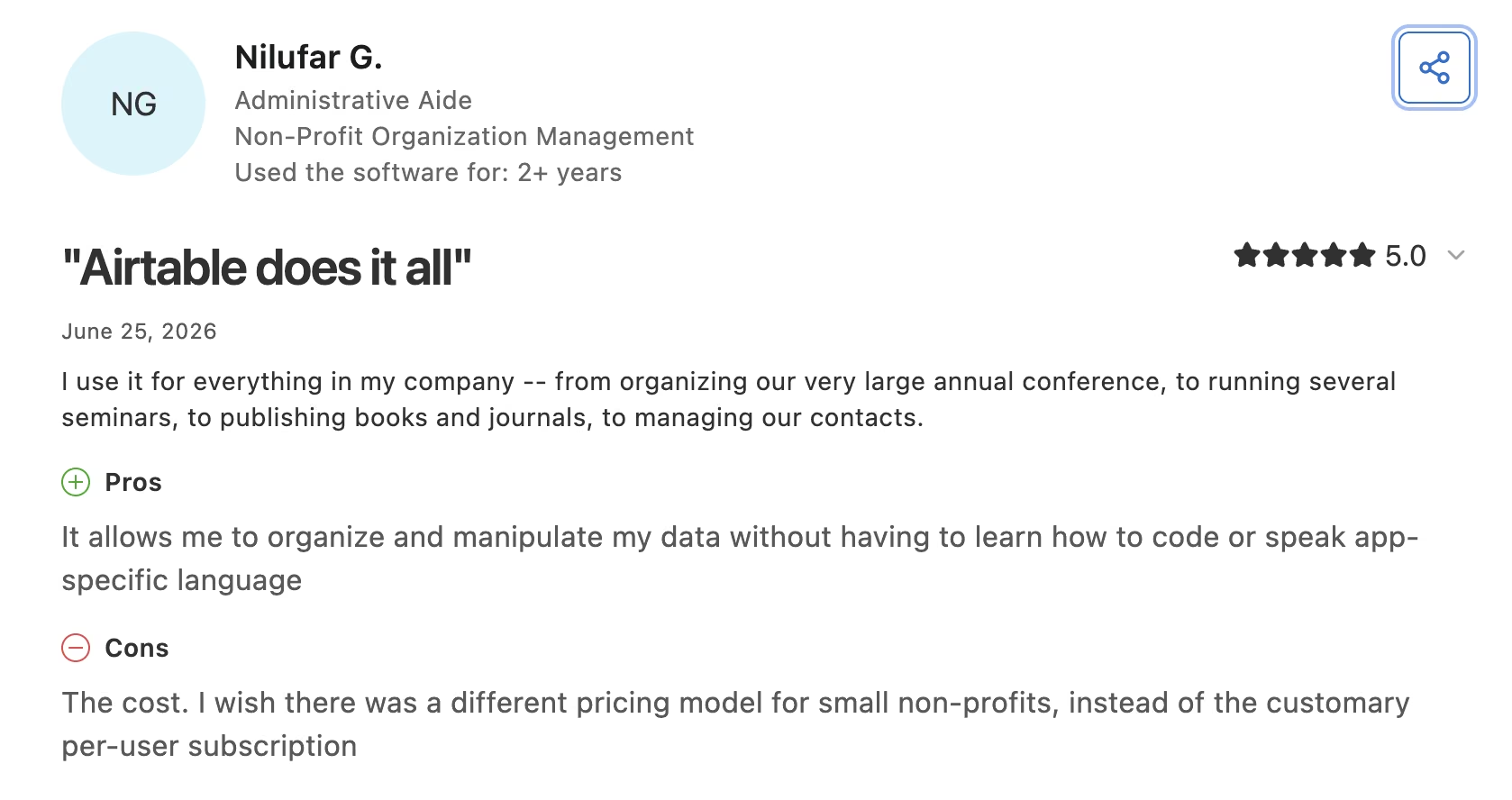
Nilufar G.'s Capterra review names the same thing Quickbase customers are running from: "The cost. I wish there was a different pricing model for small non-profits."
Pricing
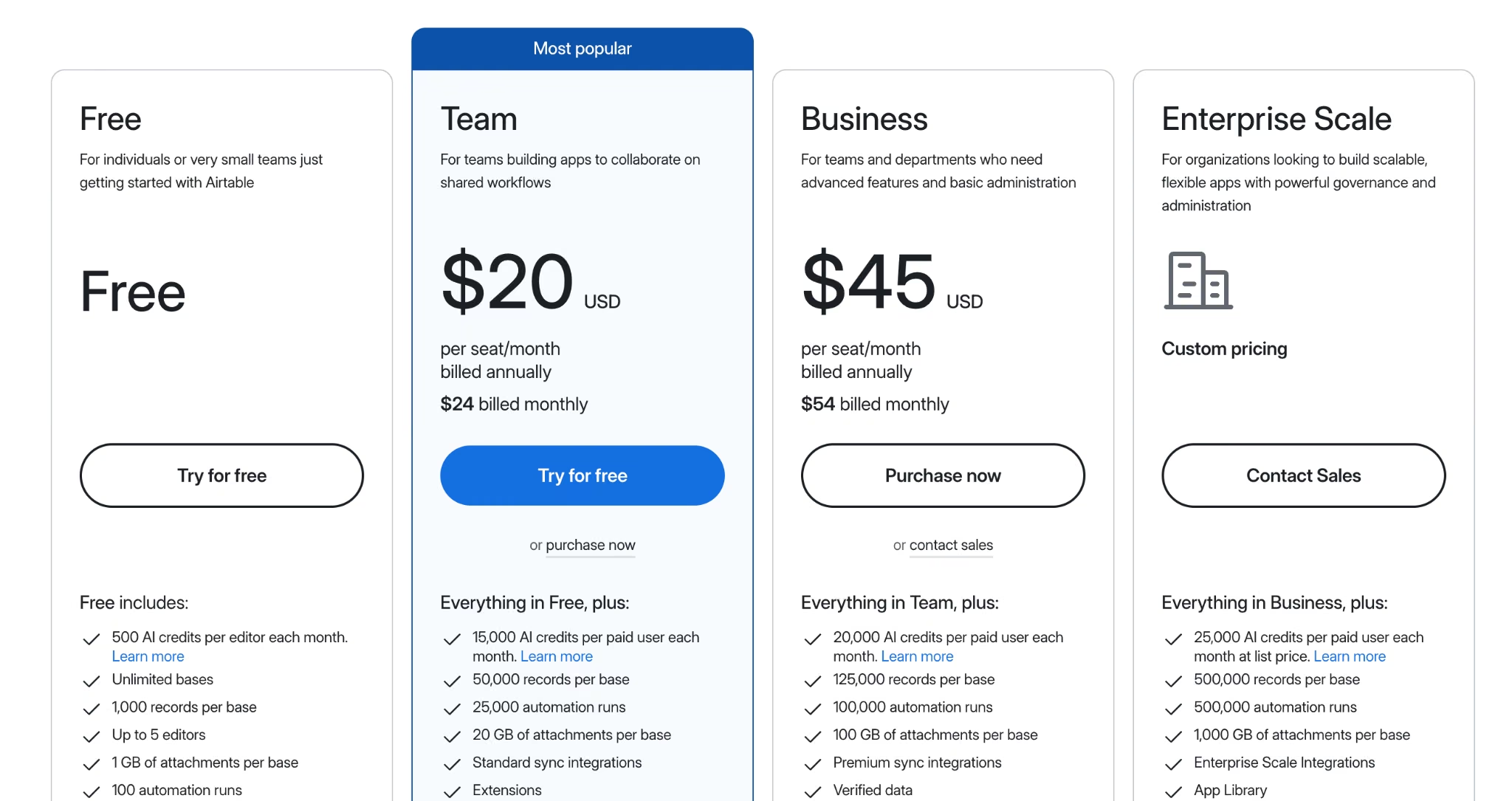
Team costs $24 per collaborator/month, or $20 billed annually, with 50,000 records per base. Business runs $54/month ($45/month billed annually) with 125,000 records per base. A free plan caps at 1,000 records per base.
Bottom Line
Airtable solves the interface problem and leaves the cost problem where it was. That's fine when the workflow is light, and nobody using the app has touched a database before. If technicians must not see each other's records, this is the wrong tool.
Tools I Left Off the List and Why
Six groups nearly made this list, and a couple belong on a different one entirely.
- Wrike, monday.com, and Asana: Project management tools that track work but can't hold a relational data model with role-gated views.
- Smartsheet: Row counts cap out per sheet, breaking the operational datasets that push teams off Quickbase.
- Appian and OutSystems: Both replace Quickbase properly and both sit far upmarket. If your budget starts in five figures a year, start there.
- Baserow, NocoDB, and Budibase: Open-source and cheap to run, but somebody on your team owns hosting, upgrades, and backups.
- AppSheet and Glide: Good at turning a spreadsheet into a mobile app, short on permission depth. Glide's update-based pricing also behaves very differently from a seat model.
- Retool and Appsmith: Excellent internal tool builders that both assume a developer. Without one, they cost more in engineering time than they save.
What to Check Before You Move Off Quickbase
Migration is where switching projects stalls, and most comparison articles skip it. Four things to verify before you sign:
- Your data exports, your app logic doesn't. Records come out as CSVs easily. Relationships, formula fields, roles, and pipelines all get rebuilt, so scope that work early.
- Count roles before users. The permission model takes the longest to reproduce, and seven distinct role views will take Knack and Airtable far longer than the demo suggests.
- Check your biggest tables. Quickbase caps table size at 500 MB by default; Knack caps records; Airtable caps records per base. The limit that binds you may change.
- Run one app first. Rebuild the one with the fewest integrations and run both systems in parallel for a month.
Which Quickbase Alternative Should You Choose?
The Quickbase alternatives here split cleanly by what pushed you out.
- Choose Emergent if: You want a custom app you own outright and headcount out of the bill, and you don't need formatted PDF reporting or enterprise governance on the entry plan.
- Choose Zoho Creator or Kintone if: You want the closest structural match to your existing apps (Creator), or you run a mid-size ops team that needs every feature in one tier (Kintone).
- Choose Caspio or Knack if: Per-seat pricing pushed you out, you want a licensed platform with unlimited users, and you can live within record volume limits.
- Choose Power Apps if: You're already standardized on Microsoft and need governance to match.
- Stay on Quickbase if: You have a mature portfolio of interconnected apps and would spend more rebuilding than you'd save in a year of licensing.
Final Thoughts: Match the Replacement to Your Reason for Leaving
The tool you pick matters less than the reason you're switching. Teams that leave Quickbase over cost and pick a per-seat replacement end up back in the same conversation within a couple of renewals.
What the list above can't tell you is how long the rebuild takes. Teams budgeting a week per app usually need three, so run the savings against that number before you commit.
Quickbase itself is an expensive, capable product priced for companies larger than the ones that outgrow it, and it scores 4.6 on Gartner Peer Insights, higher than most platforms people leave it for. Get a direct quote before you assume you can't afford to stay.
Replace the Seat License With an App You Own
If the seat math is what's driving you off Quickbase, building the app instead of licensing one changes the equation completely.
- Stop paying by headcount: Credits cover the build, so adding 50 people to a finished tool adds no per-seat charge.
- Get an internal tool live in an afternoon: Describe the job tracker or dashboard in plain English and specialized agents build and test it.
- Own what you build: On Standard and up, sync each build to a GitHub repository under your account.
- Try it on the free tier: 10 monthly credits are enough to judge whether a custom build beats another subscription.

Most AI app builders stop at prototypes. Emergent creates production-ready apps you can actually launch.
- Production-ready apps
- Web & mobile apps
- Deploy in minutes







