




AppSheet turns a Google Sheet into a working mobile app in an afternoon. Ask it to link several tables or scale past a handful of users, and it runs into limits fast. That's usually when people go looking for an alternative.
To find the best AppSheet alternatives, I built the same real app in 12 of them: a field-equipment checkout log with four linked tables and two login roles. Every tool got the same seed data, roughly 40 pieces of equipment across three job sites and six staff records. Three to four hours each, three weeks in total.
I set each one up on a laptop, then judged it on the phone, the way a field team checks gear in and out on site. None was best at everything. The right pick comes down to which AppSheet ceiling pushed you here, whether that's per-user billing, relational data, a dated interface, or a mobile app that never feels native.
12 Best AppSheet Alternatives: TL;DR
- Zite: best for AI-prompted business apps without per-seat pricing.
- Glide: best for turning a spreadsheet into an app fast.
- Emergent: best for web and mobile apps you own the code to.
- Power Apps: best for teams already living inside Microsoft 365.
- Airtable: best for teams that want the database to be the app.
- Softr: best for turning an Airtable base into a client portal fast.
- Noloco: best for complex internal tools with granular role-based permissions.
- Budibase: best for free, self-hosted internal tools.
- Caspio: best for compliance-heavy, enterprise-grade database apps.
- Jotform Apps: best for teams whose workflow starts with a form.
- ToolJet: best for self-hosted internal tools built on your own database and web services.
- Appsmith: best for open-source teams that want Git-backed version control on every build.
Why Look for AppSheet Alternatives?
To be fair to AppSheet: for a single spreadsheet with a handful of columns, it's still hard to beat. The walls show up when you push past that.
Relational data was the first wall I hit. AppSheet handles a single table fine, but linking records across three or four tables (equipment, job sites, checkout logs) gets confusing fast, turning a simple build into an all-day project.
Per-user billing can turn into an unexpected audit problem. A Gmail-based team billed for six people can end up paying for eight, usually from a stray typo or an old account nobody removed. There's no clean panel to fix it from inside the editor.
The interface still reads like an older product, too. Bulk edits are slow, and you can't drag a row to reorder it.
AppSheet's mobile app never quite feels native either. It installs to a home screen and works offline, but it still behaves like a responsive webpage. That browser-like feel can push field teams handling one-handed check-ins to look elsewhere.
Migration doesn't exist, so you're rebuilding from scratch whichever alternative you pick. AppSheet also keeps you tied to Google Sheets and Workspace. If your team uses another platform or outgrows spreadsheets as a database, that lock-in becomes another reason to leave.
How I Tested These 12 AppSheet Alternatives
Here's exactly what I built: a field-equipment checkout log with four linked tables (Equipment, Locations, Staff, and Checkout Records) and two login roles (Field Tech and Supervisor). A rule flags any item more than three days overdue. Every tool started from the same seed spreadsheet, roughly 40 equipment rows, three job sites, and six staff records.
For Zite and Emergent, both AI app builders, I ran the same prompt in every session, describing the same four-table structure, two roles, and overdue-notification rule. It's quoted in full below, so you can paste it and reproduce the test.
For the other 10 tools, I built the same structure by hand inside each editor, connecting to the seed spreadsheet where supported. The real test ran on each tool's mobile view.
I also tested and cut eight tools that didn't make the final 12. Quickbase overlapped too closely with Caspio's enterprise slot. Its workflow-automation angle is the one reason to look twice. Adalo overlaps with FlutterFlow's native mobile capabilities and is worth a second look if you prioritize AI-assisted generation over a manual native app build.
Kintone and Ninox cover relational-database and workflow ground the final 12 already handled through Airtable, Noloco, and Caspio. Betty Blocks starts at €1,500/month (~$1,720/month) and is built for large-enterprise citizen development, well above what a team replacing a spreadsheet app would spend. On-premises hosting sits in its custom Enterprise tier.
Retool built the cleanest relational structure of anything tested. It pays off only if your team already has a developer or dev-adjacent builder to own it, since the self-hosted, database-first tools that made the final list cover that same ground without demanding as much technical comfort.
Of everything tested, Bubble produced the strongest permission logic. Days of setup time make sense if you're building a consumer-facing app with strict role boundaries, but that use case sits outside what most AppSheet teams are replacing.
FlutterFlow generates real native iOS and Android apps from exportable Flutter code, camera and GPS access included. Choose it when you want that native build plus the underlying code, even with the longer setup.
Past the basic screens, it demands hands-on comfort with Flutter's state management, and publishing costs extra for separate Apple Developer and Google Play Console accounts outside the subscription.
I used five criteria across the comparison, though each entry focuses on the limits that surfaced during testing.
Relational data handling: Could Checkout Records link cleanly to both Equipment and Staff?
Per-seat pricing at growth: The cost from three field techs to 15.
Mobile field usability: Checking equipment in and out one-handed on a phone.
Setup time to a working first screen: Time to a usable list from the seed data.
Migration and data portability: Getting data and logic out if you switch again.
Here's the fast version for anyone who wants a recommendation before reading all 12 entries:
- Choose Zite if: You want plain-language description and no per-seat pricing, though it's web-first with no native mobile app.
- Choose Glide if: Your data lives in a spreadsheet and you prioritize speed over custom workflow logic.
- Choose Emergent if: You want owned code across web and mobile, at the cost of more prompt iteration.
- Choose Power Apps if: Your org runs on Microsoft 365 and the Dataverse curve is worth it. Skip it outside that stack.
- Choose Airtable if: Your team's real bottleneck is the data model. Locking Field Tech and Supervisor views apart without paying for a seat is where it struggles.
- Choose Softr if: Your data already lives in Airtable and you need a client-style portal quickly. It is a poor match when the workflow needs logic outside its templates.
- Choose Noloco if: Your internal tool also needs a lighter client-facing view of the same data, and that use case justifies the higher starting price.
- Choose Budibase if: Your team prioritizes zero per-seat cost and is comfortable self-hosting and running the server.
- Choose Caspio if: You're building a compliance-heavy app that needs enforced referential integrity. It is overkill for a small team without that requirement.
- Choose Jotform Apps if: Your workflow starts with a form, like an inspection checklist or intake request. A spreadsheet-style inventory log is a worse fit here.
- Choose ToolJet if: You want a self-hosted, open-source internal tool wired straight to your own database and web services. Pass if nobody on the team wants to run the server.
- Choose Appsmith if: You need Git-backed version control and a self-hosted option with no per-seat cost. Choose another project if a faster open-source release pace is your priority.
- Stick with AppSheet if: Your team is small, data stays in one or two tables, and per-user billing isn't a problem yet.
12 Best AppSheet Alternatives: At a Glance
| Platform | Best for | Price |
|---|---|---|
| Zite | AI-prompted apps, no per-seat cost | Pro starts at $19/month ($15/month, billed annually) |
| Glide | Spreadsheet-to-app speed | Explorer starts at $25/month ($19/month, billed annually) |
| Emergent | Web and mobile apps, code ownership | Standard starts at $20/month ($17/month, billed annually) |
| Power Apps | Microsoft 365 teams | Premium starts at $20 per user/month, billed annually |
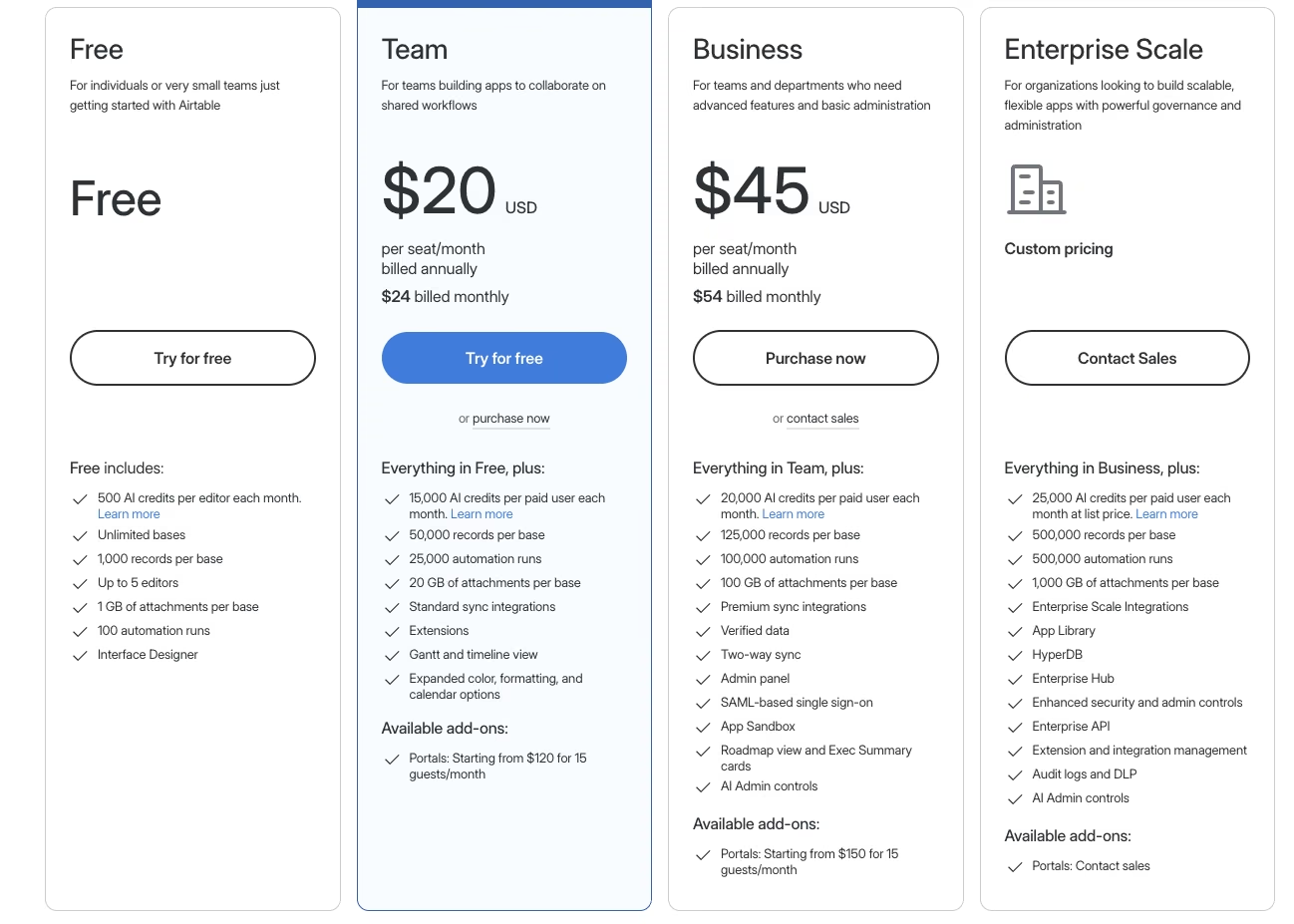
| Airtable | Database as the app | Team starts at $24 per seat/month ($20 per seat/month, billed annually) |
| Softr | Airtable-to-portal speed | Basic starts at $59/month ($49/month, billed annually) |
| Noloco | Complex internal tools, role permissions | Pro starts at $149/month ($99/month, billed annually) |
| Budibase | Free, self-hosted internal tools | Cloud Pro starts at $23/month ($19/month, billed annually) |
| Caspio | Compliance-heavy database apps | Team starts at $300/month ($270/month, billed annually) |
| Jotform Apps | Form-first intake workflows | Bronze starts at $39/month ($34/month, billed annually) |
| ToolJet | Self-hosted, database-first internal tools | Pro starts at $99 per builder/month ($79 per builder/month, billed annually) |
| Appsmith | Self-hosted, Git-backed internal tools | Business starts at $15 per user/month |
The 12 Best AppSheet Alternatives
1. Zite: Best for AI-Prompted Business Apps Without Per-Seat Pricing
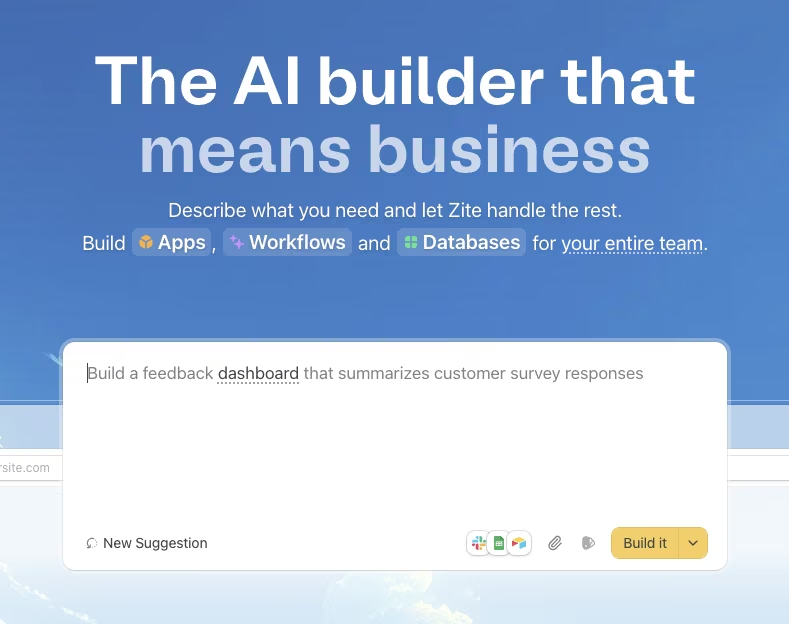
One prompt, one pass: I ran the locked prompt into Zite word-for-word:
"Build an equipment checkout app for a field-services team. I need four connected tables: Equipment (name, category, condition, current status), Locations (our job sites), Staff (our field team members), and Checkout Records (which staff member has which item, checkout date, expected return date, linked to both Equipment and Staff). Give me two roles: Field Tech, who can check equipment in and out and add a condition note with a photo, and Supervisor, who can see every location and gets notified when an item is 3 or more days overdue."
All four tables and both roles came back in one pass, a result that plenty of AI app-building tools can manage on a simple brief.
The visual workflow view is what stood out. It let me click into the overdue-flag logic, trace how it worked, and verify each step. Changing the overdue threshold from three to five days showed which step updated and confirmed that the notification logic still fired.
The spreadsheet-like database lets AppSheet users inspect records directly in a grid without opening a schema view. Authentication, role-based access, and hosting were already wired into that first build, with nothing extra to configure.
Both the Field Tech and Supervisor logins worked immediately against the same generated app, with no separate identity provider to set up.
The free tier caps at 5,000 database records and 1,000 workflow runs a month, which covered the 40-row seed data with room to spare. A growing team lands on Pro fast: it's $19/month ($15/month, billed annually) and buys the extra workflow-run capacity.
The same locked prompt went into both AI builders in this test, Zite and Emergent, and Zite best fixes the problems that push people off AppSheet in the first place. There's no per-seat pricing to audit, and you skip the visual-builder learning curve entirely. The build handled the full test.
Key features
- Visual workflow inspector: Trace conditional logic and identify why an automation fired.
- Spreadsheet-style database: Edit records directly in a grid view.
Pros
- No per-seat pricing, even on the free tier.
- Visual tracing makes debugging logic possible.
Cons
- Browser-based only, no native mobile app.
- Newer platform, so fewer community resources than established tools.
Best for
- Ops teams that want to describe an app in plain language.
Pricing
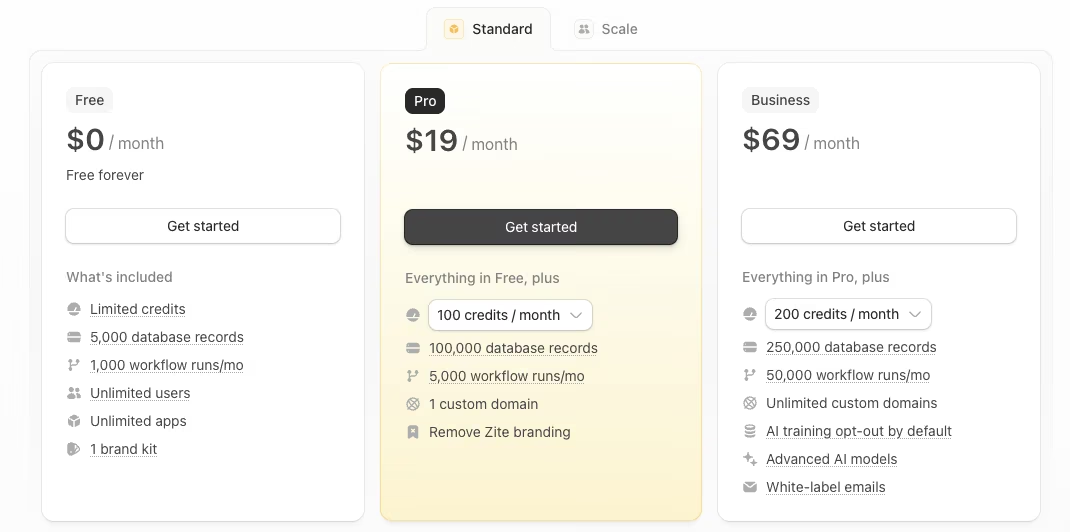
- Free: Unlimited users, 5,000 records, 1,000 workflow runs a month.
- Pro: $19/month ($15/month, billed annually).
- Business: $69/month ($55/month, billed annually) for higher limits.
2. Glide: Best for Turning a Spreadsheet Into an App Fast
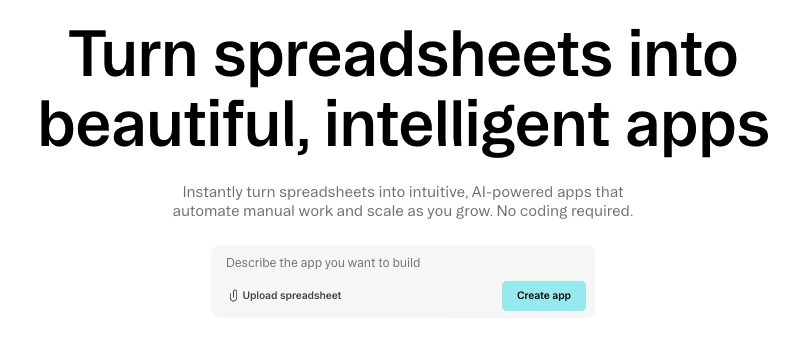
Live sync, no refresh button: Glide connected to the seed spreadsheet in a couple of minutes, and the equipment list populated instantly with no manual refresh needed. When I updated a row in the source spreadsheet, it appeared in the app almost immediately.
The mobile view rendered cleanly with no extra configuration, since Glide builds mobile-first by default. Marking an item checked out took one tap from the equipment list.
Where I hit a wall was the overdue-notification logic. Flagging any Checkout Record more than three days overdue and pushing a notification to the Supervisor role needed a workaround outside of Glide's native action set. It felt like jury-rigging a formula column, a fine trade for the speed you get everywhere else, but a hard ceiling once you need more than the basics.
The free tier caps at 25,000 rows and a single editor, more than enough for the 40-row seed data. The free plan gets restrictive when a second person needs editing access.
Business is $249/month ($199/month, billed annually), the tier with 10 editors and the 100,000-row ceiling a field team would need at scale. A second editor only takes Explorer.
For the simple version of this build, nothing beats Glide's speed. The raw data model and mobile-friendly interface fell into place faster than almost anywhere else here. The workflow logic layered on top is where it starts to strain. A team with custom notification requirements should expect extra workaround time.
Key features
- Live spreadsheet sync: Google Sheets updates show up instantly, no manual refresh.
- Mobile-first interface: Screens render well on a phone without extra setup.
Pros
- Quickest spreadsheet-to-app setup of any tool tested.
- Real-time sync with no manual refresh step.
Cons
- Custom workflow logic (like a multi-day overdue alert) needs workarounds.
- Pricing jumps hard past one editor.
Best for
- Teams whose data lives in a spreadsheet, prototyping fast solo.
Pricing
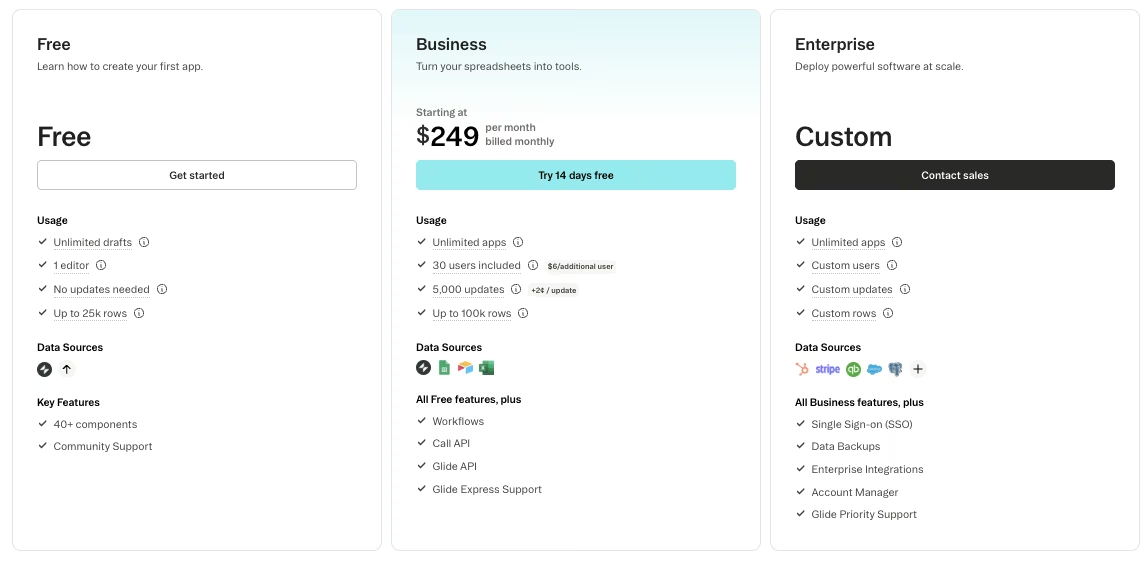
- Free: 25,000 rows, one editor.
- Explorer: $25/month ($19/month, billed annually).
- Business: $249/month ($199/month, billed annually).
Ready to switch things up? Take a look at the 6 best Glide alternatives and competitors in 2026 to see what else is out there this year.
3. Emergent: Best for Web and Mobile Apps You Own the Code To
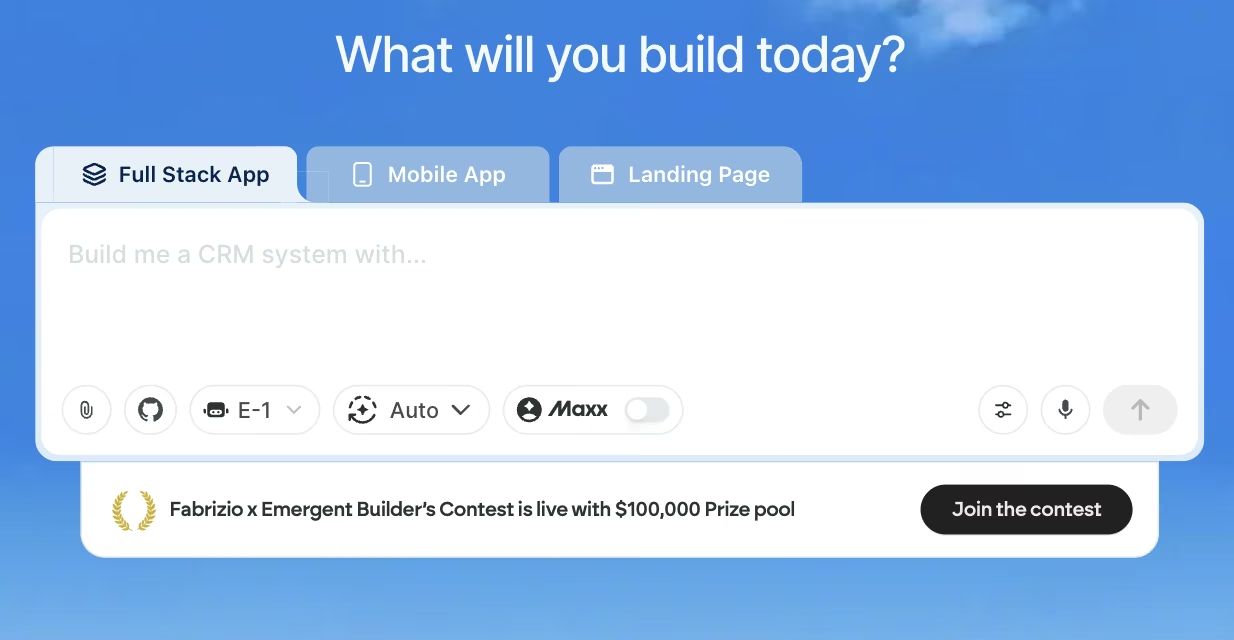
Same prompt, a different kind of result: I ran the exact same locked prompt through Emergent that I used for Zite:
"Build an equipment checkout app for a field-services team. I need four connected tables: Equipment (name, category, condition, current status), Locations (our job sites), Staff (our field team members), and Checkout Records (which staff member has which item, checkout date, expected return date, linked to both Equipment and Staff). Give me two roles: Field Tech, who can check equipment in and out and add a condition note with a photo, and Supervisor, who can see every location and gets notified when an item is 3 or more days overdue."
The difference showed up in what came back. Zite returned a visual workflow I could click through. Emergent returned a working app with four linked tables, overdue-notification logic, and inspectable, exportable code.
Emergent generated the logic, database schema, and mobile view from my plain-language description of the checkout log and role split. Afterward, I could push the whole thing to GitHub and own the result outright.
The free tier gives you 10 credits a month, tight enough for a single small iteration and little else. Standard is $20/month ($17/month, billed annually) with 100 credits a month, the tier that supports a build with this much back-and-forth.
Getting to the full spec took more prompt rounds than Zite. Each round was refining real, exportable code, not configuring a visual workflow, so the extra iteration pays off in what you walk away with.
Emergent is the standout in this lineup for anyone who wants to walk away owning the actual code. It's also the only tool here that ships owned, exportable code across web and mobile. Iteration took more prompting than a visual builder because each fix required another written instruction.
Key features
- Whole-app generation: One prompt produces the database, logic, and interface together.
- Code ownership: Every build ships with an exportable codebase on GitHub.
Pros
- You own 100 percent of the generated code afterward.
- One description produced the initial relational structure in a single pass.
Cons
- Iterating takes more prompt rounds than a visual workflow editor.
- Free tier's 10 credits a month is tight beyond a trivial test.
Best for
- Builders who want portable, owned code across web and mobile.
Pricing
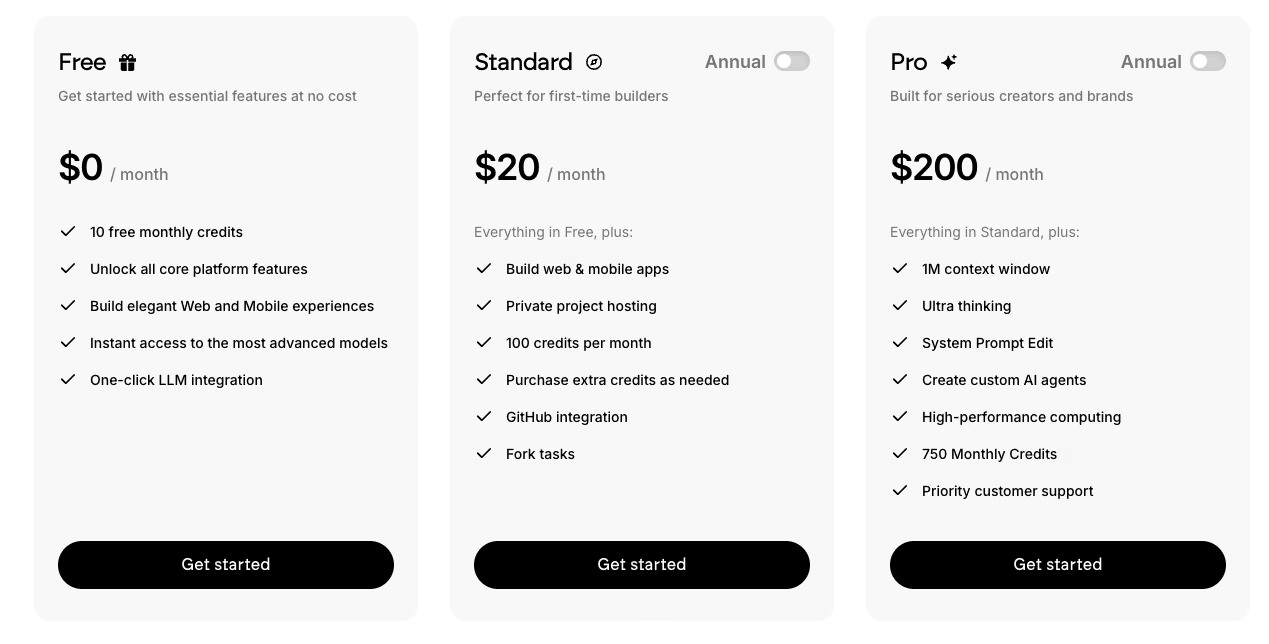
- Free: 10 credits a month.
- Standard: $20/month ($17/month, billed annually) with 100 credits.
- Pro: $200/month ($167/month, billed annually) with 750 credits and a one-million-token context window.
4. Power Apps: Best for Teams Already Living Inside Microsoft 365
About an hour of relationship setup: Getting four tables to relate to each other inside Power Apps took deliberate, hands-on setup work. I had to build the Dataverse relationships between Equipment, Locations, Staff, and Checkout Records by hand, one lookup column at a time.
The relationship direction was unclear at first. Getting Checkout Records to reference Equipment and Staff required two separate lookups, one for each reference. The gap only showed up once the Supervisor view came back empty on the first test.
Once configured, though, it worked. The Supervisor role could see every location's inventory, and the overdue-flag logic ran cleanly through a Power Automate flow layered on the same data. That's the core strength of Power Apps.
Inside Microsoft 365, the Dataverse database, Power Automate, and Power BI all connect to the same underlying data with no extra integration work.
The free Developer Plan includes a 2GB Dataverse database, enough headroom for the seed data and then some. Relating the four tables and both roles took about an hour of setup, well past the 10 minutes some of the other tools needed.
The paid Premium tier runs $20 per user/month, billed annually, with a free trial to test first. Large deployments can drop to $12 per user/month at a 2,000-seat minimum. Because it's priced per user, the bill scales with headcount rather than staying flat like some tools here.
The Dataverse learning curve and the relationship setup overhead are a real cost to take on to replace AppSheet. That cost only pays off inside an organization that already runs on Microsoft 365, where Power Apps plugs straight into infrastructure already being paid for.
Key features
- Dataverse database: Structured relational tables that plug into the rest of Microsoft 365.
- Power Automate integration: Workflow logic layers on without a separate tool.
Pros
- Deep, native integration across Dataverse, Power Automate, and Power BI.
- Free Developer Plan gives room to prototype before paying.
Cons
- Relating multiple data tables takes deliberate setup work.
- Steep learning curve for a non-technical user.
Best for
- Microsoft 365 organizations running IT-supported rollouts with dedicated technical ownership.
Pricing

- Free Developer Plan: Three developer environments, 2GB Dataverse, 750 automation flows a month.
- Premium: $20 per user/month (billed annually), with a free trial.
- Premium (2,000-seat minimum): $12 per user/month (billed annually).
5. Airtable: Best for Teams That Want the Database to Be the App
Under 20 minutes to a working model: Airtable is where the raw data model came together fastest of any tool in this lineup. Linking Checkout Records to both Equipment and Staff as native linked-record fields took minutes, exactly what Airtable is built for. The result looked and worked like a proper relational database from the first pass.
Enforcing separate Field Tech and Supervisor views required a paid tier. The free plan does not enforce that split.
Per-seat cost is exactly the ceiling this whole list is testing for. Paying extra to keep a Field Tech out of a Supervisor's view reintroduces a version of AppSheet's own per-user problem.
The free tier has no seat charge to start. I built and tested the whole four-table structure, all 40 equipment records included, without hitting a single plan limit.
Building the full relational structure took under 20 minutes, the fastest raw data-modeling time of the 12 tools tested. Team tier is $24 per seat/month ($20 per seat/month, billed annually).
That speed is Airtable's whole appeal. Enforcing separation between Field Tech and Supervisor views is the cost, an easy call when the database is your team's bottleneck. If your rollout needs those roles locked down from day one, budget for the paid tier before you build.
Key features
- Native linked records: Tables reference each other directly, closest to a relational database.
- Views and filters: The same base powers different filtered views per role.
Pros
- No tool tested built the relational model faster.
- Free tier has no seat charge to start.
Cons
- Permission enforcement between roles needs a paid tier.
- Less of a full app builder than a capable database.
Best for
- Collaborative teams whose actual bottleneck is the data model itself.
Pricing
- Free: No seat charge.
- Team: $24 per seat/month ($20 per seat/month, billed annually).
- Business: $54 per seat/month ($45 per seat/month, billed annually).
6. Softr: Best for Turning an Airtable Base Into a Client Portal Fast

Inherited structure, zero rebuild: Softr connected to the same seed data from Airtable and produced a working client-style portal view in under an hour.
The permission split between Field Tech and Supervisor came through cleanly, too, since Softr inherits a lot of its structure directly from the connected Airtable base. The overdue-flag notification required a workaround. Softr's templates did not support the conditional date alert used in this test.
The portal displayed well in a phone browser with no separate mobile setup for field check-ins. But the same template-bound logic that blocked the overdue alert also meant there was no one-tap mobile shortcut for check-in. Every action routed through the same layout regardless of screen size.
The free tier covers 5,000 database records and 10 app users, ample space for the 40-row seed data and the two roles in this test. Basic is $59/month ($49/month, billed annually), where a team would land needing more app users or a custom domain.
Inheriting Airtable's structure is what makes Softr one of the quickest routes from an existing Airtable base to a client portal. The ceiling shows up the moment your workflow needs logic the templates weren't built for. If you already live in Airtable and need only a lightweight portal, Softr is the shortest path there.
Key features
- Airtable-native connection: Inherits structure from a connected Airtable base with minimal setup.
- Client-portal templates: Prebuilt layouts get a usable portal live.
Pros
- Turns an Airtable base into a portal quickly.
- Inherits Airtable's relational structure with no rebuild.
Cons
- Custom logic outside its intended templates hits a hard wall.
- Notification-style automations need manual workarounds.
Best for
- Teams with data already in Airtable that need a portal live this week.
Pricing
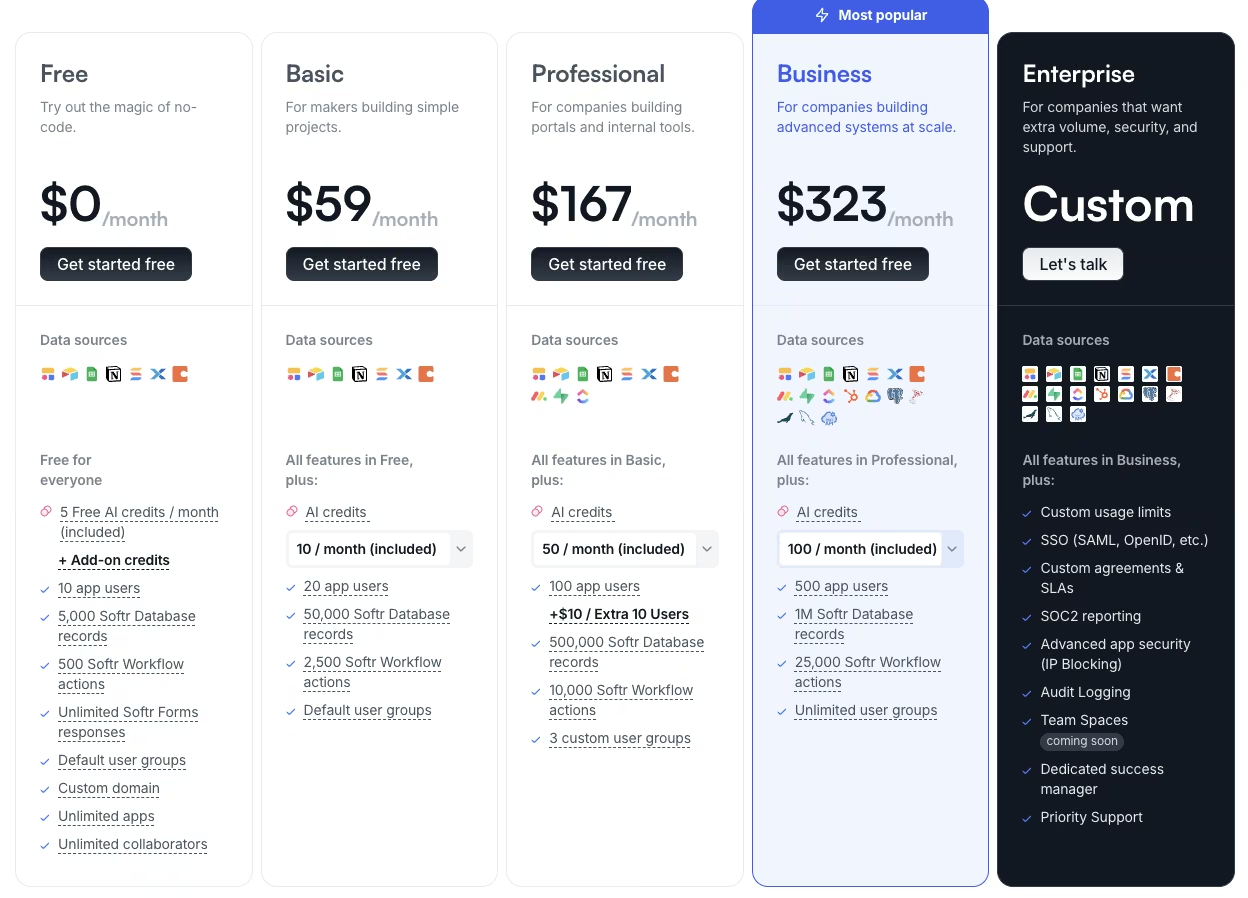
- Free: 5,000 records, 10 app users.
- Basic: $59/month ($49/month, billed annually).
- Professional: $167/month ($139/month, billed annually).
- Business: $323/month ($269/month, billed annually).
We've compared the 8 best Softr alternatives and app builders in 2026 so you can find the builder that fits your workflow without the guesswork.
7. Noloco: Best for Complex Internal Tools With Granular Role-Based Permissions
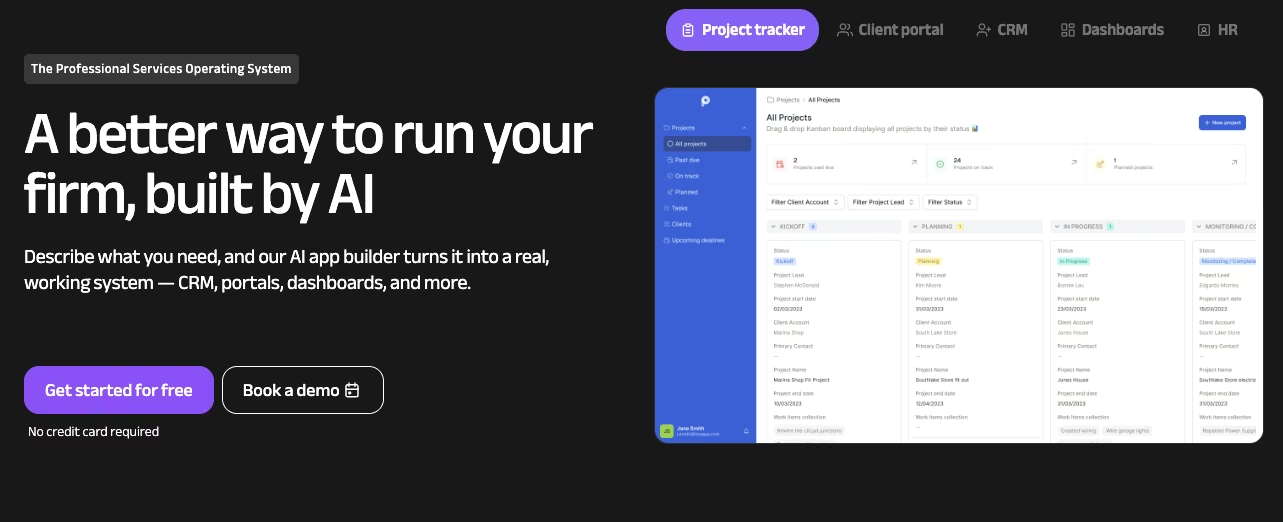
Three views, one data set: Noloco was built for exactly the kind of internal tool this test represents, and it showed. I built the granular permission split: a Field Tech view, a Supervisor view, and a lighter client-facing view of the same underlying data. It all came directly through Noloco's permission settings, without stitching together a single workaround.
Configuring three distinct permission tiers took deliberate, upfront time, more in line with Power Apps than the drag-and-drop speed of Glide or Softr. Once built, switching between the three views to check what each role could see was straightforward, and nothing leaked across the boundary during testing, the kind of leak that would defeat the reason to pay for this tier.
That granularity is also what drives the price up. The free tier caps at 2,000 rows and a combination of three team seats plus seven client seats, enough for this test's scope. It needs an upgrade fast for a full rollout across more field techs.
Pro is $149/month ($99/month, billed annually), the highest starting price among the drag-and-drop tools in this lineup. It's where you'd land for the 50,000-row ceiling and 10 team seats a growing rollout needs.
The higher price pays off when one data set needs both internal and lighter external views. For a straightforward internal tool with one permission level, the extra cost buys unused capability.
Key features
- Granular role permissions: Distinct views for internal team members and external clients.
- Client-facing portals: A lighter external view builds from the same records.
Pros
- Deepest role-based permission control of the drag-and-drop tools tested.
- Handles an internal and client-facing view from one data set.
Cons
- Highest starting price among the drag-and-drop tools tested.
- Free tier's row and seat caps are tight for a full rollout.
Best for
- Internal tools needing a lighter client-facing view and tiered permissions.
Pricing
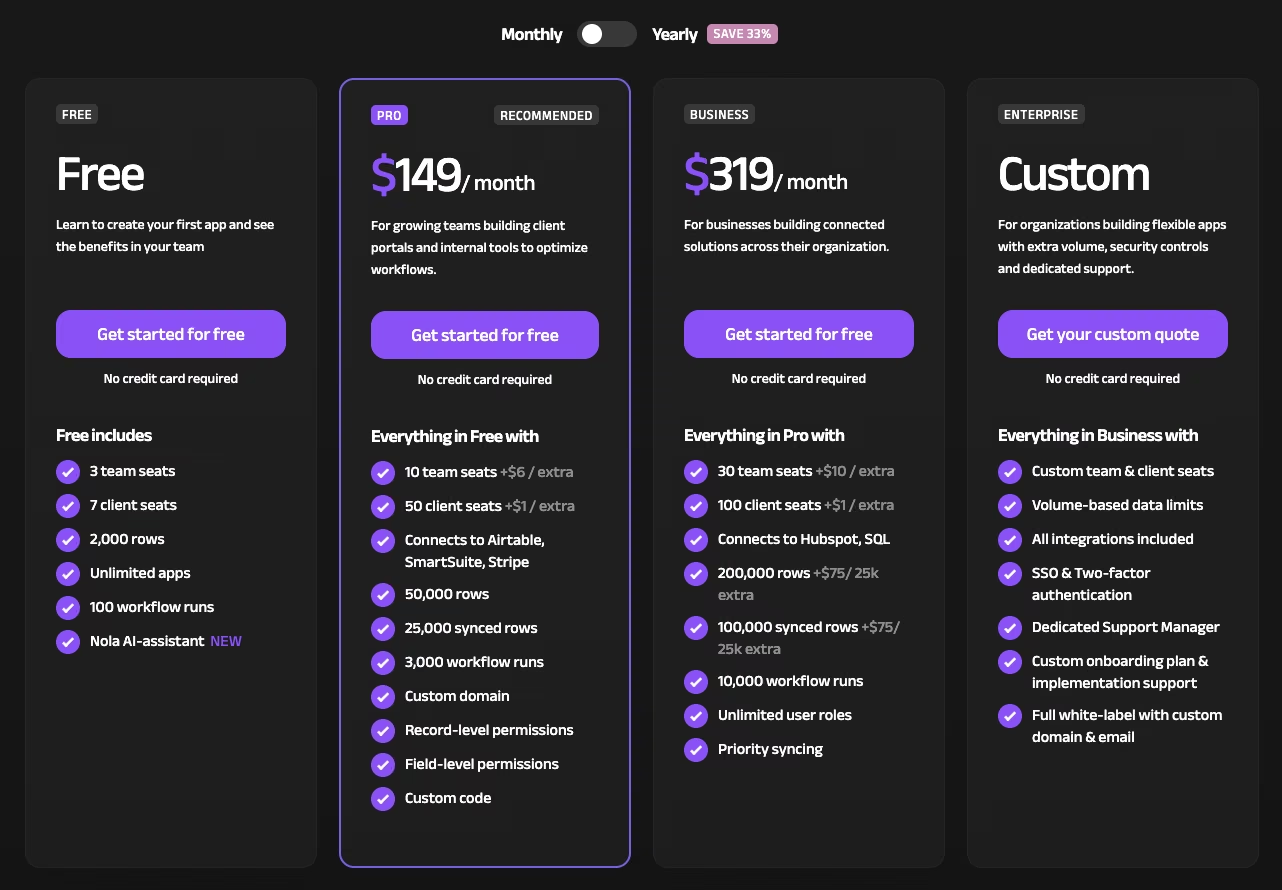
- Free: 2,000 rows, three team seats plus seven client seats.
- Pro: $149/month ($99/month, billed annually).
- Business: $319/month ($213/month, billed annually).
8. Budibase: Best for Free, Self-Hosted Internal Tools
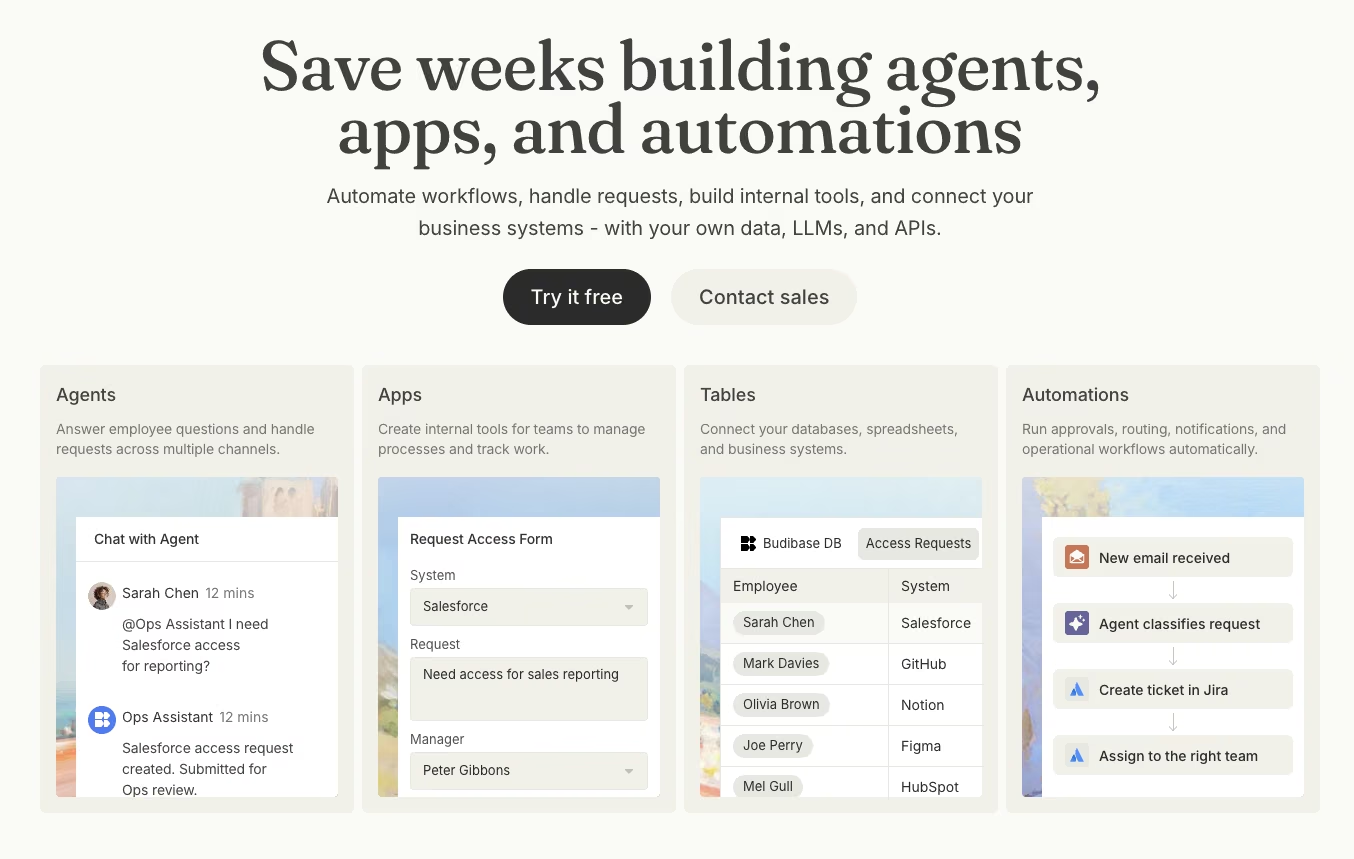
Free, if you're willing to self-host: Budibase costs nothing beyond the hosting itself. I self-hosted the entire checkout log, all four tables, and both roles. The complexity landed close to what AppSheet itself demands, short of the steeper bar I expected from an open-source tool.
The free self-hosted tier does not cap seats, actions, or apps, so it removes per-user billing.
If you'd rather not run your own server, the Pro tier is $23/month ($19/month, billed annually), including 5,000 actions a month plus 2,000 AI credits. That covered this build's overdue-flag automation easily.
The catch is infrastructure comfort. Standing up a self-hosted instance means provisioning a server and handling ongoing maintenance, a step a non-technical AppSheet user has never had to think about. The cloud tier removes that step entirely, at the price of the fee.
The mobile checkout flow worked the same way on a phone and a laptop, with no separate mobile build to manage.
The lack of per-seat charges is Budibase's main pricing advantage. But Budibase only makes sense once your team has the infrastructure comfort to self-host, alongside a hard requirement to pay nothing per seat. A non-technical user who's never managed a server shouldn't start here.
Key features
- Self-hosted option: Run Budibase on your own server with no per-seat cost.
- Built-in automations: Workflow logic configures natively.
Pros
- Completely free to self-host, with no seat or action cap.
- Complexity feels comparable to AppSheet and lower than I expected from an open-source tool.
Cons
- Self-hosting requires infrastructure comfort a non-technical user won't have.
- Ongoing server maintenance is your responsibility if you self-host.
Best for
- Technical teams wanting zero per-seat cost, comfortable self-hosting.
Pricing
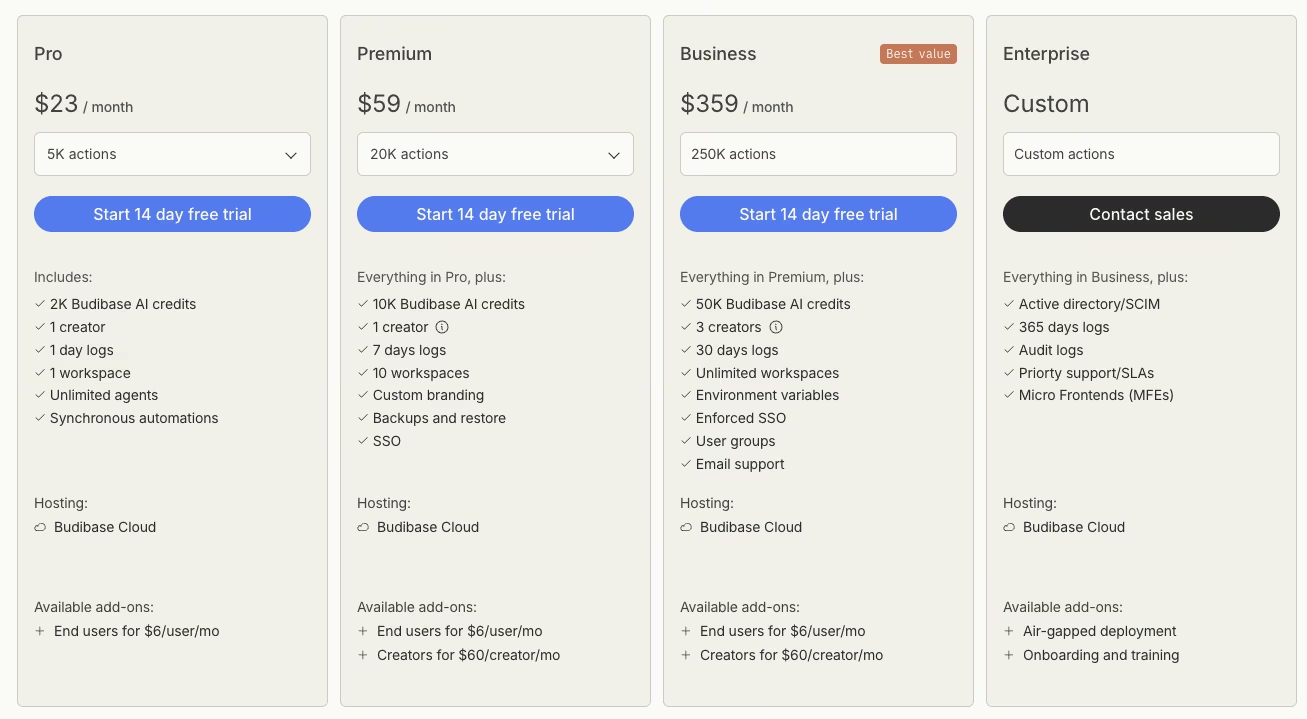
- Free to self-host: No cap on actions, apps, or users.
- Pro: $23/month ($19/month, billed annually).
- Premium: $59/month ($49/month, billed annually).
- Business: $359/month ($299/month, billed annually).
If Budibase isn't quite what you're after, our roundup of the 10 best Budibase alternatives to try in 2026 breaks down the options worth considering.
9. Caspio: Best for Compliance-Heavy, Enterprise-Grade Database Apps
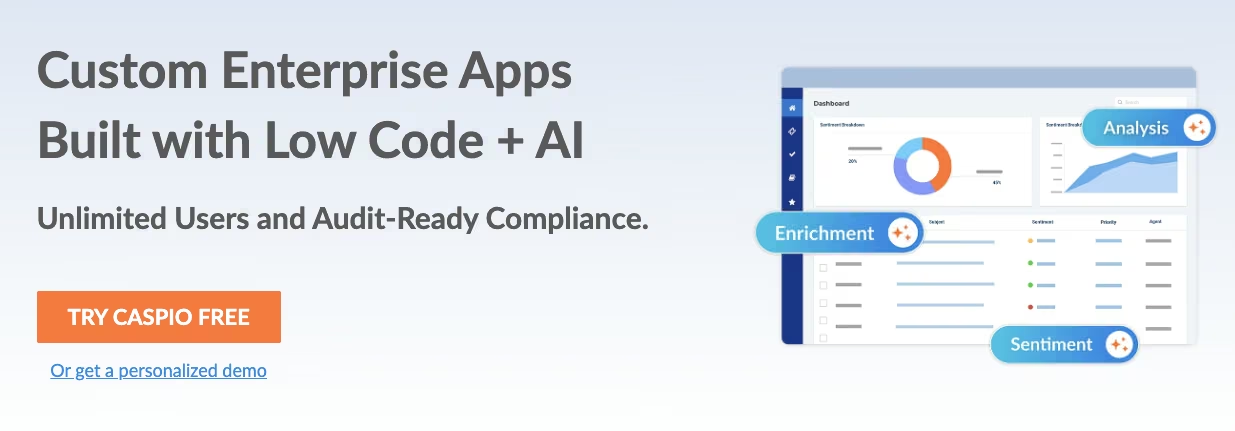
Foreign keys, out of the box: Caspio is more database than this build needed. Building the relational structure inside Caspio's own database layer meant setting up referential integrity between Equipment, Locations, Staff, and Checkout Records, foreign keys and all.
That's a heavier lift than the looser linked-record approach a tool like Airtable uses. Role-based access came built in from the start, which supports compliance requirements.
Caspio enforced referential integrity across all four linked tables and both roles without a broken reference, more rigor than the seed data needed. Setup took longer than the drag-and-drop tools because each relationship required explicit configuration.
There's no free tier here. Team starts at $300/month ($270/month, billed annually), the entry point for the unlimited-user access this field builds toward.
The mobile side reflected that same database-first design. Caspio's own DataPages rendered on a phone browser without extra configuration. Navigating between the four linked tables took more taps than a purpose-built app would need. That extra navigation suits compliance-first work and is a poor fit for one-handed field use.
Referential integrity enforcement, scheduled tasks, and triggered actions on record changes all come standard in Caspio, a rigor most visual builders skip entirely. That capability is useful for apps with real compliance requirements. A simple field-ops checkout log has little use for that level of database control.
Key features
- Enforced referential integrity: Foreign-key relationships are enforced at the database level.
- Built-in role-based access: Permission structure configures at the database layer from the start.
Pros
- Genuine database rigor (referential integrity, scheduled tasks) most visual builders skip.
- Suited to a compliance requirement that simpler tools can't meet.
Cons
- More database capability than a small field-ops team needs on day one.
- No free tier; the $300/month ($270/month, billed annually) Team plan is the only way in.
Best for
- Enterprise rollouts needing to satisfy a compliance or data-integrity requirement.
Pricing

- No free tier.
- Team: $300/month ($270/month, billed annually).
- Business: $600/month ($540/month, billed annually).
10. Jotform Apps: Best for Teams Whose Workflow Starts With a Form
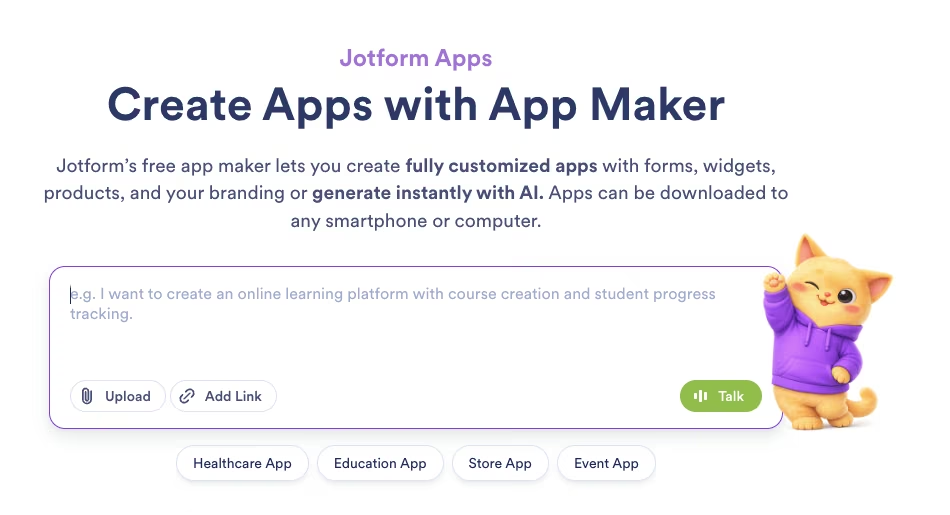
Forms first, tables second: Jotform Apps made me rebuild the way I thought about this project. The other tools started from tables, spreadsheets, or databases. Jotform Apps starts from a form, so the check-in becomes a submission before it becomes a record. That flipped my mental model compared to the other 11 tools tested.
For this build, a spreadsheet-first inventory log, that shift worked against me.
Cross-referencing all 40 equipment rows against the six staff records inside a form-first structure took noticeably more manual mapping than the table-first tools here. Linking Checkout Records to both Equipment and Staff meant working against the form-first structure, which did not fit this inventory log.
A free Starter plan exists for building and testing. Jotform Apps has no separate price because it is bundled with the Jotform account plan you already use. Bronze is the first paid tier at $39/month ($34/month, billed annually). A full rollout needs its higher form and submission caps.
What Jotform Apps does well shows up when the workflow starts with a form, like an inspection checklist, an intake request, or an incident report. In all three, the first data point is someone filling something out. Everywhere else in this test, it's a row that already exists.
The 40 equipment rows existed before the first checkout, so a table-first tool fit this build better.
Key features
- Form-first data entry: Every workflow starts from a form submission.
- Workflow automation: Approvals, notifications, and routing build around submissions.
Pros
- Fastest path to a working tool when the workflow starts with a form.
- Strong fit for intake, inspection, and approval-style workflows.
Cons
- Fighting a form-first structure for a spreadsheet-first log like this one.
- No pricing of its own, so a change means upgrading your whole account.
Best for
- Form-first workflows, like intake requests and inspection checklists.
Pricing
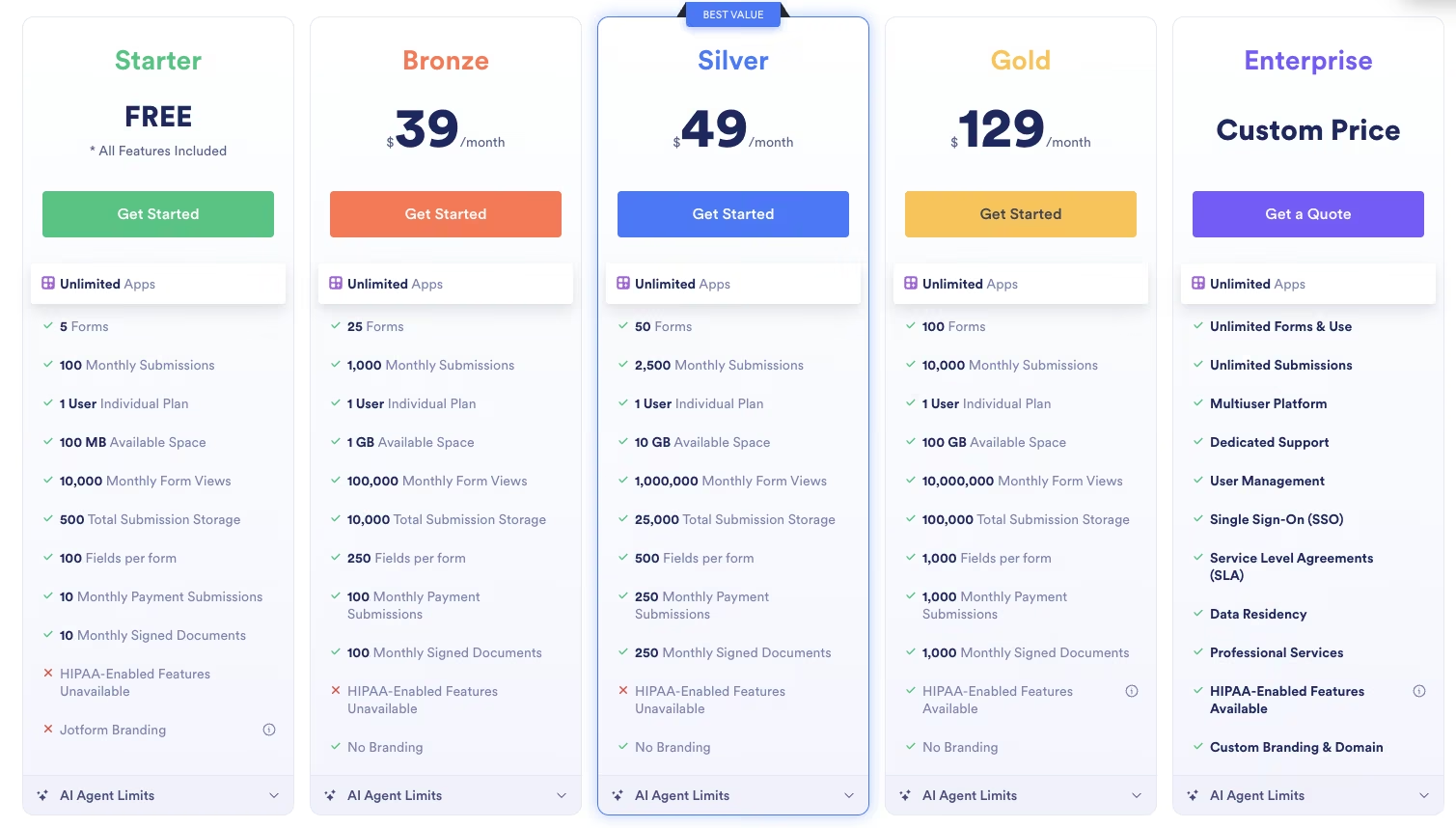
- Free Starter plan for building and testing.
- Bronze: $39/month ($34/month, billed annually).
- Silver: $49/month ($39/month, billed annually).
- Gold: $129/month ($99/month, billed annually).
11. ToolJet: Best for Self-Hosted Internal Tools Built on Your Own Database and Web Services
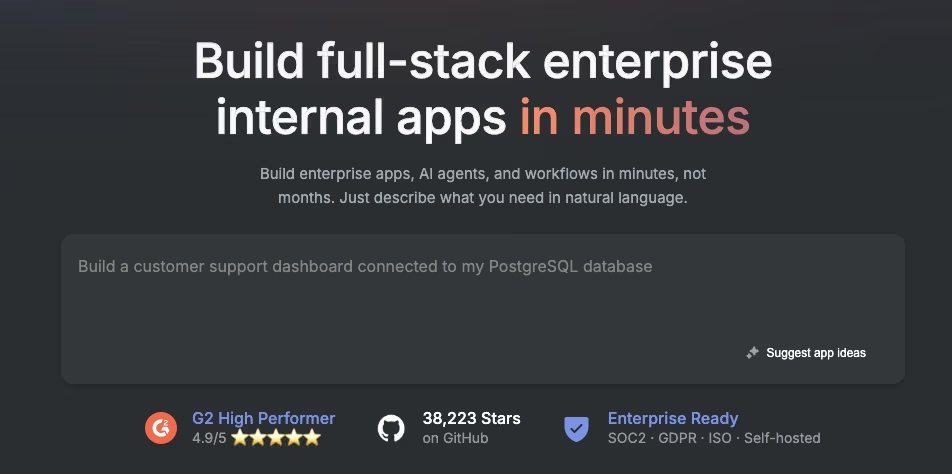
Bring your own database, then drag and drop on top of it: ToolJet is open source, and I ran this build entirely self-hosted, which meant a small Postgres instance to hold the four tables (Equipment, Locations, Staff, Checkout Records) before anything else could connect. There's no direct spreadsheet import here.
ToolJet expects a real database behind it, and once that was in place, ToolJet's query builder linked Checkout Records to Equipment and Staff through two relational queries. ToolJet isn't prompt-driven, so there's no locked prompt to quote here, unlike Zite and Emergent.
The permission split was faster to configure than Power Apps' Dataverse setup. Each Field Tech and Supervisor role was scoped to a query.
Getting the overdue-flag logic to fire needed a scheduled query checking Checkout Records against today's date, wired through ToolJet's own workflow panel. The query fired correctly once configured, though getting there took more trial and error than Zite's single-pass prompt result.
ToolJet's self-hosted, dev-adjacent nature showed up most clearly on mobile. It renders its apps in a responsive browser view, and checking an item in and out on a phone worked, but every screen read like a query result table shrunk to fit a smaller frame. For an internal ops tool nobody outside the field team will ever see on a home screen, the gap barely registers.
Self-hosting ToolJet costs nothing beyond the server itself, the same structural advantage Budibase has. The free cloud tier caps at two builders and 50 end users, enough for the six staff records and two roles in this test.
The cheapest paid cloud tier is $99 per builder/month ($79 per builder/month, billed annually), the jump a growing team would need once a third builder needs build access.
Standing up a database and writing your own queries is the price of ToolJet's flexibility here, a fair trade if someone on the team already does both. AppSheet's original promise, point at a spreadsheet and go, doesn't survive the move to ToolJet.
Key features
- Database-first building: Drag-and-drop components wire directly to your own Postgres, MySQL, or web service connection, no spreadsheet layer required.
- Self-hosted or cloud: Run the open-source community edition on your own server at no cost, or use the hosted cloud plans.
Pros
- No per-seat cost at all if you self-host.
- Direct database and web-service connections, no data re-import step.
Cons
- Requires you to set up and run your own database.
- Mobile view reads as a shrunk desktop screen, with no native build.
Best for
- Dev-adjacent ops teams who want a self-hosted internal tool wired to a database they already run.
Pricing

- Free to self-host (community edition).
- Cloud free tier: two builders, 50 end users, two apps.
- Pro: $99 per builder/month ($79 per builder/month, billed annually).
- Team: $249 per builder/month ($199 per builder/month, billed annually).
- Enterprise: Starts at $3,000/month.
12. Appsmith: Best for Open-Source Teams That Want Git-Backed Version Control on Every Build
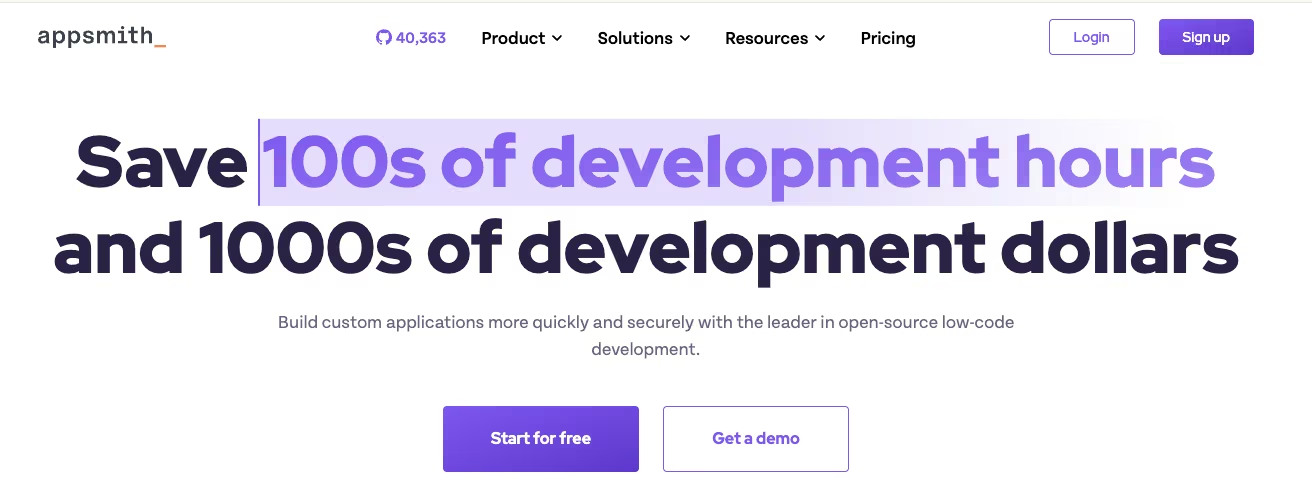
Every change becomes a traceable commit: Appsmith self-hosts the same way ToolJet does, and I connected it to a small database holding the same four tables. The drag-and-drop editor felt close to ToolJet's own. The Git integration sitting underneath it is what set the build apart.
Every change committed to a connected Git repository automatically, including the new Field Tech role and the overdue-flag query. I could see exactly what changed between the working build and the version before the Supervisor's overdue notification. Like ToolJet, I built this one by hand, so there's no prompt to quote.
Version history helped when the first overdue query flagged every checkout record. I rolled back to the last working commit in one click, then corrected the query. That's not something AppSheet, or most of the other tools tested here, gives you at all.
Appsmith scopes its role permissions per data source. That differed from Power Apps' Dataverse-level roles and took some adjustment. Once configured, the Field Tech and Supervisor logins worked against the same underlying tables.
Mobile rendering shared ToolJet's limitation, usable for one-handed checkout but still desktop-shaped on a phone.
Appsmith's public commit history has visibly slowed over the past year. That slower pace may concern teams choosing a long-term platform. It's still capable software today, and I'd trust it for a build like this one right now. I'd check the commit history myself before recommending it as a five-year platform bet.
Appsmith is free to self-host with no seat cap, matching Budibase and ToolJet. The cloud free tier caps at five users, and the cheapest paid cloud tier is $15 per user/month. That pricing is user-based, while ToolJet's is builder-based, so the cheaper option depends on the number of builders and end users.
Key features
- Git-backed version control: Every build change commits automatically, so you can roll back a broken query in one click.
- Self-hosted or cloud: The open-source community edition runs on your own server at no cost, with premium features available on the hosted cloud plans.
Pros
- Built-in Git history makes rolling back a bad change painless.
- Free to self-host with no per-seat cost.
Cons
- Commit activity on the open-source project has visibly slowed.
- Mobile view is a responsive browser screen, without a native app option.
Best for
- Dev-adjacent teams who want version control on every change to a self-hosted internal tool.
Pricing

- Free to self-host (community edition).
- Cloud free tier: Five users, five workspaces, three Git repos.
- Business: $15 per user/month for the cloud plan, up to 99 users.
- Enterprise: $2,500/month for 100 users, with SSO and dedicated support.
The Best AppSheet Alternative Is the One That Fixes Your Specific Blocker
No single tool here won every round. Zite came closest to matching the two most common reasons people leave AppSheet, skipping per-seat pricing and the visual-builder learning curve altogether. Emergent is the pick when you want to own the actual code across web and mobile. Airtable built the fastest raw data model, while Budibase, ToolJet, and Appsmith are free options for teams comfortable with self-hosting.
Match the tool to your specific ceiling, whether that's a relational-data wall, a per-user bill you can't audit, or a platform that won't let you take your code with you. Do that, and you'll spend less time rebuilding.
Prompt-based builders are worth a closer look when you want to skip a visual editor entirely, and Emergent is the one that lets you walk away owning the code. Start Building on Emergent.

Every alternative has trade-offs. Emergent just builds production-ready apps from one prompt.
- Production-ready apps
- Web & mobile apps
- Deploy in minutes





