



TL;DR
Seven tools cover almost every reason people leave Codex, ranked by how closely each one replaces it.
- Claude Code: best for long, deep engineering sessions in the terminal.
- Cursor: best for multi-file refactors inside a visual editor.
- Google Antigravity: best free access to frontier models.
- Windsurf, now Devin Desktop: best for running several agents side by side.
- GitHub Copilot: best for inline completions and pull request workflows.
- Cline: best for paying only for the tokens you use.
- Emergent: best for building the whole app when you don't want to write the code.
You're 40 minutes into a task, the agent is finally holding the whole problem in its head, and the usage meter taps you on the shoulder. That's the moment most people start looking at OpenAI Codex alternatives. Codex writes fine code, but a five-hour window and a weekly cap don't care what you're in the middle of.
I compared seven of the most credible options on four things. What each costs on the vendor's own pricing page, what happens when you hit the ceiling, who it's built for, and whether it replaces Codex or just gives it somewhere else to live.
Pricing here comes from each vendor's official page, checked in July 2026, and two of the seven aren't the products the rest of the internet still says they are.
By the end, you'll know which tool matches how you want to work, and whether the answer is a different coding agent or a different approach to building software.
Why Look for OpenAI Codex Alternatives?
Most people look for OpenAI Codex alternatives because of usage limits, model choice, or a mismatch between what Codex does and what they need built. Codex itself is strong. It runs in the terminal, in a VS Code extension, on the web, and on iOS, and it's bundled into every ChatGPT plan from Free upward, so the tool isn't the problem for most people who leave it.
Usage ceilings arrive mid-task. Codex meters local messages and cloud chats against a shared five-hour window, with weekly limits stacked on top. On Plus at $20/month, that's roughly 10 to 100 local messages per five hours on GPT-5.6 Sol, the top-tier model. Heavy days end early, and the reset clock doesn't align with your deadline.
Costs get harder to predict once credits enter the picture. When you exhaust your included usage, you buy credits to keep going, and OpenAI moved credit consumption to token-based rates in April 2026. Your bill now tracks input, cached input, and output tokens, so a tidy message count no longer tells you what you owe.
You're locked to one model family. Codex runs OpenAI models. If you want Claude or Gemini on a particular task, or you want to compare two models on the same problem, you need a tool that lets you switch.
It's built around reading diffs. Codex assumes you'll review and approve the changes it proposes, which is the right assumption for an engineer. Plenty of people hitting its limits want a working app in front of customers, which is a different job from writing code faster.
How I Compared These Codex Alternatives
Every figure and feature claim below traces to a primary source, meaning the vendor's own pricing page, product documentation, or launch announcement, each checked in July 2026. Plan structures in this category changed repeatedly through the first half of the year, so secondhand roundups and pricing trackers were treated as leads to verify, never as sources to quote.
Four checks decided which tools made the shortlist. Pricing and what happens when you hit the ceiling came first, then model flexibility, the surface you work in (terminal, editor, or browser), and category fit for someone who doesn't write code. A tool that looked strong on features but left its overage costs open-ended lost points on the check that matters most to a monthly budget.
Five names came up and got dropped. Aider is a capable open-source command-line tool, but it needs your own model keys and per-token budgeting, and Cline covers that ground with a friendlier setup. Replit and Base44 overlap heavily with Emergent's slot. Augment Code and Amazon Q Developer are built for enterprise procurement teams.
Two checks produced surprises, and both involve a product that no longer exists under the name everyone still uses. Windsurf's pricing page no longer resolves to Windsurf. Antigravity CLI has already replaced Gemini CLI. Google announced the move at I/O on May 19, 2026, and on June 18, Gemini CLI stopped serving free Google AI Pro and Ultra accounts.
The 7 Best Codex Alternatives at a Glance
Prices below are the entry paid tier, and two of the seven cost nothing to start.
| Tool | Best for | Core strength | Starting paid price |
|---|---|---|---|
| Claude Code | Deep terminal sessions | Long multi-step reasoning | $20/month($17/month billed annually) |
| Cursor | In-editor refactors | Visible, reviewable diffs | $20/month($16/month billed annually) |
| Google Antigravity | Free frontier access | Three model providers, no fee | Freefor individuals |
| Devin Desktop | Managing multiple agents | One board for every agent | $20/month(no annual option listed) |
| GitHub Copilot | Inline completions, PRs | Native GitHub review | $10/month(no annual option listed) |
| Cline | Token-level cost control | Open source, bring your keys | Freeplus inference |
| Emergent | Shipping a finished app | Builds the whole app | $20/monthfor 100 credits ($17/month billed annually) |
Which Codex Alternative Should You Choose?
Pick based on what pushed you away from Codex, since the seven tools solve different problems.
- Choose Claude Code if you want the closest like-for-like replacement and you're comfortable in a terminal. The caveat is that it shares one usage pool with your Claude chats, so heavy daytime chat use eats into evening coding.
- Choose Cursor if you want to see the changes land in a full editor before accepting them. Skip it if you dislike migrating editors.
- Choose Google Antigravity if you want frontier models without a subscription and can live inside weekly rate limits.
- Choose Devin Desktop if you're running more than one agent and losing track of what each is doing.
- Choose GitHub Copilot if your work already lives in pull requests and you want the cheapest paid entry point.
- Choose Cline if you'd rather pay per token than per month, and you want to audit the tool's source.
- Choose Emergent if you want the finished app, and you're fine describing it in plain English.
- Stick with OpenAI Codex if the limits are the only complaint and your work is otherwise going well. Moving up a tier costs less and upends less than relearning a toolchain, and Codex's cloud code review, Slack, and Linear integrations are useful if your team already works there.
The 7 Best Codex Alternatives, Reviewed
Each tool below gets the same treatment: what it does well, where it stops, who it suits, and what the vendor's own pricing page says today. They're ordered by how closely each replaces Codex, so the closest swap comes first, and the biggest change of approach comes last.
1. Claude Code: Best for Deep Engineering Sessions
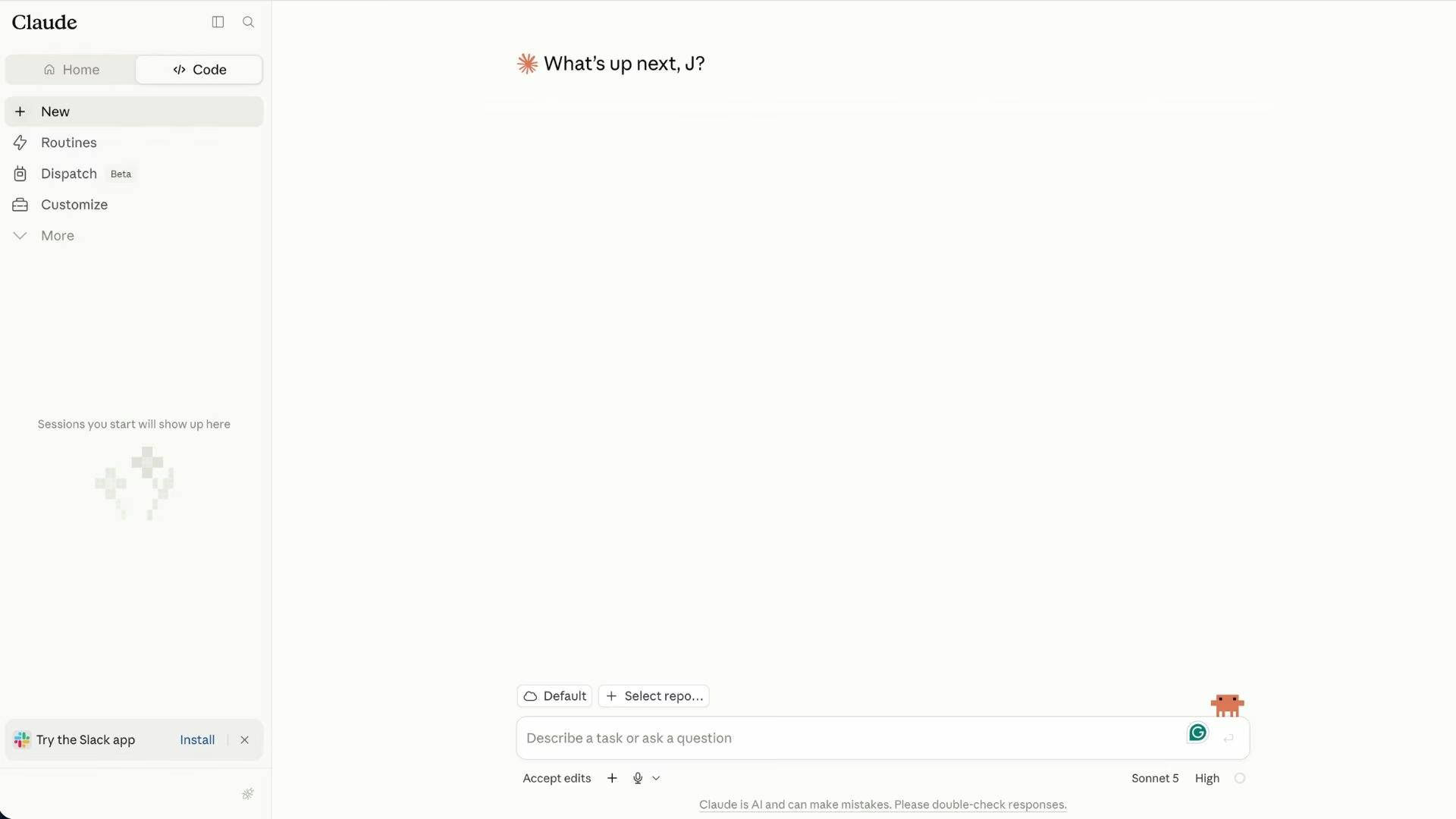
Claude Code is the closest thing to a like-for-like Codex replacement, and it's the one to try first if you want the same shape of tool with a different engine underneath. Anthropic built it as a terminal-first agent that reads a codebase, plans a change, edits across files, and runs its own checks before handing work back.
It suits long sessions. Where an AI coding assistant built around autocomplete loses the thread on a large refactor, Claude Code is designed to stay on one problem across many steps. It also runs on the web and desktop, so the terminal isn't the only door in.
A session reads as one long exchange instead of a series of prompts. You point it at a local or cloud directory, describe the change, and it works through the files itself, showing you what it plans to touch before it commits to an edit. On a multi-file refactor, that means most of your attention goes to the plan it proposes at the start, not to the individual edits.
Claude Code draws from the same allowance as your Claude chats on web, desktop, and mobile, metered on a rolling five-hour window with weekly limits on top. A heavy morning of chat leaves less room for an evening of code.
Key features
- Multi-file editing: Hands off a whole refactor in one pass.
- Terminal-native workflow: Works where your build tools and version control already live.
- Shared plan access: One subscription covers Claude Code, chat, and the other Claude apps.
Pros
- Strong at holding a large problem across a long session.
- Model quality is competitive at the top of the category.
- No editor migration required.
Cons
- Usage is shared with chat, so limits arrive sooner than the price suggests, though paid plans can turn on usage credits and continue at API rates.
- The free plan doesn't include Claude Code at all, so there's no zero-cost trial.
- Terminal-first will put off anyone who wants a visual interface.
Best for
- Engineers running large refactors or migrations.
- Anyone who liked Codex's agent model but wants a different provider.
- Teams standardizing on one vendor for chat and code.
Pricing
Claude Code is included on every paid Claude plan. Pro runs $20/month ($17/month billed annually), and Max is $100/month for five times Pro's usage or $200/month for 20 times.
On Team, confirm which seat type you need before buying: Standard seats are $25/seat/month ($20/seat/month billed annually), and Premium seats sit above them. Pay-as-you-go through the Claude Platform is available if you'd rather meter by token.
Full plan details sit in Emergent's Claude Code pricing breakdown.
2. Cursor: Best for In-Editor Refactors
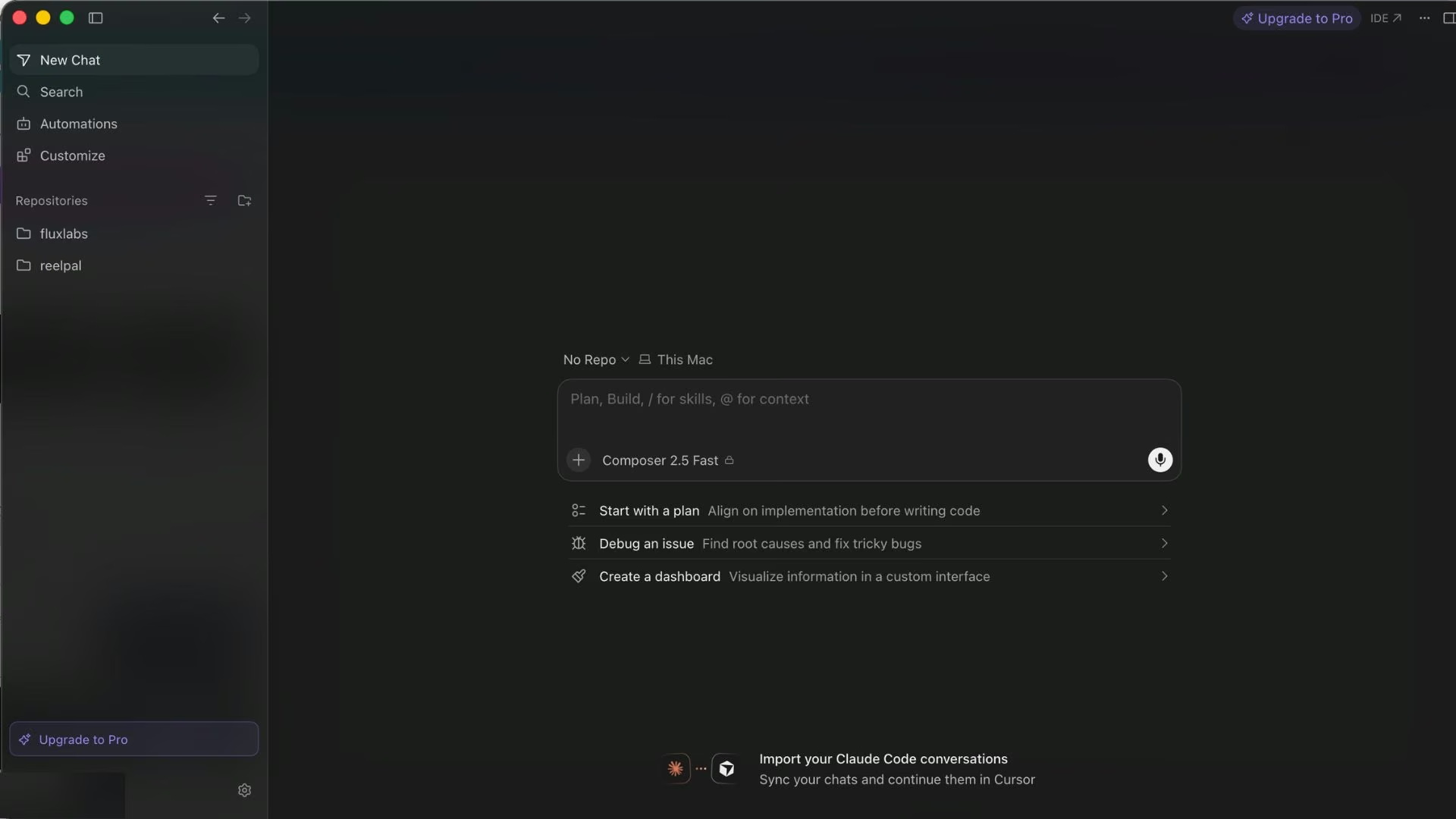
Cursor puts the agent inside a full code editor. It's a fork of VS Code, so extensions, keybindings, and settings carry over, and the AI work happens in the same place you read the diff.
For multi-file changes, watching an agent work across your files beats reading its summary of what it claims it touched, and Cursor is built around that review step. Frontier models from several providers are available, which directly solves the model lock-in complaint.
Cursor shows every edit as a diff before it becomes part of your code. The agent changes several files at once, and each change waits in the sidebar with the old version beside the new one, so nothing is saved until you click accept.
Reviewing a ten-file change this way takes longer than letting an agent finish on its own, and that tradeoff is the reason people choose Cursor.
Cursor's plans include a set amount of model usage, and going beyond it bills on demand in arrears. On-demand billing has no natural stopping point unless you set one, so the flexibility cuts both ways.
Key features
- Frontier model access: Switch providers per task.
- Cloud agents: Hand off work that runs outside your machine.
- Bugbot code review (usage-based billing): Flags problems on pull requests before a human reads them.
Pros
- Familiar interface for anyone already in VS Code.
- Visible diffs make agent work easy to audit.
- Team tier adds SSO and centralized billing.
Cons
- On-demand usage bills after the fact, which can surprise you.
- Switching editors is a real cost if you're settled elsewhere.
- Higher individual tiers are needed for sustained agent work.
Best for
- Developers who want to review every change visually.
- Teams that need admin controls without enterprise procurement.
- Anyone consolidating several models into one interface.
Pricing
Cursor's Hobby plan is free with limited agent requests. The Individual plan starts at $20/month ($16/month billed annually) for Pro, with Pro+ and Ultra above it for heavier agent use, and Teams runs $40/user/month ($32/month billed annually). Enterprise is custom.
Emergent's Cursor pricing guide covers how the usage allowance behaves in practice.
3. Google Antigravity: Best Free Option With Frontier Models
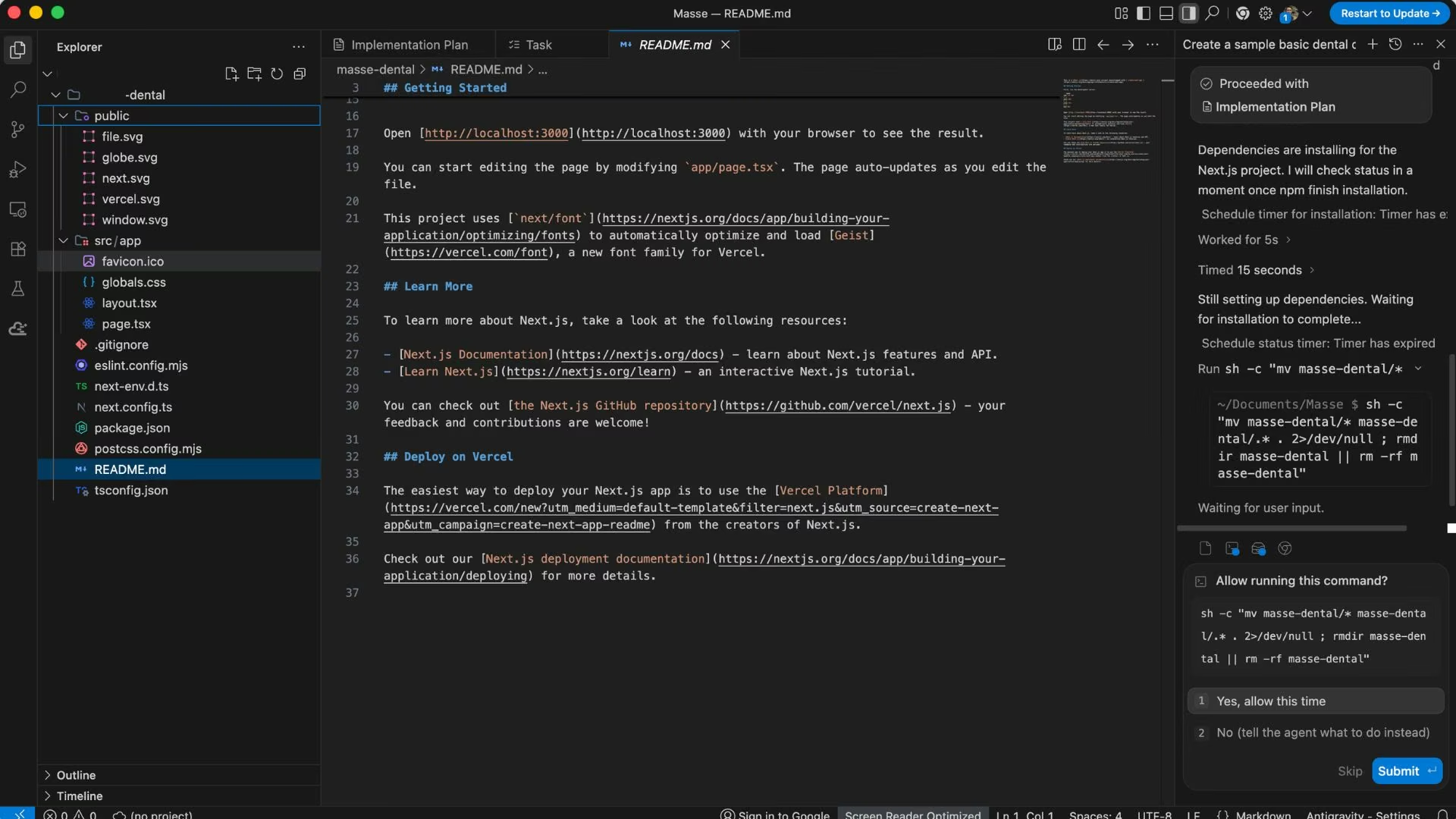
Google Antigravity is the strongest free entry point in this category, and the individual plan carries no subscription fee. Google positions it as an agentic development platform, and the free tier includes unlimited Tab completions, unlimited Command requests, and basic weekly rate limits.
On the free plan, you get Gemini 3.5 Flash, Gemini 3.1 Pro, Gemini 3 Flash, Claude Sonnet and Opus 4.6, and gpt-oss-120b, which means access to two rival frontier families without paying anyone a monthly fee. That single fact answers the model lock-in complaint more completely than any paid tool here.
Switching models is a dropdown in the same window. You can send a task to Gemini 3.1 Pro, send the same task to Claude Opus 4.6, and compare the two answers before you decide which to keep, all on the free plan. Doing that anywhere else on this list means paying for at least one subscription, and usually two.
Gemini CLI has already been replaced by Antigravity CLI, so tutorials written for it describe a product that stopped serving consumer accounts in June 2026. Antigravity adds a command center for running several local agents in parallel, grouping conversations into Projects, and scheduling routine tasks.
Key features
- No-cost frontier access: Gemini, Claude, and open-weight models on the free individual plan.
- Parallel agent command center: Run several local agents at once and group them into Projects.
- Antigravity CLI: A terminal-first surface for autonomous agents and background subagents.
Pros
- The only tool here offering rival frontier models at no monthly cost.
- Weekly rate limits reset without any billing decision.
- Google Cloud customers can access it under existing Cloud terms.
Cons
- Free-tier limits are weekly, so a heavy stretch can leave you waiting days.
- The Antigravity pricing page doesn't show upgrade prices, though Google's own blog puts AI Pro at $20/month and AI Ultra at $100 or $200/month.
- The Gemini CLI transition means much of the published guidance is already out of date.
Best for
- Developers who want frontier models without a subscription.
- Anyone comparing Gemini and Claude on the same problem.
- Teams already inside Google Cloud.
Pricing
The individual plan is free with basic weekly rate limits. Google AI Pro and Google AI Ultra subscriptions raise those limits and add a flexible AI credit pool, and an organization plan runs through Google Cloud on consumption-based pricing.
Looking beyond Google Antigravity, Best Google Antigravity Alternatives and Competitors in 2026 explores other platforms with different approaches to AI-assisted development.
4. Windsurf, Now Devin Desktop: Best for Running Multiple Agents
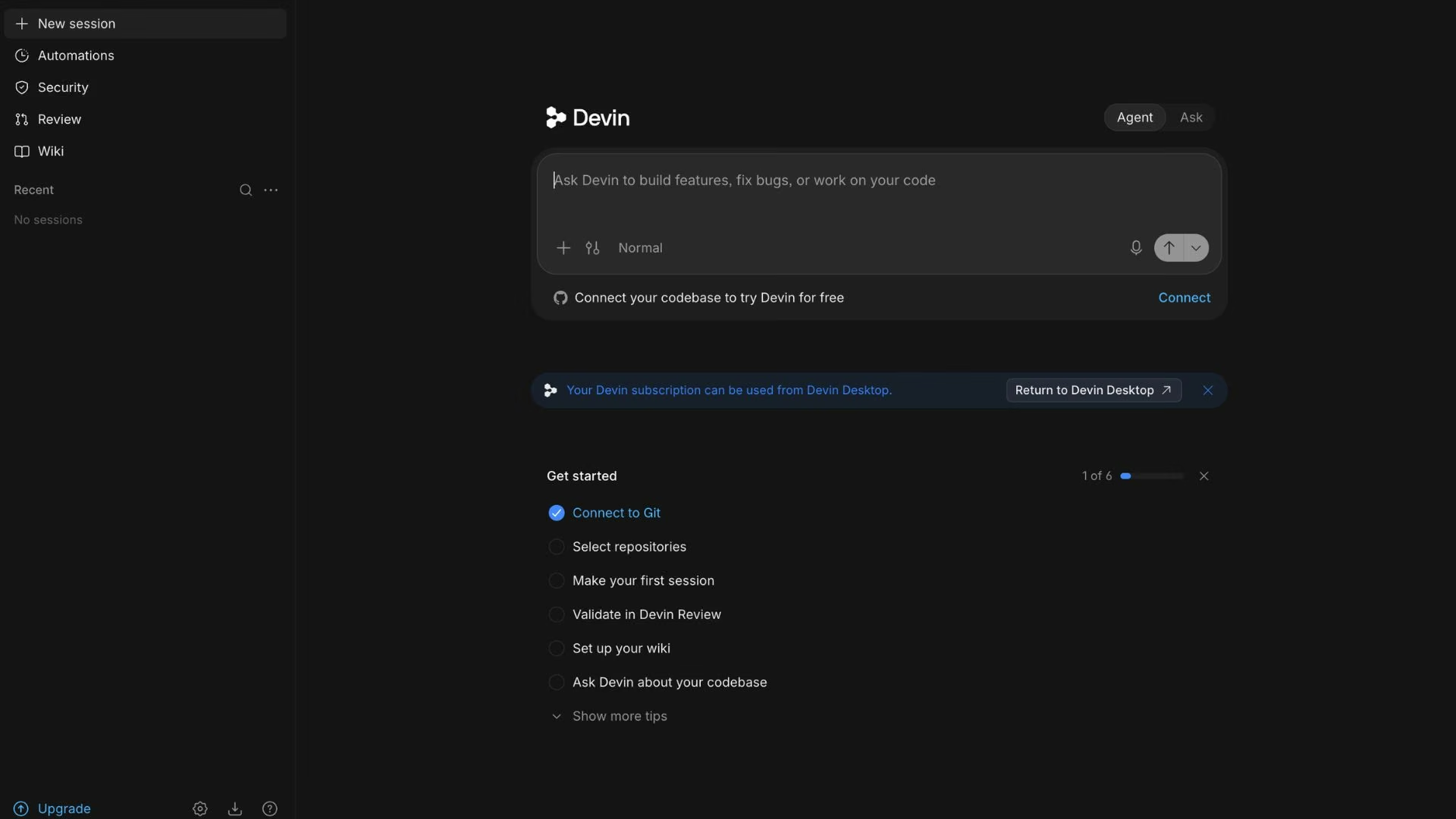
Windsurf isn't a standalone product anymore, and most comparisons haven't caught up. Cognition folded it into Devin Desktop, describing the new app as the next generation of Windsurf built on the same editor foundation. Both windsurf.com and its pricing page now redirect permanently to Devin.
What replaced it is more ambitious than the old agentic editor. Devin Desktop's default surface is an agent command center, a Kanban view where every local and cloud agent's work sits in one place, grouped into Spaces that share context between sessions, pull requests, and files.
The editor is still underneath, backward-compatible with Windsurf and VS Code.
Each agent's task shows up as a card on the Kanban board, so three agents running at once appear as three cards you can click into. A terminal shows one agent at a time and scrolls its output out of view as it works. Keeping finished and in-progress work on the same screen is the practical reason to use Devin Desktop once you have more than one agent going.
For anyone leaving Codex reluctantly, Devin Desktop doesn't make you drop it. You can keep running Codex right inside it.
It ships with support for the Agent Client Protocol, an open standard that lets compatible agents run inside compatible editors, and Codex is supported at launch alongside Claude Agent and OpenCode. Third-party agents appear in the same Kanban view as Devin's own.
So this entry is a replacement or a container, depending on your intent. If Codex's output was never the complaint, running it inside a better management layer solves the coordination problem without a migration.
Key features
- Agent command center: Track every running agent in one Kanban board.
- Spaces: Share context between agents instead of re-explaining each time.
- Agent Client Protocol support: Run Codex and other agents inside the same app.
Pros
- Solves multi-agent sprawl better than a single-agent tool can.
- Keeps Windsurf and VS Code extensions, keybindings, and workflows.
- Lets you keep using Codex while you evaluate the swap.
Cons
- The rebrand means older tutorials, docs, and pricing guides are stale.
- Multi-agent management is overkill if you run one agent at a time.
- Team billing adds a platform fee on top of per-seat pricing.
Best for
- Developers already juggling two or more coding agents.
- Windsurf users who need to know where their tool went.
- Teams that want one review surface across mixed agents.
Pricing
The free plan covers a light daily quota with unlimited Tab completions. Pro is $20/month with higher quotas and frontier model access, Max is $200/month, and Teams runs $80/month for the team plan plus $40/month per full developer seat. Enterprise is custom. Quotas refresh daily and weekly, and any usage beyond them is billed by the token at standard rates.
Emergent's Windsurf pricing guide tracks how the plans changed through the transition.
5. GitHub Copilot: Best for Inline Completions and Pull Requests
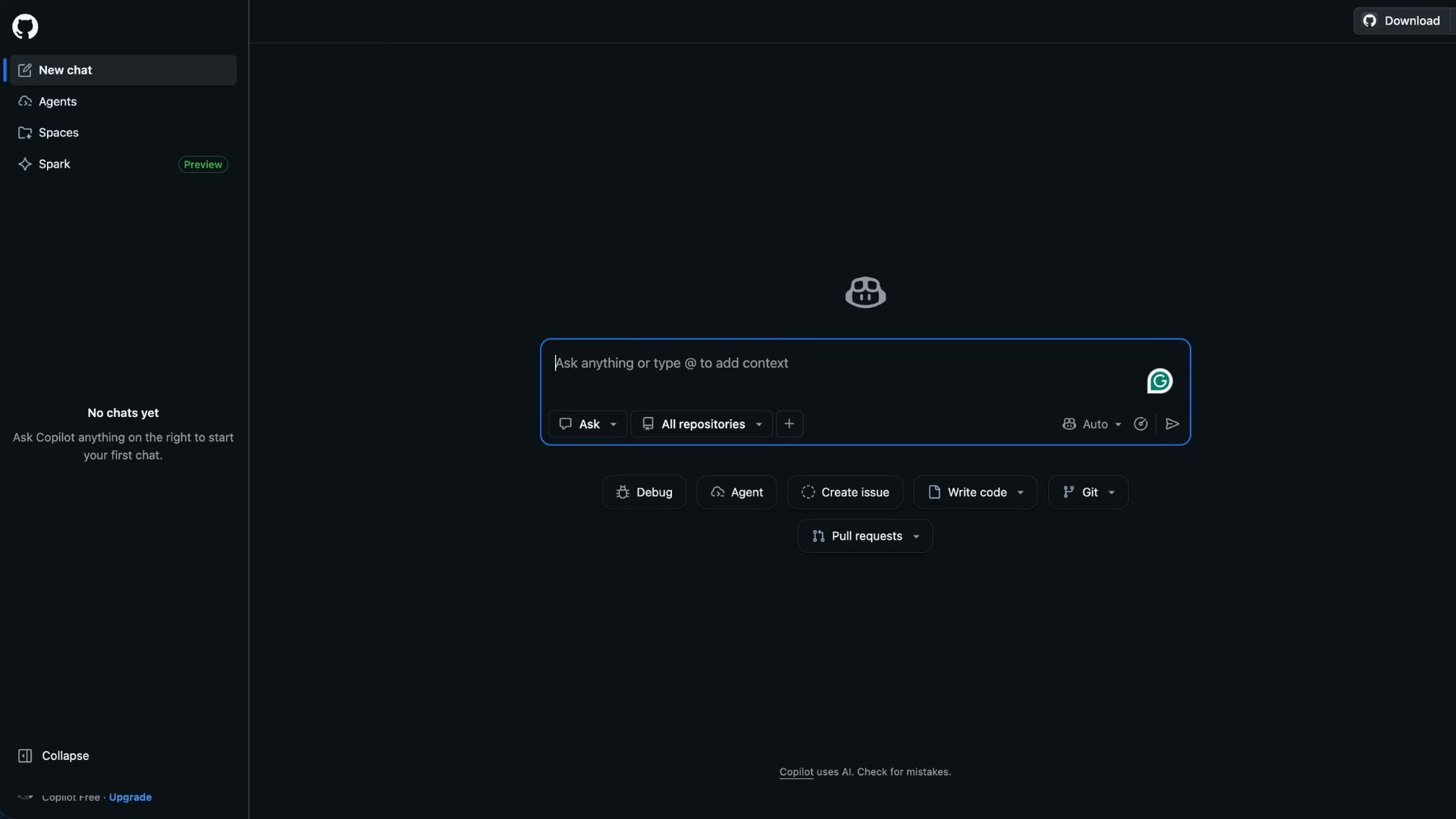
GitHub Copilot is the cheapest serious paid entry point and the one that fits an existing pull request workflow best. It's built into GitHub itself and available across VS Code, Visual Studio, JetBrains, Xcode, Neovim, and more, which is a wider spread than any other tool here.
Completions are the strong suit. Inline suggestions and next-edit suggestions are unlimited on every paid plan and don't consume credits at all, so the everyday autocomplete layer costs nothing beyond the seat price. Chat, agent mode, code review, and the CLI draw from a monthly credit allowance instead, priced at one cent per credit.
Copilot charges for two kinds of work differently, and it's worth understanding before you pick a tier. Autocomplete suggestions as you type are unlimited on any paid plan and never reduce your credit balance, however many you accept.
Chat, agent mode, and code review work the other way: each request spends credits, and one credit costs one cent. Pro gives you $15 of credits a month on a $10 seat, so occasional chat is covered, while running agent tasks all day will empty the balance before the month ends.
The Pro plan lists access to third-party agents, Claude Code and Codex among them, which matters if you're only leaving Codex reluctantly. A $10/month seat can host the agent you were already using while giving you Claude and Gemini models alongside it.
Delegating cloud-agent tasks to those third-party agents is listed from Pro+ upward, so check which of the two you need before you pick a tier.
Key features
- Unlimited completions: The autocomplete layer never draws on your credit balance.
- Broad editor support: Works in most editors your team already uses.
- Third-party agents: Run Codex or Claude Code inside Copilot from the Pro plan.
Pros
- Lowest paid entry price of the seven.
- Native to GitHub, so PR review needs no extra setup.
- Free plan is usable for evaluation at 2,000 completions per month.
Cons
- Credits meter agent work, and heavy sessions run through them quickly.
- Individual plans use your interactions for model training unless you opt out.
- Cloud-agent delegation to third-party agents sits on Pro+ and above.
Best for
- Teams whose work already runs through GitHub pull requests.
- Developers who mostly want fast completions.
- Anyone testing several agents cheaply from one seat.
Pricing
The free plan includes 2,000 completions per month. Pro is $10/month with $15 in monthly credits, Pro+ is $39/month with $70 in credits, and Max is $100/month with $200 in credits. Business and Enterprise seats are sold separately with pooled credits.
Emergent's GitHub Copilot pricing explainer walks through how the credit maths lands.
6. Cline: Best for Paying Only for the Tokens You Use
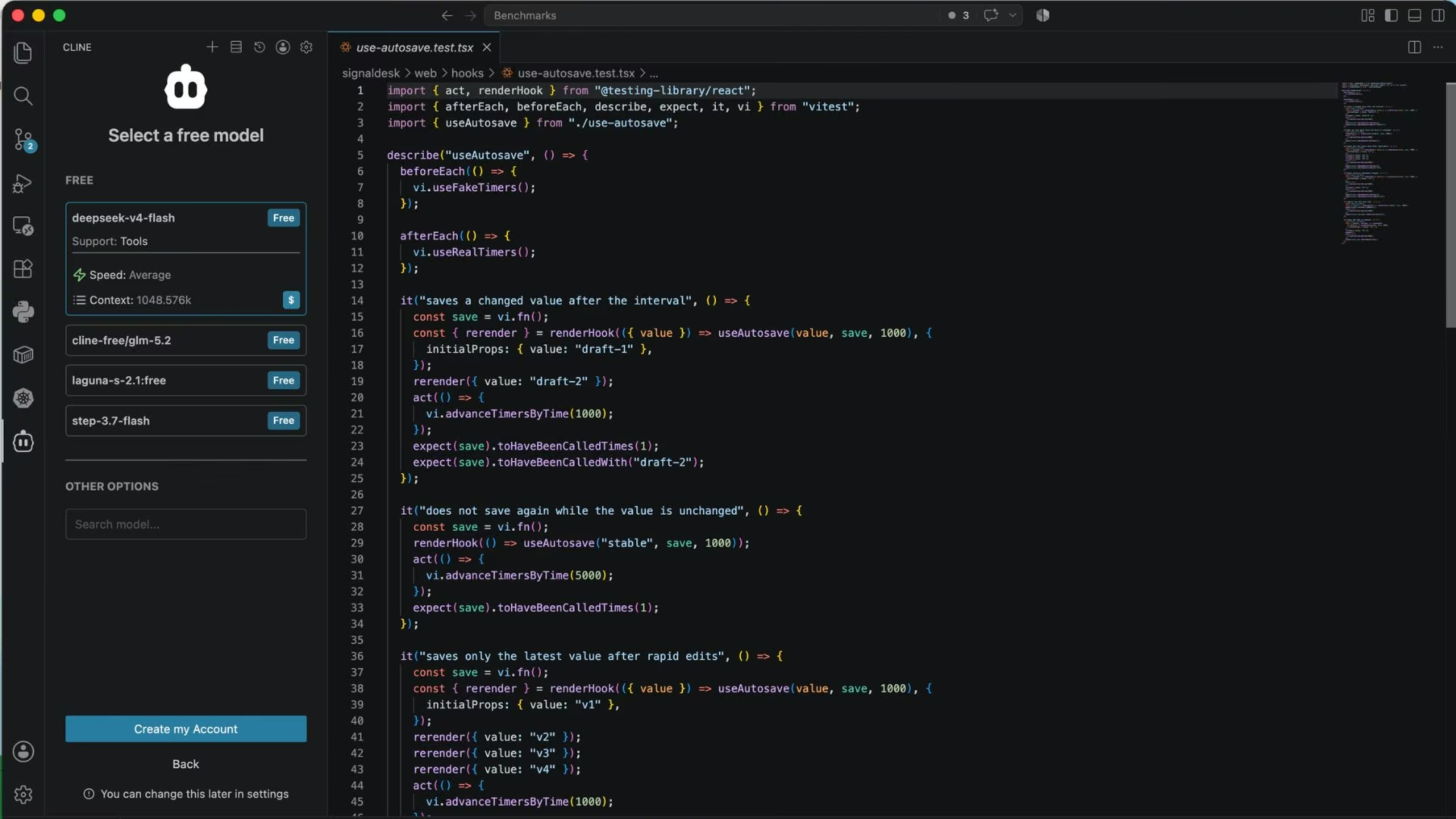
Cline is free and open source, and it charges nothing for the tool itself. You install it as a VS Code extension or use its command-line version, then connect your own model keys or buy inference through Cline. There's no subscription and no seat fee on the open-source plan.
That pricing shape suits anyone burned by a monthly fee they didn't use, or by an overage they didn't see coming. You pay for inference and nothing else, so a quiet week costs nothing. The ceiling becomes your own budget instead of a vendor's rate limit, which means a long session ends when you decide it does.
Getting started means installing the extension and pasting in an API key from OpenAI, Anthropic, or Google. From then on, each request is billed straight to that provider account, so you see what a task costs as you run it instead of waiting for a monthly invoice.
Choosing a cheap model for routine edits and an expensive one for hard problems becomes a decision you make per task.
You can also read what the tool sends and where, which matters if your codebase carries anything sensitive. Cline runs an MCP Marketplace for connecting outside tools, and supports multi-root workspaces for anyone moving between several repositories at once.
Key features
- Bring your own keys: Use OpenAI, Anthropic, Google, or other providers directly.
- Client-side architecture: The extension runs locally, so you can audit what leaves your machine.
- MCP Marketplace: Connect outside tools without waiting for official integrations.
Pros
- No subscription, so an unused month costs nothing.
- Total model choice, including running the same task through rival providers.
- Open source, so the code is auditable.
Cons
- You manage inference spend yourself, and there's no monthly cap unless you set one.
- Getting started means handling model keys, which is a genuine barrier for non-developers.
- Team features like SSO, audit logs, and a support SLA need the Enterprise plan.
Best for
- Developers who want cost control at the token level.
- Anyone whose employer needs to audit what a coding tool transmits.
- People whose usage is uneven month to month.
Pricing
The open-source plan is free for individual developers, and you pay only for AI inference on a usage basis, either at cost through Cline or with your own keys. Enterprise pricing is custom and adds SSO, an SLA, role-based access control, centralized billing, and a JetBrains extension.
7. Emergent: Best for Building the App Instead of the Code
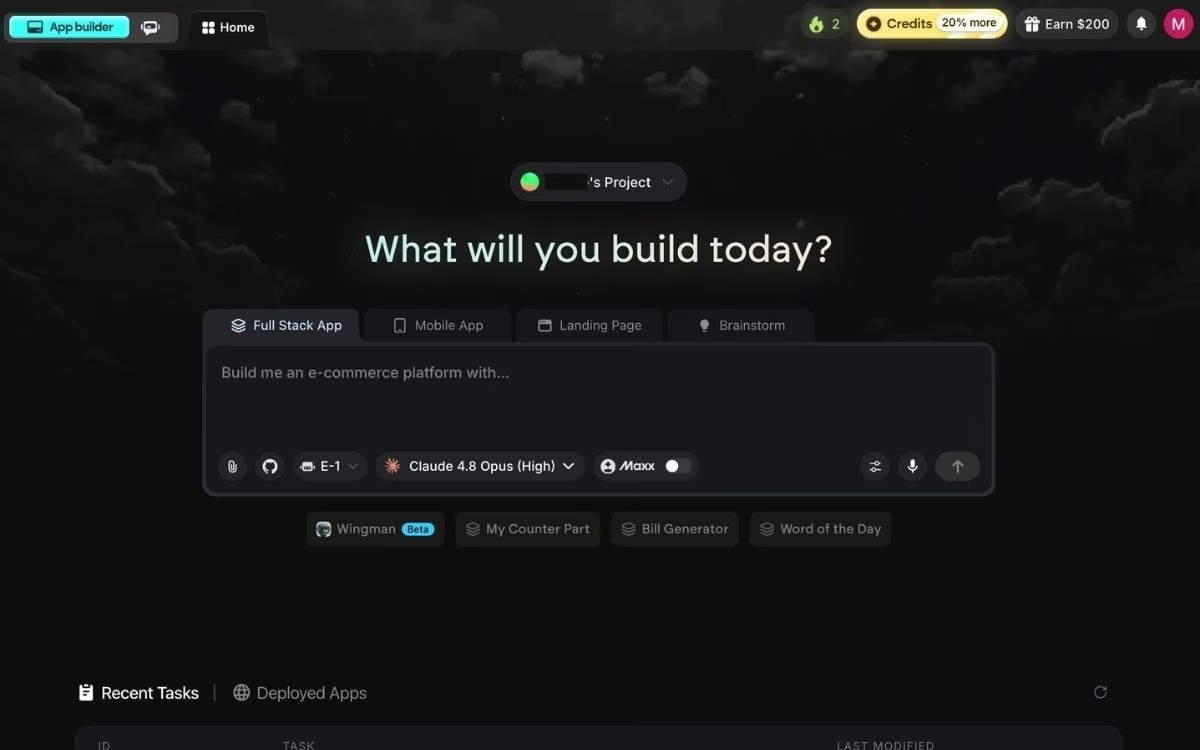
Emergent answers a different question from the other six. It's an AI app-building platform built for vibe coding, where you describe the software you want in plain English and a coordinated system of specialized agents produces a complete, working app.
Some plan the build and shape the screens people see; others wire up the logic and the parts that store your data; and testing agents run end-to-end checks.
Anyone who enjoys writing code and wants to write it faster should pick one of the six above. Emergent earns its place when the reason you were using Codex was that you needed software to exist, and coding was the toll you paid. Sign-in, payments through Stripe and Razorpay, and the data layer arrive already connected.
How much detail you put into the first prompt decides most of what follows. A description that lists the screens you need, says who logs in, and says what people pay for gives the agents enough to build something you can click through on the first attempt.
A one-line description leaves them guessing, and every correction afterward costs more credits, so time spent writing a clear brief costs less than time spent fixing a vague one.
Publishing is a deliberate step. You click the Deploy button, and after roughly 10 to 15 minutes the app is live on an emergent.host subdomain. From there you can either buy a new domain through the built-in IONOS integration or point a domain you already own at the app, both covered in Emergent's custom domain guide.
Credits set your budget here, and they stretch much further on a simple page than on a full app with sign-in and payments. Vague first prompts are the expensive mistake, because you pay again each time the agent corrects course.
Key features
- Plain-English builds: Describe the app and get a usable version you can click through.
- Wired-up payments and sign-in: Stripe, Razorpay, and Google sign-in come connected.
- Code ownership: GitHub integration from the Standard plan up, and you can export and self-host.
Pros
- Gets non-engineers to a live, usable app without a developer.
- Handles operational software well, including CRMs, booking systems, and client portals.
- No lock-in, since you own the code and can move it.
Cons
- Credits burn fast on complex builds, and correcting a vague prompt costs more credits.
- Heavy PDF reporting is weak, with charts breaking across pages.
- It can write Apple Watch and iPad code but can't publish those apps yet, and it isn't a fit for video games.
Best for
- Operators replacing spreadsheets with internal tools they own.
- Founders who need a product that paying customers can use from day one.
- Agencies delivering client apps faster.
Pricing
Emergent's free plan includes 10 monthly credits, enough to build something small and judge it. Standard is $20/month ($17/month billed annually) for 100 monthly credits, GitHub integration, and private project hosting. Pro is $200/month ($167/month billed annually) for 750 credits, a 1M context window, Maxx, and custom agent creation. Business and Enterprise are custom.
The best AI app builders compared looks at how Emergent stacks up against other platforms for building apps with AI.
How to Evaluate a Codex Alternative
Five questions separate the tool you'll keep from the one you'll cancel in a month.
- What happens when you hit the ceiling? Every tool here meters usage somehow, through five-hour windows, weekly quotas, or credit pools. The question is what it costs to keep going once you do, and whether that cost is capped or open-ended.
- Can you change models? Model lock-in is one of the most common reasons people leave Codex. If you want to run the same problem through two providers and compare, confirm the tool allows it before you subscribe.
- Which surface do you actually want to work in? A terminal agent, a visual editor, and a browser-based builder produce different working days. Pick the one you'll open willingly at 9 am.
- Are you buying faster code or finished software? This is the question most comparisons skip, and the answer changes everything. Take a client booking form with payments: in Cursor or Claude Code you'd review the payment logic, the confirmation email, and the data structure as separate diffs, which is the right workflow if you can read them. In Emergent you'd describe the booking flow once and get a version you can click through, which is the right workflow if nobody on your team wants to read a diff at all. Same feature, two completely different weeks.
- Who owns the output? Check whether you can export the code, whether your inputs train the vendor's models, and what happens to your project if you cancel. An AI app builder that locks up your code costs more than its sticker price.
Final Thoughts
Claude Code is the alternative most Codex users should try first, because it's the only one of the seven that swaps the engine without changing the job. Google Antigravity is the one to try first if the bill is the problem, since rival frontier models at no monthly cost is an offer nobody else in this category matches.
Two of these tools no longer treat Codex as a competitor at all. Devin Desktop runs it through an open agent protocol, and Copilot bundles third-party agent access from a $10/month seat. If your only complaint is the ceiling, hosting Codex somewhere better is a smaller change than replacing it.
Emergent belongs in a different conversation, and it's worth being clear about that. If you're a developer who wants a faster way to write code, Cursor and Claude Code are the right tools and Emergent isn't. If you only need a marketing site, that's Webflow's job.
If you need something that only has to survive a pitch meeting, most of this category is already optimized for that. But if the software you're building has to handle real users and take real money, and you'd rather describe it than write it, that's the case Emergent is built for.
The limits that sent you looking are a scheduling problem. Be honest about whether you also have a category problem, because the two have very different fixes.
Start Building Without Writing the Code
You've seen where Emergent fits and where it doesn't. At this point, the decision comes down to which side of that split you're on.
- If you'd rather describe it than build it: One plain-English brief is the entire input.
- If people need to sign in and pay you: Those pieces arrive already connected, so there's nothing to assemble first.
- If you want an exit: The code is yours to export and host anywhere.
Spend a few of the free plan's 10 credits and see how far one brief gets you. Try building your first app on Emergent.

Most AI app builders stop at prototypes. Emergent creates production-ready apps you can actually launch.
- Production-ready apps
- Web & mobile apps
- Deploy in minutes







