




TL;DR
- Wealthbox AI Notetaker: Best for advisors who want meeting notes built into the CRM they already use, and who want the tool to do real math on the numbers it hears.
- Zocks: Best for a dedicated, no-recording meeting assistant that sorts a conversation into a real planning framework, no matter which CRM you run.
- Jump AI: Best for the deepest CRM integration on this list, if the $100-per-advisor-per-month price tag fits your budget.
- Zeplyn: Best for firms that need a meeting assistant that never records audio or video.
- Holistiplan: Best for a fast first read on a client's tax return or estate documents before a planning conversation.
- Perplexity: Best for fast, sourced financial research, from checking a factual question to digging into market and company data.
- Gemini Notebook: Best for questions that need to stay grounded in a client's own documents and nothing else.
- ChatGPT: Best general-purpose drafting partner, and the one that double-checks a scenario before writing from it.
- Claude: Best for warm, nuanced client drafts, but watch for overly definitive language when shortening them.
- Emergent: Best for building a custom client portal or dashboard that no off-the-shelf tool covers.
Being a financial advisor can sometimes feel like running a restaurant where you're also the chef, server, dishwasher, and person answering the phone.
Between preparing for client meetings, digging through documents, writing follow-ups, answering questions, and keeping records up to date, there is plenty of work surrounding the actual advice.
I spent four days hands-on with the AI tools advisors actually mention, testing 10 of them against real advisory tasks using each tool's free trial or free tier.
I put them through tasks a financial advisor might actually face, from recording a mock client meeting and reviewing a fund document to drafting a client follow-up and building a small client-facing tool from scratch.
By the end, you'll know which job each tool is best suited for, how much work it can realistically take off your plate, and where you'll still need to keep a close eye on the results.
How I Researched and Tested These AI Tools
I started from the tools advisors name most often in forums and vendor roundups, then signed up for the free trial or free tier of the ones that survived a first look and tested each against real advisory tasks.
I looked at five things throughout the testing:
- Core performance: Did the tool actually complete the task well, or just produce a convincing-looking result?
- Accuracy and judgment: Did it get the details right, cite its sources, recognize missing information, and avoid making things up?
- Usability: How quickly could I go from signup to a useful result, and how much setup did it require?
- Workflow fit: Where relevant, could it work with the CRM, calendar, documents, or other tools an advisor already uses?
- Free-tier value: What could I genuinely accomplish before hitting a credit limit, paywall, or other restriction?
I also tested each tool on advisor-specific work rather than generic office tasks, including a mock client meeting, a fund fact sheet, a tax question, client communications, and building a small client-facing workflow.
Zeplyn is the one exception on this list. Its trial isn’t self-serve, a request through its site triggers a callback rather than instant access, and after waiting more than 24 hours I never received login credentials to test it directly.
Its section below is built from Zeplyn’s own product documentation, dated trade-press coverage, and third-party reviews instead of a hands-on test, and it’s labeled as such.
Where AI Crosses the Compliance Line for Financial Advisors
Every tool on this list is genuinely useful. None of them removes your compliance obligations, and the SEC's own enforcement record shows it.
The Marketing Rule still applies to AI-generated content. There is no AI carve-out. Rule 206(4)-1 governs testimonials, endorsements, third-party ratings, and performance claims, whether a person or a tool wrote the copy.
SEC exam staff flagged missing disclosures on testimonials and third-party ratings in a December 2025 Risk Alert, and asked advisers to review their own disclosure practices against it.
AI meeting notes may be compliance records. Rule 204-2 covers written communications about any advice given, and requires them kept for at least five years. If a notetaker generates the record of what was discussed in a client meeting, that record needs the same accuracy, completeness, and retention treatment as any other compliance document.
Regulators haven't published a specific standard for how AI notes should be archived, but examiners will hold them to the existing bar.
Written AI policies are the norm now. Rule 206(4)-7 requires written compliance policies and procedures across your practice, marketing included, and firms without a documented AI use policy face heightened exam risk. The FY2026 exam priorities say staff will assess whether firms supervise their AI use.
If your firm uses ChatGPT or Claude to draft anything client-facing, name that use in your compliance manual instead of letting it happen quietly.
Don't make AI claims you can't substantiate. The SEC has already brought enforcement actions over "AI washing." In 2024, it charged two investment advisers, Delphia and Global Predictions, over misleading statements about their AI capabilities. They settled and paid $400,000 in combined penalties.
The practical rule is simple: Use AI to assist the work while the judgment stays yours.
Verify important client information, check sources before passing research to clients, review AI-generated communications through your normal compliance process, and don't assume a custom-built tool comes with compliance controls. Your firm has to design those.
10 Best AI Tools for Financial Advisors: Quick Comparison
| Tool | Best For | Core Strength |
|---|---|---|
| Wealthbox AI Notetaker | CRM-native meeting notes with real math on client numbers | Auto-calculates totals, like net worth, from what it hears in the meeting |
| Zocks | Dedicated, no-recording meeting assistant | Sorts every meeting into a full financial planning framework automatically |
| Jump AI | Deepest CRM integration, if the price fits | Two-way sync pushes tasks and notes straight into Wealthbox or Redtail |
| Zeplyn | A meeting assistant that never records audio or video | Recording-free note capture with automatic PII redaction |
| Perplexity | Sourced answers and a full market dashboard | Every factual answer links back to its source for a quick compliance check |
| Gemini Notebook (formerly NotebookLM) | Grounded Q&A on your own documents | Answers stay inside the documents you upload |
| Holistiplan | Reading a tax return or estate document fast | OCR scans a federal 1040 and flags planning opportunities in under a minute |
| ChatGPT | General-purpose drafting | Checks a shaky premise before writing from it |
| Claude | Client drafting and plain-language rewrites | Warm, natural-sounding client copy that reads like a person wrote it |
| Emergent | Custom client portal or dashboard | Builds a real working app, database included, from a plain-language prompt |
Need to Stop Typing Meeting Notes? Start Here
Three tools do this job in different ways. One lives inside a CRM, one syncs deeply with your existing CRM, and one focuses narrowly on the call itself. All three got the same mock client call.
1. Wealthbox AI Notetaker
What it does: Wealthbox is an advisor CRM with an AI Notetaker built into its Meetings feature that turns a recorded client meeting into a summary, a drafted follow-up email, and task suggestions.
Best for: Advisors already on Wealthbox, or considering it, who want meeting intelligence to land directly in their CRM instead of syncing over from a separate vendor.
Wealthbox’s AI was the only notetaker in this pair that did the math on the numbers it heard instead of just repeating them back, and it knew when to leave a field blank rather than guess.
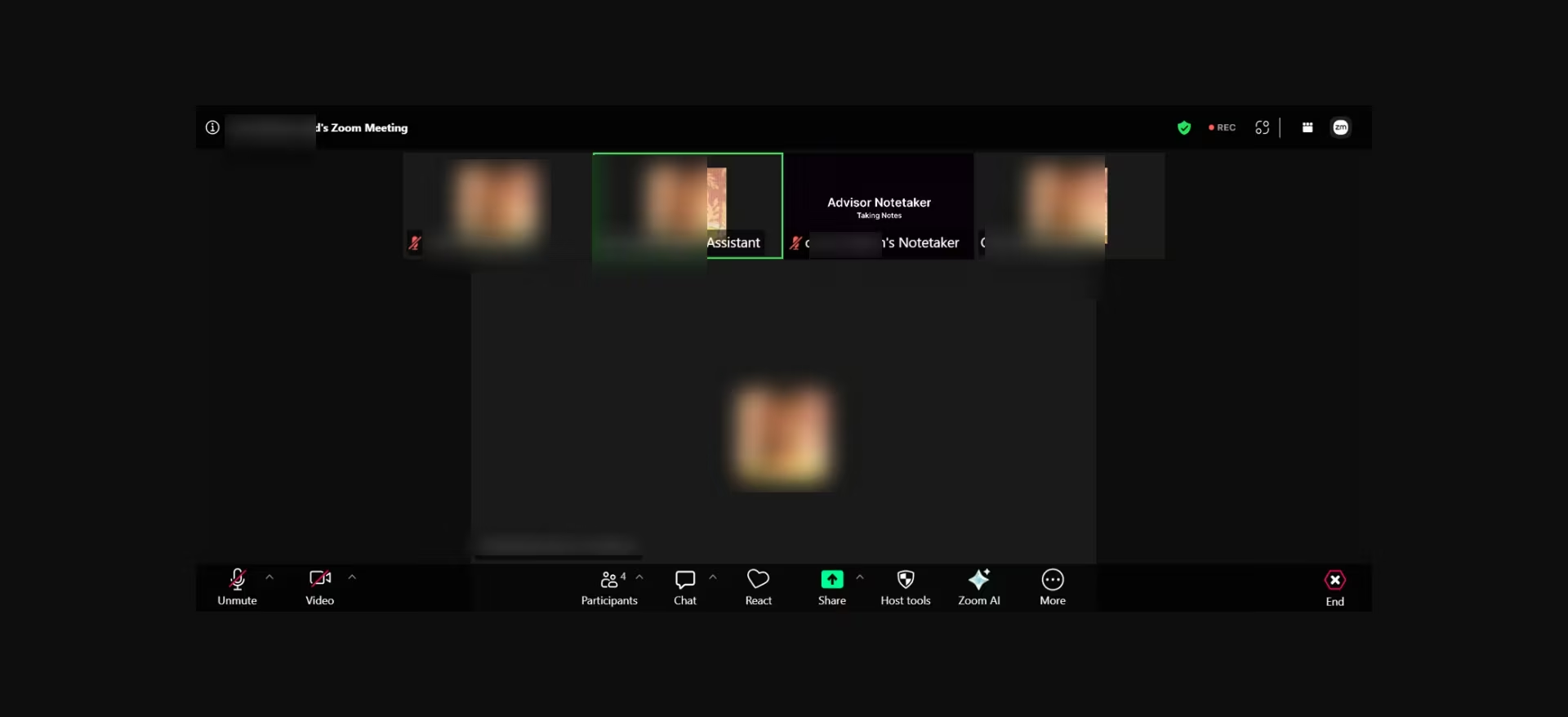
I scheduled a mock client meeting and joined the Zoom call alongside the notetaker, which displayed "Taking Notes" clearly on its video tile.
That's one less disclosure gap you have to explain to your client or worry about if your compliance officer asks how clients learn an AI is present.
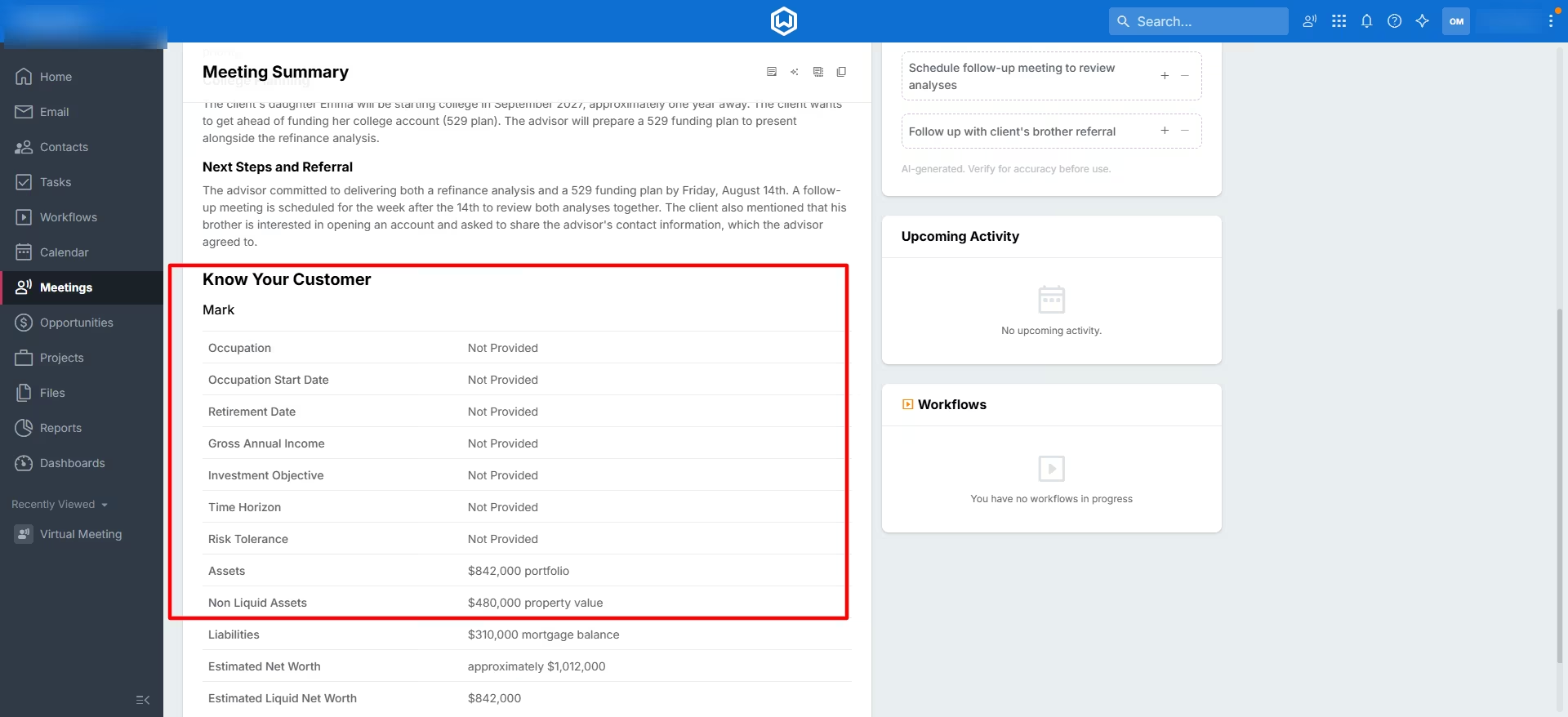
After I ended the call, I clicked process transcript in the “Meetings” tab and in two minutes, I had a summary, a drafted follow-up email, and a short list of suggested tasks
The summary was the more interesting part. My mock meeting covered a client's $842,000 portfolio, a rental property worth $480,000 with a $310,000 mortgage, and a college fund for his daughter.
Wealthbox added those figures together on its own and estimated the client's net worth at roughly $1,012,000, then left the fields it had no data for, like risk tolerance and occupation, marked "Not Provided" instead of guessing.
That's a small detail, but it saves you from double-checking every field the tool fills in, and it's one less place a wrong number could slip into a client's file.
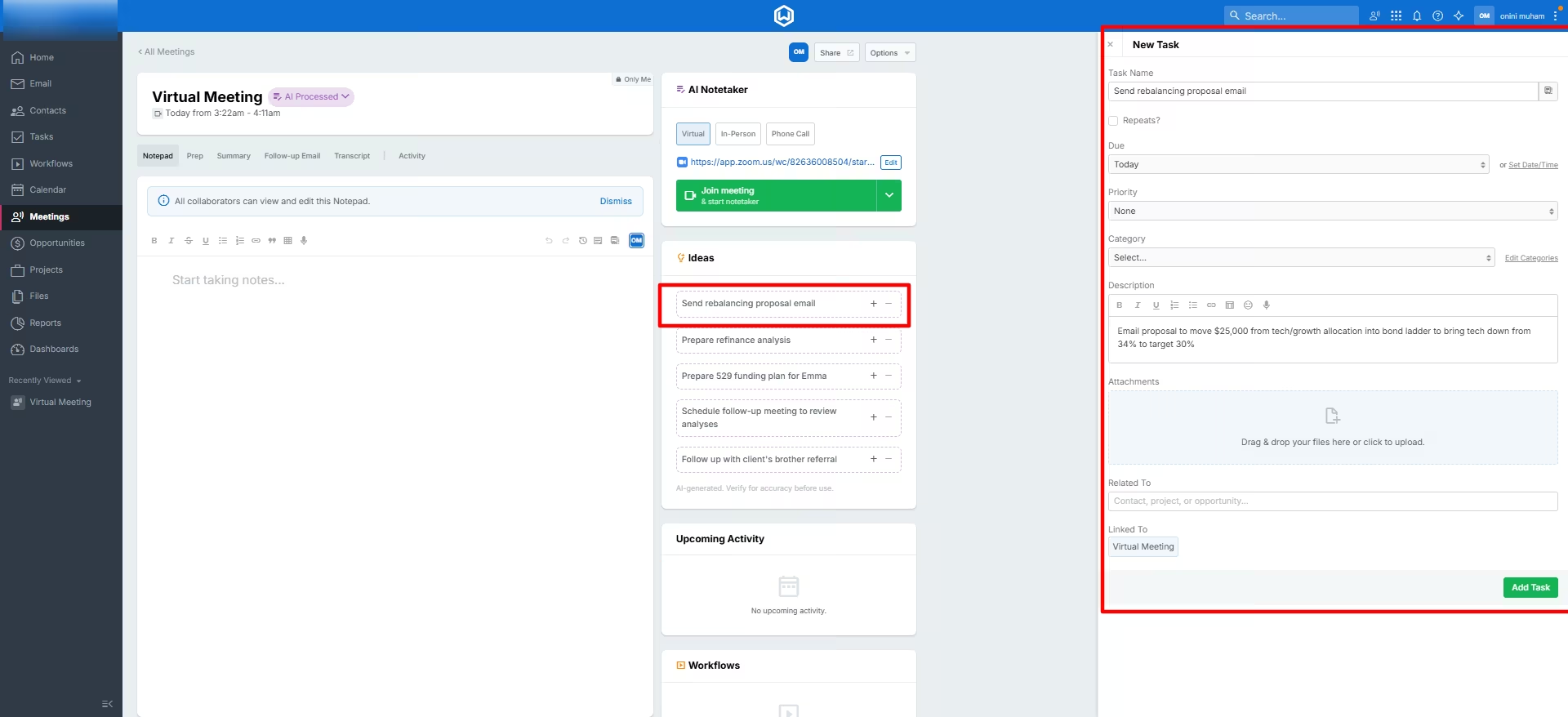
Clicking the "+" next to a suggested Idea opened a fully pre-filled task, complete with a due date, a description, and the specific dollar figure from the meeting already written in.
One click put it in my task list, linked back to the meeting, no retyping needed and no copy-paste step between the call and the task getting done.
Key Features
- Live meeting labeling: The notetaker displays a "Taking Notes" indicator on its video tile, so clients can see it's there.
- Ideas into tasks: Converts a suggested next step into a fully detailed, linked task with one click.
- Recording upload: Advisors can upload an audio file directly to a meeting instead of joining live, and Wealthbox generates the same transcript, summary, tasks, and follow-up email from the recording.
- Collaborative notepad: Lets a team build agendas and capture notes together in one shared space before and during a meeting, at no extra cost for added collaborators.
- Custodian and planning integrations: Connects to Schwab, Fidelity, and Pershing for custodial data, plus eMoney, MoneyGuide, and RightCapital for financial planning, so meeting notes tie back into the tools a firm already runs.
Pros and Cons
Pros:
- No separate vendor to manage, since notes land directly in the CRM you're already using
- 14-day free trial with no credit card required, so you can test the product before paying
- Every AI output carries a consistent "verify for accuracy" disclaimer, which is useful if your compliance officer asks how you're handling AI-generated notes
- Recording upload lets you generate notes from a call the notetaker never joined live, useful for phone calls or meetings booked outside your calendar
Cons:
- The AI Notetaker is a $49-per-user, per-month add-on on top of a base CRM plan starting at $59 per user per month, so the real cost for a small team is closer to $108 per seat
- Notetaking lives inside the CRM, so switching CRMs later means losing the workflow, not just the notes feature
- The raw transcript still misses words and drops the occasional percent sign, so don't rely on it word for word the way you can rely on the summary
What Users Say
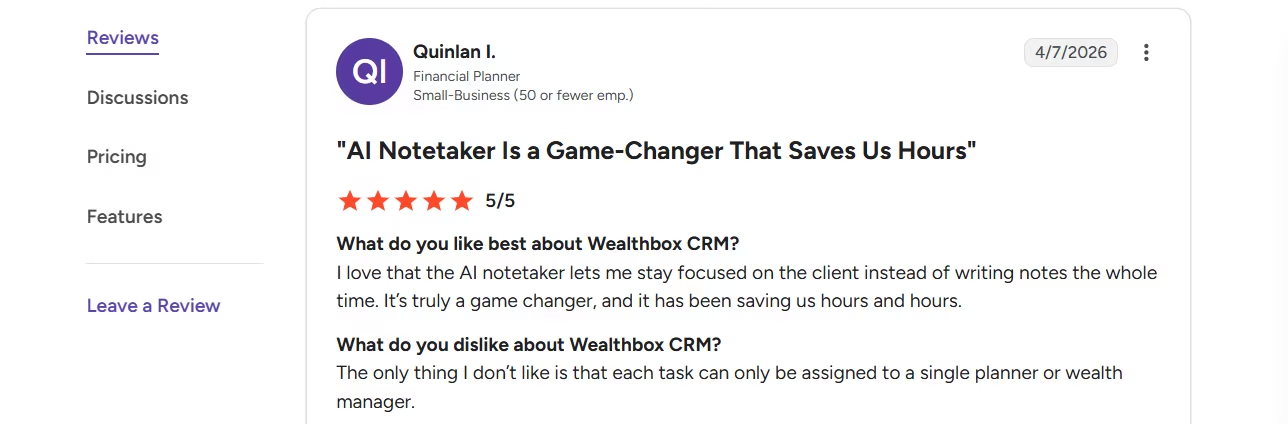
“I love that the AI notetaker lets me stay focused on the client instead of writing notes the whole time. It’s truly a game changer, and it has been saving us hours and hours.” - Quinlan I., G2
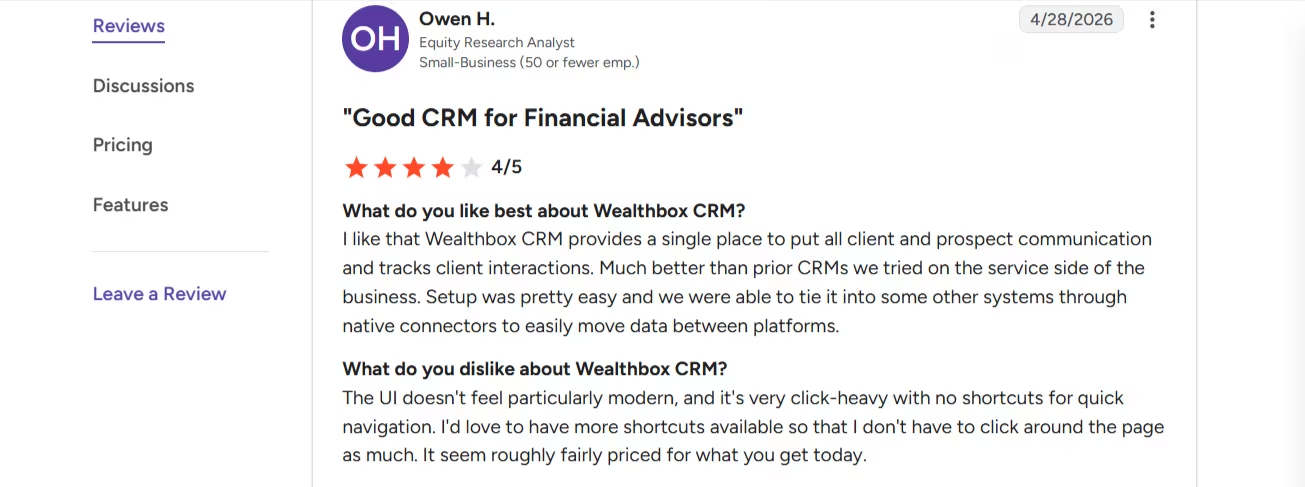
“The UI doesn't feel particularly modern, and it's very click-heavy with no shortcuts for quick navigation. I'd love to have more shortcuts available so that I don't have to click around the page as much. It seems roughly fairly priced for what you get today.” - Owen H., G2
Pricing
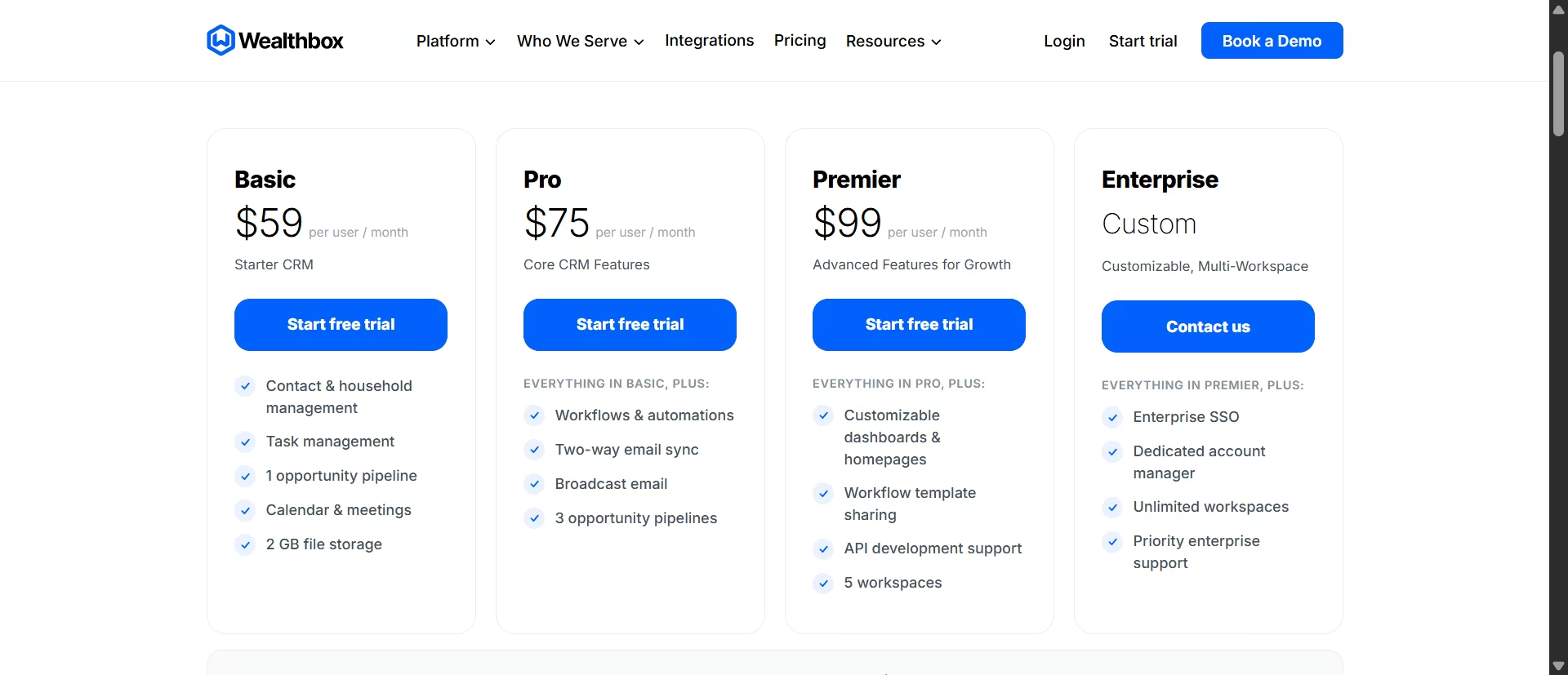
Per the official Wealthbox pricing page: Basic $59 per user per month, Pro $75 per user per month, Premier $99 per user per month, Enterprise by quote. All plans include a free 14-day trial with no credit card. The AI Notetaker is an add-on at $49 per user per month, introductory rate.
Bottom Line
If you're already on Wealthbox, or shopping for an advisor CRM anyway, the built-in Notetaker is the least amount of vendor sprawl you'll find on this list.
Its net worth auto-calculation is a genuinely useful touch a standalone tool can't match. If you're not moving CRMs, Zocks is the stronger standalone option below.
Ready to build a CRM around your exact workflow? Try our AI CRM builder to get started without writing a line of code.
2. Zocks
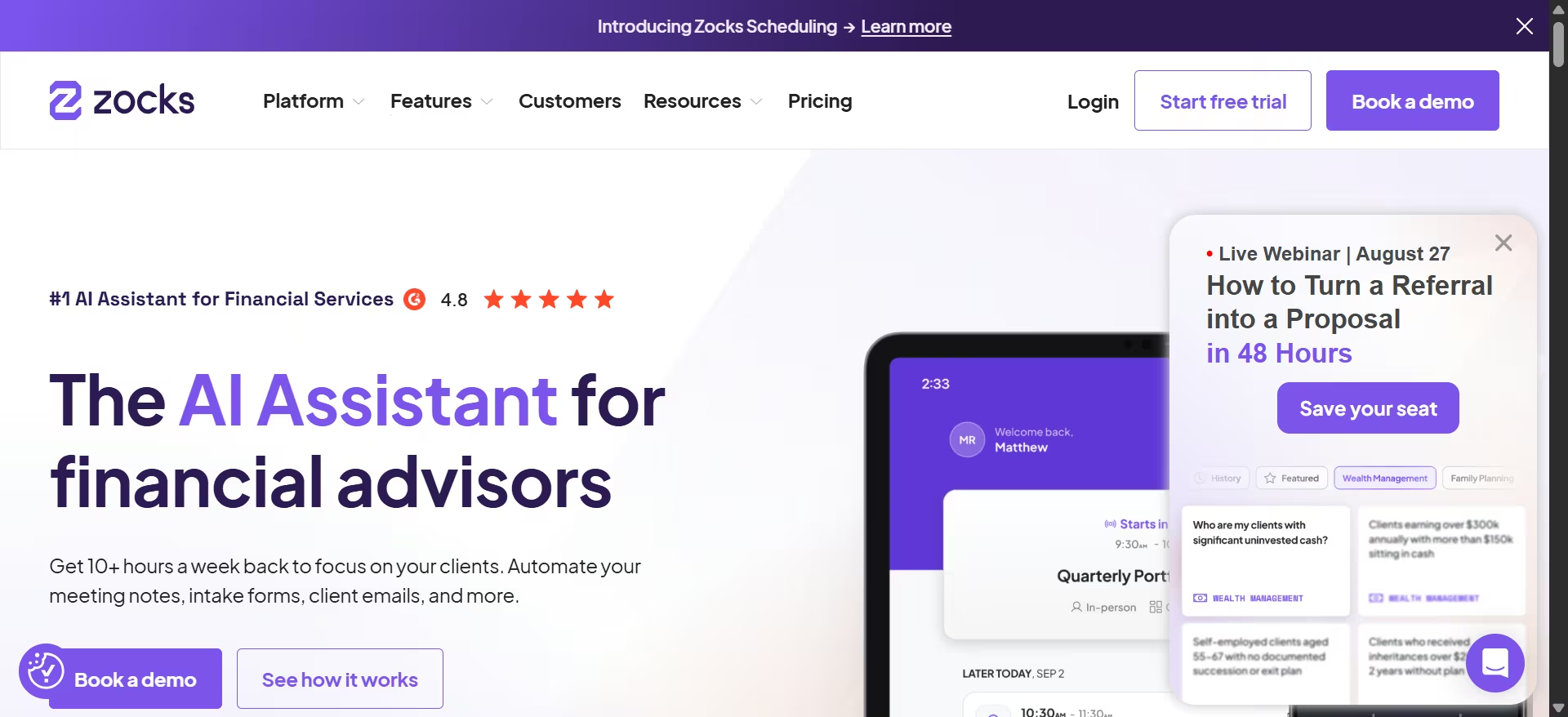
What it does: Zocks is an AI assistant built for financial advisors that prepares meeting agendas, captures structured notes without recording the call, drafts follow-up emails, and syncs to whatever CRM you already run.
Best for: Teams that want a dedicated meeting assistant that plugs into their existing CRM, rather than one tied to a single platform.
I ran the same mock meeting through Zocks that I used for Wealthbox, with both notetakers joined to the same call so I could compare them side by side.
While Wealthbox's bot displayed "Taking Notes" on its video tile, Zocks showed no equivalent signal, except my name. I also couldn't find a transcript in the meeting output, so I assumed Zocks didn't generate one.
I later found the explanation in its help documentation. Transcript generation is a setting you have to turn on.
Zocks produced the fuller meeting output of the two notetakers tested here.
The most interesting difference was that its AI sorted the conversation into a full financial planning taxonomy covering Investment Management, Cash Flow and Debt Management, Education Planning, and more.
It correctly marked topics we never touched, such as Estate Planning and Insurance, as "No relevant information detected."
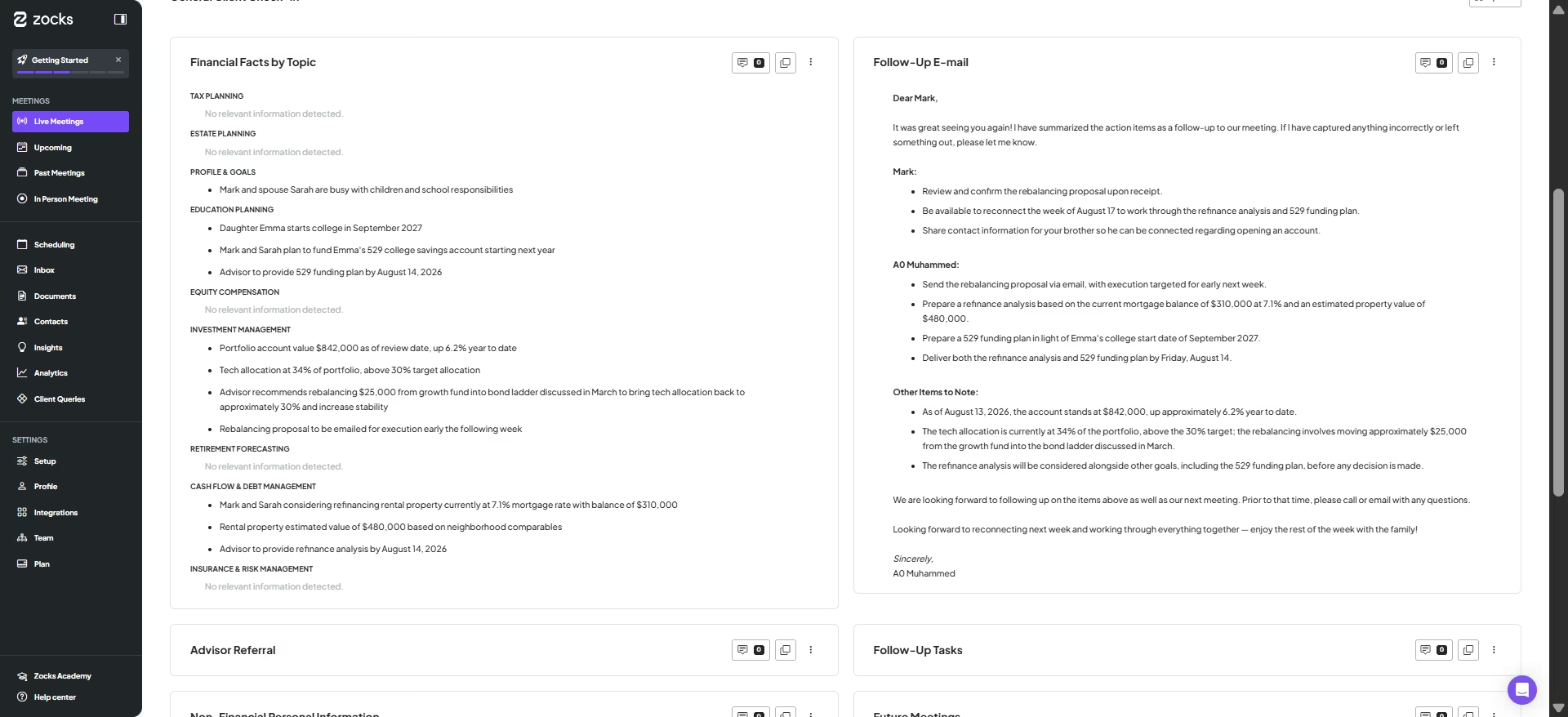
That breakdown doubles as a quick checklist for your next meeting with this client, since it shows exactly what still needs covering.
It caught every number from the call, all seven figures, and had a complete follow-up email drafted and waiting before I even asked for one.
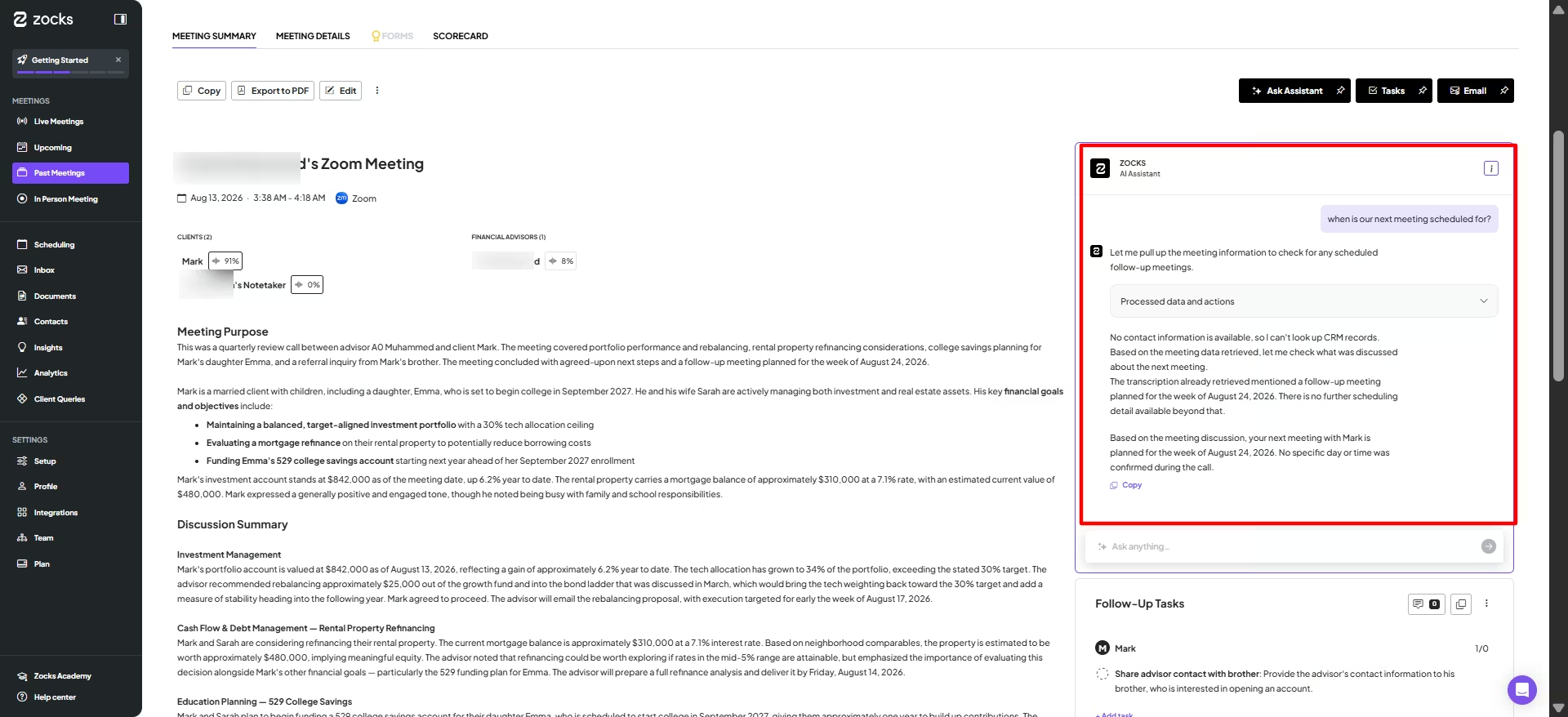
I also asked the AI chatbox when our next meeting was scheduled. It correctly answered August 24, but then said no specific day or time had been mentioned. The day was mentioned, so that second part was partly incorrect.
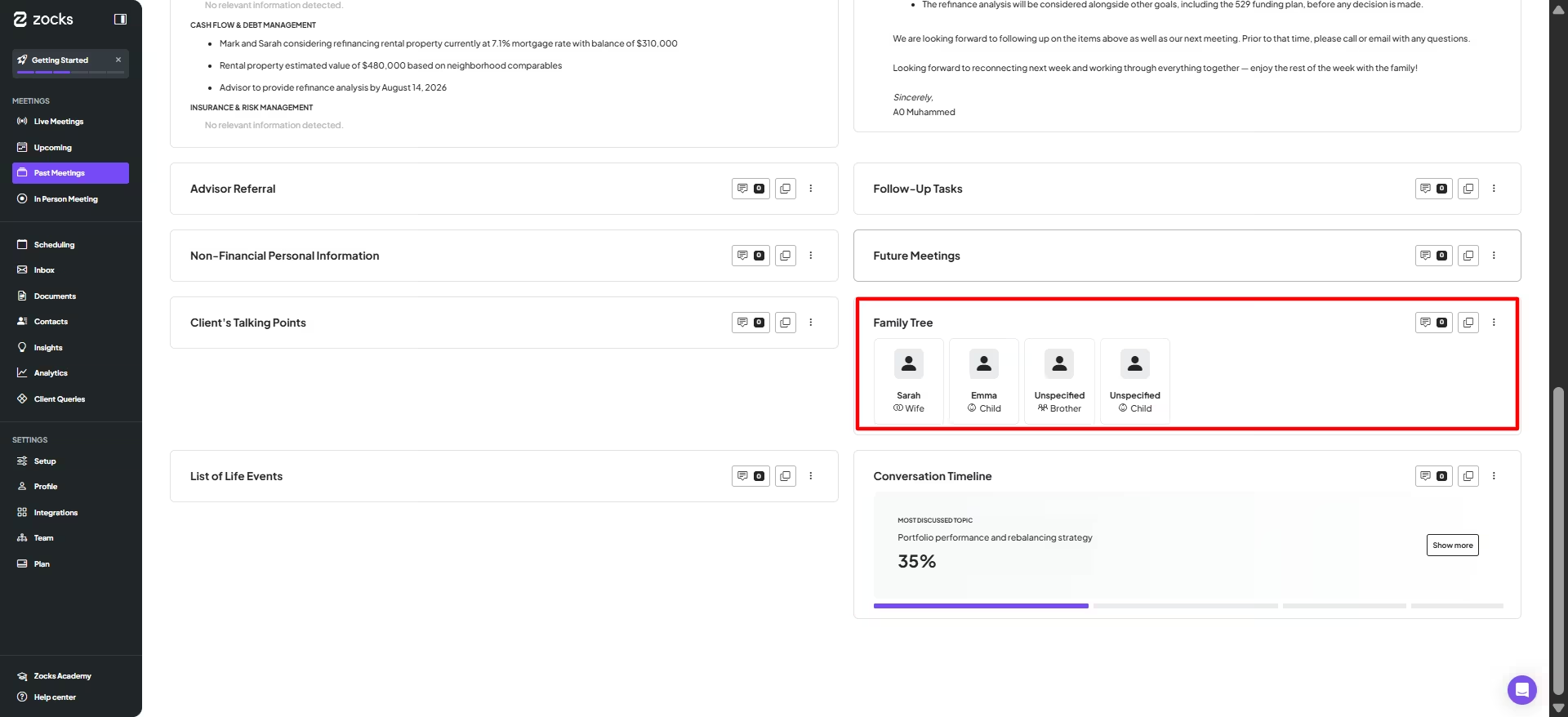
One feature deserves a second look before you trust it. Zocks built a family tree from the conversation and correctly added the client's wife and daughter.
It also added an "Unspecified Brother" and a duplicate child entry that nobody mentioned. Since advisors often use family details for beneficiary planning, that's worth a manual check before anything from it lands in a client file.
Key Features
- Financial facts by topic: Sorts a conversation into a planning framework and flags which topics were and weren't covered.
- CRM sync: Connects to Salesforce, Wealthbox, Redtail, and others, so notes and tasks land where your team already works.
- Sentiment and participation tracking: Scores each participant's share of the conversation and tone, which showed up in testing as a percentage breakdown for every attendee, giving you a concrete gauge of how engaged a client was beyond a written recap. It’s available on Professional and higher plans.
- Client signals: Automatically flags life events mentioned in a conversation, like a new child, a job change, or an inheritance, for proactive follow-up. Client Signals capture is included on every plan, but pushing those signals into your CRM to trigger workflows needs Professional or higher
- Document intelligence: Extracts data from uploaded PDFs, statements, and tax returns and structures it into planning-tool fields, on the Ultimate plan only.
Pros and Cons
Pros:
- Unlimited meetings even during the trial, unlike tools that cap monthly usage
- Sentiment tracking gives a concrete, testable metric for how a meeting went, beyond a written recap
- SOC 2 Type II certified with a published HIPAA compliance stance, so the security review your compliance officer will ask for already exists
Cons:
- No permanent free plan, and Zocks requires a credit card just to start the trial
- The auto-generated family tree can add relationships nobody mentioned, so it needs a human check before it becomes part of a client file
- Client Signals and several other advanced features sit behind an upgrade, so the free trial only shows part of what the product does
What Users Say
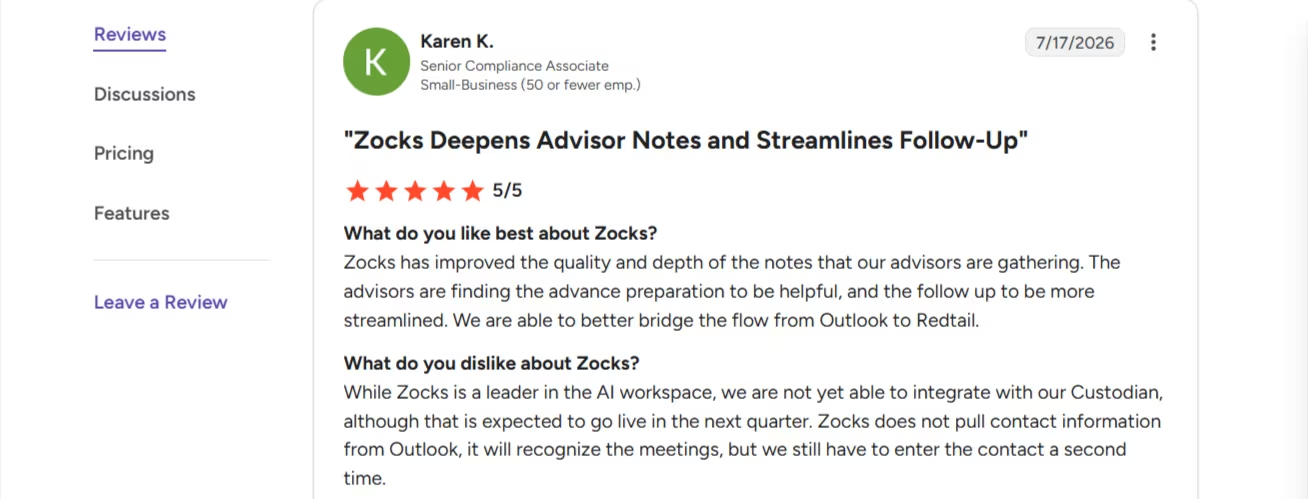
“Zocks has improved the quality and depth of the notes that our advisors are gathering. The advisors are finding the advance preparation to be helpful, and the follow up to be more streamlined. We are able to better bridge the flow from Outlook to Redtail.” - Karen K., G2
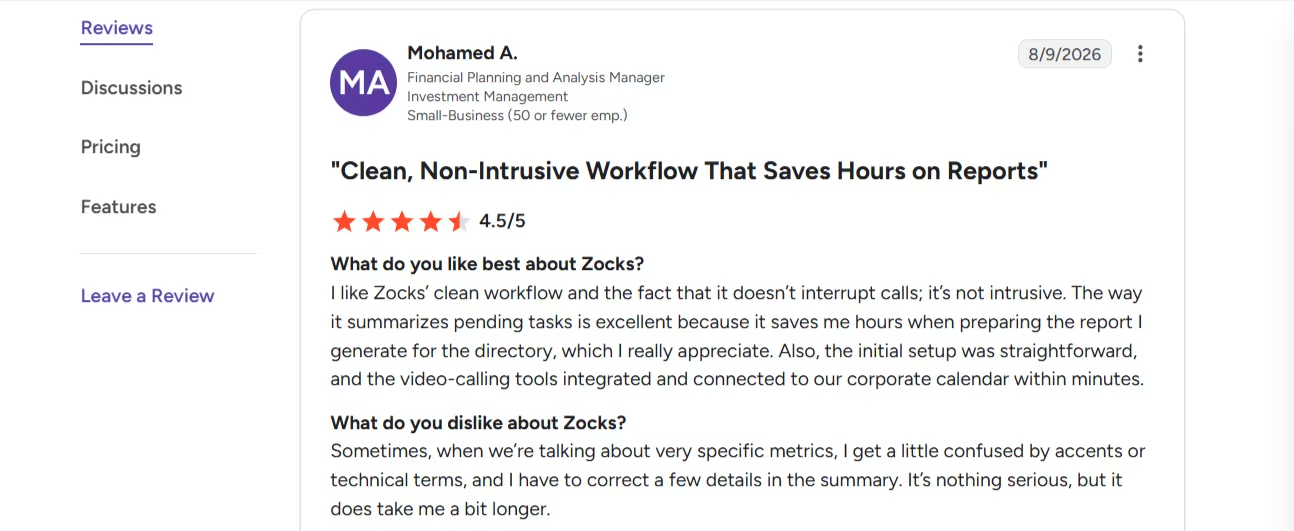
“Sometimes, when we’re talking about very specific metrics, I get a little confused by accents or technical terms, and I have to correct a few details in the summary. It’s nothing serious, but it does take me a bit longer.” - Mohamed A., G2
Pricing
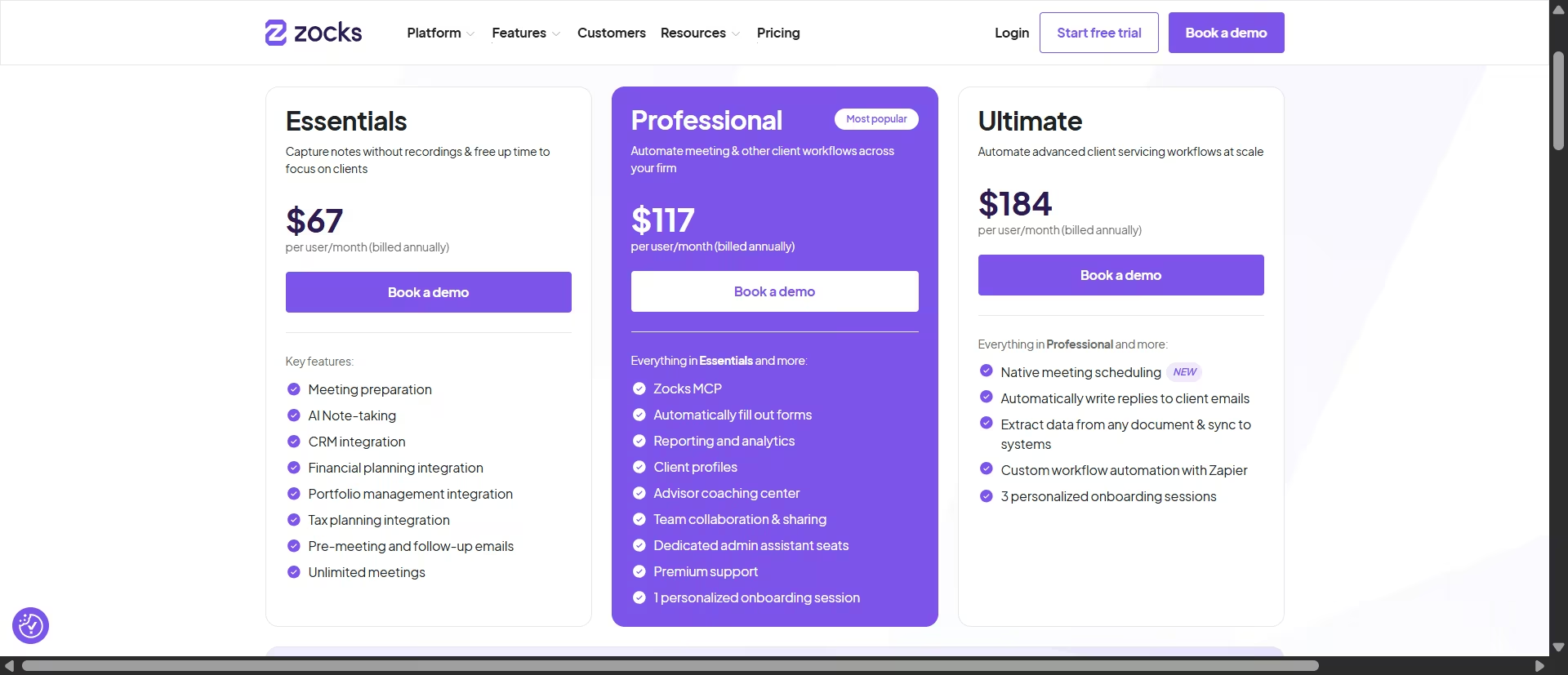
Based on the official Zocks pricing page: Essentials $80 per user per month ($67 billed annually), Professional $140 ($117 billed annually), Ultimate $220 ($184 billed annually). 14-day free trial; Zocks requires a credit card to start it.
Bottom Line
Zocks is the stronger pick if your firm runs multiple CRMs or isn't on Wealthbox, and its structured, topic-by-topic notes are more useful out of the box than a plain summary.
3. Jump AI
What it does: Jump is an AI operating system for financial advisors that turns client meetings into structured notes, CRM updates, and follow-up drafts, with a configurable recording mode (transcript-only, summary-only, or full audio and video) set to match a firm's supervision policy.
Best for: Advisors on Wealthbox or Redtail who want the deepest CRM integration on this list and don't mind paying for it, since Jump runs $100 or more per advisor per month with no permanent free tier.
I signed up for the 14-day free trial. It comes with an example transcript of a client conversation already processed into meeting notes and tasks, and there is an option to send a follow-up email to the client.
Next, I uploaded a fictional written transcript of a client conversation, including important items and small talk. It was able to generate a summary of the transcript complete with action items for each participant.
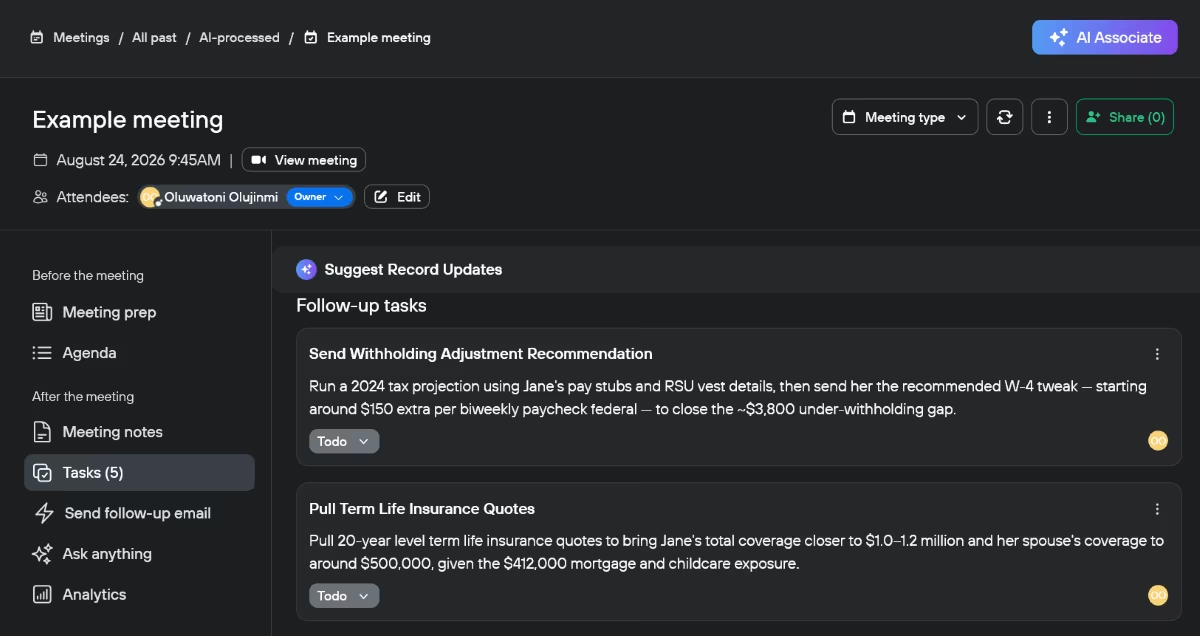
Based on my test and what reviewers reported, Jump AI can be a real time saver. Documentations that would take me about 60 minutes dropped to just 5 minutes using the tool.
I also appreciated the fact that I could sync with Wealthbox or Redtail to send tasks directly to the CRM. The Wealthbox workflow worked well in my test.
Key Features
- Configurable recording modes: Transcript-only, summary-only, or full audio and video, set to match a firm's supervision policy.
- 40-plus two-way integrations: Connects to Wealthbox, Redtail, Salesforce, eMoney, and dozens of other CRM and planning tools.
- Pre-meeting briefings: Pulls prior notes and CRM data into a summary before each scheduled meeting.
- Growth insights (Jump Grow, add-on): Surfaces referral opportunities and client sentiment across past meetings.
- SOC 2-certified infrastructure with configurable audit trails for RIA, IBD, or hybrid compliance policies.
Pros and Cons
Pros:
- Deepest CRM integration on this list, with two-way sync instead of a one-way note export
- 14-day free trial with no credit card required to start
- Reviewers report meeting admin time dropping by as much as 90 percent per week
Cons:
- No permanent free tier, and the Meet plan alone starts at $100 per advisor per month
- Onboard and Grow are separate paid add-ons at $50 per advisor per month each, so the full platform costs more than any single tool on this list
- Several reviewers note a real setup and customization period before note templates match a firm's exact style
What Users Say
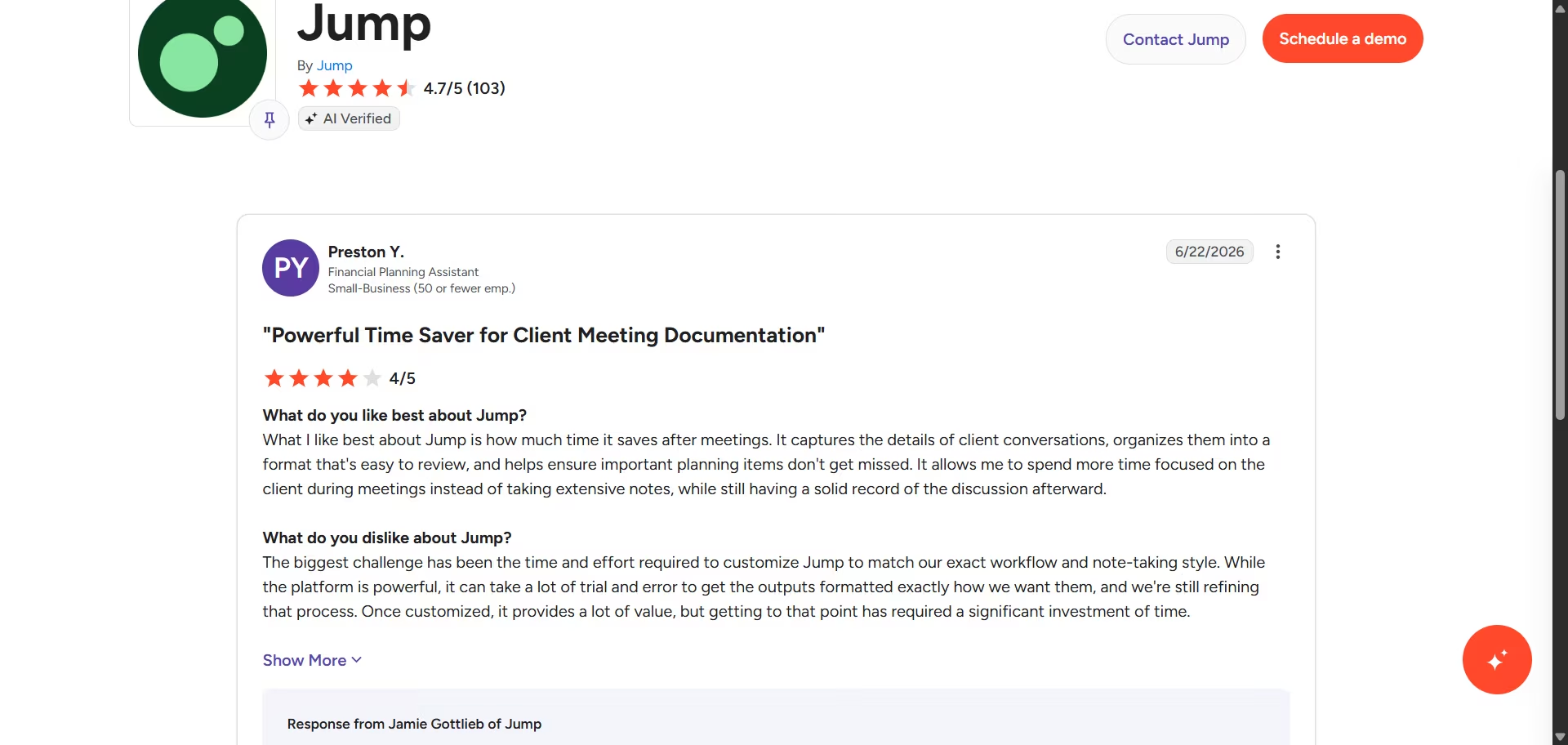
“What I like best about Jump is how much time it saves after meetings. It captures the details of client conversations, organizes them into a format that's easy to review, and helps ensure important planning items don't get missed”. Preston Y.,G2
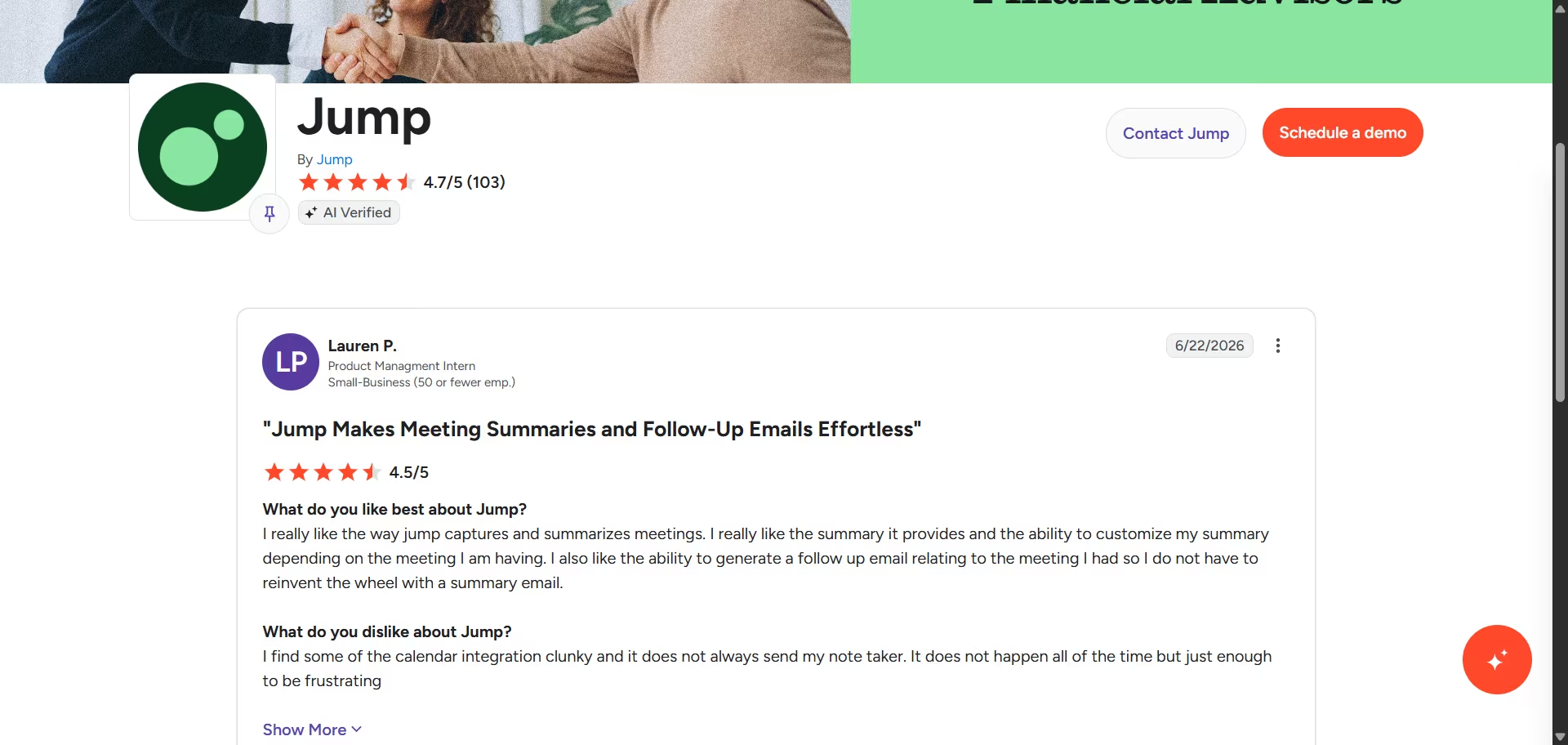
“I find some of the calendar integration clunky and it does not always send my note taker. It does not happen all of the time but just enough to be frustrating” Lauren P., G2
Pricing
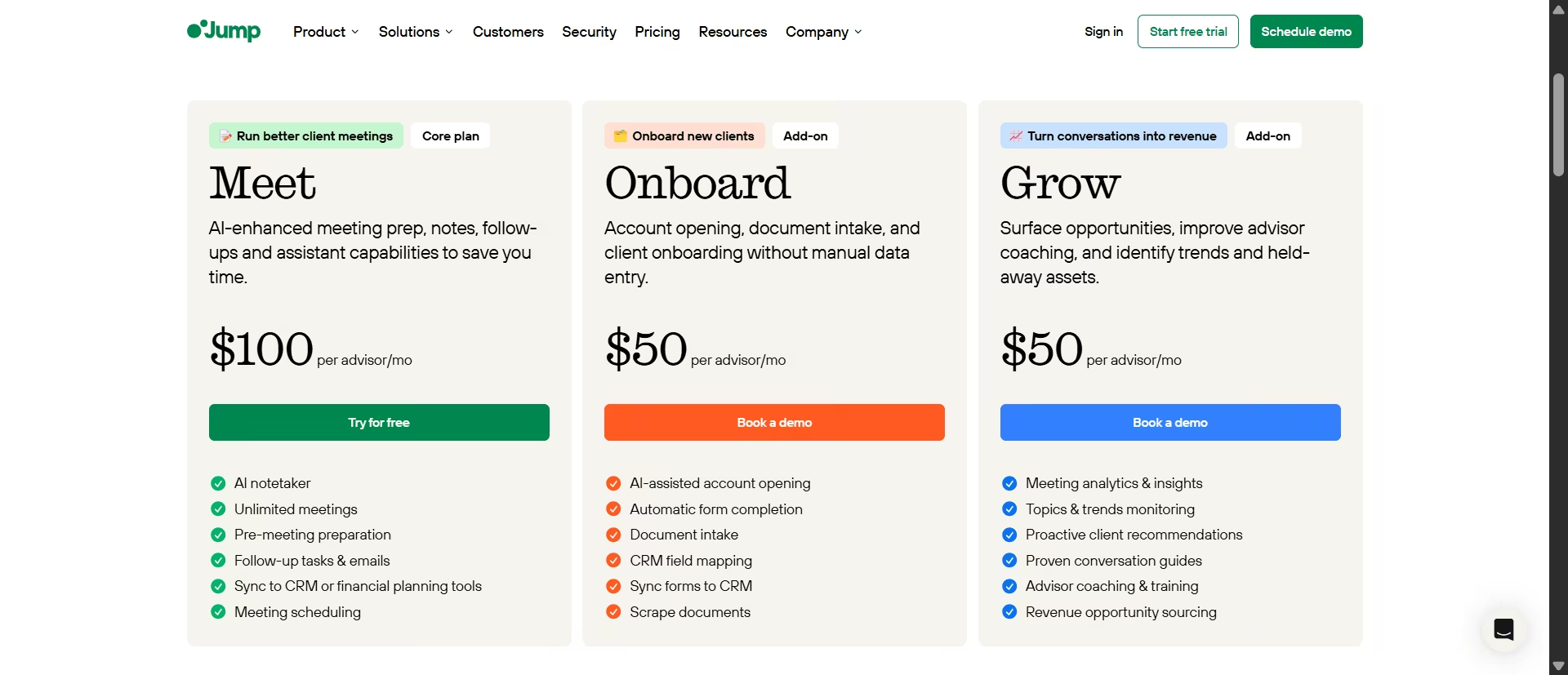
Based on the official Jump pricing page: Meet $100 per advisor per month (core plan: AI notetaker, pre-meeting prep, follow-up tasks and emails), Onboard $50 per advisor per month (add-on), Grow $50 per advisor per month (add-on), Enterprise by quote. No permanent free tier; 14-day free trial on the Meet plan.
Bottom Line
Jump is the most complete meeting-to-CRM pipeline on this list, and it's priced like it. If Wealthbox's built-in Notetaker or Zocks already cover your workflow, Jump doesn't add enough to justify the extra cost.
If you're on Redtail or Salesforce and want the same CRM-native depth Wealthbox offers on its own platform, Jump is the closest match.
Also read our CRM system examples guide to see how different CRM setups handle meeting-to-task workflows in practice.
4. Zeplyn
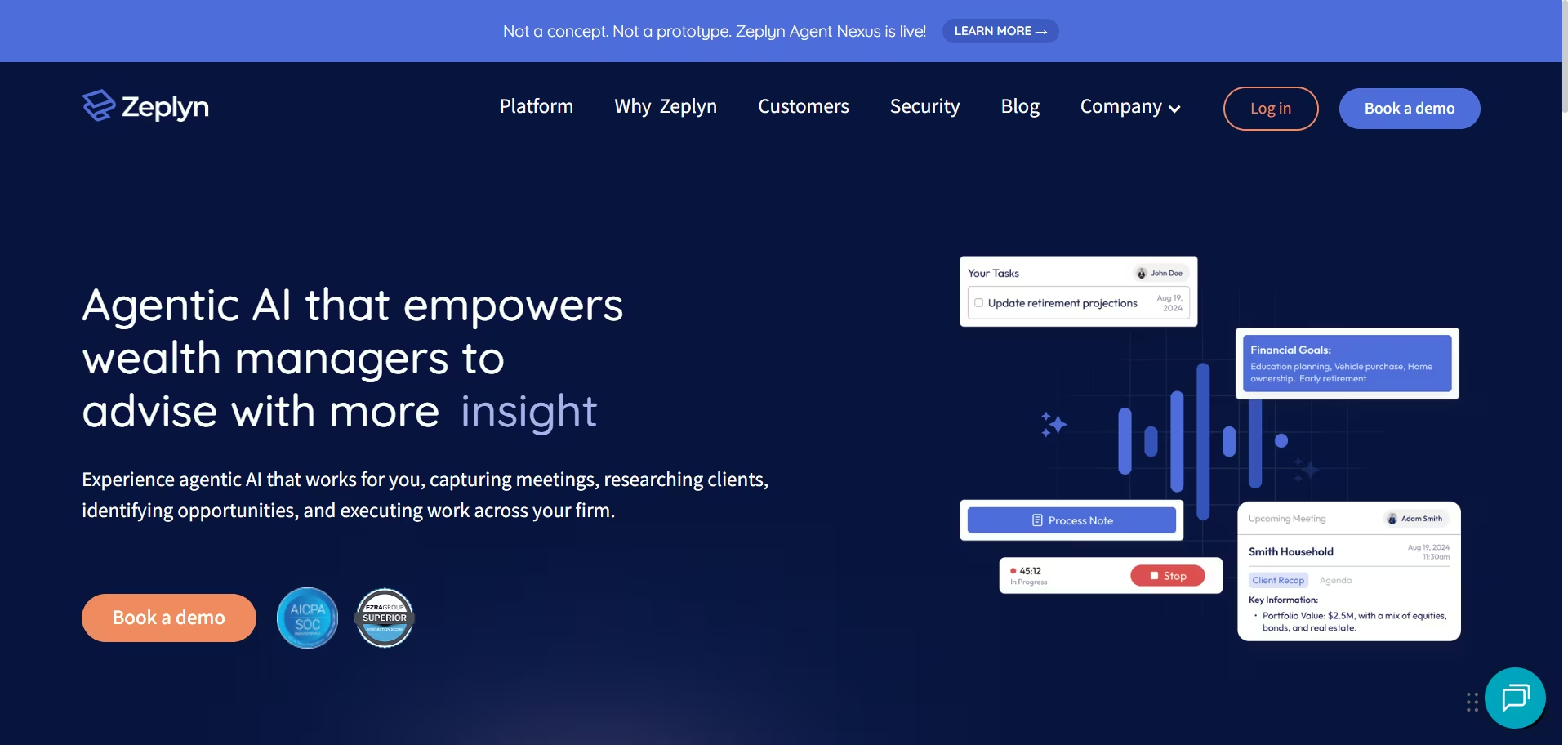
Zeplyn does not offer a self-serve free trial. A request through its site is supposed to trigger a request for account opening within 24 hours; after waiting more than a day past that window with no login sent, I couldn't get in.
This section is built from the public product documentation and a few user reviews, not a hands-on test, unlike every other tool on this list.
What it does: Zeplyn is a “recording-free” AI meeting assistant for financial advisors, built by two former Google engineers, that turns client conversations into structured notes, task lists, and follow-up drafts without recording audio or video.
Best for: Advisors who want the same structured-notes approach as Zocks but need to avoid audio or video recording specifically, since some state consent rules or firm policies restrict recording client calls.
Zeplyn and Zocks get compared constantly for exactly this reason, so it’s worth naming the actual difference.
Zocks records the call and transcribes it afterward. Zeplyn never records at all, it builds structured notes from the live conversation in real time, then discards the audio the moment notes finish processing, according to Zeplyn's own security documentation.
That design goal shows up in how an actual customer describes using it. Bob G., a Zeplyn customer, said it allowed us to maintain an intense focus on our clients during meetings without having to pause and write down notes, the specific tradeoff advisors weigh with any notetaker: full attention on the client, versus a written record you can lean on later.
The recording-free approach is Zeplyn’s answer to that tradeoff, and this is what it sounds like from someone actually making it.
Zeplyn has a G2 profile listed under AI Assistants for Financial Services, but zero submitted reviews there as of this writing. The available third-party evidence is thinner than Zocks or Wealthbox as a result.
That thinness matters for how much weight to put on any single account. The FeaturedCustomers review below is one of only a handful of independent customer references publicly available for this tool.
Key Features
- Recording-free note capture: Builds structured meeting notes without recording audio or video.
- Automatic PII redaction: Redacts Social Security numbers and other sensitive data as part of note-taking, not as a separate step afterward.
- Zeplyn Agent Nexus (upgrade tier): Adds managerial performance reports and lets managers have advisors roleplay difficult conversations against an AI client persona. Renamed and repriced in July 2026; basic advisor-coaching scoring against a firmwide rubric is now bundled into the base Meeting Assistant tier rather than sold separately.
- CRM and custodial integrations for syncing notes and tasks after a meeting.
- SOC 2 Type 2 certified infrastructure.
Pros:
- Recording-free approach fits firms or states where recording client calls is restricted or discouraged
- Named alongside Jump and Zocks as a category leader in a dated, independently published 2026 buyer’s guide
- Coaching and roleplay features go further than anything else on this list for practicing difficult client conversations
Cons:
- No self-serve trial; access starts with a request form and, per my own experience, an inconsistent response time on the promised callback
- No permanent free tier; pricing runs $120 per advisor per month for the base tier
- Far fewer independent reviews than Wealthbox, Zocks, or Jump, a G2 profile exists but has no submitted reviews as of this writing, so there’s less outside evidence to check its claims against
What Users Say
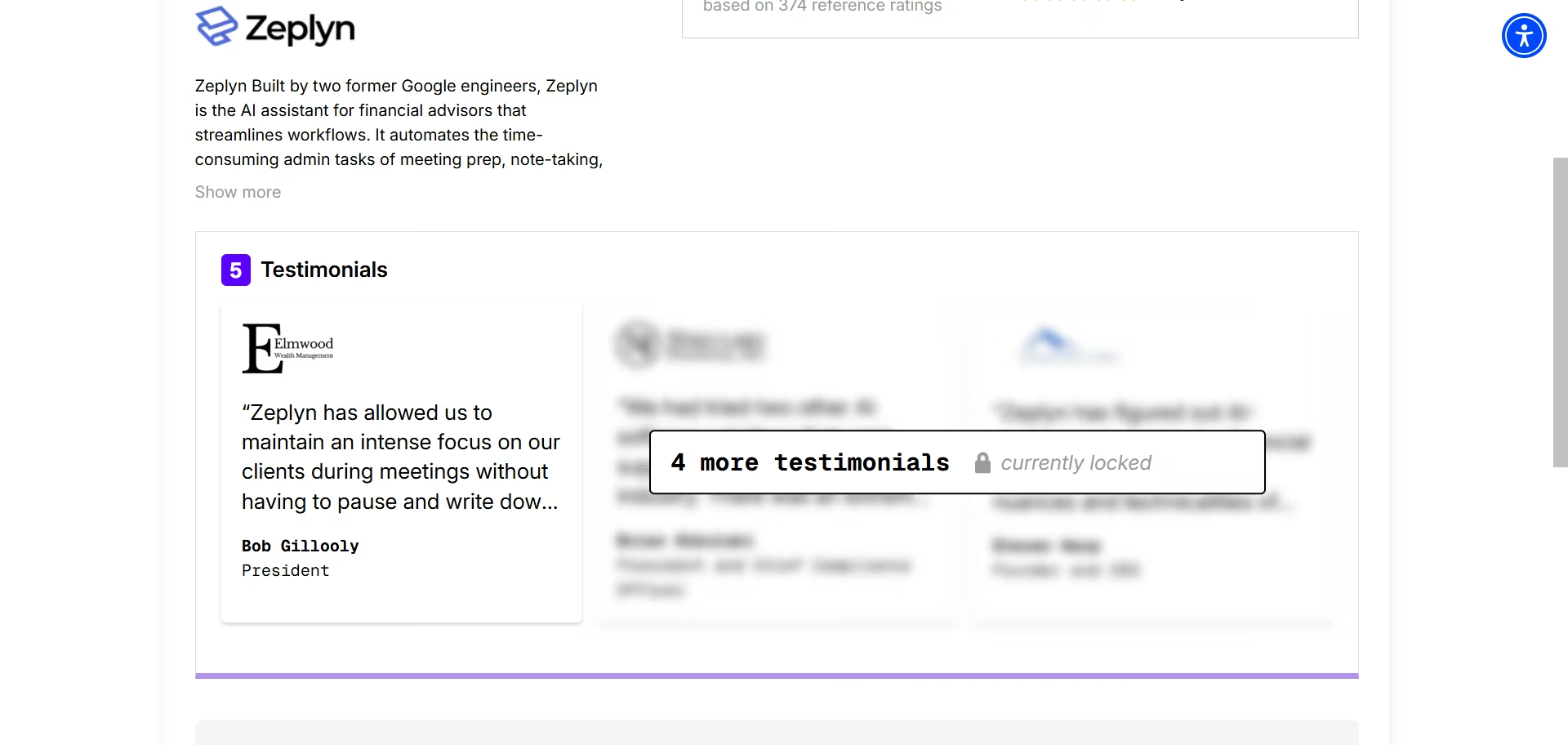
“Zeplyn has allowed us to maintain an intense focus on our clients during meetings without having to pause and write down notes.” — Bob G., FeaturedCustomers
Pricing
Zeplyn didn’t release their pricing publicly.
Bottom Line
Zeplyn earns its spot next to Zocks for one reason: it doesn’t record. If your firm’s policy or your state’s consent rules make audio recording a hassle, Zeplyn gets you the same structured-notes outcome without that step, and independent coverage backs its standing in the category even without a large public review base.
The lack of a self-serve trial and thin third-party evidence make it a harder tool to evaluate on your own than anything else on this list. Budget real time for the callback, and don’t expect the instant access every other tool here offers.
Need a Research or Fact-Check Partner? Start Here
These two look like the same tool and aren't. One searches the open web, the other refuses to look past the file you hand it.
5. Perplexity
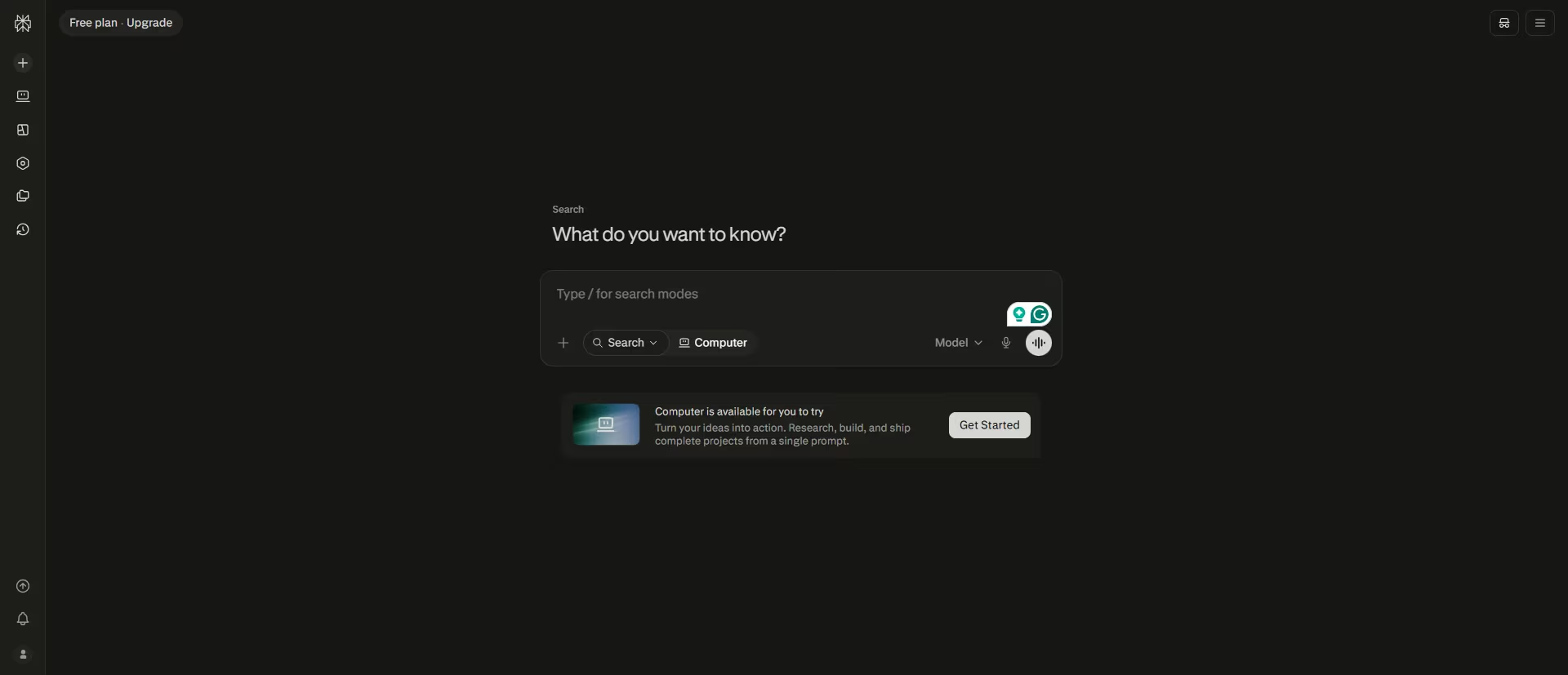
What it does: Perplexity is an AI answer engine that searches the live web and attaches sources to every claim
Best for: Verifying a fast factual question during meeting prep or mid-conversation, a contribution limit, a fund's expense ratio, a headline data point, without losing the thread to a separate browser tab.
I tested it with a tax question that required a current figure.
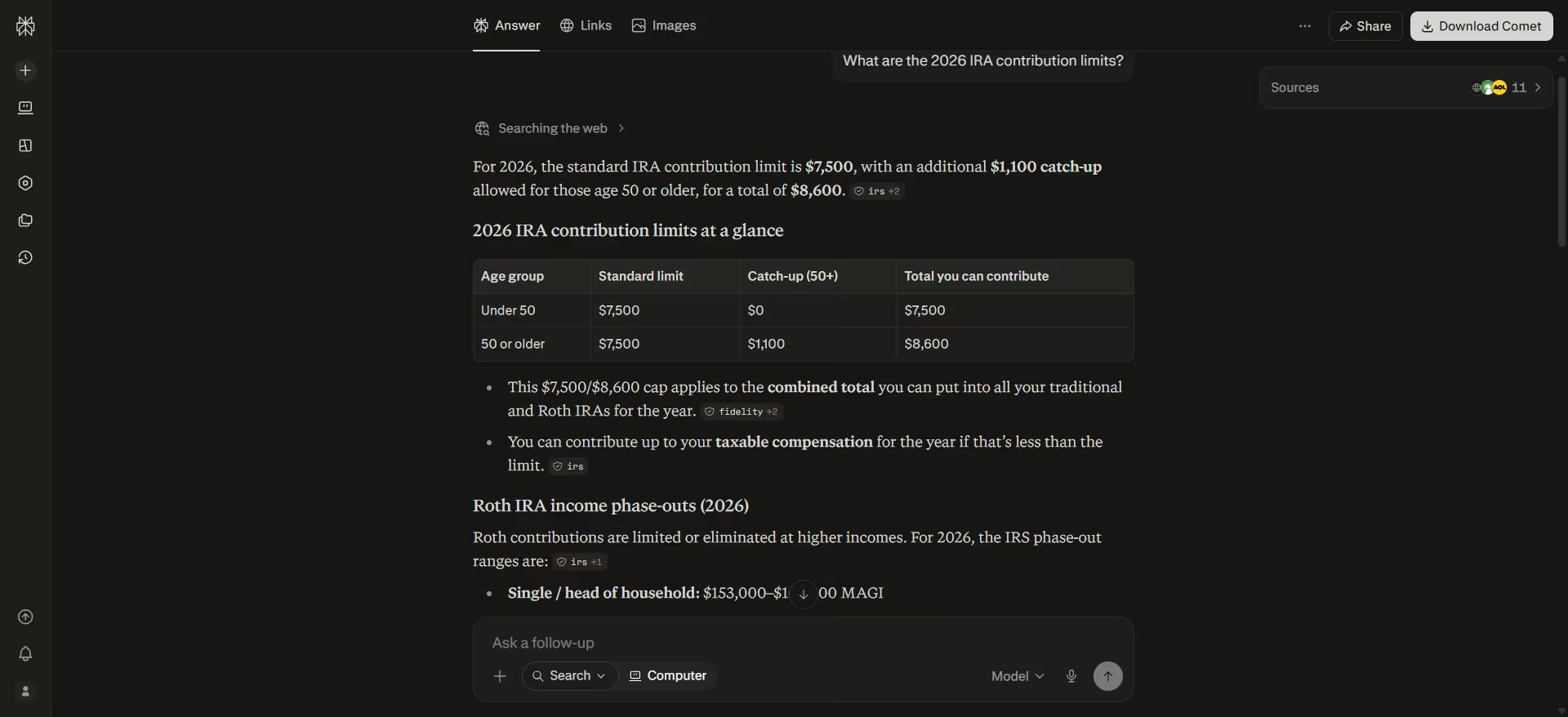
I asked, "What are the 2026 IRA contribution limits?"
Perplexity returned the correct number and linked directly to its sources. The IRS provided the core figures, while Fidelity and Principal provided additional context on deductions and phase-out ranges.
Having the IRS source attached to the answer means an advisor can quickly check the underlying information rather than taking the AI's answer at face value.
The more interesting find was Perplexity Finance. You can open it directly at Perplexity's Finance page or search for "Finance" from the main search bar.
The homepage brings together live market data, futures, a sector heatmap, earnings information and prediction markets, while individual company pages let you dig into financial statements, SEC filings, earnings calls, historical price data and other research without leaving Perplexity.
Perplexity also offers a natural-language stock screener, so you can describe the companies you're looking for instead of building a filter set manually.
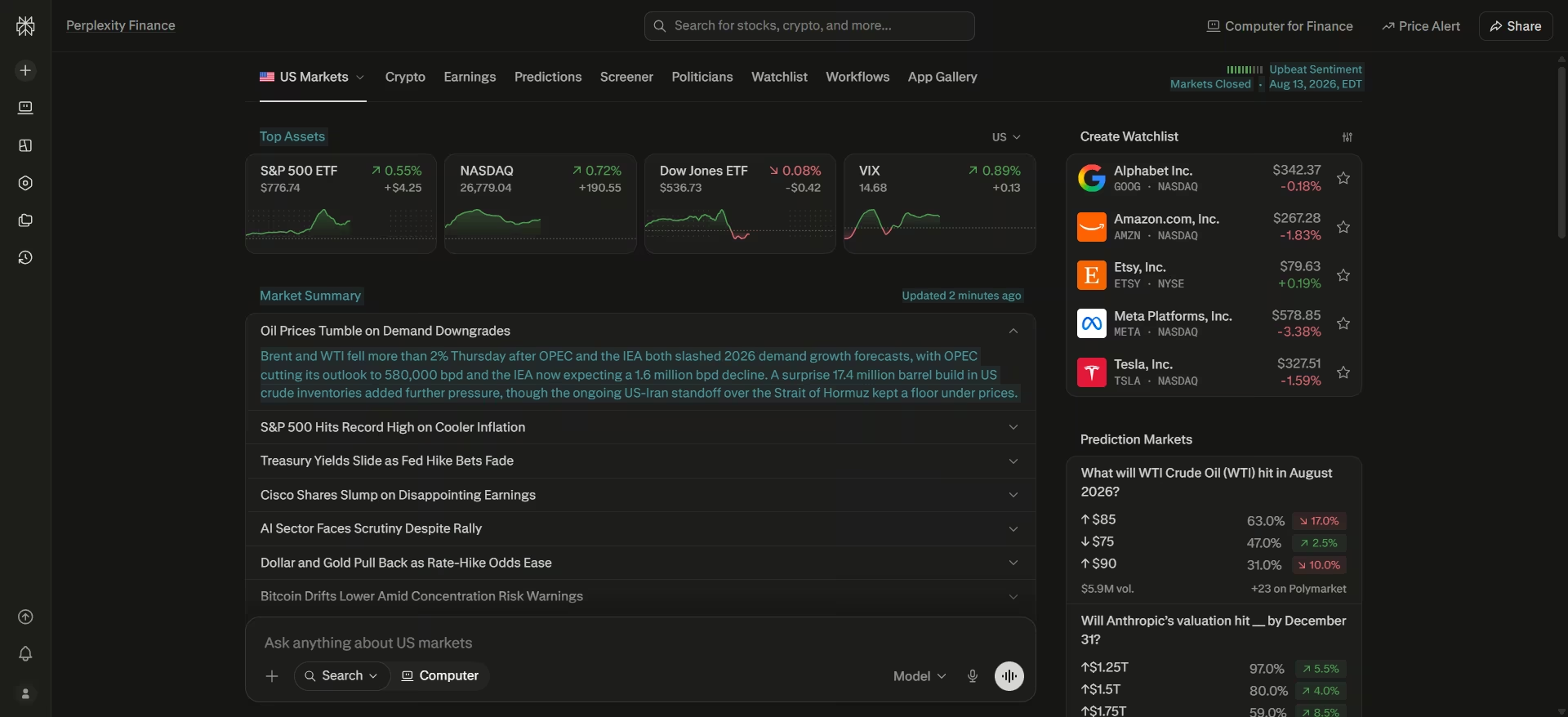
As a financial advisor, that’s a useful research workflow. You could review a company's latest earnings, pull up its most recent 10-K, and compare its financials with peers, from the same interface.
Perplexity's finance also allows you to trace the answers back to the underlying data, which makes it easier to check where a figure or claim came from before using it in client preparation.
Key Features
- Cited answers: Every factual answer links back to the page it came from, so a compliance reviewer can check it without retracing your steps.
- Perplexity Finance: A dedicated market dashboard with live indices, sector performance, earnings, watchlists, and prediction markets, sourced from providers like Financial Modeling Prep, S&P Global, and Quartr.
- Multimodal input: On paid plans, drag in a chart screenshot or a PDF filing and it extracts the data directly.
- Comet browser: A free, separate AI-powered browser that can navigate and summarize pages as you browse, not limited to the main chat interface.
Pros and Cons
Pros:
- Sourced answers give you something to hand a compliance reviewer instead of a claim they have to take on faith
- The Finance section brings market data, filings, and earnings into the same account you already use for quick lookups
- Free to start with no credit card, so you can test whether the Finance section actually replaces a manual lookup before paying for Pro
Cons:
- Citations make a Perplexity answer easy to check, but users still report incorrect or incomplete answers, so important figures, fund details, and regulatory information should be checked against the underlying source
- The free tier's daily usage cap is easy to hit on a busy prep morning
- No SOC 2 or compliance-specific documentation aimed at financial services, so a security review takes more legwork than with vendors that publish one
What Users Say
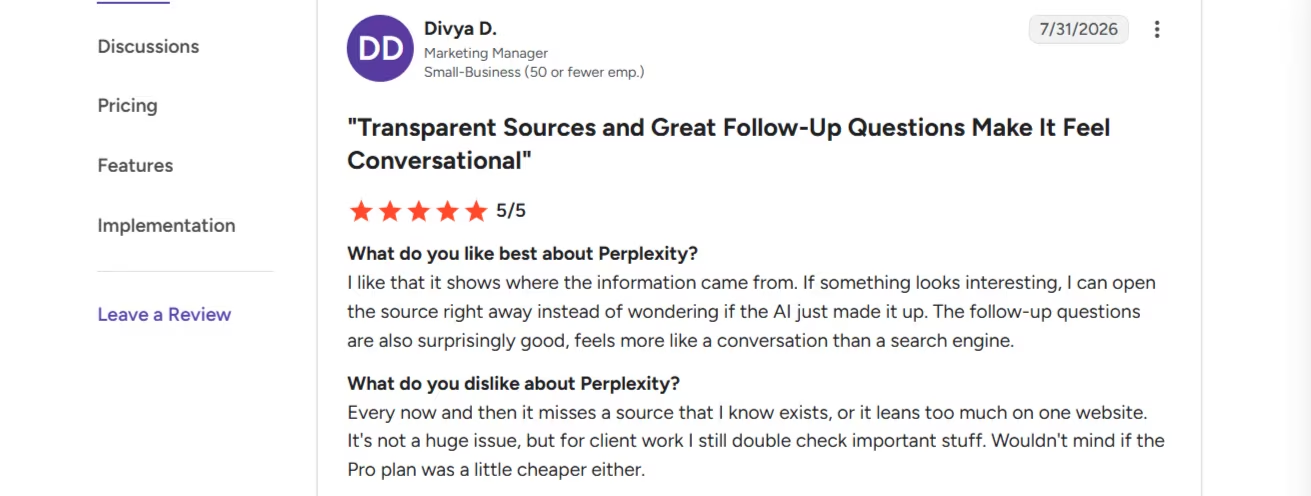
“I like that it shows where the information came from. If something looks interesting, I can open the source right away instead of wondering if the AI just made it up. The follow-up questions are also surprisingly good, and feel more like a conversation than a search engine.” - Divya D., G2
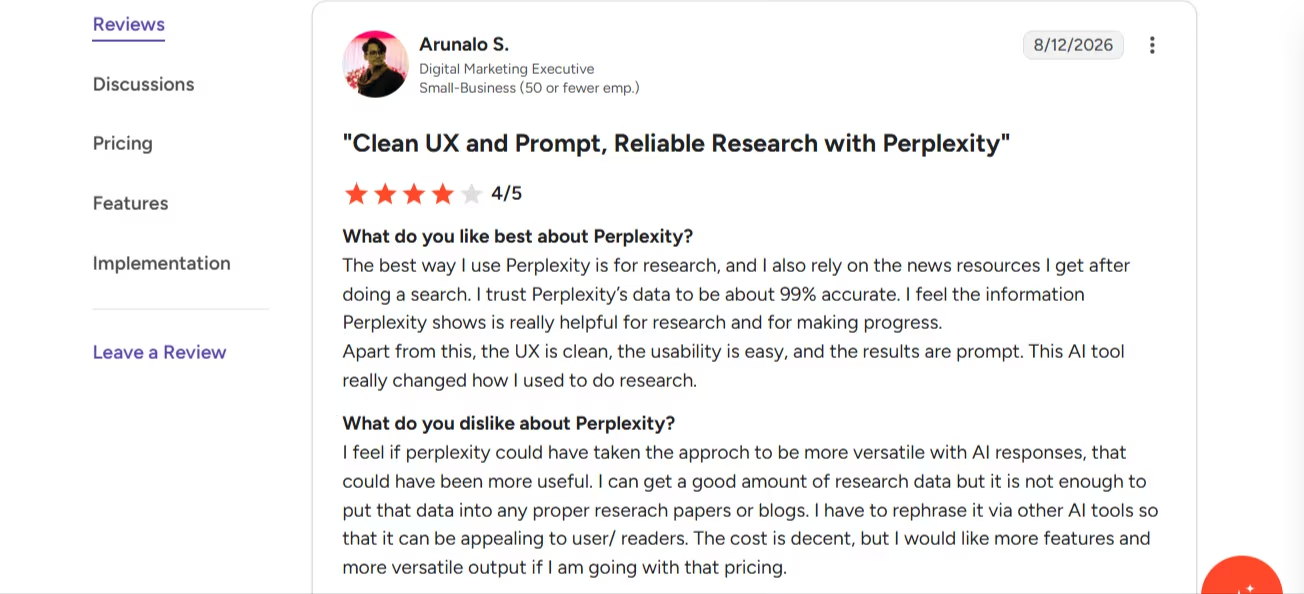
“I feel if Perplexity could have taken the approach to be more versatile with AI responses, that could have been more useful. I can get a good amount of research data but it's not enough to put that data into any proper research papers or blogs.” - Arunalo S., G2
Pricing
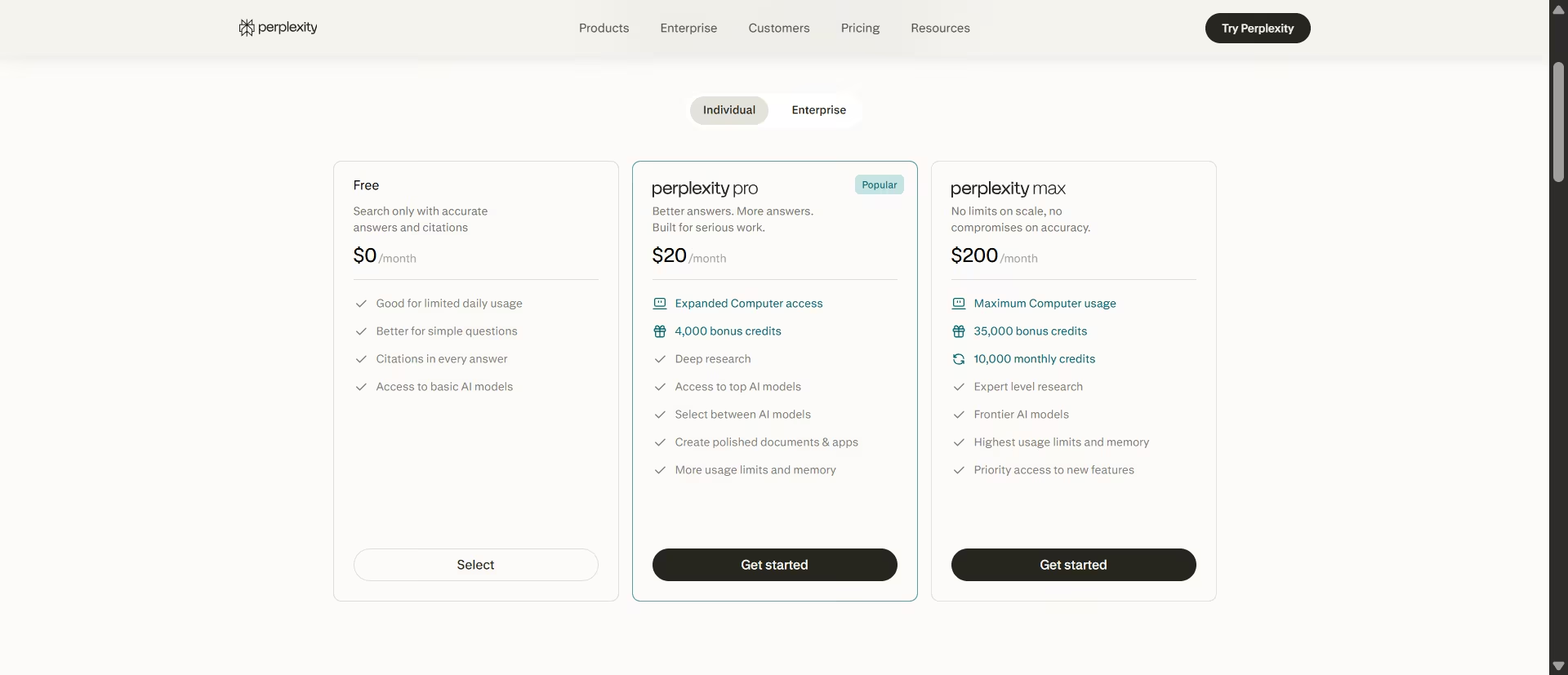
Per the official Perplexity pricing page: Free ($0, search with citations and access to basic AI models, capped for daily usage), Pro $20/month, Max $200/month.
Bottom Line
Perplexity earns its spot as the fastest way to check a fact without leaving your workflow, and its Finance section is a stronger, more complete tool than most advisors realize is sitting inside a free account.
It won't replace a research analyst, but for the small factual questions that come up in a normal advisory week, it works.
Also read our Perplexity alternatives guide for what else is worth trying when citation depth or the daily usage cap becomes a concern.
6. Gemini Notebook
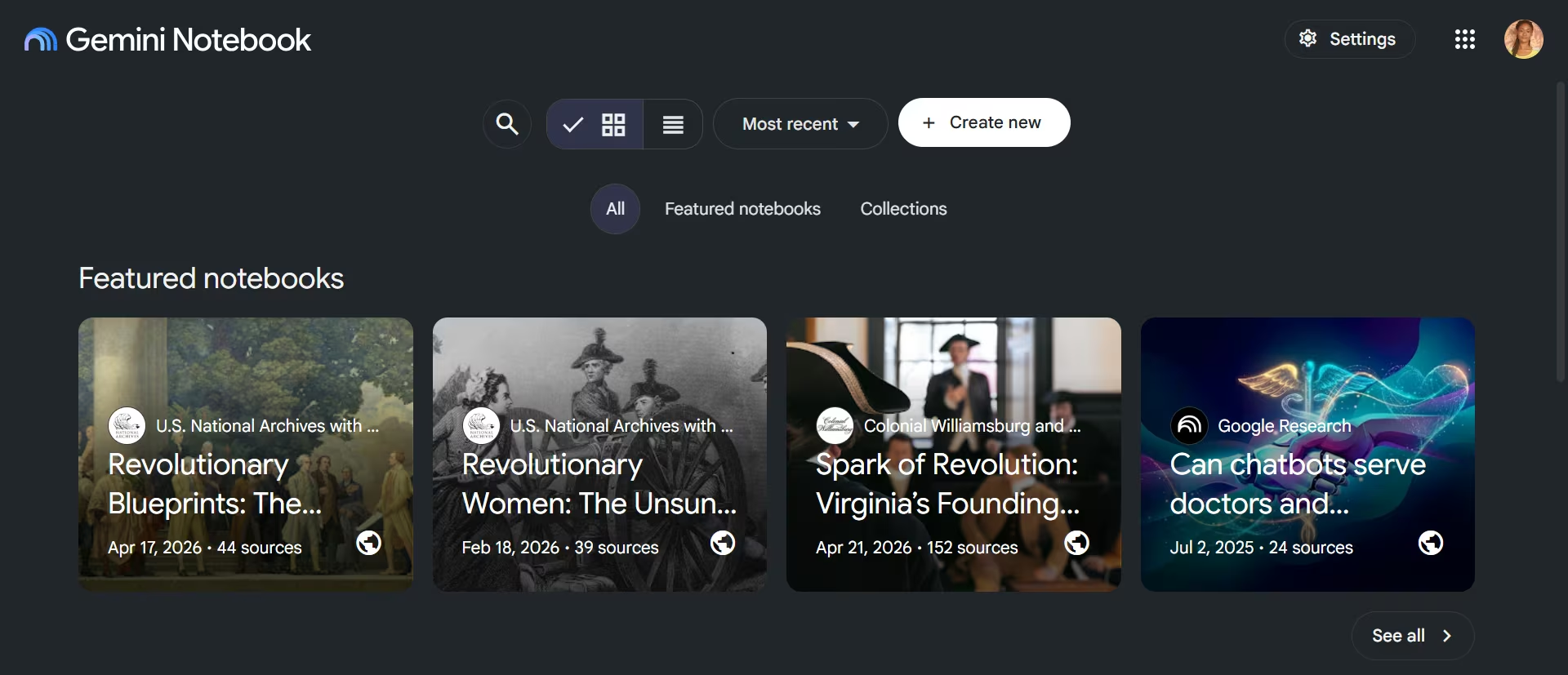
What it does: Gemini Notebook is a Google research tool whose chat answers come only from the documents you upload, not from general training knowledge. It can also pull in web sources on request, but that's a separate step you choose.
Best for: Asking questions about a specific client's plan, a fund prospectus, or your firm's compliance manual, where the answer needs to reflect only what's in that document.
I built a mock fund fact sheet and uploaded it to a fresh notebook. I asked, "What's the total expense ratio for this fund, and what fees make it up?"
Gemini Notebook identified every fee correctly, including a small footnote about a low-balance account charge that would be easy to skim past.
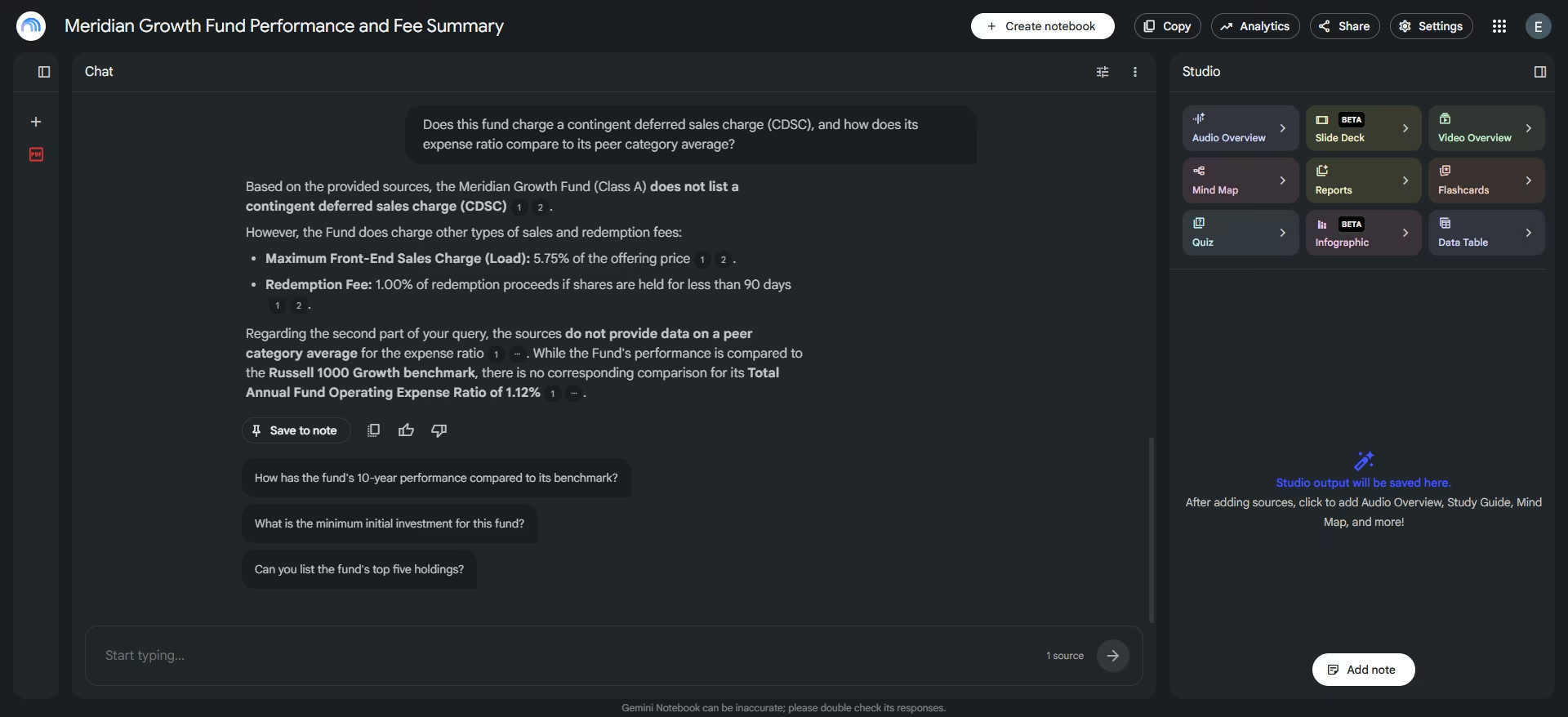
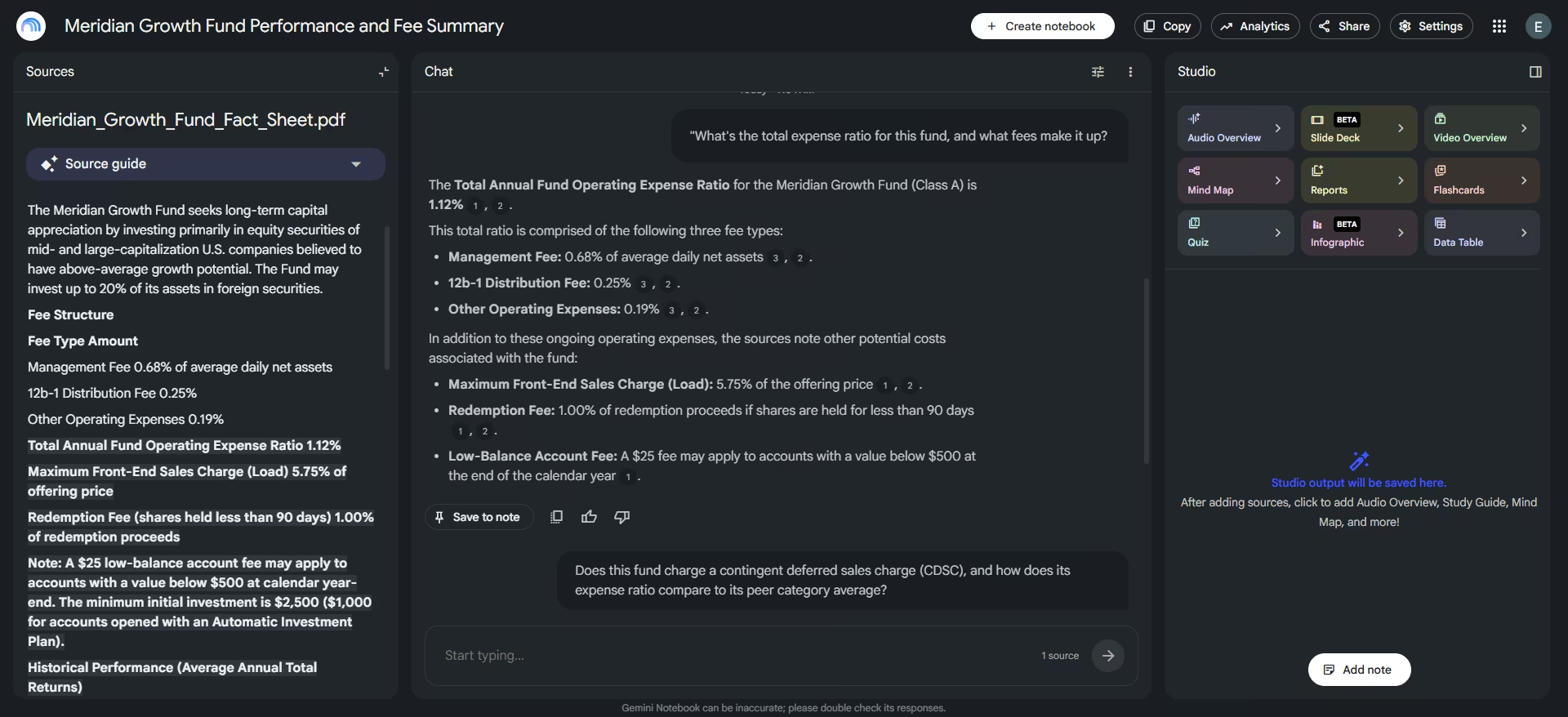
Then I asked about information the document didn't contain. I wanted to know whether the fund charged a contingent deferred sales charge (CDSC) and how its expense ratio compared with its peer category average.
Gemini Notebook didn't reach for a plausible-sounding number. It said the sources don't provide a peer category average, and it correctly noted that the document's only benchmark comparison elsewhere covered the fund's performance, a separate metric from the expense ratio.
That level of precision is exactly what you want from a tool you're handing a client's paperwork to, since a flat refusal would have left you unsure whether it checked the whole document or just gave up.
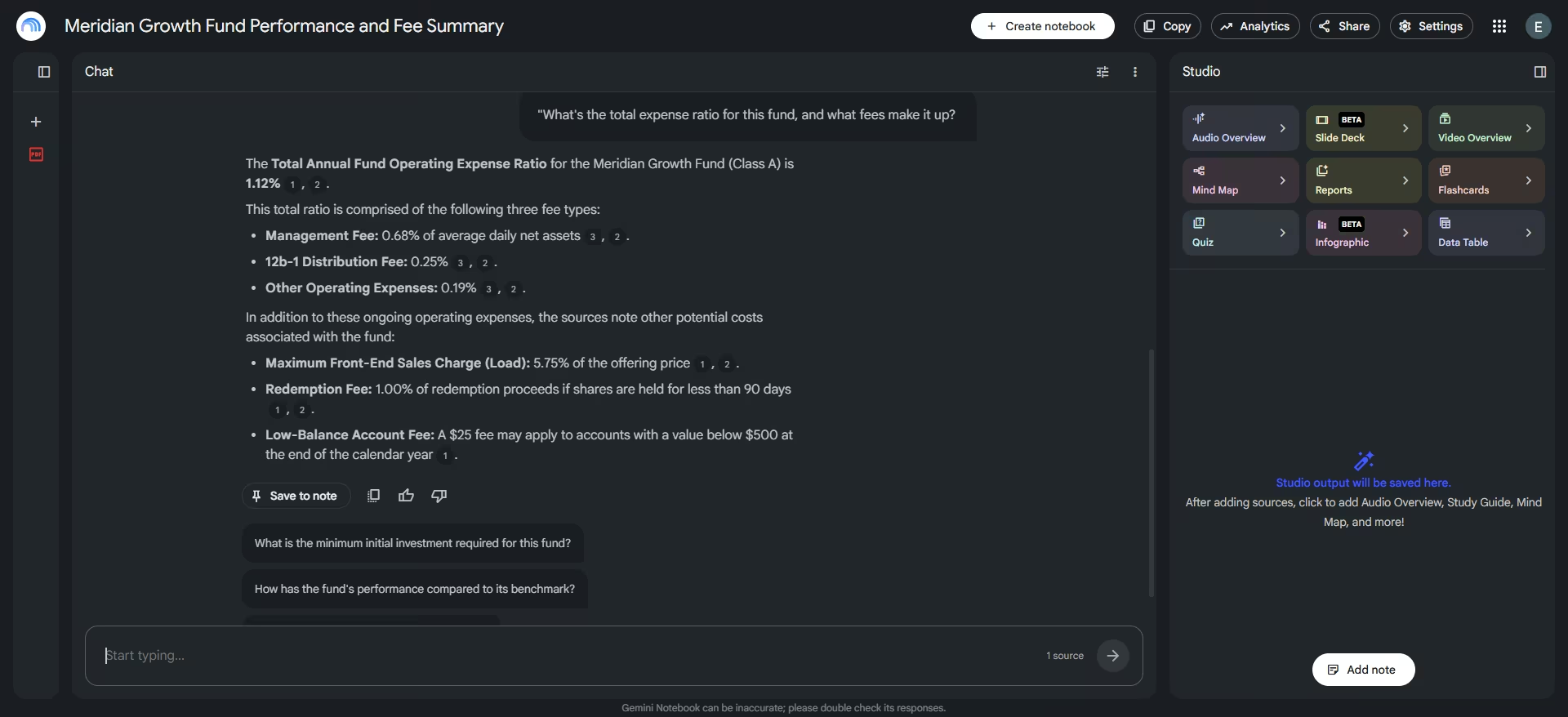
It also attached a clickable citation to every figure. Clicking a citation jumped straight to the relevant passage in the source panel and highlighted the text Gemini Notebook used.
That makes the answer easy to verify yourself in a few seconds instead of asking you to trust the AI's interpretation.
Key Features
- Source-grounded answers only: Answers are constrained to what you upload, the opposite risk profile of an open-web tool.
- Working citations: Every claim links to the exact passage it came from, and clicking it jumps you there.
- Audio Overview: Generates a short, podcast-style audio summary of a document set, useful for reviewing a plan on a commute.
- Study and reference tools: The same notebook can generate a mind map, a slide deck, a quiz, flashcards, or a structured data table from your uploaded sources, useful for turning a dense filing into something you can review.
Pros and Cons
Pros:
- Generous free forever tier
- Grounded answers meaningfully cut the risk of an invented fact reaching a client-facing document
- Handles PDFs, Google Docs, and even meeting recordings as source material
Cons:
- Documents are processed on Google's servers. On a consumer account, rating an answer can send that client file to a human reviewer. Workspace accounts are exempt from that review; free and paid consumer plans are treated the same
- The free tier caps you at 50 chats a day and 50 sources per notebook, which is tight if you're working across many client files in one sitting
- Some of the newer study tools, like the slide deck generator, are limited on the free tier and can be inconsistent
What Users Say
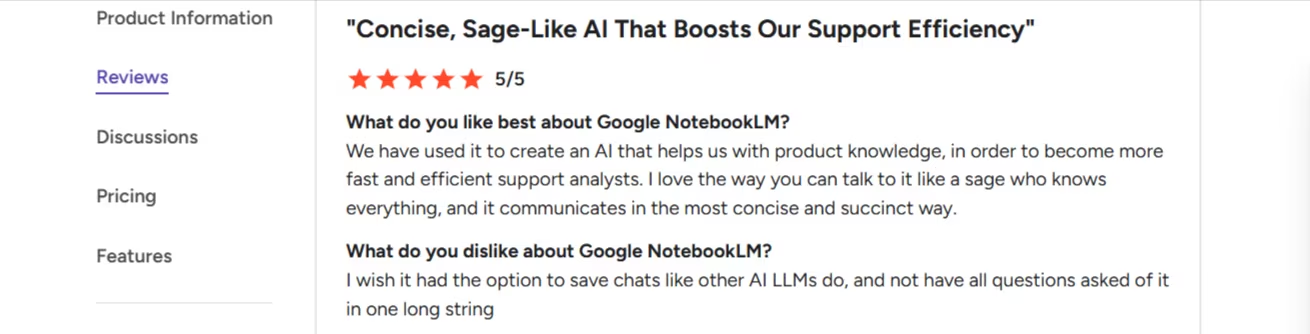
“We have used it to create an AI that helps us with product knowledge, in order to become more fast and efficient support analysts. I love the way you can talk to it like a sage who knows everything, and it communicates in the most concise and succinct way.” - Che H., G2
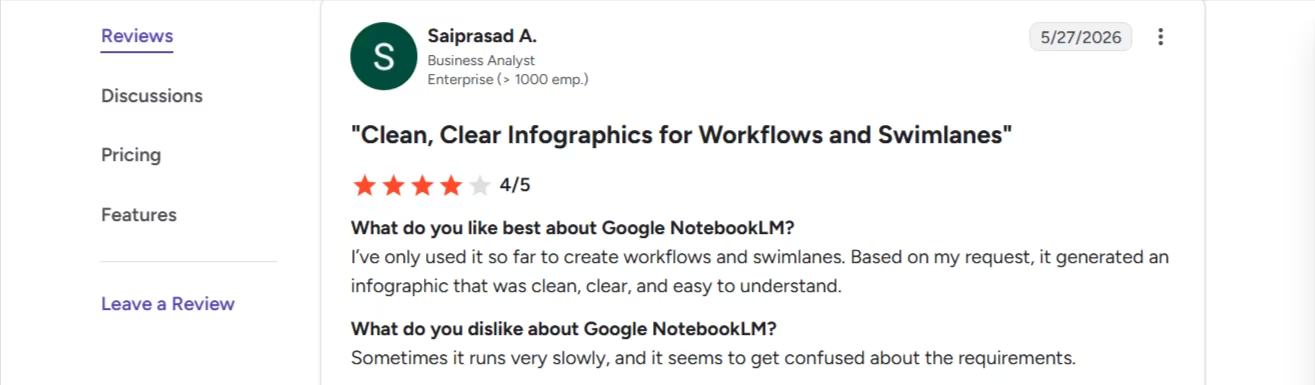
“Sometimes it runs very slowly, and it seems to get confused about the requirements.” - Saiprasad A., G2
Pricing
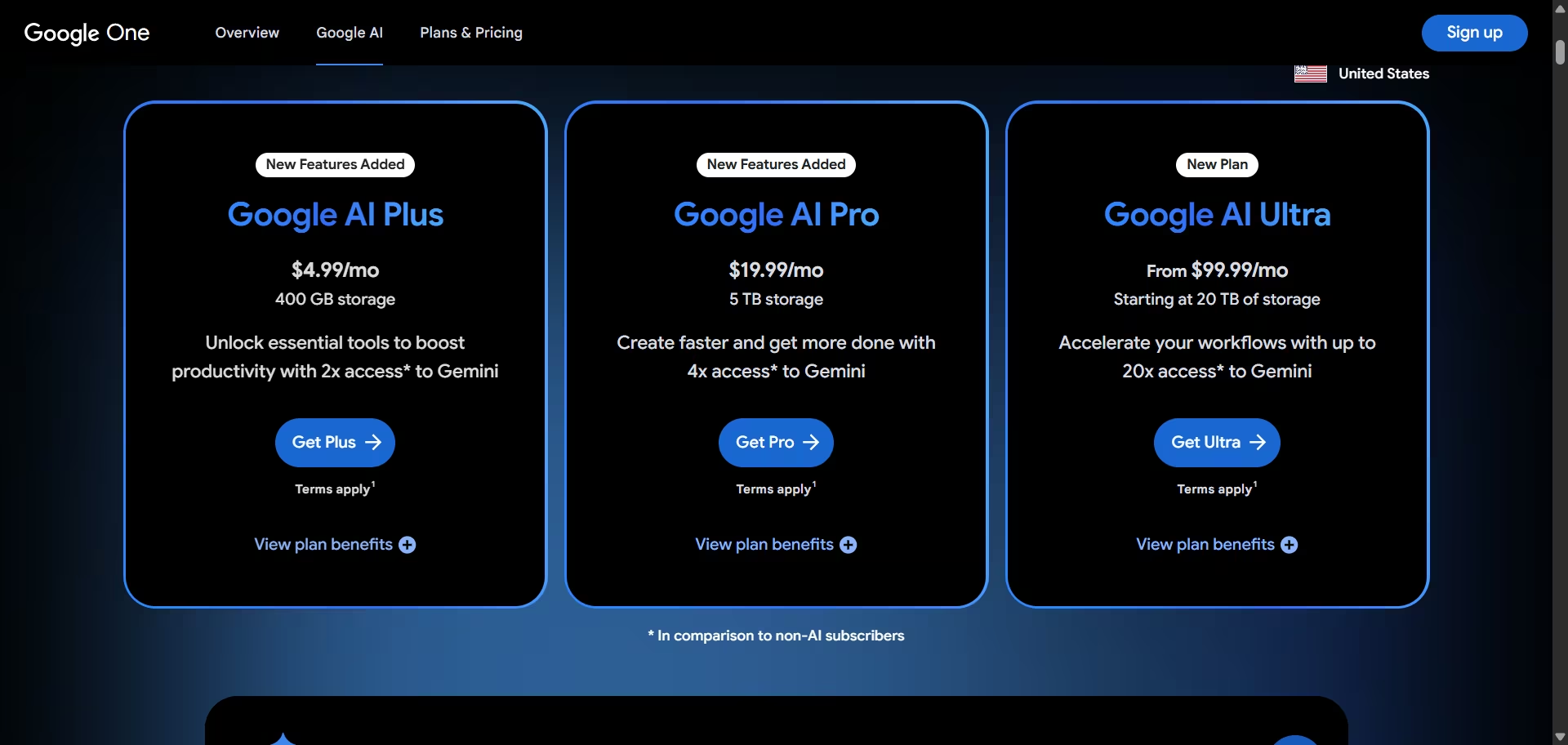
Per Google's official plans page: Standard is free with no expiry. Higher limits ship bundled inside Google AI Plus ($4.99/month or $9.99/month, depending on storage limits), Google AI Pro ($19.99/month, or $199.99/year), Google AI Ultra (from $99.99/month), or a qualifying Google Workspace plan, not as a standalone Gemini Notebook purchase.
Bottom Line
Gemini Notebook is the tool worth pointing at an actual client document, because its answers stay inside what you gave it. Google still tells you to check its work, and on a client file you should. Pair it with Perplexity for the open web and save Gemini Notebook for your own files.
Need to Read Tax and Estate Documents Fast? Start Here
This one job doesn't overlap with anything else on this list: reading a tax return or estate document and pulling out what a plan actually depends on.
7. Holistiplan
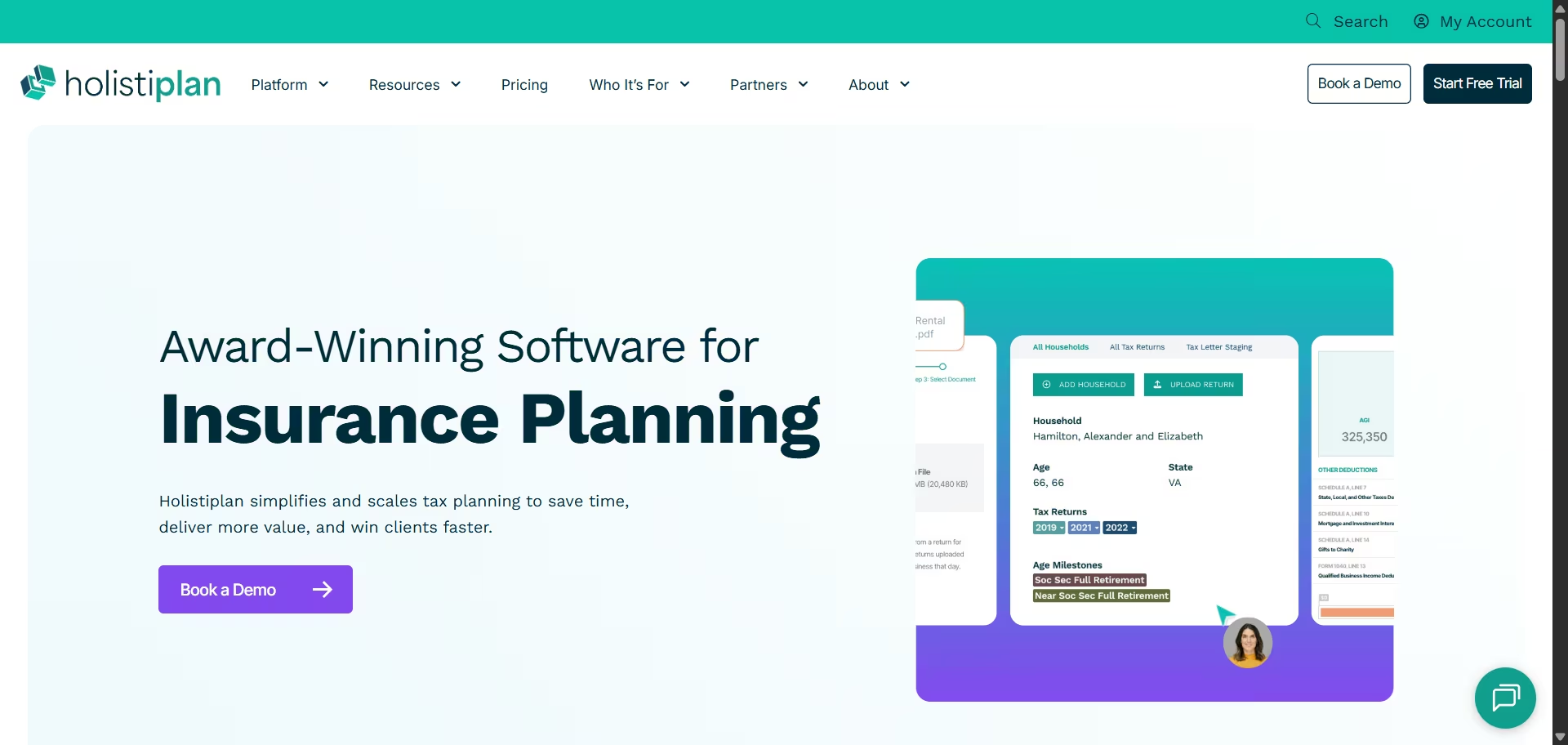
What it does: Holistiplan is tax planning software that scans a client's tax return with OCR, in under a minute per Holistiplan's own claims, and turns it into a client-ready report flagging Roth conversion windows, missed deductions, and other planning opportunities. Its estate planning module reads wills and trusts and outputs a visual flowchart.
Best for: Advisors who want a fast first read on a client's tax return or estate documents before a planning conversation, without doing that analysis by hand or sending it out to a CPA first.
I started a 7-day free trial on Holistiplan and uploaded a sample 2025 income tax return. The trial version allows four uploads.
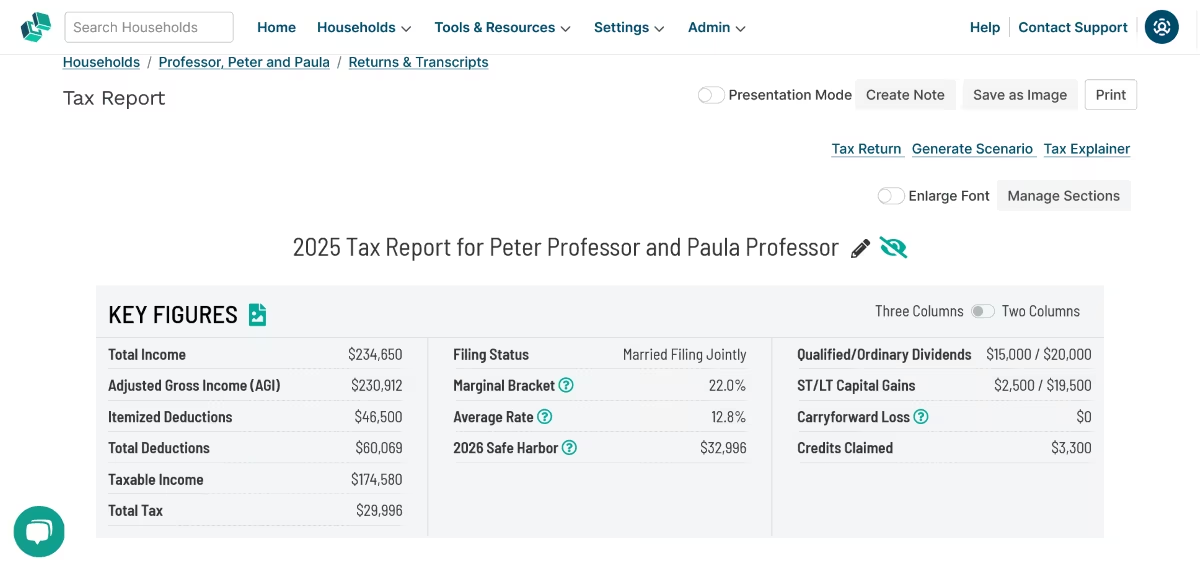
I checked the generated report against the return itself, filing status, adjusted gross income, taxable income, total tax, and the schedule breakdown all matched. Holistiplan replaced the manual data entry older tax software still demands with that instant analysis the moment the file landed.
I also tried the tax planning feature, Holistiplan’s signature tool. It lets you model your expected tax bill for one year or across multiple years.
Key Features
- OCR tax return scanning: Reads a federal 1040 and supporting schedules in under a minute, per Holistiplan.
- Scenario Analysis: Models Roth conversions, charitable contributions, and capital gains harvesting side by side.
- Estate document reader: Extracts key details from wills and trusts into a visual, client-ready flowchart.
- Insurance Risk Management: Reviews home, auto, and umbrella policies for coverage gaps, included at no extra cost on larger plans.
- Client upload portal: Lets clients upload their own tax documents through a personal link instead of the advisor scanning and uploading them.
Pros and Cons
Pros:
- Self-serve 7-day free trial, unlike Zeplyn.
- Rated the #1 tax planning software in its category for multiple consecutive years, per industry surveys, with the most public reviews of any tax-document tool in this space
- Discounts available for NAPFA, ACP, Garrett Planning Network, Dynasty Financial Partners, and SSG members
Cons:
- Reviewers note the interface has a learning curve, particularly around reading the range calculator's min and max figures
- Pricing rises with household count, and reviewers report costs increasing each year on renewal
- Full P&C insurance analysis is reserved for the highest-tier subscription, so smaller plans get a partial view
What Users Say
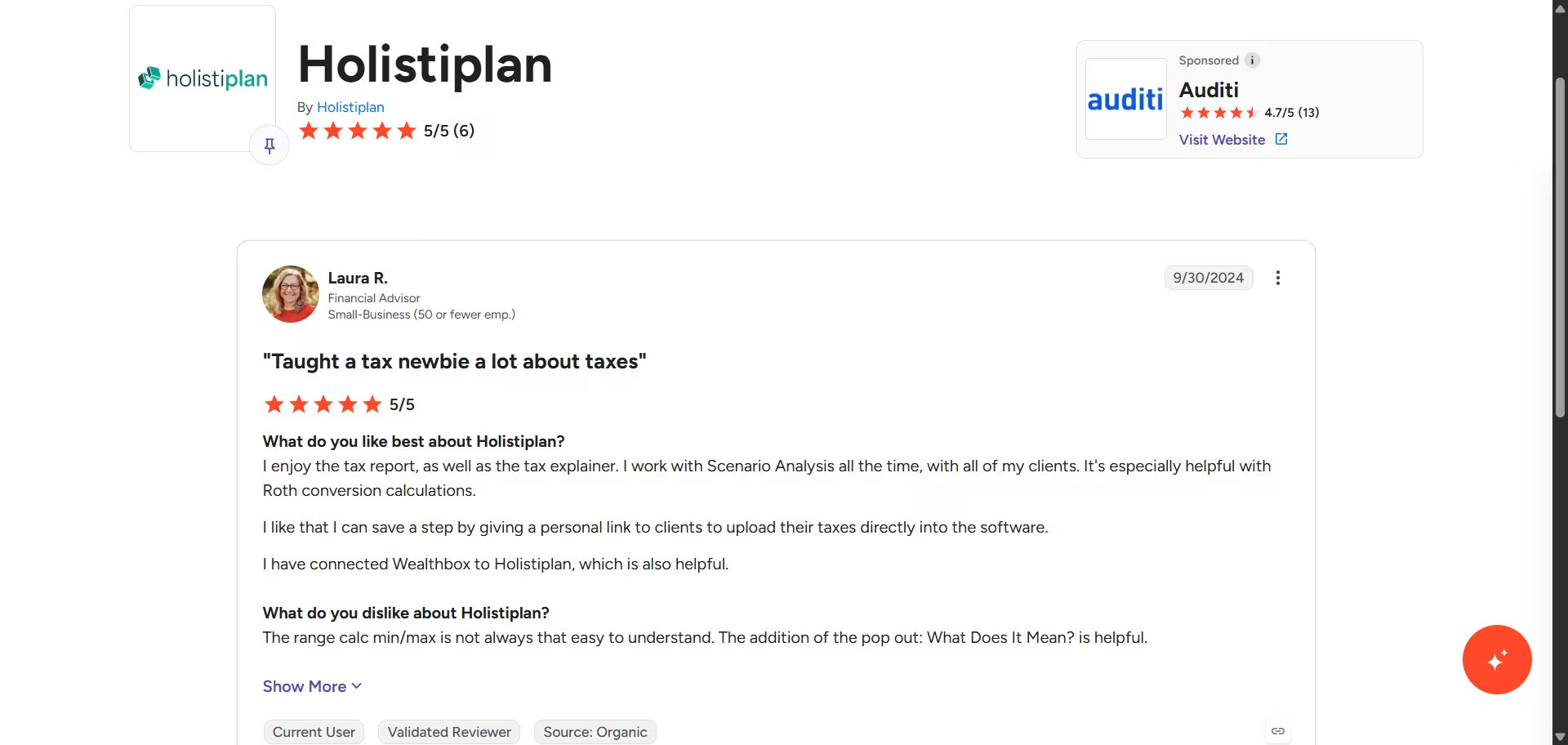
“I enjoy the tax report, as well as the tax explainer. It's especially helpful with Roth conversion calculations.” - Laura R., G2
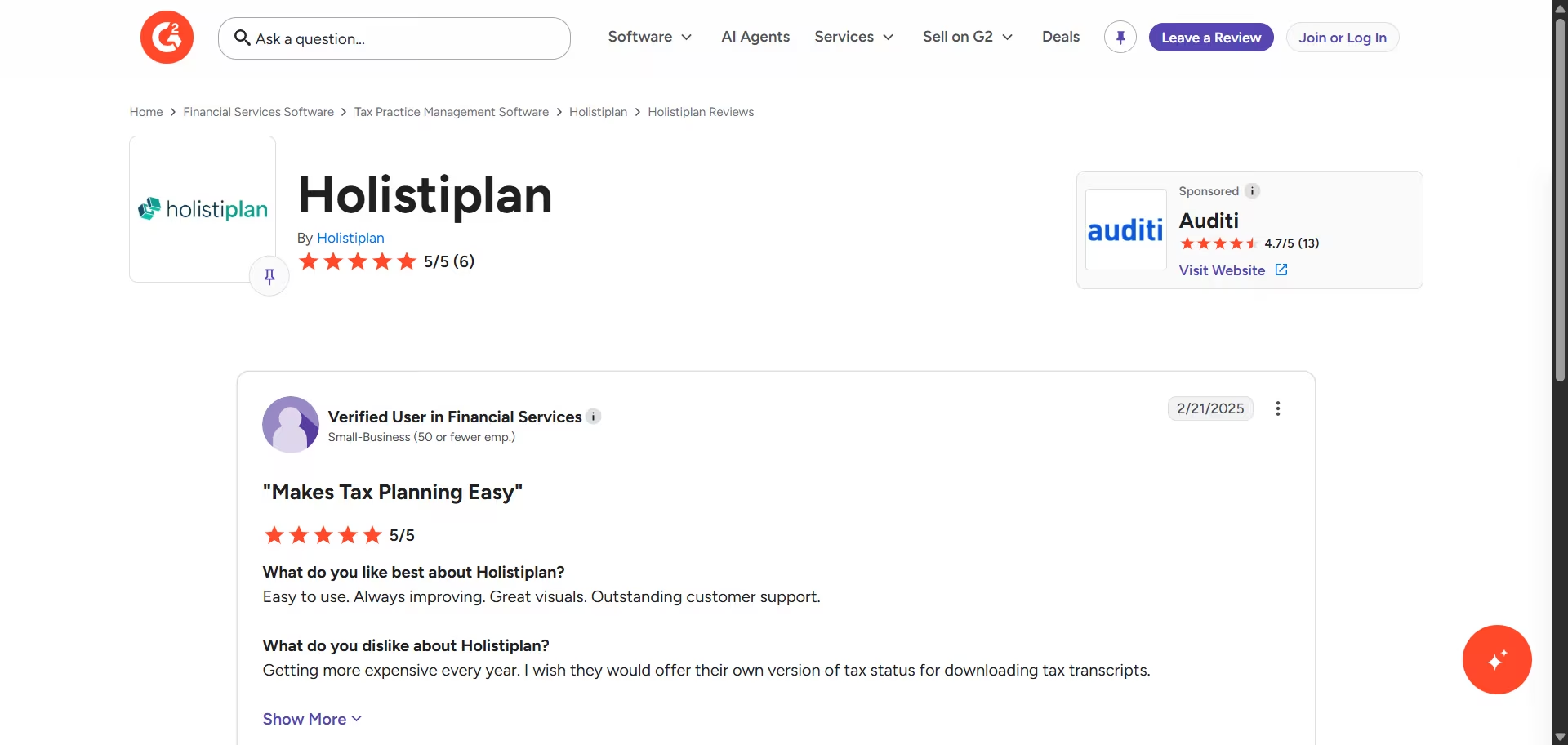
“Getting more expensive every year. I wish they would offer their own version of tax status for downloading tax transcripts.” - Verified User, G2
Pricing
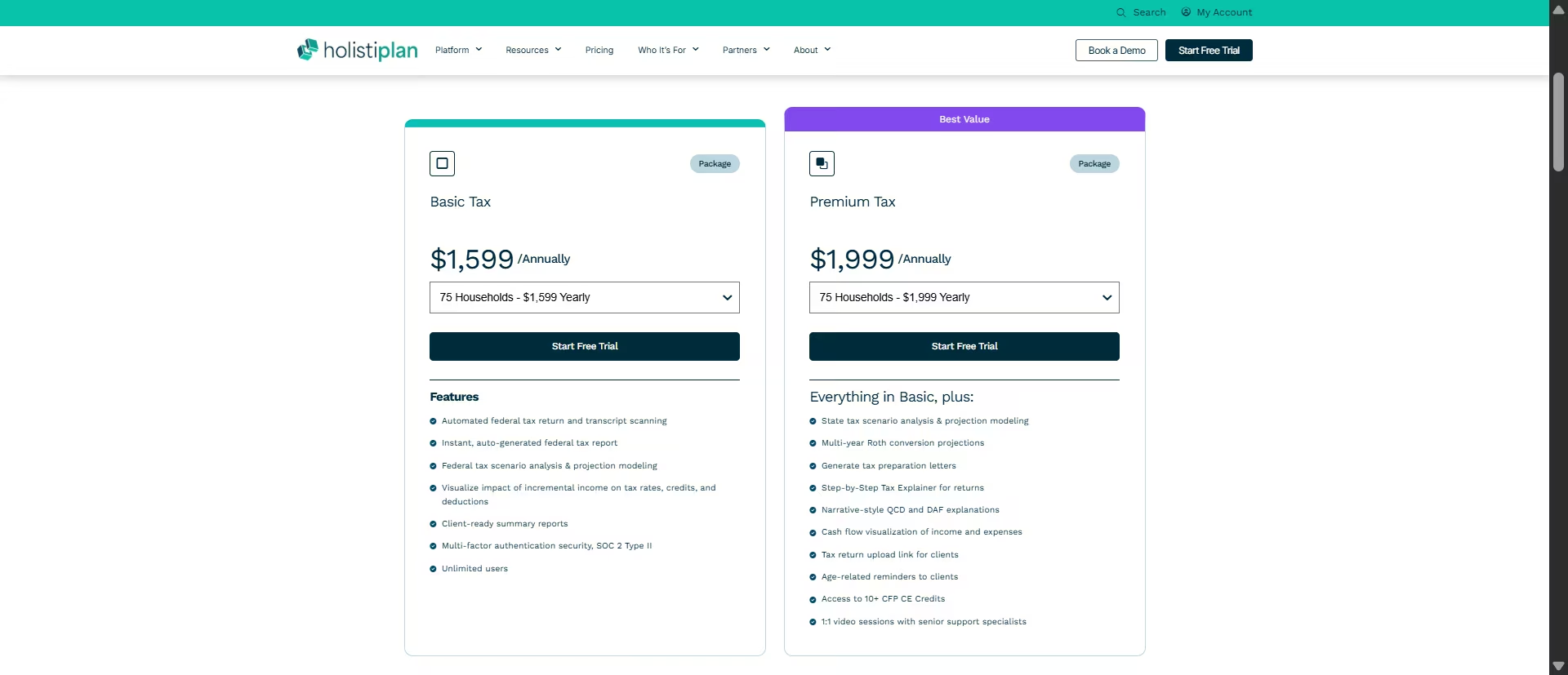
Based on Holistiplan's pricing page: plans start around $749 a year for the Basic tier (up to 30 households) and scale to roughly $15,499 a year for the top Premium tier (750+ households), with Basic covering federal tax analysis and Premium adding state tax, multi-year Roth modeling, and client communication tools.
All plans start with a self-serve 7-day free trial. Exact current tier pricing should be confirmed against the live pricing page before publishing, since Holistiplan doesn't display dollar figures directly on that page without logging in.
Bottom Line
Holistiplan fills a real gap in this roundup: reading a tax return or estate document is a different job than writing meeting notes or drafting client email, and none of the other nine tools here do it. If your practice touches Roth conversions, tax-loss harvesting, or estate reviews regularly, this is worth the 7-day trial on its own.
Need Help Writing to Clients? Start Here
Both tools here drafted a client newsletter from the same prompt. The difference shows up in what they do with a shaky number.
8. ChatGPT
What it does: ChatGPT is OpenAI's general-purpose AI assistant for drafting, brainstorming, summarizing, research, and answering questions.
Best for: Drafting client emails, newsletters, and social posts when you have the substance but need help turning it into clear, client-ready language.
I wanted ChatGPT to write a newsletter for a scenario where clients were worried about a market pullback. I gave it a specific situation, audience, and set of instructions:
"I'm a financial advisor. The S&P 500 dropped 6.8% over the past two weeks after weaker-than-expected jobs data and renewed tariff concerns. I've gotten calls and emails from about a dozen clients asking whether they should move to cash. Most of these clients are in their 50s and 60s, still 10-15 years from retirement, invested in diversified portfolios built for the long term. Write a short client newsletter section addressing this pullback. Include: what happened in plain terms, historical context on how similar 5-10% pullbacks have played out over the past 20 years, and why staying invested usually beats reacting. Keep it reassuring but not dismissive of their concerns. About 150-200 words."
Before writing a single word, ChatGPT checked the premise. It pointed out that the market data in my scenario did not match current conditions and cited a source showing that the S&P 500 had recently reached a record high rather than fallen 6.8%.
It then continued with the requested draft, clearly treating the market figures as a hypothetical scenario rather than presenting them as current facts.
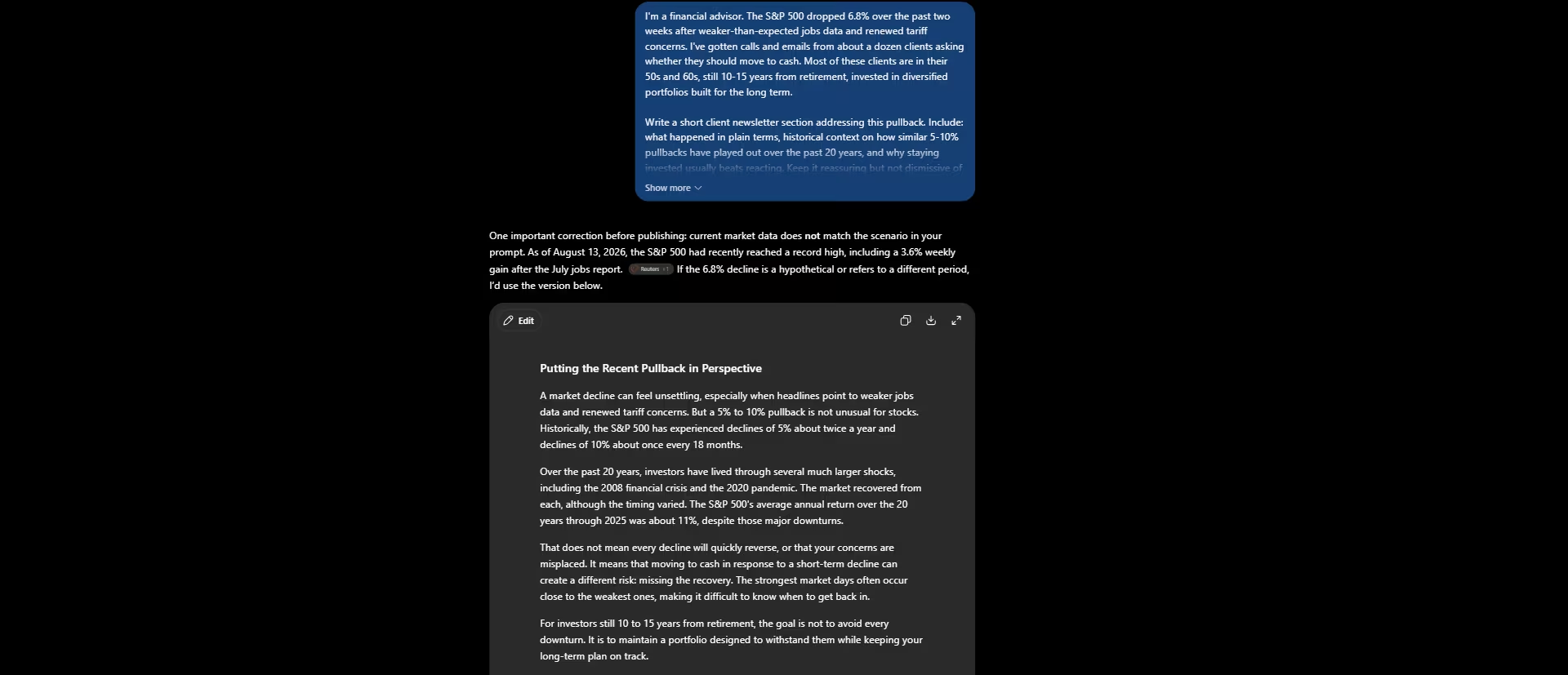
That fact check was useful. Having the AI challenge your assumptions instead of blindly accepting a false premise can also help you catch your own blind spots.
The writing itself was solid. It explained the pullback in plain language, added historical context on 5% and 10% market declines, and explained why moving to cash after a drop can work against a long-term investment plan.
I then asked it to rewrite the same message for a client who doesn't follow markets closely. ChatGPT shortened the sentences and replaced some of the more technical language with simpler explanations. It also dropped some of the precise statistics from the original version.
For example, the first draft said that 5% declines happen about twice a year and 10% declines about once every 18 months, while the rewrite described 5% to 10% declines as a regular part of investing.
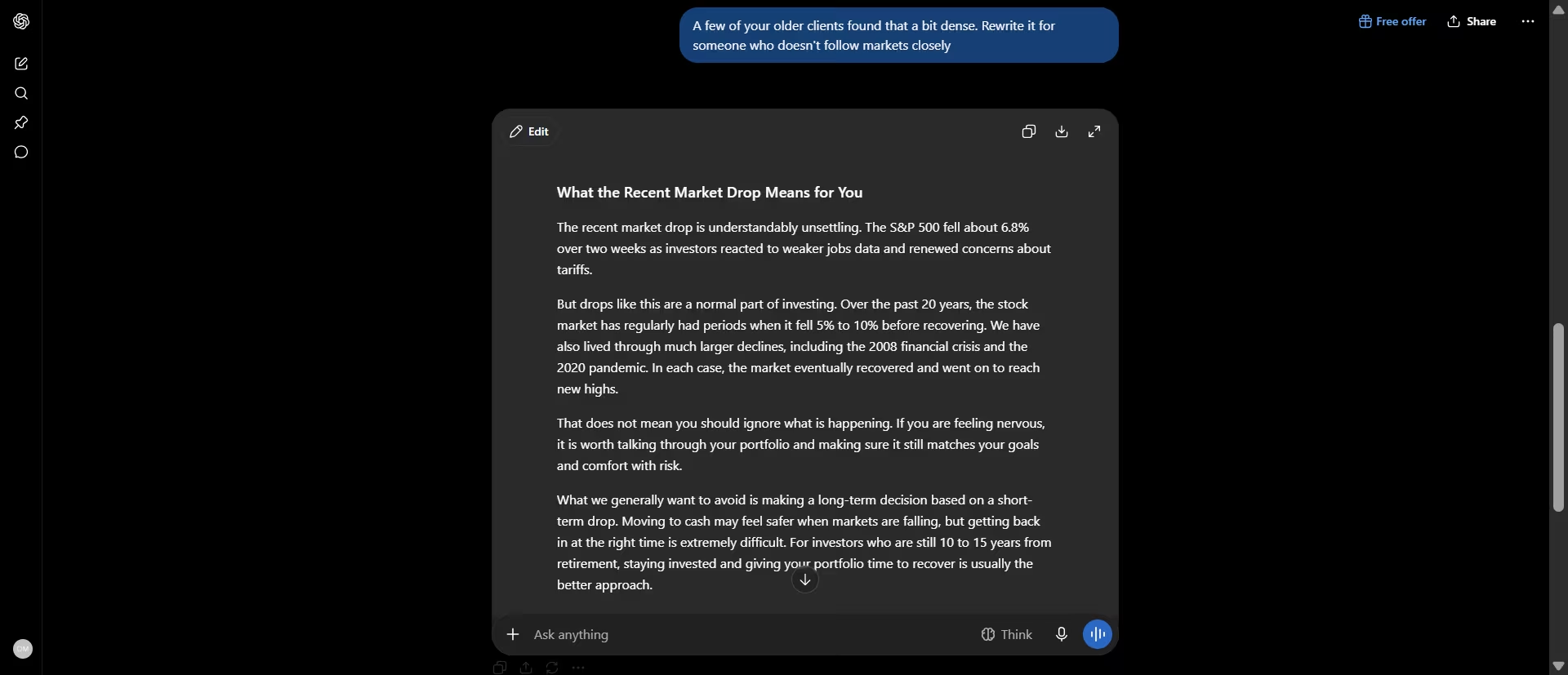
That is a reasonable tradeoff when the goal is accessibility, but it shows why an advisor should review the final version rather than assume a simpler rewrite preserves every important detail.
Finally, I asked ChatGPT to compress the message into two sentences for the top of an email. It kept the appropriate caution even with almost no room to explain itself.

Key Features
- General-purpose drafting: Handles first drafts, brainstorming, and blank-page problems across nearly any writing task.
- File analysis: Upload a document and ask questions about it directly in the chat, with source citations shown alongside the answer.
- Custom GPTs: On Go and up, build a saved, purpose-specific assistant, for example one preloaded with your firm's standard disclosures, so you're not prompting from scratch each time.
- Voice mode: Full conversational voice interaction, useful for dictating notes or getting a quick answer hands-free between meetings.
Pros and Cons
Pros:
- Caught a factual mismatch in the prompt's premise before drafting anything, and cited a source for the correction
- Free tier now includes unlimited text chats, up from the earlier message-cap model
- One of the largest user bases of any tool here, which means more tutorials, prompts, and community troubleshooting to draw on.
Cons:
- Wasn't built for financial services specifically, so it has no native CRM connection out of the box
- Anything client-facing still needs a compliance review before it goes out, same as any other draft
What Users Say
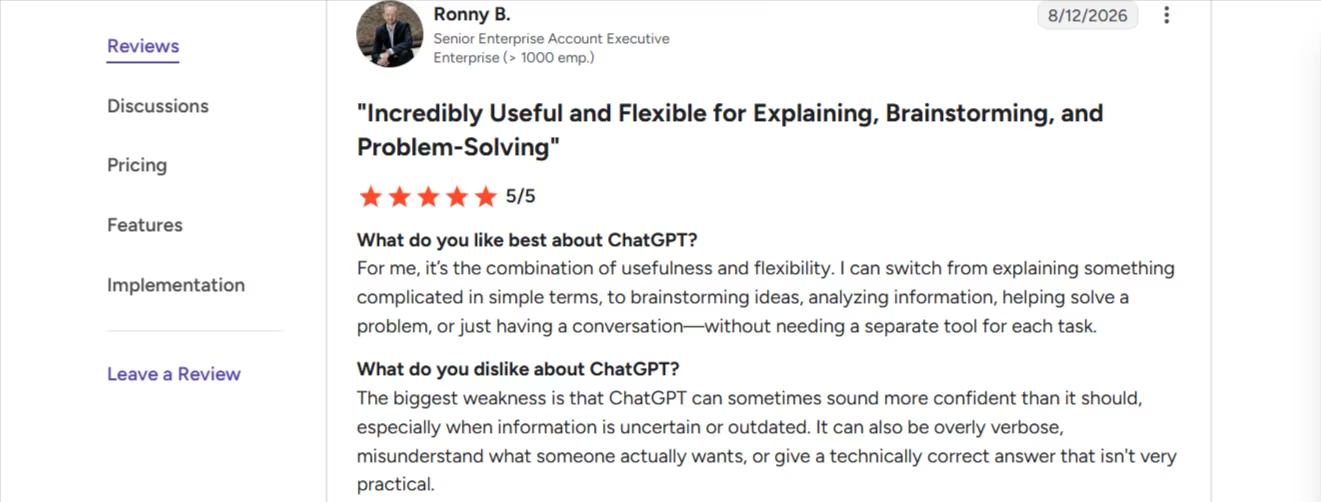
“For me, it’s the combination of usefulness and flexibility. I can switch from explaining something complicated in simple terms, to brainstorming ideas, analyzing information, helping solve a problem, or just having a conversation—without needing a separate tool for each task.” - Ronny B., G2
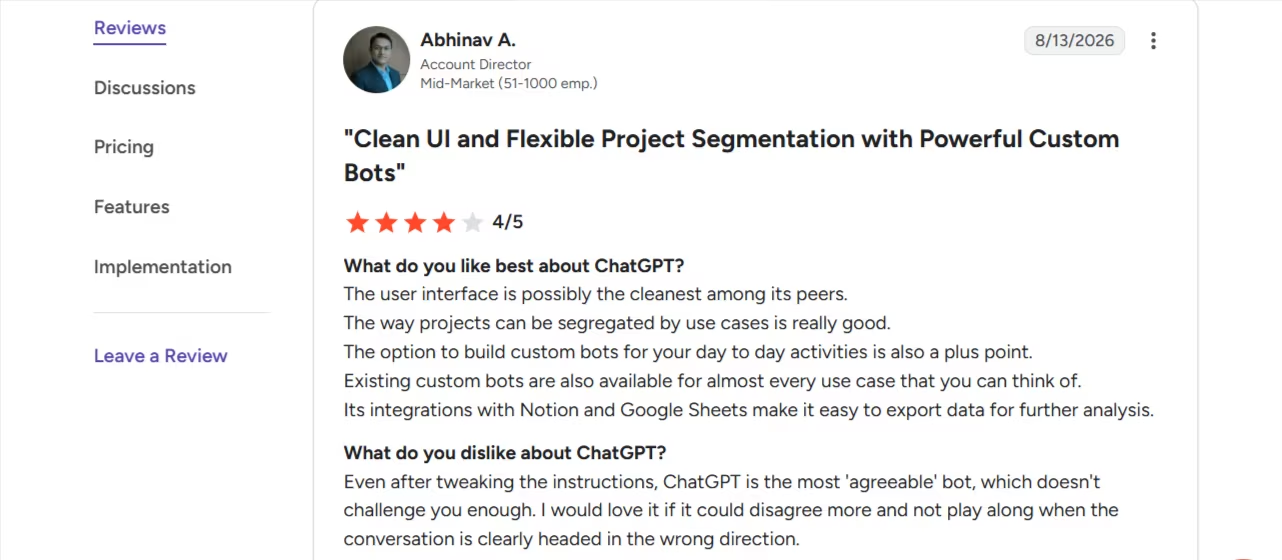
“Even after tweaking the instructions, ChatGPT is the most 'agreeable' bot, which doesn't challenge you enough. I would love it if it could disagree more and not play along when the conversation is clearly headed in the wrong direction.” - Abhinav A., G2
Pricing
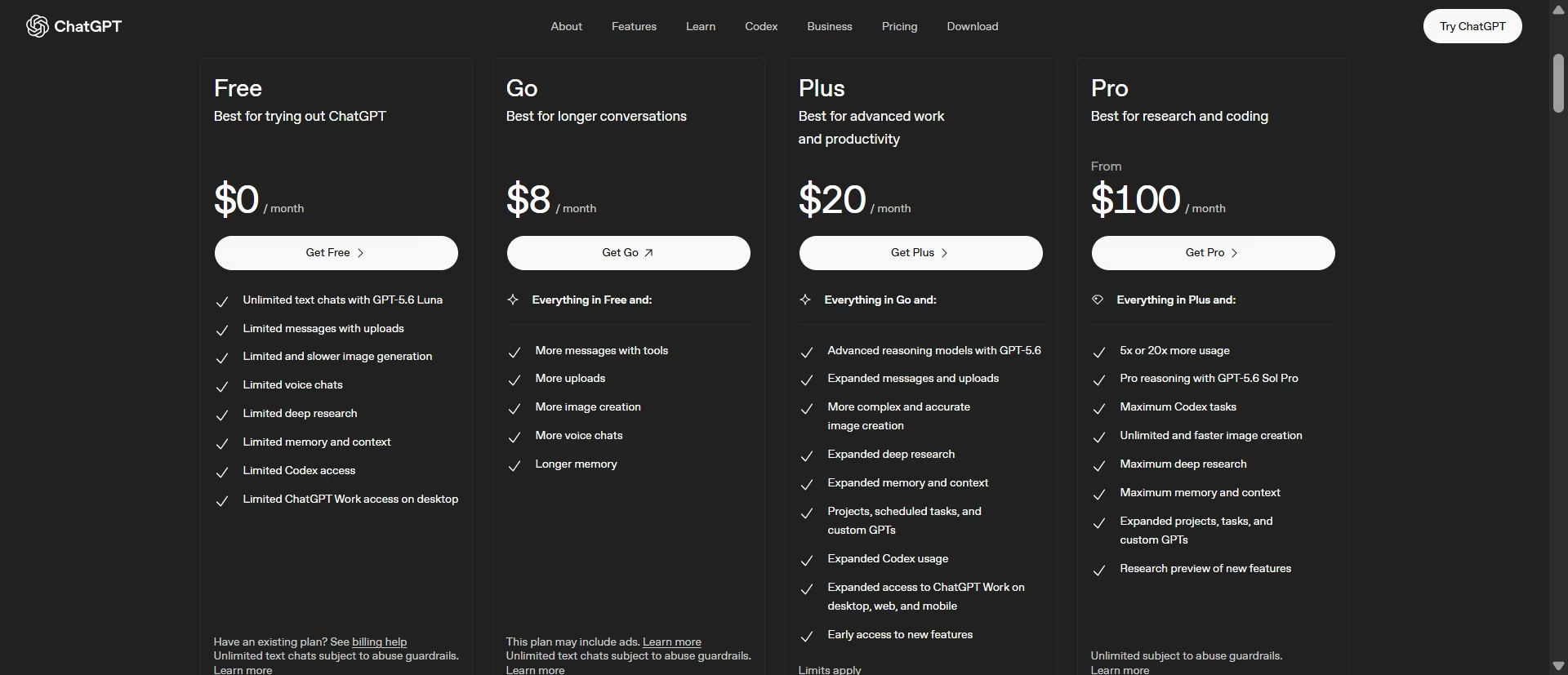
According to the official OpenAI pricing page: Free ($0), Go $8/month, Plus $20/month, Pro from $100/month (5x usage) to $200/month (20x usage), Business $20/seat/month billed annually ($25/seat/month billed monthly, minimum 2 seats).
Want the full breakdown of what each plan actually covers? Read our ChatGPT pricing guide before you commit.
Bottom Line
ChatGPT is a strong pick when there's any chance the numbers you're drafting from could be stale or wrong. In my test, it checked the premise before writing and didn't overstate its confidence when the scenario didn't match current data.
It won't catch every bad number, but it showed the kind of skepticism you want before AI-generated financial content goes in front of a client.
9. Claude
What it does: Claude is Anthropic's AI assistant, used for drafting, summarizing, and reasoning through both short client communications and long, dense documents.
Best for: A first draft of a client newsletter, an email, or a market update, when you have the numbers and the situation but not the time to write it from scratch.
I ran the identical scenario past Claude, same numbers, same clients, same word count. Claude wrote a genuinely usable draft.
Clear structure, a plain explanation of what happened, historical context, and a warm closing line offering to schedule a call, the kind of relationship-building touch that reads like something an advisor would actually write. Just as usable as ChatGPT's version, and arguably warmer in tone.
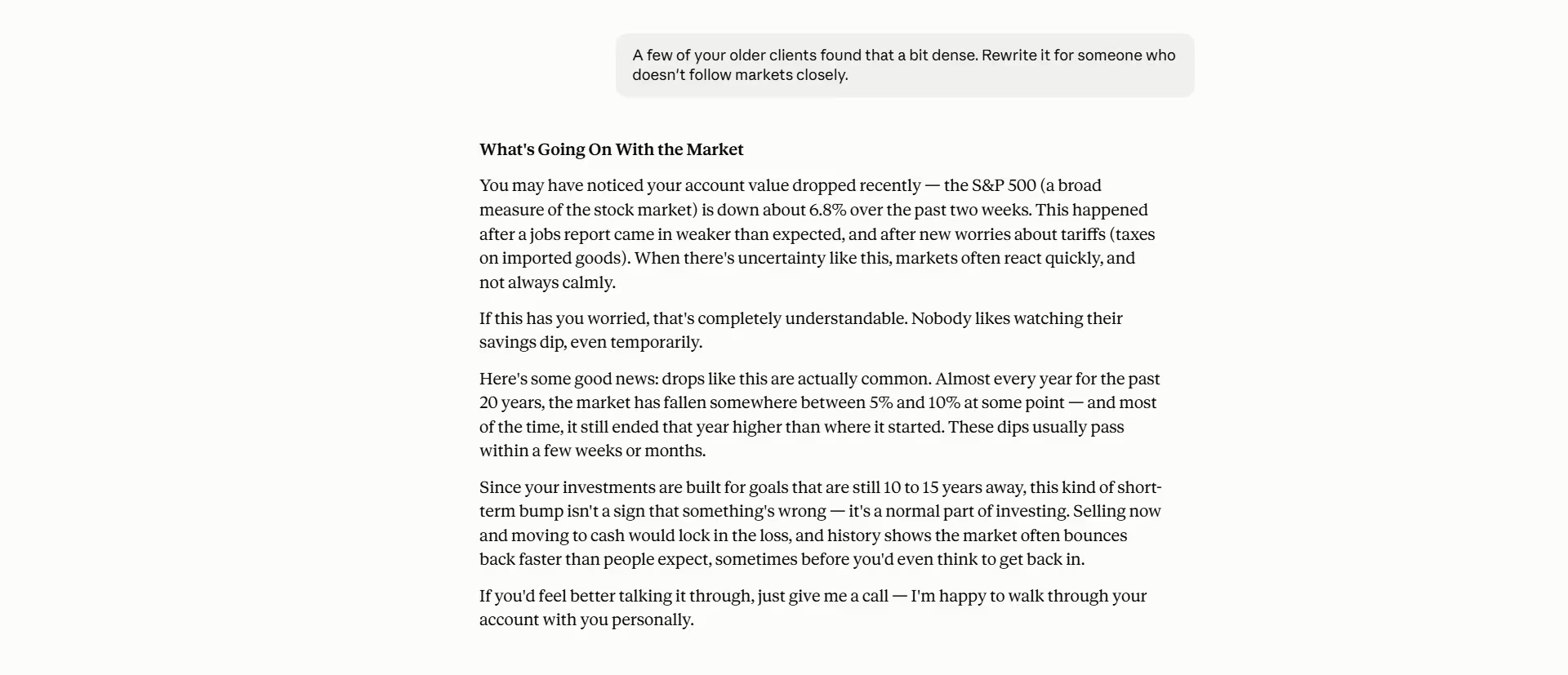
However, Claude didn't flag that the 6.8% drop in the prompt doesn't match real market conditions like ChatGPT did. It drafted the requested newsletter around the scenario as given.
Claude's writing is fine. The lesson is that you have to be surer of your own numbers before you hand them over.
I then asked for the same plain-language rewrite. Claude took a different approach from ChatGPT. Rather than dropping the specific figures to make the message easier to follow, it kept them and explained unfamiliar terms as they appeared.
For a client who doesn't follow markets closely, that's arguably a more useful kind of simplification. The message becomes easier to understand without losing as much of the original substance.
The compression test revealed the clearest difference between Claude and ChatGPT. Claude’s version ended with, "Your portfolio is built for the long run, so there's no need to make any changes."
That's a flatter, more definitive claim than the fuller draft made, closer to advice than reassurance. ChatGPT's compressed version, asked to do the same job, kept its hedge intact.
Key Features
- Natural drafting voice: Produces client-facing copy that reads like something a person actually wrote.
- Projects: Save reusable instructions and reference files for a recurring task, like a standard newsletter format or client-review template, now available on the free plan.
- Memory: Remember facts across separate conversations, so you don't have to re-explain a client or a firm's standard workflow every time you open a new chat.
- Web search: Built into the free tier, useful for pulling in outside context Claude flags clearly as coming from the web.
Pros and Cons
Pros:
- Free plan now includes web search, file uploads, Projects, and memory, features that used to require a paid plan
- Reviewers consistently describe the writing as reading more natural and less AI-sounding than competitors
- Added a warm, relationship-building closing line without being asked to
- Simplifies by defining terms inline rather than just cutting detail, a genuinely useful touch for less market-fluent clients
Cons:
- Usage limits on the free plan reset on a rolling window, which can interrupt a long working session at an inconvenient moment
- No image generation, so it's not a one-tool replacement for ChatGPT on visual tasks
- Didn't flag a scenario that didn't match real conditions the way ChatGPT did in the same test
What Users Say
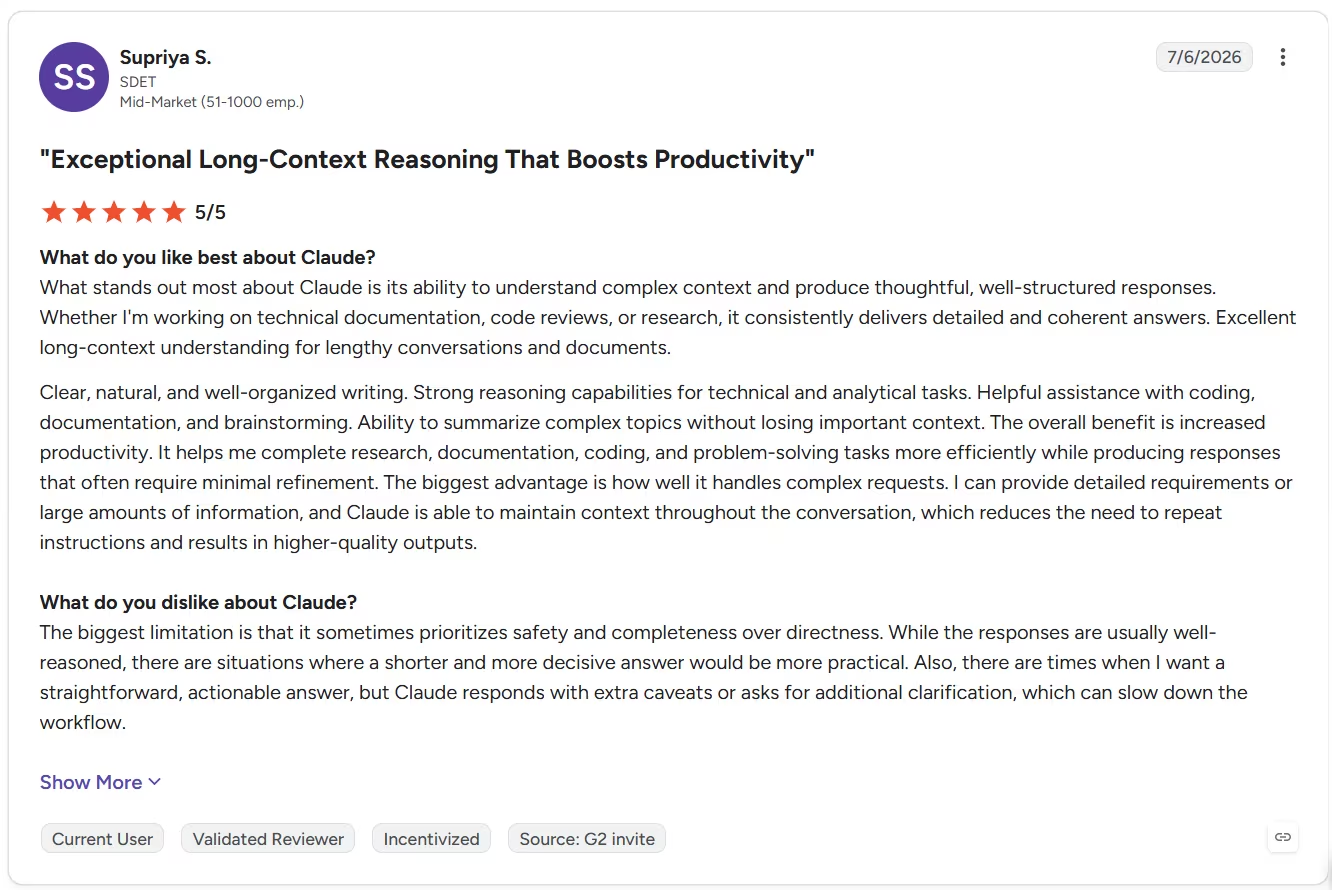
“What stands out most about Claude is its ability to understand complex context and produce thoughtful, well-structured responses. Whether I'm working on technical documentation, code reviews, or research, it consistently delivers detailed and coherent answers. Excellent long-context understanding for lengthy conversations and documents.” - Supriya S., G2
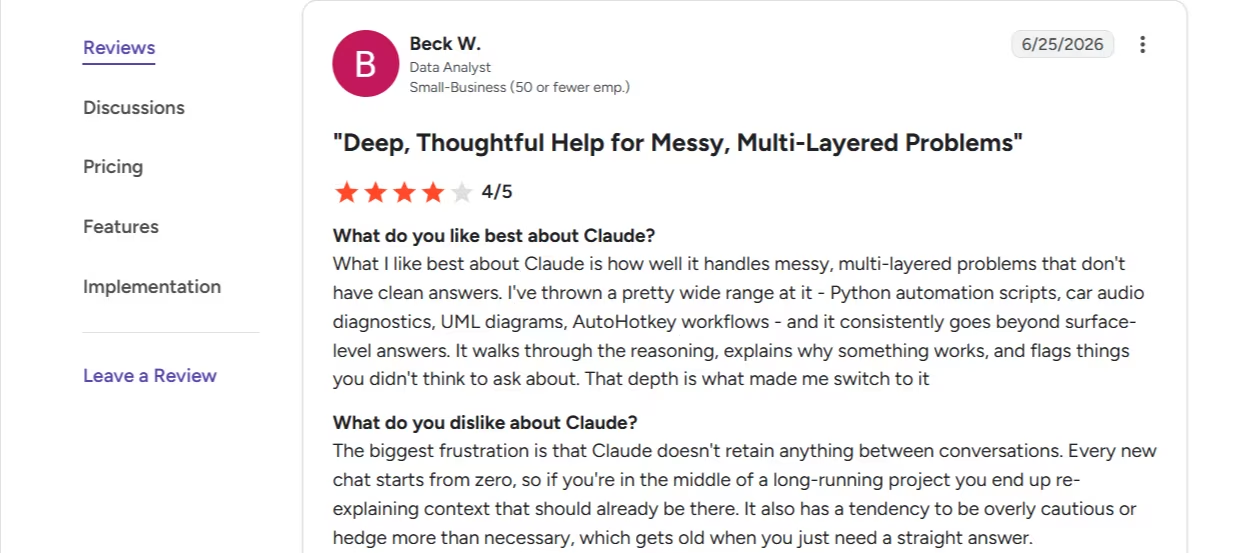
“The biggest frustration is that Claude doesn't retain anything between conversations. Every new chat starts from zero, so if you're in the middle of a long-running project you end up re-explaining context that should already be there. It also has a tendency to be overly cautious or hedge more than necessary, which gets old when you just need a straight answer.” - Beck W., G2
That review predates Claude’s Memory feature, which now carries context between chats on the free plan, worth knowing when you read older feedback on this one.
Pricing
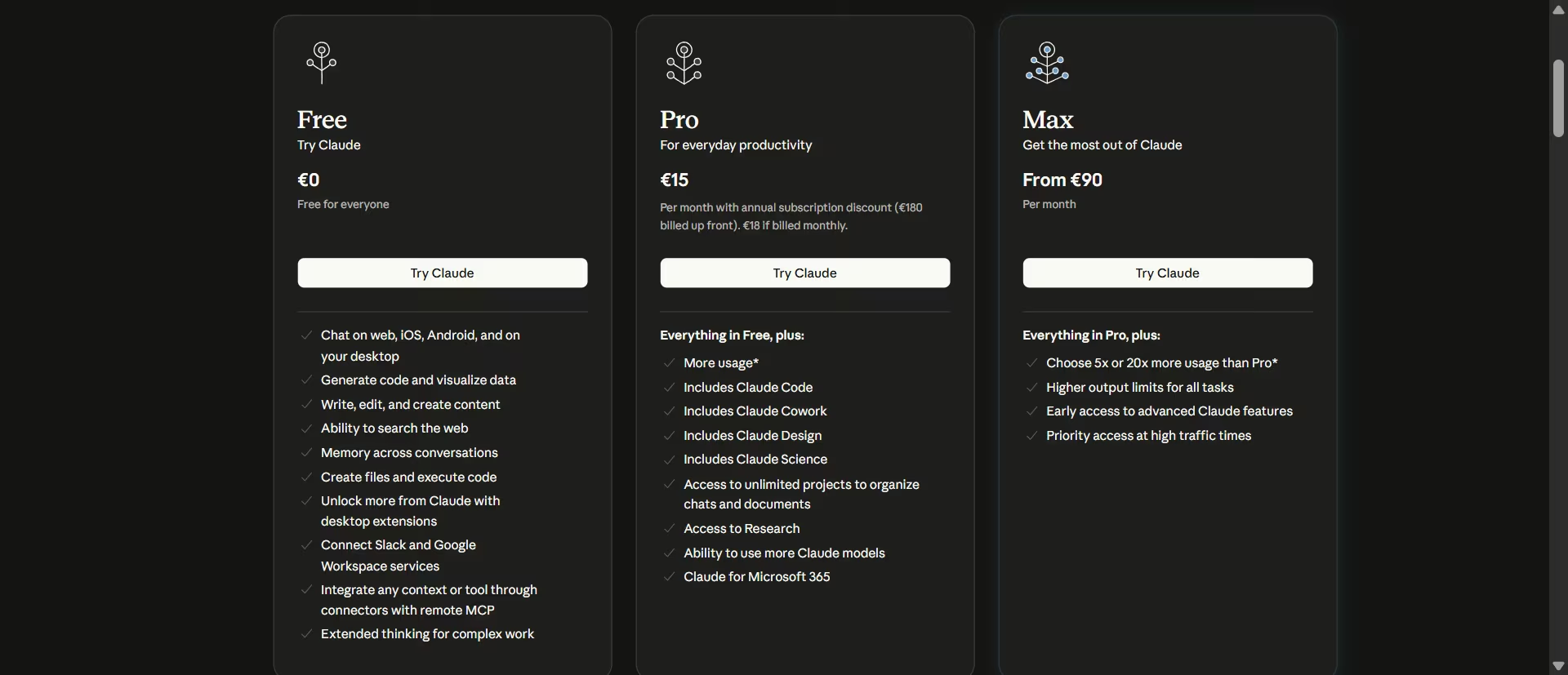
According to the official Claude pricing page: Free ($0, no card), Pro $20/month ($17/month billed annually), Max from $100/month (5x usage) to $200/month (20x usage), Team Standard seat $20/month billed annually ($25/month billed monthly), Team Premium seat $100/month billed annually ($125/month billed monthly).
Bottom Line
Claude is a strong choice when you want polished, warm client communications that preserve detail. Just fact-check your inputs and review shortened versions carefully before sending them to clients.
For a closer look at where Claude and ChatGPT genuinely diverge beyond this one test, our full ChatGPT alternatives comparison breaks down the tradeoffs across writing, research, and everyday use.
Need Something Off-the-Shelf Tools Don't Cover? Start Here
Sometimes the tool you need doesn't exist. This last pick isn't a notetaker or a research tool, it builds the thing you've been searching for.
10. Emergent
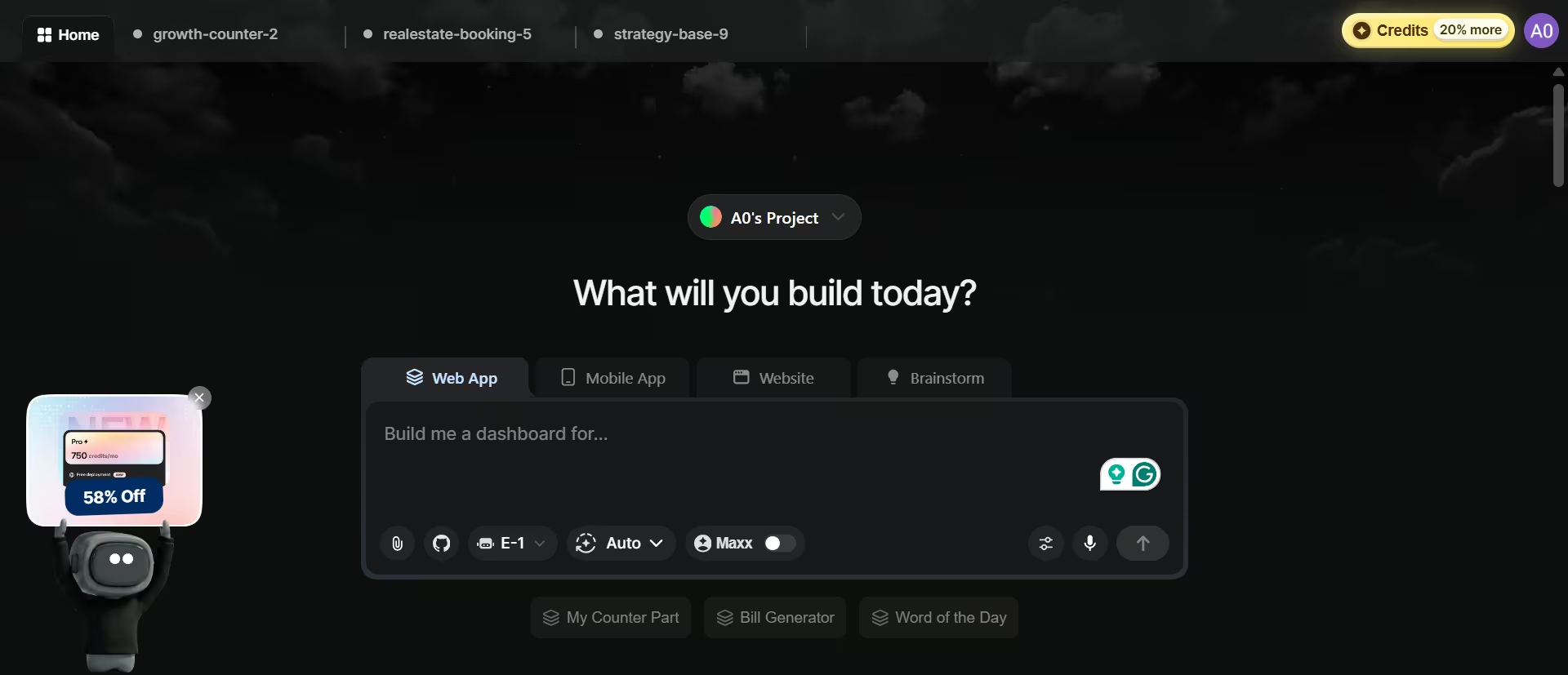
What it does: Emergent is an app-building platform that turns a plain-language description into a working, deployed app, using a coordinated system of specialized agents.
Best for: Solo advisors, small RIAs, or operations teams that need a custom client portal, intake workflow, or internal dashboard that their existing software doesn't provide.
I wanted to see whether Emergent could build something an advisor might actually use, so I gave it this task:
"Build a client intake portal with a form for new client details and a table showing submitted intakes."
Before building anything, Emergent asked four questions about the fields, status tracking, dashboard login, and extras such as search and CSV export. That extra step helped it define the workflow before it started building rather than making assumptions and leaving me to fix them later.
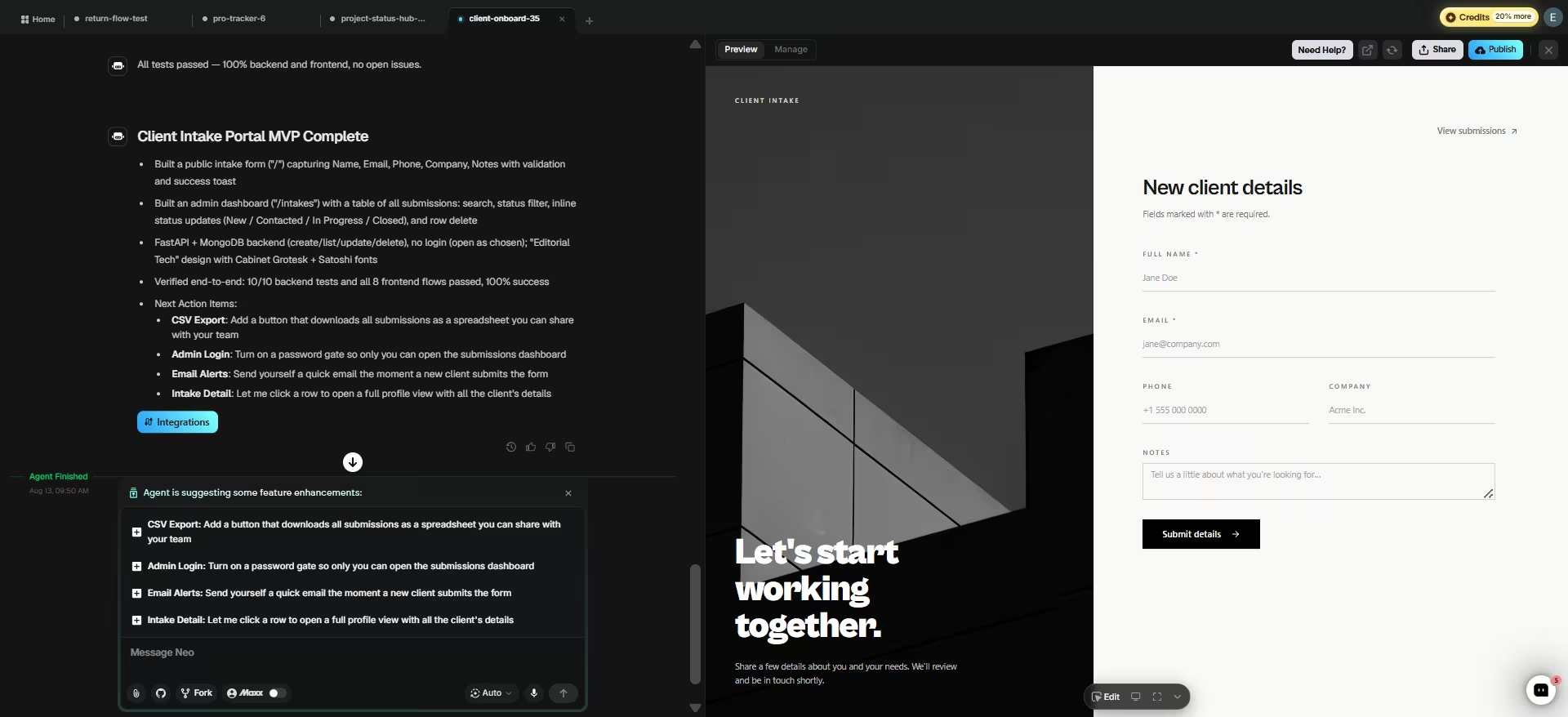
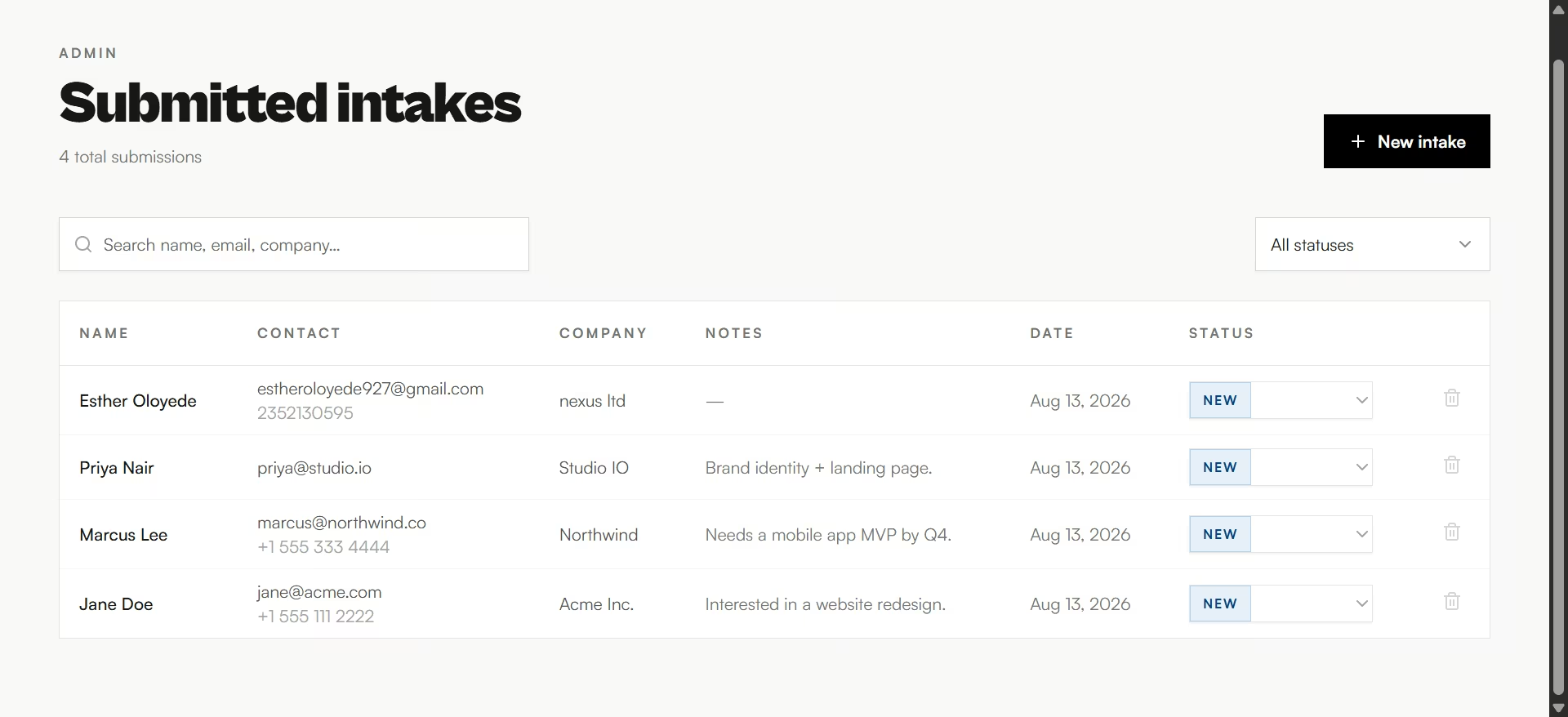
I selected the basic options and let it build. In four minutes and 53 seconds, Emergent produced a public intake form and a separate admin dashboard backed by a real database.
The dashboard included search, status filters, and inline status updates. Emergent reported that all 10 server-side tests and all eight interface flows passed.
The build used 7.49 of my 10 free credits. I then submitted my own test entry and checked the dashboard. It appeared correctly alongside sample rows Emergent had created, and both search and the status dropdown worked on the first try.
That's what makes Emergent interesting for an advisor. You can describe a workflow that doesn't exist in your current software and get a working version without hiring a developer or building it from scratch.
The catch is that the free tier is mainly useful for testing. Publishing costs 50 credits a month per app, while the free plan gives you only 10, so a tool you actually put in front of clients requires a paid plan.
Key Features
- Coordinated agents: Specialized agents split the work across the build, some shape the interface, others handle logic and integrations, and testing agents check the result before you see it. In this build the self-reported test results confirmed the work before I checked it myself.
- GitHub code ownership: On the Standard plan and up, you can connect a GitHub repository under your account and push your code there, so you can hand it to a developer later instead of being locked into Emergent's platform.
- Stripe and payment integration: Mention a payment flow in your prompt and Emergent wires up checkout or subscription billing once you paste in your own Stripe keys.
- Mobile app support: Builds web and native mobile apps together from the same prompt using React Native and Expo, so a client-facing tool can extend to a phone app later without starting over.
- MCP connector: Lets a build connect directly to Claude or ChatGPT through Emergent's MCP integration; useful if you want an AI assistant to read from or act on the custom tool you just built, without a separate integration project.
Pros and Cons
Pros:
- Builds a real database from scratch, so there's no spreadsheet or template ceiling to hit later
- It reported 10 server-side tests and eight interface flows passing, and my own test submission, search, and status dropdown all worked first try
- Code ownership through GitHub means you're not stuck with Emergent if you outgrow it or want a developer to take over
Cons:
- Deployment costs more credits per month than the entire free plan provides, so publishing anything live means paying before you've proven the tool works with real clients
- The database can drift from what you expect after several rounds of redeployment, so check your data model after a batch of changes
- PDF generation is still rough, so a build that needs polished client-facing statements will need a workaround
- A tool you build yourself ships with no compliance controls, so archiving, disclosures, and access rules are all your firm's job to design
What Users Say
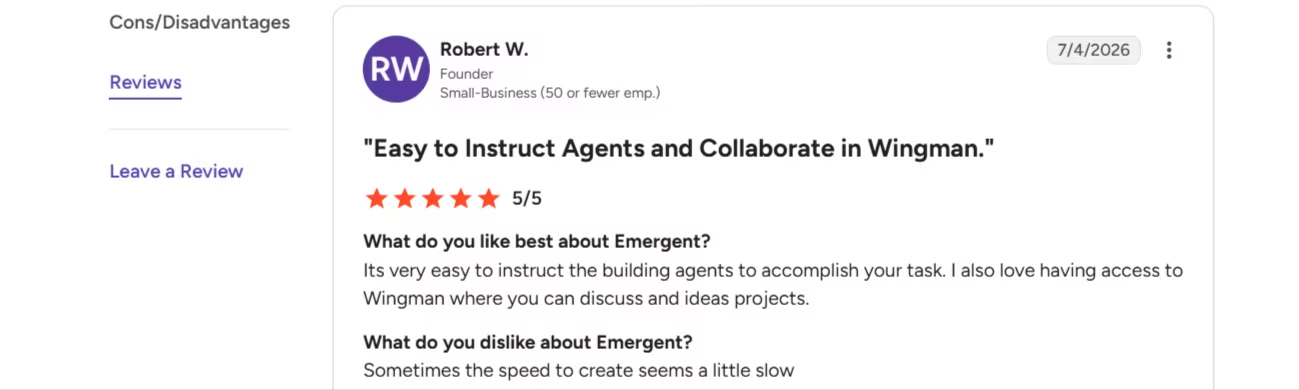
“It's very easy to instruct the building agents to accomplish your task. I also love having access to Wingman where you can discuss and ideas projects.” - Robert W., G2
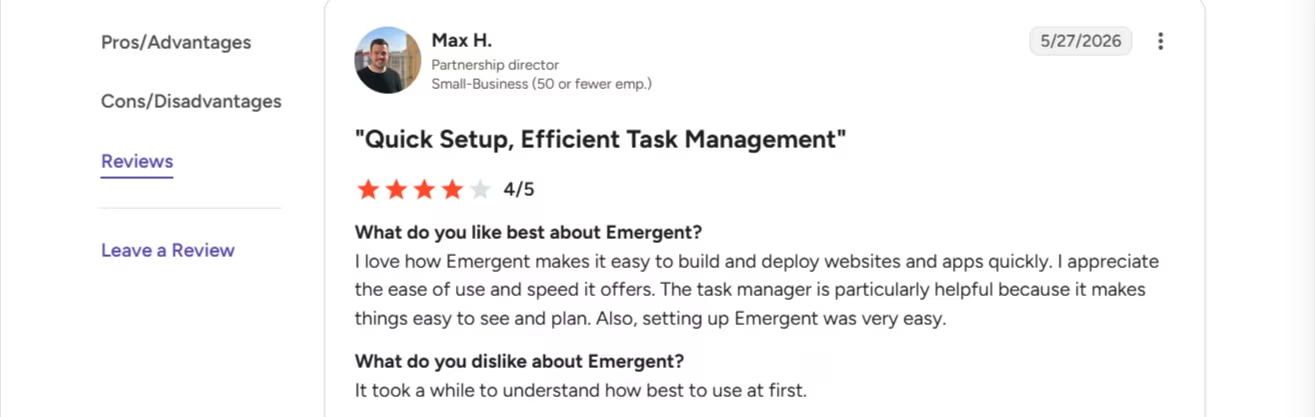
“It took a while to understand how best to use at first.” - Max H., G2
Pricing
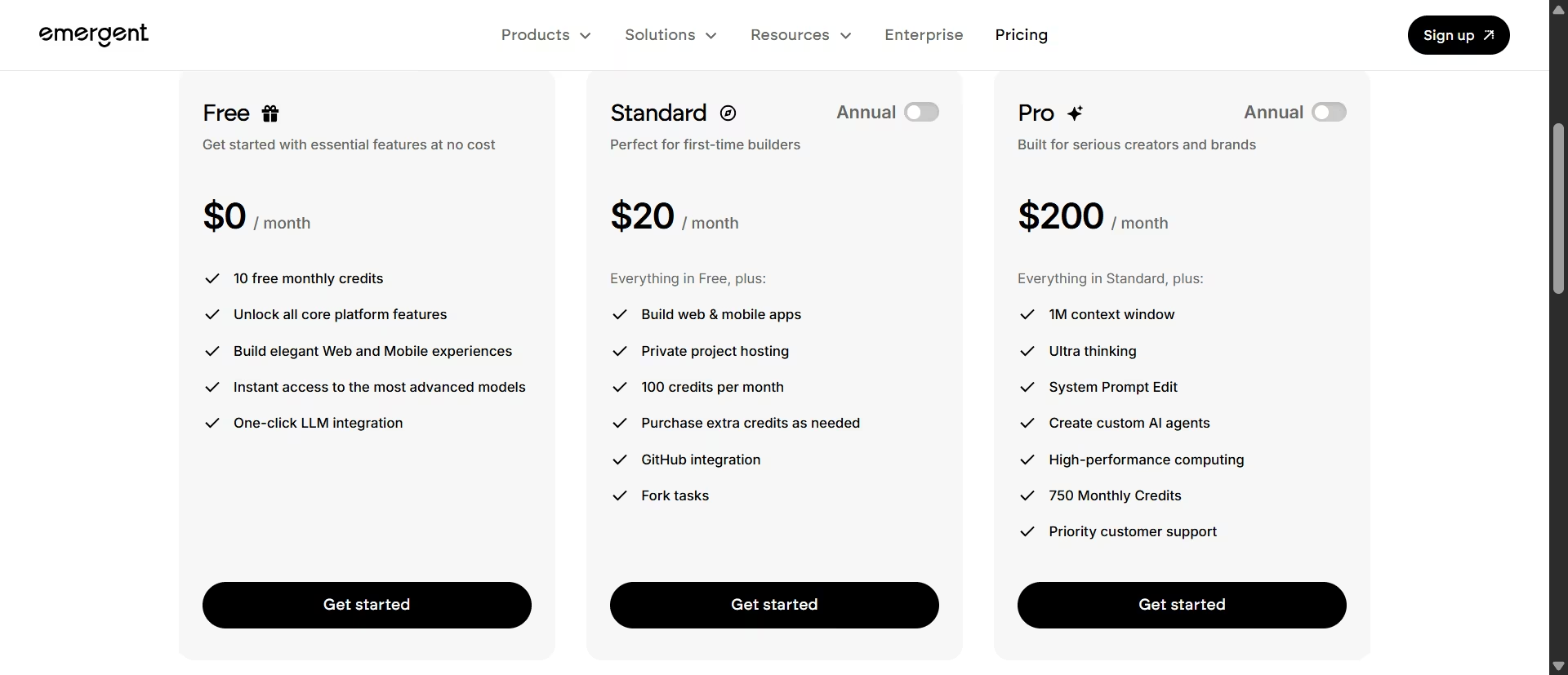
Based on the official Emergent pricing page: Free ($0/month, 10 credits), Standard ($20/month, or $17/month billed annually, 100 credits), Pro ($200/month, or $167/month billed annually, 750 credits), Business (custom, adds role-based access, SSO, and shared team workspaces on top of Pro), Enterprise (custom, adds audit logs, self-hosted database support, and VPC deployment on top of Business).
Bottom Line
Emergent fills the gap the other nine don't: something built around your exact workflow instead of a template you bend to fit. Reach for it if you've already searched for the tool you need and it isn't out there.
Do You Need a Different Tool for Every Job, or Can One Handle It All?
You don't need all ten. Most solo advisors end up with three: one meeting-note tool, one drafting tool, and Perplexity for quick lookups. Here's where the overlap is real and where it isn't.
Claude and ChatGPT both draft warm, usable client copy from the same prompt.
The gap shows up once you push on the details. ChatGPT checked a shaky premise before writing, and held its hedging even under heavy compression. Claude took the scenario at face value, and once I compressed it hard enough, it drifted from reassurance toward something closer to advice.
For a relaxed first draft, either works well. For anything you're going to compress into a short client-facing line, ChatGPT is the safer default.
Perplexity and Gemini Notebook don't overlap, despite both being research tools. Perplexity searches the open web. Gemini Notebook only answers from what you upload. Use Perplexity for a public fact, Gemini Notebook for anything tied to a specific client file or internal document.
Wealthbox AI Notetaker and Zocks solve the same job differently. If you're already on Wealthbox, its built-in Notetaker means one less vendor, and it's the one that does its own math on the numbers it hears.
If you're on a different CRM or run multiple CRMs across a team, Zocks sits on top of any of them and organizes a conversation into a fuller planning framework.
Emergent answers a different question than the other nine. Reach for it when the meeting, research, tax-document, or writing tool you want simply doesn't exist yet.
Jump and Zeplyn both compete directly with Wealthbox AI Notetaker and Zocks rather than filling a separate gap. Jump's case is the deepest CRM sync on this list, if the price fits your budget. Zeplyn's case is narrower: choose it only if recording client calls specifically is a problem your firm needs to avoid.
Holistiplan doesn't overlap with anything else here. It reads tax returns and estate documents, a job none of the meeting, research, or writing tools on this list touch.
A reasonable starting stack for a solo advisor covers most of a normal week without paying for redundant tools: one meeting-note tool, Claude or ChatGPT for drafting, and Perplexity for quick research.
Which AI Tool Should You Choose?
The right pick depends on which job is costing you the most time right now.
- Choose Wealthbox AI Notetaker, Zocks, Jump, or Zeplyn if: You're spending more than an hour a week writing up meeting notes by hand, or you want notes built into a CRM you're already committed to. Pick Wealthbox if you're already on that CRM, Zocks if you run multiple CRMs, Jump if budget isn't the constraint and you want the deepest sync, and Zeplyn if you specifically need to avoid recording.
- Choose Perplexity or Gemini Notebook if: You find yourself opening a browser mid-meeting to check a fact, or you need an answer grounded in a specific client document rather than the open web.
- Choose Holistiplan if: You regularly read tax returns or estate documents by hand before a planning conversation, and want that first read done in minutes instead of hours.
- Choose Claude or ChatGPT if: Your bottleneck is a blank page rather than a fact-check, or you regularly rewrite market news into something a client will read.
- Choose Emergent if: You've searched for a tool that does exactly what your practice needs and it doesn't exist, and you're comfortable prompting rather than clicking through a template builder.
- Skip AI tools entirely if: Your practice runs entirely on paper files, a phone, and a calendar, and adding software right now would be the third new system this year.
Final Verdict
These ten AI tools for financial advisors solve five different jobs, so there's no single best pick. Start with whichever meeting-note tool matches your CRM and budget, if that's the task eating the most unpaid hours in a typical advisory week.
Add Perplexity and Gemini Notebook for free before you pay for anything else. Claude and ChatGPT are each strong at their specific job and weaker outside it, so buy based on the job in front of you.
And if none of the nine does what your practice needs, that's what Emergent is for. Describe the client portal, intake form, or dashboard you've been wishing existed, and build a working version on the free plan before you commit to anything. Sign up for Emergent for free.

Most AI app builders stop at prototypes. Emergent creates production-ready apps you can actually launch.
- Production-ready apps
- Web & mobile apps
- Deploy in minutes





