

Build a Mental Health Landing Page That Books Consultations
Build a mental health landing page that books consultation calls, with every request saved to a database you own.
Build a mental health landing page for my counseling practice that books free 15-minute consultation calls.
Trusted by Builders Worldwide
Active Builders Worldwide
Apps Successfully Created
Countries Globally Reached



Six Parts Between a Visitor and a Booked Call
Each part does one job before the consultation call, and Emergent rewrites any of them when you send a new prompt.
A form that asks for contact and timing
The form takes a name, a phone number or email, and the times that suit the visitor. Clinical questions wait for the intake paperwork that follows a booked consultation.
Therapist bios placed beside the form
Each therapist gets a photo, the clients they work with, and the hours they keep. A visitor can choose a name from the bios, and the choice rides along with the request.
Fees stated before anyone books
Put the session fee, the length of a session, and the payment options next to the form. Someone who reads them first arrives at the consultation call knowing the cost.
A line that the form is not for emergencies
Set a short notice above the form saying requests are read during office hours only. Place the 988 Lifeline number in that same notice, where a visitor in crisis sees it first.
Each request saved as a row you own
Every consultation request lands as a row in a database you own, with the time it arrived. The app emails the person who calls back, and you choose who that is in the prompt.
Code you can take with you
Export the page and its request table to your GitHub repository on paid plans. Or keep it hosted on Emergent under your own domain, which uses credits, and change it by prompt.
Mental Health Landing Page Examples
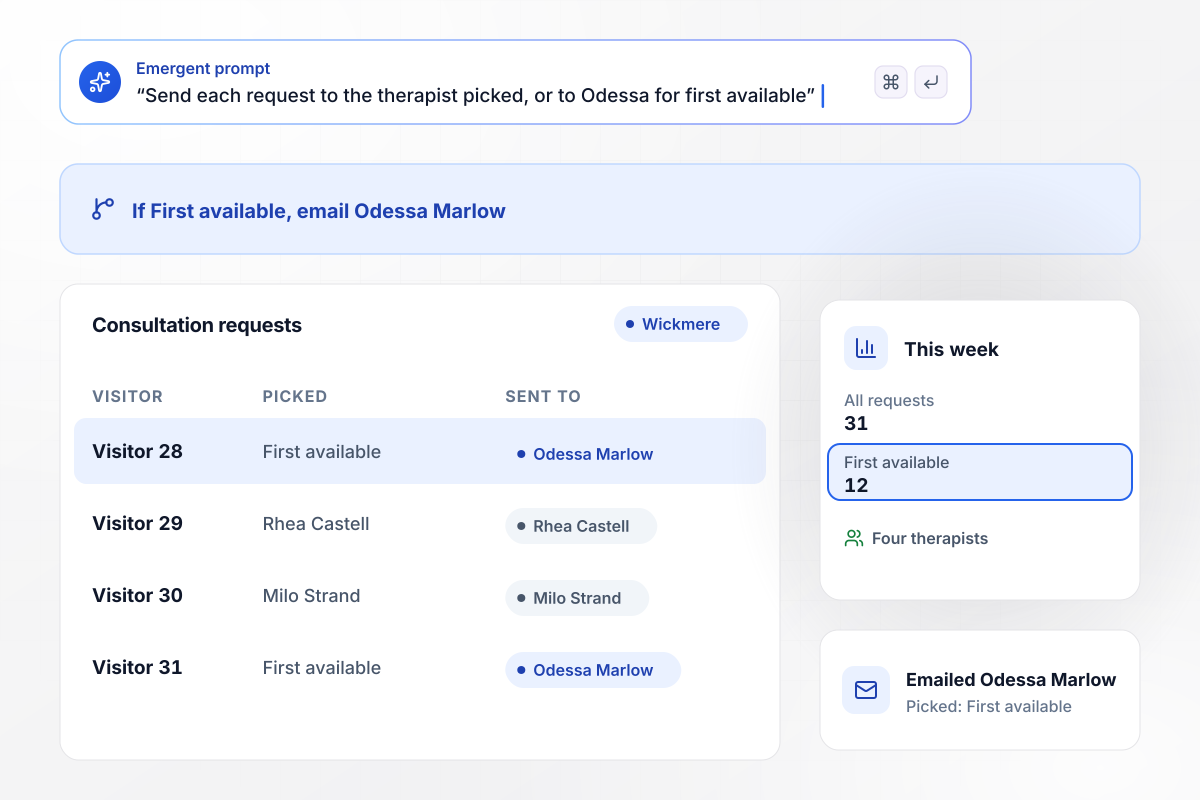
A first-available pick lands with Odessa
Wickmere Counseling Group lists four therapists, and its form asks each visitor to choose one or pick First available. A First available request emails Odessa Marlow, the intake coordinator, and she calls back with a match. This week 31 requests came in, and 12 of them picked First available.
window.awbMockup = { therapistPicker: "Build a landing page for Wickmere Counseling Group, my practice with four therapists. Let each visitor choose a therapist or pick First available, then take a name, a phone number or email, and the times that suit them. Email each request to the therapist chosen, and send every First available request to Odessa Marlow, our intake coordinator.", consultCallSlots: "Make a consultation page for Aldmoor Psychotherapy. We offer free 15-minute calls on Tuesday and Thursday from 6 pm to 8 pm, 16 a week. Show only the call times still open, take a name and a phone number for each booking, and remove a time from the form as soon as someone books it.", caseloadWaitlist: "Build a page for my solo practice, Hartwell Pike Therapy. My caseload is full, so take waitlist names instead of booking requests: a name, an email, and the weekdays that would work. When I mark an opening, email the first 3 people on the list to let them know a spot is free.", officeOrOnline: "Create a booking page for Penrose Mill Counseling. Ask each visitor whether they want sessions at our office on Mill Lane or online, and save that answer on the request's row. Show the front desk a monthly count of office and online requests, and email each new request to the front desk." };
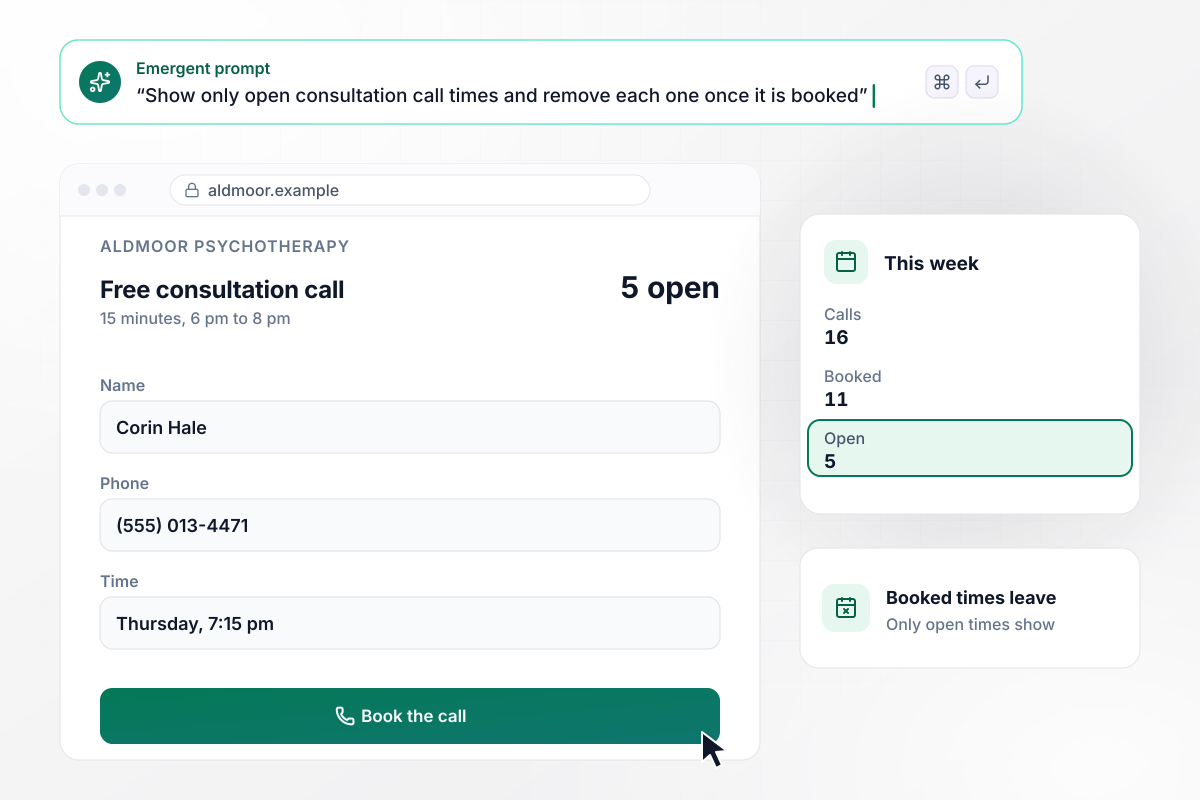
With 11 booked, five call times remain
Aldmoor Psychotherapy keeps two evenings a week for free 15-minute consultation calls, Tuesday and Thursday from 6 pm to 8 pm, 16 calls in all. The form lists only the times still open, and a time leaves the list once someone books it. This week 11 calls are booked, and the page shows the five call times left.
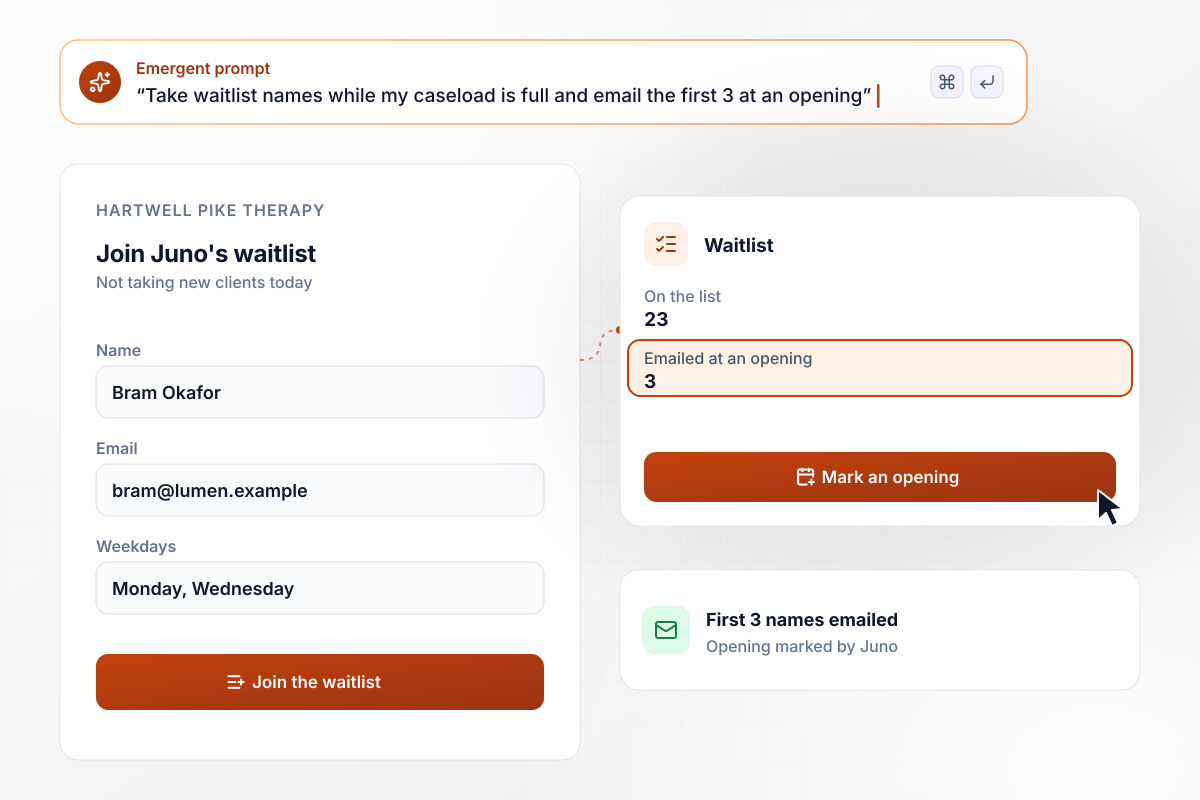
When Juno frees a spot, 3 names get an email
Juno Ashby stopped taking new clients at Hartwell Pike Therapy when her caseload filled, and her page now takes waitlist names in place of booking requests. The list holds 23 people. When Juno marks an opening, the app emails the first 3 names on it.
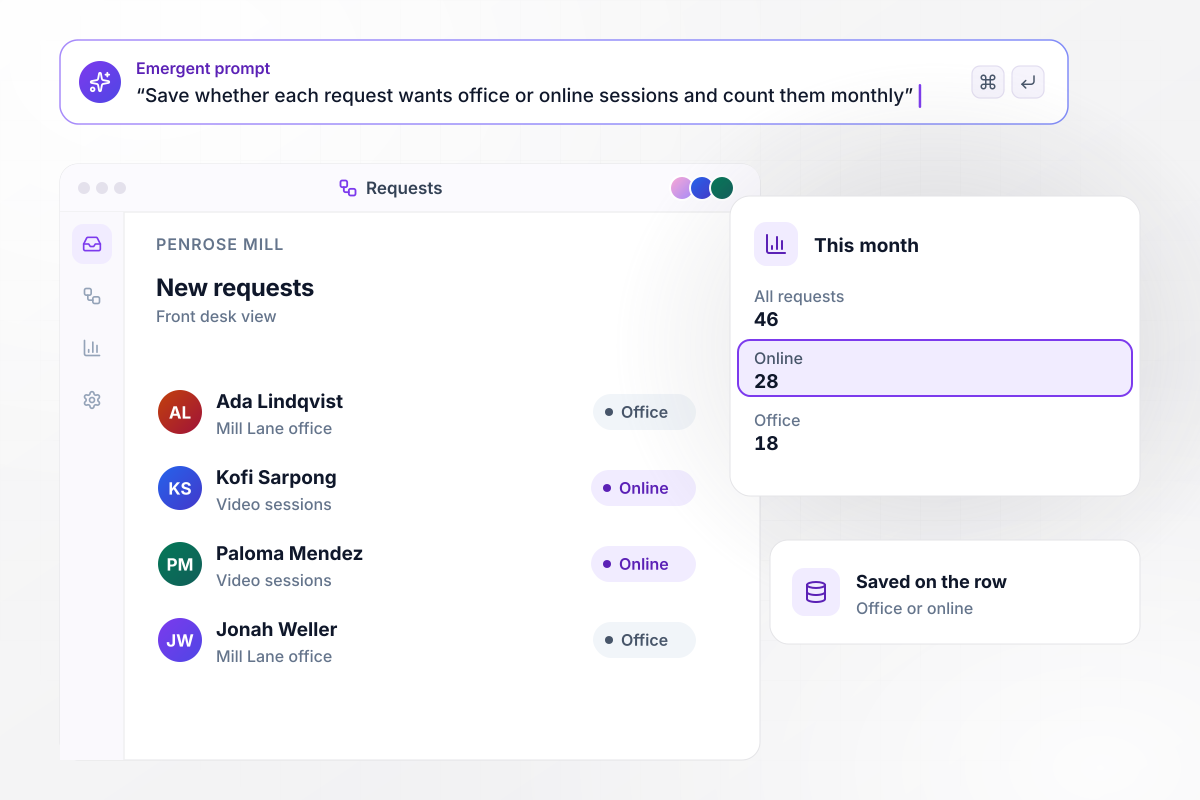
Each request says office or online
Every request at Penrose Mill Counseling carries one answer the front desk reads before calling back: sessions at the office on Mill Lane, or online. The answer is saved on the row. This month 46 requests came in, with 28 asking for online sessions and 18 for the office.






How to Create a Mental Health Landing Page
Seven steps to a mental health landing page that books consultation calls and tells each visitor who will call back.
Choose between a free consultation call and a first full session, and build the page around that one choice. A visitor who clicked an ad for a consultation should find the consultation, its length, and one button that books it.
List the ages and the session types the practice offers, such as adults and couples, or teens booked by a parent. A visitor who is not a fit learns it before filling in the form, and the intake coordinator gets fewer requests to turn down.
WCAG 3.3.2 reads: labels or instructions are provided when content requires user input. Write each label as a short phrase a visitor can answer at a glance, such as Best number to call, and keep the label visible while they type.
Pick the person who returns each request and write the timing on the page, such as within one business day. Put that person's name in the prompt, and the email for every new request goes to them alone.
Replace a bare thank-you with what happens next: who will call, and within how many days. Give the number the call will come from. Anyone who saves it knows to answer when that number rings.
Publish the page under the practice's own web address. The link in a directory listing or an ad then matches the name on the office door and the business card. Custom domains come included in Emergent, and each one uses credits.
Fill in the form on a phone, with the screen as narrow as a visitor's, and check that the right person gets the email. Then open the request table and confirm the row holds every answer, including the time the visitor chose.
Why Therapy Practices Build With Emergent
Name your therapists and who returns each call, and Emergent builds the page. Requests sit in a database you own.

|
Unbounce | Landingi | Wix | |
|---|---|---|---|---|
| How you build | Prompt for a campaign page | Templates and drag-and-drop, AI copy assist | Templates and drag-and-drop, AI assist | Prompt for a full site |
| Where submissions go | A database table you own, plus integrations | Unbounce lead storage and integrations | Vendor lead storage and integrations | Wix dashboard submissions and Contacts |
| Visitor limits | No per-visitor pricing | Monthly visitor caps by plan | Tiered by traffic on most plans | Site plan bandwidth |
| A/B testing | Generate variants by prompt | A/B testing on higher-tier plans only | Higher plans | Limited or add-on |
| Code ownership | Full code export to GitHub on paid plans | Hosted only | Hosted only | Hosted only |




Pick the Pricing Plan That Works for You
Choose the plan that fits your building ambitions. From weekend projects to enterprise applications, we've got you covered.




Find the right landing page for you















Frequently Asked Questions
Your Questions, Answered
Don't change this element unless you know what you are doing
More things you can build
with Emergent









on Emergent today


