

Build an Advertorial Landing Page That Reads Like an Article
Build an advertorial landing page with an Advertisement label and tagged buy buttons, and save each click to a database you own.
Build an advertorial landing page for my weighted blanket brand, told as the founder's story, with three tagged buy buttons.
Trusted by Builders Worldwide
Active Builders Worldwide
Apps Successfully Created
Countries Globally Reached



What Emergent Builds Into an Advertorial
From one description of the product and its reader, Emergent writes the article and the table that counts its clicks.
An article drafted from your notes
Paste the founder's notes or a product brief, and Emergent drafts the page as an article under a headline and a byline, with spots for photos. Ask for any change by prompt.
A label set above the headline
Write the label once, such as Advertisement or Paid Advertisement, and ask for it above the headline in the byline's type. Every headline version of the page carries the same label.
A tag on every buy button
Name each button by its spot in the article, such as intro or end. Each click is saved as a row in a database you own, with the tag, the time, and the headline version it came from.
Headline versions with their own links
Ask for a second headline, and Emergent builds it as a version of the same page with its own link for a second ad. The table counts visitors and clicks for each version.
A form at the end, an email to the rep
End the article with a short form in place of a buy button. Each request lands in your table, and the app emails the person you name when an answer matches a rule you set.
Code you can take to GitHub
Paid plans include full code export of the page and its table to your GitHub repository. Or publish on your own domain; custom domains are included in Emergent and use credits.
Advertorial Landing Page Examples
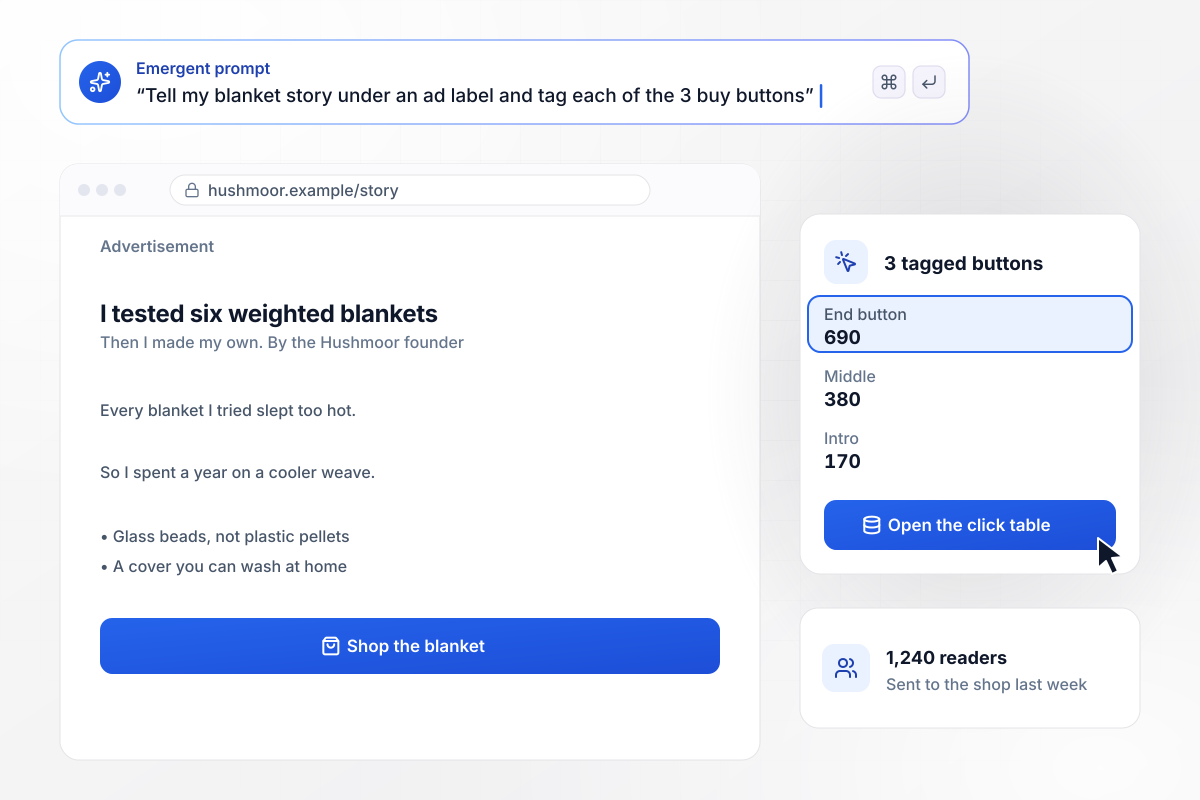
Under the Advertisement label, three buttons that count
Hushmoor's founder tested six weighted blankets before making her own, and the advertorial tells it under an Advertisement label. Three buy buttons in the article are tagged intro, middle, and end. Last week they sent 1,240 readers to the shop: 690 from the end button, 380 from the middle, and 170 from the intro.
window.awbMockup = { founderStory: "Build an advertorial landing page for my weighted blanket brand, Hushmoor, told as my story of testing six blankets before making my own. Put an Advertisement label above the headline. Add three buy buttons tagged intro, middle, and end, save every click with its tag, and show me last week's clicks by button.", listicle: "Build an advertorial landing page for Pebblefoot, my fresh dog food brand, written as seven reasons dog owners switch to fresh food. End each reason with a link to the shop tagged with its number, and make reason 4 compare the cost per meal with kibble. Show me this month's clicks for each reason.", headlineTest: "Build an advertorial landing page for Dellwyn Filters with two headline versions: one asking whether your tap water is safe, one where a plumber explains what your filter misses. Give each version its own link for its own ad, and count visitors and clicks to the shop for each version.", quoteRequest: "Build an advertorial landing page for Glasswick Windows about neighbors on Alder Street who replaced drafty windows. End the article with a quote form asking for ZIP code, number of windows, and email. When a request is for 8 windows or more, email Ilse Navarro, our sales rep, and save every request." };
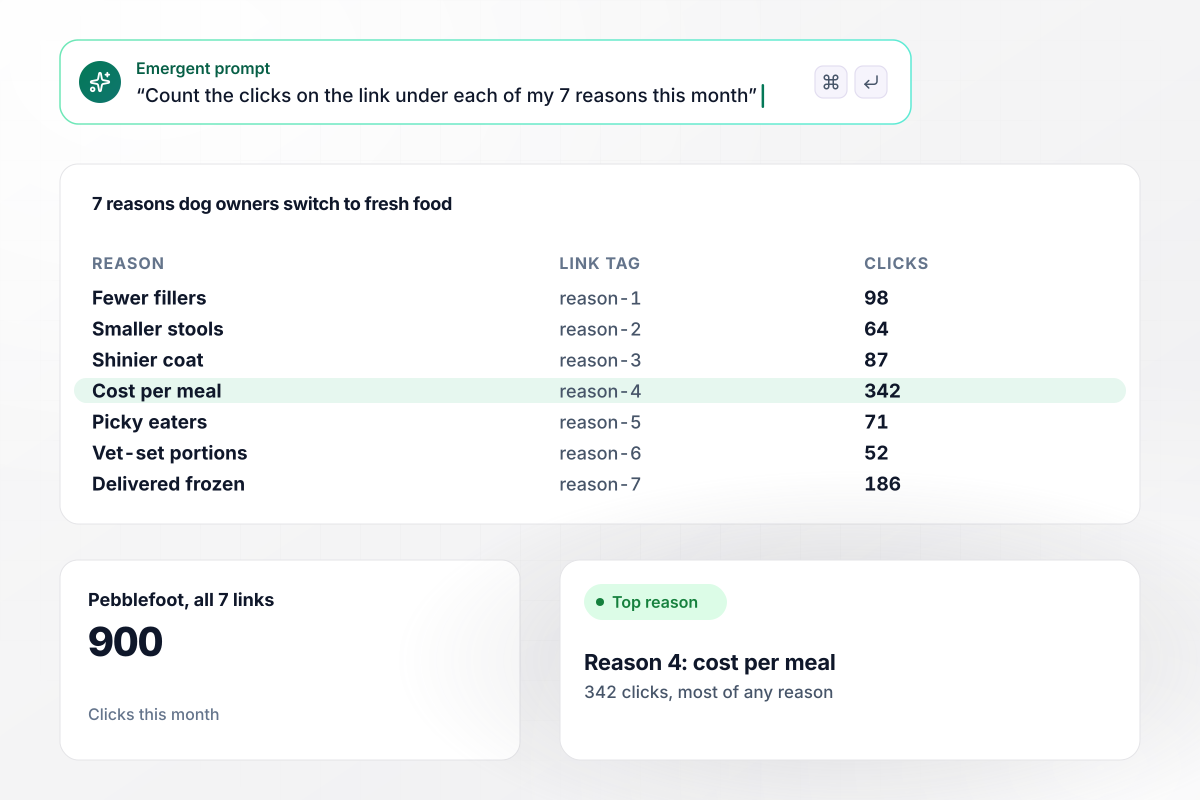
By reason, the cost per meal drew the most clicks
Pebblefoot lists seven reasons dog owners switch to fresh food, and each reason ends with a link tagged with its number. Reason 4 sets the cost per meal next to kibble. It drew 342 of the month's 900 clicks to the shop, more than any other reason on the list.
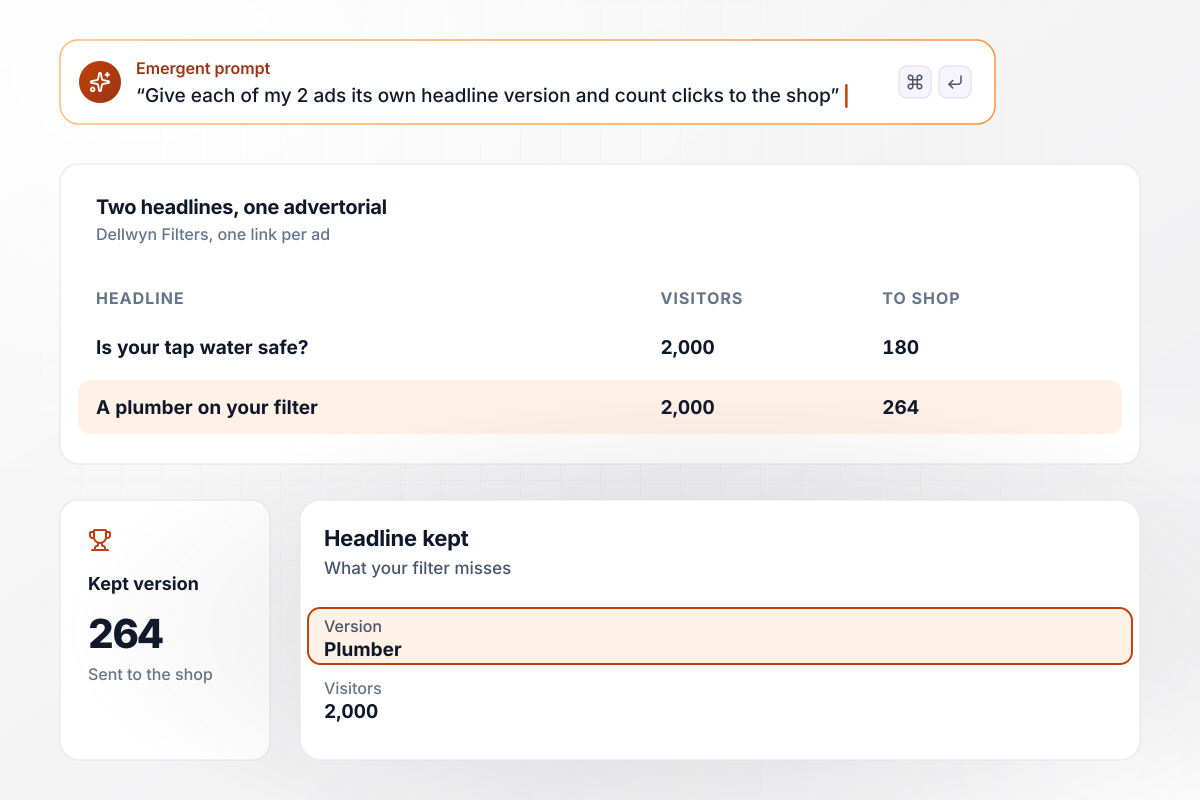
Two headlines, 2,000 visitors each
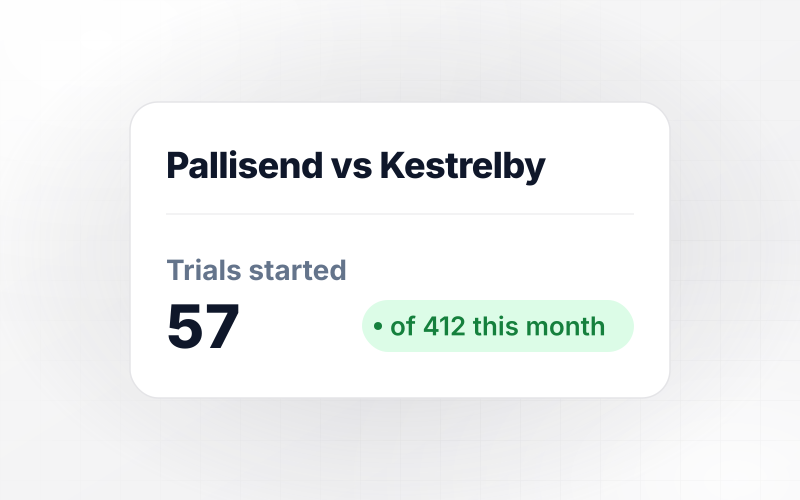
Dellwyn Filters wrote two headlines for one advertorial and gave each ad its own version of the page. One asks whether your tap water is safe; the other has a plumber explain what your filter misses. After 2,000 visitors each, the plumber's version sent 264 readers to the shop and the safety question sent 180.
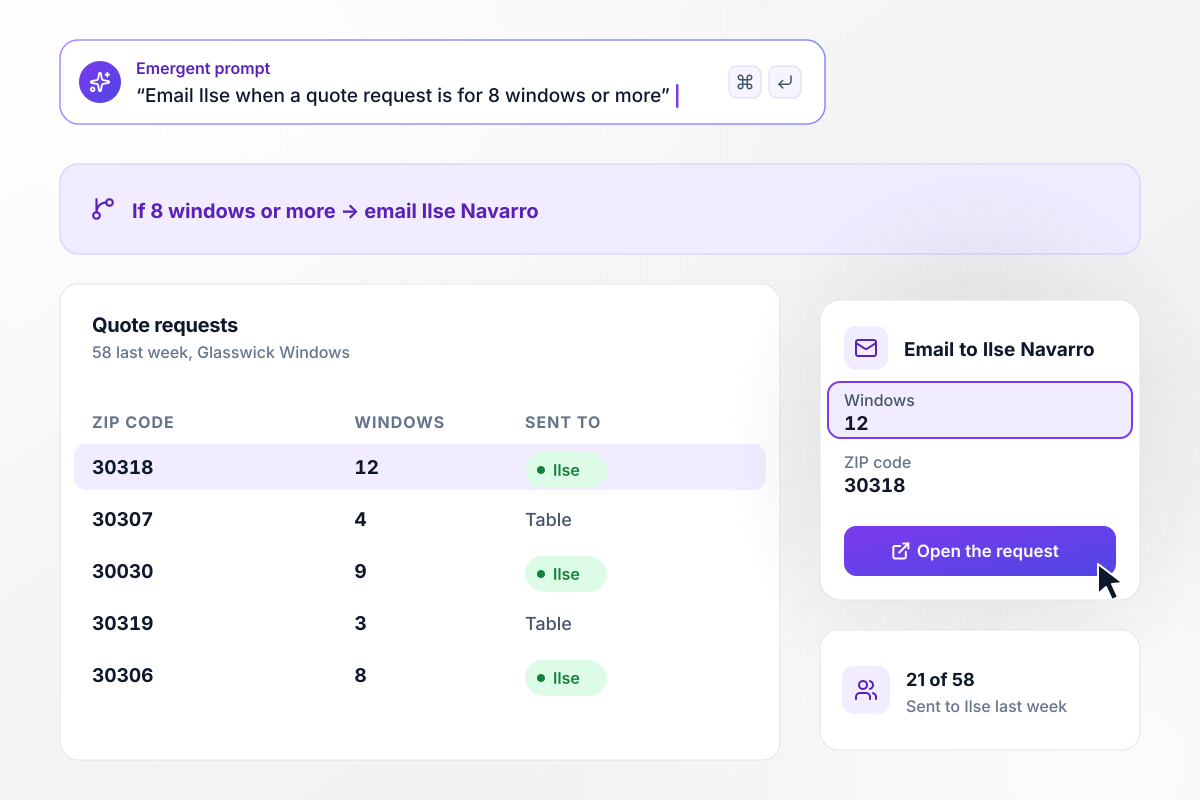
Every order of 8 windows or more goes to Ilse Navarro
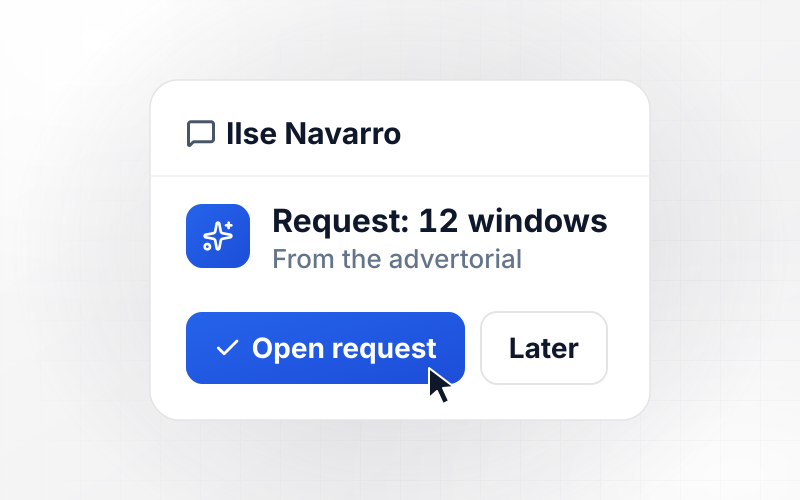
Glasswick Windows tells how neighbors on Alder Street replaced drafty windows, and the article ends in a quote form asking for a ZIP code, the number of windows, and an email. When a request is for 8 windows or more, the app emails Ilse Navarro, the sales rep. That was 21 of last week's 58 requests.






How to Create an Advertorial Landing Page
Seven steps take an advertorial landing page from a product and a story to a labeled page that counts every click.
Choose one product and the reader it fits, such as a light sleeper who runs hot at night. An advertorial is a story about one person's problem, and a page written for everyone has no story to tell. Note the one claim the article has to prove.
Promise a story or a finding in the headline, such as I tested six blankets before making my own. Leave the brand name and the price out of it. Draft two or three versions, because the headline is the first thing worth testing.
The FTC's native advertising guide asks for disclosures placed immediately in front of or above a native ad's headline. It lists Ad and Advertisement among the terms people understand, and it tells advertisers not to use terms such as Promoted.
Place the evidence for each product claim beside it: a photo from the test, a customer quote with a first name, a number with its source. Cut any claim you cannot back up on the page, however well it reads in the draft.
Tell Emergent the product and the story, and say where each button sits. Emergent builds the copy and a click table, and the app tags every button. Send another prompt later to rewrite a paragraph or add a second headline.
Before the ads go live, open the page from each ad's link and click every button once. Check that each click lands as a row with the right tag and headline version, and that each button opens the right product page.
After the first week, sort the clicks by button and by headline version. Move the wording of the strongest button into the weaker spots, retire the losing headline, and put the ad budget behind the version that sent more readers to the shop.
Why Build Your Advertorial on Emergent?
Change any section by prompt. Clicks and requests stay in a database you own, and the free tier covers building and publishing.

|
Unbounce | Landingi | Wix | |
|---|---|---|---|---|
| How you build | Prompt for a campaign page | Templates and drag-and-drop, AI copy assist | Templates and drag-and-drop, AI assist | Prompt for a full site |
| Where submissions go | A database table you own, plus integrations | Unbounce lead storage and integrations | Vendor lead storage and integrations | Wix dashboard submissions and Contacts |
| Visitor limits | No per-visitor pricing | Monthly visitor caps by plan | Tiered by traffic on most plans | Site plan bandwidth |
| A/B testing | Generate variants by prompt | A/B testing on higher-tier plans only | Higher plans | Limited or add-on |
| Code ownership | Full code export to GitHub on paid plans | Hosted only | Hosted only | Hosted only |



Pick the Pricing Plan That Works for You
Choose the plan that fits your building ambitions. From weekend projects to enterprise applications, we've got you covered.




Find the right landing page for you
Frequently Asked Questions
Your Questions, Answered
Don't change this element unless you know what you are doing
More things you can build
with Emergent









on Emergent today


