

Build Dynamic Landing Pages That Match Every Ad and Audience
Build dynamic landing pages that swap the headline for each ad or audience and save every visit to a database you own.
Build dynamic landing pages for my moving company that change the headline to match the keyword in each ad click.
Trusted by Builders Worldwide
Active Builders Worldwide
Apps Successfully Created
Countries Globally Reached



How One Page Becomes Many Versions
One URL, one build. The link a visitor clicks picks the headline and offer they read, and each visit is logged against that version.
Versions described in plain English
Describe each version of the page and the link tag that picks it. Emergent builds the page, the swap rules, and the visits table from that prompt, and edits any rule when you ask.
The ad keyword, placed in the headline
Google Ads can pass the keyword that matched a search into your final URL. The page reads it from the link and places it in the headline and on the quote button above the fold.
A default for blank or unknown tags
A link with no tag, or a tag the page has no rule for, gets the default headline you wrote. Visitors who arrive from a bookmark or a forwarded link still read a complete page.
CRM fields filled in through the API
Put a contact's record ID in the email link. The page then looks up the company name and account owner in HubSpot, or any CRM with an API, and writes them into the copy.
Every visit saved with its version
Each visit lands as a row in a database you own, with the version shown, the tag that chose it, and whether the visitor converted. A live dashboard counts signups per version.
Your domain, or the code in GitHub
Publish on your own domain; custom domains are included and use credits. On paid plans, export the full code, swap rules and all, to your GitHub repository and keep building there.
Dynamic Landing Page Examples by Signal
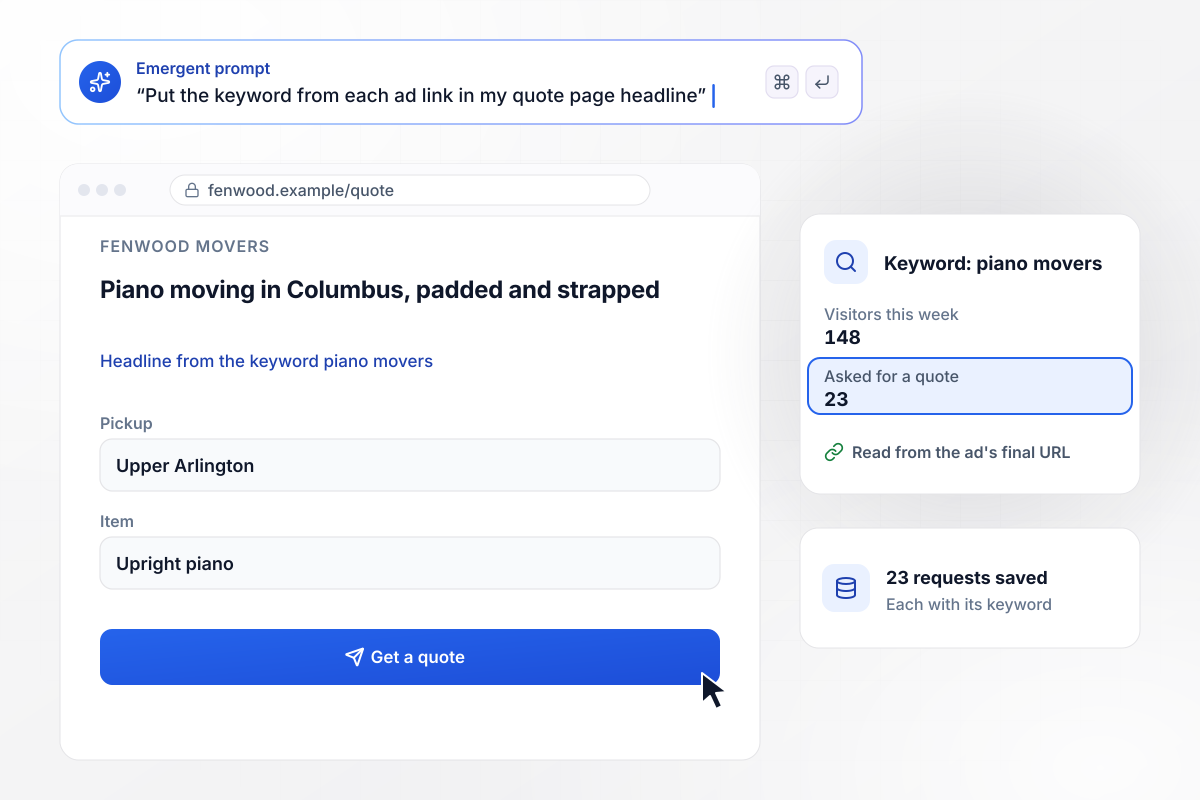
A click from the piano movers ad gets a piano headline
Fenwood Movers in Columbus runs one ad group per service, and Google Ads' {keyword} parameter adds the matched keyword to each final URL. The piano movers ad opens on "Piano moving in Columbus, padded and strapped." This week it sent 148 visitors, and 23 asked for a quote, each saved with its keyword.
window.awbMockup = { keywordHeadlines: "I run Fenwood Movers in Columbus with a separate Google Ads ad group for each service. Build a quote page that reads the keyword from the ad link and puts it in the headline, such as Piano moving in Columbus, padded and strapped for the piano movers ad. Save every quote request with its keyword and count visitors per keyword each week.", industryVersions: "Build a demo page for Cinderbay, my appointment booking software for clinics. My LinkedIn ad links carry an industry tag, dental or vet. The tag picks the headline and the customer quote, such as Fewer missed vet appointments for vet clinics. Links without a tag get a general headline. Count demo requests under each tag.", namedAccounts: "My company Kestovar sells fleet fuel analytics to 40 target accounts. Build a page that takes a HubSpot record ID from the email link, reads the company name and fleet size, and opens on a headline like Fuel reports for Delmar Freight's 220 trucks. When a contact books a call, send the account owner a Slack message.", resultsBySource: "Build a subscription page for Bramblecut Coffee, my roastery, with one version for newsletter readers and one for Instagram visitors who have never bought from us. Tag each link with its source, save every visit with the version it saw, and give me a live dashboard of visits and signups per version." };
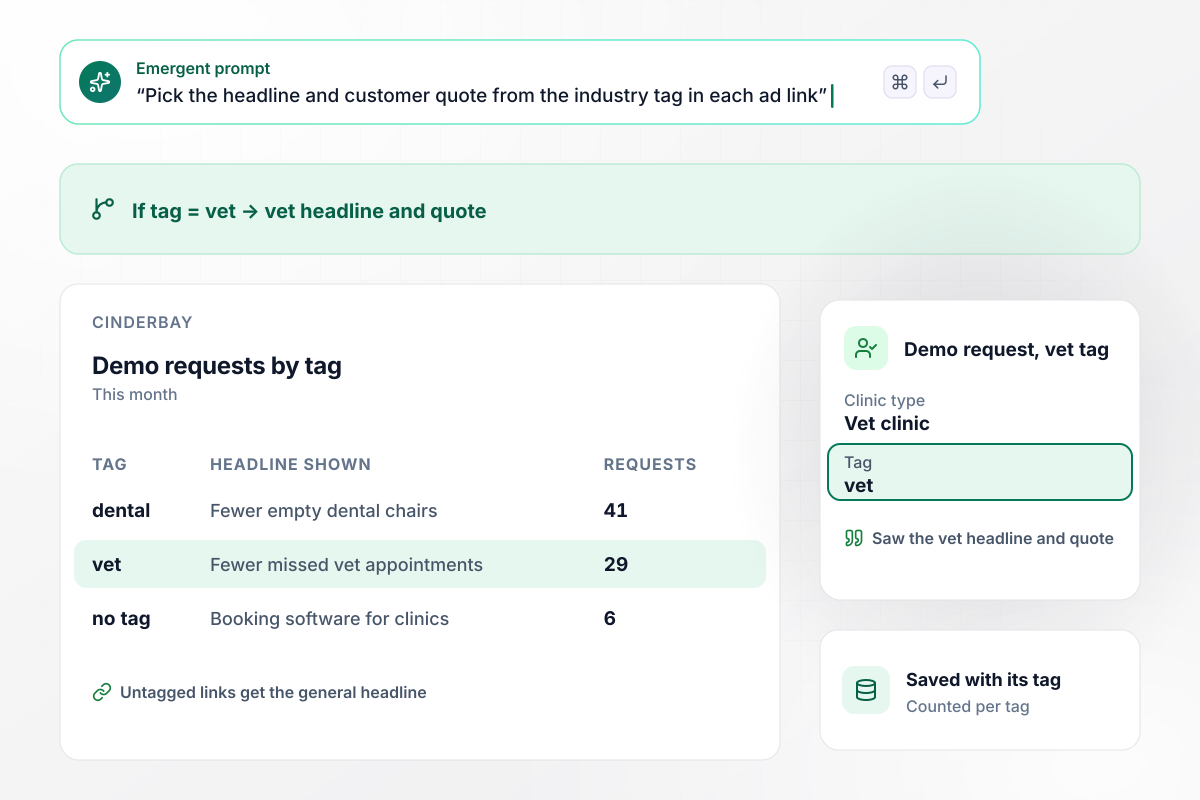
With the vet tag, a vet headline and quote
Cinderbay's LinkedIn ads for dental offices and vet clinics point to one demo page, each ad link carrying an industry tag. The tag picks the headline and quote, and vet visitors read "Fewer missed vet appointments." This month brought 41 demo requests under the dental tag, 29 under the vet tag, and 6 untagged.
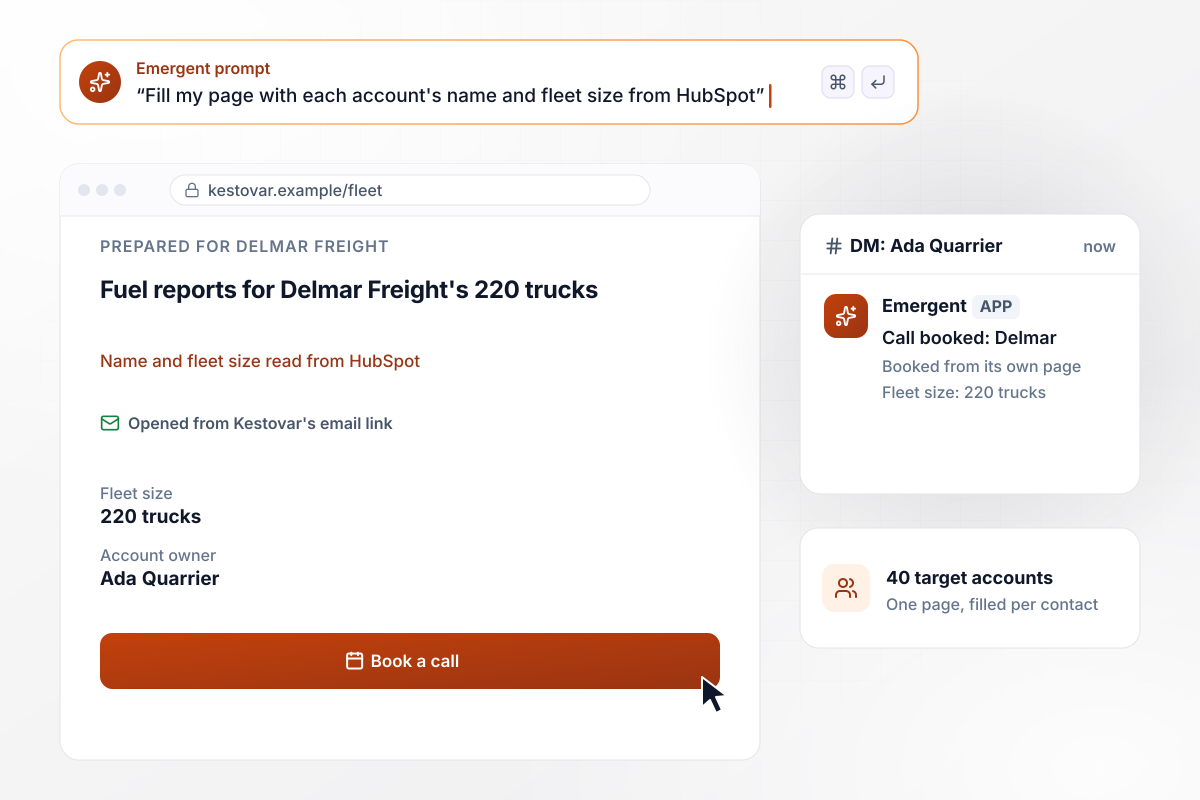
Delmar Freight's page opens with its own name and fleet
Kestovar emails 40 target accounts a link carrying each contact's HubSpot record ID. The page reads the company name and fleet size through HubSpot's API and opens on "Fuel reports for Delmar Freight's 220 trucks." When that contact books a call, Ada Quarrier, who owns the account, gets a Slack message.
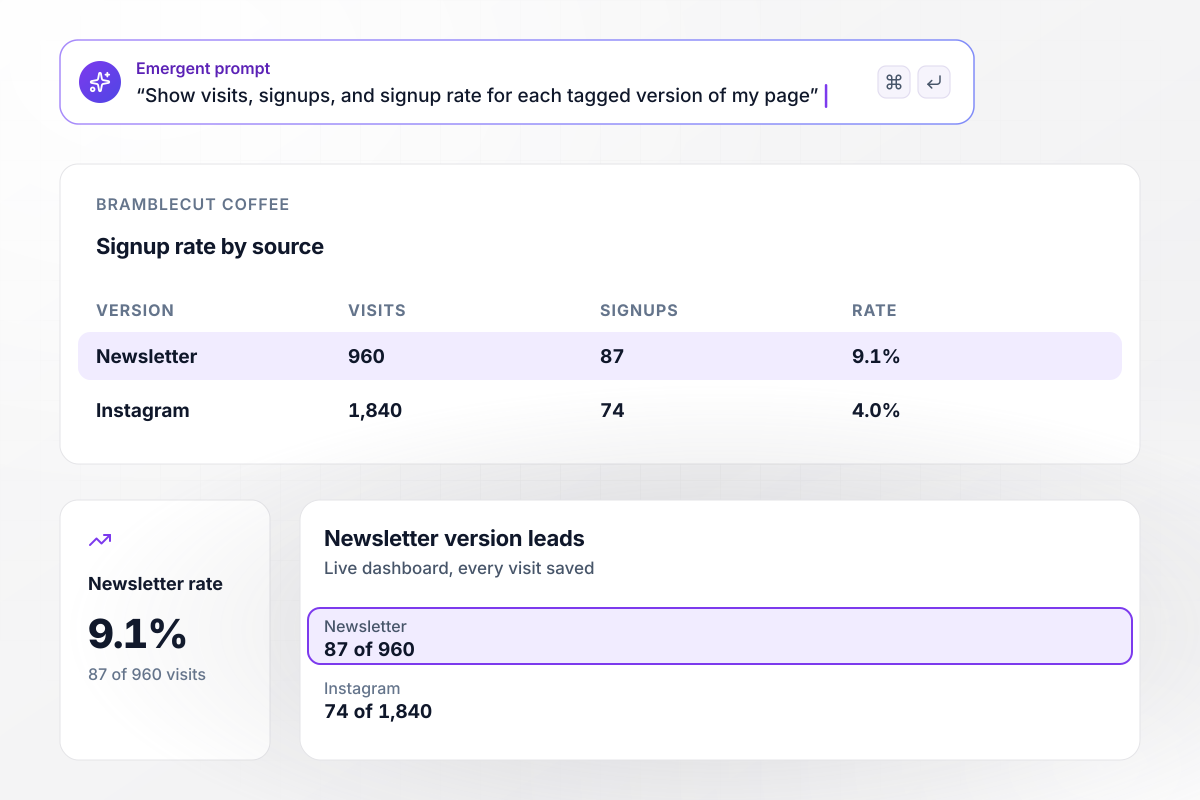
Signups by source put the newsletter version first
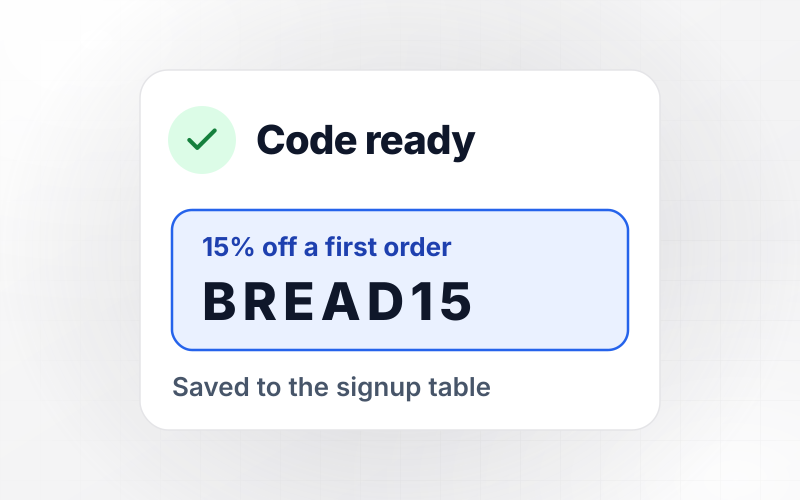
Bramblecut Coffee tags the links to its subscription page by source, and every visit is saved with the version it saw. On the live dashboard, the newsletter version has 87 signups from 960 visits. The Instagram version, written for first-time buyers, has 74 from 1,840 visits.






How to Build Dynamic Landing Pages
Seven steps to dynamic landing pages that swap copy by link tag and report each version's results, then build them with Emergent.
Write down what each incoming link can carry: the ad keyword, a campaign tag, a CRM record ID, or the traffic source. Personalize on signals you put in the link yourself. A guess about the visitor is harder to test and easier to get wrong.
Start with the headline. It is the first line a visitor reads and the line the ad or email promised. Add a second swap, such as the customer quote or the offer, once the headline versions have enough visits to compare.
Write the page an untagged visitor sees before any variant. Make it complete on its own, because bookmarks, forwarded emails, and search visitors all land there. Every tagged version is then a small edit to this page, not a separate build.
For search ads, add Google Ads' {keyword} parameter to the final URL and set the headline from it. Keep an approved headline for each keyword you bid on, so a misspelled or unexpected match shows the default instead of odd text.
Google defines cloaking as presenting different content to users and search engines to manipulate rankings and mislead users. Serve search engines the same default page an untagged visitor gets, and keep tagged versions for ad and email traffic.
Store which version each visitor saw next to the signup or request it led to. Without that pairing, the dashboard shows total signups but not which headline earned them. Compare versions only after each has a few hundred visits.
Describe the default page in one prompt, along with each version and the tag that picks it. Emergent builds the page and its rules, then edits a headline or adds a version when you ask. Click every tagged link yourself before the campaign starts.
Why Build Dynamic Landing Pages on Emergent?
The swap rules and the visit log live in one app you build by prompt. A new version takes one message, not another script.

|
Unbounce | Landingi | Wix | |
|---|---|---|---|---|
| How you build | Prompt for a campaign page | Templates and drag-and-drop, AI copy assist | Templates and drag-and-drop, AI assist | Prompt for a full site |
| Where submissions go | A database table you own, plus integrations | Unbounce lead storage and integrations | Vendor lead storage and integrations | Wix dashboard submissions and Contacts |
| Visitor limits | No per-visitor pricing | Monthly visitor caps by plan | Tiered by traffic on most plans | Site plan bandwidth |
| A/B testing | Generate variants by prompt | A/B testing on higher-tier plans only | Higher plans | Limited or add-on |
| Code ownership | Full code export to GitHub on paid plans | Hosted only | Hosted only | Hosted only |



Pick the Pricing Plan That Works for You
Choose the plan that fits your building ambitions. From weekend projects to enterprise applications, we've got you covered.




Find the right landing page for you
Frequently Asked Questions
Your Questions, Answered
Don't change this element unless you know what you are doing
More things you can build
with Emergent









on Emergent today


