

Build a Telehealth Landing Page That Books Virtual Visits
Build a telehealth landing page that books video visits and saves each request to a database you own.
Build a telehealth landing page for my family practice that books 20-minute video visits and asks which state the patient will be in.
Trusted by Builders Worldwide
Active Builders Worldwide
Apps Successfully Created
Countries Globally Reached



Six Pieces Behind a Booked Video Visit
The booking happens on the page, well before the video call. Describe the practice, and Emergent builds these parts.
A state picker at the top of the form
The form asks where the patient will be when the call starts, and it lists only the states the practice serves. Anyone outside them gets a short note and an email field.
Visit length and price beside the button
Name the visit the page books, its length, and the self-pay price in the prompt, and the page shows all three beside the button. A visitor reads the cost before booking.
A 911 notice above the first field
Put one line above the form telling visitors to call 911 in an emergency, and saying requests are read during office hours. Visitors see that notice before any other field.
Requests kept in a table you own
Every booking request lands as a row in a database you own, with the state, the visit time, and the time it arrived. Connect the rows to a scheduling tool over its API.
A reminder email before each visit
The app emails each patient an hour before the video visit, with the link the practice uses and a way to pick a new time. Change the timing by prompt, such as 2 hours before.
The page as code in your repository
Export the page and its request table to your GitHub repository on paid plans. Or keep it hosted on Emergent on the practice's own domain, which uses credits, and edit by prompt.
Telehealth Landing Page Examples
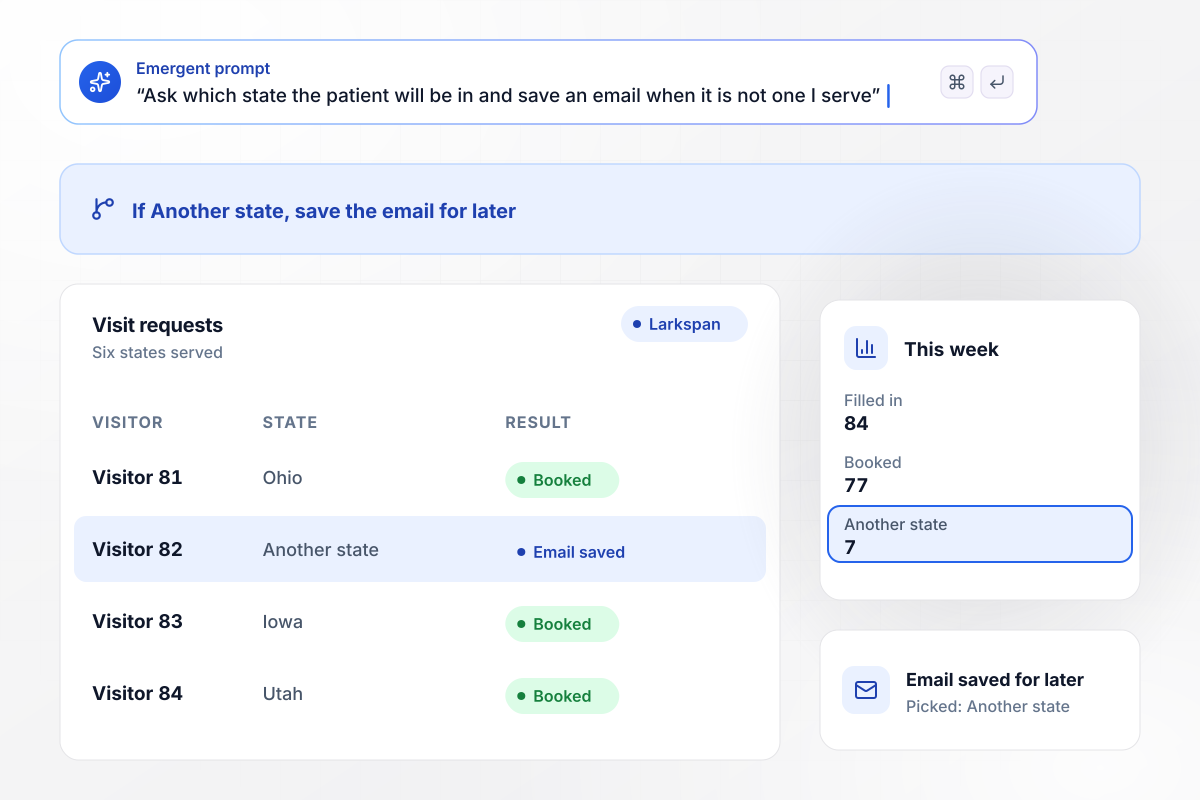
7 visitors from outside the six states joined a list
Larkspan Virtual Care sees patients in six states, and its form asks which state each visitor will be in during the visit. A visitor who picks Another state sees a short note and leaves an email in place of a booking. This week 84 visitors filled in the form: 77 booked, and 7 picked Another state.
window.awbMockup = { statePicker: "Build a booking page for Larkspan Virtual Care, my telehealth practice that sees patients in six states. Ask for a name, an email, the state the patient will be in during the visit, and a preferred time. If someone picks Another state, show a short note, save their email for later, and skip the booking.", visitReminders: "Make a page for Copperleigh Family Medicine that books video follow-ups. An hour before each visit, email the patient the visit link and a Pick a new time button, and update the booking row when someone moves their time. Show me a daily count of reminders sent and of times changed.", selfPayPricing: "Build a landing page for Orrin Vale Skin Clinic. Show the price beside the booking button: a 15-minute video visit for a skin concern, $65 self-pay. Ask for a name, an email, the state, a preferred time, and Self-pay or Insurance. Email every insurance request to Corwin Ahlberg, my billing coordinator, and count both kinds each month.", visitLanguage: "Create a booking page for Hollins Reach Health. Ask each visitor whether the visit should be in English or Spanish, and save the answer on the request's row. Email every Spanish request to Dr. Renata Fairbairn, send English requests to the front desk, and show me a weekly count of each language." };
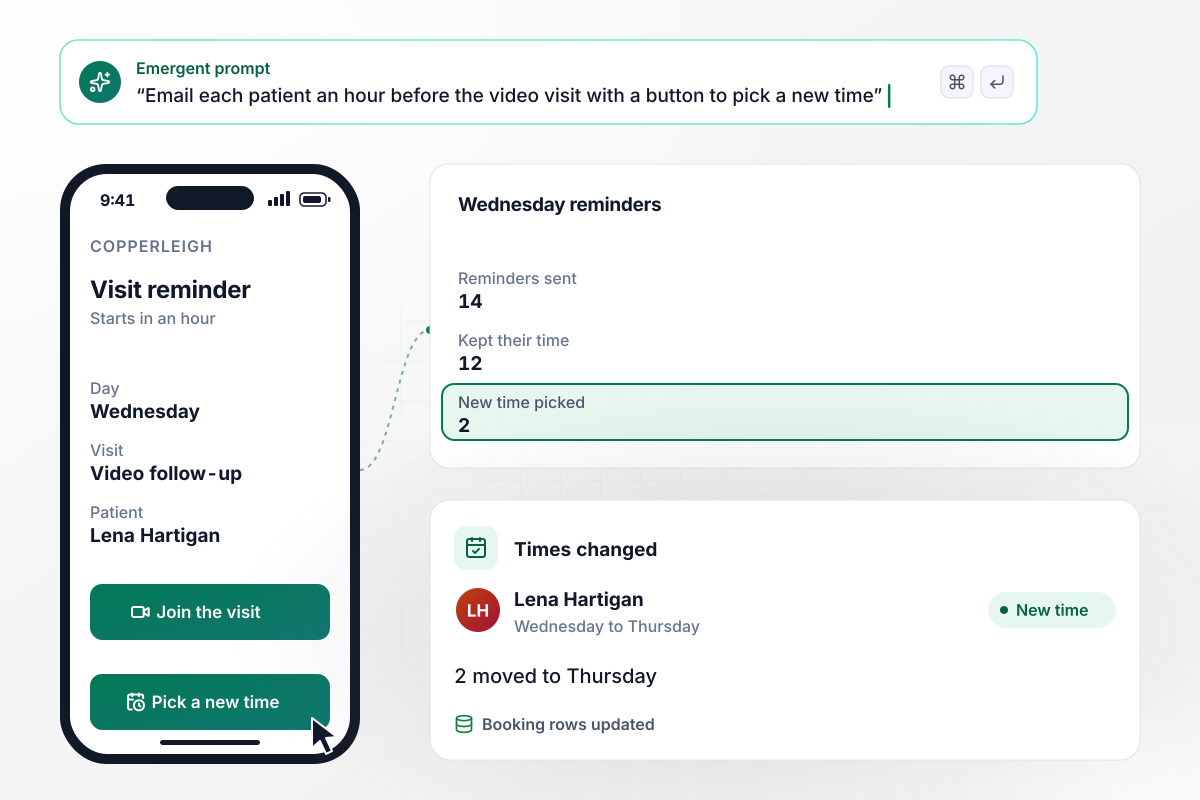
With one button, 2 of Wednesday's 14 patients moved
An hour before each video follow-up, the Copperleigh Family Medicine app emails the patient the visit link and a Pick a new time button. On Wednesday 14 follow-ups were booked, and 14 reminders went out. Twelve patients kept their time, and 2 used the button to move to Thursday.
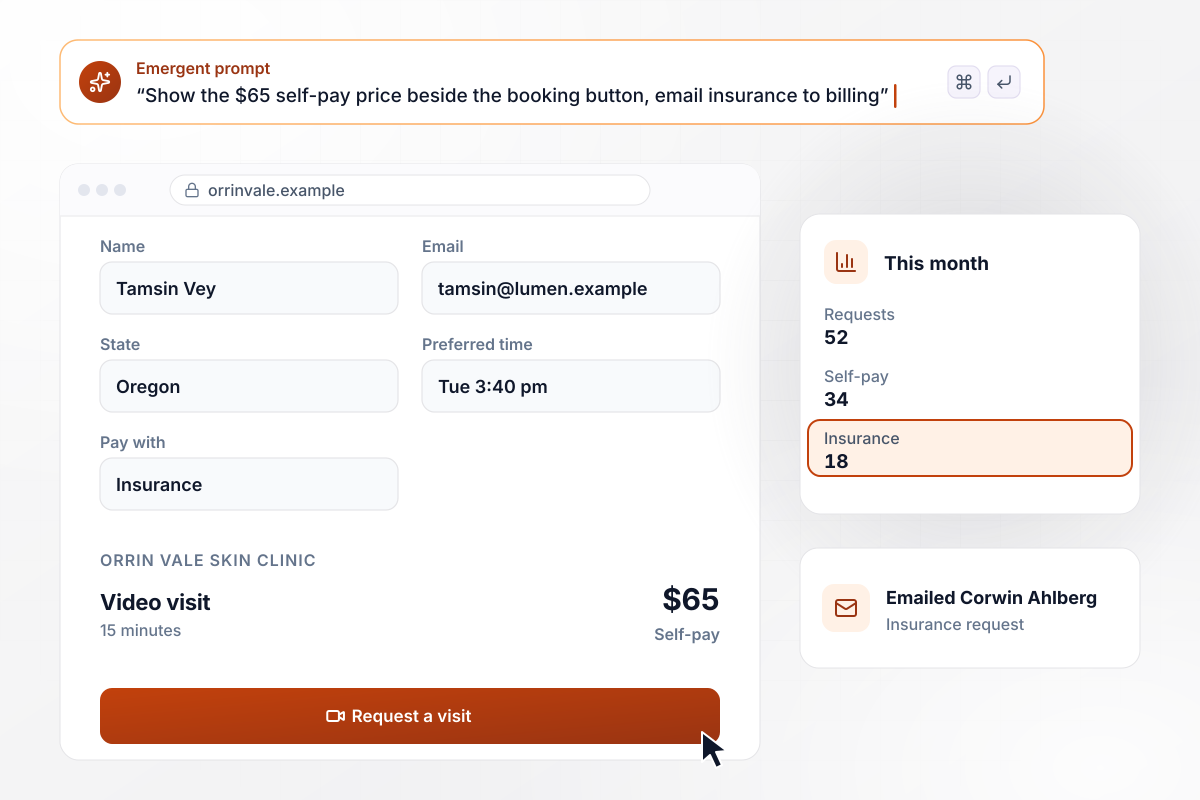
For self-pay, a video visit is $65, shown at the button
Orrin Vale Skin Clinic shows its price beside the booking button: $65 self-pay for a 15-minute video visit for a skin concern. The form asks Self-pay or Insurance after a name, email, state, and preferred time. Of this month's 52 requests, 34 were self-pay, and the 18 insurance requests were emailed to Corwin Ahlberg.
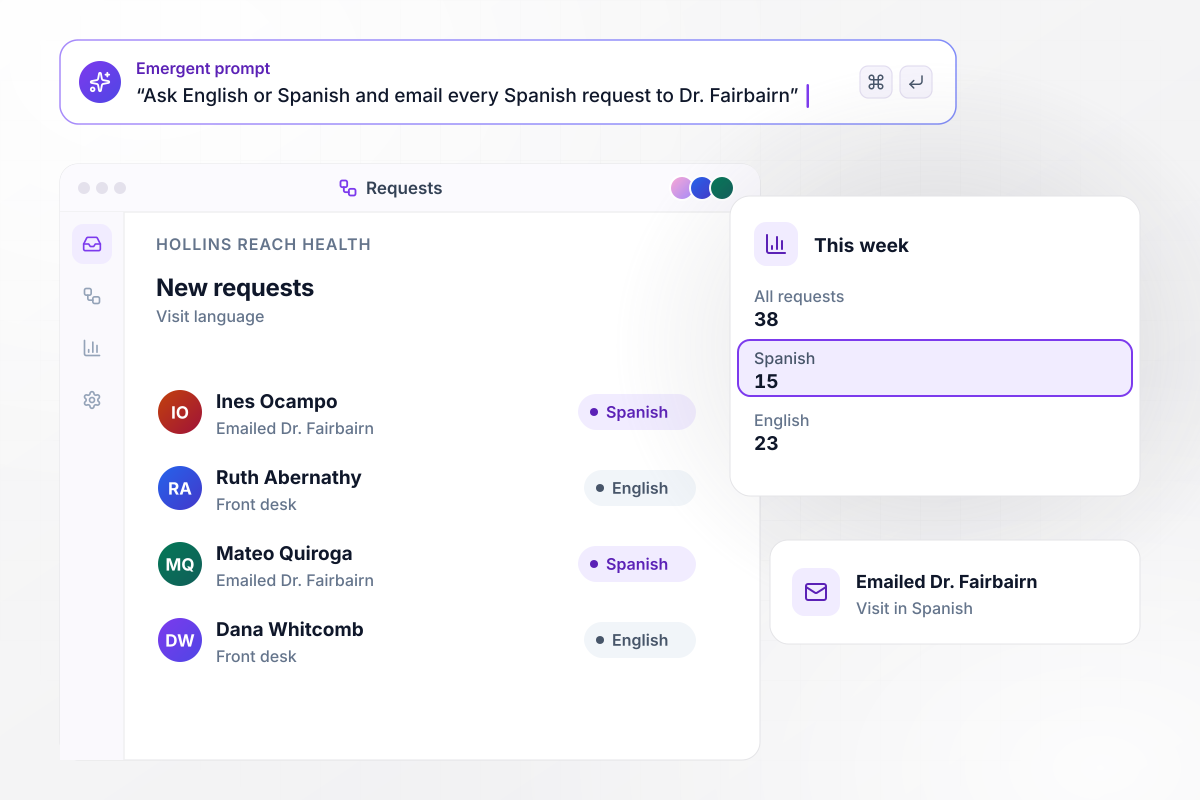
Every Spanish request goes by email to Dr. Fairbairn
Hollins Reach Health asks one question up front: English or Spanish for the visit. A Spanish request is emailed to Dr. Renata Fairbairn, who sees patients in both languages, and English requests go to the front desk. This week 38 requests came in, with 15 asking for Spanish and 23 for English.






How to Create a Telehealth Landing Page
Seven steps to a telehealth landing page that books video visits in the states you serve, then build it with Emergent.
Pick a single visit type, such as a 20-minute video follow-up or a first visit for a skin concern. A page that books one visit can state its length and price plainly, and its booking button has one job to do.
Ask each clinician which states they see patients in, and give Emergent that list for the state picker. Review it whenever a clinician joins or leaves. The form should never offer a state that nobody on staff covers.
Write the self-pay price as a number, such as $65, along with the visit length and whether the practice takes insurance. Place all of it beside the booking button, and change it by prompt on the day the price changes.
Ask for a name, an email, the state, and a preferred time. Add a fifth question only when it decides who answers the request, such as self-pay or insurance. Leave symptoms and medical history for the intake the clinician uses after booking, and say so in one line under the form.
Show the visit date and time on the confirmation with the zone written out, such as 10:20 am Eastern. Add what the patient needs for the call: a phone or laptop with a camera, and a quiet room.
Put the page on the practice's own domain (built into Emergent, uses credits). The link in every reminder email then carries the name patients already know. Custom domains are included in Emergent and use credits, and the free tier covers building and publishing.
Book a visit on a phone the way a patient would, then wait for the reminder email and open it. Check that the visit link works, that Pick a new time updates the row, and that the booking shows the right state.
Why Clinics Build Telehealth Pages With Emergent
Emergent builds the page, its form, and a request table from a description of the visit and the states you serve.

|
Unbounce | Landingi | Wix | |
|---|---|---|---|---|
| How you build | Prompt for a campaign page | Templates and drag-and-drop, AI copy assist | Templates and drag-and-drop, AI assist | Prompt for a full site |
| Where submissions go | A database table you own, plus integrations | Unbounce lead storage and integrations | Vendor lead storage and integrations | Wix dashboard submissions and Contacts |
| Visitor limits | No per-visitor pricing | Monthly visitor caps by plan | Tiered by traffic on most plans | Site plan bandwidth |
| A/B testing | Generate variants by prompt | A/B testing on higher-tier plans only | Higher plans | Limited or add-on |
| Code ownership | Full code export to GitHub on paid plans | Hosted only | Hosted only | Hosted only |


Pick the Pricing Plan That Works for You
Choose the plan that fits your building ambitions. From weekend projects to enterprise applications, we've got you covered.




Find the right landing page for you
Frequently Asked Questions
Your Questions, Answered
Don't change this element unless you know what you are doing
More things you can build
with Emergent









on Emergent today


