

Build a Restaurant Landing Page for Reservations and Catering
Get a restaurant landing page that takes party and catering requests, each saved to a database you own.
Build a restaurant landing page that saves every signup to a database I own.
Trusted by Builders Worldwide
Active Builders Worldwide
Apps Successfully Created
Countries Globally Reached



What a Restaurant Page Needs to Work
Each part below decides whether a request reaches the person who can say yes, and Emergent changes any of them by prompt.
The menu for this offer only
Show the dishes and prices that belong to the offer, such as the five courses of a tasting dinner. Link to the full menu once, at the bottom, for the guest who asks for it.
A number a thumb can reach
Put the phone number in a tap-to-call button near the top, with the street address and a directions link under it. Give the guest who prefers to call a way to do it without typing.
A row for every request
Each request lands in a database you own with the guest's name and party size, plus the date asked for. A status column lets the manager mark each row Confirmed or Declined.
An alert to whoever confirms
Send each request by email or to a Slack channel the front of house reads. The alert puts the party size and a callback number in front of the manager working that night's shift.
The notice the kitchen needs
Print how far ahead a request has to arrive, such as 48 hours for a catering order. Put that cutoff right next to the date field, where a guest reads it before picking a date.
A web address guests know
Publish the page on the domain already printed on your menus and receipts, or on a subdomain of it for events and catering. Custom domains are included in Emergent and use credits.
Restaurant Landing Page Examples
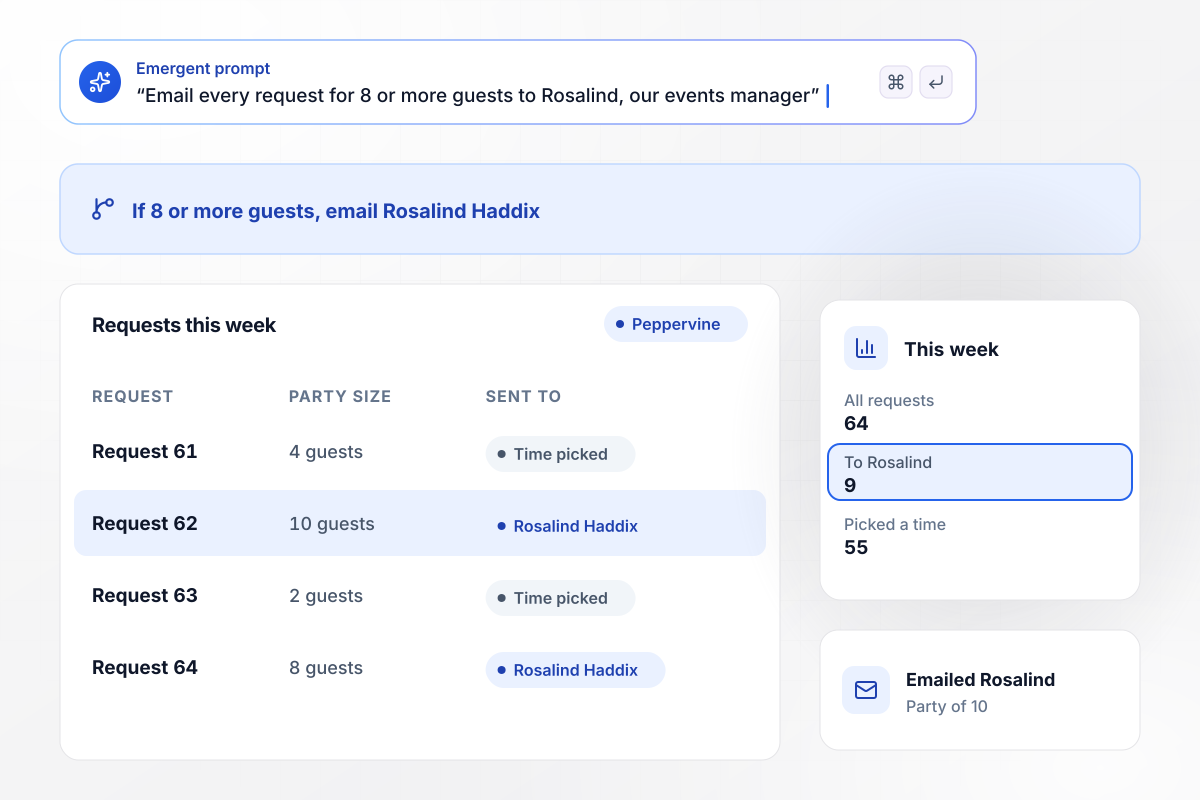
Rosalind books any table of 8 or more
Peppervine Bistro asks for the party size before it shows a time. A request for 8 or more guests skips the time picker and emails Rosalind Haddix, the events manager, who calls back to plan the room. Smaller parties pick a table time on the spot. Of 64 requests this week, 9 went to Rosalind and 55 picked a time.
window.awbMockup = { largeParties: "Build a reservation page for Peppervine Bistro. Ask for the party size first. Let parties of 2 to 7 pick a table time, and email every request for 8 or more guests to Rosalind Haddix, our events manager, instead of showing times.", cateringQuotes: "Make a catering quote page for Stonewick Smokehouse. Ask for the date, the number of guests, and pickup or delivery. Send every order for 50 or more guests to Teo Beaty, our catering lead, and put smaller orders on the kitchen's list.", holidayDinner: "Create a reservation page for the Lark Hollow Tavern New Year's Eve tasting menu at $95 per guest, with 40 seats. List each course beside the form. When all 40 seats are reserved, have the same form take waitlist names.", newLocation: "Build a signup page for Sartino's Pizzeria, which is opening a second location in Westvale. Ask for an email address and which location the guest would visit, Westvale or Downtown, and keep a separate list for each." };
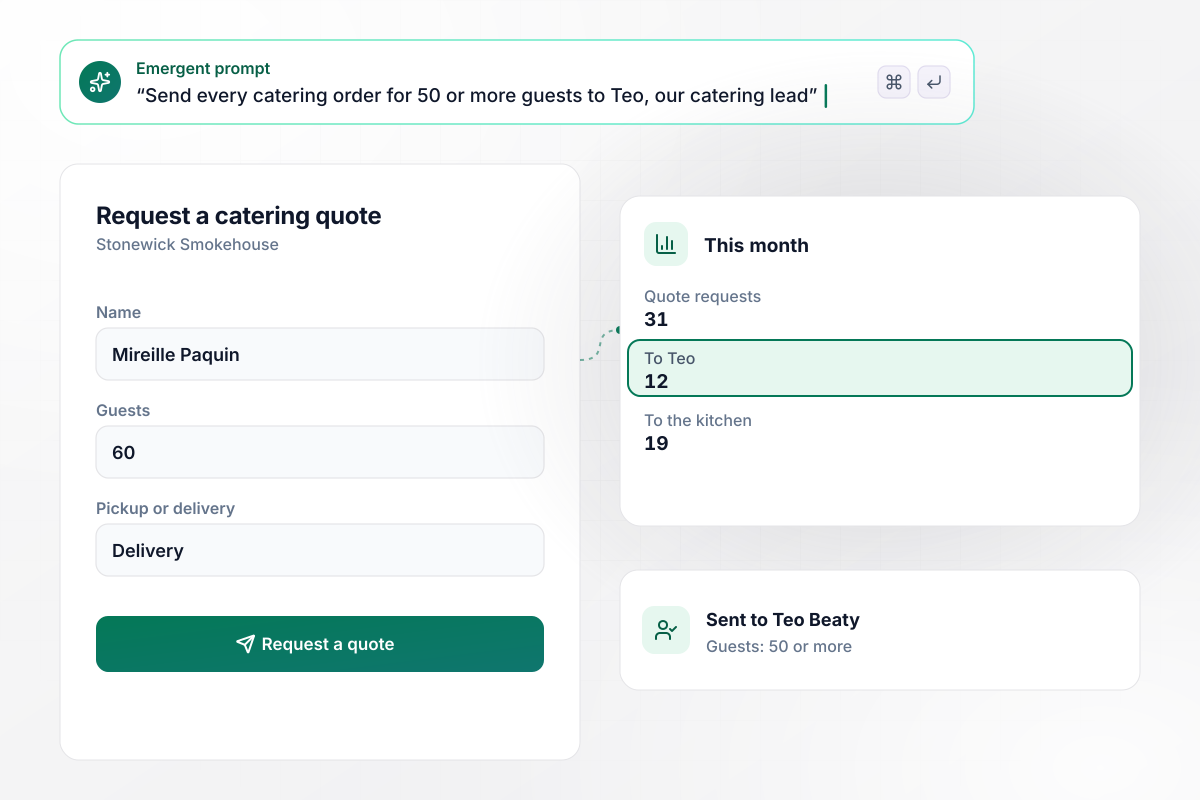
Orders that reach 50 guests go to Teo
Stonewick Smokehouse prices catering by headcount. Its quote form asks for the date, the number of guests, and pickup or delivery. Every order for 50 or more guests goes to Teo Beaty, the catering lead, and smaller orders go to the kitchen's list. This month Teo got 12 of 31 requests, and 19 went to the kitchen.
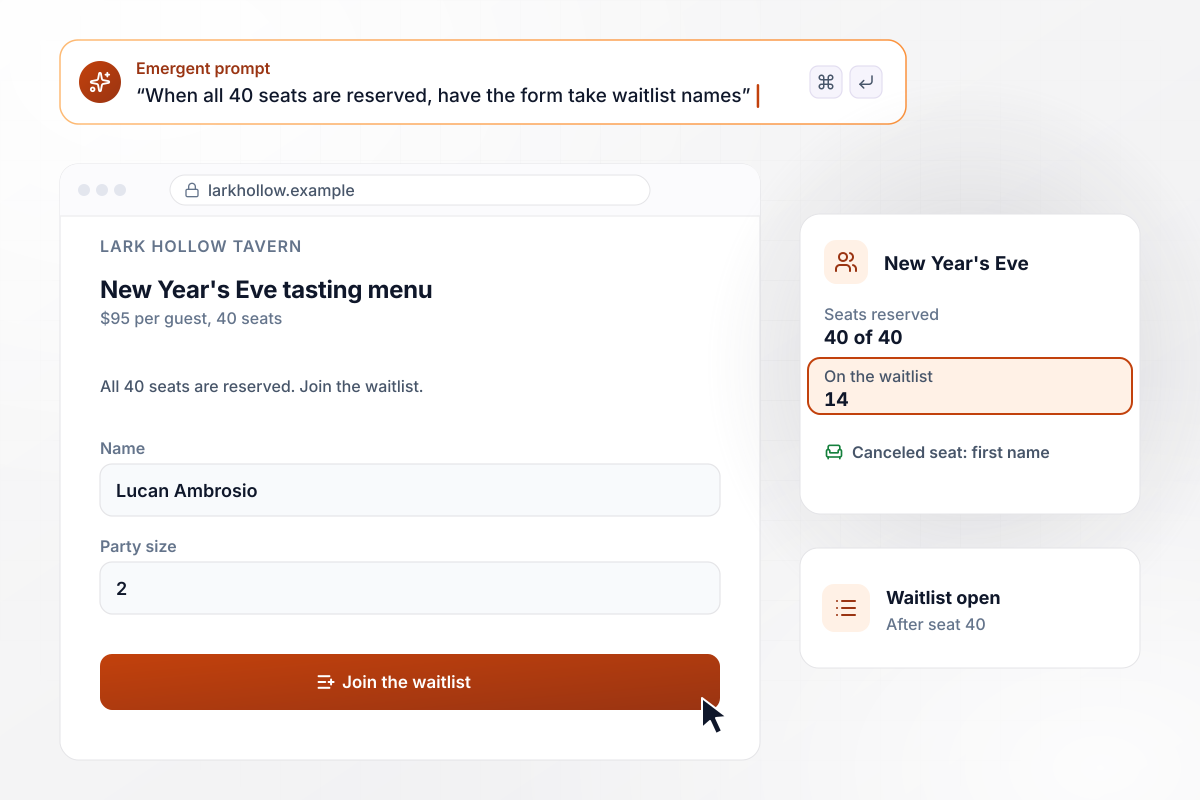
After 40 seats, every name joins the waitlist
Lark Hollow Tavern has 40 seats for its $95 New Year's Eve tasting menu, with each course listed beside the form. Once the 40th seat is reserved, the form takes waitlist names, and the manager offers any canceled seat to the first name. So far 14 people have joined the waitlist.
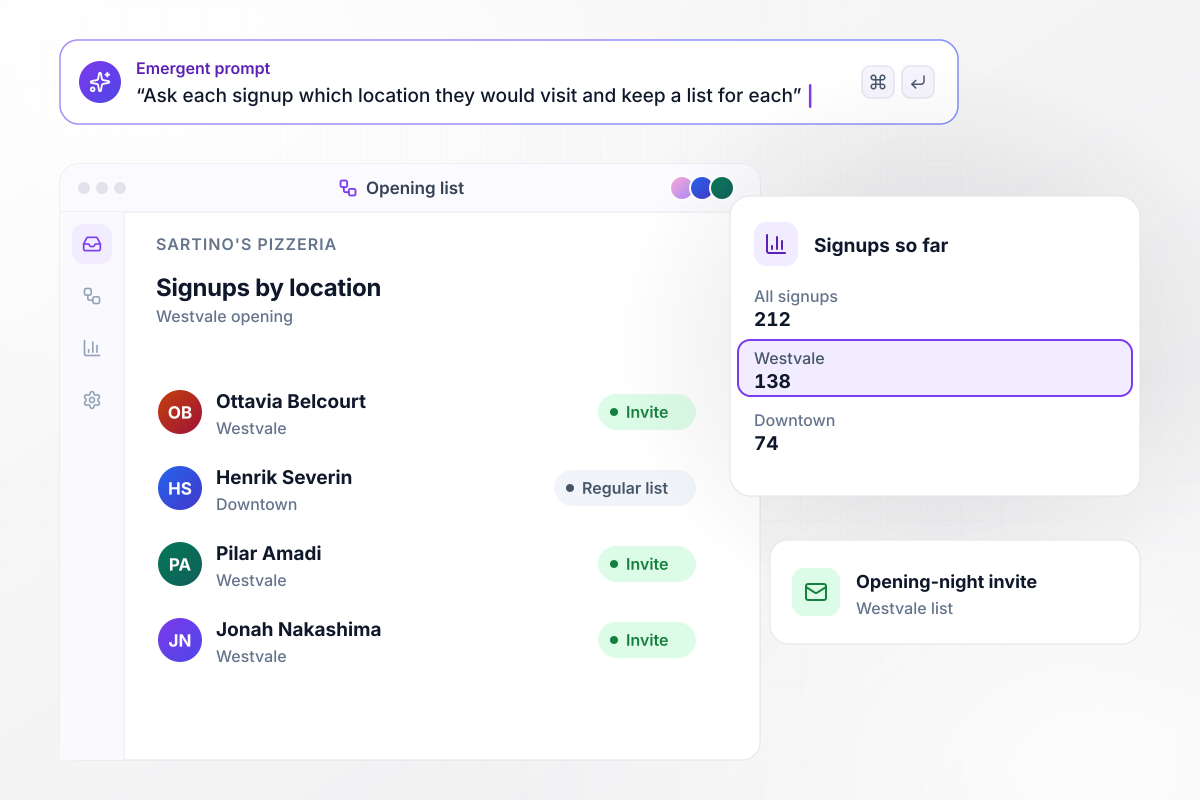
Westvale gets its own list of 138 signups
Sartino's Pizzeria is opening a second location in Westvale. Its signup page asks for an email address and one question: which location would you visit, Westvale or Downtown? Of 212 signups so far, the 138 who picked Westvale get the opening-night invite, and the 74 who picked Downtown stay on the regular list.






How to Create a Restaurant Landing Page
Seven steps to a restaurant landing page that sends each party, catering or event request to the person who confirms it.
Make one page for each offer, such as large parties or catering, and point each ad or flyer at its own page. A guest who came for the holiday dinner should not have to hunt for it on the full menu.
Open the form with the number of guests. It decides what the page offers next and who hears about the request. Put it ahead of the calendar and the contact details.
State the date, the price per guest, and what the price covers, such as 4 courses and coffee. Put all of it above the form, where the full cost is on screen before the first field.
Use 3 or 4 photos of dishes from this offer, shot in your own dining room. Keep them short enough that the form still sits near the top of the page on a phone.
Name one person for each kind of request, such as the events manager for large parties and the catering lead for big orders. Send each request to that person, and to no one else.
Write the message the guest sees after sending: when someone will reply, and the number to call if the date is close. Promise a reply time you can meet every day of the week.
Describe the offer and who hears about each request, and Emergent builds the page from that prompt. Send a test request from your phone, then check the new row in your database and the alert.
Why Restaurants Build Their Pages With Emergent
Emergent builds the page and its guest list from one prompt. The list stays in a database you own, and paid plans export the code.

|
Unbounce | Landingi | Wix | |
|---|---|---|---|---|
| How you build | Prompt for a campaign page | Templates and drag-and-drop, AI copy assist | Templates and drag-and-drop, AI assist | Prompt for a full site |
| Where submissions go | A database table you own, plus integrations | Unbounce lead storage and integrations | Vendor lead storage and integrations | Wix dashboard submissions and Contacts |
| Visitor limits | No per-visitor pricing | Monthly visitor caps by plan | Tiered by traffic on most plans | Site plan bandwidth |
| A/B testing | Generate variants by prompt | A/B testing on higher-tier plans only | Higher plans | Limited or add-on |
| Code ownership | Full code export to GitHub on paid plans | Hosted only | Hosted only | Hosted only |



Pick the Pricing Plan That Works for You
Choose the plan that fits your building ambitions. From weekend projects to enterprise applications, we've got you covered.




Find the right landing page for you
Frequently Asked Questions
Your Questions, Answered
Don't change this element unless you know what you are doing
More things you can build
with Emergent









on Emergent today


