

Build a DJ Landing Page That Books Your Next Gig
Build a DJ landing page that takes gig requests, caps RSVPs at the room limit, and saves every fan to a database you own.
Build a DJ landing page that saves every signup to a database I own.
Trusted by Builders Worldwide
Active Builders Worldwide
Apps Successfully Created
Countries Globally Reached



What Emergent Builds Behind the Decks
A DJ landing page has one job: turn a listener into a booking or a fan. Emergent builds the page and the records behind it.
Requests that carry the gig details
Emergent builds the request form a booking needs: event date, venue, start and end time, and guest count. Every inquiry is stored as one row you can sort by date or by venue.
An alert when a new date comes in
The app sends you an email or a Slack alert when a request arrives, with the event date and venue in the message. You can reply to the planner before another DJ takes the date.
Your mixes playing on the page
Paste a SoundCloud link and Emergent places the player in your page. SoundCloud's oEmbed endpoint serves the widget embed code for a SoundCloud URL that points to a playlist.
A fan list that stays yours
Each email a fan enters is saved to a database you own, along with the page and date it came from. Connect that list to your email tool over its API when the next mix goes out.
Your own domain, edited by prompt
Publish on your own domain (custom domains are included and use credits). If the residency moves to Thursdays, tell Emergent in one prompt and it changes the date on the page.
Code you can take with you
The free tier covers building and publishing your page. On paid plans, Emergent exports the full code to your GitHub repository, ready for a developer to pick up later.
DJ Landing Page Examples
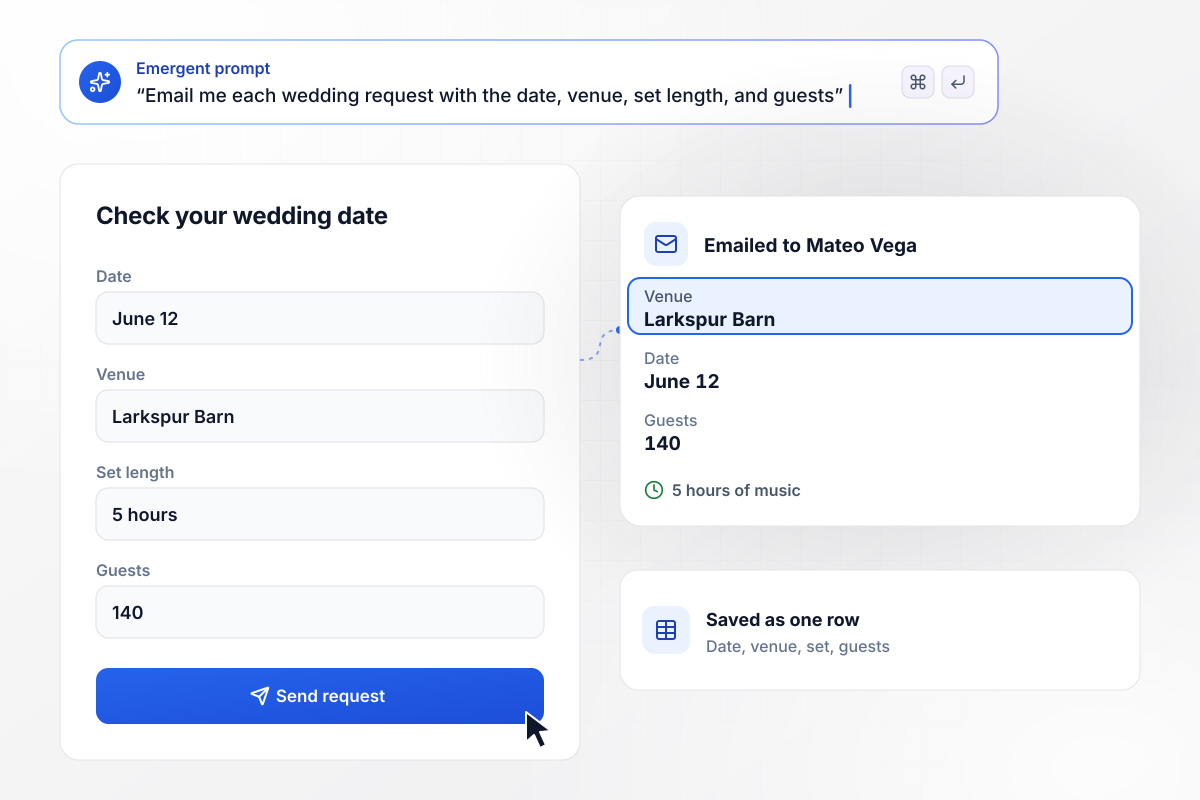
Every inquiry lands with its date
Vega Sound Co. plays weddings, and its request page asks each couple for the date, the venue, the set length, and the guest count before anything else. The app saves every inquiry as one row and emails it to the owner, Mateo Vega. The Larkspur Barn request for June 12 asked for a 5-hour set and 140 guests.
window.awbMockup = { weddingDj: "Build a request page for my wedding DJ company, Vega Sound Co. Ask the couple for their wedding date, venue name, how many hours of music they want, and the guest count. Store each request in a table and email me, Mateo Vega, a summary with those four answers the moment someone submits.", clubNight: "Build an RSVP page for Basement Frequencies, my monthly club night. The room fits 180, so stop taking RSVPs at 180 and swap the form for a waitlist signup. Show me a running count for the October night and keep the waitlist in its own table.", mixRelease: "Build a release page for my new set, Solstice Mix Vol. 7. Keep the player locked until a listener types an email address. Store each address in my fan list along with the mix that unlocked it, and let me export the whole list whenever I want.", pressKit: "Build a press kit page for me, Arlo Finch, for talent buyers. Show my bio, the rooms I played this year, and my stage plot. Add a booking button that opens an avails form asking for the venue, the date, and its capacity, and store every request for me to answer." };
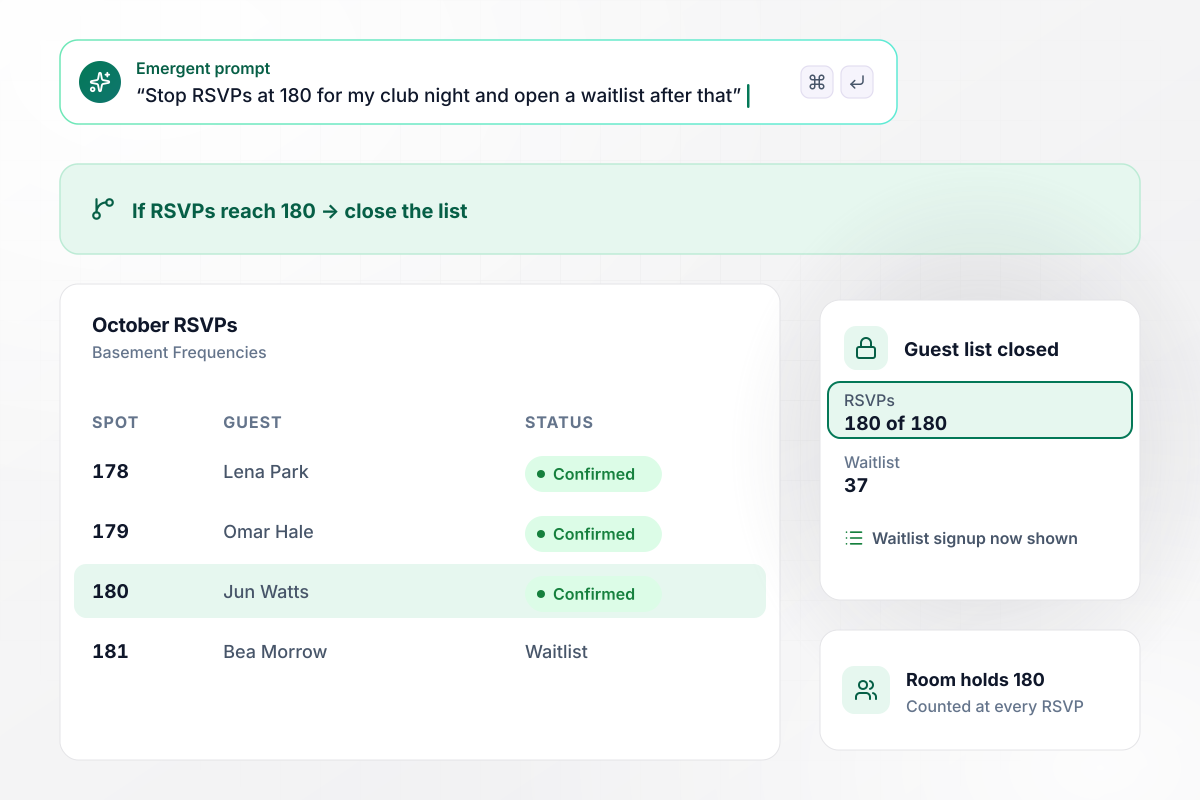
An RSVP list with a hard cap
Basement Frequencies throws one club night a month in a room that holds 180 people. Its page takes free RSVPs, counts each one against the cap, and closes the list at 180, when a waitlist signup replaces the form. The October night filled all 180 spots, and 37 more people joined the waitlist.
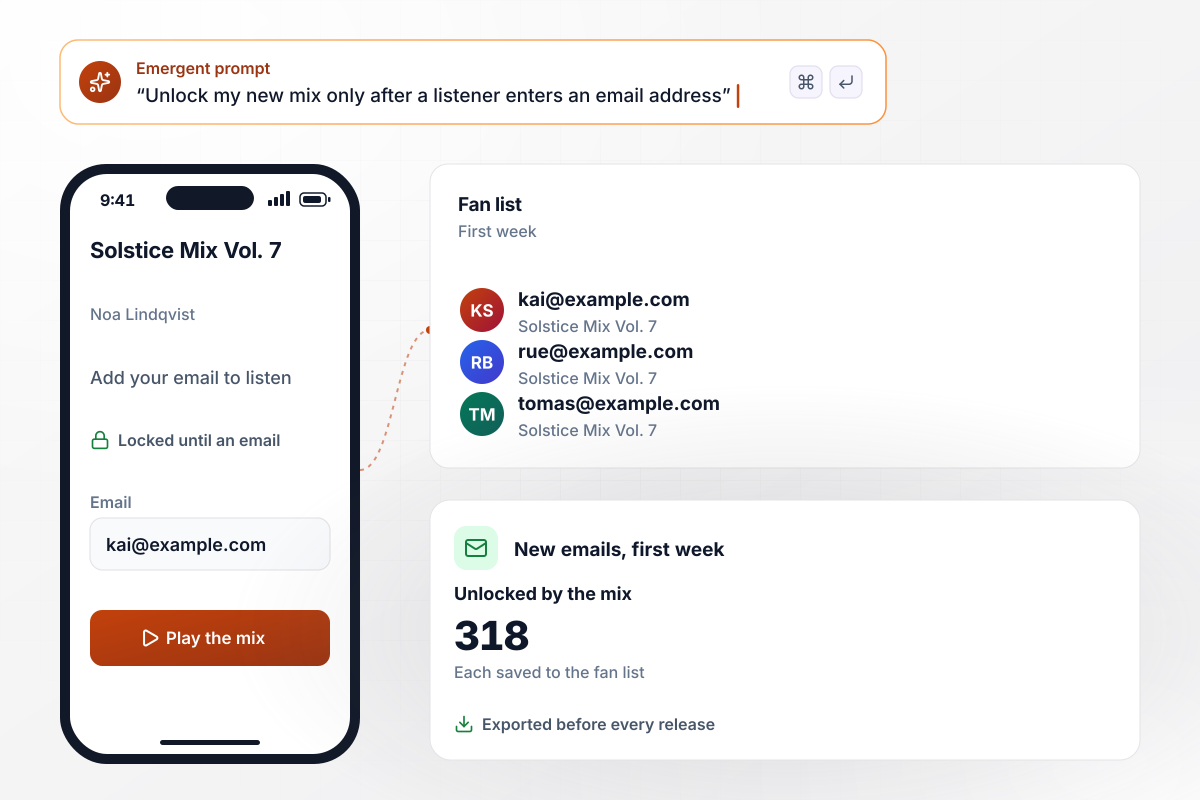
Email in before the mix plays
Noa Lindqvist released Solstice Mix Vol. 7 on a page where the player starts once a listener enters an email. The app saves each address to her fan list with the name of the mix it unlocked. In its first week the mix brought in 318 new emails, and she exports the list before every release.
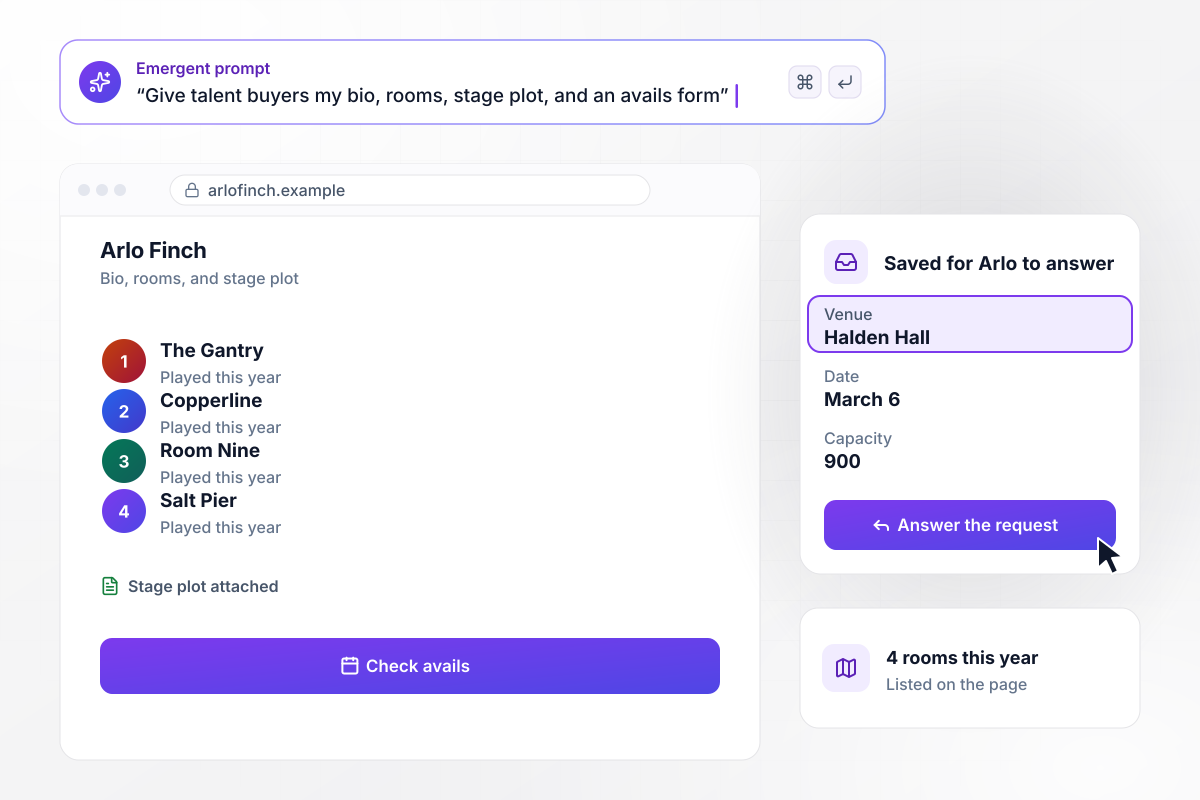
The one page a booker reads
Arlo Finch sends talent buyers one link with his bio, the 4 rooms he played this year, and a stage plot. A booking button opens a short avails form that asks for the venue, the date, and its capacity. Each request is saved for Arlo to answer, and the Halden Hall request for March 6 came in at 900 capacity.






How to Create a DJ Landing Page
Seven steps take a DJ landing page from one booking goal to a tested page that saves every request and fan email.
Decide which job the page has to win, such as wedding inquiries or fans for your mixes. Picture the one person who does that job, like a talent buyer filling a lineup, and write every section for them. Build for one goal first, and add the other later.
Put one recent mix near the top, matched to the gig: a wedding set for couples, a peak-time recording for promoters. Thirty seconds of your blends tells a visitor more than a paragraph listing the genres you play.
Write down what you need before you can price a date: the day, the room, the hours you will play, and how many people are coming. Put only those questions in the request form and save the rest for the first call.
Name the rooms and residencies you have played, with dates where you have them. Add a short bio in plain words and a stage plot or rider that a promoter can forward to the production manager at the venue.
If the page takes RSVPs for your own night, set the cap at the number the venue gives you or lower. Then decide what visitors see once it fills, such as a waitlist signup or the date of the next night.
Choose who hears about a new inquiry and how: an email to you, a Slack message to your agent, or both. Keep every request in one table, where a double-booked Saturday shows up before you say yes to it.
Submit a request from your phone with a real date and venue, then check the saved row and the alert that reaches you. Describe the page to Emergent and change any part by prompt until the test reads right.
Why Build Your DJ Landing Page With Emergent?
Emergent builds the page and its fan database from one prompt, then updates both when you announce the next date.

|
Unbounce | Landingi | Wix | |
|---|---|---|---|---|
| How you build | Prompt for a campaign page | Templates and drag-and-drop, AI copy assist | Templates and drag-and-drop, AI assist | Prompt for a full site |
| Where submissions go | A database table you own, plus integrations | Unbounce lead storage and integrations | Vendor lead storage and integrations | Wix dashboard submissions and Contacts |
| Visitor limits | No per-visitor pricing | Monthly visitor caps by plan | Tiered by traffic on most plans | Site plan bandwidth |
| A/B testing | Generate variants by prompt | A/B testing on higher-tier plans only | Higher plans | Limited or add-on |
| Code ownership | Full code export to GitHub on paid plans | Hosted only | Hosted only | Hosted only |



Pick the Pricing Plan That Works for You
Choose the plan that fits your building ambitions. From weekend projects to enterprise applications, we've got you covered.




Find the right landing page for you
Frequently Asked Questions
Your Questions, Answered
Don't change this element unless you know what you are doing
More things you can build
with Emergent









on Emergent today


