

Build a Political Landing Page That Turns Visits Into Volunteers
Build a political landing page that signs up volunteers and takes RSVPs, then saves each supporter to a database you own.
Build a political landing page that saves every signup to a database I own.
Trusted by Builders Worldwide
Active Builders Worldwide
Apps Successfully Created
Countries Globally Reached



What the Page Does After a Supporter Clicks
A political landing page is a single page with one ask, such as a shift signup or an RSVP, for a candidate or a ballot measure.
A page from one plain description
Describe the race and the ask in plain English, and Emergent builds the page and the signup table behind it. Ask for a new shift time in one sentence, and the page changes to match.
Supporters saved to a table you own
Every signup lands as a row in a database you own, with the name and precinct each supporter gave. Sort the rows by precinct before a canvass, or by date before a mailing.
Reminders on the schedule you set
The app sends email reminders when you choose, such as the night before a shift or the morning of a town hall. A Slack alert tells the field lead the moment a shift is full.
Your other campaign tools in sync
Connect the page to the email platform or voter contact tool the campaign already uses, through its API. New signups sync out, and status changes sync back into the table.
The candidate's name in the address
Put the page on a web address the campaign already owns, such as the candidate's full name with .com at the end. Custom domains are included in Emergent and use credits.
Code that leaves with the committee
When the race ends, the page and its signup table can go with the committee. Export the full code to the campaign's GitHub repository on paid plans, or keep it hosted on Emergent.
Political Landing Pages for Local Races
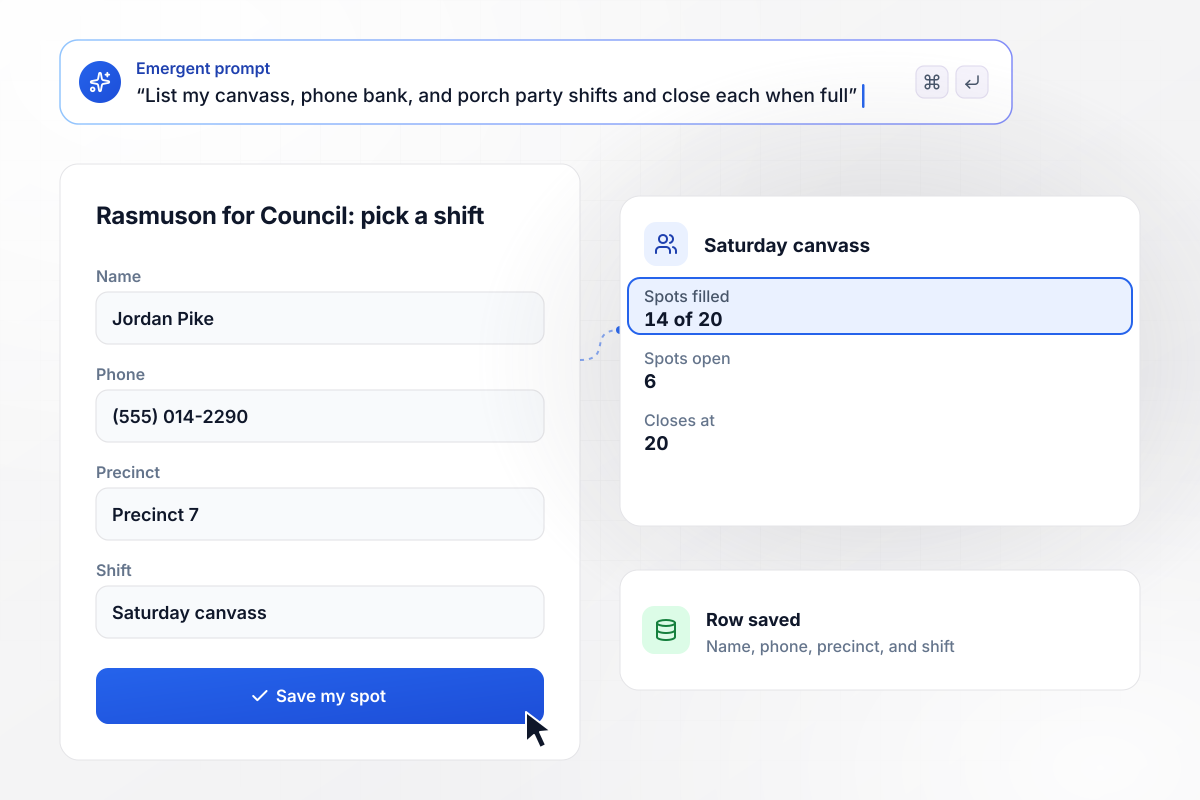
Volunteers fill each canvass shift until it closes
Odette Rasmuson is running for city council, and her page offers three kinds of shifts: a Saturday canvass, a Tuesday phone bank, and porch parties. Each signup saves the volunteer's name, phone, precinct, and shift as a row. The Saturday canvass shows 14 of 20 spots filled and stops taking names at 20.
window.awbMockup = { volunteerShifts: "Build a volunteer page for my city council race. Offer a Saturday canvass, a Tuesday phone bank, and porch parties, each with its own spot limit. Save every signup with the volunteer's name, phone number, precinct, and shift, show how many spots are left, and close a shift when it is full.", yardSignRequests: "Make a yard sign request page for my school board campaign. Ask for a name, a street address, and a phone number. Group the requests by neighborhood into Saturday delivery routes, and mark any address outside the district for pickup at the campaign office.", townHallRsvp: "I need an RSVP page for a county clerk candidate forum at Grange Hall. The room holds 120 people, so confirm the first 120 replies and put everyone after that on a waitlist. Save each email address and show the seats left on the page.", votePledge: "Build a one-question pledge page for a local parks measure. Ask supporters to pledge to vote and save each email address. At 7 a.m. on election day, email every pledge a reminder with the polling hours, and show me the pledge count on a dashboard." };
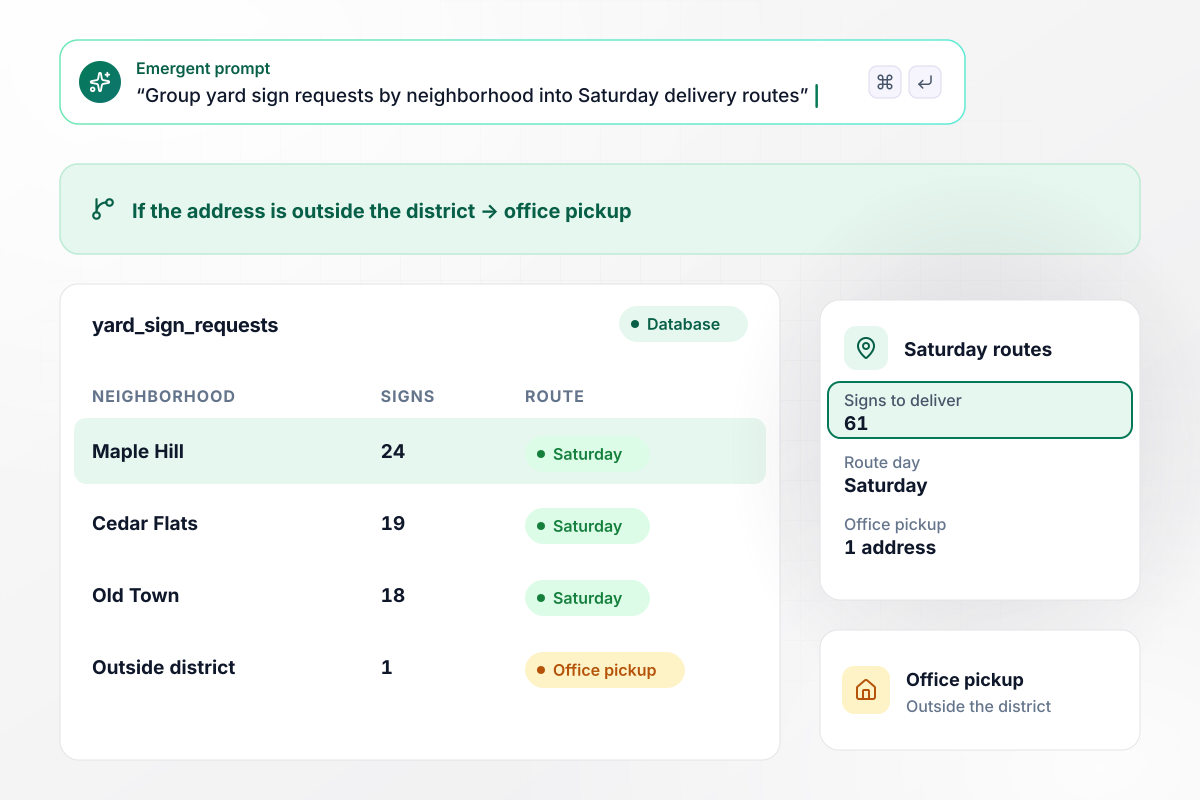
Sign requests sort into routes by neighborhood
Wendell Sverdrup's school board page asks for a street address with every yard sign request. Requests group by neighborhood into Saturday delivery routes: 24 in Maple Hill, 19 in Cedar Flats, and 18 in Old Town, 61 signs in all. An address outside the district is marked for pickup at the campaign office.
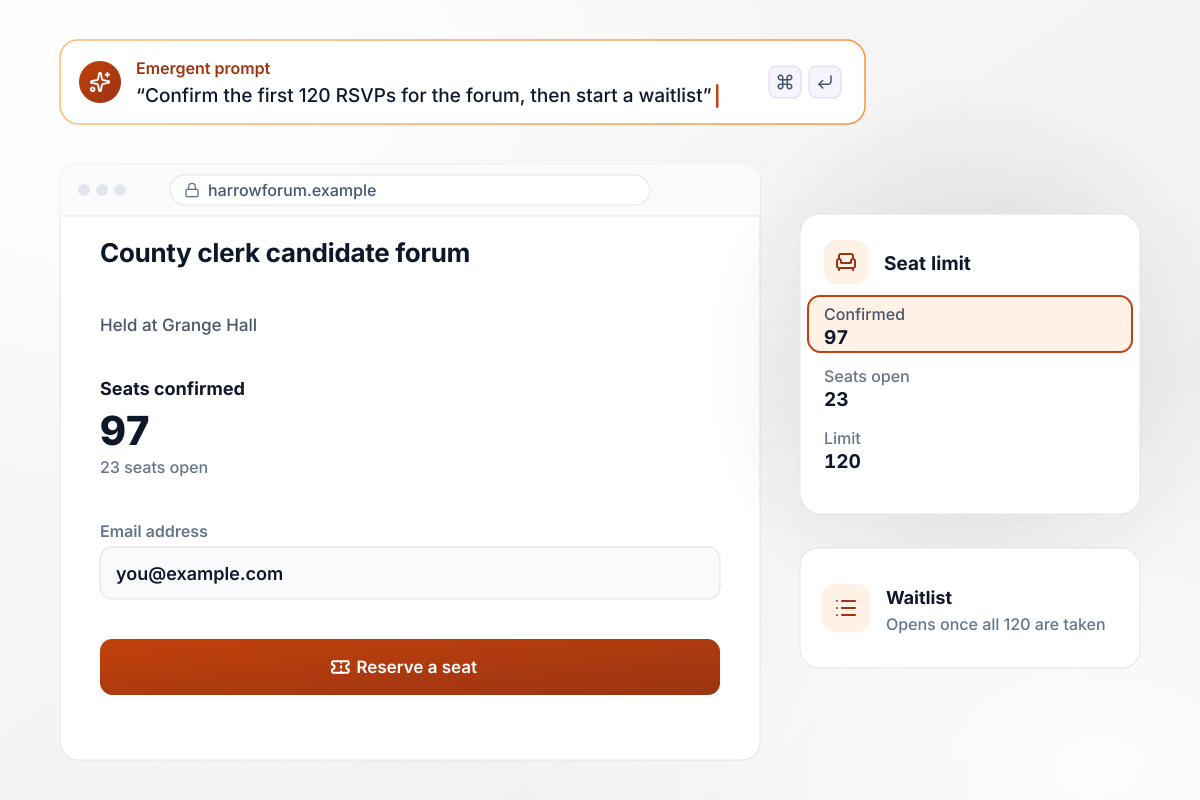
RSVPs stop at 120 seats and a waitlist opens
The Harrow County clerk candidate forum at Grange Hall has 120 seats, so its RSVP form confirms 120 people and no more. Each RSVP saves an email address for the seating list. Tonight the page shows 97 confirmed and 23 seats open. Once all 120 are taken, new replies join the waitlist.
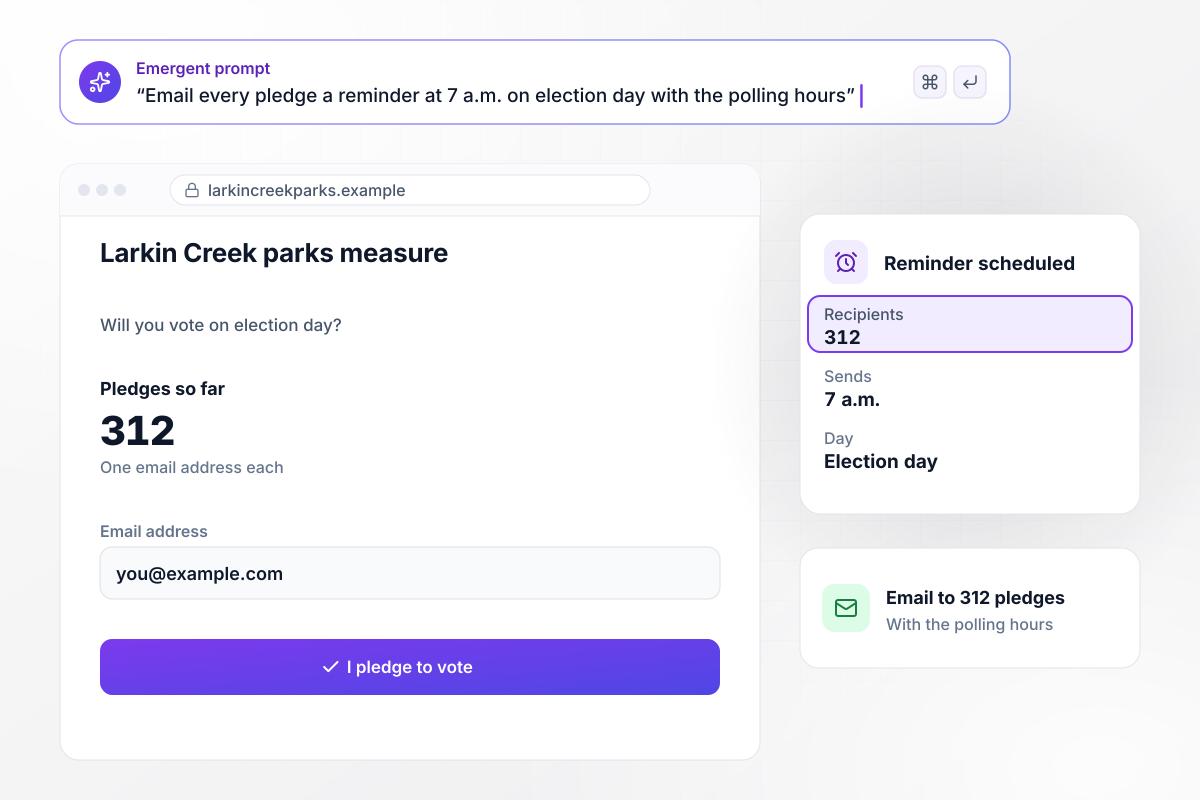
Election morning brings each pledge its reminder
Supporters of the Larkin Creek parks measure pledge to vote on a one-question page, and 312 have so far. Each pledge saves an email address. At 7 a.m. on election day, the app emails all 312 the reminder they asked for, with the polling hours the campaign entered.






How to Build a Political Landing Page
Seven steps to a political landing page with one clear ask and a supporter list you keep, then build it with Emergent.
Decide the one thing a visitor should do: take a shift, request a sign, reserve a seat, or pledge to vote. Keep each page to one ask so its signup count answers one question. Give a second ask its own page, and link the two pages to each other.
Place the notice where every visitor sees it, such as the footer. For a federal candidate, the FEC's website example says the notice must state that the communication was paid for by the authorized committee. Get the exact wording from the campaign treasurer before launch.
List the fields each ask needs and cut the rest. A shift signup needs a name, a phone number, the precinct, and the shift. A yard sign needs a street address. Drop any field that nobody on the campaign will read before the shift or the delivery.
Write a prompt that names the ask and its limits, such as 20 spots per canvass shift, and say where signups should go. Emergent turns that description into a working page with a table behind it. Change either one later by asking in a sentence.
Choose when each supporter hears from the campaign again, for example a day ahead of a phone bank and two hours before a forum. Write each reminder while the details are fresh, then send a test copy to yourself and one volunteer.
Open the page on a phone over a cellular connection and finish every ask yourself. Check that the row lands in the table, the reminder arrives on time, and the paid-for-by notice reads clearly at the bottom of the page.
Sort the signups by precinct or neighborhood and compare them with the areas the campaign plans to reach. A thin precinct needs a canvass of its own. A shift that fills in two days is the signal to open another one.
Why Build Political Pages With Emergent?
One prompt gives the campaign a page with a working ask, and every volunteer and RSVP stays in a database it owns.

|
Unbounce | Landingi | Wix | |
|---|---|---|---|---|
| How you build | Prompt for a campaign page | Templates and drag-and-drop, AI copy assist | Templates and drag-and-drop, AI assist | Prompt for a full site |
| Where submissions go | A database table you own, plus integrations | Unbounce lead storage and integrations | Vendor lead storage and integrations | Wix dashboard submissions and Contacts |
| Visitor limits | No per-visitor pricing | Monthly visitor caps by plan | Tiered by traffic on most plans | Site plan bandwidth |
| A/B testing | Generate variants by prompt | A/B testing on higher-tier plans only | Higher plans | Limited or add-on |
| Code ownership | Full code export to GitHub on paid plans | Hosted only | Hosted only | Hosted only |


Pick the Pricing Plan That Works for You
Choose the plan that fits your building ambitions. From weekend projects to enterprise applications, we've got you covered.




Find the right landing page for you
Frequently Asked Questions
Your Questions, Answered
Don't change this element unless you know what you are doing
More things you can build
with Emergent









on Emergent today


