

Build an Insurance Landing Page That Routes Every Quote
Build an insurance landing page that sends each quote request to the right agent and saves it to a database you own.
Build an insurance landing page that saves every signup to a database I own.
Trusted by Builders Worldwide
Active Builders Worldwide
Apps Successfully Created
Countries Globally Reached



Six Parts of an Insurance Quote Page
Each part moves a visitor from an ad click to a request an agent can quote, and Emergent changes any of them when you prompt it.
A coverage question before the name
Open the form with fixed choices: Auto, Home, Life, or Business. The pick decides which agent hears about the request, so place it above the name and phone number fields.
Four fields, then the button
Ask for the name, phone number, ZIP code, and coverage line, then stop. Vehicle numbers and prior claims can wait for the agent's call, where people explain them in their own words.
Every request saved with its line
Each request lands in a database you own with its coverage line and the minute it arrived. Agents work the list from the top and mark each row Quoted or Not a fit once they call.
An email to the agent who writes that line
Send Auto requests to one agent and Life requests to another by email, or post each one to the Slack channel. The alert carries the visitor's number and the coverage they picked.
Requests passed on to your CRM
The page can send each request to the agency system or CRM you already use, through that tool's API. Agents then quote from the record they open every day, not a separate inbox.
Code you can take with you
Export the page's full code to a GitHub repository on paid plans, or keep publishing the finished page from Emergent. Custom domains are included in Emergent and use credits.
Insurance Landing Page Examples
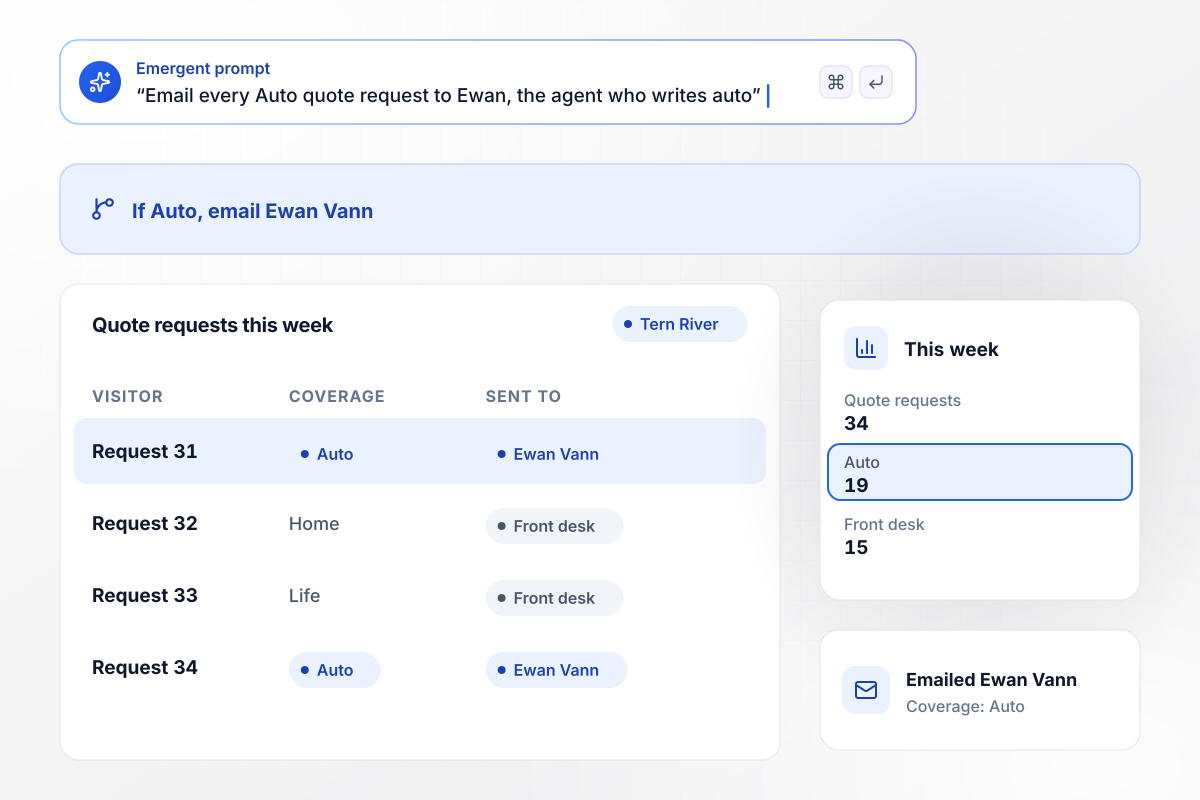
Auto quotes go to Ewan, not the front desk
Tern River Insurance asks which of its four coverage lines a visitor wants before anything else. Every Auto pick sends an email to Ewan Vann, the agent who writes auto, with the visitor's number in it. This week 34 quote requests came in: 19 picked Auto, and 15 went to the front desk.
window.awbMockup = { autoQuotes: "Build a quote page for Tern River Insurance, my agency. Ask which coverage the visitor wants first: Auto, Home, Life, or Business. Then ask for the name, phone number, and ZIP code. Email every Auto request to Ewan Vann, the agent who writes auto, and send the other lines to the front desk.", lifeCallbacks: "Make a life insurance page for Bridgemont Life that asks when to call back, with the windows Morning, Afternoon, and Evening. Save each callback request with its window, and give my agents a call list for the day that is sorted by window.", businessCoverage: "Create a business coverage page for Stonecrow Commercial. Ask the business name and how many people it employs. Send any business with 10 or more employees to Verity Lantram, our commercial lines producer, and let smaller businesses book a 15-minute call with the next open agent.", renewalReviews: "Build a renewal review page for Alder Gate Agency that I can email to clients before renewal. Ask first whether anything changed this year, such as a new driver, a move, or a new home. Book a 30-minute review when the client ticks Something changed, and a 15-minute review otherwise." };
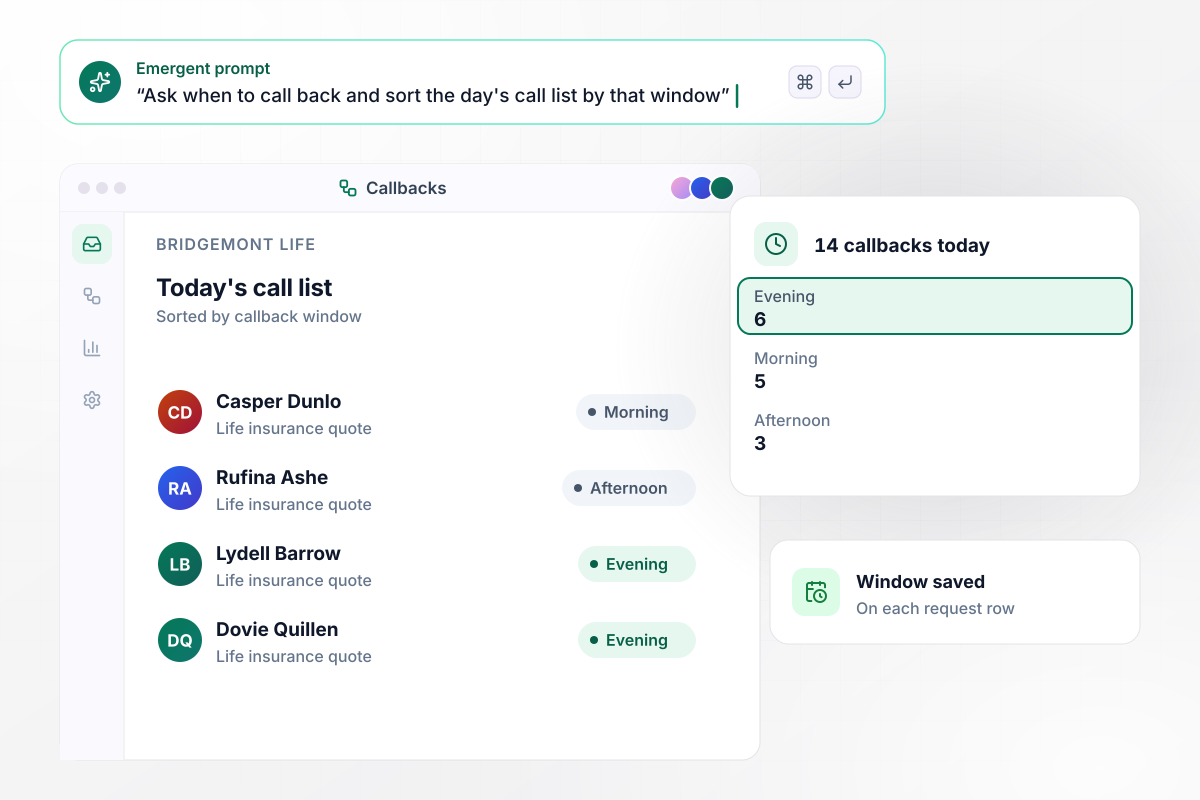
No cold calls: 6 of 14 picked Evening
Bridgemont Life stopped calling people at dinner. Its page asks when to call back: Morning, Afternoon, or Evening. Each request is saved with its window, and the agent's call list for the day is sorted by it. Today 14 people asked for a callback: 6 picked Evening, 5 picked Morning, and 3 picked Afternoon.
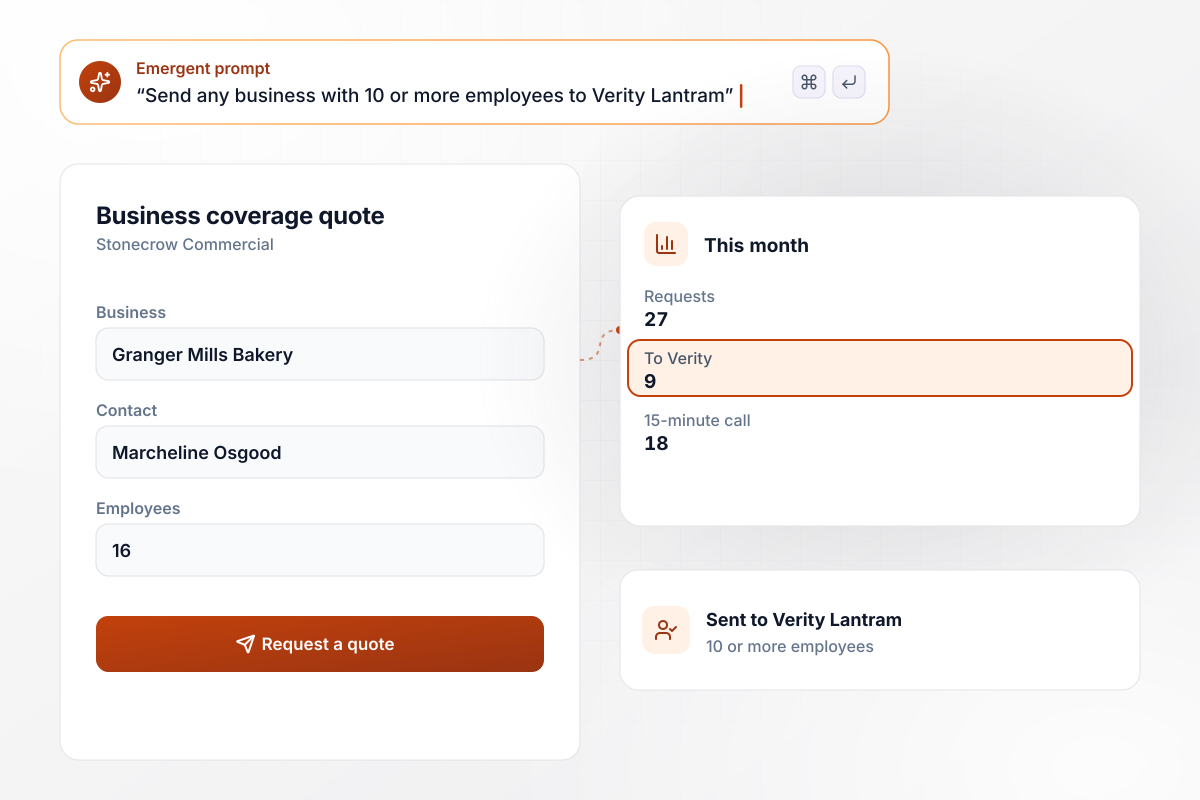
From 10 employees up, Verity takes the call
Stonecrow Commercial asks how many people a business employs. A business with 10 or more employees goes to Verity Lantram, the commercial lines producer, and a smaller one books a 15-minute call with the next open agent. This month 27 requests came in: 9 went to Verity, and 18 booked the call.
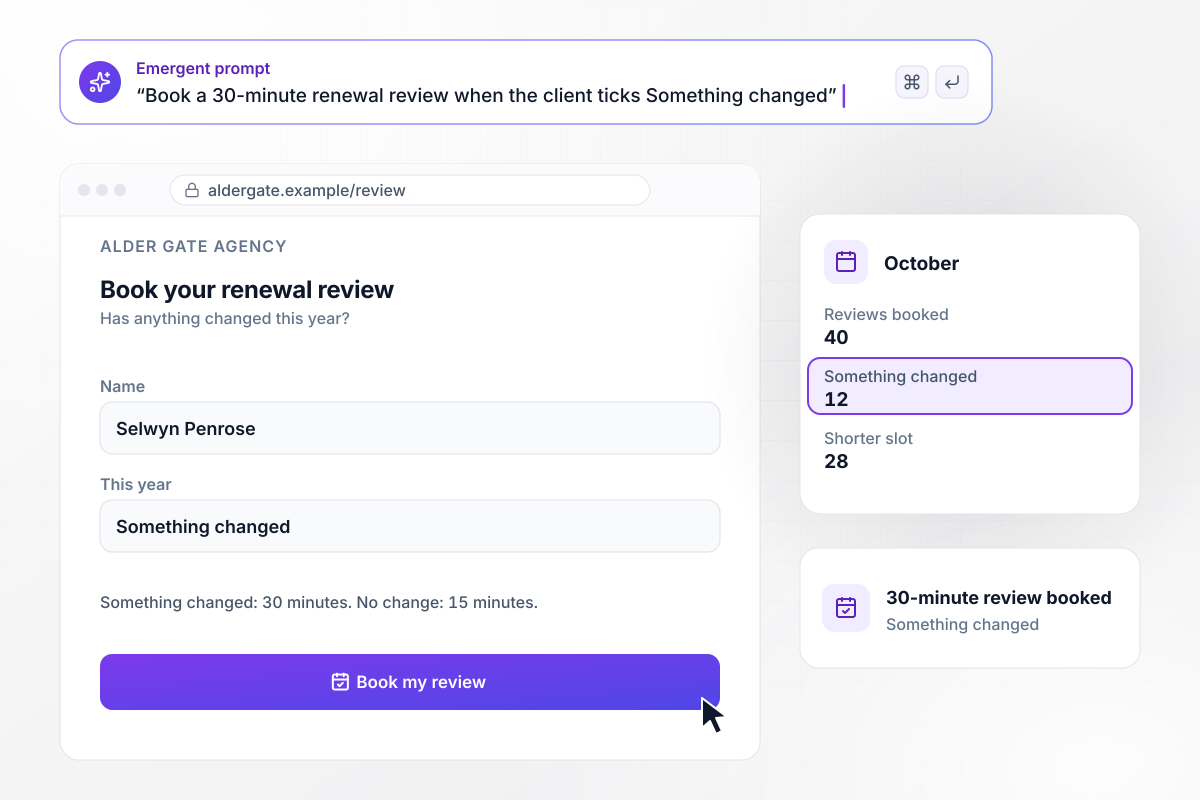
Reviews run 30 minutes after a life change
Alder Gate Agency emails clients a review page before renewal that asks whether anything changed this year. A client who ticks Something changed books a 30-minute review, and everyone else books 15 minutes. In October 40 clients booked: 12 ticked Something changed, and 28 booked the shorter slot.






How to Create an Insurance Landing Page
Seven steps to an insurance landing page that asks the right first question and gets each quote request to the agent who writes it.
Give auto and life their own pages, and send each ad to the page for its line. Google Ads counts the quality of your ads and landing page in Ad Rank, including the expectations users have about your landing page based on the clicked ad creative.
Label each choice with the words your ads use. A visitor who clicked a life insurance ad should see Life on the first screen. List only the lines the agency writes, because a line nobody quotes has no place on the form.
Under the button, say who calls back and the hours the phones are answered, such as weekdays from 8 am to 6 pm. A visitor who submits at 9 pm then knows the call comes the next morning, not in five minutes.
Google uses the mobile version of a site's content, crawled with the smartphone agent, for indexing and ranking. Review that layout before the desktop one: the coverage choices should fit on one screen, and the phone number should be a button a thumb can tap.
Let the visitor pick one of three windows instead of waiting for a call at a random hour. Print the hours behind each window on the page, such as Evening for 5 pm to 8 pm. The agent and the visitor then read it the same way.
Write down who hears about each request before you build: Auto to one agent, commercial to a producer, everything else to the front desk. Name a backup for each line, for the days its agent is out. No request should wait in an inbox nobody reads.
Describe the coverage lines and the agent for each one, and Emergent builds the page and its database from that prompt. Submit a test quote from a phone, then check the new row and the email that reached the agent.
Why Insurance Agencies Build With Emergent
Describe your coverage lines and who quotes each one. Emergent builds the page, and every request is saved to a database you own.

|
Unbounce | Landingi | Wix | |
|---|---|---|---|---|
| How you build | Prompt for a campaign page | Templates and drag-and-drop, AI copy assist | Templates and drag-and-drop, AI assist | Prompt for a full site |
| Where submissions go | A database table you own, plus integrations | Unbounce lead storage and integrations | Vendor lead storage and integrations | Wix dashboard submissions and Contacts |
| Visitor limits | No per-visitor pricing | Monthly visitor caps by plan | Tiered by traffic on most plans | Site plan bandwidth |
| A/B testing | Generate variants by prompt | A/B testing on higher-tier plans only | Higher plans | Limited or add-on |
| Code ownership | Full code export to GitHub on paid plans | Hosted only | Hosted only | Hosted only |



Pick the Pricing Plan That Works for You
Choose the plan that fits your building ambitions. From weekend projects to enterprise applications, we've got you covered.




Find the right landing page for you
Frequently Asked Questions
Your Questions, Answered
Don't change this element unless you know what you are doing
More things you can build
with Emergent









on Emergent today


