

Build a Personal Trainer Landing Page That Books Consults
Build a personal trainer landing page that turns visitors into consult requests and saves every lead to a database you own.
Build a personal trainer landing page that saves every signup to a database I own.
Trusted by Builders Worldwide
Active Builders Worldwide
Apps Successfully Created
Countries Globally Reached



The Page, and Everything After the Form
A personal trainer landing page asks for one next step. Emergent builds the page and what happens to each request.
The page from one description
Describe your offer, the clients you train, and the step you want them to take. Emergent builds the page and its form from that prompt, and changes either one when you prompt again.
Every lead in a table you own
Each request the form takes is saved as a row in a database you own, with the client's goal and the date it came in. Sort the rows by goal to see what new clients ask for most.
An alert as soon as a lead arrives
The app emails you or posts in Slack when a consult request comes in, with the client's goal in the message. A reminder follows for any request still unanswered the next morning.
Questions that sort applicants
Ask how many hours a week someone can train, and the app routes the application by the answer. Applicants above your bar go to a review list, and the rest get your self-paced plan.
Your tools connected over their API
The app sends each new lead to the scheduling, email, or CRM tool you already use, as long as that tool has an API. HubSpot and Stripe connect this way, and so do others.
Your own domain, or the code
Host the page on your own domain, which uses credits, or export the page and its database code to your GitHub repository on paid plans and run it on any hosting you choose.
Personal Trainer Landing Page Examples
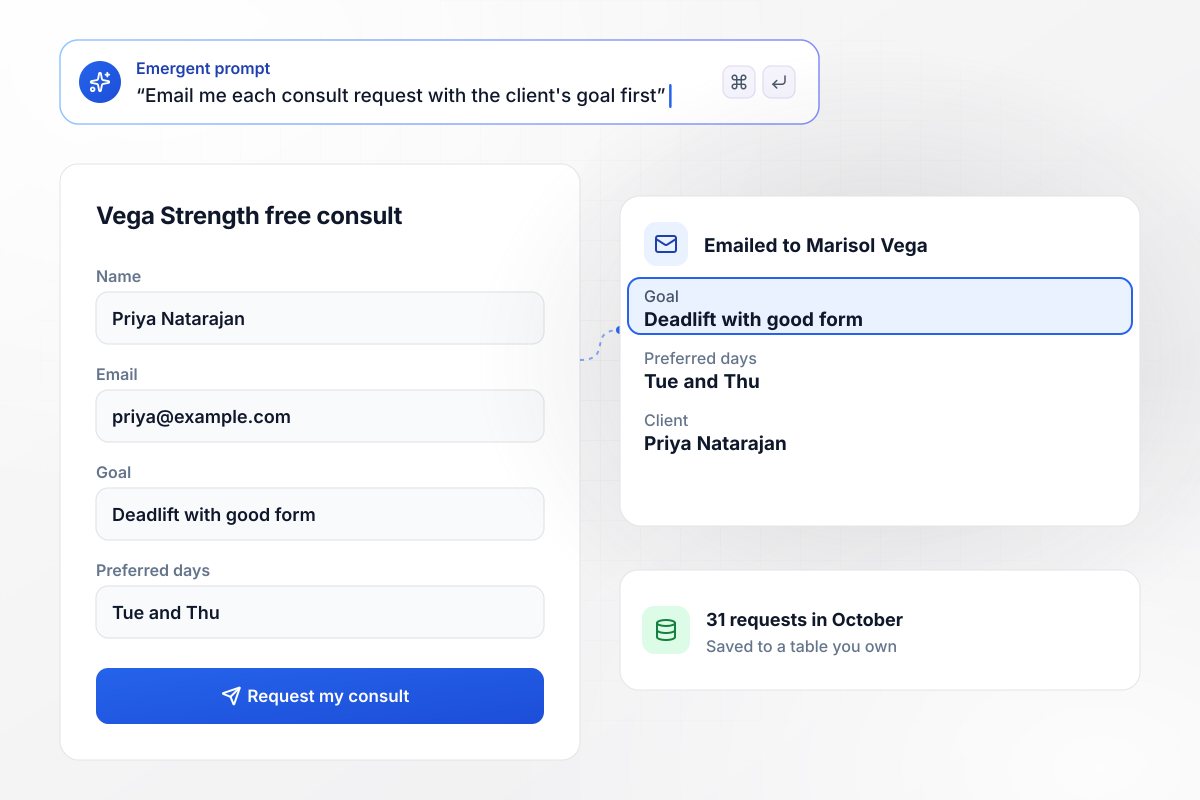
A goal arrives attached to every consult request
Marisol Vega books consults for Vega Strength from one page. Its form asks for a name and an email, plus a goal and preferred days, and nothing else. The page took 31 requests in October. Each new request reaches Marisol by email, and the goal is the first thing she reads.
window.awbMockup = { freeConsult: "Build a consult page for my personal training business, Vega Strength. The form asks only for a name, an email, a goal, and preferred training days. Save every request to a table I own, count requests by month, and email me the moment one arrives with the client's goal in the first line.", coachingIntake: "Build an application page for Pike Online Coaching. Ask each applicant for a name, an email, a goal, and how many hours a week they can train. Send anyone with 4 hours or more to my roster review list, and email everyone else my self-paced plan. Show me how many applicants cleared the bar this month.", leadSources: "Build one landing page for my training studio, Koa Performance, that I can share from my social bio, my business listing, and a referral link clients pass on. Tag every lead with the link it came from, save it to a table I own, and show me a monthly count of leads by source.", sessionPacks: "Build a page for Ember Lane Training that lists three session packs: 4 sessions for $260, 8 for $480, and 12 for $660. Give each pack its own request button that asks for a name and a phone number. Save each request with the pack it picked, and show me a count by pack for the month." };
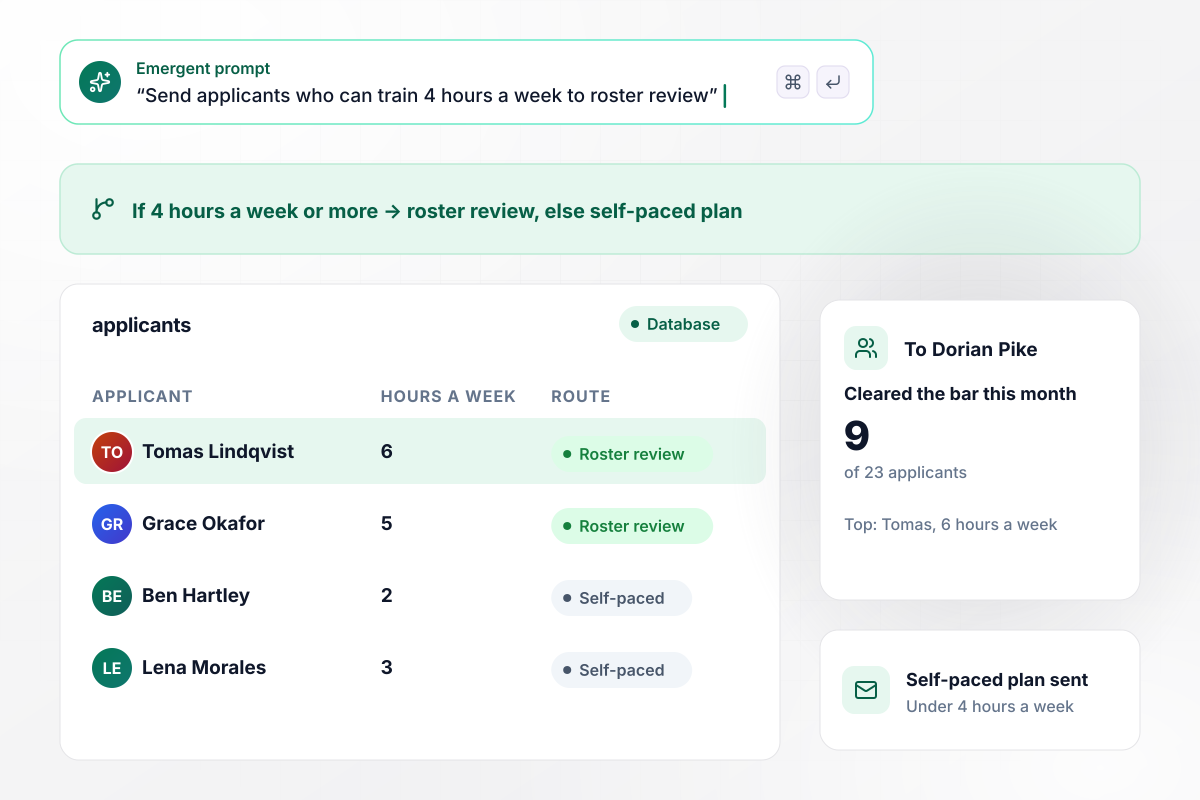
From 4 weekly hours up, applications reach review
Applicants tell Pike Online Coaching how many hours a week they can train. An answer of 4 hours or more sends the application to Dorian Pike's roster review. Anyone under 4 gets an email with the self-paced plan instead. This month, 9 of 23 applicants cleared the bar.
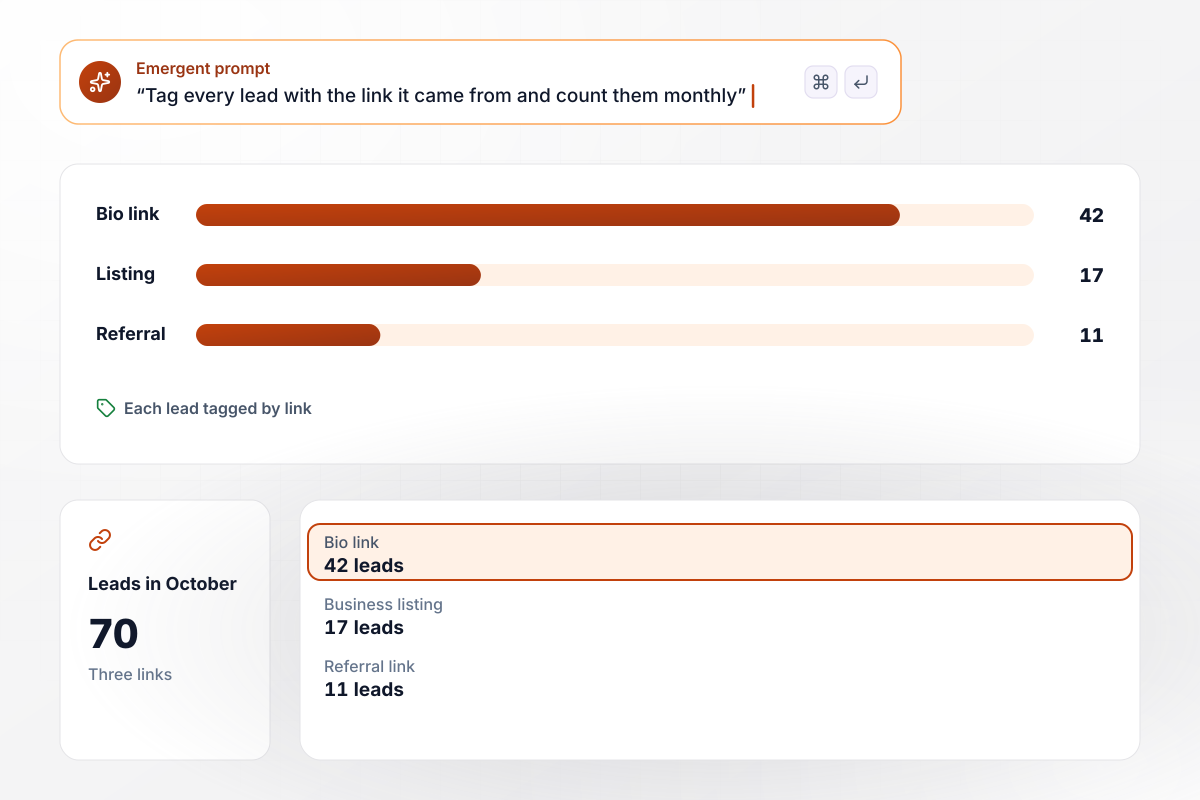
Of 70 October leads, 42 came from the bio link
Koa Performance runs the same page behind three links: a social bio, a business listing, and the referral link clients share. Each lead is saved with the link it came from. In October the bio link sent 42 leads, the listing sent 17, and referrals sent 11.
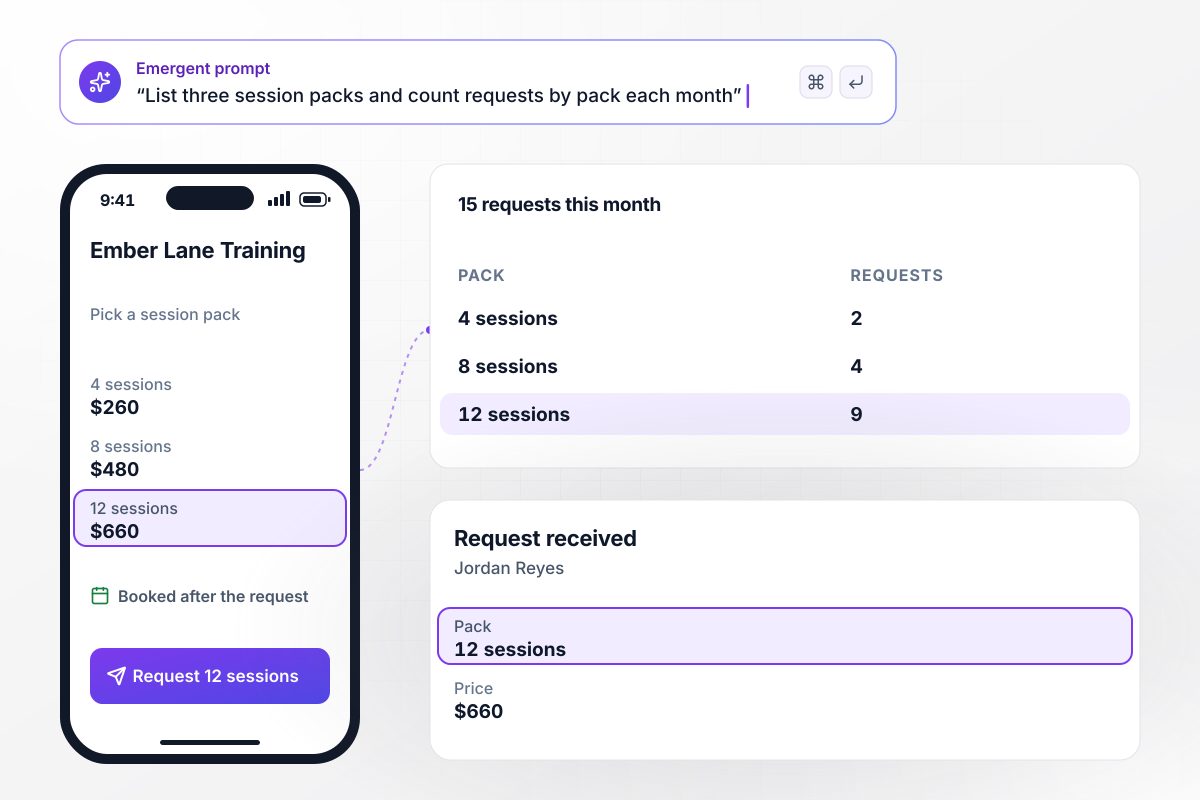
The 12-session pack won 9 of 15 requests
Ember Lane Training lists three session packs: 4 sessions for $260, 8 for $480, and 12 for $660. Clients open the page from a text on their phones and tap the pack they want. Of this month's 15 requests, 9 picked the 12-session pack.






How to Build a Personal Trainer Landing Page
Follow seven steps to plan and test a personal trainer landing page that turns visitors into booked consults.
Name one kind of client, such as desk workers who want to deadlift or new runners training for a first race. Write the headline and the proof for that client's goal, and leave the rest of your services for the consult.
Decide the single step a visitor should take: a free consult, an application, or a session pack. Put that step in the headline and on every button. A second offer gets a page of its own and a count of its own.
Lead with what changes for the client, in plain words, such as "Deadlift your body weight by summer." Under it, say who you train, where, and how. Put certifications and years of experience next to the form.
Use client results with first names and the weeks they took, with each client's permission. Add a short clip of you coaching one session, and let it show your cues and your tone instead of a paragraph about your style.
Ask only for what your first reply needs: a name, an email, the goal, and the days that suit them. Keep questions about injuries and training history for the consult call, where you can ask a follow-up to each answer.
Write one prompt with your offer and the person who gets the alert for each new lead. Emergent builds the page and the table each lead lands in. Change a price or a form field later with another prompt, and the page updates.
Submit the form from your own phone, check that the alert arrives, and confirm the row appears in your table. Once the page is live, reply to each request on the day it comes in, and note the date you replied next to the row.
Why Build Your Trainer Page With Emergent?
Emergent writes the page, the alerts behind it, and a lead table you own, all from one prompt you can change later.

|
Unbounce | Landingi | Wix | |
|---|---|---|---|---|
| How you build | Prompt for a campaign page | Templates and drag-and-drop, AI copy assist | Templates and drag-and-drop, AI assist | Prompt for a full site |
| Where submissions go | A database table you own, plus integrations | Unbounce lead storage and integrations | Vendor lead storage and integrations | Wix dashboard submissions and Contacts |
| Visitor limits | No per-visitor pricing | Monthly visitor caps by plan | Tiered by traffic on most plans | Site plan bandwidth |
| A/B testing | Generate variants by prompt | A/B testing on higher-tier plans only | Higher plans | Limited or add-on |
| Code ownership | Full code export to GitHub on paid plans | Hosted only | Hosted only | Hosted only |

Pick the Pricing Plan That Works for You
Choose the plan that fits your building ambitions. From weekend projects to enterprise applications, we've got you covered.




Find the right landing page for you
Frequently Asked Questions
Your Questions, Answered
Don't change this element unless you know what you are doing
More things you can build
with Emergent









on Emergent today


