

Build a Fitness Landing Page That Fills Trial Passes and Classes
Get a fitness landing page that takes trial signups and class spots and saves every one to a database you own.
Build a fitness landing page that saves every signup to a database I own.
Trusted by Builders Worldwide
Active Builders Worldwide
Apps Successfully Created
Countries Globally Reached



What a Gym Gets Behind the Signup Button
Emergent builds the page a prospective member lands on, and the logic that handles each signup once the form is sent.
Write the offer, get the page
Emergent builds the page from a plain-English prompt: the offer and its form, plus the table that stores each entry. A new class time or a new price later is one more prompt.
Signups stored where you can sort them
Every entry the page takes is saved to a database you own, tagged with the offer it came from and the date. Filter by offer to see which one drew the most signups this month.
Spot limits the page enforces
Tell Emergent how many spots each offer has and what comes after. The app counts entries as they arrive, shows what is left, and moves later signups to a waitlist or a new rate.
The right coach or desk hears first
Name who handles which kind of signup in the prompt. The app sends that person an email or Slack alert, such as a morning list of trial starts for the front desk staff.
Leads that reach your member software
The app connects to any tool with an API, so new members can sync to your check-in system and your email platform. Data moves in and out, and your table keeps a copy.
Your domain, your code
Publish the page on your gym's own domain: custom domains are included and use credits. On paid plans, export the full code to your GitHub repository and keep building there.
Fitness Landing Page Examples
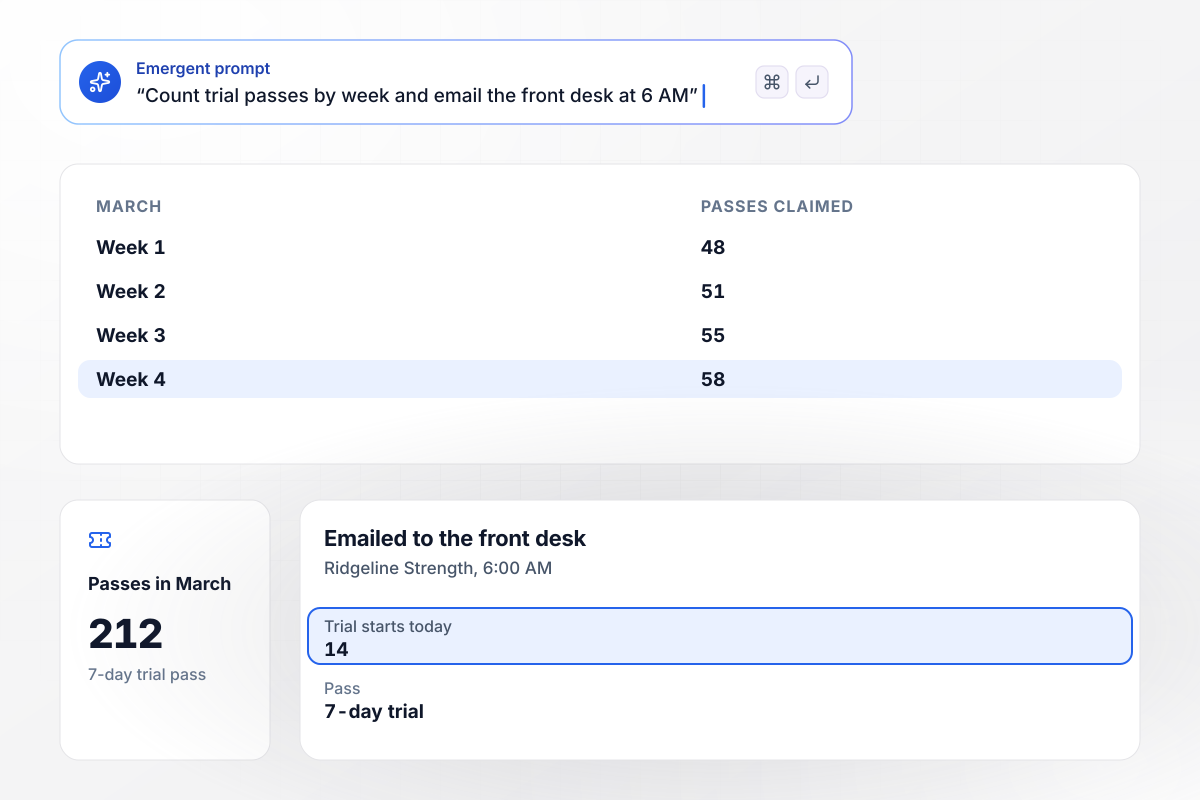
Trial starts reach the front desk by 6 AM
Ridgeline Strength gives away a 7-day pass from a page that asks for an email and a start day. Visitors claimed 212 passes in March. At 6 AM each day, the front desk gets an email with that day's trial starts. This morning's list had 14 names.
window.awbMockup = { gymTrialPass: "Build a free 7-day trial pass page for my gym, Ridgeline Strength. Ask for an email and the day the visitor wants to start. Save every pass to a table I own, show me how many were claimed each week, and email the front desk at 6 AM every day with a list of that day's trial starts.", foundingPresale: "My gym, Copper Hollow Fitness, opens a new location in May. Build a presale page for founding members: the first 150 people to sign up lock in $39 a month. Show visitors how many founding spots are left, and once spot 150 is claimed, switch the page to our $49 regular rate.", rowingChallenge: "Build a signup page for a 6-week rowing challenge at Northpine Athletic Club. We have room for 40 people. Once all 40 spots are taken, add new signups to a waitlist in the order they arrive, and when someone drops out, email the first person on the waitlist that a spot is open.", teamMemberships: "Build a corporate membership inquiry form for my cycling studio, Tallgrass Cycle Studio. The form asks for the company name and the team size. Email any inquiry for 25 or more employees to Renata Osei, our partnerships lead. Send smaller teams straight to our group rate page after they submit." };
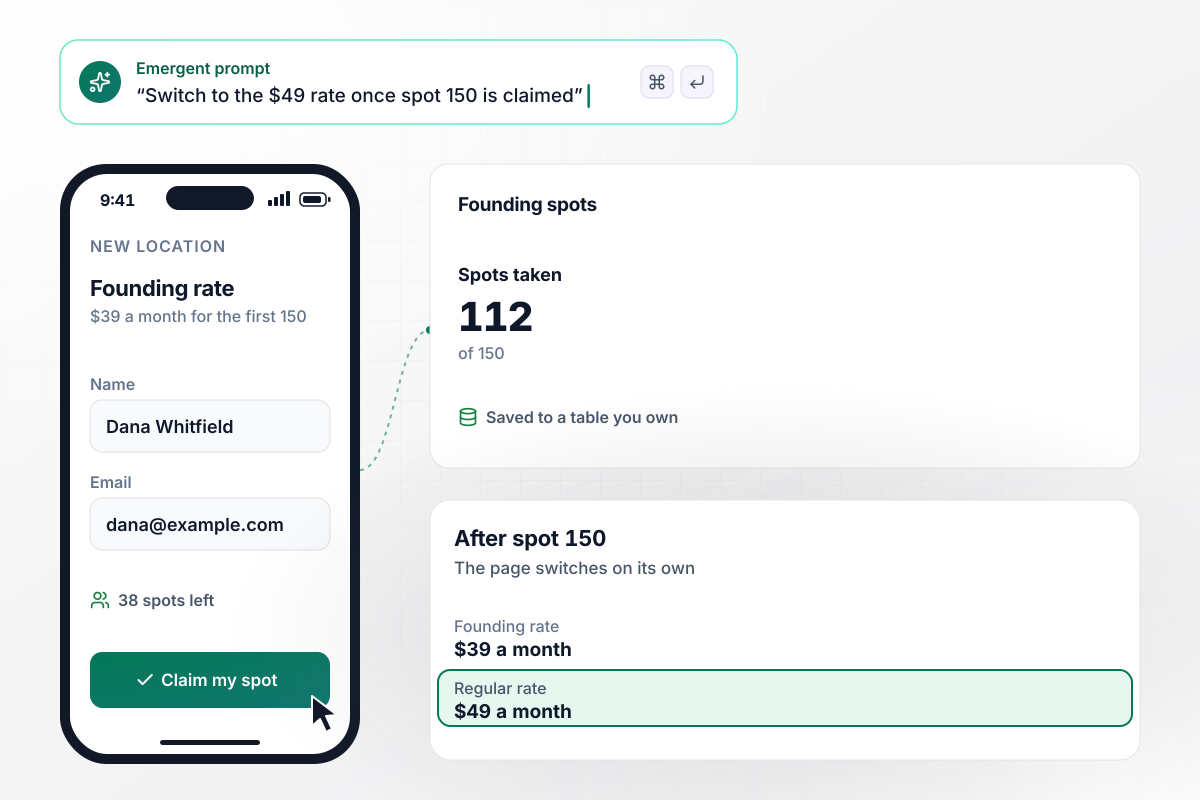
Spot 150 is the last one at $39
Copper Hollow Fitness opens a new location in May and takes founding members on a presale page first. The first 150 to sign up lock in $39 a month. With 112 spots taken, the page shows the 38 that are left. Once spot 150 is claimed, the app switches the page to the $49 regular rate.
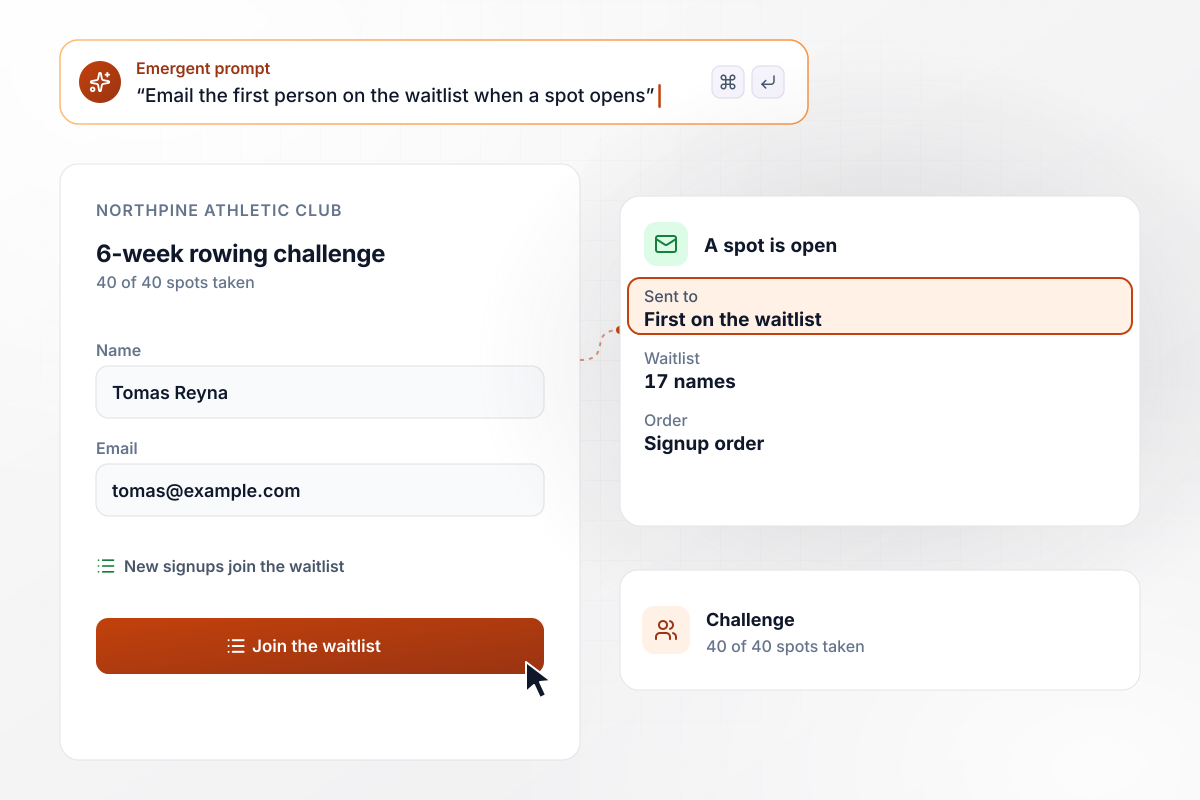
When all 40 spots fill, the next signup waits
Rowing machines set the limit at Northpine Athletic Club: its 6-week rowing challenge takes 40 people. All 40 spots are taken, and the form now adds each new entry to a waitlist that holds 17 names. When someone drops out, the app emails the first person on the waitlist that a spot is open.
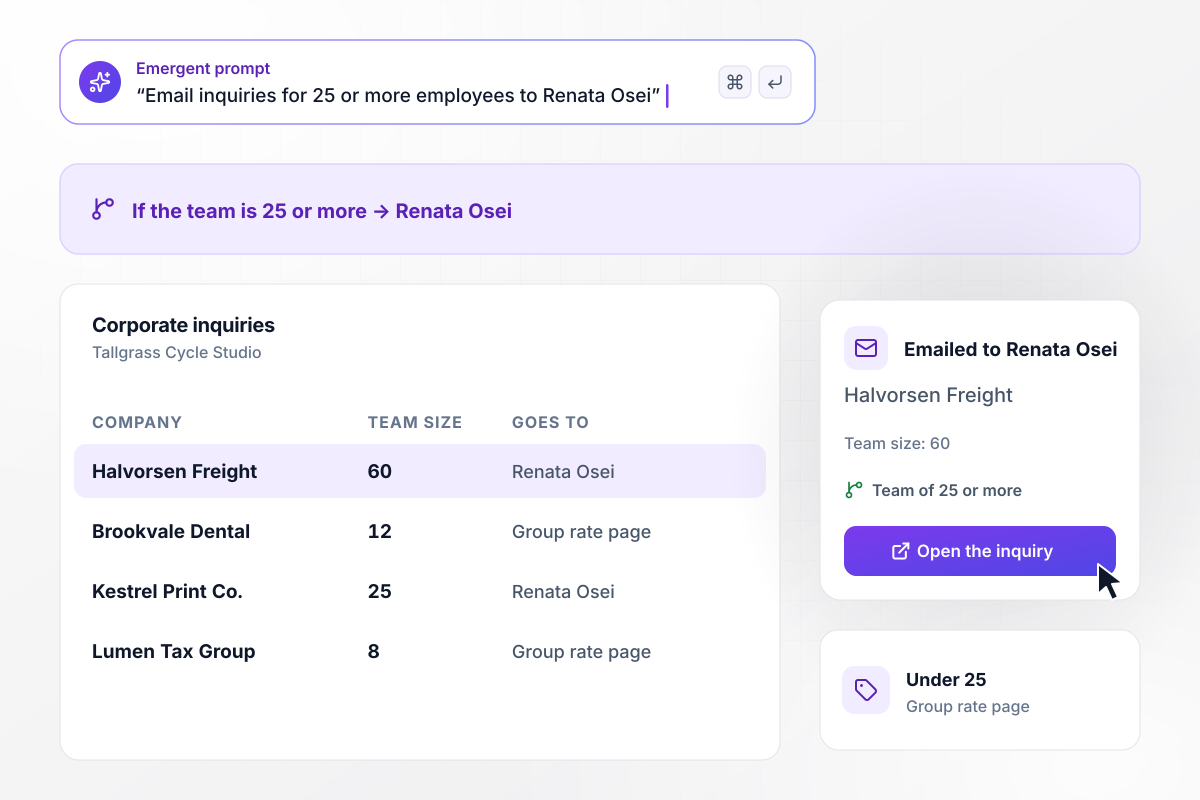
If a team has 25 or more people, Renata gets the inquiry
Employers write to Tallgrass Cycle Studio through a corporate membership form that asks for the company and the team size. An inquiry for 25 or more employees, such as Halvorsen Freight's request for 60, is emailed to Renata Osei, who runs partnerships. Smaller teams see the group rate page right after they submit.






How to Create a Fitness Landing Page
Seven steps take a fitness landing page from a single offer to a tested page that saves each signup and alerts the right person.
Give each page one job, such as a trial pass or a challenge signup. A visitor who came for a free week should find the form for that week, not a menu of class packs and merchandise to read first.
Show the price or the trial length above the form, with the address and the opening hours beside it. A visitor can then judge whether the gym fits their week before they type an email address.
Tell Emergent the offer and its fields, then say what happens after someone submits. Emergent builds the page and the table behind it, and a later prompt adjusts either one.
For any capped offer, set the number of spots and choose what follows the last one, such as a waitlist or a closed form that names the next start date. Write the number into the prompt.
Match each kind of entry to a person, such as trial starts to the front desk and team inquiries to whoever sells corporate memberships. Send a morning digest for lists and an instant alert for anything that needs a same-day reply.
Open the published page on a phone and claim a pass with your own email. Check that the row reached the table and the alert reached the right inbox, then fill a capped offer with test entries and watch it switch.
Put the address in your website menu, your class schedule emails, and your social bios. Once a week, check which offer pages took signups and retire the links that brought none.
Why Build Your Fitness Page With Emergent?
Each offer gets its own page from one prompt, and every signup those pages take lands in one database your gym owns.

|
Unbounce | Landingi | Wix | |
|---|---|---|---|---|
| How you build | Prompt for a campaign page | Templates and drag-and-drop, AI copy assist | Templates and drag-and-drop, AI assist | Prompt for a full site |
| Where submissions go | A database table you own, plus integrations | Unbounce lead storage and integrations | Vendor lead storage and integrations | Wix dashboard submissions and Contacts |
| Visitor limits | No per-visitor pricing | Monthly visitor caps by plan | Tiered by traffic on most plans | Site plan bandwidth |
| A/B testing | Generate variants by prompt | A/B testing on higher-tier plans only | Higher plans | Limited or add-on |
| Code ownership | Full code export to GitHub on paid plans | Hosted only | Hosted only | Hosted only |



Pick the Pricing Plan That Works for You
Choose the plan that fits your building ambitions. From weekend projects to enterprise applications, we've got you covered.




Find the right landing page for you

Frequently Asked Questions
Your Questions, Answered
Don't change this element unless you know what you are doing
More things you can build
with Emergent









on Emergent today


