

Build a Solar Landing Page That Reads the Electric Bill
Build a solar landing page that turns a photo of an electric bill into a quote request, saved to a database you own.
Build a solar landing page for my rooftop installation company where homeowners request a quote for panels.
Trusted by Builders Worldwide
Active Builders Worldwide
Apps Successfully Created
Countries Globally Reached



What Sits Between the Ad and the Site Visit
A solar landing page earns a request from a homeowner with a bill in hand. Emergent builds these six parts from your prompt.
A bill photo, not a guess at usage
Ask homeowners to upload their latest electric bill, not type a monthly figure. The app pulls the usage and the billing month off the photo, and a person checks any unclear value.
Two roof questions, and no more
Ask which way the main roof faces and how much of it trees shade at midday. Leave pitch, age, and material off the form and check them in person during the site visit.
A page for each job you sell
Give rooftop quotes, battery storage, business systems, and repairs a page each. An ad for battery backup then lands on questions about the panels already installed, not the roof.
An email to whoever owns the job
Name in your prompt who handles each kind of request. The app emails that person each new request with the answers the visitor gave, and sends every other request to the office.
Requests kept as rows you can sort
Every request saves as a row with the job type, the answers it carried, and the ad it came from. Sort a season of quotes by job type or by ad campaign, in a database you own.
The page and its code, yours to move
Export the page, its forms, and the request table to your GitHub repository on paid plans. Or keep the page hosted on Emergent, under your own domain name, which uses credits.
Solar Landing Page Examples by Job
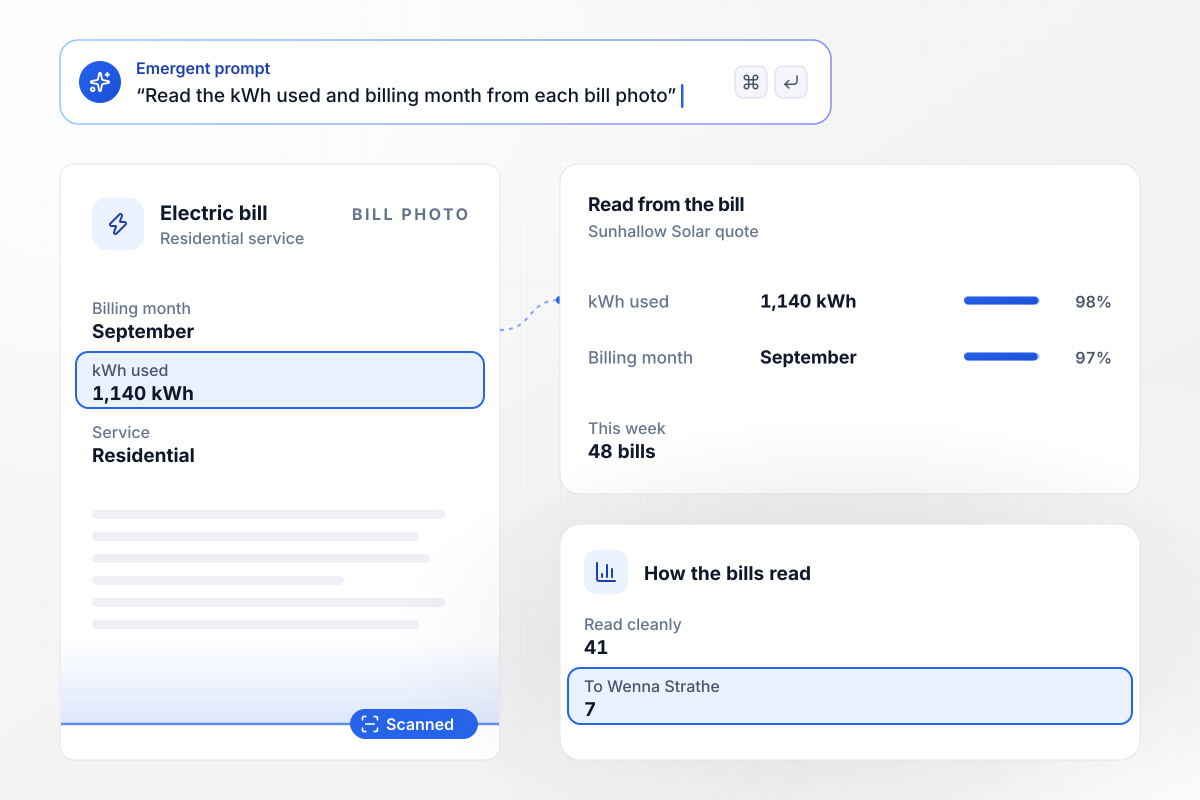
One bill photo, one kWh figure on the quote
Sunhallow Solar's quote page skips the usage question and asks for a photo of the latest electric bill. The app reads the kWh used and the billing month into the request, and any reading it is unsure of goes to Wenna Strathe to check. This week 48 bills came in: 41 read cleanly and 7 went to Wenna.
window.awbMockup = { billUpload: "Build a quote page for Sunhallow Solar, my rooftop installation company. Instead of asking for monthly usage, ask homeowners for a photo of their latest electric bill. Read the kWh used and the billing month into the request, send any reading you are unsure of to Wenna Strathe to check, and count this week's bills by how they were read.", batteryQuotes: "Make a battery storage page for Pennant Energy, my company, for owners who already have solar panels. Ask for the system size in kW, then Whole home or Essentials only. Send every Whole home request to Ravi Kalloo, my storage designer, send every Essentials only request to my sales team, and count this month's requests by owner.", businessRooftops: "Create a business solar page for Thistlebrook Solar. Ask the owner for the building type, with the choices Warehouse, Office, and Farm building, and for the average monthly electric bill. Send every Farm building request to Gaelen Moberg, who designs my ground-mount arrays, send the rest to my commercial team, and count this quarter's requests by building.", repairRequests: "Build a repair request page for Cardinal Ridge Solar Service, my company. Ask what the owner sees first: Inverter fault light, Low production, Panel damage, or Something else. Then ask for the address and the system size. Email every Inverter fault light request to Petra Lindell, my on-call technician, and put the rest in my service queue." };
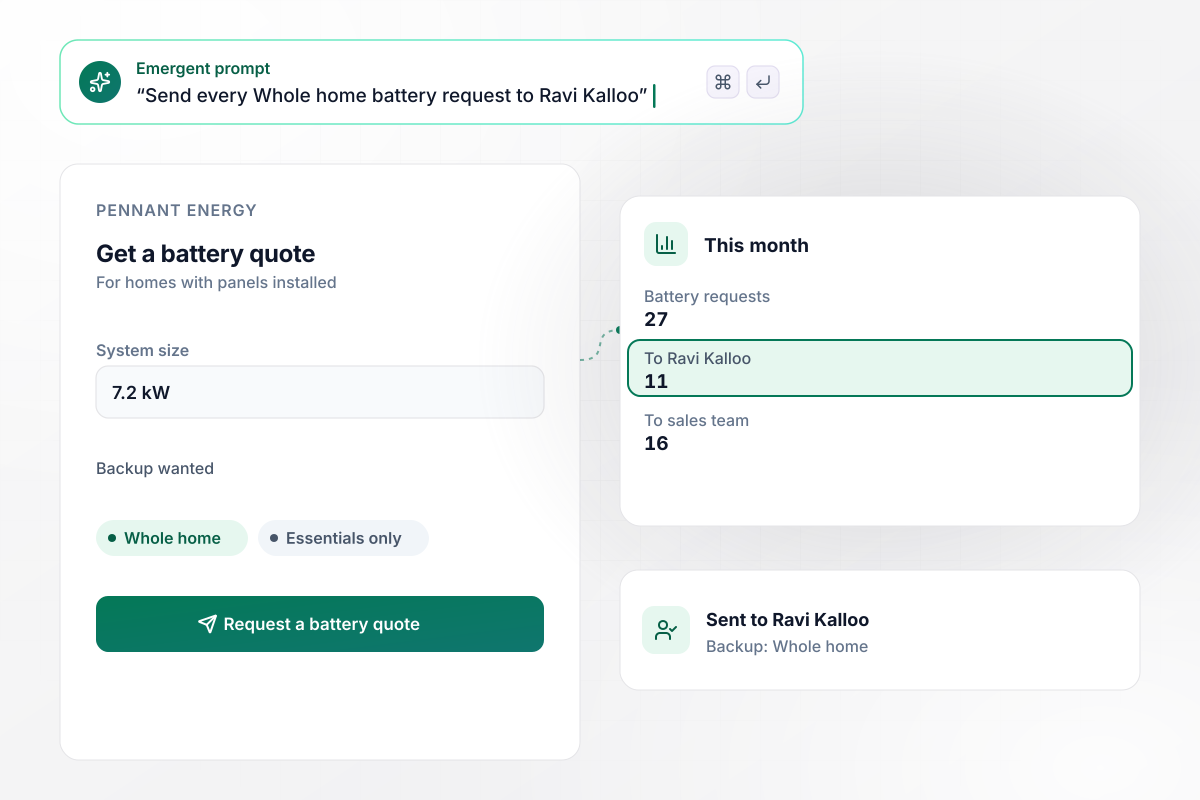
With whole home backup, a designer calls
Pennant Energy's battery page is for owners who already have panels. It asks for the system size in kW, then Whole home or Essentials only. Whole home requests go to Ravi Kalloo, the storage designer. Everything else goes to the sales team. This month 27 battery requests came in: 11 for Ravi and 16 for sales.
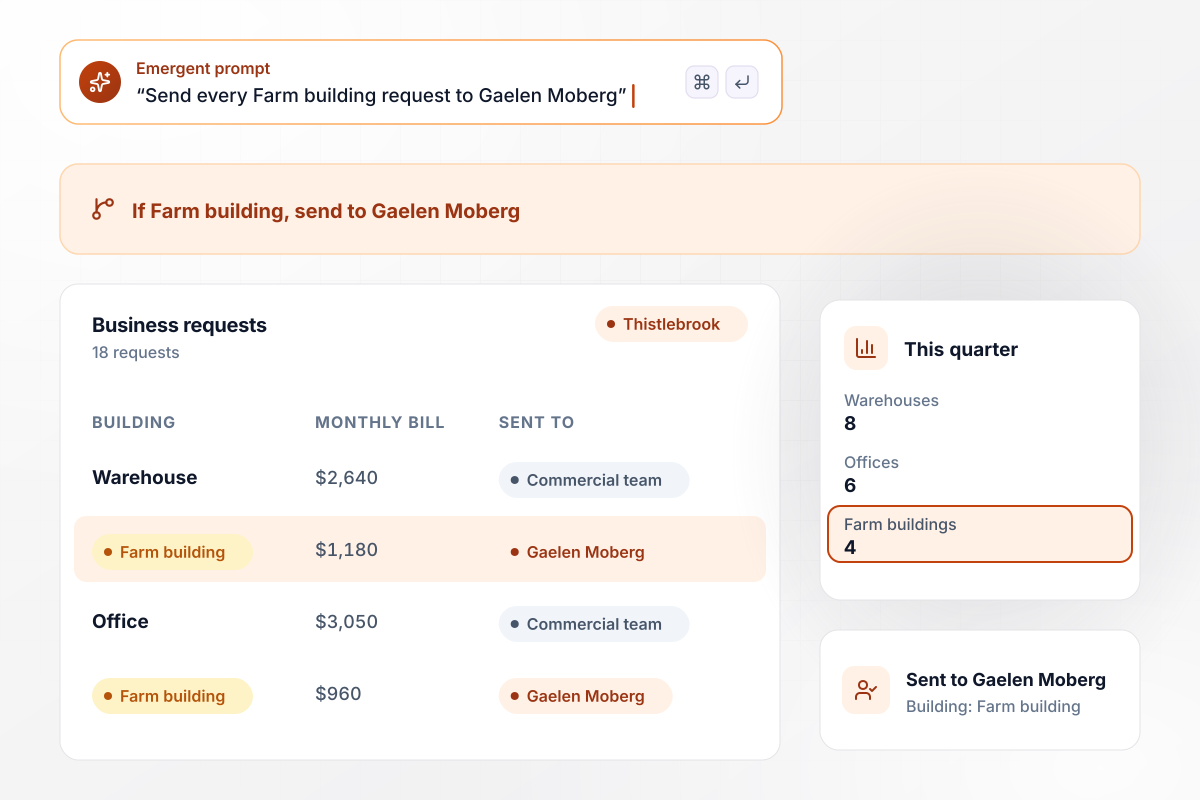
For a farm building, a ground-mount designer reads first
Thistlebrook Solar asks business owners for the building type and the average monthly electric bill. Farm building requests go to Gaelen Moberg, who designs ground-mount arrays, and the rest go to the commercial team. This quarter 18 requests came in: 8 warehouses, 6 offices, and 4 farm buildings.
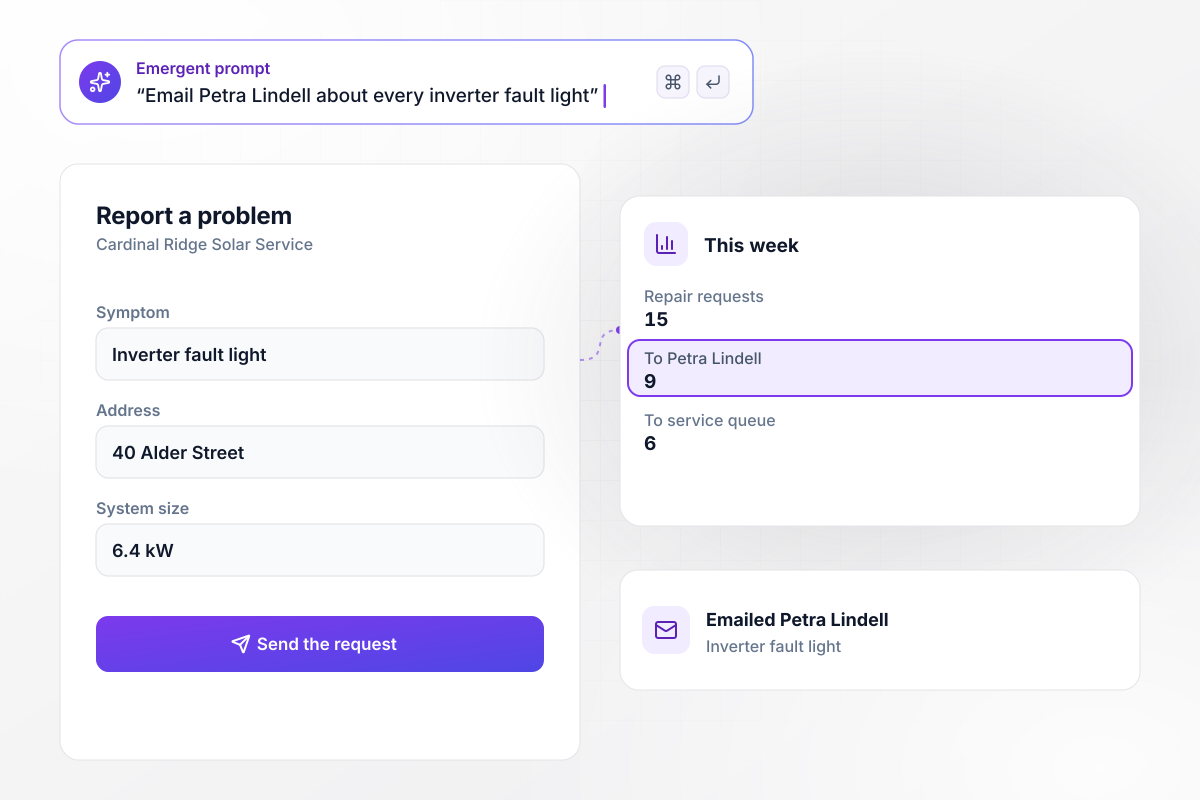
A fault light on the inverter means an email to Petra
Cardinal Ridge Solar Service asks for the symptom first, such as Inverter fault light, then the address and the system size. A fault light request emails Petra Lindell, the technician on call. This week 9 of 15 repair requests named the fault light, and 6 went to the queue.






How to Build a Solar Landing Page
Seven steps to a solar landing page that reads usage from a bill photo and sends each request to the person who handles it.
Write down each ad and the job it sells. A battery ad and a rooftop ad call for different questions, so give each job a page of its own, and the form will match the promise in the ad that brought the visitor there.
Open the form with the bill upload. The usage printed on a bill is a better start for a quote than a figure recalled from memory, and the homeowner needs nothing more than a phone camera to send it from the kitchen table.
Put the address and the phone number after the bill and the roof questions, so the first screen asks about the house, not the person. Mark only the fields the designer needs before a visit as required, and leave the rest optional.
Put photos of systems your crews finished beside the form, each captioned with the town and the system size in kW. Use your own installs on local streets in place of stock photos of panels at sunset.
Under the button, state who follows up and by when, such as a call by the next business day. Promise only what the office can keep every week of the year, and put the phone number beside the button for a homeowner who prefers to call.
List each job in your prompt with the person who takes it: battery requests to the storage designer, farm buildings to the ground-mount designer, inverter faults to the technician on call. Emergent writes those rules into the page and its emails.
Before the first ad runs, upload a bill of your own from a phone and send one request of each kind. Check that the usage was read right, that each email reached its person, and that every test shows up as a row in the table.
Why Build Solar Pages With Emergent?
Emergent builds the page, the bill reader, and the table every request lands in from one prompt, and you change any of it by prompting.

|
Unbounce | Landingi | Wix | |
|---|---|---|---|---|
| How you build | Prompt for a campaign page | Templates and drag-and-drop, AI copy assist | Templates and drag-and-drop, AI assist | Prompt for a full site |
| Where submissions go | A database table you own, plus integrations | Unbounce lead storage and integrations | Vendor lead storage and integrations | Wix dashboard submissions and Contacts |
| Visitor limits | No per-visitor pricing | Monthly visitor caps by plan | Tiered by traffic on most plans | Site plan bandwidth |
| A/B testing | Generate variants by prompt | A/B testing on higher-tier plans only | Higher plans | Limited or add-on |
| Code ownership | Full code export to GitHub on paid plans | Hosted only | Hosted only | Hosted only |



Pick the Pricing Plan That Works for You
Choose the plan that fits your building ambitions. From weekend projects to enterprise applications, we've got you covered.




Find the right landing page for you









Frequently Asked Questions
Your Questions, Answered
Don't change this element unless you know what you are doing
More things you can build
with Emergent









on Emergent today


