

Build a Short-Form Landing Page With Two Fields or Fewer
Build a short-form landing page that states the offer in a few lines and saves each signup to a database you own.
Build a short-form landing page for my bakery's first-order discount that asks only for an email address.
Trusted by Builders Worldwide
Active Builders Worldwide
Apps Successfully Created
Countries Globally Reached



What a Short Page Still Needs Behind It
The visitor sees a headline and a small form. Six parts behind the page decide what each signup sets off.
The page and its form from one prompt
Describe the offer and the one or two details you need from each visitor. Emergent builds the page and the signup table behind it, then changes either one when you prompt again.
Every signup saved as a row you own
Each submission lands as a row in a database you own, stamped with the time it arrived and the page it came from. Sort the rows by date, or filter them to a single offer.
A callback request sent to one person
Name who answers each request, such as a dispatcher for quote calls. That person gets an email, a Slack message, or an in-app alert with the name and number the visitor typed.
New emails copied to your mailing list
Your email platform receives each new address as it arrives, as long as it has an API. The welcome series you already run starts from there, with no export or upload in between.
A longer version for the same offer
Ask for a second page that tells the full story, with reviews and answers to common doubts. Both versions write to one table, and each row records the version its signup came from.
Your domain, and the code on paid plans
Publish on a custom domain, which is included in Emergent and uses credits. On paid plans, export the page, its form, and its signup table to your own GitHub repository.
Short-Form Landing Pages by Offer
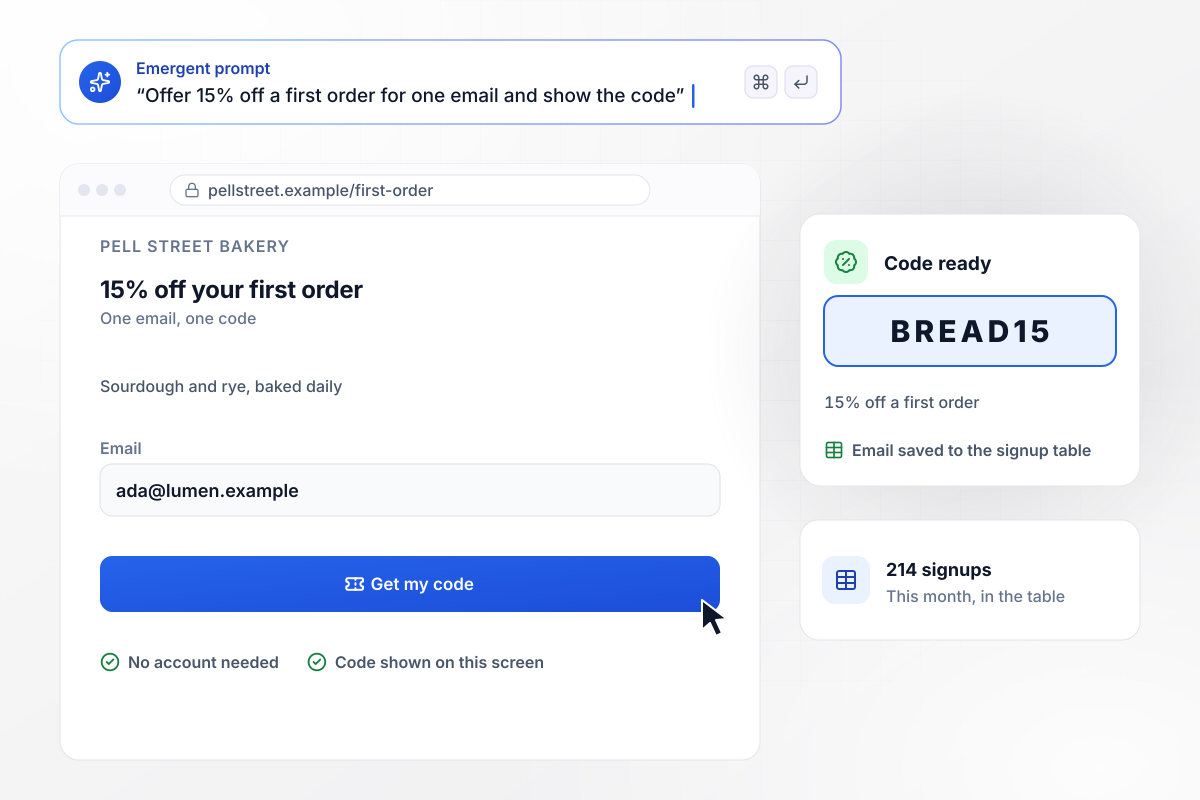
One email field, then BREAD15 on the screen
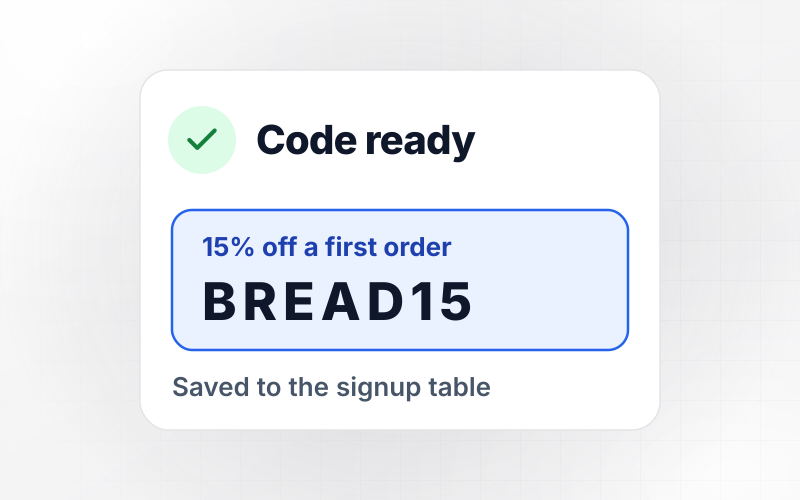
Pell Street Bakery's page offers 15% off a first order in one line, above a single email field. Once the email is saved, the code BREAD15 appears where the form was. This month, 214 signups landed in the bakery's table, each one stamped with the day it came in.
window.awbMockup = { firstOrderDiscount: "Build a landing page for Pell Street Bakery that offers 15% off a first order in one line, with a single email field below it. When a visitor saves an email, replace the form with the code BREAD15. Save each signup to a table with the day it came in, and show me this month's total.", softwareTrial: "Build a 14-day trial signup page for Slatebook, my scheduling app for tutors. Ask for two things only: a work email and the number of students the tutor teaches. Save every signup as a row in a trial table, tag rows with 25 students or more as Team plan, and tag the rest Solo.", callbackRequest: "Build a quote request page for Northbay Movers that asks for a name and a phone number and nothing else. When the form is sent, email both to my dispatcher, Marisol Okafor, so she can call back within 15 minutes. Save every request to a table with the time it arrived.", shortVsLongTest: "Build two pages for my language studio's free trial lesson at Carraway Language Studio: a short one of about 140 words and a long one of about 1,100 words. Both ask for a name and an email. Save every signup to one table with the version it came from, and show signups per visitor for each version." };
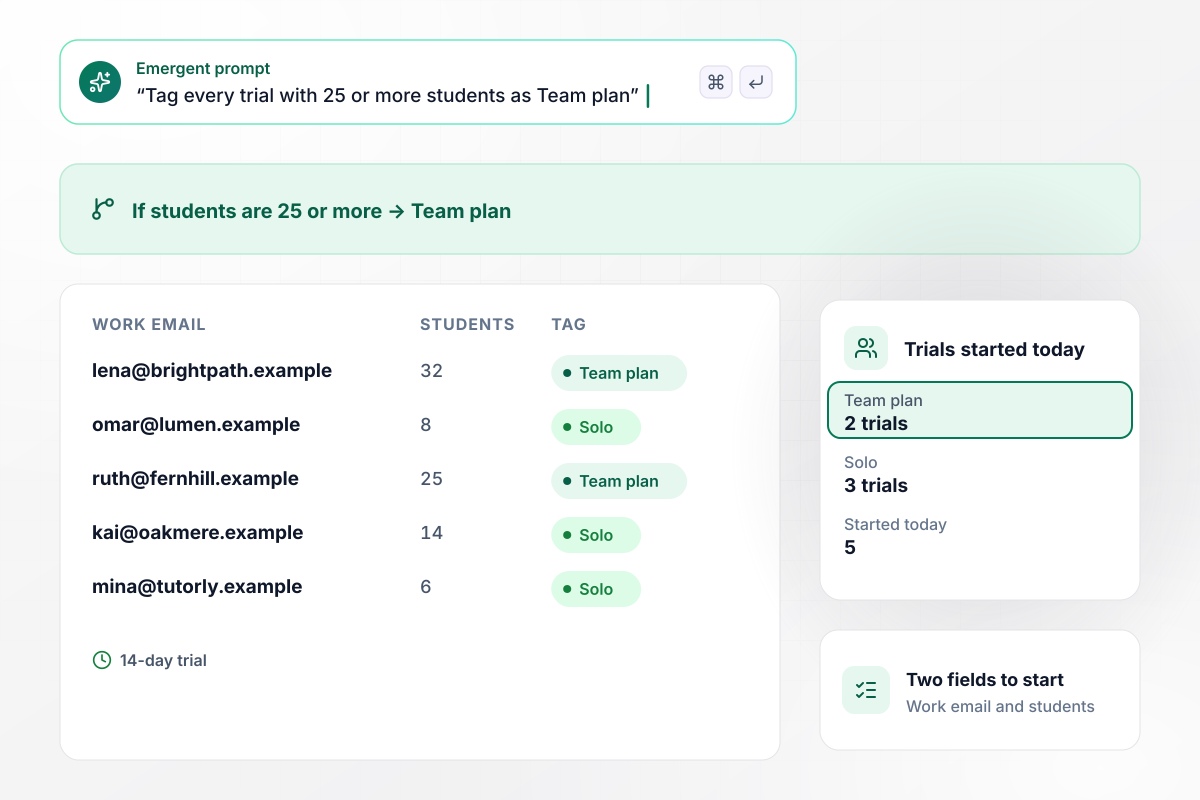
When a trial lists 25 students or more, it is tagged Team plan
Teachers who try Slatebook, a scheduling app for tutors, answer two questions to start the 14-day trial: a work email and the number of students they teach. Each signup becomes a row in the trial table. Rows with 25 students or more carry the Team plan tag, and the rest are tagged Solo.
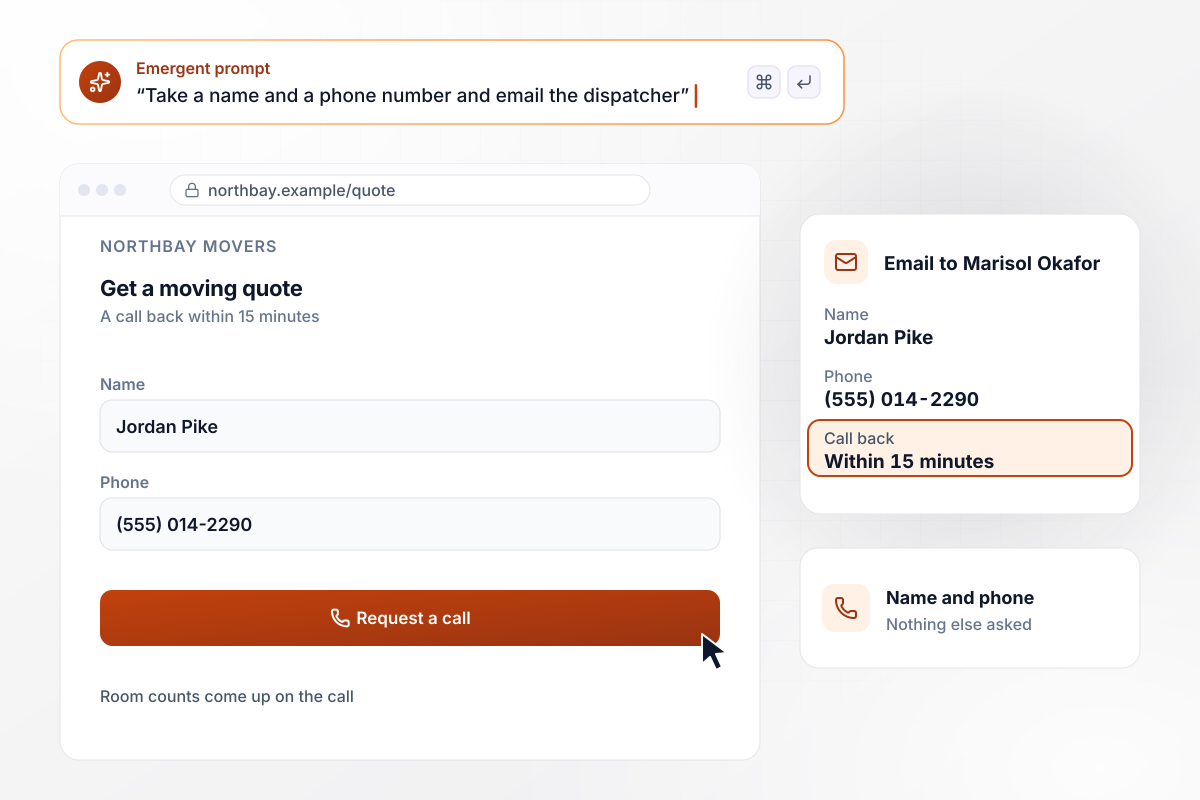
Each callback request lands with Marisol Okafor
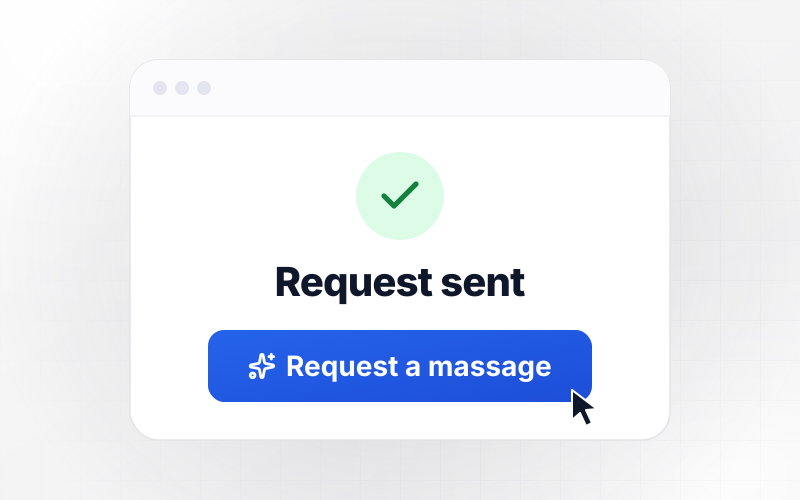
When someone asks Northbay Movers for a moving quote, the page takes a name and a phone number and nothing more. Dispatcher Marisol Okafor gets an email with both as soon as the form is sent, and she calls back within 15 minutes. Room counts and moving dates come up on that call, not on the page.
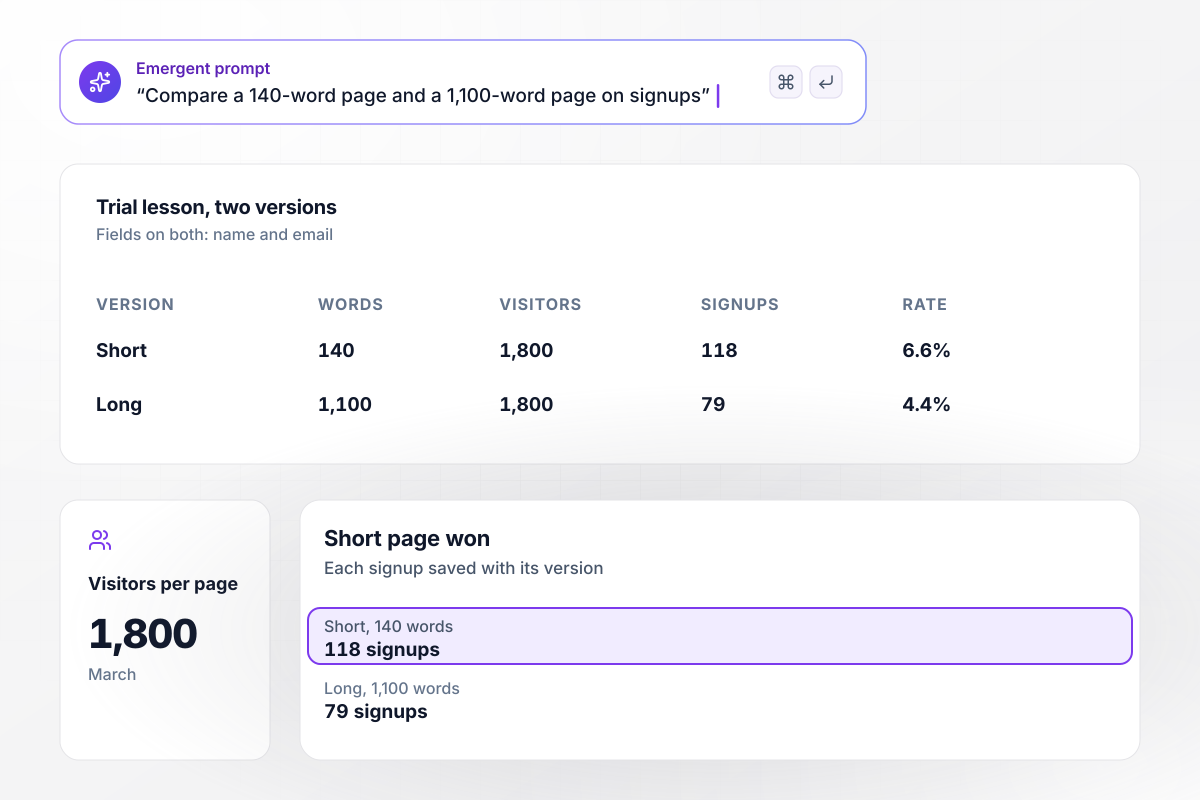
With 140 words, the page drew 118 signups to 79
In March, Carraway Language Studio offered a free trial lesson on two pages that asked for the same two fields: a name and an email. One page ran 140 words, the other 1,100. Each got 1,800 visitors, and every signup was saved with the version it came from. The short page took 118 signups and the long one 79.






How to Build a Short-Form Landing Page
Seven steps to keep a short-form landing page to the few lines and fields its offer needs, then build it with Emergent.
Instapage's guide to page length puts it plainly: the more expensive the offer, the more copy you need to explain why visitors should convert. Keep the short format for free or low-cost offers, such as a discount code or a callback.
Write what the visitor gets, with its terms, as the headline itself: "15% off your first order" says more than a welcome line. If the offer cannot stand without a paragraph of explanation, it belongs on a longer page instead.
Nielsen Norman Group advises removing fields whose information can be derived some other way, collected more conveniently later, or left out. On a short page, that can leave a single email field, or a name and a number to call back.
Open the page on a phone before launch. The headline and the button should both show without scrolling. If a photo pushes the button out of view, shrink the photo or cut it, and check the phone view again.
Reuse the words of the ad or email that links to the page, especially the offer and the price. A visitor who clicked for a free trial lesson should see those words first, not a general welcome to the school.
Take off the site menu and any second offer. A short page has room for one button, and each extra link gives the visitor a way to leave before the form. The logo can stay, unlinked.
Build a longer page for the same offer and send each one a similar share of visitors from the same source. Compare signups per visitor, not raw counts, and wait until both pages have a few hundred visits before you choose.
Why Build Your Short-Form Page With Emergent?
Emergent builds the signup table and the follow-up with the page, and one more prompt changes the copy or the fields.

|
Unbounce | Landingi | Wix | |
|---|---|---|---|---|
| How you build | Prompt for a campaign page | Templates and drag-and-drop, AI copy assist | Templates and drag-and-drop, AI assist | Prompt for a full site |
| Where submissions go | A database table you own, plus integrations | Unbounce lead storage and integrations | Vendor lead storage and integrations | Wix dashboard submissions and Contacts |
| Visitor limits | No per-visitor pricing | Monthly visitor caps by plan | Tiered by traffic on most plans | Site plan bandwidth |
| A/B testing | Generate variants by prompt | A/B testing on higher-tier plans only | Higher plans | Limited or add-on |
| Code ownership | Full code export to GitHub on paid plans | Hosted only | Hosted only | Hosted only |



Pick the Pricing Plan That Works for You
Choose the plan that fits your building ambitions. From weekend projects to enterprise applications, we've got you covered.




Find the right landing page for you

Frequently Asked Questions
Your Questions, Answered
Don't change this element unless you know what you are doing
More things you can build
with Emergent









on Emergent today


