

Build a Click Through Landing Page That Hands Off to Checkout
Build a click through landing page with one button that opens your checkout or signup with the visitor's choice already made.
Build a click through landing page that saves every signup to a database I own.
Trusted by Builders Worldwide
Active Builders Worldwide
Apps Successfully Created
Countries Globally Reached



What the Button Carries to the Next Page
A click through landing page explains the offer, then one button opens the page where the visitor buys or signs up.
Describe the offer, get the page
Tell Emergent what you sell and where the button should go. It builds the page with that destination already linked, and you change the copy or the link later by prompting.
The link carries the visitor's choice
Ask for the visitor's chosen plan or item to ride in the button's link. The checkout or signup then opens with it already picked, and nobody chooses the same thing twice.
Campaign tags pass to the next page
Ask the page to pass the campaign tags in its own address on to the next page. The signup record then names the email, post, or partner link that sent each visitor there.
Clicks counted for each button
Each button logs its clicks to a database you own, with the time and the section it sits in. You see which placement sends people on, not one total for the whole page.
Prices read from your own checkout
The app links to the checkout or signup page you already run. It can pull plans and prices from that system through its API, and the page shows what the checkout shows.
Your code, in your GitHub repository
On paid plans, export the full code to your GitHub repository. The page and the database behind its click log leave with it, and any developer can keep working on it from there.
Click Through Landing Page Examples
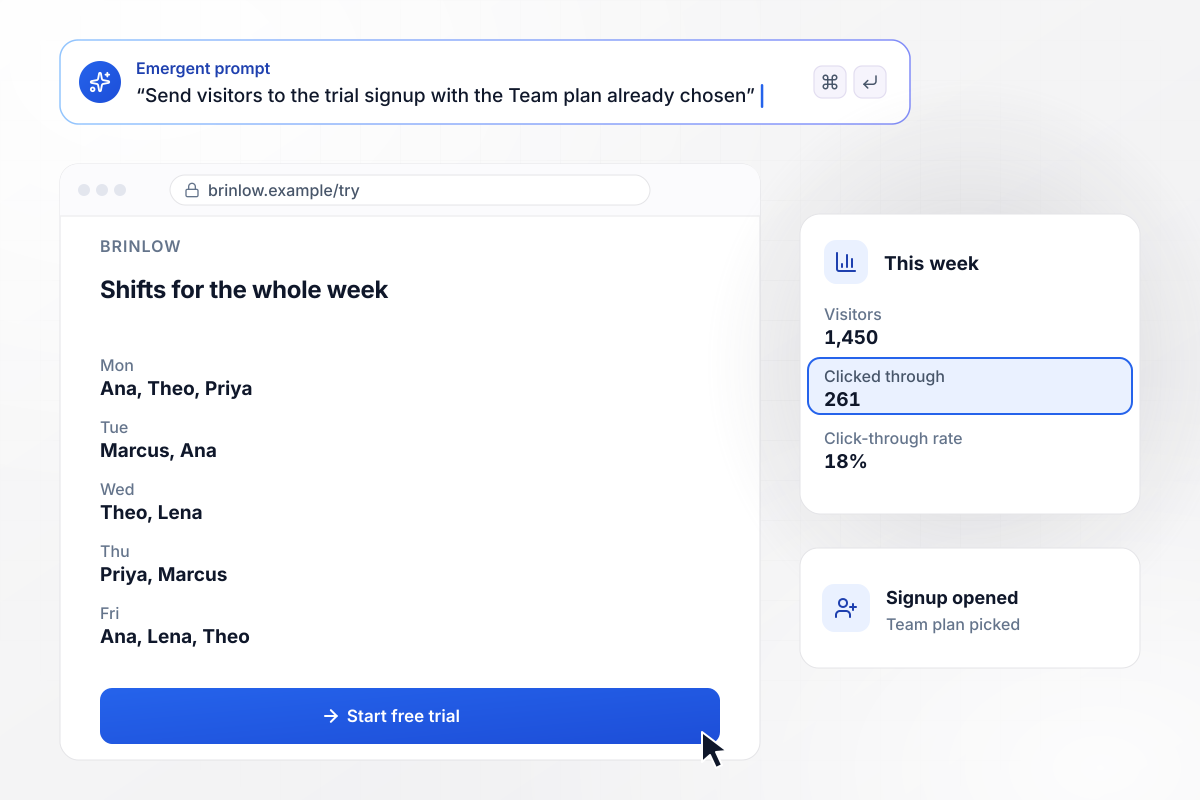
261 clicks reached a signup with the Team plan picked
Brinlow sells shift scheduling to restaurants. Its page shows the week view a manager would use, then one Start free trial button. The link opens Brinlow's signup with the Team plan already chosen and the email campaign's tags attached. Of the 1,450 visitors on the page this week, 261 clicked through to that signup.
window.awbMockup = { freeTrialSignup: "Build a landing page for Brinlow, my shift scheduling software for restaurants. Show the week view a manager uses, then one Start free trial button that opens our signup with the Team plan chosen and the campaign tags from the visitor's link attached. Count visitors and clicks each week.", preorderCheckout: "Make a preorder page for Arc, the headphones my company Kestrel Audio ships in March. Put the ship date above the button, then one Preorder for $249 button that opens our store checkout with one pair in the cart. No form on the page.", annualPlanSwitch: "Create a page for Quoral, my notes app, that monthly subscribers reach from an in-app banner. Show $12 a month beside $96 a year and what 12 months cost each way. A Switch to annual button opens billing with the annual plan selected.", buttonClickReport: "Build a course page for Ferrowood Piano with the same Enroll for $79 button in 3 places: the top, after the syllabus and after the FAQ. Log every click with the button it came from and show me clicks per button for the month." };
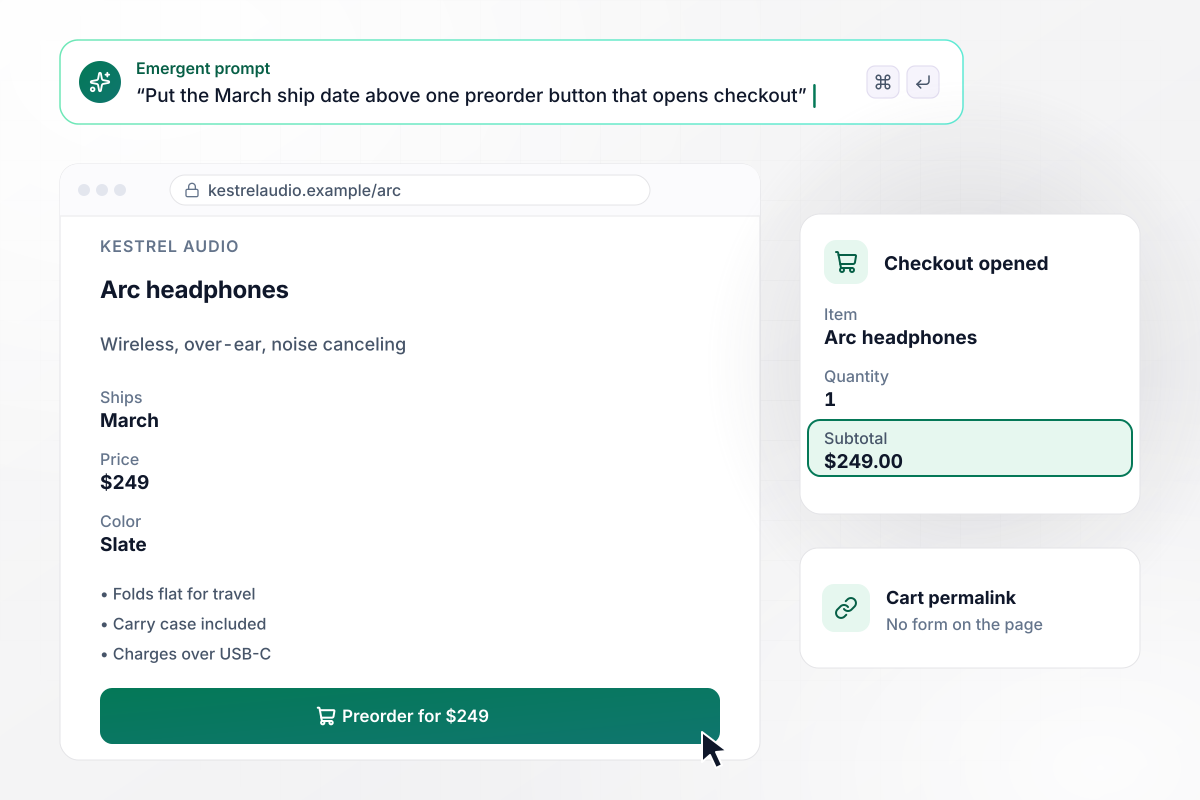
Buyers read March before they see $249
Arc headphones ship in March, and Kestrel Audio's preorder page says so before the price: the ship date sits above the button, not in the fine print. Preorder for $249 is a Shopify cart permalink. It opens the store checkout with one pair already in the cart, and the page itself carries no form.
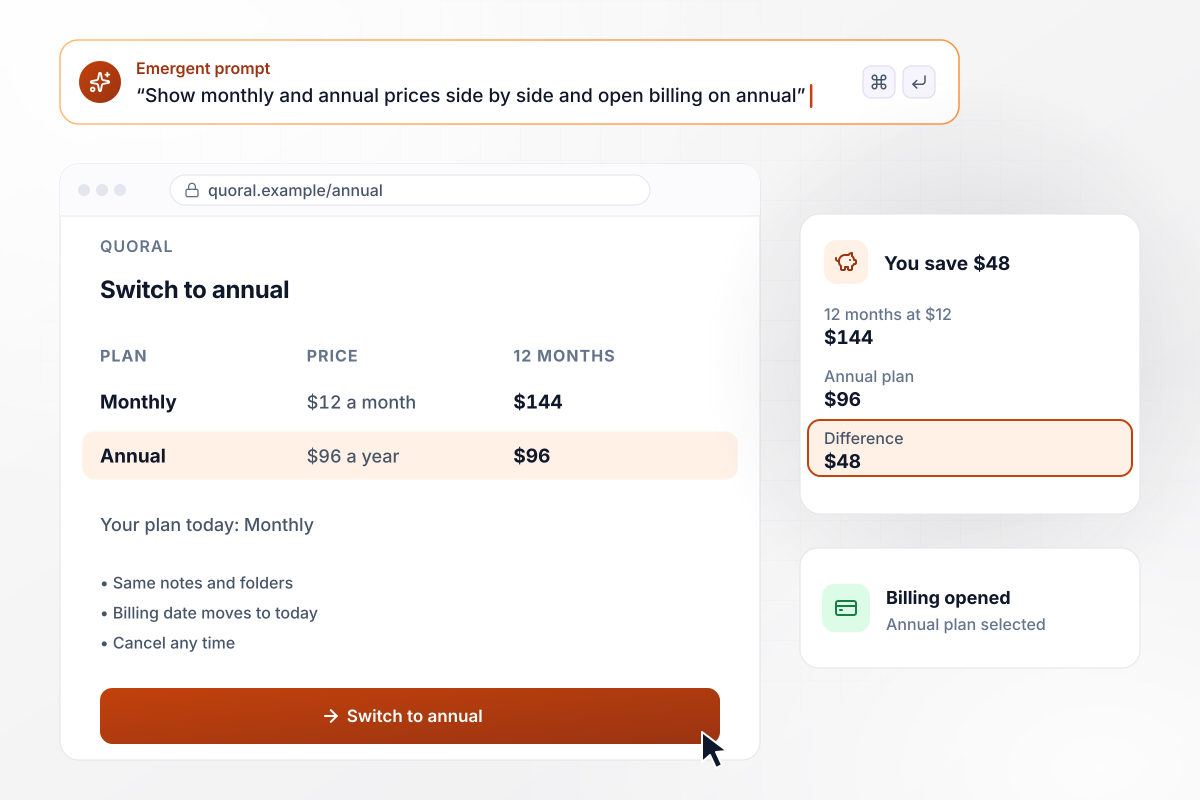
$12 a month beside $96 a year
Monthly subscribers see a banner inside Quoral, the notes app, and it opens a page with the two prices side by side. Twelve months at $12 come to $144, which makes the $96 annual plan $48 cheaper. Switch to annual opens Quoral's billing page with the annual plan selected, and the subscriber only confirms.
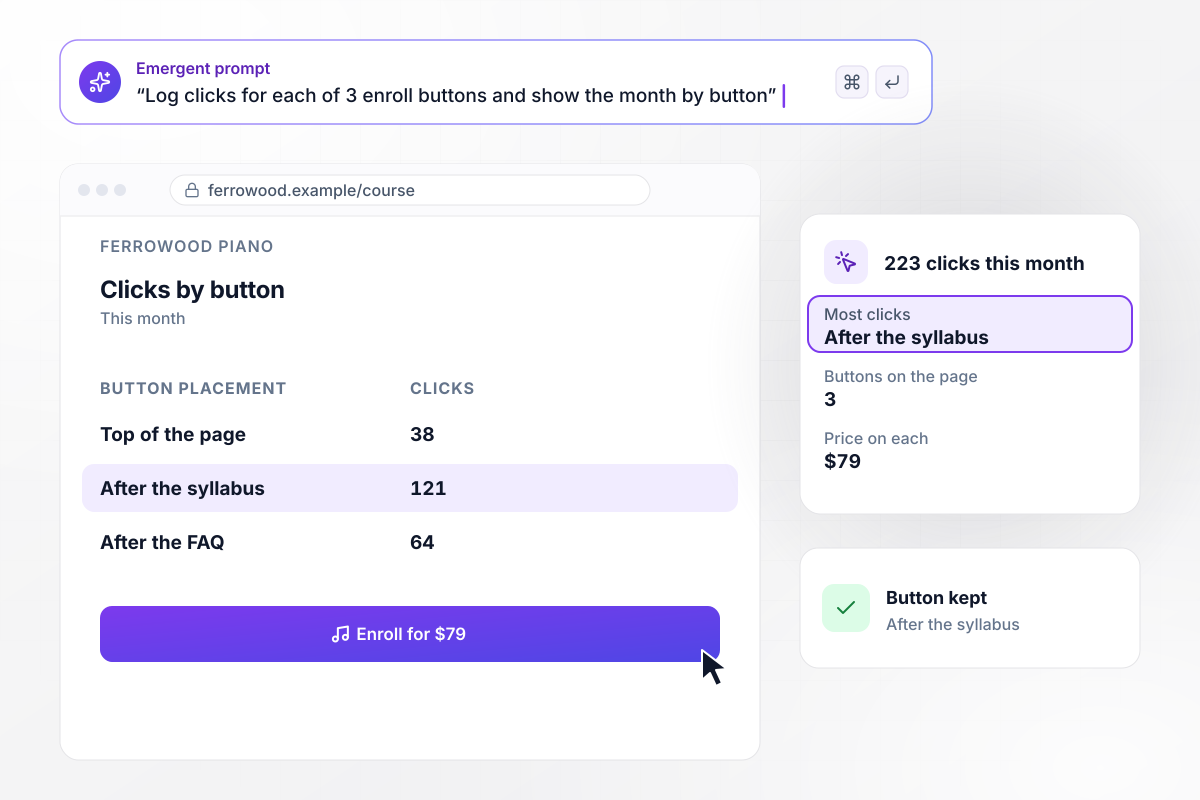
Which of 3 buttons drew 121 clicks?
Ferrowood Piano tested where the button goes on its course page by placing the same Enroll for $79 button in 3 places. Of 223 clicks this month, 38 came from the top of the page, 121 from the button after the syllabus, and 64 from the one after the FAQ. The syllabus section keeps its button.






How to Build a Click Through Landing Page
Seven steps to a click through landing page that warms visitors up and hands them to checkout or signup, built with Emergent.
Choose a single destination, such as a trial signup or a store checkout, never both. A second button to a different place splits the clicks, and the page can no longer tell you which offer worked. Keep any other links in the footer.
List what a visitor needs to know before paying or signing up: what it does, what it costs, when it arrives. Answer each point above the button, in the order a buyer would ask, and cut any section that answers nothing.
Write down what the next page should already know: the plan, the item and quantity, or a coupon code. Then check that your checkout or signup accepts those values in its link before you build the page around them.
Add utm_source, utm_medium, and utm_campaign to each email, post, and partner link that points at the page. Google's Analytics help says to always use all three, and that parameter values are case sensitive. Pick one spelling per source.
Prompt with the offer and the button's destination URL, parameters included. Emergent builds the page and the click log behind it. Ask for changes in plain words, such as moving the button below the price table.
Open the page from a tagged test link on a phone and on a laptop, then press the button. Confirm the checkout holds the right item and quantity, the signup shows the chosen plan, and the tags reach the next page.
Compare clicks with visitors for each button placement once a week of traffic has come in. Move or remove a button that nobody presses, and change one thing at a time so the next week's numbers point at a single cause.
Why Build a Click Through Page With Emergent?
Emergent builds the page and its hand-off from one prompt. Click logs sit in a database you own, and paid plans export the code.

|
Instapage | Unbounce | Landingi | |
|---|---|---|---|---|
| How you build | Prompt for a campaign page | Templates and drag-and-drop, AI copy assist | Templates and drag-and-drop, AI copy assist | Templates and drag-and-drop, AI assist |
| Where submissions go | A database table you own, plus integrations | Instapage contacts and integrations | Unbounce lead storage and integrations | Vendor lead storage and integrations |
| Visitor limits | No per-visitor pricing | Monthly visitor caps by plan | Monthly visitor caps by plan | Tiered by traffic on most plans |
| A/B testing | Generate variants by prompt | A/B testing on higher-tier plans only | A/B testing on higher-tier plans only | Higher plans |
| Code ownership | Full code export to GitHub on paid plans | Hosted only, no HTML export | Hosted only | Hosted only |


Pick the Pricing Plan That Works for You
Choose the plan that fits your building ambitions. From weekend projects to enterprise applications, we've got you covered.




Find the right landing page for you









Frequently Asked Questions
Your Questions, Answered
Don't change this element unless you know what you are doing
More things you can build
with Emergent









on Emergent today


