

Build a Web Hosting Landing Page That Sells Plans
Build a web hosting landing page with plan cards, the renewal price in view, and every Order click saved to a database you own.
Build a web hosting landing page for my hosting company with three shared plans, each card showing the 12-month price and the renewal price.
Trusted by Builders Worldwide
Active Builders Worldwide
Apps Successfully Created
Countries Globally Reached



The Parts of a Page That Sells Hosting
Buyers open several hosts side by side before they pick one. Six parts of the page decide whether the Order click lands on yours.
Plan cards that show the renewal price
Emergent builds a card for each plan with the intro price, the term it covers, and the renewal price set in smaller type beneath. A buyer sees the second-year cost before checkout.
One toggle for monthly and yearly prices
A toggle above the cards switches every plan between its monthly price and its 12-month price. Change a price once by prompt, and the app updates that card in both views at once.
Order clicks saved by plan and term
Every Order button saves a row to a database you own, with the plan and billing term, stamped with the time of the click. Sort the rows by week to see which plan sells best.
A migration form with alerts
Switchers name their current host, site address, and size. The app sends each request by email or Slack to the people you pick, and you set which sizes go to an engineer first.
Orders handed to your billing system
Connect the billing or control panel tool you already run through its API. The app passes the chosen plan and term along with each order and pulls current prices back into the cards.
A page you can take with you
Export the page to your GitHub repository on paid plans and run it on your own servers. Or keep it on Emergent under your own domain, which is included in Emergent and uses credits.
Web Hosting Landing Page Examples
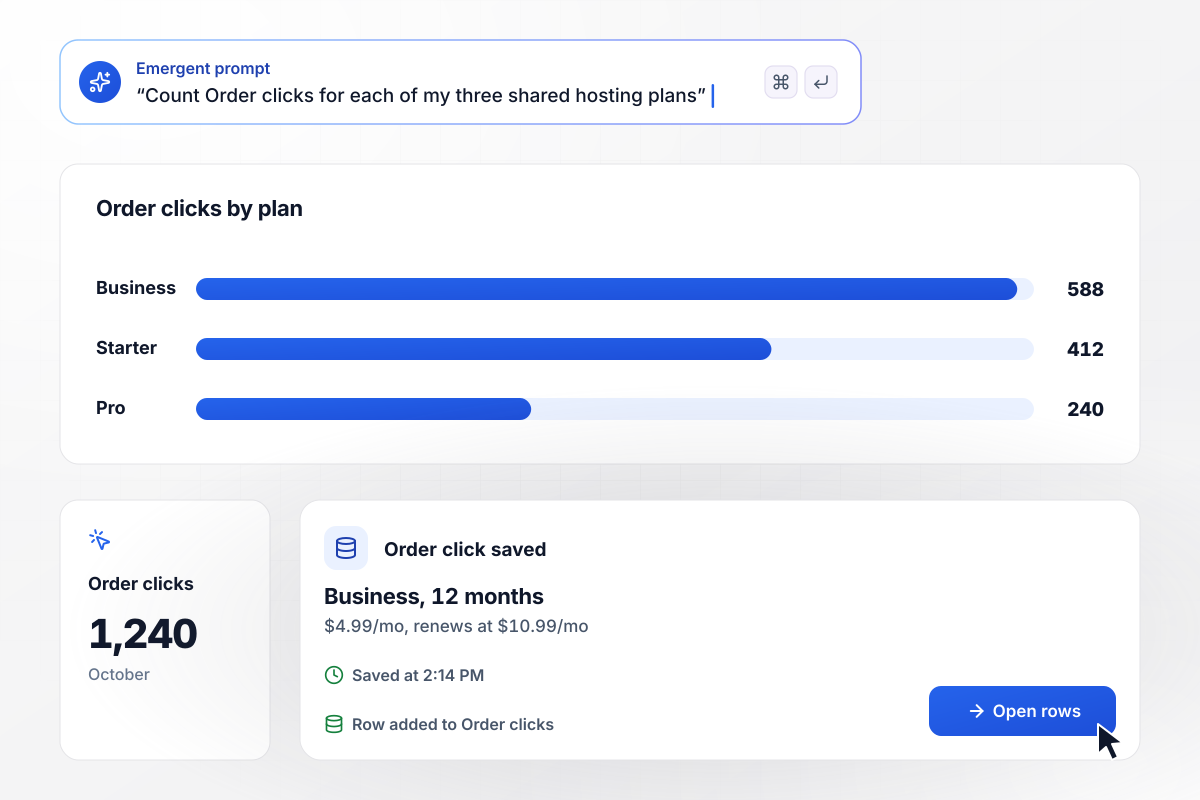
Each Order click, saved with its plan and term
Saltmarch Hosting sells three shared plans. Each card prints the 12-month price, with the renewal price under it in smaller type. Each click on an Order button is stored with the plan and the term. In October the page logged 1,240 Order clicks. Business drew 588 of them and Starter 412, while Pro took the other 240.
window.awbMockup = { sharedHosting: "Build a web hosting landing page for my company with three shared plans: Starter, Business, and Pro. Each card shows the 12-month price and the renewal price underneath in smaller type. Every Order button saves the plan and the billing term. Show me a monthly count of Order clicks for each plan.", freeSiteMigration: "Build a free site migration page for my hosting company. The form asks for the current host, the site address, and the site size in GB. Post any site over 10 GB to our #migrations Slack channel and tag Juniper Lantz. Put smaller sites in the standard queue and save every request with its size.", wordpressPlans: "Build a WordPress hosting page that asks two questions: monthly visits and number of sites. Recommend Scale for any site over 50,000 monthly visits, Starter for a single site, and Studio for several. Save each answer with the plan the page showed, and give the recommended card its own Order button.", vpsRegionWaitlist: "Build a waitlist page for our new Toronto VPS region. Ask for an email and a server size: 2 vCPU, 4 vCPU, or 8 vCPU. Save each signup with the size picked, and show me how many people joined in total and for each size since the page went live." };
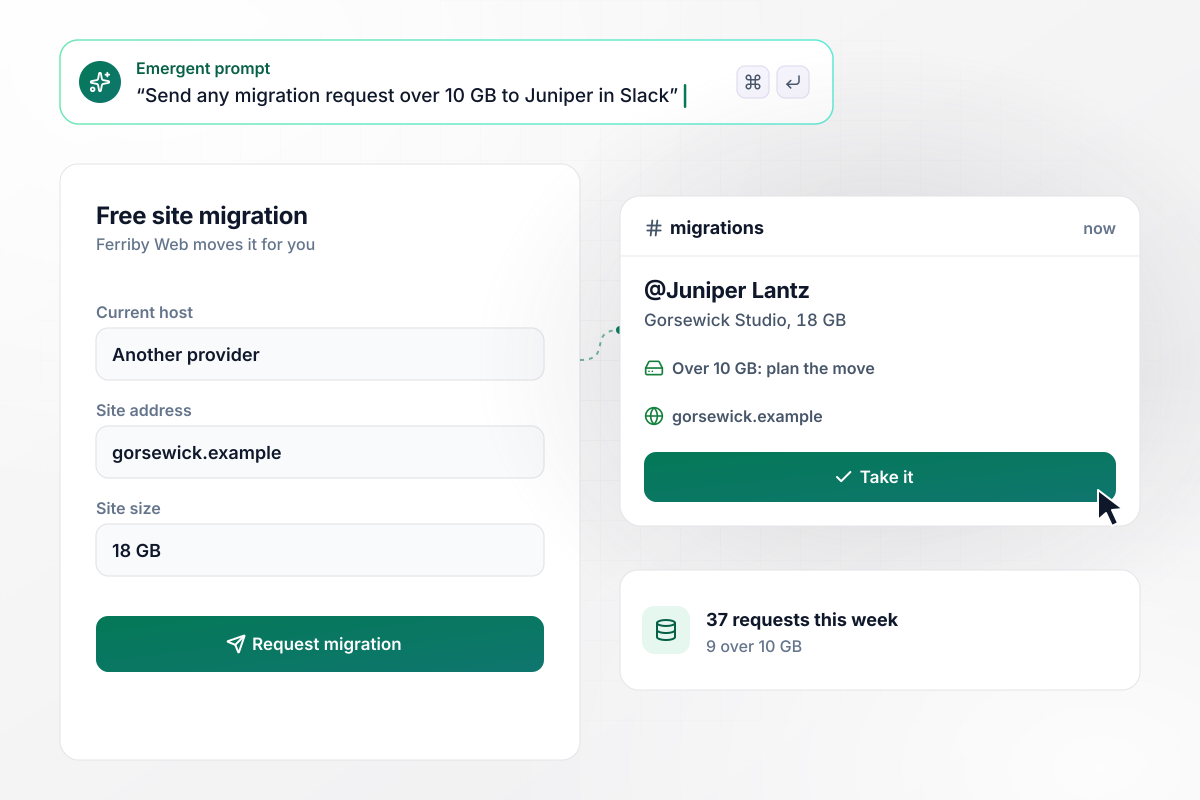
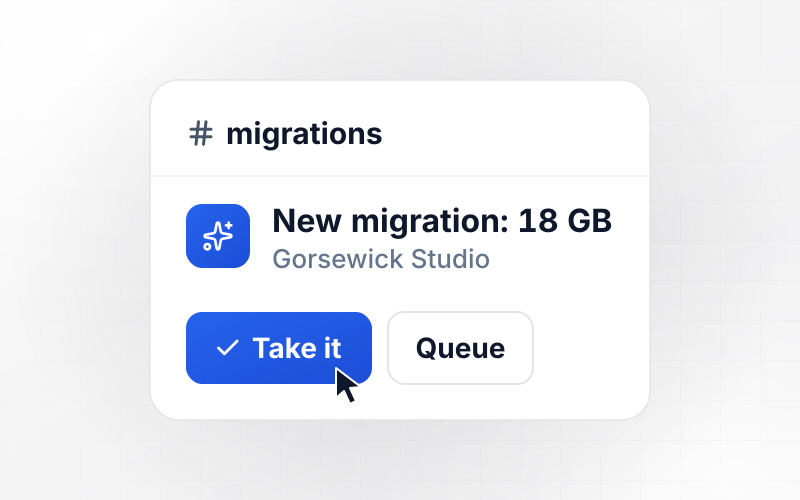
Any site over 10 GB goes to Juniper
Ferriby Web moves sites for free. Its request form asks for the current host, the site address, and the site size. Any site over 10 GB posts to the #migrations Slack channel and tags Juniper Lantz, who plans large moves. This week brought 37 requests, and 9 of them were over 10 GB.
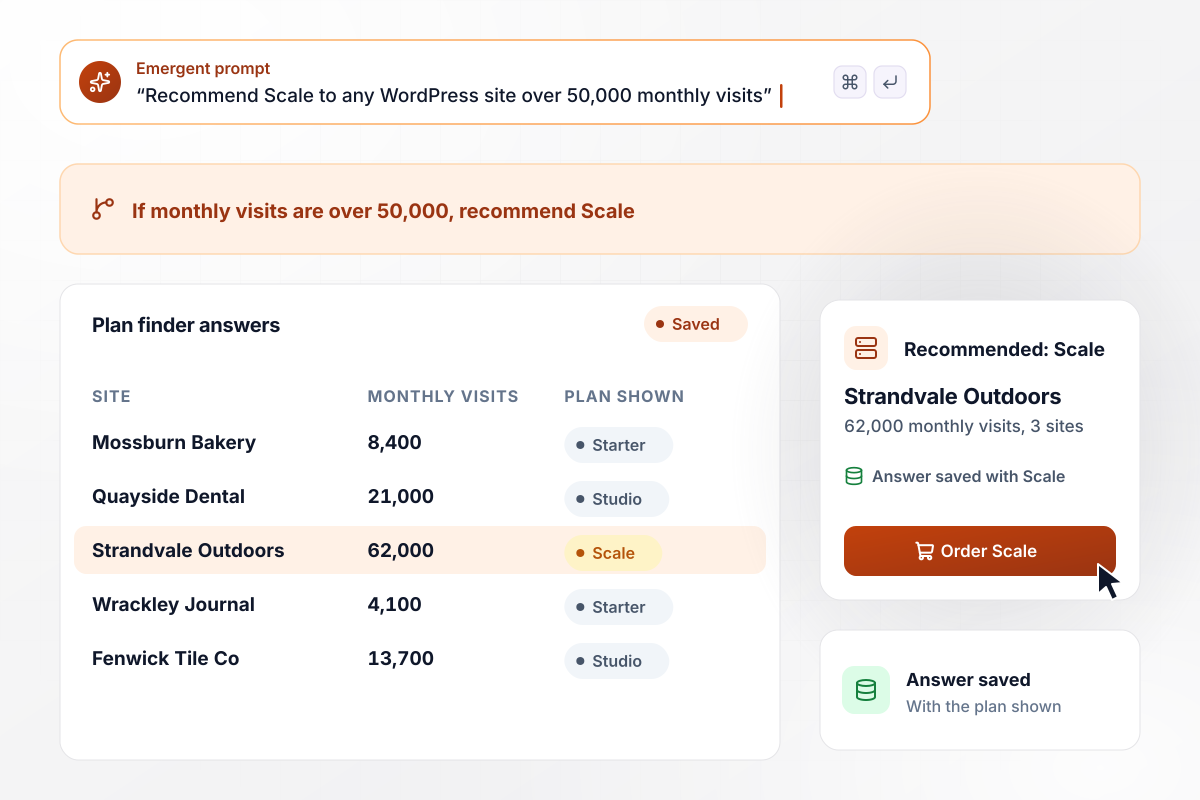
Scale for any site over 50,000 monthly visits
Tamberline Hosting's WordPress page asks for monthly visits and the number of sites. Any site over 50,000 monthly visits gets the Scale plan. Below that, single-site owners get Starter, and multi-site owners get Studio. Each answer is saved with the plan the page showed.
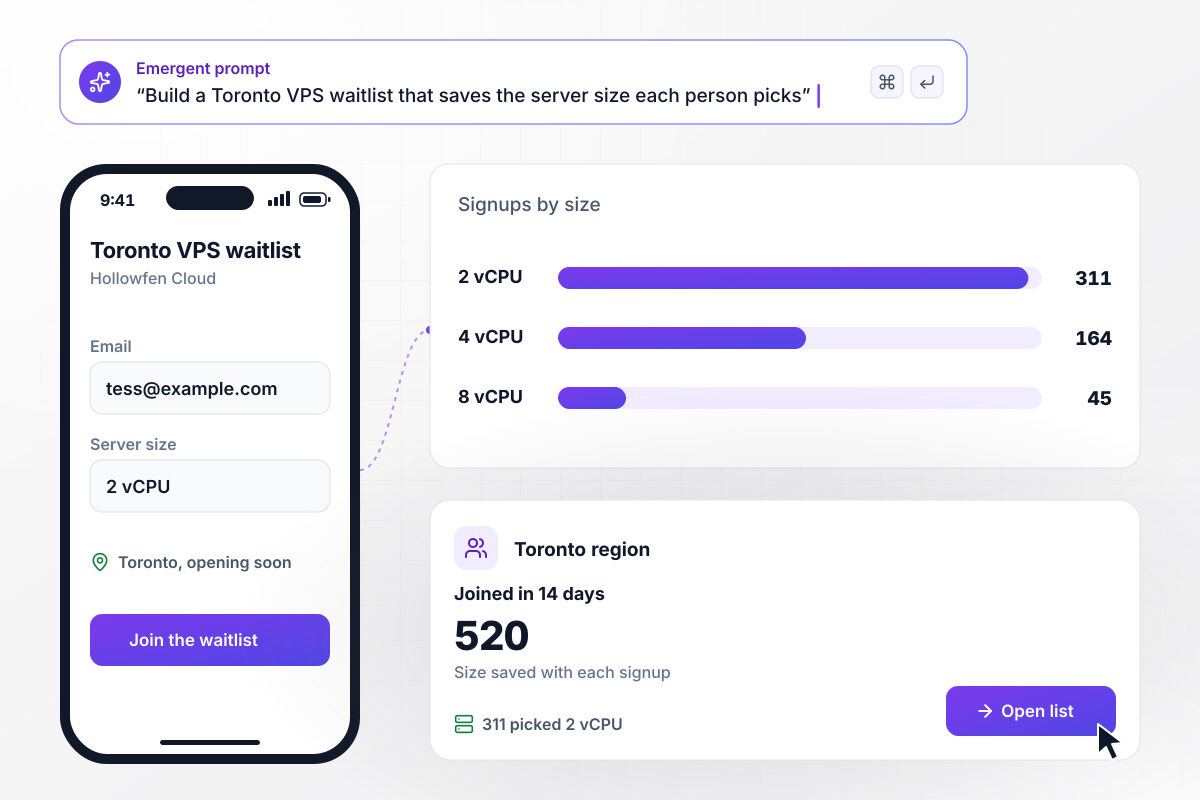
After 14 days, 520 names on the Toronto list
Hollowfen Cloud is opening a Toronto region for its VPS plans, and the waitlist page asks for an email and a server size. Each signup is saved with the size picked. In the first 14 days, 520 people joined. The 2 vCPU size led with 311 signups, which tells Hollowfen which servers to stock first.






How to Create a Web Hosting Landing Page
Seven steps to a web hosting landing page with clear prices and a saved record of every order, then build it with Emergent.
Choose two to four plans and mark the one you expect to sell best. A page that lists the whole catalog leaves the visitor to do the comparing. Link the rest of the lineup from one line under the cards.
Put the price after the first term on the card itself, in smaller type below the intro price, and name the term it applies to. A buyer should never meet the higher number for the first time at checkout.
Any figure the page gives for reliability or speed should use the exact number and wording of your service agreement, with a link to it. If the agreement states no figure, leave it off and show the regions you run.
Visitors who host elsewhere want to know how their site gets to you. Add a short request form for the current host, the address, and the size, and decide which sizes an engineer handles in person.
Name each plan with its intro and renewal prices, and list the forms you want on the page. Emergent builds the cards and the database the Order clicks land in. Change any card later with another prompt.
Link the Order buttons to your billing software through its API. Each Order click then carries the chosen plan into checkout. Until that connection is live, point the buttons at the signup page you use today.
Click Order on each plan from a phone and a laptop, then send a test migration request above your size limit. Check that every row lands with the right plan and term before you publish on your own domain (built into Emergent, uses credits).
Why Build a Web Hosting Page on Emergent?
Describe your plans and forms, and Emergent builds the page. Each Order click and migration request lands as a row you can sort.

|
Unbounce | Landingi | Wix | |
|---|---|---|---|---|
| How you build | Prompt for a campaign page | Templates and drag-and-drop, AI copy assist | Templates and drag-and-drop, AI assist | Prompt for a full site |
| Where submissions go | A database table you own, plus integrations | Unbounce lead storage and integrations | Vendor lead storage and integrations | Wix dashboard submissions and Contacts |
| Visitor limits | No per-visitor pricing | Monthly visitor caps by plan | Tiered by traffic on most plans | Site plan bandwidth |
| A/B testing | Generate variants by prompt | A/B testing on higher-tier plans only | Higher plans | Limited or add-on |
| Code ownership | Full code export to GitHub on paid plans | Hosted only | Hosted only | Hosted only |




Pick the Pricing Plan That Works for You
Choose the plan that fits your building ambitions. From weekend projects to enterprise applications, we've got you covered.




Find the right landing page for you


Frequently Asked Questions
Your Questions, Answered
Don't change this element unless you know what you are doing
More things you can build
with Emergent









on Emergent today


