

Build a YouTube Landing Page Your Videos and Ads Can Link To
Build a YouTube landing page that turns a click from a video description or an ad into a signup in a database you own.
Build a YouTube landing page for my woodworking channel that emails viewers the free step stool cut list and saves each signup.
Trusted by Builders Worldwide
Active Builders Worldwide
Apps Successfully Created
Countries Globally Reached



What Happens After a Viewer Clicks Your Link
A YouTube landing page is where a click from a video or an ad lands. Emergent builds it from one prompt.
A page from one sentence
Describe the offer and the fields in a sentence, and Emergent builds the page, the signup form, and the table behind it. Change the headline or add a field later by prompt.
Links tagged by video
Tag each description link with utm_content set to the video name, and every signup row keeps it. Values are case sensitive: pick one spelling per video and keep to it.
Signups in a database you own
Each signup is a row in a database you own, with the email, the video, and the time. Send the rows to your email tool or CRM over its API, or sort them by video in the app.
Follow-up email set in the prompt
The app emails the download link after each signup and can send a reminder before a live stream. Write each message once in the prompt and change its wording by prompt later.
Rules that route a signup
Set a rule in the prompt, such as a seat cap or a count of bedrooms, and the app applies it to every signup: an email to the right person, or a move to a second list.
The code is yours to keep
Export the page, its form, and its signup table to your GitHub repository on paid plans. Or keep it hosted on Emergent and edit it by prompt as the channel adds videos.
YouTube Landing Page Examples
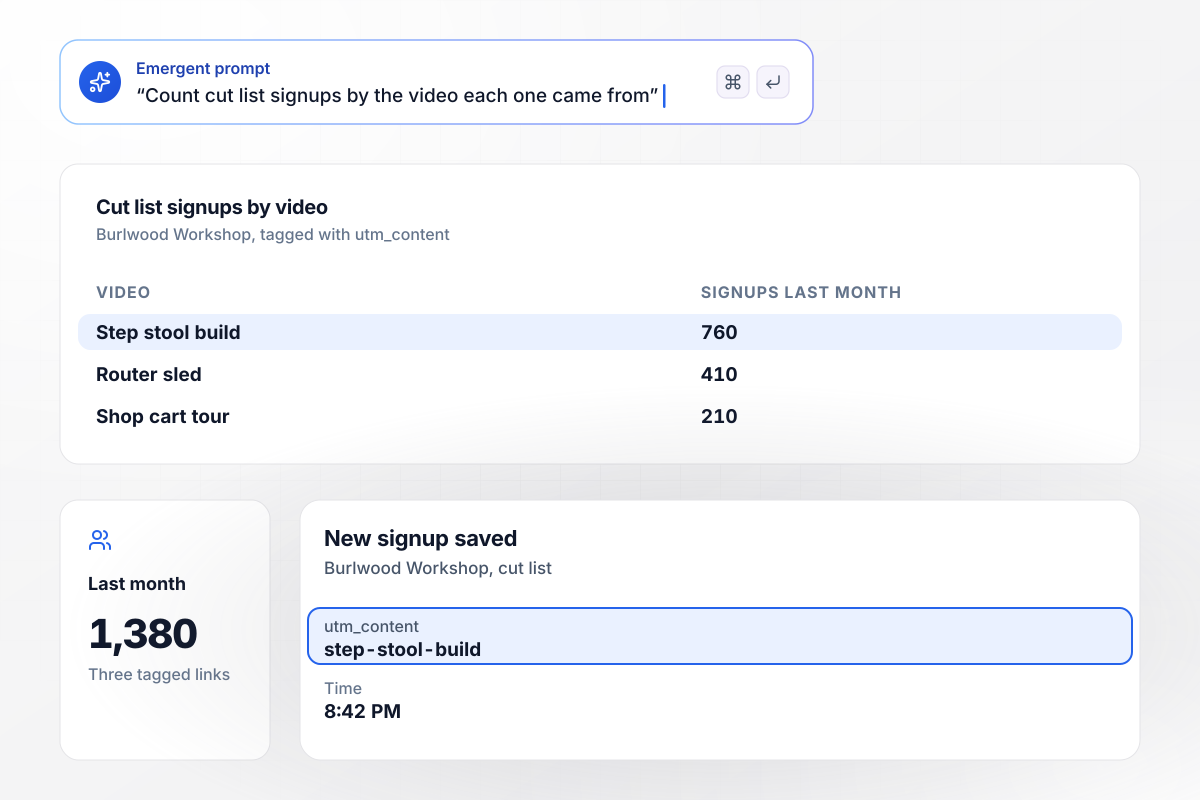
Three tagged links show which video sent each signup
Burlwood Workshop links one page from three video descriptions, and each link names its video in utm_content. Viewers leave an email and get the free step stool cut list. Of last month's 1,380 signups, the step stool build drew 760, the router sled video 410, and the shop cart tour 210.
window.awbMockup = { freeDownload: "Build a landing page for my woodworking channel, Burlwood Workshop, that gives away the free step stool cut list. Ask for an email only and send the cut list right after signup. I link it from three video descriptions, each tagged with utm_content set to the video name, so save that value with every signup and show me a monthly count by video.", courseWaitlist: "Build a waitlist page for my 40-seat spring course in beginner Japanese at Kanji Lantern, linked first in my YouTube channel profile. Ask for a name, an email, and the student's level. Email the first 40 people that their seat is held, and put everyone after that on a list for the next course.", videoAdOffer: "My moving company, Fenwick Movers, runs an in-stream YouTube ad. Build the free estimate page the ad points to. Ask for a name, a phone number, the move date, both zip codes, and the number of bedrooms. Email any move of 3 bedrooms or more to my estimator, Hollis Pryor, and save the rest for the morning call list.", liveStreamSignup: "Build a signup page for the live game review my chess channel, Rookline Chess, streams on YouTube every Thursday. Ask for an email and an optional question for me. One hour before each stream, email everyone who signed up the stream link, and give me all the questions in one list." };
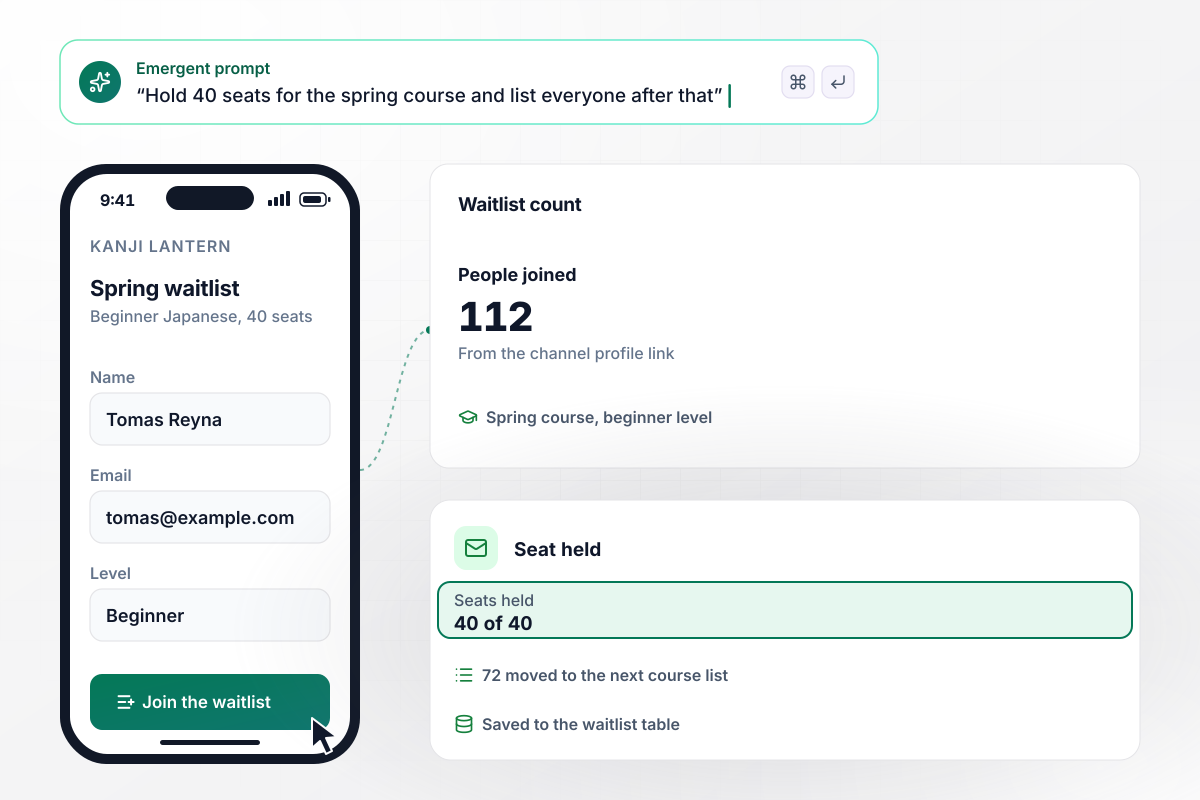
Forty seats filled, and 72 wait for the next course
Kanji Lantern pins a single link first in its channel profile: a waitlist for a 40-seat spring course in beginner Japanese. Signing up takes a name, an email, and the student's level. In all, 112 people joined. The first 40 got an email holding their seat, and the other 72 went to the list for the next course.
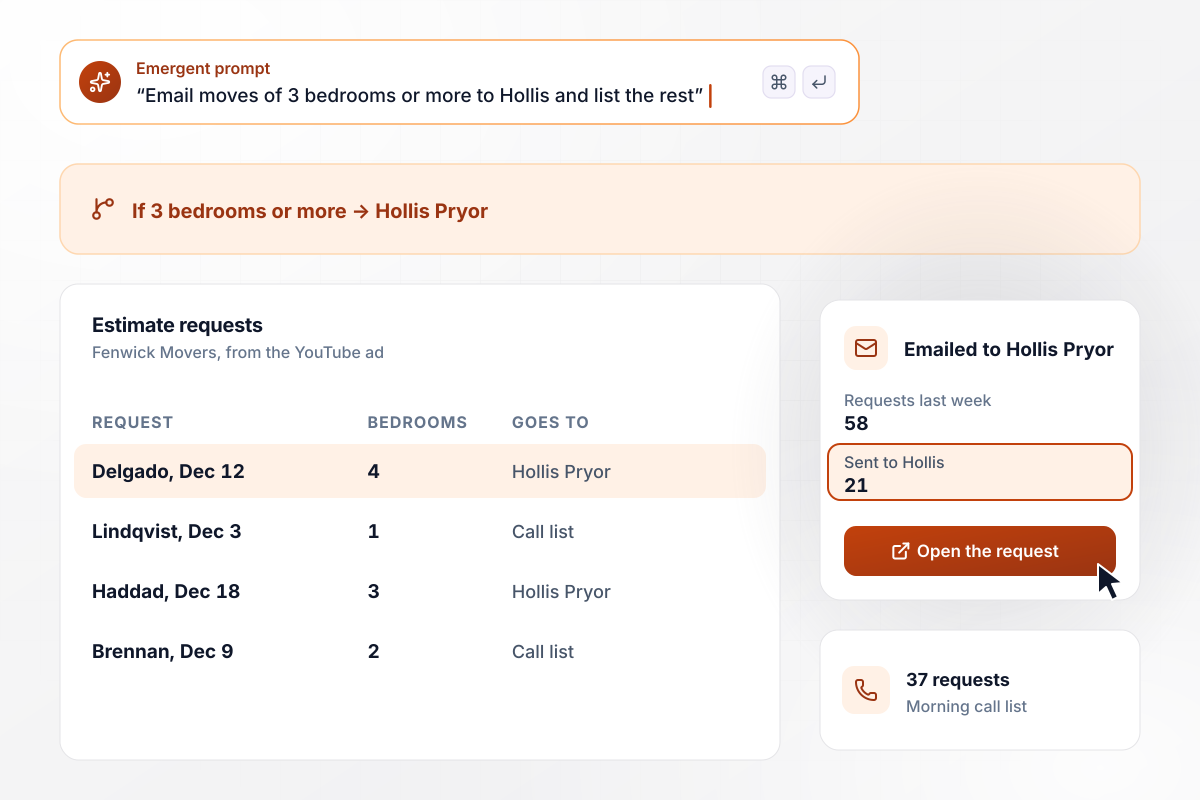
Hollis Pryor gets each move of 3 bedrooms or more
Fenwick Movers points an in-stream YouTube ad at a free estimate page. It asks for a name, a phone number, the move date, both zip codes, and the bedroom count. Last week 58 requests came in. The app emailed the 21 moves of 3 bedrooms or more to Hollis Pryor and saved the other 37 for the morning call list.
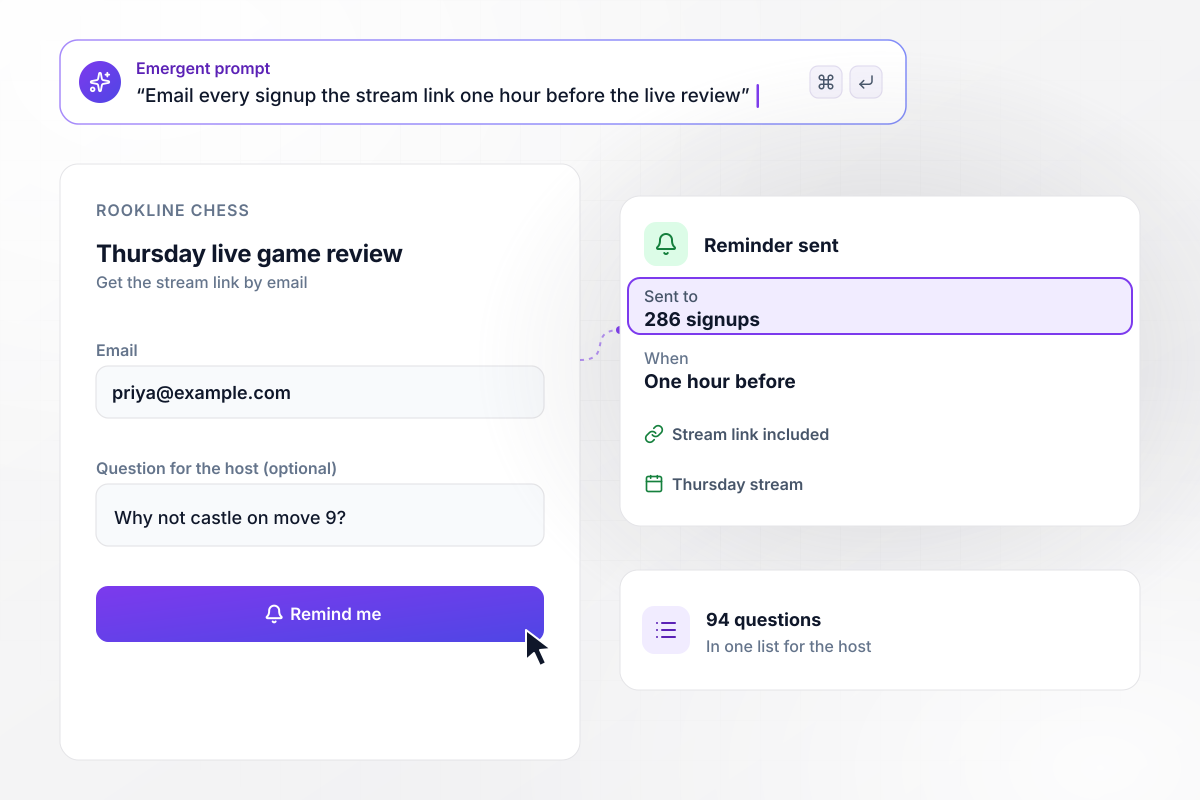
One hour before the stream, all 286 get the link
Rookline Chess reviews a game live on YouTube every Thursday. Its signup page asks for an email and an optional question for the host. This week 286 viewers signed up and 94 sent a question. One hour before the stream, the app emails all 286 the stream link, and the host reads the 94 questions from one list.






How to Create a YouTube Landing Page
Follow these seven steps to plan a YouTube landing page, tag its links by video, and test it before the video goes live.
Pick the one thing a viewer gets for clicking: a cut list, a seat on a waitlist, a free estimate. Write the headline in the words you say on camera. The page should confirm what the viewer heard, not start a new pitch.
A description link, a channel profile link, and an ad can all point at the page. A channel can show up to 14 links on its Home tab, and the first one sits near the subscribe button. Give the page that first spot.
Add utm_source=youtube to every link, plus utm_content set to a value that names the video. Keep a short list of the values you have used and copy from it. One video should never show up in the signup table under two names.
A download needs an email address and nothing more. A waitlist might add a level, and an estimate needs a date and a size. Every extra field is one more thing a viewer types on a phone before the offer arrives.
Write one prompt with the offer, the fields, the email that goes out after a signup, and any rule that sends a signup to a person. Emergent builds the page from that prompt, and each later change is one more prompt.
Open the description link on a phone, sign up with a test address, and check that the email arrives and the new row shows the right utm_content. Fix anything that breaks before the video goes public, while nobody is clicking yet.
Sort the signup table by video once a week. A video with plenty of views and few signups points at the offer or at where you mention it. Move the spoken mention earlier or change the headline, then compare the next week.
Why Build Your YouTube Page With Emergent?
Each video can link to its own page, built from one prompt, and every signup lands in a database you own, tagged by video.

|
Unbounce | Landingi | Wix | |
|---|---|---|---|---|
| How you build | Prompt for a campaign page | Templates and drag-and-drop, AI copy assist | Templates and drag-and-drop, AI assist | Prompt for a full site |
| Where submissions go | A database table you own, plus integrations | Unbounce lead storage and integrations | Vendor lead storage and integrations | Wix dashboard submissions and Contacts |
| Visitor limits | No per-visitor pricing | Monthly visitor caps by plan | Tiered by traffic on most plans | Site plan bandwidth |
| A/B testing | Generate variants by prompt | A/B testing on higher-tier plans only | Higher plans | Limited or add-on |
| Code ownership | Full code export to GitHub on paid plans | Hosted only | Hosted only | Hosted only |



Pick the Pricing Plan That Works for You
Choose the plan that fits your building ambitions. From weekend projects to enterprise applications, we've got you covered.




Find the right landing page for you
Frequently Asked Questions
Your Questions, Answered
Don't change this element unless you know what you are doing
More things you can build
with Emergent









on Emergent today


