

Build a Demo Landing Page That Shows Before It Asks
Build a demo landing page that puts the product on screen first and saves every demo request to a database you own.
Build a demo landing page that saves every signup to a database I own.
Trusted by Builders Worldwide
Active Builders Worldwide
Apps Successfully Created
Countries Globally Reached



What Emergent Puts on a Demo Page
A demo landing page shows the product, then asks for a call or a seat. Emergent builds the page and the request table behind it.
A page built from how you sell
Describe the product and the demo you run, whether it is recorded or live. Emergent builds the page in that order, and the product stays on screen above the request form.
Request buttons that carry their place
Give each button on the page a name, such as chapter-3 or pricing. Every request saves the name of its button. Sort by it to see which part of the demo made people ask.
Every demo request saved as a row
Each request lands as a row in a database you own, with the buyer's work email and the time it arrived. Filter the rows by week, then sort them by company before Monday.
An email to the rep who owns the account
Name a rep for each territory or company size, and the app emails that rep when a request arrives. Slack and in-app alerts work the same way, with a reminder after a day.
Seat limits for live sessions
Set a seat count for each live session. The page shows how many seats are left, closes the session once it is full, and moves new signups to the next date on your list.
Code you can take with you
Export the page and its request table to your GitHub repository on paid plans. Or keep it hosted on Emergent on your own domain, which uses credits, and keep editing it by prompt.
Demo Landing Page Examples by Format
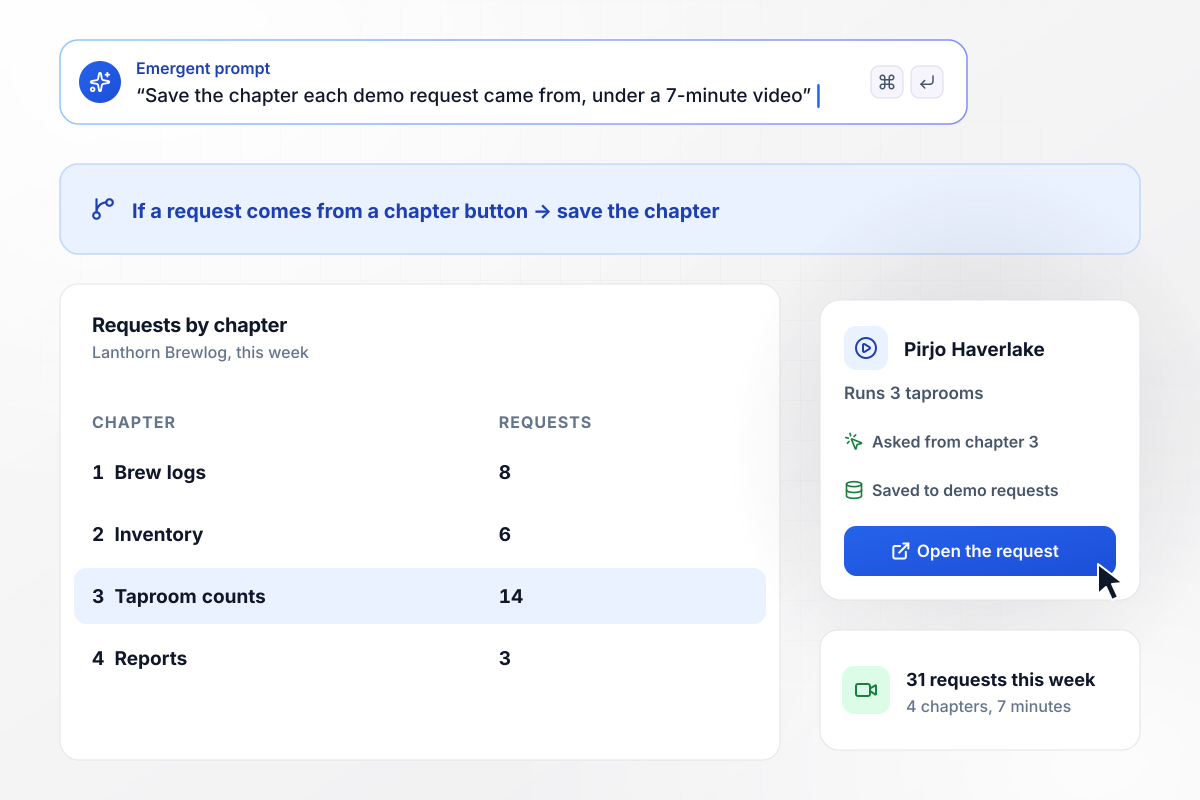
After chapter 3 came 14 of 31 requests
Lanthorn Brewlog shows a 7-minute demo video in 4 chapters, with no form in front of it. Each chapter has its own Book a live demo button, and every request saves the chapter it came from. Chapter 3 drew 14 of this week's 31 requests, one of them from Pirjo Haverlake, who runs 3 taprooms.
window.awbMockup = { videoDemo: "Build a demo page for my brewery software, Lanthorn Brewlog. Put a 7-minute demo video at the top, split into 4 chapters: brew logs, inventory, taproom counts, and reports. Show no form before the video. Under each chapter, add a Book a live demo button, and save every request with its name, work email, and the chapter it came from.", clickThroughTour: "Build a demo page for my clinic scheduling software, Pennygrove. Start with a click-through tour of 4 screens: the calendar, reminder texts, the waitlist, and reports. Put the request form on a fifth screen, asking for a name, a work email, and the number of providers. Save each request and email it to the account rep, Tilde Marren.", weeklyGroupDemo: "Build a signup page for my weekly live group demo of Quarryline, invoicing software for landscapers. The demo runs every Wednesday at 11:00 am with 40 seats. Show how many seats are left, and when a week is full, put new signups into the next Wednesday. Save each signup with the person's name, email, and the date they will attend.", pagesByIndustry: "Build 3 demo pages for my booking tool, Corbelle: one for dental offices, one for salons, and one for physical therapy clinics. Give each page its own headline and screenshots for that trade, and use the same request form on all three. Save every request to one table, with a column showing which page it came from." };
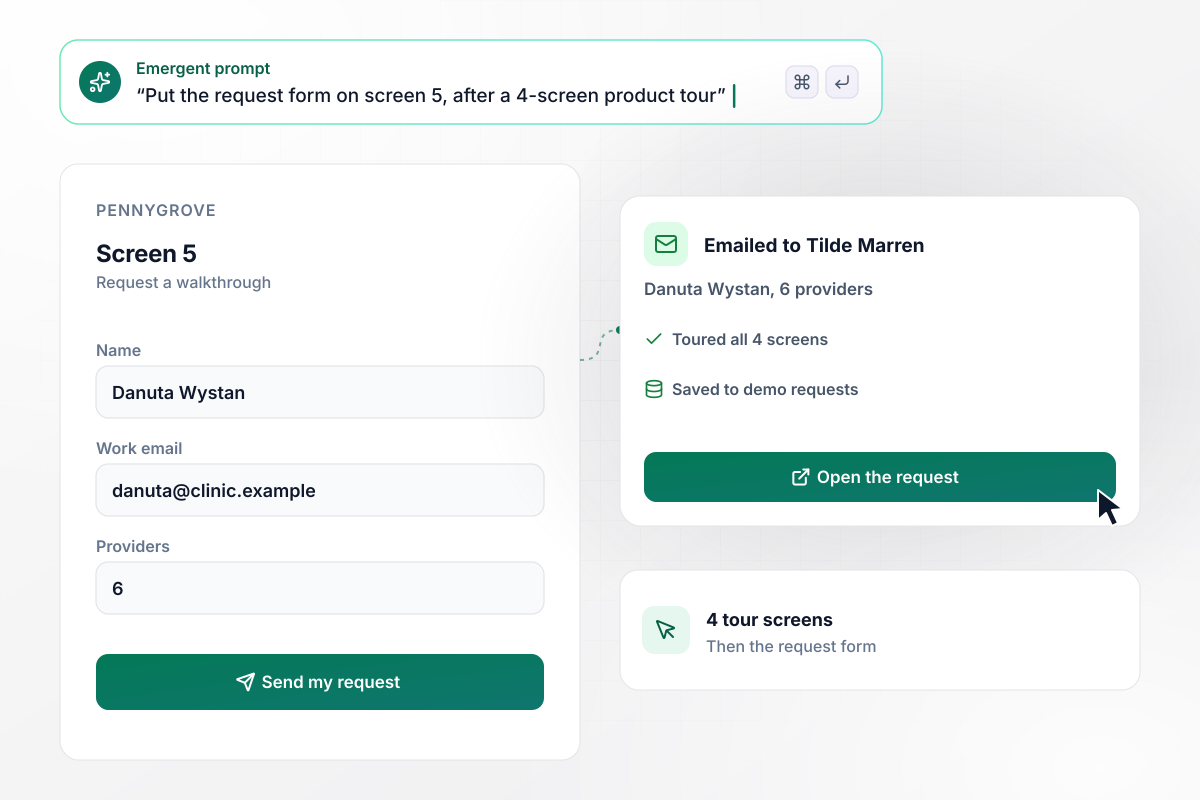
Four tour screens come before any form
Pennygrove's page asks for nothing until the tour ends. The clinic scheduling tool clicks through 4 screens: the calendar, reminder texts, the waitlist, and reports. Screen 5 asks for a work email and the number of providers. Danuta Wystan sent one for 6 providers, and the app emailed it to Tilde Marren.
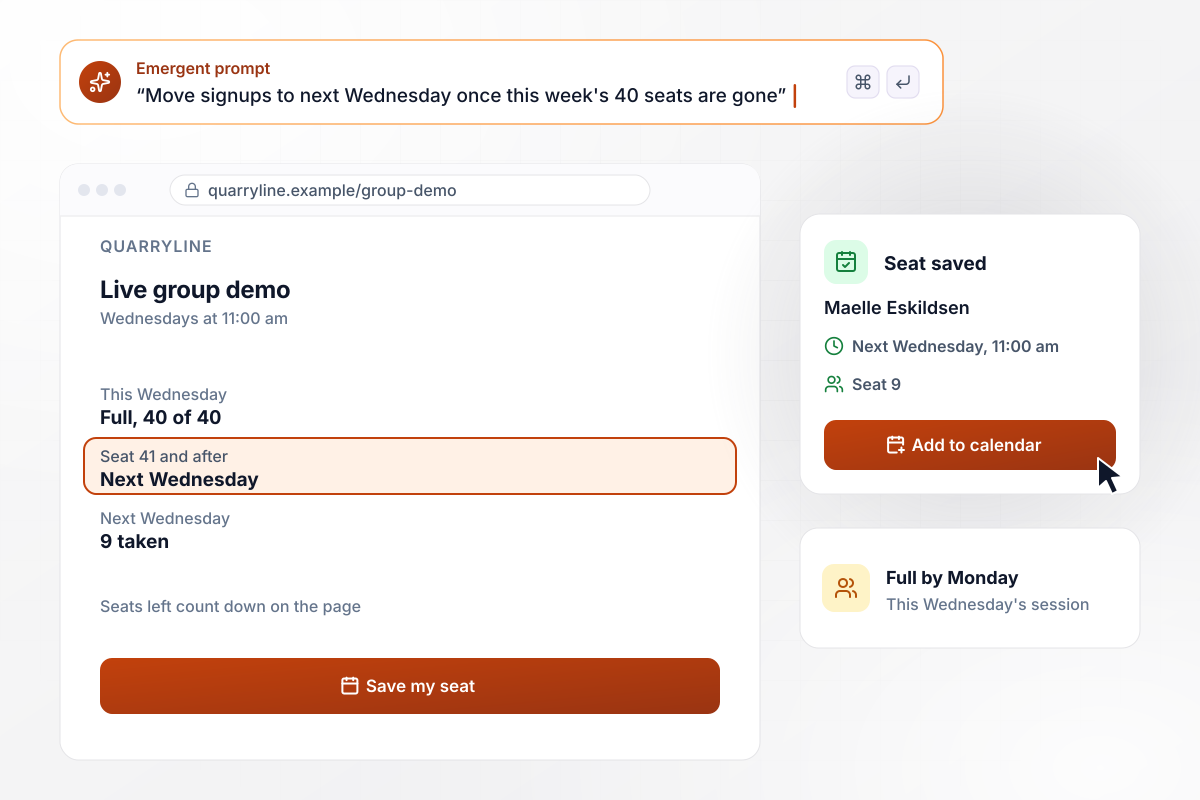
Seat 41 goes into next Wednesday's demo
Every Wednesday at 11:00 am, Quarryline demos its invoicing software for landscapers to a live group of 40. The page counts down the seats left. This week filled by Monday, and seat 41 and every signup after it went to next Wednesday. That session has 9 so far, and Maelle Eskildsen took seat 9.
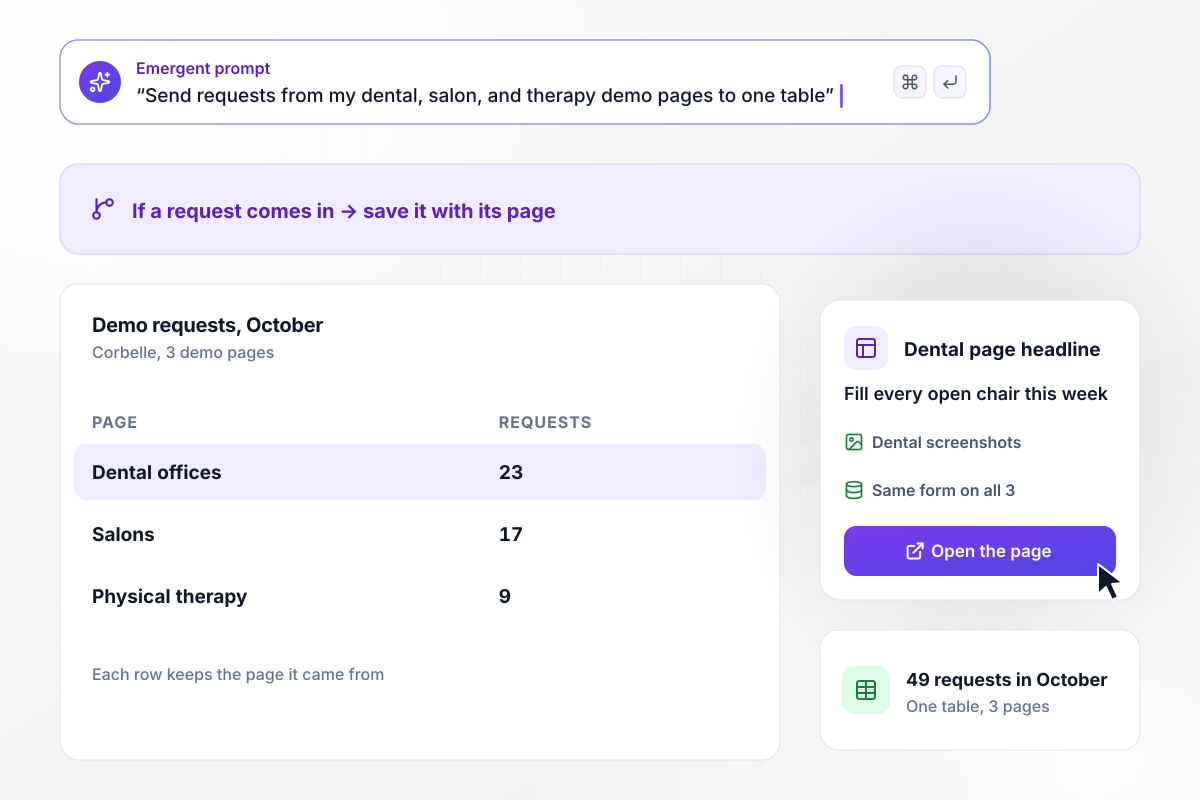
Requests from all three trades land in one table
Corbelle sells one booking tool to three trades, with a demo page for each: dental offices, salons, and physical therapy clinics. The dental page leads with "Fill every open chair this week." Every request lands in one table with a column for its page. October brought 49: 23 dental, 17 salon, and 9 physical therapy.






How to Create a Demo Landing Page
Seven steps to a demo landing page that shows the product before it asks for a call, then build it with Emergent.
Decide what a visitor should see before you ask for anything: a recorded video, a click-through tour, or a seat in a live session. Pick one as the main path at the top of the page. The other two can sit lower down as second options.
Split the recording into short chapters, each about one job the buyer does. Name each chapter after that job, such as taproom counts, rather than a menu in your product. Put a request button under every chapter, so a viewer can ask at the point that caught them.
Keep the request form to what your rep reads before the call: who the person is, how to reach them at work, the size of the team, and one question about the current setup. Leave the rest for the call, where a person can ask follow-ups.
If you sell to more than one industry, write a version of the page for each, with its own headline and screenshots from that trade. Keep the form identical on every version, so all requests land in one table and compare cleanly by page.
Tell Emergent what the page should hold: the video or tour, the form fields, who gets each request, and any seat limit for live sessions. Emergent returns the finished page, with a table for the requests, in one pass. Change any part later by prompt.
Agree how fast a rep answers a request, such as within one business day, and say so under the form. The app can send that rep a reminder when a request sits past the target. The request table shows which ones are still waiting.
Before the page goes live, open it on a phone and act like a buyer: play the chapters, then submit the form from one of the buttons. Check that the row lands in the table with the right chapter, and that the rep's email arrives.
Why Build a Demo Landing Page on Emergent?
One prompt builds the page and the table each request lands in. Swap the demo video or change a seat count later by asking.

|
Unbounce | Landingi | Wix | |
|---|---|---|---|---|
| How you build | Prompt for a campaign page | Templates and drag-and-drop, AI copy assist | Templates and drag-and-drop, AI assist | Prompt for a full site |
| Where submissions go | A database table you own, plus integrations | Unbounce lead storage and integrations | Vendor lead storage and integrations | Wix dashboard submissions and Contacts |
| Visitor limits | No per-visitor pricing | Monthly visitor caps by plan | Tiered by traffic on most plans | Site plan bandwidth |
| A/B testing | Generate variants by prompt | A/B testing on higher-tier plans only | Higher plans | Limited or add-on |
| Code ownership | Full code export to GitHub on paid plans | Hosted only | Hosted only | Hosted only |


Pick the Pricing Plan That Works for You
Choose the plan that fits your building ambitions. From weekend projects to enterprise applications, we've got you covered.




Find the right landing page for you
Frequently Asked Questions
Your Questions, Answered
Don't change this element unless you know what you are doing
More things you can build
with Emergent









on Emergent today


