

Build a CRM Landing Page Whose Leads Arrive Ready to Work
Get a CRM landing page that sends each lead to your CRM with its campaign and owner, plus a copy in a database you own.
Build a CRM landing page that saves every signup to a database I own.
Trusted by Builders Worldwide
Active Builders Worldwide
Apps Successfully Created
Countries Globally Reached



What a CRM Landing Page Needs Behind It
A CRM landing page is judged by the record it leaves in your CRM, not by the hero shot. These six parts decide what sales finds there.
Describe the page and the record it creates
Tell Emergent who the page is for and how each new contact should look in your CRM. It builds the page and the table behind it, then changes either one each time you prompt again.
Form fields land in the right CRM properties
Connect HubSpot or any CRM with an API, and each answer syncs into the property you name, such as company size or budget. Sales opens a complete contact, not a pasted note.
The campaign travels with the lead
Ask Emergent to read the campaign name from the link a visitor clicked and store it with the lead. Your CRM can then report which ad brought in each contact, with no hand tagging.
Leads worth a call reach a person
Set a rule on any answer, such as a stated budget over $20,000, and the app sends a Slack, email or in-app alert to the rep who owns it. Anything below the rule waits in the CRM.
A copy of every lead stays yours
Each submission also saves as a row in a database you own, with one column per answer. If you switch CRMs next year, your full lead history moves with you as a sortable table.
Your domain now, your code later
Publish on the domain your ads point to; custom domains are included and use credits. Paid plans export the full code to your GitHub repository. Building is free to start.
CRM Landing Page Examples by Record
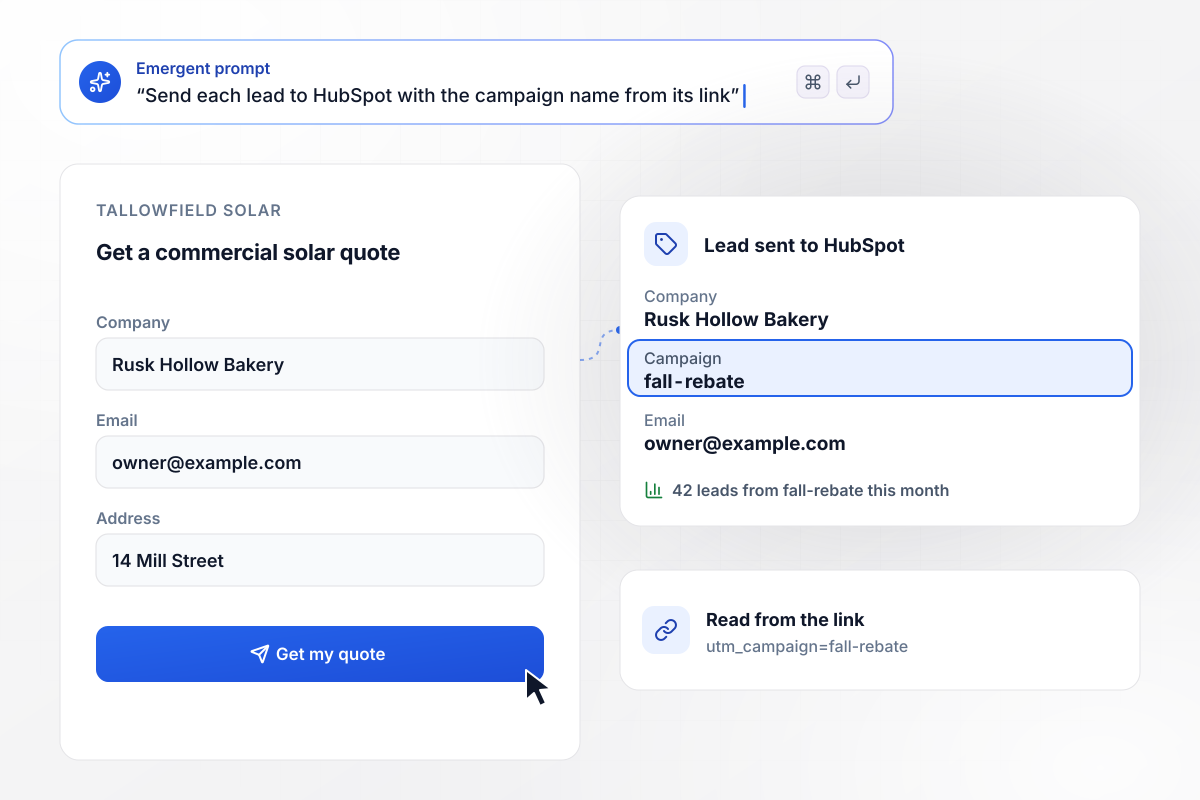
The campaign name rides along into HubSpot
Tallowfield Solar installs panels on commercial roofs, and its quote page picks up the campaign tag in the URL a visitor arrives on. Rusk Hollow Bakery's lead reached HubSpot tagged fall-rebate, one of 42 leads that campaign brought in this month.
window.awbMockup = { campaignSource: "Build a quote page for Tallowfield Solar, my company that installs panels on commercial roofs. Ask for the company name, the email, and the building address. Read the campaign name from the link the visitor clicked, send each lead to HubSpot with that campaign name, and count the leads per campaign this month.", territoryRouting: "Make a quote page for Brackwater Insurance, my agency. Ask for the name, email, and ZIP code. When the ZIP code starts with 802, assign the lead to agent Teo Lindqvist in the CRM and send him a Slack direct message with the name and ZIP code.", returningContact: "Create a shipping quote page for Kestrel Freight, my freight company. Ask for the name, email, and number of pallets. Look up the email in the CRM first; if a record exists, add the new request to it, and if not, create a new contact.", crmProductPage: "Build the landing page for Fernly, my CRM for wedding planners. Ask how many planners are on the team, multiply that by $19 a seat, and show the monthly price before the visitor starts a trial. Save each trial with the team name and team size." };
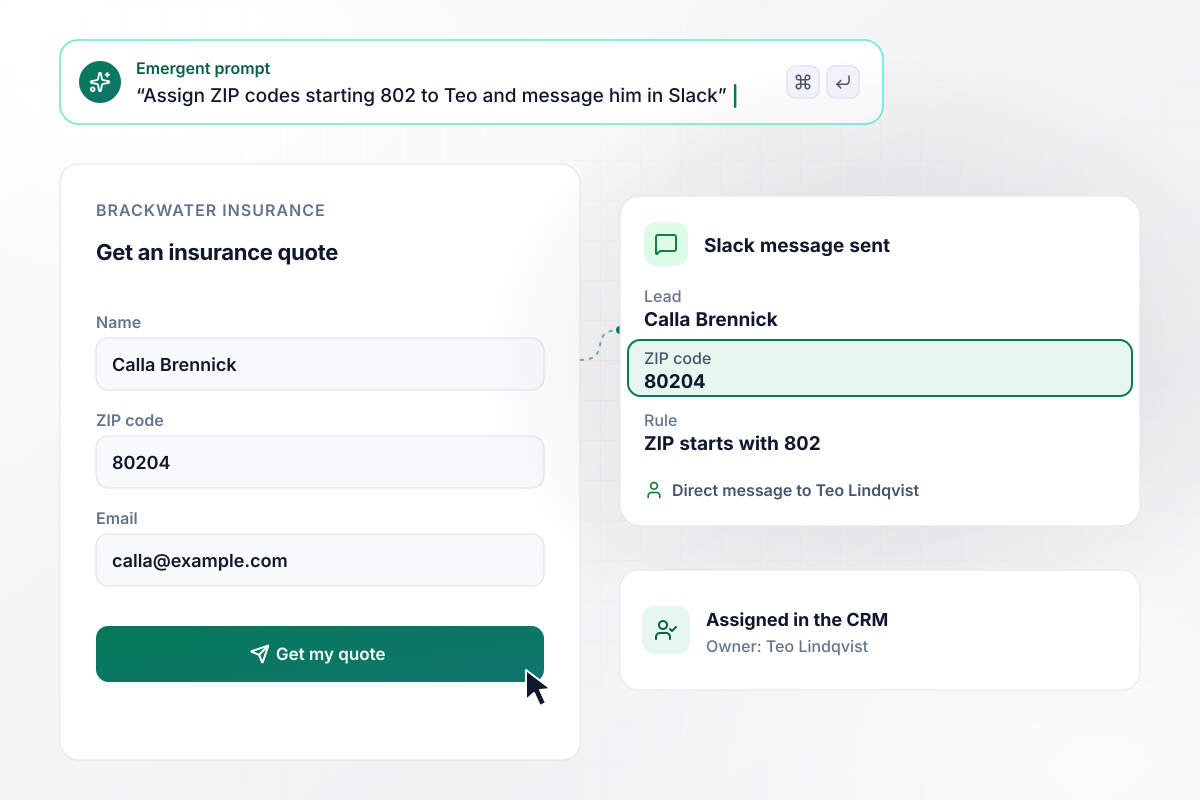
Teo Lindqvist gets every lead from ZIP codes starting 802
Brackwater Insurance splits new business by territory. A lead whose ZIP code starts with 802 is assigned to agent Teo Lindqvist in the CRM, and he gets a Slack direct message. Calla Brennick entered ZIP 80204, and her request arrived under his name.
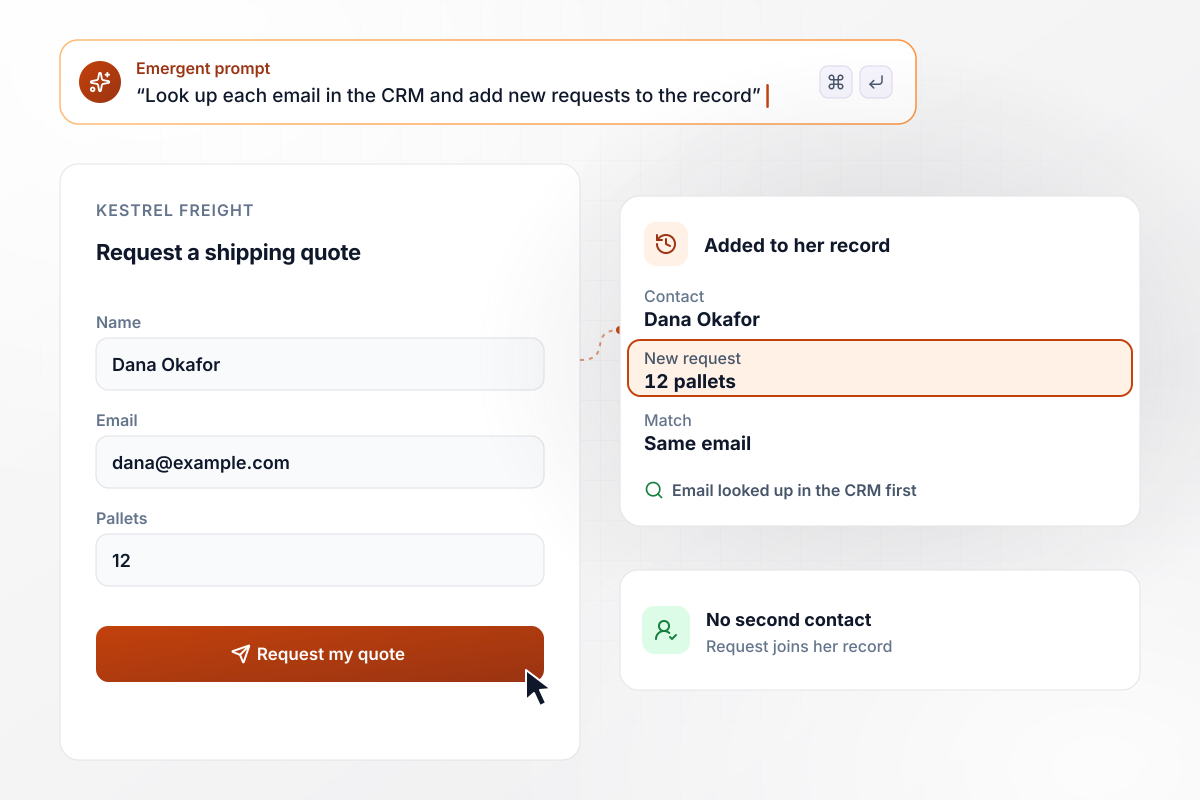
When Dana Okafor writes in again, her record grows
Kestrel Freight hears from the same shippers again and again. Its page looks up each email in the CRM before saving. Dana Okafor already had a record, and her new request for 12 pallets was added to that record instead of starting a second contact.
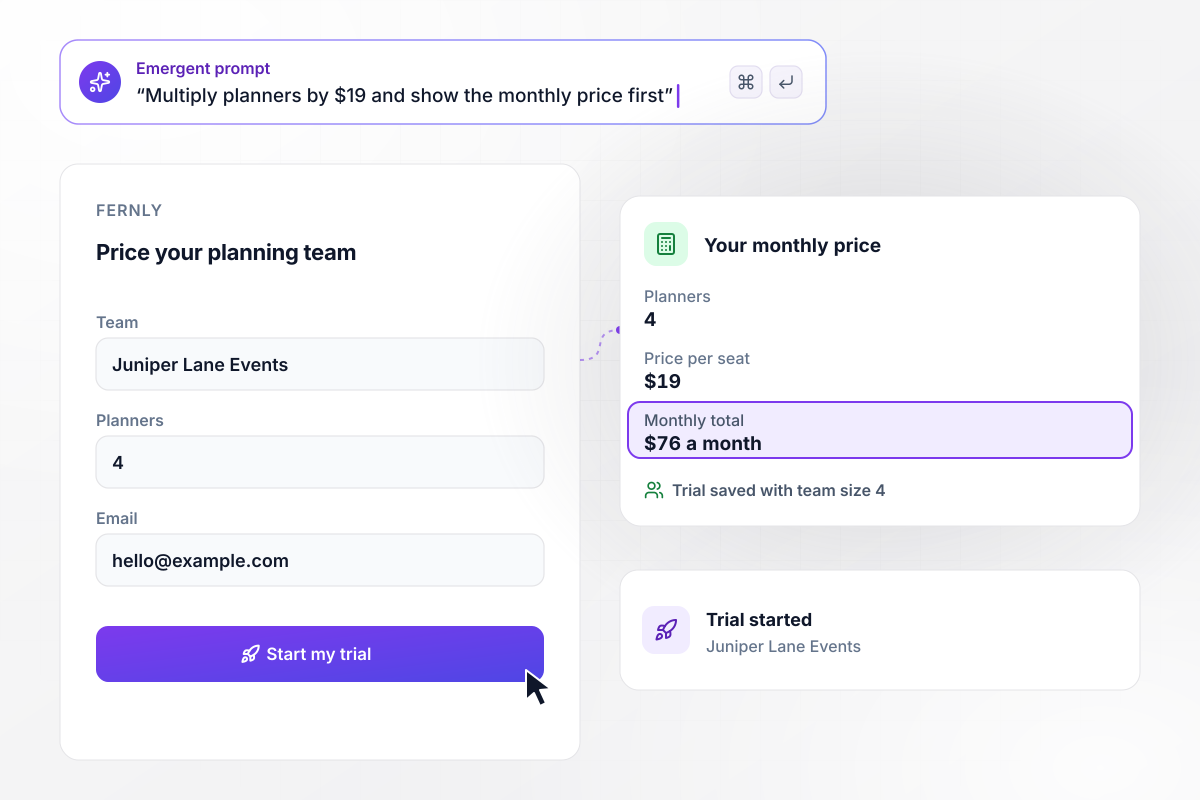
Fernly shows the $76 monthly price before any trial
Fernly sells a CRM to wedding planners, and its own landing page asks how many planners a team has, then multiplies by $19 a seat. Juniper Lane Events entered 4 planners, saw $76 a month, and started a trial saved with that team size.






How to Create a CRM Landing Page
Follow seven steps to create a CRM landing page whose leads reach the right rep with every field sales needs already filled in.
Ask the rep who makes first calls which three or four facts decide whether a call happens, such as headcount or a start date. Those facts become the form, and anything sales never reads stays off the page.
Open your CRM and find the property each answer should fill. Create any that are missing before you build, and note which ones are dropdowns. The form should offer the same choices the CRM accepts.
Add the utm_campaign parameter to each ad and email link that points at the page, with one exact name per campaign. Google's Analytics help says these parameters let you view which campaigns refer traffic.
Name the offer, each field, the CRM property it fills, and what should happen after a submission. Emergent builds the page from that prompt. Check the first draft against your list from step 01 and prompt again where it drifts.
Write the rule that assigns each submission, by ZIP code or deal size, and name the rep for each branch. Say in the prompt whether that rep should get a Slack message or an email when one arrives.
Submit one test per routing branch, plus one from an email already in the CRM. Open each record and confirm the campaign and owner arrived, with every property in the right place, before real traffic does.
Connect your domain and publish. After a week, group the new CRM contacts by campaign and look for the one that sends leads sales never calls back. Fix that ad or the form fields it brings in, by prompt.
Why Build Your CRM Page With Emergent?
Prompt the page into being, connect it to the CRM your sales team already opens, and keep every submission in a table you own.

|
Unbounce | Instapage | Leadpages | |
|---|---|---|---|---|
| How you build | Prompt for a campaign page | Templates and drag-and-drop, AI copy assist | Templates and drag-and-drop, AI copy assist | AI page creation, templates, and drag-and-drop |
| Where submissions go | A database table you own, plus integrations | Unbounce lead storage and integrations | Instapage contacts and integrations | Leadpages lead storage and integrations |
| Visitor limits | No per-visitor pricing | Monthly visitor caps by plan | Monthly visitor caps by plan | No traffic caps |
| A/B testing | Generate variants by prompt | A/B testing on higher-tier plans only | A/B testing on higher-tier plans only | A/B testing on higher-tier plans only |
| Code ownership | Full code export to GitHub on paid plans | Hosted only | Hosted only, no HTML export | Hosted by Leadpages |


Pick the Pricing Plan That Works for You
Choose the plan that fits your building ambitions. From weekend projects to enterprise applications, we've got you covered.




Find the right landing page for you















Frequently Asked Questions
Your Questions, Answered
Don't change this element unless you know what you are doing
More things you can build
with Emergent









on Emergent today


