

Build Pay per Call Landing Pages With One-Tap Calling
Build pay per call landing pages with a tap-to-call number up top and every call button tap saved to a database you own.
Build pay per call landing pages for my home services offers with a tap-to-call tracking number at the top of each page.
Trusted by Builders Worldwide
Active Builders Worldwide
Apps Successfully Created
Countries Globally Reached



What a Pay per Call Page Needs
The buyer pays for the call, not the visit. Describe the offer and its terms, and Emergent builds a page made for the phone.
A number that dials on a phone
Emergent builds your tracking number into a tel: link in the header and again under the offer. On a cell phone, one tap on that link dials the number, with no digits to retype.
One tracking number per page
Give each page the number the buyer or network assigned to that campaign. The page shows that number in every call button, and each call ties back to the page that drew it.
Every tap saved as a row
The app saves each tap on a call button to a database you own, with the page, the button, the time, and the campaign tag from the ad link. Sort the rows by hour or by campaign.
Call lengths from your tracker
Connect the call tracking tool you use over its API, and the app pulls each call's length next to the tap that started it. Calls past the buyer's minimum get marked billable.
Hours that match the buyer's
Set the hours the buyer answers calls. Outside them, the page shows a short callback form in place of the call button, and the app emails each request to your dispatcher.
The page as code you keep
Export the page and its tap log to your GitHub repository on paid plans. Or host it on Emergent under a custom domain, which uses credits, and change the copy by prompt.
Pay per Call Landing Page Examples
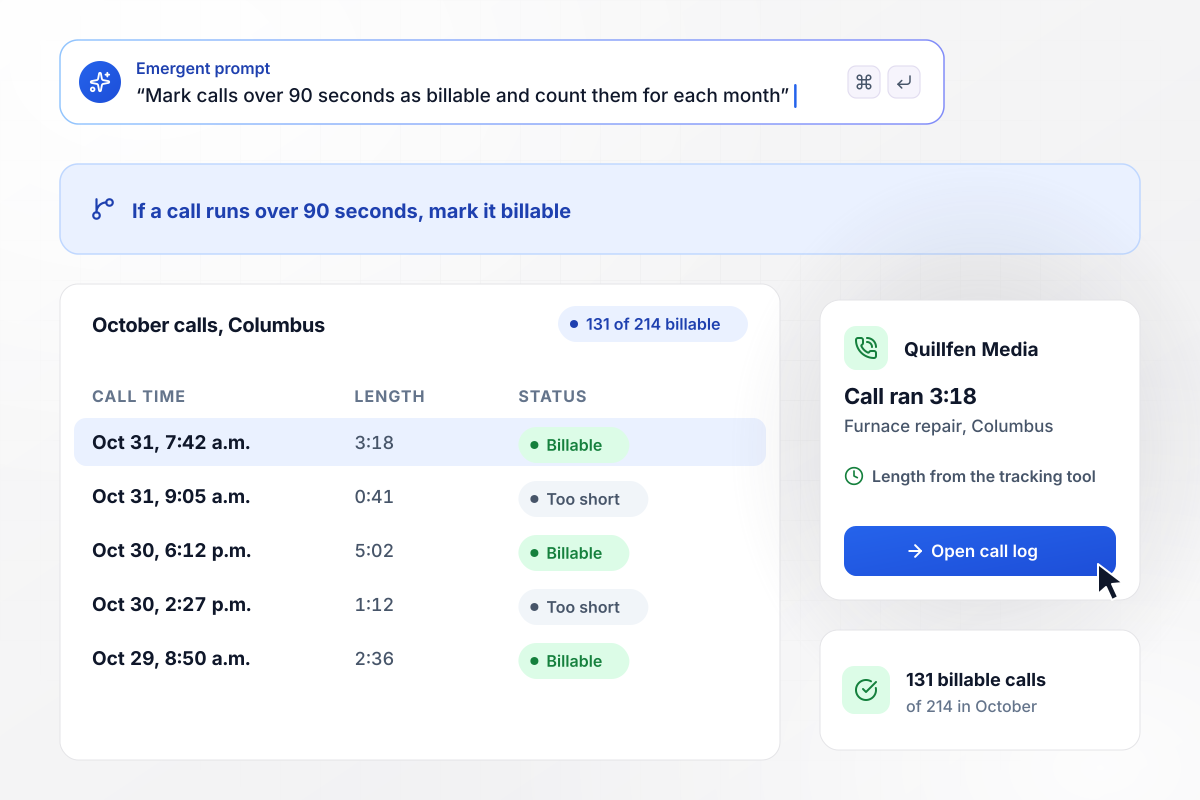
Columbus callers who stayed on past 90 seconds
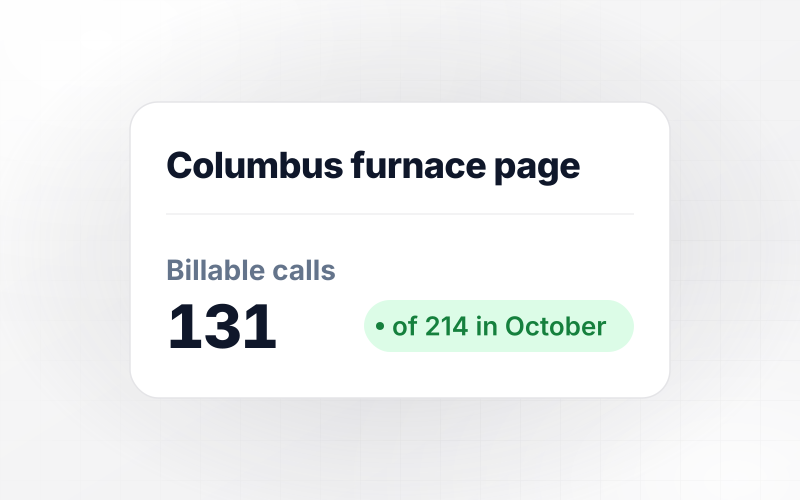
Quillfen Media sends Columbus furnace repair callers to a buyer that pays only for calls over 90 seconds. The page shows the buyer's tracking number as a call button, and the app marks each call past 90 seconds using lengths from the call tracking tool. Of 214 calls in October, 131 ran long enough to bill.
window.awbMockup = { homeServices: "Build a pay per call landing page for furnace repair in Columbus. Put the buyer's tracking number in a call button at the top and under the offer. Connect my call tracking tool over its API, pull each call's length, and mark calls over 90 seconds as billable. Show me billable calls against total calls for each month.", cityPages: "Build three pest control pages from one layout, for Tulsa, Wichita, and Omaha. Each page shows the tracking number its buyer assigned in a call button. Save every tap with the city and the time, and show me a weekly count of call taps for each city side by side.", afterHours: "Build a plumbing page whose call button shows only between 7 a.m. and 7 p.m. Central. Outside those hours, replace the button with a callback form asking for a name, a phone number, and the problem. Save each request, and email the overnight list to our dispatcher, Marit, at 7 a.m.", headlineTest: "Build a roofing page for Denver with two headlines: \"Roof repair in Denver\" and \"Hail damage? Call a Denver roofer\". Show each headline to half of the visitors. Count visitors and call taps per headline in one table, and show the tap rate for each so I can keep the winner." };
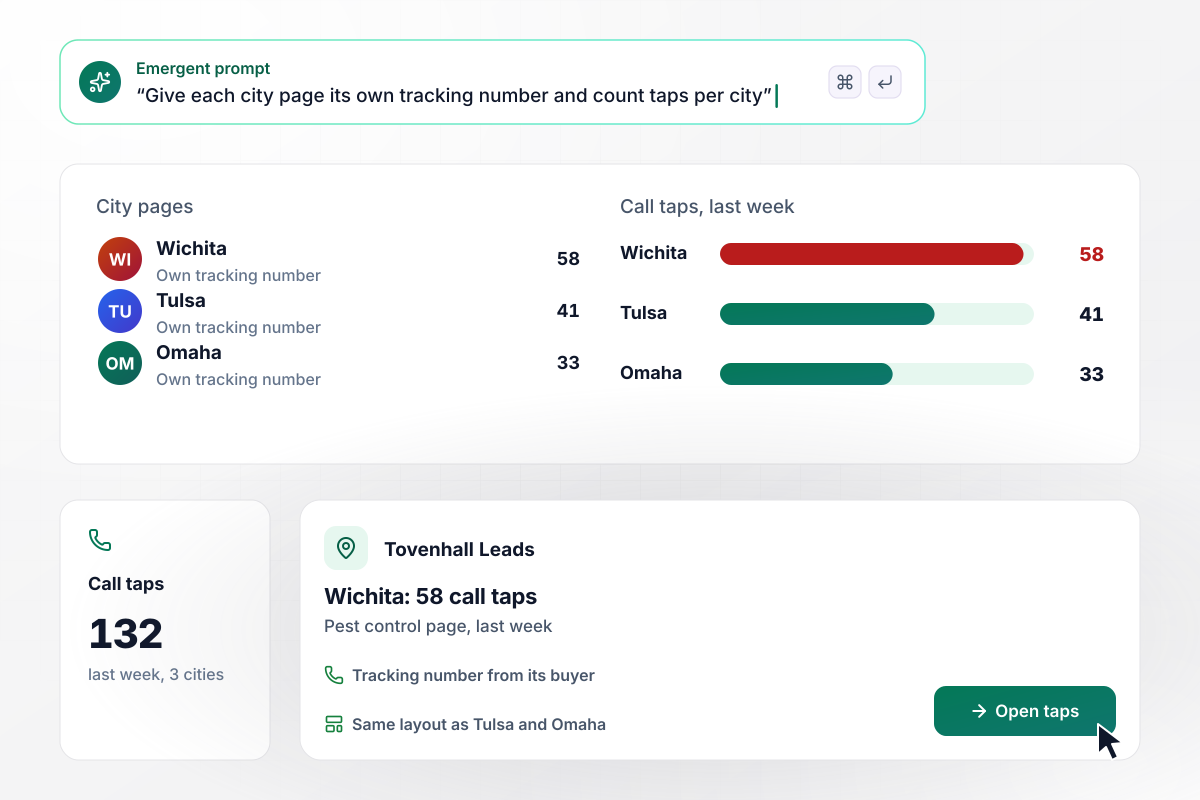
Wichita's number drew 58 taps in a single week
Tovenhall Leads keeps a separate pest control page for Tulsa, Wichita, and Omaha, each with the tracking number its buyer assigned. One prompt built all three pages on the same layout. Last week the pages drew 132 call taps between them: 58 in Wichita, 41 in Tulsa, and 33 in Omaha.
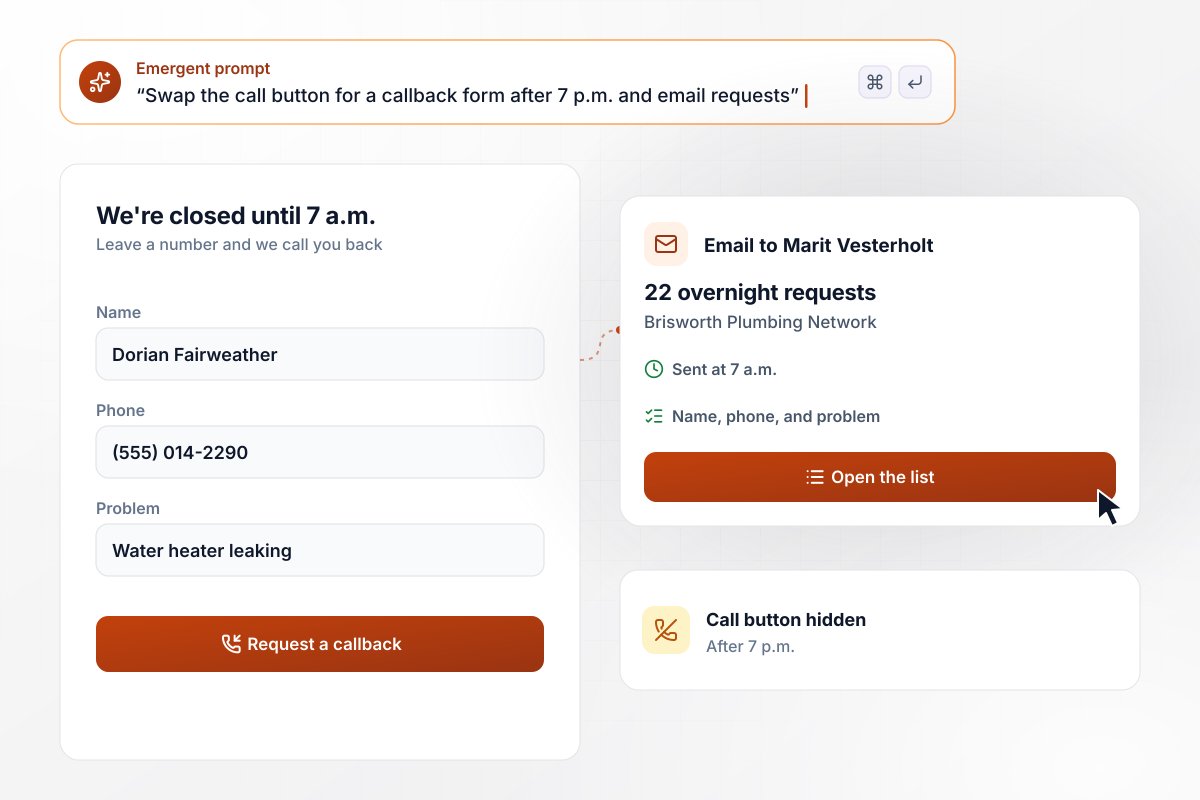
After 7 p.m., a callback form takes the button's place
Brisworth Plumbing Network answers calls between 7 a.m. and 7 p.m. After hours, the page hides the call button and shows a callback form asking for a name, a phone number, and the problem. The app emails the overnight list to the dispatcher, Marit Vesterholt, at 7 a.m. Last week, 22 requests came in overnight.
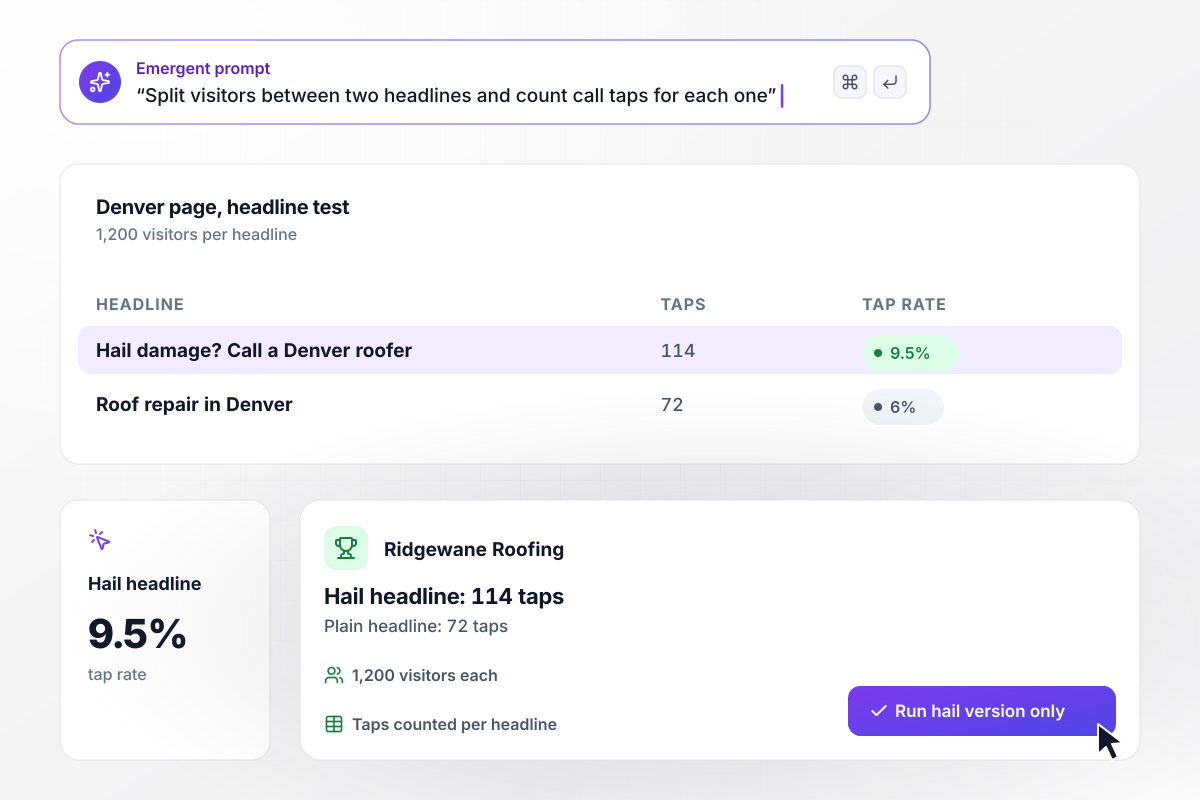
With hail in the headline, call taps rose to 114
Ridgewane Roofing ran two headlines on its Denver page, each shown to 1,200 visitors. The plain one, "Roof repair in Denver", drew 72 call taps. "Hail damage? Call a Denver roofer" drew 114. The app counts taps per headline in one table, and the hail version now runs alone.






How to Create Pay per Call Landing Pages
Seven steps to pay per call landing pages that turn ad visitors into calls a buyer pays for, then build them with Emergent.
Ask the buyer or network for the minimum call length, the hours they answer, and the areas they accept. Write those terms down with the date you got them. Every later choice on the page follows from them, including what visitors see after hours.
Place a call button in the header, then a second one right under the offer. Label the button with an action, such as Call for a repair today. Keep the digits visible as well, for visitors on a laptop who dial from a desk phone.
Repeat the ad's promise in the headline, word for word where you can, and name the city or service the ad named. A visitor who searched for hail damage repair should read hail damage before anything else on the page.
Use a separate tracking number for each page or traffic source you want to count apart. Ask the buyer which number belongs to which campaign before launch, and keep that list next to the call log for the first month.
Decide what a visitor sees when the buyer's line is closed. A callback form with three fields suits urgent repairs. A plain line with the opening hours suits the rest. Either one beats a call that rings out with no one there to pick up.
Tell Emergent the offer, the number to show, the open hours, and which calls count. Emergent builds the page and the table that saves each call tap, and you change any part later by sending another message.
Before ads go live, tap the button on a phone and stay on the line past the buyer's minimum. Check that the tap shows in the log with the right page and campaign, then repeat the test outside the buyer's hours.
Why Build Pay per Call Pages on Emergent?
Describe the number and the buyer's hours, and Emergent builds the page. Every call tap becomes a row in a table you own.

|
Unbounce | Landingi | Wix | |
|---|---|---|---|---|
| How you build | Prompt for a campaign page | Templates and drag-and-drop, AI copy assist | Templates and drag-and-drop, AI assist | Prompt for a full site |
| Where submissions go | A database table you own, plus integrations | Unbounce lead storage and integrations | Vendor lead storage and integrations | Wix dashboard submissions and Contacts |
| Visitor limits | No per-visitor pricing | Monthly visitor caps by plan | Tiered by traffic on most plans | Site plan bandwidth |
| A/B testing | Generate variants by prompt | A/B testing on higher-tier plans only | Higher plans | Limited or add-on |
| Code ownership | Full code export to GitHub on paid plans | Hosted only | Hosted only | Hosted only |




Pick the Pricing Plan That Works for You
Choose the plan that fits your building ambitions. From weekend projects to enterprise applications, we've got you covered.




Find the right landing page for you
Frequently Asked Questions
Your Questions, Answered
Don't change this element unless you know what you are doing
More things you can build
with Emergent









on Emergent today


