

Build a Freelancer Landing Page That Turns Visitors Into Clients
Build a freelancer landing page that sells your services, qualifies each brief, and saves every inquiry to a database you own.
Build a freelancer landing page that saves every signup to a database I own.
Trusted by Builders Worldwide
Active Builders Worldwide
Apps Successfully Created
Countries Globally Reached



What Emergent Builds Behind the Page
A freelancer landing page with your services, the brief form under them, and the table where every client inquiry lands.
Services and briefs from one prompt
Describe what you sell and what a client must tell you, and Emergent builds the page: the packages, the rates, and the brief form for each. Change a package later by prompting.
Each inquiry saved to a table you own
Every brief from the page lands as a row in a database you own, with the package picked, the budget, and the deadline. Sort by budget to decide which brief gets a reply first.
Rush work reaches you on Slack
Set the turnaround that counts as rush, and the app sends any request under it to Slack or email the moment it arrives. Everything slower waits in the table until you open it.
Quotes worked out from the request
Give the page your rate and the unit you charge by: words, hours, or minutes of footage. The app multiplies the client's number by the rate and shows the quote before they send it.
A web address with your name in it
Put the page on a domain you own, such as yourname.com, so the address on your invoice matches the page a client opens. Custom domains are included in Emergent and use credits.
Code you can take to GitHub
Paid plans export the full code of the page, the brief form, and the database to your GitHub repository. Hand it to a developer, or keep hosting it on Emergent as clients come in.
Freelancer Landing Page Examples
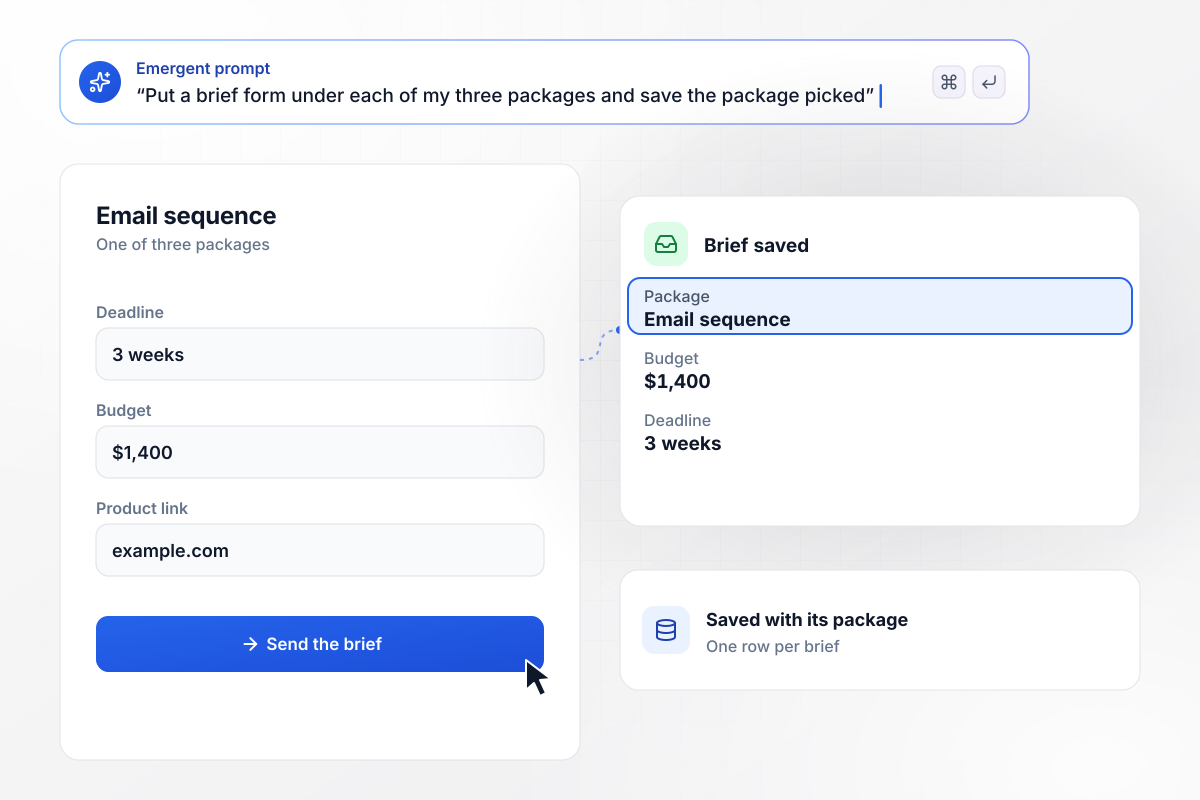
Three packages, and a brief form under each
Brona Marwood writes for software companies and sells three packages: a homepage, an email sequence, and a retainer. The brief form under each asks for the deadline, the budget, and a product link. An email sequence brief arrives with a $1,400 budget and a 3-week deadline, saved with its package.
window.awbMockup = { copywriter: "Build a landing page for my copywriting business. Sell three packages: a homepage, an email sequence, and a monthly retainer. Put a brief form under each package that asks for the deadline, the budget, and a link to the product, and save every brief with the package it came from.", videoEditor: "Build a landing page for my video editing work with a request form that asks for the turnaround. Mark any request under 72 hours as rush and send it to me on Slack. Keep slower requests in a table sorted by turnaround.", translator: "Build a landing page for my German to English translation service. Let a client upload a manual, read its word count, and show a quote at $0.12 a word before they send it. Save each quote with the file and the client's email.", bookkeeper: "Build a landing page for my bookkeeping service for restaurants. Give visitors one step, booking a 20-minute intro call. Save each inquiry with the restaurant's name, and show me a dashboard that counts inquiries and booked calls for the month." };
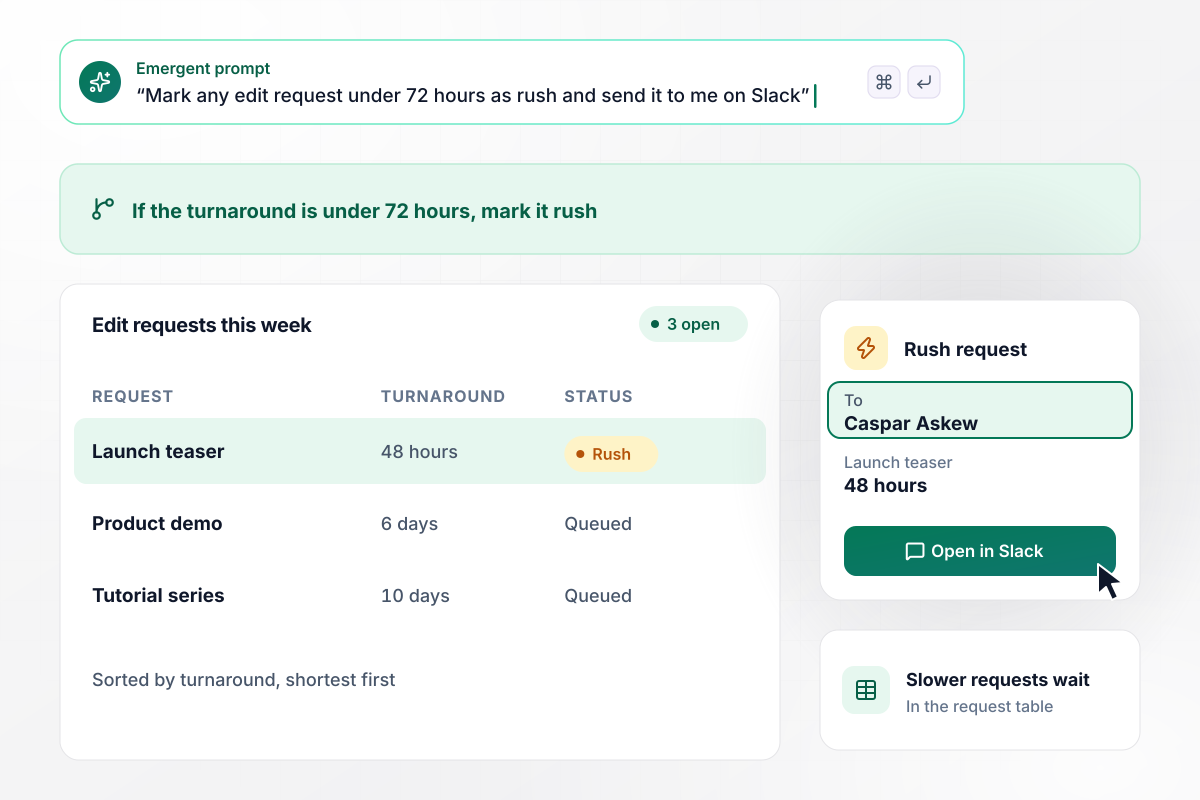
He sees any 48-hour rush before the rest
Caspar Askew edits launch videos, and his request form asks each client for a turnaround. Anything under 72 hours is marked rush and sent to him on Slack. This week a 48-hour launch teaser reached him first, while a 6-day product demo and a 10-day tutorial series waited in the table.
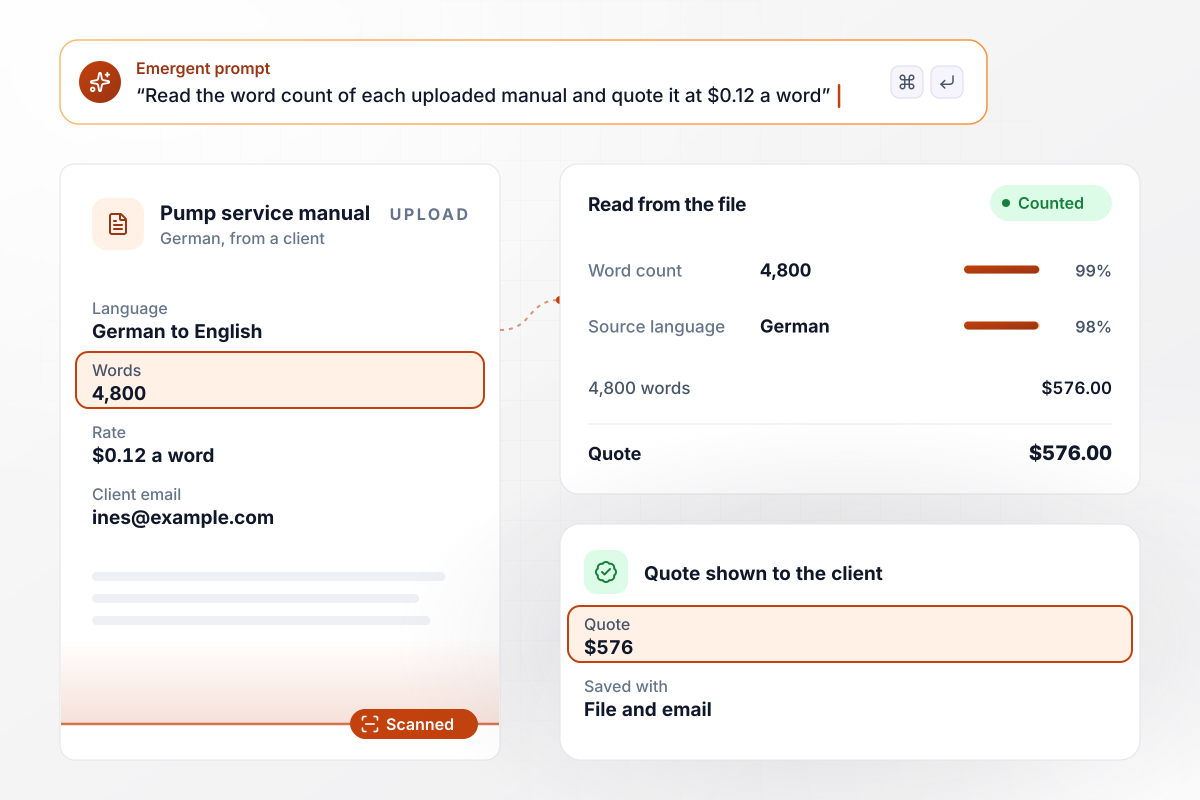
One upload comes back as a $576 quote
Berit Kallio translates technical manuals from German to English at $0.12 a word. A client uploads the manual on her page, the app reads its word count, and the quote appears before the client sends anything: 4,800 words comes to $576. Each quote is saved with the file and the client's email.
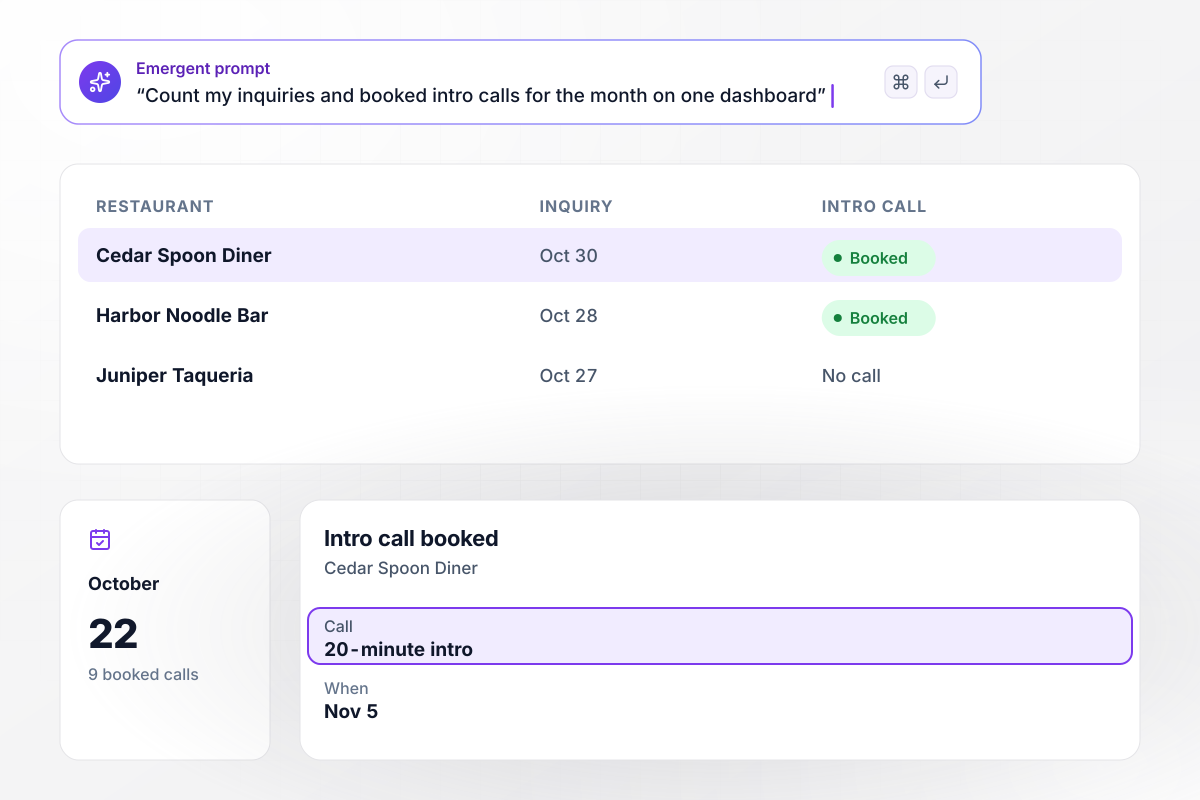
October ended with 22 inquiries and 9 booked calls
Lenore Sabel keeps the books for restaurants and gives a visitor one next step: a 20-minute intro call. Each inquiry is saved with the restaurant's name, and the dashboard counts the month as it goes. October closed with 22 inquiries, and 9 became booked calls, the last from Cedar Spoon Diner.






How to Create a Freelancer Landing Page
Seven steps to build a freelancer landing page around your services and test its brief form before a client sees it.
List each service as a package a client can pick, with what it includes, how long it takes, and a starting price. A short set of packages is easier to choose from than a long menu, and each one gets its own brief form.
Pick the questions you would ask on a first call: when the work is due, what the client can spend, and where to see the product. Keep it to four or five, and offer the budget as ranges so a client is not guessing at one number.
Tell Emergent the services, the questions, and who the page is for, in plain sentences. Emergent builds the page and the database table behind it, and you change any part of it later by writing another prompt.
Name the inquiries that should not wait, such as a budget over $2,000, and where each one goes: Slack or email. Everything else stays in the table, where you can sort it by deadline when you sit down to reply.
Add two or three short client quotes next to the packages they bought, with the client's name and role. A quote about a homepage rewrite belongs beside the homepage package, where a visitor is deciding whether to send a brief.
Connect a domain you own, so the page address matches the one on your email and invoices. Then open the finished page on a phone and on a laptop, since a client may read it on either before sending a brief.
Fill in every brief form with a realistic request and check the row it creates in the table. When each package saves correctly, put the link in your email signature and at the top of every proposal you send.
Why Build Your Freelancer Page With Emergent?
Packages, briefs, and client inquiries live in one app you change by prompting, on a database you own, with code export on paid plans.

|
Unbounce | Landingi | Wix | |
|---|---|---|---|---|
| How you build | Prompt for a campaign page | Templates and drag-and-drop, AI copy assist | Templates and drag-and-drop, AI assist | Prompt for a full site |
| Where submissions go | A database table you own, plus integrations | Unbounce lead storage and integrations | Vendor lead storage and integrations | Wix dashboard submissions and Contacts |
| Visitor limits | No per-visitor pricing | Monthly visitor caps by plan | Tiered by traffic on most plans | Site plan bandwidth |
| A/B testing | Generate variants by prompt | A/B testing on higher-tier plans only | Higher plans | Limited or add-on |
| Code ownership | Full code export to GitHub on paid plans | Hosted only | Hosted only | Hosted only |


Pick the Pricing Plan That Works for You
Choose the plan that fits your building ambitions. From weekend projects to enterprise applications, we've got you covered.




Find the right landing page for you
Frequently Asked Questions
Your Questions, Answered
Don't change this element unless you know what you are doing
More things you can build
with Emergent









on Emergent today


