

Build an Electrician Landing Page for Installs and Repairs
Get an electrician landing page that sends each install quote and repair call to the right person, saved in a database you own.
Build an electrician landing page that saves every job request to a database I own.
Trusted by Builders Worldwide
Active Builders Worldwide
Apps Successfully Created
Countries Globally Reached



What an Electrician Page Needs to Quote
Each part answers a question the office would ask on the callback. Emergent builds all six from one prompt.
A choice between install and repair
Open with two buttons: Install something new, or Fix something that stopped working. The pick sets the questions that follow, so a dead outlet skips the charger questions.
Panel questions on install quotes
Ask for the panel's amp rating and the year the house was built, with Not sure as an answer. The estimator reads both and knows whether to price by phone or book a visit.
Flat prices for the small jobs
List a fixed price for work you quote the same way every time, such as a ceiling fan or a dimmer switch. The page adds up the picks, so the total is known before a visit.
Your license number by the company name
Print the license number and the insurance carrier in the header, where a homeowner reads them before typing an address. Then list the towns you cover on the same line.
A row for every request
Each request is saved to a database you own, with the job type, the panel answers, and the time it came in. The office marks a row Called, then Booked, from the same list.
Alerts and reminders for the estimator
Send each new request to the estimator who prices that job, by email or in Slack. A reminder follows when a request sits without a call for the number of days you set.
Electrician Landing Page Examples
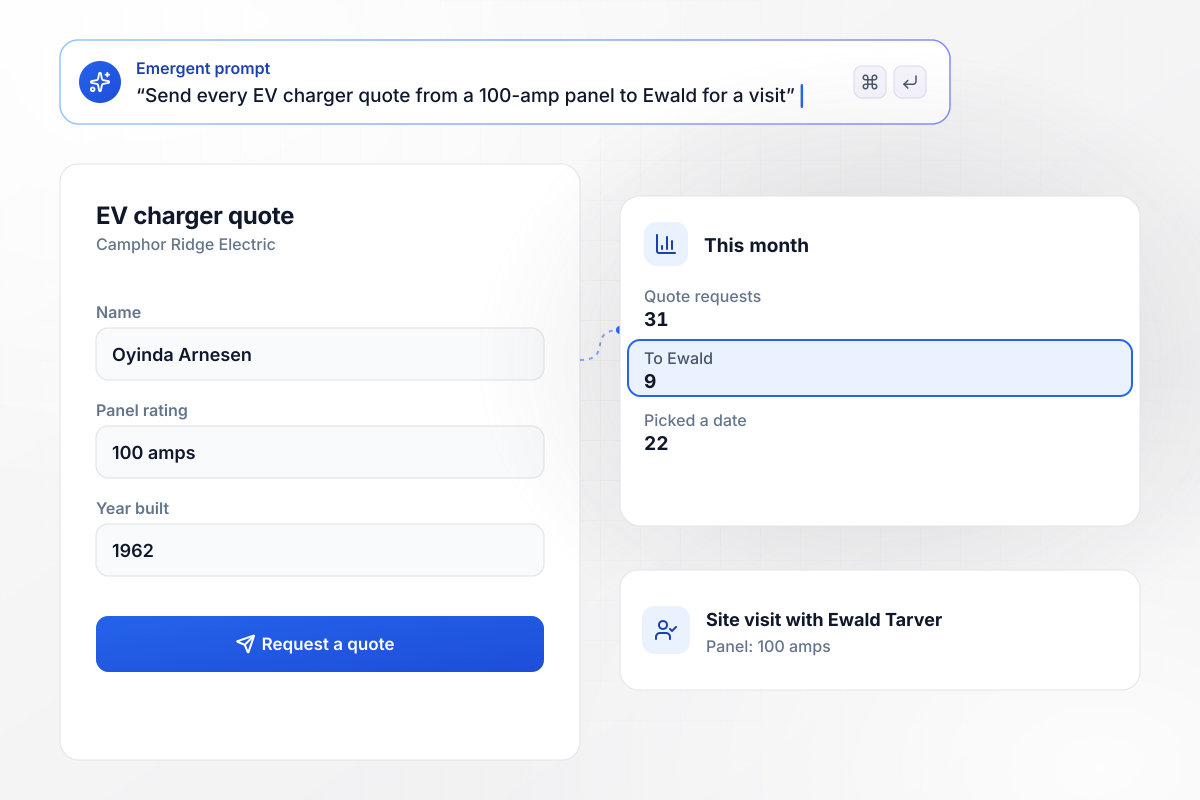
Ewald sees every 100-amp panel before quoting
Camphor Ridge Electric will not price a charger on a panel it has not seen. Its quote form asks for the amp rating first, and a home with a 100-amp panel goes to Ewald Tarver, the estimator, for a site visit. Everyone else picks an install date. This month 31 requests came in: 9 went to Ewald, and 22 picked a date.
window.awbMockup = { evChargers: "Build an EV charger quote page for Camphor Ridge Electric. Ask for the panel's amp rating first. Send every request from a home with a 100-amp panel to Ewald Tarver, our estimator, for a site visit, and let everyone else pick an install date.", generatorQuotes: "Make a standby generator quote page for Solvang Electric. Send every request to Rukmini Ferrell, our estimator. If she has not marked a request Called after 2 days, email her a reminder.", smallJobs: "Create a small jobs page for Drystone Electric with flat prices: $165 per ceiling fan and $95 per dimmer switch. Let the visitor pick how many of each, show the total, and save it on the booking row.", propertyManagers: "Build a request page for Fennwick Electrical. Ask property managers for the building and the unit number. Send requests from our 14 contract buildings to Ilsa Madrigal, and send every other address to the homeowner desk." };
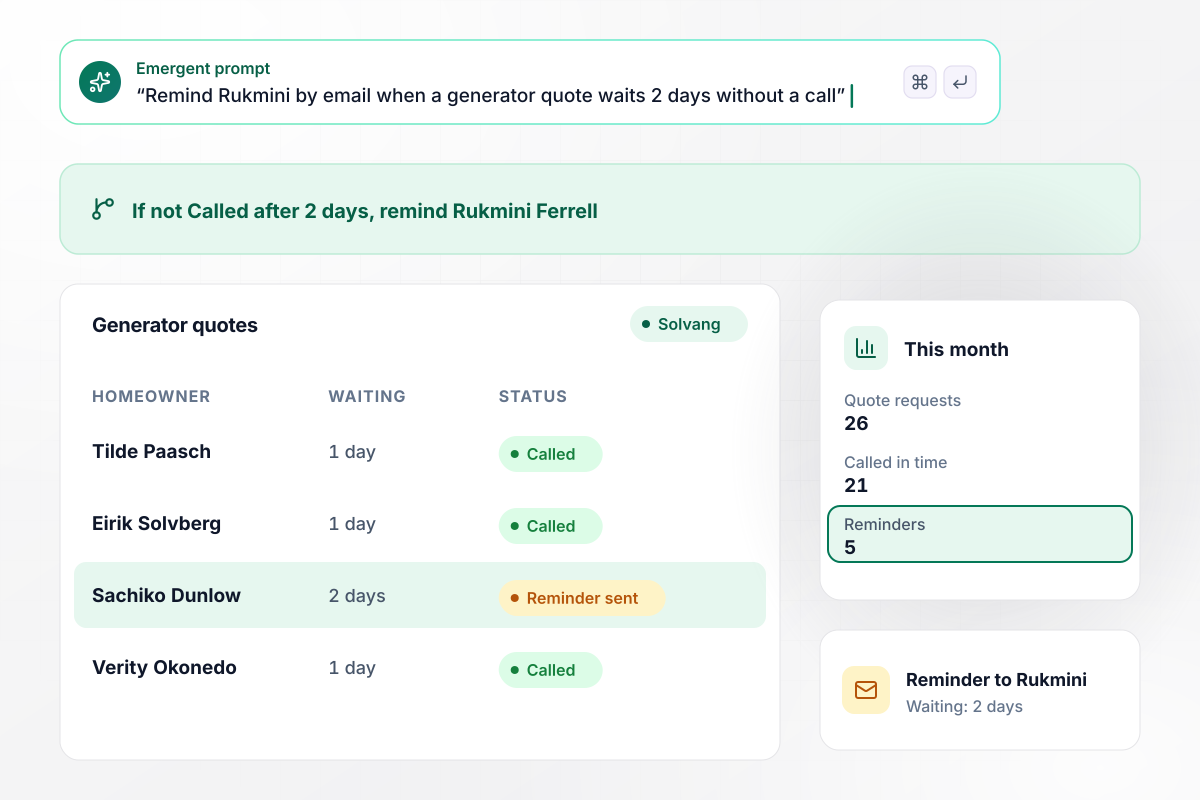
Unanswered for 2 days means a reminder to Rukmini
Solvang Electric gives every standby generator quote one owner: Rukmini Ferrell, the estimator. Each request lands on her list, and any request she has not marked Called after 2 days sends her a reminder by email. This month 26 requests came in: 21 got a call in time, and 5 set off a reminder.
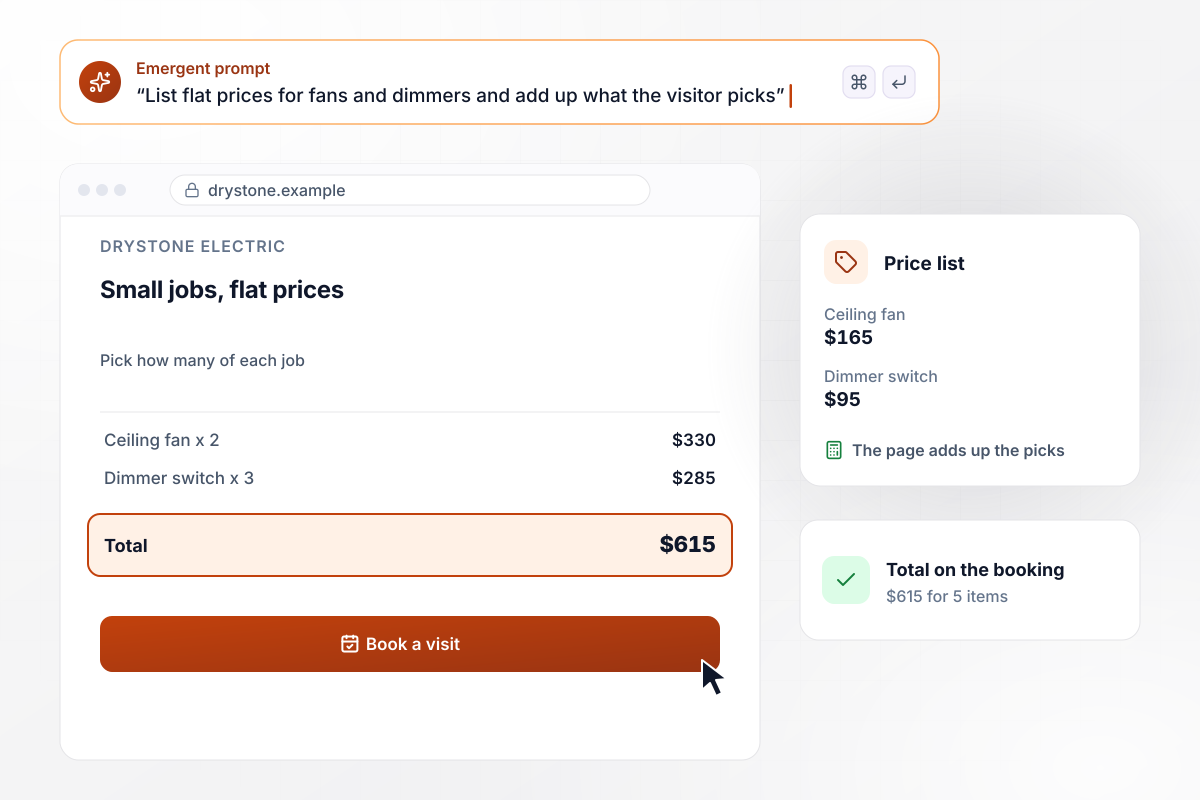
The price for 2 fans and 3 dimmers: $615
Drystone Electric prints its small-job prices: $165 to install a ceiling fan and $95 for a dimmer switch. The visitor picks how many of each, the page adds them up, and the booking row saves the total. Last week one homeowner picked 2 fans and 3 dimmers and saw $615 before booking a visit.
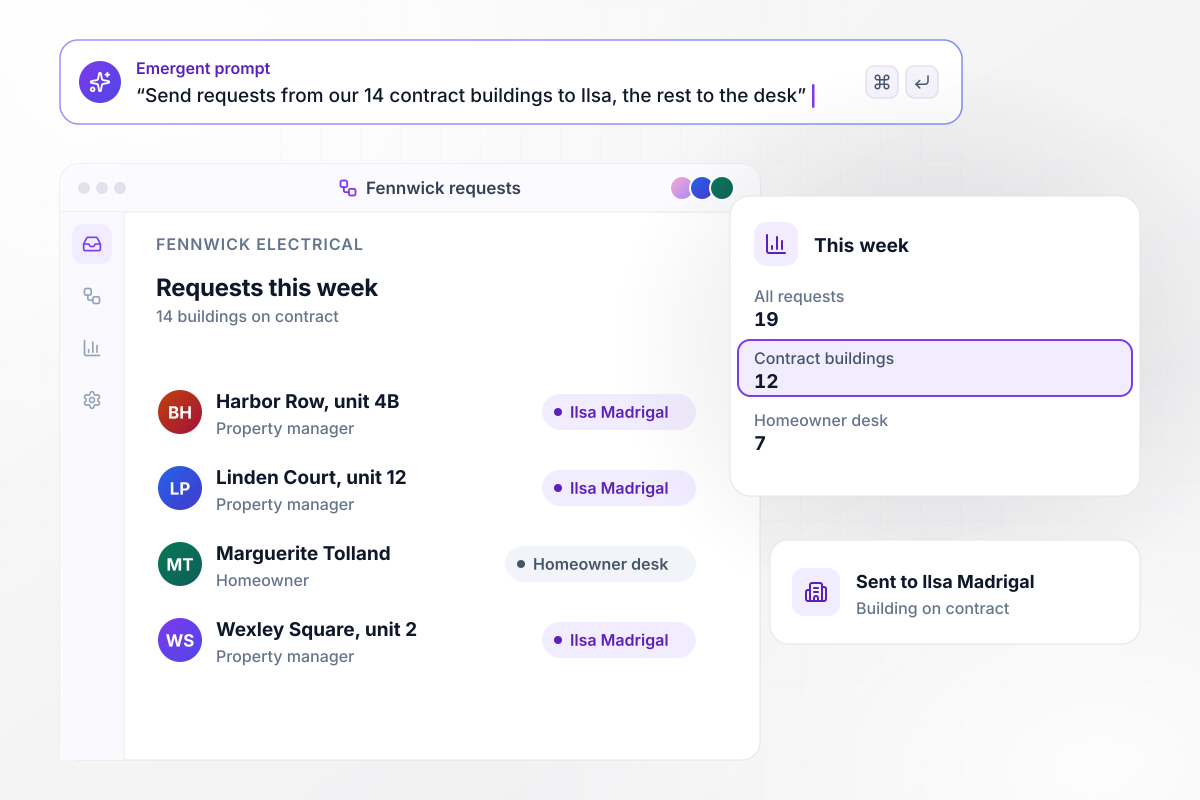
Property managers on contract: 12 of 19 requests
Fennwick Electrical serves 14 buildings under contract, and its form asks property managers for the building and unit number. A building on the list sends the request to Ilsa Madrigal, and any other address goes to the homeowner desk. This week 19 requests came in: 12 from contract buildings and 7 from everyone else.






How to Create an Electrician Landing Page
Seven steps to an electrician landing page that sorts install quotes from repairs and sends each one to the person who prices it.
Pick the work you want the page to bring in, such as EV chargers, generators, or panel upgrades, and give each its own page if each has its own ads. A visitor looking for a charger price should not read about rewiring.
Keep the amp rating and the age of the house on install pages only. On the repair form they slow down someone whose breaker keeps tripping and who wants a call back today, not a list of questions.
Show a fixed price for jobs you quote the same way each time, and say what the price covers. For anything that needs a look first, say that a visit comes before the number. Nobody then waits on a price by email.
Put the phone number in a link a thumb can reach, and tag the form's phone field with the tel autocomplete token. MDN describes that token as a full telephone number, including the country code.
Add LocalBusiness structured data with the business name and phone number, plus your hours. Google's guide says to use the most specific LocalBusiness sub-type possible. Look up the type that names your trade on schema.org.
Write down which estimator prices which job and how many days a request may wait before a reminder goes out. Put both in the prompt, and the routing and the reminder are built with the page.
Describe the jobs and who gets each request, and Emergent builds the page from that prompt. Send a test request from a phone, then check the row in your database and the alert to the estimator.
Why Electricians Build on Emergent
Describe your jobs and who prices each, and Emergent builds the page with its database. Paid plans include code export to GitHub.

|
Unbounce | Landingi | Wix | |
|---|---|---|---|---|
| How you build | Prompt for a campaign page | Templates and drag-and-drop, AI copy assist | Templates and drag-and-drop, AI assist | Prompt for a full site |
| Where submissions go | A database table you own, plus integrations | Unbounce lead storage and integrations | Vendor lead storage and integrations | Wix dashboard submissions and Contacts |
| Visitor limits | No per-visitor pricing | Monthly visitor caps by plan | Tiered by traffic on most plans | Site plan bandwidth |
| A/B testing | Generate variants by prompt | A/B testing on higher-tier plans only | Higher plans | Limited or add-on |
| Code ownership | Full code export to GitHub on paid plans | Hosted only | Hosted only | Hosted only |



Pick the Pricing Plan That Works for You
Choose the plan that fits your building ambitions. From weekend projects to enterprise applications, we've got you covered.




Find the right landing page for you



Frequently Asked Questions
Your Questions, Answered
Don't change this element unless you know what you are doing
More things you can build
with Emergent









on Emergent today


