

Build a Pest Control Landing Page for Inspections and Treatments
Build a pest control landing page that books inspections and treatments, with every request kept in a database you own.
Build a pest control landing page that saves every service request to a database I own.
Trusted by Builders Worldwide
Active Builders Worldwide
Apps Successfully Created
Countries Globally Reached



The Parts That Turn a Sighting Into a Booking
A pest control landing page has one job: getting an inspection or treatment request. Emergent builds each part below from a prompt.
The pest, picked from a short list
Open the form with fixed choices: Ants, Mice or rats, Termites, Wasps, and Bed bugs. The pick decides which technician hears about the request and what the form asks next.
Inspection or treatment, asked once
Ask whether the visitor wants an inspection first or a treatment on the calendar. Inspection requests go to the inspector's list, and treatments go to whoever plans routes.
Home or business before the address
Ask the property type next: Home, Rental, Restaurant, or Warehouse. A business answer then opens questions a home never sees, such as how many locations the business has.
Every request saved where you can sort it
Each request lands in a database you own with the pest, the property type, the address, and the time it came in. The office marks the row Booked once it is on a route.
Alerts to the inspector or the office
Send termite requests to the inspector by email and the rest to an office Slack channel, or to both. Each alert carries the visitor's phone number and the pest they picked.
Code your developer can pick up
Paid plans export the full code of the page to your GitHub repository, where a developer can keep working in the same files. Until then, Emergent changes the page by prompt.
Pest Control Landing Page Examples
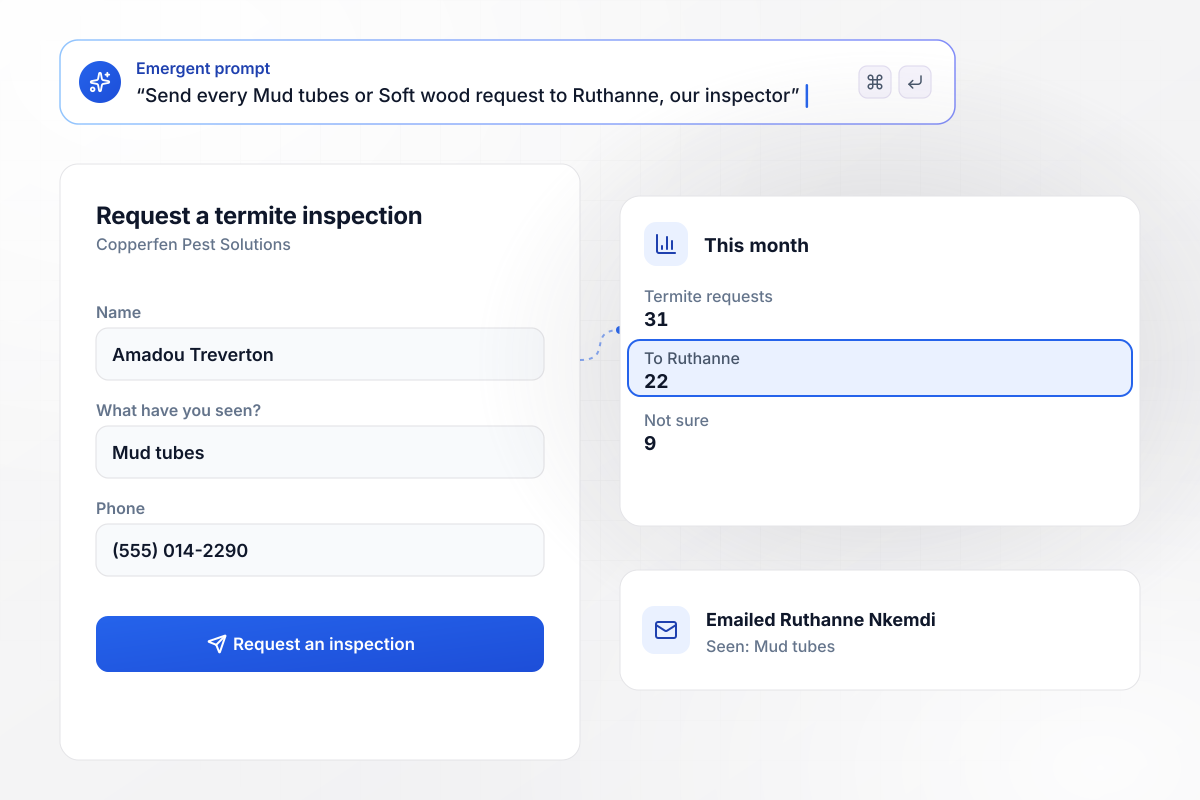
Mud tubes and soft wood reach the inspector
Copperfen Pest Solutions opens its termite form on one question: what have you seen? Mud tubes or Soft wood sends the request to Ruthanne Nkemdi, the termite inspector. A visitor who picks Not sure gets a call from the office first. This month 31 termite requests came in: 22 went to Ruthanne and 9 picked Not sure.
window.awbMockup = { termiteInspection: "Build a termite inspection page for Copperfen Pest Solutions. Ask what the homeowner has seen first, with the choices Mud tubes, Soft wood, and Not sure. Send every Mud tubes or Soft wood request to Ruthanne Nkemdi, our termite inspector, and put every Not sure request on the office call list.", quarterlyPlans: "Make a quarterly plan page for Sallowmere Pest Co. Ask the home size first and show the price right away: $129 a visit under 2,500 sq ft and $149 a visit at 2,500 sq ft or more. Save the size and the price on each request row for the office.", waspNests: "Create a wasp nest request page for Brindlemoor Pest Control. Ask where the nest is first. When the visitor picks By a door, email Tavish Orme, our same-day technician, with the address and phone number. Put every other nest request on Thursday's route.", restaurants: "Build a restaurant page for Pellam Street Pest Services. Ask how many locations the business runs. Send any restaurant with 3 or more locations to Wendeline Ostby, our account manager for chains, and send single sites to the commercial desk." };
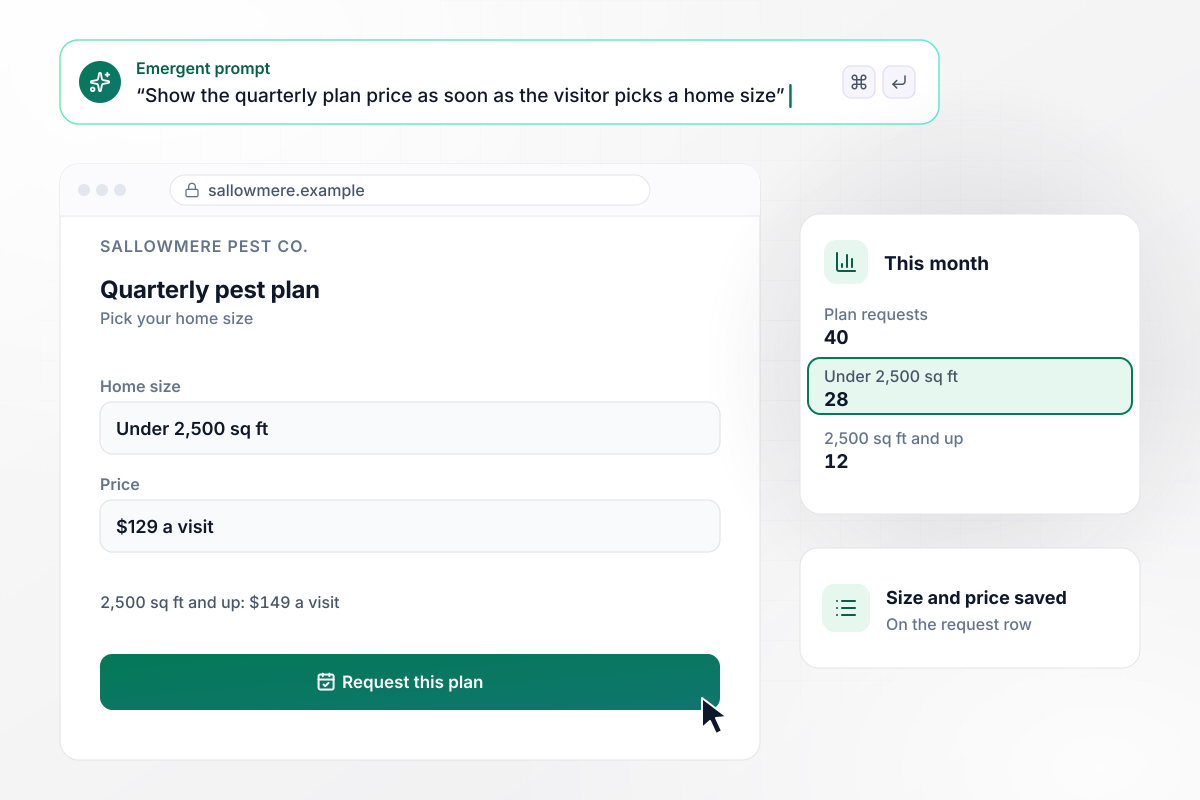
Plan prices by home size, before anyone calls
Sallowmere Pest Co. sells a quarterly plan and shows the price as soon as the visitor picks a home size: $129 a visit under 2,500 sq ft, or $149 a visit at 2,500 sq ft and up. The size and the price are already on the row when the office calls back. Of 40 plan requests this month, 28 were under 2,500 sq ft and 12 were larger.
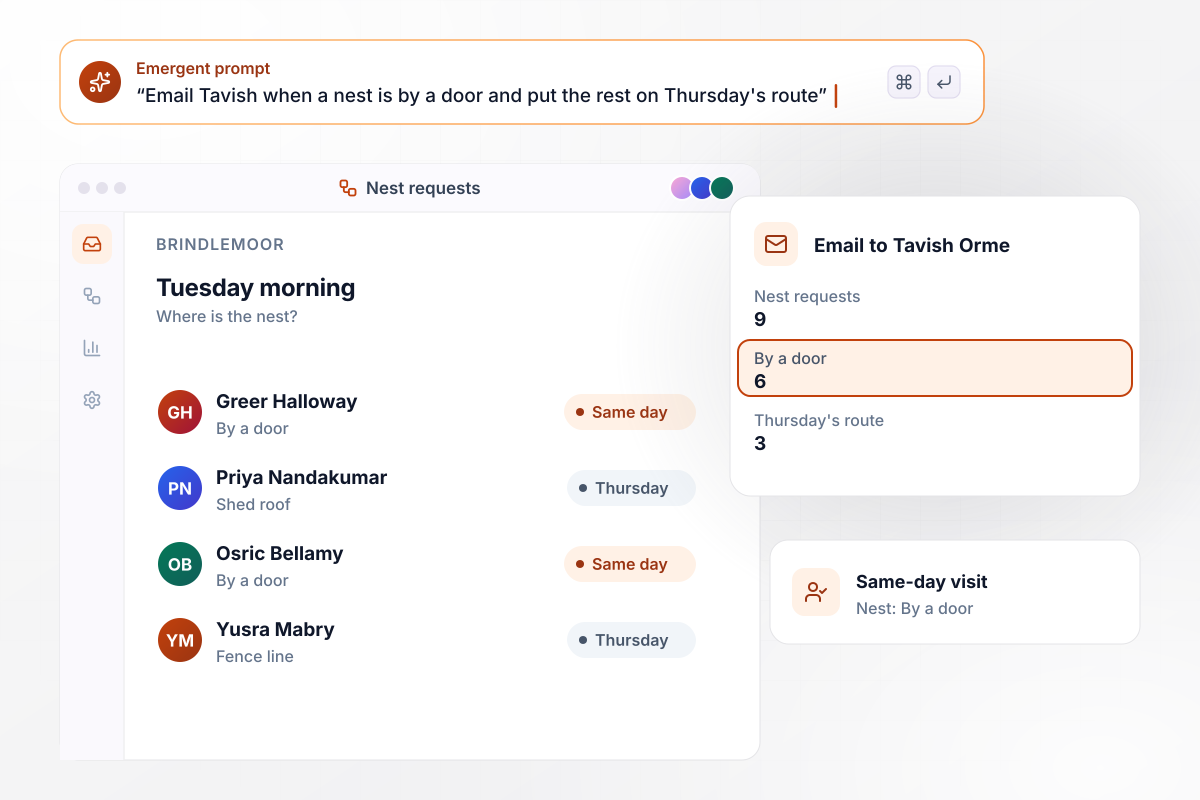
Nests by a door go out the same day
Brindlemoor Pest Control asks one thing first on its nest page: where is the nest? A nest marked By a door sends an email to Tavish Orme, the technician on same-day calls, and every other nest goes on Thursday's route. On Tuesday morning 9 nest requests came in: 6 were by a door and 3 went to Thursday.
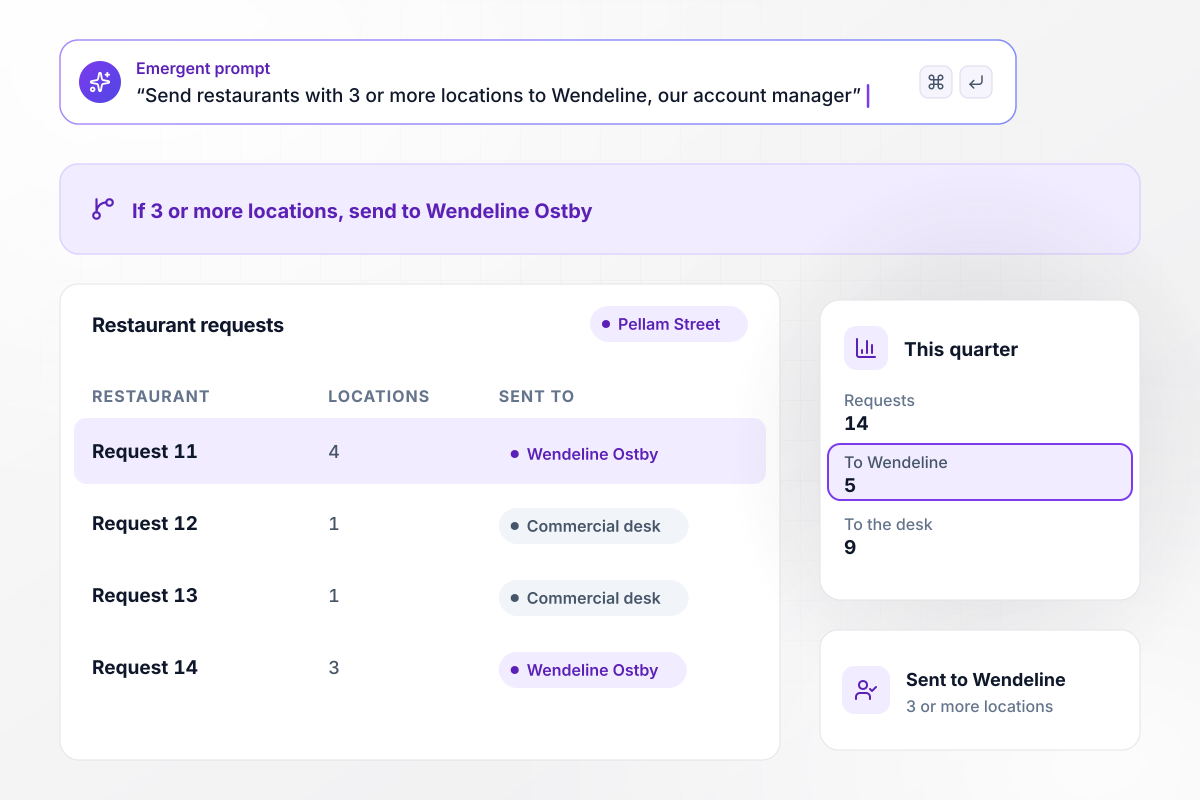
Restaurants on 3 or more sites go to Wendeline
Pellam Street Pest Services gives restaurants their own page, which asks how many locations the business runs. A restaurant on 3 or more sites goes to Wendeline Ostby, who manages chains. A single site goes to the commercial desk. This quarter 14 restaurants sent a request: 5 went to Wendeline and 9 to the desk.






How to Create a Pest Control Landing Page
Follow these 7 steps to build a pest control landing page that routes every inspection and treatment request to the right person.
Point a termite ad at an inspection page and a seasonal offer at a treatment page. A homeowner who found mud tubes wants an inspector, not a price list, and each page keeps one button for its one request.
Make the first field a short list of what the visitor found, such as Mud tubes or A nest, instead of an open text box. That answer picks who hears about the request. Put it ahead of the name and the phone number.
Show the pests you handle as choices, and add Other with a short text box. A visitor whose pest is not on the list can still send a request, and the office reads what it is before calling back.
Ask whether the request is for a home or a business. A business answer can open extra questions that a homeowner never sees, such as the number of locations or the hours the site is closed to customers.
Write one line per route in your prompt, such as nests by a door to the same-day technician and every other request to the office list. Emergent builds the routing from those lines and changes it when you prompt again.
Put the price on the page for any service sold at a fixed price, such as a quarterly plan priced by home size. Leave it off inspections that need a visit first, and say on the page that the inspector quotes after looking.
Fill in the form once for each route before the page goes live. Check that each test lands in the database as its own row, and that the alert reaches the right person with the phone number in it.
Why Pest Control Companies Build With Emergent
Emergent builds the page and its routing from one prompt, and every inspection request is saved in a database you own.

|
Unbounce | Landingi | Wix | |
|---|---|---|---|---|
| How you build | Prompt for a campaign page | Templates and drag-and-drop, AI copy assist | Templates and drag-and-drop, AI assist | Prompt for a full site |
| Where submissions go | A database table you own, plus integrations | Unbounce lead storage and integrations | Vendor lead storage and integrations | Wix dashboard submissions and Contacts |
| Visitor limits | No per-visitor pricing | Monthly visitor caps by plan | Tiered by traffic on most plans | Site plan bandwidth |
| A/B testing | Generate variants by prompt | A/B testing on higher-tier plans only | Higher plans | Limited or add-on |
| Code ownership | Full code export to GitHub on paid plans | Hosted only | Hosted only | Hosted only |



Pick the Pricing Plan That Works for You
Choose the plan that fits your building ambitions. From weekend projects to enterprise applications, we've got you covered.




Find the right landing page for you

Frequently Asked Questions
Your Questions, Answered
Don't change this element unless you know what you are doing
More things you can build
with Emergent









on Emergent today


