

Build an HVAC Landing Page That Books Repairs and Quotes
Get an HVAC landing page that books service calls and quote requests, with each one saved to a database you own.
Build an HVAC landing page where homeowners send a service request for a broken furnace or a new AC unit.
Trusted by Builders Worldwide
Active Builders Worldwide
Apps Successfully Created
Countries Globally Reached



What an HVAC Page Needs to Book the Job
Six parts take a homeowner from a broken furnace to a request the dispatcher can schedule, and Emergent changes each by prompt.
A first question about what broke
Open the form with fixed choices: No heat, No cooling, Strange noise, or Tune-up. The answer tells the dispatcher how fast to call back, before the visitor has typed a word.
A phone number one tap away
Show the number as a button on the first screen for the homeowner who wants to call instead of typing. Repeat it in the footer, so the number is there wherever the visitor stops.
A row for every request
Each request lands in a database you own with the problem picked, the ZIP code, and the minute it arrived. Your office works the list top to bottom and marks each row Scheduled.
An alert to whoever is on call
Send new requests to the dispatcher by email, to a Slack channel for the office, or to both. The alert carries the homeowner's name and number, plus the problem they picked.
Hours that match the phones
Print the hours someone answers the phone beside the form, plus any after-hours line. A homeowner at 10 pm then knows whether to call now or book a visit for the morning.
A web address homeowners recognize
Publish the page on a domain you already own, such as a booking subdomain of the site customers see on your trucks. Custom domains are included in Emergent and use credits.
HVAC Landing Page Examples
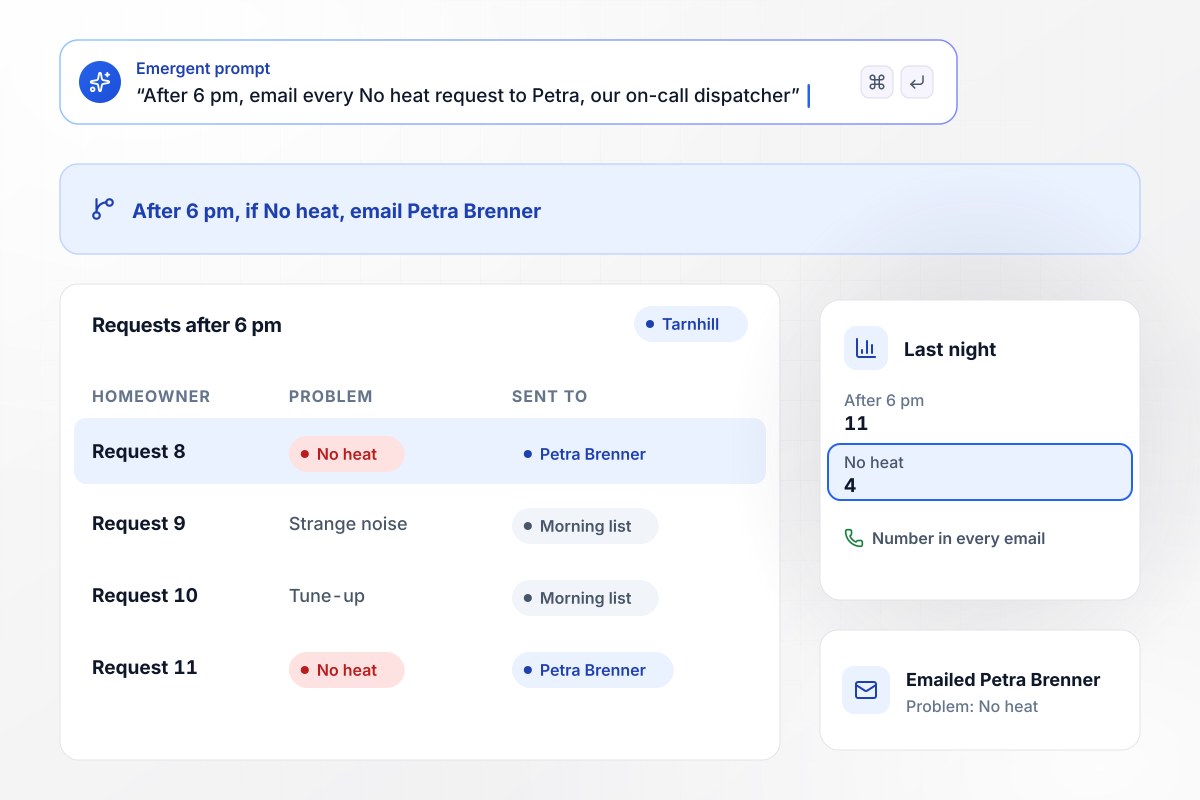
Petra hears about no-heat calls after 6 pm
Tarnhill Heating & Air puts one question first: what is wrong? After 6 pm, a visitor who picks No heat sets off an email to Petra Brenner, the on-call dispatcher, with the homeowner's number in it. Every other problem waits on the morning list. Last night 11 requests came in after 6 pm, and 4 of them picked No heat.
window.awbMockup = { noHeatCalls: "Build a landing page for Tarnhill Heating & Air. Ask what is wrong first, with the choices No heat, No cooling, Strange noise, and Tune-up. After 6 pm, email every No heat request to Petra Brenner, our on-call dispatcher, with the homeowner's phone number.", installQuotes: "Make an install quote page for Corran Bay Comfort. Ask the age of the system and the fuel it runs on. Send every request for a system 15 years or older to Joaquin Teller, our comfort advisor, and send the rest to the repair desk.", serviceArea: "Create a booking page for Saltbrook Air, which serves 9 ZIP codes. Ask for the visitor's ZIP code first. Show the booking form only when the ZIP is on our list, and show the list of the 9 ZIP codes we serve to everyone else.", tuneUpOffer: "Build a page for the Marlow Creek Heating fall furnace tune-up at $119. Save the tag of the ad that sent each visitor, search ad or postcard mailer, on the booking row, and count bookings by tag." };
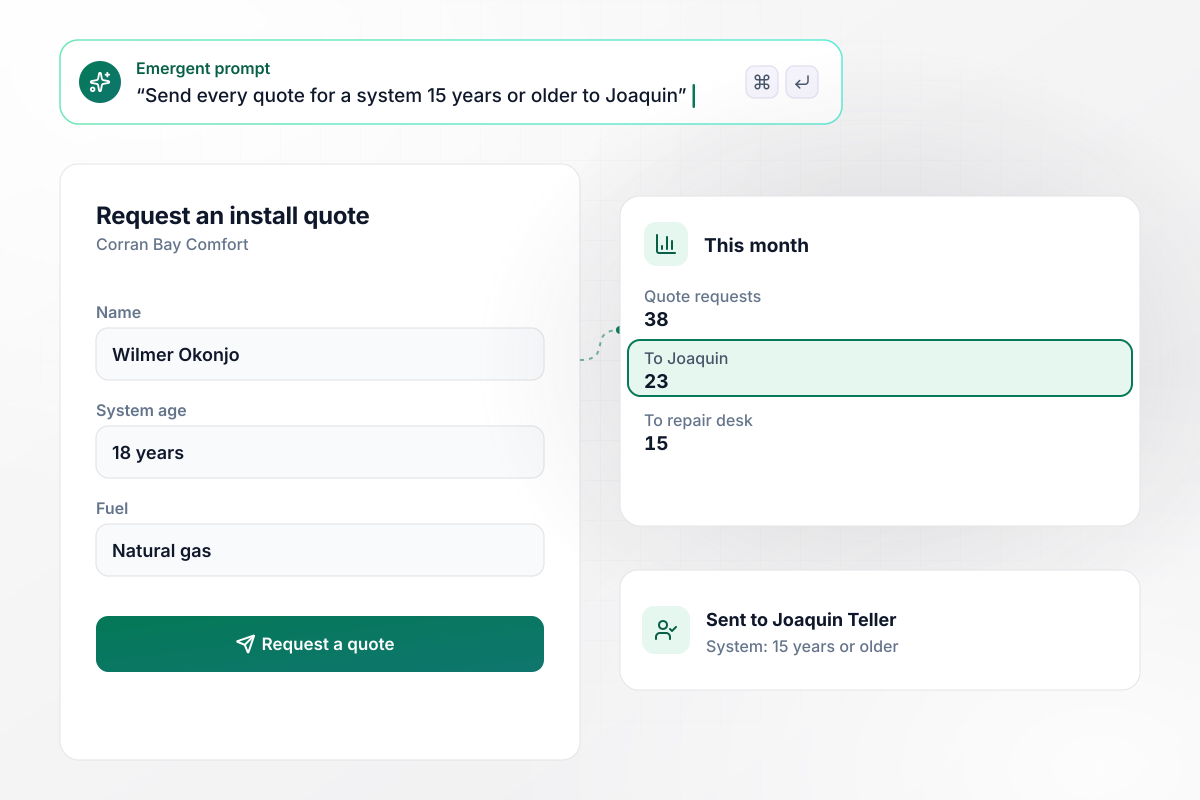
Systems 15 years or older go to Joaquin
Corran Bay Comfort asks for the age of the system and the fuel it runs on before it takes an install quote request. Every request for a system 15 years or older goes to Joaquin Teller, the comfort advisor who sets up in-home estimates. This month 23 of 38 quote requests went to Joaquin, and 15 went to the repair desk.
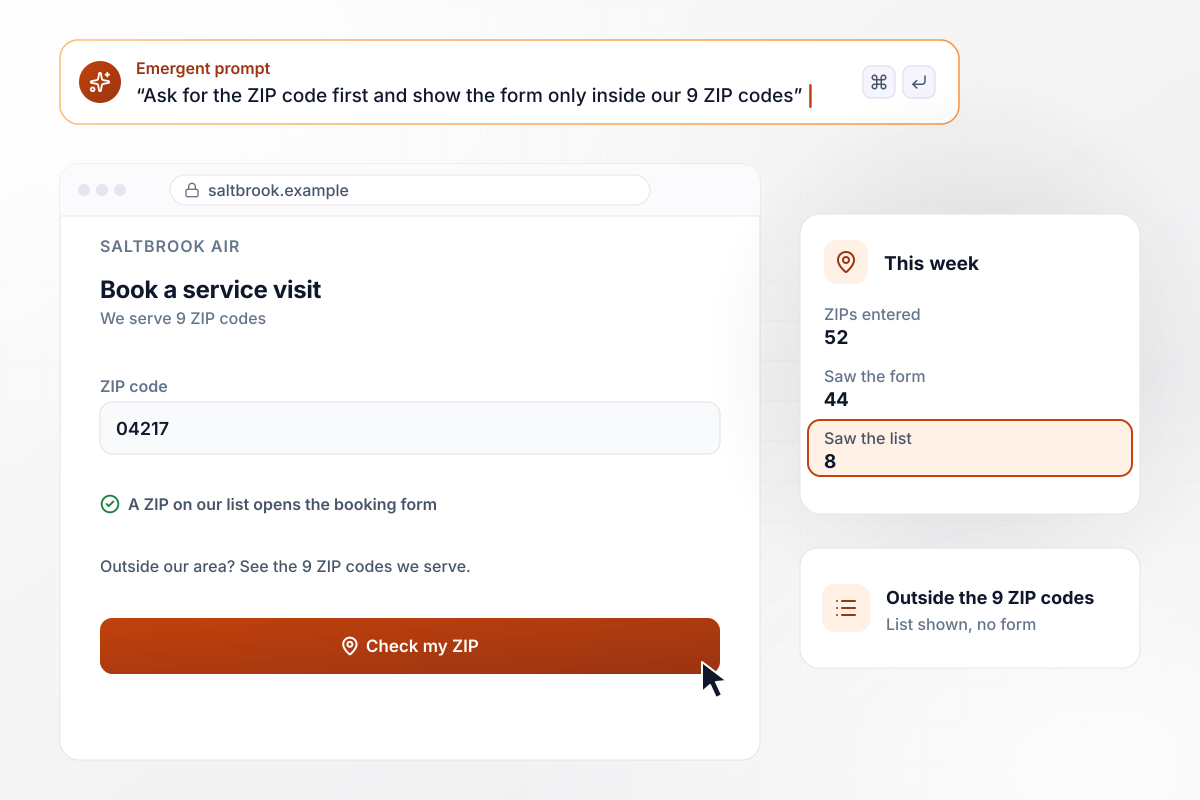
No form for the 8 visitors outside the area
Saltbrook Air works inside 9 ZIP codes, so its page asks for the ZIP before it shows the booking form. A ZIP on the list opens the form, and any other ZIP brings up the list of the 9 the company serves. This week 52 visitors entered a ZIP: 44 saw the form and 8 saw the list.
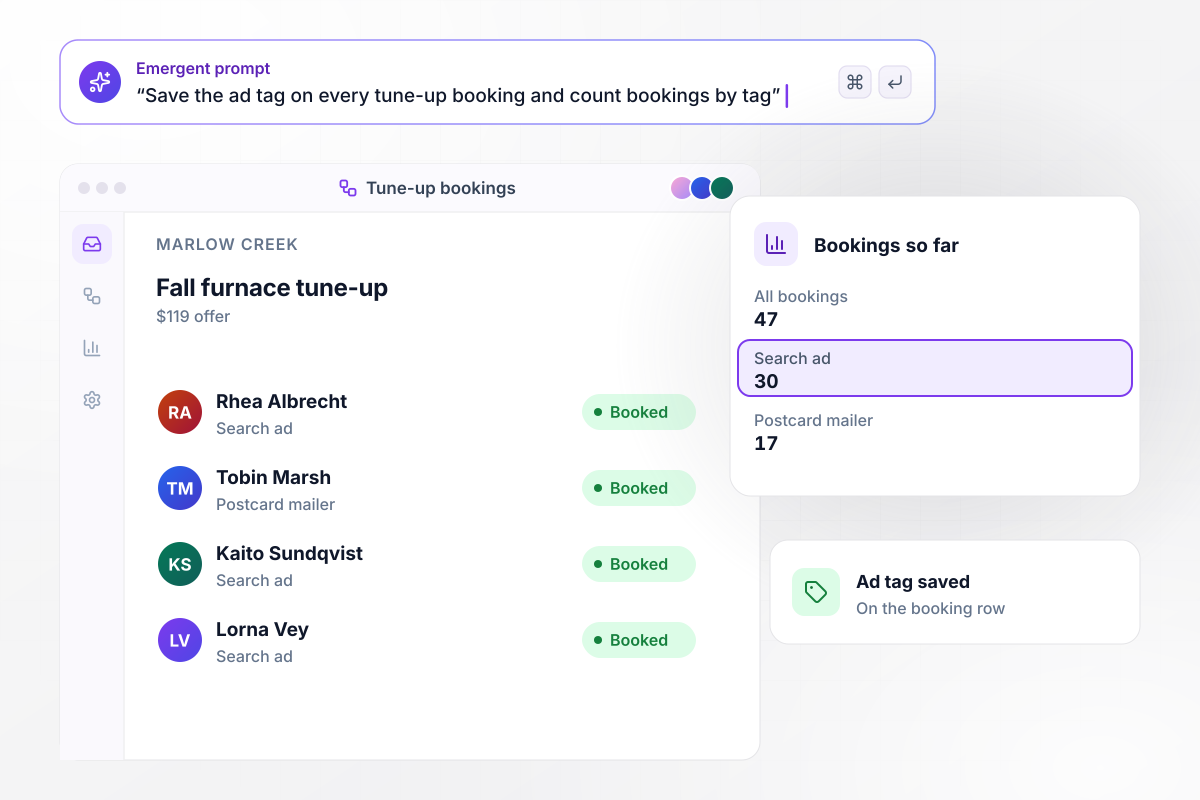
30 tune-ups booked by the search ad
Marlow Creek Heating ran its $119 fall furnace tune-up in a search ad and on a postcard mailer, and each points to the page with its own tag. The form saves that tag on the booking row, where the homeowner never sees it. Of 47 bookings so far, 30 came from the search ad and 17 from the postcard.






How to Create an HVAC Landing Page
Seven steps to an HVAC landing page that books repair calls and install quotes from homeowners inside your service area.
Give repair calls and install quotes their own pages, and point each ad at the page for its job. A homeowner with a dead furnace wants a call back tonight, not a financing chart for a new system.
Make the first field a short set of choices, such as No heat or No cooling, instead of an open box. The choice decides who hears about the request. Put it ahead of the name and the phone number.
Make the button at least the size Lighthouse treats as safe: tap targets that are 48 px by 48 px never fail the audit. Where the number sits in structured data, Google writes: be sure to include the country code and area code in the phone number.
Ask for the ZIP before the rest of the form, and tag the field with the postal-code autocomplete token so the browser can fill it. MDN describes that token as a postal code (in the United States, this is the ZIP code).
List the hours someone picks up next to the form, with the after-hours number if you run one. If that line never closes, Google's local business docs explain in the markup section how to show a business as open 24 hours a day.
Keep the repair form to the problem, a name, a phone number, and the ZIP. Ask how old the system is and which fuel it burns only on the install quote page, where the comfort advisor uses them to plan the estimate.
Describe the jobs, the ZIP codes, and who hears about each request, and Emergent builds the page from that prompt. Send a test request from a phone, then check the row in your database and the email to the dispatcher.
Why HVAC Contractors Build With Emergent
Name each job and who takes it, and Emergent builds the page. Requests sit in a database you own, and paid plans export the code.

|
Unbounce | Landingi | Wix | |
|---|---|---|---|---|
| How you build | Prompt for a campaign page | Templates and drag-and-drop, AI copy assist | Templates and drag-and-drop, AI assist | Prompt for a full site |
| Where submissions go | A database table you own, plus integrations | Unbounce lead storage and integrations | Vendor lead storage and integrations | Wix dashboard submissions and Contacts |
| Visitor limits | No per-visitor pricing | Monthly visitor caps by plan | Tiered by traffic on most plans | Site plan bandwidth |
| A/B testing | Generate variants by prompt | A/B testing on higher-tier plans only | Higher plans | Limited or add-on |
| Code ownership | Full code export to GitHub on paid plans | Hosted only | Hosted only | Hosted only |


Pick the Pricing Plan That Works for You
Choose the plan that fits your building ambitions. From weekend projects to enterprise applications, we've got you covered.




Find the right landing page for you

Frequently Asked Questions
Your Questions, Answered
Don't change this element unless you know what you are doing
More things you can build
with Emergent









on Emergent today


