

Build a Service Landing Page for Each Job You Sell
Build a service landing page that sells one job, checks the visitor's ZIP code, and saves each request to a database you own.
Build a service landing page for my home repair business that sells one job and takes requests with a preferred date.
Trusted by Builders Worldwide
Active Builders Worldwide
Apps Successfully Created
Countries Globally Reached



What a Single-Service Page Needs to Book Jobs
A service landing page sells one job to people who need it done. These six parts take a visitor from the offer to a booked request.
A form shaped by the job
Ask only what this one service needs, such as the tank size for a water heater install. Emergent builds the form from your prompt, and you add or drop a field by prompting.
A ZIP code check up front
List the ZIP codes your trucks reach, and the page checks each visitor's ZIP before the form opens. Anyone outside that list sees a short note in place of the booking form.
Every request as a row you own
Each request lands in a database you own, with the service, the address, and the time it arrived. Sort the rows by ZIP code or by date, and export them whenever you like.
An alert to whoever does the work
Name the person who handles each kind of request, and the app sends them an email or Slack alert when one arrives. A termite job reaches the inspector, not the front desk.
A web address customers recognize
Publish the page on the domain already printed on your trucks and invoices, or on a subdomain of that domain. Custom domains are included in Emergent and use credits.
Free to start, with code to keep
The free tier covers building and publishing the page. On paid plans, export the full code to your GitHub repository and host the page and its data on any server you choose.
Service Landing Page Examples by Trade
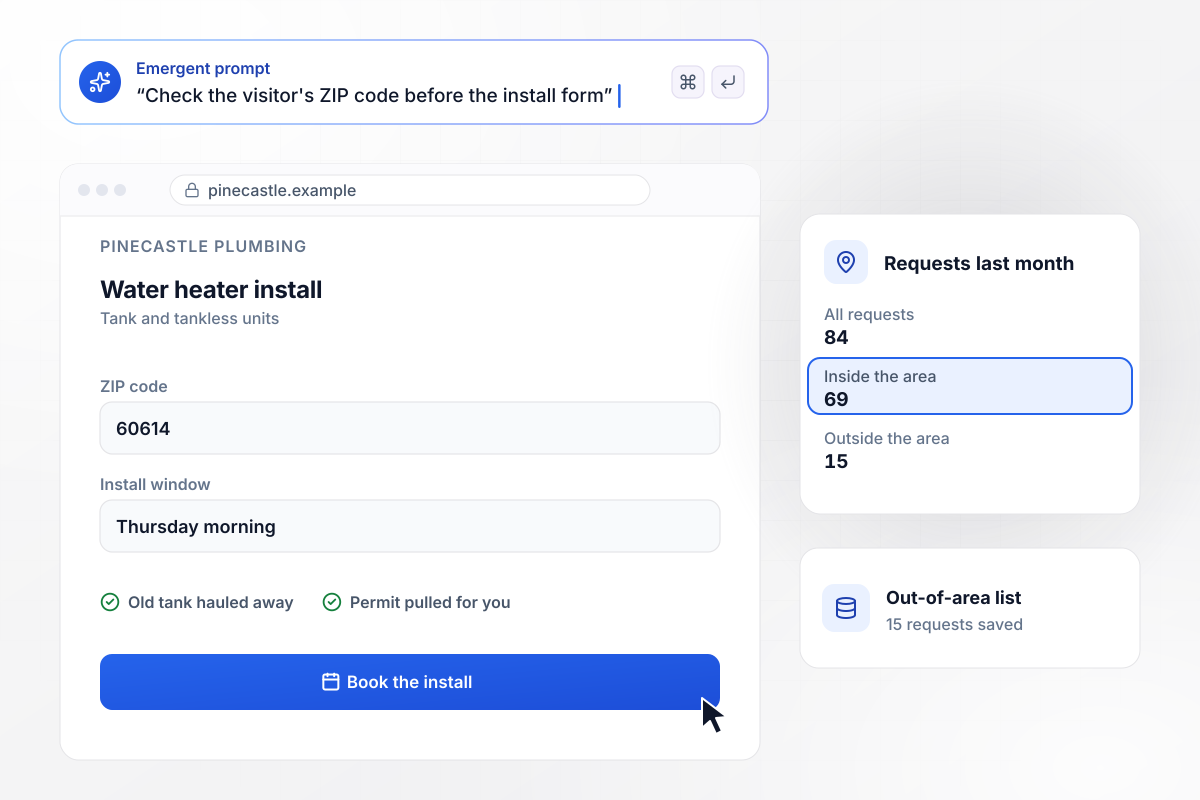
84 requests sorted by ZIP into two lists
Pinecastle Plumbing installs water heaters, and this page sells only that job. The first field asks for a ZIP code. Of 84 requests last month, 69 came from ZIP codes the crew serves and went on to pick an install window. The other 15 saw an out-of-area note and were saved to a separate list.
window.awbMockup = { waterHeaterInstall: "Build a landing page for Pinecastle Plumbing that sells one job: water heater installs. Ask for the visitor's ZIP code first and check it against the ZIP codes my crew serves. Inside the area, show the form and the install windows. Outside it, show a short note and save the request to a separate out-of-area list.", homeCleaning: "Make a recurring home cleaning page for Graylock Cleaning that prices each visit by how often it repeats: $120 weekly, $140 every 2 weeks, or $165 monthly. Update the price on the button as the visitor picks a plan, and save every signup with the plan they chose.", pestInspection: "Build an inspection page for Mosswick Pest Control that asks which pest the visitor is seeing before anything else. When someone picks termites, email Corin Lemoyne, my termite inspector. Put the address and a callback number in the email. Send every other pest to the scheduling desk.", saturdayMoves: "Create a Saturday move page for Halverson Movers. We take 4 moves per Saturday, so show the spots each Saturday has left in the date picker. When a date's 4th move is booked, take that Saturday out of the picker." };
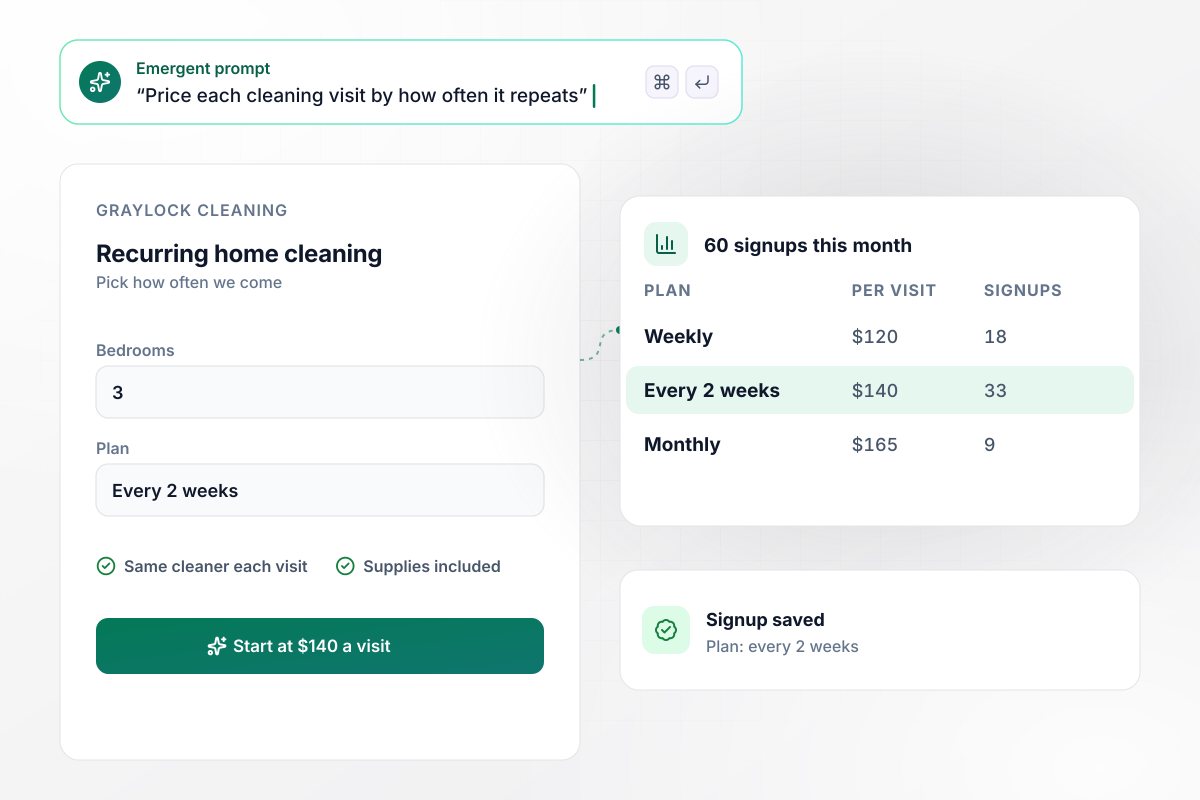
Cleaning 2 weeks apart won 33 of 60 signups
A cleaning customer buys a schedule, not a single visit. Graylock Cleaning's page prices each visit by how often it repeats: $120 weekly, $140 every 2 weeks, or $165 monthly. The button shows the price of the chosen plan. Of 60 signups this month, 18 chose weekly, 33 chose every 2 weeks, and 9 chose monthly.
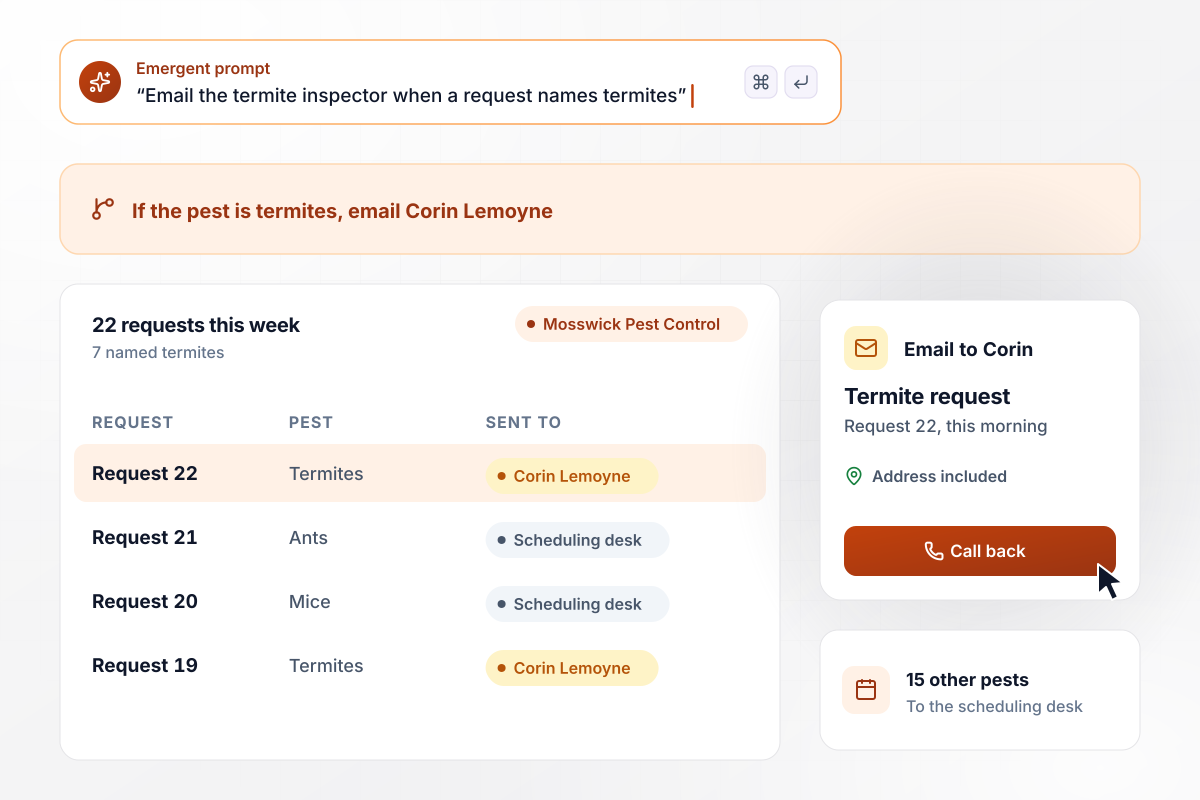
Termite requests go straight to Corin
Mosswick Pest Control asks one question first: which pest is the visitor seeing? A request that names termites emails Corin Lemoyne, the termite inspector, with the address in it. Every other pest goes to the scheduling desk. Of 22 requests this week, 7 named termites and 15 named another pest.
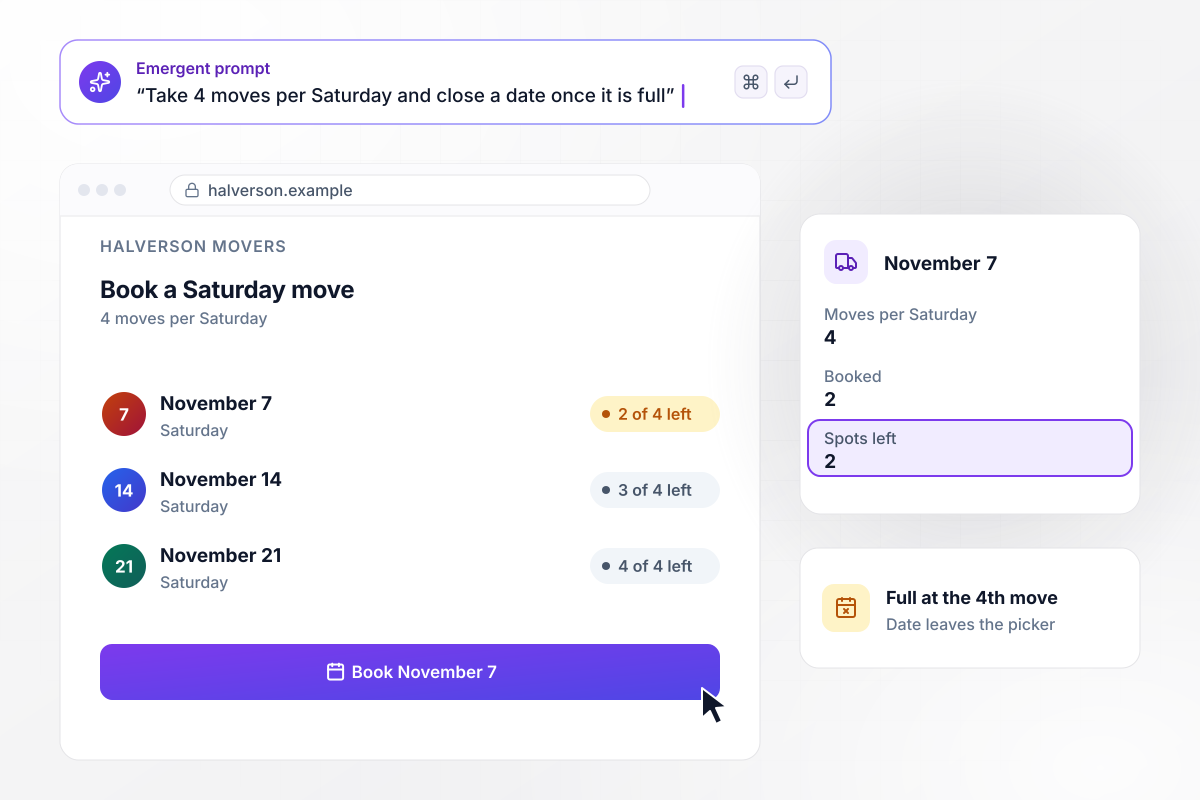
Each Saturday closes after its 4th move
Halverson Movers takes 4 moves per Saturday, and the date picker shows how many spots each Saturday has left. Right now November 7 shows 2 of 4. When a date's 4th move is booked, that Saturday leaves the picker, and nobody can book a crew the company does not have.






How to Create a Service Landing Page
Seven steps to a service landing page that sells one job, covers your service area, and turns visitors into booked requests.
Choose a single job, such as a water heater install or a weekly cleaning, and write the headline and the form around it. Someone who searched for drain cleaning should land on drain cleaning, not on a list of every service you offer.
Write down the ZIP codes your crews reach and name the area in plain words near the top. In the page markup, schema.org's areaServed property describes the geographic area where a service or offered item is provided.
Show a number when the job has one: a flat install fee, a price per visit, or a starting price with what raises it. Leave the price off when the cost depends on what the crew finds on site, and say that an estimate comes first.
Open the form with the question that decides who handles the request, such as the ZIP code or the pest, and save name and phone for the end. A visitor outside your area then finds out before typing a street address.
Put a call button near the top and repeat the number in the footer. Google's local business guidance asks for the country code and area code in the phone number, so write the number the same way on the page and in the markup.
Use photos of finished work from your own crews, with the town named in each caption. Pick reviews that mention the service the page sells. A water heater page should quote a customer who had a water heater installed.
Describe the service and who takes each request, and Emergent builds the page with a request table behind it. Open it on a phone, submit a test request, and check that the row lands and the alert reaches the right person.
Why Build Your Service Page With Emergent?
Describe the service, the ZIP codes you cover, and who takes each job. Emergent builds the page and its request table.

|
Unbounce | Landingi | Wix | |
|---|---|---|---|---|
| How you build | Prompt for a campaign page | Templates and drag-and-drop, AI copy assist | Templates and drag-and-drop, AI assist | Prompt for a full site |
| Where submissions go | A database table you own, plus integrations | Unbounce lead storage and integrations | Vendor lead storage and integrations | Wix dashboard submissions and Contacts |
| Visitor limits | No per-visitor pricing | Monthly visitor caps by plan | Tiered by traffic on most plans | Site plan bandwidth |
| A/B testing | Generate variants by prompt | A/B testing on higher-tier plans only | Higher plans | Limited or add-on |
| Code ownership | Full code export to GitHub on paid plans | Hosted only | Hosted only | Hosted only |



Pick the Pricing Plan That Works for You
Choose the plan that fits your building ambitions. From weekend projects to enterprise applications, we've got you covered.




Find the right landing page for you















Frequently Asked Questions
Your Questions, Answered
Don't change this element unless you know what you are doing
More things you can build
with Emergent









on Emergent today


