

Build a Contractor Landing Page That Books Estimates
Get a contractor landing page that turns project requests into estimate visits, each request saved to a database you own.
Build a contractor landing page for my kitchen remodeling company where homeowners request an estimate.
Trusted by Builders Worldwide
Active Builders Worldwide
Apps Successfully Created
Countries Globally Reached



What a Remodeling Request Page Needs
Six parts take a homeowner from a rough idea to a request your estimator can price, and Emergent changes each one by prompt.
The project type comes first
Start with fixed choices: Kitchen, Bathroom, Basement, Addition, or Whole home. One tap answers it, and the choice tells the office which estimator should read the request.
A start date to plan around
Ask when work should begin: within 3 months, in 3 to 6 months, or still planning. A job that starts next month gets a call this week, and a planning lead can wait a few days.
The job address near the top
Ask for the street and city early in the form. The estimator sees the drive before reading the scope and can price a request from across the county with the travel time in mind.
A row for every request you get
Each submission becomes a row in a database you own, holding the project type plus the minute it arrived. Your office marks the row Visited, then Estimate sent, as the job moves.
An email or a Slack post
Send each new request to the estimator by email, to an office Slack channel, or to both. The message carries the homeowner's phone number and the project type for the first call.
A web address from your yard signs
Publish the page on a domain you already own, such as an estimates subdomain of the site printed on your yard signs. Custom domains are included in Emergent and use credits.
Contractor Landing Page Examples
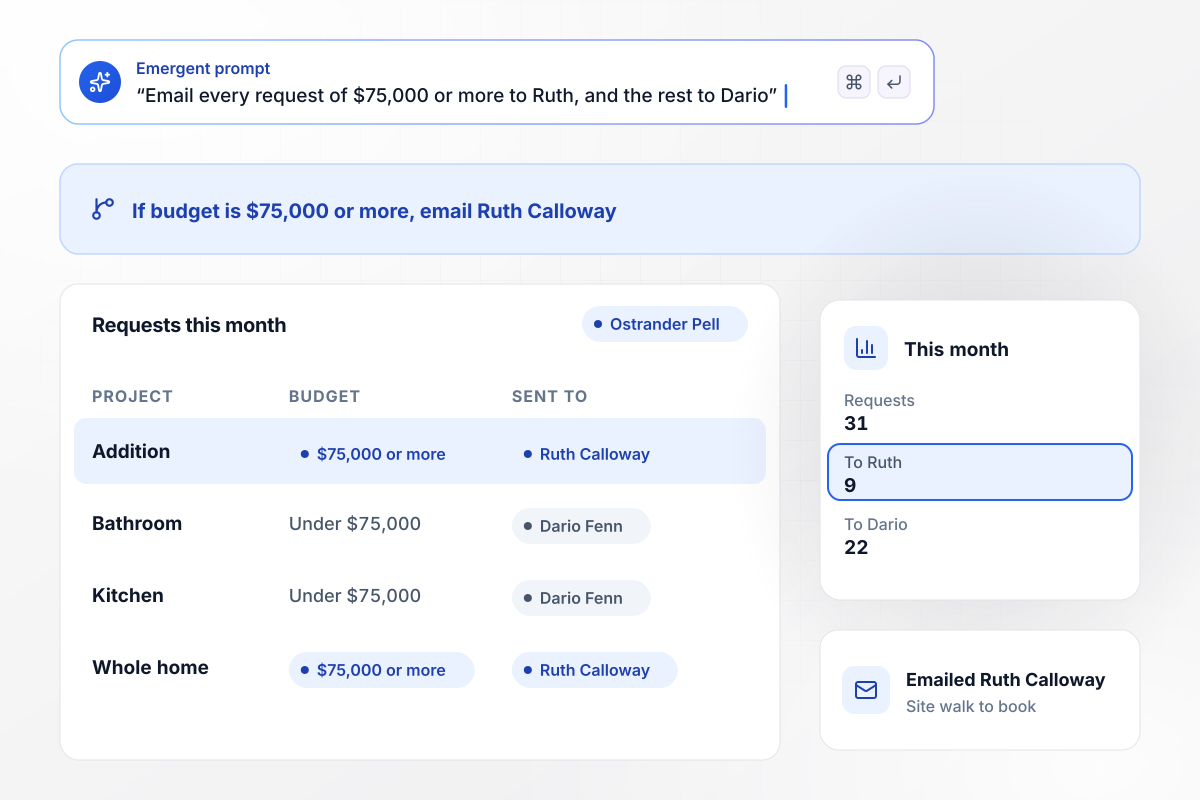
Site walks go to Ruth when the budget hits $75,000
Ostrander Pell Builders asks for a budget range before the address. A request at $75,000 or more emails Ruth Calloway, the owner, who books the site walk herself. Anything below goes to Dario Fenn, the estimator, for a phone estimate first. This month 31 requests came in: 9 went to Ruth and 22 to Dario.
window.awbMockup = { budgetRouting: "Build an estimate request page for Ostrander Pell Builders. Ask for a budget range before the address. Email every request of $75,000 or more to Ruth Calloway, the owner, and send the rest to Dario Fenn, our estimator.", walkThroughs: "Make a remodeling request page for Fennick Remodeling. Let the homeowner pick a walk-through on Tuesday at 9 am or Thursday at 9 am, and email each booking to Teodor Lindqvist, our estimator, with the job address.", projectGallery: "Create a page for Harrow Lane Kitchens & Baths that shows finished rooms first. Put a button under each photo that opens the estimate form with that room type already picked.", referralPage: "Build a referral page for Wexcombe Construction that past clients can send to friends. Ask who sent the visitor, and email each request to Marisol Quint, our office manager, with that past client's name." };
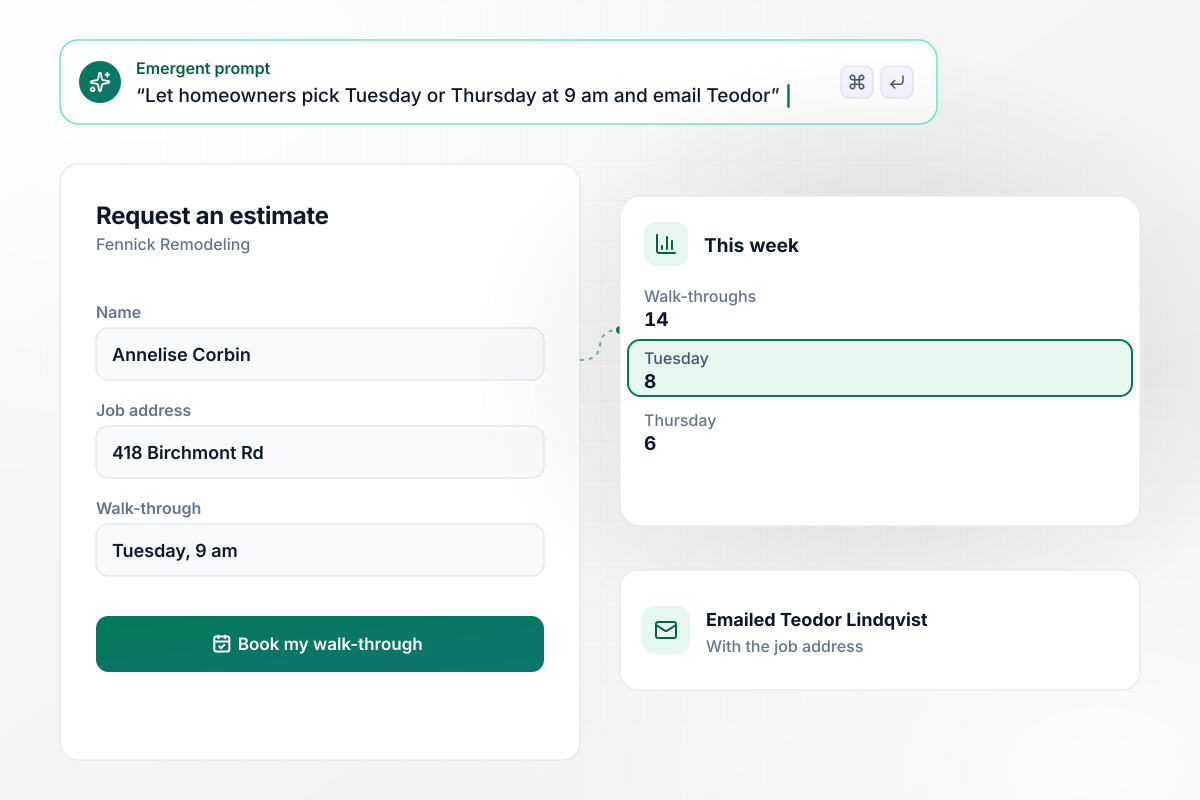
Tuesday and Thursday mornings, booked on the page
Fennick Remodeling puts the estimator's open mornings on the page: Tuesday at 9 am or Thursday at 9 am. The homeowner picks one while sending the request, and each booking emails Teodor Lindqvist, the estimator, with the job address. This week 14 walk-throughs were booked, 8 on Tuesday and 6 on Thursday.
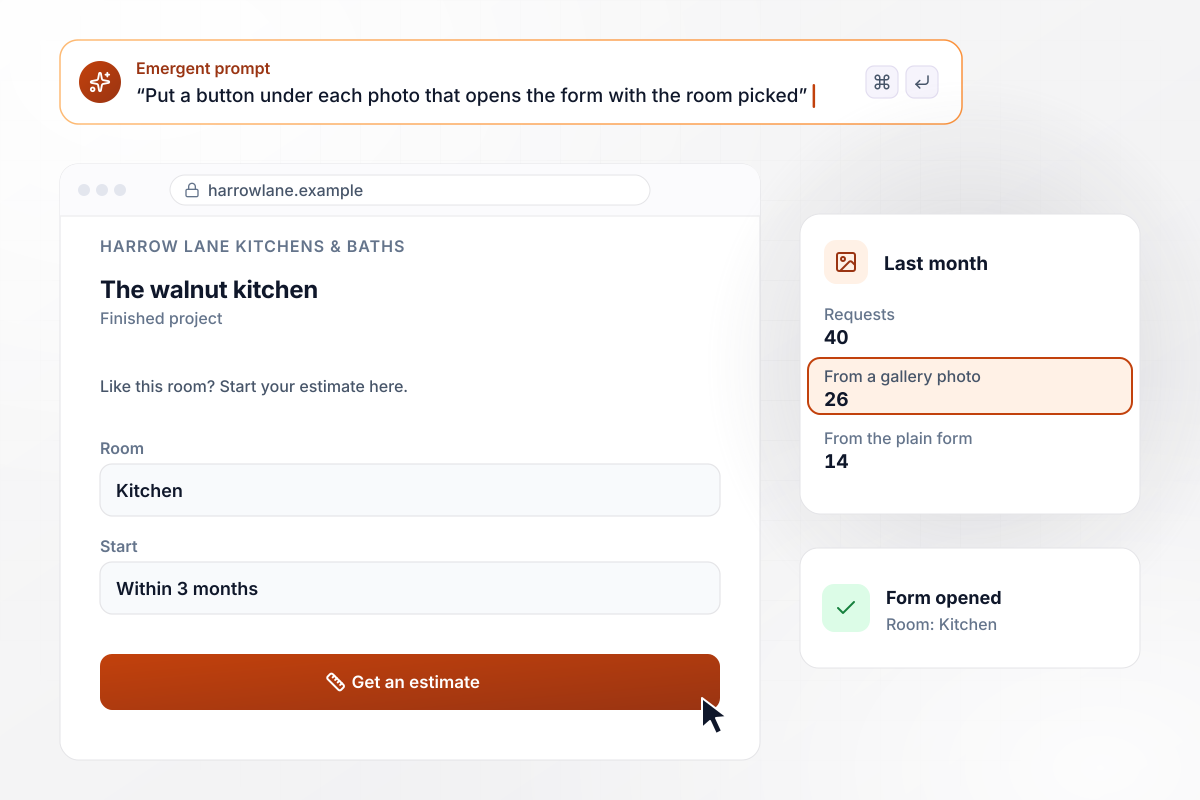
Gallery photos that open a filled-in form
Harrow Lane Kitchens & Baths shows its finished rooms before it asks for anything. Under each photo, a button opens the estimate form with that room already picked. A visitor who liked the walnut kitchen starts on Kitchen. Last month 40 requests came in: 26 started from a gallery photo and 14 from the plain form.
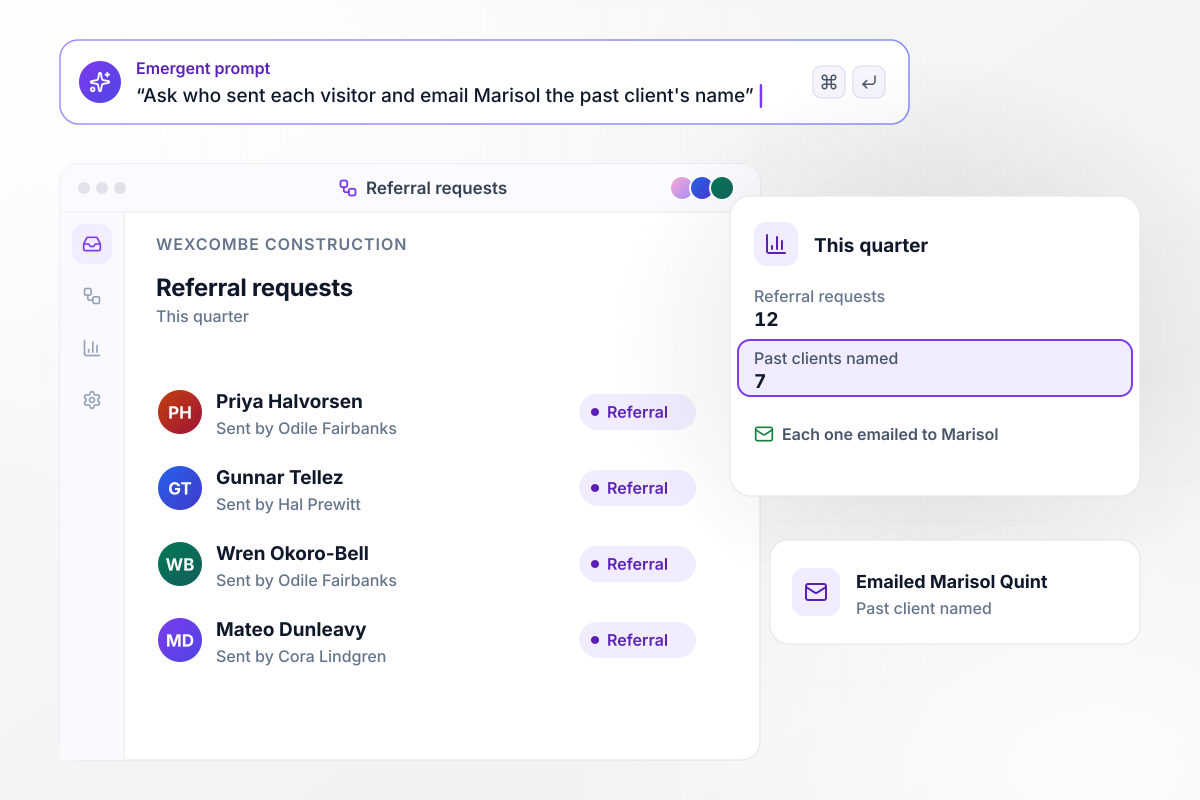
The past client's name rides on every referral
Wexcombe Construction wrote a page for past clients to pass along to friends and neighbors. The form asks who sent the visitor, and each request emails Marisol Quint, the office manager, with that past client's name for a thank-you note. This quarter 12 referral requests came in, naming 7 past clients.






How to Create a Contractor Landing Page
Seven steps to a contractor landing page that sorts project requests by type and budget and books the estimate visit.
Point the kitchen ad at a kitchen page and the addition ad at an addition page. A homeowner planning a second story wants to see additions you built, not a bathroom tile gallery.
Make the first field a short list of choices instead of an open text box. Put it ahead of the name and the address, because the choice decides which estimator hears about the request.
Mark the phone field as a tel input. MDN notes that it causes mobile browsers to display a special keyboard for entering phone numbers, which saves a homeowner on a ladder some typing.
Resize and compress every project photo before it goes on the page, and check the first screen on a phone. web.dev advises that sites should strive to have Largest Contentful Paint of 2.5 seconds or less.
List three or four ranges with no gaps between them, such as Under $25,000, $25,000 to $75,000, and over $75,000. Keep the top range open-ended, and test the list with two or three past clients before launch.
Tell the homeowner who calls back and when, in the words you would use on the phone: the estimator's first name and the day of the call. Then keep that promise for every request.
Describe the projects, the budget ranges, and who prices each one, and Emergent builds the page from that prompt. Send a test request from a phone, then check the database row and the estimator's email.
Why Contractors Build With Emergent
Describe the projects you take and who prices them, and Emergent builds the page. Paid plans export the full code to your GitHub.

|
Unbounce | Landingi | Wix | |
|---|---|---|---|---|
| How you build | Prompt for a campaign page | Templates and drag-and-drop, AI copy assist | Templates and drag-and-drop, AI assist | Prompt for a full site |
| Where submissions go | A database table you own, plus integrations | Unbounce lead storage and integrations | Vendor lead storage and integrations | Wix dashboard submissions and Contacts |
| Visitor limits | No per-visitor pricing | Monthly visitor caps by plan | Tiered by traffic on most plans | Site plan bandwidth |
| A/B testing | Generate variants by prompt | A/B testing on higher-tier plans only | Higher plans | Limited or add-on |
| Code ownership | Full code export to GitHub on paid plans | Hosted only | Hosted only | Hosted only |



Pick the Pricing Plan That Works for You
Choose the plan that fits your building ambitions. From weekend projects to enterprise applications, we've got you covered.




Find the right landing page for you















Frequently Asked Questions
Your Questions, Answered
Don't change this element unless you know what you are doing
More things you can build
with Emergent









on Emergent today


