

Build a PPC Landing Page for Every Ad Group
Build a PPC landing page that greets each ad group with its own headline and records which keyword sent every lead.
Build a PPC landing page for my Google Ads campaign with one offer and a lead form.
Trusted by Builders Worldwide
Active Builders Worldwide
Apps Successfully Created
Countries Globally Reached



What Emergent Builds for Paid Clicks
A page that matches the ad in front of it, and the data to judge what each click was worth.
Headlines that follow the keyword
Each visit arrives with a value in the ad's final URL, such as service=water-heater. The page reads that value and swaps in the headline and photo written for the matching ad group.
A page per ad group, by message
Ask for a version of the page per ad group. Emergent copies the layout, rewrites the offer for each group, and gives every version its own address to use as the ad's final URL.
The matched keyword stored on each lead
The keyword that matched each click reaches the page through the {keyword} parameter in Google Ads. It lands on the lead's row, beside the campaign name and the visit time.
One way forward from the page
Nothing on the page needs to link away from the offer. Ask Emergent to drop the site menu and footer links, and the form or call button becomes the visitor's only next step.
Split tests started with a sentence
Two headlines can run behind one ad at once. Send Emergent a message asking for a variant, and it divides visitors evenly between the versions and records which one each lead saw.
Code you can move to any host
Every file behind the page, lead database included, exports to your GitHub on paid plans. Run it on Emergent with a custom domain, which uses credits, or on any host you pick.
Four PPC Pages by Campaign Type
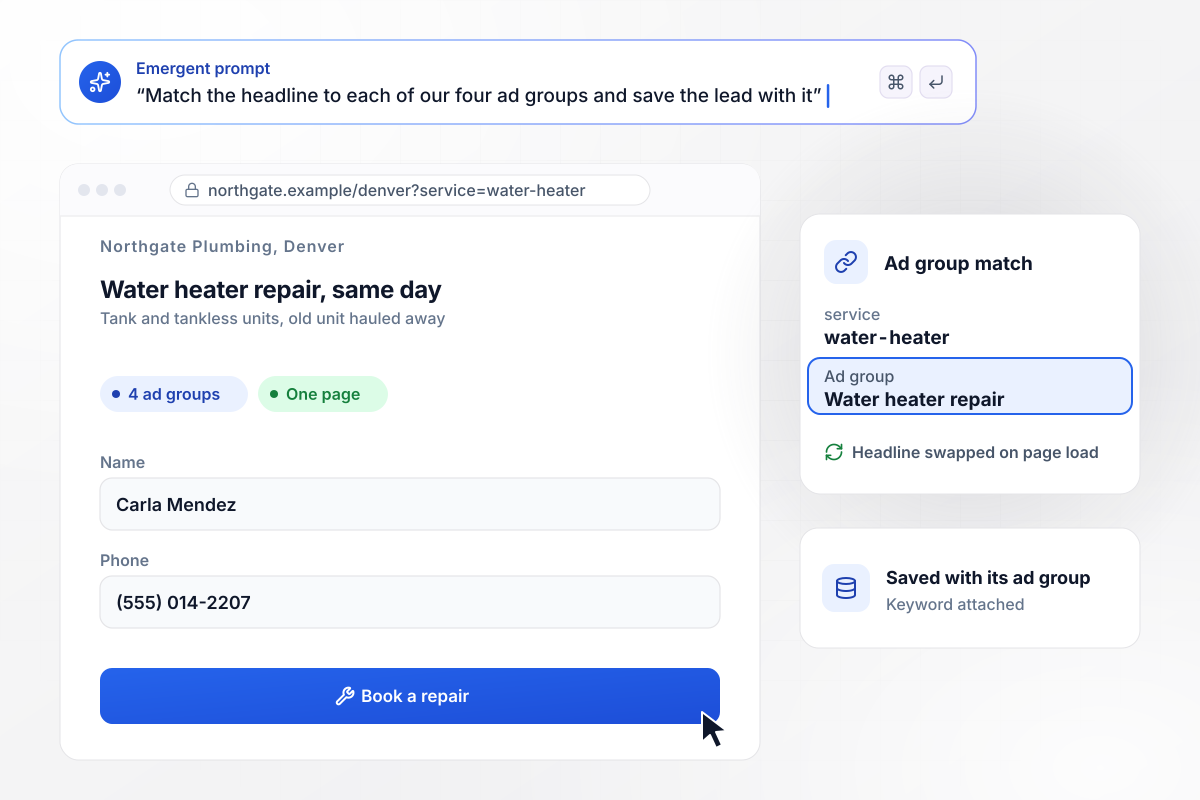
The headline matches the ad group behind the click
Northgate Plumbing bids on four services in Denver and runs one page behind all four ad groups. Each ad's final URL carries a service value. A water heater search opens on "Water heater repair, same day" instead of a general plumbing headline, and the lead is saved with its ad group.
window.awbMockup = { searchAdGroups: "My plumbing company in Denver runs Google Ads for four services: drain cleaning, water heater repair, sewer lines, and leak repair. Build one landing page that reads a service value from the ad's final URL and shows the matching headline and photo, for example Water heater repair, same day. Save every lead with its ad group and the keyword.", mobileCallAds: "Build a phone-first page for my dental clinic's emergency call ads. Show one large button that calls the front desk until 6 PM. After 6 PM, turn the button into a callback form asking for name, mobile number and the best time to call. Every morning at 8 AM, send the front desk the list of patients waiting for a callback.", shoppingProductAds: "My outdoor store runs a Shopping ad for the Ridgeline 2 tent at $249. Build the product page the ad links to, with the same price and a checkout button. When stock reaches zero, swap the checkout for a waitlist form that saves emails to a table, and send our ad manager Jonas Berg a Slack direct message asking whether to pause the ad.", headlineSplitTests: "My invoicing software runs paid search ads to a free trial page. Build the page with two headline versions, Invoices that chase themselves and Stop writing payment reminders, and split visitors evenly between them. Record which headline each visitor saw and whether they started a trial, and show the trial rate for each version once both reach 1,000 visits." };
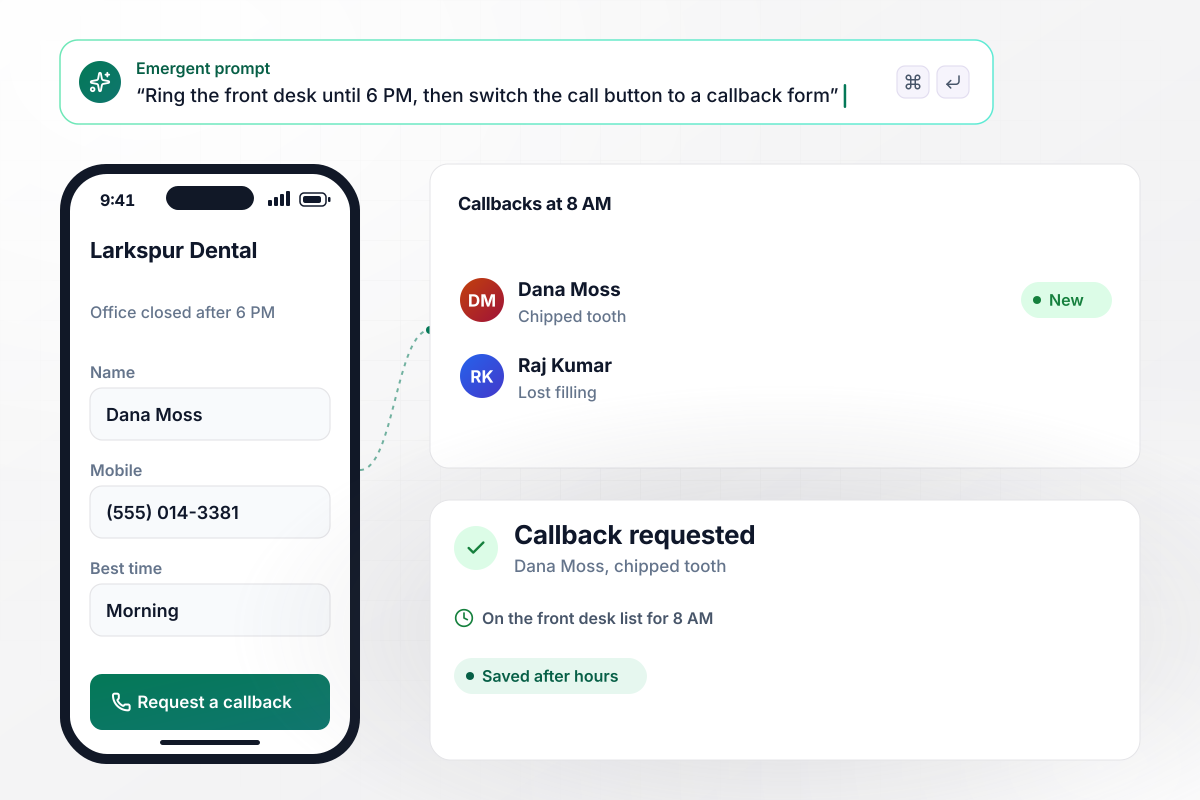
After 6 PM, the call button becomes a callback form
Patients searching on a phone for an emergency dentist tap a Larkspur Dental call ad and land on a page with one large call button. Until 6 PM it rings the front desk. After that the button turns into a callback request, and at 8 AM the front desk gets the list of patients waiting for a call.
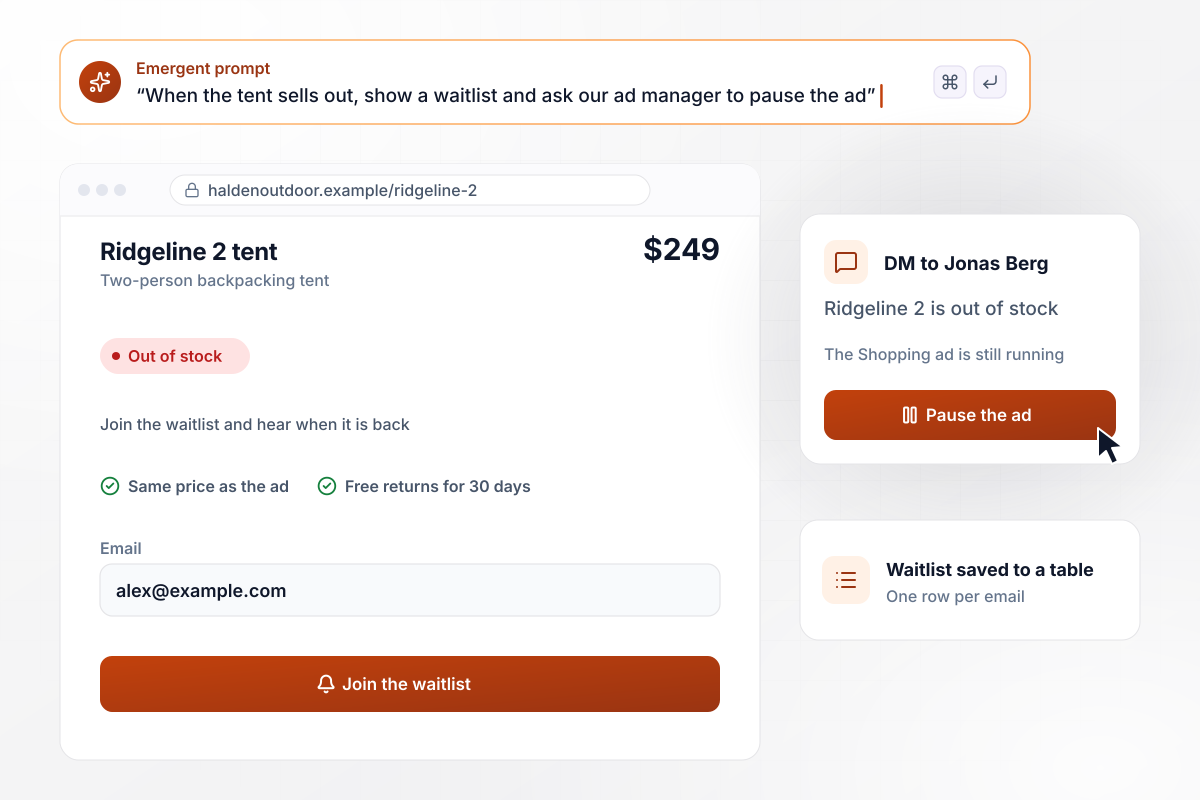
A waitlist where the checkout used to be
Halden Outdoor's Shopping ad sends clicks to a product page for the Ridgeline 2 tent, priced at the same $249 the ad shows. When the tent sells out, the page replaces the checkout button with a waitlist form. Ad manager Jonas Berg gets a Slack direct message asking whether to pause the ad.
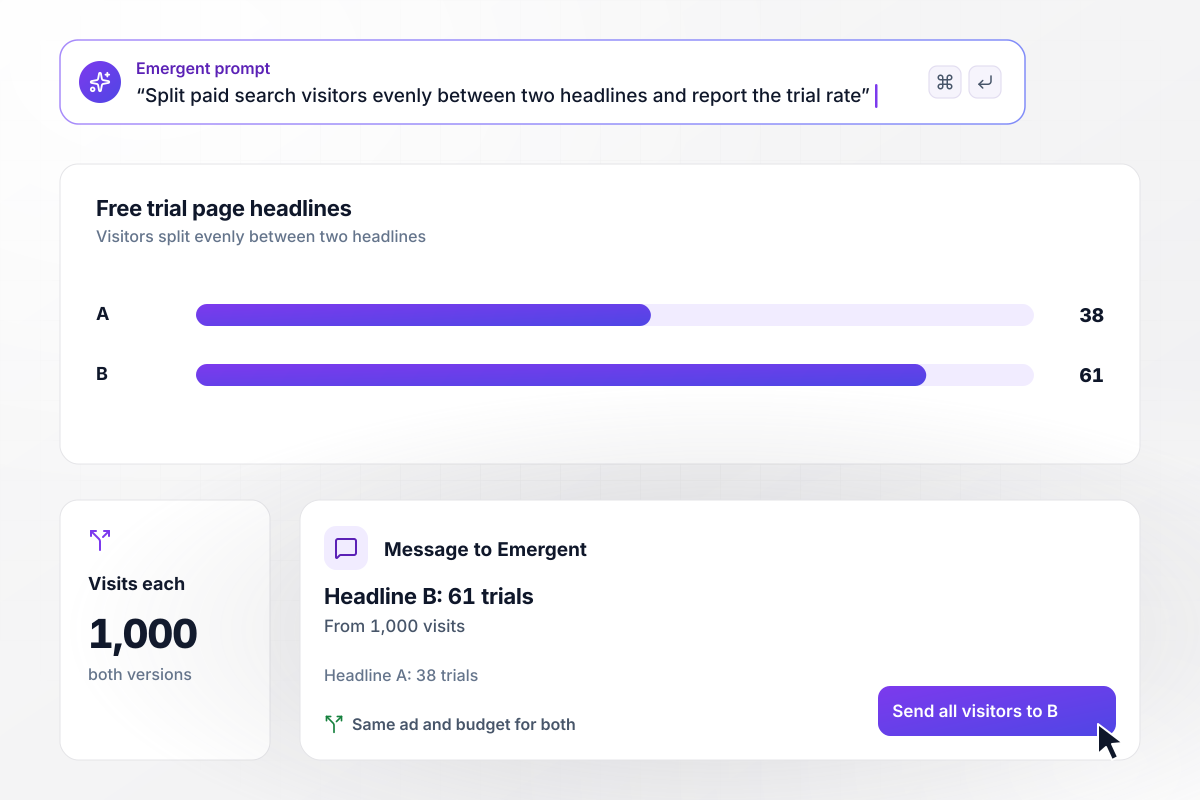
Ledgerline tests two headlines on the same ad
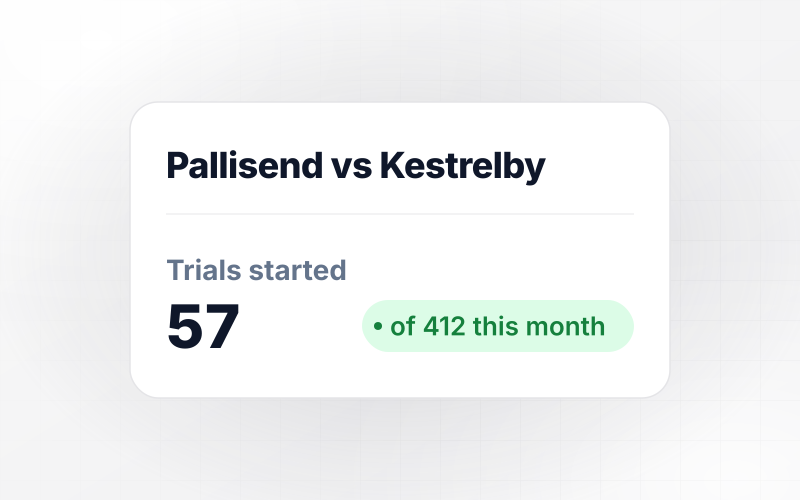
Visitors from Ledgerline's paid search ads are split evenly between two headlines: "Invoices that chase themselves" and "Stop writing payment reminders". After 1,000 visits each, the second headline has brought in 61 free trials against 38 for the first. Moving all traffic to the winner is a message to Emergent.






How to Build a PPC Landing Page
Seven steps to a PPC landing page that keeps the ad's promise and turns paid clicks into leads, then build it with Emergent.
Group keywords by what the searcher wants, then give each group a page. Someone typing drain cleaning and someone typing water heater repair need different headlines and offers, even when the same plumber answers both calls.
The first line a visitor reads should repeat the words they searched, or come close. Google Ads rates landing page experience on how relevant the page is to the search and the ad, and that rating is one part of Quality Score.
Drop the site menu and any second offer. A paid visitor who wanders off to read the company history has cost a click without converting. Keep one form or one call button, and repeat it further down on long pages.
When the ad says $249 or free shipping, the page says the same thing above the fold. A mismatch reads as bait to the visitor. A product that sells out should change the page before more paid clicks arrive.
Add the {keyword} ValueTrack parameter to the final URL suffix, along with a campaign value. Google fills in the keyword that triggered the ad, and the page can store it with the lead or use it to choose the headline.
Open the page on a phone and on a desktop browser before launch, press every button and submit the form once. Then confirm the ad's final URL opens the page itself, not a redirect to the home page or an error.
Track the form submit or the call as a conversion, then compare each ad group's cost per conversion. A page with cheap clicks and no conversions is the expensive one. Rewrite the headline before you raise the bid.
Why Build PPC Pages With Emergent?
Template builders price by visitor and keep leads in their dashboard. Emergent builds a page per ad group, with a lead table you own.

|
Unbounce | Landingi | Wix | |
|---|---|---|---|---|
| How you build | Prompt for a campaign page | Templates and drag-and-drop, AI copy assist | Templates and drag-and-drop, AI assist | Prompt for a full site |
| A/B testing | Generate variants by prompt | A/B testing on higher-tier plans only | Higher plans | Limited or add-on |
| Visitor limits | No per-visitor pricing | Monthly visitor caps by plan | Tiered by traffic on most plans | Site plan bandwidth |
| Where submissions go | A database table you own, plus integrations | Unbounce lead storage and integrations | Vendor lead storage and integrations | Wix dashboard submissions and Contacts |
| Code ownership | Full code export to GitHub on paid plans | Hosted only | Hosted only | Hosted only |




Pick the Pricing Plan That Works for You
Choose the plan that fits your building ambitions. From weekend projects to enterprise applications, we've got you covered.




Find the right landing page for you
Frequently Asked Questions
Your Questions, Answered
Don't change this element unless you know what you are doing
More things you can build
with Emergent









on Emergent today


