

Build a Custom Thank You Page With One Clear Next Step
Build a thank you page that confirms the action and offers one clear follow-up, with each visitor saved to a database you own.
Build a thank you page that appears after my form is submitted.
Trusted by Builders Worldwide
Active Builders Worldwide
Apps Successfully Created
Countries Globally Reached



Everything a Thank You Page Needs, in One Build
Describe what happens after a visitor converts. Emergent builds the page, the next step, and the analytics and CRM wiring around it.
A real thank you page URL
Every thank you page ships on its own URL on your domain, tracked as a conversion goal and targetable by a pixel. An inline form message can't be tracked or retargeted that way.
A database write per submission
Every visitor who lands on the page becomes a row in a database you own, with source, campaign, and referrer attached. Feed it to HubSpot, Mailchimp, or a dashboard the same day.
Any next step, generated to match
A demo booking after a lead magnet, a related product after a purchase, a calendar link after a form. Describe the next step and Emergent builds the block that leads to it.
Pixel and analytics set on publish
Meta Pixel, a GA4 conversion event, and any custom script fire when the page loads, all set up from the prompt. The page becomes a conversion goal and a retargeting source.
Reachable from a redirect or an email link
Point a form or booking redirect at the page's URL, or on a Shopify store, link the page from the order email instead. Every visit lands in the same database, tagged with its source.
Full code export
The thank you page and the database it writes to export to your GitHub repository on paid plans. Keep hosting on Emergent or move both, with nothing locked in a plugin or theme.
Thank You Pages for Four Common Actions
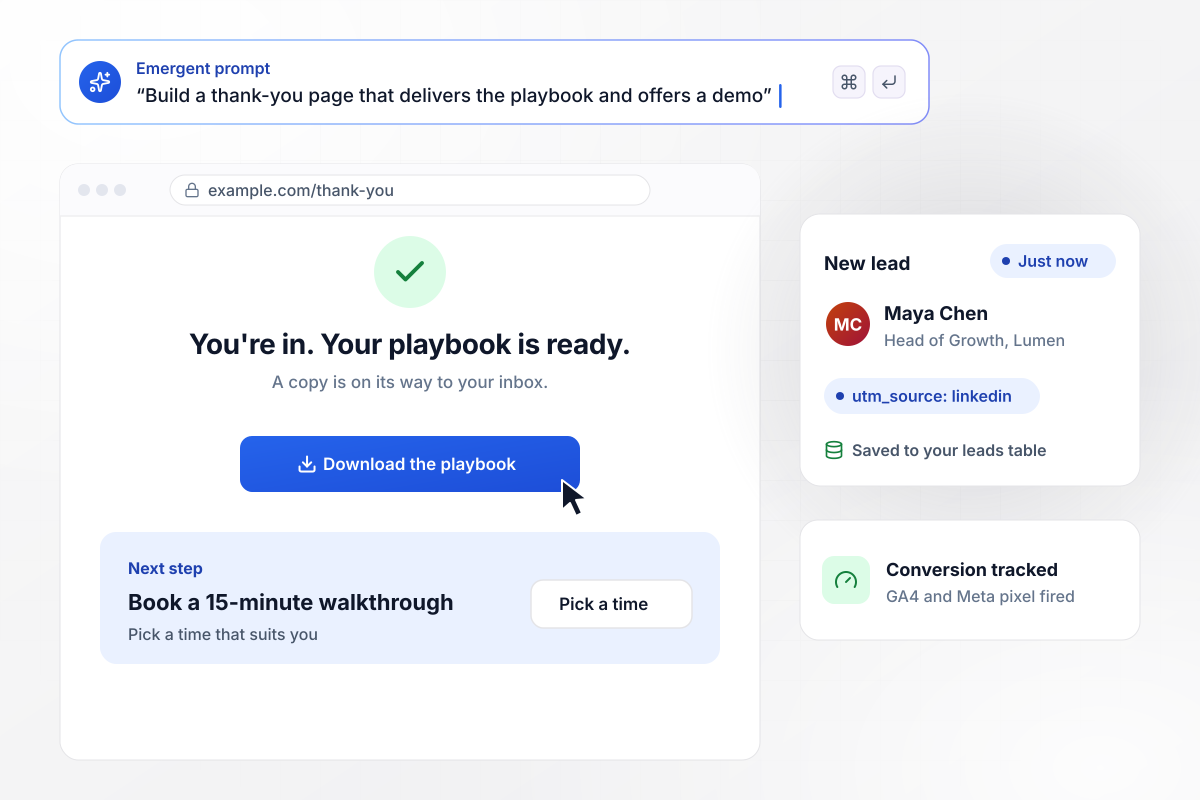
Deliver the promise, then earn the second yes
Build a lead magnet thank you page that confirms the download, delivers the file instantly, sets the inbox expectation, and offers one relevant next step. The lead is saved with UTMs and referrer to a database you own, ready to feed HubSpot, Mailchimp, or your own CRM. Tracked as a conversion goal from the first render.
window.awbMockup = { leadMagnet: "Build a lead magnet thank you page shown after form submission that confirms the ebook download with an instant link, sets a two-minute inbox expectation, offers a demo booking as the single next step, and saves the lead with UTMs to a database.", ecommerceOrder: "Build a custom thank you page for an online store, linked from the order confirmation email, that confirms the order and delivery timing, offers one related product based on the item purchased, and saves the order to a database with the source of the visit attached.", webinarEvent: "Build a webinar thank you page that confirms the registration, offers an add-to-calendar link, shows the reminder schedule, and saves the registration with source and campaign to a database that feeds my email tool.", contactBooking: "Build a thank you page after a contact form submission that confirms receipt, names a 24-hour response window, offers a Calendly embed as an alternative, and posts the inquiry to Slack and HubSpot as a new deal." };
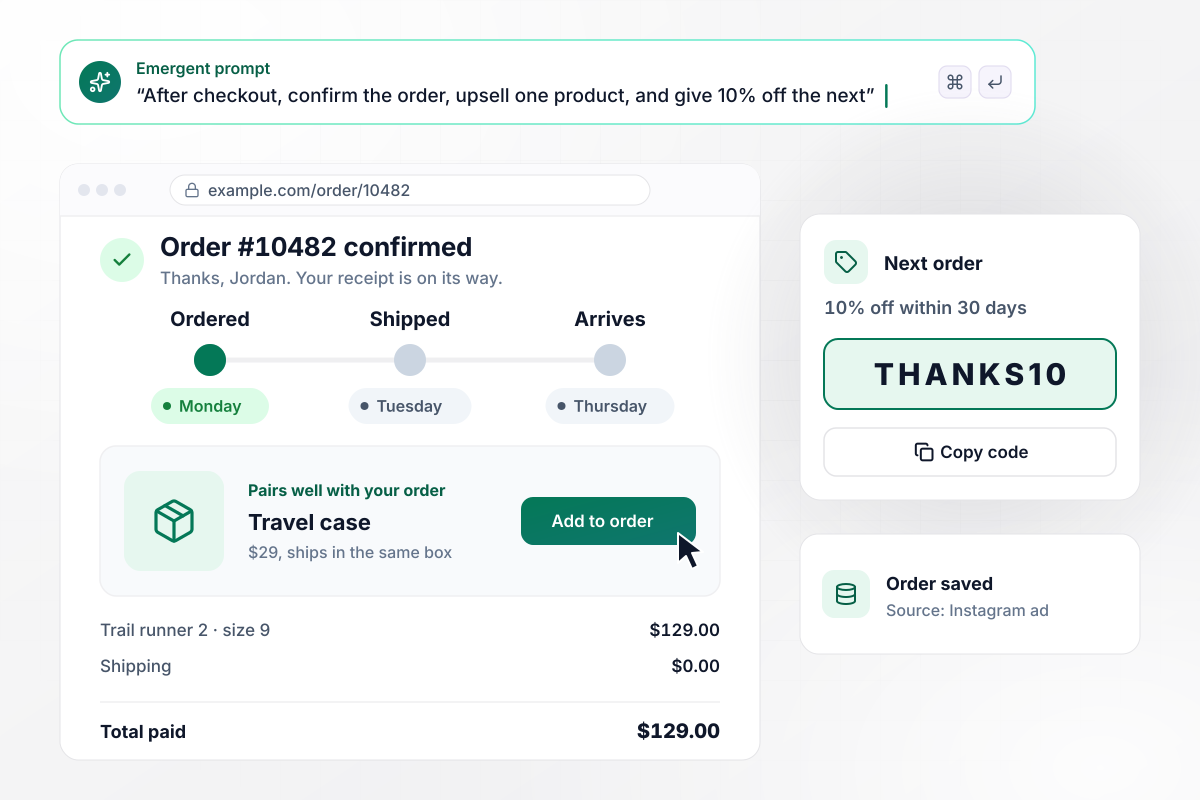
Turn the order confirmation into the second sale
A custom thank you page for an online store that confirms the order, shows delivery timing, and offers a related product or a discount for the next order. Send buyers there from a checkout redirect or the order email. Each buyer who lands on it is saved to your own database for post-purchase follow-up.
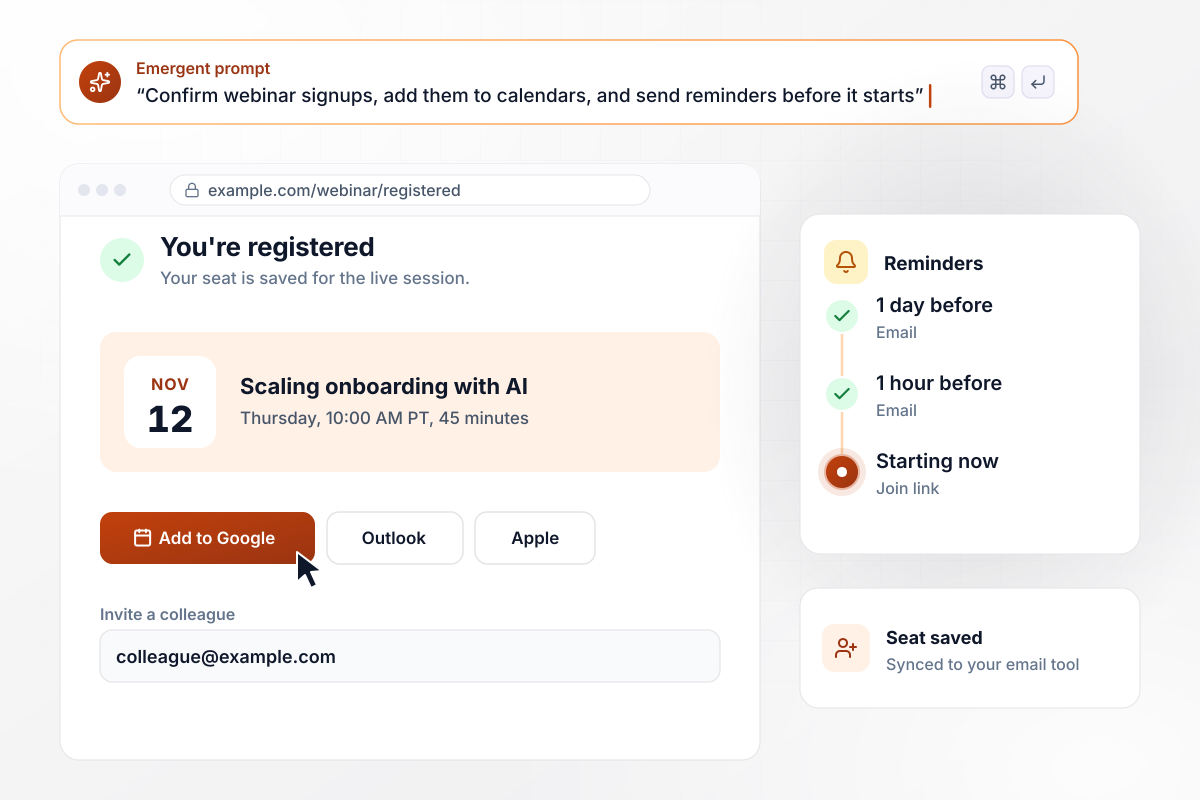
A calendar entry and a reminder plan for every seat
A webinar or event thank you page that confirms the registration, adds the event to the visitor's calendar, sets expectations for the reminder cadence, and invites a colleague. The registration is stored in your database with the source, ready for the reminder sequence and the post-event follow-up.
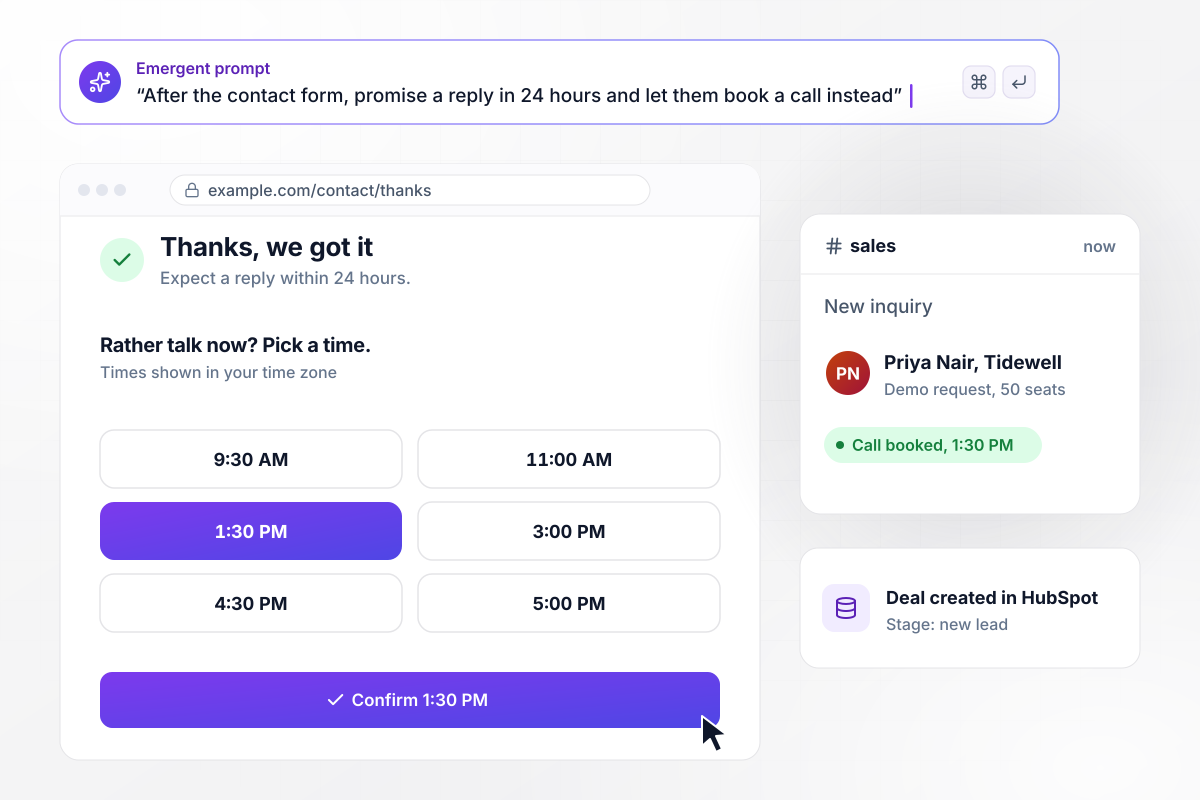
Set a timeline, then remove the reason to leave
A thank you page for a contact form or a demo request that names a response window, offers a self-serve next step, and routes the inquiry to Slack or your CRM. Set the expectation on the page and the follow-up starts on the right foot every time.






How to Build a Thank You Page
Seven steps to plan a thank you page that confirms the action and gives each visitor one place to go.
Start with what the visitor just did: submitted a form, bought a product, registered for a webinar, or booked a call. The action decides the confirmation copy, what gets delivered on the page, and the natural next step.
Say plainly that it worked and what happens next, such as your playbook arriving in two minutes or order #10482 shipping Tuesday. Name the item or the order so the visitor can see the submission went through.
Put the download, the order summary, the calendar link, or the booking time on the page itself, not only in a follow-up email. The visitor gets what they came for immediately, and the email becomes a backup instead of a dependency.
Pick one: book a demo after a lead magnet, suggest a matching accessory once the order goes through, or invite a colleague after a webinar registration. Leave the other offers for the follow-up email.
Write each conversion to a database you own with UTMs, source, and referrer, and fire the GA4 event and Meta Pixel on load. The page becomes a measurable conversion goal and a retargeting audience from the first visit.
Connect your domain, set the page to noindex, and point the form, checkout, or booking redirect at the new URL. Shopify no longer runs additional scripts on its own thank you page. For a Shopify store, link the new page from the order confirmation email.
Generate an A/B variant of the next-step block by prompting, compare next-step conversion by traffic source every week, keep the winner, and change the offer as your campaigns change.
Why Build Your Thank You Page With Emergent?
Confirm the action, deliver the promise, and move every visitor to one clear next step, on a URL you control and can track.

|
Unbounce | Landingi | Wix | |
|---|---|---|---|---|
| How you build | Prompt for a campaign page | Templates and drag-and-drop, AI copy assist | Templates and drag-and-drop, AI assist | Prompt for a full site |
| Where submissions go | A database table you own, plus integrations | Unbounce lead storage and integrations | Vendor lead storage and integrations | Wix dashboard submissions and Contacts |
| A/B testing | Generate variants by prompt | A/B testing on higher-tier plans only | Higher plans | Limited or add-on |
| Visitor limits | No per-visitor pricing | Monthly visitor caps by plan | Tiered by traffic on most plans | Site plan bandwidth |
| Code ownership | Full code export to GitHub on paid plans | Hosted only | Hosted only | Hosted only |



Pick the Pricing Plan That Works for You
Choose the plan that fits your building ambitions. From weekend projects to enterprise applications, we've got you covered.




Find the right landing page for you















Frequently Asked Questions
Your Questions, Answered
Don't change this element unless you know what you are doing
More things you can build
with Emergent









on Emergent today


