

Build an Ebook Landing Page That Delivers Every Copy
Create an ebook landing page that emails the book to each reader and records every request in a database you own.
Build an ebook landing page that emails my guide to each reader and saves every request to a table.
Trusted by Builders Worldwide
Active Builders Worldwide
Apps Successfully Created
Countries Globally Reached



What Happens After the Download Button
Readers judge the cover. Whether the ebook pays off is decided once the form goes in.
Delivery by email, not by redirect
The form emails a download link to the address the visitor typed. Visitors who want the book give an address they read, because a mistyped or invented one never receives it.
The cover and chapter list beside the form
Upload the cover and the table of contents, and Emergent places both next to the form. Visitors see what the book covers before they sign up, and phones show the cover first.
Fields that decide the follow-up
Company size or role belongs on the form only when it changes what happens next. Emergent adds the field and writes each answer into the reader's row, where a routing rule reads it.
A reader table with the source attached
Every request becomes a row with the reader's email, the title asked for, the time, and the utm_source of the link that brought them. Rows sync to HubSpot or any CRM with an API.
Checkout for the ebooks you sell
Stripe takes the payment, and the download link appears only after Stripe confirms it. Paid orders land in the same table as free requests, with the amount and the buyer's email.
Code you can take elsewhere
Export the page and its reader table to your GitHub repository on paid plans. A custom domain on Emergent uses credits; the exported code also runs on any server you choose.
Four Publishers, Four Ebook Pages
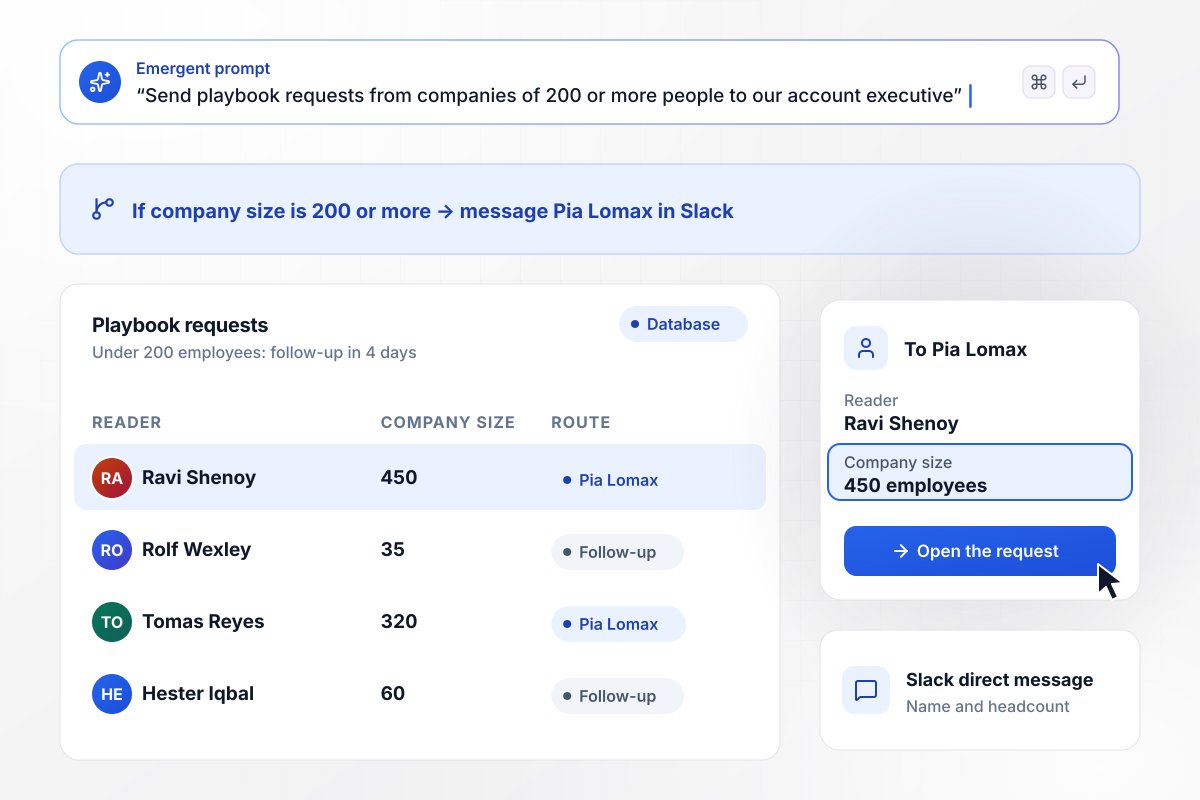
Readers from large companies go to sales first
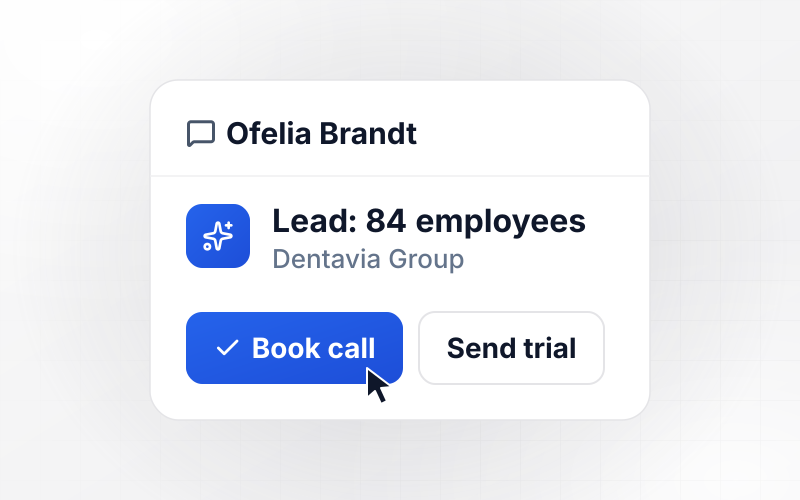
Ledgerline gates its month-end close playbook behind a work email and company size. When the company has 200 or more employees, account executive Pia Lomax gets a direct message in Slack with the name and headcount. Companies under 200 employees get the playbook, then a follow-up four days later.
window.awbMockup = { b2bGatedEbook: "Build a landing page for our month-end close playbook at Ledgerline. Ask for a work email and company size before the download. When the company has 200 or more employees, message our account executive, Pia Lomax, in Slack with the reader's name and headcount. Everyone at a smaller company gets the playbook now and a follow-up email four days later.", freeSampleChapter: "I'm a novelist with a book coming out soon. Build a page for Tidewater Hours that emails chapter one to anyone who signs up, right after they submit. Keep a list of every reader. On release day at 9 AM, email the whole list once with links to the stores selling the book.", paidEbook: "Build a sales page for my ebook on pricing design work, priced at $24, with Stripe Checkout. After Stripe confirms payment, show a download button and email the buyer the same link. Make each link expire after 7 days, and let buyers ask for a new one from their order page. Save paid orders in the same table as free requests.", ebookLibrary: "My garden store, Wildmere Garden Supply, has six growing guides. Build one page where visitors pick up to three, enter their email, and get the guides they chose. Tag each reader with every guide picked. Show me requests per guide this month, so my tomato mailing reaches only the people who asked for that guide." };
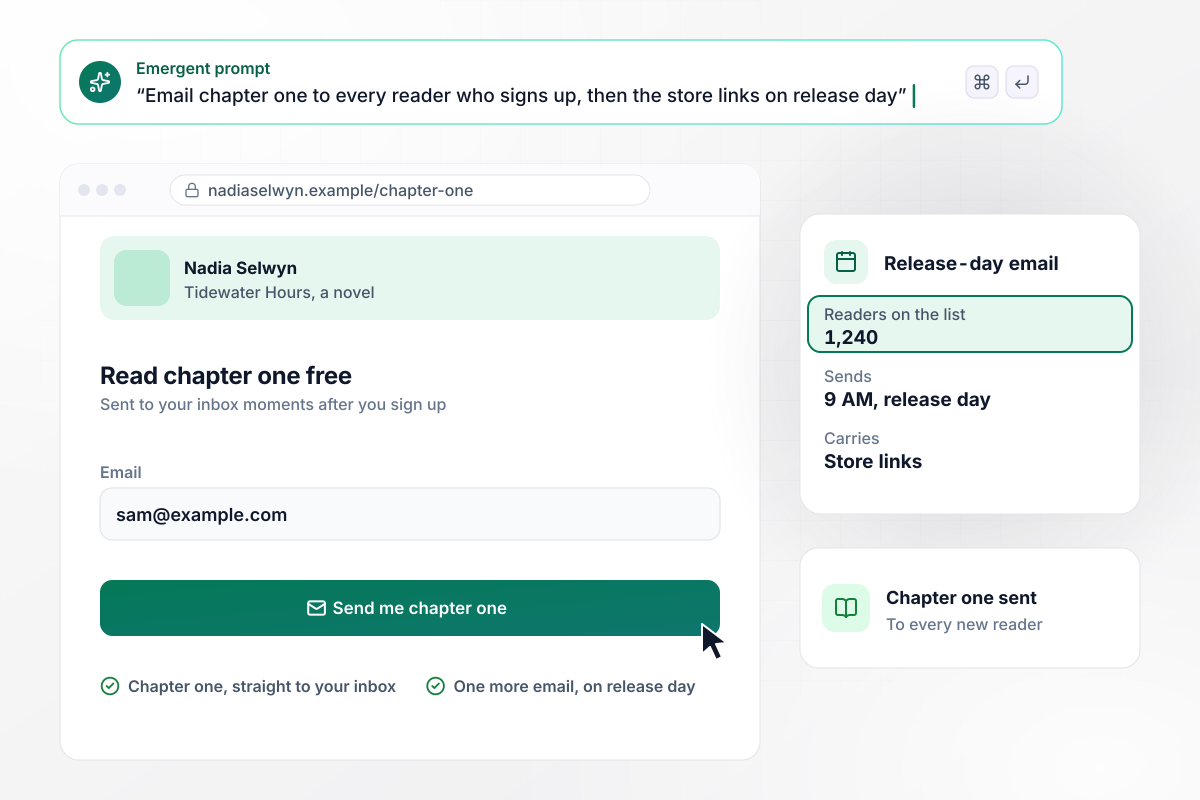
Chapter one now, the store links on release day
Novelist Nadia Selwyn gives away chapter one of Tidewater Hours to anyone who leaves an address, and it lands in their inbox moments later. By the week before release, 1,240 readers had signed up. At 9 AM on release day, each of them gets a single email carrying the store links.
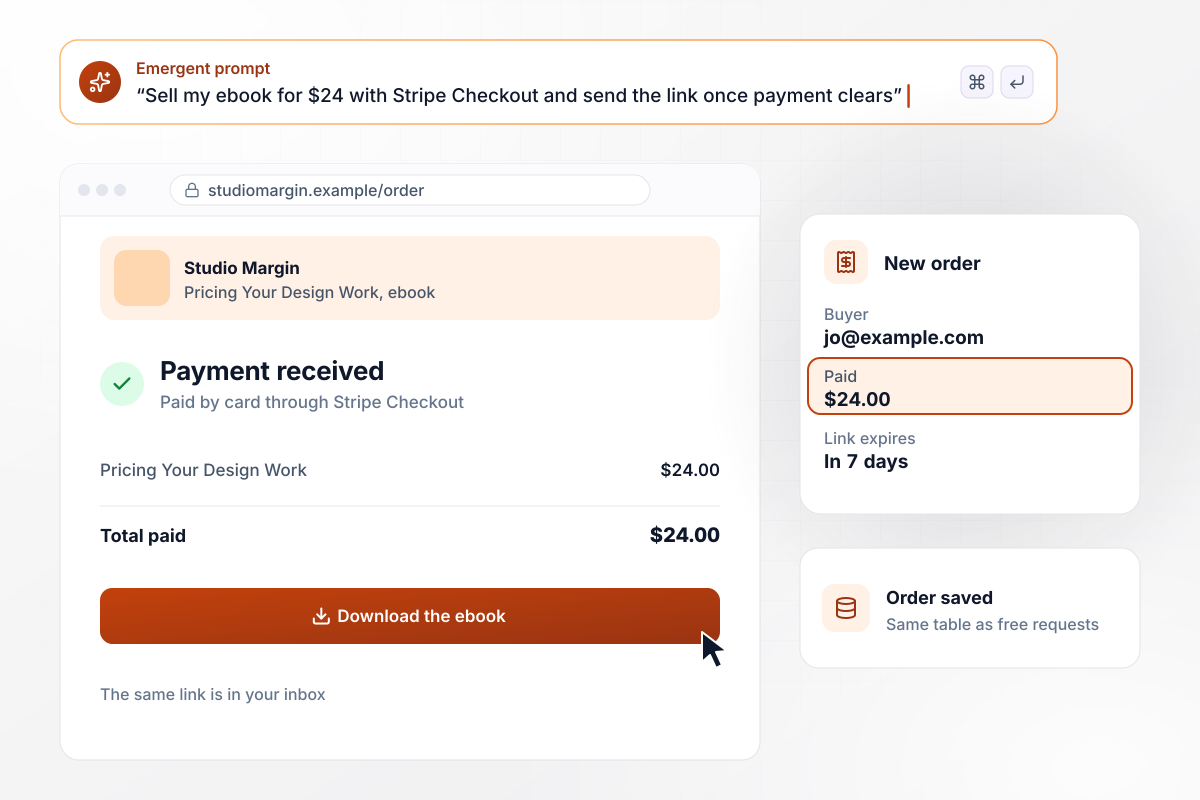
Download link released after the payment clears
For $24, Studio Margin sells its ebook on pricing design work through Stripe Checkout. Once Stripe reports the payment, the buyer lands on a page with the download button, and the same link arrives by email. The link expires after 7 days, and a buyer who misses it can request a fresh one from the order page.
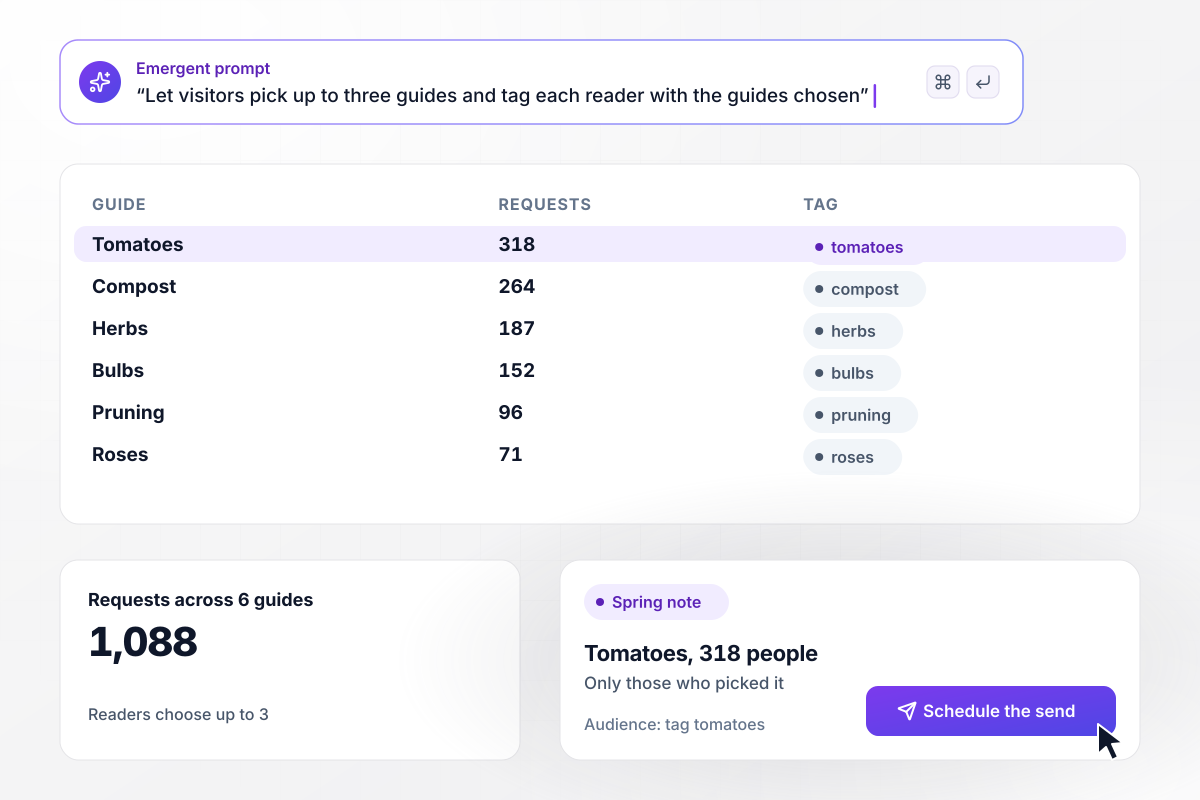
Each reader tagged by the guides they picked
Six growing guides sit on one page at Wildmere Garden Supply, and visitors choose up to three before entering an address. Every pick becomes a tag on the subscriber's row. Tomatoes leads this month with 318 requests, and the spring note about tomatoes goes only to those 318 people.






How to Create an Ebook Landing Page
Seven steps to an ebook landing page that delivers the book by email and shows which readers become customers.
Write the headline around the reader's problem, such as closing the books in five days, not around the ebook's title. The title already sits on the cover image, and the headline has a different job: telling the right visitor to keep reading.
Put the cover next to the form and list the chapters under it, with a page count. A visitor deciding whether an ebook deserves an email address wants to see that it answers their exact question before scrolling to the button.
An email address is enough to deliver the book. Company size earns a place when sales follows up on large accounts, and job role earns one when the next message changes by role. Every other field is work for the reader with nothing in return.
Email the download link instead of opening the file on the next screen. The address has to work for the book to arrive, and the reader can find the link in their inbox a week later. Say on the confirmation screen where the link was sent.
Add utm_source and utm_campaign to the links in your posts and ads, then save both values with each request. The reader table then shows which channel brings people who later buy, not only which channel brings the most requests.
Decide what follows the book before the page goes live. A note three days later that points to the most useful chapter gets the ebook opened. A demo request the next morning asks for more than the reader has offered so far.
Count requests against visits to the page, then follow the rows: how many people booked a call or bought within 90 days. An ebook that draws fewer requests but more buyers is the one to promote in the next campaign.
Why Build Ebook Pages With Emergent?
A gallery shot stops at the button. Emergent builds the page from a prompt, plus the delivery email and the request table behind it.

|
Leadpages | MailerLite | Unbounce | |
|---|---|---|---|---|
| How you build | Prompt for a campaign page | AI page creation, templates, and drag-and-drop | Templates and drag-and-drop, AI page generator | Templates and drag-and-drop, AI copy assist |
| Where submissions go | A database table you own, plus integrations | Leadpages lead storage and integrations | MailerLite subscriber list and integrations | Unbounce lead storage and integrations |
| Visitor limits | No per-visitor pricing | No traffic caps | No traffic caps; priced by subscribers | Monthly visitor caps by plan |
| A/B testing | Generate variants by prompt | A/B testing on higher-tier plans only | A/B testing on paid plans only | A/B testing on higher-tier plans only |
| Code ownership | Full code export to GitHub on paid plans | Hosted by Leadpages | Hosted by MailerLite | Hosted only |




Pick the Pricing Plan That Works for You
Choose the plan that fits your building ambitions. From weekend projects to enterprise applications, we've got you covered.




Find the right landing page for you
Frequently Asked Questions
Your Questions, Answered
Don't change this element unless you know what you are doing
More things you can build
with Emergent









on Emergent today


