

Build a Lead Generation Landing Page That Routes Every Lead
Build a lead generation landing page with the form you describe, rules for who follows up, and every lead saved with its source.
Build a lead generation landing page that saves each lead to a table and emails it to me.
Trusted by Builders Worldwide
Active Builders Worldwide
Apps Successfully Created
Countries Globally Reached



What Emergent Builds Behind the Form
The page visitors see, and the rules behind it that decide what happens to each lead after the submit.
Only the fields you ask for
Name the fields in your prompt, for example a required work email and an optional phone number. Emergent builds that form and nothing extra, and checks each entry before saving it.
A lead table with the source attached
Every submission becomes a row in a database you own, stamped with its time and the campaign behind the visit. Filter the rows and export them, or sync each new lead to your CRM.
Follow-up rules in plain sentences
Rules decide who answers each lead. Big accounts can reach one rep as a Slack message, and course inquiries a counselor by email. Write the rule in words and Emergent wires it up.
Campaign tags kept on every lead
When a visitor arrives from an ad, the page reads the utm_campaign value in the link and stores it with the lead. Cost per lead for each campaign then comes out of your own table.
Headline variants from one message
Send Emergent a message asking for a second headline or a shorter form. It builds the variant, splits visitors between the two versions, and records which one each lead saw.
The page and its leads, exported
The page, its form code and the lead table export to your GitHub on paid plans. Custom domains are included and use credits, or you can deploy the code on any host you choose.
Four Lead Gen Pages by Offer
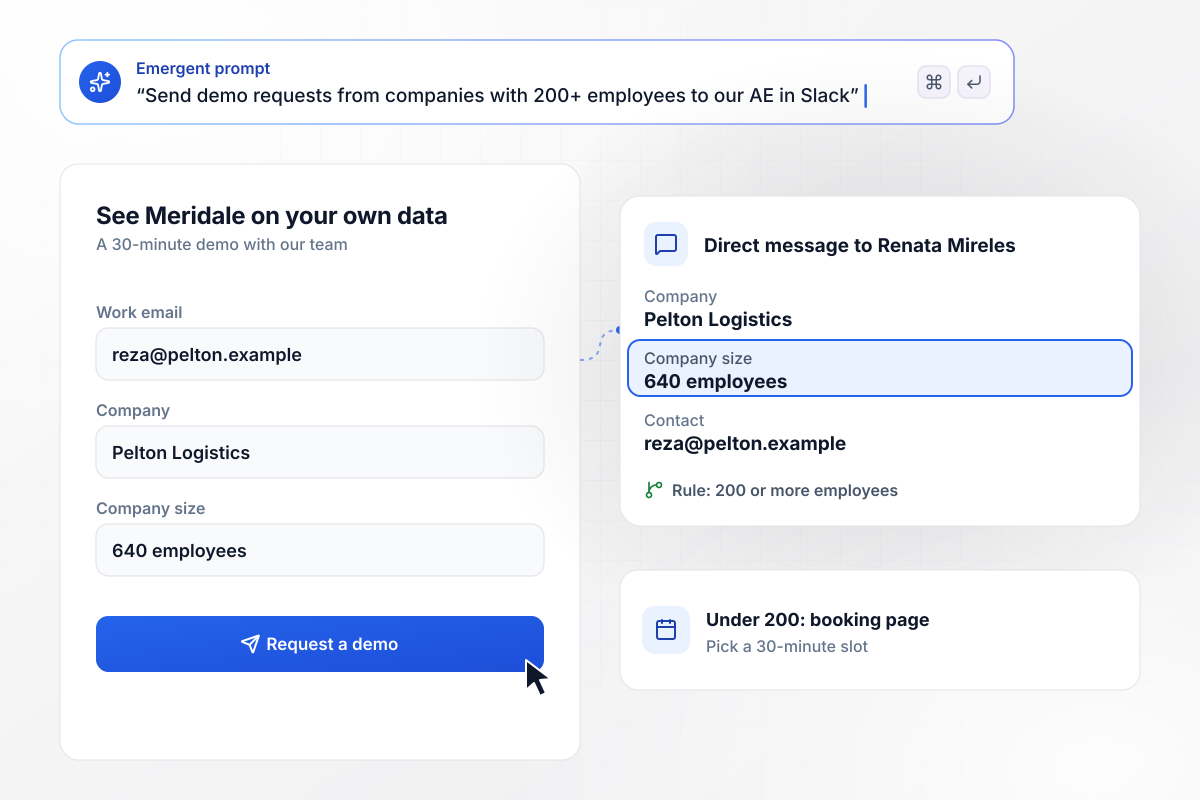
Accounts over 200 employees go straight to sales
Meridale Analytics sells reporting software, and its demo page asks for a work email and a company size. A company with 200 or more employees goes to account executive Renata Mireles as a Slack direct message with the lead attached. Smaller teams see a booking page and pick a 30-minute slot.
window.awbMockup = { b2bDemoRequests: "Build a demo request page for my reporting software company. Ask for work email, company name and company size. Send any company with 200 or more employees to our account executive Renata Mireles as a Slack direct message with the lead details. Show smaller teams a booking page where they pick a 30-minute demo slot, and save every request to a leads table.", programInquiries: "My coding school runs four programs, each with its own admissions counselor. Build an inquiry page where prospective students pick a program and a start term and leave their contact details. Save each inquiry as a row assigned to the counselor for that program, and email that counselor the student's answers right away.", freeTrialPasses: "Build a mobile-friendly page for my gym that offers a free seven-day pass. Ask for name, email, mobile number, and home club. When someone submits, issue the pass, email it to them, and add it to the front desk screen for the club they picked so staff know who is coming in.", paidAdCampaigns: "My landscaping business runs ads for several services. Every morning at 7 AM, pull yesterday's spend for each campaign from our ad accounts, count the leads each one brought to our landing page, and work out the cost per lead. Flag any campaign over $45 a lead and send me a Slack message about it." };
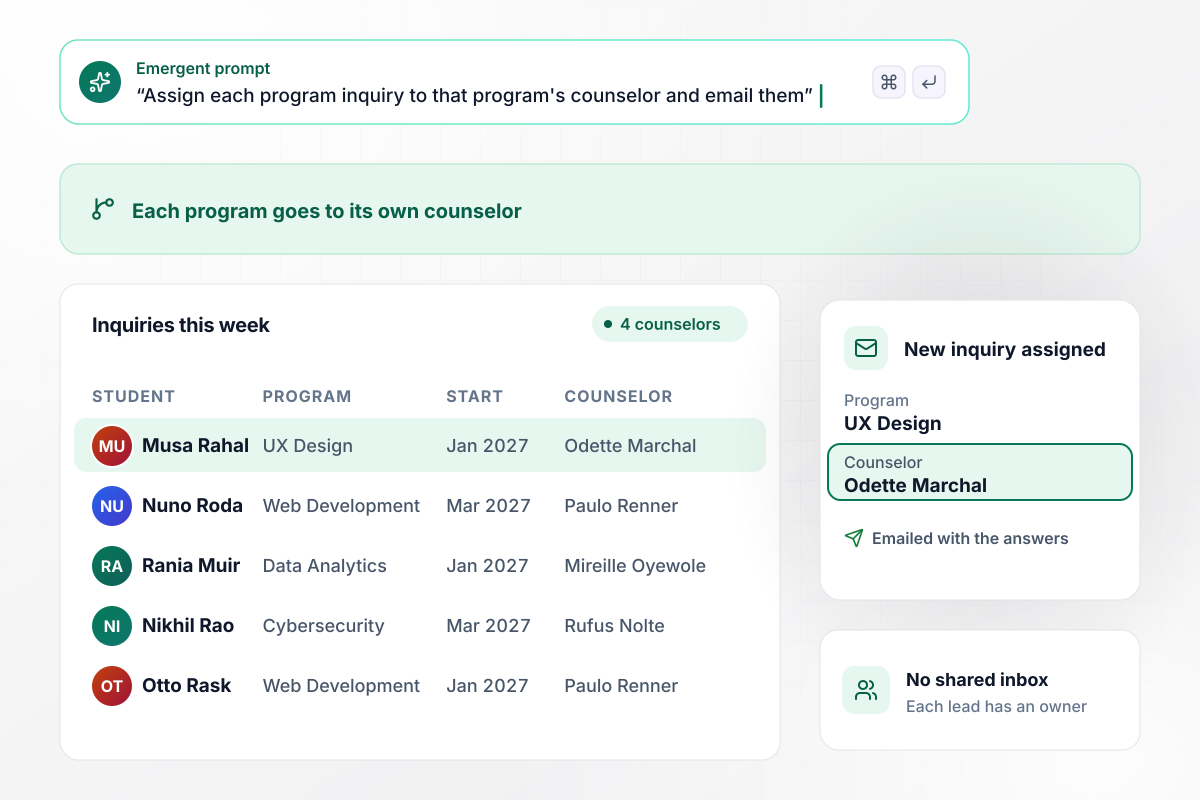
One inquiry form, four admissions counselors
Prospective students at Ravenhill Coding School pick a program and a start term on the inquiry page. Each inquiry lands as a row assigned to the counselor who runs that program, and the counselor gets an email with the student's answers. No inquiry sits in a shared inbox waiting for someone to claim it.
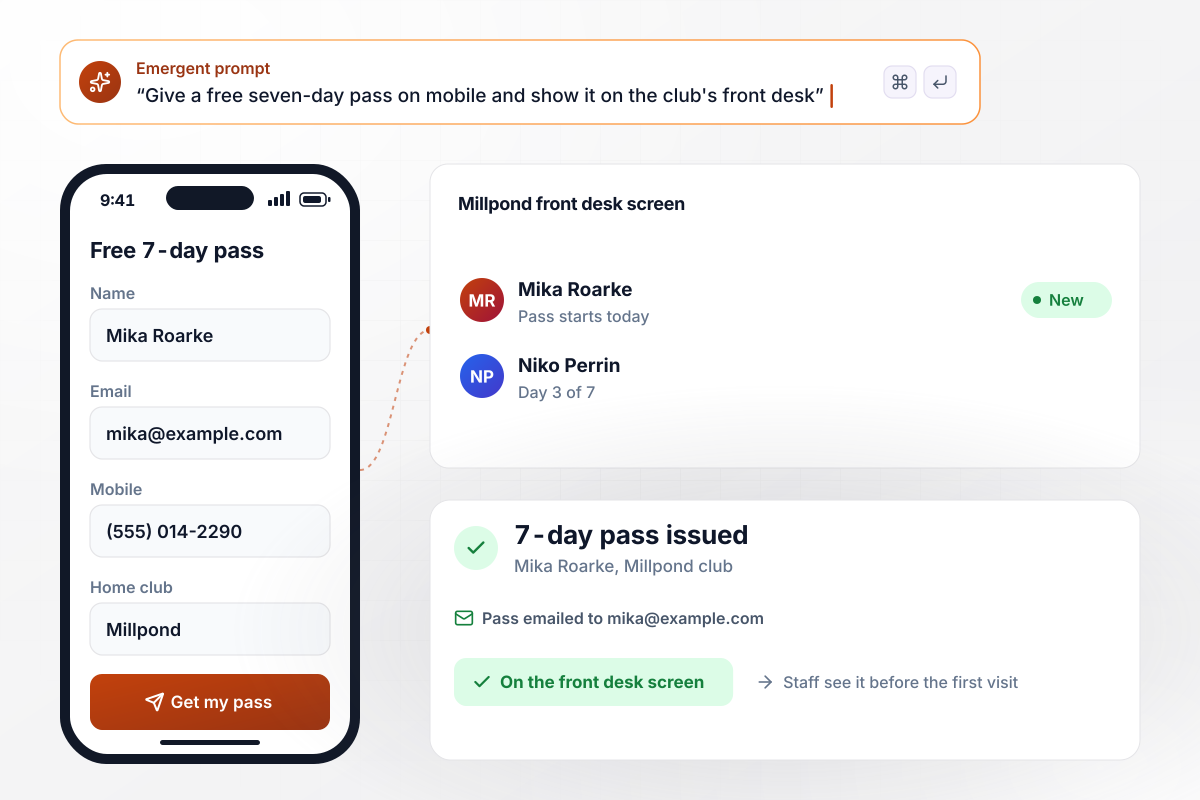
A seven-day pass, claimed on a phone
On a phone, the Ruxton Fitness page asks for a name, contact details and the home club. Submitting it issues a seven-day pass and emails it to the visitor. Staff at that club see the new pass on the front desk screen before the visitor walks in.
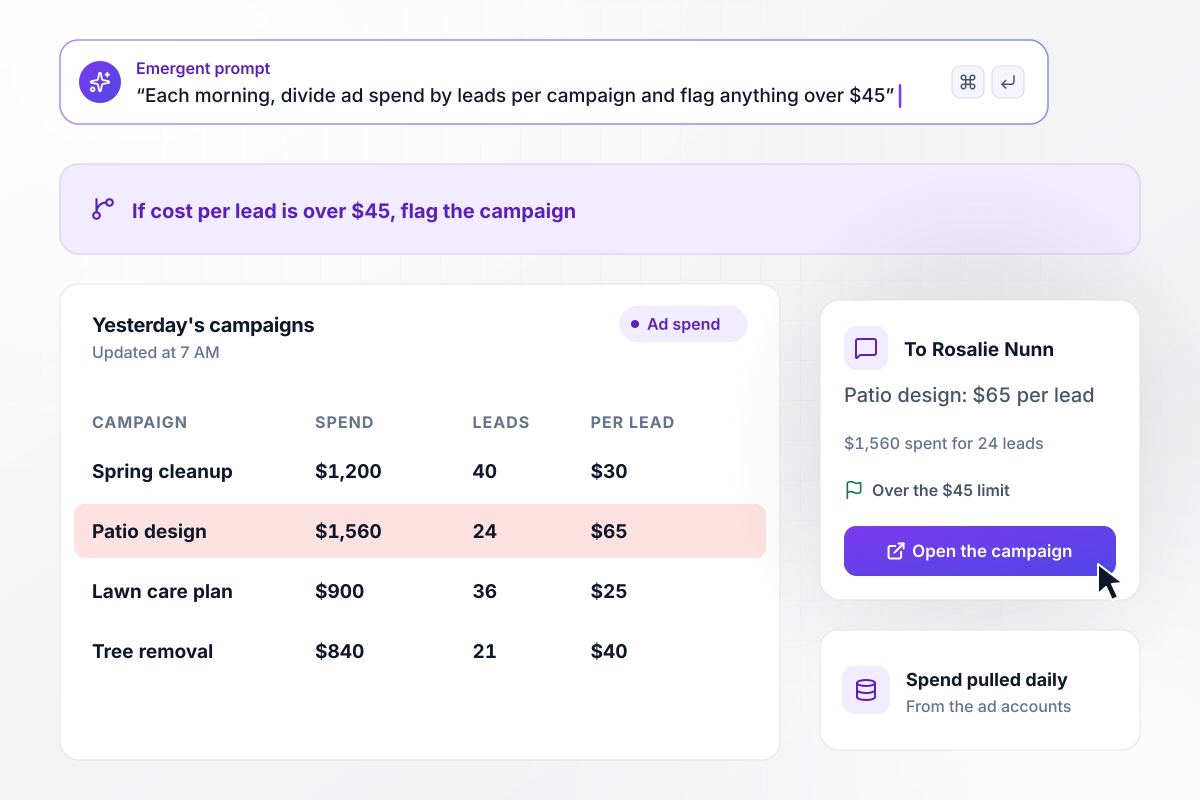
Patio ads now cost $65 per lead
Each morning at 7 AM, Mossbank Landscaping's lead table pulls the previous day's ad spend and divides it by the leads each campaign brought in. Any campaign over $45 a lead is flagged. Yesterday the patio design campaign spent $1,560 for 24 leads, and the owner, Rosalie Nunn, got a Slack message about it.






How to Build a Lead Generation Landing Page
Follow these seven steps to plan a lead generation landing page that gets every lead answered, then build it with Emergent.
Pick the single thing a visitor gets in exchange for their details, whether that is a demo or a downloadable guide. Two offers on one page split attention and blur your numbers. Running two offers means two pages, each with its own ad.
Visitors arrive expecting what the ad or email said, in roughly those words. Google Ads rates landing page experience partly on whether the page gives people what the ad led them to expect, and that rating feeds into a keyword's Quality Score.
Each field should change what happens next. Company size can decide routing, and a phone number matters only if someone will call it. Cut every other field, or move it to a second step that appears after the visitor has already submitted once.
A named customer quote, a row of client logos or a review count placed next to the form answers the doubt a visitor feels while typing an email address. Specific beats general here: one customer and one result outweigh a page of praise.
Write the routing down before launch. Say which leads go to which person and what the visitor sees after submitting. A lead left two days in an unread inbox is ad spend with nothing to show for it, and the visitor has moved on.
Add campaign parameters such as utm_source and utm_campaign to each ad and email link, then save those values with the lead. Analytics tools read the same parameters to report which campaign sent each visit, and your lead table will agree with them.
Clicks are cheap to count and easy to misread. Divide each campaign's spend by the leads it produced, then compare that figure with what a lead is worth to your business. Pause any campaign whose leads cost more than they return.
Why Build Lead Gen Pages With Emergent?
Template builders keep leads in their own dashboard. Emergent builds the page with its routing rules and a lead table you own.

|
Unbounce | Leadpages | MailerLite | |
|---|---|---|---|---|
| How you build | Prompt for a campaign page | Templates and drag-and-drop, AI copy assist | AI page creation, templates, and drag-and-drop | Templates and drag-and-drop, AI page generator |
| Where submissions go | A database table you own, plus integrations | Unbounce lead storage and integrations | Leadpages lead storage and integrations | MailerLite subscriber list and integrations |
| A/B testing | Generate variants by prompt | A/B testing on higher-tier plans only | A/B testing on higher-tier plans only | A/B testing on paid plans only |
| Visitor limits | No per-visitor pricing | Monthly visitor caps by plan | No traffic caps | No traffic caps; priced by subscribers |
| Code ownership | Full code export to GitHub on paid plans | Hosted only | Hosted by Leadpages | Hosted by MailerLite |




Pick the Pricing Plan That Works for You
Choose the plan that fits your building ambitions. From weekend projects to enterprise applications, we've got you covered.




Find the right landing page for you















Frequently Asked Questions
Your Questions, Answered
Don't change this element unless you know what you are doing
More things you can build
with Emergent









on Emergent today


