

Build a Squeeze Page That Grows Your Email List
Build a squeeze page that trades your freebie for an email address, sends it at signup, and keeps each subscriber in your table.
Build a squeeze page with one short form that adds every signup to a list I own.
Trusted by Builders Worldwide
Active Builders Worldwide
Apps Successfully Created
Countries Globally Reached



What Sits Behind the Email Field
The page a visitor sees is short. The work happens after the address is submitted.
An email field and little else
Ask for an email address, or an email and a first name when the welcome message uses it. Emergent builds that form, rejects malformed addresses, and keeps the button above the fold.
Freebie delivery on submit
Send the PDF or video link the moment someone submits. Emergent writes the delivery email, attaches the file, and logs each send against the subscriber's row in your table.
Subscribers in a table you own
Store every signup in a database you own, stamped with the date, the page, and the utm_source of the visit. Sync new rows to your email platform through its API, or export a CSV.
Double opt-in when you want it
Require a confirmation click before an address joins the list. Your page sends the confirmation email, holds the signup as pending, and resends once if nobody clicks in 48 hours.
A next page after the opt-in
Point the submit button at a thank-you page that makes a paid offer or shares a booking link. Whatever each visitor does on that page is written back to the same subscriber row.
Code that moves with you
Export the page and its subscriber table to your GitHub on paid plans. Host it on Emergent under a custom domain, which is included and uses credits, or deploy the code elsewhere.
Four Squeeze Pages and What Follows
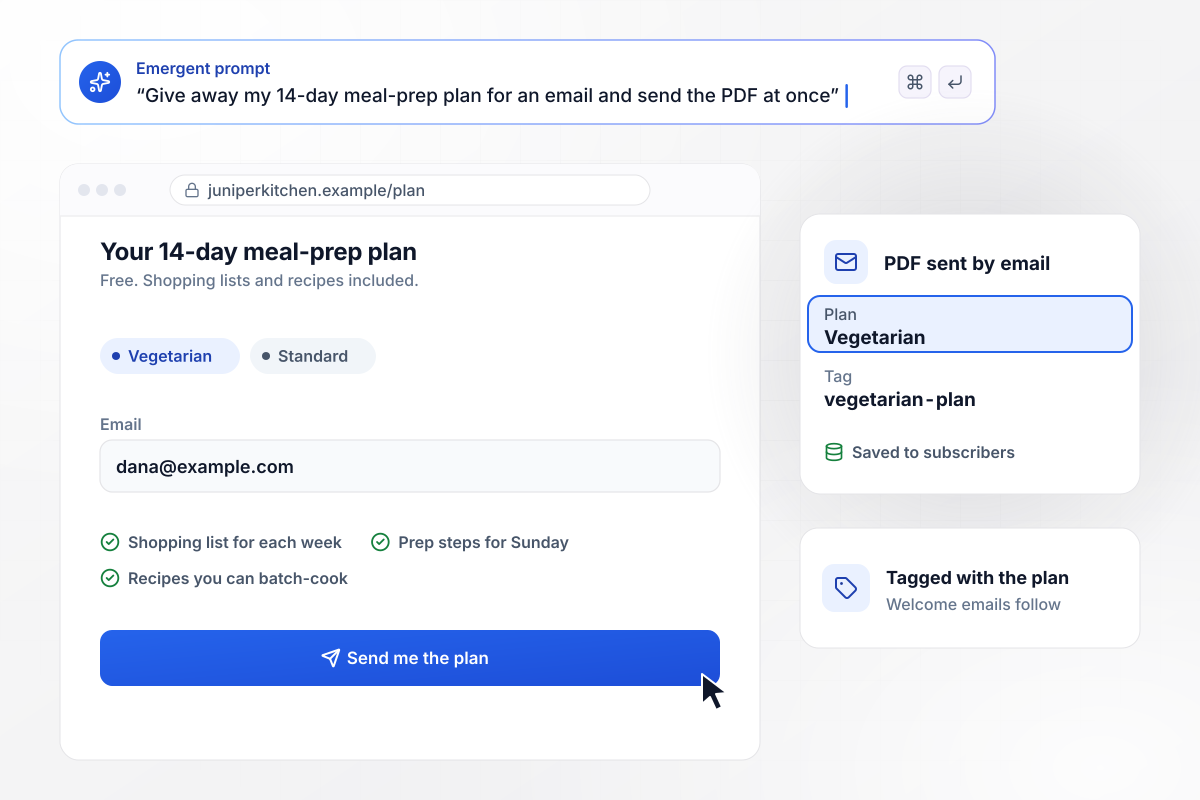
A meal plan in the inbox before the tab closes
Juniper Kitchen sells meal-prep coaching, and its squeeze page offers a 14-day meal-prep plan for an email address. Visitors pick vegetarian or standard before they submit. The PDF goes out by email straight away, and the subscriber is tagged with the plan they chose. Coaching comes up later, in the welcome emails.
window.awbMockup = { leadMagnets: "Build a squeeze page for my meal-prep coaching business that offers a free 14-day meal-prep plan. Ask for an email address and let visitors pick vegetarian or standard. When someone submits, email them the matching PDF right away, save them to a subscribers table and tag them with the plan they picked so my welcome emails can mention it.", emailCourses: "I teach pricing to wedding photographers. Build a squeeze page for a free email course with five lessons. Send lesson 1 as soon as someone signs up, then one lesson each morning at 8 AM. When a subscriber replies to any lesson, forward the reply to Leo Marsh with the lessons they have opened so far.", discountCodes: "Build a mobile-friendly squeeze page for my candle store that offers $10 off a first order over $40 in exchange for an email address. Give every signup a unique single-use code, email it to them immediately, and save the code next to their address. Codes should expire 14 days after they are issued.", courseFunnels: "My garden club gives away a free planting calendar. After someone signs up, show a page offering my $19 seed-starting course. Every Monday at 9 AM, send me a report that ranks each traffic source, like the podcast, Instagram and YouTube, by new subscribers and by course sales from the past week." };
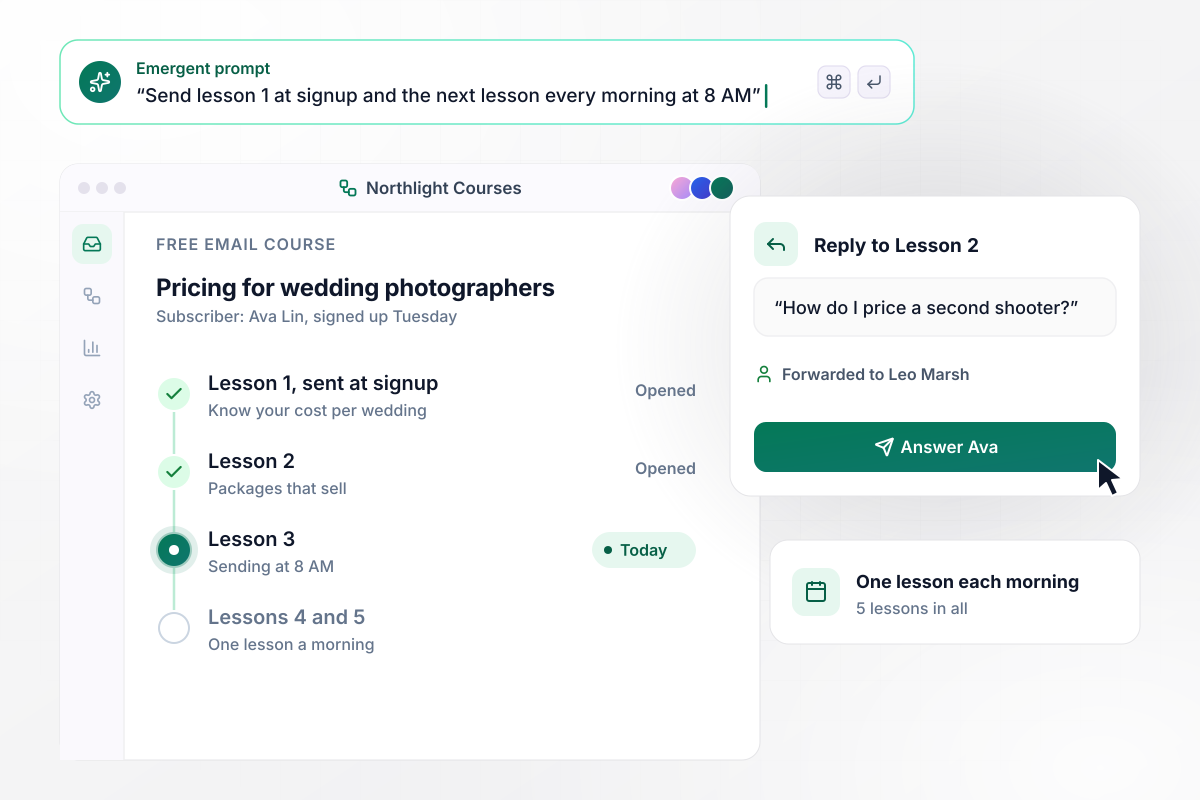
Five lessons, one each morning
Wedding photographers who sign up on Northlight Photo Academy's squeeze page get its pricing course by email. Lesson 1 arrives at signup, and each later lesson lands at 8 AM the following day. A reply to any lesson reaches the instructor, Leo Marsh, with the sender's progress shown beside it.
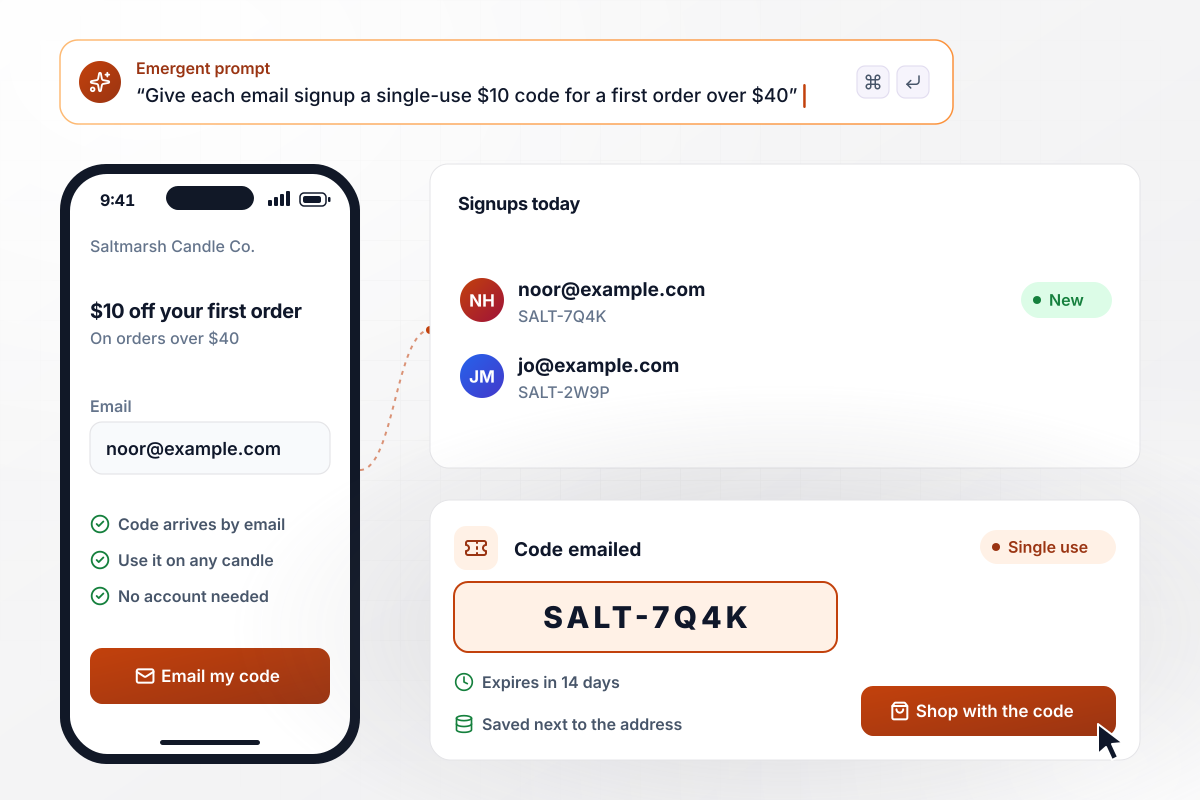
Ten dollars off with a code for each visitor
On a phone, the Saltmarsh Candle Co. page asks for an email address and nothing else. Each signup gets its own code for $10 off a first order over $40, emailed at once and saved next to the address. A code is single use and expires 14 days after it is issued.
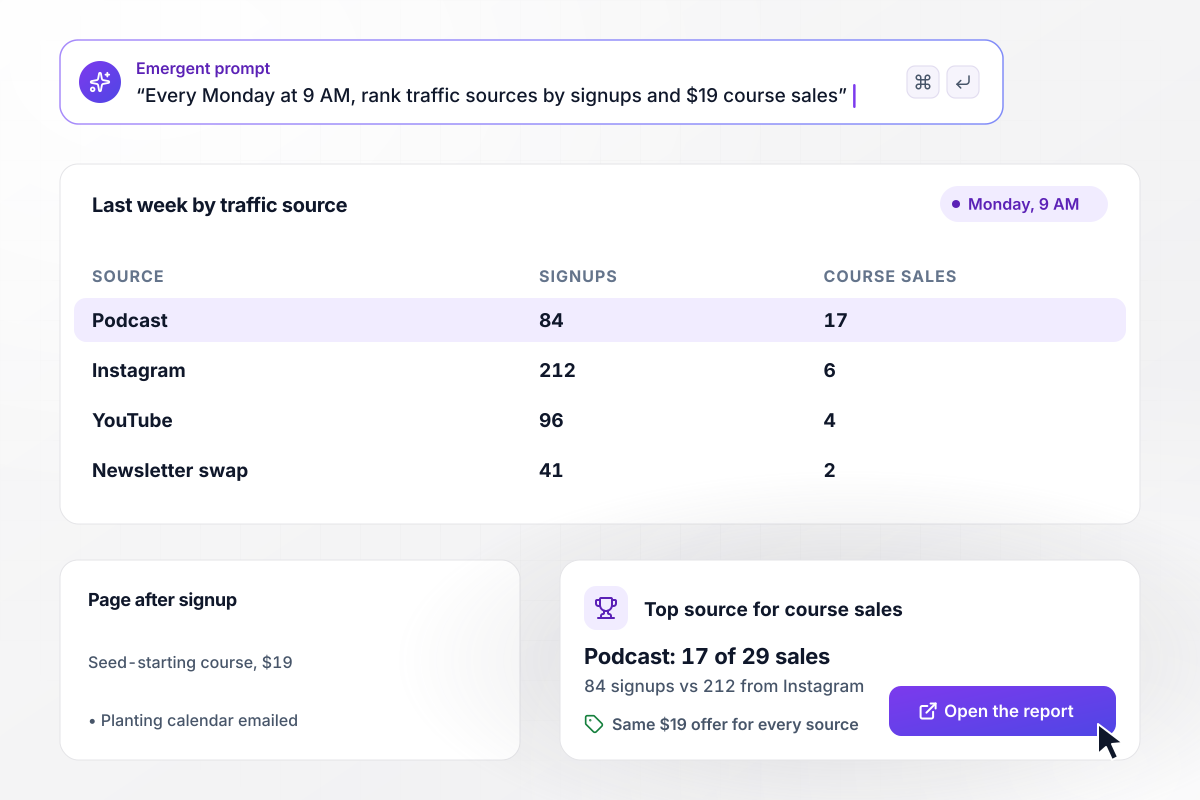
Podcast listeners buy most of the $19 courses
Fernhill Garden Club gives away a planting calendar, and the page after signup offers a $19 seed-starting course. Every Monday at 9 AM, a report ranks each traffic source by new subscribers and by course sales. Last week the podcast sent 84 signups to Instagram's 212 but accounted for 17 of the 29 course sales.






How to Create a Squeeze Page
Seven steps to create a squeeze page that turns one freebie into a steady flow of email signups, then build it with Emergent.
Offer something a visitor can use the same day, such as a checklist or a discount. Match it to what you sell later. A meal-prep plan attracts people who might buy coaching, while a generic prize draw attracts people who only wanted the prize.
State what the visitor gets, in words a buyer would use. 'Your 14-day meal-prep plan, free' tells people more than a clever line about healthy eating. Keep the subheading to one sentence that answers the obvious doubt, such as how long the plan takes.
Ask only for what the next email will use. A first name earns its place if the welcome message greets people by name. Phone numbers and company names belong on a later page, once the subscriber has read a few of your emails and knows who you are.
Drop the site navigation, footer menus and social icons from the page. The only things left to click should be the form button and the legal links. A visitor who wanders off to your blog has left the offer behind, and the signup with it.
Plan the thank-you page and the delivery email before launch. Say whether the freebie downloads on the page or arrives by email, and whether double opt-in applies. With double opt-in, nobody joins the list until they click the link in a confirmation email.
Commercial email covered by CAN-SPAM must tell readers how to opt out and include a valid physical postal address. Add both to your email template once. The delivery email and every follow-up message then carry them without anyone remembering to paste them in.
Change one element at a time and give each version enough visits to judge. Start with the headline and the freebie itself, and leave button colors and layout for later. Tag each subscriber with the version they saw so the comparison comes from your own rows.
Why Build Squeeze Pages With Emergent?
A page builder gives you a template. Emergent builds the squeeze page from a prompt, with its delivery email and your subscriber table.

|
Unbounce | Landingi | Wix | |
|---|---|---|---|---|
| How you build | Prompt for a campaign page | Templates and drag-and-drop, AI copy assist | Templates and drag-and-drop, AI assist | Prompt for a full site |
| Where submissions go | A database table you own, plus integrations | Unbounce lead storage and integrations | Vendor lead storage and integrations | Wix dashboard submissions and Contacts |
| Visitor limits | No per-visitor pricing | Monthly visitor caps by plan | Tiered by traffic on most plans | Site plan bandwidth |
| A/B testing | Generate variants by prompt | A/B testing on higher-tier plans only | Higher plans | Limited or add-on |
| Code ownership | Full code export to GitHub on paid plans | Hosted only | Hosted only | Hosted only |




Pick the Pricing Plan That Works for You
Choose the plan that fits your building ambitions. From weekend projects to enterprise applications, we've got you covered.




Find the right landing page for you















Frequently Asked Questions
Your Questions, Answered
Don't change this element unless you know what you are doing
More things you can build
with Emergent









on Emergent today


