

Build a Lead Capture Form That Routes Every Lead
Build a lead capture form that sorts each lead as it arrives, alerts whoever acts next, and saves it to a database you own.
Build a lead capture form that saves every response to a database I own.
Trusted by Builders Worldwide
Active Builders Worldwide
Apps Successfully Created
Countries Globally Reached



What the Form Does With Each New Lead
A lead capture form trades an offer for contact details. These six parts decide where each lead lands and who hears about it.
Questions that decide who follows up
Asks what a rep needs before the first call: the service wanted, the ZIP code, the budget, or the timeline to buy. Every answer is stored as a field that the routing rules can read.
Each lead routed by a rule you write
Sends each lead where a rule says, such as a branch queue picked by ZIP code or the rep who owns accounts over 100 employees. Whoever acts next gets an alert by Slack or email.
Each lead saved with where it came from
Stores each submission as a row in a database you own, with the page it came from, the campaign tag, and the time. Marketing can count leads by source without exporting anything.
Contacts created in HubSpot or your CRM
Connects to HubSpot or any other CRM with an API and creates the contact as soon as a lead submits. Reps keep working in the CRM they know, and the form keeps its own copy.
One question per screen on a phone
Shows one question per screen for visitors who arrive on a phone from a social post. Ask for the email first and save answers as they come: a form left halfway still yields a lead.
The form and its rules in your GitHub
Exports the full code of the form, its scoring rules, and the lead database to your GitHub repository on paid plans. A developer can change any routing rule in a pull request.
What Happens After Each Lead Hits Submit
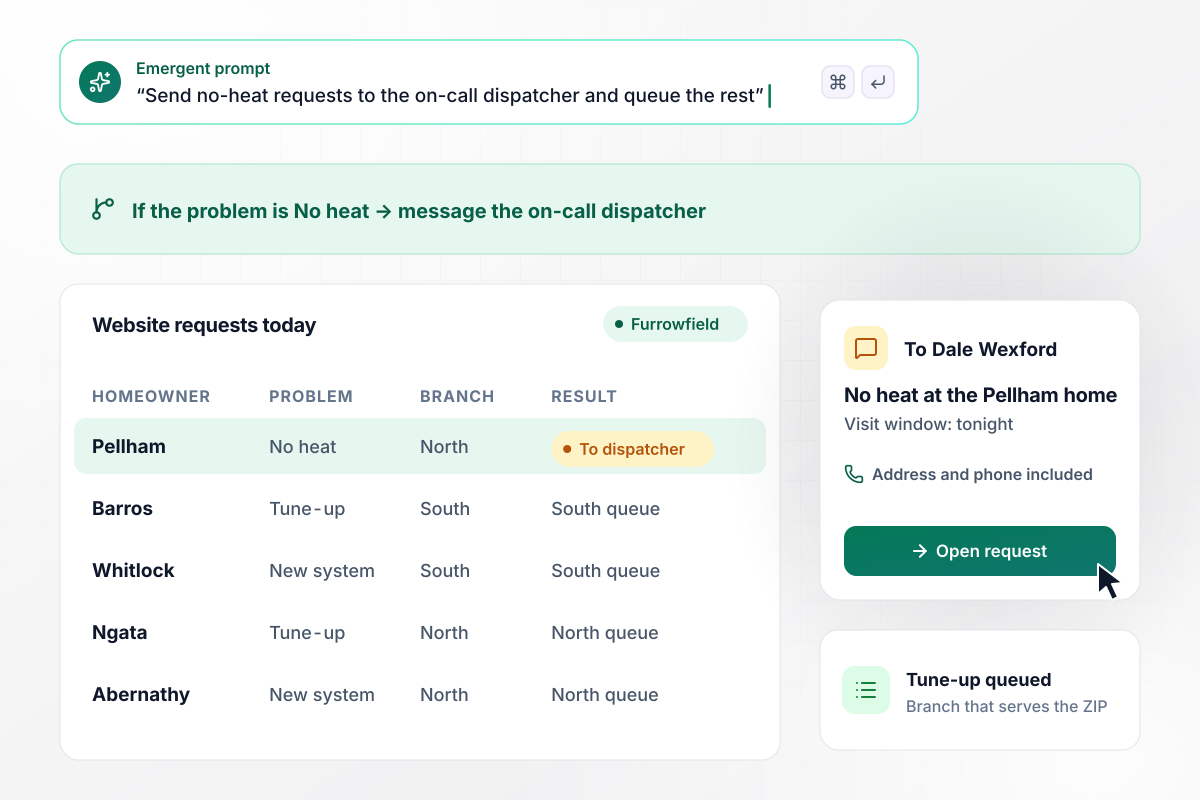
A no-heat request goes to the on-call dispatcher
Furrowfield Heating and Air runs a North and a South branch. Homeowners give a ZIP code and the problem on one website form. A request marked No heat goes to Dale Wexford, the on-call dispatcher, in a Slack direct message with the address and phone. Tune-ups wait in the queue of the branch that serves that ZIP.
window.awbMockup = { homeServices: "Build a service request form for my heating and air company. Ask for name, phone, address, ZIP code, the problem (no heat, tune-up, or new system), and a visit window. Send any no-heat request to our on-call dispatcher, Dale Wexford, as a Slack direct message with the address and phone. Put every other request in the queue of the North or South branch by ZIP.", b2bSoftware: "Build a lead form for the pricing page of my payroll software. Ask for name, work email, company size, start date, and job title, and score each lead on those answers. At 60 points or more, create a HubSpot contact and send our account executive, Mira Ostrand, a Slack message with the score. Add leads under 60 to the monthly newsletter list.", gatedGuides: "Build a form that gates my wealth firm's retirement guides. Ask for name, email, and the year they plan to retire, then email the guide right away. If the same email requests a second guide within 30 days, mark the lead warm, add it to advisor Priya Halvorsen's call list, and email her the two guide titles.", tradeShowBooths: "Build a booth lead form my sales reps can fill in on their phones at a trade show. Ask for name, company, email, the packaging line they run, and a hot, warm, or cold rating. Show a tally by rating, email each hot lead from its rep the next morning, and add warm and cold leads to our marketing list." };
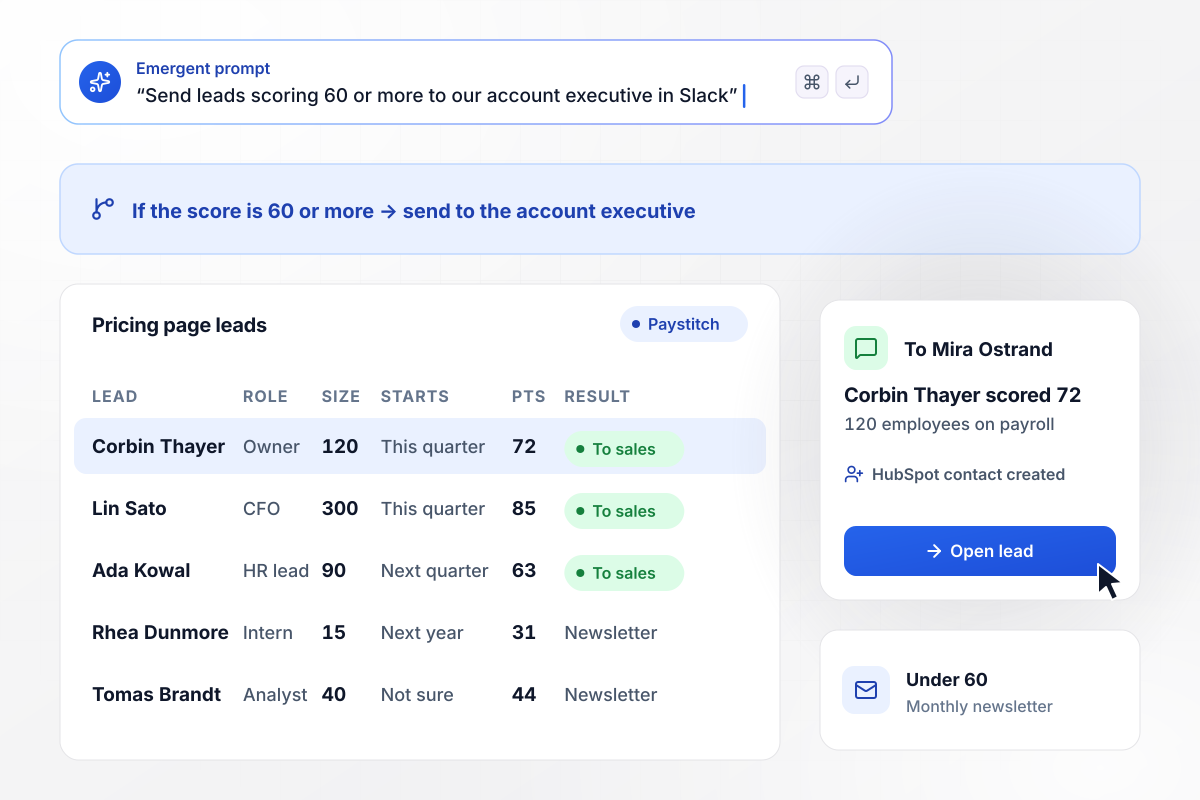
Leads at 60 points or more reach an account executive
Paystitch scores each lead from its payroll software pricing page on company size, start date, and job title. Corbin Thayer scored 72 with 120 employees. At 60 points or more, the lead becomes a HubSpot contact and account executive Mira Ostrand gets a Slack message. Leads under 60 get the monthly newsletter.
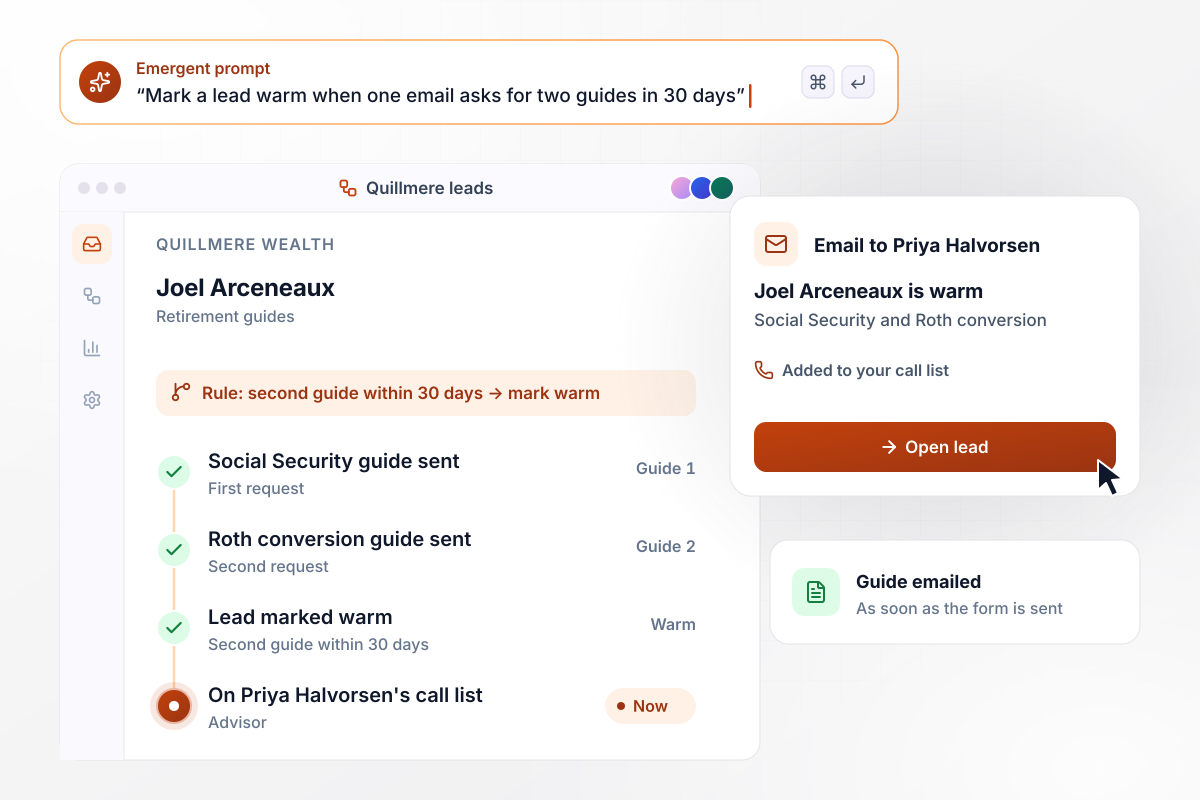
Two guides in 30 days put the lead on an advisor's list
Quillmere Wealth puts its retirement guides behind a short form: name, email, and planned retirement year. Each guide goes out by email as soon as the form is sent. When the same email asks for a second guide within 30 days, the lead is marked warm and advisor Priya Halvorsen gets an email adding it to her call list.
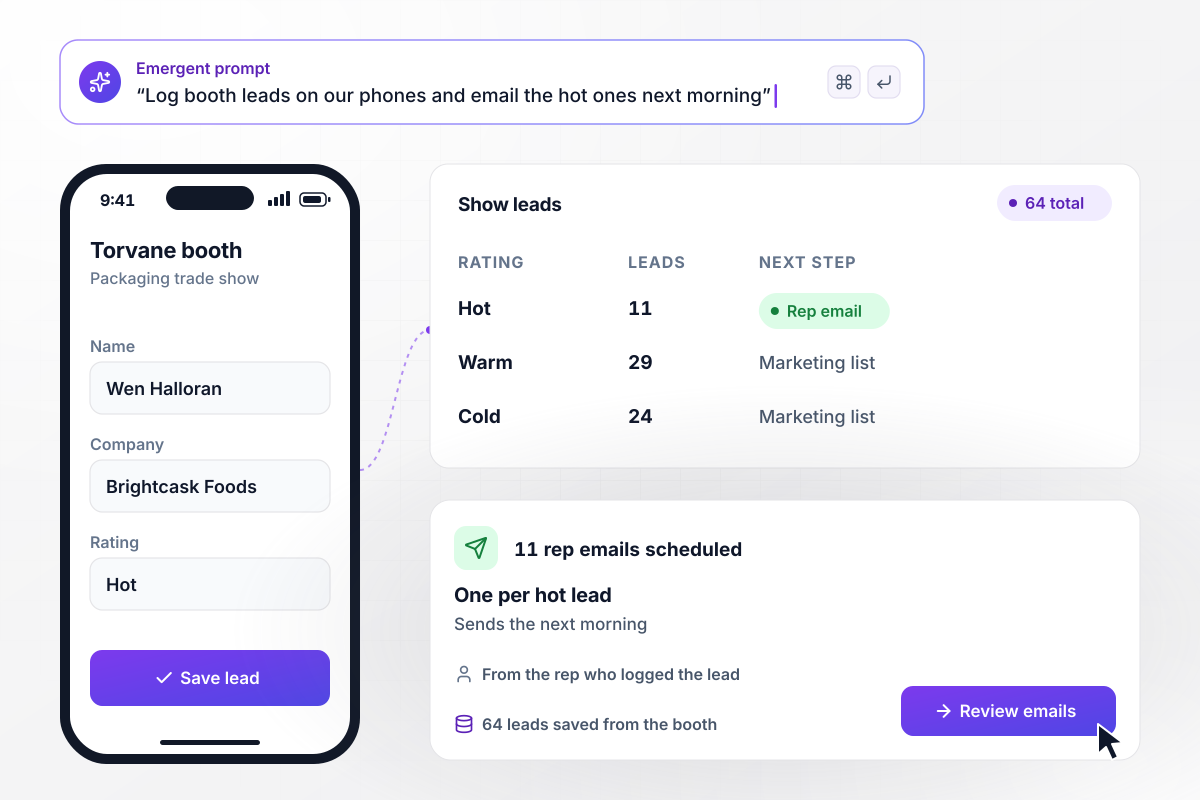
All 11 hot booth leads get an email the next morning
Torvane Robotics reps logged booth visitors on their phones at a packaging trade show, with a hot, warm, or cold rating for each. By closing day the form held 64 leads, 11 of them rated hot. Each hot lead got a follow-up email from its rep the next morning, and the rest went to the marketing list.






How to Create a Lead Capture Form
Seven steps to create a lead capture form that asks only what sales needs and routes each lead, then build it with Emergent.
Decide what the visitor gets for their details, such as an estimate or a guide. One offer per form keeps the follow-up obvious, and the thank-you message can promise exactly that thing and say when it arrives. A second offer gets its own form.
Write down the questions a rep asks in the first two minutes of a call, and keep only those on the form. Name and email are fixed. Add one or two qualifiers, such as company size or ZIP code, that change who follows up.
Say who gets which lead the way you would brief a new hire: requests from ZIP codes east of the river go to the East office, and anything marked urgent goes to whoever is on call. Name a backup person for days off.
Paste the fields and the routing rule into one prompt, along with the follow-up you want. Emergent builds the form with its lead database and alerts. Change any piece later by asking, such as raising the score threshold or adding a field for the referral source.
If sales works in HubSpot or another CRM with an API, connect it, and each new lead becomes a contact there. Map every form field to a CRM property before the first live lead arrives, and the reports will line up from day one.
Draft the email each lead gets after submitting, with the offer attached or linked. The FTC's CAN-SPAM guide says a marketing email must include a clear and conspicuous explanation of how the recipient can opt out. Put the unsubscribe link in the footer.
Fill in the form five times with answers that should route differently, including one that matches no rule. Check that each lead lands in the database, reaches the right person, and gets the right email. Delete the test rows before you share the link.
Why Build Lead Capture Forms With Emergent?
Emergent builds the form and the follow-up behind it, with lead scores and rep alerts included and no cap on responses.

|
Jotform | PlatoForms | Google Forms | |
|---|---|---|---|---|
| How you build | Describe it in plain English | Templates, editor, AI generator | Upload a PDF or start from a template | Editor, with Gemini drafting on some Workspace plans |
| Where responses live | A database table you own, plus any integration | Jotform account | PlatoForms account, export as CSV or PDF | Google Sheets |
| Response limits | No response caps | Monthly submission caps by plan; the form stops at the cap | Monthly submission cap, forms stop at the cap | No limit |
| Code ownership | Full code export to GitHub on paid plans | None | None | None |




Pick the Pricing Plan That Works for You
Choose the plan that fits your building ambitions. From weekend projects to enterprise applications, we've got you covered.




Find the right form
for whatever you're collecting














Frequently Asked Questions
Your Questions, Answered
Don't change this element unless you know what you are doing
More things you can build
with Emergent









on Emergent today


