

Build a Sign up Form for Any List You Run
Build a sign up form that closes each slot once it fills and keeps every sign-up in a database you own.
Build a sign up form for my food pantry's Saturday volunteer shifts.
Trusted by Builders Worldwide
Active Builders Worldwide
Apps Successfully Created
Countries Globally Reached



Where Sign up Forms Usually Break
Most sign-up trouble starts after the link goes out. Each piece below closes one gap, like nine people on a six-person shift.
A cap on every slot or shift
Set a limit for each choice on the form. Once a choice fills, it closes, and the form shows only the options with room left. A cancellation hands that spot to whoever signs up next.
Addresses confirmed before they count
Send each new subscriber a confirmation link and hold the address as pending until it is clicked. Pending rows expire on a schedule you set. Mistyped addresses never join the list.
A roster everyone can check
Show parents who has signed up for each dish, by first name only, before they pick their own. You decide which columns the roster shows and which stay private to the organizer.
Reminders and a link to cancel
Email each person their choice with a link to change it. Send a reminder the evening before, and alert the organizer in Slack when a slot is still short of people a day out.
Every name synced to your other tools
Push each sign-up to HubSpot or any other tool with an API as it arrives. The record also stays in a database you own, where a developer can query it later on without an export.
Your domain and your code
Publish on a custom domain, included and paid for in credits, or place the form inside a site you run. On paid plans, export the full code to GitHub for a developer to extend.
Sign up Forms for Four Different Crowds
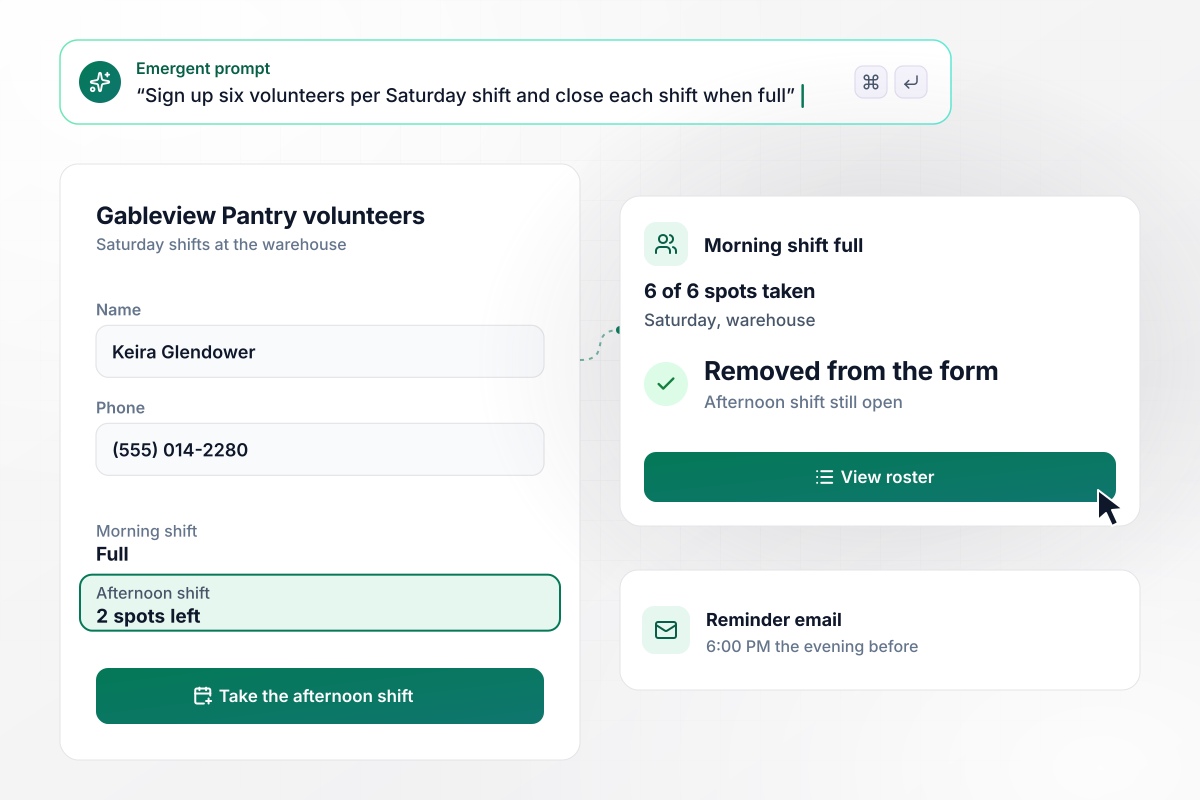
Six spots per shift, and a full shift closes
Gableview Pantry needs six people for each Saturday shift at its warehouse. Volunteers pick a shift and leave a phone number. Once the last spot goes, that shift drops off the form. Each volunteer gets a reminder email at 6:00 PM the evening before, and a cancellation reopens the spot.
window.awbMockup = { volunteerShifts: "I coordinate volunteers at Gableview Pantry. Make a sign-up for our Saturday morning and afternoon shifts at the warehouse, six people per shift. Ask for a name and a phone number. Hide a shift once it has six people. Email everyone a reminder at 6:00 PM the night before their shift, and reopen the spot if someone cancels.", newsletterLists: "Build an email signup for the Crumb Lane Bakery newsletter. Readers enter an email and choose topics: weekend bread drops and baking classes. Send a confirmation link and only add people who click it. Tag each confirmed reader in HubSpot with the topics they chose. If someone never confirms, delete their row after seven days.", potluckDishes: "Our school, Gatewood Elementary, holds a spring potluck. Parents sign up to bring one dish: a main, a side, a dessert, or drinks. Cap desserts at four and mains at six. When a category is full, hide it and suggest the categories that still have room. Show parents a list of what is already coming, and send me the final list two days before.", betaWaitlists: "Tallyline is opening a beta. Make a waitlist sign-up that asks for a work email, company name and team size. Give each person a numbered place in line. If a team has 50 or more people, post it to our sales channel in Slack with the company and team size for a rep to follow up." };
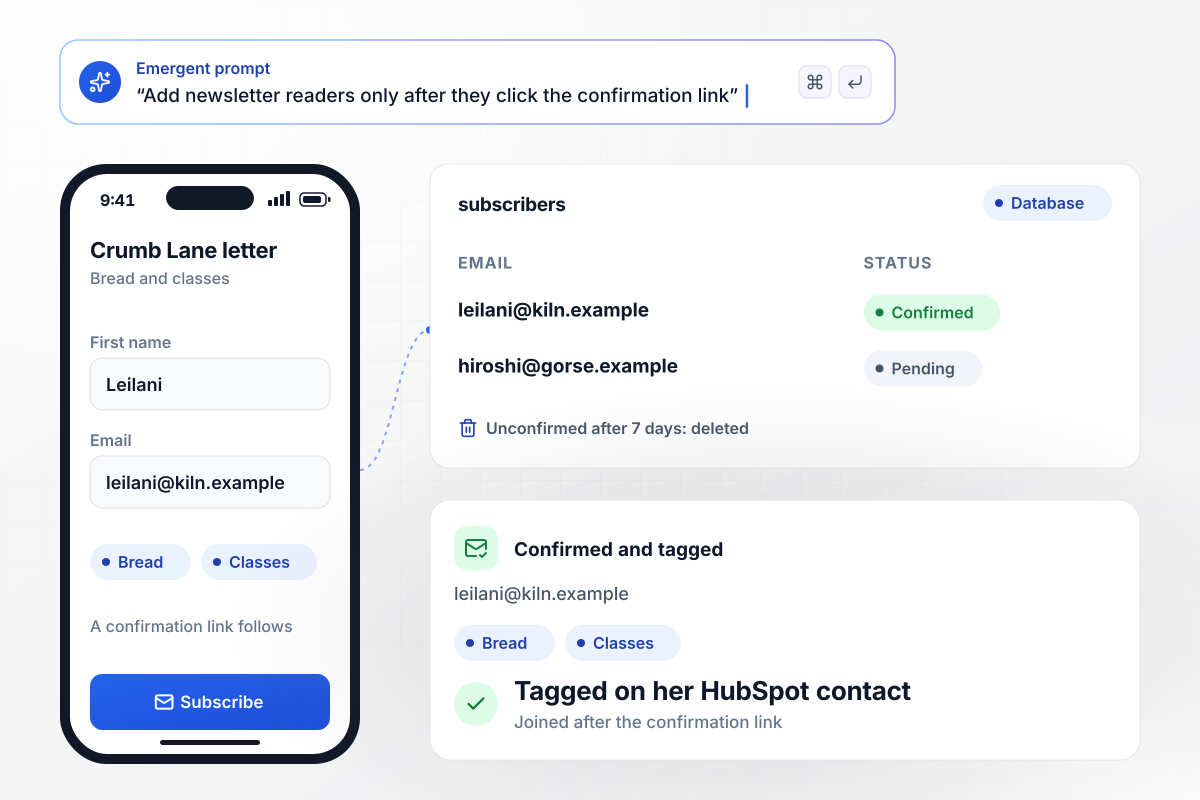
Subscribers who count only after they confirm
Readers of the Crumb Lane Bakery letter sign up with an email and pick topics such as weekend bread drops. Each new address gets a confirmation link and joins the list only once it is clicked. Confirmed readers are tagged by topic on their HubSpot contact. Rows still unconfirmed after seven days are deleted.
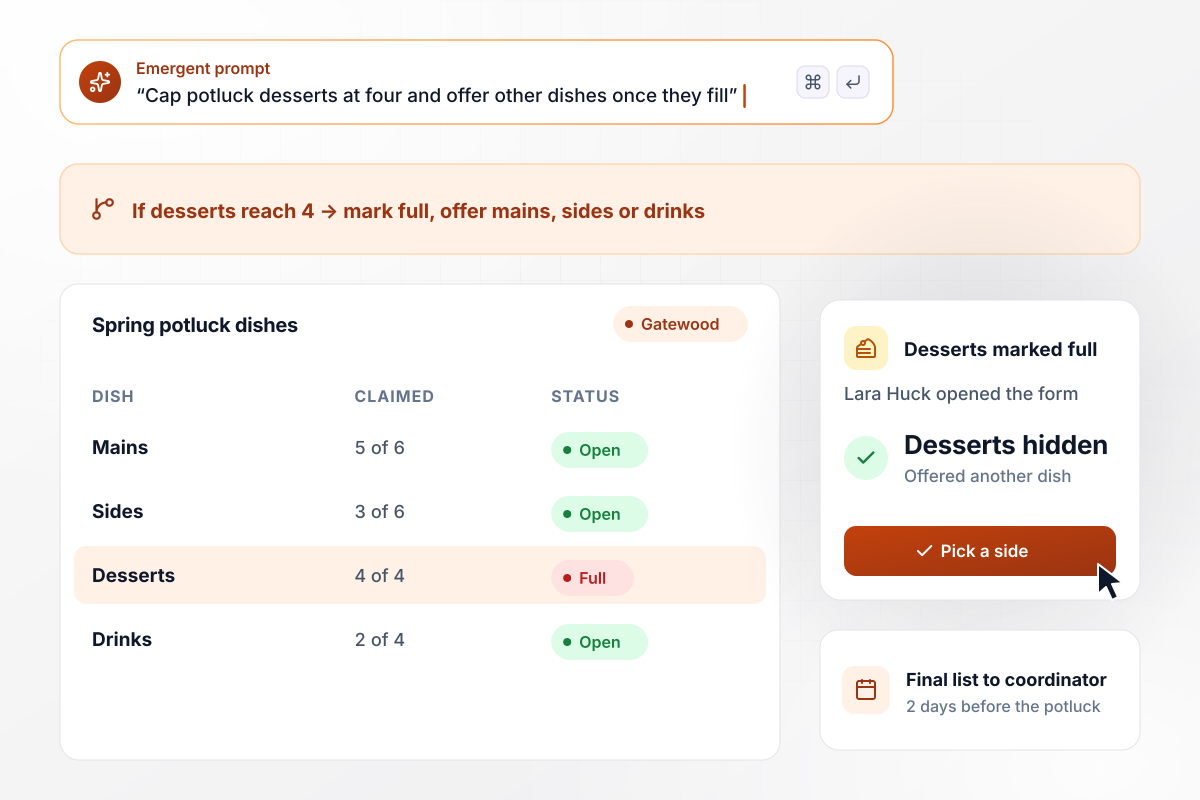
No fifth dessert at the spring potluck
Parents at Gatewood Elementary sign up to bring one dish to the spring potluck. Desserts stop at four. The next parent sees desserts marked full and picks another dish instead. Everyone can check the dish list before choosing, and the class coordinator gets the final list two days ahead.
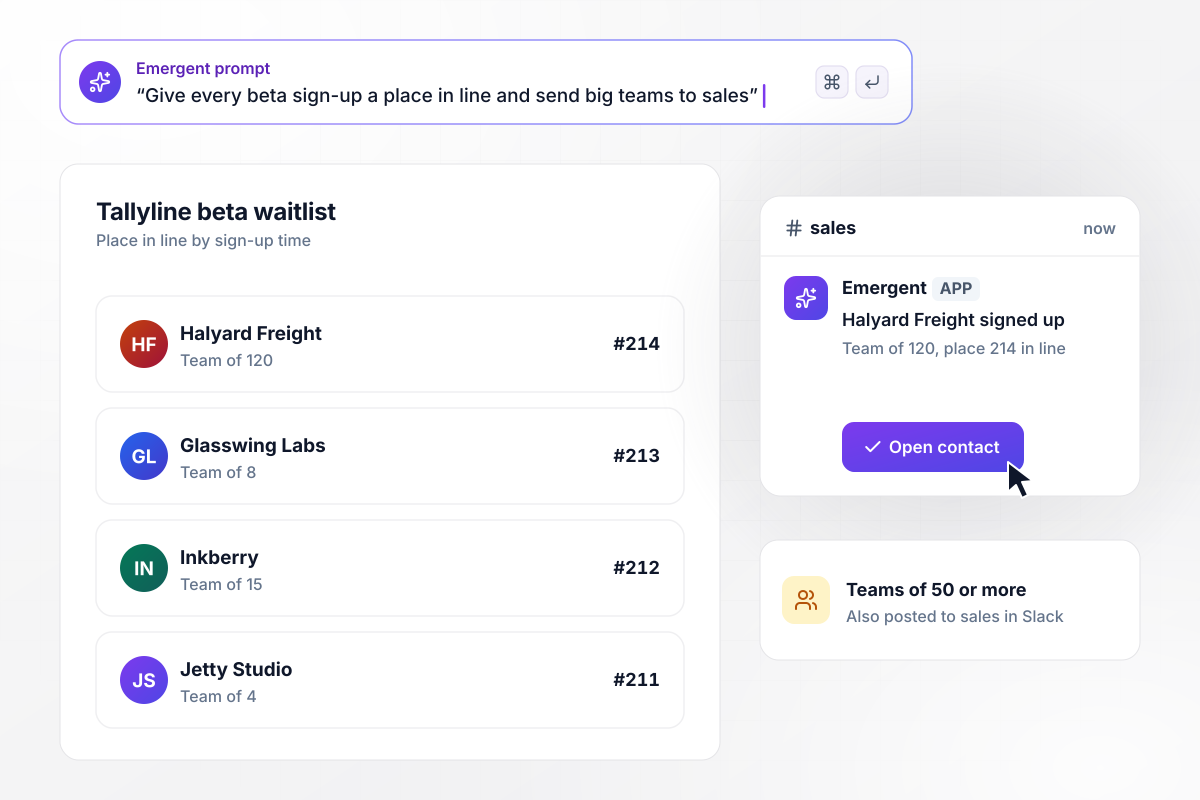
Teams of 50 or more go straight to sales
Tallyline opened its beta to a waitlist. The sign-up asks for a work email and team size, and every person gets a numbered place in line. A team of 50 or more is also posted to the sales channel in Slack with its company and headcount, where a rep picks it up.






How to Create a Sign up Form
Seven steps to plan a sign up form around its limits, build it with Emergent, and test it before anyone else gets the link.
A volunteer shift and a newsletter need different records. Sketch one finished sign-up as a row before anything else: the person and the choice they made. Then note how you will reach them later, by email or by phone.
Note the cap for each option, like six volunteers per shift or four desserts. Then decide what a full option does. It can close, or it can start a waitlist that hands the next free spot to the first name on it.
Give each field a reader. The organizer needs a phone number for a shift, while a newsletter needs only an email. Make a question optional when only some people can answer it, and cut any question nobody will use.
Decide what each person receives and when: a confirmation right away, a reminder before the date and a note if their slot changes. Write that wording now, in the voice of the group that is sending it.
Paste your notes in plain English, caps included, and say who gets alerted about new names. Emergent returns the form with its database and its emails. Change anything later by asking, such as adding a third shift or raising a cap to eight.
Take a slot under a made-up name, then fill that option to its cap and watch it close. Cancel one test sign-up and check that the spot opens again. Fix whatever surprised you before the real link goes out.
Publish on your own domain (built into Emergent, uses credits) or embed the form on a page your group visits. Post the link in a newsletter or on a printed QR code at the front desk. The roster shows which slots still need people as the date gets closer.
Why Build Sign up Forms With Emergent?
Sign-up sheet sites give you slots and form galleries give you fields. Emergent builds both, on a database you control.

|
Jotform | Typeform | Google Forms | |
|---|---|---|---|---|
| How you build | Describe it in plain English | Templates, editor, AI generator | Templates, editor, AI assist | Editor, with Gemini drafting on some Workspace plans |
| Response limits | No response caps | Monthly submission caps by plan; the form stops at the cap | Monthly response caps by plan; the form closes at the cap | No limit |
| Where responses live | A database table you own, plus any integration | Jotform account | Typeform account | Google Sheets |
| Code ownership | Full code export to GitHub on paid plans | None | None | None |




Pick the Pricing Plan That Works for You
Choose the plan that fits your building ambitions. From weekend projects to enterprise applications, we've got you covered.




Find the right form
for whatever you're collecting















Frequently Asked Questions
Your Questions, Answered
Don't change this element unless you know what you are doing
More things you can build
with Emergent









on Emergent today


